
EB706 - E-reader Sunstech - Free user manual and instructions
Find the device manual for free EB706 Sunstech in PDF.


| Product type | E-book reader (e-reader) |
| Brand | Sunstech |
| Model | EB706 |
| Dimensions (approx.) | 160 x 110 x 8 mm |
| Weight (approx.) | 200 g |
| Power supply | Rechargeable lithium-ion battery, charging via USB cable |
| Main functions | Reading e-books (ePub, PDF, TXT), font size and type adjustment, built-in dictionary, note-taking, library |
| Display | E-ink screen for comfortable reading without glare |
| Storage capacity | Internal memory 4 GB, expandable via microSD card |
| Connectivity | USB-C port for charging and data transfer |
| Backlight | Yes, with brightness adjustment |
| Maintenance and cleaning | Clean with a soft, dry cloth. Do not use liquid or abrasive products. |
| Safety | Do not expose the device to extreme temperatures (>50°C or <0°C) or humidity. |
| Spare parts and repairability | USB cable provided. Other parts available on request from Sunstech after-sales service. |
| General information | Compact and lightweight e-reader, ideal for on-the-go reading. Compatible with most common formats. |
Frequently Asked Questions - EB706 Sunstech
User questions about EB706 Sunstech
0 question about this device. Answer the ones you know or ask your own.
Ask a new question about this device
Download the instructions for your E-reader in PDF format for free! Find your manual EB706 - Sunstech and take your electronic device back in hand. On this page are published all the documents necessary for the use of your device. EB706 by Sunstech.
USER MANUAL EB706 Sunstech
- DO NOT place objects on top of the device, as objects may scratch the device.

natural_image
Simple diagram showing a cross symbol pointing downward to a circular object with irregular shapes below (no text or labels)- DO NOT expose the device to dirty or dusty environments.
natural_image
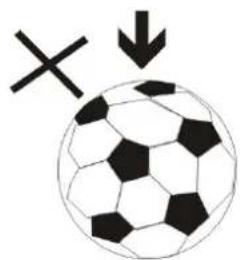
Black and white soccer ball with a cross symbol and downward arrow, no text or labels present- DO NOT place the device on an uneven or unstable surface.

natural_image
Illustration of basic geometric shapes including a cross, eraser, and pencil on a ruler (no text or symbols)- DO NOT insert any foreign objects into the device.

- DO NOT expose the device to strong magnetic or electrical field.
natural_image
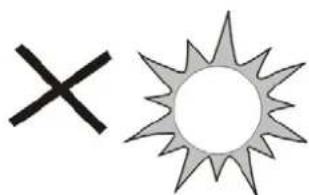
Simple graphic with a black X and a gray sunburst shape (no text or symbols)- DO NOT expose the device to direct sunlight as it can damage the device. Keep it away from heat sources.
60^ C(140^ F)
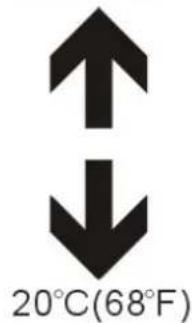
- DO NOT store your device in temperatures higher than 40^ C(104^ F) . The internal operating temperature for this device is from 20^ C(68^ F) to 60^ C(140^ F) .

natural_image
Simple illustration of a cloud with raindrops and a cross symbol (no text or labels)- DO NOT use the device in the rain.

natural_image
Illustration of a hand holding a mobile phone with a keypad, enclosed in a circle (no text or symbols)- Please check with your Local Authority or retailer for proper disposal of electronic products.
natural_image
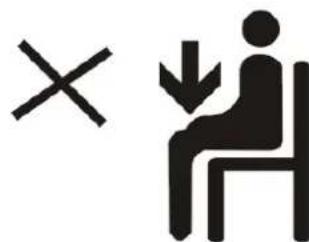
Symbolic illustration of a person sitting on a chair with an 'X' mark and a downward arrow, no text present.- The device and adaptor may product some heat during normal operation of charging. To prevent discomfort or injury from heat exposure, DO NOT leave the device on your lap.

- POWER INPUT RATING: Refer to the rating label on the device and be sure that the power adaptor complies with the rating. Only use accessories specified by the manufacturer.
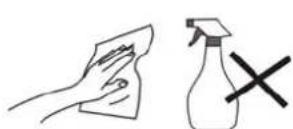
- Clean the device with a soft cloth. If needed, dampen the cloth slightly before cleaning. Never use abrasives or cleaning solutions.
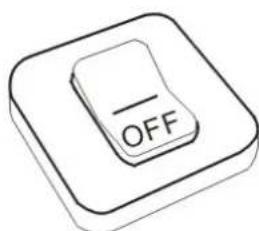
- Always power off the device to install or remove external devices that do not support hot-plug.
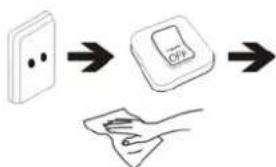
flowchart
graph TD
    A["Switch"] --> B["Power Button"]
    B --> C["Hand Strel with Cover"]
- Disconnect the device from an electrical outlet and power off before cleaning the device.
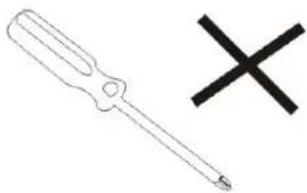
natural_image
Simple line drawing of a screwdriver and a black X symbol (no text or labels)- DO NOT disassemble the device. Only a certified service technician should perform repair.

- The device has apertures to disperse heat. DO NOT block the device ventilation, the device may become hot and malfunction as a result.
natural_image
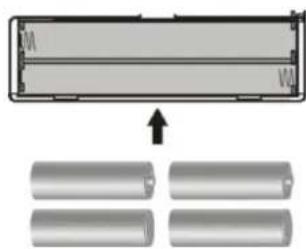
Diagram showing a device with two cylindrical components and an arrow pointing to them, no text or symbols present.- Risk of explosion if battery replaced by an incorrect type. Dispose of used batteries according to the instruction.
natural_image
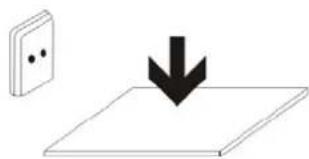
Simple line drawing of a wall-mounted switch with a downward arrow indicating compression (no text or symbols)- PLUGGABLE EQUIPMENT: the socket-outlet shall be installed near the equipment and shall be easily accessible.
Special Note:
For the convenience of reading, you can store the most-frequently read books in "My Library" loose-leaf folder, to facilitate rapid usage.
Model Instructions:
Start the reader
Turn ON switch, then long press the power button 3-5 seconds to start the reader.
2. Outlook and Keys
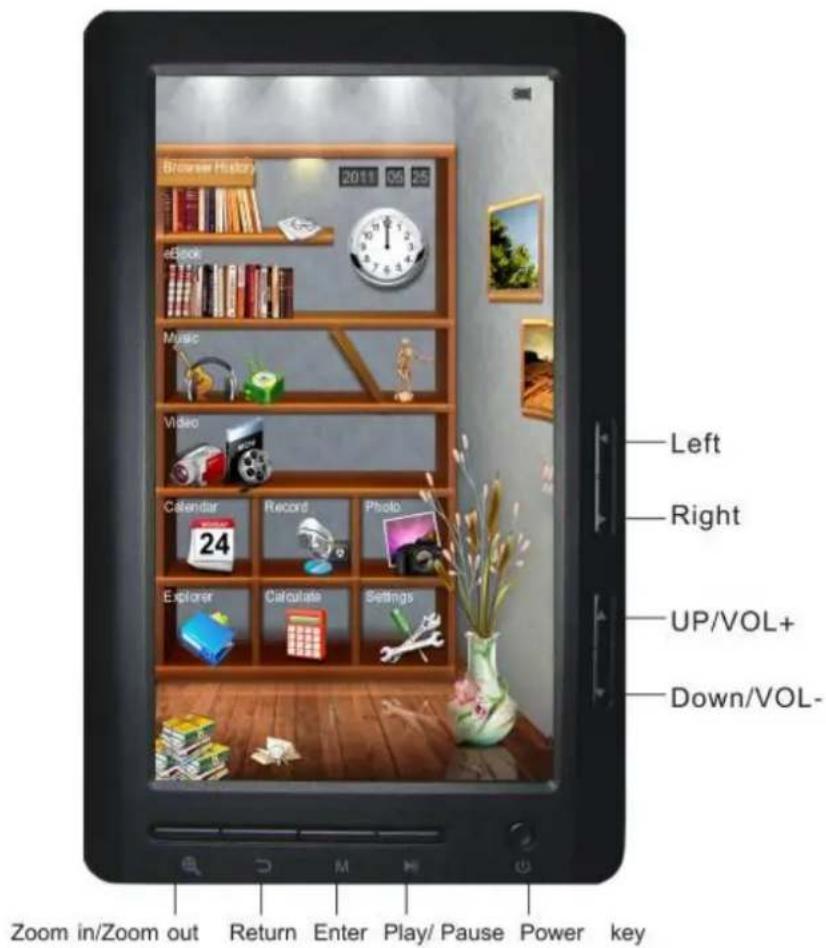

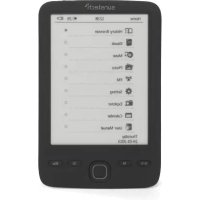
3. The main interface
In the main interface: press the arrow keys briefly to select options in the menu and press M key to enter submenus.

4. Browsing History
Press the up/down key to move the cursor in to "Browsing History", short press M key to enter, then you can view the names and page numbers of the recently read articles.
Note: Short press play/pause key to select functions (delete/delete all/exit).
5. EBook
Press M key to enter folder, press cursor keys to select file and press M key briefly to enter and press M key again to enter sub-menu. Press cursor keys to view previous or next page.
Tips : Users can jump to page run over setting menu to select the previous page to resume reading.
Brief instruction of operation: In reading interface, short press M key to enter in the following features:
Jump Page : Operation: Reading / Short press left/right and up/down key to get the page run over Windows-select the page number-Short press M key to confirm-jump to the selected page
Save Mark: Operation: Reading / Short press M key / Select the
SaveMark / Short press M key-short press up/down arrow key to select number / Short press M key to confirm-bookmark stored and name displayed
Load Mark:
Operation: Reading / Short press M key-select "LoadMark" / Short press M key / Short press up / down arrow key to select the bookmark to extract-short press M key to confirm the selected number-bookmarks extracted and enter reading interface directly.
Del Mark:
Operation: Redding / short press M key / Select "DelMark" / Short press M key / Short press up/down arrow key to select the bookmark to delete / Short press M key to confirm the selected number / Bookmarks deleted
Browse Mode :
Operation: Reading / Short press M key / Select automatic or manual browse mode settings / Short press M key to confirm
Filp Time:
Operation: Reading / Short press M key / Select time span for auto slip / Short press M key to confirm
Re-alignment:
Operation: Reading / Shortpress M key / Select re-alignment / Short press up/down to select turn off or turn on / Short press M key to confirm
Brightness:
Operation: Reading / Short press M key / Select number / Short press M key to confirm.
Zoom in/Zoom out
Reading: Press the key to adjust font size, press arrow keys to adjust and read.
6. Music
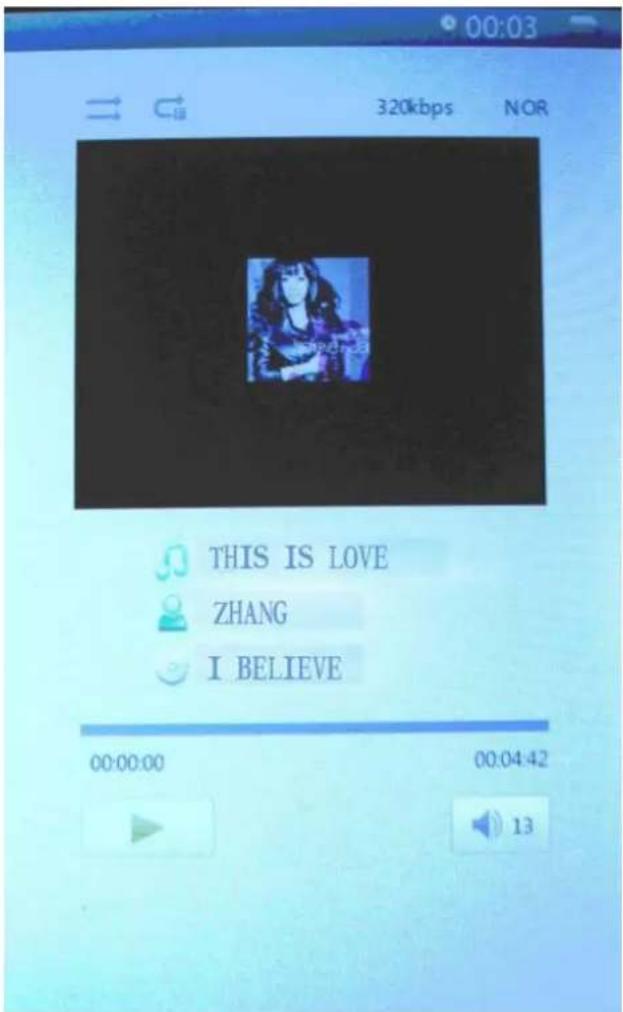
Press up and down cursor keys to select files. Press M key to enter and play; press left or right cursor key briefly for browse previous or next file, long press to fast-forward or rewind. Press up and down arrow keys to increase or decrease the volume. Press M key briefly when playing video, menu will pop up for settings.
7. Video
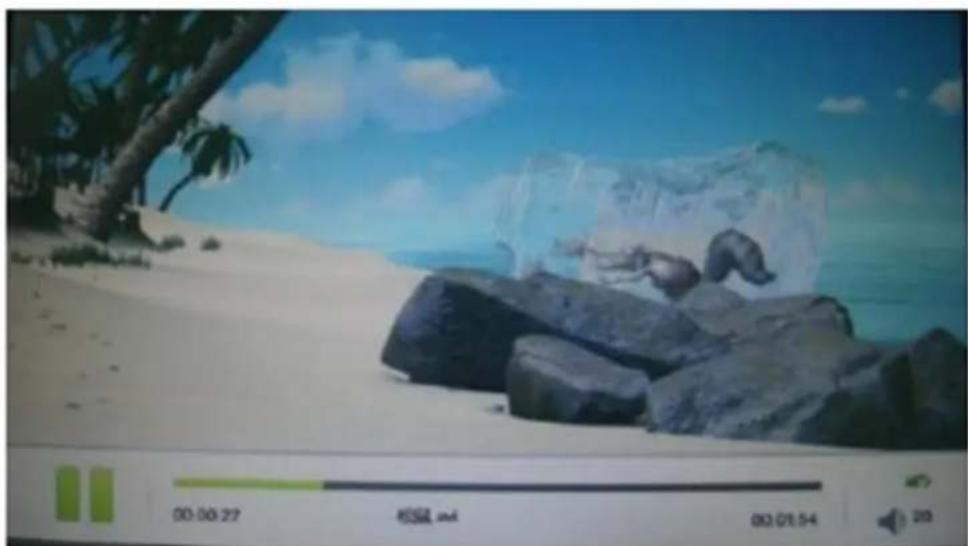
Press up and down cursor keys to select files, Press M key to enter and play; press left or right cursor key briefly for browse previous or next file, long press to fast-forward or rewind. Press up and down cursor keys to increase or decrease the volume. Press M key briefly when playing video, menu will pop up for settings.
natural_image
Beach scene with palm tree, rocks, and icy water under blue sky (no visible text or symbols)8. Picture
Press up or down key to select picture, press M key to play and press play/pause key to rotate, press M key again to get the menu for slide show. Press cursor keys to view previous or next picture.
natural_image
Black-and-white illustration of a girl sitting on a chair with a tennis racket and balls, surrounded by plants (no text or symbols)Zoom in/Zoom out: press the key to adjust picture size.
9. Record
In the recording preparation interface, press M key briefly to get the recording quality and volume settings menu.
Press M key to enter and press play/pause to start recording, play/pause key to recording pause; press back key to "save record file", press left and right cursor keys to select and the M key to confirm.

10. Explorer
Press M key to enter, press up and down to select file, press M key to enter.
11. Settings
Press M key to enter submenu of settings, press cursor keys to select and M key to confirm.

Functions.
Display settings : Short press M key—Enter Light time and Brightness adjustment settings—short press M key to confirm.
System settings: Short press M key—Enter system Restore / Key Lock time—Erase activation record and press M key to confirm
Language: English, Spanish, Portugues, French...
System information: Short press M key to check the information about the E-book: manufacturer, product name and product capacity etc.
Auto power off: Short press M key to set the auto-off timer. User can start auto-off time and the condition of no operation. However if the machine This in working condition, such as playing music, this action would not be possible to perform.
Time/Date settings:
Adjust to set up time and date for the system.
12. Data transmission & Charging
Connect the device to PC through the USB data cable provided in the package.
Copy the music/image/document files in the computer's hard drive, switch to the disk of reader and paste.
Charging
- Use standard USB cable
Step One: Connect the device to PC through USB data cable.
Step Two: After connecting properly with the computer,
Double click the icon "Safely Remove Hardware" on the right bottom of the computer screen to remove equipment.
Do not unplug the device of the connection with the computer, then charging starts.
- Use charger
How charge the unit.
Please connect the USB cable to the external adaptor to battery charge.
After a few seconds appears the icon battery charge and after a few seconds disappears.
To know how this the battery charge, please push the power key and displayed the battery charge. The position of the switch ON/OFF don't affect the battery charge.
When the battery is full, the battery icon show follow this picture.

Only use a external adaptor supplied by Sunstech. Any power adaptor that does not meet with the technical characteristics can damage the unit.
Power supply : DC5.0 / 1500mA(DC)
13. Common Problems and Solutions
Failure ① in starting reader
*Check the remain power
*Check again after connection to power transformer
*If failure remains, please contact our customer service personnel.
No ② sound in the headphone
*Please check whether it is muted
*Please check the connection between headphone and the Device
Severe ③ noise
* Please check the headset plug, dirt can cause noise.
* Checks whether the music file is damaged. Try other music file to confirm. Any damage of the file can lead to severe noise or skips.
14. Legal information
Disposal of old electrical appliances
THE DISPOSAL OF ELECTRICAL AND ELECTRONIC EQUIPMENT WASTE PRODUCTS ON THE PART OF FINAL USERS IN THE EUROPEAN UNION
This symbol on the product or on the container indicates that this product cannot be eliminated with the general waste. The user is responsible for eliminating this kind of waste by throwing them away at a “recycling point” specifically for electrical and electronic waste. Selective collection and electrical equipment recycling contribute to preserve natural resources and warrant waste recycling to protect environment and health. In order to receive further information about electrical and electronic waste collecting and recycling, contact your Local Council, the service of household waste or the establishment where the product was acquired.

At full volume, prolonged listening to the portable audio device may damage the user's hearing.
Warranty conditions
- The warranty of this product is for 2 years since the purchase date.
- The warranty will exclude breakdowns caused by bad use of the product, wrong installation or installation in not desirable places for a proper maintenance of the product, rips, updates of the products
that are not the supplied by the brand, pieces wore away for its use or for not domestic or inappropriate use. Also are excluded breakdowns caused for manipulations of the products by people or companies alien to our company.
- For any request regarding the warranty terms, the purchase receipt must be attached.

Correct disposal of this Product
(Waste Electrical & Electronic Equipment(WEEE)
Your product is designed and manufactured with high quality materials and components which can be recycled and reused.
This symbol means that electrical and electronic equipment, at their endof-life should be disposed of separately from your household waste.
Please dispose of this equipment at your local community waste collection/recycling centre.
In the European Union there are separate collection systems for used electrical and electronic products.
Please help us to conserve the environment we live in!
Made in China
sunstech
E-book reader
EB706

USER MANUAL-ES
Contenido
natural_image
Simple diagram showing a cross above a downward arrow and scattered shapes below, with no text or symbols present.natural_image
Black and white soccer ball with a cross symbol and downward arrow, no text or labels presentnatural_image
Illustration of five basic objects: a cross, eraser, paperclip, and pencil, with a ruler for scale (no text or symbols)natural_image
Simple line drawing of a black 'X' and a U-shaped magnet (no text or symbols)natural_image
Simple graphic with a black X and a sunburst shape (no text or symbols)natural_image
Simple illustration of a cloud with raindrops and a cross symbol (no text or labels)natural_image
Illustration of a hand holding a mobile phone inside a circle (no text or symbols)natural_image
Symbolic illustration of a person sitting on a chair with an 'X' mark and a downward arrow, no text present.natural_image
Simple line drawing of a hand cleaning a cloth next to a spray bottle with a cross mark (no text or symbols)flowchart
graph TD
    A["Switch"] --> B["OFF"]
    B --> C["Hand holding a paper with scroll"]
natural_image
Simple line drawing of a screwdriver and a black X symbol (no text or labels)natural_image
Diagram showing a device with internal components and four cylindrical bodies below, no text or symbols present.natural_image
Simple line drawing of a switch and a downward arrow on a flat surface (no text or symbols)natural_image
Black-and-white illustration of a girl playing badminton with a racket and balls, surrounded by fruit branches (no text or symbols)10. Explorador
natural_image
Simple diagram showing a cross above a circular pattern with scattered shapes below, no text or symbols present.natural_image
Classic black-and-white soccer ball with a cross symbol and downward arrow, no text or labels present.natural_image
Illustration of basic writing and drawing tools including a cross, eraser, pencil, and paperclip (no text or symbols)natural_image
Simple line drawing of a U-shaped magnet and a cross symbol (no text or labels)natural_image
Simple graphic with a black X and a sunburst shape (no text or symbols)natural_image
Simple illustration of a cloud with raindrops and a black X symbol (no text or labels)natural_image
Illustration of a hand holding a mobile phone inside a circle (no text or symbols)natural_image
Symbolic illustration of a person sitting on a chair with an 'X' mark and a downward arrow, no text present.natural_image
Illustration showing a hand cleaning a cloth next to a spray bottle with a cross mark (no text or symbols)flowchart
graph TD
    A["Switch"] --> B["OFF Button"]
    B --> C["Hand with Paper"]
natural_image
Simple line drawing of a screwdriver and a black X symbol (no text or labels)natural_image
Simple line drawing of a door with a downward arrow pointing to a flat surface (no text or symbols)3. Interface principale
Operation: Lecture / Short press M key / Select automatic or manual browse mode settings / Short press M key to confirm
natural_image
Beach scene with large ice cubes and rocks under a blue sky (no visible text or symbols)8. Images
natural_image
Black-and-white illustration of a girl sitting on a bench with balls and a tennis racket, surrounded by trees (no text or symbols)10. Explorateur
natural_image
Black and white soccer ball with a cross symbol and downward arrow, no text or labels presentnatural_image
Illustration of a pencil, ruler, eraser, and three separate objects: a cross, a paperclip, and a checkmark (no text or symbols present)natural_image
Simple graphic with a black X and a sunburst shape (no text or symbols)natural_image
Simple illustration of a cloud with raindrops and a cross symbol (no text or labels)natural_image
Illustration of a hand holding a mobile phone with a keypad, enclosed in a circle (no text or symbols)natural_image
Silhouette of a person sitting on a chair with a downward arrow, symbolizing pressure or decline (no text or symbols present)natural_image
Illustration showing a hand cleaning a cloth next to a spray bottle with a black X mark (no text or symbols)natural_image
Simple line drawing of a screwdriver and a black X symbol (no text or labels)natural_image
Diagram showing a rectangular device with internal components and four cylindrical tanks below, no text or symbols present.natural_image
Simple line drawing of a wall-mounted switch with a downward arrow indicating compression (no text or symbols)3. A interface principal
natural_image
Black-and-white illustration of a girl sitting on a chair surrounded by fruit and small objects (no text or symbols)10. Explorador
natural_image
Close-up of a cylindrical battery with metallic casing, shown against a dark background (no visible text or symbols)
- Special Note:
- Model Instructions:
- Outlook and Keys
- The main interface
- Browsing History
- EBook
- Load Mark:
- Del Mark:
- Browse Mode :
- Filp Time:
- Re-alignment:
- Brightness:
- Zoom in/Zoom out
- Music
- Video
- Picture
- Record
- Explorer
- Settings
- Functions.
- Time/Date settings:
- Data transmission & Charging
- Charging
- Common Problems and Solutions
- Legal information
- Warranty conditions
- Correct disposal of this Product
- Made in China
- sunstech
- E-book reader
- Contenido
- Explorador
- Interface principale
- Images
- Explorateur
- A interface principal
Brand : Sunstech
Model : EB706
Category : E-reader