XC2132 - Printer LEXMARK - Free user manual and instructions
Find the device manual for free XC2132 LEXMARK in PDF.


| Product type | Color multifunction printer |
| Brand | Lexmark |
| Model | XC2132 |
| Printing technology | Color laser |
| Functions | Print, copy, scan, fax |
| Max paper size | A4 |
| Print resolution | Up to 1200 x 1200 dpi |
| Print speed | Up to 22 pages per minute |
| Standard paper capacity | 250 sheets |
| Connectivity | USB 2.0, Ethernet 10/100/1000 |
| Dimensions (W x D x H) | 400 x 500 x 500 mm |
| Weight | 20 kg |
| Power supply | 220-240 V, 50/60 Hz |
| Power consumption (standby) | Less than 10 W |
| Power consumption (printing) | Less than 500 W |
| Maintenance | Regular cleaning of rollers and drum |
| Safety | CE compliant |
| Spare parts | Toner cartridges, drum, fuser unit |
| Repairability | Repairability index not disclosed |
Frequently Asked Questions - XC2132 LEXMARK
User questions about XC2132 LEXMARK
0 question about this device. Answer the ones you know or ask your own.
Ask a new question about this device
Download the instructions for your Printer in PDF format for free! Find your manual XC2132 - LEXMARK and take your electronic device back in hand. On this page are published all the documents necessary for the use of your device. XC2132 by LEXMARK.
USER MANUAL XC2132 LEXMARK
Configuration de Forms and Favorites....22
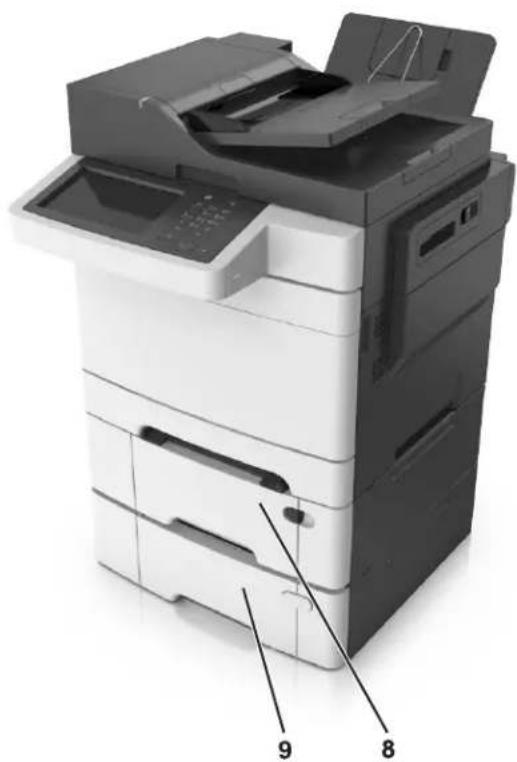
natural_image
Exterior view of a multi-tiered printer with labeled parts (no text or symbols visible)Configuration de Forms and Favorites
natural_image
Diagram of a printer internal structure with red arrows indicating flow or movement, no text or symbols presentnatural_image
Two views of a printer's internal structure showing internal components and a magnified view of a green component (no text or symbols visible)natural_image
Interior view of a printer showing internal components and labeled parts (1, 2, 3), no readable text or symbols beyond labels.natural_image
Diagram of a printer internal structure with red arrows indicating flow or movement, no text or symbols presentnatural_image
Diagram of a dual-layered electronic component with labeled parts (1 and 2), showing internal structure and green substrate (no text or symbols beyond labels)natural_image
Two 3D diagrams showing a device with labeled components, one with a blue frame and green base, the other with a green circuit board and red arrow indicating direction (no text or symbols)natural_image
3D illustration of a microchip with a green base and red arrow indicating direction (no text or symbols)natural_image
Diagram of a printer with a handle and spool, showing red arrows indicating movement or force (no text or symbols present)natural_image
Two stacked printer units with a red arrow indicating compression or disassembly (no text or symbols visible)natural_image
Stacked printer with paper feeding into a slot, showing internal structure and a red arrow indicating motion (no text or symbols visible)natural_image
3D diagram of a mechanical component with highlighted section and red directional arrows indicating flow or movement (no text or symbols)natural_image
Close-up of a printer's internal structure with green plastic components, showing no text or symbolsnatural_image
3D printer internal structure with green and black components, highlighted by red arrows (no text or symbols)natural_image
Three-step illustration showing a folding or rolling process: cutting, folding, and rolling (no text or symbols)natural_image
3D illustration of a device with green internal compartments and a red downward arrow indicating compression or disassembly (no text or symbols)natural_image
Close-up of a printer's internal structure with a red arrow pointing to it, no visible text or symbols.natural_image
Close-up of a printer emitting a white envelope with red arrows indicating airflow direction (no text or symbols)natural_image
Diagram showing a printer or printer with red arrows pointing to the paper edge, no text or symbols present.natural_image
3D cutaway view of a white electronic device showing internal components with green and black sections (no text or symbols)natural_image
Close-up of a printer's tip and paper edge being inserted, with a magnified inset showing a red arrow pointing to the tip (no text or symbols visible)natural_image
Close-up of a printer's internal structure with a red arrow indicating compression (no text or symbols visible)natural_image
Close-up of a printer's paper feed being inserted, showing paper rolls and a red arrow indicating compression (no text or symbols visible)natural_image
Three-step illustration showing hands holding a document with arrows indicating movement (no text or symbols)natural_image
Three-step illustration showing hand positioning and force application on a surface (no text or symbols)natural_image
Close-up of a printer's paper being inserted into a paper holder, with a red arrow indicating the paper's edge (no text or symbols visible)natural_image
Diagram of a printer with an envelope being inserted, showing paper movement and red arrows indicating process (no text or symbols present)Remarques :
natural_image
Close-up of a printer's internal structure showing a USB drive and a USB flash drive (no text or symbols visible)Remarques :
natural_image
Illustration of a printer with paper and a red arrow, no visible text or symbols on the device itself.natural_image
3D rendering of an open scanner with internal components and a red cable (no visible text or symbols)natural_image
Illustration of a printer with paper and a red arrow, no visible text or symbols on the device itself.natural_image
3D rendering of an open scanner with internal components and a red cable inserted (no visible text or symbols)natural_image
Illustration of a printer with paper and a red arrow, no visible text or symbols on the device itself.natural_image
3D rendering of an open scanner with internal components and a red cable inserted (no visible text or symbols)Connexion :
Connexion :
Connexion :
Connexion :
Connexion :
natural_image
Line drawing of a mechanical component with no visible text or symbolsnatural_image
Close-up of a computer interface with a cable and plug, showing a close-up of a socket (no text or symbols visible)natural_image
Illustration of a printer with paper labeled ABC, no visible text or symbols on the device itselfnatural_image
3D rendering of an open scanner with a paperclip inserted (no visible text or symbols)Configuration de Scan to Computer
Remarques :
natural_image
Close-up of a printer's internal structure with a magnified inset showing a paperclip (no text or symbols visible)natural_image
Illustration of a printer with an open lid and a red arrow pointing to the lid area (no text or symbols present)natural_image
Diagram of a printer with red arrows indicating internal structure, showing internal components and flow direction (no text or symbols)3 Ouvrez le capot.
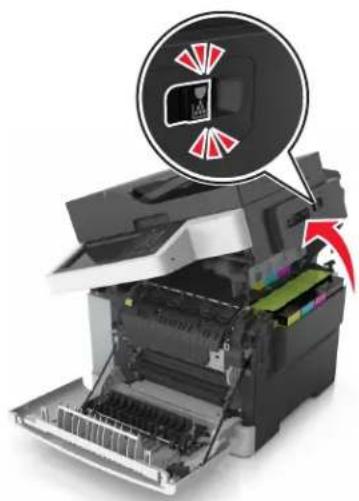
natural_image
Diagram of a printer with internal components and a magnified inset showing a device with red arrows (no text or symbols)natural_image
Mechanical assembly diagram showing a gear shift and component alignment (no text or symbols)natural_image
Illustration of a person interacting with a laptop and computer, showing two circular insets highlighting the scene (no text or symbols present)natural_image
Diagram of a printer with red arrows indicating internal components (no text or symbols present)natural_image
Diagram of a printer with red arrows indicating internal components (no text or symbols present)2 Ouvrez le capot.
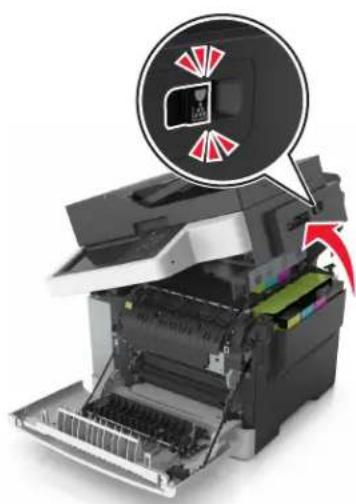
natural_image
Diagram of a printer with internal components and a magnified view showing a warning or alert icon (no text or symbols present)natural_image
Diagram showing a printer being placed into a stack of black ink rollers, with no text or symbols present.Remarques :
natural_image
Illustration of a printer with a paper roll and a color-coded ink roller being inserted (no text or symbols)natural_image
3D diagram of a black rectangular object with red arrows indicating rotational or directional movement (no text or symbols)natural_image
Diagram of a mechanical assembly with red arrows indicating motion or force direction (no text or symbols)natural_image
Stacked black inkjet rollers with red arrows indicating compression or disassembly (no text or symbols visible)natural_image
Diagram of a black ink mill machine with red components and airflow arrows, showing internal structure (no text or symbols)natural_image
Close-up of a printer's internal structure showing color-coded components and a magnified inset (no text or symbols visible)natural_image
Mechanical assembly diagram showing a component with highlighted parts and directional arrows (no text or symbols)natural_image
Close-up of a mechanical device with highlighted components and a red arrow indicating motion (no text or symbols)natural_image
3D rendering of a printer with a colorful cube and green leaf next to it, no visible text or symbolsnatural_image
Diagram of a printer with red arrows indicating internal components (no text or symbols present)natural_image
Illustration of a printer with an open lid and a magnified inset showing internal components (no text or symbols)natural_image
Diagram showing a yellow and black component being processed by a curved paper-like structure with a red arrow indicating motion (no text or symbols present)natural_image
3D printer internal structure showing color-coded components and a red arrow indicating a specific part (no text or symbols visible)natural_image
Diagram of a printer with red arrows indicating process flow, showing internal structure and no text or symbols.2 Ouvrez le capot.
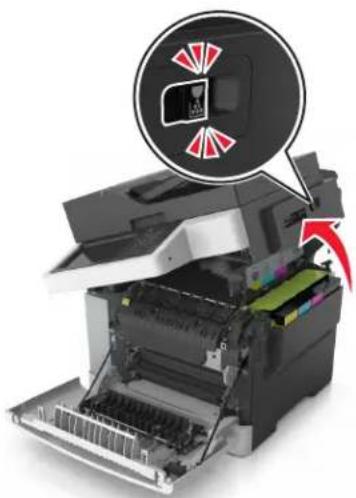
natural_image
Diagram of a printer with internal components and a magnified view showing a close-up of the printer's internal structure (no text or symbols present)natural_image
Two stacked black ink打印机 with colored paper strips and a red upward arrow indicating compression (no text or symbols)natural_image
3D rendering of a black cylindrical object with red arrows indicating rotational or directional movement (no text or symbols)natural_image
Diagram of a mechanical assembly with red arrows indicating motion or force direction (no text or symbols present)natural_image
Two stacked black inkjet collectors with colored paper strips, one emitting a red arrow (no text or symbols visible)natural_image
Close-up of a printer's internal structure showing color-coded modules and a magnified view of the interior (no text or symbols visible)natural_image
Mechanical assembly diagram showing a component with highlighted parts and directional arrows (no text or symbols)natural_image
Diagram showing two circular views of a device with green and red highlights, no visible text or symbolsnatural_image
3D rendering of a printer with colorful modules and a green leaf on top (no text or symbols visible)natural_image
Diagram of a printer with red arrows indicating internal components (no text or symbols present)natural_image
3D illustration of a printer with green internal compartments and a red downward arrow indicating compression or disassembly (no text or symbols)natural_image
Illustration of an HP printer with a magnified inset showing internal components (no text or symbols visible)natural_image
Office printer with open lid and colored paper strips, no visible text or symbols3 Refermez le capot.
natural_image
Two views of a printer showing internal structure and a magnified view of the printer's internal components (no text or symbols present)natural_image
Close-up of a printer's internal structure showing internal components and a magnified view of the printer's interior (no text or symbols visible)natural_image
Two views of a printer's internal structure showing internal components and a magnified view of the printer's internal structure (no text or symbols visible)natural_image
Close-up of a printer's internal structure with red arrows indicating process direction (no text or symbols visible)natural_image
Interior view of a computer printer showing internal components and a red arrow indicating a location (no text or symbols present)natural_image
Disassembled printer with green internal compartments and a red arrow indicating motion (no text or symbols visible)natural_image
Close-up of a printer's internal structure with green components and paper sheets, showing no visible text or symbols.natural_image
Close-up of a printer emitting paper strips with red arrows indicating compression or disassembly (no text or symbols present)3 Insérez le bac.
natural_image
Close-up of a printer's paper being inserted, showing paper sheet and printer outline (no text or symbols visible)natural_image
Interior view of a printer showing internal structure with a red arrow indicating motion (no text or symbols visible)natural_image
3D rendering of an open printer with visible internal components and a red arrow indicating a component (no text or symbols)[59] Tiroir incompatible [x]
© 2012 Lexmark International, Inc.
This product complies with the India E-Waste (Management and Handling) Rules, 2011, which prohibit use of lead, mercury, hexavalent chromium, polybrominated biphenyls, or polybrominated diphenyl ethers in concentrations exceeding 0.1% by weight and 0.01% by weight for cadmium, except for the exemption set in Schedule II of the Rules.
DANGER - Invisible laser radiation when cartridges are removed and interlock defeated. Avoid exposure to laser beam.
Industry Canada compliance statement
This Class B digital apparatus meets all requirements of the Canadian Interference-Causing Equipment Standard ICES-003.
Notice to users of the Canadian telephone network
This product meets the applicable Industry Canada technical specifications. The Ringer Equivalence Number (REN) is an indication of the maximum number of terminals allowed to be connected to a telephone interface. The terminus of an interface may consist of any combination of devices, subject only to the requirement that the sum of the RENs of all the devices does not exceed five. The modem REN is located on the rear of the equipment on the product labeling.
Telephone companies report that electrical surges, typically lightning transients, are very destructive to customer terminal equipment connected to AC power sources. This has been identified as a major nationwide problem. It is recommended that the customer install an appropriate AC surge arrestor in the AC outlet to which this device is connected. An appropriate AC surge arrestor is defined as one that is suitably rated, and certified by UL (Underwriter's Laboratories), another NRTL (Nationally Recognized Testing Laboratory), or a recognized safety certification body in the country/region of use. This is to avoid damage to the equipment caused by local lightning strikes and other electrical surges.
This equipment uses CA11A telephone jacks.
Lexmark International, Inc., Lexington, KY
This limited warranty applies to the United States and Canada. For customers outside the U.S., refer to the country-specific warranty information that came with your product.
This limited warranty applies to this product only if it was originally purchased for your use, and not for resale, from Lexmark or a Lexmark Remarketer, referred to in this statement as “Remarketer.”
Garantie limitée
Lexmark warrants that this product:
—Is manufactured from new parts, or new and serviceable used parts, which perform like new parts
—Is, during normal use, free from defects in material and workmanship
If this product does not function as warranted during the warranty period, contact a Remarketer or Lexmark for repair or replacement (at Lexmark's option).
If this product is a feature or option, this statement applies only when that feature or option is used with the product for which it was intended. To obtain warranty service, you may be required to present the feature or option with the product.
If you transfer this product to another user, warranty service under the terms of this statement is available to that user for the remainder of the warranty period. You should transfer proof of original purchase and this statement to that user.
The warranty period starts on the date of original purchase as shown on the purchase receipt and ends 12 months later provided that the warranty period for any supplies and for any maintenance items included with the printer shall end earlier if it, or its original contents, are substantially used up, depleted, or consumed. Fuser Units, Transfer/Transport Units, Paper Feed items, if any, and any other items for which a Maintenance Kit is available are substantially consumed when the printer displays a “Life Warning” or “Scheduled Maintenance” message for such item.
To obtain warranty service you may be required to present proof of original purchase. You may be required to deliver your product to the Remarketer or Lexmark, or ship it prepaid and suitably packaged to a Lexmark designated location. You are responsible for loss of, or damage to, a product in transit to the Remarketer or the Lexmark designated location.
When warranty service involves the exchange of a product or part, the item replaced becomes the property of the Remarketer or Lexmark. The replacement may be a new or repaired item.
The replacement item assumes the remaining warranty period of the original product.
Replacement is not available to you if the product you present for exchange is defaced, altered, in need of a repair not included in warranty service, damaged beyond repair, or if the product is not free of all legal obligations, restrictions, liens, and encumbrances.
Before you present this product for warranty service, remove all print cartridges, programs, data, and removable storage media (unless directed otherwise by Lexmark).
For further explanation of your warranty alternatives and the nearest Lexmark authorized servicer in your area contact Lexmark on the World Wide Web.
Remote technical support is provided for this product throughout its warranty period. For products no longer covered by a Lexmark warranty, technical support may not be available or only be available for a fee.
Lexmark does not warrant uninterrupted or error-free operation of any product or the durability or longevity of prints produced by any product.
Warranty service does not include repair of failures caused by:
—Modification or unauthorized attachments
—Accidents, misuse, abuse or use inconsistent with Lexmark user's guides, manuals, instructions or guidance
—Unsuitable physical or operating environment
—Maintenance by anyone other than Lexmark or a Lexmark authorized servicer
—Operation of a product beyond the limit of its duty cycle
—Use of printing media outside of Lexmark specifications
—Refurbishment, repair, refilling or remanufacture by a third party of products, supplies or parts
—Products, supplies, parts, materials (such as toners and inks), software, or interfaces not furnished by Lexmark
TO THE EXTENT PERMITTED BY APPLICABLE LAW, NEITHER LEXMARK NOR ITS THIRD PARTY SUPPLIERS OR REMARKETERS MAKE ANY OTHER WARRANTY OR CONDITION OF ANY KIND, WHETHER EXPRESS OR IMPLIED, WITH RESPECT TO THIS PRODUCT, AND SPECIFICALLY DISCLAIM THE IMPLIED WARRANTIES OR CONDITIONS OF MERCHANTABILITY, FITNESS FOR A PARTICULAR PURPOSE, AND SATISFACTORY QUALITY. ANY WARRANTIES THAT MAY NOT BE DISCLAIMED UNDER APPLICABLE LAW ARE LIMITED IN DURATION TO THE WARRANTY PERIOD. NO WARRANTIES, EXPRESS OR IMPLIED, WILL APPLY AFTER THIS PERIOD. ALL INFORMATION, SPECIFICATIONS, PRICES, AND SERVICES ARE SUBJECT TO CHANGE AT ANY TIME WITHOUT NOTICE.
Your sole remedy under this limited warranty is set forth in this document. For any claim concerning performance or nonperformance of Lexmark or a Remarketer for this product under this limited warranty, you may recover actual damages up to the limit set forth in the following paragraph.
Lexmark's liability for actual damages from any cause whatsoever will be limited to the amount you paid for the product that caused the damages. This limitation of liability will not apply to claims by you for bodily injury or damage to real property or tangible personal property for which Lexmark is legally liable. IN NO EVENT WILL LEXMARK BE LIABLE FOR ANY LOST PROFITS, LOST SAVINGS, INCIDENTAL DAMAGE, OR OTHER ECONOMIC OR CONSEQUENTIAL DAMAGES. This is true even if you advise Lexmark or a Remarketer of the possibility of such damages. Lexmark is not liable for any claim by you based on a third party claim.
This limitation of remedies also applies to claims against any Suppliers and Remarketers of Lexmark. Lexmark's and its Suppliers' and Remarketers' limitations of remedies are not cumulative. Such Suppliers and Remarketers are intended beneficiaries of this limitation.
Some states do not allow limitations on how long an implied warranty lasts, or do not allow the exclusion or limitation of incidental or consequential damages, so the limitations or exclusions contained above may not apply to you.
This limited warranty gives you specific legal rights. You may also have other rights that vary from state to state.
Patent acknowledgment
The use of this product or service is subject to the reasonable, non-discriminatory terms in the Intellectual Property Rights (IPR) Disclosure of Certicom Corp. at the IETF for Elliptic Curve Cryptography (ECC) Cipher Suites for Transport Layer Security (TLS) implemented in the product or service.
The use of this product or service is subject to the reasonable, non-discriminatory terms in the Intellectual Property Rights (IPR) Disclosure of Certicom Corp. at the IETF for TLS Elliptic Curve Cipher Suites with SHA-256/382 and AES Galois Counter Mode (GCM) implemented in the product or service.
The use of this product or service is subject to the reasonable, non-discriminatory terms in the Intellectual Property Rights (IPR) Disclosure of Certicom Corp. at the IETF for TLS Suite B Profile for Transport Layer Security (TLS) implemented in the product or service.
The use of this product or service is subject to the reasonable, non-discriminatory terms in the Intellectual Property Rights (IPR) Disclosure of Certicom Corp. at the IETF for Addition of the Camellia Cipher Suites to Transport Layer Security (TLS) implemented in the product or service.
The use of certain patents in this product or service is subject to the reasonable, non-discriminatory terms in the Intellectual Property Rights (IPR) Disclosure of Certicom Corp. at the IETF for AES-CCM ECC Cipher Suites for TLS implemented in the product or service.
The use of this product or service is subject to the reasonable, non-discriminatory terms in the Intellectual Property Rights (IPR) Disclosure of Certicom Corp. at the IETF for IKE and IKEv2 Authentication Using the Eliptic Curve Digital Signature Algorithm (ECDSA) implemented in the product or service.
The use of this product or service is subject to the reasonable, non-discriminatory terms in the Intellectual Property Rights (IPR) Disclosure of Certicom Corp. at the IETF for Suite B Cryptographic Suites for IPSec implemented in the product or service.
The use of this product or service is subject to the reasonable, non-discriminatory terms in the Intellectual Property Rights (IPR) Disclosure of Certicom Corp. at the IETF for Algorithms for Internet Key Exchange version 1 (IKEv1) implemented in the product or service.
Index
[
[59] Bac incompatible [x] 257
[59] Bac incompatible [x] 257
VoIP (Voice over Internet
Protocol)