
K8200 - 3D Printer VELLEMAN - Free user manual and instructions
Find the device manual for free K8200 VELLEMAN in PDF.


| Product type | 3D Printer Kit |
| Brand | Velleman |
| Model | K8200 |
| Printing technology | FDM (Fused Deposition Modeling) |
| Build volume | 200 x 200 x 200 mm |
| Filament diameter | 1.75 mm |
| Nozzle diameter | 0.5 mm |
| Layer resolution | 100 - 300 microns |
| Print speed | 30 - 150 mm/s |
| Heated bed | No (optional upgrade) |
| Connectivity | USB, SD card |
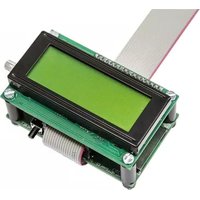
| Display | 20x4 character LCD |
| Frame material | Acrylic and aluminum |
| Power supply | 12V DC, 10A |
| Weight | 8 kg |
| Dimensions (assembled) | 450 x 400 x 380 mm |
| Software | Repetier-Host, Pronterface |
| Safety features | Overheat protection, thermal runaway protection |
| Maintenance | Clean nozzle, lubricate rods, check belt tension |
| Repairability | Open-source design, spare parts available online |
Frequently Asked Questions - K8200 VELLEMAN
User questions about K8200 VELLEMAN
0 question about this device. Answer the ones you know or ask your own.
Ask a new question about this device
Download the instructions for your 3D Printer in PDF format for free! Find your manual K8200 - VELLEMAN and take your electronic device back in hand. On this page are published all the documents necessary for the use of your device. K8200 by VELLEMAN.
USER MANUAL K8200 VELLEMAN
natural_image
3D printer assembly with a blue fabric sample on a yellow base, no visible text or symbols

English 2
Nederlands 5
Français....8
Deutsch 11
Espanöl 14

Important safety instructions
CE conformity information:
The K8200 is a DIY 3D printer kit, it contains all the bits and pieces to construct your own 3D printer but does not contain additional protection.
As it is a kit and not a finished product, compliance with the CE regulations depends on the build-quality; also the following notes must be taken into account.
Electrical safety:
The included power supply meets all the applicable European requirements and bears the CE-mark.
It is protected against overload and short circuit and nothing needs to be modified. The working voltage of the 3D printer is 15Vdc (extra low voltage) and therefore it's outside the scope of the Low voltage directive.

Always unplug before maintenance or modification.
Electromagnetic radiation (EMC):
Conductive EMC towards the public distribution network is not an issue as this is related to the power supply.
Radiated EMC depends substantially on the build quality, it might be required to add shielding but this cannot be predicted.
A built K8200 should comply with EN50081 normation
Mechanical safety and protection:
The 3D printer contains a lot of moving parts, but the force of the stepper motors is too low to cause serious injuries. Nevertheless it is recommended to provide additional protection against mechanical risks.
The easiest way to make your 3D printer “accident proof” is to put it inside a protective enclosure which completely covers the 3D printer – with or without an access door and fume extraction. (numerous designs can be found on the internet)
To make it extra safe a switch which interrupts the power supply of the printer when the enclosure or door is opened can be added. It is also advisable to install an external emergency stop switch, which also cuts off the power supply.
Providing adequate protection is the responsibility of the assembler.

Always cut power before maintenance or modification.
Risk of burns:
There is a potential risk of burns as the Printer head (extruder) can reach up to 270irc C.
The use of common sense should be sufficient to prevent burns, but in some environments it is highly recommended to provide additional protection. (see § Mechanical safety and protection)
The max. temperature of the heated bed is 60irc C, this is below the 1 min. burn threshold for plastic surfaces according to CENELEC Guide 29. Normal reflexes prevent long contact periods with hot surfaces

Always let the 3D printer cool down for 60 min. before maintenance or modification.
Health:
This printer is designed for use with PLA and ABS filament (MSDS for the Velleman filament is available).
PLA: is a safe and non-toxic material, there are no known health safety risks when used in 3D printers.
ABS: when printing with ABS there is a distinctive ‘burned plastic’ smell. This is quite normal but it may also cause headaches, respiratory- and eye irritation with sensitive people (although it is not toxic)

Only use the printer in a well-ventilated area, if printing with ABS it is advisable to add a fume hood (with active carbon filtering for ductless extraction). Fume extraction is mandatory for use in offices, classrooms and alike.
Never burn printer filament, toxic gasses and vapors will be generated if exposed to fire.
General safety information:
The 3D printer is not intended for use by persons (including children) with reduced physical, or mental capabilities, or lack of experience and knowledge, unless they have been given supervision or instruction concerning the use of the appliance by a person responsible for their safety
Children should be supervised to ensure that they do not play with the appliance.
The above information is believed to be correct but does not purport to be all inclusive and shall be used only as a guide.
The information in this document was obtained from sources which we believe are reliable.
However, the information is provided without any warranty, express or implied, regarding its correctness.
The conditions or methods used for assembling, handling, storage, use or disposal of the device are beyond our control and may be beyond our knowledge. For this and other reasons, we do not assume responsibility and expressly disclaim liability for loss, injuries, damage, or expense arising out of or in any way connected with the assembly, handling, storage, use or disposal of the product.
Getting started
natural_image
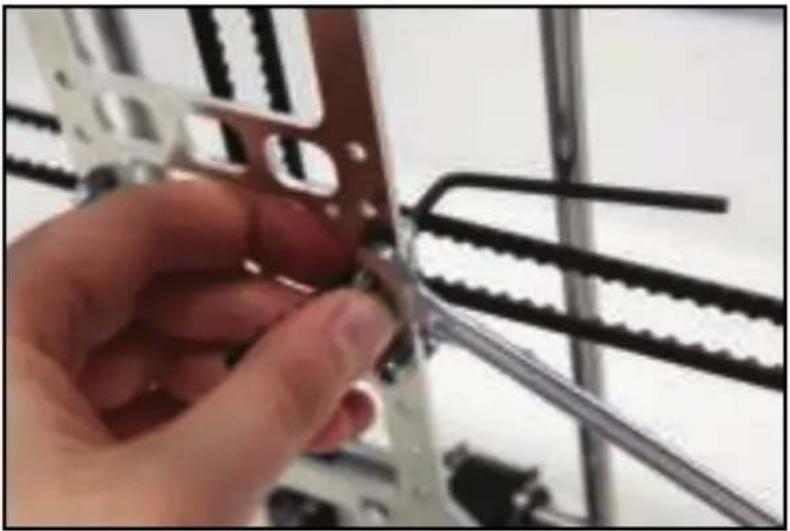
Close-up of a hand holding a metal bracket with chains and gears, no visible text or symbolsIllustrated assembly instructions:
www.k8200.be/manual/building/
3D-printer info, specifications, ...
www.K8200.be

Support (Downloads, Product support, Community)
www.k8200.be/support/
natural_image
Close-up of a hand holding a mechanical component with metal parts, no visible text or symbolsOndersteuning (downloads, productondersteuning, community):
www.k8200.be/support/

Always cut power before maintenance or modification.
Risque de brûlures:
natural_image
Close-up of a hand holding a metal bracket with chains and bolts, no visible text or symbolsGeneral safety information:
natural_image
Close-up of a hand holding a metal bracket with chains and wires in the background (no visible text or symbols)natural_image
Close-up of a hand holding a metal bracket with chains and gears, no visible text or symbols
- Important safety instructions
- CE conformity information:
- Electrical safety:
- Electromagnetic radiation (EMC):
- Mechanical safety and protection:
- Risk of burns:
- Health:
- General safety information:
- Getting started
- Illustrated assembly instructions:
- Ondersteuning (downloads, productondersteuning, community):
- Risque de brûlures:
Brand : VELLEMAN
Model : K8200
Category : 3D Printer