
PXRC5CD WD - DJ Equipment Sunstech - Free user manual and instructions
Find the device manual for free PXRC5CD WD Sunstech in PDF.


| Product Type | Dual CD/MP3 Player for DJs |
| Model | PXRC5CD WD |
| Brand | Sunstech |
| Dimensions (W x H x D) | 482 x 88 x 300 mm (19-inch rackmount, 2U) |
| Weight | 5.2 kg |
| Power Supply | AC 230V, 50Hz; 15W |
| Playback Formats | CD, CD-R, CD-RW, MP3 (on CD) |
| Main Functions | Dual deck for seamless mixing, pitch control (±12%), cue, play/pause, jog wheel, auto cue, loop, seamless loop, frame search, single/continuous play |
| Audio Outputs | RCA (stereo), headphones (3.5mm & 6.35mm) with volume control |
| Audio Inputs | None (player only) |
| Display | Backlit LCD with track number, time, pitch, and mode |
| Control Interface | Jog wheels, play/cue buttons, pitch slider, loop controls, keys for transport |
| Cleaning and Maintenance | Clean with a soft, dry cloth. Use a CD lens cleaner occasionally. Avoid liquids inside. |
| Safety Precautions | Do not expose to moisture, heat, or direct sunlight. Use only specified power supply. Unplug during storms or long inactivity. |
| Spare Parts & Repairability | Laser lens, power supply, buttons, and fuses available from Sunstech service centers. Repair by qualified technician. |
| Accessories Included | Power cord, RCA cable, user manual |
| General Information | DJ equipment for professional and amateur use. Supports standard CD and MP3 files. Rackmountable. |
Frequently Asked Questions - PXRC5CD WD Sunstech
User questions about PXRC5CD WD Sunstech
0 question about this device. Answer the ones you know or ask your own.
Ask a new question about this device
Download the instructions for your DJ Equipment in PDF format for free! Find your manual PXRC5CD WD - Sunstech and take your electronic device back in hand. On this page are published all the documents necessary for the use of your device. PXRC5CD WD by Sunstech.
USER MANUAL PXRC5CD WD Sunstech
natural_image
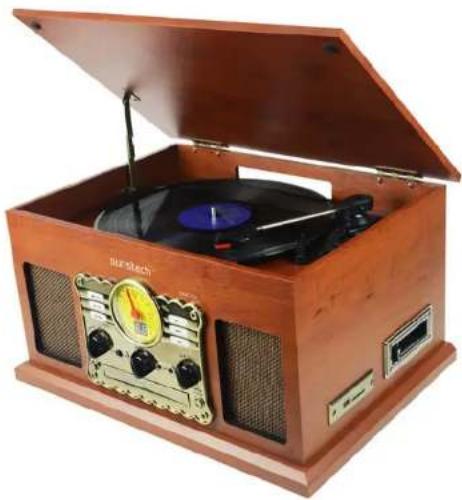
Wooden portable electronic guitar with open lid and control knobs (no visible text or symbols)Turntable with CD and Cassette Deck
Model Number: PXRC5CD
INSTRUCTION MANUAL
Safety Precautions
Read the following recommended safety precautions carefully.
Power Source
Before plugging in for the first time, read the following section carefully.
Power Cord
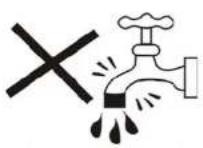
Moisture and Water
Cleaning

Ventilation
Heat and Flames

Lightning

Replacement Parts
Servicing
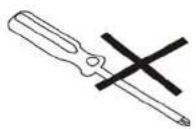
Risk of electric shock


Waste Disposal

Disconnecting the Device

Headphone Volume
Installation

natural_image
Line drawing of a stylized telephone receiver with a bulb and ear (no text or symbols)Warning:

natural_image
Illustration of weather and heating symbols including sun, cloud, shower, toilet, and rain (no text or labels)Electrical device not in the hands of children
Parts List
Front and side view

Top View

-
Display Panel
-
Record/Delete
-
Speakers (Stereo)
-
Function Knob: Rotate the knob to select PHONO, CD, AUX, or RADIO.
-
Power
-
Compact Disc Tray
-
Band: Select AM/FM in RADIO mode.
-
Tuning Knob: Tune to a radio station in RADIO mode.
-
Earphone Jack
12.3.5mm AUX-IN Jack
-
Volume Knob
-
OPEN/CLOSE CD Tray
-
|<<: Press to select previous track or press and hold to fast reverse.
-
|: Press to select next track or press and hold to fast forward in CD/USB/SD modes.
-
Play/Pause: Play/Pause playback in CD mode. The Play Indicator illuminates during playback of a CD.
-
USB and Bluetooth Port
-
SD Card Slot
-
Tape Operation Button: Eject/Fast Forward cassette.
-
Cassette Tray
-
Dust Cover
-
Turntable
24.45 RMP Adapter
-
Tone Arm
-
Cue-Lever: Use this lever to lift the tone arm.
-
Auto Switch
-
Speed Selector
-
Tone Arm Lock
-
Cartridge with Stylus


- Contact a qualified repair person if you are having difficulties
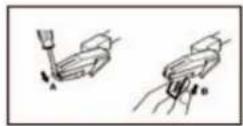
- Set a flathead screwdriver at the tip of the stylus and push down to


to find a position that provides the best reception. The antenna may
fingers as it closes.
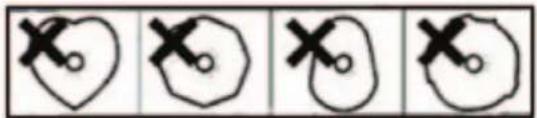
natural_image
Four hand-drawn diagrams showing a heart shape with two cross marks, each containing a small circle (no text or symbols)Metal and Chrome (cobalt) tapes have identification holes.
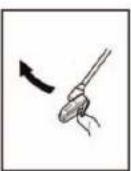
- Use your finger or a pencil to turn the cassette


natural_image
Simple line drawing of a hand holding a small object with an arrow indicating rotation (no text or symbols)- Do not store tapes on TV sets or amplifiers or in areas with a strong magnetic field.
Playing a Record
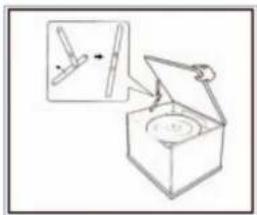
Important: To avoid stylus damage, make sure the included stylus guard is in place whenever the turntable is being installed, moved and cleaned.

speed: 33 1/3, 45, 78 RPM according to the vinyl being played. When playing a 45 RPM record, use the included 45 adaptor.
you are playing a 33 RPM record and you want the turntable to stop turning when the record is finished. If the switch is set to OFF, the turntable will continue turning.
Tone Arm to the desired position over the record. The platter will begin
on the record. The record will begin playing.


automatically. If it is set to OFF, the record will not stop automatically.
Tone Arm and gently move it back to its rest position.
protect it from accidental movement. Turn the Power knob to switch the unit OFF. Unplug it from the power supply if it is not going to be used for a while.
Playing a Cassette
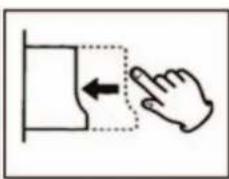
side to the right. By pushing slightly, the tape will slide into place and begin playing automatically.
NOTE: One end of the tape will remain visible.
halfway down while the cassette is playing.


natural_image
Simple line drawing of a hand pressing a button with an arrow indicating left motion (no text or symbols)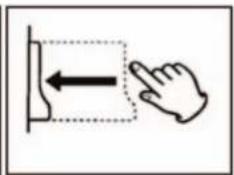
natural_image
Simple line drawing of a hand pressing a button with an arrow, no text or symbols presentPlaying a CD

To Suspend Playback Temporarily
To Skip to the Next or Previous Track

Encoding and Recording onto a USB Device/SD Card

insert a CD into a CD player connected to the AUX IN socket.
distortion.
device.
playing your traditional music media.
Playing via the 3.5mm AUX-IN Jack
3.5mm AUX-IN Jack on the front panel of the unit and the other end to
FAQ's
If you are experiencing any problems with the unit, read through the following FAQ's before you contact after sales support.
| Problem Solution | |
| Unit will notpower on | Make sure that the unit's power cord is connected to an appropriate electrical outlet and the wall socket is switched on. |
| There is no sound | Rotate the power/volume knob clockwise to increase the volume. |
| The cassette tape will not play | Make sure the function knob is set to your desired function. |
| Make sure it is properly inserted. | |
| The vinyl record will not play | Make sure the function knob is set to you de-sired function. |
| Make sure you have selected the right speed (33 1/3, 45 or 78 RPM). | |
| Nothing will play via the AUX IN connection | Make sure the cable is firmly connected and check you external device is clean and un-damaged. |
| Check the function knob is set to your desired function. | |
| Nothing will play via the USB device or SD card | Make sure the memory device is properly inserted in the USB port (or SD card slot) and the correct function is selected. |
Maintenance
Always keep the unit clean. To clean, Use a clean, dry cloth. Do not use Benzene or alcohol as they will damage the surface of the unit.
Responsible Disposal
At the end of its working life, do not throw this product out with your house-hold rubbish. Electrical and electronic products contain substances that can have a detrimental effect on the environment and human health if disposed of inappropriately. Observe any local regulations regarding the disposal of electrical consumer goods and dispose of it appropriately for recycling. Contact your local authorities for advice on recycling facilities in your area.
Technical Specifications
| SPECIFICATION VALUE | |
| Power | |
| Power Input | AC 220-240V |
| Power consumption | 18W |
| Dimensions 460x335x245mm | |
| Amplifier& Speaker | |
| Output power | 2x3W |
| Frequency response | 60-20,000Hz |
| Speaker impedance | |
| S/N radio | 35dB |
| Tuner | |
| FM frequency range | 88MHz -108Mhz |
| AM frequency range | 530MHz-1600MHz |
| USB&SD Card | |
| Maximum capacity | 32GB |
| File system playback | FAT32 |
| Playback file format | MP3,WMA |
| Recording file format | MP3 |
| Cassette | |
| Bluetooth | |
| Bluetoothversion V2.1 | |
| Record Player | |
| Cartridgetype | Power consumption |
| 33 1/3, 45, 78 RMPSpeed | |
Made in China
Warranty conditions
- The warranty of this product is for 2 years since the purchase date.
- The warranty will exclude breakdowns caused by bad use of the product, wrong installation or
installation in not desirable places for a proper maintenance of the product, rips, updates of the products
that are not the supplied by the brand, pieces wore away for its use or for not domestic or inappropriate
use. Also are excluded breakdowns caused for manipulations of the products by people or companies alien to our company. - For any request regarding the warranty terms, the purchase receipt must be attached.
Correct disposal of this Product

(Waste Electrical & Electronic Equipment(WEEE)Your product is designed and manufactured with high quality materials and components which can be recycled and reused.
This symbol means that electrical and electronic equipment, at their end of life should be disposed of separately from your household waste.
Please dispose of this equipment at your local community waste collection/recycling centre.
In the European Union there are separate collection systems for used electrical and electronic products. Please help us to conserve the environment we live in!
DECLARATIONOFCONFORMITY
Directive(1999/5/EC)-R&TTE
Directive(2004/108/EC)-EMC
Directive(2006/95/EC)-LVD
Directive(2011/65/EU)-RoHS
EN60065:2014
EN62311:2008
EN301489-1V1.9.2:2011-09]
EN301489-17V2.2.1:2012-09
EN300328V1.8.1:2012-06
IEC62321-3-1:2013
AFEXSUNS,S.A.
c/Metall6-8,08110, Montcada i Reixac
Turntable
Trade:
SUNSTECH
Model
PXRC5CD
We, the undersigned, hereby declare under our sole responsibility that the specified equipment is in conformity with the above Directive(s) and Standard(s)
(Signature)
Víctor Planas Bas
(Full name)
General Manager (Position)
sunstech ^12
natural_image
Wooden portable radio with a CD and speaker, open lid open (no visible text or symbols)natural_image
Line drawing of a pair of telephones (no text or symbols)Advertencia:

natural_image
Illustration of weather and water-related symbols including sun, rain, shower, toilet, and thermometer (no text or labels)Lista de piezas
How to remove the disc
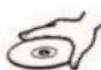
How to hold the disc


How to clean the disc

natural_image
Four hand-drawn diagrams showing a heart shape with two cross marks, one open and one closed, each with a circle (no text or symbols)


natural_image
Simple line drawing of a hand holding a small object with an arrow indicating rotation (no text or symbols)Precaución
natural_image
Simple line drawing of a box with a circular object inside, showing an open lid and a magnified inset (no text or symbols)
natural_image
Simple line drawing of a hand pressing a button with an arrow indicating left motion (no text or symbols)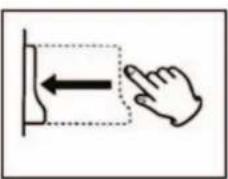
natural_image
Simple line drawing of a hand pressing a button with an arrow indicating left motion (no text or symbols)

natural_image
Wooden portable radio with vinyl record and speaker, open lid open (no visible text or symbols)natural_image
Line drawing of a pair of telephones with black bands (no text or symbols)Avertissement

natural_image
Illustration of weather and outdoor activities including sun, rain, shower, toilet, and umbrella (no text or symbols)- Panneau d'affichage
How to remove the disc

How to hold the disc

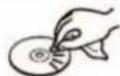
How to clean the disc

natural_image
Four hand-drawn heart-shaped diagrams with cross marks, no text or symbols present

natural_image
Two circular diagrams with arrows indicating direction, no text or symbols present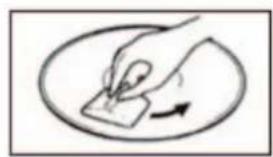
natural_image
Simple line drawing of a hand holding a small object with an arrow indicating rotation (no text or symbols)natural_image
Simple line drawing of a box with an open lid and a small inset showing a tool or component (no text or symbols)Lire un disque
tourne-disque.Instructions (Suite)
Lire une cassette
tourner.
Directive (1999/5/EC) - R&TTE
Directive (2004/108/EC) - EMC
Directive (2006/95/EC) - LVD
Directive (2011/65/EU) - RoHS
Lieu : Barcelone
natural_image
Wooden portable electronic ticker with open lid and analog earplate (no visible text or symbols)MANUAL DE INSTRUÇÕES
natural_image
Line drawing of a simple electrical plug with wires (no text or symbols)Aviso:
natural_image
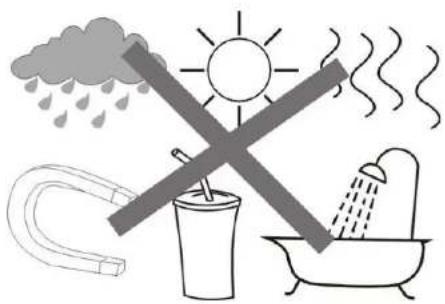
Illustration of weather and heating symbols including sun, rain, shower, water drop, and toilet (no text or labels)- Display Panel
2.
SD: Switch to USB or SD card modes.
-
Record/Delete
-
Repeat/Program
-
Speakers (Stereo)
-
Function Knob: Rotate the knob to select PHONO, CD, AUX, or RADIO.
-
Power
-
Compact Disc Tray
-
Band: Select AM/FM in RADIO mode.
-
Tuning Knob: Tune to a radio station in RADIO mode.
-
Earphone Jack
-
3.5mm AUX-IN Jack
-
Volume Knob
-
OPEN/CLOSE CD Tray
-
|<<: Press to select previous track or press and hold to fast reverse.
-
|: Press to select next track or press and hold to fast forward in CD/USB/SD modes.
-
Play/Pause: Play/Pause playback in CD mode. The Play Indicator illuminates during playback of a CD.
-
USB and Bluetooth Port
-
SD Card Slot
-
Tape Operation Button: Eject/Fast Forward cassette.
-
Cassette Tray
-
Dust Cover
-
Turntable
-
45 RMP Adapter
-
Tone Arm
-
Cue-Lever: Use this lever to lift the tone arm.
-
Auto Switch
-
Speed Selector
-
Tone Arm Lock
-
Cartridge with Stylus
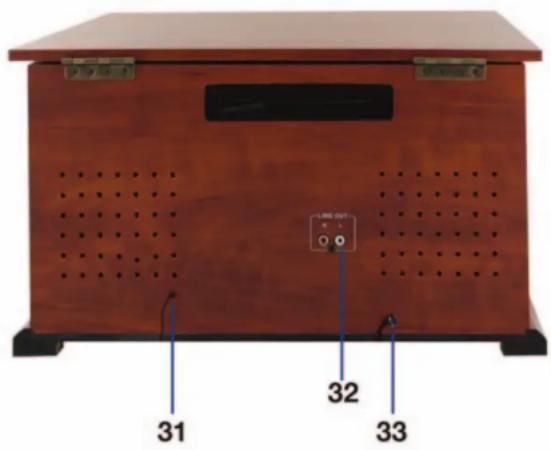
Back View
-
FM Antenna
-
LINE-OUT Sockets
-
Power Cord
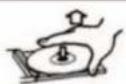
How to remove the disc

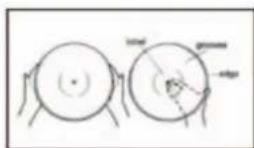
How to hold the disc
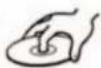

How to clean the disc

natural_image
Four hand-drawn diagrams showing a heart shape with cross marks, each paired with a circular outline and a small circle inside (no text or symbols)

natural_image
Simple line drawing of a hand holding a paper with an arrow indicating rotation (no text or symbols)natural_image
Simple line drawing of a box with an open lid and a magnified inset showing a small object (no text or symbols)
Reproduzir um vinil

natural_image
Simple line drawing of a hand pressing a button with an arrow indicating left motion (no text or symbols)
natural_image
Simple line drawing of a hand pressing a button with an arrow indicating left motion (no text or symbols)

Brand : Sunstech
Model : PXRC5CD WD
Category : DJ Equipment