
DFT1471 - Telephone SWITEL - Free user manual and instructions
Find the device manual for free DFT1471 SWITEL in PDF.


| Product type | DECT cordless phone |
| Brand | Switel |
| Model | DFT1471 |
| Standard | DECT / GAP |
| Frequency | 1.88 - 1.90 GHz |
| Indoor range | Up to 50 m |
| Outdoor range | Up to 300 m |
| Handset dimensions | Approx. 150 x 50 x 30 mm |
| Handset weight | Approx. 130 g |
| Base dimensions | Approx. 100 x 100 x 50 mm |
| Base weight | Approx. 150 g |
| Base power supply | AC adapter 230 V / 50 Hz |
| Handset power supply | 2 NiMH rechargeable batteries AAA (1.2 V, 600 mAh) |
| Standby time | Up to 100 hours |
| Talk time | Up to 10 hours |
| Display | Backlit LCD display |
| Phonebook | Up to 50 contacts |
| Call list | Up to 20 entries |
| Main functions | Hands-free, recall, mute, adjustable volume |
| Caller ID | Yes (subject to service subscription) |
| Integrated answering machine | No (basic model) |
| Care and cleaning | Clean with a soft, dry cloth. Do not use abrasive products. |
| Safety | Do not expose to moisture or extreme temperatures. |
| Spare parts and repairability | Rechargeable batteries replaceable. Base and handset not user-serviceable. |
Frequently Asked Questions - DFT1471 SWITEL
User questions about DFT1471 SWITEL
0 question about this device. Answer the ones you know or ask your own.
Ask a new question about this device
Download the instructions for your Telephone in PDF format for free! Find your manual DFT1471 - SWITEL and take your electronic device back in hand. On this page are published all the documents necessary for the use of your device. DFT1471 by SWITEL.
USER MANUAL DFT1471 SWITEL
Low-radiation cordless DECT/GAP telephone with answering machine

DFT 147x
Bedienungsanleitung Mode d'emploi Istruzioni per l'uso Operating Instructions
SWITEL
DFT 147x
Akkupack aufladen

Recharger le pack de piles rechargeables

Touche R Court / Medium / Long
Modifier PIN
Rég. défaut base
Association
Répondeur Lire
Tout effacer
Mémo
Rép. On/Off
Please read this operating instruction manual thoroughly.
Intended use
The telephone is suitable for telephoning within a public telephone network system. Any other use is considered unintended use. Unauthorised modification or reconstruction is not permitted. Under no circumstances open the device or complete any repair work yourself.
Installation location
Prevent excessive exposure to smoke, dust, vibration, chemicals, moisture, heat and direct sunlight. Do not use the handset in potentially explosive areas.
Power adapter plug
Attention: Only use the power adapter plug supplied because other power supplies could damage the telephone. Ensure access to the power adapter plug is not obstructed by furniture or such.
Rechargeable batteries
Attention: Never throw batteries into a fire. Only use the battery supplied with the unit. Pay attention to the correct polarity. Incorrect polarity of the battery represents a risk of explosion during charging.
Power failure
The telephone cannot be used to make calls in the event of a power failure. Always keep a cord connected telephone which operates without an external power supply available in case of emergency situations.
Medical equipment
Attention: Never use the telephone in the vicinity of medical equipment. Effects on such equipment cannot be fully ruled out.
DECT 1 telephones can cause an unpleasant humming sound in hearing aids.
1 DECT: Digital Enhanced Cordless Telecommunication = Standard for cordless telephones.
Disposal
In order to dispose of your device, take it to a collection point provided by your local public waste authorities (e.g. recycling centre). According to laws on the disposal of electronic and electrical devices, owners are obliged to dispose of old electronic and electrical devices in a separate waste container. The adjacent symbol indicates that the device must not be disposed of in normal domestic waste.
Risks to health and the environment from batteries!
Never open, damage or swallow batteries or allow them to pollute the environment. They could contain toxic and ecologically harmful heavy metals. You are legally obliged to dispose of power packs and batteries at the point of sale or in the corresponding containers provided at collection points by local public waste authorities. Disposal is free of charge. The above symbols indicate that the batteries must not be disposed of in domestic waste and that they must be disposed of at an authorised collection point.
Packaging materials must be disposed of according to local regulations.



2 Preparing the Telephone
Safety information

Attention: It is essential to read the Safety Information in Chapter 1 before starting up.
Checking the package contents
The package contains:
| Content | DFT 147X-model | |||
| DFT 1471 | DFT 1472 | DFT 1473 | DFT 1474 | |
| Base station / power adapter plug 1 | 1 1 1 | |||
| Charging station with power adapter plug | - 1 2 3 | |||
| Handset 1 2 3 4 | ||||
| Telephone connection cable 1 1 1 1 | ||||
| Rechargeable battery pack 1 2 3 4 | ||||
| Operating instructions 1 1 1 1 | ||||
GB
Electrical consumption
The electrical consumption of the base is:
- in operation mode (idle/call): approx. 1.5 W
- during charging of the handset: approx. 2.5 W.
The adaptor input power without load is approx. 0.15 W. The average efficiency is approx. 65 %.
The electrical consumption of the charger is:
- without handset charging: approx. 0.15 W
- during charging of the handset: approx. 1.2 W.
The adaptor input power without load is approx. 0.15 W. The average efficiency is approx. 60 %.
Connecting the base station

Attention: Position the base station at least 1 m away from other electronic devices, otherwise there is a risk of mutual disturbance.

Connect the base station as illustrated in the diagram. For reasons of safety, only use the power adapter plug and telephone connection line supplied.
Attention: Use only the power adapter plug supplied with the base station!
Inserting the battery pack
Slide the battery compartment cover downwards and then remove it. Connect the plug on the battery pack in the socket in the battery compartment. Insert the battery pack in the battery compartment. Only use the battery pack supplied. Pay attention that the cable is not jammed. Replace the cover back on the battery compartment and slide it upwards until it snaps into place.

Charging the battery pack

Before the handset is used for the first time, insert it in the base station/charging station for at least 15 hours.
The handset warms up during the charging process. This is normal and does not represent a risk. The current battery charge status is indicated in the display. When the battery pack capacity is nearly exhausted, the battery symbol ☐ will flash in the display.
Setting the time and date on the handset
At initial operation the handset does not have the correct time (e.g. for entries in the call list). Date and time are set through the menu item Clock/Alarm > Date & Time.
Setting the display language
The display language is available in 4 languages. The default setting is "German (Deutsch)". Set the language using the menu item "MT einstellen > Sprache" HS Settings > Language.
Auto Answer
If this function is activated, an incoming call is taken when the handset is removed from the base station. The automatic answering function is activated and deactivated using the menu item HS Settings > Auto Answer.
3 Operating Elements
The buttons in this operating manual are subsequently depicted with a uniform contour. Therefore, slight deviations in the appearance of the symbols on the telephone buttons compared to those depicted here are possible.
Handset
1 Earpiece
2 Display
3 Increase volume / Navigation key
4 Softkey
5 Call list / Navigationkey
6 On Hook button / Switch off
7 Redialling / Reduce volume Navigation key
8 # button / Ringer off
9 R-key
10 Internal call key
11 Microphone
12 Handsfree
13 * button / Key lock
14 Digit keys
15 Off Hook button
16 Navigation key
17 Softkey

Base station
1 LED: call indicator
2 Volume + +
3 Volume - —
4 Delete key ✗
5 Display
6 Skip
7 TAM on/off ⏻
8 Start/Stop ▶/■
9 Repeat message /
Back
10 Locate handset (Paging)
11 Loudspeaker
12 Charge contacts

4 Preliminary Information
This chapter provides basic information on using the operating instruction manual and the telephone.
Description of operating sequences in the manual
* Press the button depicted
2 sec. ✱ Press the button depicted for 2 seconds
Enter digits or letters
( ) Handset rings
(( ) Base station rings
Remove the handset from the base station
Place the handset in the base station
Alarm Depicts text in the display

Depicts icons in the display
Icons in the handset display
| Icon Description | |
 | On: The connection to the base station is good.Flashing: The connection to the base station is lost. |
 | On: Indicates the battery charge status.Scrolling while handset in base: Battery is being charged. |
| DD-MM | Displays the date; Page 120. |
| HH:MM | Displays the time; Page 120. |
 | Handsfree mode is activated. |
 | On: The alarm function is activated.Flashing: The alarm is ringing.Page 120. |
 | On: A call is currently being made.Flashing: A call has been received. |
 | You can conduct an internal call (only with several handsets registered on the base station);Page 116.Incoming internal call. |
 | While browsing call list: New call.While playback from the answering machine: New message. |
 | The key lock is activated; Page 117. |
| Call Muted | The microphone is muted; Page 116. |
 | The ringing tone has been switched off;Page 117. |
 | Answering machine is on; Page 125. |
The functions assigned to the two softkeys are shown in the lowest line of the display. The key function changes automatically according to the operating status of the handset.
Menu Accessing the menu.
PB Accessing the phonebook.
Select Selecting the respective entry/menu item.
OK Confirmation.
Back Back to the previous menu or cancel programming.
Clear Backwards deleting of characters during entry (brief pressing deletes one character, long pressing deletes the whole line).
Functions of the arrow keys
In menu mode / in lists (phonebook, caller list, redial list): Press to scroll up. During a call: Press to increase volume.
In editing / pre-dial mode: Press to move the cursor one character to the left.
In idle mode: Press to access the call list. In editing / pre-dial mode: Press to move the cursor one character to the right.
In idle mode: Press to access the redial list. During a call: Press to decrease volume. In menu mode / in lists (phonebook, caller list, redial list): Press to scroll down.
Special key functions
- While entering a telephone number: a long press inserts a dialling pause.
* In idle mode: a long press will activate/deactivate keypad lock. In editing mode: a long press switches the character set (Latin/Russian/Greek), tables -> appendix. During a call: temporary switch to DTMF if pulse is acivated.
# In idle mode: a long press turns on/off the handset ringer. In editing mode: a long press toggles between uppercase and lowercase character input.
Standby mode
All descriptions in this operating manual assume that the handset is in Standby mode. The system switches to Standby mode by pressing the button.
Low-radiation operation (ECO mode)
Both in Call mode as well as in Standby mode, the radiation is reduced considerably when ECO mode is activated as compared to standard, cordless DECT telephones.

Navigating in the menu
All the functions can be accessed via the various menus. The entire menu structure can be found in the appendix.
The softkeys and the arrow keys are used for navigation in the menu. The menu is opened with the left softkey Menu.
Use the arrow keys ▲ and ◼ to move within the menu.
Press the softkey Select to open a sub menu.
Press Back to go back to the previous level.
By pressing the On-hook key 📞 you will return to standby state.
5 Telephoning
Taking a call
( ) ( ) Your phone is ringing.
If the handset is not in the base station:
/ Press the Off Hook button or the Handsfree button.
If the handset is in the base station and Auto Answer is not activated:
/ Remove the handset from the base and press the Off Hook button or the Handsfree button.
If the handset is in the base station and Auto Answer is activated:
Remove the handset from the base - the call will be taken automatically.
Making a call
Enter the telephone number. Delete wrong characters pressing Clear.
The telephone number is being dialled.
You can also press the Off Hook button and you will hear the dial-ling tone. The entered number will be dialled immediately. It is not possible to correct wrong digits individually using this dialling procedure.
Ending a call
/ Press the On Hook button or replace the handset in the base station.
Redial
Your handset saves the last 10 dialled telephone numbers. If a caller is stored in your phone book, the name will be displayed. Whilst the name is displayed to show the respective number press Select.
Open the redial list.
/ Select an entry.
/ Dial out the telephone number.
Making a call from the call list
Your handset saves the numbers of the last 20 incoming calls in the call list. If a caller is stored in your phone book, the name will be displayed. Whilst the name is displayed to show the respective number press Select. Saving can only take place if the function “Phone number transmission (CLIP)” is available at your connection and caller ID is not suppressed by the caller or was not transmitted for any other reason.
Open the call list.
/ Select an entry.
/ Dial out the telephone number.
Making a call from the phone book
You can store up to 50 entries in the phone book. For creating entries see section "Phone book".
PB Open the telephone book.
/ Select the name of the person you wish to call.
/ Dial out the telephone number.
Call timer
Your handset automatically times the duration of every call in hours, minutes and seconds.
Setting the earpiece/loudspeaker volume
During a call you can adjust the volume in 5 levels (if telephoning "normally" -> earpiece volume, with hands-free -> loudspeaker volume). These separate settings will remain at the last selected level when you end the call.
Muting the microphone
Mute During a call you can switch your handset's microphone off. The display shows Call Muted.
Unmute To unmute press the softkey again.
Internal calls

Internal calls, transfers and conference calls are only possible if multiple handsets are registered. If this is not the case Not Available will be indicated on the display.
Int
Press the
Int
key. If two handsets are registered to the base station the other handset will be called immediately. If three or more handsets are registered the base station their internal numbers will be displayed (for example 2 3 4). Use the arrow keys / ▶ to select the handset and press Select. If you select "9" in the case of several registered handsets all will be called at the same time.
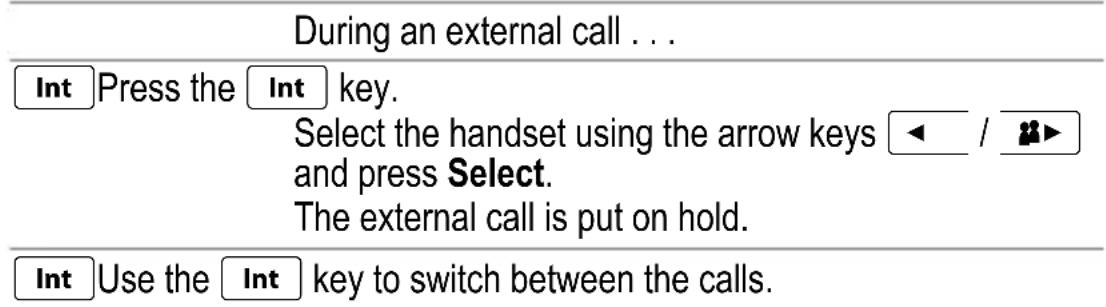
Transferring an external call to another handset
During an external call . . .
Int
Press the
Int
key.
Select the handset using the arrow keys / and press Select. The external call is put on hold. When the called handset answers you can announce the call transfer.
①
Press the On-Hook key. The call will be transferred.
Broker's call
3-Party Conference

6 Other features
Key lock
| The key lock prevents functions assigned to buttons being acti- vated inadvertently. Incoming calls can still be taken in the nor- mal way even when the key lock function is activated. | |
| *ₙ | Press and hold down the star-key until the key lock icon appears in the display. |
| *ₜ | For unlocking the keypad again press and hold down the star-key until the icon disappears. |
Switching the handset ringer on/off
| You can turn off the ringer via the menu item HS Settings > Ring Setup > Ring Volume > as well. | |
| #Press and hold down the #-key until the icon appears in the display. | |
| #For turning the ringer on again press and hold down the #-key until the icon disappears. |
Switching off the handset
You can switch off the handset for saving battery capacity.

Press and hold down the On Hook-button. After a few seconds the handset will be switched off. The display illumination goes down.

For switching the handset on again press and hold down the On Hook-button until you hear a short beep and the display is illuminated.
7 Call list / Redial
Editing the call list

Open the call list.


Select an entry and press Select. The respective call's date and time is shown.
Menu Press the Menu softkey.

| / ▼ Select one of the following options and confirm with Select:
Add to PB The telephone number will be stored in the telephone book. Enter a name, confirm or edit the telephone number and select a ringtone melody for the entry.
Delete The entry will be deleted.
Delete All The complete list will be deleted after a confirmation query.
Editing the redial list

Open the redial list.


Select an entry and press Select.
Menu Press the Menu softkey.

| / ▼ Select one of the following options and confirm with Select:
Add to PB The telephone number will be stored in the telephone book. Enter a name, confirm or edit the telephone number and select a ringtone melody for the entry.
Delete The entry will be deleted.
Delete All The complete list will be deleted after a confirmation query.
8 Phone book
Your phone can store up to 50 private phonebook entries with names and numbers. You can also select different ringtones for your phonebook entries. Always enter the phone numbers with the area code; this enables a correct display of the respective caller for whom there is an existing entry and whose phone number transmission to your connection is available.
Creating a new entry
Menu Press the Menu softkey.

Select Phonebook and press Select.

Select Add if necessary and press Select.
Enter the name (max. 12 digits).
Letters are also imprinted on the digit keys. Letters, digits and special characters are entered by pressing the relevant key the respective number of times.
A long press on the #-key toggles between uppercase and lowercase character input.
After a short time the cursor skips one position forwards.
Having entered the name press OK.
Enter the phone number (max. 24 digits). If your telephone is connected to a PBX start the telephone number with the access code. If a dialling pause is needed, press after the access code the 0 key for approx. 2 sec. a P appears in the display. Having entered the number press OK.
/ Select a melody for the entry.
Select Confirm with Select.
Editing telephone book entries
Menu Press the Menu softkey.

Select Phonebook and press Select.

Select one of the following options and confirm with Select:
Read All entries are shown. Scroll to the desired entry. Press
Select to view the details of the selected entry. Press Menu to edit or delete the entry.
| Add You can create a new entry. | |
| Edit All entries are shown. Scroll to the desired entry. PressSelectto edit the selected entry. Use the Cancel, softkey to delete characters and numbers then add new characters and numbers as required. Please refer to “Creating a new entry”. | |
| Delete All entries are shown. Scroll to the desired entry. PressSelectto delete the entry immediately. | |
| Delete All | Press Selectto delete all entries after a confirmation query. |
| PB Status The current allocation will be displayed (e.g.7 / 50 Used: 7 of 50 possible entries are present). | |
9 Setting the telephone
Date/Time
| Menu Press the Menu softkey. | |
| ▲/▼ | Select Clock/Alarm and press Select. |
| ▲/▼ | Select Date & Time and press Select. |
| ▲/▼ | Select one of the following options and confirm with Select. |
| Date Format You can select your desired date format: (DD-MM-YYYY or MM-DD-YYYY). | |
| Time Format You can select your desired time format: (24 or 12 hours). | |
| Set Date Enter the date using the digit keys. | |
| Set Time Enter the time using the digit keys. If entering the time using a 12 hour clock then use the star key to select AM or PM. | |
| In case of mains failure this setting will be deleted when simultaneously the handset is switched off or the battery is empty. | |
Alarm
| Menu Press the Menu softkey. | ||
| ▲ / ▼▼ | Select Clock/Alarm and press Select. | |
| ▲ / ▼▼ | Select Alarm and press Select. | |
| ▲ / ▼▼ | Select Alarm On and press Select. | |
| Enter the alarm time using the digit keys and press OK. | ||

Select Snooze On or Snooze Off and press Select. If Snooze Snooze" is turned on it means that the alarm signal is being repeated after 2 minutes until this function is terminated by pressing and holding the off hook button.
If Snooze is turned off the alarm signal is given once at the specified time. To confirm the alarm signal, press any key.

Select Alarm Melody and press Select.

Select a melody and press Select.
Handset Audio Setup
Menu Press the Menu softkey.

Select HS Settings and press Select.

Select Audio Setup and press Select.

Select one of the following options and confirm with Select:
Speaker Volume Select the volume for handsfree operation.
Ear Volume Select the volume for the earpiece.

These settings can also be made during a call (-> "Telephoning / Setting the earpiece/loudspeaker volume").
Setting the ringer for the handset
Menu Press the Menu softkey.

Select HS Settings and press Select.

Select Ring Setup and press Select.

Select one of the following options and confirm with Select:
Internal Ring Select a melody for internal calls.
External Ring Select a melody for external calls.
Ring Volume
Select the volume. If you select Volume Off, the respective icon 📋 appears in the display.
Setting the alert tones
Menu Press the Menu softkey.

Select HS Settings and press Select.

Select Tone Setup and press Select.
/ Select one of the following options and confirm with Select:
Key Tone Switch the keytone on or off.
Warning Switch the alert tone on or off. The tone sounds if "Low battery" is detected.
Out of Range Switch the alert tone on or off. The tone sounds if "Out of range" is detected.
Setting the display language
Menu Press the Menu softkey.

Setting the handset name
Menu Press the Menu softkey.
| ▲/▼ | Select HS Settings and press Select. |
| ▲/▼ | Select Rename HS and press Select. |
| Delete the old name with Clear, enter a new name using the digit keys and confirm with OK. |
Setting the display contrast
Menu Press the Menu softkey.
| ▲/▼ | Select HS Settings and press Select. |
| ▲/▼ | Select Contrast and press Select. |
| ▲/▼ | Select a contrast level and press Select. |
Setting Auto Answer
Menu Press the Menu softkey.

Select a base station
Menu Press the Menu softkey.
Select HS Settings and press Select.
| ▲/▼ | Select Select Base and press Select. |
| ▲/▼ | You see a list of base stations your handset is already registered to. The relevant base is marked with a “*”. Select a base and press Select. |
| Only base stations are shown your handset is already registered to. | |
Resetting the handset
Menu Press the Menu softkey.
| ▲/▼ | Select HS Settings and press Select. |
| ▲/▼ | Select HS Default and press Select. |
| Enter the relevant PIN (default 0 0 0 0) and press OK. Confirm the confirmation query with OK. |
The entries in phonebook or TAM messages will not be deleted.
Setting the ringer for the base station
Menu Press the Menu softkey.
| ▲/▼ | Select Base Settings and press Select. |
| ▲/▼ | Select Ring Setup and press Select. |
| ▲/▼ | Select one of the following options and confirm with Select: |
Ring Melody Select a melody.
Ring Volume Select the volume.
Setting the dial mode
Menu Press the Menu softkey.


In most situations the Tone option should be selected.
Setting the Flash Time
Menu Press the Menu softkey.
Select Base Settings and press Select.
| ▲/▼ | Select Flash Time and press Select. |
| ▲/▼ | Select Short (100 ms), Medium (300 ms) or Long (600 ms) and confirm with Select. |
Editing the PIN
| Menu Press the Menu softkey. | |
| ▲/▼ | Select Base Settings and press Select. |
| ▲/▼ | Select Modify PIN and press Select. |
| Enter the relevant PIN (default 0 0 0 0) and press OK. | |
| Enter a new PIN and press OK. | |
| Enter the new PIN again and press OK. | |
| The four digit PIN protects some settings against unauthorized changes. If you have forgotten your PIN please call our service hotline. | |
Resetting the base station
| Menu Press the Menu softkey. | |
| ▲/▼ | Select Base Settings and press Select. |
| ▲/▼ | Select BS Default and press Select. |
| Enter the relevant PIN (default 0 0 0 0) and press OK. Confirm the confirmation query with OK. | |
| The entries in phonebook will not be deleted.The registration of handsets will not be changed. | |
10 Answering Machine
The integrated digital answering machine offers a total recording time of up to 15 minutes for outgoing and incoming messages. A maximum of 59 messages can be taken.
Self recorded memos are treated like messages.
You can access the answering machine from the base station as well as from the handset. Using a telephone with tone dialling (DTMF) you have also a PIN protected remote access.
You can select between two modes:
- Answer and record
- Answer only.
A standard announcement is already saved for every operating type at the delivery stage. Therefore the answering machine is immediately operational. At “Answer and record” and reaching of the maximum recording capacity the device will automatically switch to the operating type “Answer only”. If the answering machine is turned off the announcement for the operating type “Answer only” will be played after approx. 10 rings.
You can see from the corresponding symbol on the display of the handset that the answering machine is turned on.
When listening messages through the handset date and time of the respective message will be shown. For this reason date and time have to be set correctly (menu: Clock/Alarm / Date & Time).
The display on the base station shows the operating state and gives you further information:
-- Dashes steadily on: Answering machine is off. Flashing: Answering machine is on, date/time not set (on first use).
XX Digits steadily on: Number of old (already heard) messages. Flashing digits: Number of new messages.
LA Flashing: Remote access in progress (handset or remote phone)
A1/A2 Playing outgoing message (A1=Answer & Record, A2=Answer only).
FF Flashing: TAM memory is full.
Lx While setting the TAM-volume on the base: x=volume level.
New messages are being indicated by the symbol ★ in the display of the handset.

At resetting the base station to the delivery state all own announcements as well as existing messages will be deleted.
Accessing the answering machine through the base
Through the base station you can turn the answering machine on or off, playback and delete messages. For the respective function please refer to the chapter "Operating elements" in this user guide.
Turning the answering machine on/off from the handset
Menu Press the Menu softkey.

Select Answer Machine and press Select.
Select TAM On/Off and press Select.

Select On or Off and confirm with Select.
When set to On the respective icon appears in the display.
Recording outgoing message
| Menu Press the Menu softkey. | |
| ▲ / ▼▼ | Select Answer Machine and press Select. |
| ▲ / ▼▼ | Select TAM Settings and press Select. |
| ▲ / ▼▼ | Select OGM Settings and press Select. |
| ▲ / ▼▼ | Select Answer Only for the “answer-only mode” or Answer & Record for the “answer and record mode” and press Select. |
| ▲ / ▼▼ | Select Record and press Select. “Recording” is displayed.Speak your message to the handset’s microphone and press OK at the end of the recording. Playback of your outgoing message will start. |
Playback outgoing message
| Menu Press the Menu softkey. | |
| ▲ / ▼ | Select Answer Machine and press Select. |
| ▲ / ▼ | Select TAM Settings and press Select. |
| ▲ / ▼ | Select OGM Settings and press Select. |
| ▲ / ▼ | Select Answer Only for the “answer-only mode” or Answer & Record for the “answer and record mode” and press Select. |
| ▲ / ▼ | Select Playback and press Select.Playback of the outgoing message will start. |
Deleting the personal outgoing message
| Menu Press the Menu softkey. | |
| ▲ / ▼ | Select Answer Machine and press Select. |
| ▲ / ▼ | Select TAM Settings and press Select. |
| ▲ / ▼ | Select OGM Settings and press Select. |
| ▲ / ▼ | Select Answer Only for the “answer-only mode” or Answer & Record for the “answer and record mode” and press Select. |

Select Default and press Select.
Your personal outgoing message will be deleted.
Listen new messages / deleting single messages
Menu Press the Menu softkey.

Select Answer Machine and press Select.
Select Playback and press Select.
The loudspeaker on the handset will be switched on and the playback will start.
During playback you have the following options:
/ You can set the playback volume.
Menu Press Menu, select one of the following options using the up/down key and press Select:
- Stop, to stop the playback.
- Next, to skip to the next message.
- Previous, to go back to the previous message or to begin the relevant message again.
- Delete, to delete the relevant message.
These options you can access via the digit keys as well. Press:
- key 5: to stop playback.
- key 6: to skip to the next message.
- key 4: to begin the relevant message again or to go back to the previous message (press key 4 twice).
- key 2: to delete the relevant message.
Deleting all old messages
Menu Press the Menu softkey.

Select Answer Machine and press Select.

Select Delete All and press Select.
All old (already heard) messages will be deleted after a confirmation query.
Recording a memo
Menu Press the Menu softkey.

Select Answer Machine and press Select.

Select Memo and press Select.
Speak your memo to the handset's microphone and press OK. Playback of your memo will start.
Taking a call from the answering machine
It is possible to intercept a call even if the answering machine has already begun to take it. So you can talk with the person who called.
Press the Off Hook button.
Setting the answering machine
Menu Press the Menu softkey.
| ▲ / ▼ | Select Answer Machine and press Select. |
| ▲ / ▼ | Select TAM Settings and press Select. |
| ▲ / ▼ | Select one of the following options and press Select. |
Answer Mode Select the answering machine mode.
TAM Language Select the language for the default outgoing message.
OGM Settings Record/playback/delete outgoing messages.
Answer Delay Use the up/down key to select the delay for answering the call:
- 2 Rings (2 ... 9 rings): Call will be answered after x rings.
- Time Saver: If new messages are available, the answering machine will answer after two rings. If no new messages are available the call will be answered after six rings. Therefore you can check remotely whether or not new messages are available without having to make a connection.
Recording Time Use the up/down key to set the maximum length of the recording time for incoming messages (60 s, 120 s, 180 s, unlimited).
Base Screening Switch the screening of incoming messages via the base station loudspeaker On or Off. This feature allows you to listen to the caller whilst they are recording their message. Then if you want to intercept the call lift the handset and press the Off Hook button. If you do not wish to be disturbed by calls then set this feature to Off.
Remote Access Switch remote access On or Off.
Chg Remote PIN Enter the remote access PIN (default 0 0 0 0). This PIN is needed for remote accessing the answering machine from a tone-dialling (DTMF) telephone.
Remote access
You can ring your phone from another tone-dialing phone to switch on or off the answering machine and listen to your messages remotely. Dial your own telephone number. If the answering machine is set to off, it will answer after 10 rings. If the answering machine is set to on it will answer after the preset delay. Press the star key *总 while hearing the message and enter the remote PIN. If you entered the PIN correctly you will have the following options:
The connection will be cut off if a wrong remote PIN is entered three times.
5 to start/stop playback.
4 to begin the relevant message again or to go back to the previous message (press key 4 twice).
6 to skip to the next message.
2 to delete the relevant message.
8 to stop playback.
7 to switch on the answering machine.
9 to switch off the answering machine.
11 Registering/de-registering handsets
Five handsets can be registered to a base station. The handsets delivered with your telephone are already registered. To register a “foreign” handset please refer to it’s user manual.
Registering a handset of the same type
Menu Press the Menu softkey.
| ▲ / ▼ | Select Registration and press Select. |
| ▲ / ▼ | Select a base station and press Select. Base stations to which the handset is already registered are shown in outlined characters. The relevant base is marked with a *. |
| Enter the relevant PIN for the base, the new handset should be registered on, and press OK. |
| Press and hold down the paging key on the base station until a short beep is to be heard (approx. 5 sec). |
After a few seconds the antenna icon on the display is on. The handset is registered.
Deleting a handset
Menu Press the Menu softkey.

Select Base Settings and press Select.

Select Delete HS and press Select.
Enter the relevant PIN (default 0 0 0 0) and press OK

Select a handset and press Select.
You cannot de-register the handset you are currently using.
12 PBX / Supplementary Services
PBX
If the telephone is connected to a private branch exchange, functions such as transferring calls and automatic call back can be used via the R button. Refer to the operating manual provided with your private branch exchange as to which Flash time must be set in order to use these functions. The sales outlet where you purchased the exchange can provide information as to whether the telephone will work properly with the exchange.
Please remember to enter the access code and a necessary dialling pause (a long press "0") when creating phone book entries.
Supplementary services
Your telephone supports supplementary services provided by your telephone network provider, such as brokering, call waiting and conference facilities. These supplementary services can be used via the R-button. Please contact your telephone network provider regarding which Flash time must be set to use the supplementary services. Contact your telephone network provider with regard to enabling supplementary services.
13 Menu Structure
Call List Add to PB
Delete
Delete All
Phonebook View
Add
Edit
Delete
Delete All
PB Status
Clock/Alarm Date & Time Date Format
Time Format
Set Date
Set Time
Alarm Alarm On / Alarm Off / Alarm Melody
HS Settings Audio Setup Speaker Volume
Ear Volume
Ring Setup Internal Ring
External Ring
Ring Volume
Tone Setup Key Tone On / Off
Battery Low On / Off
Out of Range On / Off
Language Deutsch / English / Française / Italiano
Rename HS
Contrast Level 1-5
Auto Answer On / Off
Select Base
HS Default
Base Settings Delete HS
Ring Setup Ring Melody
Ring Volume
Dial Mode Tone / Pulse
Flash Time Short / Medium / Long
Modify PIN
BS Default
Registration
Answer Machine Playback
Delete All
Memo
TAM On/Off
TAM Settings Answer Mode
TAM Language
OGM Settings
Answer Delay
Recording Time
Base Screening
Remote Access
Chg Remote PIN
14 In Case of Problems
Should problems arise with the telephone, please refer to the following information first. In the case of technical problems, you can contact our hotline service, Tel. 0900 00 1675 within Switzerland (Costs for call from Swisscom landline at time of going to print: CHF 2.60/min). In the case of claims under the terms of guarantee, contact your sales outlet. There is a 2 year period of guarantee.
- After pressing the on hook button, no ring tone is audible, the line is not engaged.
- Check the telephone connector on the base station and on the wall socket.
- Check power connector on the base station and on 230 V.
- The line is being occupied by another handset. Wait until the connection is terminated.
- Display: Searching
- Check power connector on the base station and on 230 V.
- Reduce range.
- Register handset.
- No display.
- Handset turned off -> turn on.
- Battery empty -> recharge.
Default settings
| Call list: No entry |
| Phonebook: No entry |
| Alarm: Off |
| Ringer handset: Internal call: Melody 2External call: Melody 1Volume: 3 |
| Ringer base: Melody 1Volume: 3 |
| Tone setup: Key tone: OnBattery tone: OnOut of range: On |
| Language: German |
| Handset name: DFT 1471 |
| Auto answer: On |
| Date & Time: Date format: DD-MM-YYYYTime format: 24 hours |
Dial mode: Tone
Flash time: Short (100 ms)
PIN: 0 0 0 0
Answering machine: On
TAM language: German
Answer delay: 6 rings
Answer mode: Answer and record
Record time: 120 s
Fernabfrage: On
Screening: On
Remote PIN: 0 0 0 0
15 Technical data
Standard: DECT / GAP
Transmitter power: 10 mW (average power per channel)
Range: up to 300 m outside, up to 50 m inside buildings
Electricity supply base station: 100\~240 V AC / 50/60 Hz / 150 mA, 6 V DC / 450 mA
Electricity supply charger: 100\~240 V AC / 50/60 Hz / 150 mA, 6 V DC / 300 mA
Power supply, handset: NiMH battery pack / 2.4 V / 500 mAh
Handset: Operating time: Stand-by time / Talk time 500 mAh = up to 100 h / up to 10 h
Charging time: approx. 15 hours
Operating temperature for handset operation: 5°C to 40°C; 20% to 75% rel. humidity
Operating temperature for base station operation: 5°C to 40°C; 20% to 75% rel. humidity
Storage temperature: -10°C to +60°C
Dial mode: Tone / Pulse R-key: Flash time (100 ms / 300 ms / 600 ms)
Declaration of Conformity
This device fulfils the requirements stipulated in the EU directives:
- 1999/5/EU directive on radio equipment and telecommunications terminal equipment and the mutual recognition of their conformity.

- 2005/32/EU directive "Energy-using products".
- Regulation 1275/2008 "Electric power consumption in standby- and offstate".
- Regulation 278/2009 “External power supplies without load and their average efficiency in use”.
Conformity with the above mentioned directives is confirmed by the CE symbol on the device.
To view the complete Declaration of Conformity, please refer to the free download available on our web site www.switel.com.
Maintenance
- Clean the housing surfaces with a soft, fluff-free cloth.
- Do not use any cleaning agents or solvents.
16 Guarantee
SWITEL - equipment is produced and tested according to the latest production methods. The implementation of carefully chosen materials and highly developed technologies ensure trouble-free functioning and a long service life. The terms of guarantee do not apply where the cause of equipment malfunction is the fault of the telephone network operator or any interposed private branch extension system. The terms of guarantee do not apply to the batteries or power packs used in the products. The period of guarantee is 24 months from the date of purchase.
All deficiencies related to material or manufacturing errors within the period of guarantee will be redressed free of charge. Rights to claims under the terms of guarantee are annulled following tampering by the purchaser or third parties. Damage caused as the result of improper handling or operation, normal wear and tear, incorrect positioning or storage, improper connection or installation or Acts of God and other external influences are excluded from the terms of guarantee. In the case of complaints, we reserve the right to repair defect parts, replace them or replace the entire device. Replaced parts or devices become our property. Rights to compensation in the case of damage are excluded where there is no evidence of intent or gross negligence by the manufacturer.
If your device shows signs of defect during the period of guarantee, please return it to the sales outlet in which you purchased the SWITEL device together with the purchase receipt. All claims under the terms of guarantee in accordance with this agreement can only be asserted at the sales outlet. No claims under the terms of guarantee can be asserted after a period of two years from the date of purchase and hand-over of the product.
SWITEL
Declaration of Conformity
This equipment complies with the European R&TTE directive. To view the complete Declaration of Conformity, please refer to the free download available at our web site: www.switel.com.
Service Hotline
In the event of technical problems, you can contact our hotline service, Tel. 0900 00 1675 within Switzerland (cost via Swisscom at time of going to print: CHF 2.60/min).


- SWITEL
- DFT 147X
- AKKUPACK AUFLADEN
- RECHARGER LE PACK DE PILES RECHARGEABLES
- INTENDED USE
- INSTALLATION LOCATION
- POWER ADAPTER PLUG
- RECHARGEABLE BATTERIES
- POWER FAILURE
- MEDICAL EQUIPMENT
- DISPOSAL
- RISKS TO HEALTH AND THE ENVIRONMENT FROM BATTERIES
- 2 PREPARING THE TELEPHONE
- SAFETY INFORMATION
- CHECKING THE PACKAGE CONTENTS
- ELECTRICAL CONSUMPTION
- CONNECTING THE BASE STATION
- INSERTING THE BATTERY PACK
- CHARGING THE BATTERY PACK
- SETTING THE TIME AND DATE ON THE HANDSET
- SETTING THE DISPLAY LANGUAGE
- AUTO ANSWER
- 3 OPERATING ELEMENTS
- HANDSET
- BASE STATION
- 4 PRELIMINARY INFORMATION
- FUNCTIONS OF THE ARROW KEYS
- SPECIAL KEY FUNCTIONS
- STANDBY MODE
- LOW-RADIATION OPERATION (ECO MODE)
- NAVIGATING IN THE MENU
- 5 TELEPHONING
- TAKING A CALL
- MAKING A CALL
- ENDING A CALL
- REDIAL
- MAKING A CALL FROM THE CALL LIST
- MAKING A CALL FROM THE PHONE BOOK
- CALL TIMER
- SETTING THE EARPIECE/LOUDSPEAKER VOLUME
- MUTING THE MICROPHONE
- INTERNAL CALLS
- TRANSFERRING AN EXTERNAL CALL TO ANOTHER HANDSET
- BROKER'S CALL
- 3-PARTY CONFERENCE
- 6 OTHER FEATURES
- KEY LOCK
- SWITCHING THE HANDSET RINGER ON/OFF
- SWITCHING OFF THE HANDSET
- 7 CALL LIST / REDIAL
- EDITING THE CALL LIST
- EDITING THE REDIAL LIST
- 8 PHONE BOOK
- CREATING A NEW ENTRY
- EDITING TELEPHONE BOOK ENTRIES
- 9 SETTING THE TELEPHONE
- HANDSET AUDIO SETUP
- SETTING THE RINGER FOR THE HANDSET
- SETTING THE ALERT TONES
- SETTING THE HANDSET NAME
- SETTING THE DISPLAY CONTRAST
- SETTING AUTO ANSWER
- SELECT A BASE STATION
- RESETTING THE HANDSET
- SETTING THE RINGER FOR THE BASE STATION
- SETTING THE DIAL MODE
- SETTING THE FLASH TIME
- 10 ANSWERING MACHINE
- ACCESSING THE ANSWERING MACHINE THROUGH THE BASE
- TURNING THE ANSWERING MACHINE ON/OFF FROM THE HANDSET
- LISTEN NEW MESSAGES / DELETING SINGLE MESSAGES
- DELETING ALL OLD MESSAGES
- RECORDING A MEMO
- TAKING A CALL FROM THE ANSWERING MACHINE
- SETTING THE ANSWERING MACHINE
- REMOTE ACCESS
- 11 REGISTERING/DE-REGISTERING HANDSETS
- REGISTERING A HANDSET OF THE SAME TYPE
- DELETING A HANDSET
- 12 PBX / SUPPLEMENTARY SERVICES
- PBX
- SUPPLEMENTARY SERVICES
- 13 MENU STRUCTURE
- 14 IN CASE OF PROBLEMS
- 15 TECHNICAL DATA
- DECLARATION OF CONFORMITY
- MAINTENANCE
- 16 GUARANTEE
- SERVICE HOTLINE
Brand : SWITEL
Model : DFT1471
Category : Telephone