
MediaPad T1 10.0 - Tablet HUAWEI - Free user manual and instructions
Find the device manual for free MediaPad T1 10.0 HUAWEI in PDF.


| Product type | Tablet |
| Brand | Huawei |
| Model | MediaPad T1 10.0 |
| Dimensions (L x W x H) | 240 x 170 x 8 mm |
| Weight | 430 g |
| Screen | 10.1 inches, resolution 1280 x 800 pixels |
| Processor | Quad-core 1.2 GHz |
| RAM | 1 GB |
| Internal storage | 8 GB or 16 GB depending on version |
| Operating system | Android 4.4 (KitKat) |
| Battery | Lithium-polymer 4800 mAh |
| Battery life | Up to 10 hours of mixed usage |
| Connectivity | Wi-Fi 802.11 b/g/n, Bluetooth 4.0 |
| Rear camera | 2 megapixels |
| Front camera | 0.3 megapixel |
| Power supply | AC adapter 5V/2A, micro-USB port |
| Main functions | Web browsing, multimedia playback, games, Android apps |
| Care and cleaning | Clean with a soft, dry cloth, avoid liquids |
| Security | Screen lock by code, password or pattern |
| Spare parts and repairability | Battery and screen replaceable by a professional |
| General information | User manual available for download at notice-facile.com |
Frequently Asked Questions - MediaPad T1 10.0 HUAWEI
User questions about MediaPad T1 10.0 HUAWEI
0 question about this device. Answer the ones you know or ask your own.
Ask a new question about this device
Download the instructions for your Tablet in PDF format for free! Find your manual MediaPad T1 10.0 - HUAWEI and take your electronic device back in hand. On this page are published all the documents necessary for the use of your device. MediaPad T1 10.0 by HUAWEI.
USER MANUAL MediaPad T1 10.0 HUAWEI
1 HUAWEI MediaPad T1 10 at a Glance
Congratulations on your purchase of the HUAWEI MediaPad T1 10.


Press and hold the power key to power on or off your device or restart it.
Press the power key once to turn on or off the screen.
2 Installation

3 Safety information
This section contains important information about how to use your device safely and how it operates. Read this information carefully before using your device.
Electronic device
Do not use your device if its use is prohibited or if it may cause danger or interference with other electronic devices.
Interference with medical equipment
- Adhere to any rules or regulations set forth by hospitals and health care facilities.
- Some wireless devices may affect the performance of hearing aids or pacemakers. For more information, contact your service provider.
- Pacemaker manufacturers recommend maintaining a minimum distance of 15 cm between a pacemaker and a wireless device to prevent potential interference with the pacemaker. If using a pacemaker, hold the device on the side opposite the pacemaker and do not carry the device in your front pocket.
Protecting your hearing when using a headset
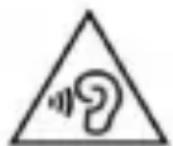
• To prevent possible hearing damage, do not listen at high volume levels for long periods.
- Using a headset at high volumes may damage your hearing. To reduce this risk, lower the headset volume to a safe and comfortable level.
- Exposure to high volumes while driving may cause distraction and increase your risk of an accident.
Areas with flammables and explosives
- Do not use the device in environments where flammables or explosives are stored, such as a petrol station, because the electronics in the device may trigger an explosion or fire. Always adhere to any warning signs or information that may be present in these environments.
- Do not store or transport the device in containers with flammable liquids, gases, or explosives.
Traffic safety
- Adhere to local laws and regulations while using the device. To reduce the risk of accidents, do not use your device while driving.
• Concentrate on driving. Your first responsibility is to drive safely. - The signals from the device may interfere with the electronic systems of motor vehicles. For more information, contact the vehicle manufacturer.
- Do not place the device over an air bag or in the deployment area of an air bag in a motor vehicle. Doing so may cause injury if the air bag deploys.
- Do not use the wireless functions of your device while flying or while boarding an aeroplane. Doing so may interfere with the aeroplane's systems and may be illegal.
Operating environment
- Avoid environments in which there is dust, damp, dirt, or magnetic fields. Using the device in these environments may cause it to malfunction.
- Do not use your device during thunderstorms to protect your device against any danger caused by lightning.
- Ideal operating temperatures are 0°C to 35°C. Ideal storage temperatures are -40°C to +70°C. Extreme heat or cold may damage your device or accessories.
- Do not expose your device to direct sunlight (such as on a car dashboard) for prolonged periods.
- To protect your device or accessories from fire or electrical shock hazards, avoid rain and moisture.
- Keep the device away from sources of heat and fire, such as a heater, microwave oven, stove, water heater, radiator, or candle.
- Do not place sharp metal objects, such as pins, near the earpiece or speaker. The earpiece may attract these objects and result in injury.
- If the device overheats, close any opened applications or stop using it until it cools down. If skin is exposed to an overheated device for an extended period, low-temperature burn symptoms, such as red spots or darker pigmentation, may occur.
- Do not touch the device's antenna. Otherwise, communication quality may be reduced.
- Do not allow children or pets to bite or suck the device or accessories. Doing so may result in damage or explosion.
- Adhere to local laws and regulations, and respect the privacy and legal rights of others.
Child's safety
- Keep the device and its accessories away from children and take all necessary precautions to ensure their safety. The device includes detachable parts that may present a choking hazard.
- The device and its accessories are not intended for use by children. Children should use the device only under direct adult supervision.
Accessories
• Using an unapproved or incompatible power adapter, charger, or battery may cause a fire, explosion, or other hazards.
- Use only approved accessories. The use of unapproved accessories may void the warranty, may violate local regulations and laws, and may be dangerous. For information about the availability of approved accessories in your area, contact your retailer.
Charger safety
- For pluggable devices, the socket-outlet shall be installed near the devices and shall be easily accessible.
- Unplug the charger from the electric socket and from the device when not in use.
- Do not drop or cause an impact to the charger.
- If the power cable is damaged or the plug is loose, stop using it immediately. Continued use may lead to an electric shock, short circuit, or fire.
- Do not touch the power cable with wet hands or pull it to disconnect the charger.
- Do not touch the device or the charger with wet hands. Doing so may lead to an electric shock, short circuit, or malfunction.
-
If your charger has been exposed to liquid or excessive moisture, take it to an authorised service centre for inspection.
-
Ensure that the charger complies with Clause 2.5 in IEC60950-1/EN60950-1/UL60950-1 and has been tested and approved according to national or local standards.
- Connect the device only to products that display the USB-IF logo or that comply with the USB-IF program.
Battery safety
- Do not bridge the battery terminals with conductive material, such as keys or jewellery. Doing so will short-circuit the battery and may cause injury.
- Keep the battery away from excessive heat and direct sunlight. Do not place it on or in heating devices, such as microwave ovens, stoves, or radiators. Batteries may explode if overheated.
- Do not attempt to modify the battery, insert foreign objects into it, or immerse or expose it to liquids. Doing so may lead to fire, explosion, or other hazards.
- If the battery leaks, ensure that the electrolyte does not make contact with your skin or eyes. If contact is made, immediately flush with clean water and consult a doctor.
- If battery deformation occurs, it changes colour, or it overheats while charging or storing, stop using the device immediately and remove the battery. Continued use may lead to battery leakage, fire, or explosion.
- Do not dispose of batteries in fire as they may explode. Damaged batteries may also explode.
-
Dispose of used batteries in accordance with local regulations. Improper battery use may lead to fire, explosion, or other hazards.
-
Do not allow children or pets to bite or suck the battery. Doing so may result in damage or explosion.
- Do not damage the battery or expose it to high external pressure. Doing so may lead to a short circuit or overheating.
- Do not drop the device or battery. Doing so may damage the device or battery.
- If the device standby time shortens significantly, replace the battery.
- The device has a built-in, non-removable battery. Do not attempt to remove it. Doing so may damage the device. To replace the battery, take the device to an authorised service centre.
Cleaning and maintenance
- Before you clean or maintain the device, stop using it, close all applications, and disconnect all cables connected to it.
- Do not use chemical detergents, powders, or other agents (such as alcohol or benzene) to clean the device or accessories. These substances may cause damage to parts or present a fire hazard. Use a clean, soft, and dry cloth to clean the device and accessories.
- Keep the device and accessories dry. Do not attempt to dry it with an external heat source, such as a microwave oven or hair dryer.
- Avoid collision, which may lead to device malfunctions, overheating, fire, or explosion.
- Do not expose your device or accessories to extreme heat or cold, which may interfere with proper function and may lead to fire or explosion.
- Do not place magnetic stripe cards, such as bankcards and phone cards, near the device for extended periods of time. Otherwise, these cards may be damaged.
- Do not dismantle or attempt to modify the device or its accessories. This voids the warranty and releases the manufacturer from liability for damage. In case of damage, contact an authorised service centre for assistance or repair.
- If the device screen is damaged, stop using the device immediately. Do not touch or attempt to remove the broken parts. Contact an authorised service centre as soon as possible.
Disposal and recycling information

The crossed-out wheelie bin symbol on your product, battery, literature or packaging reminds you that all electronic products and batteries must be taken to separate waste collection points at the end of their working lives; they must not be disposed of in normal household waste. It is the responsibility of the user to dispose of the equipment using a designated collection point or service for separate recycling of waste electrical and electronic equipment (WEEE) and batteries according to local laws.
Proper collection and recycling of your equipment helps ensure EEE waste is recycled in a manner that conserves valuable materials and protects human health and the environment. Improper handling, accidental breakage, damage, and/or improper recycling at the end of its life may be harmful for your health and the environment. For more information about where and how to drop off your EEE waste, please
contact your local authorities, retailer or household waste disposal service or visit the website http://consumer.huawei.com/en/.
Reduction of hazardous substances
This device and any electrical accessories are compliant with local applicable rules on the restriction of the use of certain hazardous substances in electrical and electronic equipment, such as EU REACH, RoHS and Batteries (where included) regulations, etc. For declarations of conformity about REACH and RoHS, please visit our web site http://consumer.huawei.com/certification.
EU regulatory conformance
Body worn operation
The device complies with RF specifications when used at a distance of 0.5 cm from your body. Ensure that the device accessories, such as a device case and device holster, are not composed of metal components. Keep the device away from your body to meet the distance requirement.
Certification information (SAR)
This device meets guidelines for exposure to radio waves.
Your device is a low-power radio transmitter and receiver. As recommended by international guidelines, the device is designed not to exceed the limits for exposure to radio waves. These guidelines were developed by the International Commission on Non-Ionizing Radiation Protection (ICNIRP), an independent scientific organisation, and include safety measures designed to ensure the safety of all users, regardless of age and health.
The Specific Absorption Rate (SAR) is the unit of measurement for the amount of radio frequency energy absorbed by the body when using a device. The SAR value is determined at the highest certified power level in laboratory conditions, but the actual SAR level during operation can be
well below the value. This is because the device is designed to use the minimum power required to reach the network.
The SAR limit adopted by Europe is 2.0 W/kg averaged over 10 grams of tissue, and the highest SAR value for this device complies with this limit.
The highest SAR value reported for this device type when tested in portable exposure conditions is 0.20 W/kg.
Statement
Hereby, Huawei Technologies Co., Ltd. declares that this device is in compliance with the essential requirements and other relevant provisions of Directive 2014/53/EU.
The most recent and valid version of the DoC (Declaration of Conformity) can be viewed at http://consumer.huawei.com/certification.
This device may be operated in all member states of the EU.
Observe national and local regulations where the device is used.
This device may be restricted for use, depending on the local network.
Restrictions in the 2.4 GHz band:
Norway: This subsection does not apply for the geographical area within a radius of 20 km from the centre of Ny-Ålesund.
Restrictions in the 5 GHz band:
According to Article 10 (10) of Directive 2014/53/EU, the packaging shows that this radio equipment will be subject to some restrictions when placed on the market in Belgium (BE), Bulgaria (BG), the Czech Republic (CZ), Denmark (DK), Germany (DE), Estonia (EE), Ireland (IE), Greece (EL), Spain (ES), France (FR), Croatia (HR), Italy (IT), Cyprus (CY), Latvia (LV), Lithuania (LT), Luxembourg (LU), Hungary (HU), Malta (MT), Netherlands (NL), Austria (AT), Poland (PL), Portugal (PT), Romania (RO), Slovenia (SI), Slovakia (SK), Finland (FI), Sweden (SE), the United Kingdom (UK),
Turkey (TR), Norway (NO), Switzerland (CH), Iceland (IS), and Liechtenstein (LI).
The WLAN function for this device is restricted to indoor use only when operating in the 5150 to 5350 MHz frequency range.
Frequency Bands and Power
(a) Frequency bands in which the radio equipment operates: Some bands may not be available in all countries or all areas. Please contact the local network provider for more details.
(b) Maximum radio-frequency power transmitted in the frequency bands in which the radio equipment operates: The maximum power for all bands is less than the highest limit value specified in the related Harmonized Standard.
The frequency bands and transmitting power (radiated and/or conducted) nominal limits applicable to this radio equipment are as follows: Wi-Fi 2.4G: 20 dBm, Bluetooth: 20 dBm, Wi-Fi 5G: 5150-5350 MHz: 23 dBm, 5470-5725 MHz: 30dBm.
Accessories and Software Information
Some accessories are optional in certain countries or regions. Optional accessories can be purchased from a licenced vendor as required. The following accessories are recommended:
Adapters: HW-050200X3W, HW-050200X2W (X represents the different plug types used, which can be either C, U, J, E, B, A, I, R, Z or K, depending on your region)
Batteries: HB3080G1EBC, HB3080G1EBW
Earphones: EMC323-011-01, HG-04A, 1293#+3283#3.5MM-150, MEMD1532B528000, HA1-3
The product software version is T1-A21wV100R001C232B009. Software updates will be released by the manufacturer to fix bugs or enhance
functions after the product has been released. All software versions released by the manufacturer have been verified and are still compliant with the related rules.
All RF parameters (for example, frequency range and output power) are not accessible to the user, and cannot be changed by the user.
For the most recent information about accessories and software, please see the DoC (Declaration of Conformity) at http://consumer.huawei.com/certification.
FCC Regulatory Compliance
Body worn operation
The device complies with RF specifications when used at a distance of 0 cm from your body. Ensure that the device accessories, such as a device case and device holster, are not composed of metal components. Keep the device away from your body to meet the distance requirement.
Certification information (SAR)
This device is also designed to meet the requirements for exposure to radio waves established by the Federal Communications Commission (USA).
The SAR limit adopted by the USA is 1.6 W/kg averaged over one gram of tissue. The highest SAR value reported to the FCC for this device type complies with this limit.
The highest SAR value reported to the FCC for this device type when using in portable exposure conditions is 1.413 W/kg.
FCC statement
This device has been tested and found to comply with the limits for a Class B digital device, pursuant to Part 15 of the FCC Rules. These limits are designed to provide reasonable protection against harmful interference in a residential installation. This device generates, uses and
can radiate radio frequency energy and, if not installed and used in accordance with the instructions, may cause harmful interference to radio communications. However, there is no guarantee that interference will not occur in a particular installation. If this device does cause harmful interference to radio or television reception, which can be determined by turning the equipment off and on, the user is encouraged to perform one or more of the following operations to try to correct the interference:
--Reorient or relocate the receiving antenna.
--Increase the separation between the equipment and receiver.
--Connect the device into an outlet on a circuit different from that to which the receiver is connected.
--Consult the dealer or an experienced radio/TV technician for help.
This device complies with Part 15 of the FCC Rules. Operation is subject to the following two conditions: (1) this device may not cause harmful interference, and (2) this device must accept any interference received, including interference that may cause undesired operation.
Caution: Any changes or modifications to this device not expressly approved by Huawei Technologies Co., Ltd. for compliance could void the user's authority to operate the device.
4 Personal Information and Data Security
The use of some functions or third-party applications on your device could result in your personal information and data being lost or becoming accessible to others. Several measures are recommended to help you protect personal and confidential information.
- Place your device in a safe area to prevent it from unauthorised use.
- Set your device screen to lock and create a password or unlock pattern to open it.
- Periodically back up personal information kept on your memory card, or stored in your device memory. If you change to a different device, be sure to move or delete any personal information on your old device.
- If you are worried about viruses when you receive messages or emails from a stranger, you can delete them without opening them.
- If you use your device to browse the Internet, avoid websites that might pose a security risk to avoid theft of your personal information.
- If you use services such as Wi-Fi or Bluetooth, set passwords for these services to prevent unauthorised access. When these services are not in use, turn them off.
• Install or upgrade device security software and regularly scan for viruses. - Be sure to obtain third-party applications from a legitimate source. Downloaded third-party applications should be scanned for viruses.
• Install security software or patches released by Huawei or third-party application providers. - Some applications require and transmit location information. As a result, a third-party may be able to share your location information.
- Your device may provide detection and diagnostic information to third-party application providers. Third party vendors use this information to improve their products and services.
• If you have concerns about the security of your personal information and data, please contact mobile@huawei.com.
5 Legal Notice
Copyright © Huawei Technologies Co., Ltd. 2017. All rights reserved.
This document, whether in part or whole, shall not be reproduced or transmitted in any way, shape, or form without the prior written consent of Huawei Technologies Co., Ltd. and its affiliates ("Huawei").
The product described in this document may include software that is the copyright of Huawei or its licensors. Such software shall not be reproduced, distributed, modified, decompiled, disassembled, decrypted, extracted, reverse engineered, leased, assigned, or sublicensed unless such restrictions are prohibited by law or such actions are approved by the copyright holder.
Trademarks and Permissions

HUAWEI, HUAWEI and are trademarks or registered
trademarks of Huawei Technologies Co., Ltd.
Android TM is a trademark of Google Inc.
The Bluetooth ® word mark and logos are registered trademarks owned by Bluetooth SIG, Inc. and any use of such marks by Huawei Technologies Co., Ltd. is under license.
Other trademarks, products, services and company names mentioned herein may be the property of their respective owners.
Notice
Some features of the product and its accessories described herein rely on the software installed or the capacities and settings of the local network, and therefore may not be activated or may be limited by local network operators or network service providers.
Therefore, the descriptions herein may not exactly match the purchased product or its accessories.
Huawei reserves the right to change or modify any information or specifications contained in this document at any time without prior notice and without any liability.
Third-Party Software Statement
Huawei does not own the intellectual property of the third-party software and applications that are delivered with this product. Therefore, Huawei will not provide any warranty of any kind for third-party software and applications. Neither will Huawei provide support to customers who use third-party software and applications, nor be responsible or liable for the functions or performance of third-party software and applications.
Third-party software and applications services may be interrupted or terminated at any time, and Huawei does not guarantee the availability of any content or service. Third-party service providers provide content and services through network or transmission tools outside of the control of Huawei. To the greatest extent permitted by applicable law, it is explicitly stated that Huawei shall not compensate or be liable for services provided by third-party service providers, or the interruption or termination of third-party contents or services.
Huawei shall not be responsible for the legality, quality, or any other aspects of any third-party software installed on this product, or for any uploaded or downloaded third-party works in any form, including but not limited to texts, images, videos, or software etc. Customers shall bear the
risk for any and all effects, including incompatibility between the software and this product, which result from installing software or uploading or downloading the third-party works.
This product is based on the open-source Android ™ platform. Huawei has made necessary changes to the platform. Therefore, this product may not support all the functions that are supported by the standard Android platform or may be incompatible with third-party software. Huawei does not provide any warranty or representation in connect with any such compatibility and expressly excludes all liability in connection with such matters.
DISCLAIMER
ALL CONTENTS OF THIS DOCUMENT ARE PROVIDED "AS IS". EXCEPT AS REQUIRED BY APPLICABLE LAWS, NO WARRANTIES OF ANY KIND, EITHER EXPRESS OR IMPLIED, INCLUDING BUT NOT LIMITED TO, THE IMPLIED WARRANTIES OF MERCHANTABILITY AND FITNESS FOR A PARTICULAR PURPOSE, ARE MADE IN RELATION TO THE ACCURACY, RELIABILITY OR CONTENTS OF THIS DOCUMENT.
TO THE MAXIMUM EXTENT PERMITTED BY APPLICABLE LAW, UNDER NO CIRCUMSTANCES SHALL HUAWEI BE LIABLE FOR ANY SPECIAL, INCIDENTAL, INDIRECT, OR CONSEQUENTIAL DAMAGES, OR LOSS OF PROFITS, BUSINESS, REVENUE, DATA, GOODWILL SAVINGS OR ANTICIPATED SAVINGS REGARDLESS OF WHETHER SUCH LOSSES ARE FORSEEABLE OR NOT.
THE MAXIMUM LIABILITY (THIS LIMITATION SHALL NOT APPLY TO LIABILITY FOR PERSONAL INJURY TO THE EXTENT APPLICABLE LAW PROHIBITS SUCH A LIMITATION) OF HUAWEI ARISING FROM THE USE OF THE PRODUCT DESCRIBED IN THIS DOCUMENT
SHALL BE LIMITED TO THE AMOUNT PAID BY CUSTOMERS FOR THE PURCHASE OF THIS PRODUCT.
Import and Export Regulations
All applicable export or import laws and regulations must be complied with and all necessary governmental permits and licenses must be obtained before exporting or importing the product, including the software and technical data, described in this document.
Privacy Policy
To better understand how we protect your personal information, please see our privacy policy at http://consumer.huawei.com/privacy-policy.
6 For More Help
For more help, go to http://consumer.huawei.com/en/ to download the User Guide.
Please visit http://consumer.huawei.com/en/support/hotline for recently updated hotline and email address in your country or region.

The figures in this guide are provided for your reference only. The appearance and display features may vary slightly depending on the actual product version.

natural_image
Symbol of a trash bin crossed out by two crossed lines, with no text or numbers present.Batteries : HB3080G1EBC, HB3080G1EBW
Écouteurs : EMC323-011-01, HG-04A, 1293#+3283#3.5MM-150, MEMD1532B528000, HA1-3





for Android™ Android is a trademark of Google Inc. Use of this trademark is subject to Google Permissions.


- HUAWEI MediaPad T1 10 at a Glance
- Installation
- Safety information
- Electronic device
- Interference with medical equipment
- Protecting your hearing when using a headset
- Areas with flammables and explosives
- Traffic safety
- Operating environment
- Child's safety
- Accessories
- Charger safety
- Battery safety
- Cleaning and maintenance
- Disposal and recycling information
- Reduction of hazardous substances
- EU regulatory conformance
- Body worn operation
- Certification information (SAR)
- Statement
- Restrictions in the 2.4 GHz band:
- Restrictions in the 5 GHz band:
- Frequency Bands and Power
- Accessories and Software Information
- FCC Regulatory Compliance
- FCC statement
- Personal Information and Data Security
- Legal Notice
- Copyright © Huawei Technologies Co., Ltd. 2017. All rights reserved.
- Trademarks and Permissions
- Notice
- Third-Party Software Statement
- DISCLAIMER
- Import and Export Regulations
- Privacy Policy
- For More Help
Brand : HUAWEI
Model : MediaPad T1 10.0
Category : Tablet