
SPUBT770 - Docking Station Sunstech - Free user manual and instructions
Find the device manual for free SPUBT770 Sunstech in PDF.


| Product Type | Bluetooth Docking Station |
| Brand | Sunstech |
| Model | SPUBT770 |
| Dimensions (L x W x H) | 30 x 10 x 10 cm |
| Weight | 1.2 kg |
| Power supply | AC power adapter 100-240V, 50/60Hz |
| Power consumption | 15 W |
| Connectivity | Bluetooth 5.0, USB charging port, 3.5mm AUX input |
| Main functions | Wireless audio playback, smartphone charging, built-in FM radio, alarm |
| Speakers | 2 x 5W stereo |
| Care and cleaning | Clean with a soft dry cloth. Do not use abrasive products. |
| Safety | Do not expose to humidity or splashes. Unplug during storms. |
| Spare parts and repairability | AC adapter supplied. No spare parts available. Contact Sunstech customer service. |
| Package contents | Docking station, AC adapter, AUX cable, quick start guide |
| General information | Sunstech SPUBT770 docking station. 2-year warranty. Made in China. |
Frequently Asked Questions - SPUBT770 Sunstech
User questions about SPUBT770 Sunstech
0 question about this device. Answer the ones you know or ask your own.
Ask a new question about this device
Download the instructions for your Docking Station in PDF format for free! Find your manual SPUBT770 - Sunstech and take your electronic device back in hand. On this page are published all the documents necessary for the use of your device. SPUBT770 by Sunstech.
USER MANUAL SPUBT770 Sunstech
PORTABLE MINI SPEAKER
SPUBT770
User Manual

natural_image
Blue Sunstech-branded portable speaker with gray grille and control buttons (no visible text beyond brand logo)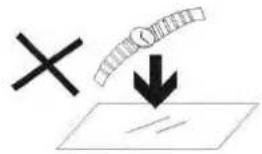
- DONOTplaceobjectsontopofthedevice, as objectsmayscratchthedevice.

2.DONOTexposethedevicetodirtyordusty environments.

natural_image
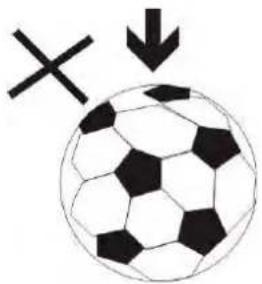
Black and white soccer ball with a cross symbol and downward arrow, no text or labels present3.DONOTplacethedeviceonanunevenorunstable surface.

natural_image
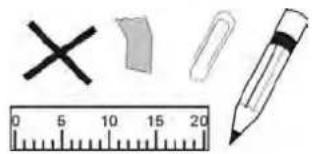
Illustration of four basic objects: a cross, eraser, and pencil, with a ruler for scale (no text or symbols)4.DONOTinsertanyforeignobjectsintothedevice.
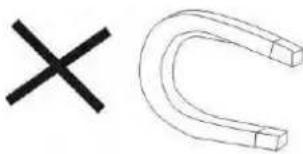
5.DONOTexposethedevicetostrongmagneticor electricalfield.

6.DONOTexposethedevicetodirectsunlightasit candamagethedevice.Keepitawayfromheat sources.
60^ C(140^ F)


20°C(68°F)
7.DONOTstoreyourdeviceintemperatureshigherthan 40^(104^) .Theinternaloperatingtemperatureforthis deviceisfrom 20^(68^) to 60^(140^) .
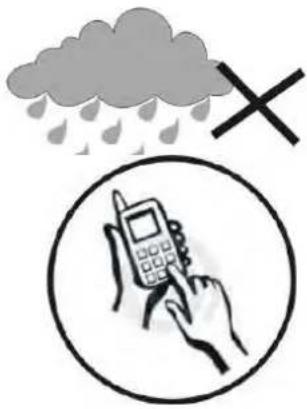
8.DONOTusethedeviceintherain.
- Please check with your Local Authority or retailer for proper disposals of electronic products.

natural_image
Symbolic illustration of a person sitting on a chair with an 'X' mark and a downward arrow, no text or numbers present.- Thedevice and adaptormay productsomeheat during normal operation of charging. Top prevent discomfort or injury from heat exposure, DONOT leave the device on your lap.

- POWERINPUTRATING: Refertotheratin glabelonthe device and besure that the power adaptor complies with the rating. Only use accessories specified by the manufacturer.

natural_image
Illustration showing a hand cleaning a paper with a spray bottle and a crossed-out X mark (no text or symbols)12.Cleanthedevicewithasoftcloth.Ifneeded,dampen theclothslightlybeforecleaning.Neveruseabrasivesor cleaningsolutions.
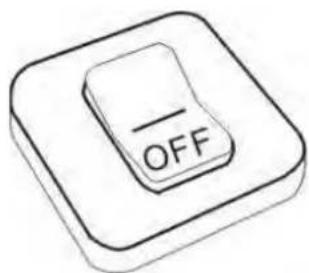
- Always power off the device to install or remove external device that donot support hot plug.

flowchart
graph LR
    A["Switch"] --> B["Fuse"]
    B --> C["Power Cord Application"]
14.Disconnectthedevicefromanelectricaloutletand poweroffbeforecleaningthedevice.

natural_image
Simple line drawing of a screwdriver and a cross symbol (no text or labels)- DO NOT disassemble the device. Only a certified service technician should perform repair.

- Thedevicehasaperturestodisperseheat.DONOTblock thedeviceventilation,thedevicemaybecomehotand malfunctionasaresult.

natural_image
Diagram showing a rectangular component with internal structure and four cylindrical elements below (no text or symbols)- Riskofexplosionifbatteryreplacedbyan incorrecttype.Disposeofusedbatteriesaccordingto theinstruction.
natural_image
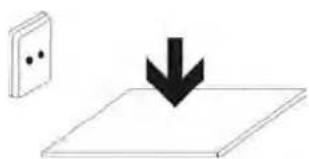
Simple line drawing of a wall-mounted switch and a downward arrow on a flat surface (no text or symbols)- PLUGGABLE EQUIPMENT: the socket-outlet shall be installedneartheequipmentandshallbeeasily accessible.
ThanksforpurchasingBluetoothMiniSpeaker
SPUBT770.Pleaseread
thefollowinginstructionstolearnhowtoconguretheunit.
ProductOverview
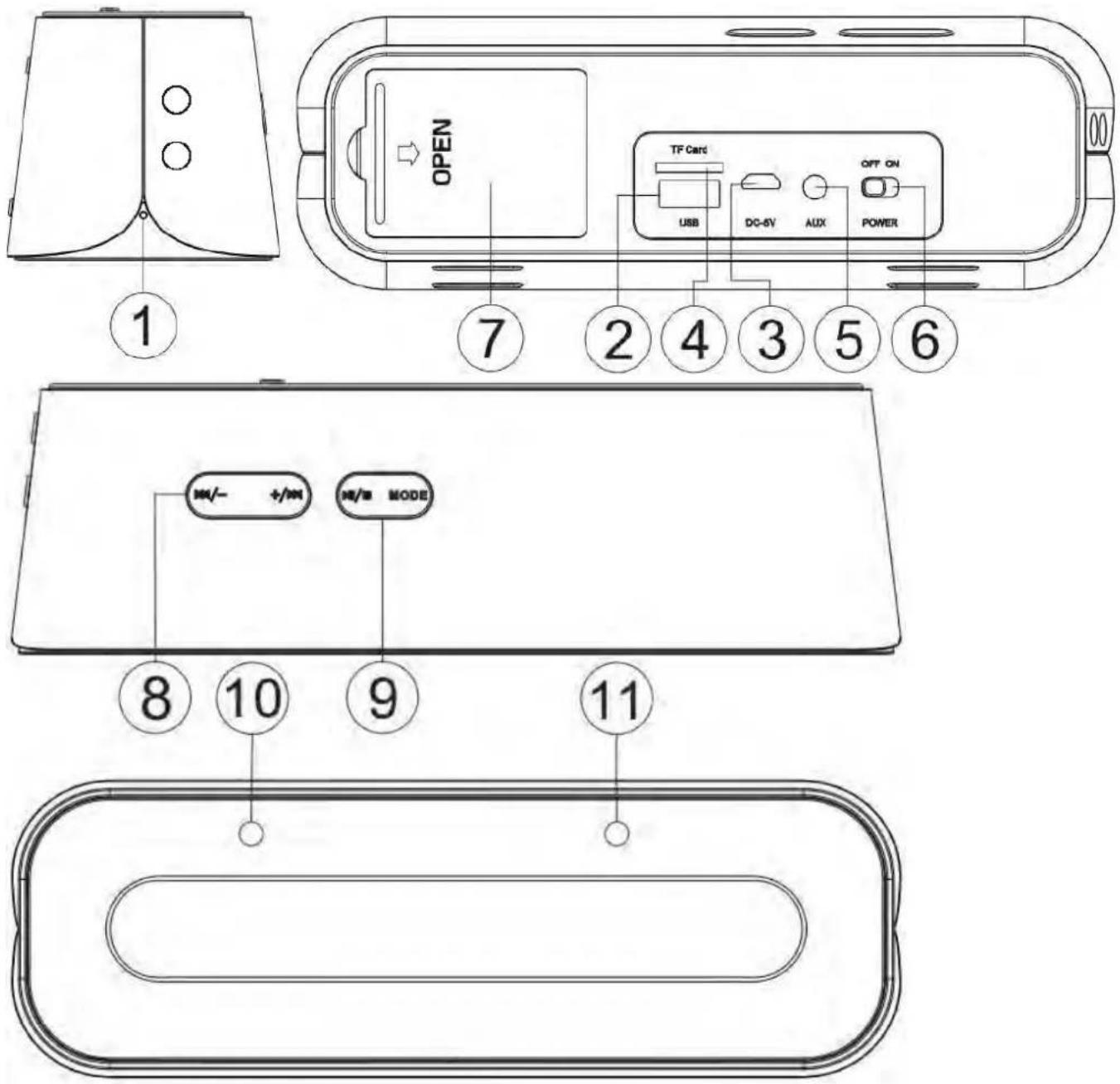
| 1 | Microphone |
| 2USBinput | |
| 3MicroUSDconnectorDCIN5V | |
| 4TFcardconnector | |
| 53.5mmLineInconnector | |
| 6 | On/Off:Switchthepowerbuttonto"ON"toturnonthe speaker,to"OFF"toturnoff. |
| 7 | Batterycover |
| 8 | LEFT: Previoustrack/Volumedown:Pressshortlytogoback to previous song/track, press long to decrease volume.RIGHT: Nexttrack/Volumeup:Pressshortlytomoveonto next song/track, press long to increase volume. |
| 9 | LEFT: Play/Pause/Hands-freeRIGHT: Mode:Afterturningonthespeaker,presstoselect Bluetooth-TFcard-LineIn-USB |
| 10Workingindicator | |
| 11Chargingindicator |
Bluetooth
Turnonspeaker, Bluetoothworksspontaneously. Itsearchesprevious
pairing. If the speaker fails to link, it starts pairing with other Bluetooth devices.Inthiscase,turnonyourBluetoothdevicetosearchthe
SPUBT770 speaker.ThePINcodeis"0000".Musicstreamsafterpairing
successfully.Shouldsomeonecallyou,youcanpressthekey"
answer the phone. When the call is finished, you can press the key "▶/■" to end.
TF Card or U-disk
Turn on the speaker, plug in TF card or U-disk in the slot, it begins streaming music. Press the key “◀/■” to play/pause; press the key “◀/—” to go back to last song or decrease volume; press the key “▶/ +” to move on to next song or increase volume. Press the key MODE to transfers from TF Card, or U-disk to Line In, Bluetooth.
Lineln
Whenthespeakerison, itentersLineInmodeoncea3.5mmaudiocable isinserted. PlugoneendofthecableintoLINEINslotofthespeakerand theotherendintoaudioslotofMobilePhone, Notebook, TabletPC, MP3/MP4 Player etc. After that, you'll be able to enjoy your music.
Charging
PlugthechargingcableintotheMicroUSBslotofthespeaker,USBslot of PC or other USB slot of chargers to charge. When the speaker is being charged, the indicator light turns red. Once it iff ully charged, the indicatorlightturnsoff.(We'dsuggesttheusersturningoffthespeaker while charging. It takes longer to completely charge if the speaker is on whilebeingcharged.)
Troubleshooting
-
If the speaker cannot be turned on after pressing the POWER key, or it turn so off on turning on, the users shall check whether it is charged or not. If it's not, please charge it and try again later.
-
PleasechargebyusingthemicroUsbslotDC5V. Thespeakerfailmay not work or even damage the speaker if it's not charge using the micro USBslotDC5V.
-
PleasedonotincreasethevolumeofyourMobilePhone,PC, MP3/MP4Player,CD,DVDetctoalargeextend,orsonicboomor soundd istortionmayoccur.Incaseofsonicboomorsounddistortion, pleasedecreasevolumeeitherofMobilePhone,PC,MP3/MP4Player, CD,DVDorthespeaker.
-
If Bluetooth device of a Mobile Phone, PC etc fails to link to the speakeroriffailstoplayingmusicafterbeingconnected,theuser should check to see if the PIN code is correct or if Bluetooth device MobilePhone,PCetcsupportsA2DP.
TechnicalInformation
| SoundTrackStereo | |
| FunctionTFCard,LineIn,U-disk,Bluetooth | Microphone |
| BluetoothVersionV3.0 | |
| Transmission Distance of Bluetooth | 10 meters in free space. |
| PowerSupply | DC5V, lithiumbattery |
| Battery3.7V600MAHlithiumbattery | |
| Output | 3W*2 |
| USB/SDcard | Upto32GB |
| DiameterofLoudspeaker | 40mm |
| Impedance | 4Ω |
| Antimagneticfunction | Available |
| Material | aluminum+ABSplastic |
MadeinChina
Warrantyconditions
-Thewarrantyofthisproductisfor2yearssincethepurchasedate.
-Thewarrantywillexcludebreakdownscausedbybaduseofthe
product, wrong installation or installation in not desirable places for a propermaintenanceoftheproduct,rips,updatesoftheproductsthat
are not the supplied by the brand, pieces wore away for its use or for not domestic or inappropriate use. Also are excluded breakdowns caused for manipulationsoftheproductsbypeopleorcompaniesalientoour company.
- For any request regarding the warranty terms, the purchase receipt mustbeattached.
CorrectdisposalofthisProduct
(Waste Electrical & Electronic Equipment(WEEE)
Your product is designed and manufactured with high quality materialsandcomponentswhichcanberecycledandreused.
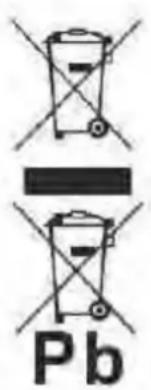
This symbol means that electrical and electronic equipment, at their end of-life should be disposed of separately from your householdwaste.
Please dispose of this equipment at your local community waste collection/recyclingcentre.
In the European Union there are separate collection systems for used electrical and electronic products. Please help us to conservetheenvironmentwelvein!
chemical
Chemical symbol for lead (Pb) with crossed and unmarked representationsDECLARATIONOFCONFORMITY
Council Directive(s) to which conformity is declared:
Directive(1999/5/EC)-R&TTE
Directive(2004/108/EC)-EMC
Directive(2006/95/EC)-LVD
Directive(2011/65/EU)-RoHS
ApplicationoftheStandards:
EN60065:2002+A1:2006+A11:2008+A12:2011
EN300328V1.8.1:2012
EN301489-1V1.9.2:2011
EN301489-17V2.2.1:2012
EN62479:2010
EN55013:2013
EN55020:2007+A11:2011
IEC62321-2008
Manufacturer'sname:
AFEXSUNS,S.A.
Manufacturer'saddress:
C/Pallars189,08005Barcelona
Typeofequipment:
BLUETOOTH SPEAKER
Trade:
SUNSTECH
Modelno.:
SPUBT770
We, the undersigned, hereby declare under our sole responsibility that the specified equipment is in conformity with the above Directive(s) and Standard(s)
Place: Barcelona

(Signature)
Víctor Planas Bas
(Full name)
Date:6-March-2015
General Manager
(Position)

- NOexpongaelaparatoaentornossucioso polvorientos.
natural_image
Black and white soccer ball with hexagon pattern and a cross symbol above it, no text or symbols present.- NOcoloqueelaparatoenunasuperficiedesigualo inestable.
natural_image
Illustration of a pencil, ruler, eraser, and two crossed-out paper sheets (no text or symbols)natural_image
Simple line drawing of a crossed black X and a U-shaped magnet (no text or symbols)natural_image
Simple illustration of a cross and a sun with radiating lines (no text or symbols)natural_image
Simple illustration of a cloud with raindrops and a black X symbol (no text or labels)- NOutiliceelaparatobajolalluvia.

natural_image
Illustration of a hand holding a mobile phone inside a circle (no text or symbols)natural_image
Symbolic illustration of a person sitting with a cross and downward arrow, no text or numbers presentnatural_image
Illustration showing a hand cleaning a cloth next to a spray bottle with a 'X' mark (no text or symbols)flowchart
graph TD
    A["Switch with two dots"] --> B["OFF button"]
    B --> C["Hand holding paper"]
natural_image
Simple line drawing of a screwdriver and a black X symbol (no text or labels)natural_image
Diagram showing a rectangular component with internal structure and four cylindrical elements below, no text or symbols present.natural_image
Simple line drawing of a wall-mounted switch with a downward arrow indicating compression (no text or symbols)Directive(2004/108/EC)-EMC
Directive(2006/95/EC)-LVD
Directive(2011/65/EU)-RoHS
natural_image
Simple diagram showing a cross above a downward arrow and scattered shapes below, no text or symbols present.natural_image
Black and white soccer ball with a cross symbol and downward arrow, no text or labels presentnatural_image
Illustration of five basic objects: a cross, eraser, paperclip, and pencil, with a ruler for scale (no text or symbols)natural_image
Simple graphic with a black X and a sunburst shape (no text or symbols)natural_image
Simple illustration of a cloud with raindrops and a black X symbol (no text or labels)natural_image
Illustration of a hand holding a mobile phone inside a circle (no text or symbols)natural_image
Symbolic illustration of a person sitting on a chair with a cross and downward arrow, no text or numbers present.natural_image
Illustration showing a hand cleaning a cloth next to a spray bottle with a 'X' mark (no text or symbols)flowchart
graph LR
    A["Switch with two dots"] --> B["OFF button"]
    B --> C["Hand holding paper"]
natural_image
Simple line drawing of a screwdriver and a black X symbol (no text or labels)natural_image
Diagram showing a rectangular component with an arrow pointing to four cylindrical objects below (no text or symbols)natural_image
Simple line drawing of a wall-mounted switch with a downward arrow indicating load (no text or symbols)DÉCLARATIONDECONFORMITÉ
Directive(2004/108/EC)-EMC
Directive(2006/95/EC)-LVD
Directive(2011/65/EU)-RoHS
Applicationdesnormes:
EN60065:2002+A1:2006+A11:2008+A12:2011
EN300328V1.8.1:2012
EN301489-1V1.9.2:2011
EN301489-17V2.2.1:2012
EN62479:2010
EN55013:2013
EN55020:2007+A11:2011
IEC62321-2008
Nomdufabricant: AFEXSUNS,S.A.
Adressedufabricant: C/Pallars189,08005Barcelona
natural_image
Black and white soccer ball with a cross symbol and downward arrow, no text or labels presentnatural_image
Illustration of basic geometric shapes including a cross, paperclip, pencil, and ruler (no text or symbols)natural_image
Simple graphic with a black X and a sunburst shape (no text or symbols)natural_image
Simple illustration of a cloud with raindrops and a cross symbol (no text or labels)natural_image
Illustration of a hand holding a mobile phone inside a circle (no text or symbols)natural_image
Symbolic illustration of a person sitting on a chair with an 'X' mark and a downward arrow, no text present.natural_image
Illustration showing a hand cleaning a cloth next to a spray bottle with a cross mark (no text or symbols)flowchart
graph LR
    A["Wall with two dots"] --> B["OFF button"]
    B --> C["Hand holding paper with checkmark"]
natural_image
Simple line drawing of a screwdriver and a black X symbol (no text or labels)natural_image
Diagram showing a rectangular device with internal components and four cylindrical battery cells below, no text or symbols present.natural_image
Simple line drawing of a device with a black downward arrow pointing to a flat surface (no text or symbols)Directive(2004/108/EC)-EMC
Directive(2006/95/EC)-LVD
Directive(2011/65/EU)-RoHS
AplicaçãodasNormas:
EN60065:2002+A1:2006+A11:2008+A12:2011
EN300328V1.8.1:2012
EN301489-1V1.9.2:2011
EN301489-17V2.2.1:2012
EN62479:2010
EN55013:2013
EN55020:2007+A11:2011
IEC62321-2008
Nomedofabricante:
AFEXSUNS,S.A.


- PORTABLE MINI SPEAKER
- SPUBT770
- User Manual
- Bluetooth
- TF Card or U-disk
- Lineln
- Charging
- Troubleshooting
- MadeinChina
- Warrantyconditions
- CorrectdisposalofthisProduct
- DECLARATIONOFCONFORMITY
- Directive(1999/5/EC)-R&TTE
- Directive(2004/108/EC)-EMC
- Directive(2006/95/EC)-LVD
- Directive(2011/65/EU)-RoHS
- We, the undersigned, hereby declare under our sole responsibility that the specified equipment is in conformity with the above Directive(s) and Standard(s)
- DÉCLARATIONDECONFORMITÉ
Brand : Sunstech
Model : SPUBT770
Category : Docking Station