
BXL-JB10 - Cd player/recorder BASICXL - Free user manual and instructions
Find the device manual for free BXL-JB10 BASICXL in PDF.


| Product type | CD player/recorder |
| Brand | BasicXL |
| Model | BXL-JB10 |
| Dimensions (approx.) | 140 x 140 x 25 mm |
| Weight (approx.) | 350 g |
| Power supply | 5V, 1A AC adapter (included) or 4 AA batteries (not included) |
| Main functions | Audio CD playback, recording on CD-R/RW, programmed playback, repeat, headphone listening |
| Maintenance and cleaning | Clean with a soft, dry cloth; use a lens cleaning kit for the optics |
| Safety | Do not expose to moisture; do not open the casing; use only the provided adapter |
| Spare parts and repairability | AC adapter available separately; repair by a certified professional |
| Compatible formats | CD, CD-R, CD-RW (audio) |
| Outputs | 3.5 mm headphone jack |
Frequently Asked Questions - BXL-JB10 BASICXL
User questions about BXL-JB10 BASICXL
0 question about this device. Answer the ones you know or ask your own.
Ask a new question about this device
Download the instructions for your Cd player/recorder in PDF format for free! Find your manual BXL-JB10 - BASICXL and take your electronic device back in hand. On this page are published all the documents necessary for the use of your device. BXL-JB10 by BASICXL.
USER MANUAL BXL-JB10 BASICXL
MANUAL (p. 2)
Jukebox
MODE D'EMPLOI (p. 8)
Juke-box
MANUALE (p. 14)
Jukebox
HASZNÁLATI ÚTMUTATÓ (o. 20.)
Zenegép
MANUAL DE USO (p. 17)
Jukebox
KÄYTTÖOHJE (s. 23)
Jukeboksi
Listening to a Compact Disc
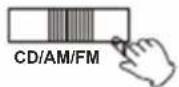
- Slide the function selector to CD position.
-
Open the CD door and place the CD on the tray.
-
Close the tray and start playing the CD.
The CD will start playing from the first track.
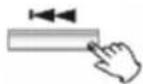
- Press the FF button once to skip to the beginning of the next track.
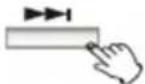
- Press the FR button once to skip to the beginning of the current track. Press the FR button twice to skip to the beginning of the previous track.

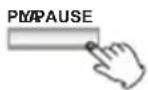
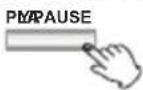
- Pause CD playback.
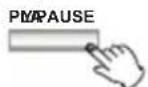
Press the PLAY/PAUSE button will restart the CD where it was paused.
Do not switch the unit off while playing a CD, as this will damage the unit.
- Stop CD playback.

Fast rewind (FR) and fast forward (FF), you can search through the track by pressing and holding the FR or FF button.
Note: Do not press both buttons at the same time, as this may damage the unit.
As the unit is tracking quickly forward or reverse, you will hear your selection playing at a distorted speed. Simply release the pressed button to continue playing at normal speed at the desired position in the selected track.
- LIGHT
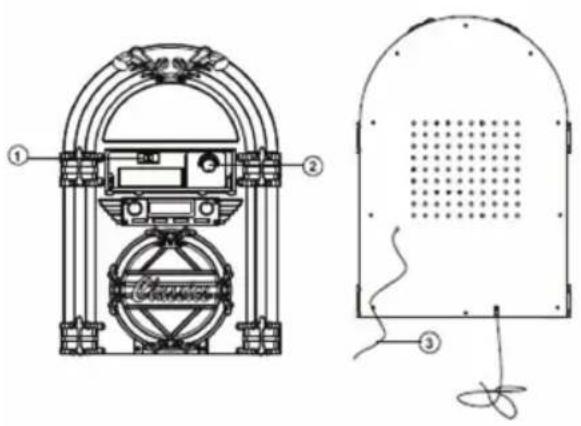
Turn the light knob clockwise to turn the light on, the light will light up all the time around the unit.
Listening to the Radio
- Slide the function selector to AM or FM position.

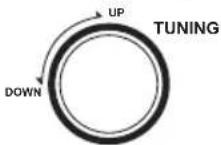
- Tune into the desired frequency.
- Antenna
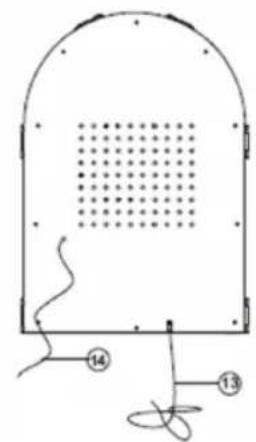
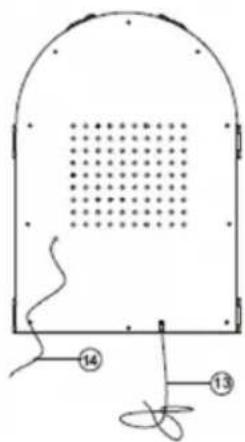
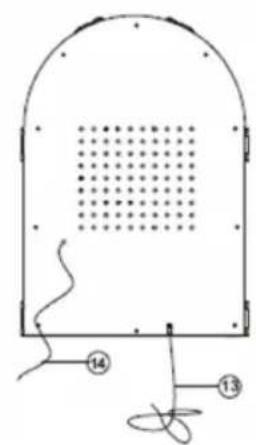
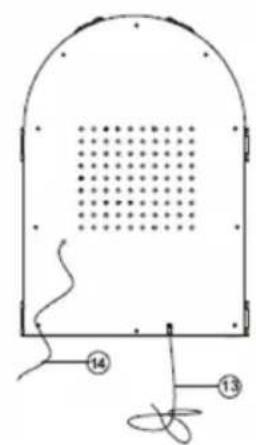
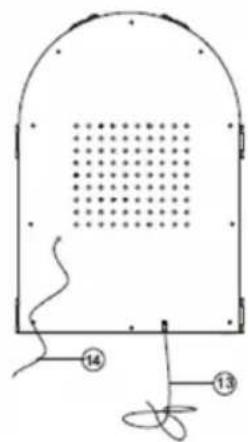
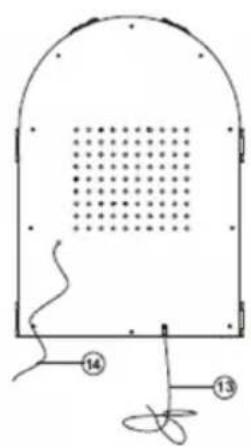
For optimal FM reception be sure to stretch the built-in FM wire antenna located at the back of the unit and move it around until the station you have tuned into is received clearly.
Specifications
AMPLIFIER section
Output Power....1.5 W +1.5 W
Frequency Response 60 to 20,000 Hz
TUNER section
FM Section
Frequency Range 87.5 to 108 MHz
AM Section
Frequency Range ....530 to 1600 KHz
CD PLAYER section
Frequency Response ....60 to 20,000 Hz +/-4 dB
Signal-to-Noise Ratio....55 dB (IEC-A)
SPEAKER SYSTEM section
Type 1-way
Impedance ....8 ohms
Input Power ......Max. 3 W
GENERAL
Power Requirements 230 V \~50 Hz
Power Consumption 19 W
Safety precautions:


To reduce risk of electric shock, this product should ONLY be opened by an authorized technician when service is required. Disconnect the product
from mains and other equipment if a problem should occur. Do not expose the product to water or moisture.
Maintenance:
Clean only with a dry cloth. Do not use cleaning solvents or abrasives.
Warranty:
No guarantee or liability can be accepted for any changes and modifications of the product or damage caused due to incorrect use of this product.
General:
Designs and specifications are subject to change without notice.
All logos brands and product names are trademarks or registered trademarks of their respective holders and are hereby recognized as such.
Keep this manual and packaging for future reference.
Attention:

This product is marked with this symbol. It means that used electrical and electronic products should not be mixed with general household waste. There is a separate collections system for these products.
DEUTSCH

- Antenne
- Suspendre la lecture CD
- Antenne
CD's beluisteren
Specifications
VERSTERKERGEDEELTE
Uitgangsvermogen 1,5 W +1,5 W
Frequentierespons....60 tot 20.000 Hz
TUNERGEDEELTE
FM-gedeelte
Frequentiebereik....87,5 tot 108 MHz
AM-gedeelte
Frequentiebereik....530 tot 1600 kHz
CD-SPELER-gedeelte
Frequentierespons....60 tot 20.000 Hz +/-4 dB
Signaal-ruisverhouding 55 dB (IEC-A)
LUIDSPREKERGEDEELTE
Type 1-weg
Impedantie 8 ohm
Ingangsvermogen ......Max. 3 W
ALGEMEEN

Specifiche
Especificaciones
CD lemez hallgatása
Müszaki adatok
ERŐSÍTŐ rész

CD-levyn kuuntelu
Tekniset tiedot
VAHVISTIN
Antoteho 1.5 W +1.5 W
Taajuusvaste....60 - 20,000 Hz
SÄÄDIN
FM-alue
Taajuusalue 87.5 - 108 MHz
AM-alue
Taajuusalue ....530 - 1600 kHz
CD-SOITIN
Taajuusvaste....60 - 20,000 Hz +/-4 dB

Spela upp CD

Specifikationer
FÖRSTÄRKARE
Uteffekt 1.5 W +1.5 W


Technické údaje
ZESILOVAČ

Auditie Compact Disc

Date tehnice
Sectiune AMPLIFICATOR
Putere de ieşire ....1,5 W +1,5 W
Tip......unidirectional
Impedanță....8 ohmi
Ακρόαση CD

Προδιαγραφές
τμήμα ΕΝΙΣΧΥΤΗ
Iσ ....1.5 W +1.5 W
Description: Jukebox


- LISTENING TO A COMPACT DISC
- LISTENING TO THE RADIO
- SPECIFICATIONS
- AMPLIFIER SECTION
- TUNER SECTION
- CD PLAYER SECTION
- SPEAKER SYSTEM SECTION
- GENERAL
- SAFETY PRECAUTIONS
- MAINTENANCE
- WARRANTY
- ATTENTION
- DEUTSCH
- CD'S BELUISTEREN
- VERSTERKERGEDEELTE
- TUNERGEDEELTE
- CD-SPELER-GEDEELTE
- LUIDSPREKERGEDEELTE
- ALGEMEEN
- SPECIFICHE
- ESPECIFICACIONES
- CD LEMEZ HALLGATÁSA
- MÜSZAKI ADATOK
- ERŐSÍTŐ RÉSZ
- CD-LEVYN KUUNTELU
- TEKNISET TIEDOT
- VAHVISTIN
- SÄÄDIN
- CD-SOITIN
- SPELA UPP CD
- SPECIFIKATIONER
- FÖRSTÄRKARE
- TECHNICKÉ ÚDAJE
- ZESILOVAČ
- AUDITIE COMPACT DISC
- DATE TEHNICE
- SECTIUNE AMPLIFICATOR
- ΑΚΡΌΑΣΗ CD
- ΠΡΟΔΙΑΓΡΑΦΈΣ
- ΤΜΉΜΑ ΕΝΙΣΧΥΤΗ
Brand : BASICXL
Model : BXL-JB10
Category : Cd player/recorder