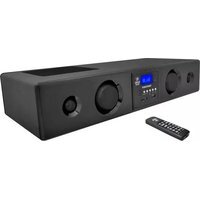
PSBV200BT - Soundbar Pyle - Free user manual and instructions
Find the device manual for free PSBV200BT Pyle in PDF.


| Product Type | Soundbar |
| Brand | Pyle |
| Model | PSBV200BT |
| Speaker Configuration | 2.0 Channel |
| Total Power Output | 40W RMS (80W peak) |
| Bluetooth Version | 4.2 |
| Wireless Range | Up to 30 ft (9 m) |
| Audio Inputs | Optical, Coaxial, RCA, USB, 3.5mm Aux |
| Frequency Response | 20Hz - 20kHz |
| Impedance | 4 Ohms |
| Signal-to-Noise Ratio | >85 dB |
| Remote Control | Included (IR) |
| Wall Mountable | Yes (brackets included) |
| Dimensions (W x H x D) | 40 x 3 x 4 inches (1016 x 76 x 102 mm) |
| Weight | 5.2 lbs (2.36 kg) |
| Power Supply | AC 100-240V, 50/60Hz (external adapter) |
| Standby Power Consumption | <1W |
| Cabinet Material | Plastic with metal grille |
Frequently Asked Questions - PSBV200BT Pyle
User questions about PSBV200BT Pyle
0 question about this device. Answer the ones you know or ask your own.
Ask a new question about this device
Download the instructions for your Soundbar in PDF format for free! Find your manual PSBV200BT - Pyle and take your electronic device back in hand. On this page are published all the documents necessary for the use of your device. PSBV200BT by Pyle.
USER MANUAL PSBV200BT Pyle
300 Watts Bluetooth Sound Bar Systems W/ USB SD FM Radio& Wireless remote
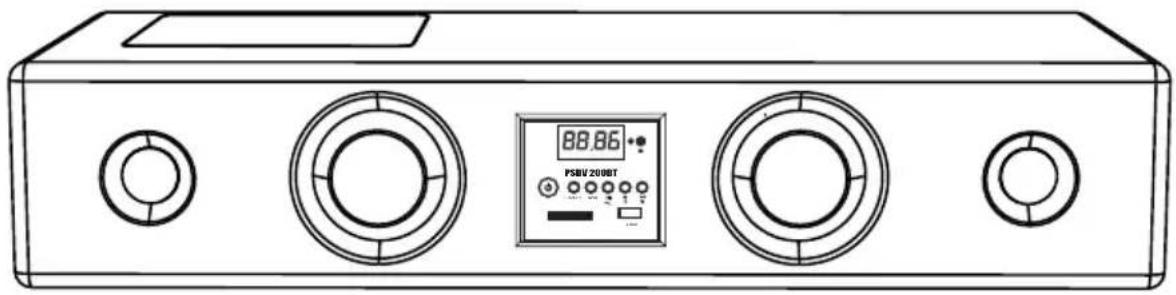
natural_image
Line drawing of a portable electronic device with two circular control knobs and a digital display (no text or symbols visible)OWNER'S MANUAL
PLEASE READ BEFORE OPERATING THIS EQUIPMENT
WWW.PYLEAUDIO.COM
TABLE OF CONTENTS
TABLE OF CONTENTS----1
PACKAGE CONTENTS----1
IMPORTANT SAFETY INSTRUCTIONS----2-3
FEATURES 3
SPECIFICATIONS----4
PLACING THE UNIT 4
SYSTEM CONNECTIONS----5
- CONNECT POWER SUPPLY----5
- CONNECT WITH PC & Mp3----5
- CONNECT WITH TV/DVD----6
FRONT PANEL FUNCTIONS----7
BACK PANEL FUNCTIONS----7
REMOTE CONTROL FUNCTIONS----8
HOW TO USE THE REMOTE CONTROL----9
OPERATIONS----10
- GENERAL OPERATION----10
- LISTEN TO FM RADIO----11
- SD/USB SLOT OPERATION----12
- HOW TO OPERATE BLUETOOTH FUNCTION----12
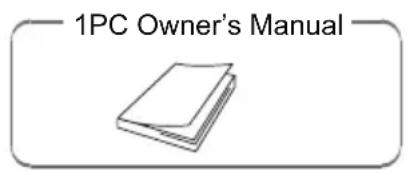
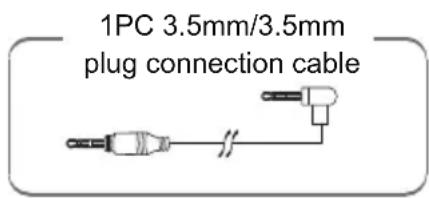
PACKAGE CONTENTS

IMPORTANT SAFETY INSTRUCTIONS
Warning: To reduce the risk of fire or electric shock, do not expose this appliance to rain or moisture.
Dangerous high voltages are present inside the enclosure. Do not open the cabinet, refer to qualified personnel only.

The lighting flash with arrowhead symbol, within an equilateral triangle, is intended to alert user to the presence of uninsulated "dangerous voltage" within the product's enclosure, that may be of sufficient magnitude to constitute a risk of electric shock.

The exclamation point within an equilateral triangle is intended to alert the user to the presence of important operating and servicing instruction in the literature accompanying the appliance.
- Read these instructions
All the safety and operating instructions should be read before the product is operated.
- Keep these instructions
The safety and operating instructions should be retained for future reference.
- Follow all instructions
All operating and use instructions should be followed.
- Do not use this apparatus near water
Do not use this product near water and moisture, for example: near a bathtub, washbowl, kitchen sink, or laundry tub; in a wet basement; or near a swimming pool.
- Clean only with dry cloth
Unplug this product from the wall outlet before cleaning. Do not use liquid cleansers or aerosol cleansers. Use a dry cloth for cleaning.
- Do not block any ventilation openings.
Slots and openings in the cabinet and in the back or bottom are provided for ventilation, to ensure reliable operation of the product and to protect it from overheating. These openings must NOT be blocked or covered. The openings should never be blocked by placing the product on a bed, sofa, rug or other similar surface.
-
Do not install near any heat sources such as radiators, heat registers, stoves, or other apparatus(including amplifiers) that produce heat.
-
Protect the power cord from being walked on or pinched particularly at plugs, convenience receptacles and the point where they exit from the apparatus.
-
Unplug this apparatus during lightning storms or when unused for long period of time.
-
Power Source
The product should be operated only from the type of power source indicated on the rear of the unit.
- Overloading
Do not overload wall outlets and extension cords as this can result in a risk of fire or electric shock.
- Object and liquid entry
Never push objects of any kind into this product through as they may touch dangerous voltage points or short out parts that could result in fire or electric shock.
Never spill or spray any type of liquid on the product.
- Service
Do not attempt to service this product yourself as opening or removing covers may expose you to dangerous voltage or other hazards. Refer all servicing to qualified service personnel.
FEATURES
- Entire wooden case, piano style painted front panel with blue backlight LCD display.
• 3D technology for true surround sound.
• FM stereo radio with automatic search and can store 30 stations. - USB 2.0 host and SD/MMC connector for external moving HD, flash drive, SD/MMC card, can play MP3, WMA format music.
- INPUT, STANDBY,(▶)PLAY/PAUSE/PHONE, (▶)VOL + and ( ) ▶▶VOL - buttons.
- AUX1, AUX2, PC/MP3/FM ANT inputs.
- Bluetooth & handsfree functions.
- 1x 5.25" woofer, 2x3" full range speaker and 2x1" tweeter. With remote control
SPECIFICATIONS
Power Supply----AC:100\~120V, 50/60Hz
Peak RMS Output----300W
Input Sensitivity----400mV ± 50mV
S/N(A Weight)≥80dB
Channel Separated Rate(1KHz)≥40dB
Woofer Impedance----8 Ohm
Tweeter and full range speaker Impedance----4 Ohm
THD(1KHz, 1W, 8Ohm)----≤0.5%
Frequency Response----20Hz-20KHz
Dimensions(WxDxH)----605x250x120MM
Weight----5.3KGS
NOTE: Specifications are subject to change for improvement without prior notice.
PLACING THE UNIT
Take advantage of 3D stereo technology, you can listen to surround sound without extra speakers. Placing your system as follows, and turn on BASS +/- or TRE +/- effect by pressing these Buttons on the remote control, you will get the surround sound effects.

flowchart
graph TD
    A["Your Listening Position"] --> B["Computer"]
    B --> C["Downward Arrow"]
    C --> D["Back to Screen"]
    D --> E["Return to Computer"]
    E --> F["Return to Display"]
    F --> G["Return to Board"]
SYSTEM CONNECTIONS
1. CONNECT POWER SUPPLY
Insert the power plug into a wall socket. Make sure the voltage marked at the rear panel is same as your AC power. Do not operate with wet hands to avoid electric shock.

2. CONNECT WITH PC/MP3
To listen to the sound source from PC (Computer) or MP3 Players, connect the unit with the external device as below:

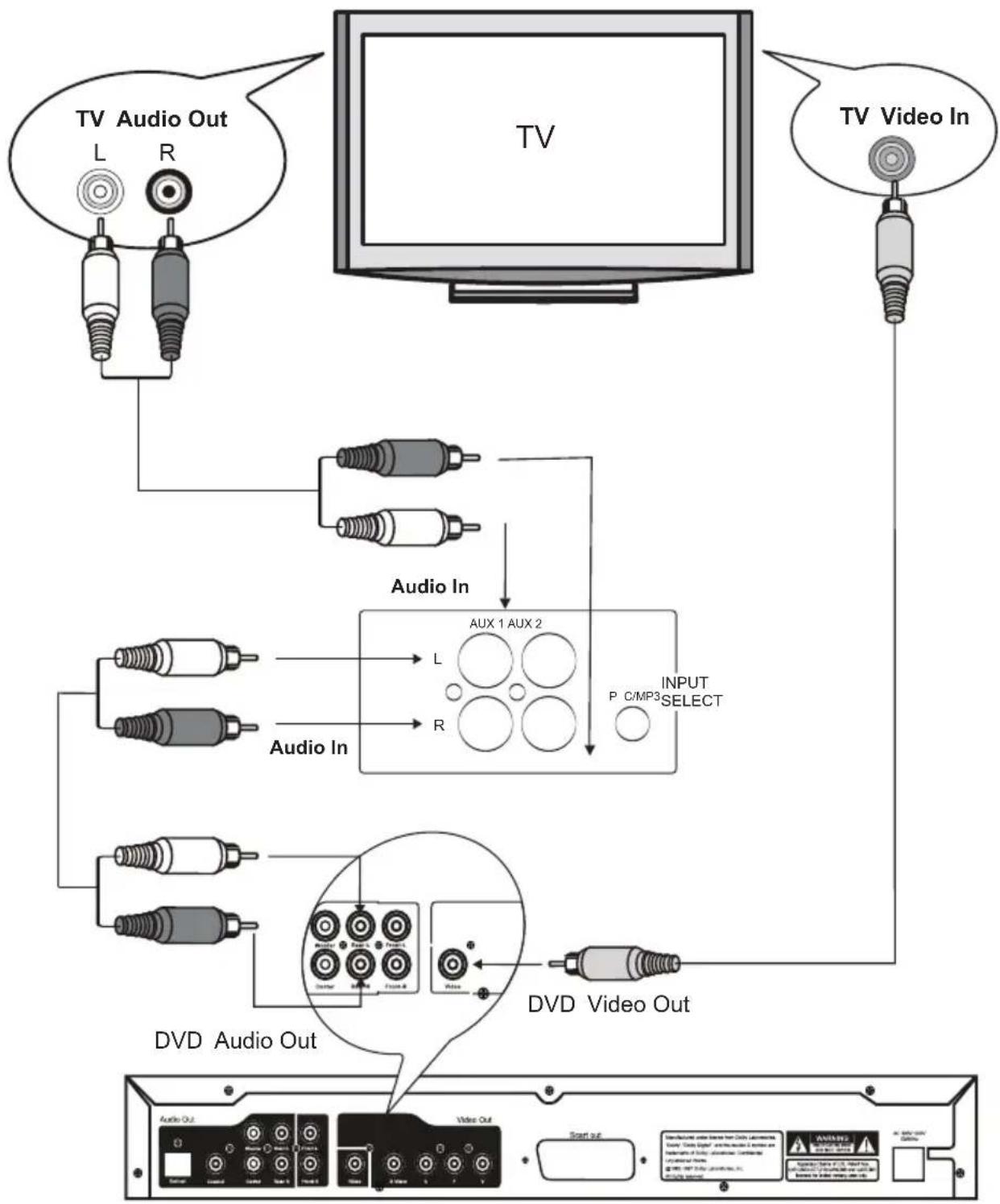
3. CONNECT WITH TV/DVD
To listen to the sound source from Television and/or CD/VCR/DVD/DVR players, connect the unit with the external device as below:
flowchart
graph TD
    A["TV Audio Out"] --> B["TV"]
    C["TV Video In"] --> D["TV"]
    B --> E["Audio In"]
    D --> F["Audio In"]
    E --> G["AUX 1 AUX 2"]
    F --> H["DVD Audio Out"]
    G --> I["AUX 1 AUX 2"]
    H --> J["DVD Audio Out"]
    I --> K["OUTPUT SELECT"]
    J --> L["START OUT"]
CD/VCR/DVD/DVR Players
FRONT PANEL FUNCTIONS

BACK PANEL FUNCTIONS

-
PC Mp3 FM ANT input jack.
-
AUX 1 L+R input jacks.
-
AUX 2 L+R input jacks.
- DC: 18V/2.5A
REMOTE CONTROL FUNCTIONS
-
STANDY-BY: Press to turn on the unit from standby model. Press again to turn the unit off(stand-by).
-
3D: Press to turn on the surround sound effect. Press again to turn it off.
-
MUSE: to turn off the sound temporary, press again to turn the sound back.
-
INPUT: Press repeatedly to select the input source as desired.
-
CH+: In FM radio mode, press to search the stored upper channels.
-
EQ: 11 Mode for choose, in FM mode press choose stereo or mono
-
In Card, USB mode or BLUE mode press to choose previous file, press and hold to fast rewind; in FM radio mode press to go to lower frequency radio stations.
-
▶II/M : In Card, USB mode or BLUE mode press to play/pause; in FM radio mode press to store the current radio station into the memory.
-
▶▶: In Card, USB mode or BLUE mode press to choose next file, press& hold to fast forward; in FM radio mode press to go to upperfrequency radio stations.
-
Scan: in FM mode press to auto search and store working stations, in BLUE mode press enter paired mode then display show" 0000".
-
CH-: In FM radio mode, press to search the stored lower channels.
-
REPEAT: in music model press for choose repeat ONE or ALL
-
VOL -: Press to reduce the sound level..
-
VOL +: Press to increase the sound level.
-
Bass-: Press to reduce the sound level of woofer
-
Bass+: Press to increase the sound level of woofer.
-
TRE-: Press to reduce the Treble
-
RESET: Press to reset the sound level to default setting.
-
TRE+: Press to reduce the Treble

HOW TO USE THE REMOTE CONTROL
1. Battery Installation:
a. Slide and lift up the battery door.
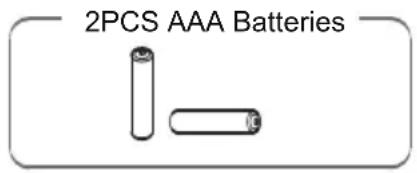
b. Install two "AAA" size batteries (included) into the battery compartment according to the polarity markings inside battery compartment.
c. Replace the battery door.

natural_image
Diagram of two batteries with positive and negative charge indicators, no text or symbols presentBATTERY PRECAUTIONS
Follow these precautions when using batteries in this device:
- Use only the size and type of batteries specified.
- Be sure to follow the correct polarity when installing the batteries as indicated next to the battery compartment. Reversed batteries may cause damage to the device.
- Do not mix different types of batteries together(e.g. Alkaline, Rechargeable and Carbon-zinc) or old batteries with fresh ones
- If the device is not to be used for a long period of time, remove the batteries to prevent damage or injury from possible battery leakage.
- Do not try to recharge batteries which are not designed to be recharged. They can overheat and rupture.
- Do not dispose of batteries in fire. Batteries may explode or leak.
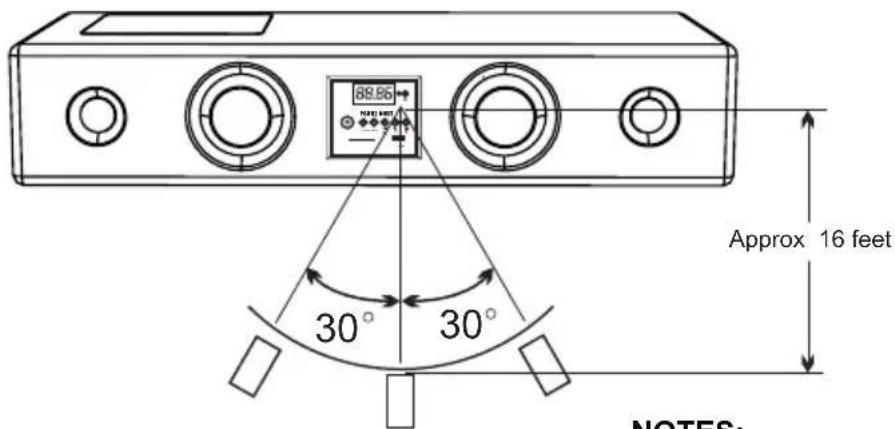
2. Effective scope of the remote control
The remote control has an operating range which is less than 16 feet and at 30 degree angle left or right away from the system.

NOTES:
When there is an obstacle between the unit and the transmitter, the transmitter may not operate.
When direct sunlight, an incandescent lamp, fluorescent lamp or any other strong light shines on the remote sensor of the unit, the remote operation may be unstable.
1) Press the POWER button on the front panel of the unit to turn the unit to Standby mode.
2) Press the STANDBY button on the unit or remote control to power on the unit.
3) Press the INPUT button on the unit or remote control repeatedly to select the input sources to USB, CARD, FM radio, Blue, AUX1, AUX2, PC as desired.
4) Hold Press the ( )VOL +/- buttons on the unit or press it on remote control to adjust volume as desired. Short press ( ) for choose PRE or NEXT song.
5) Press the Bass +/- buttons on the remote control to adjust the sound level of woofer.
6) Press the 3D button on the remote control to turn the Surround Sound Effect ON, press again to turn it OFF.
7) During listening, press the MUTE button on remote control to turn off the sound temporary (MUTE will appear on the display), press again to turn the sound back on.
8) During listening, press the RESET button on the remote control to reset the sound level to default settings.
9) When finished listening, press the STANDBY button on the unit or remote control to turn off the unit(Standby mode).
NOTE: If you will not use the unit for long period of time, press the POWER button on the front panel of the unit to cut off the AC supply.
2. LISTEN TO FM RADIO
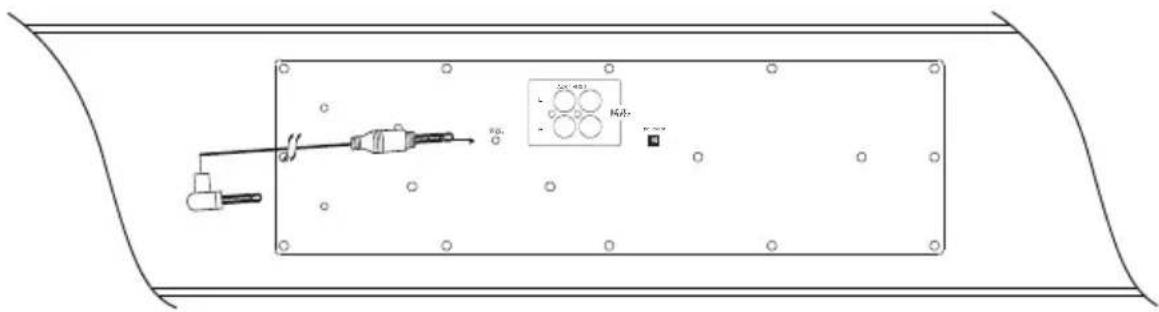
Connect the supplied 3.5mm audio cable to FM ANT jack on the rear of the unit as the figure below. Extend the wire and relocate it to get the best reception.
- Power ON the unit as previous procedures.
- Press the INPUT button on the unit or remote control repeatedly until FM frequency appears on the display.
-
Press ◀◀ or ▶▶l button on remote control repeatedly to search the specific radio stations. (To search the radio stations in auto mode: Press and hold ◀◀or ▶▶l button two seconds then release the button. The unit will auto search the next available radio station then stop. Repeat above procedure to search all available radio stations.)
-
To store the current received radio station into the memory. Press the MEMORY(▶II/M) button on the remote control, CH 01 will appear on the display. Press the CH+/CH- buttons repeatedly to select channel number as desired. Press the MEMORY button again to stored the current radio station to the selected channel.
-
To listen the preset channels, press the CH+/CH- buttons on the remote control repeatedly until the desired channel appears on the display.
-
Press the EQ button on the remote control repeatedly to select stereo or mono as desired. STEREO or MONO will appear on the display
-
Press the SCAN button on the remote control to auto search the working radio station and auto store in memory then press CH+ or CH- to choose the desired radio station.
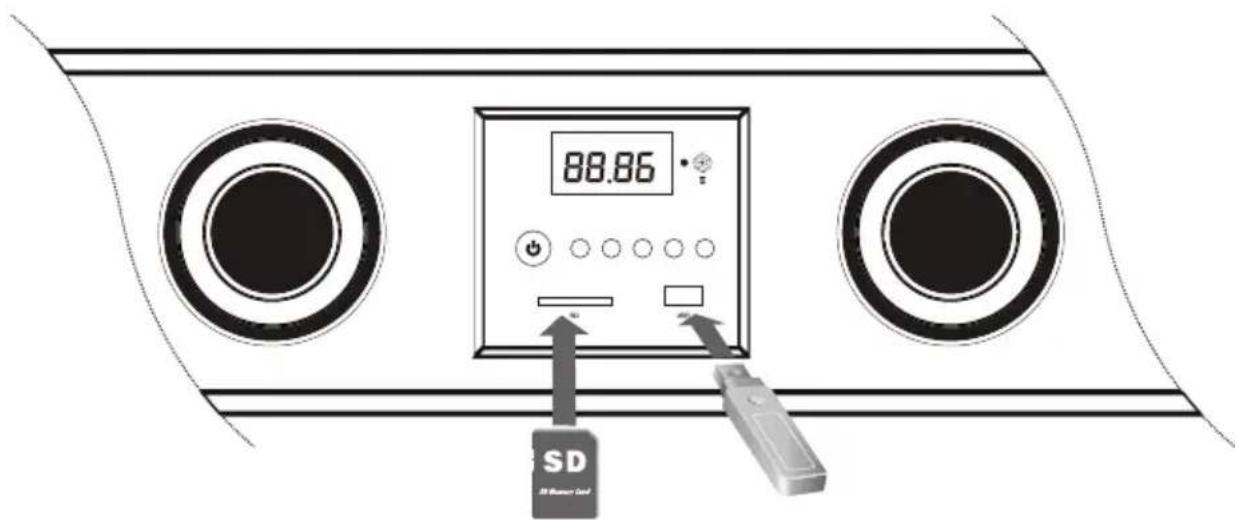
Before connecting USB flash drive or SD cards please make sure they are in right direction. Refer following figure.
- Power ON the unit as previous procedures.
- Insert SD cards to SD slot and/or USB memory stick to USB slot.
-
Press INPUT button on the unit or remote control repeatedly until CARD or USB is displayed. To play files in USB, choose USB. To play files in SD card, choose CARD.
-
The unit will play the MP3/MWA songs automatically.
-
Press ◀◀ or ▶▶ button on the remote control to choose previous or next songs. Press and hold the buttons to fast rewind/fast forwar.
-
When you turn off the unit and turn it on again, the unit will automatically play the last song which you played before turnoff.
4. HOW TO OPERATE BLUETOOTH FUNCTIONS
- Press "INPUT" to enter "BLUE" mode then unit will auto show "0000" on display when connecting with your mobile phone in first times. (The unit will auto enter "BLUE" mode when there aren't any USB sticker or SD cards in unit)
-
Use mobile phone bluetooth search and choose" BT-speaker" enter" 0000" for paired with unit. The unit will control your mobile phone music by press "(▶)" or ( )MOL + and ( ), these keys had same function with "USB/CARD" mode."
-
When mobile phone had a call the unit will show "CALL" press "▶" listening phone and the meanwhile you will enter handsfee mode, the effect distance will be 1 meter. Hang up by repeat press "▶" the unit will resume to play music.
- The bluetooth of Unit will auto search and connecting with the last mobile phone after power off.
- Our products had pass BLUETOOTH BOB certificates

Bluetooth®
Note: FCC ID
This device comply with parts 15 of the FCC rules.
Equipments Regulations
Operations is subject to the following tow conditions
(1) The device may not cause harmfull interference and
(2) The device must accept any interference received, including interference that may cause undesired operation.
MAD IN CHINA
- Watts Bluetooth Sound Bar Systems W/ USB SD FM Radio& Wireless remote
- OWNER'S MANUAL
- TABLE OF CONTENTS
- TABLE OF CONTENTS----1
- PACKAGE CONTENTS----1
- IMPORTANT SAFETY INSTRUCTIONS----2-3
- FEATURES 3
- SPECIFICATIONS----4
- PLACING THE UNIT 4
- SYSTEM CONNECTIONS----5
- FRONT PANEL FUNCTIONS----7
- BACK PANEL FUNCTIONS----7
- REMOTE CONTROL FUNCTIONS----8
- HOW TO USE THE REMOTE CONTROL----9
- OPERATIONS----10
- PACKAGE CONTENTS
- IMPORTANT SAFETY INSTRUCTIONS
- FEATURES
- SPECIFICATIONS
- PLACING THE UNIT
- SYSTEM CONNECTIONS
- CONNECT POWER SUPPLY
- CONNECT WITH PC/MP3
- CONNECT WITH TV/DVD
- FRONT PANEL FUNCTIONS
- BACK PANEL FUNCTIONS
- REMOTE CONTROL FUNCTIONS
- HOW TO USE THE REMOTE CONTROL
- Battery Installation:
- BATTERY PRECAUTIONS
- Effective scope of the remote control
- NOTES:
- LISTEN TO FM RADIO
- HOW TO OPERATE BLUETOOTH FUNCTIONS
- Bluetooth®
- Note: FCC ID
Brand : Pyle
Model : PSBV200BT
Category : Soundbar