
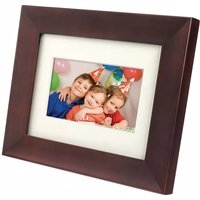
SPF2327 - Digital photo frame PHILIPS - Free user manual and instructions
Find the device manual for free SPF2327 PHILIPS in PDF.


User questions about SPF2327 PHILIPS
0 question about this device. Answer the ones you know or ask your own.
Ask a new question about this device
Download the instructions for your Digital photo frame in PDF format for free! Find your manual SPF2327 - PHILIPS and take your electronic device back in hand. On this page are published all the documents necessary for the use of your device. SPF2327 by PHILIPS.
USER MANUAL SPF2327 PHILIPS
ZH-CN 用户手册
目录
1 注意事项 4
安全 4
公告 4
禁用物质声明 5
II 类声明 5
2 您的数码相框 7
产品简介 7
包装盒内物品:7
数码相框概述 8
3 使用入门 9
安装支架 9
连接电源 9
启数码相框 10
动传输媒体 11
认识这些键盘图标 12
4 显示照片 13
管理幻灯片和照片 13
缩放和裁切照片 14
5 浏览 15
浏览和管理相册和媒体 15
6 时钟 18
显示时钟 18
时钟菜单 18
7 信息 19
创建留言 19
编辑留言 21
查看留言 22
8 设置 24
选择屏幕语言 24
调节亮度 24
设置时间/日期 25
设置智能电源管理定时器 26
数码相框休眠功能 27
设置自定向 27
打开/关闭按键声音 28
幻灯片放映设置 28
查看数码相框的信息 31
将所有设置重置为出厂默认值 31
9 升级数码相框 32
10 产品信息 33
11 常见问题解答 35
12 词汇 36
需要帮助?
North Europe Information (Nordic Countries)
WARNING:
FÖRSÄKRA DIG OM ATT HUVUDBRYTARE OCH UTTAG ÄR LÄTÄTKOMLIGA, NÄR DU STÄLLER DIN UTRUSTNING PÅPLATS. Placering/Ventilation
ADVARSEL:
S∅RG VED PLACERINGEN FOR, AT NETLEDNINGENS STIK OG STIKKONTAKT ER NEMT TILGÆNGELIGE.
Paikka/Ilmankierto
VAROITUS:
SIJOITA LAITE SITEN, ETTÄ VERKKOJOHTO VOIDAAN TARVITTAESSA HELPOSTI IRROTTAA PISTORASIASTA.
Environmental Information
产品中有毒有害物质或元素的名称及含量
Names and Contents of Toxic or Hazardous Substances or Elements
| 部件名称Name of the Parts | 有毒有害物质或元素Hazardous/Toxic Substance | |||||
| 铅(Pb, Lead) | 汞(Hg,Mercury) | 镉(Cd,Cadmium) | 六价铬(Chromium 6+) | 多溴联苯(PBB) | 多溴二苯醚(PBDE) | |
| Housing外壳 | O | O | O | O | ||
| LCD Panel液晶面板 | X | X | O | O | ||
| PWBs电路板组件 | X | O | O | O | ||
| Accessories(Remote control & cables)附件(遥控器,电源线,连接线) | X | O | O | O | ||
O: Indicates that this toxic or hazardous substance contained in all of the homogeneous materials for this part is below the limit requirement in SJ/T11363 – 2006.
X: Indicates that this toxic or hazardous substance contained in at least one of the homogeneous materials used for this part is above the limit requirement in SJ/T11363 - 2006.

环保使用期限 Environmental Protection Use Period
This logo refers to the period (10 years) during which the toxic or hazardous substances or elements contained in electronic information products will not leak or mutate so that the use of these [substances or elements] will not result in any severe environmental pollution, any bodily injury or damage to any assets.
2 您的数码相框
⑦ ▲ SD/MMC/MS/MS Pro
连接电源

注
摆放数码相框时,请确保可轻松连接电源。
2 将电源线连接到电源插座。

几秒钟后,数码相框会自打开。→ 动
启动数码相框

注
移操纵杆设置时间和日期,然后按动K。


提示
将在幻灯片模式下显示照片。
在幻灯片模式下:
将显示一则确认消息。
7 选择 [是], 然后按 OK。
浏览相册:
4 选择一个选项继续。
- 要返回主屏幕,请按住。
7 信息
创建留言
编辑留言的文字或更改留言的图·像。

如果适用,设置确切的时间和日期。
• 要返回主屏幕,请按住 🔒。
输入留言的名称
3 向下移操纵杆两次进入小键盘。
设置时间/日期格式
设置智能电源管理定时器

提示
- 要关闭按键声音, 请选择关口, 然后按 OK。
幻灯片放映设置
选择幻灯片放映间隔
4 选择过渡效果,然后按 OK。
选择背景色
查看数码相框的信息
将所有设置重置为出厂默认值



- 目录
- 1 注意事项 4
- 2 您的数码相框 7
- 3 使用入门 9
- 4 显示照片 13
- 5 浏览 15
- 6 时钟 18
- 7 信息 19
- 8 设置 24
- 9 升级数码相框 32
- 10 产品信息 33
- 11 常见问题解答 35
- 12 词汇 36
- 需要帮助?
- NORTH EUROPE INFORMATION (NORDIC COUNTRIES)
- WARNING
- ADVARSEL
- VAROITUS
- ENVIRONMENTAL INFORMATION
- 产品中有毒有害物质或元素的名称及含量
- NAMES AND CONTENTS OF TOXIC OR HAZARDOUS SUBSTANCES OR ELEMENTS
- 环保使用期限 ENVIRONMENTAL PROTECTION USE PERIOD
- 2 您的数码相框
- 连接电源
- 注
- 启动数码相框
- 提示
- 在幻灯片模式下
- 浏览相册
- 7 信息
- 创建留言
- 输入留言的名称
- 设置时间/日期格式
- 设置智能电源管理定时器
- 幻灯片放映设置
- 选择幻灯片放映间隔
- 选择背景色
- 查看数码相框的信息
- 将所有设置重置为出厂默认值
Brand : PHILIPS
Model : SPF2327
Category : Digital photo frame