
SPF5208 - Digital photo frame PHILIPS - Free user manual and instructions
Find the device manual for free SPF5208 PHILIPS in PDF.


User questions about SPF5208 PHILIPS
0 question about this device. Answer the ones you know or ask your own.
Ask a new question about this device
Download the instructions for your Digital photo frame in PDF format for free! Find your manual SPF5208 - PHILIPS and take your electronic device back in hand. On this page are published all the documents necessary for the use of your device. SPF5208 by PHILIPS.
USER MANUAL SPF5208 PHILIPS
Register your product and get support at
www.philips.com/welcome
PhotoFrame

SPF5008
SPF5208
SPF5010
SPF5210
SPF7008
SPF7208
SPF7010
SPF7210
North Europe Information (Nordic Countries) 6
Third party software 6
2 Váš fotorámeček PhotoFrame 8
Úvod 8
Obsah dodávky 8
North Europe Information (Nordic Countries)
WARNING:
FÖRSÄKRA DIG OM ATT HUVUDBRYTARE OCH UTTAG ÄR LÄTÄTKOMLIGA, NÄR DU STÄLLER DIN UTRUSTNING PÅPLATS.
Placering/Ventilation
ADVARSEL:
S∅RG VED PLACERINGEN FOR, AT NETLEDNINGENS STIK OG STIKKONTAKT ER NEMT TILGÆNGELIGE.
Paikka/Ilmankierto
VAROITUS:
SIJOITA LAITE SITEN, ETTÄ VERKKOJOHTO VOIDAAN TARVITTAESSA HELPOSTI IRROTTAA PISTORASIASTA.
Third party software
This product contains wpa_supplicant software that is licensed subject to the following conditions:
Copyright © 2006, Jouni Malinen
All rights reserved.
Redistribution and use in source and binary forms, with or without modification, are permitted provided that the following conditions are met:
Redistributions of source code • must retain the above copyright notice, this list of conditions and the following disclaimer.
Redistributions in binary form must • reproduce the above copyright notice, this list of conditions and the following disclaimer in the documentation and/or other materials provided with the distribution.
Neither the name of the •
derived from this software without specific prior written permission. THIS SOFTWARE IS PROVIDED BY THE COPYRIGHT HOLDERS AND CONTRIBUTORS "AS IS" AND ANY EXPRESS OR IMPLIED WARRANTIES, INCLUDING, BUT NOT LIMITED TO, THE IMPLIED WARRANTIES OF MERCHANTABILITY AND FITNESS FOR A PARTICULAR PURPOSE ARE DISCLAIMED. IN NO EVENT SHALL THE COPYRIGHT OWNER OR CONTRIBUTORS BE LIABLE FOR ANY DIRECT, INDIRECT, INCIDENTAL, SPECIAL, EXEMPLARY, OR CONSEQUENTIAL DAMAGES (INCLUDING, BUT NOT LIMITED TO, PROCUREMENT OF SUBSTITUTE GOODS OR SERVICES; LOSS OF USE, DATA, OR PROFITS; OR BUSINESS INTERRUPTION) HOWEVER CAUSED AND ON ANY THEORY OF LIABILITY, WHETHER IN CONTRACT, STRICT LIABILITY, OR TORT (INCLUDING NEGLIGENCE OR OTHERWISE) ARISING IN ANY WAY OUT OF THE USE OF THIS SOFTWARE, EVEN IF ADVISED OF THE POSSIBILITY OF SUCH DAMAGE.
Be responsible Respect copyrights
(SPF5008/SPF5208/SPF7008/SPF7208/•
• Pro modely SPF5008/SPF5208/SPF5010/SPF5020
• Modely SPF7008/SPF7208/SPF7010/SPF7210
Stojan•
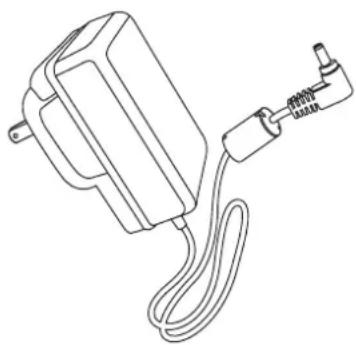
Napájecí adaptér•

CD-ROM, obsahující•
Stručná příručka•
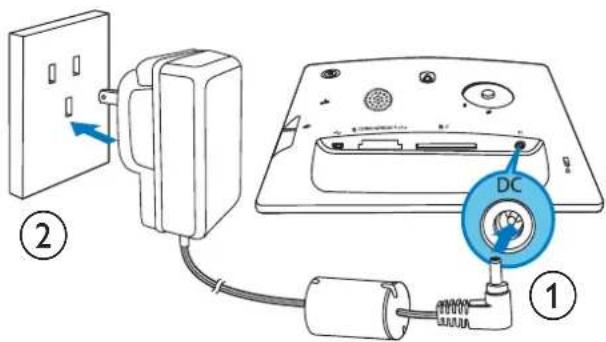
①
Připojení napájení

Poznámka
• SPF5010/SPF5210/SPF7008/SPF7208/SPF7010/SPF7210
Secure Digital (SDHC)•
Karta Multimedia•
Karta Multimedia•
Karta xD card•
Memory Stick•
Memory Stick Pro•
Memory Stick Duo•
Memory Stick Pro Duo•
Jednotka USB Flash•
• SPF5010/SPF5210/SPF7008/SPF7208/SPF7010/SPF7210


Automaticky se spustí software Philips → PhotoFrame Manager.
2 Vyberte možnost [Transfer Photos] / [Tranfer Music] / [Transfer Video].

3 Pod položkou [My frame photos] / [My frame music] / [My frame videos] vyberte cílové album nebo složku.


4 Vyberte složku.
Otáčení fotografie
3 Vyberte možnost [Month] / [Week] / [Clock] a stisknutím tlačítka OK ji potvrdte.
• [Month]

- [Week]
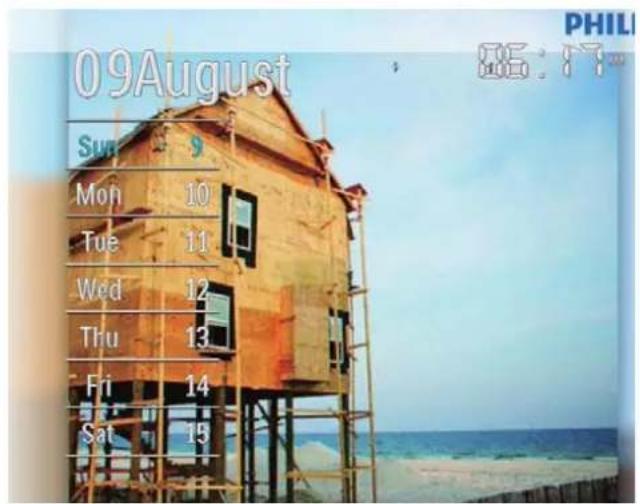
• [Clock]


Tip
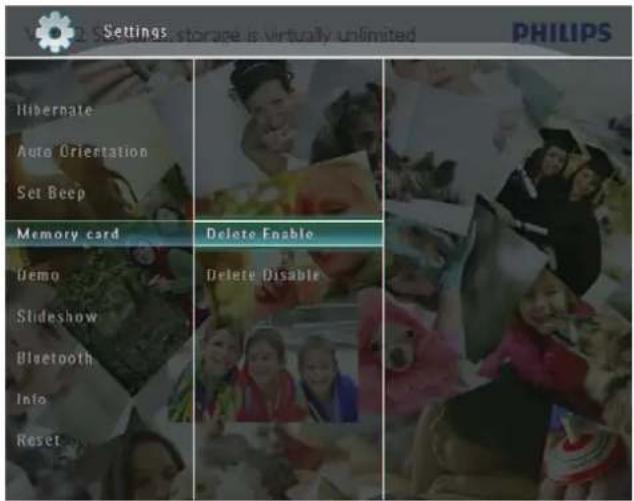
3 Vyberte možnost [Delete Enable] / [Delete Disable] a stisknutím tlačítka OK ji potvrdte.
Demorežim

Poznámka
Bluetooth® (model SPF7008/SPF7208/
SPF7010/SPF7210): Bluetooth V2.0 +
• Model SPF5008/SPF5208: 9 V = 1 A
- Model SPF5010/SPF5210/SPF7008/SPF7208/SPF7010/SPF7210: 9 V = 2.0 A

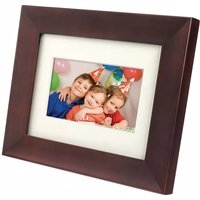

Brand : PHILIPS
Model : SPF5208
Category : Digital photo frame