
HSRM20000 - Smoke detector ABUS - Free user manual and instructions
Find the device manual for free HSRM20000 ABUS in PDF.


| Product type | Optical smoke detector |
| Dimensions (L x W x H) | 85 x 85 x 40 mm |
| Weight | 150 g (without battery) |
| Power supply | 1 9V battery (included) |
| Battery life | Approximately 1 year |
| Detection | Smoke (photocell) |
| Alarm sound level | 85 dB at 3 meters |
| Low battery indicator | Yes, intermittent beep |
| Test/silence button | Yes |
| Mounting | On ceiling, screw-mounted |
| Coverage area | Up to 40 m² |
| Operating humidity | 10% to 85% RH |
| Operating temperature | 0°C to 40°C |
| Maintenance and cleaning | Dust with a vacuum or dry cloth every month |
| Safety | Compliant with EN 14604 standard |
| Spare parts and repairability | 9V battery replaceable; no spare parts available |
| Warranty | 2 years |
Frequently Asked Questions - HSRM20000 ABUS
User questions about HSRM20000 ABUS
0 question about this device. Answer the ones you know or ask your own.
Ask a new question about this device
Download the instructions for your Smoke detector in PDF format for free! Find your manual HSRM20000 - ABUS and take your electronic device back in hand. On this page are published all the documents necessary for the use of your device. HSRM20000 by ABUS.
USER MANUAL HSRM20000 ABUS
natural_image
Simple line drawing of a circular object with concentric rings and a red logo (no text or symbols)2

3

natural_image
Technical line drawing of a mechanical component with internal gear and housing, showing assembly from left to right (no text or symbols)natural_image
Simple line drawing of a circular object with concentric rings and a red label (no text or symbols)Please read the user manual carefully before setting up the device.
Smoke detectors help save lives.
Keep this user manual in a safe place.
V. 1.1
CE
VdS

1

②

3

natural_image
Technical line drawing of a mechanical component with internal structure and directional arrows (no text or symbols)GB Contents
Putting into operation ....7
Device description, see diagram ①
| Item | Name | Comment |
| 1 | Sound outlet | |
| 2 | LED status lamp | The status lamp is under the cover (on the right beneath the logo) and shines through it. |
| 3 | Battery compartment | |
| 4 | Detector base | With mounting holes |
| 5 | Test button | Press the lower section of the housing cover to actuate the test button. This button also functions as the mute button for the alarm tone. |
Function and features
| Smoke detection | Photoelectric reflection |
| Sound level | At least 85 dB at a distance of 3 metres |
| Optical alarm display | LED flashes every 30 seconds, or twice a second in the event of an alarm |
| Temperature range | 0 °C to +40 °C |
| Humidity | 0% to 90% |
| Power supply | 1x 9 V alkali block battery |
| Power consumption | Max. 40 mA |
| Environmental conditions | Only approved for indoor use |
| Wireless frequency | 868 MHz |
| Wireless range | Up to 30 m |
| Networking | Up to 32 detectors |
| Battery service life | Up to 2 years |
| Audible battery warning | Approx. 30 days before discharge |
| Height | 35 mm |
| Diameter | 102 mm |
| Applied standards | EN 14604-2005 |
The manufacturer reserves the right to make technical modifications at any time.
Scope of delivery
• ABUS HSRM20000/RM40 Li wireless smoke detector incl. battery
- This user manual
• Installation material
Explanation of symbols
The following symbols are used in this manual and on the device:
| Symbol | Signal word | Meaning | |
 | Warning | Indicates risk of injury or health hazards. | |
 | Warning | Indicates risk of injury or health hazards caused by electrical voltage. | |

Important Indicates possible damage to the device/accessories.
Note Indicates important information.

Warning
- The wireless smoke detector does not detect gas, steam, heat or fire/flames. Detectors with special sensors are required for this.
- People with hearing impairments may not be able to hear the alarm. Special alarms with visible signalisation are available for such cases.
- Wireless smoke detectors help save lives. Therefore, for safety's sake, you should regularly test the battery and the operation of the detector. For day-to-day use, remember that the wireless smoke detector cannot prevent fires but simply provides signalisation in the event of one. For your own safety, please replace smoke detectors every ten years at the latest.
- Very high electromagnetic radiation can cause malfunctions. Therefore, do not install the detector near strong magnets or devices which produce electromagnetic radiation.
The wireless smoke detector works optically by measuring smoke particles that penetrate into its measurement chamber.
When the alarm threshold is exceeded, a loud alarm sounds.
The alarm is switched off as soon as there is no more smoke in the measuring chamber.
• Monitoring area: 40 m ^2 within a room
• Battery operated (1x 9 V battery)
• Automatic battery state monitoring
• Optical LED indicator lamp and acoustic alarm
- Simple installation
Warning
Observe the following instructions to prevent any failure of the device:
- Do not cover the device.
- Do not paint over the device or cover it with wallpaper.
- Never open the device or attempt to repair it, as its function can then no longer be guaranteed. Failure to observe this instruction will invalidate the warranty.
- Do not use the device if it has been dropped or damaged in any other way.
- If you pass on the device to someone else, you must include this user manual.
Before operation
Warning
- Keep children away from the packaging – there is a risk of suffocation.
- Remove all packaging material before using the device.
Intended use
Only use the device for the purpose which it was designed and built for. Any other use is considered inappropriate.
This device may only be used for the following purpose(s):
• Detecting fire/smoke in private households
What to do when you hear the alarm?
- Leave the premises immediately. Every second counts – there is no time to get dressed or gather valuable belongings. Use the emergency escape routes.
-
Warn your fellow residents and make sure they also leave – especially children and people with impaired hearing.
-
Do not open doors without first checking the surface. Do not open a door if it is hot or you see smoke under it. Use an alternative escape route. If the surface is cool, push against it with your shoulder, slightly open it and be prepared to close it again if there is heat, smoke or fire behind it.
- If there is smoke in the air, keep close to the floor and breathe through a damp cloth if possible.
- Close the doors after leaving the room.
- Once you have left the building, go to the agreed assembly point and do not go back inside.
- Call the fire brigade from outside the burning building.
- Notify the fire brigade of the situation inside the building.
What to do if there is a false alarm?
- A false alarm can occur due to very high air humidity, the build-up of smoke whilst cooking or a large build-up of dust, for example.
- If the alarm sounds, first get yourself to safety. If you are certain that it is a false alarm, you can mute the alarm tone by pressing the test button. The alarm will continue to be indicated optically by the flashing LED.
- The smoke detector will switch off automatically once the smoke particles have left the smoke chamber inside the detector.
- Putting into operation
For recommended installation locations, see diagram ②
- Position the wireless smoke detector directly on the ceiling in the centre of the room.
-
Priority rooms: living rooms, bedrooms and children's playrooms.
-
If you have more than one bedroom, each one should be fitted with a wireless smoke detector.
- To monitor corridors, you should also fit wireless smoke detectors there, because stairwells are particularly susceptible to fires due to the chimney effect. Long corridors might require several smoke detectors.
- When fitting on the ceiling, make sure that the smoke detectors are at least 15 cm from the side walls and 50 cm from the corners.

Warning
Avoid the following locations to prevent malfunctions of the wireless smoke detector:
- Places where expected temperature variations are greater than the ambient operating temperature (+0 °C to +40 °C).
- Places where draughts can keep smoke away from the detector, such as near windows, doors or ventilation shafts.
- Places where vapour, increased air humidity or exhaust fumes may trigger false alarms, e.g. in kitchens, bathrooms or garages.
- Places where dust or dirt could impair the function of the smoke detector.
- The highest point in rooms with gable ceilings. The distance to the highest point of the gable should be at least 30 cm.
For installation and attachment, see diagram ③

Warning
- When marking out the drill holes, make sure there are no electrical wires or cables, pipes or other important components behind them.
- If in doubt, consult an expert before drilling.
-
If you are fitting the wireless smoke detector in a vehicle (such as a camper or caravan), you must contact the manufacturer or your local dealer first for information on the most suitable location.
-
Loosen the wireless smoke detector from the base of the housing by turning it anticlockwise. Mark the drill holes through the base.
- Drill the holes, put in the plugs and screw in the base.
- Insert the battery (see diagram①) and fasten the wireless smoke detector by twisting it clockwise onto the base. The detector has a safety device that prevents installation without a battery.
- If you cannot fasten the wireless smoke detector to the base: Check whether the battery is correctly inserted and connected.
Operation and function test
- The wireless smoke detector is ready for use as soon as you put in the battery.
- The smoke detector can be used alone or with other HSRM20000 / RM40 Li detectors connected wirelessly, offering a greater level of safety.
- Under the housing cover there is an indicator lamp which flashes every 30 seconds to show that the battery is correctly inserted and is delivering enough power to generate an alarm.
- Check the function of the smoke detector at regular intervals. Press the test button (the lower section of the housing cover) for approx. 1 second. If you hear a signal,
the device is working properly and can be fastened. The test signal (3 beeps) sounds 4 times in total and the integrated LED flashes too.
- Alternatively, you can use the RM0010 test spray available from ABUS to test the wireless smoke detector. If the RM0010 test spray enters the detection chamber, an alarm should sound, so that you can test whether the wireless smoke detector is working properly.
- If you have connected the smoke detectors in a network for the first time, wait 10 minutes before testing so that the detectors can exchange sufficient data packets to guarantee that they will operate correctly.
Networking the wireless smoke detectors

- Please note: do not network another model of wireless smoke detector with this one. This may lead to improper functioning and it cannot be guaranteed that the device will operate problem-free.
- If the test mode on one detector in a network is activated, all other networked detectors will produce a signal too.
- If one of the detectors in the network detects an alarm, all other detectors in the network will raise the alarm.
- If the battery in one detector is low, this will be indicated directly by the affected detector. In addition, this will also be indicated by all networked detectors every 4 hours by 2 beeps and a flashing LED.
Networking the detectors:
You will require at least two wireless smoke detectors to be able to create a wireless detector network. A maximum of 32 detectors can be networked. Due to the network
connection, the distance between individual detectors must be a maximum of 30 m. The wireless range can be negatively influenced by the structural surroundings.
The detectors can be cascaded, meaning that the detectors are not connected in one direction only, so the alarm signal can be transmitted from the first to the last in a chain. This means that when a detector receives an alarm signal, it forwards the signal on to the detectors it is connected to.

flowchart
graph TD
    A[" "] -->|30m| B[" "]
    B -->|30m| C[" "]
    C -->|30m| D[" "]
    D -->|30m| E[" "]
    E -->|30m| F[" "]
    F -->|30m| G[" "]
    G -->|30m| H[" "]
    H -->|30m| I[" "]
    I -->|30m| J[" "]
    J -->|30m| K[" "]
    K -->|30m| L[" "]
    L -->|30m| M[" "]
    M -->|30m| N[" "]
    N -->|30m| O[" "]
    O -->|30m| P[" "]
    P -->|30m| Q[" "]
    Q -->|30m| R[" "]
    R -->|30m| S[" "]
    S -->|30m| T[" "]
    T -->|30m| U[" "]
    U -->|30m| V[" "]
    V -->|30m| W[" "]
    W -->|30m| X[" "]
Note: To assemble according to VdS, the delay from the triggering sensor to the last connected sensor must not take more than 30 seconds. For correct assembly, make absolutely sure that this requirement is adhered to.

1) Press the test button on the detector for approx. 2 seconds, until the LED flashes slowly, roughly once a second. The detector is now in addressing mode.
2) Press the test button on the second detector for approx. 2 seconds to set this detector in addressing mode too.
3) The detectors exit addressing mode automatically after 60 seconds.
4) The addressing process can take up to 60 seconds. When the detectors have been successfully trained, the LED on both detectors lights up for around 5 seconds, after which the detectors exit addressing mode. If this was not successful, the detector will return to standard mode automatically after 60 seconds.
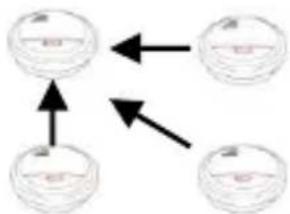
5) If you wish to connect several detectors together, you will need to define a central detector, with which you can connect the other detectors. Proceed with points 1 to 4 as
flowchart
graph TD
    A["Circle with horizontal arrow"] <--> B["Circle with horizontal arrow"]
    C["Circle with horizontal arrow"] <--> D["Circle with horizontal arrow"]
    E["Circle with horizontal arrow"] <--> F["Circle with horizontal arrow"]
described to connect the detectors in a network.
6) The detectors will exchange their addressing data with another.
Reset default factory settings/separate network connections
In order to reset the smoke detectors to the default factory settings
- Press the test button and hold it down.
- After approx. 2 seconds the LED will flash once a second. After another 5 seconds the LED will flash more frequently (approx. twice a second).
- Now let go of the button. If a short beep is heard, the procedure was successful. All network connections between the detectors have then been separated.
Muting the detector
If an alarm has been triggered, the wireless smoke detector can be muted by pressing the test button.
Please note that the muting only applies to the detector whose test button has been pressed. The mute remains active until the alarm is automatically reset. See the following table for differences in the signal when the detector is muted.
Audible and visual signals
| Mode | Audible | Visual | Notes |
| Standby | - | LED flashes every 30 seconds | |
| Testing | 3 beeps 4 times | LED flashes twice a second | |
| Restoring the factory settings | Short beep | LED flashes twice a second | |
| Fault in smoke chamber | Beeps once every 30 seconds | LED flashes every 30 seconds | Acoustically and visually out of sync |
| Individual operation | |||
| Alarm | Beeps once every second | LED flashes twice a second | |
| Muting the detector | - | LED flashes once a second | |
| Low battery | Beeps once every 30 seconds | LED flashes every 30 seconds | Acoustically and visually in sync |
| Networked detector | |||
| Alarm | Beeps once every second | LED flashes twice a second | |
| Muting the detector | - | - | |
| Low battery | Beeps twice every 4 hours | Flashes twice every 4 hours | Acoustically and visually in sync |
| Addressing | - | Flashes once a second | |
| Addressing successful | - | LED lights up for 5 seconds | |
Replacing the battery
- If the battery is low, the wireless smoke detector beeps twice a minute (for up to 30 days) to remind you to replace the battery.
-
You must change this battery when you hear this signal.
-
Even so, the wireless smoke detector remains functional in this condition.
- You must test the wireless smoke detector each time you change the battery.
- Carry out the test as detailed above to check if the functioning and the network connection can still be guaranteed.
i Note
To ensure a long service life and reliable operation, we recommend using the following high-quality lithium batteries:
• Lithium: EVE CR9V-P
The lifetime of the battery can be negatively affected by frequent alarms, dirt, large variations in the temperature or similar environmental influences.
After changing the battery, the low battery warning may continue for a further 10 minutes, due to the nature of the network. Check the functionality after testing the battery.
Alarms and error signals
When the alarm threshold is exceeded, a loud alarm sounds.
- The alarm continues sounding as long as there is smoke in the detection chamber.
- The alarm is only switched off when there is no more smoke in the detection chamber.
Note
- Your device requires no maintenance.
- Protect the device from dust, dirt and moisture.
Cleaning
- Dusty detectors must be cleaned. You can clean dust from the air vents of the detector using a vacuum cleaner or compressed air. If necessary, you can remove the dust with a brush.
- When changing the battery, carefully clean the detection chamber in the wireless smoke detector with a vacuum cleaner to remove any dust or dirt.
- You can clean the surface using a cloth slightly dampened in soapy water.

Important
- Do not allow water to penetrate inside the device.
- Do not clean the device in a dishwasher.
- Do not use sharp, pointed, abrasive or corrosive cleaning materials or hard brushes.
- Do not use chemicals.
- Do not use flammable liquids for cleaning.
Information on the EU directive on waste electrical and electronic equipment
To protect the environment, do not dispose of the device with domestic waste at the end of its service life. It can be disposed of at one of the appropriate collection points in your country. Please obey your local regulations when disposing of material.

Dispose of the device in accordance with EU directive 2002/96/EC – WEEE (Waste Electrical and Electronic Equipment). If you have any questions, please contact the department of your local authority which is responsible for waste disposal. Used equipment can be disposed of, for example, by your local or municipal authority, the local waste disposal company or your dealer.
Information on handling batteries
- Make sure that batteries are kept away from small children. Children may put batteries in their mouths and swallow them. This can cause serious harm to their health. If this happens, consult a doctor immediately.
- Do not charge normal batteries, heat them up or throw them into naked flames (they may explode).
- Change low batteries in good time.
- Always change all the batteries at the same time and use batteries of the same type.

Important
- Leaky or damaged batteries can cause chemical burns on contact with the skin. In this case, wear protective gloves. Clean the battery compartment with a dry cloth.
- Do not charge normal batteries, heat them up or throw them into naked flames (they may explode).
Important information on disposing of batteries
Your product uses batteries which are subject to the European directive 2006/66/EC and may not be disposed of with domestic waste.
Find out about the regulations for the separate collection of batteries which apply in your country.
Proper disposal of batteries helps prevent harm to health and the environment.
Batteries that contain harmful chemicals are labelled with these signs:

Pb = battery contains lead
Cd = battery contains cadmium
Hg = battery contains mercury
Information on the European RoHS directive
The device complies with the RoHS directive. Compliance with the RoHS directive means that the product or component does not contain more than the following maximum concentrations of the following substances in homogeneous materials, unless the substance is part of an application that is excluded from the RoHS directive:
a) 0.1% lead (by weight),
b) Mercury,
c) Hexavalent chromium,
d) Polybrominated biphenyl (PBB) and polybrominated diphenyl ether,
e) 0.01% cadmium (by weight)
Guarantee:
- ABUS products are designed and manufactured with the greatest care and tested according to the applicable regulations.
- The warranty only covers defects caused by material or manufacturing errors that occurred before the product was purchased. If there are demonstrable material or manufacturing errors, the wireless smoke detector will be repaired or replaced at the warrantor's discretion.
- In such cases, the warranty ends when the original two-year warranty period expires. All further claims are expressly rejected.
- The warranty does not cover the batteries supplied.
- ABUS will not be held liable for defects and damage caused by external influences (e.g. transport, use of force, operating errors), inappropriate use, normal wear and tear or failure to observe the instructions in this manual.
- In the event of a warranty claim, the original receipt with the date of purchase and a short description of the problem must be supplied along with the wireless smoke detector.
- If you discover a defect on your wireless smoke detector which existed at the time of purchase, contact your dealer directly within the first two years.
Declaration of conformity
"ABUS Security-Center GmbH & Co. KG, Linker Kreuthweg 5, 86444 Affing, hereby declares that the HSRM20000 complies with the basic requirements and other relevant terms of the 1999/5/EG."
For further information on the CE declaration or to view the CE declaration, please get in touch with ABUS Security-Center, Linker Kreuthweg 5, 86444 Affing.
Smoke detectors
HSRM20000 / RM40 Li
natural_image
Simple line drawing of a circular object with a red label containing the letters 'Al', no text or symbols present.natural_image
Technical line drawing of a mechanical component with internal parts and directional arrows (no text or symbols)FR Sommaire
natural_image
Simple line drawing of a circular object with a red label and three horizontal lines above it (no text or symbols)natural_image
Technical line drawing of a mechanical component with internal parts and directional arrows (no text or symbols)natural_image
Simple line drawing of a circular object with horizontal lines and a red label (no text or symbols)natural_image
Technical line drawing of a mechanical component with internal structure and directional arrows (no text or symbols)natural_image
Simple line drawing of a circular object with a red label and three horizontal lines, no text or symbols present.natural_image
Technical line drawing of a mechanical component with internal structure and directional arrows (no text or symbols)Apparatbeskrivelse


- GB Contents
- Scope of delivery
- Explanation of symbols
- Warning
- Before operation
- Intended use
- What to do when you hear the alarm?
- What to do if there is a false alarm?
- For recommended installation locations, see diagram ②
- For installation and attachment, see diagram ③
- Operation and function test
- Networking the wireless smoke detectors
- Networking the detectors:
- Reset default factory settings/separate network connections
- Muting the detector
- Replacing the battery
- i Note
- Alarms and error signals
- Note
- Cleaning
- Important
- Information on the EU directive on waste electrical and electronic equipment
- Information on handling batteries
- Important information on disposing of batteries
- Information on the European RoHS directive
- Guarantee:
- Declaration of conformity
- FR Sommaire
- Apparatbeskrivelse
Brand : ABUS
Model : HSRM20000
Category : Smoke detector