WNP-UA-003 - Network card / adapter Gembird - Free user manual and instructions
Find the device manual for free WNP-UA-003 Gembird in PDF.


User questions about WNP-UA-003 Gembird
0 question about this device. Answer the ones you know or ask your own.
Ask a new question about this device
Download the instructions for your Network card / adapter in PDF format for free! Find your manual WNP-UA-003 - Gembird and take your electronic device back in hand. On this page are published all the documents necessary for the use of your device. WNP-UA-003 by Gembird.
USER MANUAL WNP-UA-003 Gembird
natural_image
Abstract logo design featuring a stylized arrow and 'GE' letters, no readable text or symbols beyond the graphic elements.GEMBIRD®

text_image
SDAR WIMERS USB Adapter WIFIMINI USB WIFI ADAPTER, 300 MBPS
MINI USB WIFI-ADAPTER, 300 MBPS
MINI USB WIFI-ADAPTER, 300 MBPS
ADAPTATEUR MINI USB WIFI, 300 MBPS
• Tiny USB WiFi adapter, 802.11b+g+n
• The 11N technology provides more speed over larger distances
- Speeds up to 300 Mbps: watch online movies and stream music with ease
- Keep your network safe with the WPA and WPA2 encryption
• Supports 1-click WPS security setup
• LED link-status indicator
• Works with all laptops and PC's
Specifications
- Chipset: RTL8192CU
- Interface: USB 2.0
• Frequency: 2.412 – 2.472 GHz
• Supports IEEE 802.11b, 802.11g and 802.11n standards
• RF power: up to 14 dBm
• Supports 64/128-bit WEP, complies with 128 bit WPA standard (TKIP/AES), WPA, WPA2 - Operating temperature: 0^ - 40^
• Power consumption: 5V DC, up to 0.5 A - Net weight: 5 g
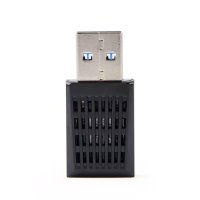
• Dimensions: 32 x 16 x 8 mm

text_image
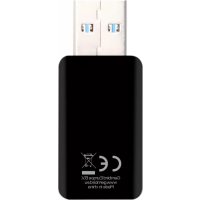
CE ReHS MADE IN CHINA①

natural_image
Illustration of a laptop connected to a USB flash drive (no text or symbols)②

natural_image
Line drawing of a hand holding a CD with a stylus, next to a laptop keyboard (no text or symbols)③
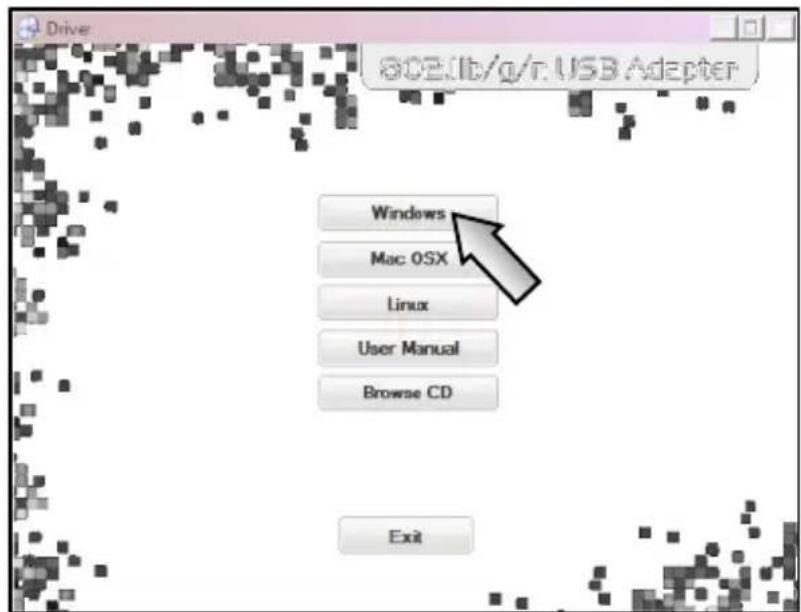
text_image
Drive 80E/lb/g/r.USB Adapter Windows Mac OSX Linux User Manual Browse CD Exit④
text_image
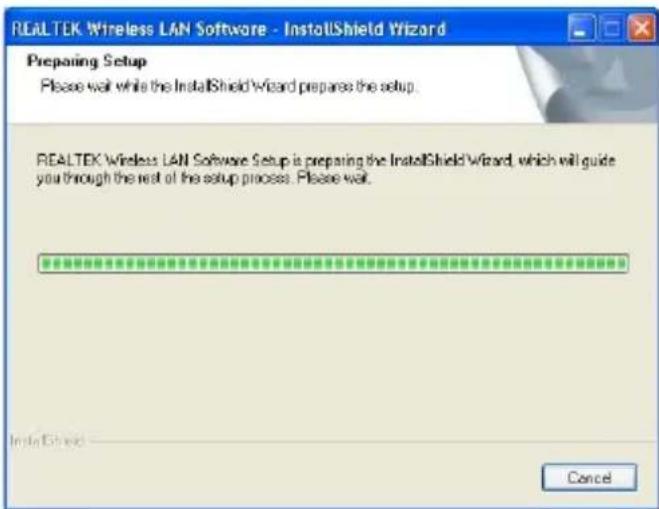
REALTEK Wireless LAN Software - InstallShield Wizard Preparing Setup Please wait while the InstallShield Wizard prepares the setup. REALTEK Wireless LAN Software Setup is preparing the InstallShield Wizard, which will guide you through the rest of this setup process. Please wait. Cancel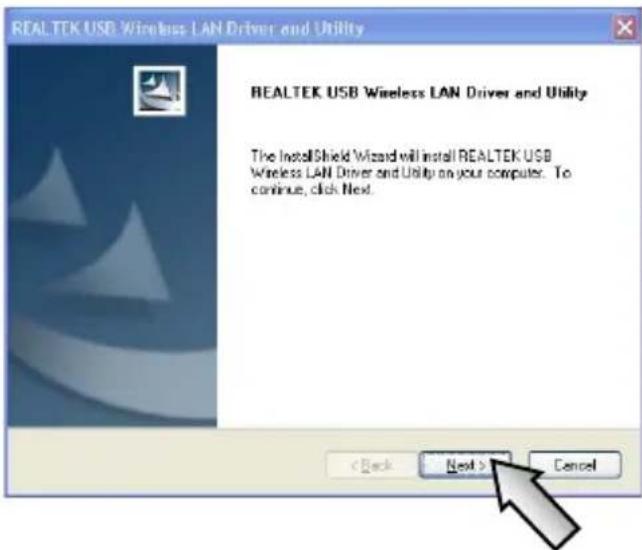
text_image
REALTEK USB Wireless LAN Driver and Utility REALTEK USB Wireless LAN Driver and Utility The InstallShield Wizard will install REALTEK USB Wireless LAN Driver and Utility on your computer. To continue, click Next. < Back Next > Next Cancel

Now installing REALTEK USB Wireless LAN Driver
REAL TEK USB Wireless LAN Driver and Utility

InstallShield Wizard Complete
The InstallShield Wizard has successfully installed REALTEK USB Wireless LAN Driver and Utility. Before you can use the program, you must restart your computer.
Yes, I want to restart my computer now.
○ No, I will restart my computer later.
Remove any disks from their drives, and then click Finish to complete setup.
< Back
Finish

⑥
text_image
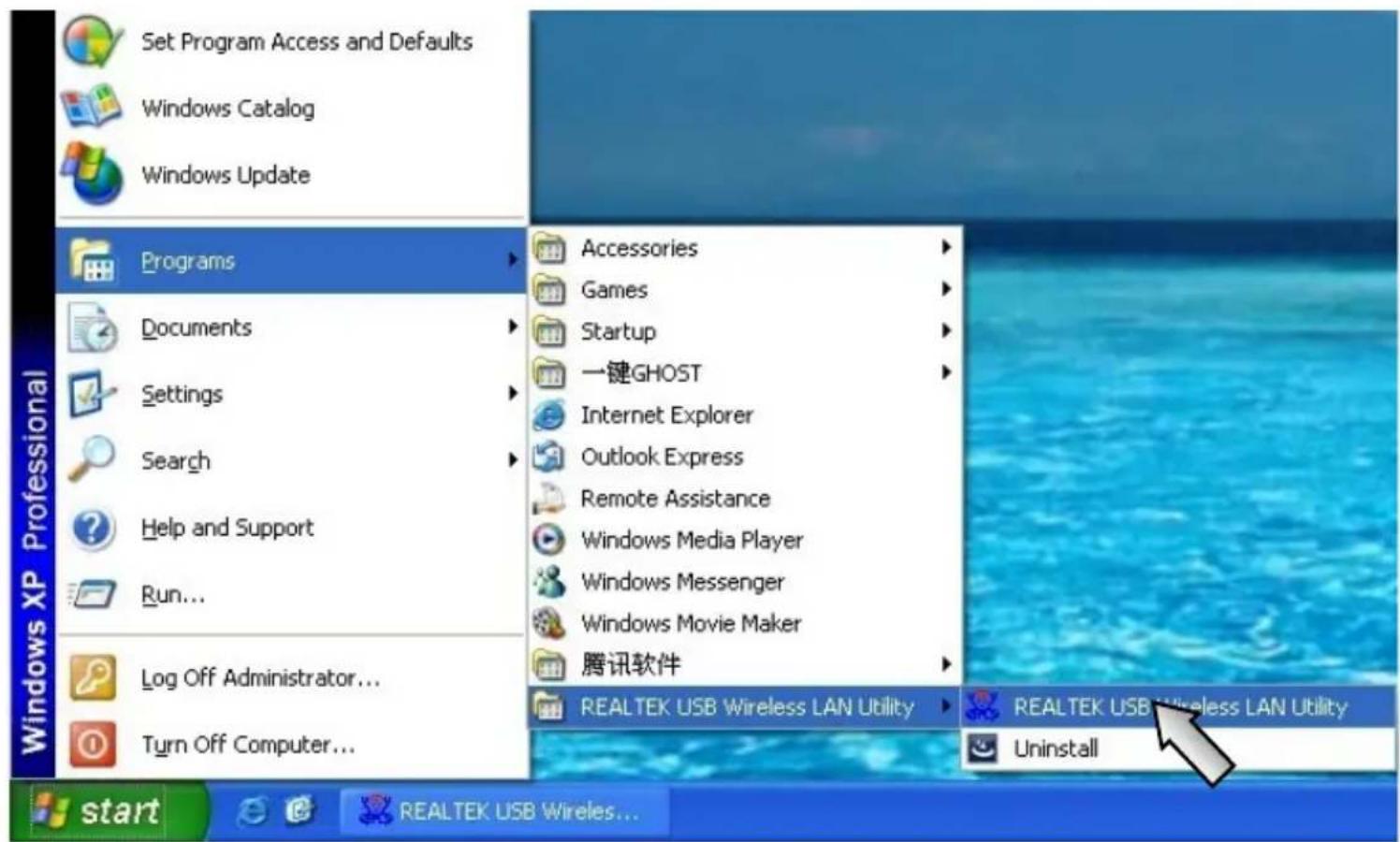
Set Program Access and Defaults Windows Catalog Windows Update Programs Documents Settings Search Help and Support Run... Log Off Administrator... Turn Off Computer... Accessories Games Startup 一键GHOST Internet Explorer Outlook Express Remote Assistance Windows Media Player Windows Messenger Windows Movie Maker 腾讯软件 REALTEK USB Wireless LAN Utility REALTEK USB Wireless LAN Utility Uninstall start REALTEK USB Wireless...
text_image
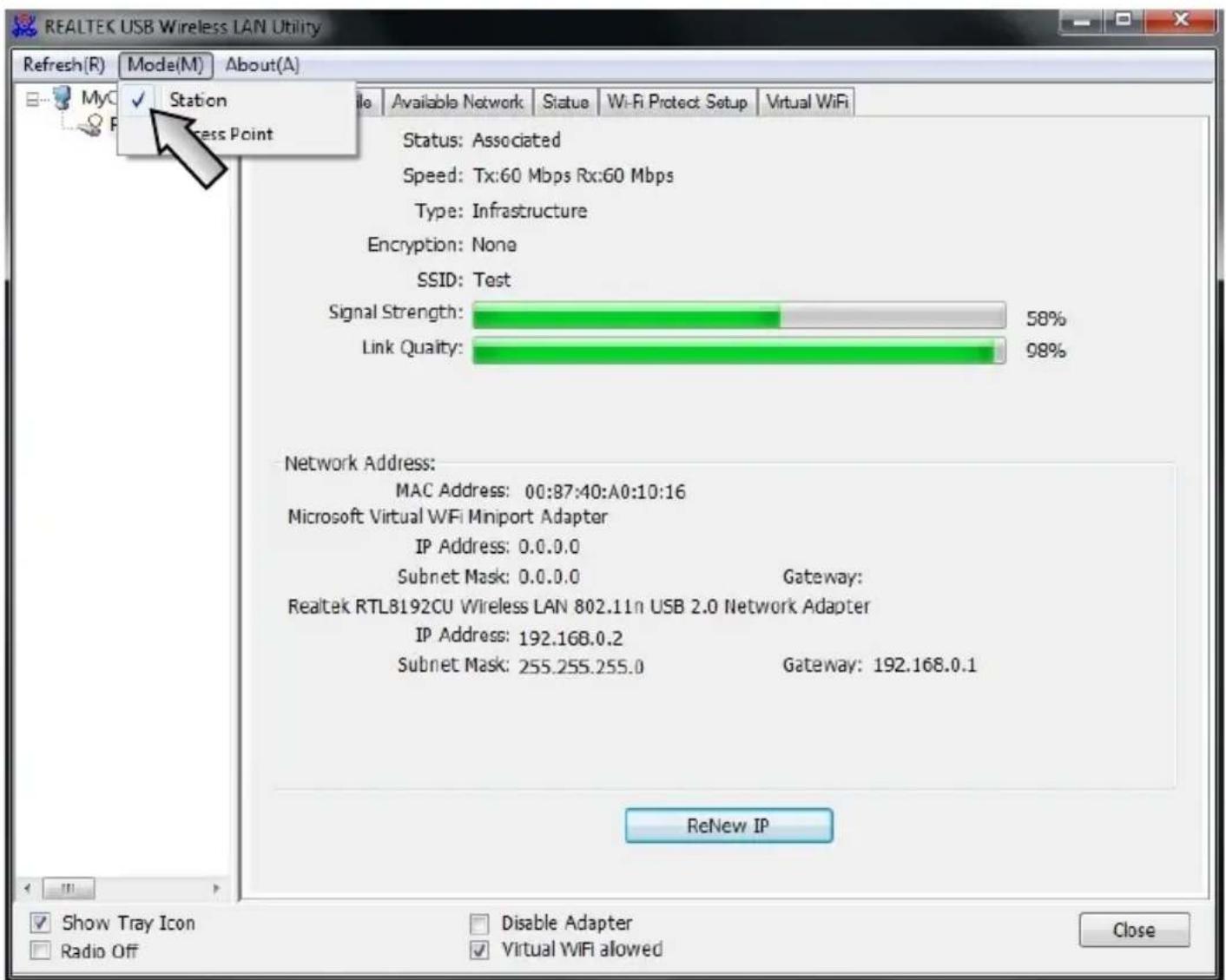
REALTEK USB Wireless LAN Utility Refresh(R) Mode(M) About(A) MyC Station Access Point Available Network Status Wi-Fi Protect Setup Virtual WiFi Status: Associated Speed: Tx:60 Mbps Rx:60 Mbps Type: Infrastructure Encryption: None SSID: Test Signal Strength: 58% Link Quality: 98% Network Address: MAC Address: 00:87:40:A0:10:16 Microsoft Virtual WiFi Miniport Adapter IP Address: 0.0.0.0 Subnet Mask: 0.0.0.0 Gateway: Realtek RTL8192CU Wireless LAN 802.11n USB 2.0 Network Adapter IP Address: 192.168.0.2 Subnet Mask: 255.255.255.0 Gateway: 192.168.0.1 ReNew IP Show Tray Icon Radio Off Disable Adapter Virtual WiFi allowed Close

bar
| Metric | Value (%) | | :--- | :--- | | Signal Strength | 54 | | Link Quality | 97 | | Status: Associated | - | | Speed: Tx:45 Mbps Rx:45 Mbps | - | | Type: Infrastructure | - | | Encryption: None | - | | SSID: Test | - | | Network Address: MAC Address: 00:87:40:A0:10:16 | - | | Microsoft Virtual WiFi Miniport Adapter IP Address: 0.0.0.0 | - | | Subnet Mask: 0.0.0.0 Gateway: Realtek RTL8192CU Wireless LAN 802.11n USB 2.0 Network Adapter IP Address: 192.168.0.2 | - | | Subnet Mask: 255.255.255.0 Gateway: 192.168.0.1 | - |

text_image
General Profile Available Network Status Wi-Fi Protect Setup Virtual WiFi Available Network(s) SSID Channel Encryption Network Authentication Signal Type BS sjxy3 2 TKIP WPA Pre-Shared Key/... 100% Infrastructure 02 507 6 AES WPA Pre-Shared Key/... 44% Infrastructure EC ChinaNet-14 6 None Unknown 26% Infrastructure 6A ChinaNet-fadr 6 TKIP WPA Pre-Shared Key 48% Infrastructure 00 MERCURY_704936 6 AES WPA Pre-Shared Key/... 44% Infrastructure 8C SZtianhao 6 AES WPA2 Pre-Shared Key 74% Infrastructure 00 Test 6 None Unknown 58% Infrastructure 00 Refresh Add to Profile Note Double click on item to join/create profile.
| General | Profile | Available Network | Status | Wi-Fi Protect Setup | Virtual WiFi |
| Manufacturer | REALTEK | ||||
| NDIS Driver Version | 1021.3.912.2012 | ||||
| Short Radio Header | Yes | ||||
| Encryption | Disabled | ||||
| Authenticate | Open System | ||||
| Channel Set | ETSI | ||||
| MAC Address | 00:87:40:A0:10:16 | ||||
| Data Rate (AUTO) | Tx:0 Mbps Rx:0 Mbps | ||||
| Channel (Frequency) | 1 (2412 MHz) | ||||
| Status | Not Associated | ||||
| SSID | |||||
| Network Type | |||||
| Power Save Mode | None | ||||
| Associated AP MAC | 00:00:00:00:00:00 | ||||
| Up Time (hh:mm:ss) | 0:15:45 | ||||
This product is tested and complies with the essential requirements of the laws of member states concerning R&TTE(1999/5/EC). The CE declaration can be found under www.gembird.eu
natural_image
Simple line drawing of a hand washing a cup with water droplets falling (no text or symbols)
text_image
Safety warning sign showing sun and a person with fever, crossed by a diagonal line indicating no heat.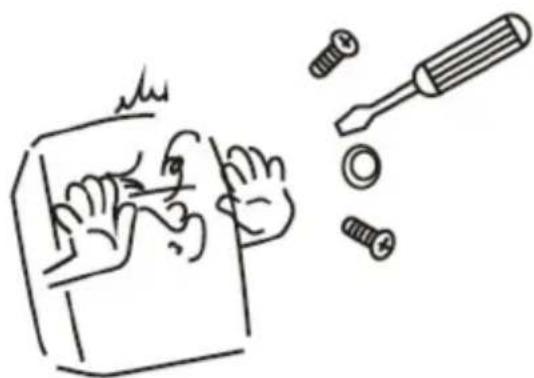
natural_image
Simple line drawing of a hand using a tool to cut a screwdriver into a screwdriver (no text or symbols)
natural_image
Simple line drawing of a hand holding a device with a diagonal line crossing through it, no text or symbols present.Waste disposal:

Do not deposit this equipment with the household waste. Improper disposal can harm both the environment and human health. For Information about waste collection facilities for used electrical and electronic devices, please contact your city council or an authorized company for the disposal of electrical and electronic equipment.