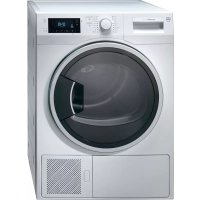
Adora TL WP - Tumble drier V-ZUG - Free user manual and instructions
Find the device manual for free Adora TL WP V-ZUG in PDF.


User questions about Adora TL WP V-ZUG
0 question about this device. Answer the ones you know or ask your own.
Ask a new question about this device
Download the instructions for your Tumble drier in PDF format for free! Find your manual Adora TL WP - V-ZUG and take your electronic device back in hand. On this page are published all the documents necessary for the use of your device. Adora TL WP by V-ZUG.
USER MANUAL Adora TL WP V-ZUG
natural_image
Simple line drawing of a two-story building with windows and a roof, no text or symbols present.Operating instructions
Thank you for choosing to buy one of our products. Your appliance is made to high standards and is easy to use. Nevertheless, please take the time to read these operating instructions in order to familiarize yourself with the appliance and get the best use out of it.
Please follow the safety precautions.
Modifications
Text, diagrams and data correspond to the technical standard of the appliance at the time these operating instructions went to press. The right to make technical modifications for the purpose of the further development of the appliance is reserved.
Symbols used

Caution, risk of fire!

Denotes important safety precautions. Failure to observe said precautions can result in injury or damage to the appliance or fittings!
▶Indicates step-by-step instructions.
- Describes how the appliance reacts to the steps taken.
- Indicates a list.

Denotes useful tips for the user.
Validity
The model number corresponds to the first 3 digits on the identification plate. These operating instructions apply to the model:
Model Type | Model no.
Adora TL WP WT-ATLWPZ 958
Variations depending on the model are noted in the text.
© V-ZUG Ltd, CH-6301 Zug, 2010
Contents
1 Safety precautions 5
1.1 Transport 5
1.2 Before using for the first time 6
1.3 Correct use 6
1.4 Children in the home 9
1.5 Note on use 10
1.6 Maintenance 11
2 Your appliance 12
2.1 Appliance description ..... 12
2.2 Construction 13
2.3 Operating and display elements 14
2.4 Using for the first time 16
3 Programme overview 17
3.1 Programme sequence for automatic programmes 17
3.2 Automatic programmes 18
3.3 Fabric type 20
3.4 Additional functions 22
4 User settings 23
4.1 Level of dryness 25
4.2 Childproof lock 26
4.3 Restoring factory settings 26
5 D r y i n g 2 7
5.1 Programme selection 28
5.2 Changing selection 32
5.3 Interrupting a programme 32
5.4 Aborting a programme 33
5.5 Programme selection with childproof lock activated 33
5.6 End of programme 35
6 Care and maintenance 36
6.1 Cleaning intervals 36
6.2 Error message A9 37
6.3 Build-up of fluff 37
6.4 Cleaning the door filter 38
6.5 Clean the base cassette 39
6.6 Cleaning the mesh filter in base 39
6.7 Cleaning the filter mat 40
6.8 Cleaning the moisture sensor 41
7 Trouble-shooting 42
7.1 What to do if .... 42
8 Drying tips 49
8.1 Fabric care symbols 49
9 Spare parts 51
10 Technical data 52
10.1 Notes for testing institutes 53
10.2 Automatic energy-saving standby 53
11 Disposal 54
12 Notes 55
13 Index 57
14 Repair service 59
1 Safety precautions

The appliance corresponds to recognised technology standards and the relevant safety regulations. Proper use of the appliance is however essential to avoid damage and accidents. Please therefore follow the precautions given in these operating instructions.
In accordance with the requirements of IEC 60335-1:
- This appliance is not intended for use by persons (including children) with reduced physical, sensory or mental capabilities, or lack of experience and knowledge, unless supervised or unless they have been given instruction concerning the use of the appliance by a person responsible for their safety.

Read the operating instructions carefully before placing the appliance in operation!
1.1 Transport

The appliance is only to be transported in the upright position! Transporting it in any other position will result in damage to the appliance!
When carried carefully, without being shaken, the appliance may be tilted to the left by a maximum of 90^ (viewed from the front).

text_image
Front ✓ FrontFront, upside down SideBackFront

natural_image
Pure electrical circuit lines without any symbols
text_image
Warning symbol with crossed-out X, indicating no clear safety or hazard

natural_image
Pure electrical circuit lines without any symbols1.2 Before using for the first time

Allow the appliance to stand for about 2 hours in the normal operating position. Failure to do so can result in damage to the appliance.
- The appliance must be installed and connected to the electricity supply in accordance with the separate installation instructions. The necessary work should be carried out by a qualified fitter or electrician.
- Dispose of the packaging material in accordance with local regulations.
- Ensure access to the place of disconnection (e.g. socket outlet, wall switch, fuse).
- It is advisable to wipe out the drum with a damp cloth.
- Please follow the precautions in the USING FOR THE FIRST TIME section before operating the newly installed appliance.
1.3 Correct use
- The appliance is suitable for drying home textiles. It is designed for use in the home and for the above-mentioned purpose only. No liability is assumed for any damage caused by improper or incorrect use.
- Any repairs, modifications or manipulations to the appliance, especially any electrical parts, should only be carried out by the manufacturer, its Customer Services or similarly qualified persons. Repairs if carried out incorrectly may cause serious injury, damage to the appliance and fittings, as well as affect the functioning of the appliance. If the appliance is not working properly or in case of a repair order, follow the instructions given in the REPAIR SERVICE section. If necessary, please contact Customer Services.
- Use original spare parts only.
- Retain these operating instructions for future reference. If you sell or pass the appliance on to a third party, please ensure these operating instructions accompany the appliance, together with the instructions on installation. In this way, the new owner can inform themselves about how to use the appliance correctly and read the pertinent safety precautions.
Do not use the appliance to dry the following
- Unwashed washing.
- Textiles that have been cleaned, treated or soaked with flammable chemicals, detergents or solvents (benzine, alcohol, stain remover, oil, paint, wax, etc). Fire or explosion hazard!
Wash materials containing such substances first by hand with water or allow the solvent to evaporate completely. - Fabrics with traces of hair spray, hair gel, nail varnish remover or other similar substances. Danger of gas build-up!
- Washing containing foam rubber or other rubber-like material. Ignition hazard!
To minimize the risk of fire in a tumble dryer, the following should be observed:
- Regularly clean the filters.
- Items that have been spotted or soaked with vegetable or cooking oil constitute a fire hazard and should not be placed in a tumble dryer.
Oil-affected items can ignite spontaneously, especially when exposed to heat sources such as in a tumble dryer. The items become warm, causing an oxidation reaction in the oil. Oxidation creates heat. If the heat cannot escape, the items can become hot enough to catch fire. Piling, stacking or storing oil-affected items can prevent heat from escaping and so create a fire hazard.
If it is unavoidable that fabrics that contain vegetable or cooking oil or have been contaminated by hair care products be placed in a tumble dryer they should first be washed in hot water with extra detergent – this will reduce, but not eliminate, the hazard. The «cool down» cycle of tumble dryers should be used to reduce the temperature of the items. They should not be removed from the tumble dryer or piled or stacked while hot.
- Items that have been previously cleaned in, washed in, soaked in or spotted with petrol/gasoline, dry-cleaning solvents or other flammable or explosive substances should not be placed in a tumble dryer.
Highly flammable substances commonly used in domestic environments include acetone, denatured alcohol, petrol/gasoline, kerosene, spot removers (some brands), turpentine, waxes and wax removers.
- Items containing foam rubber (also known as latex foam) or similarly textured rubber like materials should not be dried in a tumble dryer on a heat setting.
Foam rubber materials can, when heated, produce fire by spontaneous combustion. - Fabric softeners or similar products should not be used in a tumble dryer to eliminate the effects of static electricity unless this practice is specifically recommended by the manufacturer of the fabric softener or product.
- Undergarments that contain metal reinforcements should not be placed in a tumble dryer.
Damage to the tumble dryer can result if metal reinforcements come loose during drying. - Plastic articles such as shower caps or babies' waterproof napkin covers should not be placed in a tumble dryer.
- Rubber-backed articles, clothes fitted with foam rubber pads, pillows, galoshes and rubber-coated tennis shoes should not be placed in a tumble dryer.
1.4 Children in the home
- Packaging material (e.g. plastic, polystyrene) can be dangerous for children. Danger of suffocation! Keep packaging material away from children.
- The appliance is designed for use by adults who are familiar with these operating instructions. Children are often unable to recognise the danger of electrical appliances. Ensure proper supervision and do not allow children to play with the appliance – there is a danger that children could get locked inside.
- Tumble dryer additives (e.g. tumbler dryer sheets) can irritate the eyes, mouth and throat and even cause choking! Keep tumble dryer additives out of the reach of children.
- Use the childproof locking facility.
1.5 Note on use

Do not use the pivoting operating panel to lift or move the appliance.
- Do not use the appliance if visibly damaged or if the inlet pipes are damaged. Contact Customer Services.
- If the appliance is not operating properly, disconnect it from the electricity supply immediately.
- If the mains cable of the appliance is damaged, it must be replaced by Customer Services in order to avoid hazard.
- Keep pets away from the appliance.
- To protect your washing, follow the fabric care symbols and the hints and advice in the DRYING TIPS section.
- Do not use a fabric conditioner or other fabric care solutions for the wash. Otherwise pay attention to the manufacturer's information.
- Do not operate the appliance without or with a damaged door filter. Fire hazard from fluff build-up!
• Take care not to allow fluff to build up around the drier. - Before closing the appliance door and starting a programme, ensure that there are no foreign objects or pets in the drum.
- During the drying process, the back, drum and inside of the appliance door become hot. Care should be taken to avoid touching these parts.
- Never end the drying programme prematurely. A short cooling phase takes place at the end of the drying programme. Providing you are able to do so, remove the load quickly and spread it out to enable the heat to evaporate.
- The condensate water collected is not suitable for drinking.
- During longer periods of non-use, switch off the electricity by pulling out the mains plug. Never pull the mains plug out by the cable.
1.6 Maintenance

Ensure the drum has stopped moving before reaching inside. Do not touch the drum while it is still in motion – risk of serious injury!
- Disconnect the appliance from the mains before carrying out maintenance work.
- The door filter must be cleaned each time after a drying programme.
- Do not spray the outside or the inside of the appliance with water. Do not use a steam cleaner.
- Do not sit, lean or rest on the appliance door.
- Do not climb on to the appliance. Danger of tipping!
- Use original spare parts only.
2 Your appliance
2.1 Appliance description
The appliance operates with a closed air circuit. With the help of the heat pump, the moisture is extracted from the air which is then heated up again. Recovering heat in this way sharply reduces energy consumption. The appliance has no electric heating element.
Thanks to the heat pump, the appliance dries at lower temperatures. All the programmes are therefore gentler on your laundry.
The condensate water collected is discharged through an outlet at the rear into the drainage system.
In general, as heat pumps give off a certain amount of moisture, rooms in which there are heat pumps should be aired. If the room is kept closed, it should be aired occasionally (either by opening the door to the room or a window) between several consecutive drying programmes.
• Capacity: 6 kg dry load
- 5 automatic programmes
- Timed drying
- Programme for various fabrics
- Airing - Leisurewear
- Silk - Denim
- Shirts - Down filling thin/thick
• Additional functions
- Easy care
- Delayed start
- Crease guard at end of programme
- Digital display
- Childproof lock
• Automatic energy-saving stand-by
2.2 Construction

The appliance door can be set to open to the left or to the right. Our Customer Services can make the necessary adjustments to the appliance.
1 Operating and display elements
(pivoting operating panel)

The operating panel can be set in one of 3 positions.

natural_image
Illustration of a hand pressing a component on a surface, labeled with number 1 (no text or symbols on the diagram itself)2 Appliance door
3 Door filter
4 Cover
5 Cassette in base
6 Air grille
7 Identification plate/serial number (FN)
8 Cleaning instructions
Cassette in base
9 Mesh filter in base
10 Filter mat

text_image
Technical diagram of a washing machine with numbered components for identification2.3 Operating and display elements

text_image
MIN. 8888Automatic programmes

text_image
Extra dry Normal dry Iron dry Damp Woollens Step button Fabric typeAdditional programme

Timed drying
Additional functions

text_image
Easy care Delayed start End of programmeDisplay elements
- Display (digital display)

Programme duration
Remaining programme duration
Delayed start
Hints and trouble-shooting
• Level of dryness display

Iron dry

Cupboard dry normal
- Cooling down/airing

Indicator lights
The buttons, the automatic programmes, the additional programmes and certain additional functions are equipped with an indicator light.

Indicator light flashes
Select programme or function.

Indicator light is illuminated
Programme or function is active.

Indicator light is not illuminated
Programme or function is switched off.
2.4 Using for the first time
When the appliance is connected to the power supply for the first time, it is possible to select a function test. The purpose of the function test is to check the installation and it lasts about 3 minutes. For the function test the appliance must not to have been standing in the normal operating position for approx. 2 hours as the heat pump is not started. The function test can therefore be selected immediately after installation.

The function test cannot be aborted by an interruption of the mains supply.
Once the function test has been run, it can no longer be selected and the appliance enters the normal selection mode.
Start function test
▶Connect appliance and wait for to show in the display.
▶Start the function test with button
The function test can be interrupted in 2 ways:
- Open the appliance door.
- flashes in the display.
- Indicator lights for buttons and flash after closing the appliance door.
Or
- Press the button.
- Indicator lights for buttons and flash
Continue the function test:
▶Press the button.
- The remaining time shows in the display, e.g.
Abort function test:
▶ By pressing the button ▶ the function test is aborted and all displays go out.
End of function test:
- All displays go out on completion of the function test.

The appliance is ready to operate after the required waiting time of approx. 2 hours in the normal operating position.
3 Programme overview
3.1 Programme sequence for automatic programmes
The drying programme has 3 phases:
Drying
The washing is tumble dried until it reaches the set level of dryness. The drying programme is monitored by a moisture sensor. As soon as the required level of dryness is reached, the «Cooling down/airing» phase starts.
Cooling down/airing
The washing is cooled down to a temperature at which creasing is minimized. This phase lasts between 1–10 minutes. The washing can now be unloaded. If the washing is not unloaded, the «Crease guard» programme starts.
Crease guard
The dried washing is moved at frequent intervals to prevent creasing. If the «Easy care» function has been selected «Crease guard» runs 90 minutes, otherwise with all other programmes it runs 30 minutes. «Crease guard» can be stopped at any time simply by opening the appliance door or by pressing the button.

To select the right drying programme, follow the fabric care symbols
on garment labels, e.g.

3.2 Automatic programmes
Programme Symbol Use
| Extra dry |  | For thick, multi-layered fabrics and mixed loads.Not suitable for knitted or woven articles such as T-shirts and underwear as they could shrink. |
| Normal dry |  | For similar items of washing (e.g. terry towelling and underwear). |
| Iron dry For items that are to be ironed. | ||
| Damp |  | For items that are to be pressed in a mangle (e.g. table linen). |
| Woollens |  | For woollen fabrics labelled as washable. Gentle drying through a gentle drum action and a low temperature (ca. 45 °C). |
| Timed drying |  | For drying off textiles. Also for drying suitable sleeping bags and quilts, and any individual items of washing. |
The stated values for the programme duration and energy apply for the maximum stated capacity with a wash spun at approx. 1000 rpm (corresponds to a residual moisture of approx. 60 %). A higher spinning speed and a smaller load reduce them by about 20–30 %.
Capacity Residual moisture Programme duration Energy
| 1-6 kg | -4 % to -1 % | 2h20 | 1,85 kWh |
| 1-6 kg | -1 % to 2 % | 2h00 | 1,58 kWh |
| 1-6 kg | 8 % to 16 % | 1h40 | 1,32 kWh |
| 1-6 kg | 20 % to 30 % | 1h30 | 1,17 kWh |
| 1 kg | 0 % to 5 % | 1h35 | 0,98 kWh |
| 1-6 kg - 0h | 10 to 1h30 - |
3.3 Fabric type
| Display | Use | |
| P1 | Airing For refreshing or airing little-worn garments. | |
| P2 | Silk | For drying silk fabrics. Follow the fabric care labels as silk tends to crease easily. Low temperature for gentle drying. |
| P3 | Shirts Fabrics are gently dried to «cupboard dry». | |
| P4 | Leisurewear | Leisure- and sportswear (sympatex, goretex, etc.) are dried gently. |
| P5 | Denim | Denim fabrics are dried to «cupboard dry».Follow the fabric care labels as denim material can shrink. |
| P6 | Thin down filling | For light-weight down textiles (e.g. thin duvets and jackets).Optimum load: 1 item |
| P7 | Thick down filling | For bulky down textiles (e.g. pillows, jackets and thick duvets).If recommended, tennis balls can be used for fluffing up the down during drying.Optimum load: 1 item |
| Capacity Residual moisture Programme duration Energy | |||
| 2,5 kg - 0h1 | 0 0,02 kWh | ||
| 1,5 kg | 0 % to 2 % | 0h45 | 0,51 kWh |
| 7 in total 0 % to 2 % 0h45 0,50 kWh | |||
| 3 kg | 0 % to 2 % | 1h55 | 1,53 kWh |
| 4 kg | -1 % to 2 % | 1h55 | 1,55 kWh |
| 2 kg | -1 % to 1 % | 2h30 | 1,92 kWh |
| 2 kg | -1 % to 1 % | 2h40 | 2,15 kWh |
3.4 Additional functions
| Function/symbol | Use | Max. load |
Easy care | Gentle drying for mixed fabrics (e. g. shirts, pullovers, T-shirts). The level of dryness is reduced. | 2,5 kg |
Delayed start | Take advantage of cheap-rate electricity (setting range: 1–24 hours).During shut-off periods – determined by the local electricity supplier – the delayed start time is extended by the length of time the electricity is shut off. This is not shown in the display. | - |
4 User settings
Providing no programme is running and no error message is displayed, the user settings can be changed with the appliance door open or closed. The procedure is generally the same for all settings.
Changing user settings
▶Hold the button depressed for 5 seconds.
- The display shows: .EEEE
▶ Press the ▶ button repeatedly until the desired setting shows in the display, e.g.: for childproof lock OFF.
▶To change, press the button.
- The display shows for childproof lock ON.
- The setting is taken over automatically and must not be confirmed.
Exiting user settings
▶Press the button repeatedly until the display goes out.

If no button is pressed within the next 20 seconds, user settings is exited and the display goes out.
The following diagram gives an overview of the possible user settings.
▶ Hold ▶ button depressed for 5 seconds

flowchart
graph TD
    A["EEEE"] --> B["Level of dryness"]
    B --> C1["tro1 very low drying"]
    B --> C2["tro2 low drying"]
    B --> C3["tro3 normal drying *"]
    B --> C4["tro4 strong drying"]
    B --> C5["tro5 very strong drying"]
    B --> D["Childproof lock"]
    D --> E1["---0 OFF *"]
    D --> E2["---1 ON"]
    B --> F["Factory settings"]
    F --> G1["Er 0 no change"]
    F --> G2["Er 1 restore"]
* Factory setting
4.1 Level of dryness
The appliance is designed to provide the most energy-efficient drying. The moisture sensor continually monitors the level of dryness of the washing. If the washing is not being dried sufficiently – or being overdried – the level of dryness can be reset.

Changing the level of dryness changes the level of dryness setting of all the programmes. Care should be taken when increasing the level of dryness, as overdrying can damage fabrics.
Changing the level of dryness
▶Hold the button depressed for 5 seconds.
- The display shows: EEEE
▶ Press the ▶ button repeatedly until the actual setting shows in the display, e.g.: tro3
▶ Press the ▶ button repeatedly until the desired setting shows in the display, e.g.: tro5
▶Press the button repeatedly until the display goes out.
Levels of dryness

Very low drying

Low drying

Normal drying (factory setting)

Strong drying

Very strong drying
4.2 Childproof lock
The childproof lock is to prevent small children accidentally starting or stopping a programme. When the childproof lock is on, a programme can only be started by pressing two buttons simultaneously.
Switching the childproof lock on/off
▶Hold the button depressed for 5 seconds.
- The display shows: E E E E
▶ Press the ▶ button repeatedly until the actual setting shows in the display, e.g.: for childproof lock OFF.
▶To change, press the button.
- The display shows for childproof lock ON.
- The setting is taken over automatically and must not be confirmed.
▶ Press the ▶ button repeatedly until the display goes out.
4.3 Restoring factory settings
The factory settings can be restored.
▶Hold the button depressed for 5 seconds.
- The display shows: E E E E
▶ Press the ▶ repeatedly until the actual setting shows in the display, e.g.: Er 0 for no change.
▶To change, press the button.
- Shown in the display is restore factory settings.
- The setting is taken over automatically and must not be confirmed.
▶ Press the ▶ button repeatedly until the display goes out.
5 D r y i n g
Preparing the appliance
▶Plug the appliance in at the mains or turn the wall switch on.
Loading the appliance
▶Open the appliance door (press the middle of the lock side of the door at the edge).
▶Loosely load wet washing items one by one.
- Se PROGRAMME OVERVIEW for maximum drying load capacity.
- Do not fill drum more than 12 full.
- Large blankets, in particular, need plenty of room to tumble.
▶Close the appliance door (pushing firmly to).

When you close the appliance door, check that no items of washing are trapped.
- The programme selection indicator lights flash.
- The appliance is ready for select programme.
If no programme selection is made within 20 seconds, all displays go out. However, it is still possible to make a programme selection.

text_image
Diagram showing a hand holding a socket connected to a switch, with labeled components 0 and 1 indicating direction of movement.
natural_image
Line drawing of a server rack unit with ventilation slots and a directional arrow (no text or symbols)
natural_image
Line drawing of a washing machine with a basket containing material, showing internal components and a downward arrow indicating flow (no text or symbols)5.1 Programme selection
An automatic programme is selected by pressing step button ▶All the necessary settings for the programme are made automatically.
Additional functions can be selected or deselected by pressing the corresponding button.
If no buttons are pressed within 20 seconds, the drying programme selected starts automatically.

Use the PROGRAMME OVERVIEW to determine which programme is the most suitable for your washing.
Duration remaining indicator
The expected programme duration is displayed when selecting the programme. This refers to a similar wash composition with defined weight.
Load determining takes place after the programme start:
- The maximum programme duration is shown and the letter «h» flashes for approx. 1 minute.
- The expected remaining duration is calculated and then displayed.
The actual running time can vary from the displayed duration according to the fabric type. Therefore the indicated remaining duration can stay unchanged for a few minutes, especially towards the end of the programme. During this period the letter «h» flashes and the remaining duration calculation is carried out anew.
- The letter «h» starts to flash again:
The remaining duration is calculated anew and then displayed
Selecting an automatic programme
▶Close the appliance door.
- Indicator lights for buttons


text_image
1h 10▶ Press button ▶ until the indicator light for the desired programme lights, or
▶ press button 📄 until the fabric type programme e.g. P1 shows for approx. 3 seconds in the display.
- The maximum duration (hours/minutes) is shown. The expected programme duration shows only after the load determining approx. 1 minute).
- The indicator light for the additional function «easy care» flashes for 20 seconds.

During these 20 seconds, it is possible to select a different drying programme. In this case, all additional programmes selected are cancelled and must be reselected.
- If no buttons are pressed within 20 seconds, the drying programme selected starts automatically.
Selecting timed drying
▶Close the appliance door.
- Indicator lights for buttons


text_image
MIN. 0h30▶Press the button.
▶ Press repeatedly to select desired duration, i.e. 10, 20, 30, 40, 50, 60 or 90 minutes.
- The duration selected appears in the display.
- The indicator lights for any additional functions that may be selected flash for 20 seconds.

The programme duration always includes a 10-minute «Cooling down/airing» phase.
Selecting easy care
▶ Press button ☐ whilst the indicator light is flashing.
Selecting delayed start

text_image
3h▶Hold button pressed immediately after the programme selection, or keep pressing it until the desired delayed start duration shows in the display (max. 24 hours).
- The display goes dark.
- After the desired delayed start period is up, the programme selected starts automatically.

Items of washing may be added at any time.
The time remaining to the delayed start can be reduced (in hourly intervals) to zero by repeatedly pressing the ⏻ button.
5.2 Changing selection
During programme selection
▶Press button

- The next programme is selected.
- All selected settings are cancelled.

Once a programme has started, it is no longer possible to change it. The programme must be aborted.
5.3 Interrupting a programme
A running programme can be interrupted at any time to add/remove an item of washing before time.

After closing the appliance door the heat pump starts after a waiting time of 10 minutes and the programme duration is lengthened correspondingly.
▶Open the appliance door.
- Flashing in the display is the remaining time, respectively the delay time.
▶Close the appliance door (pushing firmly to).
- The indicator light for the selected programme lights and button flashes.
▶Press the button.
- The drying programme continues.
5.4 Aborting a programme
▶Press the button.
- The programme is aborted and all settings cancelled.
5.5 Programme selection with childproof lock activated
How to turn the childproof lock on/off is described in USER SETTINGS.
▶Close the appliance door.
- The display shows: - - - - - Indicator lights for buttons and flash.
▶Hold button pressed and also press button or MIN.

text_image
MIN. 1h40
The appliance can be operated without further regard to the child-proof lock until the programme starts.
Programme interruption through door opening
▶Open the appliance door.
- Running programme is interrupted.
▶Close the appliance door.
▶ Hold button ▶ pressed and also press the flashing button ▶ or ▶ MIN.
- Programme is continued.
Programme abort through door opening
▶Open the appliance door.
- Running programme is interrupted.
▶Hold button pressed and also press the flashing button or MIN. - Programme is aborted.
Programme abort through button selection
With the door closed, carry out the following step 2×:
- Hold button ▶I pressed and also press the illuminated button ▶▶▶ or ▶MIN. - Programme is aborted.
5.6 End of programme
- The display shows: OhOO
- The indicator light for the programme that has finished illuminates.
- The indicator light for the button flashes.
«Crease guard» starts if the appliance is not unloaded straightaway. When it has finished, the indicator lights and plain text display go out.
Unloading the washing
▶Open the appliance door.
- The indicator lights and the display go out.
▶Unload the washing.
▶Clean the door filter.
▶Close the appliance door.

natural_image
Diagram of a washing machine with a side panel and a basket, showing internal components (no text or symbols)If the appliance door is opened during the «Cool down» phase, the programme is aborted and the indicator lights and display go out.
When you have finished washing for the day
▶Clean the door filter.
▶Check the mesh filter in base and clean it if necessary.
▶Close the appliance door.
6 Care and maintenance

To minimize the risk of fire hazard regularly clean the filters!
6.1 Cleaning intervals

text_image
Technical diagram of a portable air conditioner unit with numbered components labeled 1 to 4Pos. Part Cleaning intervals Cleaning
| 1 | Door filter | each time after a drying programme | remove any fluff |
| whenever there is a heavier build-up of deposits | using an abrasive liquid cleaning agent and a sponge, rinse with water and allow to drip dry; use cleaning vinegar to soften hard water | ||
| 2 | Base cassette as | required ** remove any fluff | |
| 3 | Mesh filter in base | as required ** remove any fluff | |
| whenever there is a heavier build-up of deposits | using an abrasive liquid cleaning agent and a sponge, rinse with water and allow to drip dry; use cleaning vinegar to soften hard water | ||
| 4 | Filter mat * in base mesh filter | every six months | rinse under running water, then allow to drip dry |
| Appliance housing | occasionally clean with damp cloth and wipe dry | ||
* A spare filter mat is included in the service set supplied.
** A coating of fluff can build up more or less quickly depending on the type of wash and the size of load.
6.2 Error message A9


A thick coating of fluff results in a reduced process air flow which can impair the drying process and activate fault message «A9».
Check and, if necessary, clean the following parts in the appliance:
- Door filter
- Base cassette
- Mesh filter in base
- Filter mat in base mesh filter

If the error message still appears after the mesh filter in base and the filter mat have been cleaned, clean the filter mat (in front of the heat pump) carefully using a vacuum cleaner.
6.3 Build-up of fluff
Fluff is made up of fine textile fibres that largely come from the manufacturing process, from wear and tear during use and from items being washed. Fluff is not caused by excessive strain on the washing in the appliance. Even when washing is hung out to dry on a washing line, fluff is shed when the washing is shaken out or ironed.
Fluff sticks to washing when it is wet. The fluff is released during tumble drying and gets trapped in the door filter. This is why there is always a build-up of fluff in the filter – sometimes more, sometimes less depending on the type of washing – after tumble drying.
6.4 Cleaning the door filter
▶Open the appliance door.
▶ Lift the door filter 1 out.
▶Remove any fluff.
▶Hold door mesh filter up to the light to detect deposits. Wash door mesh filter to clean off heavy deposits.
▶Clean with an abrasive liquid cleaning agent (immerse if necessary) and a sponge; use cleaning vinegar to soften hard water.
▶Rinse off under running water and allow to drip dry.
▶Replace the door filter. Ensure it is positioned correctly.

The appliance will not start without the door filter in place.
each time after a drying programme

natural_image
Diagram of a washing machine with a door and vent, showing internal components and airflow direction (no text or labels)
natural_image
Illustration of a 3D cube inside a shield-shaped frame (no text or symbols)6.5 Clean the base cassette
as required
▶Open the appliance door.
▶ Open the cover 1 by pressing the release catch 2.
▶ Remove the cassette in base 3.
▶Remove fluff from the base mesh filter in the base cassette.
▶Replace the cassette in base and close the cover.

The appliance will not start without the cassette in base being in place.

text_image
Diagram showing a hand operating a device with labeled parts 1, 2, and 3, indicating a process or operation.6.6 Cleaning the mesh filter in base
as required
▶Open the appliance door.
▶ Open the cover 1 by pressing the release catch 2.
▶ Take out base cassette 3 and separate filter mat 5 from the base mesh filter 4.
▶Hold base mesh filter up to the light to detect deposits. Wash base mesh filter to clean off heavy deposits.
▶Clean with an abrasive liquid cleaning agent (immerse if necessary) and a sponge; use cleaning vinegar to soften hard water.
▶Rinse off under running water and allow to drip dry.
▶Replace the filter mat on the base mesh filter and insert it in the base cassette. Make sure it is correctly positioned.
▶Replace the cassette in base and close the cover.

text_image
Diagram illustrating a device's internal components and packaging, labeled with numbers 1 to 5.6.7 Cleaning the filter mat
Clean filter mat in base mesh filter
every six months

Never operate the appliance without the filter mat.

A spare filter mat is included in the service set supplied.
▶Open the appliance door.
▶ Open the cover 1 by pressing the release catch 2.
▶ Remove the cassette in base 3.
▶ Remove the mesh filter in base 4 from the cassette in base.
▶ Remove the filter mat 5 from the mesh filter in base.
▶Rinse the filter mat under running water and allow to drip dry.
▶Put the filter mat back into the mesh filter in base and then return this into the cassette in base. Ensure the filters are sitting properly.
▶Replace the cassette in base and close the cover.

text_image
Diagram of a device interior with numbered components and directional arrows indicating movement or assembly.Cleaning the filter mat in front of the heat pump
as required

Never remove the filter mat.

If the «A9» error message still appears after the filters and the filter mat have been cleaned, clean the filter mat in front of the heat pump very carefully using a vacuum cleaner. The fins behind could otherwise be damaged.
▶Open the appliance door and the cleaning cover.
▶Remove the cassette in base.
▶Clean the filter mat carefully using a vacuum cleaner with the crevice tool attachment.
▶Replace the cassette in base and close the cleaning cover.

natural_image
Diagram of a device with a tool interacting with a grid-patterned panel, no text or symbols present6.8 Cleaning the moisture sensor
The moisture sensor detects the level of moisture in the washing. If the moisture sensor is dirty, it may produce false readings.
If shows in the display, the moisture sensor must be cleaned.
▶Open the appliance door.
▶Remove any fluff or foreign objects on the moisture sensor 1. If necessary, clean with a damp cloth and then wipe dry.

natural_image
Technical diagram showing a cross-section of a mechanical component with a labeled part (1), alongside its 3D view (no text or symbols present)7 Trouble-shooting
This section lists problems which you can resolve simply yourself by following the instructions given. If any other error messages appear or if you are unable to resolve the problem, call Customer Services.

Before contacting Service please make a note of the FN number on the appliance identification plate also the full fault message (E-number).
7.1 What to do if ...
... R 0 f l a s h e s
Possible cause Solution
- The drain hose blocked, kinked or defective.
- Pumping height of the drain hose (>1.2 m).
-
Connected to concealed double drain trap.
-
Check the part of the hose that is not housed in the appliance.
▶Resolve the problem.
▶Cancel the error message by pressing the ▶ button.
▶Start the programme.
▶If the fault reappears, note down the complete error message and FN number, then switch off mains supply once more.
▶Call Customer Services.
... A 3 f l a s h e s
Possible cause Solution
- The moisture sensor is dirty or wet.
▶Clean the moisture sensor and then wipe dry.
▶Cancel the error message by pressing the ▶ button.
▶Start the programme.
▶If the fault reappears, note down the complete error message and FN number, then switch off mains supply once more.
▶Call Customer Services.
... A 9 f l a s h e s
Possible cause Solution
- The following parts in the appliance could be blocked: - Door filter - Mesh filter in base - Filter mat
▶Check and, if necessary, clean the parts.
▶Cancel the error message by pressing the ▶ button.
▶Start the programme.
▶If the fault reappears, note down the complete error message and FN number, then switch off mains supply once more.
▶Call Customer Services.
▶Improve the ventilation of the room.
▶Spin washing at a higher speed/reduce the size of load.
- The ambient temperature is too high. - The load is too wet/heavy.

Do not disregard this error message. Failure to observe it can cause the appliance to become defective.
... H I i g h t s
Possible cause Solution
- The door filter is missing. - The appliance door is open.
▶Insert the door filter and ensure it is positioned correctly or close the appliance door.
▶Cancel the error message by pressing the ▶ button.
▶Start the programme.
▶If the fault reappears, note down the complete error message and FN number, then switch off mains supply once more.
▶Call Customer Services.
... H 2 l i g h t s
Possible cause Solution
- The following parts in the appliance have not been inserted properly: - Cassette in base - Mesh filter in base - Filter mat
▶Insert parts correctly.
▶Close the cover.
▶Cancel the error message by pressing the button.
▶Start the programme.
▶If the fault reappears, note down the complete error message and FN number, then switch off mains supply once more.
▶Call Customer Services.
... H 4 l i g h t s
Possible cause Solution
- Button or pressed several times without taking into account operating with childproof lock active.
▶ Yes button pressed, then also press button . You now have control with childproof lock activated. The appliance can be operated without further regard to the childproof lock until the programme starts.
... and flash alternately
Possible cause Solution
- Various situations in the appliance can lead to an «F» error message.
▶Cancel the error message by pressing the ▶ button.
▶Interrupt the mains supply for approx.
1 minute.
▶Switch the supply back on and select a programme.
▶If the fault reappears, note down the complete error message and FN number, then switch off mains supply once more.
▶Call Customer Services.
... and flash alternately
Possible cause Solution
• Over-voltage ▶Cancel the
error message by pressing the

button.
▶Interrupt the mains supply for approx.
1 minute.
▶Switch the supply back on and select a programme.
▶If the fault reappears, note down the complete error message and FN number, then switch off mains supply once more.
▶Call Customer Services.
... it is not possible to select a new programme after closing the appliance door
Possible cause Solution
• A programme was interrupted.
▶Press the button.
▶Select a new programme.
... the appliance will not start
Possible cause Solution
- The appliance door is open.
▶Close the appliance door.
• The door filter is missing.
▶Insert the door filter and ensure it is positioned correctly.
• An interruption in the power supply.
▶Plug in at the mains.
▶Turn the mains switch on.
▶Check the fuses.
... the washing is not dry enough
| Possible cause Solution | |
| The load contains different types of fabric. | Select a longer programme.Select the programme.Change the level of dryness. |
| An interruption in the power supply. | Plug in at the mains.Turn the mains switch on.Check the fuses. |
| The moisture sensor is dirty. | Clean the moisture sensor. |
| The demonstration mode (dEno) is activated. | Pull out and replace the mains connector plug and then plug it in again.If shows, clear the demonstration mode with appliance door open and button combination , and . |
... the programme takes significantly longer than indicated in the display
| Possible cause Solution | |
| The following parts in the appliance could be blocked: - Door filter - Mesh filter in base - Filter mat | >Check and, if necessary, clean the parts. |
| Very wet washing. | >Spin washing at a higher speed. |
| The ambient temperature is too high. | >Improve the ventilation of the room. |
... the washing is charged with static electricity
Possible cause Solution
- Wash items that are made of man-made fibres.
Static charge is a normal characteristic of man-made fibres and nothing to do with the appliance.
... the duration remaining indicator remains frozen for a longer period
Possible cause Solution
• Not reached the level of dryness required.
This is not a malfunction. No action is necessary. Once the level of dryness required is reached, the duration remaining indicator will run automatically again.
- The wash load is very mixed (especially with heavier textiles).
This is not a malfunction. No action is necessary. The duration remaining indicator will run automatically in a while.
• Build-up of fluff in filters.
▶Clean the filters.
8 D r y i n g t i p s
8.1 Fabric care symbols
To select the right drying programme, follow the fabric care symbols on garment labels.

text_image
Tumble dry, medium heat Tumble dry, low heat Do not tumble dryGeneral tips
- For the wash you are recommended not to use fabric conditioners or other fabric care solutions, otherwise comply with the manufacturer's instructions. Tumble drying automatically leaves fabrics soft and fluffy.
- The use of fabric conditioner in the wash can lead over time to the formation of a thin, barely visible film in the drum and on the moisture sensors. This can cause a malfunction resulting in the washing not being dried to the level of dryness required.
- Use tumbler dryer sheets sparingly.
- Protect items of washing from getting damaged.
▶ Fasten duvet and pillow cases, hook and eye fasteners and zips.
▶Fasten cloth belts and apron ties.
- Only put a few items of washing in the drum when drying fabrics that crease easily.
- When drying bulky items (e.g. sleeping bags, duvets, etc.) strictly follow the fabric care symbols.
- Woollen and silk fabrics often carry the «Do not tumble dry» label.
▶For woollen and silk fabrics, follow the fabric care symbols on garment labels.
▶Press the button and select the relevant programme.
- For easy-care fabrics (e.g. shirts and cotton mixed fabrics), additionally select the easy care function and put only a few items in the drum.
- Knitted and woven items (e.g. T-shirts) tend to shrink. Additionally select the easy care function.
- Items of clothing with metal fasteners (e.g. overalls) should be tumble dried using the additional timed drying programme. The metal fasteners could cause the washing to be overdried in an automatic programme.
Energy saving tips
- Well-spun washing requires a shorter drying time and saves energy.
▶Spin washing well before tumble drying. Tumble drying largely removes creases that come from spinning in the washing machine. - Dirty fluff mesh filters and filter mats reduce the air flow rate when drying and result in longer drying times and a high energy consumption.
▶Fluff mesh filters and filter mats must be cleaned regularly in accordance with the operating instructions. - The maximum capacity of the relevant programme should be used to its full extent.
- Small, light wash items dry more quickly; different materials can have different drying durations.
▶Sort items according to type and size to avoid over-drying of individual items.
9 Spare parts
Please give model number and exact description when ordering parts.
Door filter
Mesh filter in base
Filter mat in base mesh filter (2 items)
Cassette in base for mesh filter in base and filter mat

natural_image
Illustration of a rectangular electronic device with a curved top and side panels (no text or symbols)
natural_image
Simple line drawing of a rectangular object with a recessed top and two small clips at the bottom (no text or symbols)

natural_image
Line drawing of a mechanical housing or enclosure component (no text or symbols)10 Technical data
Dimensions
Height: 85 cm
Width: 60 cm
Depth: 60 cm
Weight: 65 kg
Dry load capacity: 6 kg
Ambient conditions
Permissible room temperatures
when appliance in operation 5 °C to 35 °C
Electrical connection
▶See identification plate

natural_image
Diagram of a computer monitor with an attached cable and scroll, showing no text or symbols10.1 Notes for testing institutes
The correct determination of the declaration data is given with wash item after an intake phase of 5 complete drying programmes (Automatic programme: Normal dry
- Wash the base mesh filter in the base cassette after every drying programme.
The moisture sensor is calibrated based on average water hardness levels. To adjust the water conductivity value of the appliance according to the norm (0.45 mmol/l), set the level of dryness to «4» in the user settings.
Set to standard programme according to AS/NZS 2442:
- Cotton, normal dry, 6 kg load capacity
▶ Select automatic programme «normal dry» (press the ▶ button until the indicator light for «normal dry» lights).
10.2 Automatic energy-saving standby
The appliance is equipped with automatic stand-by to avoid consuming energy unnecessarily.
The appliance door must be kept closed to obtain the lowest standby current consumption.
All displays go out within minutes of a programme finishing. Energy consumption is reduced to an absolute minimum. The safety functions, however, remain activated.
11 Disposal
Packaging
- All packaging materials (cardboard, plastic film (PE) and polystyrene (EPS)) are marked and should, if possible, be collected for recycling and disposed of in an environmentally friendly way.
Disconnection
- Disconnect the appliance from the mains. With a fixed appliance, this is to be carried out by a qualified electrician!
Safety
- Disable the appliance to prevent accidents caused by improper use, especially through children playing.
- Pull the plug out of the mains socket or have the appliance disconnected from the mains by a qualified electrician. Then cut off the mains cable.
- Remove or disable the lock on the appliance door.
Disposal
- The old appliance should not be discarded as worthless rubbish. If disposed of correctly, the raw materials can be recovered for recycling.
- The symbol on the identification plate warns that the appliance may not be disposed of in normal household waste.
- The appliance must be disposed of in accordance with local regulations on waste disposal. For more information on the handling, disposal and recycling of the product, please contact the local authorities, the local recycling facilities for household waste or the retailer from whom you purchased the appliance.
Note on heat pump
This appliance is CFC-free (the refrigeration cycle contains R134a).
12 Notes
13 Index
A
Additional functions ..... 14, 22
Additional programme ..... 14
Airing 17,20
Ambient conditions ..... 52
Appliance
Construction 13
Description 12
Loading 27
Preparing.... 27
Automatic energy-saving
standby 53
Automatic programmes ..... 14, 18
Selecting 29
B
Base cassette
Cleaning 39
C
Care. 36
Changing selection 32
Childproof lock 26,33
Cleaning
Base cassette 39
Door filter.... 38
Filter mat 40
Filter mat in base mesh filter .... 40
Mesh filter in base 39
Moisture sensor.... 41
Cleaning intervals 36
Cool down 17
Crease guard.... 17
D
Damp.... 18
Delayed start 22
Selecting 31
Denim 20
Dimensions 52
Disconnection 54
Display
A0 Check outlet 42
A3 Moisture sensor clean ..... 43
A4 childproof lock active..... 45
A9 Mesh and filter clean ..... 43
Close appliance door ..... 44
F.. see instructions ..... 45
Insert filter in door 44
Insert filter mat. 44
Display elements 14
Disposal 54
Door filter
Cleaning 38
Down 20
Drying 17,27
Timed 30
Drying tips 49
Duration remaining indicator ..... 28
Frozen 48
E
Easy care 22,30
Error messages 42
A9 Mesh and filter clean .... 37, 43
Extra dry 18
F
F.. Call Customer Services ..... 45
Fabric care symbols ..... 49
Fabric conditioners 49
Fabric types.... 20
Factory settings 26
Filter mat
Cleaning 40
Finished washing for the day.....35
First time using 16
Fluff 37
Function test 16
|
Identification plate 59
Indicator lights. 15
Iron dry 18
L
Leisurewear.... 20
Level of dryness 25
M
Maintenance 36
Mesh filter in base
Cleaning 39
Model no. 2
Moisture sensor
Cleaning 41
N
Normal dry 18
Notes for testing institutes. . . . . . 53
0
Operating elements. 14
P
Packaging 54
Programme
Aborting 33
End 35
Interrupting 32
Overview 17
Selection 28
Sequence 17
Q
Quick instructions 60
R
Repair service 59
Room temperature 52
S
Safety 54
Safety precautions
Before using for the first time ..... 6
Children in the home 9
Correct use. 6
Maintenance 11
Note on use 10
Transport 5
Shirts. 20
Silk 20
Spare filter mat ..... 36, 40
Spare parts 51
Symbols 2
T
Technical data 52
Testing institutes
Notes 53
Timed drying 18
Selecting. 30
Tips 49
Transport. 5
Tumbler dryer sheets ..... 49
Type 2
U
User settings....23
Using for the first time. . . . . . . . 6, 16
V
Validity 2
W
Washing
Unloading 35
Woollens 18
14 Repair service

The TROUBLE-SHOOTING section will help you to carry out small repairs yourself, saving you the time and trouble of calling out a service technician and the cost that goes along with it.
Whether you contact us about a malfunction or an order, please always state the serial number (FN) and the model type of your appliance. Enter these details below and also on the service sticker which comes with the appliance. Stick it in a conspicuous place or in your telephone or address book.
FN
Appliance
You will also find the same details on the certificate of guarantee, the original sales invoice and the identification plate of the appliance.
▶Open the appliance door.
▶Open the cover.
- The identification plate is located bottom right.
Quick instructions
Please first read the safety precautions in the operating instructions!
▶Open the appliance door
▶Check the door filter
▶Load the washing
▶Close the appliance door
▶Select programme
▶Select any additional functions, if required
▶The appliance starts automatically after 20 seconds
After the programme has finished:
▶Unload the dry washing when the indicator light for the button flashes
▶Clean the door filter
▶Close the appliance door
When you have finished washing for the day:
▶Clean the door filter
▶Check the mesh filter in base and the cassette in base and clean it if necessary
▶Close the appliance door