expression 2048 - Sewing machine PFAFF - Free user manual and instructions
Find the device manual for free expression 2048 PFAFF in PDF.


User questions about expression 2048 PFAFF
0 question about this device. Answer the ones you know or ask your own.
Ask a new question about this device
Download the instructions for your Sewing machine in PDF format for free! Find your manual expression 2048 - PFAFF and take your electronic device back in hand. On this page are published all the documents necessary for the use of your device. expression 2048 by PFAFF.
USER MANUAL expression 2048 PFAFF
natural_image
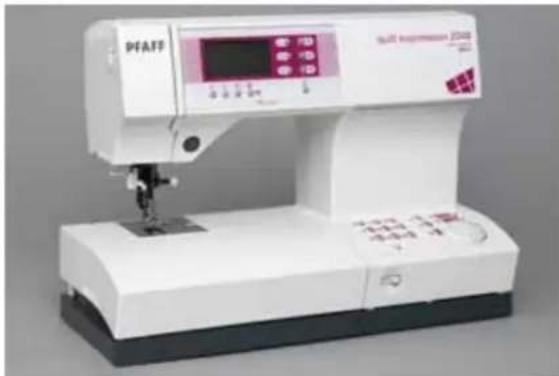
Exterior view of a PFAFF industrial sewing machine with control panel and digital display (no visible text or symbols on main body)This household sewing machine is designed to comply with IEC/EN 60335-2-28 and UL1594
IMPORTANT SAFETY INSTRUCTIONS
When using an electrical appliance, basic safety precautions should always be followed, including the following:
Read all instructions before using this household sewing machine.
DANGER - To reduce the risk of electric shock:
- A sewing machine should never be left unattended when plugged in. Always unplug this sewing machine from the electric outlet immediately after using and before cleaning.
• Always unplug before relamping. Replace bulb with same type rated 5 Watt.
WARNING - To reduce the risk of burns, fire, electric shock, or injury to persons:
- Do not allow to be used as a toy. Close attention is necessary when this sewing machine is used by or near children or infi rm person.
- Use this sewing machine only for its intended use as described in this manual. Use only attachments recommended by the manufacturer as contained in this manual.
- Never operate this sewing machine if it has a damaged cord or plug, if it is not working properly, if it has been dropped or damaged, or dropped into water. Return the sewing machine to the nearest authorised dealer or service center for examination, repair, electrical or mechanical adjustment.
- Never operate the sewing machine with any air openings blocked. Keep ventilation openings of the Sewing machine and foot controller free from the accumulation of lint, dust, and loose cloth.
- Keep fingers away from all moving parts. Special care is required around the Sewing machine needle.
• Always use the proper needle plate. The wrong plate can cause the needle to break. - Do not use bent needles.
- Do not pull or push fabric while stitching. It may deflect the needle causing it to break.
- Switch the sewing machine off ("0") when making any adjustment in the needle area, such as threading needle, changing needle, threading bobbin, or changing presser foot, etc.
- Always unplug the sewing machine from the electrical outlet when removing covers, lubricating, or when making any other user servicing adjustments mentioned in the instruction manual.
- Never drop or insert any object into any opening.
- Do not use outdoors.
- Do not operate where aerosol (spray) products are being used or where oxygen is being administrated.
- To disconnect, turn all controls to the off ("0") position, then remove plug from outlet.
- Do not unplug by pulling on cord. To unplug, grasp the plug, not the cord.
SAVE THESE INSTRUCTIONS
Presser feet (standard accessories)
For more information about accessories, please contact your PFAFF dealer.


0A Standard Presser Foot with IDT 820244-096
1A Fancy Stitch Foot with IDT 820254-096
2A Fancy Stitch Foot 820260-096
3 Blindhem/Overlock Foot with IDT 820256-096
4 Zipper Foot with IDT 820248-096
5A Buttonhole Foot 820299-096
6 Darning Foot 820243-096
7 Rolled Hem Foot 3 mm with IDT 820249-096
8 Bulb Remover/Needle Plate Changer 820292-096
-
Buttonhole Guide 820294-096
-
Spool cap 93-036 048-44/000, 93-035 050-44/000, 93-036 049-44/000
-
Felt pad 93-033 064-06/000
-
Bobbins 412 76 79-01
13 Needle box 48-020 804-32/000
14 Edge Guide/Quilting Guide 820251-096
-
Second spool pin 93-033 063-44/000
-
Seam ripper 99-053 016-91/000
-
Brush 93-847 979-91/000
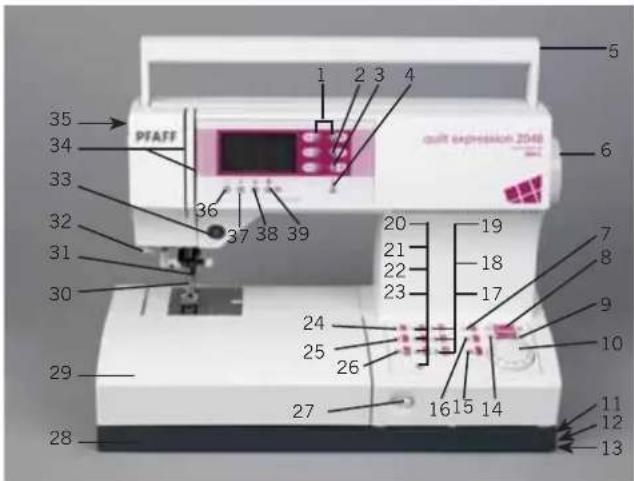
Parts of the sewing machine (model 2048)
text_image
35 34 33 32 31 30 29 28 PTAFF 1 2 3 4 20 19 21 18 22 17 23 24 25 26 27 1615 14 11 12 13 ault expression 2548 5 6 7 8 9 10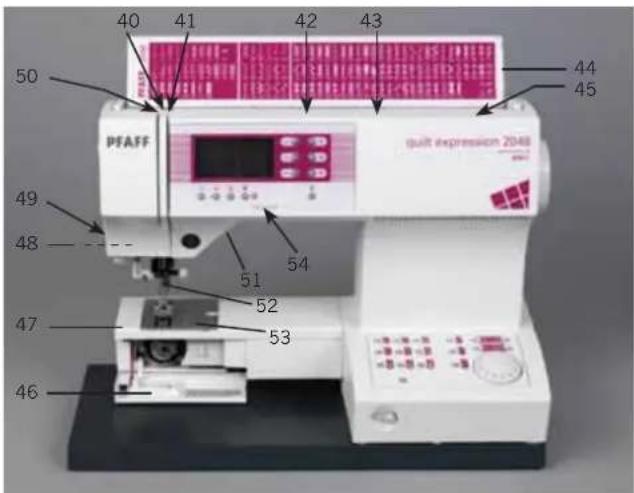
text_image
40 41 42 43 50 PFAFF 44 45 49 48 51 54 52 47 53 46 quit expression 20481 -/+ button A (stitch width/pattern width controls)
2 -/+ button B (stitch length/pattern length controls)
3 -/+ button C (stitch density/balance controls)
4 Info button
5 Carrying handle
6 Handwheel
7 "M" button
8 Cursor buttons
9 Clear/pattern start button
10 Stitch selection wheel
11 Connection socket "lead cord"
12 Connection socket "foot control"
13 Master switch
14 m+ button
15 Direct selection button "Alphabet"
16 Direct selection button "Alphabet"
17 Direct selection button "Linen buttonhole"
18 Direct selection button "Elastic blind hem stitch"
19 Direct selection button "Zigzag stitch"
20 Direct selection button "Stretch triple straight stitch"
21 Direct selection button "Blind hem stitch"
22 Direct selection button "Bridging stitch"
23 Direct selection button "Button attaching program"
24 Direct selection button "Straight stitch"
25 Direct selection button "Elastic stitch"
26 Direct selection button "Closed overlock stitch"
27 Slide for lowering the feed dog
28 Base plate
29 Removable accessory tray
30 Presser foot holder with presser foot
31 Integrated dual feed/IDT
32 Integrated needle threader
33 "Reverse sewing" button
34 Threading slots
35 Needle thread tension
36 "Tie-off" button
37 "Needle up/down" button
38 "Slow sewing" button
39 "Pattern mirror" button/ "Lock" button
40 Take-up lever
41 Thread guide
42 Spool pin with spool cap
43 Hole for second spool pin
44 Lid with stitch program chart
45 Bobbin winder
46 Bobbin door
47 Free arm
48 Sewing bulb (max. 5 W)
49 Thread cutter
50 Thread take-up
51 Presser foot lifter
52 Needle holder with retaining (set) screw
53 Needle plate
54 Contrast control
Parts of the sewing machine (model 2038)

text_image
PFAFF 35 34 33 32 31 30 29 28 1 2 3 4 20 19 21 18 22 17 23 24 25 26 27 16 14 11 12 13 expensing 2030 5 6 7 8 9 10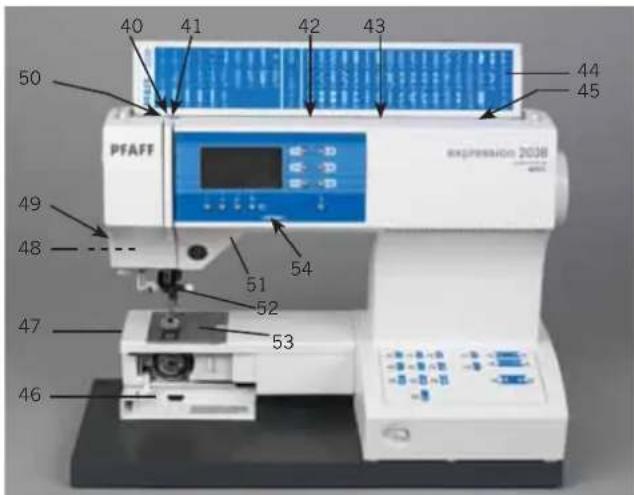
text_image
40 41 42 43 50 PFAFF 44 45 49 48 51 52 53 47 46 expression 20381 -/+ button A (stitch width/pattern width controls)
2 -/+ button B (stitch length/pattern length controls)
3 -/+ button C (stitch density/balance controls)
4 Info button
5 Carrying handle
6 Handwheel
7 "M" button
8 Cursor buttons
9 Clear/pattern start button
10 Stitch selection button
11 Connection socket "lead cord"
12 Connection socket "foot control"
13 Master switch
14 m+ button
16 Direct selection button "Alphabet"
17 Direct selection button "Linen buttonhole"
18 Direct selection button "Elastic blind hem stitch"
19 Direct selection button "Zigzag stitch"
20 Direct selection button "Stretch triple straight stitch"
21 Direct selection button "Blindhem stitch"
22 Direct selection button "Bridging stitch"
23 Direct selection button "Button attaching program"
24 Direct selection button "Straight stitch"
25 Direct selection button "Elastic stitch"
26 Direct selection button "Closed overlock stitch"
27 Slide for lowering the feed dog
28 Base plate
29 Removable accessory tray
30 Presser foot holder with presser foot
31 Integrated dual feed/IDT
32 Integrated needle threader
33 "Reverse sewing" button
34 Threading slots
35 Needle thread tension
36 "Tie-off" button
37 "Needle up/down" button
38 "Slow sewing" button
39 "Pattern mirror" button/ "Lock" button
40 Take-up lever
41 Thread guide
42 Spool pin with spool cap
43 Hole for second spool pin
44 Lid with stitch program chart
45 Bobbin winder
46 Bobbin door
47 Free arm
48 Sewing bulb (max. 5 W)
49 Thread cutter
50 Thread take-up
51 Presser foot lifter
52 Needle holder with retaining (set) screw
53 Needle plate
54 Contrast control
Modern, uncomplicated
Sewing by push-button control

natural_image
Folded textile with various patterned fabric and geometric designs, placed on a wooden surface (no text or symbols visible)Congratulations! You have purchased a high-quality product that offers unique advantages.
It features the very latest in design and technology, and this instruction book is just as uncomplicated as your PFAFF® sewing machine. It applies both to the 2048 model and to the 2038. Should there be any difference in operation we have pointed that out separately.
If you now take time enough to study the instruction book, nothing can go wrong. After all, this is the only way to learn all the things the machine can do, and to make full use of them.
If you have any further questions, that is no problem! Your PFAFF dealer will be at your service with any help or advice you need.
So now you can get started! We wish you many enjoyable hours of creating your fashion ideas.

natural_image
White industrial sewing machine (PFAFF) with digital display and control buttons, no visible text or symbols on the device body.TABLE OF CONTENTS
1. Introduction
Utility stitches (2048) 1:4
Utility stitches (2038) 1:6
Decorative stitches 1:8
2. Preparations
Carrying case 2:1
Lid with stitch chart 2:1
Electrical connection 2:2
Voltage switch 2:2
Removable accessory tray 2:3
Bobbin winding 2:4-5
Bobbin case 2:6-7
Threading the needle thread 2:8
Integrated needle threader 2:9
Drawing up the bobbin thread 2:10
Presser foot lifter 2:10
Thread cutter 2:10
Changing the presser feet 2:11
Winding a bobbin through the needle 2:12
Changing needles 2:13
Threading twin needle 2:13
Integrated Dual Feed/IDT 2:14
Lowering feed dog 2:15
Altering stitches 2:16
3. Sewing
Adjusting the contrast in the expression window 3:1
Stitch selection 3:1
Altering the stitch width/needle position 3:2
Altering the pattern width/stitch length 3:2-3
Bobbin thread monitor (model 2048) 3:3
Altering the pattern length/stitch density 3:3
Balance 3:3
Info button/reverse sewing button 3:4
Sewing function buttons 3:5
"Lock" button 3:6
Twin needle 3:6
Formation of the stitches 3:7
Stitch sequences 3:8
Buttons for the stitch sequence 3:8
Opening an m-memory 3:8
Deleting from the stitch sequence 3:9
Inserting into the stitch sequence 3:9-10
Deleting a stitch sequence 3:10
Deleting all M-memories 3:10
Changing a pattern within a sequence 3:10
"Pattern start" function 3:11
Non-elastic/elastic stitches 3:11-12
Overlock stitches 3:13
Darning 3:14
Free Motion Sewing 3:14
Gathering 3:15
Bridging stitches 3:16
Cross hem stitches 3:16
Hemming 3:16
Shell edging 3:16
General notes on buttonholes 3:17
Inserting the buttonhole guide 3:17
Attaching the buttonhole foot 3:17
Fully automatic buttonhole 3:18
Semi-automatic buttonhole/manual fi nish 3:18
Manual buttonhole 3:19
Buttonholes with gimp thread 3:20
Sewing on buttons 3:21
Tips for a perfect buttonhole 3:21
6. Maintenance
Changing the needle plate 6:1
Cleaning 6:1
Changing the light bulb 6:1
Sewing problems and their solutions 6:2-3
4. Quilting
Piecing the quilt top 4:1
Stitch-in-the-Ditch 4:1
Antique Quilt Stitches 4:2
Tying the Quilt 4:2
Free Motion Stippling 4:2
Quilt Appliques 4:3
5. Decorative sewing/Specialty techniques
General notes on decorative sewing 5:1
Altering pattern width/length for combined borders 5:1
Free-motion embroidery 5:2
Automatic tapering 5:2-3
Cross-stitch 5:3
Hemstitching 5:4
Utility stitches quilt expression™ 2048

text_image
Diagram showing various types of electrical or mechanical symbols with numbered labels from 0 to 9, including bidirectional arrows and zigzag lines.Stitch No. Description Application Presser-
foot
| 1 | Straight stitch For seaming and topstitching up to 6 mm. 19 needle positions available for edgestitching or sewing in zippers. | 0A | |
| 2 | Stretch triple straight stitch | For reinforced seams such as trousers, under arm seams or decorative topstitching. With 19 needle positions. | 1A |
| 3 | Zigzag stitch, Center needle position | For finishing seams on fabrics, applique, and inserting lace. 0A | |
| 4 | Elastic stitch | Strong stitch for seam finishes, sewing elastic, darning tears, and patches. | 0A |
| 5 | Blind hem stitch | For securing hems invisibly on woven fabrics | 3 |
| 6 | Elastic blind hem stitch | For securing hems invisibly and finishing the edge on stretch fabrics. | 3 |
| 7 | Closed overlock stitch | For hemming and overlapping stretch fabrics in one operation. The closed seam prevents fabric edges from fraying. | 3 |
| 8 | Bridging stitch | For bridging, decorative hemstitching and crazy quilting. | 0A |
| 9 | Linen buttonhole | Buttonhole for blouses, shirts and linen. | 5A |
| 0 | Button attaching program | For two-hole or four-hole buttons. | 2A |
| 10 | Basting stitch | For basting project pieces together. | 1A |
| 11 | Zigzag stitch Right/ Left needle position | For applique, couching over cords and creating eyelets. | 1A |
| 12 | Lightning stretch stitch | For joining light weight stretch fabrics and decorative embellishment. | 1A |
| 13 | Decorative elastic stitch | For joining overlapped seams on bulky fabrics such as leathers and terry cloth. | 0A |
| 14 | Stretch triple | Elastic stitch for decorative hems and topstitching.zigzag stitch | 1A |
Utility stitches quilt expression 2048

15 16 17 18 19 20 21 22 23 25 2624
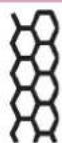

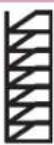

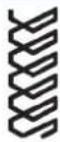
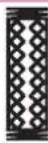


27
Stitch No. Description Application Presser-
foot
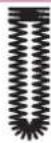
15 Overlock stitch For joining and overcasting stretch fabrics in one operation. 3
16 Honeycomb stitch Elastic, decorative stitch for ornamental hem finishing on 0A stretch fabric, for decorative elastic application and sewing with elastic thread in the bobbin.
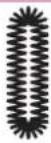
17 Cross hem stitch Provides a highly elastic decorative seam for hems on sportswear and casual wear. 0A
18 Closed overlock For joining and overcasting woven fabric and easily fraying fabrics in one operation. The overcast edge thread prevents the fabric edges from fraying
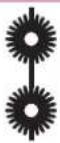
19 Pullover stitch Join and overcast open knit fabrics and jersey. 3
20 Light-knit fabric patching stitch For sewing and patching light knit wear (undergarments etc.) 3
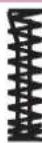
21 Cross stitch buttonhole Decorative buttonhol for jackets and for embellishing other 5A garnments.
22 Rounded buttonhole with Buttonhole for shirts, jackets and trousers. 5A lengthwise bartack
23 Eyelet buttonhole Professional tailor's buttonhole for denim jackets and trousers. 5A
24 Rounded buttonhole Use for ligthweight garments or jackets. 5A
25 Eyelet Create eyelets for garments and home textiles. Also great for 0A decorating nostalgia projects.
26 Bartack For applying belt loops and reinforcing pockets. 0A
27 Denim bartack Decorative bartack for trousers and skirt pockets. 0A
Utility stitches expression 2038
| 1 | 2 | 3 | 4 | 5 | 6 | 7 | 8 | 9 | 0 | 1 | 1 | 1 |
Stitch No. Description Application Presser-
foot
1 Straight stitch For seaming and topstitching up to 6 mm. 19 needle positions available for edgestitching or sewing in zippers.
2 Stretch triple straight stitch For reinforced seams such as trousers, under arm seams or 1A decorative topstitching. With 19 needle positions.
3 Zigzag stitch, Center needle position For finishing seams on fabrics, applique, and inserting lace. 0A
4 Elastic stitch Strong stitch for seam finishes, sewing elastic, darning tears, and patches. 0A
5 Blind hem stitch For securing hems invisibly on woven fabrics 3
6 Elastic blind hem stitch For securing hems invisibly and finishing the edge on stretch fabrics.
7 Closed overlock stitch For hemming and overlapping stretch fabrics in one operation. The closed seam prevents fabric edges from fraying.
8 Bridging stitch For bridging, decorative hemstitching and crazy quilting. 0A
9 Linen buttonhole Buttonhole for blouses, shirts and linen. 5A
0 Button attaching program For two-hole or four-hole buttons. 2A
10 Basting stitch For basting project pieces together. 1A
11 Zigzag stitch Right/Left needle position For applique, couching over cords and creating eyelets. 1A
12 Lightning stretch stitch For joining light weight stretch fabrics and decorative embellishment 1A
13 Decorative elastic stitch For joining overlapped seams on bulky fabrics such as leathers and 0A terry cloth.
Utility stitches expression 2038

natural_image
Collection of ten black-and-white geometric line patterns, resembling stylized waves or filaments, arranged in a row (no text or symbols)14 15 16 17 18 19 20 21 22 23 24 25
Stitch No. Description Application Presser-
foot
14 Stretch triple zigzag stitch Elastic stitch for decorative hems and topstitching. 1A
15 Overlock stitch For joining and overcasting stretch fabrics in one operation. 3
16 Honeycomb stitch Elastic, decorative stitch for ornamental hem finishing on 0A stretch fabric, for decorative elastic application and sewing with elastic thread in the bobbin.
17 Cross hem stitch Provides a highly elastic decorative seam for hems on sportswear and casual wear. 0A
18 Closed overlock stitch For joining and overcasting woven fabric and easily fraying fabrics in one operation. The overcast edge thread prevents the fabric edges from fraying.
19 Pullover stitch Join and overcast open knit fabrics and jersey. 3
20 Light-knit fabric patching stitch For sewing and patching light knit wear (undergarments etc.) 3
21 Cross stitch buttonhole Decorative buttonhol for jackets and for embellishing other 5A garnments.
22 Eyelet buttonhole Professional tailor's buttonhole for denim jackets and trousers. 5A
23 Rounded buttonhole Use for ligthweight garments or jackets. 5A
24 Bartack For applying belt loops and reinforcing pockets. 0A
25 Denim bartack Decorative bartack for trousers and skirt pockets. 0A
Quilt stitches 2048Darning stitch 2048 Alphabet 204
text_image
28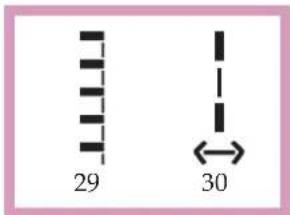
text_image
29 30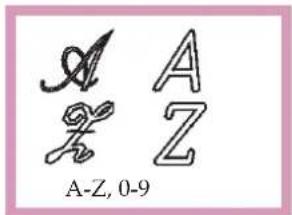
text_image
A Z A Z A-Z, 0-9Antique Quilt stitches 2048

text_image
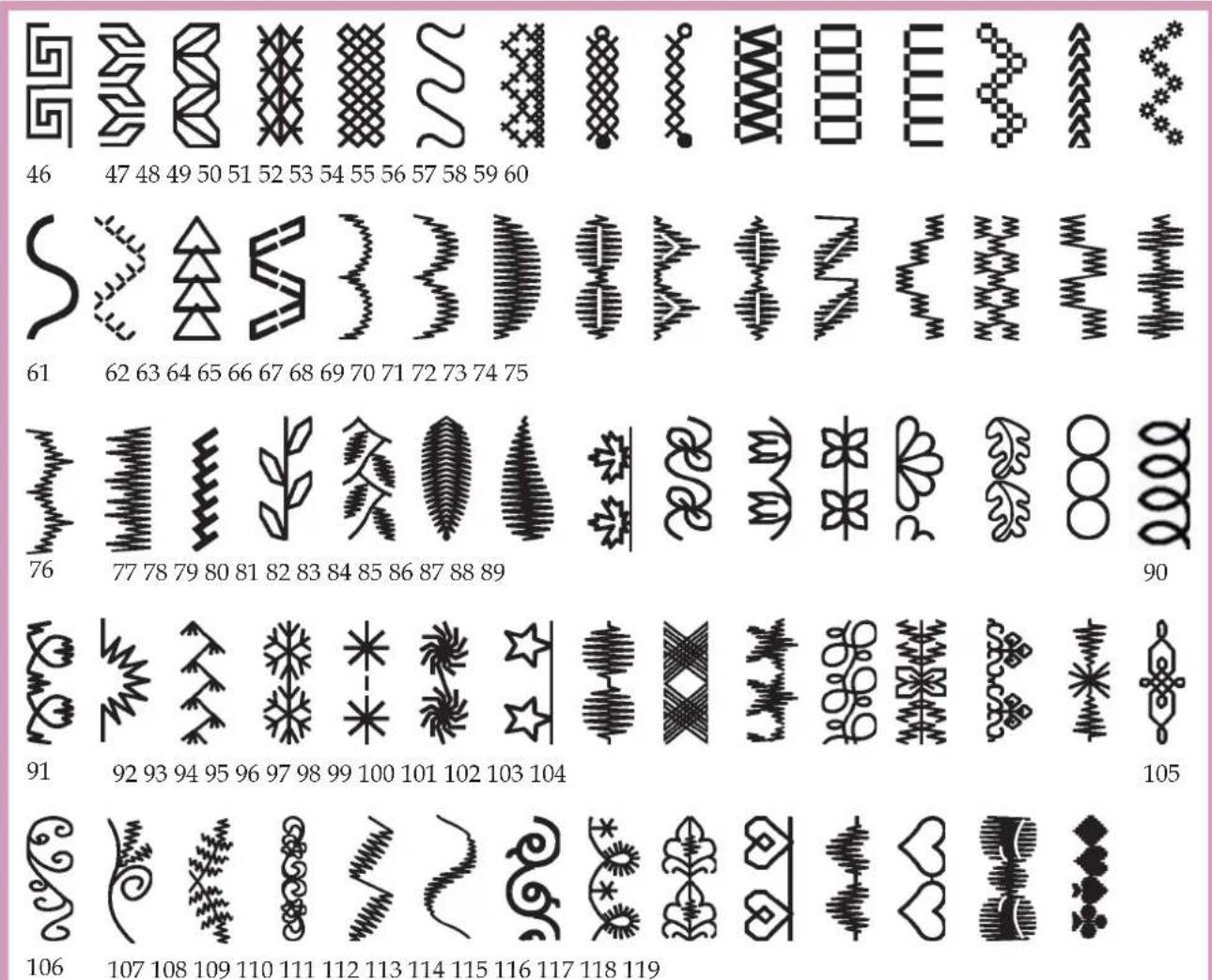
31 32 33 34 35 36 37 38 39 40 41 42 43 44 45Decorative stitches expression 2048
text_image
46 47 48 49 50 51 52 53 54 55 56 57 58 59 60 61 62 63 64 65 66 67 68 69 70 71 72 73 74 75 76 77 78 79 80 81 82 83 84 85 86 87 88 89 91 92 93 94 95 96 97 98 99 100 101 102 103 104 106 107 108 109 110 111 112 113 114 115 116 117 118 119Alphabet 2038Quilt stitches 2038

text_image
26 27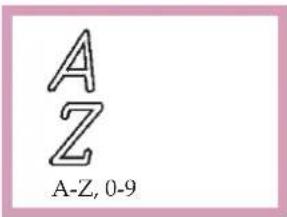
text_image
A Z A-Z, 0-9Decorative stitches expression 2038
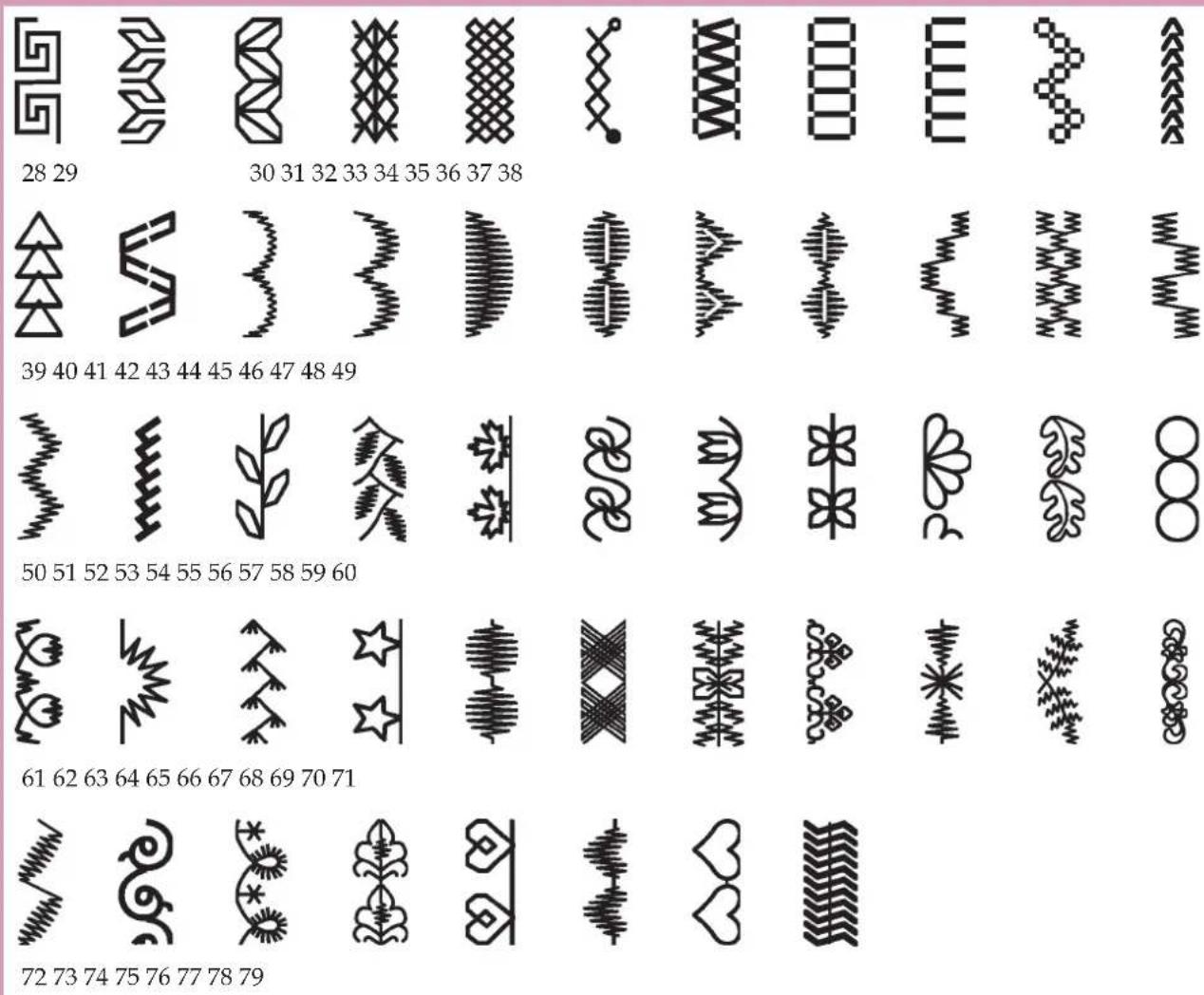
bar
| X-Axis Label | Pattern Description | |---|---| | 28 | Geometric Shape (Giggle) | | 30 | Linear Wave (30-31) | | 31 | Linear Wave (30-31) | | 32 | Linear Wave (30-31) | | 33 | Linear Wave (30-31) | | 34 | Linear Wave (30-31) | | 35 | Linear Wave (30-31) | | 36 | Linear Wave (30-31) | | 37 | Linear Wave (30-31) | | 38 | Cross-Vertical Line (Cross) | | 39 | Triangle Wave (Triangle) | | 40 | Square Wave (40-41) | | 41 | Wavy Wave (41-42) | | 42 | Viscual Wave (42-43) | | 43 | Viscual Wave (43-44) | | 44 | Viscual Wave (44-45) | | 45 | Viscual Wave (45-46) | | 46 | Viscual Wave (46-47) | | 47 | Viscual Wave (47-48) | | 48 | Viscual Wave (48-49) | | 50 | Star Wave (50-51) | | 51 | Wavy Wave (51-52) | | 52 | Viscual Wave (52-53) | | 53 | Viscual Wave (53-54) | | 54 | Viscual Wave (54-55) | | 55 | Viscual Wave (55-56) | | 56 | Viscual Wave (56-57) | | 57 | Viscual Wave (57-58) | | 58 | Viscual Wave (58-59) | | 59 | Viscual Wave (59-60) | | 61 | Star Wave (61-62) | | 62 | Wavy Wave (62-63) | | 63 | Viscual Wave (63-64) | | 64 | Viscual Wave (64-65) | | 65 | Viscual Wave (65-66) | | 66 | Viscual Wave (66-67) | | 67 | Viscual Wave (67-68) | | 68 | Viscual Wave (68-69) | | 69 | Viscual Wave (69-70) | | 70 | Star Wave (70-71) | | 71 | Wavy Wave (71-72) | | 72 | Wavy Wave (72-73) | | 73 | Star Wave (73-74) | | 74 | Wavy Wave (74-75) | | 75 | Star Wave (75-76) | | 76 | Star Wave (76-77) | | 77 | Star Wave (77-78) | | 78 | Star Wave (78-79) | The chart displays the frequency distribution of a sequence of symbols across the x-axis. The y-axis is unlabeled but corresponds to the numerical values in the top row.
natural_image
Blank white image with no visible content, text, or symbols2. Preparations

natural_image
White rectangular electronic device casing with a recessed top and mounting holes (no visible text or symbols)Carrying case
Place the enclosed lead cord, the foot control and instruction book into the compartment of the carrying case.

natural_image
Close-up of a white PFAFF air conditioner unit with a digital display and control panel (no visible text or symbols on the device body)Lid
Open the folding lid (44) upwards.

text_image
PFAFF 2048 10 11 12 13 14 15 16 17 18 19 20 21 22 23 24 25 26 27 28 21 22 23 24 25 26 27 28 Quilt 40 41 42 43 44 45 quilt expression 2048 pattan engineering PFAFF A A2 A2The stitches of the sewing machine are illustrated on the inside of the lid.
Preparations

natural_image
Close-up of a white electronic device with a white cable inserted into a black base (no visible text or symbols)Operating Instructions
Electrical connection
Connect the lead cord between the socket (11) of the sewing machine and the wall outlet.
For the USA and Canada
This sewing machine has a polarized plug (one blade wider than the other). To reduce the risk of electric shock, this plug is intended to fit in a polarized outlet only one way. If the plug does not fit fully in the outlet, reverse the plug. If it still does not fit, contact a qualified electrician to install the proper outlet. DO NOT modify the plug in any way!

natural_image
Two white electronic devices with cables connected to a black rectangular device (no visible text or symbols)Connecting the foot control
Connect the plug of the foot control to the connection socket (12) of the sewing machine.
The sewing speed is controlled by pressing the foot control.
The foot control type AT 0070 has to be used for this sewing machine.
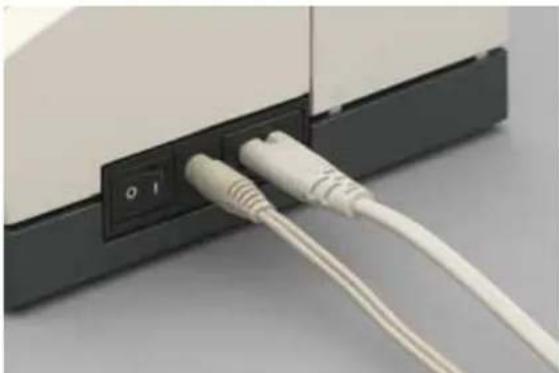
natural_image
Close-up of a white USB cable inserted into a black electronic device with a power button (no text or symbols visible)Main switch
When the main switch (13) is switched on (switch function I) the sewing lamp lights up and program No. 1 is indicated in the expression window.
The sewing machine is now ready to function.
$$ " 0" = O F F $$
$$ " I" = O N $$
text_image
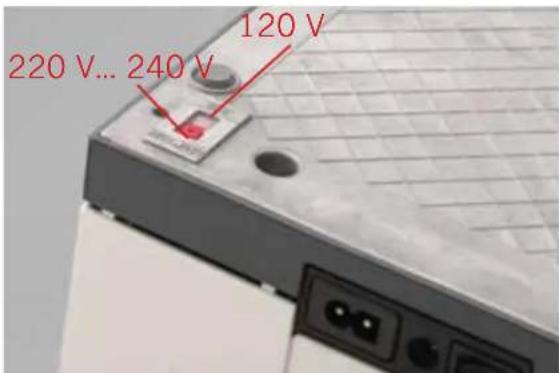
220 V... 240 V 120 VVoltage Switch
220 - 240V / 120V
The sewing machine is set to the voltage 220 - 240V. To change the voltage to 120V (US/Canada), you must set the voltage switch on the underside of the machine to 120 V.
If you are unsure of the correct voltage for your country, please check with your authorized sewing machine dealer or local electrical authorities before plugging in your machine.
natural_image
Close-up of a sewing machine needle stitching a white base, with a red arrow pointing to a seam (no visible text or symbols)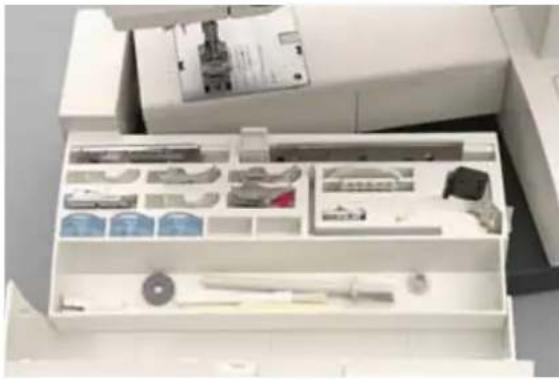
natural_image
Interior view of a white filing cabinet with various compartments and storage items (no visible text or labels)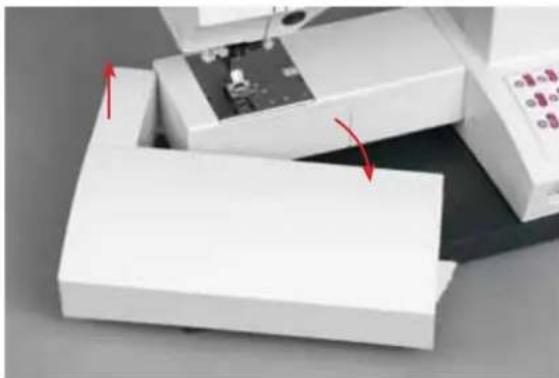
natural_image
Close-up of a white laboratory instrument with red arrows indicating motion or force, no visible text or symbolsAccessory tray
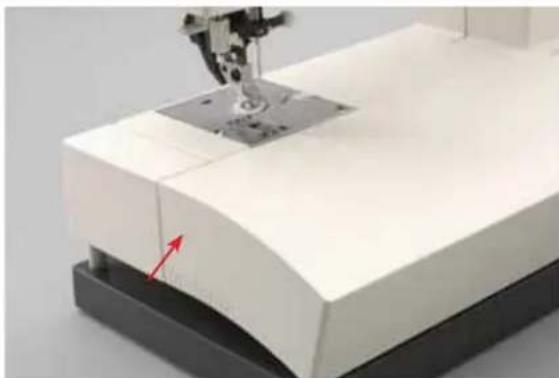
Open the accessory tray by placing your left index finger on the ridged area on the left of the lid and open the lid upwards and towards you.
Arranging the accessories
The standard accessories are marked with numbers. Arrange the parts in the respective compartments of the accessory tray.
Removing the accessory tray (free arm)
In order to sew using the free arm, swing the accessory tray to the left and lift it upwards out of the hole. When replacing the tray, make sure it is flush with the free arm of the sewing machine.
Note: Some fabrics have a lot of excess dye which can cause discoloration on other fabric but also on your sewing machine. This discoloring may be very difficult or impossible to remove.
Fleece and denim fabric in especially red and blue often contain a lot of excess dye.
If you suspect that your fabric/ready-to-wear garment contains a lot of excess dye, always pre-wash it before sewing/embroidering to avoid the discoloring.
Preparations

text_image
112 113 114 115 116 117 118 119 A Z A-Z A-2Preparing the machine for bobbin winding
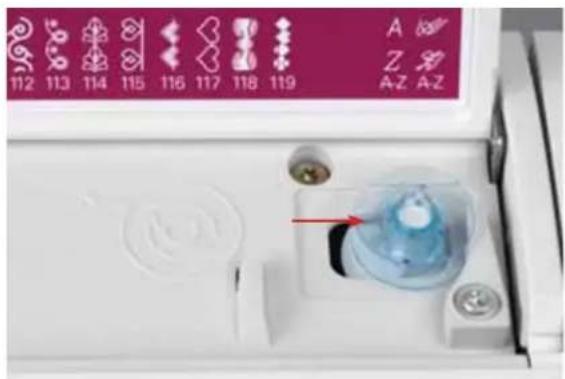
Place an empty bobbin so that the pin of the bobbin winder snaps into the slot of the bobbin. The Pfaff logo is facing up.
text_image
112 113 114 115 116 117 118 119 A Z A-Z Z A-ZPush the bobbin to the right.
Note: The bobbin can only be wound if it is moved fully to the right.
text_image
B AWinding the bobbin from the spool pin
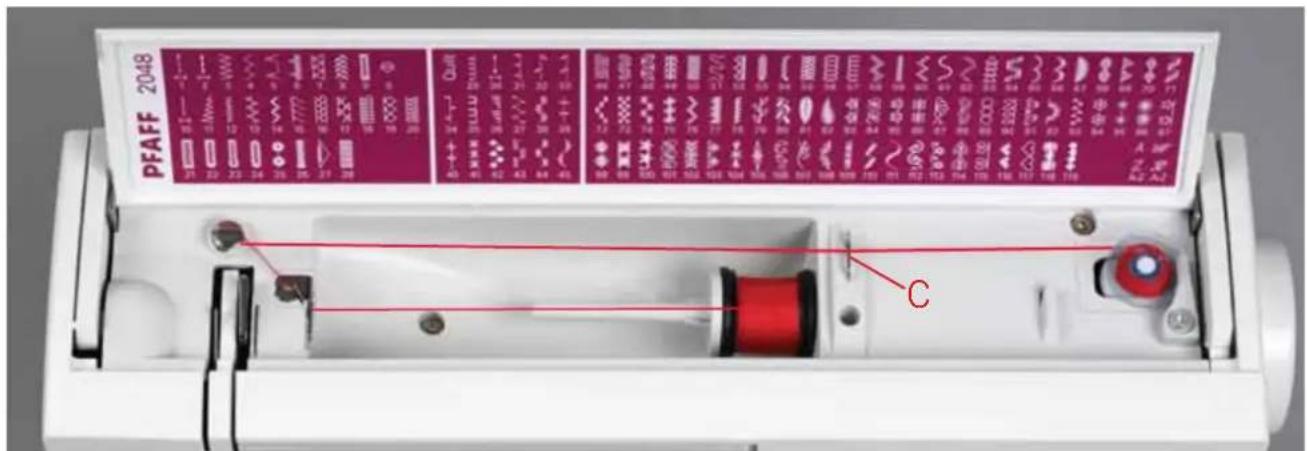
Place the sewing thread on the spool pin. To obtain free movement of the thread and hold the thread spool firmly, fit a spool cap of the right size for the thread spool.
Threading
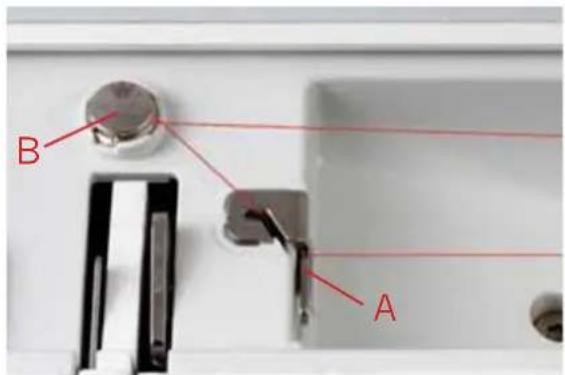
Place the thread into guide A from the front and pull it counter clockwise around the pre-tension device B. Make sure the thread is pulled securely inside the pre-tension device for correct thread tension. Pull the thread under the thread guide C (from back to front). Wind the thread tail around the bobbin several times in a clockwise direction.
Switch on the main switch
Hold the end of the thread firmly and press the foot control. As soon as the bobbin is full, the winding action will be stopped automatically. Push the bobbin to the left, cut the thread and remove bobbin from the winder.
text_image
PFAFF 2048 C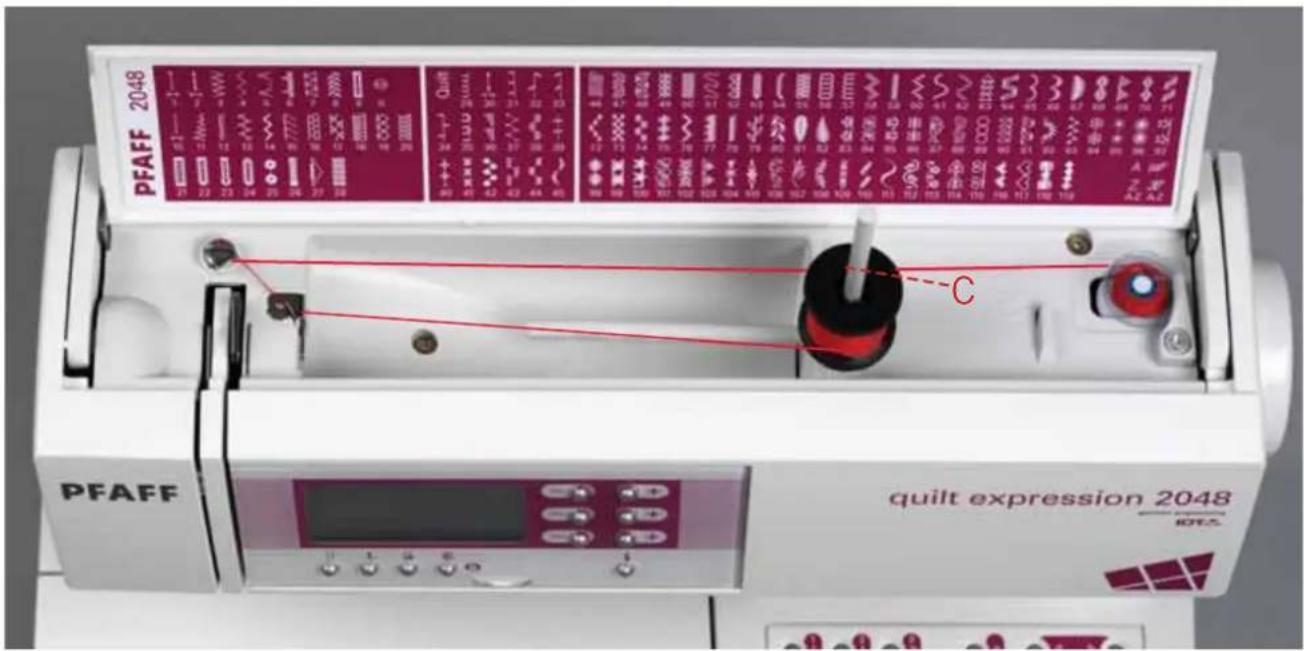
text_image
PFAFF 2048 quilt expression 2048 IOTEC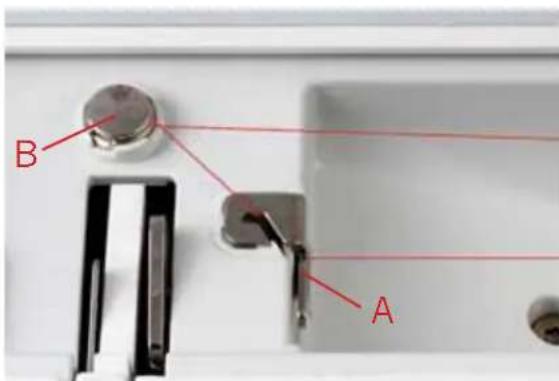
text_image
B A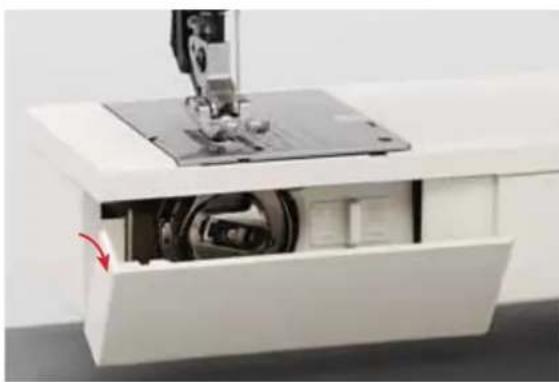
natural_image
Interior view of a sewing machine with visible mechanical components and a red arrow indicating a component (no text or symbols)Winding from the second spool pin
Insert the second spool pin in the hole provided.
Threading
Thread as shown on page 2:4.
Switch on the main switch
Hold the end of the thread firmly and press the foot control. As soon as the bobbin is full, the winding action will be stopped automatically. Cut the thread, push the bobbin to the left and remove bobbin from the winder.
Bobbin door
⚠️ Switch off the main switch
Hold the bobbin door (46) at the left side and open it towards the front.
Preparations

natural_image
Close-up of a hand operating a sewing machine with a metal component inserted (no visible text or symbols)Taking out the bobbin case
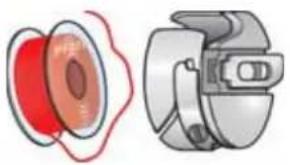
Lift the latch of the bobbin case and pull the bobbin case out of the machine. Release the latch and take the empty bobbin out of the bobbin case.

natural_image
Pure diagram of a coiled spring or solenoid without any text, numbers, or symbols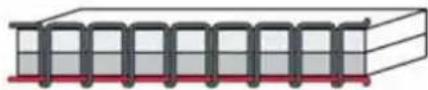
natural_image
Pure diagram of a 3D rectangular block with internal helical structures and red base (no text or symbols)Thread tension
To obtain a perfect seam appearance and durability make sure the needle thread tension is correctly adjusted, i.e. the threads evenly meet between the two fabric layers.
The following is valid for general sewing:
Bobbin thread is visible on the top side of the fabric:
The needle thread tension is too tight.
The thread tension must be corrected.
Top thread is visible on the underside of the fabric:
The needle thread tension is too loose.
The thread tension must be corrected.
For decorative stitches and buttonholes the top thread should be visible on the underside of the fabric.
natural_image
Diagram showing two views of a mechanical component with red and gray outlines (no text or symbols)
text_image
B
text_image
Technical diagram of a mechanical component with labeled parts C and C1
text_image
Diagram of a mechanical component with labeled parts D and E, showing internal structure and directional indicators.Inserting the bobbin
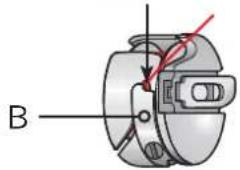
Insert the full bobbin (with the Pfaff logo facing towards the bobbin case) in the bobbin case. When doing so, pull the thread through slot A, then under tension spring B until it rests in the opening (see arrow).
Check:
When you look at the bobbin and pull the thread, the bobbin must turn clockwise.
Inserting the bobbin case
Lift latch E and push the bobbin case fully onto pin C of the sewing hook. Opening D of the bobbin case must face upwards.
Check:
Pull the bobbin thread sharply. The bobbin case must not fall out of the hook.
Preparations

text_image
PFAFF 2C 1 2 3 4 5 6 7 8 10 11 12 13 14 15 16 17 21 22 23 24 25 26 27 28 B A PFAFF C DThreading the needle
⚠️ Switch off the main switch.
Raise the presser foot lifter (51). Place the thread on the spool pin and fit a spool cap of the right size.
Using both hands, pull the thread into thread guide A from the front. Place the thread from right to left into the pretension device B. Now pass it through the left threading slot downwards. Pull the thread around the stop C in the right threading slot and upwards to the take-up lever (40). The thread must be pulled into the take-up lever from left to right. Pass the thread downwards in the right-hand threading slot. Pull the thread from the side behind one of the two thread guides D.
To thread the needle, please refer to the next page.
natural_image
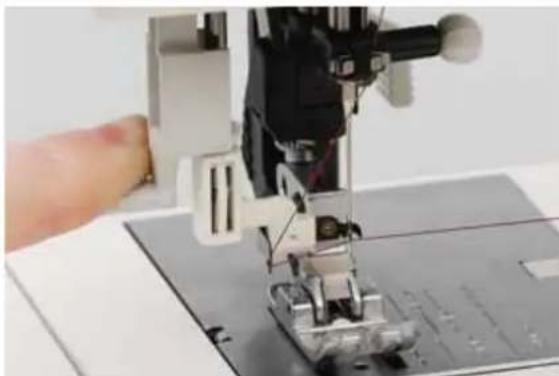
Close-up of a sewing machine needle stitching fabric, with a hand adjusting the part (no visible text or symbols)Integrated Needle threader
In order to make threading the needle easier and quicker, use the Pfaff Integrated Needle threader. Lower the presser foot. Press the threader down with the handle. Threader hook F swivels through the needle eye. Place the thread over hook E and under the thread hook F and hold the end of the thread taut. Reduce the pressure so that the needle threader slowly moves upwards. At the same time the threader hook swivels out of the needle eye and pulls the thread through the eye. Release the end of the thread so a thread loop forms behind the needle. Release the threader and pull the rest of the thread end through the needle eye.

text_image
E F
natural_image
Close-up of a sewing machine needle stitching fabric, with a hand adjusting the component (no visible text or symbols)Preparations
natural_image
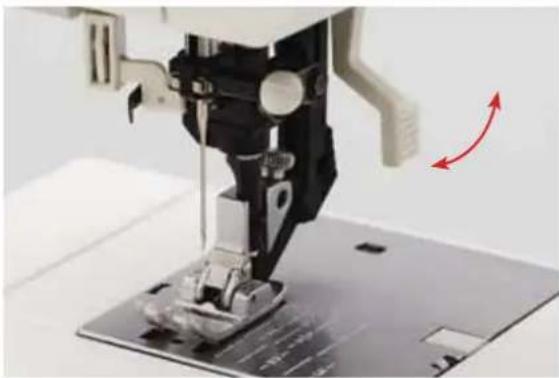
Close-up of a sewing machine needle and baseplate with red directional arrows indicating motion (no text or symbols)Presser foot lifter
The presser foot is raised or lowered with the presser foot lifter (51).

natural_image
Close-up of a sewing machine needle stitching a circular component (no visible text or symbols)Drawing-up the bobbin thread
Raise the presser foot. While holding the end of the needle thread, press the foot control so the needle moves down and up. Pull the needle thread to draw up the bobbin thread.
natural_image
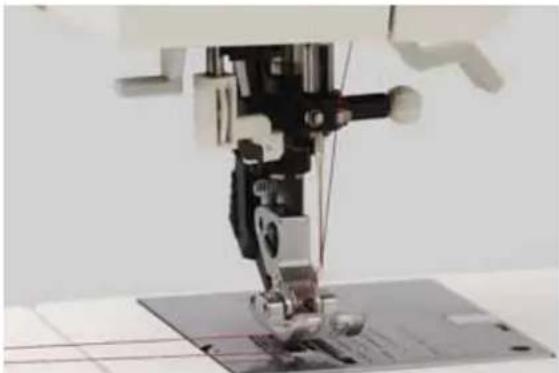
Close-up of a sewing machine needle stitching fabric, no visible text or symbolsBobbin thread
Close the bobbin door (46) and pull the thread under the presser foot to the left.

natural_image
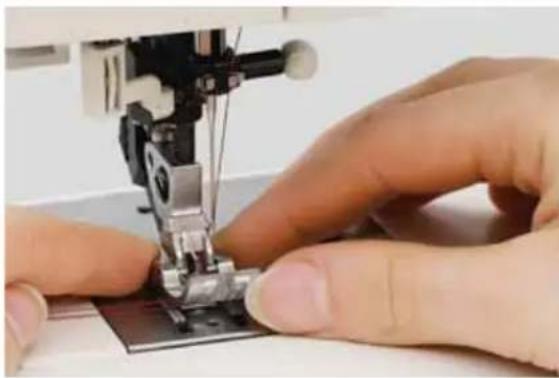
Close-up of a robotic arm with red wires and mechanical components (no visible text or symbols)Thread cutter
Pull the thread from the back to the front over the thread cutter (49).
natural_image
Close-up of hands operating a sewing machine needle on a fabric (no visible text or symbols)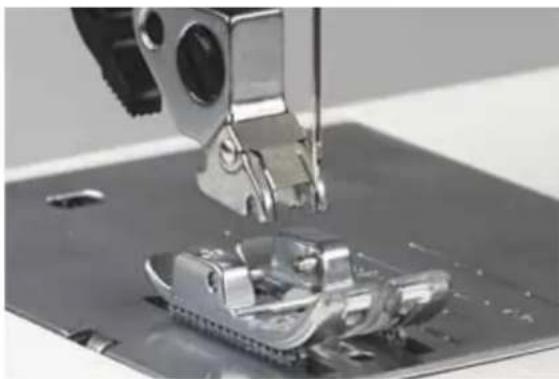
natural_image
Close-up of a sewing machine needle stitching metal components on a workbench (no visible text or symbols)
natural_image
Close-up of a sewing machine needle stitching metal fabric, no visible text or symbols
text_image
PFAFFRemoving the presser foot

Switch off the main switch.
Press the front part of the presser foot upwards and at the same time the rear part downwards until it disengages from the presser foot holder (30).
Attaching the presser foot
Place the presser foot under the presser foot holder (30), so that when the presser foot lifter (51) is lowered, the pins of the foot engage in the presser foot holder.
Check:
Please check that the presser foot is properly attached by raising the presser foot lifter.
Setting the needle thread tension
Set the required amount of the needle thread tension (35) using the markings on the tension dial.
The normal setting for sewing is 4 - 5. For decorative sewing, darning and buttonhole sewing 3.
Preparations

natural_image
Close-up of a sewing machine needle stitching a metal sheet on a base (no visible text or symbols)Winding a bobbin through the needle
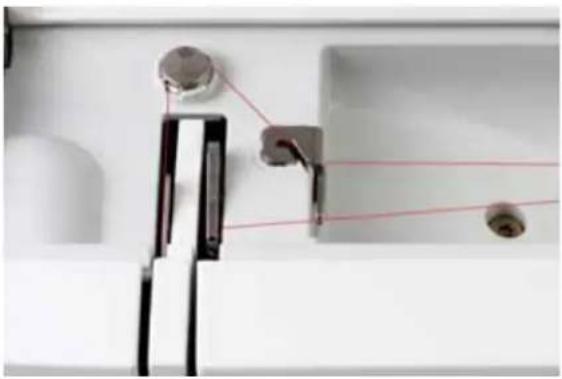
It is possible to wind bobbins even when the machine is fully threaded. Raise the presser foot lifter (51) to the top position. Pull the needle thread underneath the presser foot and upward through the right-hand threader slot (34).
natural_image
Close-up of a kitchen sink with attached fixtures and a red line indicating alignment (no text or symbols visible)Place the thread from left to right through the take-up lever (40).
Important: The take-up lever must be at its highest position.

text_image
PFAFF 2048 PFAFF quilt expression 2048 DTAGuide the thread to the right under thread guide C. Wind the beginning of the thread several times around the bobbin in a clockwise direction. Push the bobbin to the right. Hold the end of the thread firmly and press the foot control.
natural_image
Close-up of hands assembling a sewing machine into a metal circuit board (no visible text or symbols)Changing the needle
⚠️ Switch off the main switch
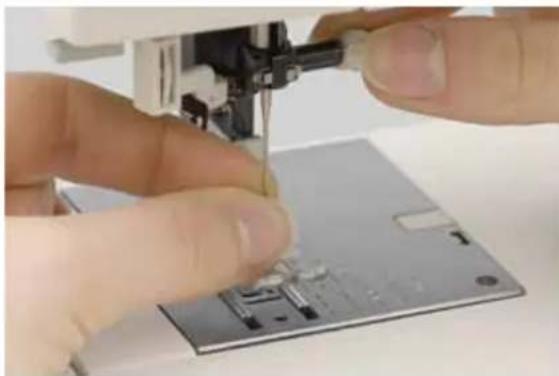
To remove: Lower the presser foot and set the needle to its highest position. Loosen the needle screw (52) and pull the needle out downwards.
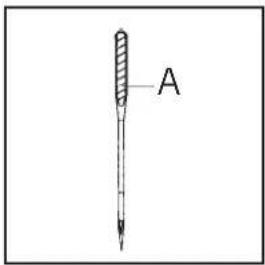
To insert: The fl at side A of the needle must face to the rear. Lower the presser foot and insert the needle, pushing it up as far as it will go. Hold the needle and tighten the needle screw (52) firmly.
text_image
A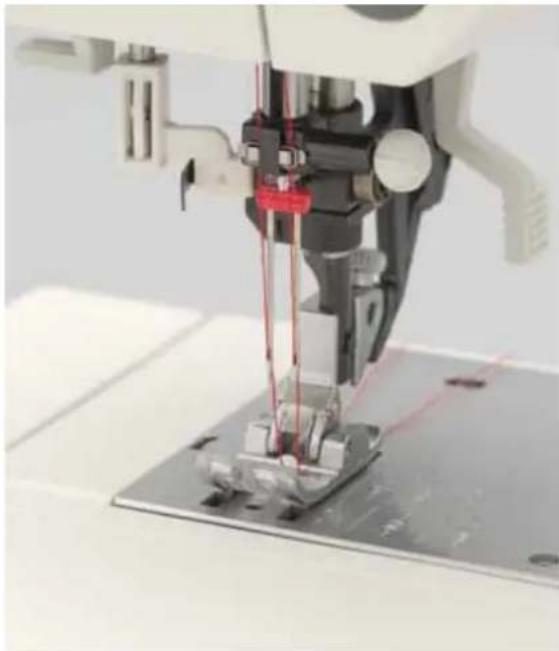
natural_image
Close-up of a sewing machine needle stitching metal workpiece (no visible text or symbols)Threading the twin needle:
Replace the sewing needle with a twin needle. Insert the second spool pin and place one spool of thread on each of the spool pins. During threading in the left threading slot (34), make sure that you pass one thread each to the left and right sides of tension disk B. Continue threading in the usual manner, making sure the threads do not become twisted together. Pull the threads right and left into the thread guide and thread the needles.
Note: It is not possible to use the integrated needle threader with a twin needle.

text_image
BPreparations

natural_image
Close-up of a sewing machine needle stitching purple fabric, against a blue background (no text or symbols visible)The IDT (Integrated Dual Feed)
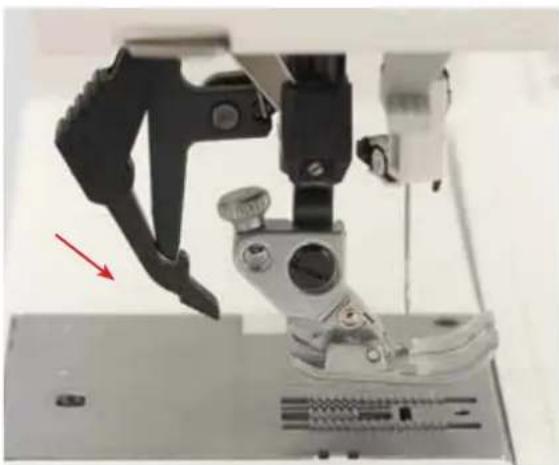
For sewing any fabric precisely Pfaff provides the ideal solution: the Integrated Dual Feed, IDT system. As on industrial machines, the IDT feeds the fabric from the top and bottom at the same time. The material is fed precisely. On light fabrics such as silk or rayon the dual feed prevents puckering of the seam. The even feeding action also ensures perfect matching of checked and striped fabrics. The IDT keeps all layers of quilt projects aligned to prevent stretching of the top layers.
natural_image
Close-up of a sewing machine needle with a black handle and metal base, showing mechanical components and a red arrow pointing to a detail (no text or symbols visible)Engaging the IDT
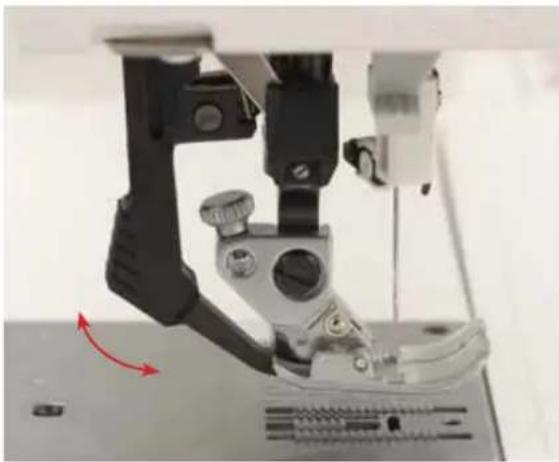
Important: For all work with the IDT, use presser feet with the center back cut-out.
Raise the presser foot. Press the IDT (31) down until it engages.
natural_image
Close-up of a sewing machine needle and foot assembly (no visible text or symbols)Disengaging the IDT
Hold the IDT with two fingers at the ribbed ankle. Press the IDT (31) down, then pull it away from you and release the IDT slowly upward.
natural_image
White industrial sewing machine (PFAFF) with digital display and control buttons, no visible text or symbols on the device body.
text_image
A
natural_image
Exterior view of a PFAFF laboratory instrument (no visible text or symbols on the device body)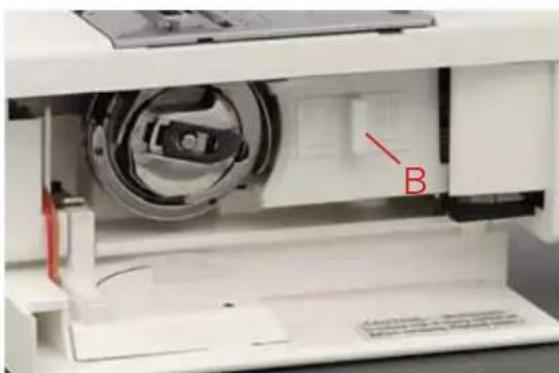
natural_image
Interior view of a medical device showing internal components and a labeled component 'B' (no text or symbols beyond label)Lowering the feed dog
For certain sewing work such as free-motion quilting or darning and when the machine must be cleaned, the feed dog has to be lowered.
Raise the presser foot before lowering the feed dog. Push slide A to the left.
To engage the feed dog move the slide to the right.
Raise the presser foot before engaging the feed dog.
You can also lower the feed dog by opening the bobbin door and moving slide B to the right. To engage the feed dog move the slide to the left.
Raise the presser foot before lowering or raising the feed dog.
Preparations
text_image
6.0 115 1 8.0 0.3 A B C iAltering stitches
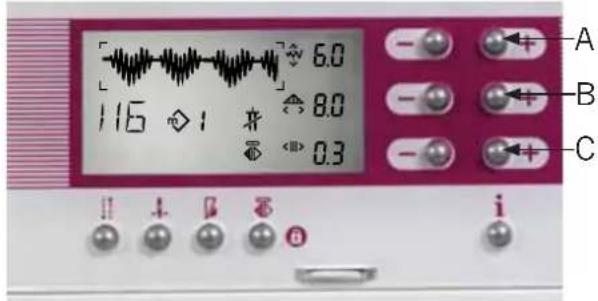
Adjust the length, width, balance, density or needle position of stitches by touching the appropriate -/+ buttons to the right of the window. Each change is visible in the window.
If you tap on your foot control while sewing, the needle can be raised or lowered. This does not change the pre-set needle stop position.
| To change: Use -/+ buttons: | |||
 | Stitch | width | |
| Pattern | width | ||
| Needle position for straight stitches A | |||
 | Stitch | length | |
| Pattern | length | B | |
 | Stitch | density | |
| Pattern | density | ||
| Balance | C | ||
3. Sewing
text_image
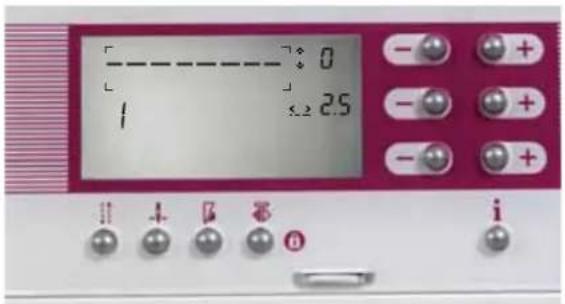
0 1 2.5Adjusting the contrast on the expression window
The contrast setting in the window may be changed for different lighting situations.
This setting can be readjusted with the contrast control (54).
text_image
1 2 3 4 5 6 7 8 9 10 11 12 13 14 15 16 17 18 19 20 21 22 23 24 25 26 27 28 29 30 31 32 33 34 35 36 37 38 39 40 41 42 43 44 45 46 47 48 49 50 51 52 53 54 55 56 57 58 59 60 61 62 63 64 65 66 67 68 69 70 71 72 73 74 75 76 77 78 79 80 81 82 83 84 85 86 87 88 89 90 91 92 93 94 95 96 97 98 99 100Stitch selection on model 2048
text_image
Circuit board layout with labeled components including capacitors, diodes, and switchesStitch selection on model 2038

text_image
- - - - - - - - - - - - - - - - - - - - - - - - - - - - - - - - - - - - - - - - - - - - - - - - - - - - - - - - - - - - - - - - - - - - - - - - - - - - - - - - - - - - - - - - - - - - - - - - - - - - - 0 1 2.5 i + 7 8Stitch selection
There are three ways of selecting your desired stitch:
- With the selection wheel (selection buttons, model 2038): for scrolling back ward and forward in the stitches.
Clockwise = in ascending order
Counterclockwise = in descending order
Model 2038:
in ascending order
< in descending order
If you are in the last stitch, No. 119, (No. 79 in the case of model 2038) and continue to scroll you will return to stitch No. 0.
-
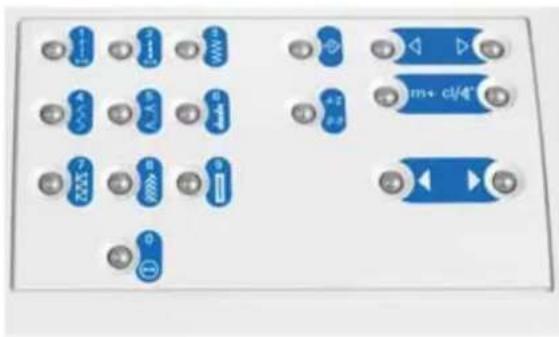
With the direct selection buttons for instant selection of the most commonly used stitches (0 - 9) and for the selection of the alphabets.
-
With the direct selection buttons to choose the stitch number: To select program No. 23, press button 2 then press button 3. The stitch number appears in the window.
Bobbin thread monitor (model 2048)
If the bobbin is nearing its end [2 14 yd (2 m)-3 14 yd (3 m)], or there is no thread on the bobbin, the bobbin symbol appears in the window.
The symbol disappears after a full bobbin is inserted and you start to sew again.
Sewing

text_image
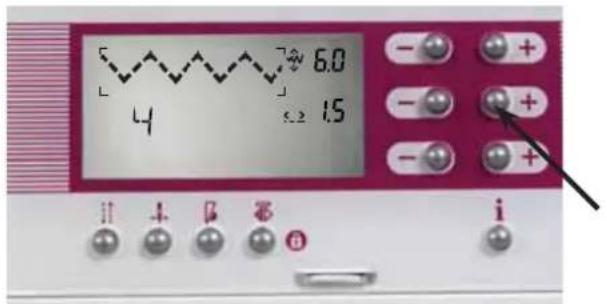
6.0 4 1.5Altering the stitch width
The selected stitch can be sewn in various widths, e.g. zigzag stitch No. 4.

text_image
5 2.5 将 aAltering the needle position
Straight stitch No. 1, stitch No. 2 and stitch No. 10 can be sewn in any of 19 different needle positions. Press -/+ button A to move the needle to left or right of center.

text_image
9.0 70 18 0.3Altering the pattern width, e.g.
Stitch 70 (Stitch 46 on model 2038)
For decorative stitches, the overall width of the pattern is shown in the window. When entered, stitch 70 comes up in a standard width and can be altered using -/+ button A.
text_image
6.0 4 1.5 i i β β a iAltering the stitch length
The stitch length of a stitch can be altered using +/- button B.

text_image
70 9.0 34 0.3Altering the pattern length
The pattern length of decorative stitches can be altered using -/+ button B. On satin stitches the density will not be changed.
text_image
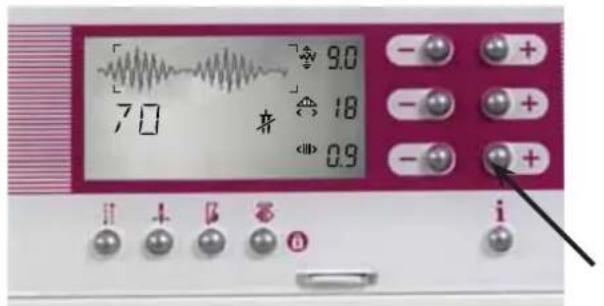
70 9.0 18 0.9 iAltering the stitch density
The stitch density of various stitches (buttonholes, satin stitches, etc.) can be changed. The pattern length will remain constant, but the pattern will be sewn more densely or less densely. Use -/+ button C to adjust the density, when available.

text_image
86 9.0 15 0 iBalance
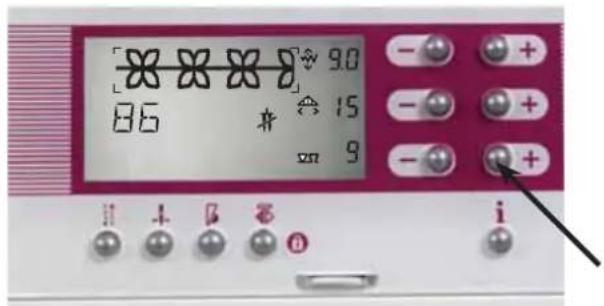
Decorative stitches can vary on different fabric types - heavy fabric is fed differently than fi ne silk. The balance adjusts the reverse feed of the stitch so it is sewn in the best way for different fabrics.
After having selected a stitch, you will see the balance symbol with a "0" after it in the bottom right-hand corner of the expression window. This symbol indicates that the balance can be altered on this stitch.
text_image
86 90 15 9 iThe standard balance setting is "0".
With -/+ button C you can change the reverse feed of the machine from -9 to (+)9.
In the minus range the stitches are sewn shorter, and thus the overall length will be sewn shorter.
In the plus range the stitches are sewn longer or stretched out.
Sewing
text_image
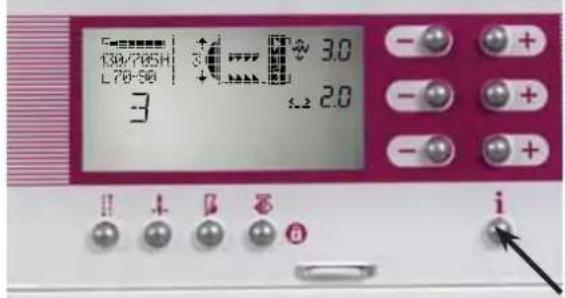
130/765H L78-96 3.0 3.2 2.0 iInfo button
Touch the info button to receive information about the selected stitch.
Info menu
The info menu gives you the following information: needle size/type recommendation, needle thread tension setting, to engage or disengage the IDT, lower the feed dogs, page number of the info menu.
text_image
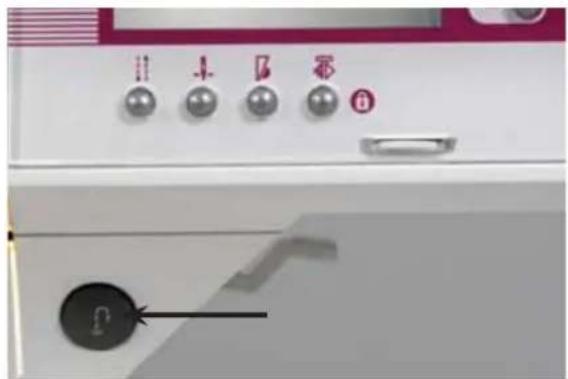
11 4 5 6 FReverse sewing
This button has several functions:
- when pressed, will reverse sew
- for permanent reverse press this button before starting to sew, the machine sews in reverse until you press the button again
- manual fi nish of a buttonhole (see page 3:19)
• programming the buttonhole
• determines the length of the darning program (model 2048) (see page 3:14)
• engages automatic tapering.
text_image
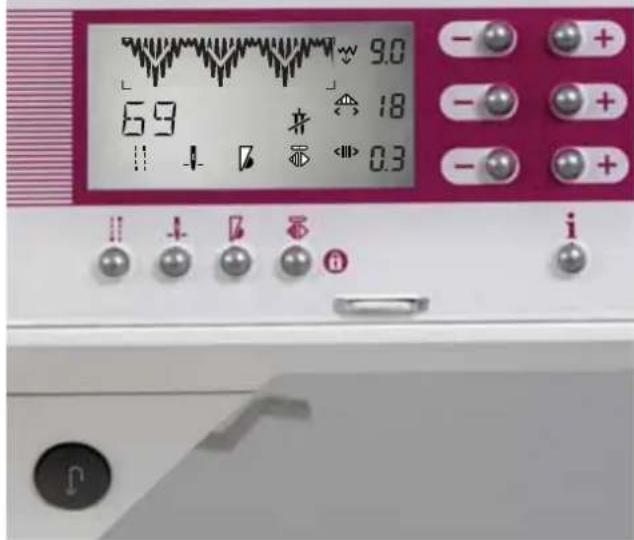
9.0 69 18 0.3Sewing function buttons
There are four sewing function buttons below the expression window. With these buttons you can choose between "tie-off" at the beginning and/or the end of a stitch, set "needle up/down", "sew slow" and "pattern mirror".
Tie-off button (36)
When you press this button before starting to sew, the symbol appears in the window. Once the machine has tied off, the symbol disappears from the window. Press the button while sewing so you can tie off at the end of a seam or pattern. The symbol appears in the window. The pattern will then be completed and tied off. The machine will stop and the symbol will disappear.
"Needle up/down" button (37)-
Use the "up/down" button to determine whether the needle should be in its highest position or in the fabric when you stop sewing. The symbol appears above the button in the window when the button is pressed. Press the foot control and the needle is lowered into the fabric. The needle will remain in the fabric each time you stop sewing. To remove the needle from the fabric, press the "needle up/down" button. The needle lifts out of the fabric, and the symbol disappears from the window.
"Sew slow" button (38)
When you press the "sew slow" button the speed of the machine is reduced by half. The symbol appears in the window and disappears when the button is pressed again.
"Pattern mirror" button (39)
This symbol will appear in the window for any stitch that can be mirrored. When the "pattern mirror" button has been pressed, a point will appear below the symbol indicating the pattern will be mirrored.
Sewing

text_image
0 1 2.5 i"Lock" button: (39)
You can safeguard your sewing machine against the unintentional selection of another sewing program or another pattern sequence by means of the "lock" button.
Switching on the "lock" button:
Press the 🔒 button until the locking symbol appears in the window. The symbol disappears when the button is released. The direct selection buttons (15 to 26), as well as the 🔒 button (7) and the selection dial are now locked. The machine is now safeguarded against any unintentional selection of another sewing program or another pattern sequence.
The memory button m+ (14), the cursor button (8) and the clear / pattern start button (9) remain active. If the "lock" button is switched on and a pattern sequence has already been selected, it is still possible to alter this sequence. You can scroll within the pattern sequence at any time. The sewing function buttons can still be selected. The stitch length / width, pattern length / width and pattern density / balance can be altered.
Note: You can still mirror a pattern if you quickly tap the 📋button (39).

text_image
0 1 2.5 iSwitching off the "lock" button:
Press the 🔒 button (39) until the unlocking symbol appears. The locking function is now switched off. This symbol disappears after the button is released.

text_image
68 9.0 12 0.3 i
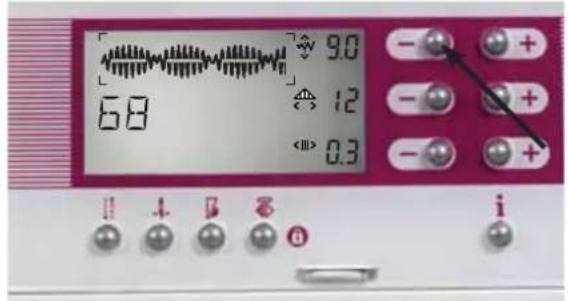
Twin needle
Depending on the needle position or the width of a stitch, the twin needle warning will appear in the window. This symbol indicates that a twin needle cannot be used to sew the stitch at the currently set width.
text_image
6.8 9.0 12 0.3Reduce the pattern width until the warning symbol disappears. The stitch may now be sewn with a twin needle of 2.0 mm or less.
text_image
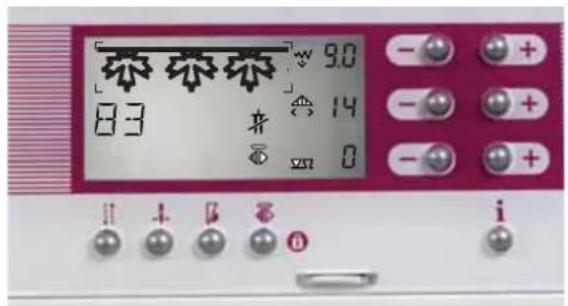
83 9.0 14 8 i
Formation of the stitches
The stitch formation varies.
Some patterns are formed from the left, so only the right side of the stitch changes when the width is adjusted. The left-hand side of the stitch is always retained.

text_image
6.0 6.7 20 0.3 i
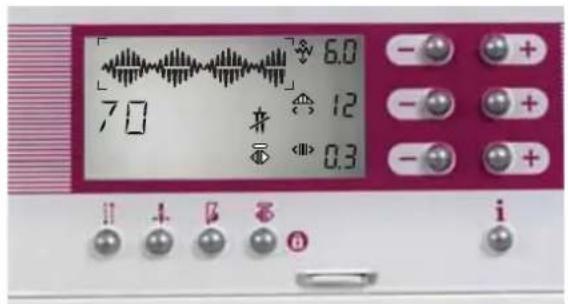
The patterns that are formed from the right will always retain the right side of the stitch, regardless of any changes in width.
Note: Do not use a twin needle to sew patterns that are formed from one side! Do not use a twin needle if this symbol in the window lights up (see page 3:6).
text_image
6.0 70 12 0.3 i
Patterns that are formed from the center will change equally from the right and the left when the width is adjusted.
Sewing
text_image
JULIA JULIAStitch sequences
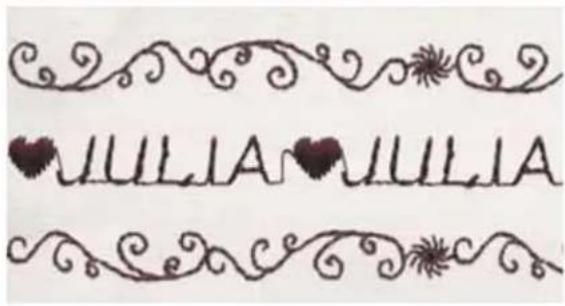
Your expression offers you the possibility of storing stitch and word sequences in the memories of the machine. The stitch sequences remain in the memory until you overwrite or delete it.
The quilt expression 2048 has 6 m-memories, the expression 2038 has 3 m-memories. Up to 20 patterns or letters can be stored in each memory.

natural_image
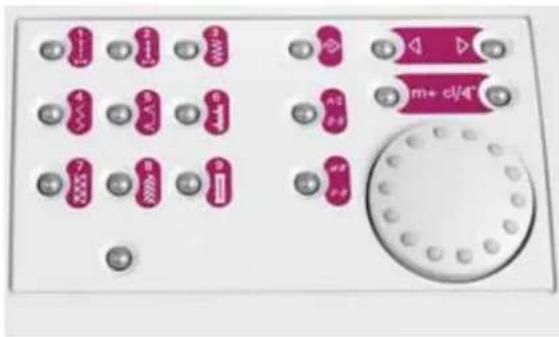
Electronic device panel with multiple pink buttons and a circular button (no visible text or symbols)Buttons for the stitch sequence
The following buttons can be found next to the selection wheel (selection button on the model 2038)
"M" button: for opening or closing an m-memory
m+: for storing selected stitches in the m-memory
cl/pattern start button: use the cl button for deleting stitches in the m-memory. When an m-memory is not activated, the pattern start restarts the stitch from the beginning.
Cursor buttons: — for selecting an m-memory/scrolling through the m-memories which are activated.
A-Z buttons (2 x on the 2048, 1 x on the 2038): for the direct selection of the fonts

text_image
H1 M2 M3 M4 M5 M6 0 2 1 2.5 i i + o iOpening an m-memory
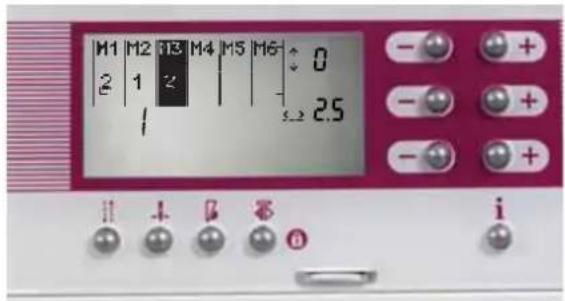
Press the "M" button
All the m-memories appear in the expression window. Select an empty m-memory by scrolling using the cursor button (8).
text_image
M1 M2 M3 M4 M5 M6 2 1 2 ↓ 0 ↓ 2.5 iOpen a free m-memory by pressing "M" button (7) again.

text_image
6.0 A8 ♦ 芍 SZM iThe symbol appears in the window.
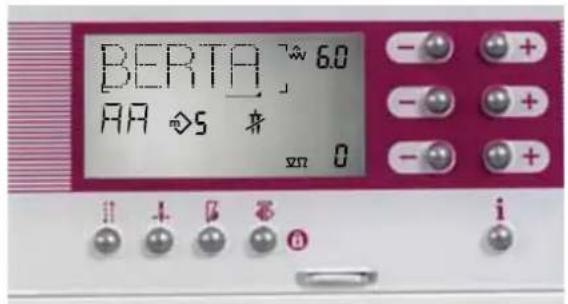
Select the stitch using the direct selection buttons (15-26), or scroll to the desired stitch or letter with the selection wheel. Store the stitches by pressing the m+ button (14).
text_image
BERTA 60 AA 5 身 xn 0Once you have entered the stitch sequence, you can start to sew immediately. All stitches that have been sewn are automatically stored and remain in the machine's memory even after you switch off the machine.
Tip: In order to sew a stitch sequence once, press the tie-off button (36) when you have started to sew. The embroidery is tied-off on completion and the machine stops automatically.
text_image
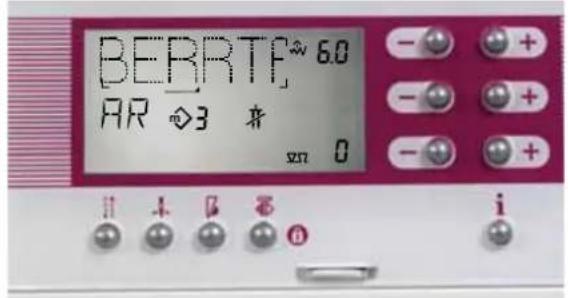
BEBRTF 6.0 AR ◇3 将 x70 0 i i + 0 6 iDeleting a pattern within the stitch sequence
If you wish to delete one stitch in the stitch sequence, scroll using the cursor buttons to the desired position in the stitch sequence. The cursor must be below the stitch which is to be deleted. Press the clear button (9).
After deleting the stitch, the rest of the memory moves up to the cursor position.
text_image
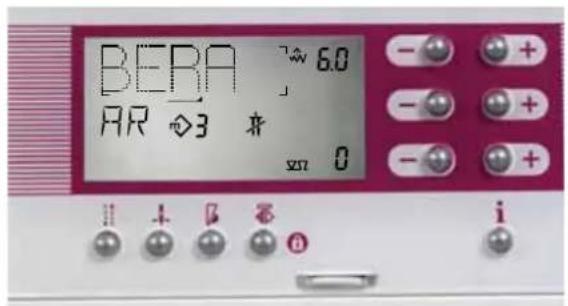
BEBA 6.0 AR 3 来 x70 0Inserting a stitch into the stitch sequence
If you wish to insert a stitch into a sequence, scroll using the cursor buttons to the desired position in the sequence. The cursor — must be in front of the pattern where the stitch is to be inserted (the position of the tip of the cursor). Select the new stitch and store it using the m+ button (14). After having inserted the stitch, the cursor moves to the position of the inserted stitch.
Sewing

text_image
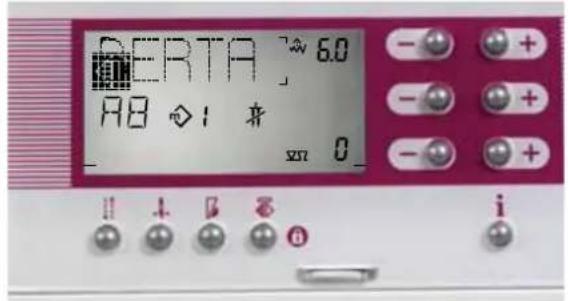
BERTA 6.0 AB ◇1 花 xπ 0 !! + 0 5 6 iInserting a pattern at the beginning of the stitch sequence
If you wish to insert a stitch at the beginning of a sequence, scroll to the left using the cursor button. Once the cursor is positioned at the beginning of the sequence, the symbol for the beginning of the sequence — appears in the window. Select the new stitch and store it using the m+ button (14). The new stitch will be inserted at the beginning of the sequence.

text_image
BERTI 6.0 115 ◇1 将 8.0 ← 0.3 i + i + iDeleting the sitch sequence
You can delete the stitch sequence by pressing the clear button (9) until the memory is completely empty.

text_image
11 M2 M3 M4 M5 M6 ≈ 0 2 1 ≥ 25 i i + i + iDeleting all M-memories
You can delete all M-memories at once by holding down the clear button (9) while turning on the machine.

text_image
BERTF 6.0 116 ◇1 井 8.0 0.3 iChanging a pattern within the stitch sequence
To change the length or width of a stitch within the sequence, position the cursor below the stitch to be changed. Now the stitch can be altered.
text_image
BERTA 6.0 AB ◇1 来 x70 0 i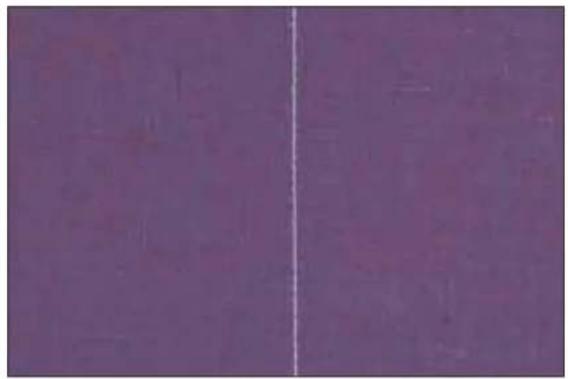
natural_image
Solid purple background with a vertical white line dividing the left side (no text or symbols)
natural_image
Two-step illustration of a sewing machine being adjusted, showing blade and handle assembly (no text or symbols)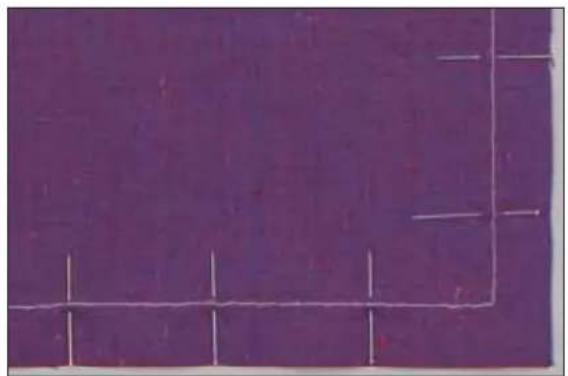
natural_image
Solid purple background with white geometric lines and small vertical strokes (no text or symbols)"Pattern start" function
If you have interrupted the sewing operation and would like to start the stitch sequence again, position the cursor — as far to the left as possible, until the symbol 📋 appears in the window. Then press the cl/pattern start button (9).
Straight stitch - 1
Stitch 1 is the basic straight stitch in center needle position. The stitch length can be increased up to 6 mm. Change the needle position of the straight stitch to sew in a zipper or topstitch along the edge of a collar. The 2048 and 2038 have 19 needle positions that can be adjusted with the -/+ button "A".
Tip: Use the "needle up/down" button to easily pivot at collar points.
Sewing in zippers - 1
There are different ways to sew in zippers. Follow the directions included with your pattern for best results.
For all types of zippers it is important to sew close to the teeth of the zipper. The zipper foot can be snapped to the presser foot ankle on the left or right, depending on how you will insert your zipper. Then set the needle position so that it enters close to the edge of the zipper teeth by using one of the 19 needle positions available. If the presser foot is attached on the right side, the needle must only be moved to the right. If the foot is attached on the left, the needle must only be moved to the left.
Basting stitch - 10
With stitch 10 you can baste a garment before trying it on. When you press the foot control, the machine will sew one stitch at a time. Press the foot control again for each stitch.
- Lower the feed dog and disengage the IDT.
- Place the fabric under the presser foot.
- Sew one stitch, then move the fabric the required amount to the rear.
- Continue to sew one stitch at a time until you fi nish basting.
Tip: Light fabrics are easier to baste with long straight stitches (6 mm). In this case the bottom feed need not be lowered. Use stitch 1, stitch length 6 mm.
Sewing
text_image
F C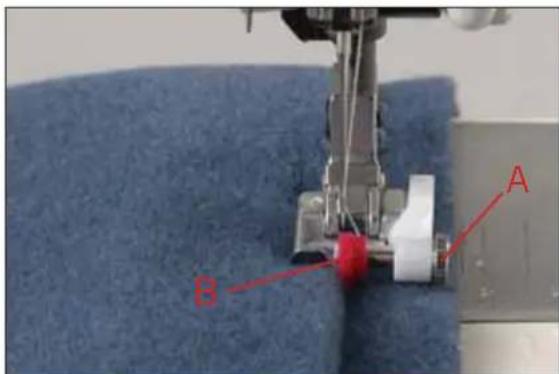
text_image
A BTopstitching
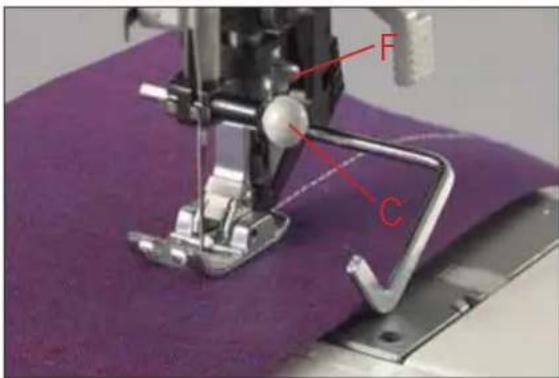
The straight stitch can be sewn in 19 different needle positions allowing you to guide the fabric edge along the presser foot for top stitching. The distance between the rows of topstitching can be determined by the needle positions.
You can also space your rows of topstitching by the width of the presser foot. Begin topstitching further from the fabric edge, by using the guide marks on the needle plate, or the edge guide. The guide marks are given in cm and inches. The edge guide is inserted into hole C and is secured with set screw F.
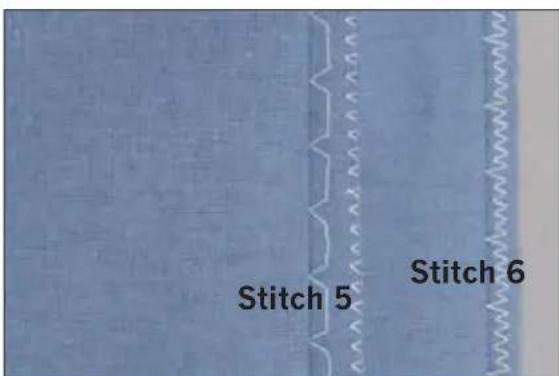
Blind hem stitch - 5
The blind hem stitch is used to make invisible hems on skirts, trousers and home decorating.
• Finish the edge of the hem.
- Fold and press the hem allowance inwards.
- Fold the hem back on itself so approximately 1/4 inch (6 mm) of the finished edge extends beyond the fold. The wrong side of your project should now be facing up.

natural_image
Close-up of a light blue fabric or paper sheet with a small indentation (no text or symbols visible)- Place the fabric under the presser foot so that the fold runs along edge guide B.
- When the needle swings into the fold it should catch a small amount of fabric. If the stitches are visible on the right side, adjust edge guide B by turning adjusting screw A.
text_image
Stitch 5 Stitch 6Elastic blind hem stitch - 6
The elastic blind hem stitch is especially suitable for stretchy fabrics. The hem is fi nished and sewn at the same time. There is no need to finish the raw edge first.
Create the blind hem as described above.
Overlock stitches
For elastic, knits, woven and stretch fabrics, the 2038 and 2048 provides a selection of overlock stitches. These stitches join multiple layers of fabric and overcast them in one operation. These stitches can stretch and are more durable than standard stitches.
Tip: Use blind stitch foot No. 3 when sewing overcast seams. This guides the fabric more precisely and prevents tunneling of the seam at wider stitch widths. Adjust the stitch width and guide of the foot to ensure that the right swing of the needle clears the raw edge of the fabric and the pin of the presser foot.

natural_image
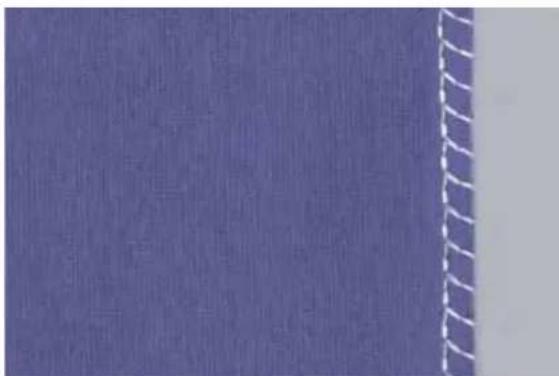
Close-up of a blue textured fabric with a vertical seam marked 'N' (no text or symbols on the fabric itself)Closed overlock stitch - 7
This stitch is suitable for sewing a hem on your garment.
Fold your fabric 3/8" (1 cm) and stitch the closed overlock on the right side of the folded fabric. When you have finished, cut away the unnecessary fabric.
natural_image
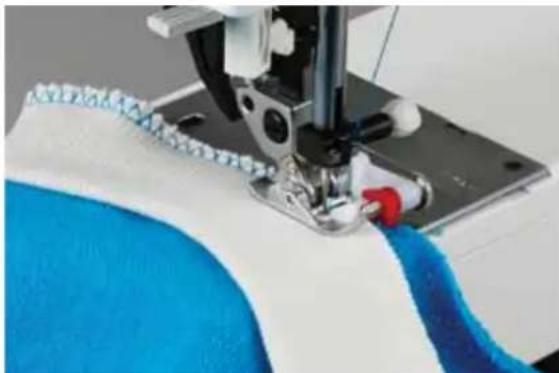
Close-up of a blue textured surface with white wavy lines on the right side (no text or symbols)Overlock stitch - 15
The open overlock stitch works well when joining or edge-fi nishing fabrics that do not fray excessively.
natural_image
Close-up of a sewing machine needle stitching blue fabric, no visible text or symbolsClosed overlock stitch with selvage thread - 18
If you wish to sew a fabric that frays easily, select stitch 18. With this stitch an additional edge thread protects the fabric edge against further fraying.
Sewing

text_image
Cropped image showing a vertical column of Chinese characters on a textured gray background, likely from a document or label.
text_image
Technical diagram of a sewing machine with labeled parts including D, E, F, G, and C.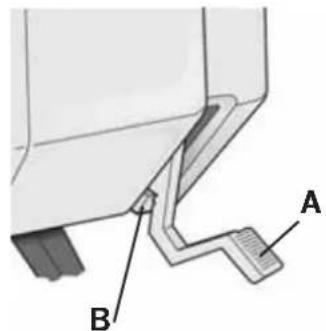
text_image
Technical diagram showing a mechanical assembly with labeled parts A and B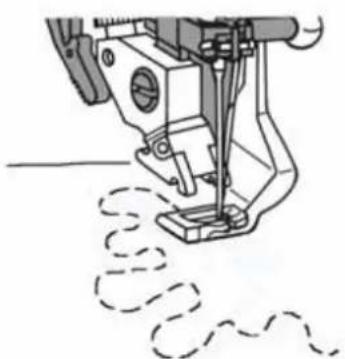
natural_image
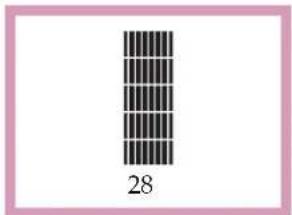
Line drawing of a sewing machine needle stitching fabric (no text or symbols)Automatic darning - 28 (Model 2048)
Stitch 28 is for strengthening damaged areas of fabric and repairing tears.
- Stitch over the damaged area at the required length.
- Press the reverse button; the machine finishes sewing the darning program and the darning length is saved.
The saved darning length can now be repeated as often as needed.
Free Motion Sewing
Insert the darning foot:
Loosen screw D. Set the needle at its highest point and push the pin of the darning foot fully into the hole C of the sewing foot holder. When doing this, the guide fork G should position itself around the presser bar. The lever E must be behind the fi xing screw F. Now tighten screw D.
Free Motion Position:
Lower the presser foot lifter (A) while pushing it lightly to the rear. This snaps the presser foot lifter into a notch (B) on the back side of the sewing machine. In this position the thread tension is engaged for Free Motion Sewing.
- Drop the feed dog.
- Select a straight stitch or a zigzag stitch.
- Keep an even speed, manually move your fabric.
Tip: For even stitches, move your fabric at a smooth even flow. Move the fabric so the stitching does not cross.

natural_image
Close-up of a sewing machine stitching pink fabric with visible stitching lines (no text or symbols)Gathering with straight stitch - 1
A straight stitch can be used to gather sleeves, cuffs, skirts or valances. To obtain neat and even gathers you should sew two or three rows of gathering stitches.
- Set your stitch length to 6.0 mm. Lower needle thread tension to 3.
- Mark the first gathering line on the right side of the fabric. Sew along this line. Leave about 4 - 5 inches (10-13 cm) of thread at the beginning and end of the seam.
- Sew 1 or 2 more rows of stitching, using the edge of the presser foot as a guide.
• Gather the fabric by pulling the bobbin (bottom) threads to the desired fullness. - Distribute the gathers evenly and knot the thread ends together to secure the gathering.
Tip: It is important to use a strong thread when gathering to avoid thread breakage when pulling on the gathering threads.
natural_image
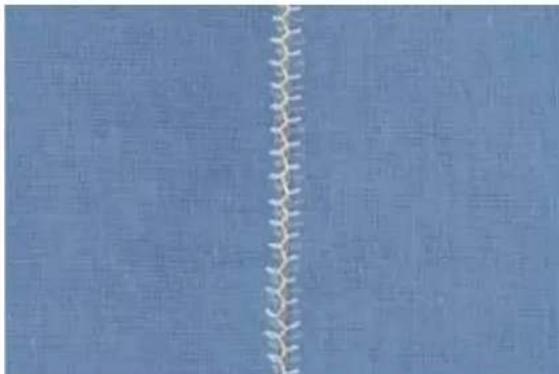
Close-up of a white zigzag line against a blue background, no text or symbols visible.Bridging stitches - 8 or 13
The bridging stitch creates a hemstitching effect. It is often used for connecting two finished fabric edges.
- Finish the fabric edges and press the seam allowance to the wrong side.
- Place the fabric under the presser foot with the edges approximately 1/8 inch (3 mm) apart.
- Stitch from the right side of the fabric, making sure that the needle catches the fabric on the right and left sides.
Tip: To make guiding the fabric easier, use the bridging guide (special accessory). It is available in 3 mm and 5 mm widths. The small post on the bottom of the guide is inserted in the small hole at the front of the needle plate.
natural_image
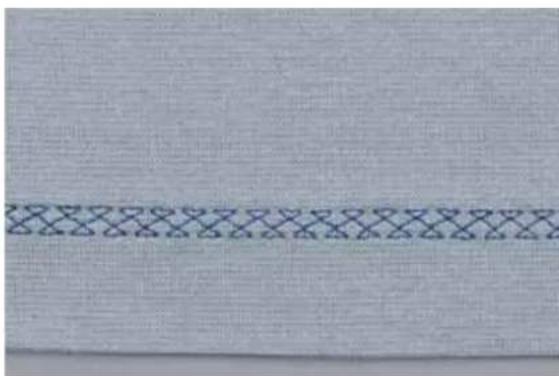
Close-up of a light blue textured fabric with a dark patterned horizontal band (no text or symbols)Cross hem stitch - 17
This highly elastic stitch is very suitable for decorative hems.
- Fold the hem allowance to the reverse side.
- Stitch the hem from the right side of the fabric. Trim any excess hem fabric up to the stitching.
Sewing
natural_image
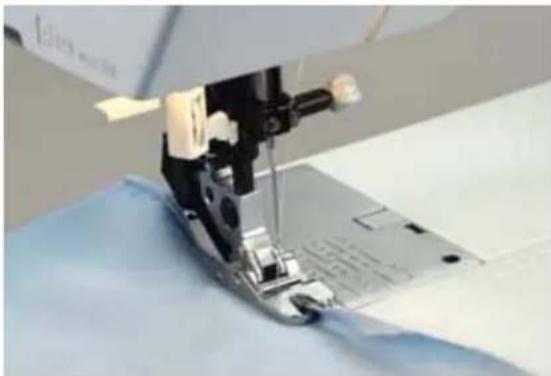
Close-up of a sewing machine needle stitching fabric, no visible text or symbolsRolled hem with hemmer No. 7 - 1
Use the rolled hemmer to fi nish the edges of blouses, scarves, or ruffl es without having to iron the edges beforehand. Hemming prevents the edges from fraying and produces a neat and durable edge fi nish.
- Double-fold the fabric edge (about 1/8 inch / 2 mm per fold).
- Place the folded fabric edge under the hemmer and sew a few stitches to secure.
- Turn the handwheel towards you until the needle is at its lowest point. Raise the presser foot and slide the fabric into the scroll of the hemmer.
- Lower the presser foot and while sewing, guide the fabric edge evenly into the hemmer. When roll-hemming, make sure the raw edge of the fabric butts against the left edge of the hemmer opening. Ensure the fabric does not run underneath the right side of the presser foot.
natural_image
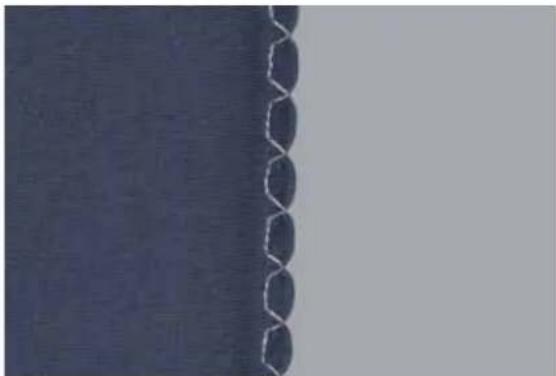
Close-up of a dark fabric edge with white serrated edges on the left side (no text or symbols visible)Shell edging - 5
Shell edging is a very effective fi nish for thin, soft fabrics such as silk and rayon fabrics. It is frequently used as a hem finish on lingerie.
- Select blind stitch No. 5 and mirror it with the "Pattern mirror" button
- Tighten the needle thread tension to create a deeper shell tuck.
- Finish the raw edge and press the seam allowance to the left.
- While sewing, make sure the fabric runs under the presser foot at half of the foot width, and the blind hem swings over the folded edge.

natural_image
Close-up of a textured surface with a vertical seam and circular indentations (no text or symbols)Tip: Add a colored pearl cotton thread on the folded edge as you sew the shell tuck. This creates a pretty contrast and strengthens the hem.
Buttonholes
Your expression has the perfect buttonhole for every fabric and garment. Whether you wish to sew buttonholes on jackets, pants (trousers), blouses or stretch fabrics, 5 different buttonholes (4 on the model 2038) give your garments the professional touch.
The expression uses sensormatic buttonhole guide No. 10 and sensors to ensure that every buttonhole is sized accurately. Perfect buttonholes can be sewn on even the most difficult of fabrics such as velvet, plush, knitted fabrics and heavy knits.
Your expression offers you three ways of sewing a buttonhole:
- fully automatically
- semi-automatically
- manual
natural_image
Close-up of a sewing machine needle stitching a plastic sheet (no visible text or symbols)Inserting the sensormatic buttonhole guide:
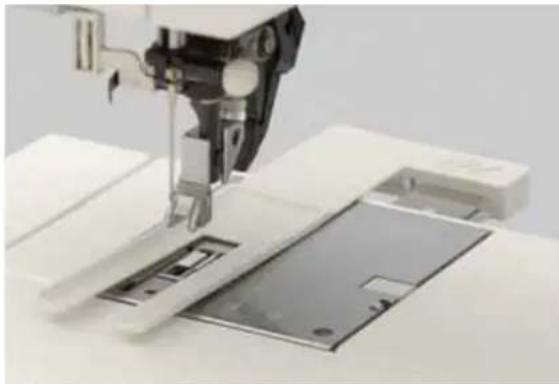
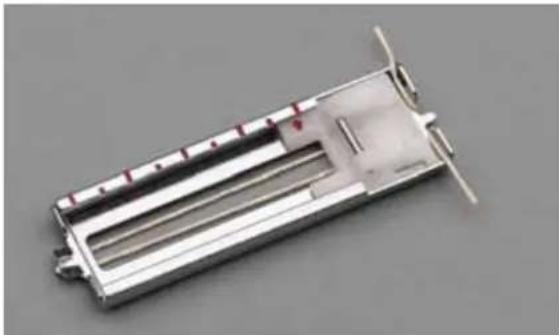
Push the metal part of the buttonhole guide into the slot (between the two arrows) on the back of the needle plate. The white part extends over the needle plate.
Press the guide towards the front as far as it will go. It must spring back slightly so that there is a small gap between the guide and the back of the machine.

natural_image
Close-up of a sewing machine needle stitching metal components on a workbench (no visible text or symbols)Attaching buttonhole foot No. 5:
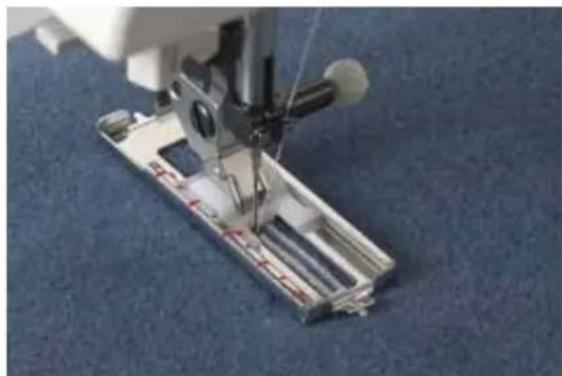
Use buttonhole foot No. 5 to sew buttonholes.
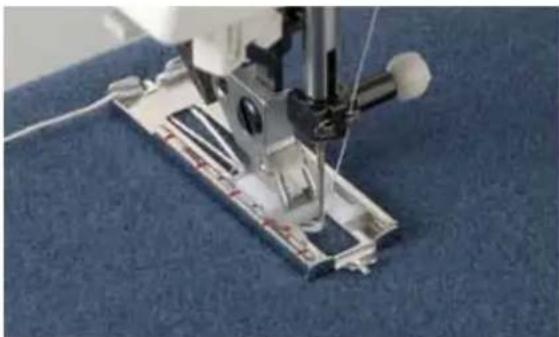
Before starting to sew, pull the runner of the foot toward the front to the second red mark (also see "Changing the presser foot" page 2:11). Snap on buttonhole foot No. 5.
Sewing

Fully automatic buttonhole
Select the desired buttonhole (e.g. No. 9). Adjust the size of the buttonhole by using the -/+ button B. You can also adjust the buttonhole width (-/+ button A), the buttonhole density (-/+ button C) or the buttonhole balance (-/+ button C). Alter between density and balance by pressing "tie off"-button 36. The <||> symbol will change into △ your display.
Sew as many buttonholes as you wish. Your expression will continue to sew the same size buttonhole until you make adjustments.
Note: Fully automatic buttonhole can only be sewn using the sensormatic buttonhole guide.

text_image
4.5 9 0.3 iSemi-automatic buttonhole
Used to set the length while sewing. First touch the reverse button. The word "man" appears in the expression window. Sew the forward buttonhole seam and press the reverse button when you have reached the correct buttonhole size.
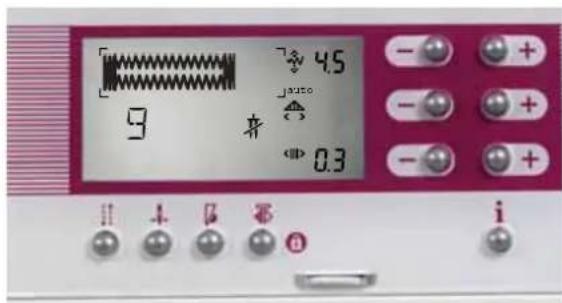
The word "auto" appears in the window. The rest of the buttonhole will be finished automatically. The word "auto" in expression window now means that the buttonhole is automatically saved and can be repeated as many times as you wish. Your expression will continue to sew the same size buttonhole until you make adjustments or press the reverse button once.
Note: If the sensormatic buttonhole guide has not been inserted you will have to finish the buttonhole manually by pressing the reverse button.
natural_image
Close-up of a sewing machine needle stitching a blue fabric background (no text or symbols visible)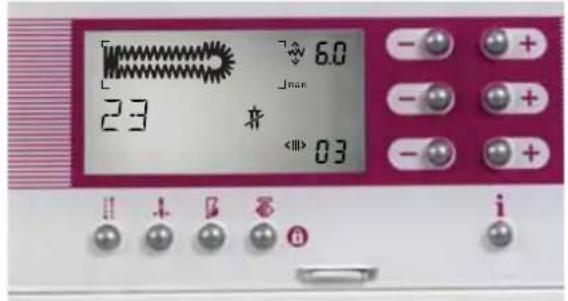
text_image
6.0 23 <0.01>0.3 i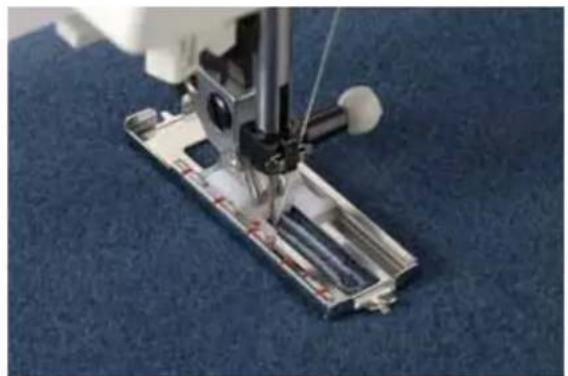
natural_image
Close-up of a sewing machine needle stitching a blue fabric mat (no visible text or symbols)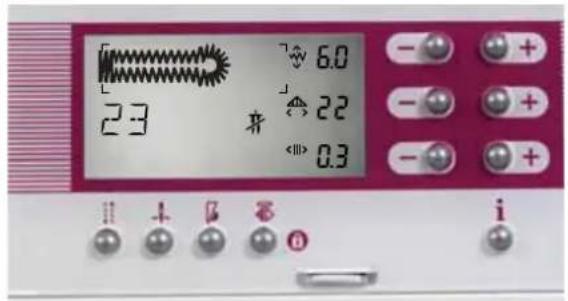
text_image
23 6.0 22 0.3 i
natural_image
Simple white line drawing of a tool or connector on a dark blue background (no text or symbols)Manual buttonhole
If the buttonhole sensormatic guide has not been inserted the buttonhole can be finished manually. First touch the reverse button. The word "man" appears in the expression window. Sew the forward buttonhole seam and press the reverse button when you have reached the correct buttonhole size.
Before the reverse buttonhole seam is completed, the machine will slow down. To complete the buttonhole with a second bartack, press the reverse button once again. The machine will sew the second bartack and complete the buttonhole. The word "auto" appears in the window. All remaining buttonholes can now be repeated fully automatically.
Note: The programming of the buttonhole is deleted when another program is selected.
You can also place the last bartack manually, even after the buttonhole has been programmed. Press the "reverse sewing" button one time after you have stitched the first bartack. The word "man" appears in the window. This indicates a manual fi nish of the buttonhole is desired. Before the left side of the buttonhole ends, the machine will slow down. When the left side of the buttonhole is the same length as the right side of the buttonhole press the "reverse sewing" button (33) once again.
The second bartack will be sewn and complete the buttonhole. The word "auto" appears in the window.
Keyhole buttonhole
Keyhole buttonholes can be sewn with the buttonhole foot.
The keyhole buttonhole can be sewn fully automatically, semi-automatically and manually.
Warning: The keyhole buttonhole must be sewn with the rounded end towards the edge of your garment/project. However, the buttonhole will begin sewing from the bartack end. It is important to first mark the length, measuring from the starting point inwards. Always sew the buttonhole from the inside to the outside towards the edge.
Choose stitch 23 (22/2038). A standard keyhole buttonhole will appear in the window along with the width, length and stitch density indications. These settings can be altered,
Tip: Cut open all buttonholes with the seam ripper. Open the curve of the keyhole buttonhole with a belt punch or awl.
Sewing

natural_image
Metallic electronic component with internal channels and mounting holes (no visible text or symbols)Buttonhole with gimp thread
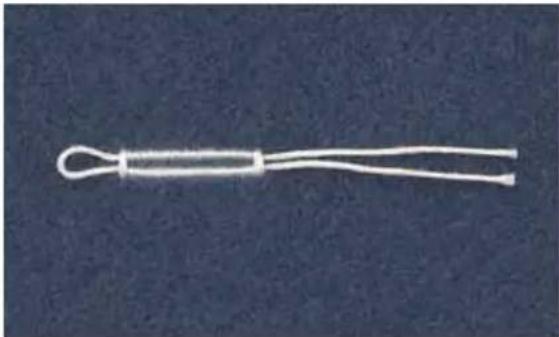
Buttonholes that are sewn with gimp threads are more durable and will not stretch. Use pearl cotton or a regular gimp thread approximately the same color as the sewing thread to stitch over. Place the center of a length of gimp thread over the metal bar extending from the center, back of the buttonhole foot. Pass the thread ends under the foot and pull up into the right and left guides on the clamp at the front of the presser foot. Buttonhole No. 9 can now be sewn.
natural_image
White plastic tool with loop handle against dark blue background (no text or symbols)After completing the buttonhole, pull the ends of the gimp thread until the loop of thread is hidden below the buttonhole bartack. Cut off the gimp threads just behind the final bartack.
natural_image
3D rendering of a metallic cylindrical device with internal components and mounting flanges (no visible text or symbols)Keyhole buttonhole with gimp thread
Place the center of a length of gimp thread over the metal bar extending from the center, front of the buttonhole foot. Pass the thread ends under the foot and pull up into the right and left guides on the clamp at the back of the presser foot. Guide the gimp thread along the foot at the side.
Sew the right-hand seam of the buttonhole. After the machine sews the first few stitches of the curved end pull the gimp thread down from the clamp with a straight pin.
natural_image
Close-up of a sewing machine needle stitching blue fabric (no visible text or symbols)Warning: The presser foot must not be raised from the fabric surface.
Pull the gimp thread on the left towards the rear until the loop is just in front of the needle. Carefully sew the curve. After sewing the curve, hold the gimp thread a little more taut and finish sewing the buttonhole. Cut off the excess gimp thread.

natural_image
Close-up of a sewing machine needle stitching blue fabric, no visible text or symbolsSewing on buttons - 0
With Button sewing program 0 you can easily sew on two and four-hole buttons.
- Remove the presser foot and lower the feed dog. (Make sure the IDT is disengaged.)
- Mark the button position on your fabric. Place the button on the marked fabric.
- Turn the handwheel towards you and position the button so the needle enters the left hole in the button.
- Lower the presser foot lifter. The button will be held in place by the shank of the foot. Turn the handwheel to make sure the needle also enters the right hole of the button.
- Continue sewing on the button. The machine will complete the program for you.
Tip: Use the optional Sew on Button Foot for easy optimal results.
natural_image
Portrait of a smiling woman wearing a blue blouse and pink pants, posing with hands clasped (no visible text or symbols)Buttonhole tips:
- A wider, less dense buttonhole is recommended on heavy fabrics.
- Use presser foot No. 1 for buttonholes that are to be sewn very close to a reinforced edge.
- Materials that shift or stretch easily should be reinforced with water-soluble, tissue paper or other lightweight stabilizer.
- Keyhole buttonholes are particularly stable and durable if a gimp thread is inserted while sewing (see "Keyhole buttonhole with gimp thread").
- Linen buttonholes are particularly dense and attractive if you use buttonhole twist thread.
- Buttonholes are normally selected a little larger than the button diameter. It is important to always sew a test buttonhole on the same fabric/stabilizer as your project.
Quilting
4. Quilting
natural_image
Interior scene with a colorful geometric chair, glassware, and a window in the background (no visible text or symbols)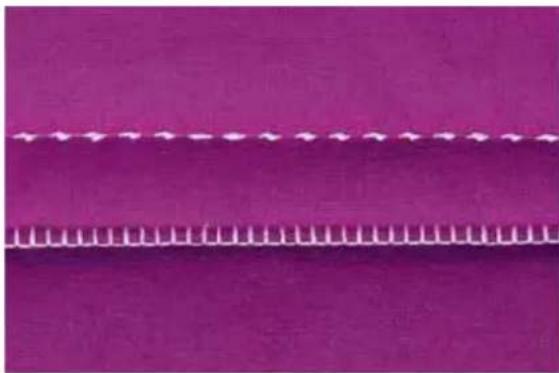
natural_image
Solid magenta fabric with a white dotted line and wavy bottom edge (no text or symbols)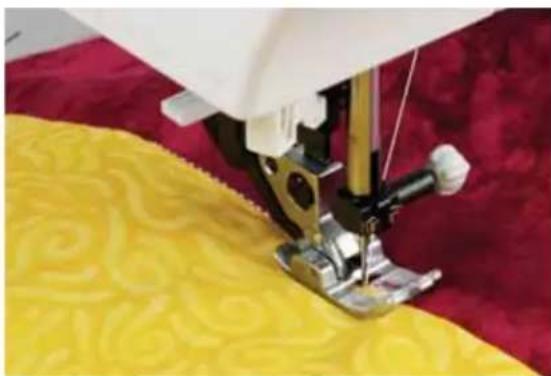
natural_image
Close-up of a sewing machine needle stitching yellow fabric on a red fabric background (no text or symbols visible)Piecing the quilt top
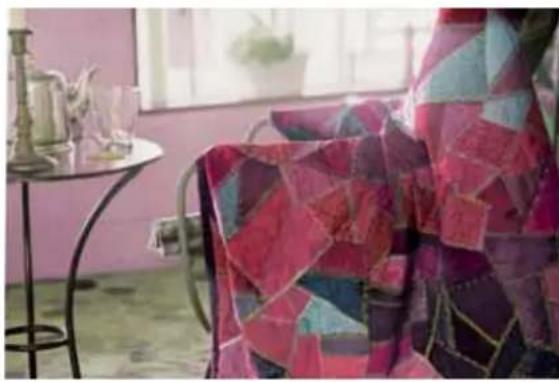
Cut out the pieces of fabric for your quilt top using templates. A seam allowance of 14 " (6 mm) should already be included in the templates. Snap on the optional 14 " quilting foot. Sew the pieces together following the design instructions to piece the quilt top.
The seam allowance of quilts are usually pressed towards the darker fabric side. Baste the completed quilt top to the batting and backing. In traditional quilts these three layers of material are then sewn together by hand with small stitches. However, it is quicker and more practical with your Pfaff expression, e.g. with stitch 30 (26/2038) using monofi lament thread on top and regular or decorative thread in the bobbin.
When the quilting is fi nished simply bind the edges or make it into cushions, wearable art or other smaller projects.
Stitch-in-the-Ditch
One way to hold the quilt top, batting and backing all together is using the stitch-in-the-ditch method of quilting. Stitching in the Ditch means following the seams in the quilt blocks.
Set your expression with a straight stitch (1), stitch length 2.5, center needle position, IDT engaged.
Begin by pin basting your quilt through all layers - starting from the middle of your quilt and working out. Place a safety pin about every 6 - 8 inches (15 - 20 cm).
To begin quilting, start sewing from the middle of the quilt and continue out. Starting from the middle and sewing out will help keep layers in place. Plan which seams you will actually follow. This stitching will not only hold the quilt together, it will also create the pattern on the quilt back. You do not need to follow every seam in the quilt, sew every 3 - 4 inches to keep the quilt in place. Of course, you can sew more to create a decorative pattern for the back.
Tip: Use stitch 30 (26/2038) to make your stitch-in-the-ditch look handsewn.
Tip: Change to a quilting or jeans needle when sewing through thick quilts. Test sew to ensure balanced stitching before starting to quilt.

natural_image
Close-up of a yellow fabric with checkered pattern and star stitching (no text or symbols)
natural_image
Close-up of a sewing machine needle stitching purple fabric on a patterned textile (no text or symbols visible)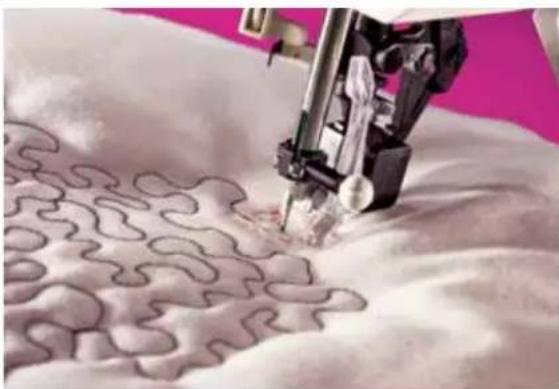
natural_image
Close-up of a sewing machine stitching fabric with visible stitching patterns (no text or symbols)Antique Quilt Stitches
Beautiful Crazy Patch quilting was originally sewn by hand. This hand stitched look can be accomplished faster and easier with the Pfaff Antique quilt stitches.
- Use invisible (monofi lament) thread in the needle. Use a contrast or matching polyester or cotton thread in the bobbin.
- Set the needle thread tension to 7-9.
- When you sew the stitch on the three layers of your quilt, you should only see your bobbin thread. Create the stitch pattern on top of the fabric. The intermediate stitch disappears and thus produces a handstitched appearance. Adjust your needle tension as needed to produce the desired effect.
Tying the Quilt
Tying a quilt is another way to hold the quilt top, batting and back together. Previously done by hand, your expression has great decorative stitches that will "tie" your quilt with ease.
Choose a decorative stitch that is a forward moving stitch, such as 70 or 116 (46 or 77 for model 2038). Prepare your quilt as explained in the Stitch-in-the-Ditch method.
In order to sew the stitch only once, press the tie-off button when you have started to sew. Now sew this stitch every 3 - 4" (7 - 10 cm) all over the quilt. Again plan your stitch placement so that there is a nice pattern on the front and the back.
This is a very simple and beautiful way to secure a quilt.
Free Motion Stippling
Free Motion Stippling not only keeps the top, batting and backing together, but it also adds texture and interest to your quilt.
Set your expression for stippling with a Straight Stitch (1). Attach the darning foot. Lower the feed dog and set up your machine in the darning position.
Prepare your quilt as explained in the Stitch-in-the-Ditch method.
Practice stippling on scraps of fabric and batting. When the feed dog is lowered you control the stitch length. Remember using a constant speed will help to keep the stitches even.
Begin near the center of your quilt. Take one stitch and pull the bobbin thread to the top of the quilt. Take a few stitches right next to one another to secure the threads. Now move the quilt so that your stitching creates scrolls and swirls. The stippling should not cross itself - make one long continuous swirl of stitching.
Tip: Use the Free-motion guide grip to help move the quilt in a more consistent way. The Quilting table and Free-motion guide foot are extra accessories created to make your stippling easier.
Quilting
natural_image
Colorful floral patterned fabric with geometric and floral motifs, no text or symbols presentQuilt Appliques
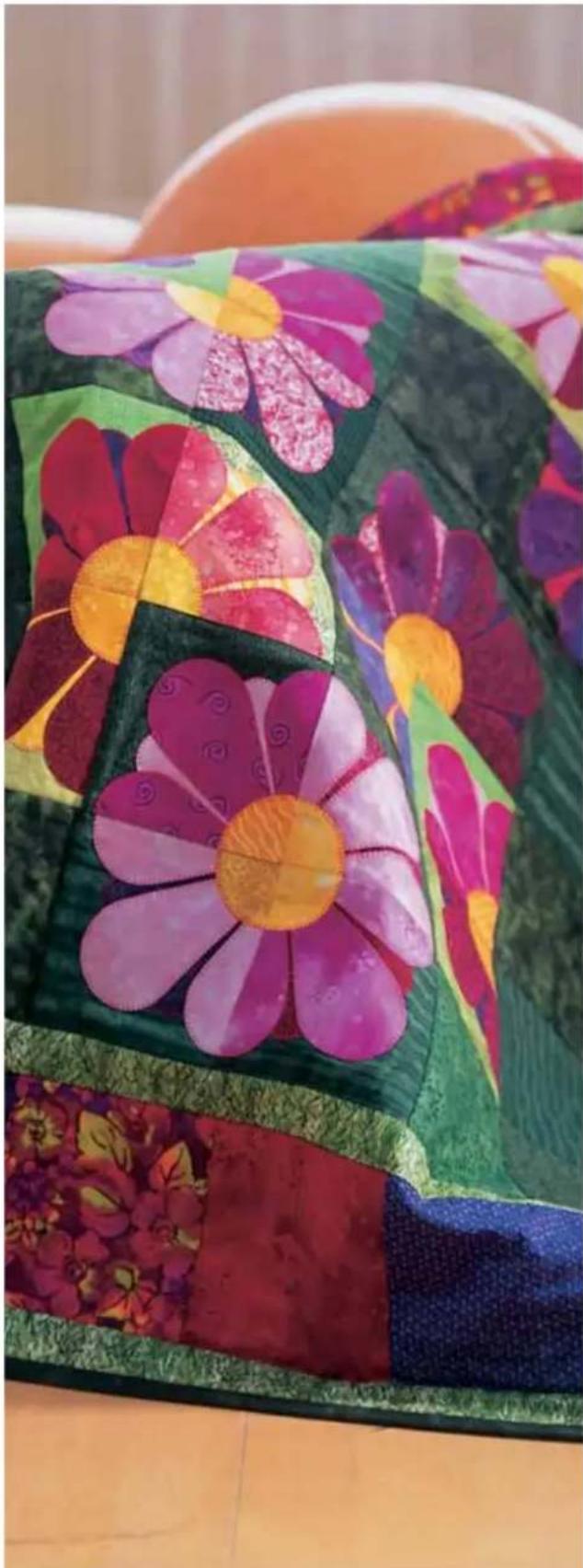
Appliques add that special touch for your quilt.
There are many different ways of applying appliques to a quilt. One way is to add the applique to the block before the quilt is put together.
Set your quilt expression with stitch 3, stitch length 0.5, stitch width 4-6 mm, presser foot 2A.
Adhere the applique piece to the block. Place stabilizer behind the block and applique. Sew around the applique with the satin stitch. Make sure the stitch is 80% on the applique - just covering up the applique's raw edge.
Another way to add an applique to a quilt is to fi nish the edge of the applique and sew it on with the hand applique stitch 29 or 31.
First prepare the applique. Cut the applique form out of fabric and a piece of light weight iron on interfacing. Place the right side of the fabric and the rough (iron-on) side of the interfacing together. Use a straight stitch (1), stitch length 2.0, center needle position and sew the fabric and interfacing together using a 14'' seam. Trim around the applique leaving 1/8" seam allowance and clip into curves. Slash the interfacing so that the applique can be turned right side out. Finger press the applique.
Place the applique on the quilt. When you are satisfied with the position, iron it down.
Follow around the edge of the applique with the straight part of the hand applique stitch. Let the horizontal part of the stitch just catch into the applique. This is the part that will keep the applique in place.
Tip: Press the needle raised/lowered function to position the needle in the fabric when you stop sewing. This makes turning easy with your expression.
5. Decorative sewing/Specialty techniques

natural_image
Woman sitting on a wooden floor near a glass railing, wearing a patterned vest (no visible text or symbols)General notes on decorative sewing
To enhance your own home textiles or garments your expression offers you a wide variety of fancy and decorative stitches. Create a greater variety of embellishments by combining different patterns, colors and sizes. Use specialty decorative threads to enhance the lovely stitching.
Always use stabilizers under fabric when sewing decorative stitches. Properly stabilizing your fabric will help eliminate distortion of your decorative stitches.
The following recommendations apply to all decorative sewing:
The stitch length and width can be altered as desired.
Lower the upper thread tension to between 2-3. Adjust as needed so bobbin thread does not pull to the top side of your project. Your embroidery results will be much prettier if your tension is properly adjusted.
Presser foot No. 1A (for dual feed) and No. 2A (without dual feed) for decorative work, depending on the fabric
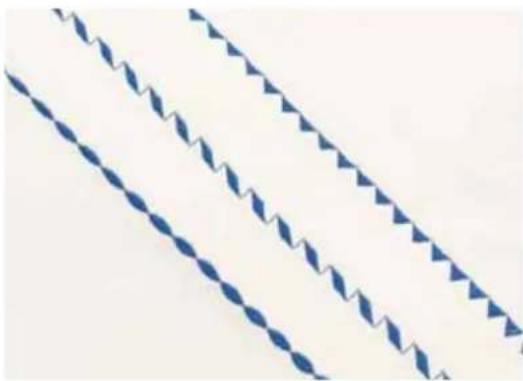
natural_image
Three diagonal blue diamond patterns with zigzag edges on white background (no text or symbols)Changing the pattern width
The pattern width can be altered using button pair A (1). The width can also be adjusted while sewing.
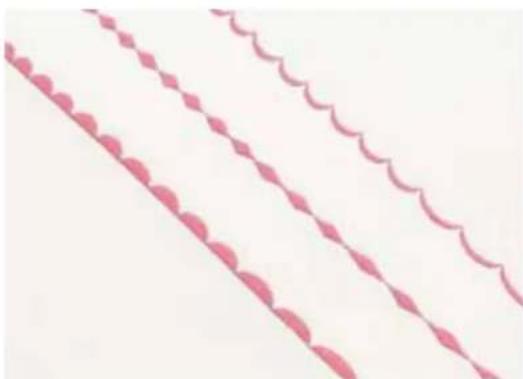
natural_image
Three pink decorative wavy lines with diamond patterns, no text or symbols presentChanging the pattern length
The pattern length can be altered using button pair B (2). The length can also be adjusted while sewing.
Decorative sewing/Specialty techniques

text_image
Lf.
natural_image
Close-up of a person lying on stone with decorative flowers and a small object, no visible text or symbols.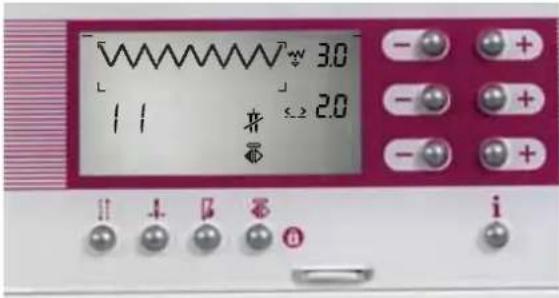
text_image
3.0 11 2.0 + 2.0 - + + - + + - + + i
text_image
temerling 3.0 2.0 1 1 + - - + - + - + iFree-motion monograms
Use stitch 3 (adjust stitch width and stitch length) to create wonderful monogram initials of your own design. Transfer the initials with a fabric marker to the area to be embroidered. Attach the darning foot and bring it into the darning position. Lower the feed dog.
Place a tear-away stabilizer under your fabric. Then place a piece of water-soluble stabilizer on the right side of the fabric. Place the fabric in an embroidery hoop and use the zigzag stitch, in varying widths, to follow your traced lines. Do not forget to use the darning position.
Knot the threads on the back of your project and remove the stabilizers. The remaining water-soluble stabilizer will dissolve in water.
Free-motion embroidery
These striking embroidery designs can easily be sewn with your expression.
Set your expression as for free-motion monograms.
Draw the outline of the embroideries on fabric where you want to stitch them.
Follow the instructions and tips for free-motion monograms to stitch your embroideries.
Automatic tapering
You can use both stitch No. 3 and stitch No. 11 for automatic tapering. If you would like to embroider the corners of a border, select zigzag stitch No. 11. Press the tie-off button (36) three times.
A dense zigzag stitch appears in the expression window and beside it the word "tapering" with an arrow pointing to the taper of the corner on the left. Start sewing the point.
Continue to sew to the length you desire, then press the reverse sewing button (33) while sewing. The taper will be sewn automatically at an angle of 45^ .
When using tapering the machine shall, unless the needle down function is selected, stop with the needle in up-right position. If needle down is selected the machine stops at the taper and the needle remains in the fabric so that you can turn the fabric 90°.
Decorative sewing/Specialty techniques
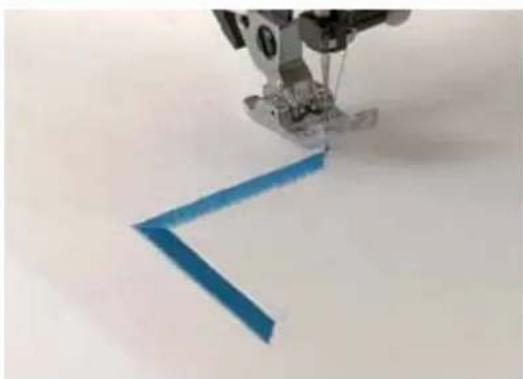
natural_image
Close-up of a sewing machine needle stitching a blue V-shaped object (no text or symbols visible)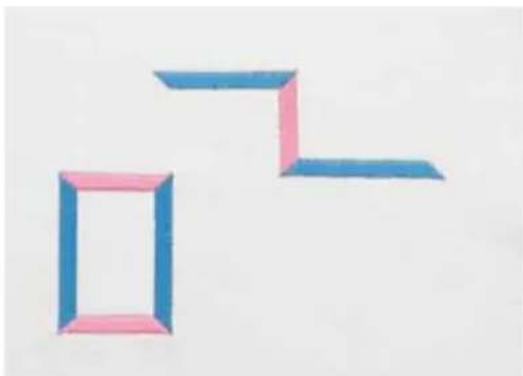
natural_image
Two geometric shapes made of colored paper cutouts, one outlined and one solid, on a plain background (no text or symbols)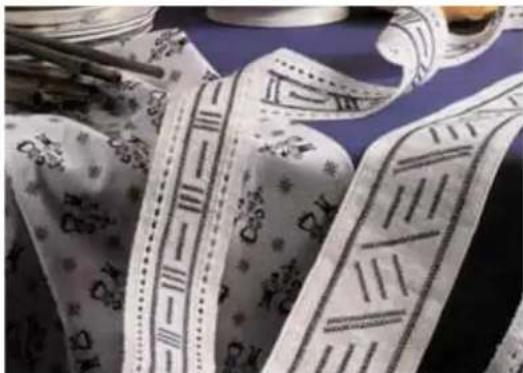
natural_image
Close-up of patterned fabric strips with decorative patterns and a rolled-up object on a blue surface (no text or symbols visible)When you start to sew again, the machine will automatically make a taper at 45^ . The present sewing operation is indicated in the window.
- To start the pattern without a taper, press the tie-off button (36) twice before starting to sew. Use -/+ button A to change the width of the satin stitch before sewing.
- To sew a pattern without a taper, press the tie-off button (36) four times before starting to sew.
- To change the width of the satin stitch and begin sewing with a taper, press the tie-off button (36) two times, use -/+ button A to select the width, and press the tie-off button one more time. The stitch will begin in the taper, then stitch at the width you have selected.
Now you can sew simple but perfect tapering motifs.
Cross-stitch
Cross-stitch embroidery has always been a wonderful traditional, embroidery technique.
What used to be stitched by hand with a great deal of effort can now be sewn with the 2038 and 2048 with astonishing ease and speed.
With cross-stitch No. 53/54 (2048) or No. 32/33 (2038), design your own cross-stitch combinations. These patterns look as if they were hand-embroidered and give a special touch to table linen, towels or garments.
Tips for cross-stitching:
- Sew slowly.
- Use foot No. 2A.
- Place stabilizer under the fabric.
- You can embroider on Aida cloth as used for hand cross-stitching. The length and width of the cross-stitches of your expression can be altered depending on the count/size of the Aida cloth squares.
- Use decorative threads to make your cross-stitch look more professional.
Decorative sewing/Specialty techniques
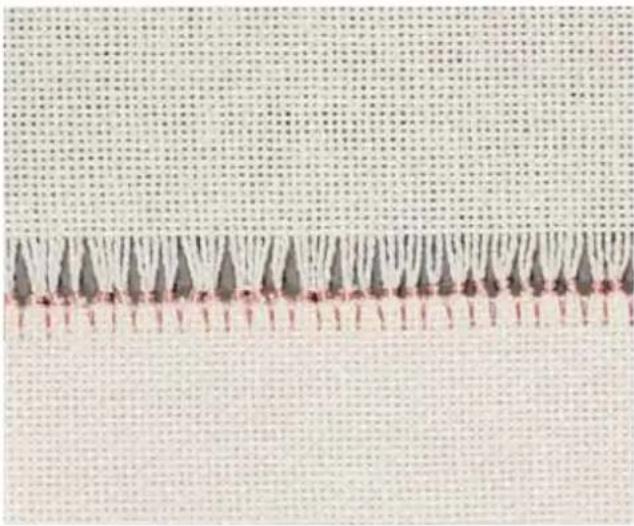
natural_image
Close-up of a textured surface with repeating dark triangular shapes and a horizontal pink line (no text or symbols)Hemstitching
This is a technique everyone recognizes – but was previously only embroidered by hand! With your expression you can produce hemstitching much quicker and easier.
Special hemstitches No. 55, 56, 57 and 58 (2048) and 34, 35, 36 and 37 (2038) are built into your machine. By changing the stitch length and width you can achieve different effects. Use a wing needle for hemstitching. (A normal needle is only used for very light fabrics - size 80.) Hemstitching is most successful on woven natural fabrics from which single threads can be easily pulled. Embroidery and darning thread, particularly cotton, are very suitable. With the hemstitches on your expression, various techniques can be applied.
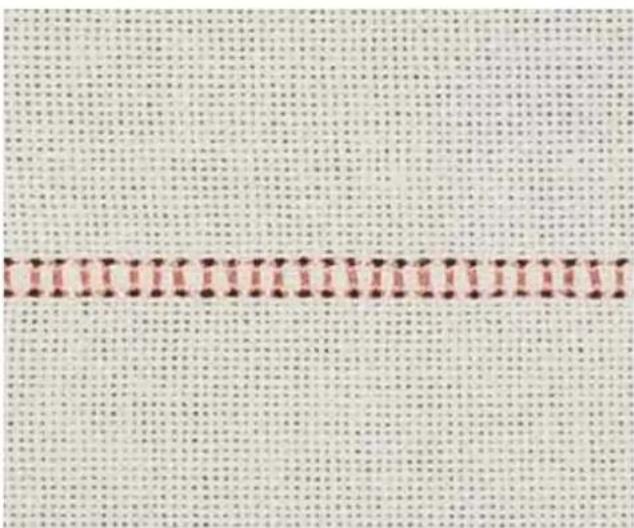
text_image
Cropped image of a textured fabric with vertical columns of red and black dots, likely from a historical or printed document.Traditional hemstitching
- Use stitches 55, 56, 57 and 58 (2048) and 34, 35, 36 and 37 (2038) to create lovely hemstitched holes.
- Sew the appropriate program on a piece of test fabric.
For pulled thread hemstitching:
- Count the threads of the fabric within the area of the sewn pattern. Adjust the pattern width so the needle is not piercing a thread to be pulled, but falling to the side of the threads of your fabric. This will allow you to easily remove the threads within the pattern area.
- Pull 1 - 3 threads out of the fabric to the right and left of the pattern.
• Overstitch the remaining threads with the selected program. The needle must enter the pulled threads on both sides close to the edges.
6. Maintenance

natural_image
Close-up of a hand using a sewing machine to press fabric on a metal workbench (no visible text or symbols)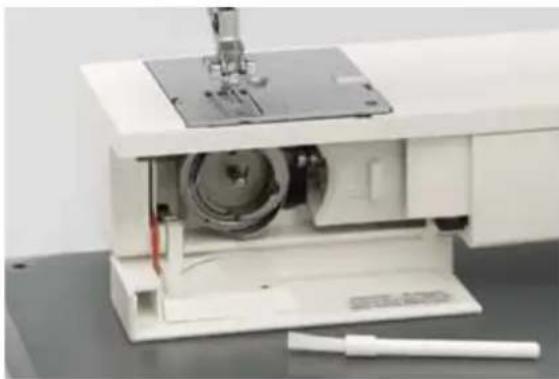
natural_image
Interior view of a sewing machine with visible internal components and a needle inserted (no text or symbols)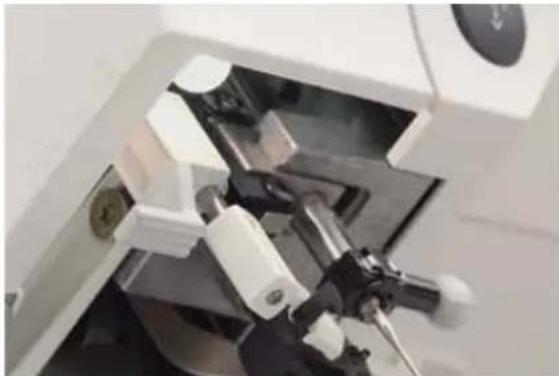
natural_image
Close-up of a robotic arm operating in a lab or laboratory setting (no visible text or symbols)
natural_image
Close-up of a hand using a sewing machine to adjust or install a component (no visible text or symbols)Changing the needle plate

Switch off the main switch.
Removal
- Raise the presser foot. Position the needle plate changer (lamp changer) as shown and press the needle plate up on the right, then on the left. It can now be easily removed.
Replacing
- Place the needle plate against the rear edge of the cut-out then press down at the front until you hear it snap in place. Before you start sewing, check that the needle plate is lying flat.
Tip: Lower the feed dog to make removing the needle plate easier.
Cleaning

Switch off the main switch.
- Remove the needle plate and lower the feed dog. Clean the feed dog and hook area with the brush.
- Clean the sewing machine every 10 - 15 hours of operation.
Cleaning the display
Wipe the display with a soft, lint-free dry cloth. DO NOT use aggressive cleansers or solvents!
Changing the light bulb

Switch off the main switch.
- Disconnect the lead cord and the foot control plug from the machine.
- Remove the accessory tray. The light bulb is located inside the sewing machine near the needle threader.
Bulb removal
Push the bulb remover, as shown in the figure, up as far as it will go. Now turn the bulb half a rotation counterclockwise and remove the bulb.
Insertion of the bulb
Insert the bulb in the lamp changer. Guide the bulb into the diagonal holder and turn it until the pins of the bulb engage. Push the bulb upward into the holder as far as it will go and turn it half a rotation in a clockwise direction. Remove the bulb changer from the bulb, the bulb is held firmly.
Important: The maximum wattage of the bulb is 5 watts.
Bulbs can be purchased from your PFAFF dealer.
Sewing problems and their solutions
| Problem/Cause | Remedy |
| The machine skips stitches | |
| The needle is not properly inserted. Push needle fully upwards. Flat side facing the back.Wrong needle is in use. Use needle system 130/705 H.Needle is bent or blunt. Insert a new needle.The machine is not properly threaded. Check how the machine is threaded.Needle is too small for thread. Use a larger needle. | |
| Needle thread breaks | |
| See reasons above. See above.Thread tension is too tight. Adjust thread tension.Thread is poor or has slubs in it, or has become dry afteroverlong storage.Thread is too thick. Use needle with large eye (system 130 N). | |
| Needle breaks off | |
| Needle is not pushed fully in. Insert new needle and push fully in.Needle is bent. Insert different type of needle.Needle is too thick or too thin. Insert different type of needle.Needle is bent, and has hit the needle plate because youare pulling or pushing the fabric.The bobbin case is not properly inserted. When you insert the bobbin case, push it fully into the stop.Pull lightly on the end of the thread to make sure bobbin case is secure. | |
| The seam is sewn unevenly | |
| The tension needs adjusting. Check needle thread tension.Thread is too thick, stubbed or hard. Only use good quality threads.The bobbin thread is unevenly wound. Do not wind thread by hand. Make sure thread is pulledsolidly into bobbin tension spring. Check bobbin threading path.Thread loops at top or underside of fabric. Re-thread machine, making sure presser foot is raised to itshighest position. This ensures that needle thread is securelyin thread tension system. | |
| The machine does not feed or feeds irregularly | |
| Sewing lint has collected between the feed dog teeth rows. | Remove needle plate, remove lint with brush. |
| Feed dog is lowered. Push slide A to the right or slide B to the left. | |
| Slide A is at the left or slide B is at the right (see page 2:15) | Push slide A to the right or slide B to the left. |
| The needle plate is not lying flat. | Press downwards at the front of the needle plate until you hear it snap into place. |
| The machine is running with diffi culty | |
| There are thread remnants in the hook ways. Remove the threads. | |
| The machine does not sew the selected stitch | |
| Switch off the machine, wait 10 seconds and switch on again. Select the desired stitch again. Before changing presser feet and needle the main switch must be switched off. Do not attempt to sew without fabric under the presser foot. When leaving the machine, even for only a short time, switch off the main switch. This is important if there are any children nearby. | |
| Display incorrect or no display | Switch off the machine on completion of the sewing operation and then turn it back on again after approx. 10 seconds. All segments must appear again on the display. Select the desired stitch again. |
| When static electricity is being discharged some segments of the display will fail. | |
| The contrast on the display may be disturbed when the machine is cleaned or is transported (display is illegible or dark). | Set the contrast using the contrast control. |
Non-original Parts and Accessories
The warranty does not cover any defect or damage caused by use of non-original accessories or parts.
Maintenance
Index of headings
A
Adjusting the contrast in the expression window 3:1 Altering pattern width/length for combined borders 5:1
Altering stitches 2:16
Altering the pattern length/stitch density 3:3
Altering the pattern width/stitch length 3:2-3
Altering the stitch width/needle position 3:
Antique Quilt Stitches 4:2
Attaching the buttonhole foot 3:17
Automatic tapering 5:2-3
B
Balance 3:3 Bobbin case 2:6-7 Bobbin thread monitor (model 2048) 3:3 Bobbin winding 2:4-5 Bridging stitches 3:16 Buttonholes with gimp thread 3:20 Buttons for the stitch sequence 3:8
C
Carrying case 2:1 Changing a pattern within a sequence 3:10 Changing needles 2:13 Changing the light bulb 6:1 Changing the needle plate 6:1 Changing the presser feet 2:11 Cleaning 6:1 Cross hem stitches 3:16 Cross-stitch 5:3
D
Darning 3:14 Decorative stitches 1:12 Deleting a stitch sequence 3:10 Deleting all M-memories 3:10 Deleting from the stitch sequence 3:9 Drawing up the bobbin thread 2:10
E
Electrical connection 2:2
F
Formation of the stitches 3:7
Free Motion Sewing 3:14
Free Motion Stippling 4:2
Free-motion embroidery 5:2
Fully automatic buttonhole 3:18
G
Gathering 3:15
General notes on buttonholes 3:17
General notes on decorative sewing 5:1
H
Hemming 3:16 Hemstitching 5:4
|
Info button/reverse sewing button 3:4 Inserting into the stitch sequence 3:9-10 Inserting the buttonhole guide 3:17 Integrated Dual Feed/IDT 2:14 Integrated needle threader 2:9
L
Lid with stitch chart 2:1 Lowering feed dog 2:15 "Lock" button 3:6
Maintenance
M
Manual buttonhole 3:19
N
Non-elastic/elastic stitches 3:11-12
0
Opening an m-memory 3:8
Overlock stitches 3:13
P
Piecing the quilt top 4:1
Presser foot lifter 2:10
Q
Quilt Appliques 4:3
R
Removable accessory tray 2:3
S
Semi-automatic buttonhole/
manual fi nish 3:18
Sewing function buttons 3:5
Sewing on buttons 3:21
Sewing problems
and their solutions 6:2-3
Shell edging 3:16
Stitch selection 3:1
Stitch sequences 3:8
Stitch-in-the-Ditch 4:1
T
Thread cutter 2:10
Threading the needle thread 2:8
Threading twin needle 2:13
Tips for a perfect buttonhole 3:21
Twin needle 3:6
Tying the Quilt 4:2
U
Utility stitches (2038) 1:10
Utility stitches (2048) 1:8
V
Voltage switch 2:2
W
Winding a bobbin through the needle 2:12
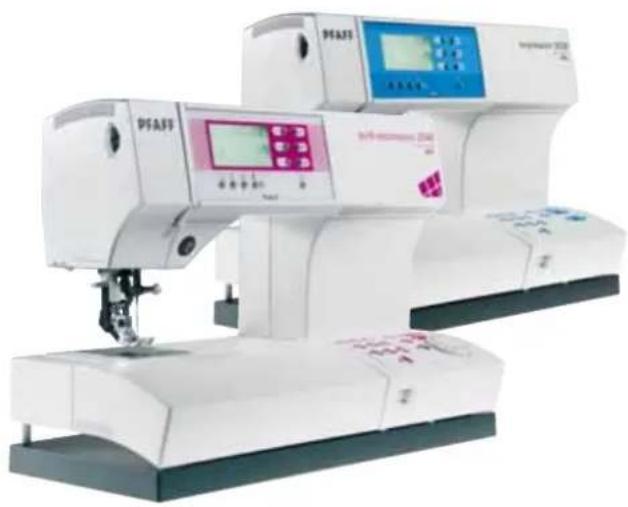
natural_image
Exterior view of a modern industrial sewing machine (no visible text or symbols)Technical data
Dimensions (w x h x d) 408 x 290 x 187 mm
Weight 8.3 kg
Nominal voltage (reversible) 220 - 240 V / 120 V
Power consumption 75 W
Sewing lamp 12 V / max. 5 W
Sewing speed max. 950 stitches/min
min. 80 stitches/min
Stitching width 0 ... 9 mm
Stitching length 0 ... 6 mm
Presser foot lift 8mm
Max. presser foot height 10.5 mm
Needle system 130 / 705 H
Package contents
Sewing machine
Carrying case
Foot control
Lead cord
Accessories
Instruction manual
We reserve the right to change the machine equipment and the ass ort ment of accessories without prior notice, or make modifi cations to the performance or design. Such modifications, however, will always be to the benefit of the user and the product.

Please note that on disposal, this product must be safely recycled in accordance with relevant National legislation relating to electrical/electronic products. If in doubt please contact your retailer for guidance.
Intellectual property
PFAFF and expression are registered trademarks or trademarks of VSM Group AB.

natural_image
Close-up of a sewing machine needle stitching a patterned fabric (no visible text or symbols)
natural_image
Folded green and blue patterned fabric with a bowl of fruit in the background (no text or symbols visible)