creative 1472 - Sewing machine PFAFF - Free user manual and instructions
Find the device manual for free creative 1472 PFAFF in PDF.


User questions about creative 1472 PFAFF
0 question about this device. Answer the ones you know or ask your own.
Ask a new question about this device
Download the instructions for your Sewing machine in PDF format for free! Find your manual creative 1472 - PFAFF and take your electronic device back in hand. On this page are published all the documents necessary for the use of your device. creative 1472 by PFAFF.
USER MANUAL creative 1472 PFAFF
Printed in West Germany
Subject to alterations in design
Nr 30276 HR·engl 6/93
PFAFF
creative 1472

natural_image
Line drawing of a sewing machine with control panel and spool (no text or symbols)Instruction Book
Fold out this page
Some safety rules
a) Take care to avoid injury to your fingers by the needle during sewing.
b) Make sure you unplug the power cord whenever you have to leave the machine or want to clean it, oil it or change mechanical and accessory parts.
c) Be sure to use only a 15-watt light bulb in the sewing lamp.
d) The drive belt must never be adjusted by anyone but an authorized Pfaff agent.
Some safety rules
valid for United Kingdom only
The wires in the mains lead are coloured according to the following code: Blue: Neutral Brown: Live
As the colours of the wires in the mains lead of this appliance may not correspond with the colour coding of the terminals in your plug, proceed as follows: the wire which is coloured blue must be connected to the terminal which is marked with the letter N or coloured black.
The wire which is coloured brown must be connected to the terminal which is marked with the letter L or coloured red.
Please note:
When a 13-ampere plug is used, a 3-ampere fuse has to be fitted.
Contents on pages 159 to 161.
| IMPORTANT SAFETY INSTRUCTIONS This sewing machine is designed and manufactured for HOUSEHOLD use only. When using an electric appliance, basic safety precautions should always be followed, including the following: Read all instructions before using this sewing machine. | |
| DANGER To reduce the risk of electric schock: 1. The sewing machine should never be left unattended when plugged in. Always unplug this appliance from the electric outlet immediately after using and before cleaning. 2. Always unplug before relamping. Replace bulb with same type rated 15 Watts. 3. Do not reach for a sewing machine that has fallen into water. Unplug immediately. 4. Do not place or store sewing machine where it can fall or be pulled into a tub or sink. Do not place in or drop into water or other liquid. | |
| WARNING To reduce the risk of burns, fire, electric schock, or injury to persons: 1. Do not allow to be used as a toy. Close attention is necessary when this sewing machine is used by or near children. 2. Use this sewing machine only for its intended use as described in this manual. Use only attachments recommended by the manufacturer as contained in this manual. 3. Never operate this sewing machine if it has a damaged cord or plug, if it is not working properly, if it has been dropped or damaged, or dropped into water. Return the appliance to the nearest authorized dealer or service center for exami- nation, repair, electrical or mechanical adjustment. 4. Never operate the sewing machine with any air openings blocked. Keep ventilation openings of the sewing machine and foot controller free from the accumulation of lint, dust, and loose cloth. 5. Never drop or insert any object into any opening. 6. Do not use outdoors. 7. Do not operate where aerosol (spray) products are being used or where oxygen is being administered. 8. To disconnect, turn all controls to off ("O") position, then remove plug from outlet. 9. Never operate on a soft surface such as a bed or couch where the air openings may be blocked. 10. Do not unplug by pulling on cord. To unplug, grasp the plug, not the cord. 11. Keep fingers away from all moving parts. Special care is required around the sewing machine needle. 12. Always use the proper needle plate. The wrong plate can cause the needle to break. 13. Do not use bent or blunt needles. Use needles recommended by the manufacturer only. 14. Do not pull or push fabric while stitching. It may deflect the needle causing it to break. 15. Switch the sewing machine off ("O") when making any adjustments in the needle area, such as threading needle, changing needle, threading bobbin, or changing presser foot, etc. 16. Always unplug sewing machine from the electrical outlet when removing covers, lubricating, or when making any other user servicing adjustments mentioned in the instruction manual. 17. Hold plug when rewinding into cord reel. Do not allow plug to whip when re- winding. SAVE THESE INSTRUCTIONS |
E E E E E E E E E E E E E E E E E E E E E
IMPORTANT SAFETY INSTRUCTIONS
DANGER
WARNING
SAVE THESE INSTRUCTIONS
1

text_image
Technical diagram of a sewing machine with numbered parts and labeled parts
text_image
Technical diagram of a sewing machine with numbered parts for identificationParts of the sewing machine
1 Carrying handle
-
Folding cover
-
Hand wheel
-
Release dish
4 Release disc
5 Keys for balance and pattern
length
6 Key for program sequence and
recommended sewing modes
- Key for stitch length and pattern
length
- Stitch width
6 Stitch width keys
9 Main switch
11 Work support with accessory box
and accessory compartment
- Sewing font holder with sewing
foot
- Needle holder with retaining screw
10 Needle holder with retaining screw 14. Robbie thread weight
14 Bobbin thread monitor
15 "Needle down" key
16 "Sew-slow" key
17 Presser bar lifter
-
"Reverse" key
-
"Tie off"/butter
-
He on Youtonnoble key
20 Presser bar
21 Display
22 Four program selection keys
23 Program chart
-
Storing compartment
-
Robbin window
25 Bobbin Winder
26 Pattern start key
27 Single pattern key
28 Pattern mirror key
- Twin neddie ke
30 Memory recall key
30 Memory recall key
31 Connection socket for foot control
32 Baseplate
3 Cover, sewing hook area
4 Free arm
-
Threader
-
Sewing lamp
10 Sewing lamp
7 Thread trimmer
8 Threading slots
9 Needle thread tension
0 Bobbin winder thread guide
-
Take up lever
-
Needle plots
2 Needle plate
3 Dual feed
4 Bobbin winder thread guide
(swing-out)
5 Spool holder with unwinding disc
6 Second spool holder (swing-up)
7 Correction key
8 Program entry key
More than just a sewing machine:
Your new
PFAFF Creative 1472
The right machine for creative sewing, embroidery as if by hand, and textile design.
This means you have bought a quality product, one of the best sewing machines in the world. Compared with other makes it has a multitude of
superb sewing features. From this vast range of features we have compiled a number of tips and ideas for you and divided them into three groups:
- Straight-stitch zippers and t
- string stitch, zigzag and utility stitch programs and buttonhole program.
-
Embroidery stitch program
-
Programming of embroidery and hand sewn stitches, and alphabet programs.
As a creative fashion designer you will no doubt have further questions regarding sewing problems now and then. If so, simply contact your PFAFF dealer. They will be pleased to help you whenever you wish.
To make full use of the numerous features of the machine, please read this instruction book carefully.
When using this book, fold out the front and back cover pages.
We wish you great pleasure and success with your creative sewing.
Utility stitch programs
| 00 | 01 | 02 | 03 | 04 | 05 | 06 | 07 | 08 | 09 | 10 | 11 | 12 | 13 | 14 | 15 | 16 | 17 | 18 | 19 | 20 | 21 | 22 | 23 | 24 | 25 | 26 | 27 | 28 | 29 |
| No. | Description | Application | Max.width in mm |
| 00 | Straight stitch middle needle position | For all sewing work, plus a 6 mm fancy stitch. | - |
| 01 | Straight stitch with 19 needle positions | For all sewing work requiring special needle positions. | - |
| 02 | Straight stitch, reverse middle needle position | For sewing continuously in reverse, if you do not wish to turn the work. | - |
| 03 | Straight stitch, reverse with 19 needle positions | Same as program 02, but with special needle position. | - |
| 04 | Stretch triple straight stitch stitch length 1.5 to 4.5 mm | For very strong seams. Under any strain they stretch without tearing. | - |
| 05 | Stretch triple straight stitch stitch lenght 3 to 6 mm | They are used, for example, for inside leg seams on sports- and workwear, but also as a fancy seam. | - |
| 06 | Stem stitch, narrow | For embroidering with the embroidery programs. | - |
| 07 | Stem stitch, wide | For embroidering with the embroidery programs. | - |
| 08 | Grass stitch | For embroidering. | - |
| 09 | Basting stitch | For basting cuttings. | - |
| 10 | Zigzag | For serging appliquing, inserting lace and basting with fringe tool. | 6 |
| 11 | Zigzag stitch from right needle position | Same as program 10 (for zigzag from left needle position push pattern reverse key). | 6 |
| 12 | Purl stitch | For sewing purl seams. | 6 |
| 13 a 13 b | Stretch stitch a = 2 penetrations; b = 1 penetration | For sewing on elastic tape, darning tears and patching. Suitable for almost every fabric. | 7 |
| 14 | Shell-edging stitch | For shell-edging and ordinary edging. | 6 |
| No. | Description | Application | Max width in mm |
| 15 | Fancy elastic stitch | For over-stitching elastic and woolen threads, gathering and smocking. | 6 |
| 16 | Blind stitch | For invisible hemming and shell-edging. | 6 |
| 17 | Stretch blind stitch | For invisible hemming in elastic materials (securing edges). | 6 |
| 18 | Light buttonhole | For buttonhole sewing. | 5,5 |
| 19 | Button sewing | For sewing on buttons. | 6 |
| 20 | Edge binding stitch | For serging or enhancing edges | 7,5 |
| 21 | Closed overlock stitch | For joining and serging seams with edge thread. | 7,5 |
| 22 | Tricot-patching stitch | For sewing and patching light knitteds (underwear). | 6 |
| 23 | Pullover stitch | For elastic joining and serging seams in heavy knits and jersey. | 7 |
| 24 | Honeycomb stitch | For sewing on elastic threads, covering terry-cloth seams and fancy hem seams (shirring effect). | 7 |
| 25 | Closed overlock stitch | Joining and serging seams, ideal for jeans. | 6 |
| 26 | Closed overlock stitch | For joining and serging seams in heavy-knits and jersey. | 6 |
| 27 | Cross stitch | A high-stretch seam for sportswear. | 7 |
| 28 | Overlock stitch | For sewing and serging in one operation. | 6 |
| 29 | Fagotting stitch | For joining foundation wear. Produces a fancy hem-stitching effect. | 7 |
text_image
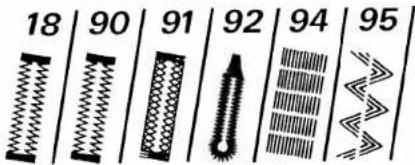
18 | 90 | 91 | 92 | 94 | 95| No. | Description | Application | Max width in mm |
| 18 | Light buttonhole 7.0 to 16 mm | For sewing buttonholes in blouses, shirts and linen. | 5,5 |
| 90 | Light buttonhole 7.0 to 44 mm | For sewing buttonholes in bed linen. | 5,5 |
| 91 | Stretch buttonhole | For buttonholes in stretch fabrics (jersey, etc.) | 5,5 |
| 92a | Eyelet buttonhole with wedge tack | For buttonholes in jeans, trousers and sportswear. | 8.5 |
| 92b | Eyelet buttonhole with lengthwise tack | For buttonholes in outerwear, costumes, coats, etc. | 8.5 |
| 92c | Eyelet buttonhole with crosswise tack | For buttonholes in heavy-duty outerwear. | 8.5 |
| 94 | Darning program | For darning thin damaged areas. | 9 |
| 95 | Stretch triple stitch elastic stitch | For sewing elastic tapes in sportswear and bathing wear (high-stretch seam for knitted farbrics). | 6 |

text_image
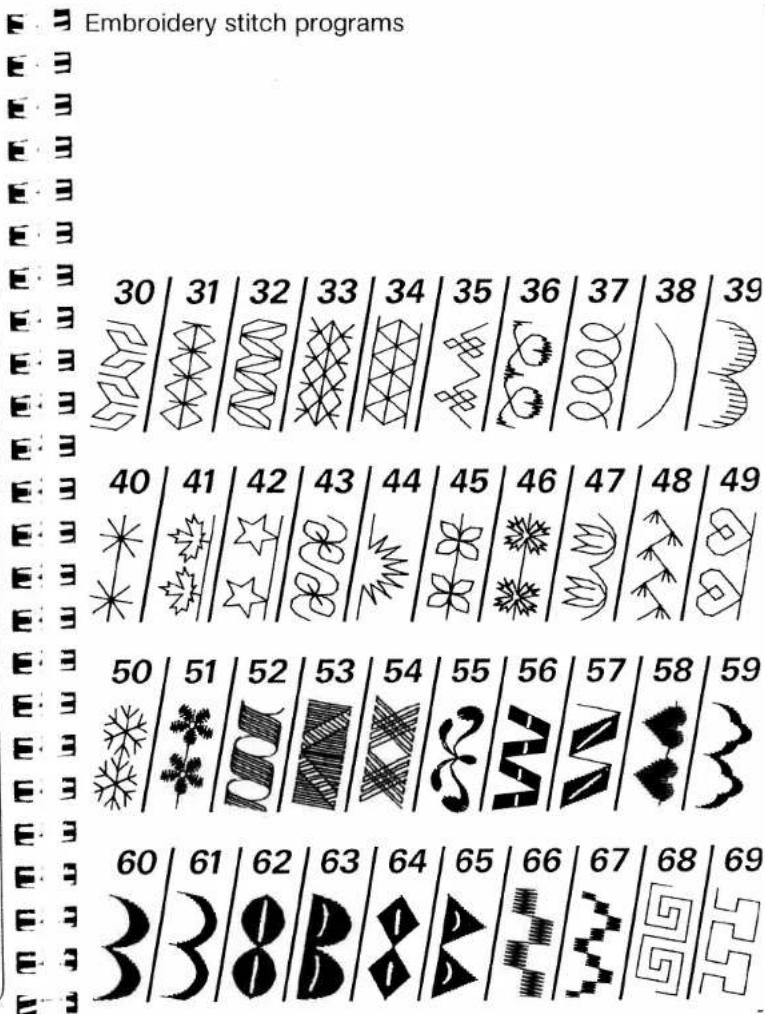
70 71 72 73 74 75 76 77 78 79 80 81 82 83 84 85 86 87 88 89 93 96 97 98 99| No. | Description | Application | Max width in mm |
| 30-6973-8084-899360,61,63 | Embroidery stitch programsScalloping edge decoration | For fancy seams, ornaments, borders and embroideries.For table linen, napkins, bed linen, etc. | 9 |
| 70-7281-83 | Cross stitch programs | For cross-stitch embroidery in children's wear, blouses, covers, etc. | 3-9 |
| 96-99 | Hem-stitching programs | For hem-stitching in table linen, bed linen, blouses, cloths, etc. | 6-9 |
| Alphabets with special letters for languages | For monograms and texts. | ||
| -bA,-b0 | Block letters | Capital letters, numbers and punctuation marks. | 9 |
| -cA,-c0 | Outline letters | Capital letters, numbers and punctuation marks. | 9 |
| -dA | Script | Capital letters and punctuation marks. | 9 |
Electrical connection
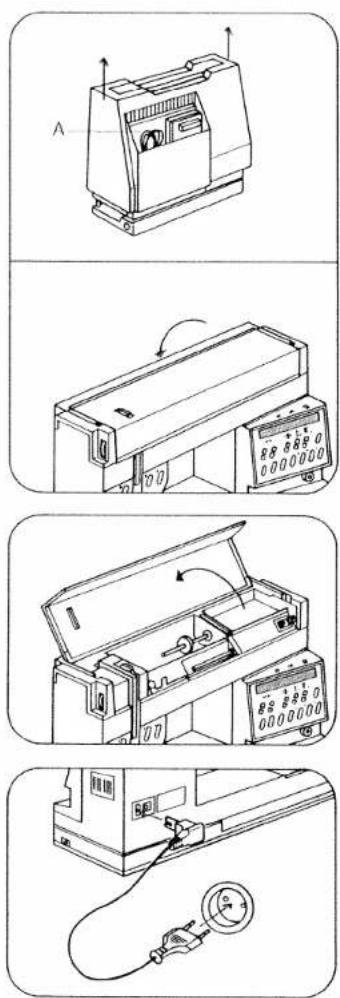
Lift off the cover and fold down the carrying handle. Compartment A is for storing the foot control, mains lead and instruction book.
Important!
Before pulling machine into operation, please insert the two batteries 1.5 V as described in instruction book, page 43 however, without turning on the machine. Afterwards press key 47 "m e m - B/I", secure it and turn on the machine by pressing the main switch 9
Open cover 2.
Connect the mains lead.

text_image
Image showing a vertical column of identical square symbols, likely representing a pattern or symbol sequence.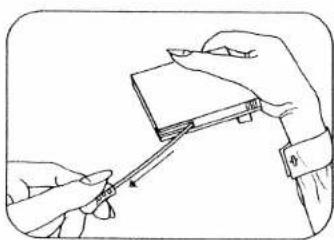
natural_image
Line drawing of hands holding a small object with a tool, no text or symbols present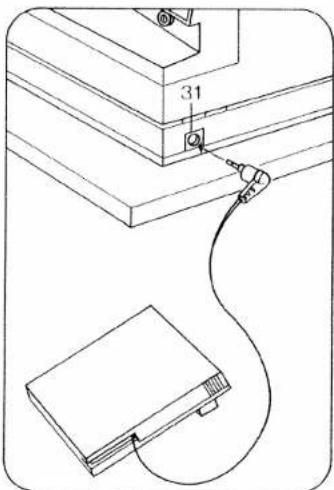
text_image
31Pull the power lead out of the foot control.
Plug the foot control lead into connection socket 31 and place the foot control on the ground.
text_image
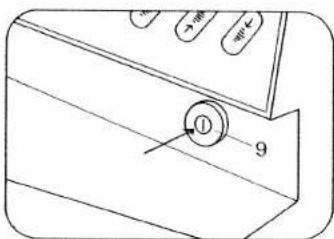
① 9Press main switch 9, the sewing lamp then goes on.

natural_image
Technical line drawing of a mechanical assembly with no visible text or symbols
text_image
Bobbin winding: Take hold of the work support and swing it to the left.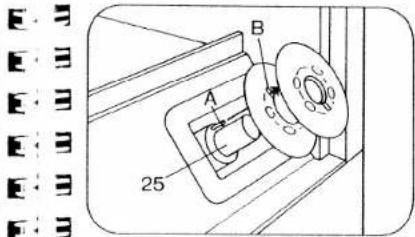
text_image
E B A C 25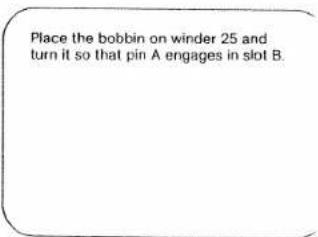
text_image
Place the bobbin on winder 25 and turn it so that pin A engages in slot B.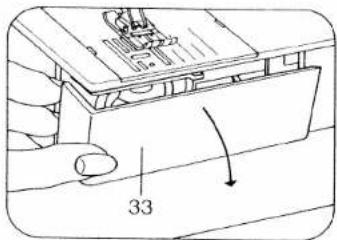
text_image
33
text_image
Open free arm cover 33.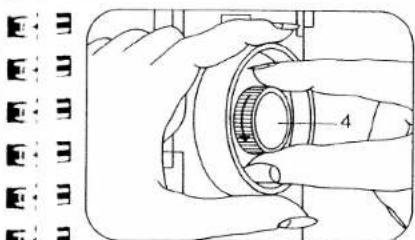
natural_image
Illustration of hands fastening a mechanical component with a numbered part (no text or symbols)
text_image
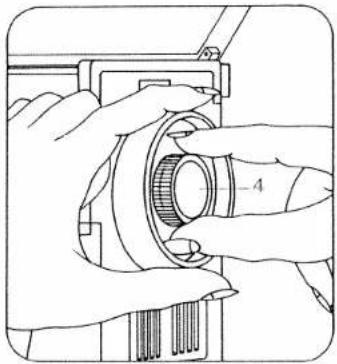
Disengaging the sewing action: Hold the balance wheel and turn release disc 4 as shown by the arrow.
natural_image
Technical line drawing of a mechanical assembly with no visible text or symbols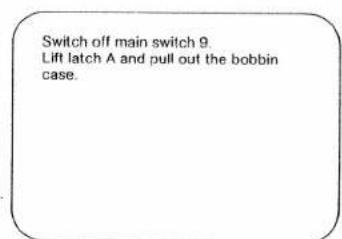
text_image
Switch off main switch 9. Lift latch A and pull out the bobbin case.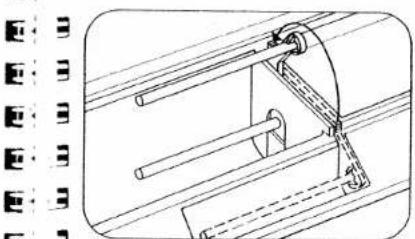
natural_image
Technical line drawing of a mechanical assembly with no visible text or symbols
text_image
Swing the second spool holder up and away from you.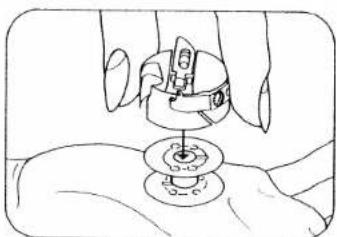
natural_image
Line drawing of a hand holding a small mechanical component with a circular base (no text or symbols)
text_image
Release latch A and take out the bobbin.
text_image
E-3 E-3 E-3 E-3 C
text_image
Place a spool of thread and unwinder C on the spool holder,
text_image
40 45 AA B A 25 10 P 100 M 100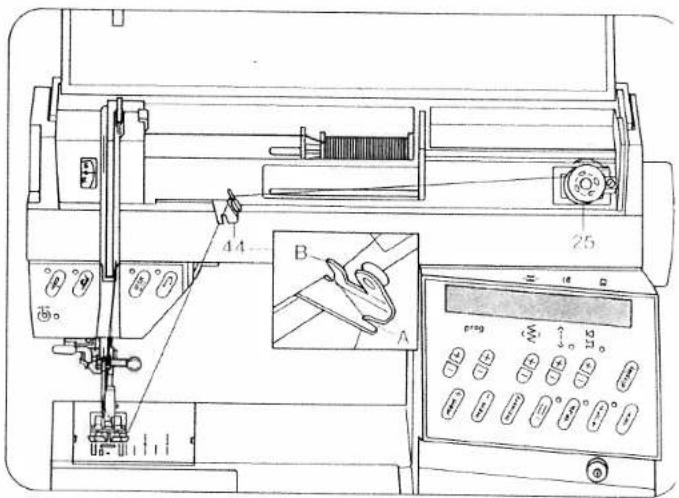
text_image
Technical diagram of a machine tool with labeled parts and an inset showing a close-up view of the component 'A' with measurement markings.Winding from a second spool:
Swing bobbin winder thread guide 44 to the front. Pull the thread into guide 40, into bobbin winder tension A and around finger B. Now pass the thread to bobbin winder 25 and wind it a few times clockwise around the bobbin. Press the bobbin to the right. Then turn on the main switch, press the foot control and wind the bobbin. Press the full bobbin to the left and cut the thread using thread cutter 37. Bobbins are wound in the same way from reel holder 45.
Important: If an empty M-memory is selected, it is not possible to wind the bobbin. A program between 00 and 99 must be selected.
If the spool has a thread slot, the slot must face to the right when the spool is placed on.
natural_image
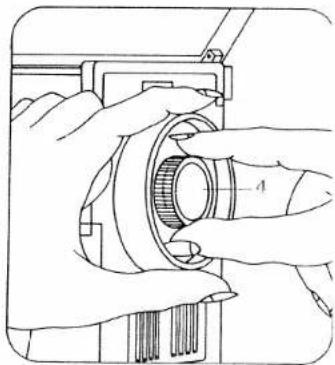
Technical line drawing of hands operating a mechanical component with a gear and shaft (no text or symbols)Engaging the sewing action: hold the hand wheel firmly and turn disc 4 to the rear. Then turn the hand wheel to the front until it engages.
Winding through the needle
Only with metal sewing foot! Swing bobbin winder thread guide 44 to the front.
Raise sewing foot. Switch on the dual feed. Set needle at top position. Place bobbin on bobbin winder 25. Disengage sewing action. Pull the needle thread under the sewing foot to the right and through guide 44 (into opening A and around finger B, see illustration) Wind the thread a few times clockwise around the bobbin and press it to the right. Then turn on the main switch, press the foot control and wind the bobbin. Push the full bobbin to the left, remove it and cut the thread using thread cutter 37.
Important: If an empty M-memory is selected, it is not possible to wind the bobbin. A program between 00 and 99 must be selected.
natural_image
Technical line drawing of hands operating a mechanical component with a gear-like shaft (no text or symbols)Engaging the sewing action: hold the hand wheel firmly and turn disc 4 to the rear. Then turn the hand wheel to the front until it engages

text_image
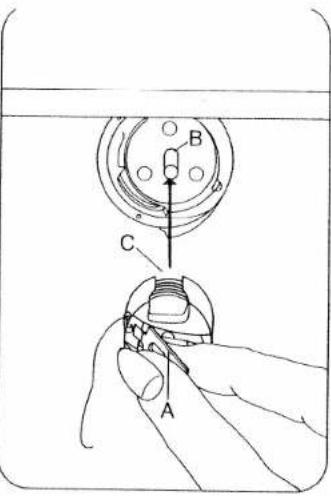
Technical diagram showing three mechanical components labeled A, B, and C with cross-sectional views.Inserting the bobbin: insert bobbin so that the thread unwinds as shown (A), pull thread through slot (B) and out of opening (C).
text_image
Technical diagram showing a mechanical assembly with labeled parts A, B, and C, likely illustrating a turning or disassembly process.Inserting the bobbin case: switch off main switch 9, lift latch A and push the bobbin case fully onto pin B. Cutout C must face upwards.

natural_image
Diagram showing a hand holding a small mechanical component with two views of the same part, one labeled 'D' (no text or symbols present)Checking the bobbin thread tension: with a brief, sharp upward movement of your hand the bobbin must slip downwards (turn screw D to the left for weaker tension and to the right for stronger tension).
text_image
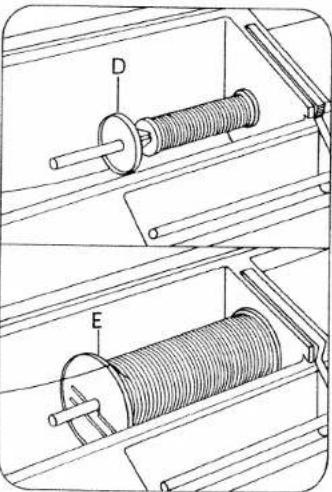
Technical diagram showing two mechanical assembly setups with labeled components D and EThread reel sizes: for small spools use the small or medium unwinding disc D, for large spools use large unwinding disc E.

text_image
Technical diagram of a mechanical device with labeled components A, B, C, and 41Threading:
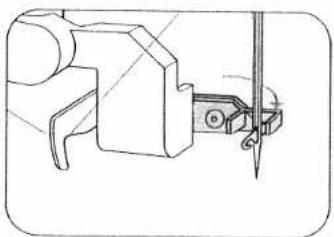
Switch off main switch 9. Set needle at top position. Raise sewing foot. Pull the thread as shown by the arrow into groove A, to the left past guide C, from below into slot B, into take-up lever 41, back to slot B and into the right-hand guide on the needle holder.
natural_image
Technical line drawing of a mechanical assembly with a tool inserted (no text or symbols)Swing threader to front against needle and hold it there.

natural_image
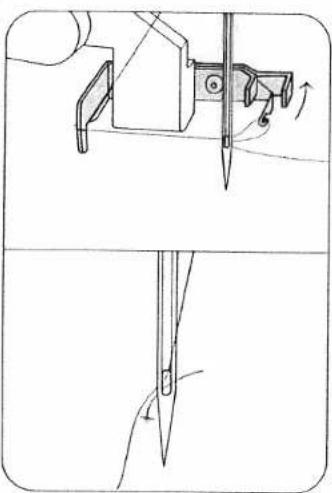
Technical line drawing of a mechanical assembly with no visible text or symbolsPlace thread in hook E from below.
natural_image
Technical line drawing showing a sewing machine needle and a sewing tool tip (no text or symbols)Swing threader to rear, releasing thread at same time, and when the threader has moved upwards, pull the thread fully through the needle eye.

text_image
35 DPlace the needle thread behind hook D and hold it. Pull threader 35 fully downwards.
natural_image
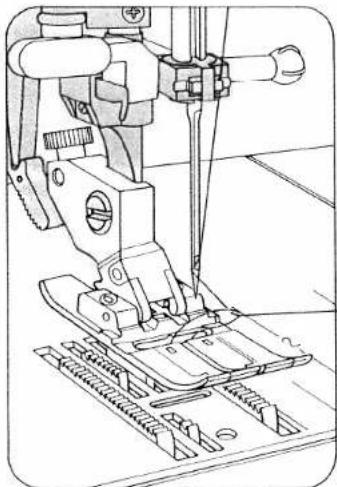
Technical line drawing of a sewing machine needle and base plate (no text or symbols)Hold the needle thread, turn hand wheel to the front and sew a stitch. Needle and take-up lever must be at top. Pull the bobbin thread up with the needle thread.

natural_image
Technical line drawing of a sewing machine with no visible text or symbolsDual feed
This prevents shifting of the material plies during sewing. Raise the sewing foot before engaging or disengaging it.
natural_image
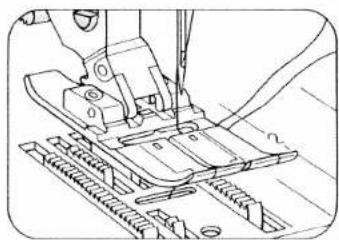
Technical line drawing of a sewing machine needle stitching a component (no text or symbols)Place the needle- and bobbin thread under the sewing foot to the right.
natural_image
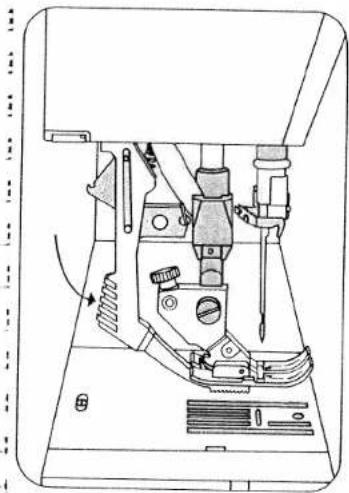
Technical line drawing of a sewing machine with no visible text or symbolsTo engage: push top feed 43 downwards to lock it in place.
To disengage: unlock top feed by pushing it lightly downwards, then pull it to the rear and allow it to move up.

text_image
33Close free arm cover 33.

natural_image
Three vertical panels with textured surfaces, no visible text or symbols
natural_image
Two vertical grayscale panels with textured surfaces, no visible text or symbols
natural_image
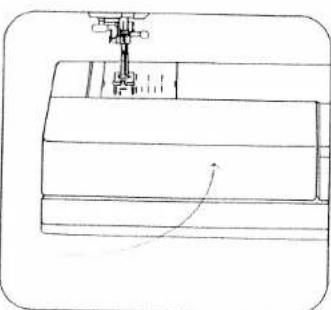
Technical line drawing of a sewing machine needle stitching a rectangular block (no text or symbols)Swing work support 11 against the machine arm.

natural_image
Close-up of a sewing machine needle and screw mechanism (no visible text or symbols)Exclusive built-in dual feed lets you do things even experts find difficult.
Even experts find it difficult to match patterns and plaids when sewing slippery silks and synthetics. But easy matching is automatic with Pfaff's exclusive built-in dual feed.
When two or more fabric layers are fed simultaneously through conventional sewing machines, there is always the possibility of slippage.
The exclusive Pfaff solution is built-in dual feed, a walking foot that simultaneously feeds the fabric from above as the feed dog moves it from below. You can sew up to 12 fabric layers without fear of slippage.

natural_image
Line drawing of a sewing machine stitching fabric (no text or symbols)Switch off main switch 9. Now place the material under the sewing foot.

natural_image
Line drawing of a hand interacting with a mechanical component (no text or symbols)To place extra thick materials below the presser foot, raise presser bar lifter 17 higher and hold until fabric is in correct sewing position.
natural_image
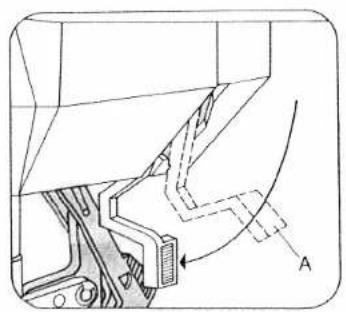
Technical diagram of a mechanical assembly with labeled component A (no text or symbols present)Switch on main switch 9, have material cover needle hole (see illustration B) and lower the sewing foot onto it by pressing presser bar lifter 17 downwards. Position A of lever 17 is for darning.

natural_image
Technical line drawing of a mechanical component with internal structure and labeled section A (no text or symbols)
natural_image
Simple line drawing of a folded paper or sheet with wavy lines, no text or symbols present.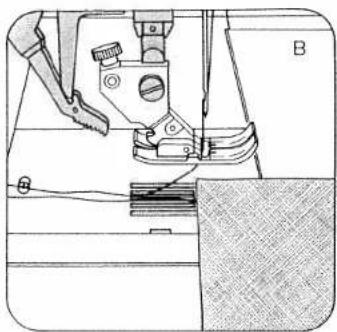
natural_image
Technical line drawing of a sewing machine with no visible text or symbols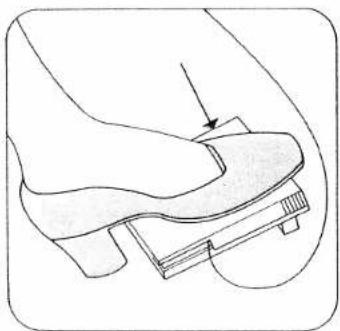
natural_image
Illustration of a foot pressing a small object on a curved surface, with an arrow indicating the motion direction (no text or symbols present)Needle thread tension 39 A = setting mark
Important! In order to obtain good sewing results it is important to check the following: 1. that the needle is in good order, 2. and the needle- or bobbin thread tension is correct.
The bobbin thread tension is adjusted correctly at the works. If on checking the bobbin thread tension (see page 16) you find it is necessary to correct it, turn the adjusting screw by small amounts only.
Checking the needle thread tension: The normal setting is from 3 to 5. The higher the number, the tighter the thread tension. This is checked with a wide zigzag stitch (program 10). Sew a short seam. The thread interlace should lie exactly between the two material plies. Range 3 is for buttonhole sewing.
natural_image
Technical line drawing of a mechanical assembly with no visible text or symbolsRaising the presser bar lifter:
When you have finished a seam the needle must be fully raised. Then raise presser bar lifter 17.

text_image
37Removing the work from the machine and cutting the threads:
Remove the material to the rear and pull the threads in sewing direction into thread cutter 37 in order to cut them.
Important!
When the main switch is pressed to switch the machine on, the sewing lamp lights up.
When the machine is switched off by pressing the main switch, removing the mains plug or by power failure, the program memory in the computer is saved by a battery back-up. When the machine is switched on again, program
00 (straight stitch with needle in middle position) appears. All program combinations entered into any
memory are retained automatically. If a program is entered during sewing, it will not become effective until the machine is stopped and the foot control is pressed again.
The stitch width and stitch length can be changed during sewing. For bobbin winding disengage the sewing action.
After bobbin winding engage the sewing action again. Owing to the use of electronic components this machine becomes warm during operation. This is quite normal and of no consequence.
Batteries:
When the machine is switched on and the word "battery" is displayed continuously in four languages, the battery tension is no longer sufficient. The batteries must then be replaced by new ones (see page 43). When a program is selected the word "battery" disappears from the display.

natural_image
Black and white abstract pattern with no discernible text, symbols, or structured elements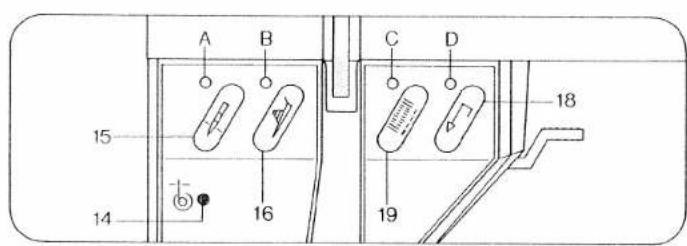
text_image
A B C D 15 14 16 19 18Electronic bobbin thread monitoring: Bobbin thread monitor 14 flashes before bobbin thread runs out. It goes out again when the full bobbin is inserted and sewing is continued. Important: cover 33 must always be closed.
Top and bottom needle position: When the machine stops, the needle goes up. Press key 15 for the needle down position. Display A then lights up and the needle will remain down when sewing is stopped. Press key 15 again. The indicator light goes out and the needle rises and stays at the top position.
Electronic actual speed selection: Press key 16 for slow sewing. Display B fights up. The machine sews at half speed. Press key 16 again. The display goes out and the machine sews again at full speed.
Tie-off/buttonhole. To sew: Press key 19: Indicator C lights up, the programmed seam is tied off at the beginning, then indicator light C goes out. If you push the key during sewing, the light goes on and a seam is tied off immediately, whereas a pattern is tied off at the end. The display then goes out. Buttonhole: In buttonhole programs 90 and 91, key 19 is used for determining and memorizing the length. For more details please see pages 78-91.
Reverse sewing: Press key 18 before you start sewing. Indicator light D lights up and the machine sews backwards permanently. If you press the key during sewing, the light will not go on and the machine will sew backwards as long as the key is pressed.
Darning: The lengths of darning program 94 are also determined and memorized with key 18.

text_image
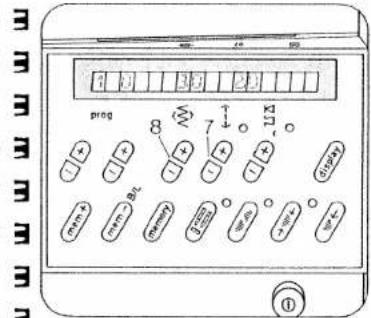
21 22 47 48 prog mem + mem - B/ memory 0 0 0 0 0 0 0 0 0 30 29 28 ① 8 7 6 5 26 27The controls of the Creative comput-
er:
5 Keys for balance and pattern length
6 Key for program sequence and
recommended sewing modes
7 Stitch length and pattern length
keys
8 Stitch width keys
21 Display
22 Four program keys
26 Pattern start key
27 Single pattern key
28 Pattern mirror key
29 Twin needle key
30 Repetition key
47 Memory correction key
48 Program entry key for memories
The computer of the Creative contains three different alphabets and two sets of numerals, punctuation marks and 99 programs. The programs are illustrated in the table with their seam types and setting numbers or symbols in the folding cover.
The optimum width and length is indicated for every program. When you push and hold key 6 the computer also makes recommendations as to the use of dual feed, needle thread tensions and sewing feet for each program.
These settings are indicated in display 21 above the keys. The programs can only be changed with keys which have an indicator above them.
The computer also contains 16 M memories for program combinations.

natural_image
Pure black-and-white textured surface with no visible text, symbols, or identifiable objects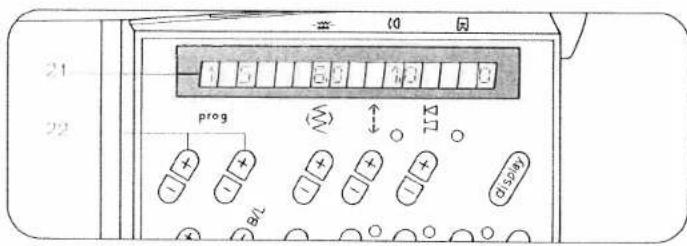
text_image
21 22 prog B/L 00 01 02 03 04 05 06 07 08 09 10 11 12 13 14 15 16 17 18 19 20 21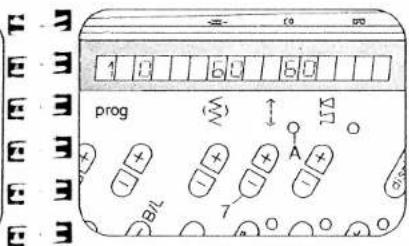
text_image
1 0 6 0 5 0 prog A B/L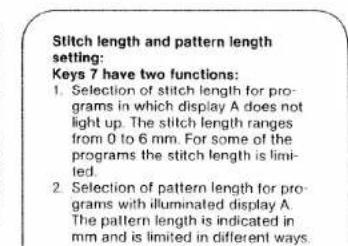
text_image
Stitch length and pattern length setting: Keys 7 have two functions: 1. Selection of stitch length for pro- grams in which display A does not light up. The stitch length ranges from 0 to 6 mm. For some of the programs the stitch length is limi- ted. 2. Selection of pattern length for pro- grams with illuminated display A. The pattern length is indicated in mm and is limited in different ways.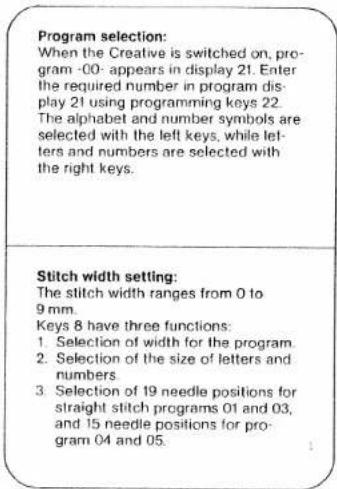
text_image
Program selection: When the Creative is switched on, pro- gram -00- appears in display 21. Enter the required number in program dis- play 21 using programming keys 22. The alphabet and number symbols are selected with the left keys, while let- ters and numbers are selected with the right keys. Stitch width setting: The stitch width ranges from 0 to 9 mm. Keys 8 have three functions: 1. Selection of width for the program 2. Selection of the size of letters and numbers 3. Selection of 19 needle positions for straight stitch programs 01 and 03, and 15 needle positions for pro- gram 04 and 05.
text_image
1 2
natural_image
Empty rounded rectangle outline with no text, numbers, or symbols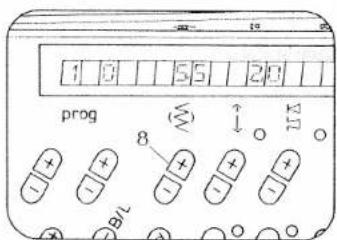
text_image
1 0 5 2 0 prog 8 ↑ ↓ 11 - - - - -
text_image
1 2 3 (9) (9) + (9)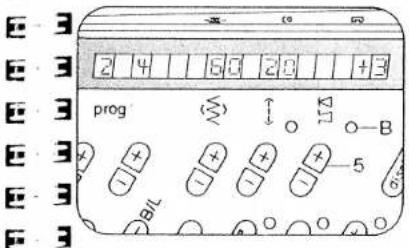
text_image
2 4 60 20 1 +3 prog B/L 5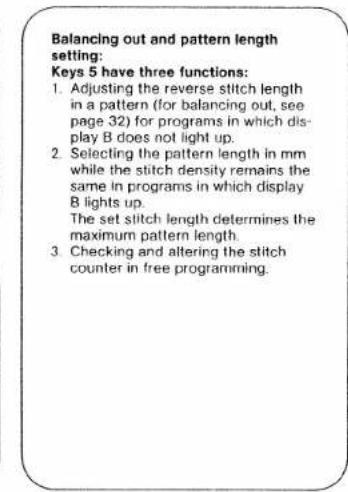
text_image
Balancing out and pattern length setting: Keys 5 have three functions: 1. Adjusting the reverse stitch length in a pattern (for balancing out, see page 32) for programs in which dis- play B does not light up. 2. Selecting the pattern length in mm while the stitch density remains the same in programs in which display B lights up. The set stitch length determines the maximum pattern length. 3. Checking and altering the stitch counter in free programming.Balance, or correction of reverse stitches
The balance control is used for correcting pattern- or program combinations which are sewn with a slight shift owing to influences by the type of material or working method used. The stitch length of the reverse stitches of a pattern is corrected from -7 to +7; the normal position is "0". The minus "-" settings shorten the reverse stitches and the patterns or programs become longer, and the plus "+" settings lengthen the reverse stitches; patterns or programs become shorter.
Examples:
- Correction of individual patterns
Plattern too long Prog. 41
Prog.
94 41


Corrected by:
-2 +3


Rule: if the pattern is too long, correction has to be made by "+" (from +1 to +7)
2. Correction of pattern- and program combinations
Combination: SUNGEN
Corrected by: +3
Rule: If the pattern or program last entered is corrected with “−” or “+” and entered, this applies to the entire program combination.
5 6 143 09 00 50
text_image
prog 48-47progr.:

natural_image
Decorative border pattern with floral and star motifs (no text or symbols)Storing program combinations:
The creative computer contains 16 M memories, M 0 to M 15. A maximum of 484 programs can be stored in the 16 M memories. One M memory holds up to 84 entries of programs 00 to 99 or letters and numerals.
Programs 00 to 99 can also be combined with letters and numbers. Storing: first select a free M memory with left key 22 M and right key 22. The M memory is empty when no indication appears in display 21. If no M memory from M 1 to M 15 is selected, all programs will go into memory M 0.
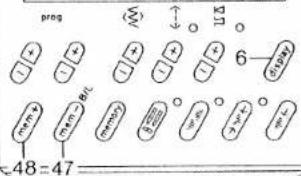
Afterwards press key 48 for program entry. The memory is now ready for input.
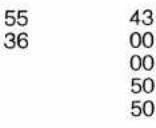
Select programs, letters, punctuation marks or numbers individually with program keys 22 and enter them in the memory by pressing key 48. The program numbers, letters, punctuation marks or numbers appear in display 21. The programs can be changed in length and width before input. If the computer will not take further inputs, this means the memory capacity is exhausted, and a memory you no longer need must be emptied.
Checking a program combination by running it through the display:
When more than 4 programs or more than 11 letters or numbers are stored, the program can be run through display 21 from right to left by pressing key 6. To stop the display press key 6 again.
Press memory key 30 to sew the programs entered from the beginning. By pressing the foot control the machine sews the combination from the beginning as well.
Cancelling a program combination:
By pressing key 47 "correct", the last program of the stored combination is cancelled. Continue pressing key 47 until the entire combination is cancelled.
If the combination consists of several M memories, each individual memory has to be selected and cancelled. The memories are then free for new combinations.

natural_image
Pure horizontal line with no text, numbers, or symbols
text_image
prog 125 30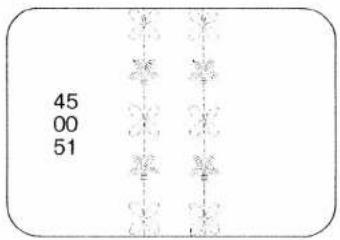
text_image
45 00 51
text_image
prog 29
natural_image
Abstract pattern of white zigzag lines on black background, no text or symbols present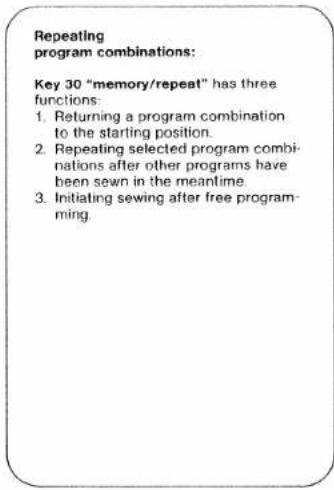
text_image
Repeating program combinations: Key 30 "memory/repeat" has three functions: 1. Returning a program combination to the starting position. 2. Repeating selected program combi- nations after other programs have been sewn in the meantime. 3. Initiating sewing after free program- ming.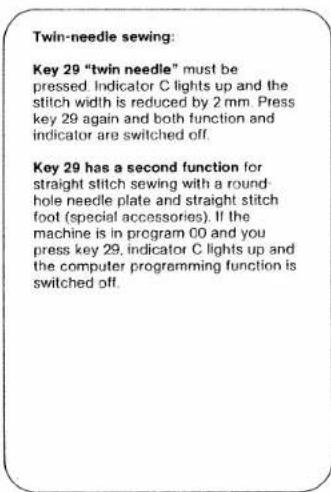
text_image
Twin-needle sewing: Key 29 "twin needle" must be pressed. Indicator C lights up and the stitch width is reduced by 2 mm. Press key 29 again and both function and indicator are switched off. Key 29 has a second function for straight stitch sewing with a round- hole needle plate and straight stitch foot (special accessories). If the machine is in program 00 and you press key 29, indicator C lights up and the computer programming function is switched off.


text_image
prog 28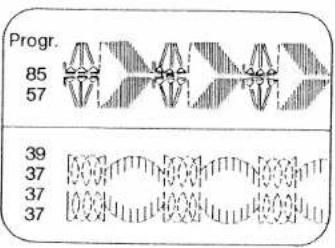
text_image
Progr. 85 57 39 37 37 37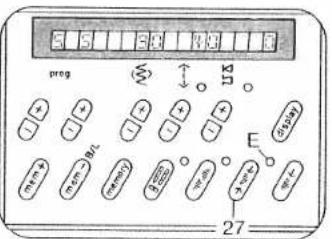
text_image
prog E 27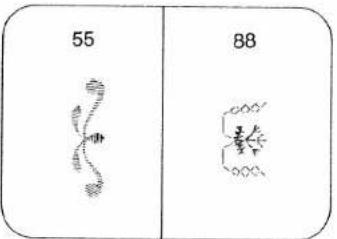
text_image
55 88Pattern mirroring:
Press "pattern mirror key 28." Display D lights up. The selected program is sewn in reverse. Programs can also be entered mirror-imaged into a combination, as well as whole combinations can be sewn mirror-imaged by pressing key 30 first, then key 28, display and function are now switched off.
Single pattern setting:
Push "single pattern" key 27. Display E lights up. The machine sews a program or a program combination and ties off beginning and end of the seam. If the key 27 is pressed while sewing is in progress, the machine completes the program and ties off the seam.

natural_image
Pure horizontal line with no text, numbers, or symbols visible
text_image
prog 26 150bp mem mem memory g 200 m-40 + m-4 m-4 26Setting the pattern start:
Key 26 "pattern start" has three functions:
- Push "pattern start" key 26. A pattern in progress is returned to the starting point.
- The last program in a combination appears in the display.
- Length programming in buttonhole-and-darning programs is cancelled.
Recommended sewing modes:
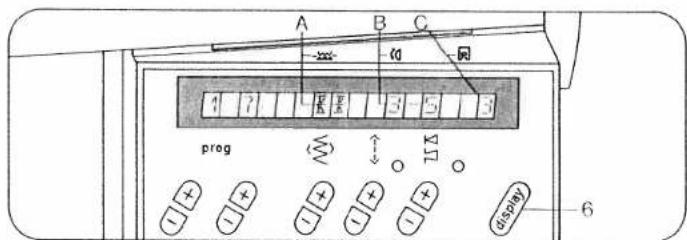
For every program from 00 to 99, and for letters and figures the machine will indicate recommended sewing modes with regard to dual feed, needle thread tension and sewing feet. Press key 6 and hold it. The recommendations appear in the display beneath the three symbols on the computer:

A: dual feed
engaged K K disengaged K K

B: needle thread tension

C: number of sewing foot (standard accessories)
Recommendations made in this book may differ from those in the machine display. In that case both recommendations can be used.
text_image
A B C 10 4 1 2 3 5 3 prog M O I O + + - + + - + + - + + display 6
text_image
E. M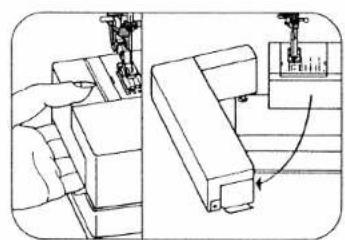
natural_image
Technical line drawing showing a hand operating a mechanical component with a close-up view of the next component (no text or symbols present)
text_image
Take hold of the work support and swing it out to the left.
text_image
Technical diagram of a mechanical device with labeled components A, B, and C, showing internal components and assembly steps.
text_image
D 130/705 H 1 2 3 4 5 6 7

text_image
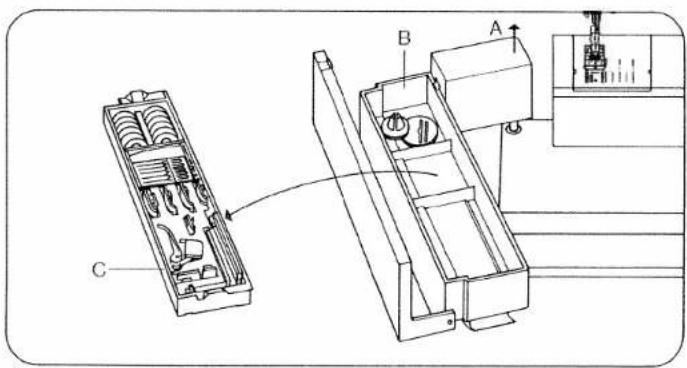
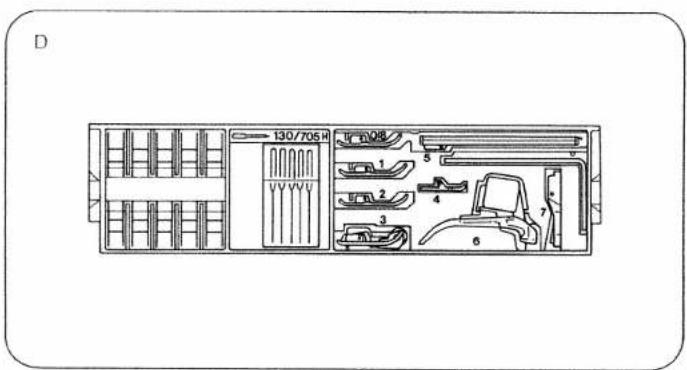
Detachable work support and accessories: The work support can be lifted out (A). Open its lid and take out accessory box C. Underneath the box is an accessory compartment B. Illustration D shows how to arrange sewing feet, needles and bobbins in the accessory box. Sewing feet (normal accessories) OA Normal sewing foot 1A Fancy stitch foot for dual feed 2A Fancy stitch foot (not for dual feed) 3 Blind stitch and overlock foot 4 Zipper and edge- sewing foot 5A Buttonhole foot 6 Darning foot 7 Hemming foot 8 Edge guide
text_image
8 98-802 422-00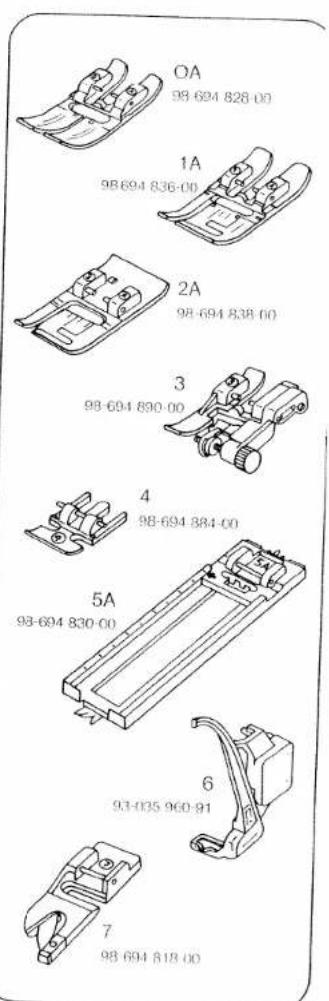
text_image
OA 98-694 828-00 1A 98-694 836-00 2A 98-694 838-00 3 98-694 890-00 4 98-694 884-00 5A 98-694 830-00 6 93-035 960-91 7 98-694 818-00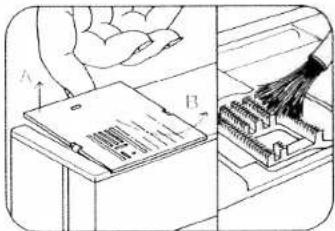
natural_image
Diagram showing a hand using a tool to clean or store electronic components, with no visible text or symbols.Cleaning and oiling
- Pull out the mains plug.
Tilt the needle plate up at the back (A) and remove it (B). Clean the feed dog and the parts in the sewing hook area with a soft brush. Clean the bobbin thread monitor as instructed on page 157. Apply a drop of oil in the hook receway, as shown in the illustration, every 15 to 20 hours of operation. Other than that, the machine is maintenance-free and must not be oiled.

natural_image
Technical line drawing of a mechanical component with a tool inserted, showing internal components and mounting holes (no text or symbols)Inserting the needle plate
Place the needle plate on with its left side first and press it in until the retaining hook snaps in audibly. Then press the right side firmly down until it also snaps in. Check the correct position of the needle plate.

text_image
Technical diagram showing a hand using a tool to insert or install a component labeled D, with a small inset image showing '25'.Changing the light bulb:
- Disconnect the mains plug. Swing out the work support to the left. Close the hinged top cover and swing up the carrying handle. Insert the edge guide into cutout D, push down the lamp housing and hold it there. Push the bulb upwards, turn it towards A and take it out. Insert the new bulb so that its pins enter slots C. Push it up and turn it towards B. Pull out the edge guide. Be sure to use only a 15-watt light bulb in the sewing lamp.

text_image
C C A B max. 15 W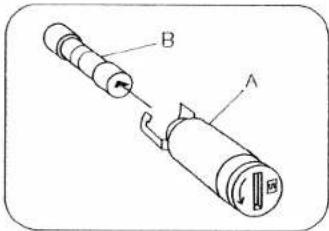
text_image
Technical diagram of a mechanical component with labeled parts A and BChanging the fuse
Disconnect the mains plug Turn fuse holder A left by a quarter turn with a screwdriver, release it and take it out. Pull out fuse B. Insert a new fuse in the holder, replace the holder, push it in with the screwdriver, then turn it right by a quarter turn. (The fuse type is F2A.) 110-volt machines have no fuse.

text_image
F 2A A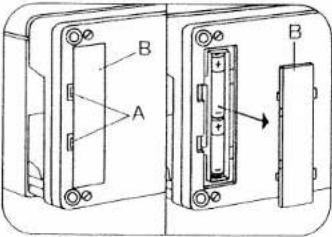
text_image
Technical diagram showing two views of a device with labeled components A and B, including a directional arrow indicating movement or flow.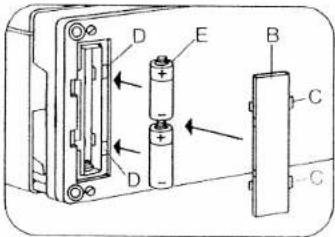
text_image
Diagram of a battery pack with labeled components including batteries, batteries, and a batteryChanging the batteries:
Switch on the machine, so that the memories are not lost when the batteries are changed, and tilt the machine over backwards. A battery compartment is installed in the base. Lift cover B at the catches in recesses A and remove cover. Take out the batteries. Insert the new batteries with the plus side (+) facing upwards: Place cover B in so that hinges C engage in recesses D and press cover until it snaps in place. After changing the batteries, check the contents of the memories. Replacement batteries: 2 Mignon cells, 1.5 V, type LR 6 Only use leak-proof batteries!
Special accessories
The special accessories listed below are intended for special sewing work. They can be obtained from your dealer at an extra charge.
Please note!
Special accessories must be employed for the intended purpose only. They can only be used at stitch widths up to 6 mm.
| Special accessories | Part No. | Sewing Operation |
| Applique foot | 93-042 941-91 | For appliqué work |
| Binder (remove sewing foot holder) | 98-053 484-91 | For binding edges with tape |
| Cording foot, 5 grooves (twin needle with 1.8-2.5 mm needle gauge) | 93-042 950-91 | For cording work (needle size 80, for fine cording needle size 70) |
| Cording foot, 7 grooves (twin needle with 1.4-1.8 mm needle gauge) | 93-042 953-91 | |
| Cording blade (2 ea.) | 93-035 952-45 | |
| Fringe sewing foot | 93-042 943-91 | For sewing fringes and for basting |
| Straight-stitch foot with round needle hole | 98-694 821-00 | Important! Only for straight stitches, needle position center. For topstitching and sewing very delicate and soft fabrics (silk jersey, etc.) |
| Needle plate with round needle hole | 98-694 827-00 | |
| Felling foot, 4.5 mm | 93-042 946-91 | For felled seams |
| Felling foot, 6.5 mm | 93-042 948-91 | |
| Shirring foot | 93-036 998-91 | For shirring valances, etc. |
| Multi-stitch shirring device | 98-999 650-00 | For shirring valances, etc. |
| Single-needle cording foot | 93-036 915-91 | For single-needle cording |
| Eyeletting plate | 93-035 977-45 | For eyelet embroideries |
| Hemmer, 4 mm (for dual feed) | 98-694 823-00 | For hemming edges |
| Roll hemmer, 2 mm | 93-694 873-00 | For hemming edges |
| Knit edge sewing foot | 93-042 957-91 | For sewing knitted fabrics |
| Teflon sewing foot | 93-036 917-91 | For sewing plastic, synthetic materials and leather |
natural_image
Black-and-white illustration of a teacup, saucer, and floral arrangement on a table (no text or symbols)
natural_image
Grayscale abstract texture with no discernible text, symbols, or structured elementsWorking with straight stitch, utility- and stretch stitch
natural_image
Illustration of a sewing machine needle stitching fabric, with a hand adjusting the component (no text or symbols visible)Tips for embroidering and sewing with the Pfaff Creative 1472
● Before you begin, first try sewing on a piece of waste fabric.
- Check the stitch formation and tension.
- Secure the beginning and end of the seam by pressing "tie-off/button-hole" key 19.
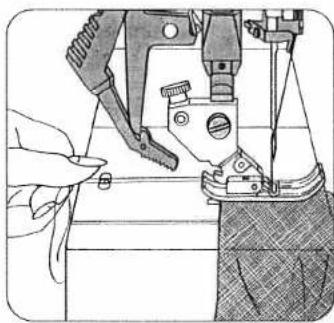
- For sewing light, soft and stretch materials hold the thread ends at the beginning of sewing (Fig. 1).
- With cross seams, such as lap-felled seams, we recommend cutting out the fold and pressing the seam. This will provide a flatter cross seam.
- In the case of problem materials, you can achieve better sewing results with the left needle position.
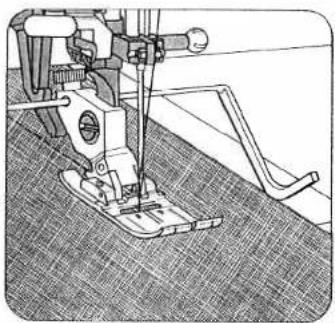
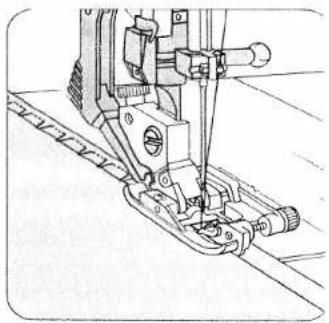
● Exact stitching of edges is facilitated by the marking guide lines on the needle plate or by an edge guide (Fig. 2).
- If you have to interrupt work during sewing, e.g. with long fabric panels or upon change of sewing direction, select needle position "down".
Top-stitching collar points
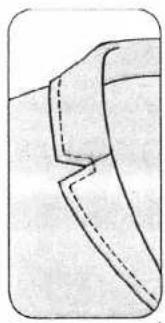
- Insert a thread into each collar point before beginning to sew and leave approximately 10 cm of thread hanging. When stitching the corner, you pull on the threads of the respective corner for the first stitches in sewing direction. The material feed is supported in this way and you obtain a beautifully stitched corner (Fig. 3).
natural_image
Technical line drawing of a sewing machine on a textured fabric floor (no text or symbols)
natural_image
Technical illustration showing two stages of fabric sewing: top view with fabric being sewn, bottom view with sewing machine stitching fabric (no text or symbols)- For top-stitching edges, especially in the case of soft materials, a round-hole needle plate and a straight sewing foot with round needle hole can produce good sewing results (special accessories).
- Sewing aid for thick seams In order to ensure uniform feeding at the beginning of the seam, we recommend supporting the sewing foot with a piece of material of the same thickness (Fig. 4).
text_image
preg 29 ①Straight stitch
| prog | |||
| 00 01 | 3-5 | 0A |
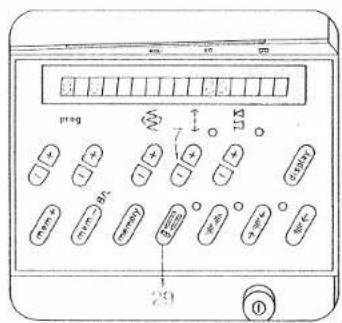
Program 00 is a straight stitch with the needle in center position (Fig. 1). By pressing "twin needle" key 29 in program 00, the computer programming function is blocked. This is necessary when the straight stitch foot and the round-hole needle plate are used (special accessories).
Program 01 is a straight stitch with the needle in left position. With key 8 the needle position can be changed to 19 positions from left to right (Fig. 2). Programs 02 and 03 are straight stitch backwards. These are used for program combinations. Program 03 can be sewn in 19 needle positions. Select a longer or shorter stitch length according to the work required by pressing stitch length keys 7. Raise the sewing foot higher for heavy materials or several material plies. This makes it easier to place the work under the sewing foot. Do not forget to lower the presser bar lifter again! Certain seams are easier to sew with a different needle position (see page 53).

text_image
prog 8 110 0 0.5mm 0.5mm 0.5mm 0.5mm 0.5mm 0.5mm 0.5mm 0.5mm 0.5mm 0.5mm 0.5mm 0.5mm 0.5mm 0.5mm 0.5mm 0.5mm 0.5mm 0.5mm 0.5mm 0.5mm 0.5m 0.5m 0.5m 0.5m 0.5m 0.5m 0.5m 0.5m 0.5m 0.5m 0.5m 0.5m 0.5m 0.5m 0.5m 0.5m 0.5m 0.5m 0.5m 0.5m 0.5mm 0.5mm 0.5mm 0.5mm 0.5mm 0.5mm 0.5mm 0.5mm 0.5mm 0.5mm 0.5mm 0.5mm 0.5mm 0.5mm 0.5mm 0.5mm 0.5mm 0.5mm 0.5mm 0.5 mmF E E E E E E
text_image
prog 8 7 11 0 0 0 0 0 0 0 0 0 0 0 0 0 0 0 0 0 0 0 0 0 0 0 0 0 0 0 0 0 0 0 0 0 0 0 0 0 0 0 0 0 0 0 0 0 0 0 0 0 0 4Stretch triple straight stitch
| prog | |||
| 04 05 | 3-5 | 0A |
Program 04 is stretch triple straight stitch at 1.5 mm to 4.5 mm.
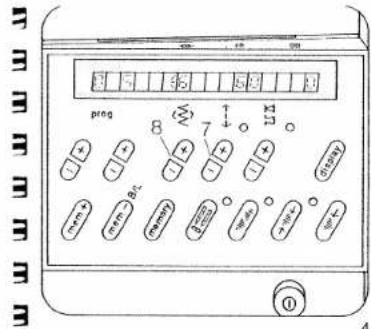
Program 05: is stretch triple straight stitch at 3 to 6 mm (Fig. 4). Both programs can be sewn in different needle positions.
Elastic straight stitch seams you need (press-open seams) for all stretchable materials and especially for seams subjected to high strain, e.g. inside seams on trousers, ski- and swimwear (Fig. 3).

natural_image
Close-up of a textured surface with a diagonal line, possibly indicating a seam or edge (no text or symbols visible)E E E E E E E
text_image
prng 8 7 11.3 ①Zigzag stitch
| prog | |||
| 10 11 | 3-5 | OA |
Program 10 is zigzag stitch at middle needle position.
Program 11 is zigzag stitch beginning with right needle position.
Select a stitch width from 0.5 to 60 mm using key 8, and the stitch length with key 7 (Fig. 1).
A stretchable seam can also be obtained with a narrow zigzag stitch. It is used especially for jersey materials (Fig. 2).
Stitch width: 1.0 mm
Stitch length: 1.5 mm
E E E F E

natural_image
Microscopic or scanned image showing a dark elongated structure against a textured background, with no visible text or symbols.[Non-Text]
natural_image
Close-up of a garment pattern piece with dashed seam lines (no text or symbols)
natural_image
Simple line drawing of a draped fabric or curtain with vertical supports and a flat top (no text or symbols)Top-stitch seams
Buttonhole thread as needle thread
| prog | |||
| 00 | 5-6 | OA |
Needle: 100 or 130 H-N
Needle thread: buttonhole thread Stitch length: longest stitch
Top-stitch seams produce nice ornamental effects. For this, selection of a suitable thread is important. To obtain particularly prominent seams, we recommend using buttonhole thread.
Buttonhole thread as bobbin thread
| prog | |||
| 00 | 6-7 | 0A |
Buttonhole thread can also be wound on the bobbin and used as bobbin thread. In this case, sewing thread should be used in the needle. For this sewing job the needle thread tension must be set relatively high. For topstitching, the fabric is placed in the machine wrong side up. Select the longest stitch. For topstitching, a No. 80 needle may be used.
- For difficult top-stitch seams we recommend using the straight-stitch foot and the round-hole needle plate (special accessory).
- Before you fit these, set the needle at its middle position.
It is not possible to select a program now. To select another program press the key "twin needle" again.
Top-stitch seams sewn with two needle threads
| prog | |||
| 00 | 3-5 | OA |
Stitch length: 6.0 mm
Needle: 80
Thread: sewing thread
If you cannot find a suitable buttonhole thread for specific sewing work, try using two needle threads together. Place one thread to the right, and the other to the left of disc "C", (see page 96) and insert both threads in the needle eye.
Triple-fancy-stitch seams
| prog | |||
| 05 | 3-5 | 0A |
Stitch length: 6.0 mm
Needle: 80
Thread: sewing thread
- This stitch can be used without any difficulty for sewing a top-stitch seam along lapel and pocket edges or sewing an ornamental seam. For this, normal sewing thread is used.
Twin-needle top-stitch seams
| prog | |||
| 00 | 3-5 | 0A |
Needle: twin needle,
twin needle,
needle gauge, as desired
The twin needle can be used not only for embroidery work, but also for top-stitching. It produces a particularly attractive effect along hem edges and on facings.
Fold the bottom edge, the facing or border edge over to the wrong side and baste it down. Sew on the right side of the fabric with the twin needle. Trim away the excess material on the wrong side. (For threading instructions see page 96).
flowchart
graph TD
    A["9"] --> B["←"]
    B --> C["9"]
natural_image
Simple line drawing of a zigzag spring inside a rounded rectangle (no text or symbols)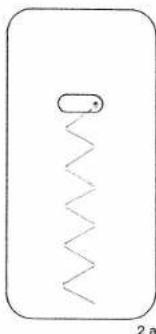
natural_image
Simple line drawing of a zigzag spring inside a rounded rectangle (no text or symbols)3 Change of needle position with straight stitch
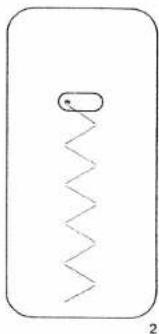
Through adjustment of the needle (needle position), certain sewing work can be carried out easier. For example, if you wish to stitch at a narrow margin such as on collars or when inserting zippers, you select the required needle position.
- For changing the needle position, the needle must always be in the highest position.
3 Left needle position Program: 01
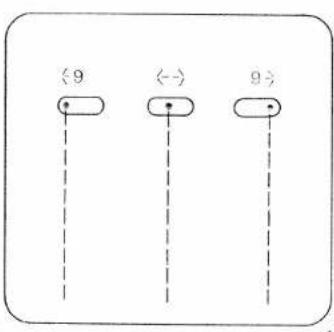
The left needle position is also shown by the symbol to the left of the stitch width number in the display. With key 8+ the needle position can be changed from left to right for 19 different positions.
The right needle position is shown by the symbol to the right of the stitch width number in the display (Fig. 1).
Change of needle position with zigzag stitch
● The needle must always be in the highest position.
Right needle position
e.g.
Program: 11
Stitch width: as required
Stitch length: as required
Left needle position
Program:
Stitch width: as required
Stitch length: as required
Key: Pattern mirror 28
With the above-mentioned settings, the stored zigzag-program can be sewn with left or right zigzag throw. For an intermediate needle position, stitch wire key 8 is pressed repeatedly until the needle is then and starting position (Fig. 2 +


natural_image
Abstract black and white geometric shape (no text or symbols)55

natural_image
Pure horizontal line with no text, numbers, or symbols visible
natural_image
Close-up of a dark fabric with a vertical seam, showing texture and folds (no text or symbols)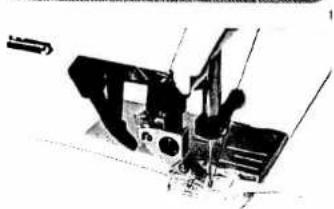
natural_image
Close-up of a sewing machine needle and foot (no visible text or symbols)
natural_image
Black-and-white illustration of a mechanical device with no visible text or symbols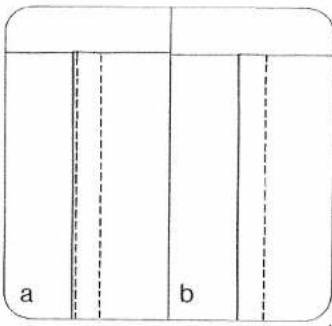
text_image
a bLap-felling · Imitation lap seam sewn with the ordinary sewing foot.
| prog | |||
| 00 | 3-5 | 0A |
Place the two pieces of fabric one on top of the other with their face sides, and sew them together about one centimetre from the edge. Neaten the raw edge. Fold the seam allowance over to one side and press. Then topstitch on the face side of the fabric, using the edge of the sewing foot as a guide (Fig. 1).
Double lap seam sewn with the felling foot (special accessory)
| prog | |||
| 00 | 3-5 | Telling leaf |
If two lines of stitching are to appear on the face side of the lap-seamed fabric, the two pieces of fabric must be placed together with their reverse sides facing (Fig. 4a). If only one line of stitching is to appear on the face side of the lap-seamed fabric the two pieces of fabric must be placed together with their face sides facing (Fig. 4b). First workstep
Place the two pieces of fabric one on top of the other with the bottom ply protruding by the width of the cutout in the felling foot. Make sure the protruding edge enters the felling foot so that it is folded and stitched down (Fig. 2).
Second workstep
Open the two pieces and insert the seam ridge in the felling foot. The ridge is folded down in the foot and stitched down along the edge. Pull both fabric plies apart lightly during sewing (Fig. 3).
- Two felling feet are available as special accessories for stitching margins of 4.5 and 6.5 mm.

text_image
Scanned document page with Chinese text, decorative border, and a grid of small white cross symbols on the left.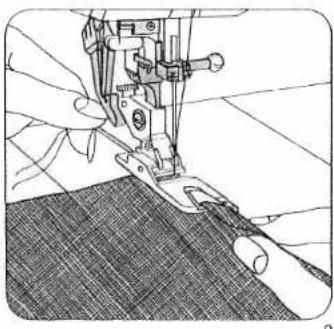
natural_image
Close-up of hands operating a sewing machine needle on fabric (no visible text or symbols)Binding edges with the hemmer
| prog | |||
| 00 | Λ Λ | 3-5 | 7 |
Hemmer foot
Hemming secures the fabric edge against fraying and produces a neat and durable edge.
Begin by folding the fabric edge approx. 1/8 inch and placing the folded edge under the hemmer foot. Lower the foot and secure the hem in position with a few stitches.
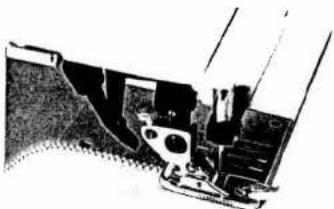
Fig. 0 shows how the fabric is drawn into the hemmer foot scroll with the aid of the stitched-down threads.
Fig. 2 shows how the fabric edge is fed into the hemmer foot scroll, Hold the fabric tight as you guide it during sewing. Make sure the fabric contacts the edge of the right half of the hemmer foot as it enters the scroll.

natural_image
Close-up of a sewing machine needle stitching dark fabric (no visible text or symbols)
natural_image
Close-up of a mechanical device mounted on a textured surface (no visible text or symbols)E E E E E
E E E E F F E
B B B B B
E E E
3 3 3 3
E E E F F F
natural_image
Close-up of a sewing machine needle and foot (no visible text or symbols)3
Binding edges with the roll hemmer
| prog | |||
| 10 | 3-5 | * |
* Roll hemmer (special accessory)
Use the roll hemmer foot for hemming nylon, tricot and chiffon. Begin by stretching the fabric to see which way the edge curls. This is the side to which the hem must be rolled. Draw the fabric into the hemmer scroll with the aid of sewn-on threads.
Set the stitch width just wide enough that the needle stitches close to the drawn-in hem edge (Fig. 3). In this way, an attractive shell edge effect is obtained.
natural_image
Technical line drawing of a sewing machine component (no text or symbols)Gathering with shirring foot
(special accessory)
| prog | |||
| 00 | -3 | Shining foot |
Stitch length: 3-4 mm
How to insert the shirring foot
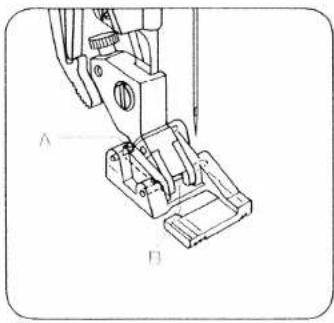
Insert the shirring foot with its rear pin in groove "A" and push the shoe upwards so that front pin "B" snaps In (Fig. 2).
How to gather
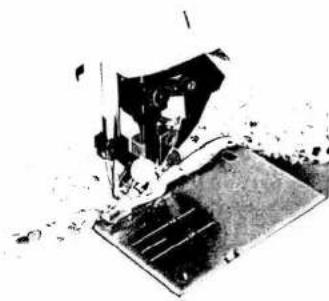
Both outer fabric and the material to be shirred are sewn together with the shirring foot in one workstep. Ensure that the gathered material always goes under the foot and the smooth outer fabric in the foot cutout (Fig. 1). Lightly stretch the outer fabric during sewing; by this means you determine the degree of gathering.
How to disengage the foot:
Raise the presser bar lifter. Disengage the sewing foot. Press up and hold the presser bar lifter and remove the sewing foot to the rear.
natural_image
Black and white photo of a sewing machine needle stitching fabric (no visible text or symbols)
natural_image
Black-and-white illustration of scattered heart-shaped objects on a white background (no text or symbols)
natural_image
Abstract black-and-white sketch of a stylized human figure with raised arms (no text or symbols)Smocking
with elastic thread
| prog | |||
| 00 | 3-5 | 0A |
Stitch length: 3 to 4 mm
Bobbin thread: elastic thread, (wind tension-
(free on bobbin)
Needle thread: sewing thread
For sewing with elastic threads we recommend buying an additional bobbin case.
Because elastic threads are much thicker than an ordinary bobbin thread, the tension on the bobbin case has to be set looser. The greater the bobbin thread tension the greater the shirring effect.
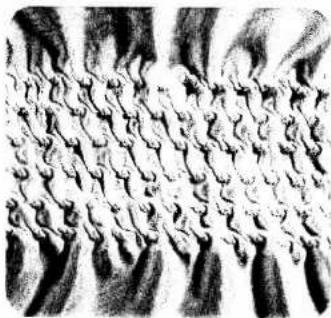
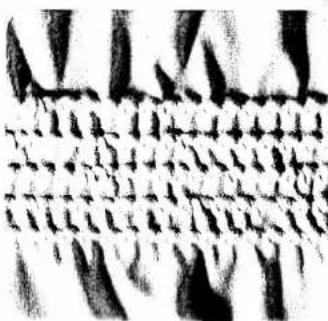
The most suitable fabrics are nylon, satin, batiste and fine-knit fabrics. The amount of gathering can be determined by testing on a piece of waste fabric. Sew the seams at about foot width. Tie off the seams on the reverse fabric side at the beginning and end of the seams (Fig. 1).
If there are several parallel seams, the material must be stretched to its original width during sewing, otherwise the shirring will turn out irregular. Do not forget to carry out a sewing test.
natural_image
Abstract black-and-white pattern with wavy, cloud-like textures and no discernible text or symbols1
natural_image
Abstract black-and-white pattern with repeating geometric shapes (no text or symbols)3
natural_image
Black-and-white illustration of a mechanical device with gears and a base, no visible text or symbolsOvercasting raw edges with the zigzag-stitch
| prog | |||
| 10 | 3-5 | 0A |
Stitch-width: as required
Sewing thread: embroidery, darning, or sewing thread
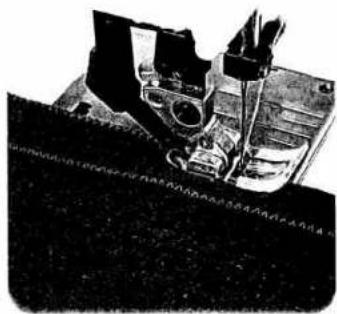
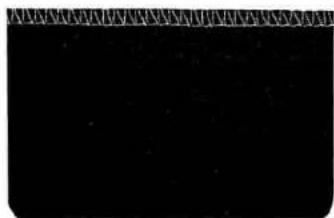
The stored zigzag-stitch is suitable for serging of light materials. The more difficult the material, the wider the stitch width must be selected for the zigzag stitch. Ensure that the needle passes outside the outer edge during sewing. In this way the material edge is properly serged and well covered (Fig. 1).
For heavy or easily fraying materials, use:
● Program: 13, 21, or 22 (Fig. 3).
natural_image
Pure black rectangle with a faint diagonal line above it, no text or symbols present.62
text_image
Technical diagram of a mechanical assembly with labeled parts A, B, and C, showing cross-sectional views.Serging
with overlock foot
For materials which contract during serging use the overlock foot.
| prog | |||
| 11 | 3-5 | 3 |
Stitch-width: as required
Serge the raw edge with the required zigzag stitch. The material enters at the red marking on the sewing foot (Fig. 2).
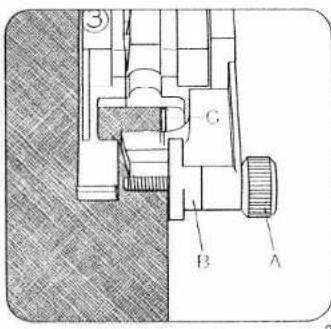
● Preparation of the sewing foot (overlock foot No. 3)
Turn screw "A" fully to the front. The red mark "B" is then on the right sewing foot side. Allow the edge of the material to be sewn to enter close against the red mark. During sewing, the thread places itself over the wire "C". By this means you will receive a beautiful smooth seam (Fig. 2). For change of needle position for zigzag stitch see page 53.

natural_image
Two parallel wavy lines on a white background, no text or symbols presentStretch triple elastic-stitch Lycrastitch
| prog | |||
| 95 | 3-5 | 0A |
Needle
130/705 H 80 or
130/705 H SKF 80
Stitch width: as required
With the above-mentioned programs it is possible to repair elastic tapes, or join them, on underwear, bathing wear and high-stretch materials such as Lycra and difficult synthetic fabrics. Select the appropriate stitch width for the application. For this work it is recommended to use fine sewing threads (Figs. 1 and 2).
3 Faggotting stitch for corsetry
| prog | |||
| 29 | 3-5 | 0A |
Needle:
130/705 H 80 or
130/705 H SKF 80
With faggotting stitch it is possible to sew a highly elastic seam with hem stitching effect. Tack over the edges to be sewn and place them under the sewing foot with a clearance of 3 mm (Fig. 3). Over-stitch using program 29. The needle must penetrate the material to the right and to the left (Fig. 4).

natural_image
Pure zigzag pattern with no text, numbers, or symbols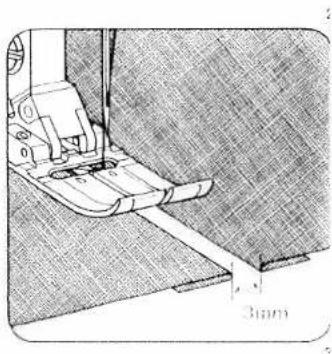
natural_image
Technical line drawing of a sewing machine needle stitching fabric, showing measurement annotation (3mm) with no readable text or symbols.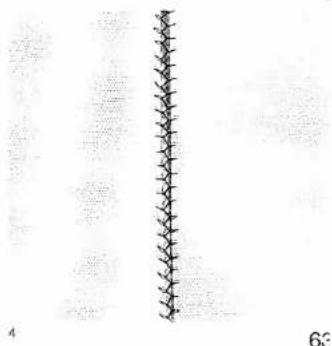
natural_image
Vertical line with evenly spaced tick marks, no text or symbols present63
natural_image
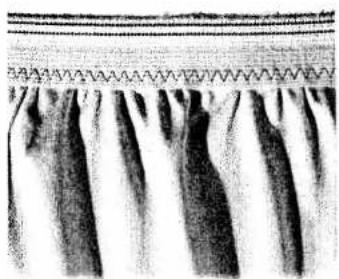
Abstract pattern of black and white vertical stripes with a wavy line above (no text or symbols)Elastic stitch (for underwear)
| prog | |||
| 13a | 3-5 | 0A |
Cut off the stretched elastic tape close to the edge. Gather the fabric to the waist size using straight stitch. Push the part prepared in this way between the elastic tape and pin it firmly. Stitch it on using elastic stitches. Finally over-stitch the closed and rounded tape elastic stitches (Fig. 1).
Elastic straps (outerwear)
| prog | |||
| 13a | 3-5 | 0A |
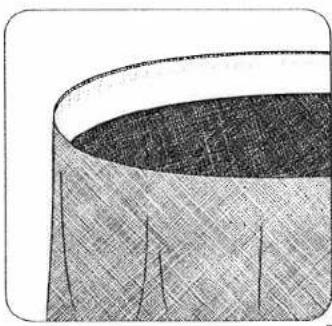
On skirts or trousers sew the strap onto the prepared edge with elastic stitches (Fig. 2).
natural_image
Close-up of a textured fabric or material surface with a curved top edge (no visible text or symbols)
natural_image
Diagram showing a layered structure with human figures and vertical dotted lines, no text or symbols present.PFAFF
G. M. PFAFF
Aktiengesellschaft
Printed in West Germany
Subject to alterations to design
Subject to alterations in design Nr 3027E HR engl 6/93
B
PFAFF
creative 1472
natural_image
Line drawing of a sewing machine with control panel and needle (no text or symbols)Instruction Book
natural_image
Black-and-white illustration of a mechanical device with a base and internal components (no visible text or symbols)Closing- and serging seams
| prog | |||
| 23 28 | 3-5 | 0A.3 |
Seams which are not ironed open can be sewn together and serged in one workstep.
This method is fast, very durable and suitable for many different materials.
The Pfaff Creative 1472 offers a selection of different elastic closing and serging seams from which you can easily select the corresponding seam for all stretchable materials.
Closed overlock stitch or overcasting stitch
| prog | |||
| 21 25 26 | 3-5 | OA,3 |
Material:
Jersey
Especially jersey materials can be sewn together and serged in one workstep with the recommended stitches (Fig. 1).
Sleeve cuffs or knit collars can be sewn on with the above-mentioned programs in a wear-resistant manner just the same.

natural_image
Illustration of a mechanical device mounted on a textured surface (no visible text or symbols)
natural_image
Abstract black-and-white curved shape with textured texture (no text or symbols)Sewing neck cutouts: Measure the required width and close the stand at the correct curvature and press open the seam, fold over in lengthwise direction and pin onto neck cutout from face side. The raw edges of the knit facing are placed on the raw edge of the cutout. In one workstep, knit facing and cutout edge are sewn together (Fig. 3). In order to avoid waviness in the case of loosely woven materials, insert an elastic thread. By this means, the seam keeps its original shape (Fig. 2).

natural_image
Pure mechanical component diagram without any text, numbers, or symbols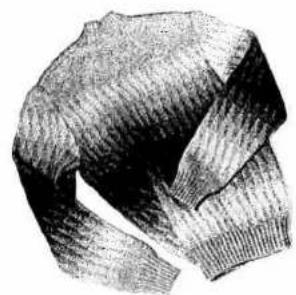
natural_image
Pencil sketch of a knitted sweater (no text or symbols)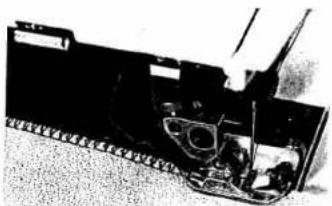
natural_image
Mechanical vehicle with visible tracks and components (no text or symbols)Closed overlock stitch
| prog | |||
| 21 25 | 3-5 | * |
* Knit edge foot (special accessory) Needle: 70 or 80
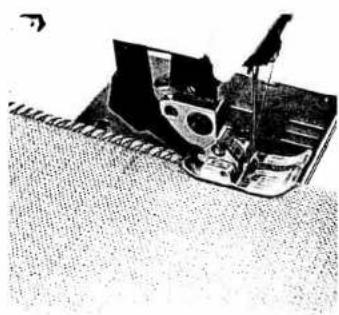
Fashioned knit parts can easily be sewn together with a closed overlock stitch seam. To obtain a good-looking seam we recommend inserting a lightly tensioned wool thread in it (Fig. 1).
Overlock stitch with edge-thread effect
| prog | |||
| 26 | 3-5 | 3 |
Stitch length: 3.0 mm
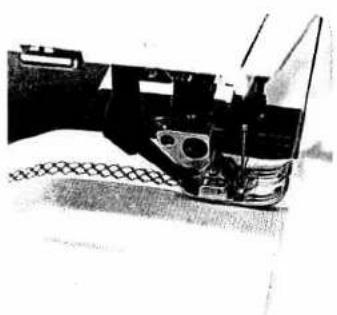
Place the raw edges under the sewing foot, as shown in Fig. 2. Make sure the needle stitches just beyond the fabric edge, as it descends in its right position. In this way, the edge thread is placed over the raw edge and serves as an edge protection.
For setting overlock foot No. 3 see page 62.
natural_image
Close-up of a mechanical component with no visible text or symbols1
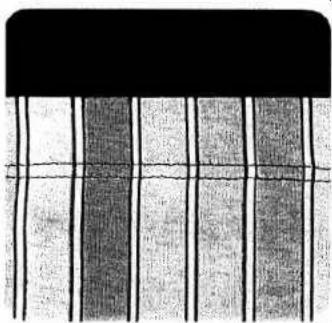
natural_image
Abstract pattern of vertical black lines on white background, no text or symbols present2
Honeycomb stitch
| prog | |||
| 24 | 3-5 | 0A |
Honeycomb stitch is especially suitable as a means of securing hems on stretchable lining materials. Fold the hem double up to the hem edge and overcast with honeycomb stitch (Fig.1).
Securing hems with the double needle
(T-shirt seam)
| prog | |||
| 00 | 2-3 | 0A |
Needle: double needle, 4 mm distance For a 2 cm hem, turn over and baste about 2.5 cm of material. Stitch on the face side at about 2 cm width. Cut off the protruding material edge on the inside along the seam (Fig. 2).
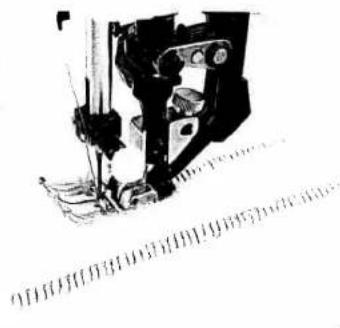
natural_image
Close-up of a sewing machine needle stitching fabric (no visible text or symbols)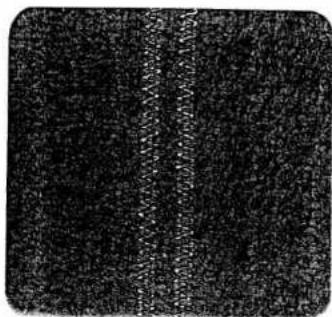
natural_image
Black textured surface with vertical white streak (no text or symbols)1
Elastic stitch or overlock stitch
| prog | |||
| 13a 25 | 3-5 | OA |
Overlap the material edges by 1.5 cm and over-stitch each edge with:
- Program 13a
● Stitch length 0.5 mm (Fig. 2)
or as shown by Fig. 1
Program 25 - Stitch width 4.5 mm
- Stitch length 3.0 mm
Over-stitch the raw edge in such a way that the narrow side runs along the raw edge, as shown in Fig. 1. The second raw edge can be sewn without turning the material, by pressing:
● Pattern mirroring key 28
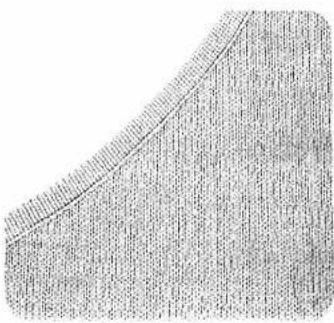
natural_image
Close-up of a textured, curved surface with no visible text or symbolsBinding edges with non-woven tape
| prog | |||
| 00 | 3-5 | 0A |
Fold ready-made bias binding lengthwise and shape-press. Push the folded binding over the fabric edge and baste it in place, if required. Then sew it on with straight stitches (Fig. 1).
Edge-binding with the binder
Sewing foot: Binder (special accessory)
Program: CO
Stitch length: 2.5 mm, (Fig. a)
or
Program: 10
Stitch width: 2.5 mm
Stitch length: 1.5 mm, (Fig. 6)
or
Program: 44
Pattern length: 10 (Fig. c)
Bias tape width: 24 to 26 mm
Remove sewing foot and screw on binder. Insert the bias tape in the scroll of the binder and pull it out to the rear. Set the binder in such a way that the needle enters 1 to 1.5 mm from the turned-in bias edge. Sew a number of stitches along the bias tape. Place the raw edge in the groove of the binder. During sewing, the bias tape is wrapped automatically over the material edges. Sew the bias tape on with the above mentioned program or a program of your own selection. Straight material edges are the simplest to bind (Fig. 2).

natural_image
Silhouette of a sewing machine needle stitching a dark surface (no text or symbols visible)


natural_image
Abstract black-and-white pattern with horizontal bands and a small upward arrow (no text or symbols)
natural_image
Black hand icon with a white circular symbol on the palm (no text or numbers)
text_image
Technical diagram with labeled components and cross-sectional view, showing mechanical assembly or assembly layoutBlind stitch
| prog | |||
| 16 | -3+ | 3 |
Fold the previously overcast raw edge over to form a hem of the desired width and baste about 0.5 cm from the fabric edge. Place the fabric under the blindstitch foot and sew, making sure the folded fabric edge runs along edge guide "B" of the blindstitch foot (Fig. 1 + 2a).
Before you start blindstitching, adjust the needle penetration point on the folded fabric edge.
To do this, adjust the position of edge guide "B" by turning regulating screw "A" so that the needle catches only one thread in the folded edge when it makes its left stitch. Sew a trial seam on a piece of scrap material first
Then proceed as described above (Fig. 2).
Elastic-blind stitch
(for elastic materials)
| prog | |||
| 17 | -3+ | 3 |
This type of stitch is suitable for stretch fabrics. First fold the hem to the desired width. Adjust the needle position as described above (Fig. 2b).
- Then start hemming, following the instructions given above.
natural_image
Technical line drawing of a sewing machine needle stitching a fabric (no text or symbols)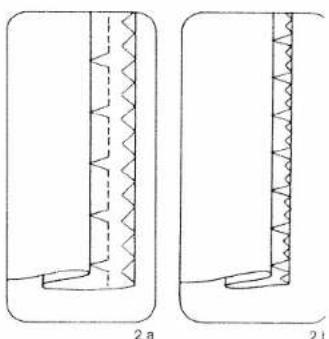
natural_image
Two technical diagrams showing a vertical structure with zigzag patterns, labeled 2a and 2i (no text or symbols beyond labels)
natural_image
Close-up of a textured fabric surface with diagonal weave pattern (no text or symbols)Darning with elastic stitch
| prog | |||
| 13a | 3-5 | 0A |
Depending on the size of the damaged area, stitch over it with as many elastic stitch seams as are needed to cover it. Each seam should just slightly overlap the one before it (Fig. 1).
Inserting patches
| prog | |||
| 13a | 3-5 | 0A |
Stitch length: 0.5 mm Needle position: down
The new piece of fabric is pinned on the face side and the fabric edge over sewn with the selected stitch.
To make the patch more durable you can sew a second seam at sewing-foot width from the first. Afterwards cut away the damaged material on the inside (Fig. 2).
Darning torn fabrics
| prog | |||
| 13a 15 | 3-5 | OA |
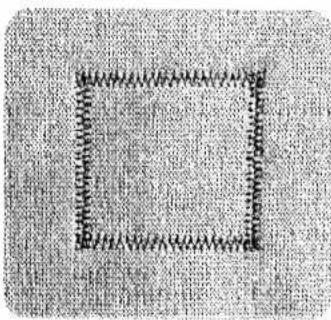
For mending tears, frayed edges and small holes, place a piece of material under the torn fabric which is larger than the damaged area. Stitch over the area at the width of the tear. The material underneath reinforces the damaged material and ensures reliable darning. Trim any protruding material on the underside close to the edge (Fig. 3).
natural_image
Close-up of a textured fabric with a square frame and zigzag stitching (no text or symbols)
text_image
Scanned document with faint vertical text and a small watermark, likely from a technical or legal document.
natural_image
Two identical grid-patterned rectangular blocks labeled 1 and 2, no text or symbols present.3 Automatic darning
| prog | |||
| 94 | K K | -3+ | 2A.5A |
3 Sewing thread: embroidering and darning thread The darning program 94 is mainly intended for
3 darning damaged spots. Stitch over the damaged spot at the required length, then press the "reversed" law. The length of the dark spot
reverse key. The length of the darning seam is now memorized in the computer. The Pfaff Creative then automatically stitches over the damaged area.
The programmed darn size can then be repeated as often as required.
If the worn area is wider than the darning program, the darning program must be repeated several times until the damaged spot has been covered completely.
Depending on the fabric. The darn may turn out one-sided. If so, this can be compensated by balance key 5
Example:
Fig. 1: Using balance key, select +1 to +3 or more, if required.
Fig. 2: Using balance key, select -1 to -3 or more, if required.
If you wish to darn a larger area we recommend to use buttonhole foot 5A. The darning program must be repeated several times until the damaged spot has been covered.
Changing the darning length
If you wish to change the programmed darr length, press the "pattern start key". The darr length is cleared and a new length can be programmed.
text_image
Technical diagram of a mechanical assembly with labeled components A and B, showing structural parts and motion indicators.Darning with straight stitch
| prog | |||
| 00 | 2-3 | 6 |
Feed dog: lowered
Presser bar lifter: in darning position
Sewing-cotton: embroidering a
darning thread
Darning position (Fig. 1):
Lower presser bar lifter "A", at the same time pushing it back slightly until it enters notch "B" at the bottom of its slot.
Attach the darning foot (Fig. 2):
Raise the needle. Push lever "E" towards the back and hold it there. Insert the pin of the foot in hole "C" and insert the foot so that it rests against its stop. When you do so, guide fork "G" fits around the presser bar. Release clamp "E", which then moves down onto retaining screw "F". Tighten screw "D".
Draw up the bobbin thread. Hold both threads until the machine has made a few stitches. First sew a few stitches in the unworn area of the fabric. Then stitch over the damaged spot from one side to the other in serpentine fashion, placing the lines of stitching close together (Fig. 3). When the damaged spot has been covered completely, turn the work through 90^ and darn at right angles to the preceding row of stitches (see Fig. 4).
You determine the length of the darning stitches by the rate at which you move the fabric back and forth.
For mending you can place the damaged part of the fabric in an embroidery hoop.
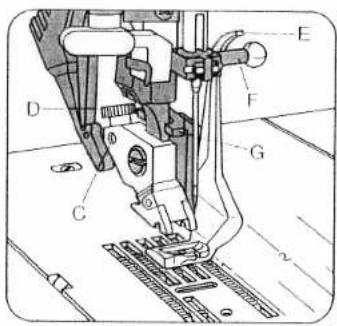
text_image
Technical diagram of a sewing machine with labeled parts including D, E, F, G, C, and numbered components.
natural_image
Technical line drawing of a sewing machine needle stitching a patterned fabric (no text or symbols)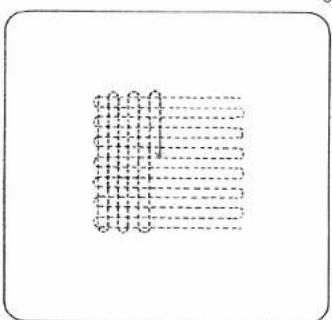
natural_image
Pure diagram of a grid pattern with dashed lines, no text or symbols presentPresser bar lifter; in daring position
(see page 74)
Sewing thread: Embroidery and darning thread
Draw the wool thread through the needle hole of the darning foot and into the thread guide (Fig. 1).
Place the wool thread under the darning foot.
Start at the top left and place the wool thread back and forth across the damaged area (Fig. 2).
Then cut the wool thread and sew over the rows of wool thread with zigzag stitches or an elastic-stitch seam (Fig. 3).
Do not place the lines of stitching too close together as this would make the darn too hard.
All darning work described above is carried out on the reverse side of the fabric, so that the darn looks neater on the face side.
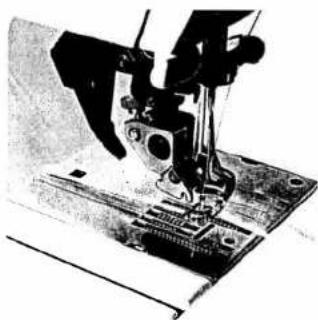
natural_image
Close-up of a sewing machine needle and base (no visible text or symbols)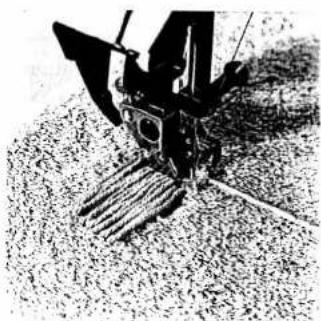
natural_image
Close-up of a mechanical device with levers and gears on textured surface (no visible text or symbols)
natural_image
Black-and-white photo of a manual tiller machine operating on a textured surface (no visible text or symbols)3
7!

natural_image
Black and white abstract pattern with no discernible text, symbols, or structured elements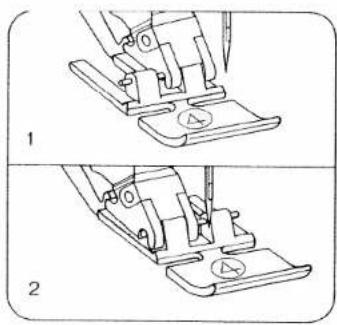
natural_image
Two-step line drawing of a sewing machine's base and clasp mechanism (no text or symbols)Sewing in zippers
| prog | |||
| 00.01 | 3-5 | 4 |
Stitch length: 2.5\~3.0 mm
Key: needle down
There are different kinds of zippers: joined or split zippers and special ones for trousers or slacks. They can be inserted concealed or open, as required.
The zipper foot can be engaged on the left or on the right, depending on the work (Figs. 1 and 2). Fully concealed zippers
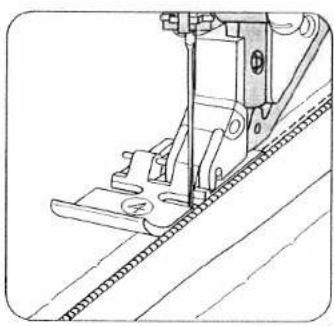
Baste the zipper in first. Snap the zipper foot in at the right (Fig. 1). Place the open zipper under the foot so that its right-hand guide edge moves along the zipper teeth (Fig. 3). By changing the needle position (see page 53) the zipper can be stitched in at a narrow depth. Sew about half the seam at the required depth, leave the needle down in the material, raise the zipper foot and close the zipper (Fig. 4). Then lower the foot again, continue stitching until you reach the end of the zipper and sew across this end.
Sew along the other side of the zipper parallel to the edge and at the same distance as the first seam. Shortly before you reach the end of the seam, leave the needle down in the material, raise the sewing foot, open the zipper (Fig. 5), lower the foot again and sew to the end of the seam.
Our sewing tip: If you lack practice, we recommend using the quilting gauge to obtain parallel seams.
If the sewing foot shoe is engaged at the right, the needle must only be varied to the right.
If the shoe is engaged at the left, the needle must only be varied to the left.
natural_image
Technical line drawing of a sewing machine needle stitching a textured fabric (no text or symbols)
natural_image
Technical line drawing of a sewing machine needle and foot (no text or symbols)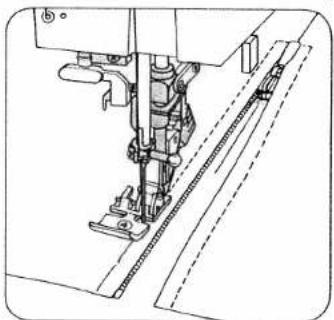
natural_image
Technical line drawing of a sewing machine needle and base (no text or symbols)
text_image
Image showing a vertical column of identical black-and-white square symbols, likely representing a pattern or data visualization.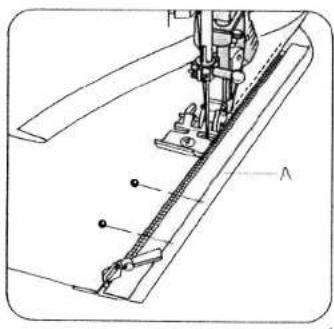
natural_image
Technical line drawing of a sewing machine needle and chain (no text or symbols)Zippers for ladies' slacks
| prog | |||
| 00.01 | 3-5 | 4 |
Stitch length: 2.5-3.0 mm
Key: Needle down
- Snap the zipper foot in at the right
Iron the fly edge. Baste the closed zipper underneath the pressed right-hand fly edge so that its teeth are still visible. Pin facing strip "A" to the underside and stitch it down at the same time as you sew on the zipper. The zipper teeth move along the right-hand guide edge (Fig. 1). Shortly before you reach the end of the seam, leave the needle down in the material, raise the sewing foot and open the zipper. Then lower the foot again and sew the seam to the end. Close the zipper. Fold the right edge over the left and pin it in place according to the seam line. Then baste in the left zipper chain (Fig. 2).
Open the zipper: Attach the edge guide and adjust it so that its finger moves along the fabric edge (Fig. 3). Shortly before you reach the end of the seam, leave the needle down in the material, raise the sewing foot and close the zipper. Then lower the foot again and sew to the end of the seam. Secure the end of the zipper seam with a tack.
Our sewing tip: If a zipper jams after dry cleaning, rub candle wax or a piece of soap over its teeth. It can then be opened and closed without any effort.
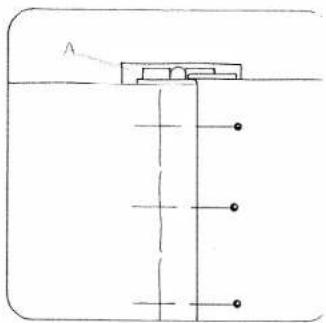
natural_image
Pure technical line drawing of a vertical structure with horizontal supports and circular markers, no text or symbols present.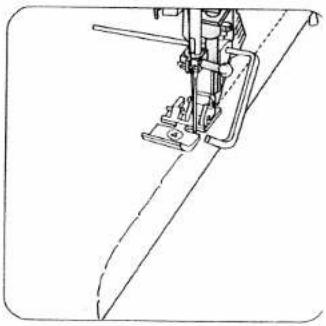
natural_image
Technical line drawing of a sewing machine needle and handle (no text or symbols)Note
If you wish to place your seam as close as possible to the zipper, select program 01 instead of 00 and use the various needle positions.
To sew zipper with foot to the left of zipper, we recommend right needle position 5, and with foot to the right of zipper, left needle position 5.
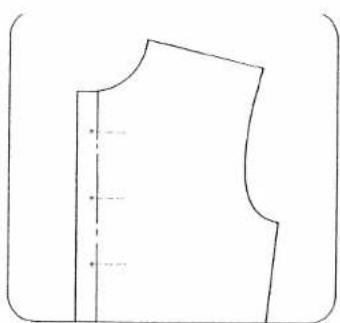
natural_image
Simple line drawing of a garment pattern piece (no text or symbols)Linen buttonholes (fully automatic)
| prog | |||
| 18 | -3+ | 5A |
Sewing thread: Embroidery and darning thread Generally buttonholes are sewn onto double material. In spite of this, a piece of paper should be placed underneath during sewing. First draw the spacings and the distance from the edge. This point always marks the beginning of sewing.
Ten buttonhole lengths are stored in the computer, from 7.0 to 16 mm.
On program selection a programmed buttonhole length of 14 mm and a buttonhole width of 4 mm appear in the display. Select the length of the buttonhole using stitch-length keys 7 (Fig. 1). The machine will automatically sew the selected buttonhole.
Before beginning the buttonhole pull the runner of the buttonhole foot fully to the front.
For the following buttonholes it is best to lift the fabric a little in order not to affect feeding. The sewing speed should always be the same.
Correcting a buttonhole
If a buttonhole does not turn out well, cancel it by pressing "pattern start" key 26 and sew it again.
Changing the buttonhole width
For every type of fabric, the corresponding buttonhole width can be determined up to 5.5mm . For heavy materials select a wide buttonhole and for light materials a narrow one. With stitch width keys 8, you determine the required buttonhole width. The length of the cut changes automatically (Fig. 5). A buttonhole width of 4mm is stored.

text_image
22 preg 8 7 5 26Adapting the buttonhole seam
lengths with the balance keys
With "balance" keys 5 the left buttonhole seam length can be adapted to the right one. Sew a sample buttonhole first.
Example:
If the left seam is too short
(Fig. 4a)
Select balance +1 to +3 with key, or more if required.
If the left seam is too long
(Fig. 4b)
Select balance -1 to -2 with key, or more if required.
- Sew the first buttonhole seam at the required length and
● the first bartack.
- Press balance keys 5, "+" or "-" , and adjust the second buttonhole seam length to the first one (Figs. 4a, 4b).
- Sew last bartack.
The change made in this way will be maintained for the following buttonholes.
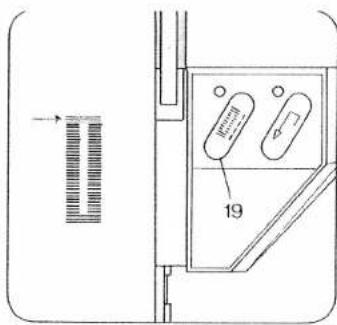
text_image
19
text_image
1 3 7 N0 1N 3 prog + + + + + + + + + + + + + + + + + + + + + + + + + + + + + + + + + + + + + + + + + + + + + + + + + + + + + + + + + + + + + + + + + + + + + + + + + + + + + + + + + - - - - - - - - - - - - - - - - - - - - - - - - - - - - - - - - - - - - - - - - - - - - - - - - - - - - - - - - - - - - - - - - - - - - - - - - - - - - - - - - - - - - - - - - - - - - - - -Determining the second bartack (semi-automatic)
If you wish to determine the second bartack in a programmed buttonhole, press "tie-off/button-hole" key 19 (Fig. 2). A dash flashes in display 21 (Fig. 3) at the right of program 18. The machine now sews slowly just before the end of the second seam. When both seams are the same length, press key 19 again. The bartack is now sewn and tied off (Fig. 2).
This sewing sequence can also be applied for fully automatic buttonholes when the two buttonhole seams are not the same length anymore. If you wish to sew the next buttonhole fully automatically, press key 19 again (Same sewing sequence as described on page 78). The flashing dash will then have disappeared.
Note:
If you interrupt sewing at the reduced sewing speed by releasing the foot control, the machine will return to the normal speed when you start sewing again.
After sewing, cut the buttonholes open (see page 94).
If you interrupt sewing at the reduced sewing speed by releasing the foot control, the machine will return to the normal speed when you start sewing again.
After sewing, cut the buttonholes open (see page 94).
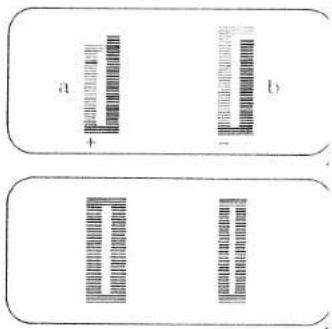
text_image
a + b t
natural_image
Close-up of a black textured surface with a metallic cylindrical object and a horizontal line (no text or symbols)
natural_image
Dark textured background with a small dark circular object and a horizontal line (no text or symbols)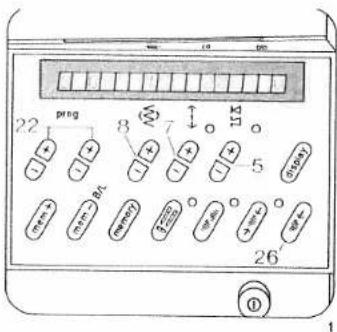
text_image
22 ping 8 7 115 5 26 1Linen buttonholes (fully automatic)
| prog | |||
| 90 | -3+ | 5A |
Sewing thread: Embroidery and darning thread Mark the location of the buttonhole. Try out a buttonhole on a piece of waste material and choose the buttonhole size.
21 buttonhole lengths are stored in the computer, from 7.0 to 44 mm.
On program selection a programmed buttonhole length of 22 mm and a buttonhole width of 4.5 mm appear in the display.
Select the length of the buttonhole using stitch-length keys 7 (Fig. 1). The machine will automatically sew the selected buttonhole.
Before beginning the buttonhole pull the runner of the buttonhole foot fully to the front.
Changing the buttonhole width
For every type of fabric, the corresponding buttonhole width can be determined up to 5.5mm . For heavy materials select a wide buttonhole and for light materials a narrow one. With stitch width keys 8, you determine the required buttonhole width. The length of the cut changes automatically (Fig. 5). A buttonhole width of 4.5mm is stored.
Correcting a buttonhole
If a buttonhole does not turn out well, cancel it by pressing "pattern start" key 26 and sew it again.
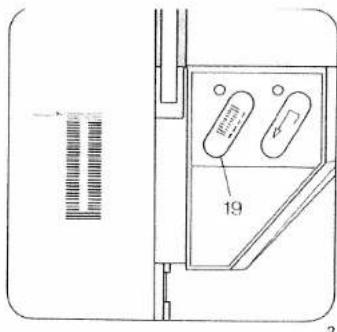
text_image
19Adapting the buttonhole seam lengths with the balance keys
With "balance" keys 5 the left buttonhole seam length can be adapted to the right one. Sew a sample buttonhole first.
Example:
If the left seam is too short
(Fig. 4a)
Select balance +1 to +3 with key, or more if required.
If the left seam is too long
(Fig. 4b
Select balance -1 to -2 with key, or more if required.
- Sew the first buttonhole seam at the required length and
• the first bartack. - Press balance keys 5, "+" or "-" and adjust the second buttonhole seam length to the first one (Figs. 4a, 4b).
- Sew last bartack. The change made in this way will be maintained for the following buttonholes.
For programmable linen buttonholes see page 82.





text_image
3 0 45 22 0 preg ↑ ↓ ↑ (○) (○) (○) (○) (○) (○) (○) (○) (○) (○) (○) (○) (○) (○) (○) (○) (○) (○) (○) (○) (○) (○)Determining the second bartack
(semi-automatic)
If you wish to determine the second bartack in a programmed buttonhole, press "tie-off/button-hole" key 19 (Fig. 2). A dash flashes in display 21 (Fig. 3) at the right of program 90. The machine now sews slowly just before the end of the second seam. When both seams are the same length, press key 19 again. The second bartack is now sewn and tied off.
This sewing sequence can also be applied for fully automatic buttonholes when the two buttonhole seams are not the same length anymore.
If you wish to sew the next buttonhole fully automatically, press key 19 again. (Same sewing sequence as described on page 80). The flashing dash will then have disappeared.
Note:
If you interrupt sewing at the reduced sewing speed by releasing the foot control, the machine will return to the normal speed when you start sewing again.
After sewing, cut the buttonholes open (see page 94).
[Non-Text]
[Non-Text]
[Non-Text]
[Non-Text]
[Non-Text]
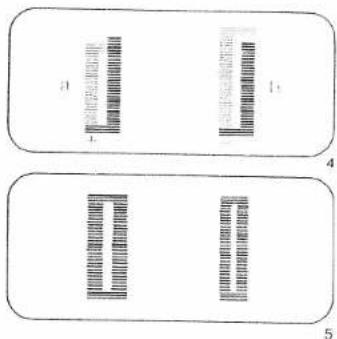
text_image
1 2 3 4 5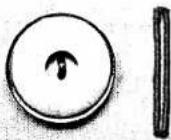
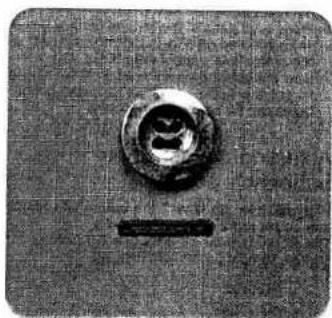
natural_image
Close-up of a circular mechanical component with a central hole and a horizontal bar (no visible text or symbols)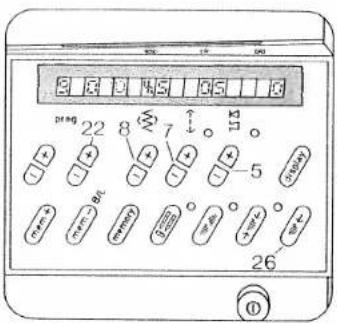
text_image
2 3 4 5 6 7 8 22 8 7 11 + + + + - 5 + + + + - 5 + + + + - 5 + + + + - 5 26 ①Linen buttonhole, prog. 90, programmable
Determining your own buttonhole length and bartack
When you press right (+) program key (22) the buttonhole symbol appears at the right side of program 90 and both segments will flash (Fig. 1).
● Before beginning the buttonhole pull the runner of the buttonhole foot fully to the front.
- Sew the first buttonhole seam at the length required (Fig. 2a)
- Press "tie-off/buttonhole" key 19 (Fig. 2). Now, only the left upper segment of the buttonhole symbol is flashing (Fig. 3). The machine then automatically sews the first bartack and the return seam (Fig. 2b). Shortly before the end of the seam the machine sews slowly, stitch by stitch, in order to draw attention to the last bartack. One zigzag stitch before the end of the first buttonhole seam.
- Press key 19 again. The second bartack is now sewn and tied off (Fig. 2c). (Both segments of the buttonhole symbol are off, Fig. 4). Now the buttonhole is stored. Without having to actuate further keys, all following buttonholes can be sewn automatically.
Adjusting the density of buttonhole seams
With stitch-length keys 7 the buttonhole seams can be set more densely or loosely.
The stored buttonhole density is 0.5 mm.
Make a sample buttonhole first.

text_image
a b c O 19Changing the buttonhole width
For every type of fabric, the corresponding buttonhole width can be determined up to 5.5 mm. For heavy materials select a wide buttonhole and for light materials a narrow one. With stitch width keys 8, you determine the required buttonhole width. The length of the cut changes automatically (Fig. 6). A buttonhole width of 4.5 mm is stored.
Adapting the density of the left buttonhole seam to the right one
With "balance" keys 5 the left buttonhole seam can be adapted to the right one.
- Sew the first buttonhole seam at the required length and the first bartack.
- Press "balance" keys 5, "+" or "-" , and adapt the second buttonhole seam to the first one (Fig. 5)
- Press "pattern start" key 26. Afterwards program the buttonhole as described on this page. Make a sample buttonhole before you sew buttonholes on a garment.
Note: If the buttonhole seams of the stored buttonhole do not coincide, make another correction at "balance" keys 5.
Adapting the seam lengths of stored button-holes with the balance keys, see page 80.
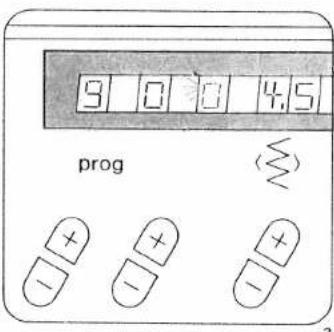
text_image
3 0 0 4.5 progAdapting the buttonhole length
A garment may consist of different numbers of fabric plies, e. g. the buttonhole strip may consist of three plies and the collar stand of six - owing to the folded seam edge. In this case it is necessary to program the buttonhole for varying numbers of fabric plies in order to maintain the same buttonhole length as on the three-ply buttonhole strip.
Note: For sewing buttonholes on knitted or very thin materials we recommend sewing foot No. 1 A and dual feed.
If the buttonhole seams do not coincide, press "tie-off/buttonhole" key 19 to switch from fully automatic to semi-automatic during sewing, one segment flashes (Fig. 3) and you can determine your own second bartack.
When key 19 is pressed again the buttonhole programmed before is sewn fully automatically and the segment does not flash anymore.
After sewing, cut the buttonholes open (see page 94).
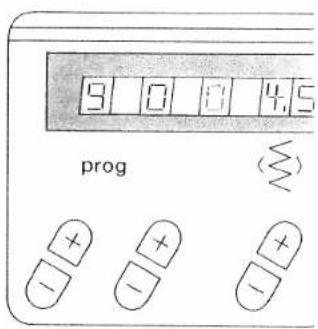
text_image
9 0 0 4.5 prog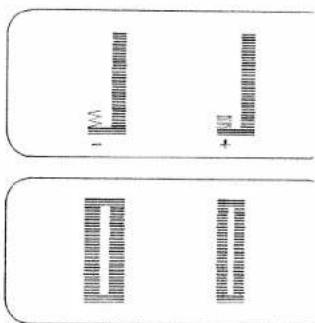
text_image
Diagram showing two rectangular panels with vertical bar patterns and labeled dimensions, likely illustrating a measurement or classification system.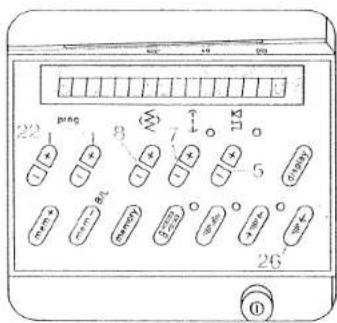
text_image
22 1 8 7 5 26 ①Stretch buttonhole (fully automatic)
| prog | |||
| 91 | -3+ | 5A |
Sewing thread: embroidery and darning thread 18 buttonhole lengths are stored in the computer, from 10 to 44 mm.
On program selection, a programmed buttonhole length of 22 mm and a buttonhole width of 5 mm appear in the display. Select the required length of buttonhole with stitch-length keys 7 (Fig. 1). The machine automatically sews the selected buttonhole.
Before beginning the buttonhole pull the runner of the buttonhole foot fully to the front.
For the following buttonholes it is best to lift the fabric a little in order not to affect feeding. The sewing speed should always be the same.
Correcting a buttonhole
If a buttonhole does not turn out well, cancel it by pressing "pattern start" key 26 and sew it again.
Changing the buttonhole width
For every type of fabric, the corresponding buttonhole width can be determined up to 5.5 mm. For heavy materials select a wide buttonhole and for light materials a narrow one. With stitch width keys 8, you determine the required buttonhole width. The length of the cut changes automatically (Fig. 4). A buttonhole width of 5 mm is stored
Adapting the buttonhole seam lengths with the balance keys
With "balance" keys 5 the left buttonhole seam length can be adapted to the right one. Sew a sample buttonhole first.
Example:
If the left seam is too short
(Fig. 3a)
Select balance +1 to +3 with key, or more if required.
If the left seam is too long (Fig. 3b)
Select balance -1 to -2 with key, or more if required.
- Sew the first buttonhole seam at the length required and
• the first bartack.
- With balance keys 5, "+" or "-" adjust the second buttonhole seam length to the first one (Figs. 3a, 3b)
- Sew last barlack
The change made in this way will be maintained for the following buttonholes
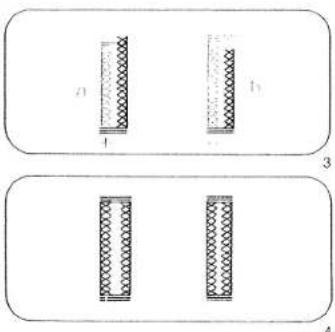
text_image
Diagram showing two labeled panels (3 and 4) with patterned rectangular elements, likely illustrating a physical or mathematical concept.3 Determining the second bartack (semi-automatic)
If you wish to determine the second bartack in a fully automatic buttonhole, press "tie-off/button-hole" key 19 (Fig. 6). A dash flashes in display 21 (Fig. 5) at the right of program 91. The machine now sews slowly just before the end of the second seam. When both seams are the same length, press key 19 again. The bartack is now sewn and tied off (Fig. 6).
This sewing sequence can also be applied to fully automatic buttonholes when the two buttonhole seams are not the same length anymore. If you wish to sew the next buttonhole fully automatically, press key 19 again. (Same sewing sequence as described on page 84). The flashing dash will then have disappeared.
Note:
If you interrupt sewing at the reduced sewing speed by releasing the foot control, the machine will return to the normal speed when you start sewing again.
For programmable stretch buttonholes see next page.
After sewing, cut the buttonholes open (see page 94).
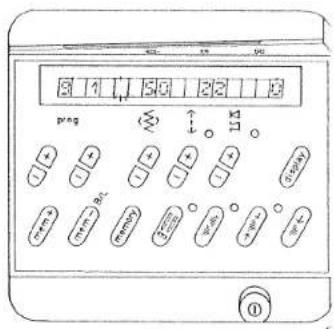
text_image
3 1 50 22 13 P#g 113 ①
text_image
19
text_image
3 1 2 3 2 0 prog 22 8 7 5 mm+ mm- mm+ mm- mm- 26Stretch buttonhole, prog. 91 programmable
Determining your own buttonhole seam length and bartack
When you press right (+) program key (22) the buttonhole symbol appears at the right side of program 91 and both segments will flash (Fig. 1). Before beginning the buttonhole pull the runner of the buttonhole foot fully to the front.
- Sew the first buttonhole seam at the length required (Fig. 2a).
- Press the "tie-off/buttonhole" key 19 (Fig. 2). Now, only the left upper segment of the buttonhole symbol is flashing (Fig. 3). The machine then automatically sews the first bartack and the return seam (Fig. 2b). Shortly before the end of seam the machine sews slowly, stitch by stitch, in order to draw attention to the last bartack. One zigzag stitch before the end of the first buttonhole seam press key 19 again. The second bartack is now sewn and tied off (Fig. 2c). (Both segments of the buttonhole symbol are off, Fig. 4).
- Now the buttonhole is stored. Without having to actuate further keys, all following button-holes can be sewn automatically.
Adjusting the density of buttonhole seams
With stitch-length keys 7 the buttonhole seams can be set more densely or loosely. The stored buttonhole density is 1.5 mm. Make a sample buttonhole first.
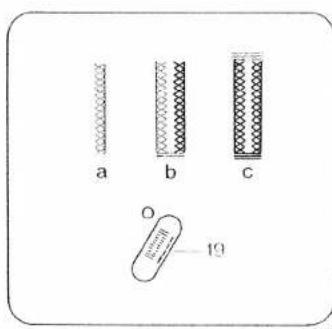
text_image
a b c O 10Changing the buttonhole width
For every type of fabric, the corresponding buttonhole width can be determined up to 5.5mm . For heavy materials select a wide buttonhole and for light materials a narrow one. With stitch width keys 8, you determine the required buttonhole width. The length of the cut changes automatically (Fig. 6). A buttonhole width of 5mm is now stored.
Adapting the density of the left buttonhole seam to the right one
With "balance" keys 5 the left buttonhole seam can be adapted to the right one.
- Sew the first buttonhole seam at the required length and the first bartack.
- With "balance" keys 5, "+" or "-" adapt the second buttonhole seam to the first one (Fig. 5).
- Press "pattern start" key 26 Afterwards program the buttonhole as described on this page. Make a sample buttonhole before you sew buttonholes on a garment.
Note: If the buttonhole seams of the stored buttonhole do not coincide, make another correction at "balance" keys 5.
Adapting the seam lengths of stored button-holes with the balance keys, see page 84.
3 Adapting the buttonhole length
A garment may consist of different numbers of fabric plies, e.g. the buttonhole strip may consist of three plies and the collar stand of six - owing to the folded seam edge. In this case it is necessary to program the buttonhole for varying numbers of fabric plies in order to maintain the same buttonhole length as on the three-ply buttonhole strip
Note:
For sewing buttonholes on knitted or very thin materials we recommend sewing foot No. 1 A and dual feed.
If the buttonhole seams do not coincide, press "tie-off/buttonhole" key 19 to switch from fully automatic to semi-automatic during sewing; one segment flashes (Fig. 3) and you can determine your own second bartack.
When key 19 is pressed again the buttonhole programmed before is sewn fully automatically and the segment does not flash anymore.
3 After sewing, cut the buttonholes open (see page 94).
3
4
5
6
7

text_image
9 1 0 50 prog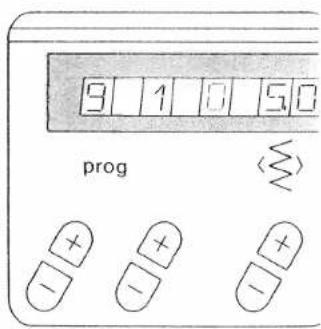
text_image
9 1 0 5.0 prog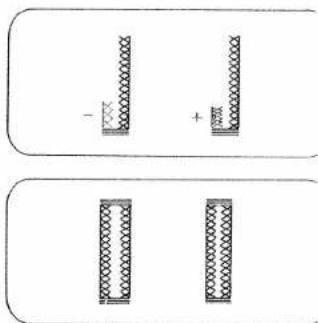
text_image
- + - +Various buttonhole bartacks
Eyelet buttonholes can be sewn with three different bartack designs.
Round buttonhole with wedge tack
Programm 92a
This bartack design is very suitable for buttonholes in trousers and casual wear
Round buttonhole with lengthwise tack
Programm 92b
This tack design we recommend for buttonholes in outerwear in light materials
Round buttonhole with crosswise tack
Programm 92c
This reinforced tack design is very suitable for buttonholes in outerwear in harder materials
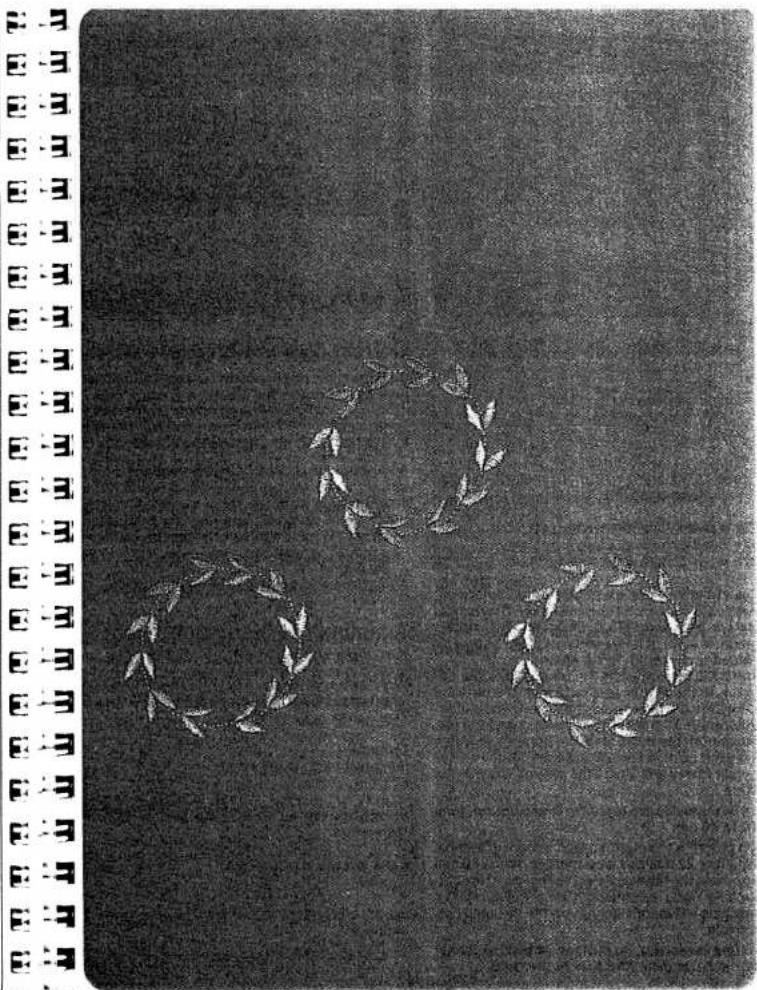
natural_image
Black-and-white illustration of two laurel wreaths on a dark textured background, no text or symbols present.89

natural_image
Black and white abstract texture with no discernible text, symbols, or structured elements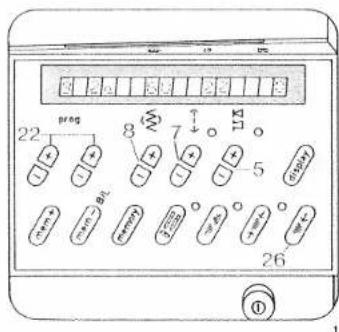
text_image
22 preg 8 W 7 ↓ 5 26 ①Eyelet buttonhole (fully automatic)
| prog | |||
| 92a,b,c | Δ Λ | -3+ | 5A |
Sewing thread: embroidery and darning thread Key: press "slow sewing"
Eyelet buttonholes with different tack designs: (see table on page 88).
92a = buttonhole with wedge tack
92b = buttonhole with lengthwise tack
92c = buttonhole with crosswise tack
Eyelet buttonholes are often sewn in outerwear, such as jackets, coats or casual wear. They should always be sewn with backing material underneath. In spite of this, a piece of paper should be placed underneath during sewing.
The buttonhole must be 3 mm longer than the diameter of the button, plus its height. The distance from the front edge should be equal to the buttonhole width. First mark the spacings and the distance from the edge. Mark the buttonhole length from this point to the inside. Sewing is then always begun from the inside to the outside towards the edge.
16 buttonholes are stored in the computer, from 10 to 40 mm
On program selection a programmed buttonhole length of 22 mm and a buttonhole width of 6 mm appear in the display. Select the length of the buttonhole using stitch-length keys 7 (Fig. 1). The machine will automatically sew the selected buttonhole.
Before beginning the buttonhole pull the runner of the buttonhole foot fully to the front.
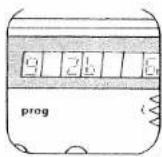
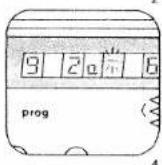
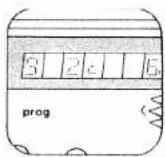
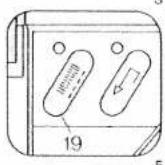
Correcting a buttonhole
If a buttonhole does not turn out well, cancel it by pressing "pattern start" key 26 and sew it again.
Changing the buttonhole width
For every type of fabric, the corresponding buttonhole width can be determined from 5.5 to 8.5 mm. For heavy materials select a wide buttonhole and for light materials a narrow one. With stitch width keys 8, you determine the required buttonhole width. The length of the cut changes automatically (Fig. 7).
A buttonhole width of 6 mm is now stored
Adapting the buttonhole seam lengths with the balance keys
With "balance" keys 5 the left buttonhole seam length can be adapted to the right one. Sew a sample buttonhole first.
Example:
If the left seam is too short
(Fig. 8d)
Select balance +1 to +3 with key, or more if required.
If the left seam is too long
(Fig. 8e)
Select balance -1 to -2 with key, or more if required.

natural_image
Three labeled microscopic images (a, b, c) showing rod-shaped bacterial cells with scale bars, no text or symbols present.Determining the bartack
(semi-automatic)
If you wish to determine the bartack in a programmed buttonhole, press "tie-off/buttonhole" key 19 (Fig. 5). A dash flashes in display 21 at the right side of program 92a, b, or c (Fig. 4). The machine now sews slowly just before the end of the second seam. When both seams are the same length, press key 19 again. The bartack is now sewn and tied off. If you wish to sew the next buttonhole fully automatically, press key 19 again. (Sewing sequence as described on page 90). The flashing dash will then have disappeared.
3 Note:
If you interrupt sewing at the reduced sewing speed by releasing the foot control, the machine will return to the normal speed when you start sewing again. When you are working in the bartack determining mode and have selected bartack design "a", you have to press the "tie off/buttonhole" key when the second buttonhole seam has reached the second to last mark of the buttonhole foot. Observance of this always ensures correct finishing of the bartack.
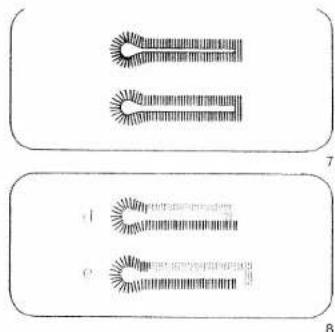
text_image
Diagram showing two labeled sections (7 and 8) with sun-like patterns and numerical annotations, likely illustrating a biological or chemical process.Adapting the buttonhole seam length
A garment may consist of different numbers of fabric plies, e.g. the buttonhole strip may consist of three plies and the collar stand of six - owing to the folded seam edge. In this case it is necessary to program the buttonhole for varying numbers of fabric plies in order to maintain the same buttonhole length as on the three-ply buttonhole strip.
Note:
For sewing buttonholes on knitted or very thin materials we recommend sewing foot No. 1 A and dual feed.
After sewing, cut the buttonholes open (see page 94).
natural_image
Grayscale abstract texture with no discernible text, symbols, or structured elements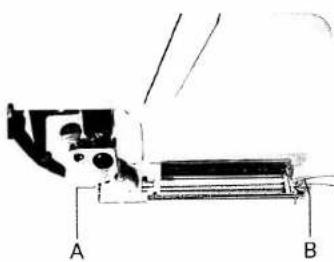
natural_image
Technical line drawing of a mechanical assembly with labeled parts A and B (no text or symbols beyond labels)1
Buttonhole with gimp thread
In the case of elastic materials, it is possible that the buttonholes extend. Therefore, the buttonhole strip should be reinforced with interlining material. In order to retain the shape of the buttonhole, use gimp thread if possible. Place the gimp thread over the back ridge "A", pull laut and jam it into front ridge "B" to the left and right (Fig. 1). (Pull runner fully to the front).
The buttonhole sequence is the same as without gimp thread. After completing the buttonhole pull on the left gimp thread (Fig. 2) until the loop is covered up by the bar. This is where the button will be located later.
On elastic materials pull the gimp threads through to the reverse side with a needle and tie them off. On normal fabrics the gimp threads can be trimmed immediately behind the last bartack.
After sewing, cut the buttonholes open (see page 94).
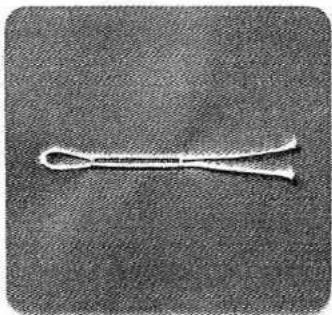
natural_image
Close-up of a metallic tool or tool with a looped handle, isolated on a textured gray background (no text or symbols visible)Eyelet buttonnoie with gimp thread
Suitable threads: bead yarn No. 8, or thick sewing thread
- Move runner slightly to the rear.
- Jam the gimp thread into the left of ridge "A" (Fig. 3) and pull to the front under the button-hole runner.
- Place it over the front ridge "B" and jam it to the right and left (Fig. 4)
- Pull it to the rear again and jam it into the right of ridge "A" (Fig. 5)
- Place the fabric underneath the sewing foot.
- pull the buttonhole runner fully to the front and lower the sewing foot
- Before you start sewing press "slow sewing" key 16 (Fig. 6)
- Sew the first buttonhole seam.
- When the machine starts sewing slowly (at the beginning of the curve), take the gimp thread from the left of ridge "A".
- pull down the thread from ridge "B" by means of a needle and pull it to the rear until a loop appears in needle plate cutout "C" of the buttonhole runner (Fig. 7).
- Sew the curve and - when the machine has again reached its normal speed -
- pull the thread taut and finish sewing the buttonhole. To prevent the gimp threads from showing at the end of the bartack, pull them taut and cut them off.
Round buttonholes with gimp threads are sewn in exactly the same way.
Note:
The thicker the gimp thread you use. The wider the buttonhole seams must be selected to correspond with the thread

natural_image
Technical drawing of a mechanical part with cutouts and mounting holes (no text or symbols)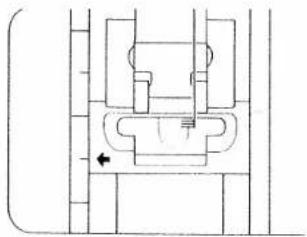
natural_image
Pure mechanical cross-section diagram without any text, numbers, or symbols
natural_image
Technical line drawing of a mechanical component with internal channels and a spring-like feature (no text or symbols)
natural_image
Close-up of a white knitted string against a dark textured background (no text or symbols visible)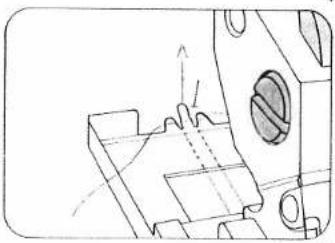
natural_image
Technical line drawing of a mechanical component with no visible text or symbols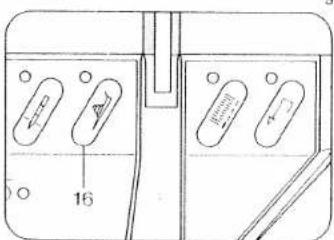
text_image
166
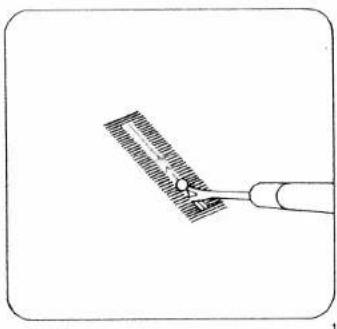
natural_image
Simple line drawing of a tool applying material to a surface (no text or symbols)Cutting open buttonholes
When you cut open a buttonhole it is important not to damage the bartacks. To avoid this, insert the seam ripper about 1 mm away from the bartack. Now carefully cut the buttonhole open to the middle, then repeat this from the bartack at the other end (Fig. 1). If you have no punch pliers to cut the eyelet, simply cut around the curve with a pair of pointed scissors.
Sewing on buttons
| prog | |||
| 19.11 | -2 | 2A |
Feed dog: dropped (prog 11)
Place the button on the mark made on the fabric beforehand and push the fabric with the button under the sewing foot holder or sewing foot (Fig. 2). Turn the hand wheel towards you and adjust the position of the button so that the needle stitches into its left hole. Lower the presser bar lifter. Turn the hand wheel and check to make sure the needle enters the right hole of the button. Now sew the button on.
After tieing off the needle stops in its top position.

natural_image
Close-up of a sewing machine needle stitching fabric on a circular base (no text or symbols visible)Sewing on buttons with stems
Place a match stick or a toothpick on the button between the two holes and sew the button on as described (Fig. 3). Afterwards remove the matchstick, pull the button and fabric apart, then wrap the stems with the threaded needle- and bobbin thread and knot the thread ends (Figs. 4, 5).
To ensure that flat or small buttons do not slip away during sewing we recommend using the normal sewing foot and switching off the top feed. For some buttons it is necessary to change the zigzag width. Finer settings for sewing on these buttons can be made using program 11.
In this case place the button in the way that the needle in right stitch position sticks into the right hole of the button exactly.
Afterwards adjust zigzag width so that the needle sticks into the left hole of the button exactly.
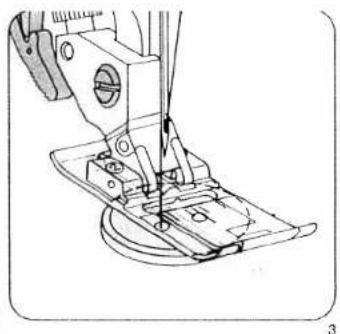
natural_image
Technical line drawing of a sewing machine needle and base (no text or symbols)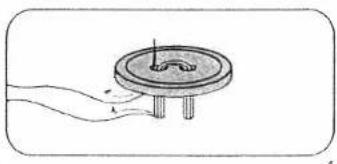
natural_image
Simple line drawing of a mechanical component with a circular base and protruding rod (no text or symbols)
natural_image
Technical illustration of a mechanical component with a circular base and threaded shaft (no text or symbols)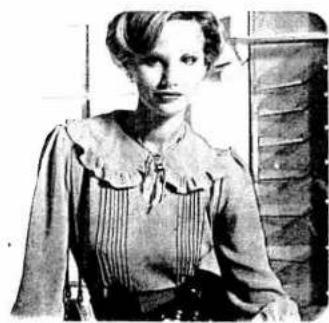
natural_image
Black-and-white photo of a woman in vintage attire, no visible text or symbolsCording
Cording foot + cording tongue (special accessory)
| prog | |||
| 00 | Λ Λ | -5+ | conding foot |
Needle: Double needle
Cording seams are especially popular as a decoration on underwear, dresses, blouses, etc.
Cording sewn with the cording tongue
Cording is always sewn with two needle threads. Place a spool of thread on each spool pin and secure it in position with the corresponding unwinding disc. Place one thread to the right, and the other to the left of disc "C" (Fig. 3a). Then continue threading the machine, as usual. Do not twist the two threads. Thread each thread separately through thread guides and the needle eye (Fig. 3b).
The thread tension should be adapted to every fabric type. The tighter the tension, the more prominent the cording appears. Fig. 1 shows how the cording tongue is engaged.
For thin materials, the cording foot with 7 grooves, the small cording tongue and a double needle of up to 2 mm are used.
For thicker materials, the cording foot with 5 grooves, the large cording tongue and the necessary double needle are used.
If you wish to sew several cordings beside each another, use the grooves of the cording foot (Fig. 2). For greater distances we recommend using the edge guide.
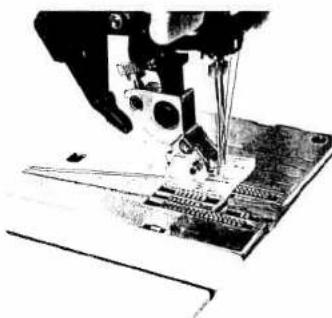
natural_image
Close-up of a sewing machine needle stitching a circuit board (no visible text or symbols)
natural_image
Abstract black-and-white illustration of a mechanical or architectural component (no text or symbols)Cording sewn with gimp thread
| prog | |||
| 00 | -5+ | conting font |
Needle: Double needle
Lift the needle plate off and pass the gimp thread through the round hole "A". After that re-insert the needle plate. Notch "B" is the entry groove (Fig. 1). Place the roll of gimp thread in front of the machine.
Place the beginning of the gimp thread together with needle thread and bottom threads to the rear under the cording foot. Move the detachable work support against the machine. Choose a gimp thread of the same colour as the outer fabric.
Narrow pleats
| prog | |||
| 00 | 3-5 | 0A |
Needle: 130/705-H, size 80
Iron the first fold line and stitch at the required width. Prepare and stitch the further fold groups in the same manner (Fig. 3).
For stitching down wider pleats we recommend using the edge guide. Adjust the edge guide to the required width. Guide the material so that fold runs along the edge guide. (See page 100)
For stitching down wider pleats we recommend using the edge guide. Adjust the edge guide to the required width. Guide the material so that fold runs along the edge guide. (See page 100)

natural_image
Technical line drawing of a mechanical assembly with labeled parts A and B (no text or symbols beyond labels)2

natural_image
Close-up of a textured fabric with three horizontal lines, no visible text or symbols3
97
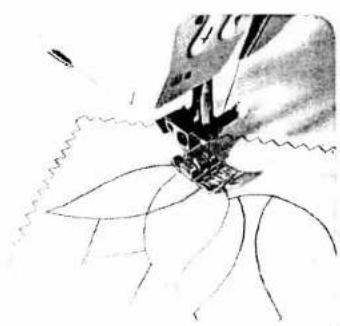
natural_image
Black-and-white line drawing of a sewing machine needle stitching fabric (no text or symbols)
natural_image
Abstract black-and-white illustration of scissors cutting through layered geometric shapes (no text or symbols)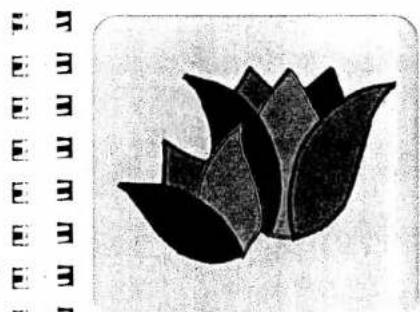
natural_image
Black and white stylized lotus flower illustration (no text or symbols)Appliqué work
For this, two worksteps are required.
First workstep
| prog | |||
| 10 | K K | 2-3 | 2A |
Stitch width: 0.5 mm
Stitch length: 1.0 mm
Second workstep
| prog | |||
| 10 | 2-3 | 2A |
Stitch width: 1.5 mm
Stitch length: 0.2 to 0.25 mm (for cording)
Trace the design on the reverse side of the fabric, lay the appliqué on the face side and baste it on, making sure it matches the fabric grain.
First workstep
Sew along the outline of the design on the wrong side (Fig. 1). Trim the excess material close to the contour seam (Fig. 2).
Second workstep
Sew over the raw edges of the appliqué with narrow, dense zigzag (purl) stitches (Fig. 3)
To make the edge of the appliqué more prominent, insert a filler cord in the seam.
Ready made fabric appliqués can be applied much more easily. Before you cut out the design, iron on a fusible backing. This reinforces the material, makes it easier to cut, and prevents fraying. Baste on the design. Place three layers of tissue paper under the fabric and sew along the edges of the design with dense, narrow zigzag stitches. In this way, a good-looking seam is produced.
- For cording we recommend the appliqué foot (special accessory)

natural_image
Black and white stylized flower illustration with no text or symbols3

natural_image
Black-and-white illustration of a stylized cartoon character with curly hair and limbs, standing on a dark background (no text or symbols)99
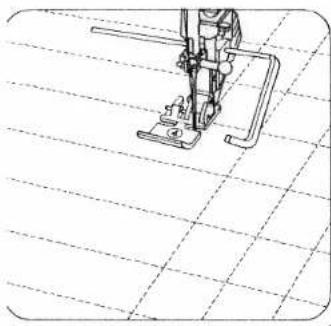
natural_image
Line drawing of a sewing machine on a grid background (no text or symbols)Quilting
| prog | |||
| 00 | 3-5 | 0A.4 |
Edge guide
Seams stitched on articles filled with cotton wool or some other soft padding have a very prominent effect. For this purpose, batting, foam plastic or lannel is placed between the top ply and a light-weight bottom ply (Fig. 3).
To keep the fabric plies and the padding in place, paste them together with rows of long basting stitches spread over the whole area.
Squares and diamonds can be sewn on the straight or on the bias of the material. On fabrics with regular patterns stitch between the patterns or around them.
The spacing between seams can be set as required by adjusting the guide accordingly.
trace the seam line for the first seam on the fabric or guide the quilting gauge along the straight-cut abric edge.
When you have completed the first seam move the work sideways so that the quilting gauge runs along the first seam or the traced seam line. For each subsequent seam, guide the gauge finger along the preceding line of stitching (Fig. 1). Quilting can also be done advantageously on patterned materials.
Preparation of the material is the same as described above. Just sew around the contours and you have a very beautiful piece of embroidery (Fig. 2).

natural_image
Black-and-white illustration of a cushion with floral and fruit patterns (no text or symbols)
natural_image
Black-and-white sketch of a rose with visible stamens and leaves (no text or symbols)-
-
-
-
-
-
-
-
-
-
-
-
-
-
-
-
-
-
-
-
-
-
-
-
-
-
-
-
-
-
-
-
-
-
-
-
-
-
-
-
-
-
-
-
-
-
-
-
-
-
-
-
-
-
-
-
-
-
-
-
-
-
-
-
-
-
-
-
- 70.
-
-
-
-
-
-
-
-
-
-
-
-
-
-
-
-
-
-
-
-
-
-
-
-
-
-
-
-
-
-
-
-
-
-
-
-
-
-
-
-
-
-
-
-
-
-
-
-
-
-
-
-
-
-
-
-
-
-
-
-
-
-
-
-
-
-
-
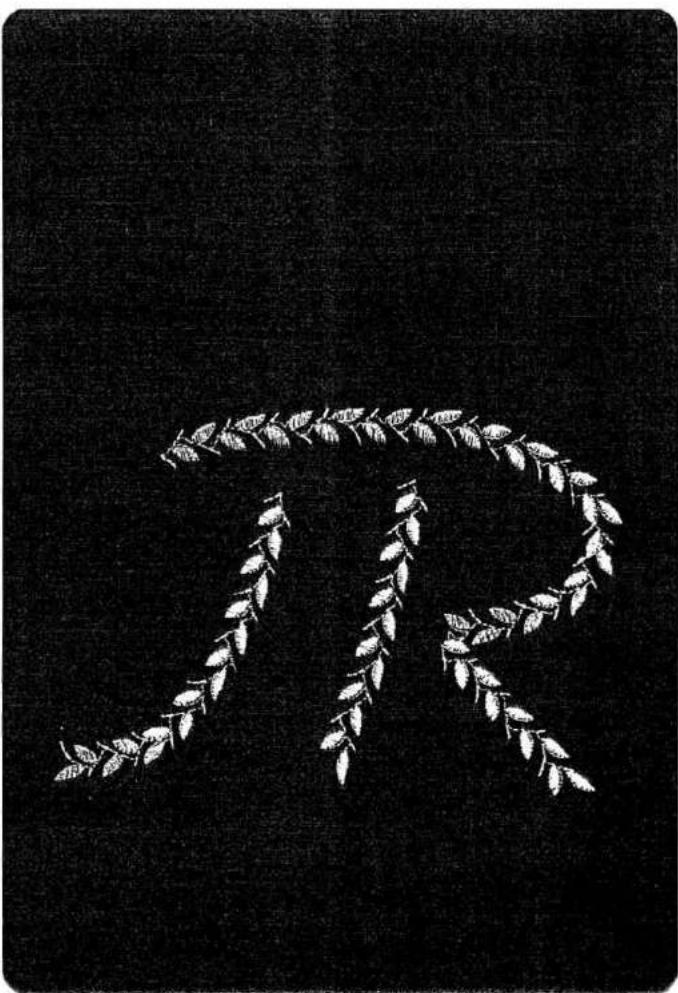
natural_image
Black-and-white illustration of a laurel wreath design on a dark background (no text or symbols)101
natural_image
Close-up of a stylized eye-like shape with smooth curves (no text or symbols)1

natural_image
Decorative corner border with interlocking gears and a solid black rectangle (no text or symbols)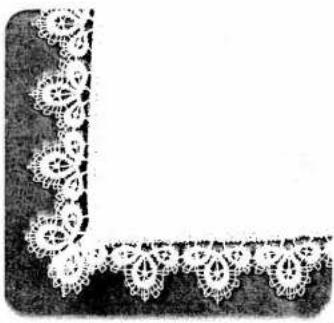
natural_image
Decorative corner frame with white floral patterns, no text or symbols presentInserting lace
For this work, two worksteps are required
First workstep
| prog | |||
| 00 | -3+ | 0A |
Second workstep
| prog | |||
| 10 | -3+ | OA |
First workstep
The lace insert is first secured to the right material side and is sewn on at a narrow margin with straight stitch.
The material underneath the lace is opened at the middle and ironed to one side.
Second workstep
Sew over the lace edge on both sides with small, dense zigzag-stitches from the face side. Cut off the remaining material on the reverse side (Fig. 1).
Attaching lace
For this work, two worksteps are required
First workstep
| prog | |||
| 10 | -3+ | 0A |
Stitch width: 5.0 mm
Stitch length: 1.5 mm
Second workstep
| prog | |||
| 00 | -3+ | 0A |
Stitch length: 3.0 mm
First workstep
Serge the raw edge with zigzag stitches (Fig. 2).
Second workstep
Baste and sew the lace onto the right material side (Fig. 3).
Secure the corners with stitches.

natural_image
Pure decorative line pattern with repeating diamond shapes (no text or symbols)Embroidery stitch programs
Multi-colour embroidery
These multi-colour embroidery possibilities set no limits to your imagination. Carried out with great devotion to detail, colour and decorative effects, multicolour embroidery gives your clothes the stamp of your personality.
The following pages are intended as an inspiration for ornamentation of dresses, blouses and other garments with embroidery motifs made on your Pfaff Creative.
Transfer the pattern onto the face side of the fabric with tracing paper.
Always place two sheets of tissue paper under the material before you start sewing.
| prog | |||
| 06 62 65 77 | Δ Δ | -3+ | 2A |
Sewing thread: Embroidery or darning thread Motif 1 is made up of the patterns enumerated above.
First workstep: stems
- Program 06
● Change the stitch length to 2.5 mm.
- Follow the traced lines with a program 06 seam.
Second workstep: leaves
- Program 62
● Change the stitch width to 4.0 mm.
- Change the pattern length to 25.
- Push the "single pattern" key
- Needle in down position.
- Sew the leaf slightly curved, starting at the stem. Leave the needle down in the fabric, turn the fabric through 180° and sew the pattern backwards. In this way, all leaves can be sewn larger or smaller.
natural_image
Black and white line drawing of a flowering branch with leaves (no text or symbols)Third workstep: half flower
Program 65
● Stitch width: 5.0 mm.
● Pattern length: 20
- Push the "single pattern" key.
● The tip of the pattern should contact the stem.
Fourth workstep: flowers
Program: 62
● Stitch width: 4.5 mm.
● Pattern length: 20.
- Push the "single pattern" key.
- Sew the petals, including those of the half flower.
Fifth workstep: (lower centre (dot)
Programm: 77
- Stitch width: 5.0 mm
- Push the "single pattern" key
- Sew the flower centres (dots)
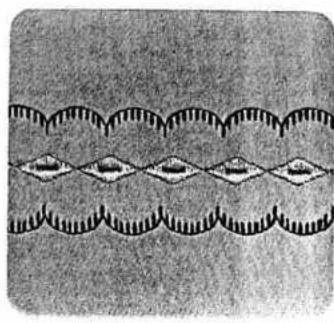
natural_image
Abstract pattern of repeating wavy lines with diamond shapes, no text or symbols presentBorder 1 consists of the following programs: Centre motif: 64 Side motif: 39
First workstep: centre motif
- Select program 64
● Sew the programmed stitch pattern.
Second workstep: side motifs
- Select program 39.
- Sew the programmed stitch pattern along both sides of the centre motif. The second side motif can be sewn without turning the fabric by pushing the "pattern mirror" key.
Border 2 consists of the following programs 50 65 87
First workstep: centre motif
- Select program 50.
● Sew the programmed stitch pattern.
Second workstep:
- Select program 65 and change zigzag width to 4–5 mm.
- Sew the programmed stitch pattern along both sides of the centre motif.
Third workstep: side motifs
● Enter program 87.
- Sew the programmed stitch pattern on both sides along the previously sewn motif.

natural_image
Black-and-white patterned fabric with repeating star-like motifs and triangular shapes (no text or symbols)
natural_image
Silhouette of a human head in profile against a black background (no text or symbols)


natural_image
Sequence of circular diagrams with internal patterns, no text or symbols present3
Border 3 consists of the following
programs:
Centre motif: 39
Side motif. 84
Single motif: 62
First workstep: centre motif
- Select program 39
- Needle in down position.
- Sew the programmed stitch pattern. Shortly before you reach the end of the seam, press the "tie-off/buttonhole" key. At the end of the pattern the needle remains down in the material. Turn the fabric through 180°.
- Sew the opposite half back in the other direction, making sure the patterns match.
Second workstep: side motifs
- Select program 84.
- Sew the programmed stitch pattern along both sides of the centre motif. The second side motif can be sewn without turning the fabric by pushing the "pattern mirror" key.
Third workstep: centre dots
- Select program 62
● Change the stitch width to 6 mm.
● Change the pattern length to 10 mm.
- Push the "single pattern" key.
- Sew the selected program (single pattern) in the centre motifs.
Heart motif (Fig. 4)
- Select program 58.
● Change stitch length to 0.25 mm. - Reduce pattern length to 9.0 mm
- Press key 27 "single pattern"
- Press key 15 "needle down"
- Sew the heart motif and, with the needle down, turn the material so that the tip of the heart is exactly in line with the red mark on the left side of the sewing foot.
Repeat this process until the motif is closed.
:
natural_image
Black background with white decorative border patterns (no text or symbols)
natural_image
Black-and-white abstract pattern with repeating zigzag shapes (no text or symbols)
natural_image
Pure structural diagram of a vertical frame with diagonal bracing and central horizontal bar (no text or symbols)Fancy seams in leather
| prog | |||
| Optional | K K | -3+ | 2A |
Thread: embroidering/darning thread Needle: 130/705 H-LR, size 80
Since leather is a pliable material, an underlay of double-folded paper or light non-woven materials (e.g. vylene) should always be used. Do not set the stitches too close, because leather split easily and cracks in leather show up on the finished work.
Flat leather seams
Overlap the raw edges by about 1/2 cm. Top stitch both sides at a narrow margin using straight stitch. Instead of straight stitch it is also possible to use zigzag stitch or some other program in over-stitch the double seam. This method o sewing is commonly used for joining parts of different colours (e.g. patchwork).

natural_image
Close-up of a sewing machine needle stitching fabric (no visible text or symbols)Shell edging
| prog | |||
| 14 16 | Λ Λ | -5+ | 2A |
Stitch length: 1.5 mm
Key: 28 pattern mirror in program 16
Shell edging provides nice trimming, especially on sheer, soft materials. Fold over the fabric edge once along the line which is to be decorated. During sewing, the blindstitches draw in the fabric edge at regular intervals, thus producing a shell-edge effect. The stronger the needle thread tension, the more the fabric edge is indented (Fig. 2). Adding a wool thread in a different colour not only reinforces the edge, but also makes an attractive contrast trimming.
Place the material under the needle so that it protrudes far enough to allow the wide zigzag blind-stitch to pass over its edge (Fig 1).

natural_image
Repeating pattern of black circular shapes on white background, no text or symbols present
natural_image
Abstract pattern with repeating triangular and oval shapes on a dark background (no text or symbols)
natural_image
Black-and-white illustration of a butterfly with visible wing venation (no text or symbols)1
natural_image
Black-and-white photograph of a single flower with visible petals and stem, set against a textured dark background (no text or symbols)[Non-Text]
Fringe seams
Butterfly
Two worksteps are required for this:
First workstep (wings)
| prog | |||
| 10 | 2-3 | Frame lost |
Stitch width: 1.5
Stitch length: 0.5
Fringe foot: (special accessory)
Second workstep (body)
| prog | |||
| 62 | Δ Δ | 2-3 | 2A |
Pattern length, as required
Key: single pattern
First workstep (wings)
- First sew a fringe seam as a trial, using a piece of scrap material. During sewing, try different stitch lengths until you find the one most suitable. The wings are best sewn in circular seams, working from the outside inwards.
Second workstep (body)
- Sew the body as shown in the illustration (Fig. 1)
natural_image
Close-up of two parallel dark horizontal bands with textured surfaces (no text or symbols)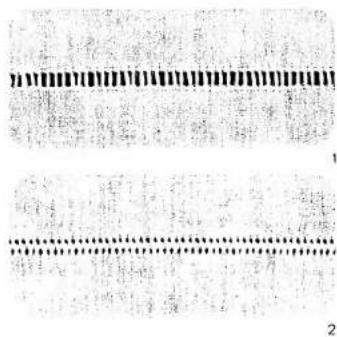
text_image
Scanned document with dense text and two horizontal black lines, possibly a form or template with numbered annotations.Hem-stitching
As the Illustrations show, hem-stitching can be used in different ways, both as an edge reinforcement and as a fancy effect on table linen or clothing articles.
"Ladder" hem-stitching
| prog | |||
| 96 | Δ Λ | -3+ | 2A |
Stitch width: 2 mm
Thread: embroidering/darning thread Needle: normal needle, size 80
In the same way as in hand hem stitching, threads are drawn out of the fabric at the required width. Stitch the fabric edges with the program described above.
The needle must penetrate very closely to the edge where the threads were drawn. When sewing the second seam, ensure that the cross threads are always tied off parallel (Fig. 1).
Hem-stitching turned-in hem edges
| prog | |||
| 96 | K K | -3+ | 2A |
Stitch width: 2 mm
Thread: embroidering/darning thread
To hem-stitch a turned-in hem edge (Fig. 4), first draw the number of fabric threads for the required hem-stitch width. Place the hem breakline against the edge where the threads are drawn and tack it in place. Now secure the hem using the above-mentioned program.
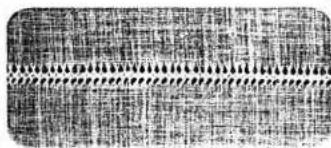
text_image
Scanned text of dense, low-resolution Chinese characters with decorative patterns and dot patternsHem-stitching with wing needle
| prog | |||
| 97 98 | -3+ | 2A |
Thread: embroidering/darning thread Needle: wing needle
For this work, four threads are drawn, five threads are left in, then a further four threads drawn. Overse sew the five threads left in the fabric using program 97 or 98 (Figs. 2 and 3).
Hem-stitching as an edge finish made with the wing needle
| prog | |||
| 98 | -3+ | 0A |
Thread: embroidering/darning thread Needle: wing needle
This edge finish is used on very light and thin fabrics. It is particularly well suited for valances, flounces and frills or for finishing edges. For this sewing job no threads must be drawn out of the fabric. Sew at sewing-foot width along the fabric edge, using the edge of the sewing foot as a guide. Then carefully trim the excess material along the hemstitching with a small scissors (Fig. 5).
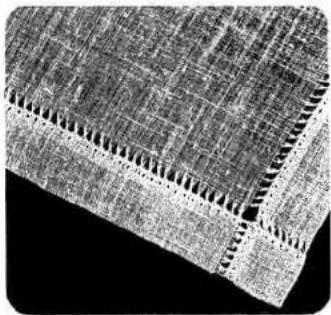
natural_image
Close-up of a textured, layered material surface with visible striations and ridges (no text or symbols)4
Linen embroidery
Plain embroidery on linen is a widely known and popular ornamentation. The patterns illustrated can be made on your Pfaff Creative in a very short time by combining all kinds of stitches.
Transfer the pattern illustrated onto the face side of the fabric either by ironing it on or with the aid of tracing paper.
Always place two sheets of tissue paper under the fabric during embroidering.
| prog | |||
| 06 10 80 93 | Δ Δ | -3+ | 2A |
Thread: embroidering/darning thread
The motif in Fig. 1 is made up of the above-mentioned programs.
First workstep: scallops
Program 10
- Stitch width: 2.0 mm
● Stitch length: 0.3 mm
- Needle in down position
● Stitch along the above-mentioned outlines.
Second workstep: stems
Program: 06
● Stitch length: 2.5 mm
- Follow the above-mentioned stem lines with a program 06 seam.
1
Third workstep: leaves
- Program: 80
- Stitch width: 5.0 mm
- Press the "single pattern" key.
- Sew the leaf motifs slightly curved, starting at
the stem
Fourth workstep: eyelets
Program: 93
- Press the "single pattern" key.
● Mark the position of the eyelet, then sew it in
the middle of the scallop.
natural_image
Line drawing of a mechanical device with a lever and base plate (no text or symbols)
text_image
Scanned text of a document with dense, low-resolution black-and-white dot patterns and faint background text.Eyelet embroidery with the eyeletting plate (special access)
| prog | |||
| 11 | — | 2-3 | removed |
Key: 28 pattern mirror
dropped
Presser bar litter: in darning position (page 74)
Sewing thread: embroidering and darning
thread
Fitting the eyeletting plate: Insert the eyeletting plate so that the catches engage in the three narrow slots and push it towards the back (Fig. 1), the middle tooth will lock it. Then push the needle plate to the front so that it snaps in.
Place the traced fabric tautly in an embroidering hoop. Cut one or two fibres in the fabric and push the fabric over the pin. The fabric must be tight against the pin all round. Draw the bobbin thread up and hold it for the first few stitches (placing presser bar lifter in darning position beforehand). Stitch around the cut with zigzag stitches, turning the hoop slowly clockwise at the same time. Finally, secure the stitches with a few straight stitches at the edge (Fig. 2).

natural_image
Pure black-and-white abstract pattern with no text, numbers, or symbols
natural_image
Illustration of a spiral structure with two central circular features and a number 1, no text or symbols present.
natural_image
Illustration of a curved decorative element with leaf-like patterns and circular symbols at the base (no text or symbols present)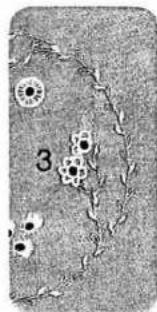
natural_image
Microscopic view of cellular structures with labeled number 3 (no text or symbols beyond label)M
F F F F F F F

text_image
A N
natural_image
Abstract decorative swirl design with no text or symbolsRing of flowers
The illustration at the right shows a pretty ring of flowers. For this type of embroidery it is very important to guide the embroidery hoop evenly and steadily. Here are the instructions for sewing the different motifs:
Motif 1: 2 worksteps
1st workstep:program 11r
reverse pattern
stitch width 2 mm
2nd workstep:program 3
stitch width 6 mm
Motif 2: 2 worksteps
1st workstep:program 11r
reverse pattern
stitch width 2 mm
2nd workstep:program 63
stitch width 6 mm
Motif 3: 2 worksteps
1st workshop.program 11
reverse pattern
stitch width: 2 mm
2nd workstep program 61
stitch width 6 mm
Motif 4: 3 worksteps
1st workstep:program 111
reverse pattern
stitch width 2 mm
2nd workstep program 10
stitch width 1.5 mm
3rd workstep:program 11
stitch width 2 mm
Motif 5: 2 worksteps
1st workshop program 11
reverse pattern
stitch width 2 mm
2nd workstep:program 1
stitch width 6 mm
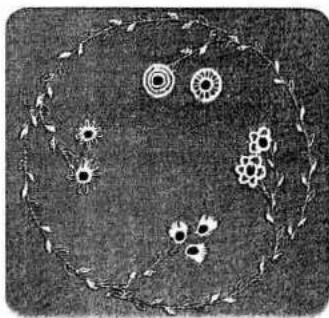
natural_image
Black-and-white illustration of a circular arrangement of flowers and leaves, no text or symbols present.E E E E E E E
3 Sewing monograms with the embroidery foot
3 3 3 3 3 3
| prog | |||
| 10 12 | K K | -3+ | 2A |
Thread: embroidering/darning thread
Clear-lined block letters or monograms made by combining different ornamental patterns can be sewn without any difficulty. Trace the monogram on paper first, then transfer it to the fabric. Having done so, follow the outlines with the programmed stitch pattern chosen
To sew monograms on terry cloth, pin the paper pattern onto the fabric and sew along the traced outlines with a narrow zigzag stitch. Then sew over the contours of the monogram with the programmed stitch pattern chosen.
1

text_image
EF
text_image
JL
natural_image
Two empty rounded rectangles with numbered labels 1 and 2 at the top (no text or symbols within the shapes)Lengthening a pattern at the same stitch density
Fancy stitch programs can be varied in length at the same stitch density when the display at key 5+ lights up. The pattern length selector is set between 6.0 an 90 mm.
The maximum pattern length at short stitch lengths is limited (Fig. 1).
The table below shows the minimum and maximum pattern lengths according to different stitch lengths:
| Stitch length in mm | Pattern length in mm | |
| from | to | |
| 0.2 | 60 | 50 |
| 0.25 | 60 | 60 |
| 0.3 | 60 | 70 |
| 0.35 | 60 | 80 |
| 0.4 onwards | 60 | 90 |
Pattern mirroring
If you wish to sew a program in reverse, push "mirror key" 28 in addition to the selected program (Fig. 2).
Single patterns
Various sewing work such as monogram, figures or embroidery motifs can be sewn as single motifs. After entering the selected program, push key 27 "single pattern". The pattern is secured at beginning and end automatically and the machine stopped (Fig. 3).

natural_image
Abstract white flower-like shape on black background (no text or symbols)Programming the computer with embroidery stitches and monograms
Compiling various programs from 00 to 99
● The Creative computer has 16 M-memor from M 0 to M 15.
- Per one pattern sequence - M - up to 84 p-grams can be entered in one M-memory.
● Distributed over 16 M-memories, up to 48 programs can be stored.
- If no M-memory is pre-selected, all program are stored in memory M 0.
- When the machine is switched off, the store programs are maintained.
- When the capacity of the memories is used up no further programs are accepted.
- The M-combinations no longer required ca than be cancelled with the "correct" key.
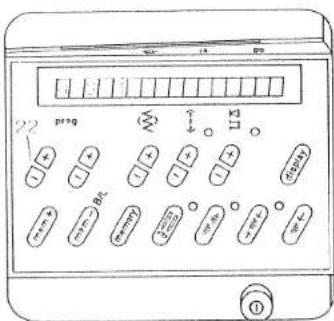
text_image
22 p134 BRLTo enter the programs from 00 to 99 first select a free M-memory.
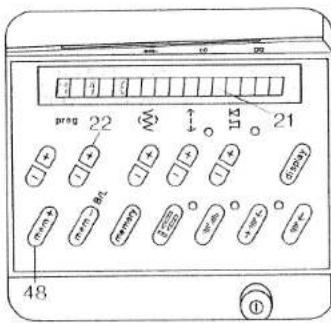
text_image
22 21 48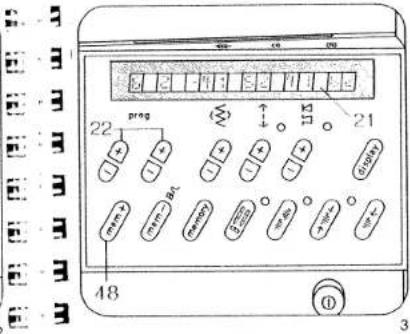
text_image
22 prag 48 3How to select an
M-memory:
Fig. 1
- Select the M-memory
(with the left prog key 22)
Fig. 2
- Select the number of a free M-memory (using the right button prog 22).
● The M-memory is free when the display (21) to the right of the memory number is empty.
● Push key mem + 48.
The memory is now ready to accept a program
Fig. 3
- Select the programs (00 to 99) with the keys (prog 22) and enter them one after the other in the computer by pressing the key m e m + 48 for program entry.
The program numbers appear in display 21
- When you have entered all program combinations, the machine is ready to sew.
Single patterns
If you wish to sew only one pattern sequence or just one pattern, press the key
• "Single pattern" 27
The machine then sews until the program is
concluded secures the stitches and stops
concluded, secures the stitches, and stops automatically.
Mirroring a pattern
If you wish to sew a pattern in reverse, press the following keys in addition to the selected program:
● "Pattern mirror" key 28
- "mem +" key 48
The pattern mirroring function is indicated by the
symbol following the number in the computer. If
you wish to mirror an entire pattern combination,
press the following keys after programming:
● "memory" key 30 and
● "pattern mirror" key 28 (Fig. 4).

text_image
2 3 4 2 6 3 preg mm mm mm 48 30 28 ① ② ③ ④ ⑤ ⑥ ⑦ ⑧ ⑨ ⑩ ⑪ ⑫ ⑬ ⑭ ⑮ ⑯ ⑰ ⑱ ⑲ ⑳ ㉑ ㉒ ㉓ ㉔ ㉕ ㉖ ㉗ ㉘ ㉙ ㉚ ㉛ ㉜ ㉝ ㉞ ㉟ ㉟a ㉟b ㉟c ㉟d ㉟e ㉟f ㉟g ㉟h ㉟i ㉟j ㉟k ㉟l ㉟m ㉟nAll programs and program combinations can be altered to any length or width and entered in the computer.
Changing the
stitch length
Before the last program entry for a fancy pattern the stitch length has to be determined (using key 7) (Fig. 2).
This change of stitch length also determines the length of stitches in the programs entered before (Fig. 1).
Example:
- Select a free M-memory
- Push "mem+" key 48
- Select program 60
- Push "mem+" key 48
- Select program 62
- Push "mem+" key 48
- Select program 60
- Push "mem+" key 48
- Select program 62 and change the stitch length to 0.25 (using key 7), Fig. 2.
- Push "mem+" key 48
- Now the whole program with the altered stitch length is inside the computer.
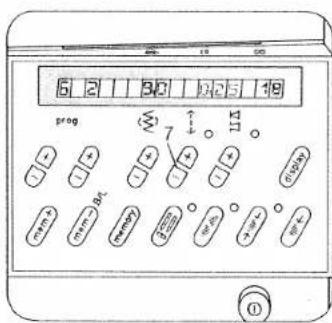
text_image
6 2 30 125 19 prog + + + + + + + + + + + + + + + + + + + + + + + + + + + + + + + + + + + + + + + + + + + + + + + + + + + + + + + + + + + + + + + + + + + + + + + + + + + + + - - - - - - - - - - - - - - - - - - - - - - - - - - - - - - - - - - - - - - - - - - - - - - - - - - - - - - - - - - - - - - - - - - - - - - - - - - - - - - -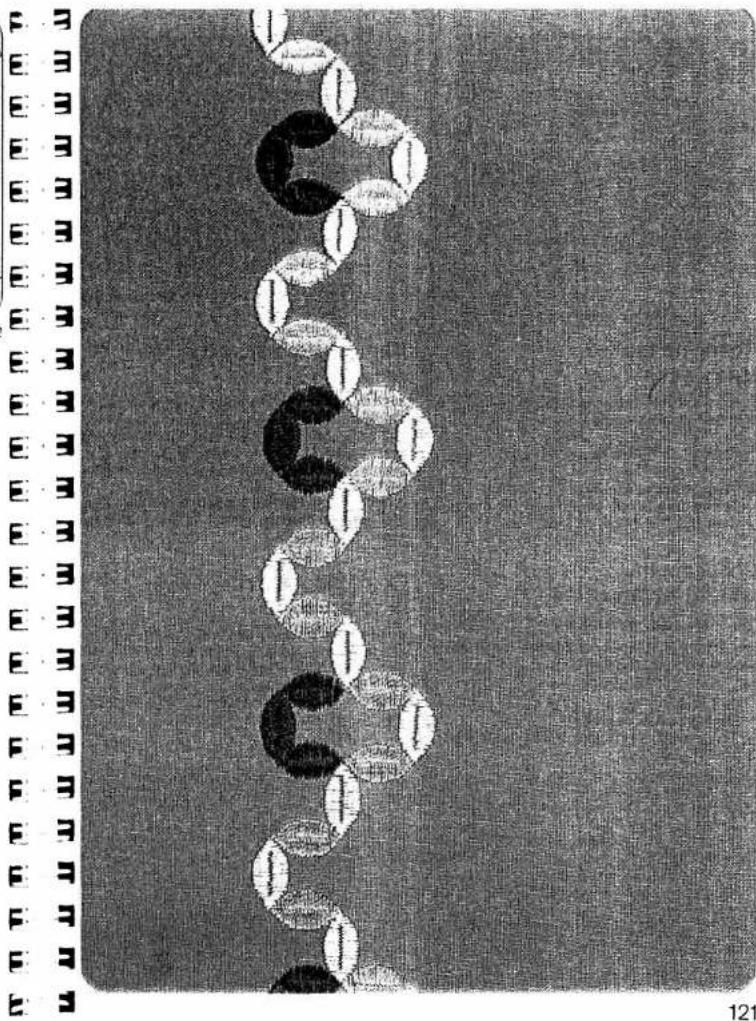
natural_image
Abstract pattern of black and white circular shapes arranged vertically on a textured gray background (no text or symbols)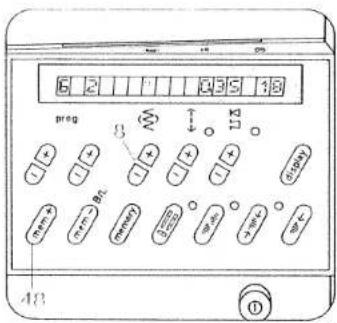
text_image
6 2 1 0 3 5 1 8 preg 3 1 3 (0.000) 48 1Changing the stitch width
The stitch width can be changed before each program entry (using key 8).
Example: prog 62 Stitch width: 4.5 mm
- Push "mem+" key 48 The pattern is now stored with the changed data. (Fig. 1 + 1a).
Changing the pattern length at the same stitch density
The pattern length can be changed before each program entry (using key 5).
Example: prog 62 Pattern length: 25
- Push "mem + " key 48 The pattern is now stored with the changed data (Fig. 2 + 2a).
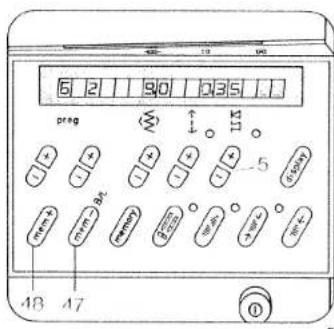
text_image
6 2 90 235 preg ↑ ↓ ↑ 115 5 48 47 ①Checking the stored programs
If you wish to check the stored program and you have entered more than four patterns, twelve letters or figures push key 6 "display". The stored program runs through in display 21. You can stop the program run by pushing key 6 a second time (Fig. 3).
When sewing is started, or when memory key 30 is pressed, the display returns to the beginning again.
Correcting stored programs
If you have entered a pattern wrongly during programming, you can cancel the entries up to the mistake by using "m e m -" key 47. Then enter the rest of the program again.
Programs that are no longer required are cancelled by pushing "mem-" key.
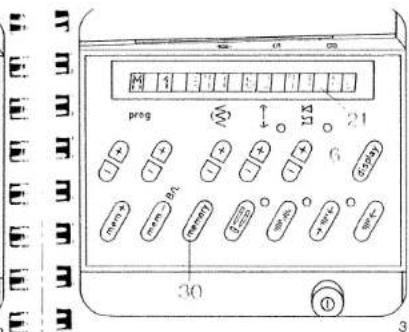
text_image
图 1 prog 21 30
text_image
1a 2a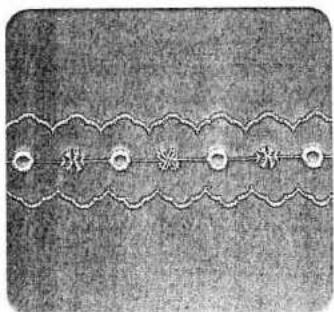
natural_image
Decorative pattern with five circular elements connected by a wavy line (no text or symbols)1
Ornamental borders
You can give free rein to your creativity by combining various patterns. The ornamental borders illustrated on this page and described below are intended as a stimulus to your imagination.
- For sewing ornamental borders we recommend using the fancy-stitch sewing foot No. 2A.
- Place tissue paper under the fabric. This will help you to achieve better sewing results.
Border 1 consists of the following
programs:
Middle motif: 50, 93, 46, 93
Side motif: 59
First workstep, centre motif
● Before programming select a free M-memory
- Push "m e m +" key 48
- Select program 50
- Push "m e m +" key 48
- Select program 93
● Change stitch width to 9 mm
- Push "m e m +" key 48
- Select program 46
- Push "m e m +" key 48
- Select program 93
● Change stitch width to 9 mm
- Push "m e m +" key 48
● Sew the stored program
Second workstep, outer motif
- Select program 59
- Sew the selected program along either side of the middle motif. The second side can be sewn without turning the fabric by simply pushing mirroring key 28.
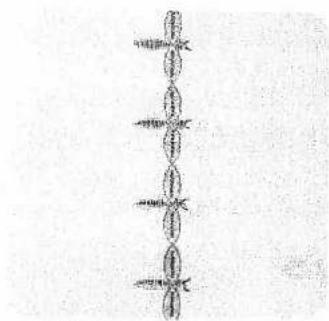
natural_image
Pure vertical line pattern with no text, numbers, or symbols2

natural_image
Decorative floral border with scalloped edges and leaves (no text or symbols)Border 2 consists of the following programs: 62, 62 (6 mm) and 00
First workstep
- Select program 62
● Sew the selected program.
Second worksten
● Select program 62.6 mm width
● Press single pattern key 27
● Sew the body starting from the middle
● Finally, sew the feelers with short straight stitches, program 00.
Border 3 consists of the following programs: 60, 45 and 93
First workstep
● Before programming, select a free M-memory
- Push "mem+" key 48
- Select program 60 and change the pattern length to 20
- Push "mem +" key 48
- Push "pattern start" Key 26
● Program 60, pattern length 14
- Push "mem+" key 48
- Push "pattern start" key 26
● Program 60, change pattern length to 10
- Push "mem+" key 48
- Push "pattern start" key 26
● Program 60, pattern length 14
- Push "mem+" key 48
- Push "pattern start" key 26
● Program 60, change pattern length to 20
- Push "mem+" key 48
- Push key 27 "single pattern"
- Push key 15 "needle down"
- Sew the entered program along the traced lines.
Second workstep, middle motif
- Select program 45
Sew the pattern at sewing-foot width along the fancy seam sewn before.
Third workstep, final motif
- Select program (93)
Sew the pattern along the fancy seam sewr before.
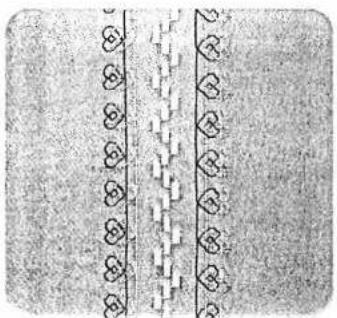
natural_image
Pure decorative border pattern with repeating heart motifs (no text or symbols)Sewing fancy seams with the twin needle optional
| prog | |||
| Optional | Δ Δ | 3-5 | 2A |
Needle: twin needle, 1.6 mm gauge Key: "twin needle"
Very attractive fancy patterns can be sown with the twin needle. The illustrations above show some of the dainty patterns that can be produced with a little imagination.
Press "twin needle" key 29; this limits the stitch width and prevents the needle from striking the needle plate.
For sewing, use two reels of thread of different colours. Place one reel on each reel pin and secure it in position with the corresponding unwinding disc. Place one thread to the right and the other to the left of disc "C". Continue threading in the usual way, threading each needle separately. See threading instructions on page 96.

flowchart
graph TD
    A["开始"] --> B{判断条件}
    B -->|是| C["执行步骤1"]
    B -->|否| D["执行步骤2"]
    C --> E["输出结果"]
    D --> E
    E --> F["结束"]
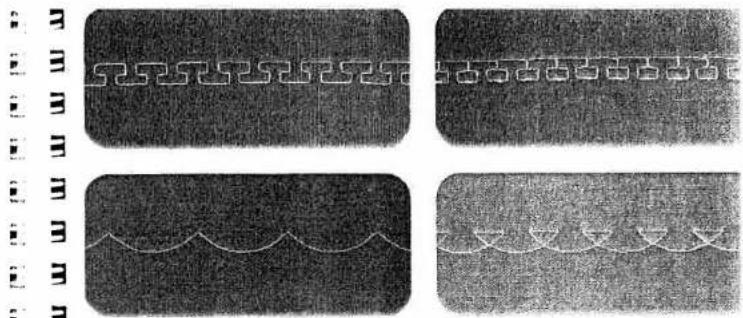
natural_image
Four grayscale images showing abstract patterns and waveforms, no text or symbols present
text_image
Pattern variations made with the programmed reverse straight stitches You will find numerous ways of expressing your creative talent by varying or rearranging the reverse straight-stitch patterns in programs 02 and 03 or the pattern combinations derived from them. The pattern variations illustrated and explained below are intended as an inspiration.
text_image
prog see below Δ Δ -3+ 2A Stitch combination 1 consists of the following programs : 69.02 (Fig. 1) ● Before programming, select a free M-memory ● Push 'm e m +-' key 48 ● Select the programs: 1 x 69. 2 x 02. and enter them in the computer by pressing
text_image
"m e m+" key 48 each time ● Sew the stored program. Stitch combination 2 consists of the following programs: 38, 03 (Fig. 2) ● Before programming, select a free M-memory ● Push "mem+" key 48 ● Select the programs: 1 x 38, 6 x 03 and enter them in the computer by pushing "mem+" key 48 each time ● Sew the stored program.ABCDEFGHIJKLMNOPQRSTUVWXYZ
MNOPQRSTU
VWXYZ
0123456789
21
AOUAEQCE

text_image
22 prog 10 + - + + + + + + + + + + + + + + + + + + + + + + + + + + + + + + + + + + + + + + + + + + + + + + + + + + + + + + + + + + + + + + + + + + + + + + + + + + + + + + + + + + + + + + + + + + + + + + + + + + + + - - - - - - - - - - - - - - - - - - - - - - - - - - - - - - - - - - - - - - - - - - - - - - - - - - - - - - - - - - - - - - - - - - - - - - - - - - - - - - - - - - - - - - - - - - - - - - - - - - - - -Programming letters and number
With the Pfaff Creative you can choose between three different types of lettering and two different number characters. For sewing monogram and texts we recommend to press "slow sewing key 16.
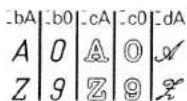
These are used for enhancing or marking line and outerwear. It is also possible to compile text and write them on material, 484 letters and numbers can be distributed over 16M-memories, with a maximum of 84 in one M-memory.
| prog | |||
| bA=cA=dA | Δ Δ | -3+ | 2A |
Thread: embroidering thread
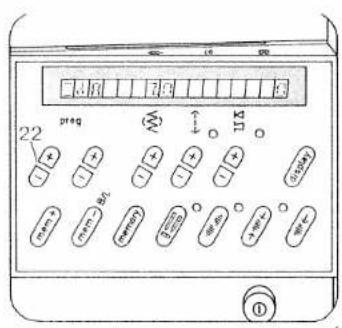
text_image
22 preg 11.5 ①Sewing script capital letters
二dA
Example: D F
● Before programming, select a free M-memory
- Push "mem+" key 48
- Select _dA at left "prog" key 22 "-" (Fig. 1)
- Select the following letters at right "prog"
key 22 "+"
—dD —dF
● Input in memory by pressing the mem + key
48 each time
- Push "single pattern" key 27
● Sew the stored program (Fig. 3).
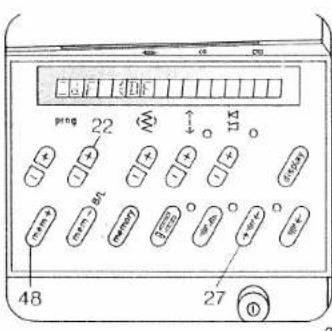
text_image
22 prog 48 27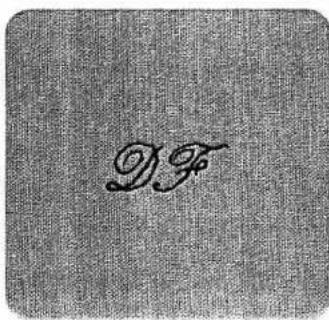
text_image
DF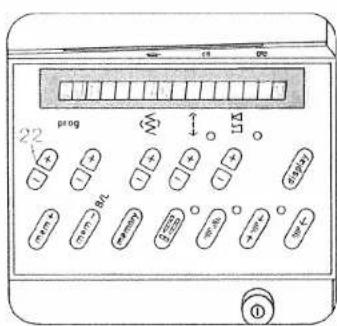
text_image
22 prog 11A 0Sewing dots
A dot can be used as a full stop or period, for example between the letters of an abbreviation. A dot can be selected together with every letter or figure in italics.
Example: H. P
- Before programming, select a free M-memory
- Push "mem+" key 48
- At key: "Prog." 22 (left, minus) select =dA (Fig. 1)
- At key: "Prog." 22 (right, plus) select =dH (Fig. 2)
- Push "mem+" key 48
Dot quick-selection - Push "mem+" key 48 and hold it (a second "H" appears Fig. 3), and in addition
- Push the left key "Prog." (22 +)
- The second "H" is now substituted with a dot
- Select dP at the right key "Prog." (22 +)
- Push "mem+" key 48 (Fig. 4)
● Push single pattern key 27
Now your monogram is provided with a dot and can be sewn (Fig. 4).
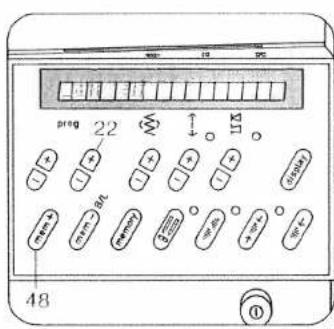
text_image
22 48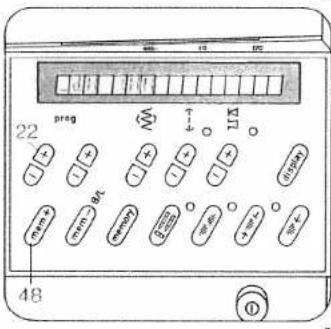
text_image
22 preg 48
text_image
48 27 prog 22 113 mm+ mm- mL 27 48
text_image
PFAFE_KARLSRUHEE 3 Spacing between words
_bA_cA
Example: PFAFF____KARLSRUHE
A spacing must always be programmed between two words.
A spacing can be selected for every block capital or outline letter. Three or four spacing characters are input, depending on the size of spacing required (Fig. 1).
- Spacings are programmed the same way as dot quick-selection
E·3 Sewing hyphens
Example: PFAFF-CREATIVE • Drone right "proo" key 32 until the dash in dis
F. -3 Press right prog keys 22 until the played in the right length (Fig. 2)
- Press "mem+" key 48 (Figs. 2 and 3)
• Input the rest of the text
Press "single pattern" key 27
Full stops, commas, spacing marks, dashes, question marks or exclamation marks
At the end of the numbers and outline letters a full stop, comma, space mark and hyphen are programmed.
At the end of the alphabets in hand-writing and capitals a question mark and exclamation mark are programmed.
- Select the required program with "prog" keys 22.
Press "mem+" key 48.
m = 311
(1) 本说明仅供参考。
E
F
•
4
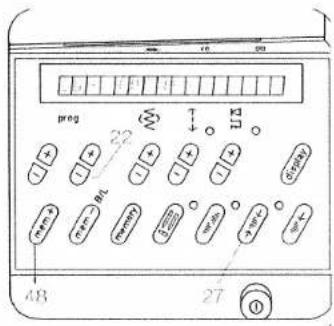
text_image
preg 22 11 (###) 48 27 ①PFAFF-CREATIVE
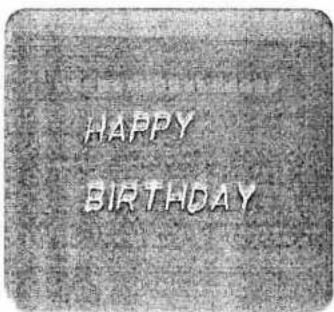
text_image
HAPPY BIRTHDAYSewing texts
If you wish to divide a text into several lines, select a free M memory for each line and enter the text. After the last program entry, press the single pattern key. Insert a spacing after each word (page 137). Sewing is then begin with the first M-memory again. To divide the text, select one M-memory after the other with each part of the text. The machine will stop after each line. Before sewing, mark the beginning of the text on the fabric.
After sewing, cut the joining threads between letters, figures and spacings (Fig. 1).
If you wish to check the text, press run-through key, display 6. The text will then run through in the computer. It can be stopped by pressing the same key again.
Letters and figures in different sizes
Letters and figures can be sewn in different sizes. The maximum character height is 9 mm. Before the first entry of a letter or a figure, its height can be determined by means of stitch width key 8 (Fig. 2).
If you wish to sew letters and numbers in different heights, select the height just before the required change and input the program in the memory.

text_image
ABA ABA ABACorrecting program entries
If you have missed out a letter or figure or entered a wrong one, you can correct the entry. Cancel the individual entries back up to the mistake using "m e m - ^ key 47 and correct it, then enter the rest of the text again.
Programming names with embroidery stitches
- Select a free M-memory
- Push "mem+" key 48
- Select the following programs
1×84
2×00
_E_V_A
2×00
1×84
● and enter them in the computer by pressing "mem+" key 48 each time. - Press single pattern key 27.

text_image
EVA
text_image
preg 22 5 48 27 26Correcting characters with the balance key
Sometimes, letters or words may shift, depending on the fabric used. This can be corrected with the balance key (Fig. 2).
Words or texts can only be corrected together. The letter or figure last entered is corrected towards plus or minus with key 5 and entered with "mem+" key 48. The correction applies to the whole memorized program.
Example: SURFEN
- Press "pattern start" key 26
- Program "N" appears
- Select - 3 on balance key 5 (Fig. 1)
- Press "mem+" key 48
the program has now been corrected with -3 (Fig. 3) - Press "single pattern" key 27
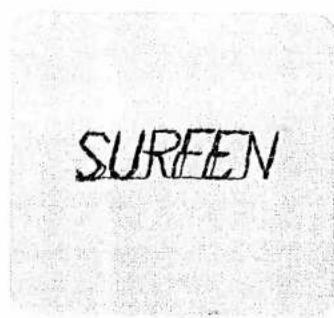
text_image
SUREEN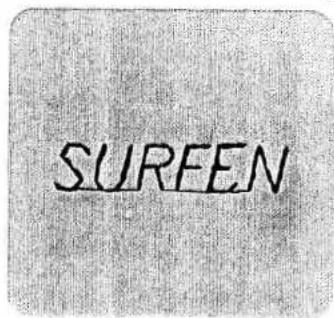
text_image
SUREEN
text_image
Scanned page with dense text and a central circular sketch, likely from a document or book cover.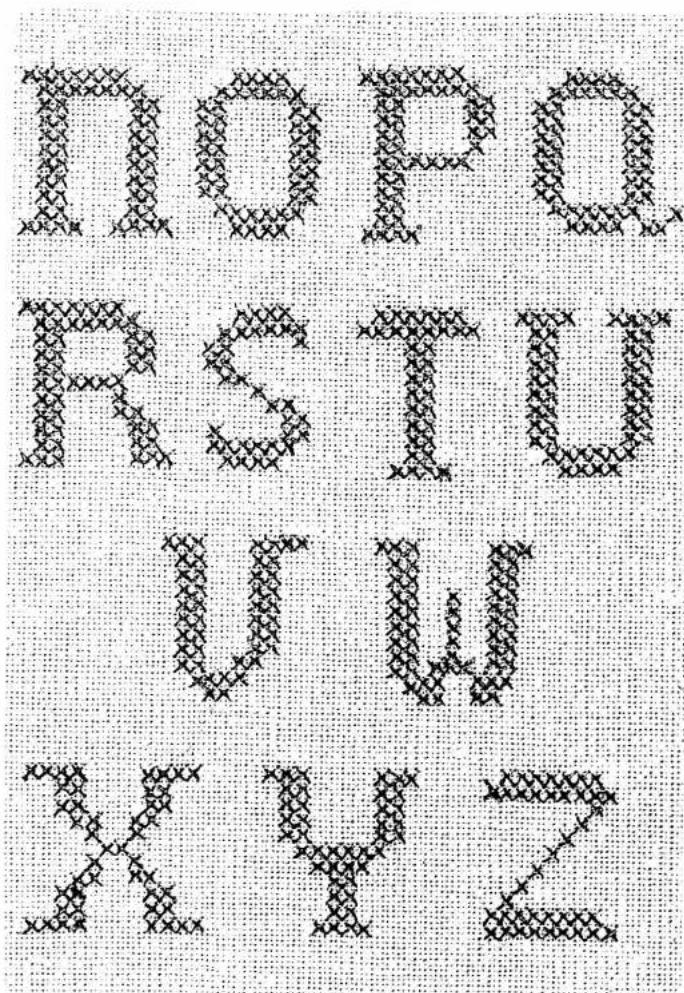
text_image
I O P Q R S T U V W X Y Z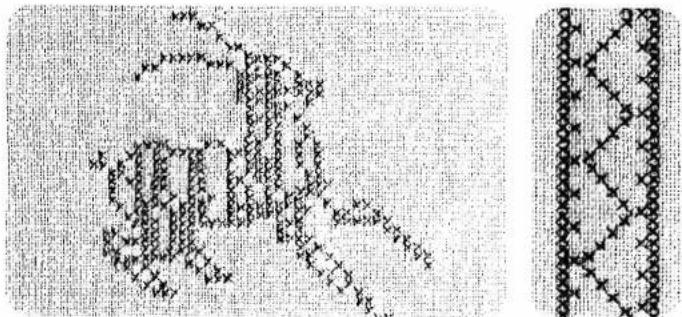
natural_image
Abstract geometric pattern with pixelated lines and dots, no text or symbols presentThe cross stitch has always played an important role in the history of crafts. The Pfaff Creative offers you the chance to continue this wonderful tradition with great ease. Besides the cross-stitch programs 70 to 72 the sewing computer has numerous other ready-made cross-stitch borders in store for you. The program numbers of these are 81 to 83, and they can be called whenever needed. These beautiful motifs are also available for combination as shown on pages 152 and 153. The decorative hand-work stitches are ideal for making small presents. Cross-stitch motifs on table cloths, clothing or children's things lend them a singularly personal touch. Why not spend some of your leisure time beautifying and increasing the personal expression of your clothing? When cross-stitching, it is suggested to press key 16 "sew slowly".

text_image
Scanned text of contract clauses with checkmarks and footnotes
natural_image
Decorative border pattern with interlocking chain motifs (no text or symbols)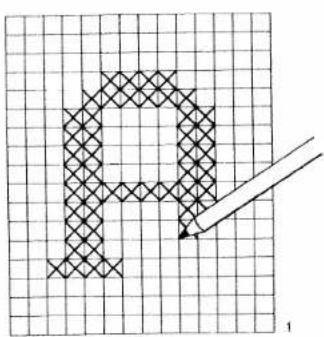
text_image
P 1Cross-stitches
| prog | |||
| 70-79 | -3+ | 2A |
If you have no cross-stitch pattern available, you can design and sew your own pattern.
● Draw the cross-stitch pattern on graph paper (see Fig. 1).
- Before beginning to sew, mark the sewing sequence by means of arrows on the drawing. As shown in the above example, indicate the sequence of numbers for every pattern sequence -M-. This is required for programming (Fig. 2)
- Now place the pattern in the direction of the arrow. The number of cross stitches is then entered for each pattern sequence in a free M-memory by pressing "m e m +" key 48 each time.
- For sewing, the programmed memories are then selected one after the other, beginning with the first M memory.
- Fancy stitching foot No. 2A has red lines on it which make cross-stitch sewing easier for you. The crosswise lines in the foot are for determining the beginning of the pattern.
- Allow the left metal edge in the window of the foot to move exactly along the line of the pattern sewn previously, in order to avoid spacings occurring between adjoining patterns.

text_image
L M2 W S M2 D M4 M1 2. Arrow = Sewing direction
- Point = Beginning of sewing (needle penetration)
- When sewing is begun the needle always enters in the middle of the foot. The red dot on the pattern marks each starting point.
- In order to shift individual cross stitches, 71 from left to right, press the pattern reverse key beforehand.
● The mirroring of program 7.1 is indicated in the computer by a dash after figure 7.1.
● The illustrations on this and the following pages provide some suggestions of ways to make attractive cross-stitch patterns with your Creative, Instead of by hand.
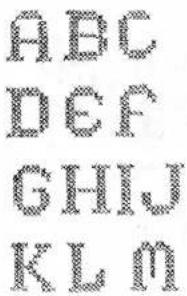
text_image
ABC DEF GHIJ KLMSuggestions:
(not described)
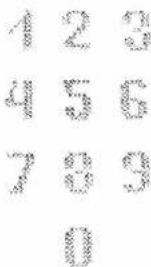
text_image
1 2 3 4 5 6 7 8 9 0For the pattern Fig. 2, for example, the following combinations are stored:
Three worksteps are required.
First workstep
↓ Select a free M-memory before program- M1 ming
- Push "mem+" key 48
- Select the following programs:
1 x 71: "pattern mirror"
4 × 70 and
1 x 71: "pattern mirror"
and enter them in the computer by pres-
sing "mem+" key 48 each time
Push "memory" key 30
Select the next free M-memory
Push "mem+" key 48
Push the pattern start key
Select the program:
9×70
and enter it in the computer by pressing
"mem+" key 48
Push "memory" key 30
Select the next free M-memory
Push "mem+" key 48
Select the program
4×71
and enter it in the computer by pressing
Push "memory" key 30
Push the "single pattern" key
Now the cross-stitch monogramme is
memorized.
1 Arrow = Sewing direction
- Point = Beginning of sewing (needle penetration)
Second workstep
- Mark the starting point for sewing on fabric.
Select memory M 1 and sew through p
M1 gram according to pattern.
Select memory M 2.
M2 Sew the program once right and once is as shown by the pattern.
↓ Select memory M3 and sew through p M3 gram according to pattern.
Third workstep
● Push the pattern start key.
- Select program 71.
● Push the single pattern key.
M4 • Sew the individual patterns according to design
When the programmed memories are longer required, they can be cancelled pressing "mem-" key.

Cross-stitch
borders
Depending on the kind of work, the illustrated borders can be sewn in plain colours or in colour combinations.
Mark the beginning line for the border on the fabric.
Border 1 consists of the programs:
70, 71, 71
First workstep
- Select a free M-memory before programming (middle motif)
- Push "mem+" key 48
- Select the programs:
1×71
1 x 71, pattern mirror 28
and enter them in the computer by pressing
"mem+" key each lime.
- Push "memory" key 30
- Select the next free M-memory (edge motif).
- Push "mem+" key 48.
- Push the pattern start key
- Select the programs:
1×70
3×71
and enter them in the computer by pressing "mem+" key.
- Push "memory" key.
The border is now stored in the computer.
Second workstep
Call off the programmed M-memory for each workstep and sew according to the design. When the M-memories are no longer required they can be cancelled with "mem-" key.
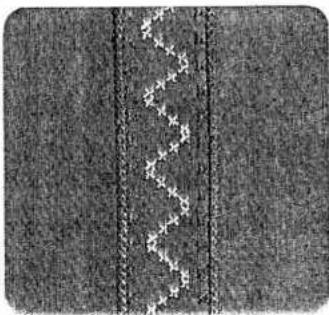
natural_image
Close-up of a textured fabric with vertical seam and diagonal seam, no visible text or symbolsBorder 2 consists of the following programs:
701, 71, 72
First workstep: centre motif
Mark the pattern design for the centre motif in dots on the material. The distance between two points is approximately 2.5 cm and the height approximately 1.3 cm. Connect the dots with lines.
- Select the following program.
1×72
Sew the selected program along the pre-
drawn line
Second workstep: edge
- Select a free M-memory before programming
- Push "mem+" key 48.
- Enter programs:
1 x 70 mirror
2×71
in the computer by pressing "mem+" key
each time. Sew the stored program.
The 2nd side can be sewn without turning the
material by pressing "memory" key 30" pattern
mirror" ke
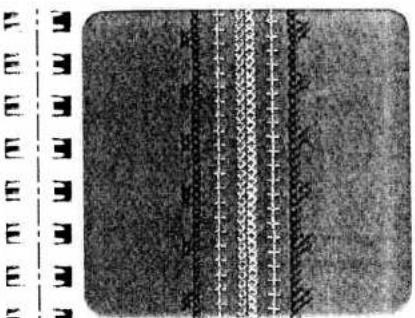
natural_image
Close-up of a textured surface with vertical seam lines and grid patterns (no text or symbols)E | 3 3
- Border 3 consists of the following programs:
70, 71, 72
First workstep: centre motif
- Select the following program
1×70 - Sew the selected program.
Second workstep: centre rows - Select the following program
1×72
● Sew the selected program at both sides along
the centre motif.
Third workstep: edge - Select a free M-memory.
- Push "mem+" key 48
- Enter programs
2×70
4×71
in the computer by pressing "mem+" key
each time. - Sew the stored program at both sides.
By pressing
"memory" key 30 and "pattern mirror" key you will save yourself the trouble of turning the material. The programmed memory can be cleared again after the work is finished by pressing "mem-" key.



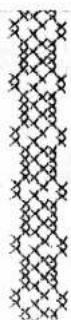
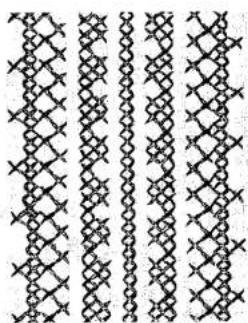
natural_image
Repeating geometric pattern of interlocking diamond shapes with no text or symbols
natural_image
Abstract geometric pattern with floral and line elements (no text or symbols)Border 4 consists of the following programs
70, 71, 71
First workstep (centre motif)
● Mark the centre-line on the material
- Select program 71
and sew along the marked line.
Second workstep
- Select a free M-memory
- Push "mem+" key 48
- Enter programs
2×70
1×71
in the computer by pressing key "mem+" each time.
- Sew the stored program at both sides along the centre-line.
Third workstep
- Select a free M-memory
- Push "mem+" key 48.
- Push beginning-of-pattern key
- Enter programs
1×71
1 x 71 pattern mirror
in the computer by pressing "mem+" key
each time.
- Sew the stored program at both sides along the previously sewn pattern.
Fourth workstep (edge)
- Select a free M-memory
- Push "mem+" key 48
- Enter programs
1×70
3×71
in the computer by pressing "mem+" key
each time
- Sew the stored program at both sides along the previously sewn pattern as shown on the drawing.
The reserved M-memories can be cleared by pressing 'mem-' key after the work is finished.
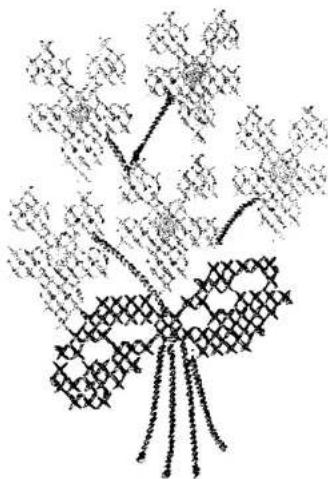
natural_image
Abstract black-and-white line drawing of a stylized tree with leaves and a central bow (no text or symbols)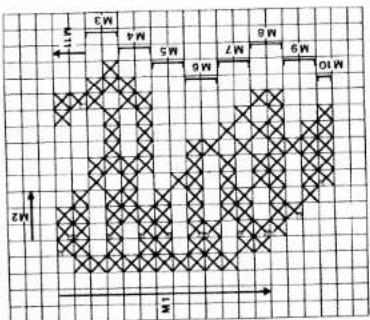
text_image
W 4.5 W 7.5 W 6.5 W 9 W 10 Z ZMotifs with cross stitches
Swan
For the pattern shown above 11 free M-memories are required. As the following example shows, they are stored in sequence (for preparation see page 150).
For M-memory programs M 3 to M 10 the arrow indicating the sewing direction is replaced by symbol = sewing direction.
First workstep
- Select a free M-memory.
M1
M
- Press "mem+" key 48
- Enter programs
1 x 711 mirror
1×70
1×71
1×70
1×71
2×70
1×71
2×70
1 x 71
2 x 711 mirror in the computer by pressing
"mem+" key each time.
Press "memory" key.
- Select the next free M-memory.
M2 M2
- Press "mem+" key
- Press "pattern start" key
- Enter programs:
2×70
1×71
in the computer by pressing "mem+" key
each time
Press "memory" key
Arrow = Sewing direction
= Sewing direction (M3 to M10)
Dot = Beginning of seam (needle penetration)
M3 ● Select the next free M-memory.
M3
- Press "mem+" key
- Press "pattern start" key
- Enter programs
3x71
1 x 71 mirror
1 x 70
3×71
1 x 71 microt
1 x 70
1×7
in the computer by pressing "m e m +" key
each time
Press "memory" key.
M4 ● Select the next free M-memory.
M4
- Press "mem+" key.
- Press "pattern start" key
- Enter programs
1×71
1 x 70
2 x 71 mirror
1 x 70
3×71
1×70
1 x 71 mirror
in the computer by pressing "m"em +" key
each time
Press "memory" key.
M5 ● Select the next free M-memory.
M5
- Press "mem+" key
- Press "pattern start" key
- Enter programs
3 x 71, mirror
1 × 7
in the computer by pressing "m e m +" key
each time
Press "memory" key.

text_image
E E E E E E E E E E E E E E E E E E E E E E E E E E E E E E E E E E E E E E E E E E E E E E E E E E E
natural_image
Pixelated white figure with three limbs on black background (no text or symbols)M6 ● Select the next free M-memory.
M6
- Push "mem+" key.
- Push "pattern start" key
- Enter programs
1×70
4 x 711 mirror
1×70
in the computer by pressing "mem+"
key each time
Push "memory" key
M7 ● Select the next free M-memory
M7
- Push "mem+" key
- Push "pattern start" key.
- Enter programs
1×71
2×70
2 x 711 mirror
1×71
1 x 711 mirror
1×71
in the computer by pressing "mem+"
key each time.
Push "memory" key
M8 ● Select the next free M-memory.
M8
- Push "mem+" key
- Push "pattern start" key
- Enter programs
1×70
7 x 75
2×71
2 x 70 1 x 71
1 x 77
1 x 70
1 x 77 1 x 70
in the
in the computer by pressing mem+
Key each time.
□● Push memory key
M9 ● Select the next free M-memory.
M9
- Push "mem+" key.
- Push "pattern start" key.
- Enter programs
1 x 71; mirror
3×71
1×70
1×71
in the computer by pressing "mem+"
key each time.
□● Push "memory" key.
M10● Select the next free M-memory.
M 10
- Push "mem+" key.
- Push "pattern start" key
- Enter programs
5×71
in the computer by pressing "mem+"
key each time.
□● Push "memory" key.
M11● Select the next free M-memory.
M11
- Push "mem+" key
- Push "pattern start" key
- Enter programs
1×71
1×70
in the computer by pressing "mem+"
key each time.
Push "memory" key.
- Push "single pattern" key.
Now your pattern is stored
Second workstep: sewing a pattern
- Mark the beginning point on the material. Select an M 1 memory and recall the following M-memories in sequence and sew according to pattern.
When the programmed memories are no longer required, they can be cleared with the correction key.

natural_image
Pure black-and-white abstract pattern with no discernible text, symbols, or structured elementsNeedle chart
Using the adequate needle guarantees better processing of the material.
Needle chart
E
E
E 3
| Fabric weight:lightNeedle size:60, 70, 75 | Fabric weight:mediumNeedle size:80, 90 | Fabric weight:heavyNeedle size:100, 110, 120 | ||
| Needle points | ||||
| System & No. | Profile | Point & eye | Suitable for | |
| 130/705 H70, 80 | Light ball point | Universal needle for line-meshedsynthetics, fine linen, chiffon, batiste,organdy, woolens, velvet, fancy seamsand embroidery work. | ||
| 130/705 H-SUK70, 110 | Mediumball point | Coarse knitted fabrics, Lastex, double-jersey fabrics, Quiana and Simplex. | ||
| 130/705 H-PS75, 90 | Mediumball point | Stretch-fabric needle developedespecially for Pfaff. Particularly suitablefor delicate stretch and knitted fabrics. | ||
| 130/705 H-SKF70, 110 | Heavyball point | Wide-meshed corsetry, Lycra, Simplexand Lastex. | ||
| 130/705 H-J90-110 | Acuteround point | Twill, workwear, heavy linen, blue jeansand light canvas. | ||
| 130/705 H-LL70-120 | Narrowtwist point | Leather, suede, calf and goatskinleathers. | ||
| 130/705 H-PCL80-110 | Narrow wedgepoint withleft-twist groove | Imitation leathers, plastic materials,plastic sheeting and oilcloth. | ||
| 130 H-N70-110 | Light ball point,long eye | Seams topstitched with buttonhole silkor No. 30/3 synthetic thread. | ||
| 130/705 H-WING100 | Hemstitchingpoint | Attractive hemstitching on heavilydressed materials, organdy andglass cambric. | ||
| System & No. | Stitch length | Stitch width | Needle spacing | Suitable for | |
| 130/705 H-ZWI 80 | 2.5 mm2.5 mm | -- | 1.6 mm2.0 mm | Medium-wide cording | |
| 130/705 H-ZWI 8090100 | 2.5 mm2.5 mm3.0 mm | --------- | 2.5 mm3.0 mm4.0 mm | Wide cordingExtra wide cordingExtra-wide cording | |
| Decorative designs sewn with twin needlesBefore you start sewing, turn the handwheel and check to make sure the needles stitch into the fabric properly. In this way, needle breakage can be largely prevented. | |||||
| Decorative and zigzag patterns | |||||
| 130/705 H-ZWI 808080 | 0.5-1.5 mm0.5-1.5 mm0.5-1.5 mm | widenarrownarrow | 1.6 mm2.0 mm2.5 mm | OrnamentationsOrnamentationsOrnamentations | |
| Special hemstitching twin needle | |||||
| 130/705 H-ZWI-Ho 80100 | 2.0-3.0 mm2.0-3.0 mm | very narrowvery narrow | -- | Decorative hem-stitching effectHeavily dressed fabrics are particularly suitable. | |

natural_image
Black and white abstract texture with no discernible text, symbols, or structured elementsFault finding
Cause:
Remedy:
1. Machine skips stitches
Needle not inserted correctly.
Wrong needle used.
Machine threaded improperly.
Needle too thin for thread used.
2. Needle thread breaks
For any of the above reasons.
Thread tension too strong.
Poor-quality or knotty thread used, or thread that has become too dry by excessive storage.
3. Needle breaks
Needle not pushed up as far as it will go.
Needle bent.
Needle too thin or too thick.
Needle bent and strikes needle plate because fabric is pushed or pulled.
Bobbin case improperly inserted.
4. Seam is not uniform
Tension out of adjustment.
Tread too thick, knotty or hard.
Bobbin thread wound unevenly.
Kinks appear on top and bottom of material
Push needle up as far as it will go, its flat shank side facing rear.
Insert system 130/705 H needle.
Insert new needle.
Check threading.
Insert thicker needle.
See par. 1 above.
Regulate thread tensions
Use only good-quality thread.
Insert new needle and push it up as far as it will go.
Insert new needle.
Refer to needle table.
Let machine feed the fabric. Only guide the material lightly.
When inserting the bobbin case, push it in as far as it will go.
Check upper and lower tensions.
Use first-class thread only.
During bobbin winding, do not hold thread in hand, but pass it through the winder tension stud.
Thread machine properly and check both tensions.
Cause:
Remedy:
5. Machine feeds irregularly or not at all
Lint has accumulated between tooth rows of feed dog.
Feed dog lowered. (Slide control is at right).
Remove needle plate and remove lint with a soft brush.
Push slide control to the left.
6. Machine runs with difficulty
Thread ends in hook raceway.
Remove thread ends and put one drop of oil into hook raceway.
7. Electronic bobbin thread monitor does not work
Thread ends and dirt have collected in the free arm cover over the sensor, in the hook raceway, in the bobbin case, behind the hook and on the second sensor to the right behind the hook.
Remove thread ends and dirt. Special care should be taken in the area round the second sensor.
8. Machine does not sew the program entered
Switch the machine off, wait about 30 seconds, then switch it on again. Again enter the desired program.
9. Machine can no longer be programmed
If you find that it is not possible to program the computer although it is not filled up, the machine must be switched off. Press key 47 "Correction B/L" after about 30 seconds, hold it down and switch the machine on again by actuating main switch 9. Release button 47.
By means of this procedure the contents of both the M- and P-memory has been fully erased. Required program sequences and patterns must be entered once more.
10. The sewing lamp lights up, but the machine does not run
Fuse is defective.
Insert new fuse.
Important:
Before exchanging either sewing foot or needle, switch off master switch 9. Never run a threaded machine unless there is a piece of fabric under the sewing foot. If you have to leave the machine, even for a short while, be sure to switch off the master switch. This is particularly important when children are around.

natural_image
Black and white abstract texture with no discernible text, symbols, or structured elements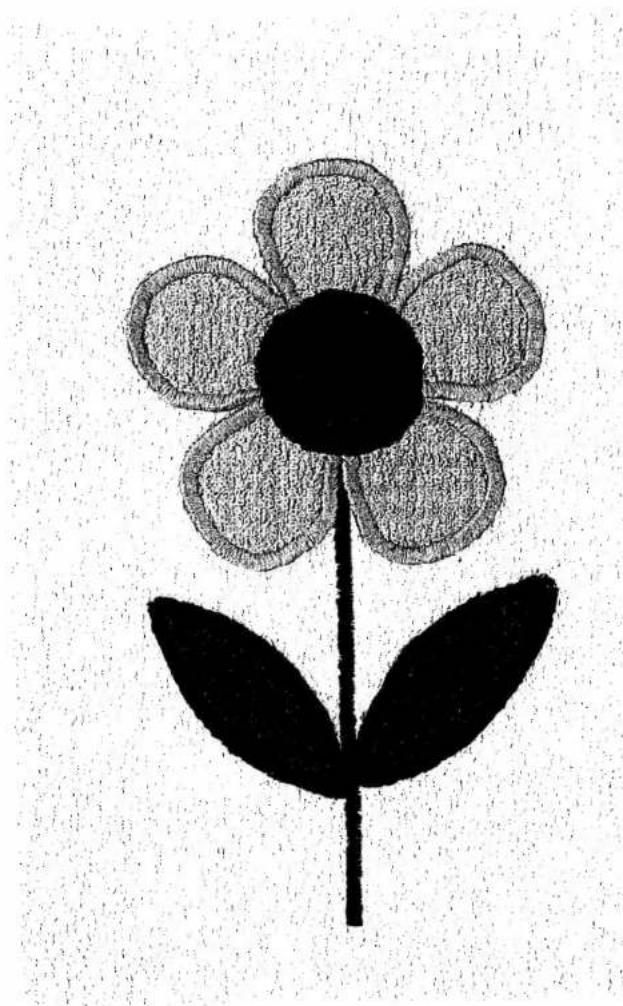
natural_image
Black-and-white sketch of a flower with five petals and a stem, no text or symbols presentContents
- Technical section
: 3
-
: 5
三
: 5
三
: 3
-
: 5
-
:
3 3A
Alphabets numbers
B. 5
B
Battery changing
Bobbin winding
Bobbin, inserting
Buttonhole programs
i
= ,3c
Cleaning and oiling
Creative computer keys
1
: D
Dropping the feed dog
Dual feed
i. i
E
Electrical connection
1.2
1-
5. Foot control
Fuse, changing
m = 311
1
Important notes
:
L
Lamp bulb changing
-
^* 本说明仅供参考。
.
.
Balance and pattern length setting
Bobbin case, inserting
Bobbin thread tension, checking
Bobbin thread, drawing up
Bobbin winding from a second spool
Bobbin winding through the needle
Electronic controls and keys
Embroidery stitch programs
N 8.9 Needle changing 38 Needle position 53 Needle thread tension, checking 25
31, 32 43 P 17 Pattern mirroring 35 16 Pattern start, setting 36 20 Presser bar lifter 23, 24 12, 13 Program combination, cancelling 33 14 Program combination, checking 33 15 Program combination, repeating 34 16 Program combination, storing 33 6 Program selection 30 Program table 4-9
42 R 29 Recommended sewing modes 36 Reverse sewing 28
38 21.22 10.11 28 7-9 S Safety notes 37 Sewing feet 41 Sewing foot changing 39 Single pattern setting 35 Special accessories 44 Spool fitting 17 Stitch length and pattern length setting 31 Stitch width setting 30
24 T 43 Thread trimmer 26 Twin-needle sewing 34
27 U Upper threading 18, 19 Utility stitch programs 4-6
W Work support and accessories box 40.41 159
Index
Sewing instructions
A
| Alphabet, outline | 134 |
| Alphabet and numbers, programming | 131-140 |
| Appliquéeing | 98 |
B
| Balance | 73, 78, 140 |
| Basting | 49 |
| Basting seams | 49 |
| Binding attachment | 70 |
| Binding edges | 68, 70 |
| Blind stitch | 71 |
| Block capitals | 133 |
| Borders, ornamental | 104, 105, 124, 125 |
Buttonholes
| Buttonholes, linen 7-16 mm | 78, 79 |
| Buttonholes, linen 7-44 mm | 80, 81 |
| Buttonholes, linen 7-16 mm(fully-automatic, semi-automatic) | 78, 79 |
| Buttonholes, linen 7-44 mm(fully-automatic, semi-automatic) | 80, 81 |
| Buttonholes, linen programmable | 82, 83 |
| Buttonholes, stretch(fully- and semi-automatic) | 84, 85 |
| Buttonholes, stretch programmable | 86, 87 |
| Buttonholes, bartacks | 88-91 |
| Buttonholes, eyelet | 90, 91 |
| Buttonholes, with gimp thread | 92, 93 |
| Buttonholes, cutting open | 94 |
| Buttons, sewing on | 94 |
C
| Combinations with reverse straight stitch | 127 |
| Cording | 96, 97 |
| Corsetry stitch | 63 |
| Covering stitch | 66 |
| Cross stitches | 143-153 |
D
| Darning tears | 72 |
| Darring, elastic stitch | 72 |
| Darning, automatic | 73 |
| Darning, straight-stitch wool | 73, 74, 75 |
| Darning, wool | 75 |
| Dot, sewing and quick selection | 136 |
E
| Elastic stitch |
| Embroidery stitches and monograms, programming |
| Embroidery stitches, programming in M-memory |
| Embroidery, eyelet- |
| Embroidery, linen |
| Embroidery, multi-colour |
F
| Fagotting stitch | 63 |
| Fancy stitch | 52 |
| Fault finding | 156, 157 |
| Fringes | 109 |
G
| Gathering with elastic thread | 59 |
| Gathering with shirring foot | 60 |
| Gathering, straight stitch | 58 |
H
| Hem-stitching | 110, 111 |
| Hemmer | 56 |
| Hems, securing with twin-needle | 52, 68 |
| Honecomb stitch | 68 |
| Hyphen or dash | 137 |
J
| Joining and serging seams |
| 1 | 2 | 3 | 4 | 5 | 6 | 7 | 8 | 9 | 10 | 11 | 12 | 13 | 14 | 15 | 16 | 17 |
| 1 | 2 | 3 | 4 | 5 | 6 | 7 | 8 | 9 | 10 | 11 | 12 | 13 | 14 | 15 | 16 | 17 |
L
| Lace, inserting and sewing on | 102 |
| Lap-felling | 54 |
| Leather seams | 107 |
| Letters and numbers in different sizes | 138 |
| Letters, italics | 131, 132 |
| Lycra stitch | 63 |
| M | |
| M-memories, selecting | 118 |
| Monograms | 115, 131, 132 |
N
| Names, sewing, with embroidery stitches | 138 |
| Needle position, changing, zigzag stitch | 53 |
| Needle position, changing, straight stitch | 53 |
| Needle table | 154, 155 |
| Numbers in different heights | 138 |
| Numbers, sewing | 132, 133, 134, 138 |
0
| Overlock stitch, closed | 66, 67 |
| Overlock stitch, edge | 67, 69 |
| Overlockstitch | 66, 68, 69 |
| Overlockstitch with edge thread | 67 |
| P | |
| Patches, inserting | 72 |
| Pattern mirroring | 116, 118 |
| Pattern, single | 116, 118 |
| Pleats | 97 |
| Programs, checking stored | 122 |
| Programs, correction of | 122 |
Q
| Quilting | 100 |
| R | |
| Roll hemmer | 57 |
s
| Serging seams | 66 |
| Serging with zigzag stitch and overlock foot | 62 |
| Sewing with twin-needle | 52 |
| Shell edging | 108 |
| Smocking with elastic threads | 61 |
| Spacing between two words | 136 |
| Spacing mark | 136 |
| Special marks | 133 |
| Stitch density | 116, 122 |
| Stitch length | 120 |
| Stitch length, changing | 120 |
| Stitch width | 122 |
| Stitch width, changing | 122 |
| Straight stitch | 50, 51, 52, 53 |
| Stretch triple straight stitch | 51 |
| Stretch triple zigzag stitch | 63 |
| Swan | 150, 151 |
T
| T-shirt hems | 68 |
| Texts, sewing | 138 |
| Tips for embroidering and sewing | 46-48 |
| Top-stitching seams | 52 |
| Twin needle, fancy seams | 126 |
z
| Zigzag stitch | 51, 53 |
| Zippers, inserting | 76, 77 |
| Zippers, trousers | 77 |

natural_image
Black and white abstract pattern with horizontal bands and speckles (no text or symbols)PFAFF
creative
1472
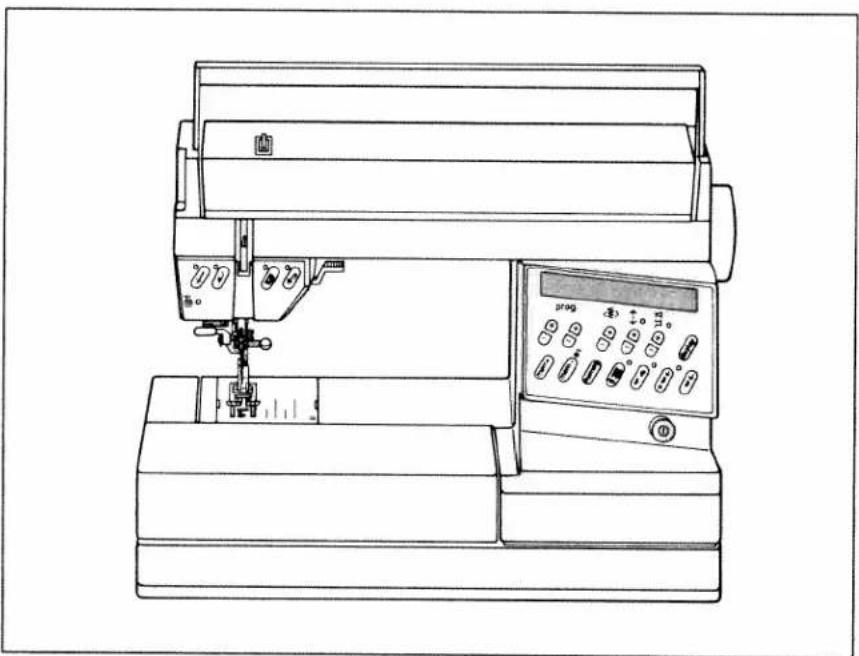
natural_image
Line drawing of a sewing machine with control panel and spool (no text or symbols)Instruction Book
Fold out this page
Some safety rules
a) Take care to avoid injury to your fingers by the needle during sewing.
b) Make sure you unplug the power cord whenever you have to leave the machine or want to clean it, oil it or change mechanical and accessory parts.
c) Be sure to use only a 15-watt light bulb in the sewing lamp.
d) The drive belt must never be adjusted by anyone but an authorized Pfaff agent.
Some safety rules
valid for United Kingdom only
The wires in the mains lead are coloured according to the following code:
Blue: Neutral
Brown: Live
As the colours of the wires in the mains lead of this appliance may not correspond with the colour coding of the terminals in your plug, proceed as follows: the wire which is coloured blue must be connected to the terminal which is marked with the letter N or coloured black.
The wire which is coloured brown must be connected to the terminal which is marked with the letter L or coloured red.
Please note:
When a 13-ampere plug is used, a 3-ampere fuse has to be fitted.
Contents on pages 159 to 161.
IMPORTANT SAFETY INSTRUCTIONS
This sewing machine is designed and manufactured for HOUSEHOLD use only.
When using an electric appliance, basic safety precautions should always be followed, including the following:
Read all instructions before using this sewing machine.
DANGER
To reduce the risk of electric schock:
- The sewing machine should never be left unattended when plugged in. Always unplug this appliance from the electric outlet immediately after using and before cleaning.
- Always unplug before relamping. Replace bulb with same type rated 15 Watts.
- Do not reach for a sewing machine that has fallen into water. Unplug immediately.
- Do not place or store sewing machine where it can fall or be pulled into a tub or sink. Do not place in or drop into water or other liquid.
WARNING
To reduce the risk of burns, fire, electric schock, or injury to persons:
- Do not allow to be used as a toy. Close attention is necessary when this sewing machine is used by or near children.
- Use this sewing machine only for its intended use as described in this manual. Use only attachments recommended by the manufacturer as contained in this manual.
- Never operate this sewing machine if it has a damaged cord or plug, if it is not working properly, if it has been dropped or damaged, or dropped into water. Return the appliance to the nearest authorized dealer or service center for examination, repair, electrical or mechanical adjustment.
- Never operate the sewing machine with any air openings blocked. Keep ventilation openings of the sewing machine and foot controller free from the accumulation of lint, dust, and loose cloth.
- Never drop or insert any object into any opening.
- Do not use outdoors.
- Do not operate where aerosol (spray) products are being used or where oxygen is being administered.
- To disconnect, turn all controls to off ("O") position, then remove plug from outlet.
- Never operate on a soft surface such as a bed or couch where the air openings may be blocked.
- Do not unplug by pulling on cord. To unplug, grasp the plug, not the cord.
- Keep fingers away from all moving parts. Special care is required around the sewing machine needle.
- Always use the proper needle plate. The wrong plate can cause the needle to break.
- Do not use bent or blunt needles. Use needles recommended by the manufacturer only.
- Do not pull or push fabric while stitching. It may deflect the needle causing it to break.
- Switch the sewing machine off ("O") when making any adjustments in the needle area, such as threading needle, changing needle, threading bobbin, or changing presser foot, etc.
- Always unplug sewing machine from the electrical outlet when removing covers, lubricating, or when making any other user servicing adjustments mentioned in the instruction manual.
- Hold plug when rewinding into cord reel. Do not allow plug to whip when rewinding.
SAVE THESE INSTRUCTIONS

text_image
Technical diagram of a sewing machine with numbered parts for identification and assembly reference.Parts of the sewing machine
1 Carrying handle
2 Folding cover
3 Hand wheel
4 Release disc
5 Keys for balance and pattern length
6 Key for program sequence and recommended sewing modes
7 Key for stitch length and pattern length
8 Stitch width keys
9 Main switch
11 Work support with accessory box and accessory compartment
12 Sewing foot holder with sewing foot
13 Needle holder with retaining screw
14 Bobbin thread monitor
15 "Needle down" key
16 "Sew-slow" key
17 Presser bar lifter
18 "Reverse" key
19 "Tie-off"/buttonhole key
20 Presser bar
21 Display
22 Four program selection keys
23 Program chart
24 Storing compartment
25 Bobbin winder
26 Pattern start key
27 Single pattern key
28 Pattern mirror key
29 Twin neddle key
30 Memory recall key
31 Connection socket for foot control
32 Baseplate
33 Cover, sewing hook area
34 Free arm
35 Threader
36 Sewing lamp
37 Thread trimmer
38 Threading slots
39 Needle thread tension
40 Bobbin winder thread guide
41 Take-up lever
42 Needle plate
43 Dual feed
14 Bobbin winder thread guide (swing-out)
45 Spool holder with unwinding disc
46 Second spool holder (swing-up)
47 Correction key
48 Program entry key
More than just a sewing machine:
Your new PFAFF Creative 1472
The right machine for creative sewing, embroidery as if by hand, and textile design.
This means you have bought a quality product, one of the best sewing machines in the world. Compared with other makes it has a multitude of superb sewing features. From this vast range of features we have compiled a number of tips and ideas for you and divided them into three groups:
- Straight-stitch, zigzag and utility stitch programs and buttonhole program.
- Embroidery stitch program.
- Programming of embroidery and hand-sewn stitches, and alphabet programs.
As a creative fashion designer you will no doubt have further questions regarding sewing problems now and then. If so, simply contact your PFAFF dealer. They will be pleased to help you whenever you wish.
To make full use of the numerous features of the machine, please read this instruction book carefully.
When using this book, fold out the front and back cover pages.
We wish you great pleasure and success with your creative sewing.
Jtility stitch programs
| 00 | 01 | 02 | 03 | 04 | 05 | 06 | 07 | 08 | 09 | 10 | 11 | 12 | 13 | 14 |
| ↑ | ↑ | ↓ | ↓ | ↓ | ↓ | ↓ | ↓ | ↓ | ↓ | ↓ | ↓ | ↓ | ↓ | ↓ |
| No. | Description | Application | Max width in mm |
| 00 | Straight stitch middle needle position | For all sewing work, plus a 6 mm fancy stitch. | - |
| 01 | Straight stitch with 19 needle positions | For all sewing work requiring special needle positions. | - |
| 02 | Straight stitch, reverse middle needle position | For sewing continuously in reverse, if you do not wish to turn the work. | - |
| 03 | Straight stitch, reverse with 19 needle positions | Same as program 02, but with special needle position. | - |
| 04 | Stretch triple straight stitch stitch length 1.5 to 4.5 mm | For very strong seams. Under any strain they stretch without tearing. They are used, for example, for inside leg seams on sports- and workwear, but also as a fancy seam. | - |
| 05 | Stretch triple straight stitch stitch lenght 3 to 6 mm | - | |
| 06 | Stem stitch, narrow | For embroidering with the embroidery programs. | - |
| 07 | Stem stitch, wide | For embroidering with the embroidery programs. | - |
| 08 | Grass stitch | For embroidering. | - |
| 09 | Basting stitch | For basting cuttings. | - |
| 10 | Zigzag | For serging, appliquéing, inserting lace and basting with fringe foot. | 6 |
| 11 | Zigzag stitch from right needle position | Same as program 10 (for zigzag from left needle position push pattern reverse key). | 6 |
| 12 | Purl stitch | For sewing purl seams. | 6 |
| 13 a 13 b | Stretch stitch a = 2 penetrations; b = 1 penetration | For sewing on elastic tape, darning tears and patching. Suitable for almost every fabric. | 7 |
| 14 | Shell-edging stitch | For shell-edging and ordinary edging. | 6 |

text_image
15 | 16 | 17 | 18 | 19 | 20 | 21 | 22 | 23 | 24 | 25 | 26 | 27 | 28 | 29| No. | Description | Application | Max.width in mm |
| 15 | Fancy elastic stitch | For over-stitching elastic and woolen threads, gathering and smocking. | 6 |
| 16 | Blind stitch | For invisible hemming and shell-edging. | 6 |
| 17 | Stretch blind stitch | For invisible hemming in elastic materials (securing edges). | 6 |
| 18 | Light buttonhole | For buttonhole sewing. | 5,5 |
| 19 | Button sewing | For sewing on buttons. | 6 |
| 20 | Edge binding stitch | For serging or enhancing edges | 7,5 |
| 21 | Closed overlock stitch | For joining and serging seams with edge thread. | 7,5 |
| 22 | Tricot-patching stitch | For sewing and patching light knitteds (underwear). | 6 |
| 23 | Pullover stitch | For elastic joining and serging seams in heavy-knits and jersey. | 7 |
| 24 | Honeycomb stitch | For sewing on elastic threads, covering terry-cloth seams and fancy hem seams (shirring effect). | 7 |
| 25 | Closed overlock stitch | Joining and serging seams, ideal for jeans. | 6 |
| 26 | Closed overlock stitch | For joining and serging seams in heavy-knits and jersey. | 6 |
| 27 | Cross stitch | A high-stretch seam for sportswear. | 7 |
| 28 | Overlock stitch | For sewing and serging in one operation. | 6 |
| 29 | Fagotting stitch | For joining foundation wear. Produces a fancy hem-stitching effect. | 7 |
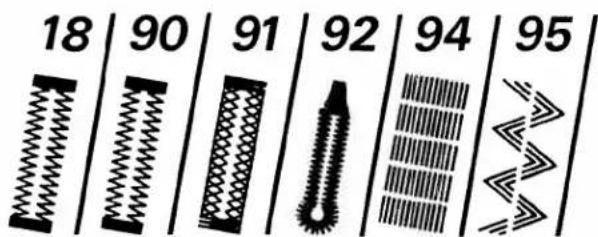
text_image
18 | 90 | 91 | 92 | 94 | 95| No. | Description | Application | Max width in mm |
| 18 | Light buttonhole 7.0 to 16 mm | For sewing buttonholes in blouses, shirts and linen. | 5.5 |
| 90 | Light buttonhole 7.0 to 44 mm | For sewing buttonholes in bed linen. | 5.5 |
| 91 | Stretch buttonhole | For buttonholes in stretch fabrics (jersey, etc.) | 5.5 |
| 92a | Eyelet buttonhole with wedge tack | For buttonholes in jeans, trousers and sportswear. | 8.5 |
| 92b | Eyelet buttonhole with lengthwise tack | For buttonholes in outerwear, costumes, coats, etc. | 8.5 |
| 92c | Eyelet buttonhole with crosswise tack | For buttonholes in heavy-duty outerwear. | 8.5 |
| 94 | Darning program | For darning thin damaged areas. | 9 |
| 95 | Stretch triple stitch elastic stitch | For sewing elastic tapes in sportswear and bathing wear (high-stretch seam for knitted farbrics). | 6 |
Embroidery stitch programs

text_image
30 | 31 | 32 | 33 | 34 | 35 | 36 | 37 | 38 | 39 40 | 41 | 42 | 43 | 44 | 45 | 46 | 47 | 48 | 49 50 | 51 | 52 | 53 | 54 | 55 | 56 | 57 | 58 | 59 60 | 61 | 62 | 63 | 64 | 65 | 66 | 67 | 68 | 69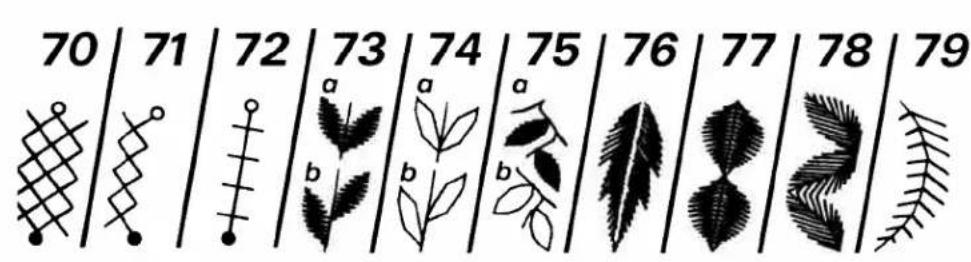
text_image
70 71 72 73 74 75 76 77 78 79 a a a b b b b b b b b b b b b b b b b b b b b b b b b b b b b b b b b b b b b b b b b b b b b b b b b b b b b b b b b b b b b b b b b b b b b b b b b b b b b b b b b b b b b b b b b b b b b b b b b b b b b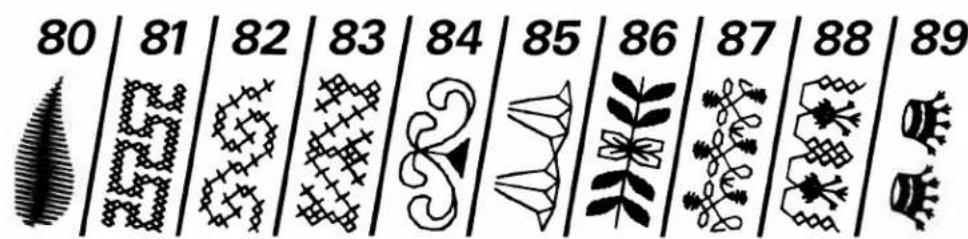
text_image
80 | 81 | 82 | 83 | 84 | 85 | 86 | 87 | 88 | 89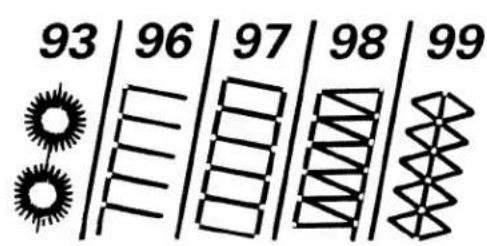
text_image
93 | 96 | 97 | 98 | 99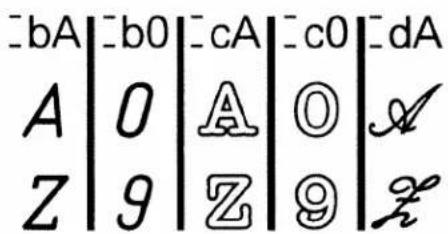
text_image
bA b0 cA c0 dA A 0 A 0 A Z 9 Z 9 z| No. | Description | Application | Max.width in mm |
| 30-6973-8084-899360,61,63 | Embroidery stitch programsScalloping edge decoration | For fancy seams, ornaments, borders and embroideries.For table linen, napkins, bed linen, etc. | 9 |
| 70-7281-83 | Cross stitch programs | For cross-stitch embroidery in children's wear, blouses, covers, etc. | 3-9 |
| 96-99 | Hem-stitching programs | For hem-stitching in table linen, bed linen, blouses, cloths, etc. | 6-9 |
| Alphabets with special letters for languages | For monograms and texts. | ||
| -bA,-b0 | Block letters | Capital letters, numbers and punctuation marks. | 9 |
| -cA,-c0 | Outline letters | Capital letters, numbers and punctuation marks. | 9 |
| -dA | Script | Capital letters and punctuation marks. | 9 |
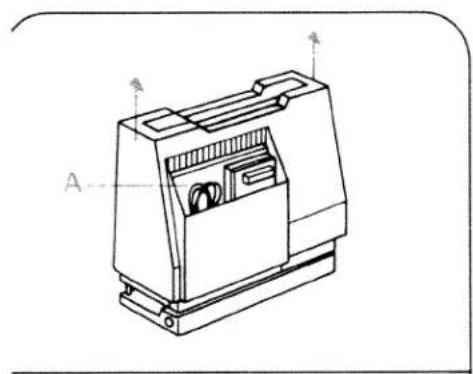
natural_image
Technical line drawing of a mechanical device with labeled components (A and B), no readable text or symbols beyond labels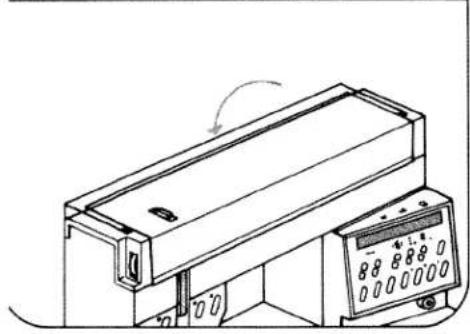
natural_image
Technical line drawing of a mechanical device with a control panel and directional arrow (no text or symbols)
natural_image
Technical line drawing of a mechanical device with an open lid and control panel (no text or symbols)
natural_image
Line drawing of a device with a cable and a connected plug, no text or symbols presentElectrical connection
Lift off the cover and fold down the carrying handle. Compartment A is for storing the foot control, mains lead and instruction book.
Important!
Before putting machine into operation, please insert the two batteries 1.5 V as described in instruction book, page 43, however, without turning on the machine. Afterwards press key 47 "m e m - B/L" secure it and turn on the machine by pressing the main switch 9
Open cover 2.
Connect the mains lead.

natural_image
Line drawing of hands using a tool to interact with a device (no text or symbols present)Pull the power lead out of the foot control.
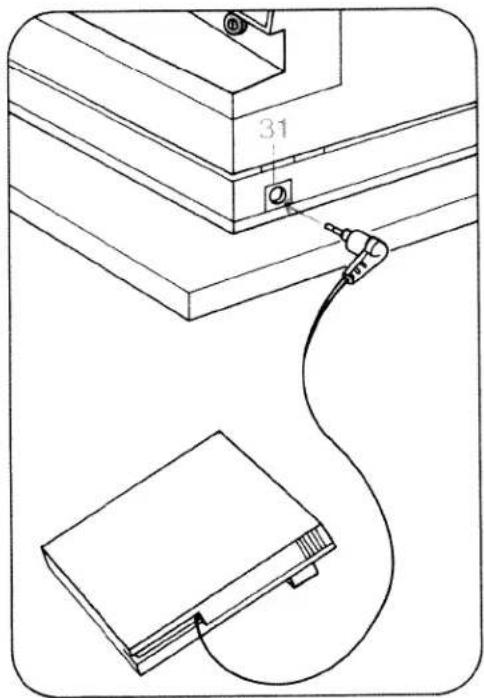
text_image
31 2.7Plug the foot control lead into connection socket 31 and place the foot control on the ground.

text_image
Technical diagram of a device with labeled components and numbered partsPress main switch 9, the sewing lamp then goes on.

natural_image
Technical line drawing showing a sewing machine needle stitching a component, with no visible text or symbolsBobbin winding:
Take hold of the work support and swing it to the left.
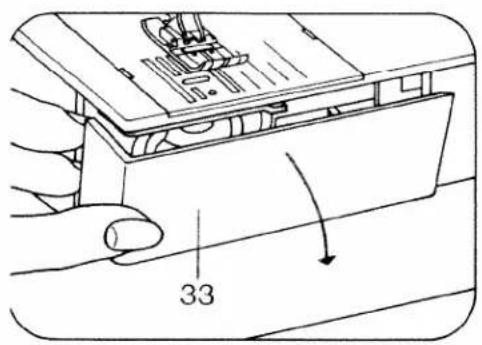
text_image
33Open free arm cover 33.
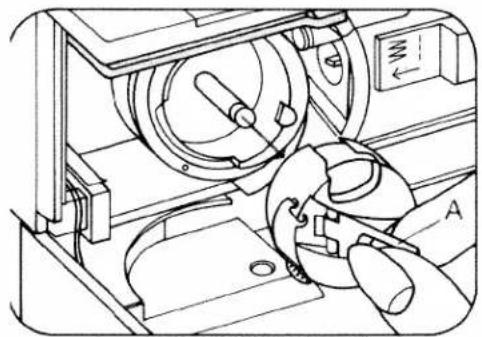
natural_image
Technical line drawing of a mechanical device with gears and housing (no text or symbols)Switch off main switch 9.
Lift latch A and pull out the bobbin case.
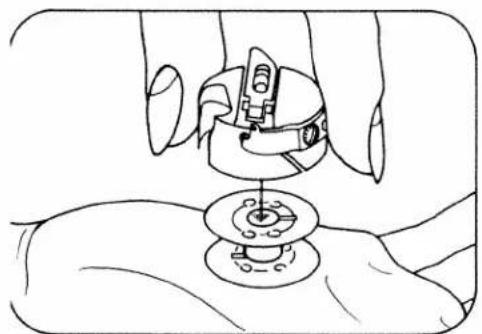
natural_image
Line drawing of a hand using a sewing machine to adjust a circular component (no text or symbols present)Release latch A and take out the bobbin.
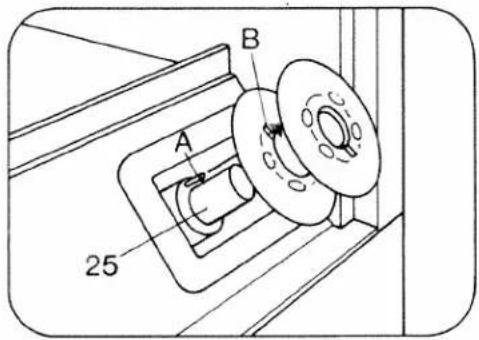
text_image
A B 25Place the bobbin on winder 25 and turn it so that pin A engages in slot B.
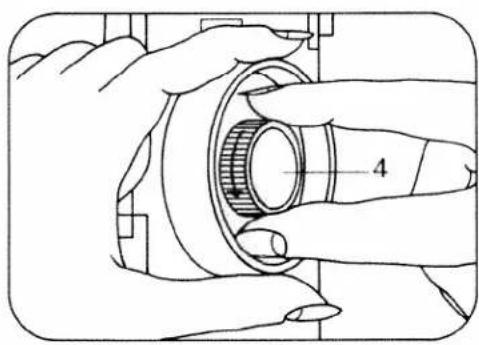
natural_image
Illustration of hands operating a mechanical component with a numbered dimension line (no text or symbols)Disengaging the sewing action: Hold the balance wheel and turn release disc 4 as shown by the arrow.
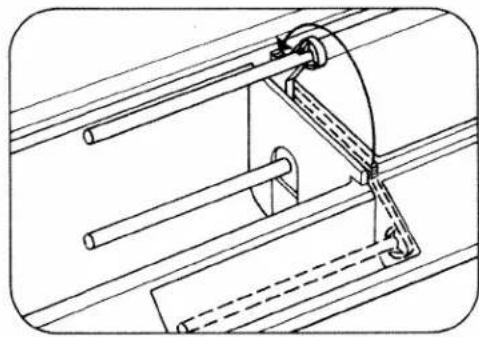
natural_image
Technical line drawing of a mechanical assembly with pipes and clamps (no text or symbols)Swing the second spool holder up and away from you.

natural_image
Technical line drawing of a mechanical assembly with two rods and a spring-like component (no text or symbols)Place a spool of thread and unwinder C on the spool holder.
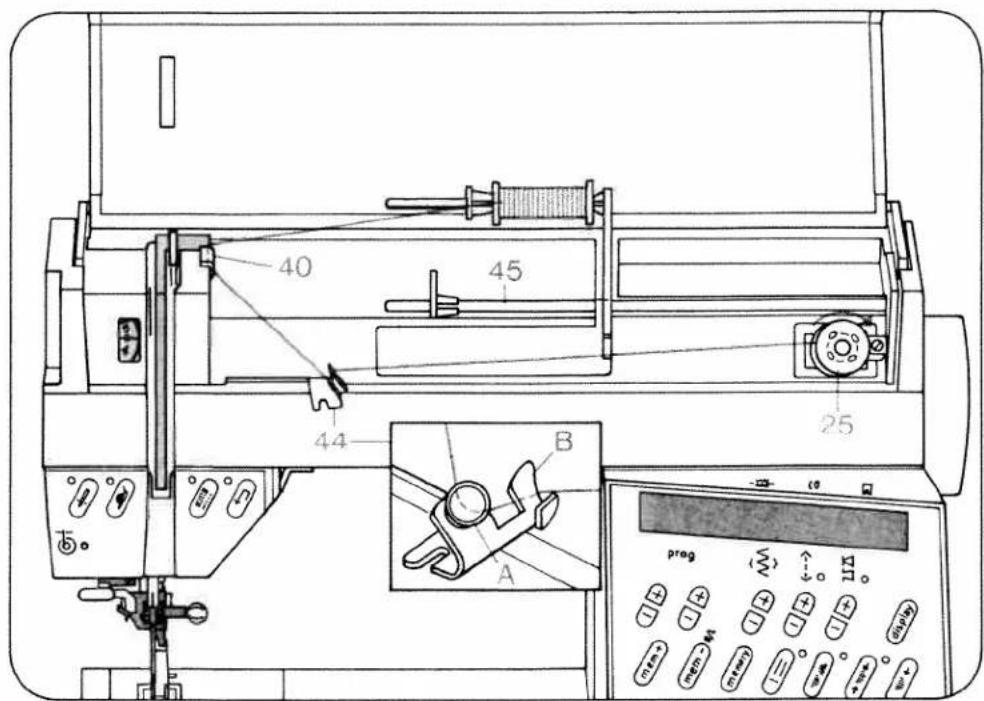
text_image
40 45 44 25 B A prog 17mm 17mm 17mm 17mm 17mm 17mm 17mm 17mm 17mm 17mm 17mm 17mm 17mm 17mm 17mm 17mm 17mm 17mm 17mm 17mm 17mm 17mm 17mm 17mm 17mm 17 mm 17 mm 17 mm 17 mm 17 mm 17 mm 17 mm 17 mm 17 mm 17 mm 17 mm 17 mm 17 mm 17 mm 17 mm 17 mm 17 mm 17 mm 17 mm 17 mm 17 mm 17 mm 17 mm 17 mm 17 mm 17 ppmWinding from a second spool:
Swing bobbin winder thread guide 44 to the front. Pull the thread into guide 40, into bobbin winder tension A and around finger B. Now pass the thread to bobbin winder 25 and wind it a few times clockwise around the bobbin. Press the bobbin to the right. Then turn on the main switch, press the foot control and wind the bobbin. Press the full bobbin to the left and cut the thread using thread cutter 37. Bobbins are wound in the same way from reel holder 45.
Important: If an empty M-memory is selected, it is not possible to wind the bobbin. A program between 00 and 99 must be selected. If the spool has a thread slot, the slot must face to the right when the spool is placed on.

natural_image
Illustration of hands assembling a mechanical component with a numbered part (4), no text or symbols present.Engaging the sewing action: hold the hand wheel firmly and turn disc 4 to the rear. Then turn the hand wheel to the front until it engages.
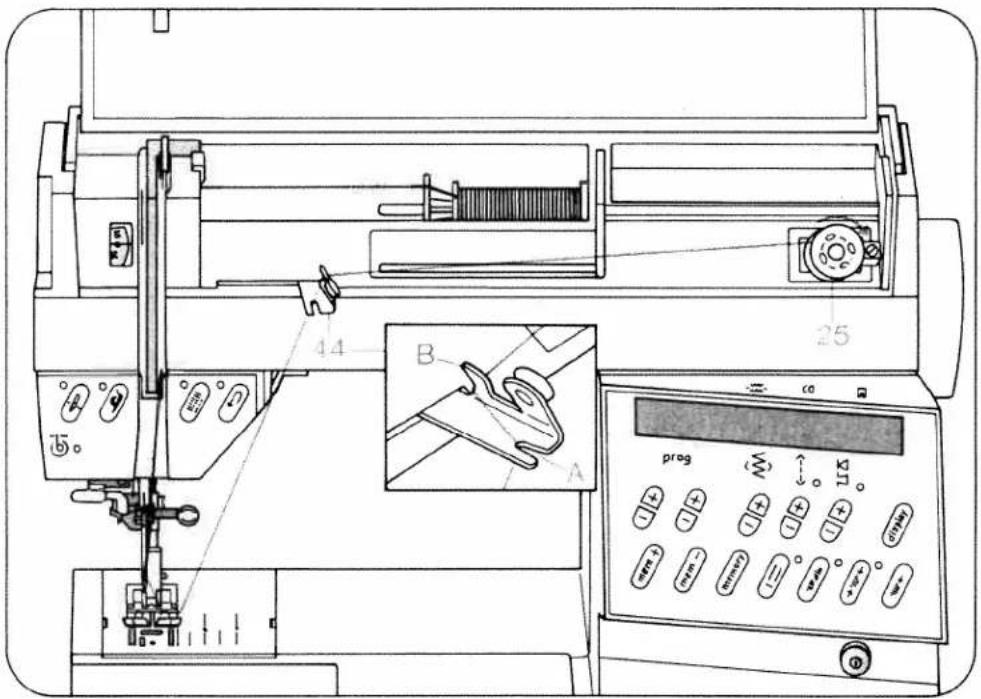
text_image
Technical diagram of a sewing machine with labeled parts and control panelWinding through the needle
Only with metal sewing foot! Swing bobbin winder thread guide 44 to the front.
Raise sewing foot. Switch on the dual feed. Set needle at top position. Place bobbin on bobbin winder 25. Disengage sewing action. Pull the needle thread under the sewing foot to the right and through guide 44 (into opening A and around finger B, see illustration). Wind the thread a few times clockwise around the bobbin and press it to the right. Then turn on the main switch, press the foot control and wind the bobbin. Push the full bobbin to the left, remove it and cut the thread using thread cutter 37.
Important: If an empty M-memory is selected, it is not possible to wind the bobbin. A program between 00 and 99 must be selected.

natural_image
Illustration of hands assembling a mechanical component with a numbered part (no text or symbols present)Engaging the sewing action: hold the hand wheel firmly and turn disc 4 to the rear. Then turn the hand wheel to the front until it engages.
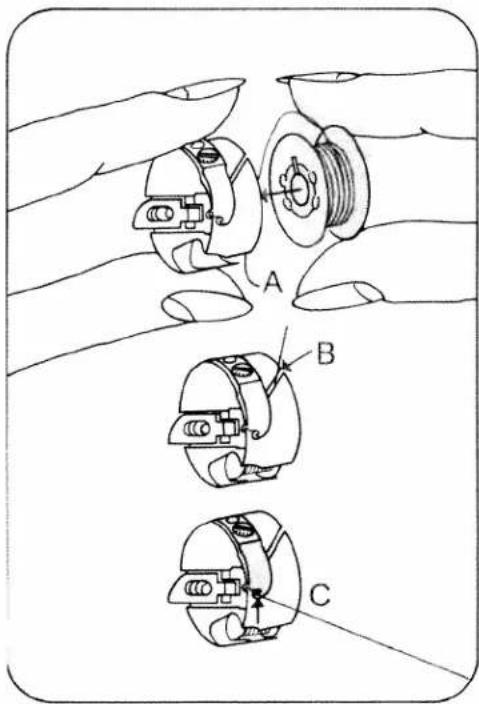
text_image
Technical diagram showing three views of a mechanical component with labeled parts A, B, and CInserting the bobbin: insert bobbin so that the thread unwinds as shown (A), pull thread through slot (B) and out of opening (C).
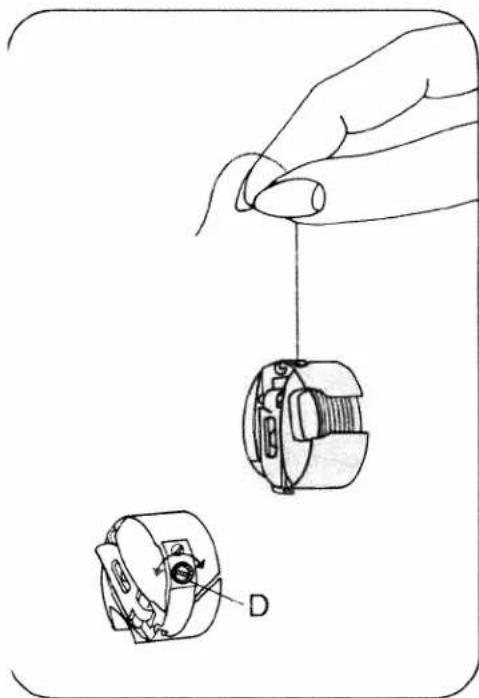
natural_image
Illustration of a hand holding a small mechanical component with two views showing internal components (no text or symbols)Checking the bobbin thread tension: with a brief, sharp upward movement of your hand the bobbin must slip downwards (turn screw D to the left for weaker tension and to the right for stronger tension).

text_image
Technical diagram showing a hand operating a mechanical component with labeled parts A, B, and CInserting the bobbin case: switch off main switch 9, lift latch A and push the bobbin case fully onto pin B. Cutout C must face upwards.

natural_image
Technical line drawings of two mechanical components, labeled D and E, showing internal threading and shaft assembly (no text or symbols beyond labels)Thread reel sizes: for small spools use the small or medium unwinding disc D, for large spools use large unwinding disc E.

text_image
A C 41 B A 5 6Threading:
Switch off main switch 9. Set needle at top position. Raise sewing foot. Pull the thread as shown by the arrow into groove A, to the left past guide C, from below into slot B, into take-up lever 41, back to slot B and into the right-hand guide on the needle holder.

text_image
35 DPlace the needle thread behind hook D and hold it. Pull threader 35 fully downwards.
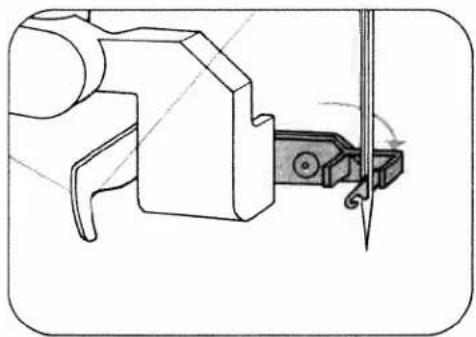
natural_image
Technical line drawing of a mechanical assembly with a tool and pivot (no text or symbols)Swing threader to front against needle and hold it there.
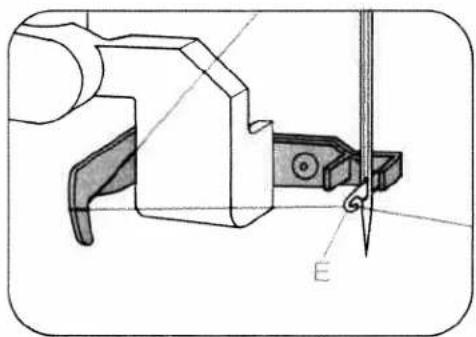
natural_image
Technical line drawing of a mechanical tool or clamp assembly (no text or symbols visible)Place thread in hook E from below.
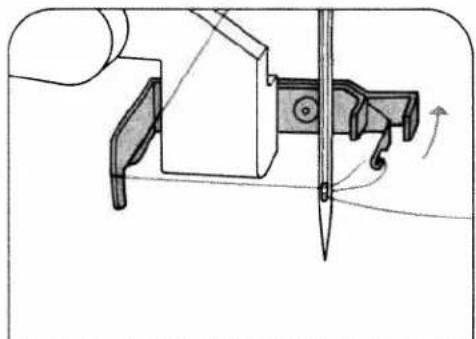
natural_image
Technical illustration of a mechanical assembly with a tool and directional arrows indicating motion (no text or symbols)Swing threader to rear, releasing thread at same time, and when the threader has moved upwards, pull the thread fully through the needle eye.
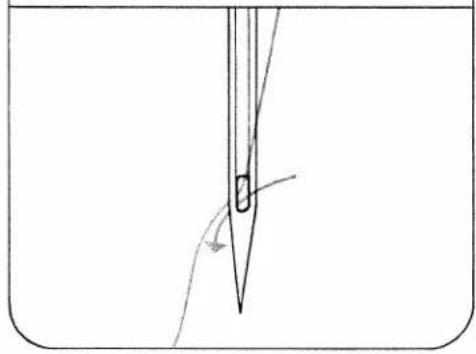
natural_image
Simple line drawing of a medical or laboratory procedure with a pointed tool inserted into a container (no text or symbols)
natural_image
Technical line drawing of a sewing machine needle stitching on a metal workpiece (no text or symbols)Hold the needle thread, turn hand wheel to the front and sew a stitch. Needle and take-up lever must be at top. Pull the bobbin thread up with the needle thread.
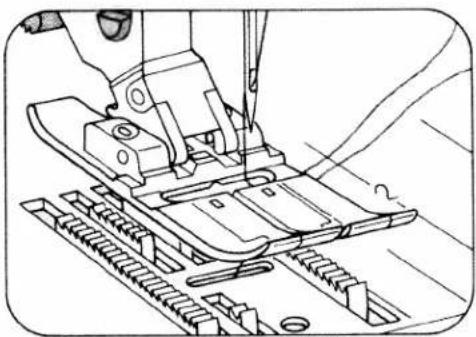
natural_image
Technical line drawing of a sewing machine needle stitching a metal sheet (no text or symbols)Place the needle- and bobbin thread under the sewing foot to the right.

text_image
33Close free arm cover 33.
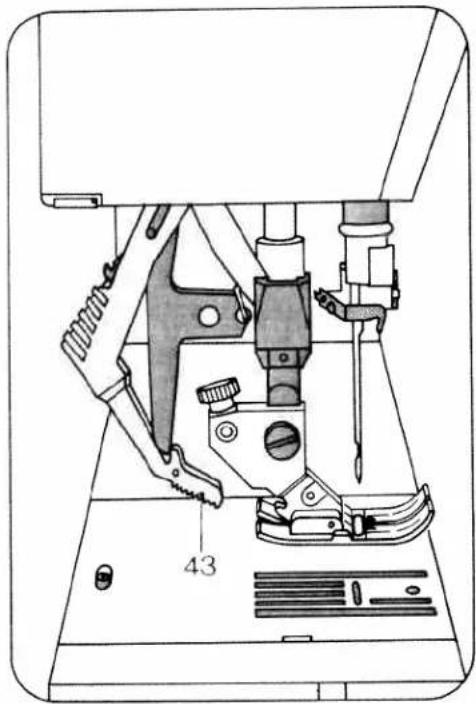
natural_image
Technical line drawing of a sewing machine with no visible text or symbolsDual feed
This prevents shifting of the material plies during sewing. Raise the sewing foot before engaging or disengaging if.
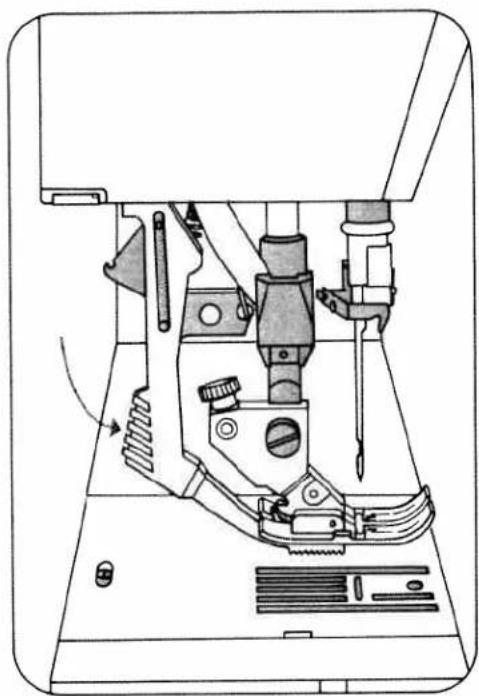
natural_image
Technical line drawing of a sewing machine with no visible text or symbolsTo engage: push top feed 43 downwards to lock it in place.
To disengage: unlock top feed by pushing it lightly downwards, then pull it to the rear and allow it to move up.
natural_image
Vertical dark textured strip with no visible text or symbols
text_image
Scanned text of contract clauses
text_image
Scanned text of contract clauses
text_image
Scanned page of dense Chinese text, likely from a historical or literary document
text_image
Scanned text of contract clauses
text_image
Ancient Chinese stone inscription with vertical classical text, likely a stele or inscription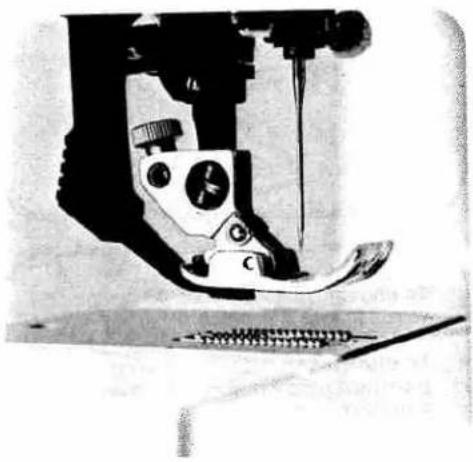
natural_image
Close-up of a sewing machine needle stitching fabric (no visible text or symbols)Exclusive built-in dual feed lets you do things even experts find difficult.
Even experts find it difficult to match patterns and plaids when sewing slippery silks and synthetics. But easy matching is automatic with Pfaff's exclusive built-in dual feed. When two or more fabric layers are fed simultaneously through conventional sewing machines, there is always the possibility of slippage. The exclusive Pfaff solution is built-in dual feed, a walking foot that simultaneously feeds the fabric from above as the feed dog moves it from below. You can sew up to 12 fabric layers without fear of slippage.
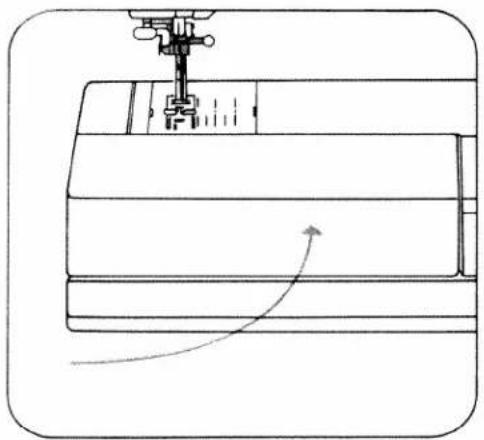
natural_image
Line drawing of a sewing machine needle stitching fabric layers (no text or symbols)Swing work support 11 against the machine arm.
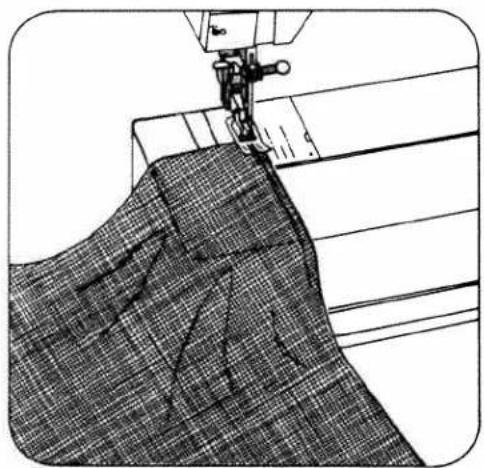
natural_image
Line drawing of a sewing machine stitching fabric with a checkered pattern (no text or symbols)Switch off main switch 9. Now place the material under the sewing foot.
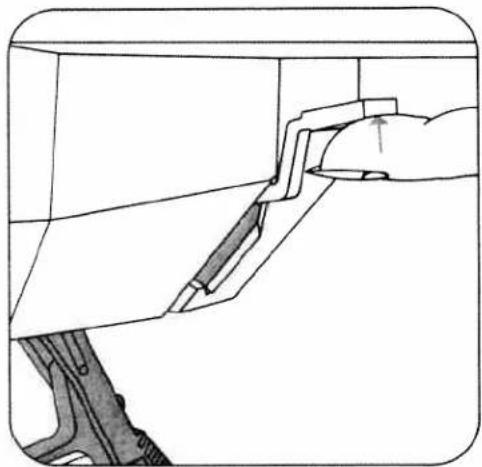
natural_image
Diagram of a hand holding a tool interacting with a mechanical component (no text or symbols visible)To place extra thick materials below the presser foot, raise presser bar lifter 17 higher and hold until fabric is in correct sewing position.
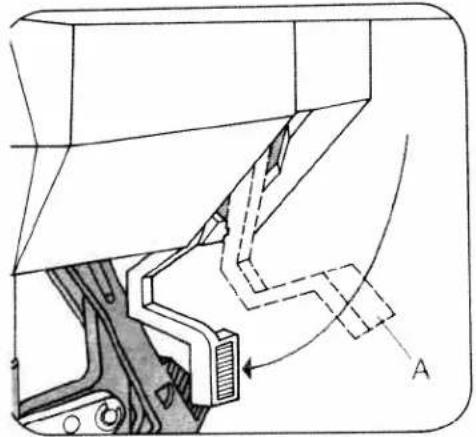
natural_image
Technical diagram of a mechanical assembly with labeled component A (no text or symbols present)Switch on main switch 9, have material cover needle hole (see illustration B) and lower the sewing foot onto it by pressing presser bar lifter 17 downwards. Position A of lever 17 is for darning.
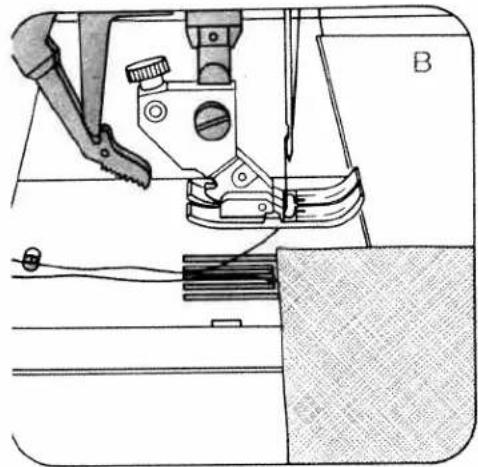
natural_image
Technical line drawing of a sewing machine with clasp and fabric (no text or symbols)
natural_image
Diagram of a foot pressing a pedal on a shoe (no text or symbols present)Press the pedal. The harder you press, the faster the Creative sews.
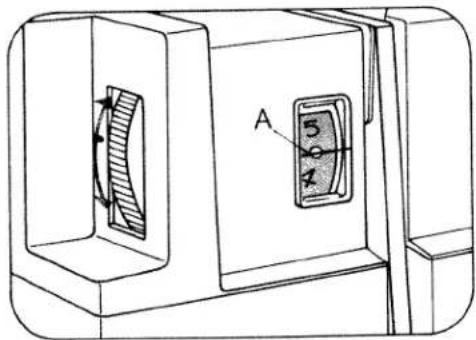
text_image
A 5 4
natural_image
Simple line drawing of a rectangular block with a wavy internal pattern and a diagonal line extending from it (no text or symbols)Needle thread tension 39
A = setting mark
Important!
In order to obtain good sewing results it is important to check the following:
- that the needle is in good order,
- and the needle- or bobbin thread tension is correct.
The bobbin thread tension is adjusted correctly at the works.
If on checking the bobbin thread tension (see page 16) you find it is necessary to correct it, turn the adjusting screw by small amounts only.
Checking the needle thread tension:
The normal setting is from 3 to 5. The higher the number, the tighter the thread tension. This is checked with a wide zigzag stitch (program 10). Sew a short seam. The thread interlace should lie exactly between the two material plies.
Range 3 is for buttonhole sewing.

natural_image
Technical line drawing of a mechanical assembly with no visible text or symbolsRaising the presser bar lifter:
When you have finished a seam the needle must be fully raised. Then raise presser bar lifter 17.
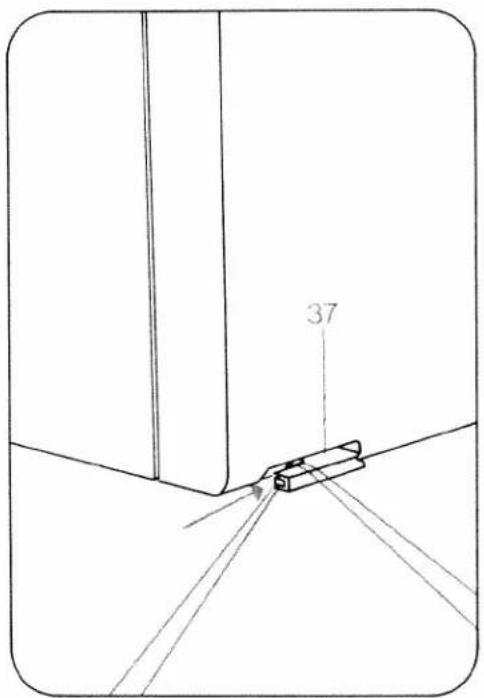
text_image
37Removing the work from the machine and cutting the threads:
Remove the material to the rear and pull the threads in sewing direction into thread cutter 37 in order to cut them.
Important!
When the main switch is pressed to switch the machine on, the sewing lamp lights up.
When the machine is switched off by pressing the main switch, removing the mains plug or by power failure, the program memory in the computer is saved by a battery back-up. When the machine is switched on again, program 00 (straight stitch with needle in middle position) appears. All program combinations entered into any memory are retained automatically. If a program is entered during sewing, it will not become effective until the machine is stopped and the foot control is pressed again.
The stitch width and stitch length can be changed during sewing.
For bobbin winding disengage the sewing action.
After bobbin winding engage the sewing action again.
Owing to the use of electronic components this machine becomes warm during operation. This is quite normal and of no consequence.
Batteries:
When the machine is switched on and the word "battery" is displayed continuously in four languages, the battery tension is no longer sufficient. The batteries must then be replaced by new ones (see page 43). When a program is selected the word "battery" disappears from the display.
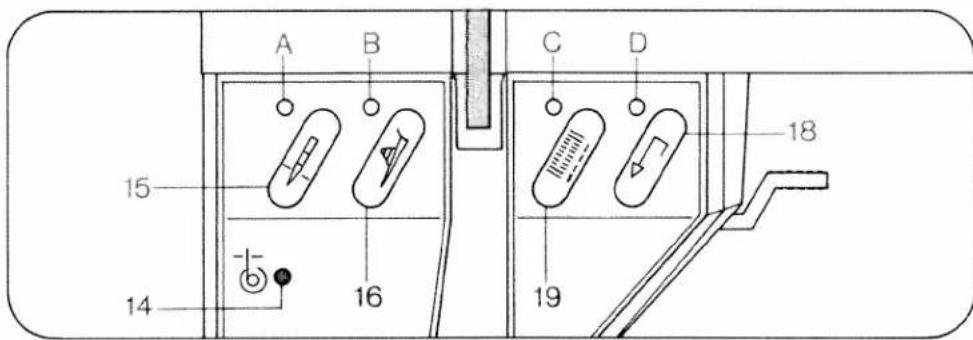
text_image
A B C D 15 16 18 14Electronic bobbin thread monitoring: Bobbin thread monitor 14 flashes before bobbin thread runs out. It goes out again when the full bobbin is inserted and sewing is continued. Important: cover 33 must always be closed.
Top and bottom needle position:
When the machine stops, the needle goes up. Press key 15 for the needle down position. Display A then lights up and the needle will remain down when sewing is stopped. Press key 15 again. The indicator light goes out and the needle rises and stays at the top position.
Electronic actual speed selection:
Press key 16 for slow sewing. Display B lights up. The machine sews at half speed. Press key 16 again. The display goes out and the machine sews again at full speed.
Tie-off/buttonhole. To sew: Press key
19: Indicator C lights up, the programmed seam is tied off at the beginning, then indicator light C goes out. If you push the key during sewing, the light goes on and a seam is tied off immediately, whereas a pattern is tied off at the end. The display then goes out. Buttonhole: In buttonhole programs 90 and 91, key 19 is used for determining and memorizing the length. For more details please see pages 78-91.
Reverse sewing: Press key 18 before you start sewing. Indicator light D lights up and the machine sews backwards permanently. If you press the key during sewing, the light will not go on and the machine will sew backwards as long as the key is pressed.
Darning: The lengths of darning program 94 are also determined and memorized with key 18.

text_image
21 0 0 25 22 prog mem + mem - B/L memory 8 display 47 48 30 29 28 ① 8 7 6 5 26 27The controls of the Creative comput-
er:
5 Keys for balance and pattern length
6 Key for program sequence and recommended sewing modes
7 Stitch length and pattern length keys
8 Stitch width keys
21 Display
22 Four program keys
26 Pattern start key
27 Single pattern key
28 Pattern mirror key
29 Twin needle key
30 Repetition key
47 Memory correction key
48 Program entry key for memories
The computer of the Creative contains three different alphabets and two sets of numerals, punctuation marks and 99 programs. The programs are illustrated in the table with their seam types and setting numbers or symbols in the folding cover.
The optimum width and length is indicated for every program. When you push and hold key 6 the computer also makes recommendations as to the use of dual feed, needle thread tensions and sewing feet for each program.
These settings are indicated in display 21 above the keys. The programs can only be changed with keys which have an indicator above them.
The computer also contains 16 M memories for program combinations.
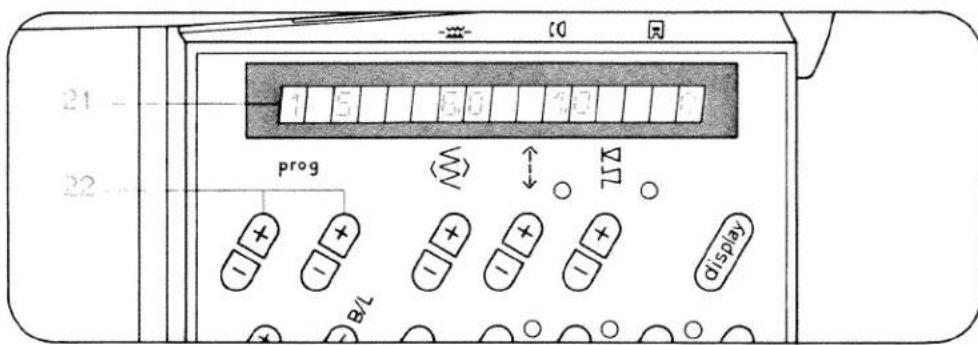
text_image
21 - 22 - prog B/8 1 5 6 0 1 0 7 ↑ ↓ Δ displayProgram selection:
When the Creative is switched on, program -00- appears in display 21. Enter the required number in program display 21 using programming keys 22. The alphabet and number symbols are selected with the left keys, while letters and numbers are selected with the right keys.
Stitch width setting:
The stitch width ranges from 0 to 9 mm.
Keys 8 have three functions:
- Selection of width for the program.
- Selection of the size of letters and numbers.
- Selection of 19 needle positions for straight stitch programs 01 and 03, and 15 needle positions for program 04 and 05.
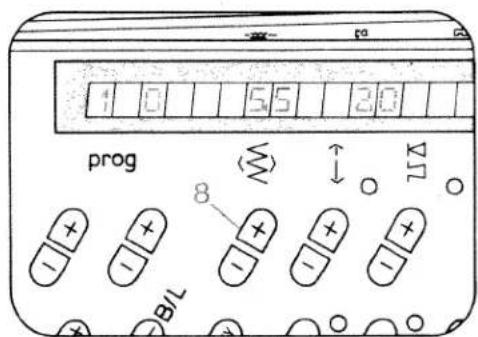
text_image
1 0 5.5 3.0 prog 8 B/L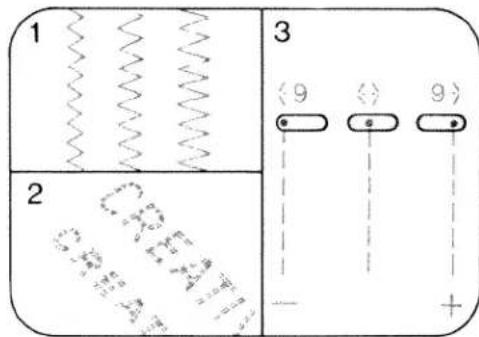
text_image
1 2 3 <9 <> 9 +
text_image
1 0 6 0 6 0 prog B/L A ΔT 7
text_image
1 2Stitch length and pattern length setting:
Keys 7 have two functions:
- Selection of stitch length for programs in which display A does not light up. The stitch length ranges from 0 to 6 mm. For some of the programs the stitch length is limited.
- Selection of pattern length for programs with illuminated display A. The pattern length is indicated in mm and is limited in different ways.

text_image
2 4 60 20 +3 prog B/L 5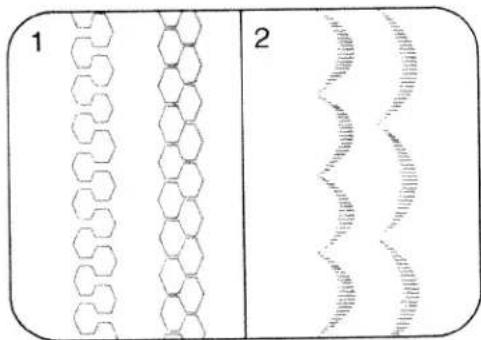
text_image
1 2Balancing out and pattern length setting:
Keys 5 have three functions:
- Adjusting the reverse stitch length in a pattern (for balancing out, see page 32) for programs in which display B does not light up.
- Selecting the pattern length in mm while the stitch density remains the same in programs in which display B lights up. The set stitch length determines the maximum pattern length.
- Checking and altering the stitch counter in free programming.
Balance, or correction of reverse stitches
The balance control is used for correcting pattern- or program combinations which are sewn with a slight shift owing to influences by the type of material or working method used. The stitch length of the reverse stitches of a pattern is corrected from -7 to +7, the normal position is "0". The minus "-" settings shorten the reverse stitches and the patterns or programs become longer, and the plus "+" settings lengthen the reverse stitches; patterns or programs become shorter.
Examples:
- Correction of Individual patterns
Plattern too long Prog. 41
Prog.
94
41


Corrected by:
-2
+3
Rule: if the pattern is too long, correction has to be made by "+" (from +1 to +7).
- Correction of pattern- and program combinations
Combination:

Corrected by: +3:
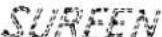
Rule: If the pattern or program last entered is corrected with "-" or "+" and entered, this applies to the entire program combination.

text_image
5 0 4+3 0 0 0 5 prog ΔT 6 display mem+ mem - B/L memory B wllis wll- 48=47progr.:
55 36
43 00 00 50 50

natural_image
Abstract decorative pattern with swirling lines and dots, no text or symbols present
natural_image
Abstract line drawing of a chain of snowflake-like shapes with dashed outlines (no text or symbols)Storing program combinations:
The creative computer contains 16 M memories, M 0 to M 15. A maximum of 484 programs can be stored in the 16 M memories. One M memory holds up to 84 entries of programs 00 to 99 or letters and numerals.
Programs 00 to 99 can also be combined with letters and numbers. Storing: first select a free M memory with left key 22 M 0and right key 22.
The M memory is empty when no indication appears in display 21.
If no M memory from M 1 to M 15 is selected, all programs will go into memory M 0.
Afterwards press key 48 for program entry. The memory is now ready for input.
Select programs, letters, punctuation marks or numbers individually with program keys 22 and enter them in the memory by pressing key 48. The program numbers, letters, punctuation marks or numbers appear in display 21. The programs can be changed in length and width before input.
If the computer will not take further inputs, this means the memory capacity is exhausted, and a memory you no longer need must be emptied.
Checking a program combination by running it through the display:
When more than 4 programs or more than 11 letters or numbers are stored, the program can be run through display 21 from right to left by pressing key 6. To stop the display press key 6 again.
Press memory key 30 to sew the programs entered from the beginning. By pressing the foot control the machine sews the combination from the beginning as well.
Cancelling a program combination:
By pressing key 47 "correct", the last program of the stored combination is cancelled. Continue pressing key 47 until the entire combination is cancelled.
If the combination consists of several M memories, each individual memory has to be selected and cancelled. The memories are then free for new combinations.
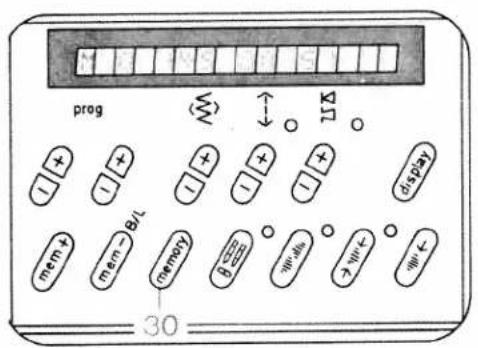
text_image
prog 78 30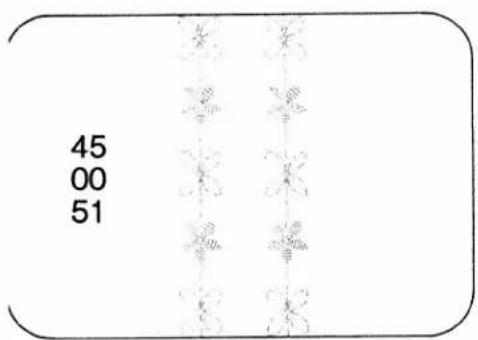
text_image
45 00 51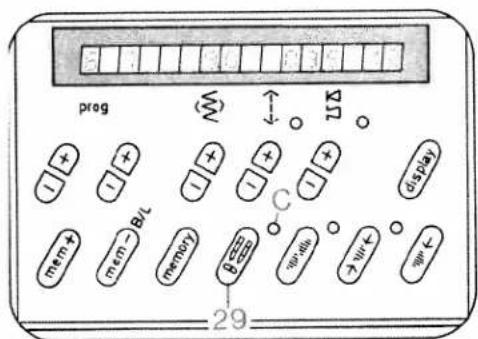
text_image
prog B/L memory 29 C Display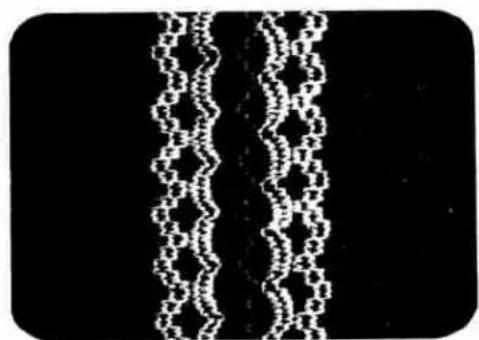
chemical
Chemical structure diagram showing a chain of connected atoms in a zigzag patternRepeating program combinations:
Key 30 "memory/repeat" has three functions:
- Returning a program combination to the starting position.
- Repeating selected program combinations after other programs have been sewn in the meantime.
- Initiating sewing after free programming.
Twin-needle sewing:
Key 29 "twin needle" must be pressed. Indicator C lights up and the stitch width is reduced by 2 mm. Press key 29 again and both function and indicator are switched off.
Key 29 has a second function for straight stitch sewing with a round-hole needle plate and straight stitch foot (special accessories). If the machine is in program 00 and you press key 29, indicator C lights up and the computer programming function is switched off.

text_image
prag B/L D display mem+ mem- memory B wir- wir- wir- 28Pattern mirroring:
Press "pattern mirror key 28." Display D lights up. The selected program is sewn in reverse. Programs can also be entered mirror-imaged into a combination, as well as whole combinations can be sewn mirror-imaged by pressing key 30 first, then key 28, display and function are now switched off.
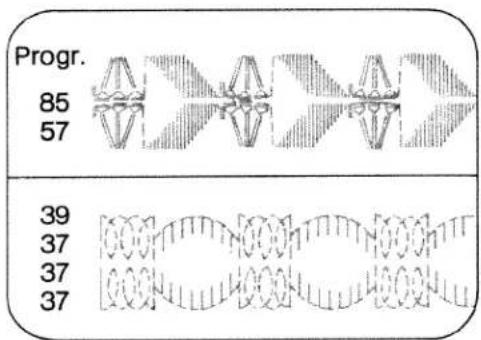
text_image
Progr. 85 57 39 37 37 37
text_image
prog mem + mem - B/T memory B = 0 0 0 0 0 0 0 0 0 0 0 0 0 0 0 0 0 0 0 27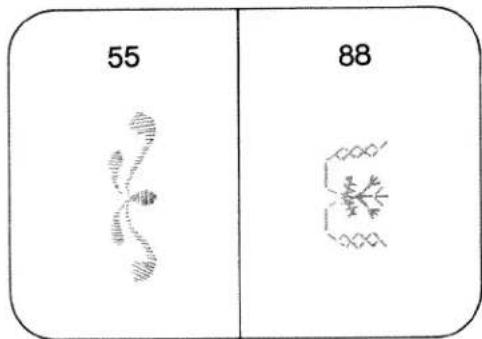
text_image
55 88Single pattern setting:
Push "single pattern" key 27. Display E lights up. The machine sews a program or a program combination and ties off beginning and end of the seam. If the key 27 is pressed while sewing is in progress, the machine completes the program and ties off the seam.
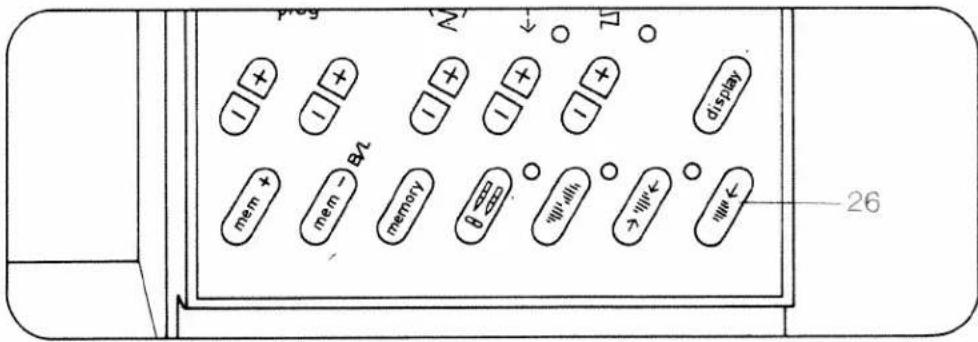
text_image
prop N ↓ Δ + - + - + - + - + - + - + - + - + - 26Setting the pattern start:
Key 26 "pattern start" has three functions:
- Push "pattern start" key 26. A pattern in progress is returned to the starting point.
- The last program in a combination appears in the display.
- Length programming in buttonhole-and darning programs is cancelled.
Recommended sewing modes:
For every program from 00 to 99, and for letters and figures the machine will indicate recommended sewing modes with regard to dual feed, needle thread tension and sewing feet. Press key 6 and hold it. The recommendations appear in the display beneath the three symbols on the computer:

A: dual feed
engaged

disengaged


B: needle thread tension

C: number of sewing foot (standard accessories)
Recommendations made in this book may differ from those in the machine display. In that case both recommendations can be used.

text_image
A B C 1 7 - K K 3 - 5 5 prog + + - + + - + + - + + display 6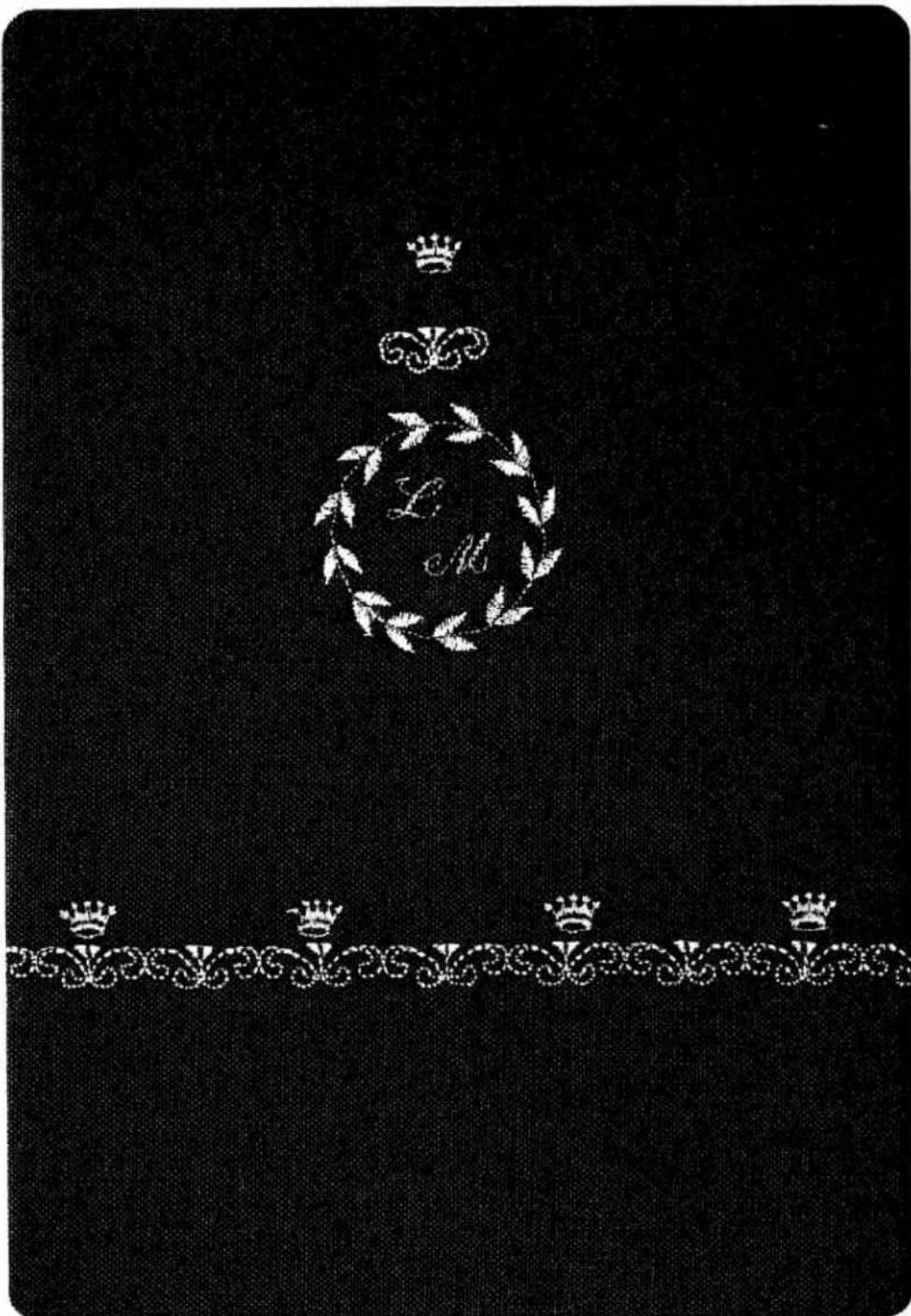
text_image
L M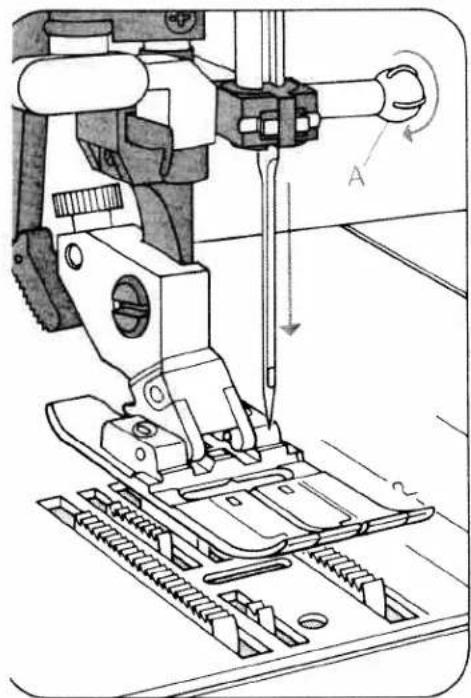
natural_image
Technical line drawing of a sewing machine needle and base mechanism (no text or symbols)Changing the needle (System 130/705 H):
● Switch off main switch 9.
Loosen screw A. Take out the needle.
Push the new needle up as far as it will go (flat side facing the back). Tighten
the screw.

text_image
Technical diagram showing mechanical assembly steps with labeled components and directional arrowsLowering the feed dog:
Open free arm cover 33.
Push the slide control toward C (feed dog lowered) or toward B (sewing position).
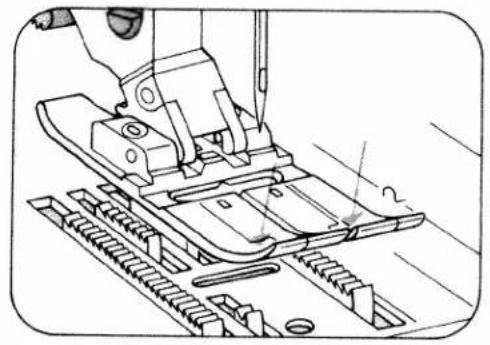
natural_image
Technical line drawing of a sewing machine needle stitching a metal sheet (no text or symbols)Removing sewing foot: switch off main switch 9. Needle must be raised. Push the sewing foot downwards at the front. The foot snaps out. To change the buttonhole foot, first pull the runner of the foot fully to the front and than swing the work support to the left.

text_image
Technical diagram showing sewing process steps with labeled parts A and B, including a hand operating the needle.Fitting sewing foot: lower the presser bar lifter with the foot positioned so that pins A snap into grooves B.

text_image
Technical diagram of a sewing machine with labeled parts C, D, and EC and D are for attaching accessories. E is the sewing foot screw.
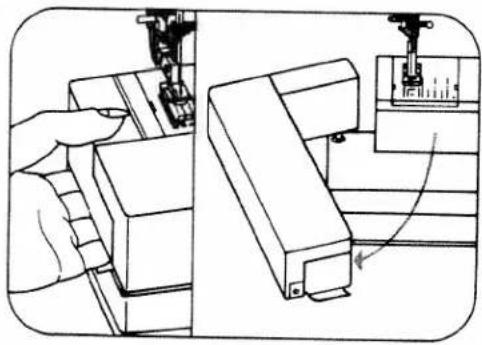
natural_image
Technical line drawing showing a sewing machine needle stitching a mechanical part, with no visible text or symbols.Take hold of the work support and swing it out to the left.
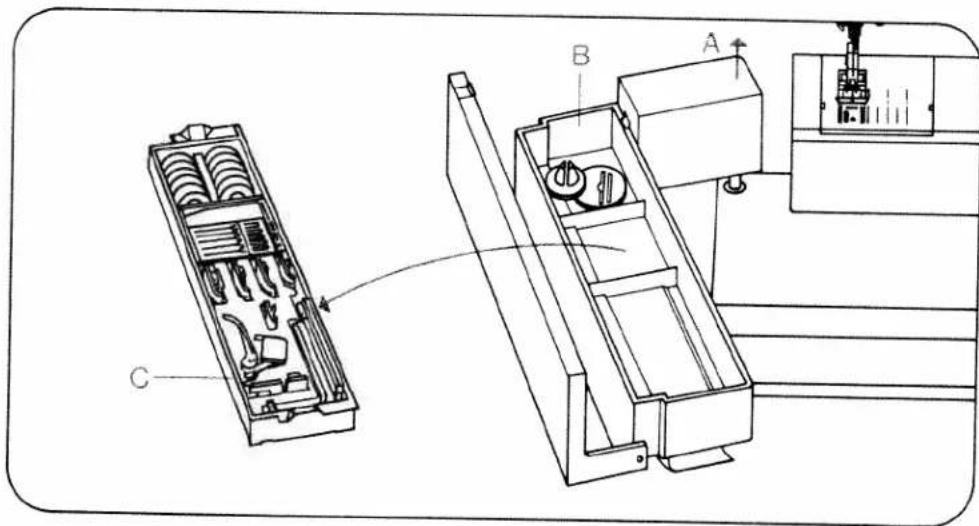
text_image
Technical diagram of a mechanical device with labeled components A, B, and C, showing internal compartments and assembly steps.D
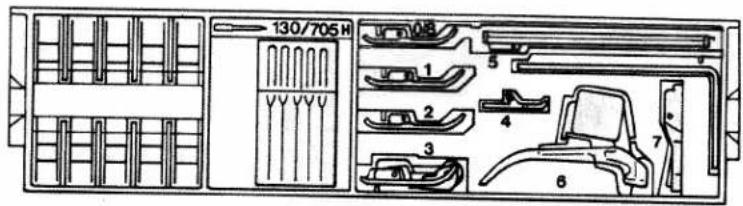
text_image
130/705 H 1 2 3 4 5 6 7Detachable work support and accessories:
The work support can be lifted out (A). Open its lid and take out accessory box C. Underneath the box is an accessory compartment B. Illustration D shows how to arrange sewing feet, needles and bobbins in the accessory box.
Sewing feet (normal accessories)
CA Normal sewing foot
1A Fancy stitch foot for dual feed
2A Fancy stitch foot (not for dual feed)
3 Blind stitch and overlock foot
4 Zipper and edge- sewing foot
5A Buttonhole foot
6 Darning foot
7 Hemming foot
8 Edge guide

OA
9869482800
08694 836.0

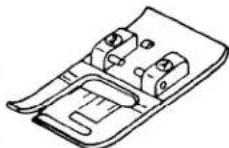
2A
28-694 838-00
98-694 890-00
3
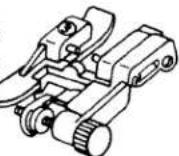
4
98-694 384 00

5A
08-694 830-00
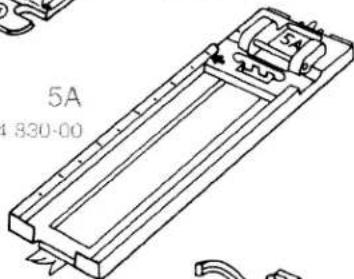
text_image
5A 1830-00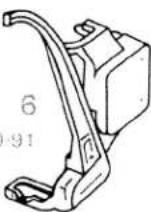
93-035 960-91


text_image
8 08-802 422-00
natural_image
Illustration of a hand using a tool to clean or store items, showing a receipt with a barcode and a close-up of a textured brush inside a container (no text or symbols)Cleaning and oiling
- Pull out the mains plug. Tilt the needle plate up at the back (A) and remove it (B). Clean the feed dog and the parts in the sewing hook area with a soft brush. Clean the bobbin thread monitor as instructed on page 157. Apply a drop of oil in the hook receway, as shown in the illustration, every 15 to 20 hours of operation. Other than that, the machine is maintenance-free and must not be oiled.

natural_image
Technical line drawing of a mechanical component with a tool inserted, showing internal components and mounting holes (no text or symbols)Inserting the needle plate
Place the needle plate on with its left side first and press it in until the retaining hook snaps in audibly. Then press the right side firmly down until it also snaps in. Check the correct position of the needle plate.
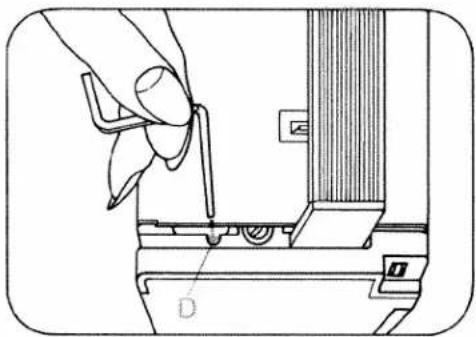
natural_image
Technical line drawing of a hand operating a tool on a mechanical component (no text or symbols)Changing the light bulb:
- Disconnect the mains plug. Swing out the work support to the left. Close the hinged top cover and swing up the carrying handle. Insert the edge guide into cutout D, push down the lamp housing and hold it there. Push the bulb upwards, turn it towards A and take it out. Insert the new bulb so that its pins enter slots C. Push it up and turn it towards B. Pull out the edge guide. Be sure to use only a 15-watt light bulb in the sewing lamp.
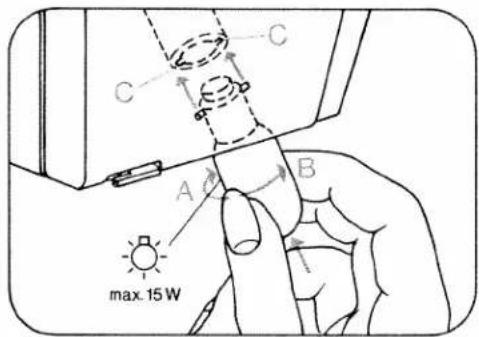
text_image
C A B max. 15 W
text_image
Technical diagram of a mechanical device with labeled parts A and B, showing internal components and directional arrows.Changing the fuse
Disconnect the mains plug. Turn fuse holder A left by a quarter turn with a screwdriver, release it and take it out. Pull out fuse B. Insert a new fuse in the holder, replace the holder, push it in with the screwdriver, then turn it right by a quarter turn. (The fuse type is F2A.) 110-volt machines have no fuse.
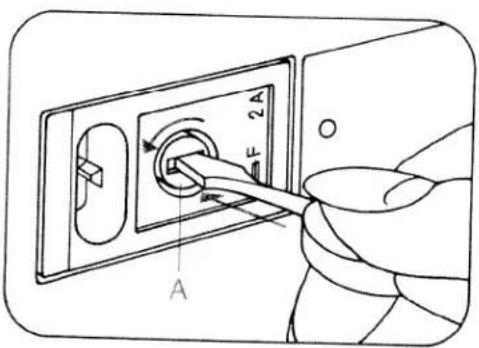
text_image
F 2A A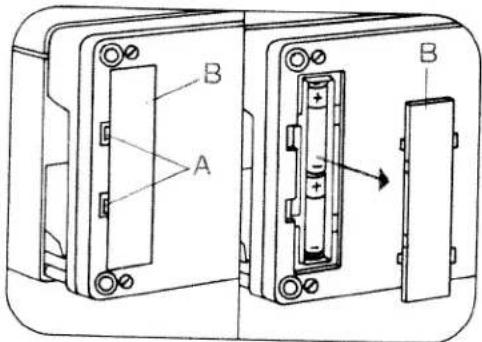
text_image
A B BChanging the batteries:
Switch on the machine, so that the memories are not lost when the batteries are changed, and tilt the machine over backwards. A battery compartment is installed in the base. Lift cover B at the catches in recesses A and remove cover. Take out the batteries. Insert the new batteries with the plus side (+) facing upwards: Place cover B in so that hinges C engage in recesses D and press cover until it snaps in place. After changing the batteries, check the contents of the memories. Replacement batteries: 2 Mignon cells, 1.5 V, type LR 6 Only use leak-proof batteries!

text_image
Diagram of an electrical component with labeled parts including battery, diode, and capacitorpecial accessories
the special accessories listed below are intended for special sewing work. They can be obtained from our dealer at an extra charge.
lease note!
pecial accessories must be employed for the intended purpose only. They can only be used at titch widths up to 6 mm.
| Special accessories | Part No. | Sewing Operation |
| Appliqué foot | 93-042 941-91 | For appliqué work |
| Binder (remove sewing foot holder) | 98-053 484-91 | For binding edges with tape |
| Cording foot, 5 grooves (twin needle with 1.8-2.5 mm needle gauge) | 93-042 950-91 | For cording work (needle size 80, for fine cording needle size 70) |
| Cording foot, 7 grooves (twin needle with 1.4-1.8 mm needle gauge) | 93-042 953-91 | |
| Cording blade (2 ea.) | 93-035 952-45 | |
| Fringe sewing foot | 93-042 943-91 | For sewing fringes and for basting |
| Straight-stitch foot with round needle hole | 98-694 821-00 | Important! Only for straight stitches, needle position center. For topstitching and sewing very delicate and soft fabrics (silk jersey, etc.) |
| Needle plate with round needle hole | 98-694 827-00 | |
| Felling foot, 4.5 mm | 93-042 946-91 | For felled seams |
| Felling foot, 6.5 mm | 93-042 948-91 | |
| Shirring foot | 93-036 998-91 | For shirring valances, etc. |
| Multi-stitch shirring device | 98-999 650-00 | For shirring valances, etc. |
| Single-needle cording foot | 93-036 915-91 | For single-needle cording |
| Eyeletting plate | 93-036 977-45 | For eyelet embroideries |
| Hemmer, 4 mm (for dual feed) | 98-694 823-00 | For hemming edges |
| Roll hemmer, 2 mm | 93-694 873-00 | For hemming edges |
| Knit edge sewing foot | 93-042 957-91 | For sewing knitted fabrics |
| Teflon sewing foot | 93-036 917-91 | For sewing plastic, synthetic materials and leather |
natural_image
Black-and-white illustration of a teacup and teacup on a saucer surrounded by floral patterns (no text or symbols)Working with straight stitch, utility- and stretch stitch
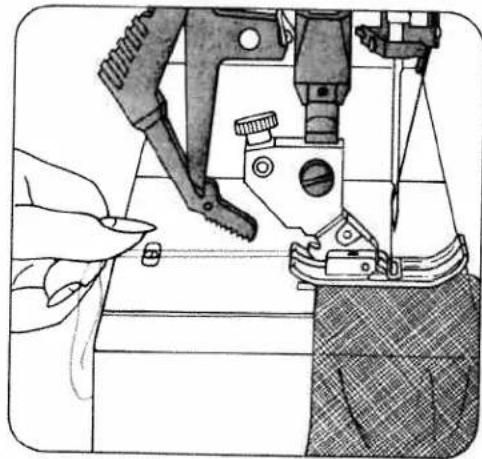
natural_image
Illustration of a sewing machine needle stitching fabric, with hands operating the component (no text or symbols visible)


Tips for embroidering and sewing with the Pfaff Creative 1472
● Before you begin, first try sewing on a piece of waste fabric.
- Check the stitch formation and tension.
- Secure the beginning and end of the seam by pressing "tie-off/button-hole" key 19.
- For sewing light, soft and stretch materials hold the thread ends at the beginning of sewing (Fig. 1).
- With cross seams, such as lap-felled seams, we recommend cutting out the fold and pressing the seam. This will provide a flatter cross seam.
- In the case of problem materials, you can achieve better sewing results with the left needle position.
● Exact stitching of edges is facilitated by the marking guide lines on the needle plate or by an edge guide (Fig. 2).
- If you have to interrupt work during sewing, e.g. with long fabric panels or upon change of sewing direction, select needle position "down".
Top-stitching collar points
- Insert a thread into each collar point before beginning to sew and leave approximately 10 cm of thread hanging. When stitching the corner, you pull on the threads of the respective corner for the first stitches in sewing direction. The material feed is supported in this way and you obtain a beautifully stitched corner (Fig. 3).
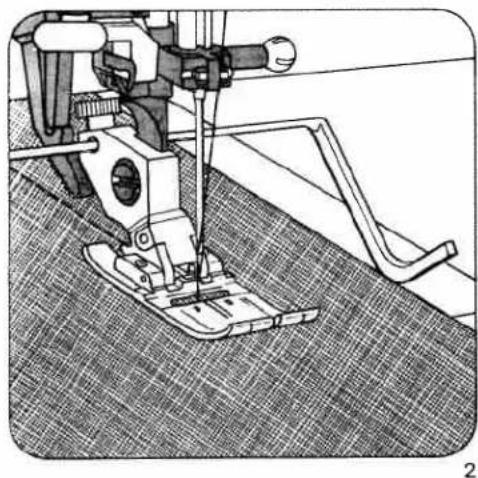
natural_image
Technical line drawing of a sewing machine on a textured fabric background (no text or symbols)
natural_image
Illustration of a folded fabric or material with visible texture and folds (no text or symbols)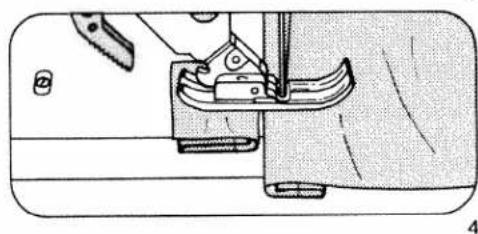
natural_image
Technical line drawing of a sewing machine needle and fabric (no text or symbols)- For top-stitching edges, especially in the case of soft materials, a round-hole needle plate and a straight sewing foot with round needle hole can produce good sewing results (special accessories).
- Sewing aid for thick seams In order to ensure uniform feeding at the beginning of the seam, we recommend supporting the sewing foot with a piece of material of the same thickness (Fig. 4).
PFAFF
creative 1472

natural_image
Line drawing of a sewing machine with control panel and spooler (no text or symbols)Instruction Book
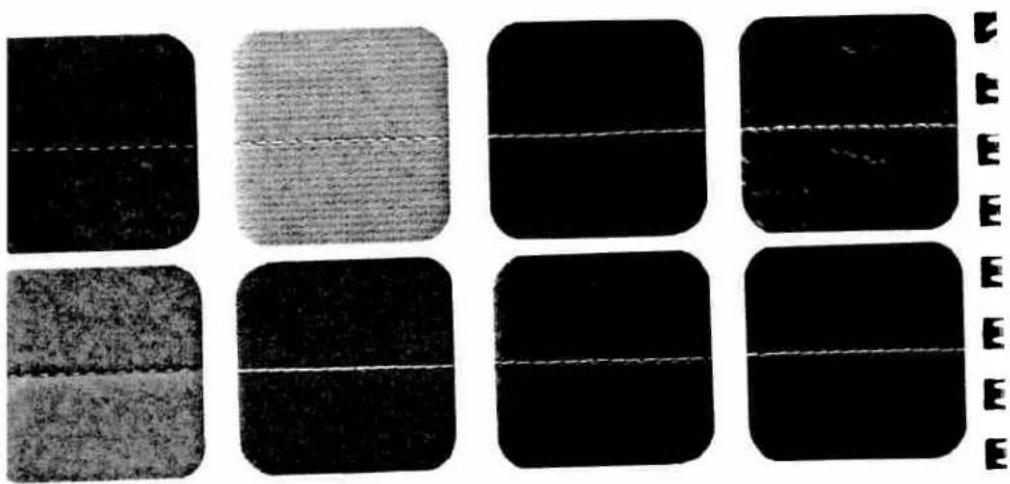
sewing tips for lifferent materials
foollen fabrics: well balanced stitch length and ansion.
latiste: light needle thread tension and medium titch length.
felvet or silk velour: baste the seam line twice and sew in grain direction with a stitch length of 2.5 to 3 mm.
3e careful when pressing velvet! try out on a piece of waste fabric and do not press down on the iron, or use velved pressing board.
Twill/jeans: use special needles for jeans fabrics. When sewing over thick intersections it is advisable to cut away seam allowances.
Synthetic materials: do not baste such materials as plastic, foil or oilcloth (penetration holes!). Use long stitch lengths (4 to 6 mm) and the dual feed.
Pure silk: set needle thread tension a little lower. Needle must be in perfect condition (otherwise fibres are pulled). Use stitch lengths between 2 and 2.5 mm.
Knitted or crocheted materials: sew with light needle thread tension and elastic seams.
Machine-embroidery silk: to obtain effective motif embroideries set the needle thread tension lighter, i. e. lower than the buttonhole range.

natural_image
Illustration of a garment being cut with scissors, showing fabric texture and stitching (no text or symbols)
natural_image
Pure diagram of a folded paper or sheet with diagonal lines and circular markers, no text or symbols present.Basting seams
Fringe foot, special accessory
| prog | |||
| 10 | -3 | Fringe foot |
Stitch-width: 2 mm
Needle: 80
Sewing thread: Machine embroidery thread
Basting is a useful method of transferring seam lines onto the fabric.
First mark all contours with tailoring chalk on the top material ply.
Sew along the marked lines with the fringe foot. When all lines have been basted, pull the two fabric plies apart to find the joining threads and cut these through carefully, to avoid damage to the material.
Basting stitches
| prog | |||
| 09 | -3+ | OA |
Feed dog: lowered
Sewing thread: normal sewing thread or basting thread
For trying on a garment, we recommend securing the parts previously with basting stitches. Place the workpiece under the sewing foot. Sew one stitch. After that, pull the material by the required stitch length to the rear. Repeat this procedure until basting is completed. In order to avoid shifting of the material plies during securing of patterned materials, insert dress pins crosswise to the basting direction. Shifting of the material plies is thus largely avoided.
Basting at 6 mm stitch length
| prog | |||
| 00 | -3 | 0A |
Stitch length: 6 mm
For this application do not lower the feed dog. Set the stitch length at 6 mm. Remove the basting thread after sewing.
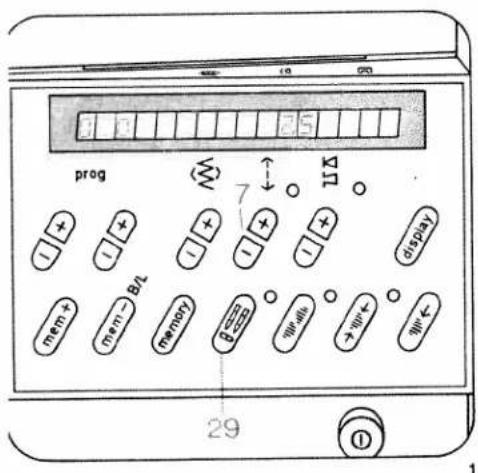
text_image
prog 7 UΔ display mem+ mem→B2 memory 650 Wells→Wt← Wt← 29 ①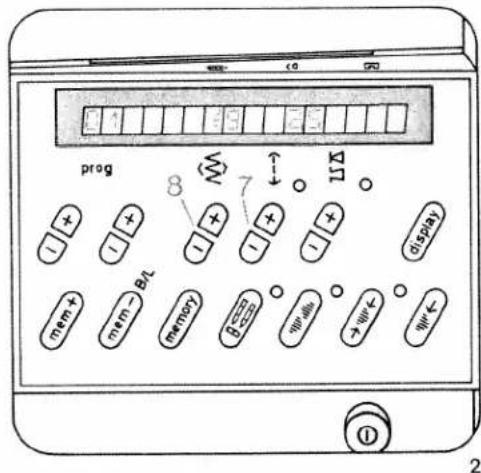
Program 00 is a straight stitch with the needle in center position (Fig. 1). By pressing "twin needle" key 29 in program 00, the computer programming function is blocked. This is necessary when the straight stitch foot and the round-hole needle plate are used (special accessories).
Program 01 is a straight stitch with the needle in left position. With key 8 the needle position can be changed to 19 positions from left to right (Fig. 2). Programs 02 and 03 are straight stitch backwards. These are used for program combinations.
Program 03 can be sewn in 19 needle positions. Select a longer or shorter stitch length according to the work required by pressing stitch length keys 7. Raise the sewing foot higher for heavy materials or several material plies. This makes it easier to place the work under the sewing foot. Do not forget to lower the presser bar lifter again! Certain seams are easier to sew with a different needle position (see page 53).
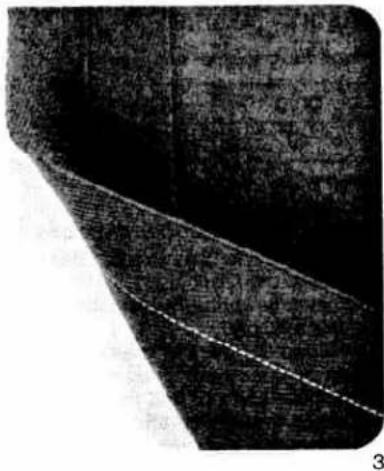
natural_image
Close-up of a textured surface with a diagonal line and a dashed line, no visible text or symbols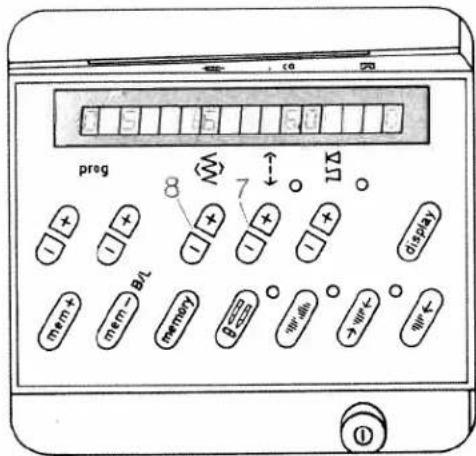
text_image
preg 8 7 11 mem + mem - BL memory 0 > < < < < < < < < < < < < < < < < < < < < < < < < < < < < < < < < < < < < < < < < < < < < < < < < < <Stretch triple straight stitch
| prog | |||
| 04 05 | 3-5 | 0A |
Program 04 is stretch triple straight stitch at 1.5 mm to 4.5 mm.
Program 05: is stretch triple straight stitch at 3 to 6 mm (Fig. 4). Both programs can be sewn in different needle positions.
Elastic straight stitch seams you need (press-open seams) for all stretchable materials and especially for seams subjected to high strain, e.g. inside seams on trousers, ski- and swimwear (Fig. 3).

text_image
prog 8 7 11X 11 11 11 11 11 11 11 mem + mem → Bit memory 8← width →W← W← 0Zigzag stitch
| prog | |||
| 10 11 | 3-5 | OA |
Program 10 is zigzag stitch at middle needle position.
Program 11 is zigzag stitch beginning with right needle position.
Select a stitch width from 0.5 to 6.0 mm using key 8, and the stitch length with key 7 (Fig. 1).
A stretchable seam can also be obtained with a narrow zigzag stitch. It is used especially for jersey materials (Fig. 2).
Stitch width: 1.0 mm
Stitch length: 1.5 mm
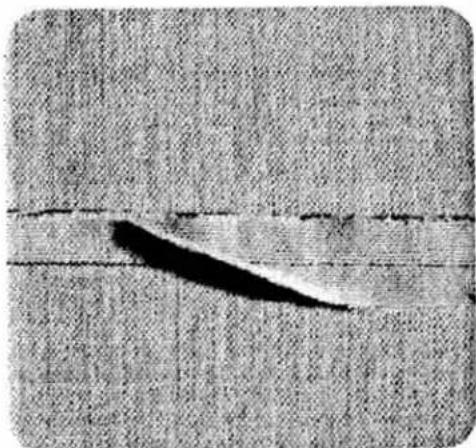
natural_image
Close-up of a fabric with a dark curved band and horizontal seam, no visible text or symbols2
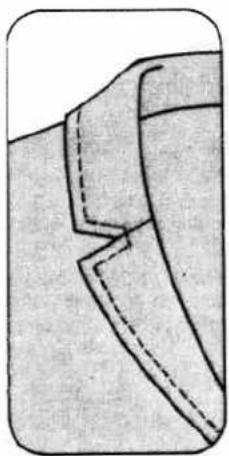
natural_image
Close-up of a garment collar with dashed stitching lines (no text or symbols)
natural_image
Simple line drawing of a garment sleeve with two vertical strips and a flat top (no text or symbols)2
Top-stitch seams
Buttonhole thread as needle thread
| prog | |||
| 00 | 5-6 | OA |
Needle: 100 or 130 H-N
Needle thread: buttonhole thread
Stitch length: longest stitch
Top-stitch seams produce nice ornamental effects. For this, selection of a suitable thread is important. To obtain particularly prominent seams, we recommend using buttonhole thread.
Buttonhole thread as bobbin thread
| prog | |||
| 00 | 6-7 | 0A |
Buttonhole thread can also be wound on the bobbin and used as bobbin thread. In this case, sewing thread should be used in the needle. For this sewing job the needle thread tension must be set relatively high. For topstitching, the fabric is placed in the machine wrong side up. Select the longest stitch. For topstitching, a No. 80 needle may be used.
- For difficult top-stitch seams we recommend using the straight-stitch foot and the round-hole needle plate (special accessory).
● Before you fit these, set the needle at its middle position.
It is not possible to select a program now. To select another program press the key "twin needle" again.
Top-stitch seams sewn with two needle threads
| prog | |||
| oo | 3-5 | 0A |
Stitch length: 6.0 mm
Needle: 80
Thread: sewing thread
If you cannot find a suitable buttonhole thread for specific sewing work, try using two needle threads together. Place one thread to the right, and the other to the left of disc "C", (see page 96) and insert both threads in the needle eye.
Triple-fancy-stitch seams
| prog | |||
| 05 | 3-5 | OA |
Stitch length: 6.0 mm
Needle: 80
Thread: sewing thread
- This stitch can be used without any difficulty for sewing a top-stitch seam along lapel and pocket edges or sewing an ornamental seam. For this, normal sewing thread is used.
Twin-needle top-stitch seams
| prog | |||
| oo | 3-5 | OA |
Needle: twin needle;
needle gauge, as desired
The twin needle can be used not only for embroidery work, but also for top-stitching. It produces a particularly attractive effect along hem edges and on facings.
Fold the bottom edge, the facing or border edge over to the wrong side and baste it down. Sew on the right side of the fabric with the twin needle. Trim away the excess material on the wrong side. (For threading instructions see page 96).
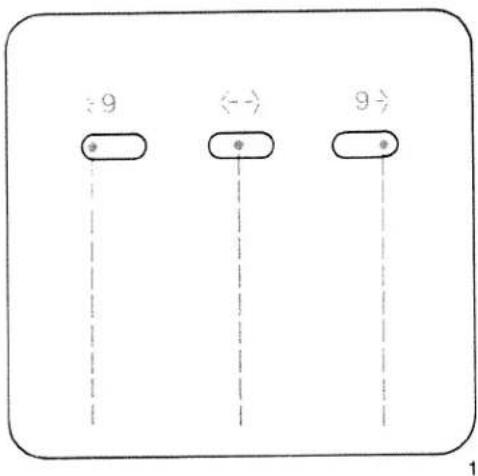
flowchart
graph TD
    A["9"] --> B["←→"]
    B --> C["9"]
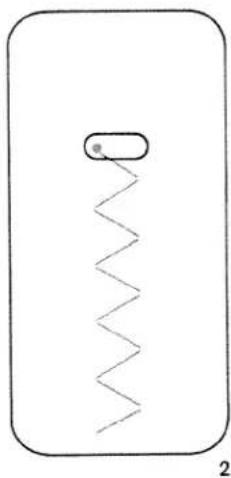
natural_image
Simple line drawing of a rectangular object with a zigzag line and a small oval shape inside, labeled '2' at bottom (no text or symbols on the diagram itself)
natural_image
Simple line drawing of a rectangular object with a zigzag line and a small oval shape on top, labeled '2 a' at bottom (no text or symbols within the diagram itself)Change of needle position with straight stitch
Through adjustment of the needle (needle position), certain sewing work can be carried out easier. For example, if you wish to stitch at a narrow margin such as on collars or when inserting zippers, you select the required needle position.
- For changing the needle position, the needle must always be in the highest position.
Left needle position
Program: 01
The left needle position is also shown by the symbol to the left of the stitch width number in the display. With key 8 + the needle position can be changed from left to right for 19 different positions.
The right needle position is shown by the symbol to the right of the stitch width number in the display (Fig. 1).
Change of needle position with zigzag stitch
● The needle must always be in the highest position.
Right needle position
e.g.
Program: 11
Stitch width: as required
Stitch length: as required
Left needle position
Program: 11
Stitch width: as required
Stitch length: as required
Key: Pattern mirror 28
With the above-mentioned settings, the stored zigzag-program can be sewn with left or right zigzag throw. For an intermediate needle position, stitch width key 8 is pressed repeatedly until the needle is in the required starting position (Fig. 2 + 2a).
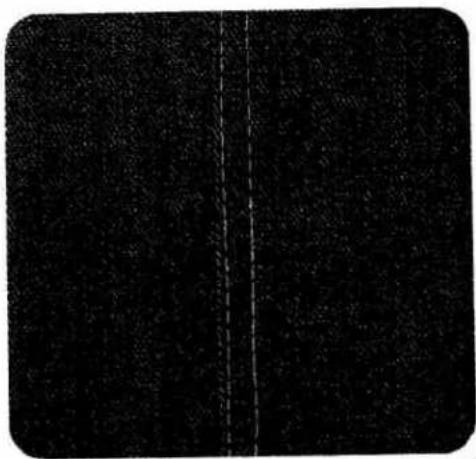
natural_image
Dark textured surface with a vertical dashed line dividing it into two sections (no text or symbols)| a | b | ||||
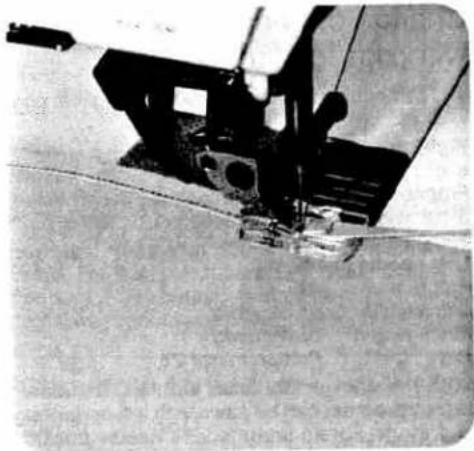
natural_image
Close-up of a sewing machine needle stitching fabric (no visible text or symbols)Lap-felling · Imitation lap seam sewn with the ordinary sewing foot.
| prog | |||
| 00 | 3-5 | 0A |
Place the two pieces of fabric one on top of the other with their face sides, and sew them together about one centimetre from the edge. Neaten the raw edge. Fold the seam allowance over to one side and press. Then topstitch on the face side of the fabric, using the edge of the sewing foot as a guide (Fig. 1).
Double lap seam sewn with the felling foot (special accessory)
| prog | |||
| 00 | 3-5 | Felling foot |
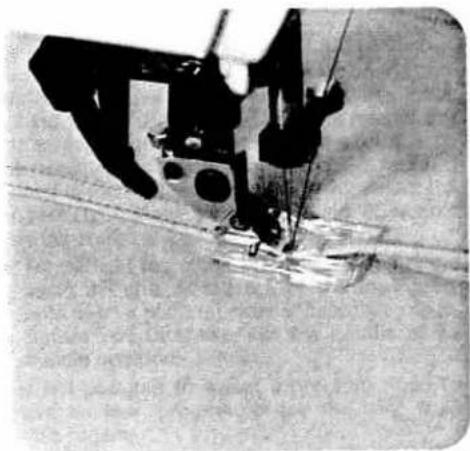
natural_image
Close-up of a sewing machine needle stitching fabric (no visible text or symbols)If two lines of stitching are to appear on the face side of the lap-seamed fabric, the two pieces of fabric must be placed together with their reverse sides facing (Fig. 4a). If only one line of stitching is to appear on the face side of the lap-seamed fabric the two pieces of fabric must be placed together with their face sides facing (Fig. 4b). First workstep
Place the two pieces of fabric one on top of the other with the bottom ply protruding by the width of the cutout in the felling foot. Make sure the protruding edge enters the felling foot so that it is folded and stitched down (Fig. 2).
Second workstep
Open the two pieces and insert the seam ridge in the felling foot. The ridge is folded down in the foot and stitched down along the edge. Pull both fabric plies apart lightly during sewing (Fig. 3).
● Two felling feet are available as special accessories for stitching margins of 4.5 and 6.5 mm.

text_image
Black-and-white image with three white cross-shaped patterns on a textured background, possibly a watermark or document cover.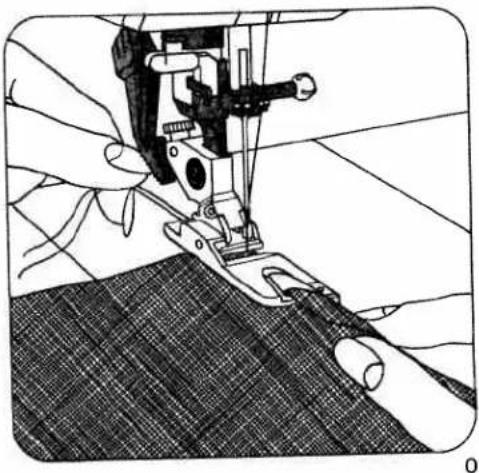
natural_image
Close-up of hands operating a sewing machine needle on fabric (no visible text or symbols)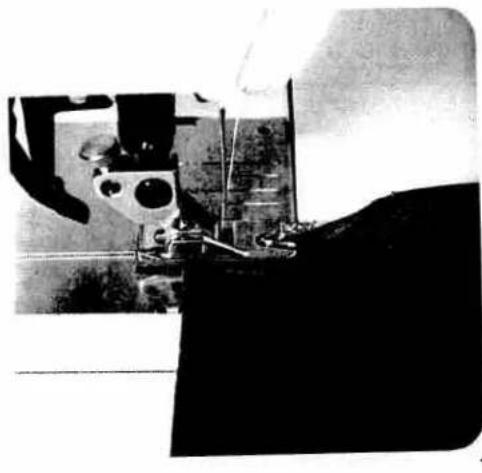
natural_image
Black-and-white photo of a spacecraft with visible tracks and equipment, no text or symbols present.E E E E E E
Binding edges with the hemmer
| prog | |||
| 00 | 3-5 | 7 |
Hemmer foot
Hemming secures the fabric edge against fraying and produces a neat and durable edge.
Begin by folding the fabric edge approx. 15 inch and placing the folded edge under the hemmer foot. Lower the foot and secure the hem in position with a few stitches.
Fig. 0 shows how the fabric is drawn into the hemmer foot scroll with the aid of the stitched-down threads.
Fig. 2 shows how the fabric edge is fed into the hemmer foot scroll. Hold the fabric tight as you guide it during sewing. Make sure the fabric contacts the edge of the right half of the hemmer foot as it enters the scroll.
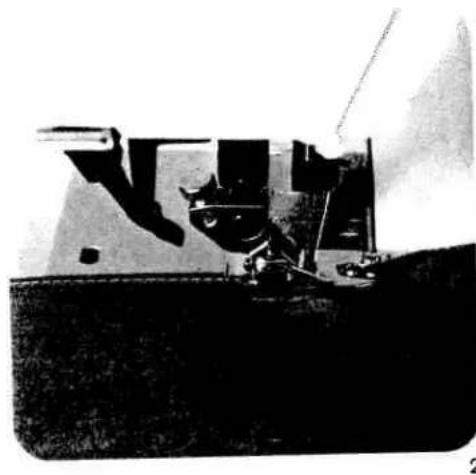
natural_image
Black-and-white photo of a mechanical device with no visible text or symbolsE E E E E E E
E E E E E F B
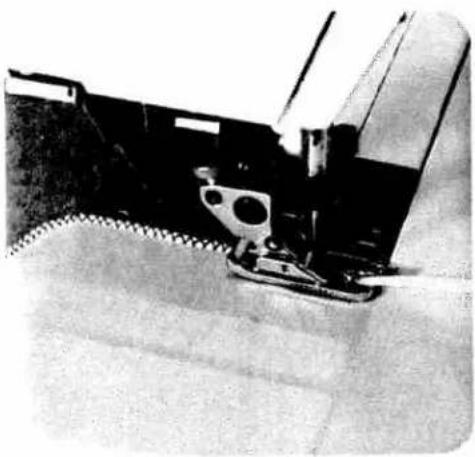
natural_image
Close-up of a sewing machine needle stitching fabric (no visible text or symbols)3
Binding edges with the roll hemmer
| prog | |||
| 10 | 3-5 | * |
* Roll hemmer (special accessory)
Use the roll hemmer foot for hemming nylon, tricot and chiffon. Begin by stretching the fabric to see which way the edge curls. This is the side to which the hem must be rolled. Draw the fabric into the hemmer scroll with the aid of sewn-on threads.
Set the stitch width just wide enough that the needle stitches close to the drawn-in hem edge (Fig. 3). In this way, an attractive shell edge effect is obtained.
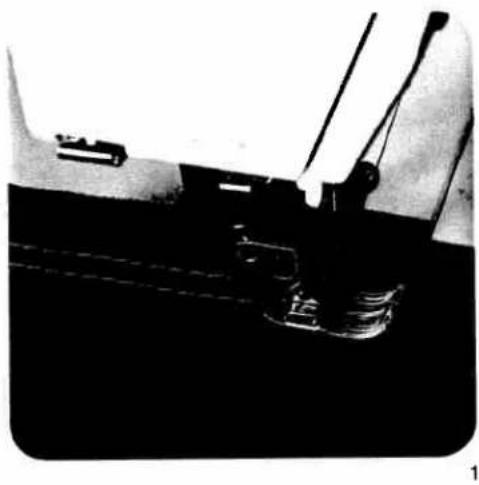
natural_image
Close-up of a mechanical component with wires and a small component, no visible text or symbols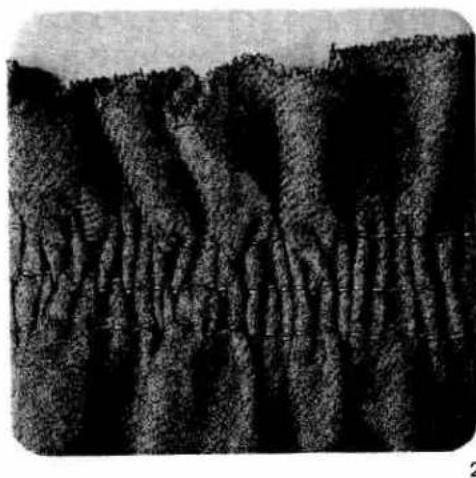
natural_image
Black-and-white photo of a rugged mountain range with dense forested slopes and no visible text or symbols.Shirring with straight stitch
| prog | |||
| 00 | -3 | OA |
Stitch length: 4 mm
In order to obtain consistent gather with straight stitch it is imperative to insert 2 to 4 shirring threads. First mark the starting line for the shirring on the face side of the fabric. Sew the first seam straight and carefully. During sewing, pull the fabric taut a little with your hands, because with long stitches the seam will pucker easily (Fig. 1). After sewing, leave about 15cm of thread hanging. The next two or three seams can be sewn at about sewing-foot width.
Finally take hold of all underthreads and pull them. By this means you determine the amount of gather yourself. Please do not use fine threads, in order to ensure they do not break during gathering. Do not forget to tie off the threads at the beginning and end of the seams afterwards (Fig. 2).

natural_image
Black-and-white photo of a military aircraft carrier with visible tracks and landing gear (no text or symbols)1
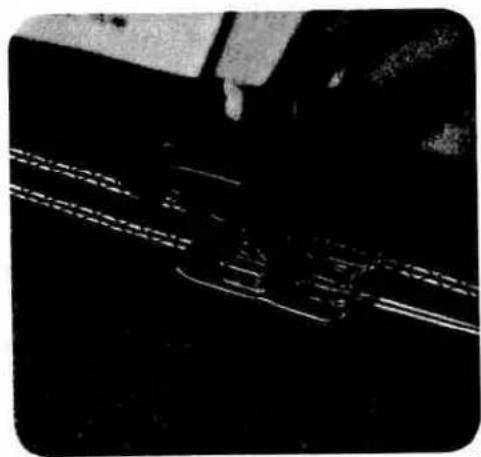
natural_image
Close-up of a mechanical component with visible internal lines and textured surfaces (no text or symbols)2

natural_image
Close-up of a floral-patterned fabric item with ruffled edges (no text or symbols visible)3
Shirring with elastic threads
| prog | |||
| 13 15 23 | 3-5 | 2A or * |
* Cording foot (special accessory)
First mark the starting line for the shirred seams on the underside of the fabric. Insert the needle at the seam beginning point and place an elastic thread around the needle. Insert the elastic thread in the groove of the sewing foot in use. Lower the presser foot and sew a number of seams at about foot width. Ensure that the elastic thread is not pierced during sewing and do not stretch it. Finally, pull the threads with your hand, and determine the amount of gather yourself. Knot the threads on the inside (see Fig. 1).
Instead of elastic thread it is also possible to use heavy cotton thread (see Fig. 2). Pull the fabric to the required width and stitch the threads down. This provides you with a fixed shirred edge.

text_image
A B2
Gathering with shirring foot
(special accessory)
| prog | |||
| oo | -3 | Shirring foot |
Stitch length: 3-4 mm
How to insert the shirring foot
Insert the shirring foot with its rear pin in groove "A" and push the shoe upwards so that front pin "B" snaps in (Fig. 2).
How to gather
Both outer fabric and the material to be shirred are sewn together with the shirring foot in one workstep. Ensure that the gathered material always goes under the foot and the smooth outer fabric in the foot cutout (Fig. 1). Lightly stretch the outer fabric during sewing; by this means you determine the degree of gathering.
How to disengage the foot:
Raise the presser bar lifter. Disengage the sewing foot. Press up and hold the presser bar lifter and remove the sewing foot to the rear.
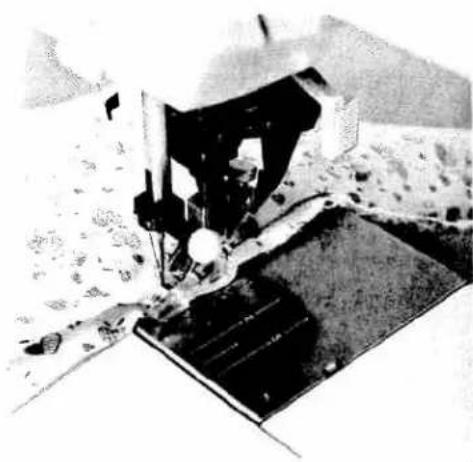
natural_image
Black-and-white photo of a sewing machine needle stitching fabric, no visible text or symbols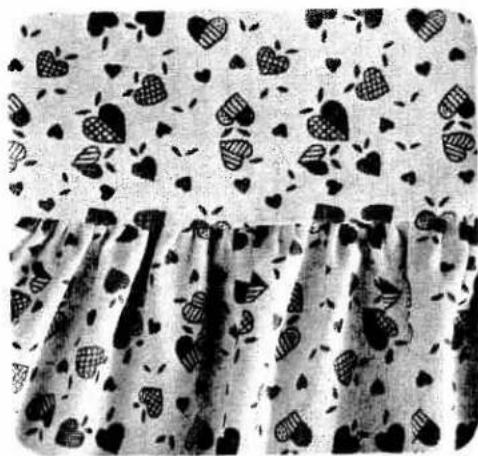
natural_image
Black-and-white photo of a patterned fabric with heart-shaped cutouts and scattered dots, no text or symbols visible.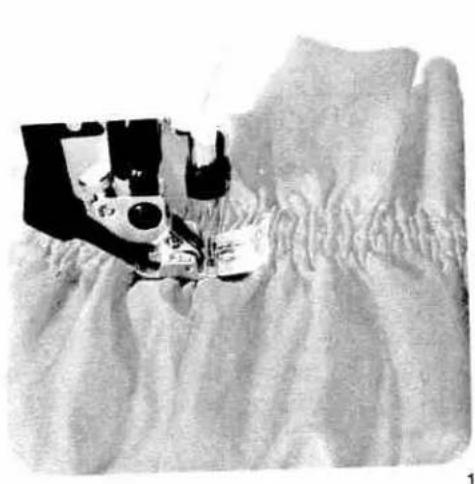
natural_image
Black-and-white photo of a sewing machine stitching fabric, no visible text or symbols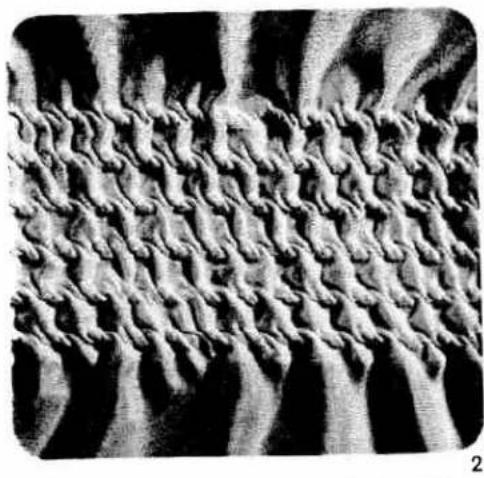
natural_image
Abstract textured pattern with wavy, layered textures (no text or symbols)Smocking with elastic thread
| prog | |||
| 00 | 3-5 | 0A |
Stitch length: 3 to 4 mm Bobbin thread: elastic thread, (wind tension-free on bobbin)
Needle thread: sewing thread
For sewing with elastic threads we recommend buying an additional bobbin case.
Because elastic threads are much thicker than an ordinary bobbin thread, the tension on the bobbin case has to be set looser. The greater the bobbin thread tension the greater the shirring effect.
The most suitable fabrics are nylon, satin, batiste and fine-knit fabrics. The amount of gathering can be determined by testing on a piece of waste fabric. Sew the seams at about foot width. Tie off the seams on the reverse fabric side at the beginning and end of the seams (Fig. 1).
If there are several parallel seams, the material must be stretched to its original width during sewing, otherwise the shirring will turn out irregular. Do not forget to carry out a sewing test.

natural_image
Close-up of a textured surface with repeating patterns and dark bands (no visible text or symbols)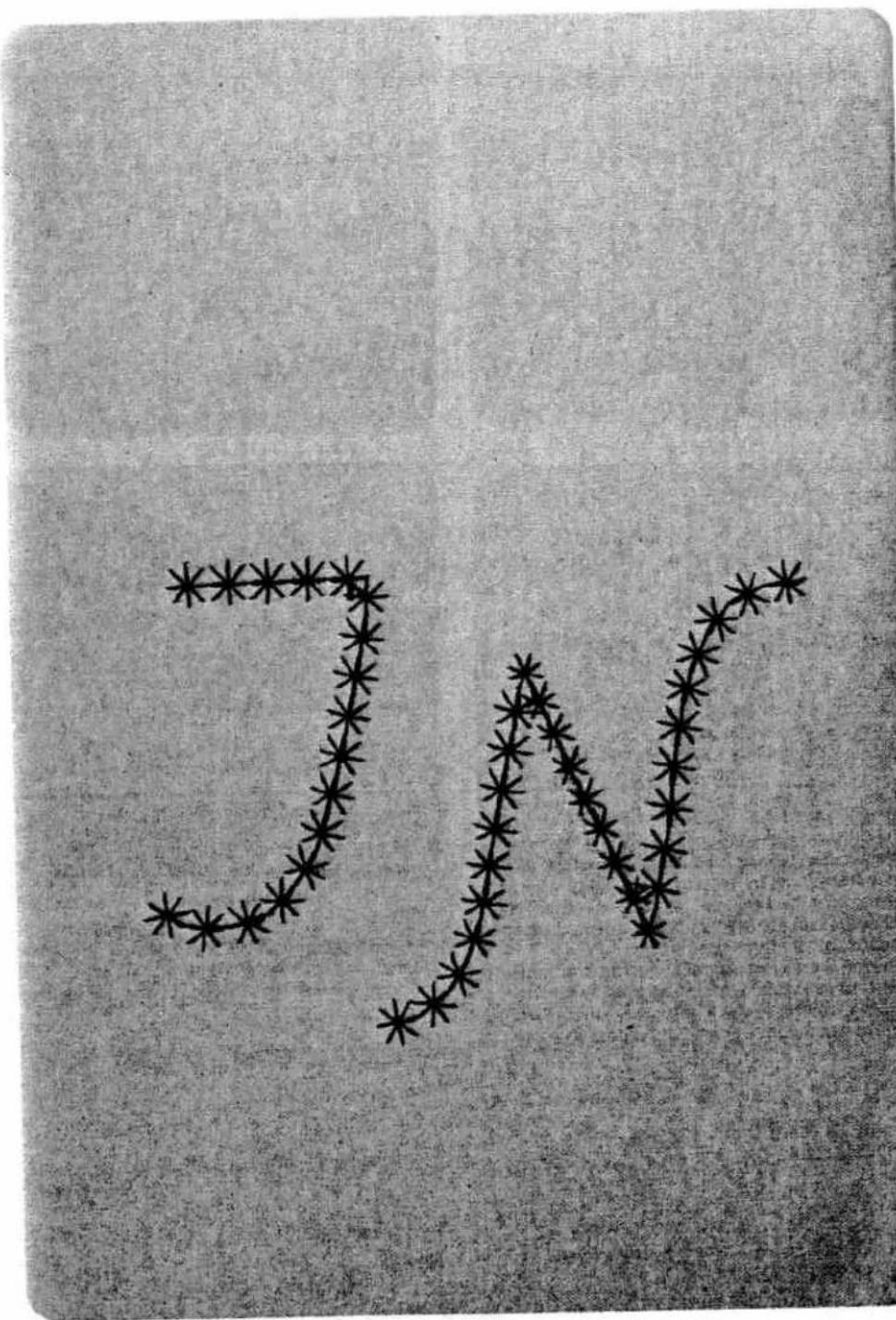
natural_image
Abstract pattern of black asterisk-like shapes forming a zigzag line on a textured gray background (no text or symbols)
chemical
Chemical structure diagram showing a chain of connected octahedra units with zigzag patterns, likely representing a polymer or molecular assembly.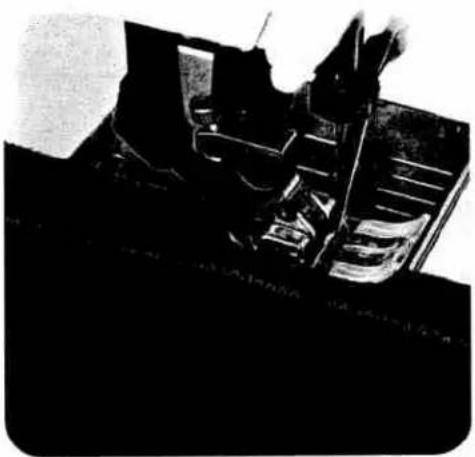
natural_image
Black-and-white photo of a mechanical device with no visible text or symbols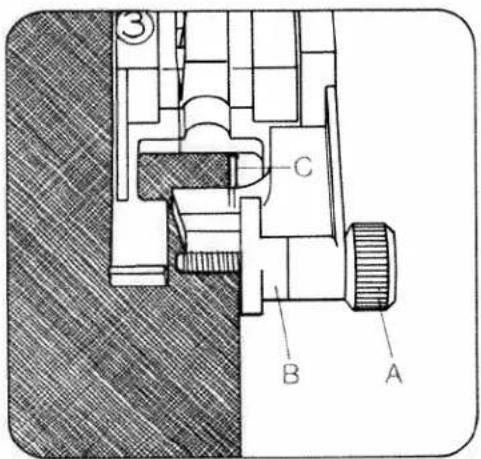
text_image
Technical diagram of a mechanical assembly with labeled parts A, B, and COvercasting raw edges with the zigzag-stitch
| prog | |||
| 10 | 3-5 | OA |
Stitch-width: as required
Sewing thread: embroidery, darning,
or sewing thread
The stored zigzag-stitch is suitable for serging of light materials. The more difficult the material, the wider the stitch width must be selected for the zigzag stitch. Ensure that the needle passes outside the outer edge during sewing. In this way the material edge is properly serged and well covered (Fig. 1).
For heavy or easily fraying materials, use:
● Program: 13, 21, or 22 (Fig. 3).
Serging with overlock foot
For materials which contract during serging use the overlock foot.
| prog | |||
| 11 | 3-5 | 3 |
Stitch-width: as required
Serge the raw edge with the required zigzag stitch. The material enters at the red marking on the sewing foot (Fig. 2).
● Preparation of the sewing foot (overlock foot No. 3)
Turn screw "A" fully to the front. The red mark "B" is then on the right sewing foot side. Allow the edge of the material to be sewn to enter close against the red mark. During sewing, the thread places itself over the wire "C". By this means you will receive a beautiful smooth seam (Fig. 2).
For change of needle position for zigzag stitch see page 53.

natural_image
Completely black image with no visible content or text.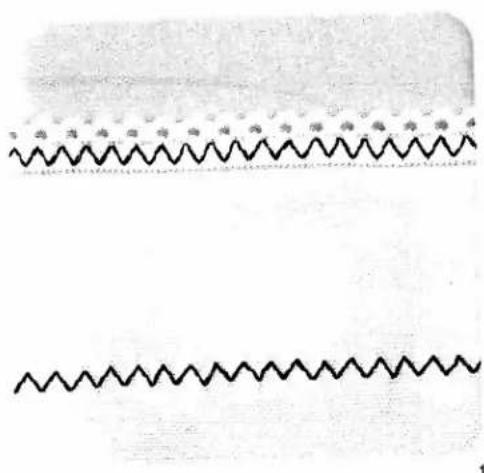
natural_image
Two parallel wavy lines with dotted patterns, no text or symbols present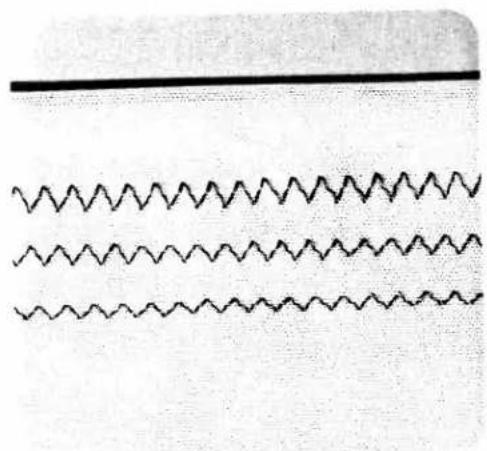
natural_image
Three parallel wavy lines with no text or symbols, arranged horizontally (no text or symbols present)Stretch triple elastic-stitch Lycrastitch
| prog | |||
| 95 | 3-5 | 0A |
Needle: 130/705 H 80 or 130/705 H SKF 80
Stitch width: as required
With the above-mentioned programs it is possible to repair elastic tapes, or join them, on underwear, bathing wear and high-stretch materials such as Lycra and difficult synthetic fabrics. Select the appropriate stitch width for the application. For this work it is recommended to use fine sewing threads (Figs. 1 and 2).
Faggotting stitch for corsetry
| prog | |||
| 29 | 3-5 | 0A |
Needle: 130/705 H 80 or 130/705 H SKF 80
With faggotting stitch it is possible to sew a highly elastic seam with hem-stitching effect. Tack over the edges to be sewn and place them under the sewing foot with a clearance of 3 mm (Fig. 3). Over-stitch using program 29. The needle must penetrate the material to the right and to the left (Fig. 4).
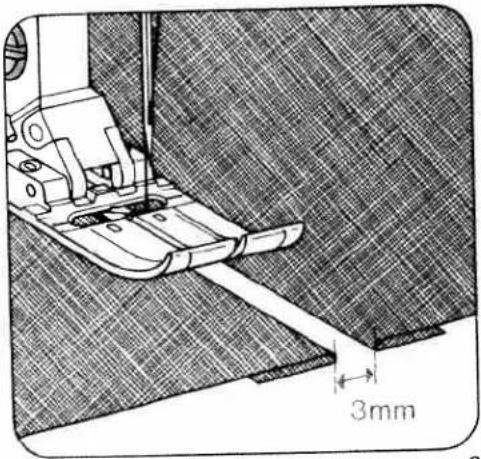
natural_image
Technical line drawing of a sewing machine needle stitching fabric, with 3mm measurement annotation (no text or symbols beyond measurement)
natural_image
Close-up of a vertical seam or crack on a textured fabric background (no text or symbols)4
2
63

natural_image
Black-and-white abstract pattern with diagonal stripes and a horizontal band, no text or symbols present
natural_image
Cross-sectional diagram of layered material with visible striations and layered structure (no text or symbols)Elastic stitch (for underwear)
| prog | |||
| 13a | 3-5 | 0A |
Cut off the stretched elastic tape close to the edge. Gather the fabric to the waist size using straight stitch. Push the part prepared in this way between the elastic tape and pin it firmly. Stitch it on using elastic stitches. Finally over-stitch the closed and rounded tape elastic stitches (Fig. 1).
Elastic straps (outerwear)
| prog | |||
| 13a | 3-5 | 0A |
On skirts or trousers sew the strap onto the prepared edge with elastic stitches (Fig. 2).
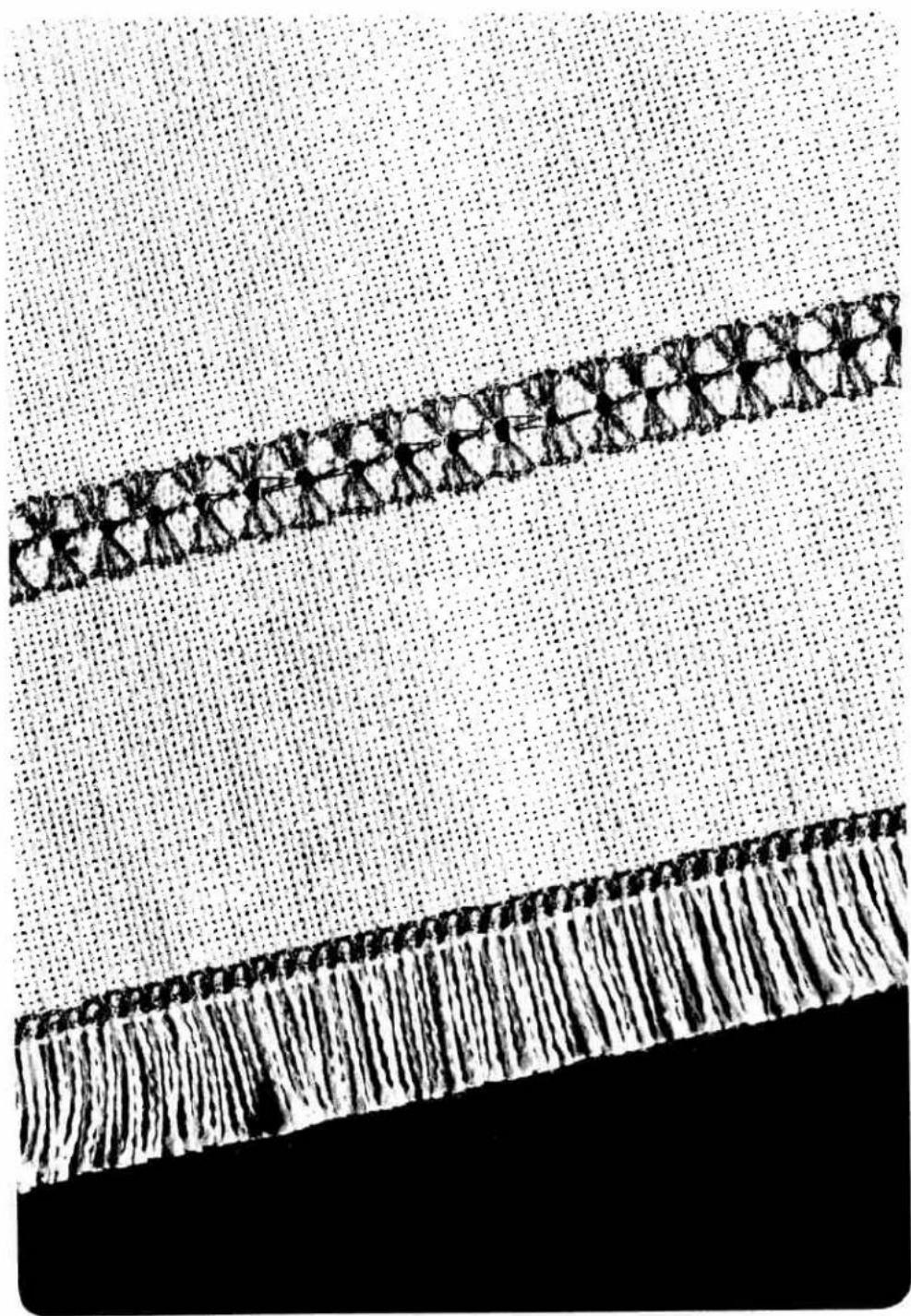
natural_image
Black-and-white illustration of a long, elongated object with repeating human-like figures on a dotted background, no text or symbols present.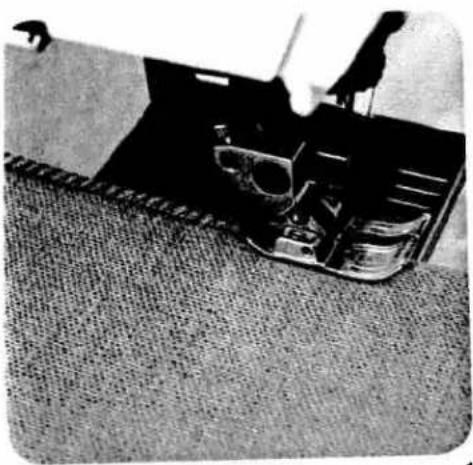
natural_image
Black-and-white photo of a person working on a large electronic device with visible circuitry and components, placed on a textured floor (no text or symbols)
natural_image
Black-and-white photo of a person operating a large mechanical device on a platform (no visible text or symbols)Closing- and serging seams
| prog | |||
| 23 28 | 3-5 | 0A,3 |
Seams which are not ironed open can be sewn together and serged in one workstep.
This method is fast, very durable and suitable for many different materials.
The Pfaff Creative 1472 offers a selection of different elastic closing and serging seams from which you can easily select the corresponding seam for all stretchable materials.
Closed overlock stitch or overcasting stitch
| prog | |||
| 21 25 26 | 3-5 | OA,3 |
Material: Jersey
Especially jersey materials can be sewn together and serged in one workstep with the recommended stitches (Fig. 1).
Sleeve cuffs or knit collars can be sewn on with the above-mentioned programs in a wear-resistant manner just the same.
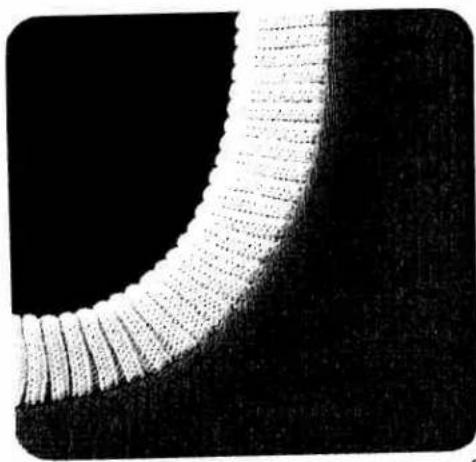
natural_image
Close-up of a textured, curved surface with parallel ridges against a black background (no text or symbols)Sewing neck cutouts: Measure the required width and close the stand at the correct curvature and press open the seam, fold over in lengthwise direction and pin onto neck cutout from face side. The raw edges of the knit facing are placed on the raw edge of the cutout. In one workstep, knit facing and cutout edge are sewn together (Fig. 3). In order to avoid waviness in the case of loosely woven materials, insert an elastic thread. By this means, the seam keeps its original shape (Fig. 2).

natural_image
Close-up of a mechanical tool interacting with a textured surface (no visible text or symbols)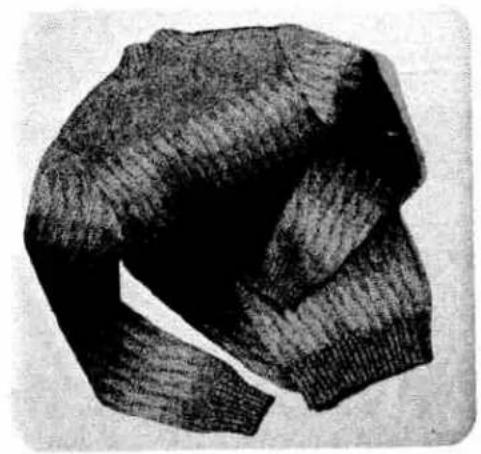
natural_image
Black-and-white sketch of a knitted sweater (no text or symbols)1
Closed overlock stitch
| prcg | |||
| 21 25 | 3-5 | ★ |
* Knit-edge foot (special accessory)
Needle: 70 or 80
Fashioned knit parts can easily be sewn together with a closed overlock stitch seam. To obtain a good-looking seam we recommend inserting a lightly tensioned wool thread in it (Fig. 1).
Overlock stitch with edge-thread effect
| prog | |||
| 26 | 3-5 | 3 |
Stitch length: 3.0 mm
Place the raw edges under the sewing foot, as shown in Fig. 2. Make sure the needle stitches just beyond the fabric edge, as it descends in its right position. In this way, the edge thread is placed over the raw edge and serves as an edge protection.
For setting overlock foot No. 3 see page 62.
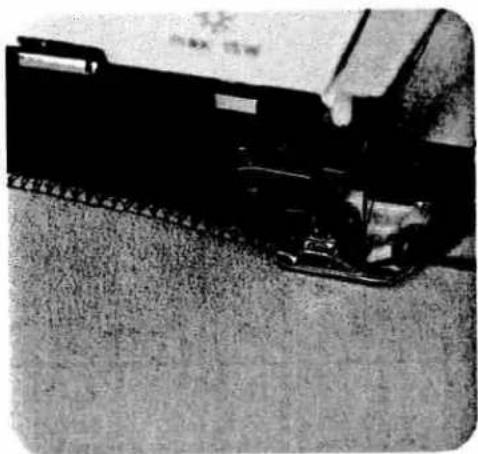
natural_image
Close-up of a mechanical device with chains and a flat surface (no visible text or symbols)2
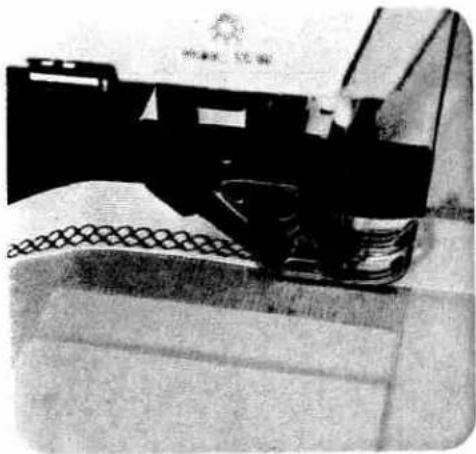
natural_image
Close-up of a mechanical device with visible components and textured surface (no text or symbols)1
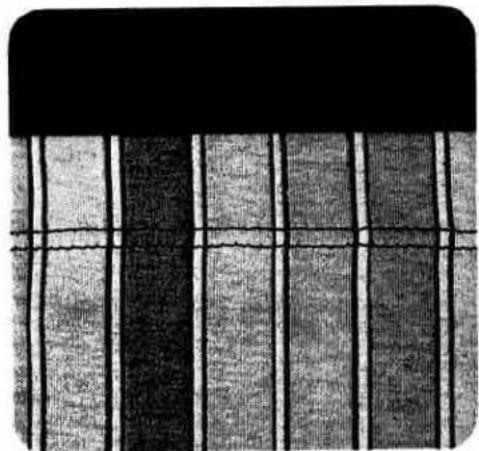
natural_image
Abstract pattern of vertical stripes with horizontal lines, no text or symbols present2
Honeycomb stitch
| prog | |||
| 24 | 3-5 | 0A |
Honeycomb stitch is especially suitable as a means of securing hems on stretchable lining materials. Fold the hem double up to the hem edge and overcast with honeycomb stitch (Fig.1).
Securing hems with the double needle
(T-shirt seam)
| prog | |||
| 00 | 2-3 | OA |
Needle: double needle, 4 mm distance
For a 2 cm hem, turn over and baste about 2.5 cm of material. Stitch on the face side at about 2 cm width. Cut off the protruding material edge on the inside along the seam (Fig. 2).

natural_image
Mechanical assembly with levers and gears (no visible text or symbols)
natural_image
Black textured surface with vertical white wavy lines (no text or symbols)1
2
Elastic stitch or overlock stitch
| prog | |||
| 13a 25 | 3-5 | 0A |
Overlap the material edges by 1.5 cm and over-stitch each edge with:
- Program 13a
● Stitch length 0.5 mm (Fig. 2)
or as shown by Fig. 1
Program 25
● Stitch width 4.5 mm
● Stitch length 3.0 mm
Over-stitch the raw edge in such a way that the narrow side runs along the raw edge, as shown in Fig. 1. The second raw edge can be sewn without turning the material, by pressing:
● Pattern mirroring key 28.

natural_image
Close-up of a textured fabric with a curved edge and woven texture (no text or symbols)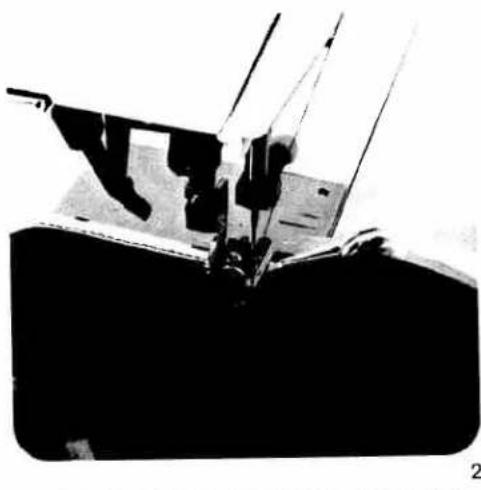
natural_image
Close-up of a sewing machine needle and foot assembly (no visible text or symbols)Binding edges with ion-woven tape
| prog | |||
| 00 | 3-5 | 0A |
fold ready-made bias binding lengthwise and hape-press. Push the folded binding over the abric edge and baste it in place, if required. Then view it on with straight stitches (Fig. 1).
Edge-binding with the binder
| Sewing foot: | Binder (special accessory) | |
| Program: | 00 | |
| Stitch length: | 2.5 mm,or | (Fig. a) |
| Program: | 10 | |
| Stitch width: | 2.5 mm | |
| Stitch length: | 1.5 mm,or | (Fig. b) |
| Program: | 44 | |
| Pattern length: | 10 | (Fig. c) |
| Bias tape width: | 24 to 26 mm | |
Remove sewing foot and screw on binder. Insert the bias tape in the scroll of the binder and pull it out to the rear. Set the binder in such a way that the needle enters 1 to 1.5 mm from the turned-in bias edge. Sew a number of stitches along the bias tape. Place the raw edge in the groove of the binder. During sewing, the bias tape is wrapped automatically over the material edges. Sew the bias tape on with the above mentioned program or a program of your own selection. Straight material edges are the simplest to bind (Fig. 2).
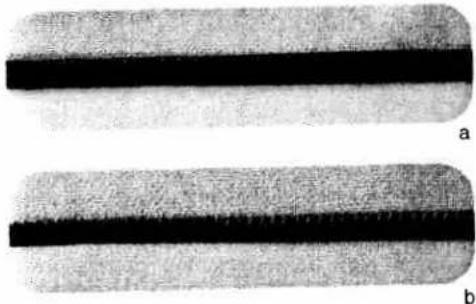
natural_image
Two elongated, textured bands labeled 'a' and 'b', showing parallel dark bands against a textured gray background (no text or symbols)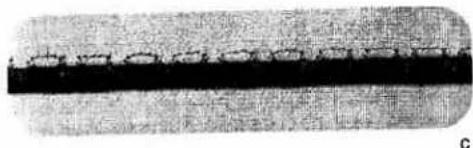
natural_image
Close-up of a textured surface with a dark horizontal band and faint circular patterns (no text or symbols)
natural_image
Silhouette of a human hand with a small eye symbol on the palm (no text or symbols present)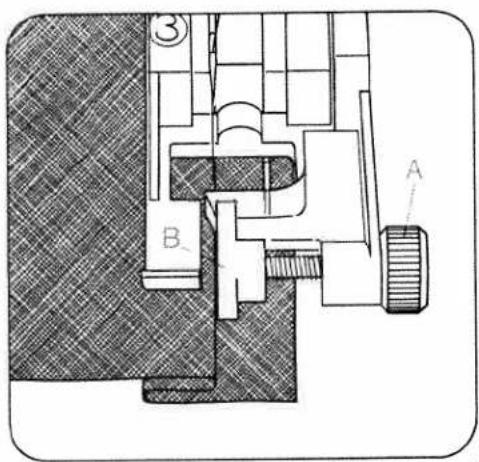
text_image
Technical diagram of a mechanical assembly with labeled components A and B, showing cross-sectional views and part numbers.
natural_image
Mechanical sewing machine needle stitching a fabric (no text or symbols visible)Blind stitch
| prog | |||
| 16 | -3+ | 3 |
Fold the previously overcast raw edge over to form a hem of the desired width and baste about 0.5 cm from the fabric edge. Place the fabric under the blindstitch foot and sew, making sure the folded fabric edge runs along edge guide "B" of the blindstitch foot (Fig. 1 + 2a).
Before you start blindstitching, adjust the needle penetration point on the folded fabric edge.
To do this, adjust the position of edge guide "B" by turning regulating screw "A" so that the needle catches only one thread in the folded edge when it makes its left stitch. Sew a trial seam on a piece of scrap material first.
Then proceed as described above (Fig. 2).

natural_image
Pure technical diagram of a mechanical component with zigzag internal structure and base (no text or symbols)2 a

natural_image
Simple line drawing of a vertical spring with a base, no text or symbols present2b
Elastic-blind stitch
(for elastic materials)
| prog | |||
| 17 | -3+ | 3 |
This type of stitch is suitable for stretch fabrics. First fold the hem to the desired width. Adjust the needle position as described above (Fig. 2b).
- Then start hemming, following the instructions given above.

natural_image
Close-up of a textured fabric with intersecting white and gray lines (no text or symbols)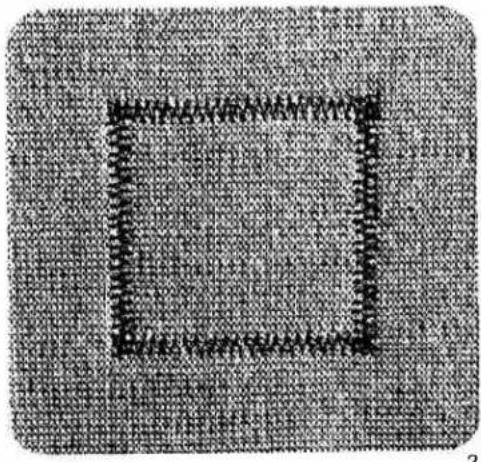
natural_image
Pixelated abstract pattern with a square outline and irregular black lines on a textured gray background (no text or symbols)Darning with elastic stitch
| prog | |||
| 13a | 3-5 | 0A |
Depending on the size of the damaged area, stitch over it with as many elastic stitch seams as are needed to cover it. Each seam should just slightly overlap the one before it (Fig. 1).
Inserting patches
| prog | |||
| 13a | 3-5 | OA |
Stitch length: 0.5 mm
Needle position: down
The new piece of fabric is pinned on the face side and the fabric edge over-sewn with the selected stitch.
To make the patch more durable you can sew a second seam at sewing-foot width from the first. Afterwards cut away the damaged material on the inside (Fig. 2).
Darning torn fabrics
| prog | |||
| 13a 15 | 3-5 | 0A |
For mending tears, frayed edges and small holes, place a piece of material under the torn fabric which is larger than the damaged area. Stitchover the area at the width of the tear. The material underneath reinforces the damaged material and ensures reliable darning. Trim any protruding material on the underside close to the edge (Fig. 3).
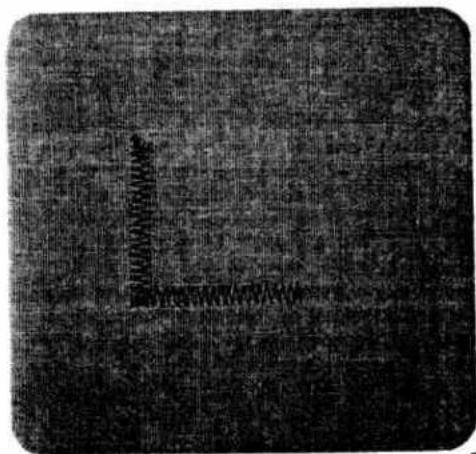
natural_image
Black-and-white textured surface with no visible text, symbols, or identifiable objects3
1
2
Automatic darning
| prog | |||
| 94 | -3+ | 2A,5A |
Sewing thread: embroidering and darning thread The darning program 94 is mainly intended for darning damaged spots. Stitch over the damaged spot at the required length, then press the "reverse" key. The length of the darning seam is now memorized in the computer. The Pfaff Creative then automatically stitches over the damaged area.
The programmed darn size can then be repeated as often as required.
If the worn area is wider than the darning program, the darning program must be repeated several times until the damaged spot has been covered completely.
Depending on the fabric, the darn may turn out one-sided. If so, this can be compensated by balance key 5.
Example:
Fig. 1: Using balance key, select +1 to +3 or more, if required.
Fig. 2: Using balance key, select -1 to -3 or more, if required.
If you wish to darn a larger area we recommend to use buttonhole foot 5A. The darning program must be repeated several times until the damaged spot has been covered.
Changing the darning length
If you wish to change the programmed darning length, press the "pattern start key". The darning length is cleared and a new length can be programmed.
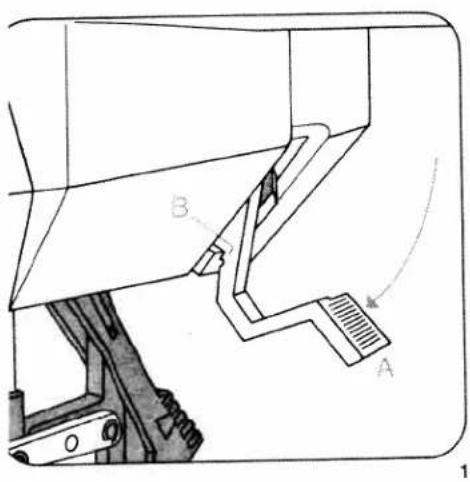
text_image
Technical diagram of a mechanical assembly with labeled parts A and B, showing structural components and motion indicators.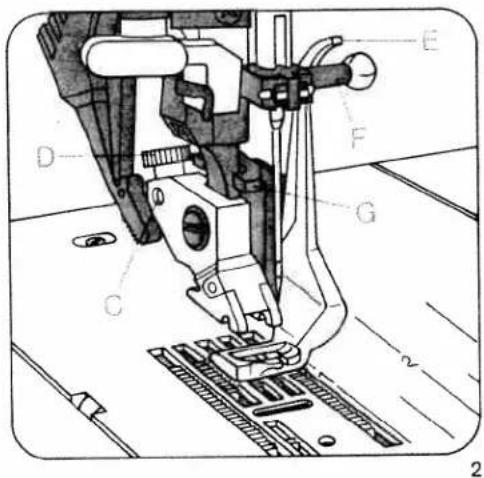
text_image
Technical diagram of a sewing machine with labeled parts (A–G) and measurement linesDarning with straight stitch
| prog | |||
| 00 | 2-3 | 6 |
= feed dog: lowered
Presser bar lifter: in darning position
Sewing-cotton: embroidering and darning thread
Darning position (Fig. 1):
Lower presser bar lifter "A", at the same time pushing it back slightly until it enters notch "B" at the bottom of its slot.
Attach the darning foot (Fig. 2):
Raise the needle. Push lever "E" towards the back and hold it there. Insert the pin of the foot in hole "C" and insert the foot so that it rests against its stop. When you do so, guide fork "G" fits around the presser bar. Release clamp "E", which then moves down onto retaining screw "F". Tighten screw "D".
Draw up the bobbin thread. Hold both threads until the machine has made a few stitches. First sew a few stitches in the unworn area of the fabric. Then stitch over the damaged spot from one side to the other in serpentine fashion, placing the lines of stitching close together (Fig. 3). When the damaged spot has been covered completely, turn the work through 90^ and darn at right angles to the preceding row of stitches (see Fig. 4).
You determine the length of the darning stitches by the rate at which you move the fabric back and forth.
For mending you can place the damaged part of the fabric in an embroidery hoop.
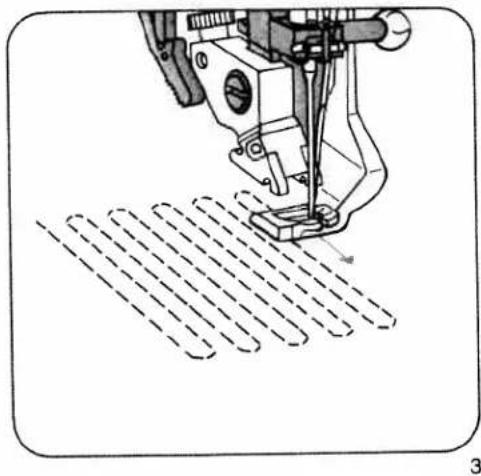
natural_image
Technical line drawing of a sewing machine needle stitching a patterned surface (no text or symbols)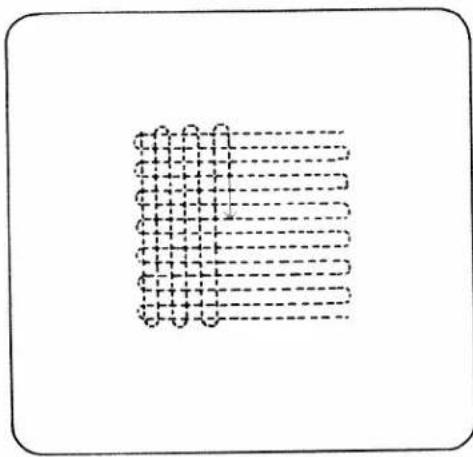
natural_image
Pure diagram of a grid pattern with dashed lines, no text or symbols present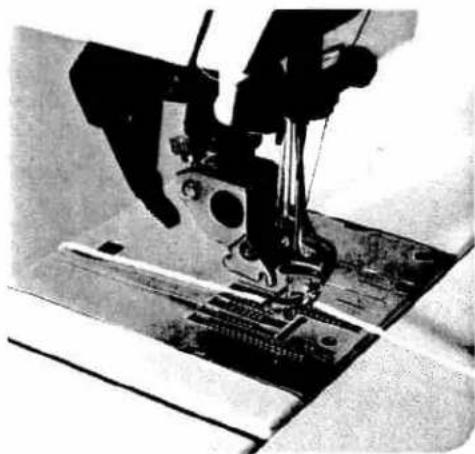
natural_image
Close-up of a sewing machine needle stitching fabric (no visible text or symbols)Darning with wool
| prog | |||
| 10 13a | 2-3 | 6 |
Feed dog: lowered Presser bar lifter: in darning position (see page 74)
Sewing thread: Embroidery and darning thread Draw the wool thread through the needle hole of the darning foot and into the thread guide (Fig. 1). Place the wool thread under the darning foot. Start at the top left and place the wool thread back and forth across the damaged area (Fig. 2). Then cut the wool thread and sew over the rows of wool thread with zigzag stitches or an elastic-stitch seam (Fig. 3).
Do not place the lines of stitching too close together as this would make the darn too hard. All darning work described above is carried out on the reverse side of the fabric, so that the darn looks neater on the face side.
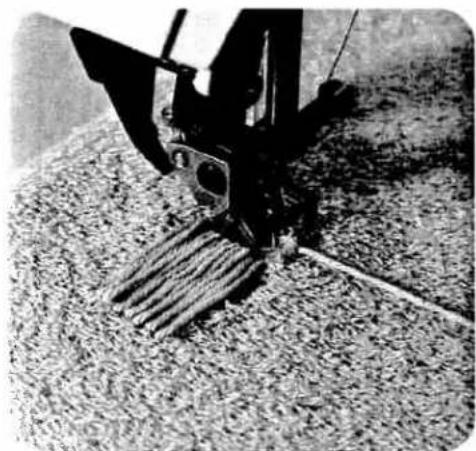
natural_image
Close-up of a mechanical device with attached rod and lever, resting on a textured surface (no visible text or symbols)
natural_image
Close-up of a sewing machine stitching fabric (no visible text or symbols)3
1
2
75
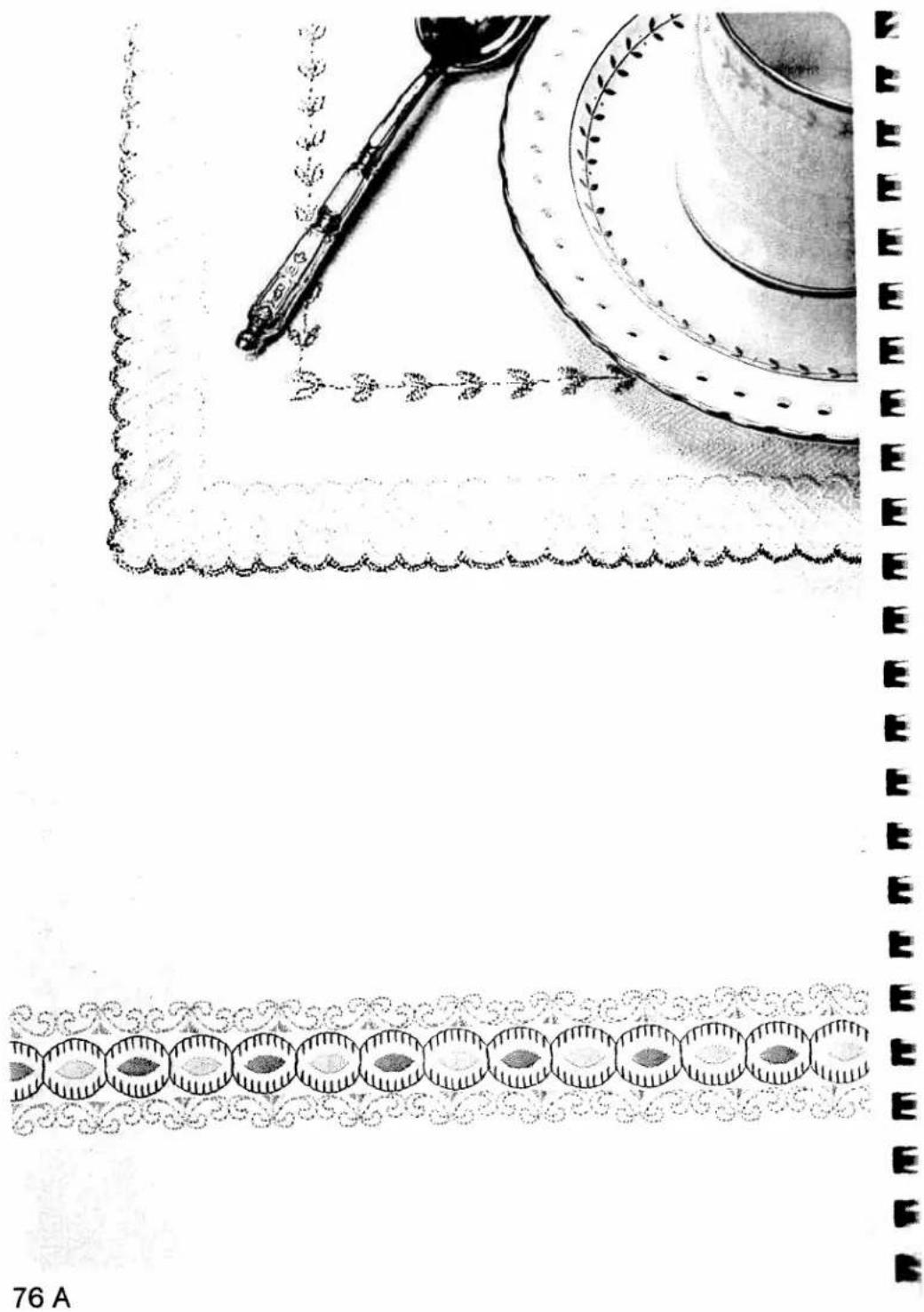
natural_image
Illustration of a spoon cleaning ornamental patterns with decorative borders (no text or symbols)
text_image
Handwritten Chinese characters with a small dot above, likely a signature or annotation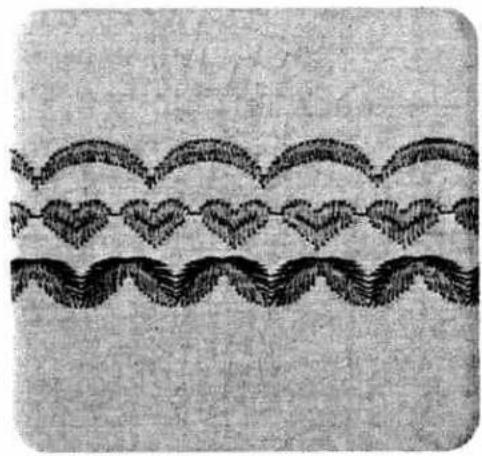
natural_image
Abstract decorative pattern with wavy lines and heart-shaped motifs (no text or symbols)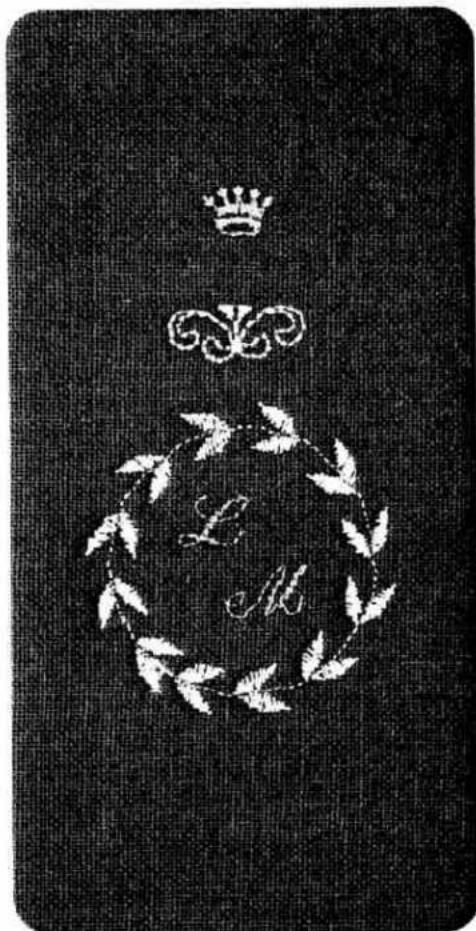
natural_image
Decorative emblem featuring a crown, laurel wreath, and leaf motifs on a dark textured background (no text or symbols)
natural_image
Technical line drawing of a sewing machine needle and base assembly (no text or symbols)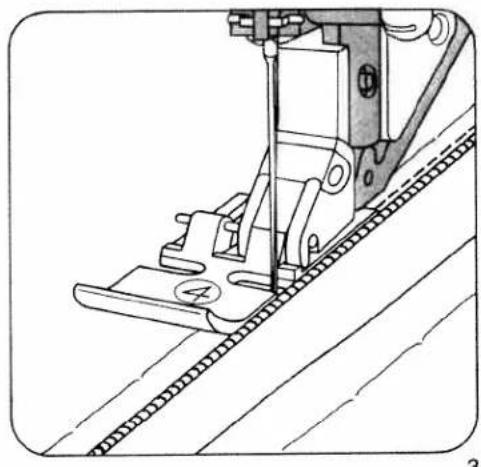
natural_image
Technical line drawing of a sewing machine needle stitching fabric (no text or symbols)ewing in zippers
| prog | |||
| 00,01 | 3-5 | 4 |
itch length: 2.5-3.0 mm ey: needle down
there are different kinds of zippers: joined or split pers and special ones for trousers or slacks. they can be inserted concealed or open, as quired.
ie zipper foot can be engaged on the left or on e right, depending on the work (Figs. 1 and 2).
illy concealed zippers
iste the zipper in first. Snap the zipper foot in at e right (Fig. 1). Place the open zipper under the ot so that its right-hand guide edge moves along e zipper teeth (Fig. 3). By changing the needle position (see page 53) the zipper can be stitched at a narrow depth. Sew about half the seam at e required depth, leave the needle down in the aterial, raise the zipper foot and close the zipper ig. 4). Then lower the foot again, continue stitching until you reach the end of the zipper and sew cross this end.
ew along the other side of the zipper parallel to the edge and at the same distance as the first seam. Shortly before you reach the end of the seam, leave the needle down in the material, raise the sewing foot, open the zipper (Fig. 5), lower the foot again and sew to the end of the seam.
ur sewing tip: If you lack practice, we recommend using the quilting gauge to obtain parallel rams.
the sewing foot shoe is engaged at the right, the needle must only be varied to the right. the shoe is engaged at the left, the needle must only be varied to the left.

natural_image
Technical line drawing of a sewing machine needle and foot (no text or symbols)
natural_image
Technical line drawing of a sewing machine needle and chain (no text or symbols)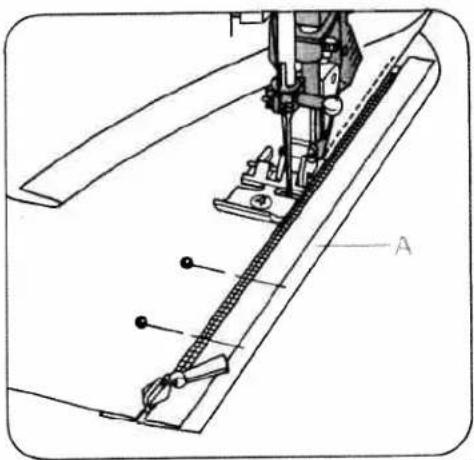
natural_image
Technical line drawing of a sewing machine needle and base (no text or symbols)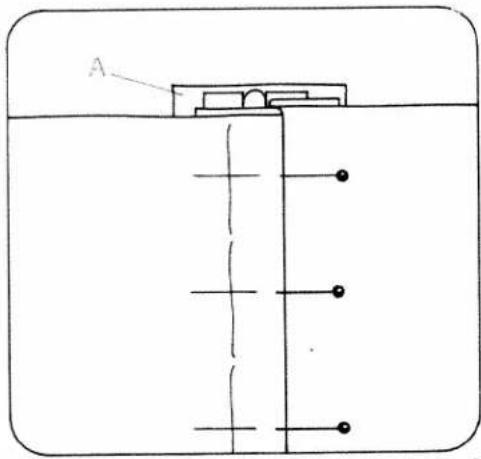
text_image
AZippers for ladies' slacks
| prog | |||
| 00,01 | 3-5 | 4 |
Stitch length: 2.5-3.0 mm
Key: Needle down
● Snap the zipper foot in at the right.
Iron the fly edge. Baste the closed zipper underneath the pressed right-hand fly edge so that its teeth are still visible. Pin facing strip "A" to the underside and stitch it down at the same time as you sew on the zipper. The zipper teeth move along the right-hand guide edge (Fig. 1). Shortly before you reach the end of the seam, leave the needle down in the material, raise the sewing foot and open the zipper. Then lower the foot again and sew the seam to the end. Close the zipper. Fold the right edge over the left and pin it in place according to the seam line. Then baste in the left zipper chain (Fig. 2).
Open the zipper: Attach the edge guide and adjust it so that its finger moves along the fabric edge (Fig. 3). Shortly before you reach the end of the seam, leave the needle down in the material, raise the sewing foot and close the zipper. Then lower the foot again and sew to the end of the seam. Secure the end of the zipper seam with a tack.
Our sewing tip: If a zipper jams after dry cleaning, rub candle wax or a piece of soap over its teeth. It can then be opened and closed without any effort.

natural_image
Technical line drawing of a sewing machine needle stitching fabric (no text or symbols)3
Note
If you wish to place your seam as close as possible to the zipper, select program 01 instead of 00 and use the various needle positions.
To sew zipper with foot to the left of zipper, we recommend right needle position 5, and with foot to the right of zipper, left needle position 5.
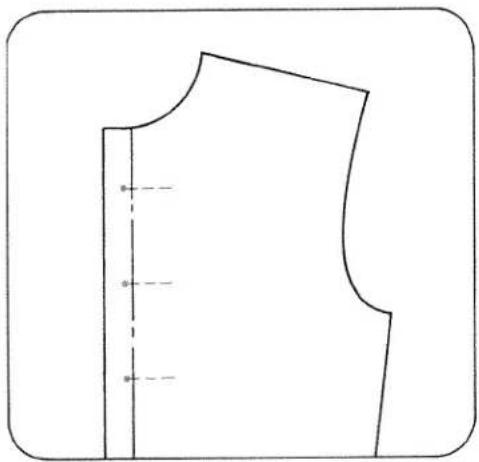
natural_image
Pure line drawing of a garment pattern piece with no text, numbers, or symbolsLinen buttonholes (fully automatic)
| prog | |||
| 18 | -3+ | 5A |
Sewing thread: Embroidery and darning thread Generally buttonholes are sewn onto double material. In spite of this, a piece of paper should be placed underneath during sewing. First draw the spacings and the distance from the edge. This point always marks the beginning of sewing.
Ten buttonhole lengths are stored in the computer, from 7.0 to 16 mm.
On program selection a programmed buttonhole length of 14 mm and a buttonhole width of 4 mm appear in the display. Select the length of the buttonhole using stitch-length keys 7 (Fig. 1). The machine will automatically sew the selected buttonhole.
Before beginning the buttonhole pull the runner of the buttonhole foot fully to the front.
For the following buttonholes it is best to lift the fabric a little in order not to affect feeding. The sewing speed should always be the same.
Correcting a buttonhole
If a buttonhole does not turn out well, cancel it by pressing "pattern start" key 26 and sew it again.
Changing the buttonhole width
For every type of fabric, the corresponding buttonhole width can be determined up to 5.5 mm. For heavy materials select a wide buttonhole and for light materials a narrow one. With stitch width keys 8, you determine the required buttonhole width. The length of the cut changes automatically (Fig. 5). A buttonhole width of 4 mm is stored.

text_image
prog 22 8 7 Δ11 5 display mem+ mem- BTL memory 0-200 willi +willi+ will- 26 ①Adapting the buttonhole seam lengths with the balance keys
With "balance" keys 5 the left buttonhole seam length can be adapted to the right one. Sew a sample buttonhole first.
Example:
If the left seam is too short
(Fig. 4a)
Select balance +1 to +3 with key, or more if required.
If the left seam is too long
(Fig. 4b)
Select balance -1 to -2 with key, or more if required.
- Sew the first buttonhole seam at the required length and
● the first bartack. - Press balance keys 5, "+" or "-" and adjust the second buttonhole seam length to the first one (Figs. 4a, 4b).
- Sew last bartack.
The change made in this way will be maintained for the following buttonholes.
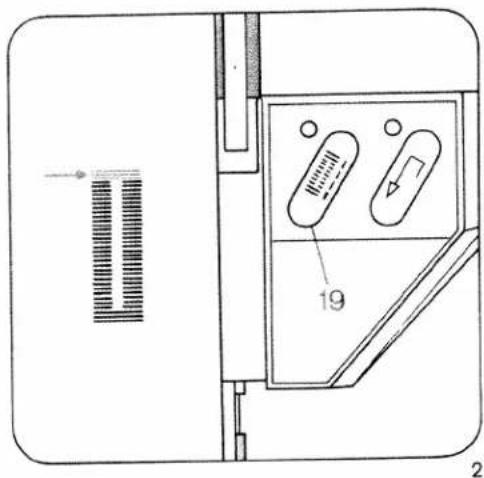
text_image
Technical diagram of a device with labeled components and directional arrows indicating flow or movementDetermining the second bartack
(semi-automatic)
If you wish to determine the second bartack in a programmed buttonhole, press "tie-off/button-hole" key 19 (Fig. 2). A dash flashes in display 21 (Fig. 3) at the right of program 18. The machine now sews slowly just before the end of the second seam. When both seams are the same length, press key 19 again. The bartack is now sewn and tied off (Fig. 2).
This sewing sequence can also be applied for fully automatic buttonholes when the two buttonhole seams are not the same length anymore. If you wish to sew the next buttonhole fully automatically, press key 19 again. (Same sewing sequence as described on page 78). The flashing dash will then have disappeared.
Note:
If you interrupt sewing at the reduced sewing speed by releasing the foot control, the machine will return to the normal speed when you start sewing again.
After sewing, cut the buttonholes open (see page 94).
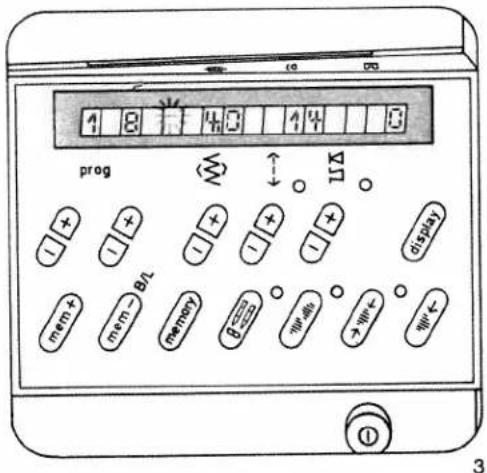
text_image
4 8 4 0 4 4 0 prog ↑ ↓ 11 + + - + + - - + - - + - display mem + mem - B/L memory β = - - - - - - - - - - - - - - - - - - - - - - - - - - - - - - - - - - - - - - - - - - - - - - - - - - ① 3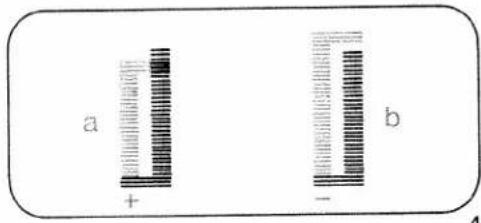
text_image
a + b - 4
natural_image
Two vertical striped rectangular shapes inside a rounded rectangle, no text or symbols present.
natural_image
Simple diagram of a cylindrical object with a horizontal line extending from it, against a black background (no text or symbols)
natural_image
Dark textured background with a faint vertical dark shape in the center (no text or symbols)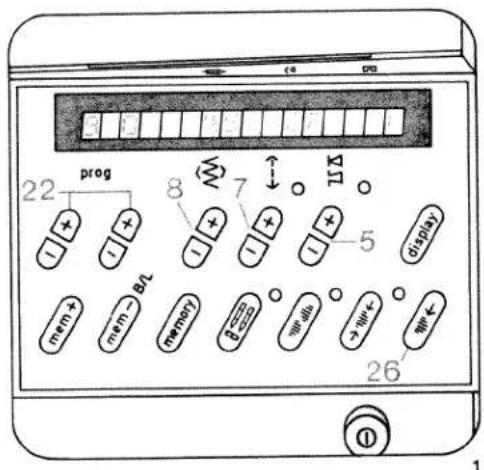
text_image
22 prog 8 7 ↑ 5 display mem + mem → BTL memory → 6000 → 5000 → 4000 → 3000 → 2000 → 1000 → 500 → 26 ①Linen buttonholes (fully automatic)
| prog | |||
| 90 | -3+ | 5A |
Sewing thread: Embroidery and darning thread Mark the location of the buttonhole. Try out a buttonhole on a piece of waste material and choose the buttonhole size.
21 buttonhole lengths are stored in the computer, from 7.0 to 44 mm.
On program selection a programmed buttonhole length of 22 mm and a buttonhole width of 4.5 mm appear in the display.
Select the length of the buttonhole using stitch-length keys 7 (Fig. 1). The machine will automatically sew the selected buttonhole.
Before beginning the buttonhole pull the runner of the buttonhole foot fully to the front.
Changing the buttonhole width
For every type of fabric, the corresponding buttonhole width can be determined up to 5.5 mm. For heavy materials select a wide buttonhole and for light materials a narrow one. With stitch width keys 8, you determine the required buttonhole width. The length of the cut changes automatically (Fig. 5). A buttonhole width of 4.5 mm is stored.
Correcting a buttonhole
If a buttonhole does not turn out well, cancel it by pressing "pattern start" key 26 and sew it again.

text_image
19 2Adapting the buttonhole seam lengths with the balance keys
With "balance" keys 5 the left buttonhole seam length can be adapted to the right one. Sew a sample buttonhole first.
Example:
If the left seam is too short
(Fig. 4a)
Select balance +1 to +3 with key, or more if required.
If the left seam is too long
(Fig. 4b)
Select balance -1 to -2 with key, or more if required.
- Sew the first buttonhole seam at the required length and
● the first bartack.
- Press balance keys 5, "+" or "-" , and adjust the second buttonhole seam length to the first one (Figs. 4a, 4b).
- Sew last bartack. The change made in this way will be maintained for the following buttonholes.
For programmable linen buttonholes see page 82.
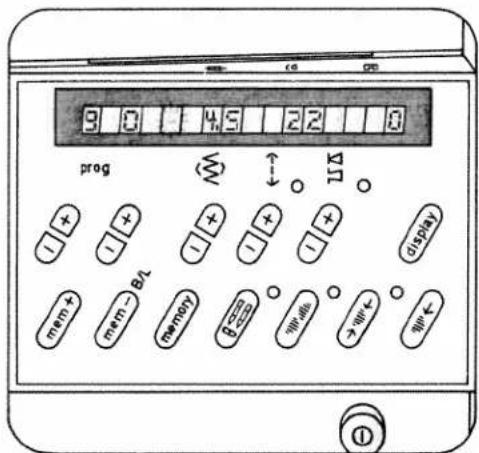
text_image
3 0 4.5 2 2 0 prog ← 115 + + - + - + - + - + displat mem + mem > B2 memory bcc + will → will < + will <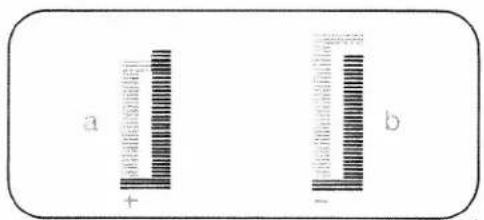
text_image
a + b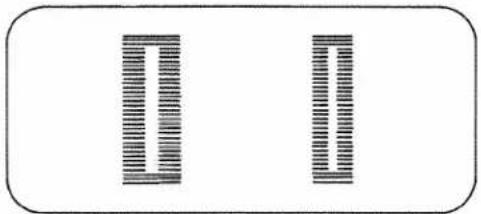
natural_image
Two vertical striped rectangular shapes, one with horizontal lines and the other with vertical lines, placed on a plain background (no text or symbols)Determining the second bartack
(semi-automatic)
If you wish to determine the second bartack in a programmed buttonhole, press "tie-off/button-hole" key 19 (Fig. 2). A dash flashes in display 21 (Fig. 3) at the right of program 90. The machine now sews slowly just before the end of the second seam. When both seams are the same length, press key 19 again. The second bartack is now sewn and tied off.
This sewing sequence can also be applied for fully automatic buttonholes when the two buttonhole seams are not the same length anymore.
If you wish to sew the next buttonhole fully automatically, press key 19 again. (Same sewing sequence as described on page 80). The flashing dash will then have disappeared.
Note:
If you interrupt sewing at the reduced sewing speed by releasing the foot control, the machine will return to the normal speed when you start sewing again.
After sewing, cut the buttonholes open (see page 94).

natural_image
Close-up of a circular button with a vertical line and arrow, no visible text or symbols
natural_image
Close-up of a metallic circular component with a horizontal bar at the bottom (no text or symbols visible)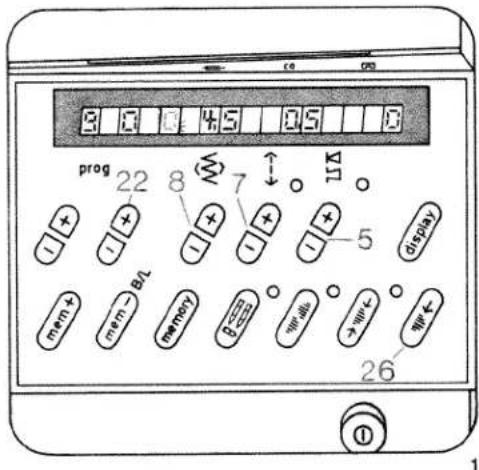
text_image
2 3 4 5 6 7 8 prog 22 8 7 11 + + - + + - + + - + + - + + - + + - + + - + + - + + - + + - + + - + + - + + - + + - + + - + + - + + - + + - + + - + + - + + - + + - + + - + + - + + - + + - + + - + + - + + - + + - + + - + + - + + - + + - + - 26 ① 1Linen buttonhole, prog. 90, programmable
Determining your own buttonhole length and bartack
When you press right (+) program key (22) the buttonhole symbol appears at the right side of program 90 and both segments will flash (Fig. 1).
● Before beginning the buttonhole pull the runner of the buttonhole foot fully to the front.
- Sew the first buttonhole seam at the length required (Fig. 2a).
- Press "tie-off/buttonhole" key 19 (Fig. 2). Now, only the left upper segment of the buttonhole symbol is flashing (Fig. 3). The machine then automatically sews the first bartack and the return seam (Fig. 2b). Shortly before the end of the seam the machine sews slowly, stitch by stitch, in order to draw attention to the last bartack. One zigzag stitch before the end of the first buttonhole seam.
- Press key 19 again. The second bartack is now sewn and tied off (Fig. 2c). (Both segments of the buttonhole symbol are off, Fig. 4). Now the buttonhole is stored. Without having to actuate further keys, all following buttonholes can be sewn automatically.
Adjusting the density of buttonhole seams
With stitch-length keys 7 the buttonhole seams can be set more densely or loosely.
The stored buttonhole density is 0.5 mm.
Make a sample buttonhole first.

text_image
a b c 19 2Changing the buttonhole width
For every type of fabric, the corresponding buttonhole width can be determined up to 5.5 mm. For heavy materials select a wide buttonhole and for light materials a narrow one. With stitch width keys 8, you determine the required buttonhole width. The length of the cut changes automatically (Fig. 6). A buttonhole width of 4.5 mm is stored.
Adapting the density of the left buttonhole seam to the right
one
With "balance" keys 5 the left buttonhole seam can be adapted to the right one.
- Sew the first buttonhole seam at the required length and the first bartack.
- Press "balance" keys 5, "+" or "-" , and adapt the second buttonhole seam to the first one (Fig. 5).
- Press "pattern start" key 26. Afterwards program the buttonhole as described on this page. Make a sample buttonhole before you sew buttonholes on a garment.
Note: If the buttonhole seams of the stored buttonhole do not coincide, make another correction at "balance" keys 5.
Adapting the seam lengths of stored button-holes with the balance keys, see page 80.
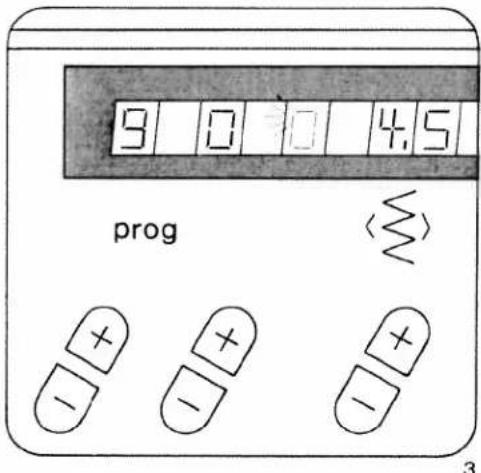
text_image
9 0 0 4.5 prog 3
text_image
9 0 0 4.5 progAdapting the buttonhole length
A garment may consist of different numbers of fabric plies, e. g. the buttonhole strip may consist of three plies and the collar stand of six - owing to the folded seam edge. In this case it is necessary to program the buttonhole for varying numbers of fabric plies in order to maintain the same buttonhole length as on the three-ply buttonhole strip.
Note:
For sewing buttonholes on knitted or very thin materials we recommend sewing foot No. 1 A and dual feed.
If the buttonhole seams do not coincide, press "tie-off/buttonhole" key 19 to switch from fully automatic to semi-automatic during sewing; one segment flashes (Fig. 3) and you can determine your own second bartack.
When key 19 is pressed again the buttonhole programmed before is sewn fully automatically and the segment does not flash anymore.
After sewing, cut the buttonholes open (see page 94).
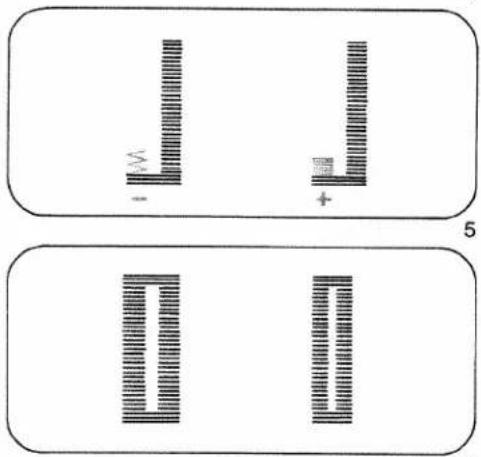
text_image
Diagram showing two rectangular panels with vertical striped patterns and symbols, labeled '5' in the bottom panel.6
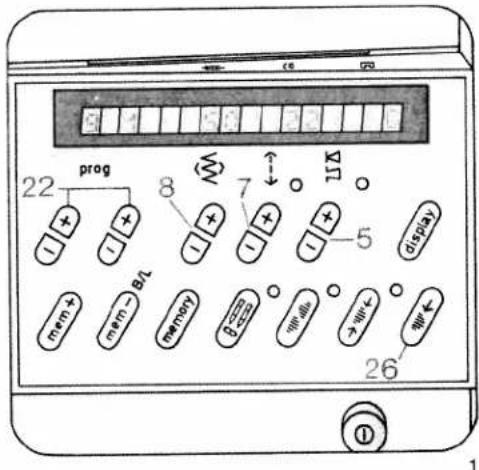
text_image
22 prog 8 7 ↑ ↓ mem + mem - B/L memory 5 5 (display) 26Stretch buttonhole (fully automatic)
| prog | |||
| 91 | Δ Δ | -3+ | 5A |
Sewing thread: embroidery and darning thread 18 buttonhole lengths are stored in the computer, from 10 to 44 mm.
On program selection, a programmed buttonhole length of 22 mm and a buttonhole width of 5 mm appear in the display. Select the required length of buttonhole with stitch-length keys 7 (Fig. 1). The machine automatically sews the selected buttonhole.
Before beginning the buttonhole pull the runner of the buttonhole foot fully to the front.
For the following buttonholes it is best to lift the fabric a little in order not to affect feeding. The sewing speed should always be the same.
Correcting a buttonhole
If a buttonhole does not turn out well, cancel it by pressing "pattern start" key 26 and sew it again.
Changing the buttonhole width
For every type of fabric, the corresponding buttonhole width can be determined up to 5.5 mm. For heavy materials select a wide buttonhole and for light materials a narrow one. With stitch width keys 8, you determine the required buttonhole width. The length of the cut changes automatically (Fig.4). A buttonhole width of 5 mm is stored.

natural_image
Two black rectangular blocks on a textured gray background, no text or symbols visibleAdapting the buttonhole seam lengths with the balance keys
With "balance" keys 5 the left buttonhole seam length can be adapted to the right one. Sew a sample buttonhole first.
Example:
If the left seam is too short
(Fig. 3a)
Select balance +1 to +3 with key, or more if required.
If the left seam is too long
(Fig. 3b)
Select balance -1 to -2 with key, or more if required.
- Sew the first buttonhole seam at the length required and
● the first bartack. - With balance keys 5, "+" or "-" , adjust the second buttonhole seam length to the first one (Figs. 3a, 3b)
● Sew last bartack.
The change made in this way will be maintained for the following buttonholes.

text_image
a + - b 3 4Determining the second bartack
(semi-automatic)
If you wish to determine the second bartack in a fully automatic buttonhole, press "tie-off/button-hole" key 19 (Fig. 6). A dash flashes in display 21 (Fig. 5) at the right of program 91. The machine now sews slowly just before the end of the second seam. When both seams are the same length, press key 19 again. The bartack is now sewn and tied off (Fig. 6).
This sewing sequence can also be applied to fully automatic buttonholes when the two buttonhole seams are not the same length anymore.
If you wish to sew the next buttonhole fully automatically, press key 19 again. (Same sewing sequence as described on page 84). The flashing dash will then have disappeared.
Note:
If you interrupt sewing at the reduced sewing speed by releasing the foot control, the machine will return to the normal speed when you start sewing again.
For programmable stretch buttonholes see next page.
After sewing, cut the buttonholes open (see page 94).
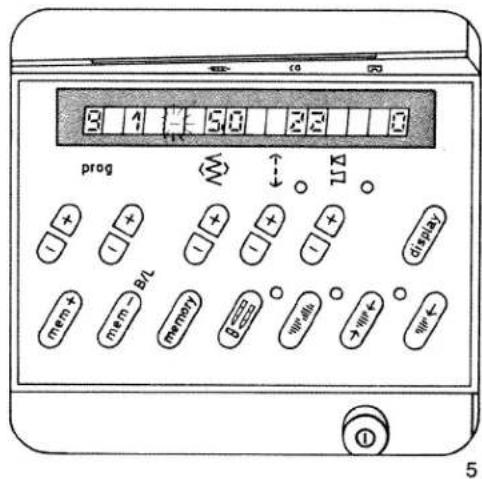
text_image
3 4 5 6 7 8 prog mem + mem - B/L mem + memory 0 > > < 1 ① 5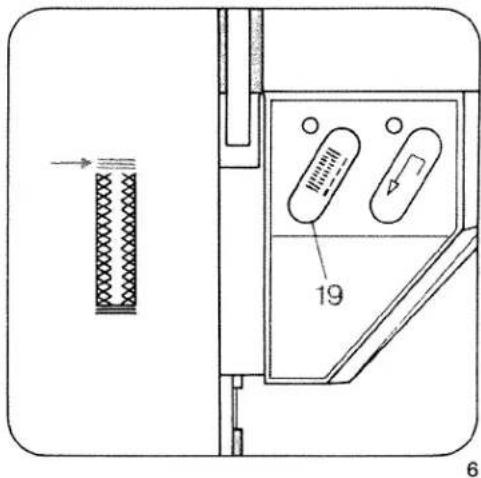
text_image
Technical diagram showing a mechanical or electrical component with labeled parts and directional arrows indicating flow or movement.
text_image
9 1 0 50 22 8 prog 22 8 7 ↑ ↓ ↑ + + + - - - - - - 5 display mem + mem - BL memoy B-oo → → ← → ← ← 26 ① 1Stretch buttonhole, prog. 91 programmable
Determining your own buttonhole seam length and bartack
When you press right (+) program key (22) the buttonhole symbol appears at the right side of program 91 and both segments will flash (Fig. 1).
Before beginning the buttonhole pull the runner of the buttonhole foot fully to the front.
- Sew the first buttonhole seam at the length required (Fig. 2a).
- Press the "tie-off/buttonhole" key 19 (Fig. 2). Now, only the left upper segment of the buttonhole symbol is flashing (Fig. 3). The machine then automatically sews the first bartack and the return seam (Fig. 2b). Shortly before the end of seam the machine sews slowly, stitch by stitch, in order to draw attention to the last bartack. One zigzag stitch before the end of the first buttonhole seam press key 19 again. The second bartack is now sewn and tied off (Fig. 2c). (Both segments of the buttonhole symbol are off, Fig. 4).
- Now the buttonhole is stored. Without having to actuate further keys, all following button-holes can be sewn automatically.
Adjusting the density of buttonhole seams
With stitch-length keys 7 the buttonhole seams can be set more densely or loosely. The stored buttonhole density is 1.5 mm. Make a sample buttonhole first.
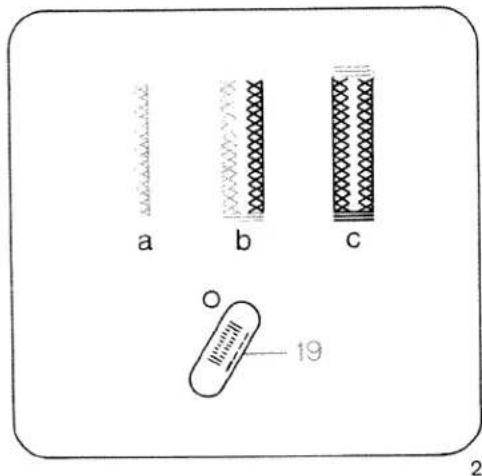
text_image
a b c 19 2Changing the buttonhole width
For every type of fabric, the corresponding buttonhole width can be determined up to 5.5 mm. For heavy materials select a wide buttonhole and for light materials a narrow one. With stitch width keys 8, you determine the required buttonhole width. The length of the cut changes automatically (Fig. 6). A buttonhole width of 5 mm is now stored.
Adapting the density of the left buttonhole seam to the right one
With "balance" keys 5 the left buttonhole seam can be adapted to the right one.
- Sew the first buttonhole seam at the required length and the first bartack.
- With "balance" keys 5, "+" or "-" adapt the second buttonhole seam to the first one (Fig. 5).
- Press "pattern start" key 26. Afterwards program the buttonhole as described on this page. Make a sample buttonhole before you sew buttonholes on a garment.
Note: If the buttonhole seams of the stored buttonhole do not coincide, make another correction at "balance" keys 5.
Adapting the seam lengths of stored button-holes with the balance keys, see page 84.

text_image
9 1 0 50 prog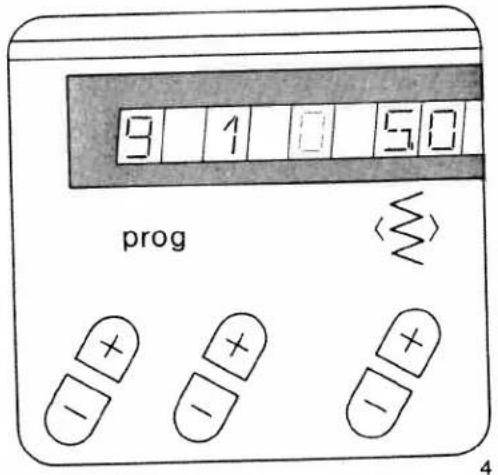
text_image
9 1 0 5.0 progAdapting the buttonhole length
A garment may consist of different numbers of fabric plies, e.g. the buttonhole strip may consist of three plies and the collar stand of six - owing to the folded seam edge. In this case it is necessary to program the buttonhole for varying numbers of fabric plies in order to maintain the same buttonhole length as on the three-ply buttonhole strip.
Note:
For sewing buttonholes on knitted or very thin materials we recommend sewing foot No. 1 A and dual feed.
If the buttonhole seams do not coincide, press "tie-off/buttonhole" key 19 to switch from fully automatic to semi-automatic during sewing; one segment flashes (Fig. 3) and you can determine your own second bartack.
When key 19 is pressed again the buttonhole programmed before is sewn fully automatically and the segment does not flash anymore.
After sewing, cut the buttonholes open (see page 94).
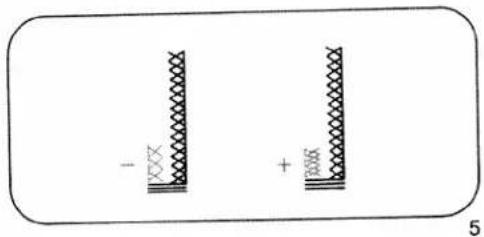
natural_image
Two vertical rectangular shapes with patterned borders, no text or symbols presentPFAFF
creative 1472

natural_image
Line drawing of a sewing machine with control panel and spooler (no text or symbols)Instruction Book
Various buttonhole bartacks
Eyelet buttonholes can be sewn with three different bartack designs.
Round buttonhole with wedge tack
Programm 92a
This bartack design is very suitable for buttonholes in trousers and casual wear
Round buttonhole with lengthwise tack
Programm 92b
This tack design we recommend for buttonholes in outerwear in light materials
Round buttonhole with crosswise tack
Programm 92c
This reinforced tack design is very suitable for buttonholes in outerwear in harder materials
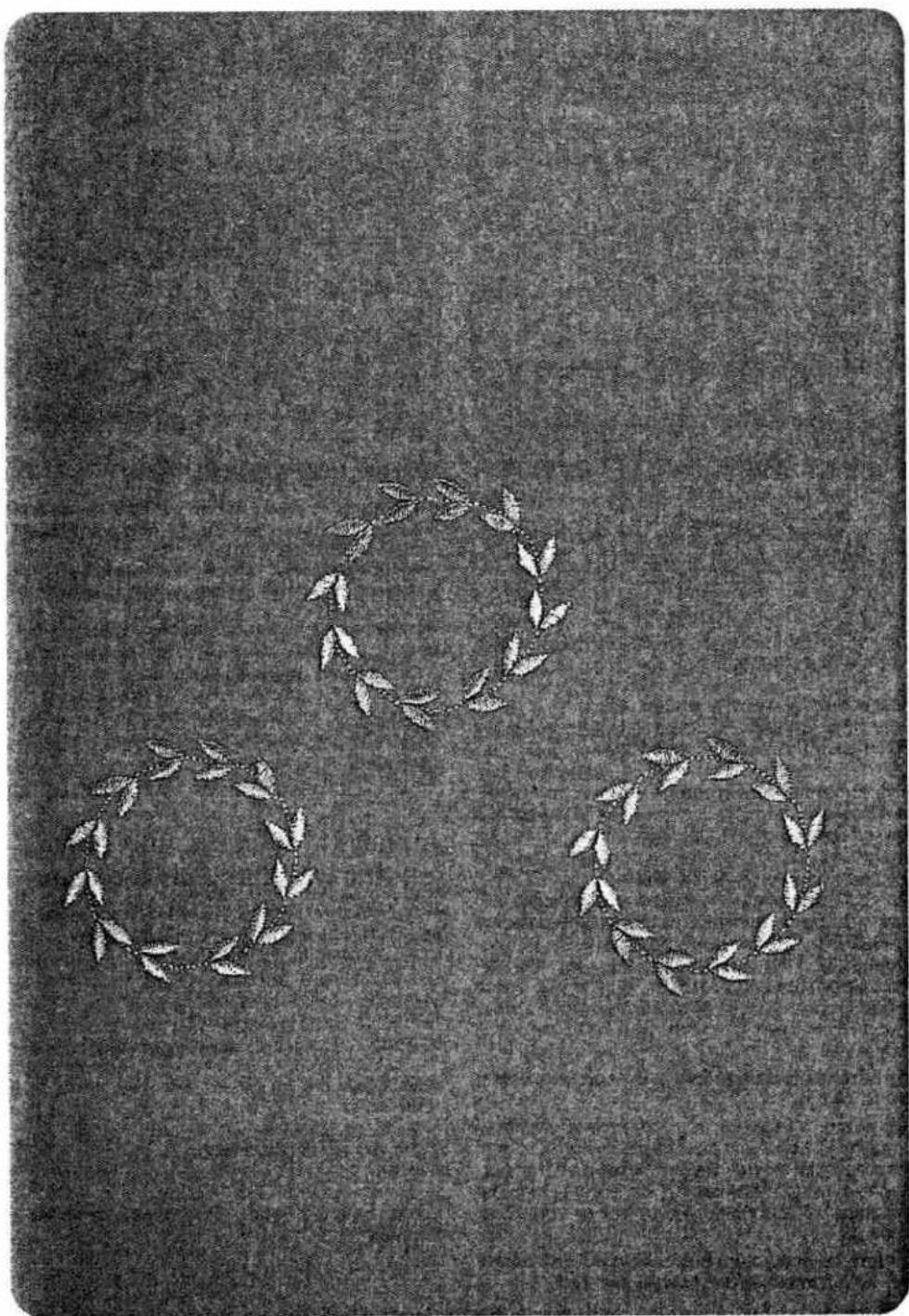
natural_image
Black-and-white illustration of three laurel wreaths on a textured gray background (no text or symbols)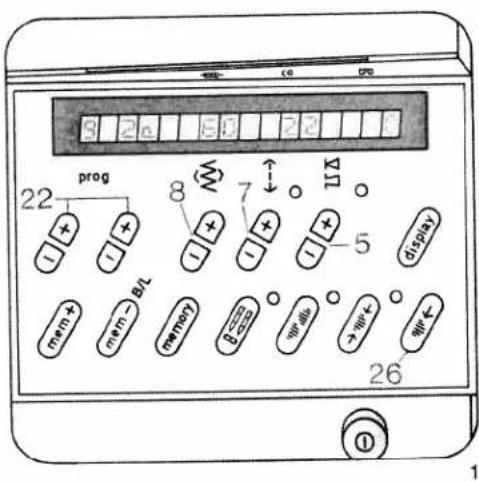
text_image
22 prog 8 7 17 5 display mem+ mem- B/L memory p=0 w=0 w+- w+- w+- w+- 26 ① 1Eyelet buttonhole (fully automatic)
| prog | |||
| 92a, b, c | Δ Δ | -3+ | 5A |
Sewing thread: embroidery and darning thread Key: press "slow sewing"
Eyelet buttonholes with different tack designs: (see table on page 88).
92a = buttonhole with wedge tack
92b = buttonhole with lengthwise tack
92c = buttonhole with crosswise tack
Eyelet buttonholes are often sewn in outerwear, such as jackets, coats or casual wear. They should always be sewn with backing material underneath. In spite of this, a piece of paper should be placed underneath during sewing.
The buttonhole must be 3 mm longer than the diameter of the button, plus its height. The distance from the front edge should be equal to the buttonhole width. First mark the spacings and the distance from the edge. Mark the buttonhole length from this point to the inside. Sewing is then always begun from the inside to the outside towards the edge.
16 buttonholes are stored in the computer, from 10 to 40 mm
On program selection a programmed buttonhole length of 22 mm and a buttonhole width of 6 mm appear in the display. Select the length of the buttonhole using stitch-length keys 7 (Fig. 1). The machine will automatically sew the selected buttonhole.
Before beginning the buttonhole pull the runner of the buttonhole foot fully to the front.
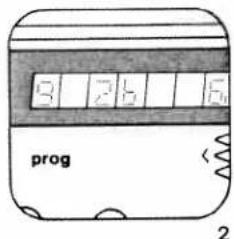
text_image
8 7 6 5 prog 2
text_image
5 2 1 6 prog 3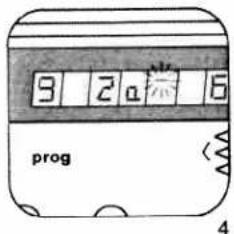
text_image
9 2 6 prog 4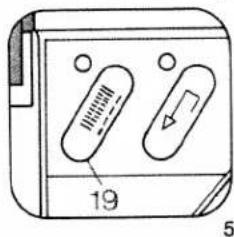
natural_image
Diagram of a device with two labeled buttons and a numbered label (19), no readable text or symbols present.Correcting a buttonhole
If a buttonhole does not turn out well, cancel it by pressing "pattern start" key 26 and sew it again.
Changing the buttonhole width
For every type of fabric, the corresponding buttonhole width can be determined from 5.5 to 8.5 mm. For heavy materials select a wide buttonhole and for light materials a narrow one. With stitch width keys 8, you determine the required buttonhole width. The length of the cut changes automatically (Fig. 7).
A buttonhole width of 6 mm is now stored.
Adapting the buttonhole seam lengths with the balance keys
With "balance" keys 5 the left buttonhole seam length can be adapted to the right one. Sew a sample buttonhole first.
Example:
If the left seam is too short (Fig. 8d)
Select balance +1 to +3 with key, or more if required.
If the left seam is too long (Fig. 8e)
Select balance -1 to -2 with key, or more if required.
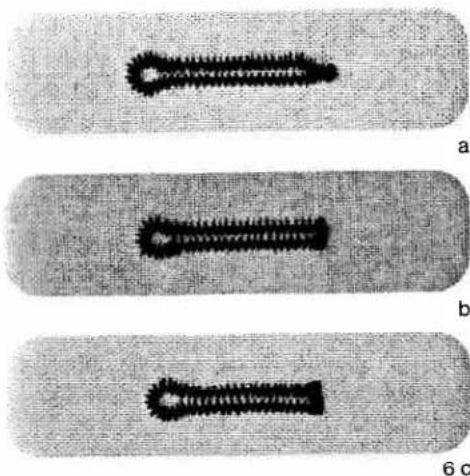
natural_image
Three labeled microscopic images (a, b, c) showing a single elongated structure with textured surface, likely biological or material samples (no text or symbols present)Determining the bartack
(semi-automatic)
If you wish to determine the bartack in a programmed buttonhole, press "tie-off/buttonhole" key 19 (Fig. 5). A dash flashes in display 21 at the right side of program 92a, b, or c (Fig. 4). The machine now sews slowly just before the end of the second seam. When both seams are the same length, press key 19 again. The bartack is now sewn and tied off.
If you wish to sew the next buttonhole fully automatically, press key 19 again. (Sewing sequence as described on page 90). The flashing dash will then have disappeared.
Note:
If you interrupt sewing at the reduced sewing speed by releasing the foot control, the machine will return to the normal speed when you start sewing again.
When you are working in the bartack determining mode and have selected bartack design "a", you have to press the "tie-off/buttonhole" key when the second buttonhole seam has reached the second to last mark of the buttonhole foot. Observance of this always ensures correct finishing of the bartack.

text_image
7 d e 8Adapting the buttonhole seam length
A garment may consist of different numbers of fabric plies, e.g. the buttonhole strip may consist of three plies and the collar stand of six - owing to the folded seam edge. In this case it is necessary to program the buttonhole for varying numbers of fabric plies in order to maintain the same buttonhole length as on the three-ply buttonhole strip.
Note:
For sewing buttonholes on knitted or very thin materials we recommend sewing foot No. 1 A and dual feed.
After sewing, cut the buttonholes open (see page 94).
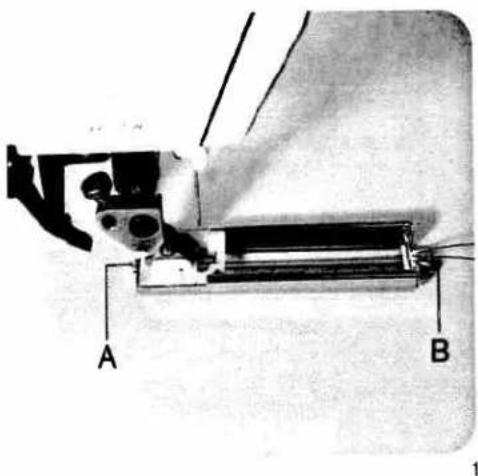
text_image
A B
natural_image
Close-up of a white wire or filament on a dark textured background, no text or symbols visible.Buttonhole with gimp thread
In the case of elastic materials, it is possible that the buttonholes extend. Therefore, the button-hole strip should be reinforced with interlining material. In order to retain the shape of the button-hole, use gimp thread if possible. Place the gimp thread over the back ridge "A", pull taut and jam it into front ridge "B" to the left and right (Fig. 1). (Pull runner fully to the front).
The buttonhole sequence is the same as without gimp thread. After completing the buttonhole pull on the left gimp thread (Fig. 2) until the loop is covered up by the bar. This is where the button will be located later.
On elastic materials pull the gimp threads through to the reverse side with a needle and tie them off. On normal fabrics the gimp threads can be trimmed immediately behind the last bartack.
After sewing, cut the buttonholes open (see page 94).
Eyelet buttonnoie with gimp thread
Suitable threads: bead yarn No. 8, or thick sewing thread
- Move runner slightly to the rear.
- Jam the gimp thread into the left of ridge "A" (Fig. 3) and pull to the front under the button-hole runner.
- Place it over the front ridge "B" and jam it to the right and left (Fig. 4).
- Pull it to the rear again and jam it into the right of ridge "A" (Fig. 5).
- Place the fabric underneath the sewing foot,
- pull the buttonhole runner fully to the front and lower the sewing foot.
● Before you start sewing press "slow sewing" key 16 (Fig. 6). - Sew the first buttonhole seam.
- When the machine starts sewing slowly (at the beginning of the curve), take the gimp thread from the left of ridge "A",
- pull down the thread from ridge "B" by means of a needle and pull it to the rear until a loop appears in needle plate cutout "C" of the buttonhole runner (Fig. 7).
- Sew the curve and - when the machine has again reached its normal speed -
- pull the thread taut and finish sewing the buttonhole. To prevent the gimp threads from showing at the end of the bartack, pull them taut and cut them off.
Round buttonholes with gimp threads are sewn in exactly the same way.
Note:
The thicker the gimp thread you use, the wider the buttonhole seams must be selected to correspond with the thread.

natural_image
Technical drawing of a mechanical component with cross-sectional view and dimension lines (no text or symbols)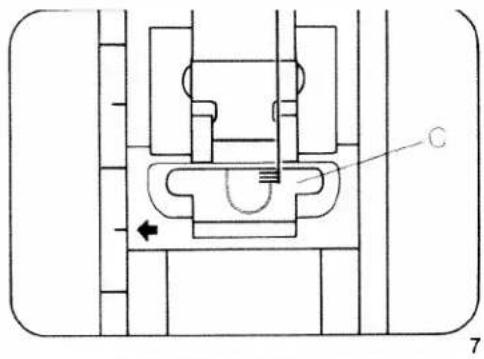
text_image
Technical diagram of a mechanical assembly with labeled component C and directional arrow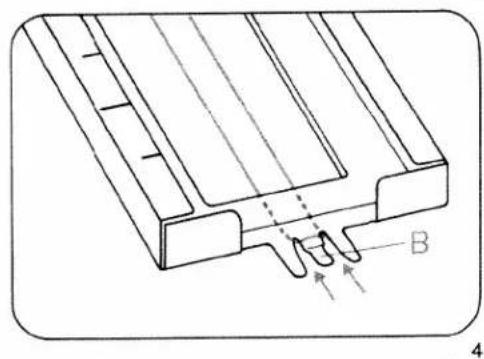
natural_image
Technical line drawing of a mechanical component with labeled parts (no text or symbols beyond label)
natural_image
Close-up of a thin, elongated object with a looped end against a black background (no text or symbols visible)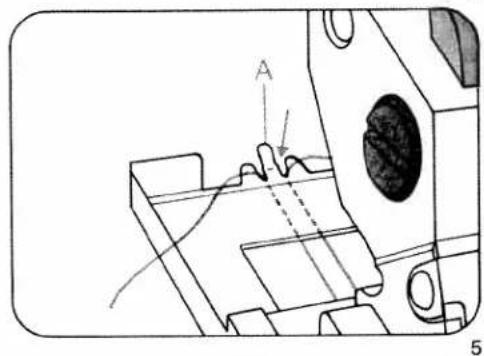
natural_image
Technical line drawing of a mechanical component with no visible text or symbols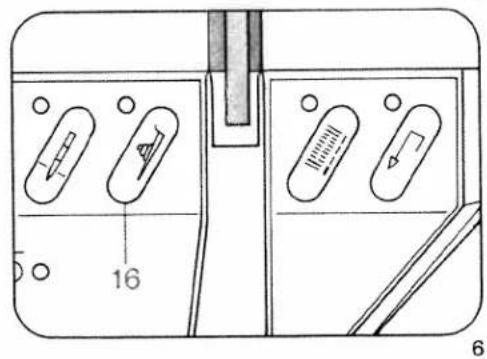
text_image
16 6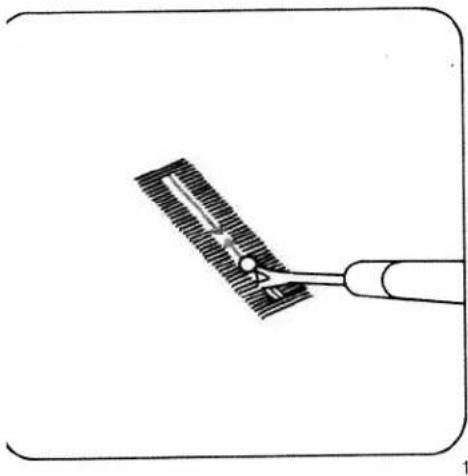
natural_image
Diagram of a medical or surgical tool interacting with a textured surface, no text or symbols presentCutting open buttonholes
When you cut open a buttonhole it is important not to damage the bartacks. To avoid this, insert the seam ripper about 1 mm away from the bartack. Now carefully cut the buttonhole open to the middle, then repeat this from the bartack at the other end (Fig. 1). If you have no punch pliers to cut the eyelet, simply cut around the curve with a pair of pointed scissors.
Sewing on buttons
| prog | |||
| 19,11 | -2 | 2A |
Feed dog: dropped (prog 11)
Place the button on the mark made on the fabric beforehand and push the fabric with the button under the sewing foot holder or sewing foot (Fig. 2). Turn the hand wheel towards you and adjust the position of the button so that the needle stitches into its left hole. Lower the presser bar lifter. Turn the hand wheel and check to make sure the needle enters the right hole of the button. Now sew the button on.
After tieing off the needle stops in its top position.
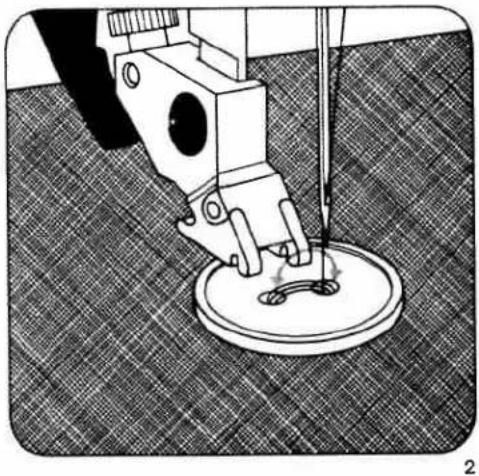
natural_image
Mechanical sewing machine needle stitching a circular base on a textured fabric background (no text or symbols visible)Sewing on buttons with stems
Place a match stick or a toothpick on the button between the two holes and sew the button on as described (Fig. 3). Afterwards remove the matchstick, pull the button and fabric apart, then wrap the stems with the threaded needle- and bobbin thread and knot the thread ends (Figs. 4, 5).
To ensure that flat or small buttons do not slip away during sewing we recommend using the normal sewing foot and switching off the top feed. For some buttons it is necessary to change the zigzag width. Finer settings for sewing on these buttons can be made using program 11.
In this case place the button in the way that the needle in right stitch position sticks into the right hole of the button exactly.
Afterwards adjust zigzag width so that the needle sticks into the left hole of the button exactly.

natural_image
Technical illustration of a sewing machine needle stitching a circular base (no text or symbols visible)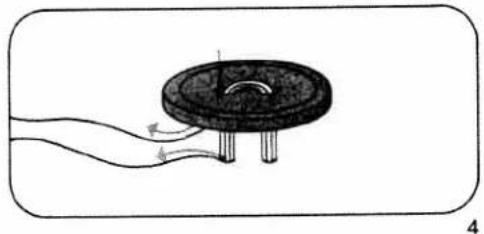
natural_image
Diagram of a mechanical component with a circular base and two curved arrows indicating flow or movement (no text or symbols)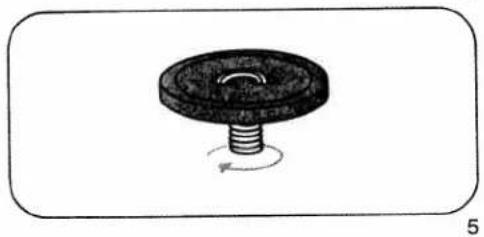
natural_image
Simple line drawing of a mechanical component with a threaded base and circular top, no text or symbols present.
natural_image
Black-and-white photo of a woman in vintage attire, no visible text or symbols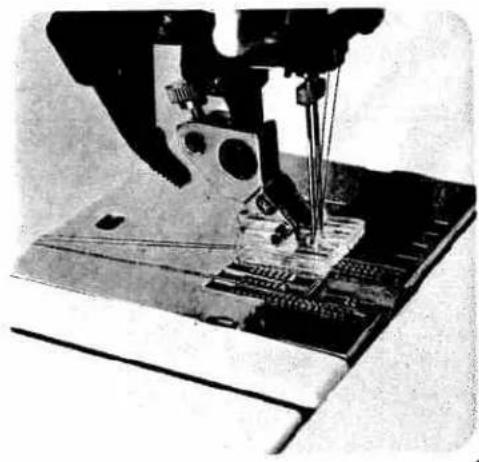
natural_image
Close-up of a sewing machine needle stitching fabric (no visible text or symbols)Cording
Cording foot + cording tongue (special accessory)
| prog | |||
| 00 | -5+ | cording foot |
Needle: Double needle
Cording seams are especially popular as a decoration on underwear, dresses, blouses, etc.
Cording sewn with the cording tongue
Cording is always sewn with two needle threads. Place a spool of thread on each spool pin and secure it in position with the corresponding unwinding disc. Place one thread to the right, and the other to the left of disc "C" (Fig. 3a). Then continue threading the machine, as usual. Do not twist the two threads. Thread each thread separately through thread guides and the needle eye (Fig. 3b).
The thread tension should be adapted to every fabric type. The tighter the tension, the more prominent the cording appears. Fig. 1 shows how the cording tongue is engaged.
For thin materials, the cording foot with 7 grooves, the small cording tongue and a double needle of up to 2 mm are used.
For thicker materials, the cording foot with 5 grooves, the large cording tongue and the necessary double needle are used.
If you wish to sew several cordings beside each another, use the grooves of the cording foot (Fig. 2). For greater distances we recommend using the edge guide.
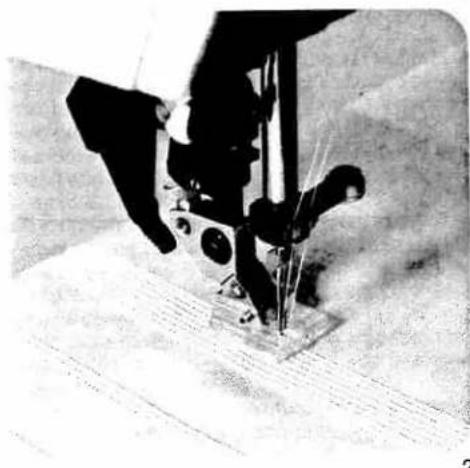
natural_image
Close-up of a sewing machine needle stitching fabric (no visible text or symbols)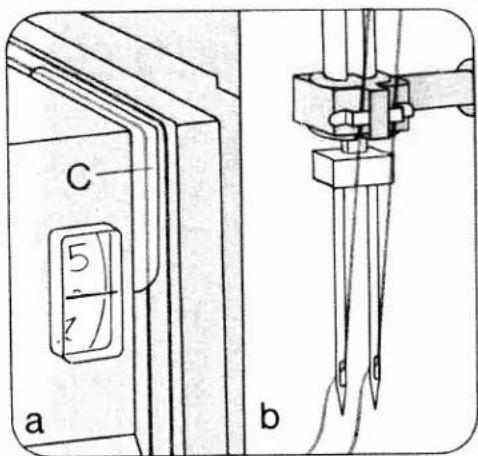
text_image
C 5 7 a bCording sewn with gimp thread
| prog | |||
| 00 | -5+ | cording foot |
Needle: Double needle
Lift the needle plate off and pass the gimp thread through the round hole "A". After that re-insert the needle plate. Notch "B" is the entry groove (Fig. 1). Place the roll of gimp thread in front of the machine.
Place the beginning of the gimp thread together with needle thread and bottom threads to the rear under the cording foot. Move the detachable work support against the machine. Choose a gimp thread of the same colour as the outer fabric.
Narrow pleats
| prog | |||
| 00 | 3-5 | 0A |
Needle: 130/705-H, size 80
Iron the first fold line and stitch at the required width. Prepare and stitch the further fold groups in the same manner (Fig. 3).
For stitching down wider pleats we recommend using the edge guide. Adjust the edge guide to the required width. Guide the material so that fold runs along the edge guide. (See page 100).
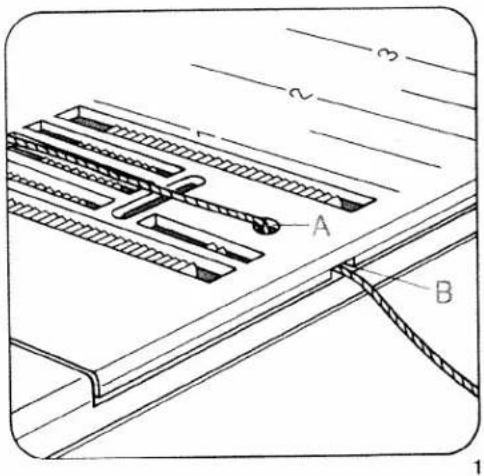
text_image
A B 1 2 3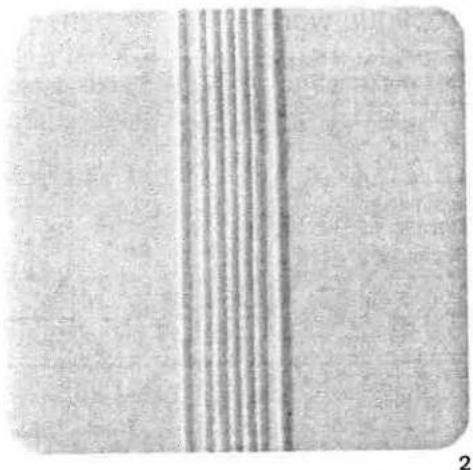
natural_image
Close-up of a textured surface with vertical striations and a dark horizontal band (no text or symbols)
text_image
3 97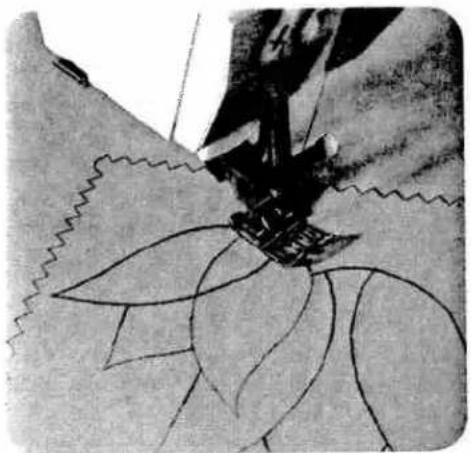
natural_image
Close-up of a sewing machine stitching fabric with visible stitching details (no text or symbols)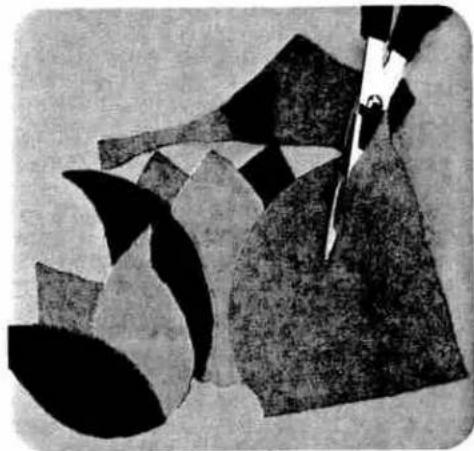
natural_image
Abstract black-and-white illustration of scissors cutting through layered geometric shapes (no text or symbols)Appliqué work
For this, two worksteps are required.
First workstep
| prog | |||
| 10 | 2-3 | 2A |
Stitch width: 0.5 mm
Stitch length: 1.0 mm
Second workstep
| prog | |||
| 10 | 2-3 | 2A |
Stitch width: 1.5 mm
Stitch length: 0.2 to 0.25 mm (for cording)
Trace the design on the reverse side of the fabric, ay the appliqué on the face side and baste it on, making sure it matches the fabric grain.
First workstep
Sew along the outline of the design on the wrong side (Fig. 1). Trim the excess material close to the contour seam (Fig. 2).
Second workstep
Sew over the raw edges of the appliqué with narrow, dense zigzag (purl) stitches (Fig. 3).
To make the edge of the appliqué more prominent, insert a filler cord in the seam.
Ready-made fabric appliqués can be applied much more easily. Before you cut out the design, iron on a fusible backing. This reinforces the material, makes it easier to cut, and prevents fraying. Baste on the design. Place three layers of tissue paper under the fabric and sew along the edges of the design with dense, narrow zigzag stitches. In this way, a good-looking seam is produced.
- For cording we recommend the appliqué foot (special accessory)

natural_image
Abstract black-and-white floral-like pattern with no text or symbols
natural_image
Black-and-white illustration of a stylized cartoon character with curly hair and limbs, standing on a dark background (no text or symbols)
natural_image
Line drawing of a sewing machine needle stitching on a grid background (no text or symbols)Quilting
| prog | |||
| 00 | 3-5 | 0A,4 |
- Edge guide
Seams stitched on articles filled with cotton wool or some other soft padding have a very prominent effect. For this purpose, batting, foam plastic or flannel is placed between the top ply and a lightweight bottom ply (Fig. 3).
To keep the fabric plies and the padding in place, baste them together with rows of long basting stitches spread over the whole area.
Squares and diamonds can be sewn on the straight or on the bias of the material. On fabrics with regular patterns stitch between the patterns or around them.
The spacing between seams can be set as required by adjusting the guide accordingly.
Trace the seam line for the first seam on the fabric or guide the quilting gauge along the straight-cut fabric edge.
When you have completed the first seam move the work sideways so that the quilting gauge runs along the first seam or the traced seam line. For each subsequent seam, guide the gauge finger along the preceding line of stitching (Fig. 1). Quilting can also be done advantageously on patterned materials.
Preparation of the material is the same as described above. Just sew around the contours and you have a very beautiful piece of embroidery (Fig. 2).

natural_image
Black-and-white photo of a decorative pillow with floral patterns on a textured background (no text or symbols)
natural_image
Completely black image with no visible content, text, or symbols.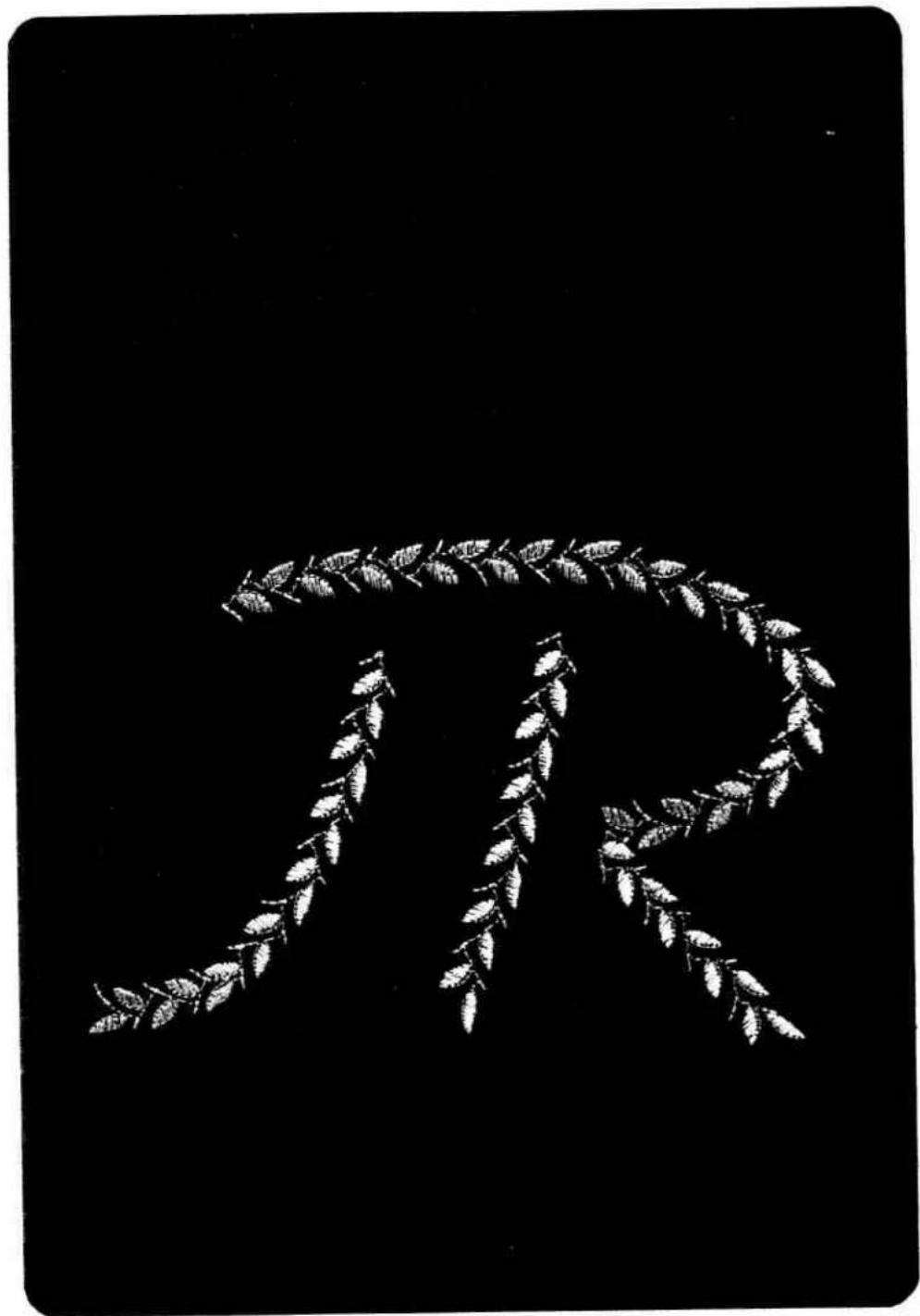
natural_image
Black-and-white illustration of a laurel wreath symbol resembling the Greek letter 'R' (no text or symbols present)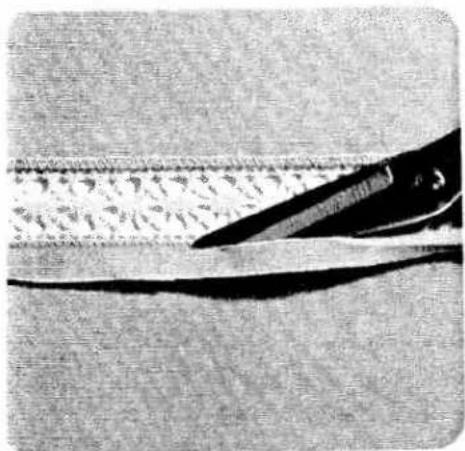
natural_image
Close-up of scissors cutting a textured surface with visible texture and shadow (no text or symbols)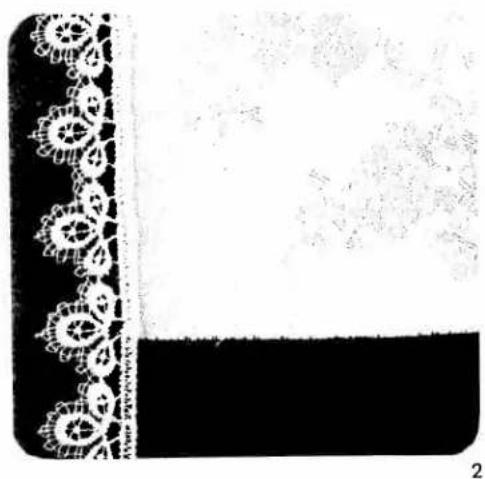
natural_image
Decorative black-and-white border with floral border and a white patterned border (no text or symbols)nserting lace
for this work, two worksteps are required
:first workstep
| prog | |||
| 00 | -3+ | 0A |
Second workstep
| prog | |||
| 10 | -3+ | OA |
First workstep
The lace insert is first secured to the right material side and is sewn on at a narrow margin with straight stitch.
The material underneath the lace is opened at the middle and ironed to one side.
Second workstep
Sew over the lace edge on both sides with small, dense zigzag-stitches from the face side. Cut off the remaining material on the reverse side (Fig. 1).
Attaching lace
For this work, two worksteps are required
First workstep
| prog | |||
| 10 | -3+ | OA |
Stitch width: 5.0 mm
Stitch length: 1.5 mm
Second workstep
| prog | |||
| 00 | -3+ | 0A |
Stitch length: 3.0 mm
First workstep
Serge the raw edge with zigzag stitches (Fig. 2).
Second workstep
Baste and sew the lace onto the right material side (Fig. 3).
Secure the corners with stitches.

natural_image
Decorative corner frame with ornate floral border and textured background (no text or symbols)3
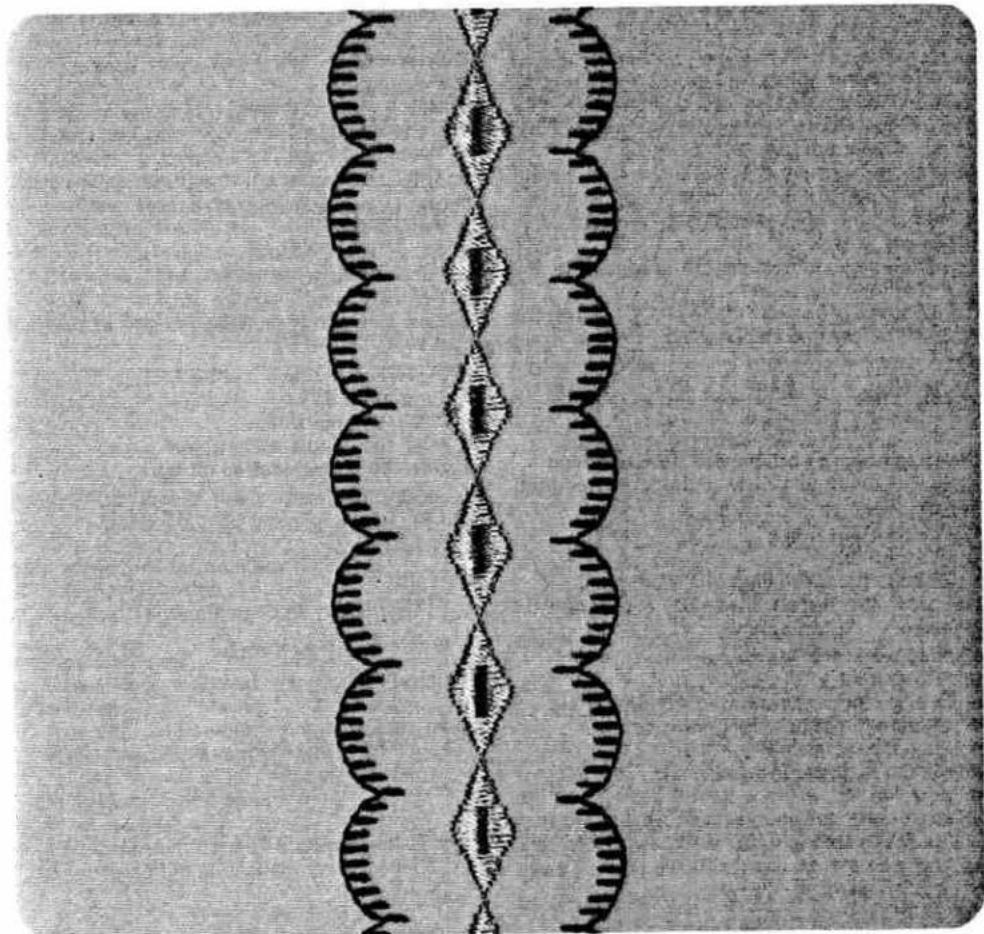
natural_image
Abstract pattern of interlocking DNA double helixes (no text or symbols)103
Embroidery stitch programs
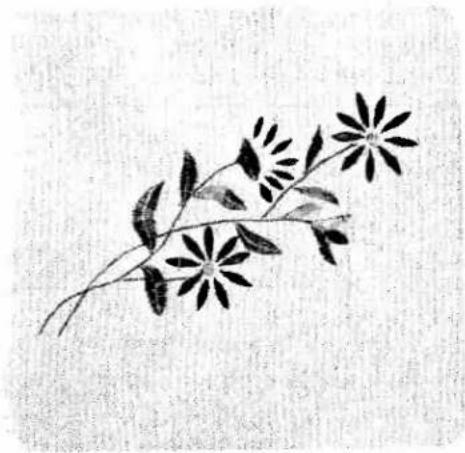
natural_image
Black-and-white illustration of a flowering branch with multiple blossoms and leaves (no text or symbols)Multi-colour embroidery
These multi-colour embroidery possibilities set no limits to your imagination. Carried out with great devotion to detail, colour and decorative effects, multicolour embroidery gives your clothes the stamp of your personality.
The following pages are intended as an inspiration for ornamentation of dresses, blouses and other garments with embroidery motifs made on your Pfaff Creative.
Transfer the pattern onto the face side of the fabric with tracing paper.
Always place two sheets of tissue paper under the material before you start sewing.
| prog | |||
| 06 62 65 77 | -3+ | 2A |
Sewing thread: Embroidery or darning thread Motif 1 is made up of the patterns enumerated above.
First workstep: stems
- Program 06
● Chance the stitch length to 2.5 mm. - Follow the traced lines with a program 06 seam.
Second workstep: leaves
- Program 62
● Change the stitch width to 4.0 mm.
● Change the pattern length to 25. - Push the "single pattern" key.
- Needle in down position.
- Sew the leaf slightly curved, starting at the stem. Leave the needle down in the fabric, turn the fabric through 180° and sew the pattern backwards. In this way, all leaves can be sewn larger or smaller.
Third workstep: half flower
Program 65
● Stitch width: 5.0 mm.
● Pattern length: 20.
- Push the "single pattern" key.
● The tip of the pattern should contact the stem.
Fourth workstep: flowers
Program: 62
● Stitch width: 4.5 mm.
● Pattern length: 20.
- Push the "single pattern" key.
- Sew the petals, including those of the half flower.
Fifth workstep: flower centre (dot)
- Programm: 77
● Stitch width: 5.0 mm.
- Push the "single pattern" key.
● Sew the flower centres (dots).
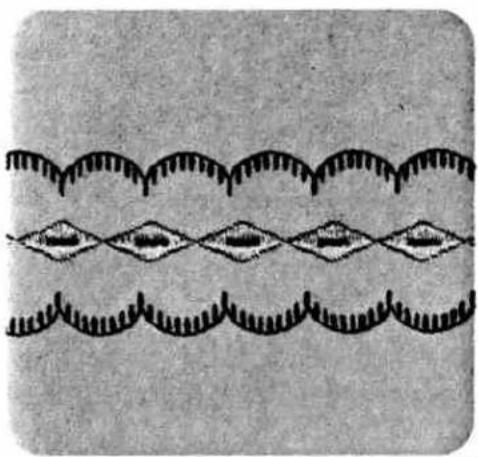
natural_image
Abstract pattern of repeating wavy lines with diamond shapes, no text or symbols present
natural_image
Black-and-white patterned textile with repeating star-like motifs and geometric shapes (no text or symbols)Border 1 consists of the following programs:
Centre motif: 64
Side motif: 39
natural_image
Silhouette of a traditional East Asian-style garment with a floral design, set against a black background (no text or symbols)First workstep: centre motif
- Select program 64.
● Sew the programmed stitch pattern.
Second workstep: side motifs
- Select program 39.
- Sew the programmed stitch pattern along both sides of the centre motif. The second side motif can be sewn without turning the fabric by pushing the "pattern mirror" key.
Border 2 consists of the following programs 50 65 87
First workstep: centre motif
- Select program 50.
● Sew the programmed stitch pattern.
Second workstep:
- Select program 65 and change zigzag width to 4–5 mm.
- Sew the programmed stitch pattern along both sides of the centre motif.
Third workstep: side motifs
● Enter program 87.
- Sew the programmed stitch pattern on both sides along the previously sewn motif.
text_image
Scanned text of contract clauses with handwritten annotations and a signature mark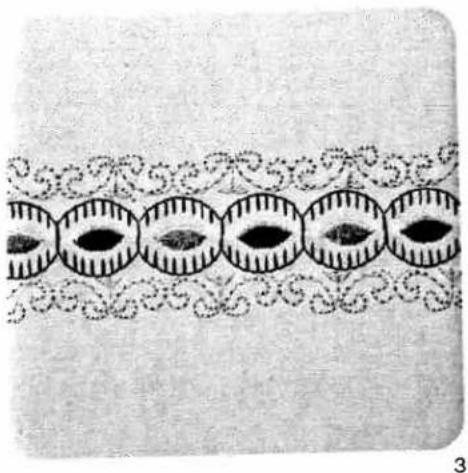
natural_image
Decorative border pattern with repeating oval shapes and swirls (no text or symbols)3order 3 consists of the following
programs:
Centre motif: 39
Side motif: 84
Single motif: 62
=First workstep: centre motif
Select program 39.
- Needle in down position.
- Sew the programmed stitch pattern. Shortly before you reach the end of the seam, press the "tie-off/buttonhole" key. At the end of the pattern the needle remains down in the material. Turn the fabric through 180°.
- Sew the opposite half back in the other direction, making sure the patterns match.
Second workstep: side motifs
- Select program 84.
- Sew the programmed stitch pattern along both sides of the centre motif. The second side motif can be sewn without turning the fabric by pushing the "pattern mirror" key.
Third workstep: centre dots
- Select program 62.
● Change the stitch width to 6 mm.
● Change the pattern length to 10 mm.
● Push the "single pattern" key. - Sew the selected program (single pattern) in the centre motifs.
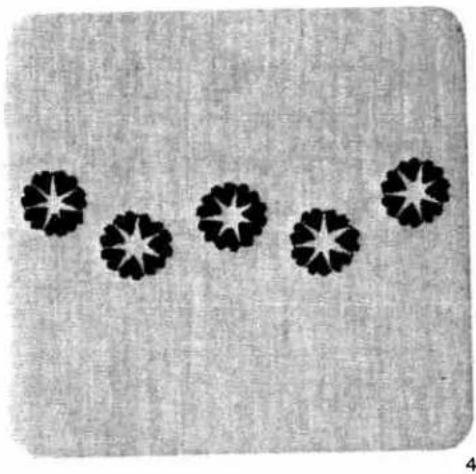
natural_image
Five black star-shaped patterns arranged in a row on a textured gray background (no text or symbols)Heart motif (Fig. 4)
- Select program 58.
● Change stitch length to 0.25 mm. - Reduce pattern length to 9.0 mm.
- Press key 27 "single pattern".
● Press key 15 "needle down". - Sew the heart motif and, with the needle down, turn the material so that the tip of the heart is exactly in line with the red mark on the left side of the sewing foot.
Repeat this process until the motif is closed.
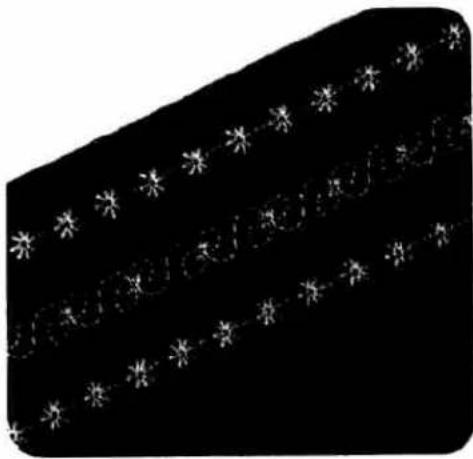
natural_image
Black background with white star-like patterns and a diagonal line (no text or symbols)
natural_image
Black-and-white abstract pattern with repeating leaf-like shapes (no text or symbols)
natural_image
Black film strip with a horizontal double-headed arrow labeled 'H' (no additional text or symbols)Fancy seams in leather
| prog | |||
| Optional | -3+ | 2A |
Thread: embroidering/darning thread Needle: 130/705 H-LR, size 80
Since leather is a pliable material, an underlay of double-folded paper or light non-woven material (e. g. vylene) should always be used. Do not set the stitches too close, because leather splits easily and cracks in leather show up on the finished work.
Flat leather seams
Overlap the raw edges by about 1/2 cm. Top-stitch both sides at a narrow margin using straight stitch. Instead of straight stitch it is also possible to use zigzag stitch or some other program to over-stitch the double seam. This method of sewing is commonly used for joining parts of different colours (e.g. patchwork).
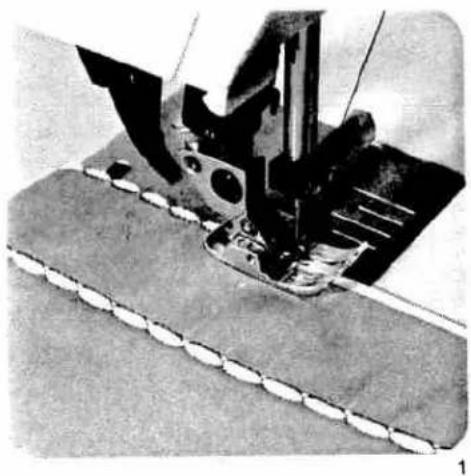
natural_image
Close-up of a sewing machine needle stitching fabric, showing mechanical components and stitching (no text or symbols visible)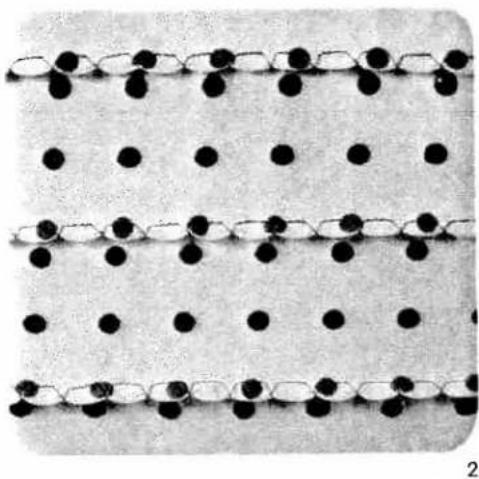
natural_image
Three parallel rows of black dots on white background, no text or symbols presentShell edging
| prog | |||
| 14 16 | Δ Σ | -5+ | 2A |
Stitch length: 1.5 mm
Key: 28 pattern mirror in program 16
Shell edging provides nice trimming, especially on sheer, soft materials. Fold over the fabric edge once along the line which is to be decorated. During sewing, the blindstitches draw in the fabric edge at regular intervals, thus producing a shell-edge effect. The stronger the needle thread tension, the more the fabric edge is indented (Fig. 2). Adding a wool thread in a different colour not only reinforces the edge, but also makes an attractive contrast trimming.
Place the material under the needle so that it protrudes far enough to allow the wide zigzag blind-stitch to pass over its edge (Fig. 1).

natural_image
Microscopic view of a layered material structure with repeating triangular peaks (no text or symbols)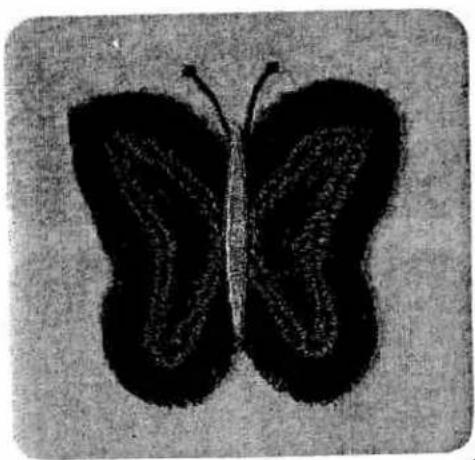
natural_image
Black and white illustration of a butterfly with visible venation pattern (no text or symbols)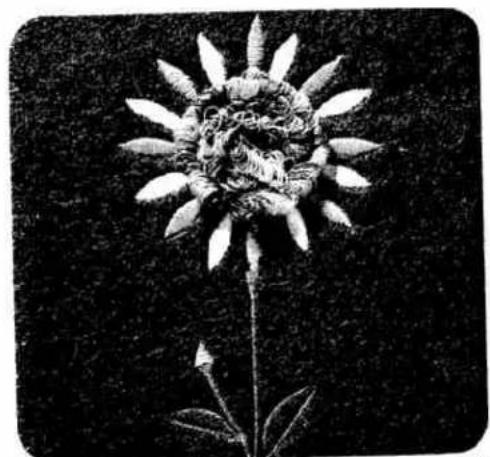
natural_image
Black-and-white photograph of a flower with detailed petals and stem, no visible text or symbols1
2
Fringe seams
Butterfly
Two worksteps are required for this:
First workstep (wings)
| prog | |||
| 10 | 2-3 | Fringe loot |
Stitch width: 1.5
Stitch length: 0.5
Fringe foot: (special accessory)
Second workstep (body)
| prog | |||
| 62 | 2-3 | 2A |
Pattern length: as required
Key: single pattern
First workstep (wings)
- First sew a fringe seam as a trial, using a piece of scrap material. During sewing, try different stitch lengths until you find the one most suitable. The wings are best sewn in circular seams, working from the outside inwards.
Second workstep (body)
- Sew the body as shown in the illustration (Fig. 1).
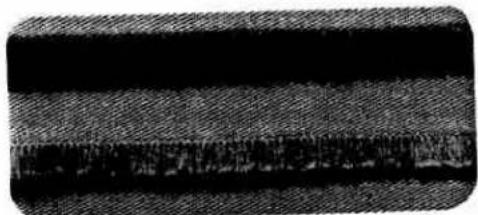
natural_image
Close-up of a textured fabric with horizontal bands and a dark central band (no text or symbols)3
Flower
| prog | |||
| 06 62 63 | Δ Δ | -3+ | 2A |
Mark out the pattern of the flower on the fabric. Sew the petals, stem and leaves as shown in the illustration. Now fill in the seed capsule using a fringe seam, working spirally from the outside inwards (Fig. 2).
Fringe seam (cut open, Fig. 3)
Machine setting same as for first workstep „butterfly" (wings)
Sew fringe seam.
Engage normal sewing foot.
Then fold the fringes to the left or to the right and sew them on where the fringe loops come out of the fabric, selecting a narrow zigzag stitch of 1 mm width and 1 mm length.
To prevent the fringes from shifting or catching on the foot, cover the edge of the loose fringes with stiff paper during sewing.
Afterwards cut the fringe loops open with a scissors.
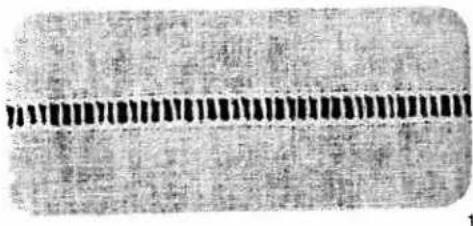
natural_image
Close-up of a textured surface with a horizontal dark band and small vertical striations (no text or symbols)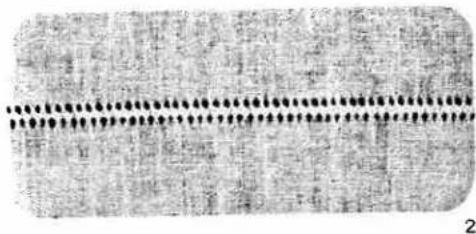
natural_image
Microscopic view of a textured surface with a horizontal dotted line and circular markers (no text or symbols)Hem-stitching
As the illustrations show, hem-stitching can be used in different ways, both as an edge reinforcement and as a fancy effect on table linen or clothing articles.
"Ladder" hem-stitching
| prog | |||
| 96 | -3+ | 2A |
Stitch width: 2 mm
Thread: embroidering/darning thread Needle: normal needle, size 80
In the same way as in hand hem-stitching, threads are drawn out of the fabric at the required width. Stitch the fabric edges with the program described above.
The needle must penetrate very closely to the edge where the threads were drawn. When sewing the second seam, ensure that the cross threads are always tied off parallel (Fig. 1).
Hem-stitching turned-in hem edges
| prog | |||
| 96 | -3+ | 2A |
Stitch width: 2 mm
Thread: embroidering/darning thread
To hem-stitch a turned-in hem edge (Fig. 4), first draw the number of fabric threads for the required hem-stitch width. Place the hem breakline against the edge where the threads are drawn and tack it in place. Now secure the hem using the above-mentioned program.
natural_image
Pure black rectangle with a dotted white border (no text or symbols)5
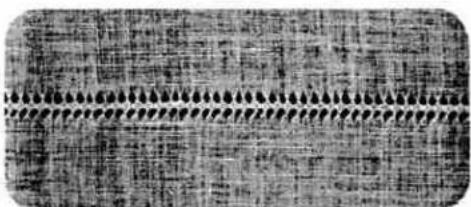
natural_image
Close-up of a textured fabric with repeating patterns and no visible text or symbols3
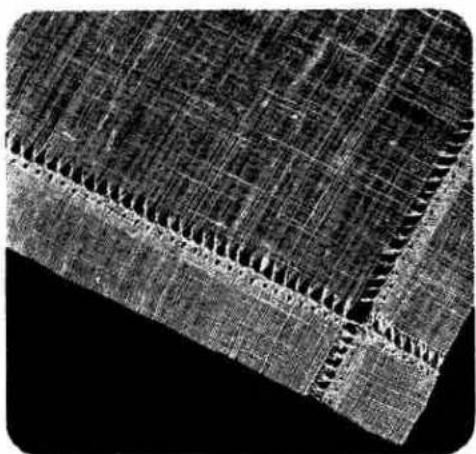
natural_image
Microscopic view of a textured surface with grid-like patterns (no text or symbols)4
Hem-stitching with wing needle
| prog | |||
| 97 98 | -3+ | 2A |
Thread: embroidering/darning thread
Needle: wing needle
For this work, four threads are drawn, five threads are left in, then a further four threads drawn. Oversew the five threads left in the fabric using program 97 or 98 (Figs. 2 and 3).
Hem-stitching as an edge finish made with the wing needle
| prog | |||
| 98 | -3+ | 0A |
Thread: embroidering/darning thread
Needle: wing needle
This edge finish is used on very light and thin fabrics. It is particularly well suited for valances, flounces and frills or for finishing edges. For this sewing job no threads must be drawn out of the fabric. Sew at sewing-foot width along the fabric edge, using the edge of the sewing foot as a guide. Then carefully trim the excess material along the hemstitching with a small scissors (Fig. 5).
1
\_inen embroidery
'lain embroidery on linen is a widely known and popular ornamentation. The patterns illustrated can be made on your Pfaff Creative in a very short time by combining all kinds of stitches.
Transfer the pattern illustrated onto the face side of the fabric either by ironing it on or with the aid of racing paper.
Always place two sheets of tissue paper under the fabric during embroidering.
| prog | |||
| 06 10 80 93 | Δ Λ | -3+ | 2A |
Thread: embroidering/darning thread
The motif in Fig. 1 is made up of the above-mentioned programs.
First workstep: scallops
- Program: 10
● Stitch width: 2.0 mm
● Stitch length: 0.3 mm
- Needle in down position
● Stitch along the above-mentioned outlines.
Second workstep: stems
- Program: 06
● Stitch length: 2.5 mm
- Follow the above-mentioned stem lines with a program 06 seam.
Third workstep: leaves
- Program: 80
● Stitch width: 5.0 mm
- Press the "single pattern" key.
- Sew the leaf motifs slightly curved, starting at the stem.
Fourth workstep: eyelets
- Program: 93
- Press the "single pattern" key.
- Mark the position of the eyelet, then sew it in the middle of the scallop.

natural_image
Line drawing of a sewing machine on a sewing machine (no text or symbols)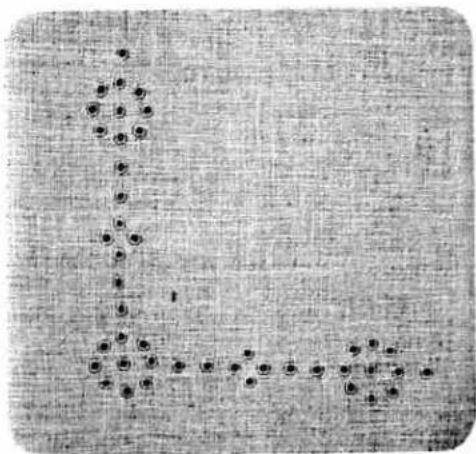
natural_image
Abstract pattern of black dots arranged in a grid on a textured gray background (no text or symbols)2
Eyelet embroidery with the eyeletting plate (special accessory)
| prog | |||
| 11 | 2-3 | removed |
Key: 28 pattern mirror
Feed dog: dropped
Presser bar lifter: in darning position (page 74)
Sewing thread: embroidering and darning thread
Fitting the eyeletting plate: Insert the eyeletting plate so that the catches engage in the three narrow slots and push it towards the back (Fig. 1), the middle tooth will lock it. Then push the needle plate to the front so that it snaps in. Place the traced fabric tautly in an embroidering hoop. Cut one or two fibres in the fabric and push the fabric over the pin. The fabric must be tight against the pin all round. Draw the bobbin thread up and hold it for the first few stitches (placing presser bar lifter in darning position beforehand). Stitch around the cut with zigzag stitches, turning the hoop slowly clockwise at the same time. Finally, secure the stitches with a few straight stitches at the edge (Fig. 2).
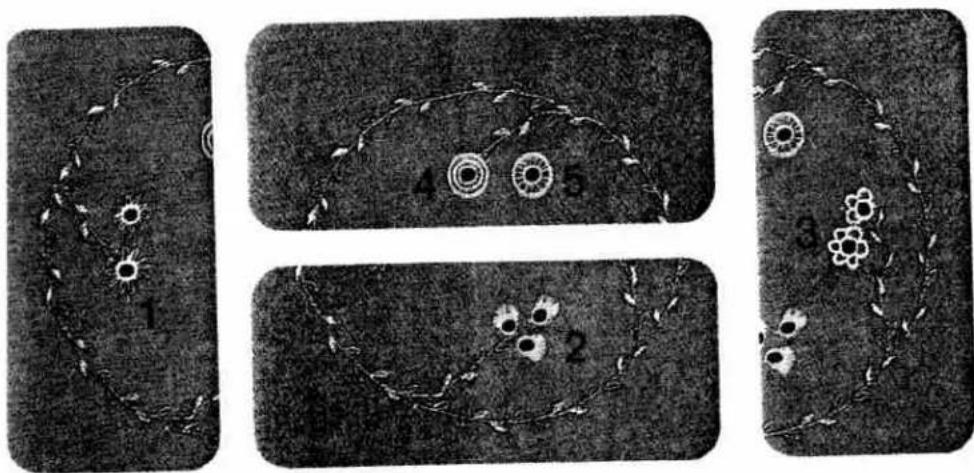
Ring of flowers
The illustration at the right shows a pretty ring of flowers. For this type of embroidery it is very important to guide the embroidery hoop evenly and steadily. Here are the instructions for sewing the different motifs:
Motif 1: 2 worksteps
| 1st | workstep:program | 111 |
| reverse pattern | ||
| stitch width | 2 mm | |
| 2nd | workstep:program | 37 |
| stitch width | 6 mm |
Motif 2: 2 worksteps
| 1st | workstep:program | 111 |
| reverse pattern | ||
| stitch width | 2 mm | |
| 2nd | workstep:program 63 | |
| stitch width | 6 mm |
Motif 3: 2 worksteps
| 1st | workstep:program | 111 |
| reverse pattern | ||
| stitch width: | 2 mm | |
| 2nd | workstep:program | 61 |
| stitch width | 6 mm |
Motif 4: 3 worksteps
| 1st | workstep:program | 111 |
| reverse pattern | ||
| stitch width | 2 mm | |
| 2nd | workstep:program | 10 |
| stitch width | 1.5 mm | |
| 3rd | workstep:program | 11 |
| stitch width | 2 mm |
Motif 5: 2 worksteps
| 1st | workstep:program | 111 |
| reverse pattern | ||
| stitch width | 2 mm | |
| 2nd | workstep:program | 17 |
| stitch width | 6 mm |

natural_image
Black-and-white illustration of a circular pattern with floral motifs and spiral patterns (no text or symbols)
text_image
A NSewing monograms with the embroidery foot
| prog | |||
| 10 12 | -3+ | 2A |
Thread: embroidering/darning thread
Clear-lined block letters or monograms made by combining different ornamental patterns can be sewn without any difficulty. Trace the monogram on paper first, then transfer it to the fabric. Having done so, follow the outlines with the programmed stitch pattern chosen.
To sew monograms on terry cloth, pin the paper pattern onto the fabric and sew along the traced outlines with a narrow zigzag stitch. Then sew over the contours of the monogram with the programmed stitch pattern chosen.

natural_image
Abstract wavy line drawing with no text or symbols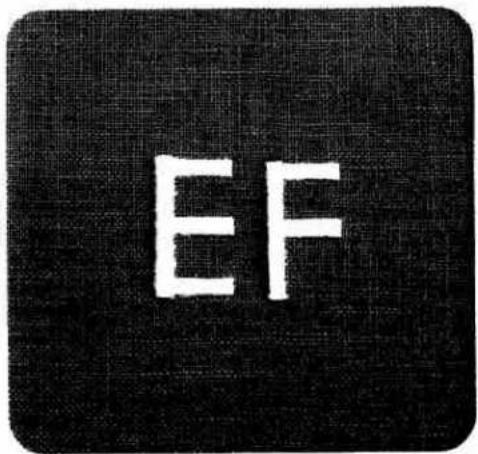
text_image
EF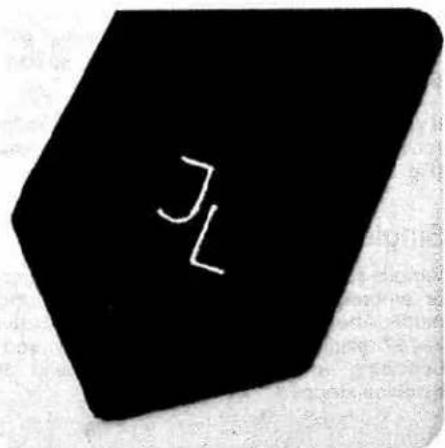
text_image
JL
natural_image
Two rectangular panels with abstract line patterns and no visible text or symbols
natural_image
Abstract white leaf-like shape on black background, no text or symbols presentLengthening a pattern at the same stitch density
Fancy stitch programs can be varied in length at the same stitch density when the display at key 5+ lights up. The pattern length selector is set between 6.0 an 90 mm.
The maximum pattern length at short stitch lengths is limited (Fig. 1).
The table below shows the minimum and maximum pattern lengths according to different stitch lengths:
| Stitch length in mm | Pattern length in mm | |
| from | to | |
| 0.2 | 6.0 | 50 |
| 0.25 | 6.0 | 60 |
| 0.3 | 6.0 | 70 |
| 0.35 | 6.0 | 80 |
| 0.4 onwards | 6.0 | 90 |
Pattern mirroring
If you wish to sew a program in reverse, push "mirror key" 28 in addition to the selected program (Fig. 2).
Single patterns
Various sewing work such as monogram, figures or embroidery motifs can be sewn as single motifs. After entering the selected program, push key 27 "single pattern". The pattern is secured at beginning and end automatically and the machine stopped (Fig. 3).
Programming the computer with embroidery stitches and monograms
Compiling various programs from 00 to 99
● The Creative computer has 16 M-memories, from M 0 to M 15.
- Per one pattern sequence - M - up to 84 programs can be entered in one M-memory.
● Distributed over 16 M-memories, up to 484 programs can be stored.
- If no M-memory is pre-selected, all programs are stored in memory M 0.
- When the machine is switched off, the stored programs are maintained.
- When the capacity of the memories is used up, no further programs are accepted.
- The M-combinations no longer required can than be cancelled with the "correct" key.
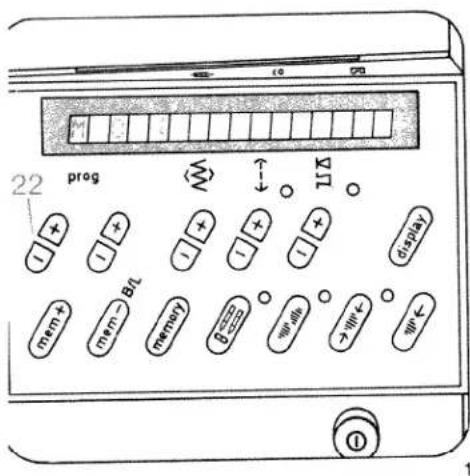
text_image
22 prog B1 mem + mem - B1 memory B1 ← ↑ ↓ ↓ ← ↑ ↓ ↓ ← ↑ ↓ ↓ ← ↑ ↓ ↓ ↑ ↓ ↓ ↓ ①o enter the programs from 00 to 99 first select a ree M-memory.
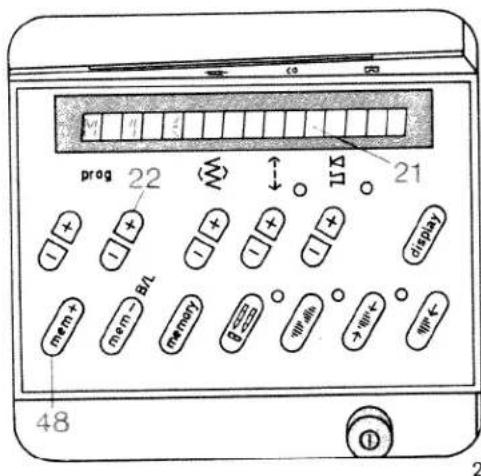
text_image
prog 22 15 Ω 21 48 ① ②-How to select an V-memory:
=ig. 1
Select the M-memory
(with the left prog key 22).
Fig. 2
- Select the number of a free M-memory (using the right button prog 22).
● The M-memory is free when the display (21) to the right of the memory number is empty.
- Push key mem + 48. The memory is now ready to accept a program.
Fig. 3
- Select the programs (00 to 99) with the keys (prog 22) and enter them one after the other in the computer by pressing the key m e m + 48 for program entry.
The program numbers appear in display 21. - When you have entered all program combinations, the machine is ready to sew.
Single patterns
If you wish to sew only one pattern sequence or just one pattern, press the key
● "Single pattern" 27.
The machine then sews until the program is concluded, secures the stitches, and stops automatically.
Mirroring a pattern
If you wish to sew a pattern in reverse, press the following keys in addition to the selected program:
● "Pattern mirror" key 28
- "mem+" key 48
The pattern mirroring function is indicated by the symbol following the number in the computer. If you wish to mirror an entire pattern combination, press the following keys after programming:
● "memory" key 30 and
● "pattern mirror" key 28 (Fig. 4).

text_image
22 prog BI BI BI BI BI BI BI BI BI BI BI BI BI BI BI BI BI BI BI BI BI BI BI BI BI BI BI BI BI BI BI BI BI BI BI BI BI BI BI BI BI BI BI BI BI BI BI BI BI BI 483
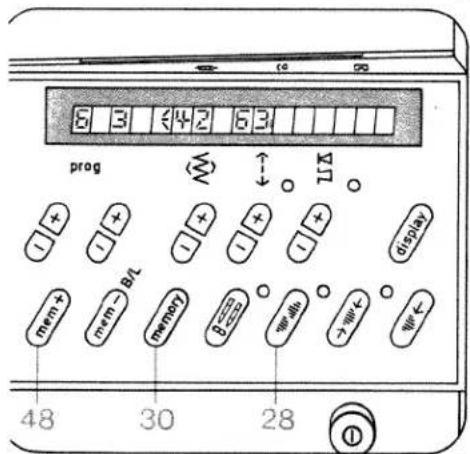
text_image
6 3 42 63 prog + - + - + - + - + - + - + - + - + - + - + - + - + - + - + - + - + - + - + - + - + - + - + - + - + - + - + - + - + - + - + - + - + - + - + - + - + - + - + - + - + - + - + - + - + - + - + - + - + - + - + -4
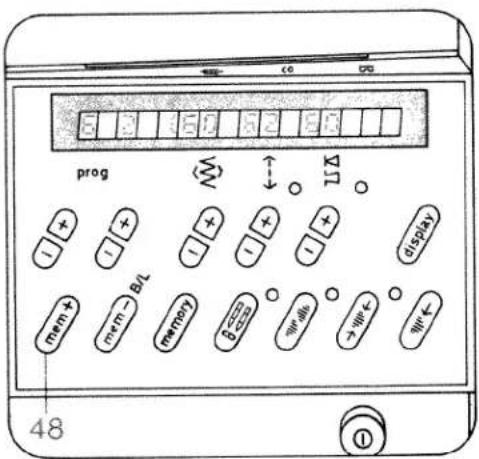
text_image
prog 48 ①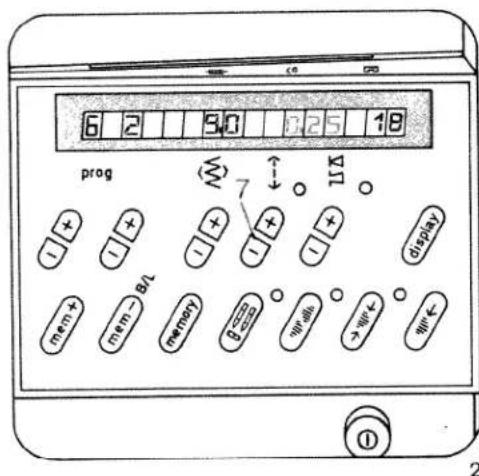
text_image
6 2 3.0 7.25 18 prog mem+ mem- memory 7 × × × × × × × × × × × × × × × × × × × × × × × × × × × × × × × × × × × × × × × × × × × × × × × × × × ○All programs and program combinations can be altered to any length or width and entered in the computer.
Changing the
stitch length
Before the last program entry for a fancy pattern the stitch length has to be determined (using key 7) (Fig. 2).
This change of stitch length also determines the length of stitches in the programs entered before (Fig. 1).
Example:
- Select a free M-memory
- Push "mem+" key 48
- Select program 60
- Push "mem+" key 48
- Select program 62
- Push "mem+" key 48
- Select program 60
- Push "mem+" key 48
- Select program 62 and change the stitch length to 0.25 (using key 7), Fig. 2.
- Push "mem+" key 48
- Now the whole program with the altered stitch length is inside the computer.
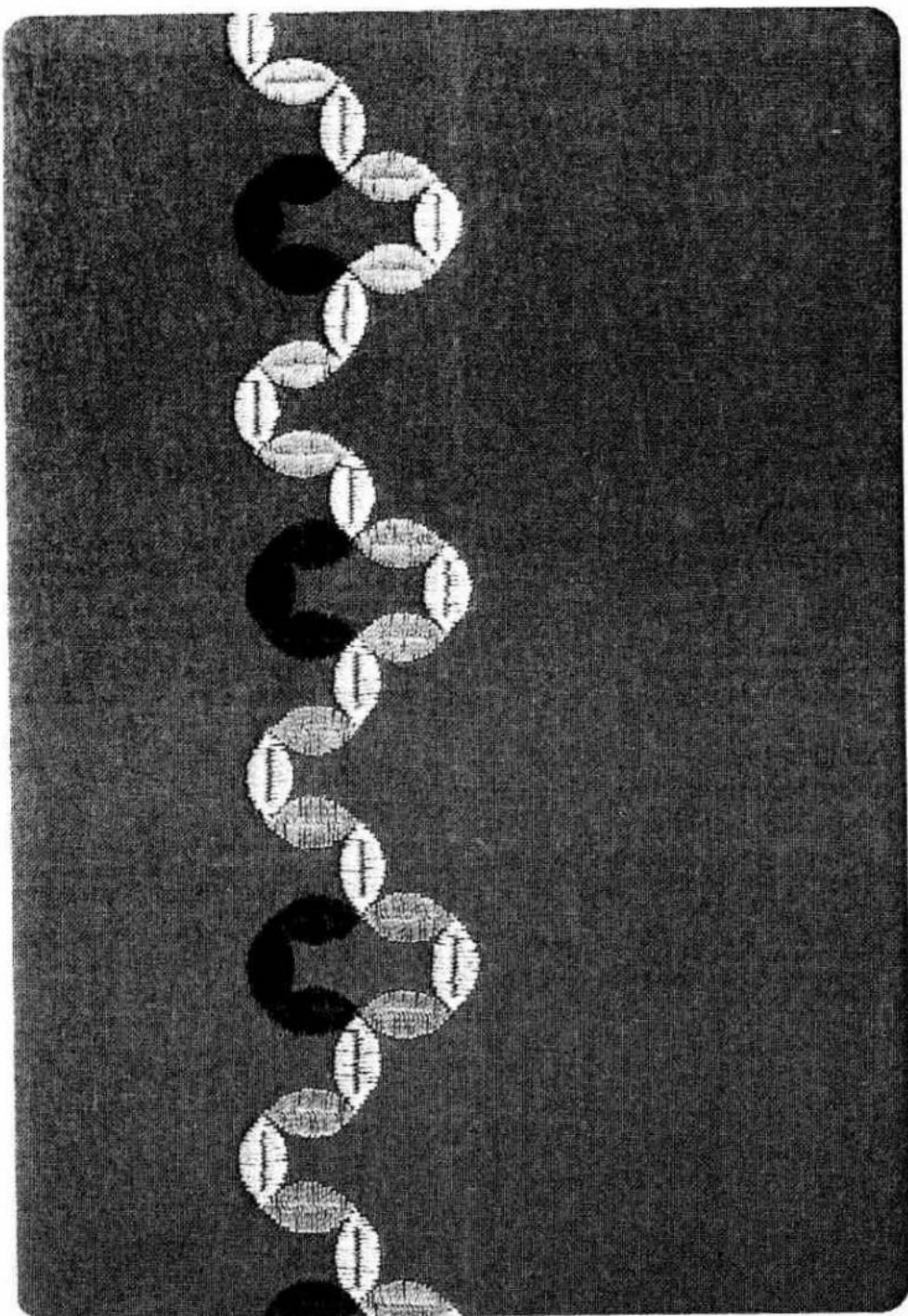
text_image
Black-and-white graphic with a vertical chain of circular shapes and faint text, resembling a logo or decorative design.
text_image
6 2 035 18 prog 8 11 display mem + mem - B1 memory 0-∞ 0+ 0+ 0+ 0+ 0+ 0+ 0+ 0+ 0+ 0+ 0+ 0+ 0+ 0+ 0+ 0+ 0+ 0+ 0+ 0+ 0+ 0+ 0+ 0+ 0+ 0+ 0+ 0+ 48 ①Changing the stitch width
The stitch width can be changed before each program entry (using key 8).
Example: prog 62
Stitch width: 4.5 mm
- Push "mem+" key 48
The pattern is now stored with the changed data. (Fig. 1 + 1a).
Changing the pattern length at the same stitch density
The pattern length can be changed before each program entry (using key 5).
Example: prog 62
Pattern length: 25
- Push "mem+" key 48
The pattern is now stored with the changed data (Fig. 2 + 2a).
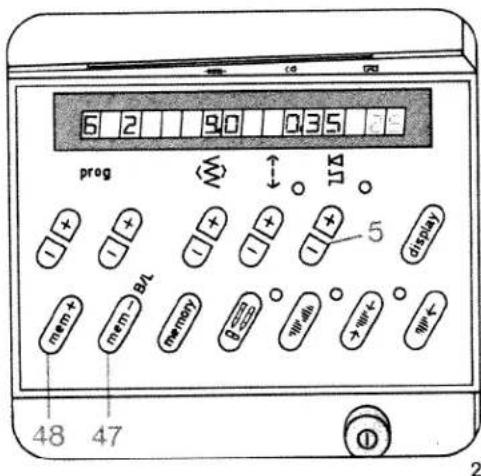
text_image
6 2 90 035 prog mem+ mem- 8A memory 5 display 48 47Checking the stored programs
If you wish to check the stored program and you have entered more than four patterns, twelve letters or figures push key 6 "display". The stored program runs through in display 21. You can stop the program run by pushing key 6 a second time (Fig. 3).
When sewing is started, or when memory key 30 is pressed, the display returns to the beginning again.
Correcting stored programs
If you have entered a pattern wrongly during programming, you can cancel the entries up to the mistake by using "mem -" key 47. Then enter the rest of the program again.
Programs that are no longer required are cancelled by pushing: "m e m—" key.

text_image
M 1 1 21 prog + - + - + - + - 6 display mem+ mem-B/L memory B=0 + - + - + - 30 ① 3
text_image
1a 2a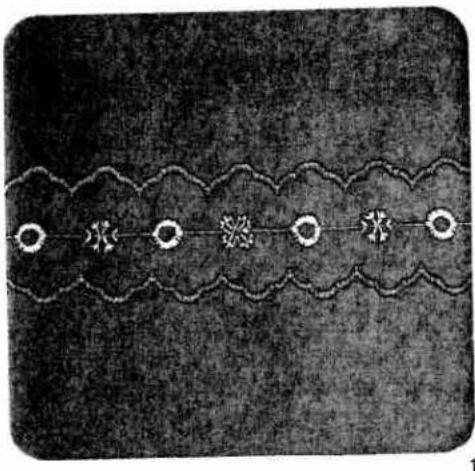
natural_image
Decorative pattern with repeating cloud-like shapes and star motifs (no text or symbols)Ornamental borders
You can give free rein to your creativity by combining various patterns. The ornamental borders illustrated on this page and described below are intended as a stimulus to your imagination.
- For sewing ornamental borders we recommend using the fancy-stitch sewing foot No. 2A.
- Place tissue paper under the fabric. This will help you to achieve better sewing results.
Border 1 consists of the following
programs:
Middle motif: 50, 93, 46, 93
Side motif: 59
First workstep, centre motif
● Before programming select a free M-memory
● Push "m e m +" key 48
- Select program 50
● Push "m e m +" key 48
- Select program 93
● Change stitch width to 9 mm
- Push "m e m +" key 48
- Select program 46
● Push "m e m +" key 48
- Select program 93
● Change stitch width to 9 mm
● Push "m e m +" key 48
● Sew the stored program
Second workstep, outer motif
- Select program 59
- Sew the selected program along either side of the middle motif. The second side can be sewn without turning the fabric by simply pushing mirroring key 28.
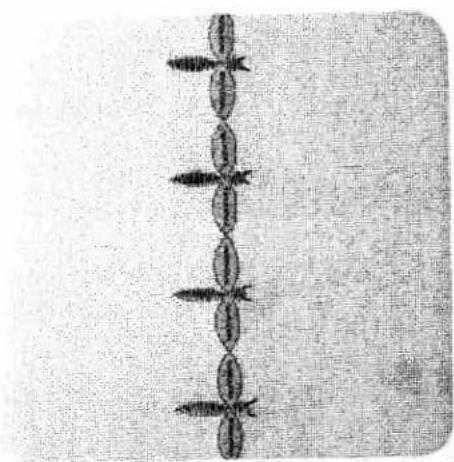
natural_image
Pure diagram of a vertical chain of oval shapes with arrowheads, no text or symbols present2

natural_image
Decorative black-and-white line art with floral and flower motifs, no text or symbols present3
Border 2 consists of the
following programs:
62, 62 (6 mm) and 00
First workstep
- Select program 62
● Sew the selected program.
Second workstep
- Select program 62, 6 mm width
● Press single pattern key 27.
● Sew the body starting from the middle
● Finally, sew the feelers with short straight stitches, program 00.
Border 3 consists of the following programs:
60, 45 and 93
First workstep
● Before programming, select a free M-memory
- Push "mem+" key 48
- Select program 60 and change the pattern length to 20
- Push 'mem+" key 48
- Push "pattern start" Key 26
● Program 60, pattern length 14
- Push "mem+" key 48
- Push "pattern start" key 26
● Program 60, change pattern length to 10
- Push "mem+" key 48
- Push "pattern start" key 26
● Program 60, pattern length 14
- Push "mem+" key 48
● Push "pattern start" key 26
● Program 60, change pattern length to 20
- Push "mem+" key 48
● Push key 27 "single pattern"
● Push key 15 "needle down"
- Sew the entered program along the traced lines.
Second workstep, middle motif
- Select program 45 Sew the pattern at sewing-foot width along the fancy seam sewn before.
Third workstep, final motif
- Select program (93) Sew the pattern along the fancy seam sewn before.
PFAFF
creative 1472
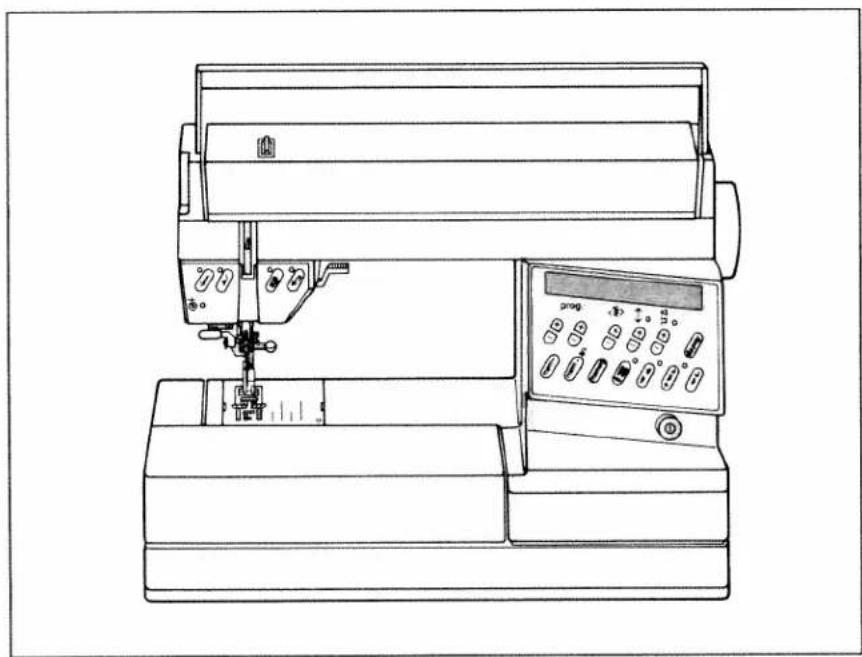
natural_image
Line drawing of a sewing machine with control panel and rotary knob (no text or symbols)Instruction Book
D
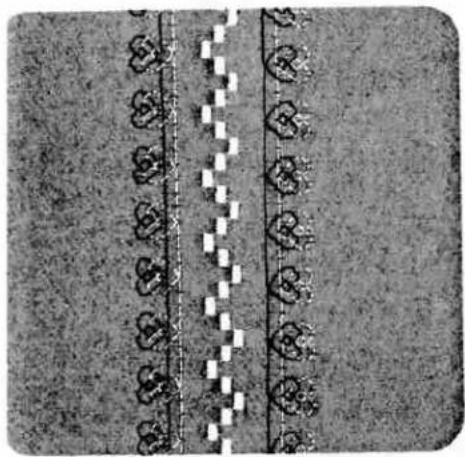
natural_image
Top-down view of a textured surface with repeating heart-shaped patterns and a dashed line (no text or symbols)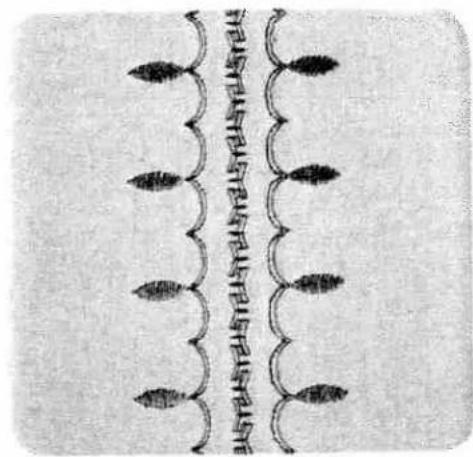
natural_image
Abstract decorative pattern with curved lines and leaf-like shapes, no text or symbols presentSewing fancy seams with he twin needle optional
| prog | |||
| Optional | 3-5 | 2A |
Jeedle: twin needle, 1.6 mm gauge Key: "twin needle"
'ery attractive fancy patterns can be sewn with he twin needle. The illustrations above show ome of the dainty patterns that can be produced with a little imagination.
'ress "twin needle" key 29; this limits the stitch width and prevents the needle from striking the needle plate.
for sewing, use two reels of thread of different colours. Place one reel on each reel pin and secure it in position with the corresponding unwinding disc. Place one thread to the right and he other to the left of disc "C". Continue threading in the usual way, threading each needle separately. See threading instructions on page 96.
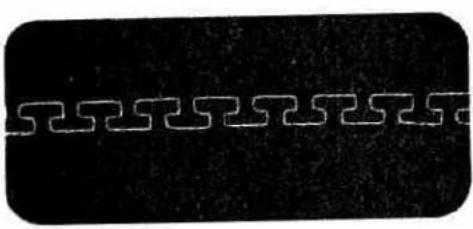
natural_image
Abstract geometric pattern with interlocking lines on a dark background (no text or symbols)
natural_image
Pure electrical circuit lines without any symbols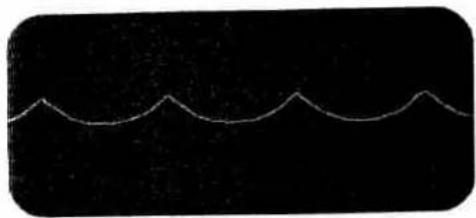
natural_image
Abstract wavy line pattern on black background (no text or symbols)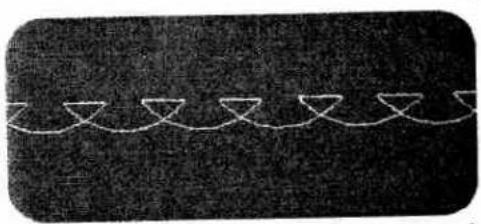
natural_image
Abstract pattern of white wavy lines on a dark textured background (no text or symbols)1
2
Pattern variations made with the programmed reverse straight stitches
You will find numerous ways of expressing your creative talent by varying or rearranging the reverse straight-stitch patterns in programs 02 and 03 or the pattern combinations derived from them.
The pattern variations illustrated and explained below are intended as an inspiration.
| prog | |||
| see below | -3+ | 2A |
Stitch combination 1 consists of the following programs : 69, 02 (Fig. 1)
● Before programming, select a free M-memory
● Push "m e m +" key 48
- Select the programs:
1×69.2×02
and enter them in the computer by pressing "m e m +" key 48 each time
● Sew the stored program.
Stitch combination 2 consists of the following programs: 38, 03 (Fig. 2)
● Before programming, select a free M-memory
- Push "mem+" key 48
- Select the programs:
1 × 38.6 × 03
and enter them in the computer by pushing "mem+" key 48 each time
- Sew the stored program.

text_image
0009377 01532610 0009377789X 000 00000 - P1ABCDEFGHIJKLMNOPQRSTUVWXYZ
KLMNOPQR
STUVW
XYZ
0123456789
AEOCE .
A'O'U
ABCDEEGHIJKL
MNOPQRSTU
VWXYZ
0123456789
21
AQUAEOE

text_image
22 prog mem + mem - B/L memory 0-∞ 0+ 0+ 0+ 0+ 0+ 0+ 0+ 0+ 0+ 0+ 0+ 0+ 0+ 0+ 0+ 0+ 0+ 0+ 0+ 0+ 0+ 0+ 0+ 0+ 0+ 0+ 0+ 0+ 0+ 0+ 0+ 0+ 0+ 0+Programming letters and number
With the Pfaff Creative you can choose between three different types of lettering and two different number characters. For sewing monograms and texts we recommend to press "slow sewing" key 16.

These are used for enhancing or marking linen and outerwear. It is also possible to compile texts and write them on material. 484 letters and numbers can be distributed over 16 M-memories, with a maximum of 84 in one M-memory.
| prog | |||
| 二bA二cA二dA | Δ Δ | -3+ | 2A |
Thread: embroidering thread
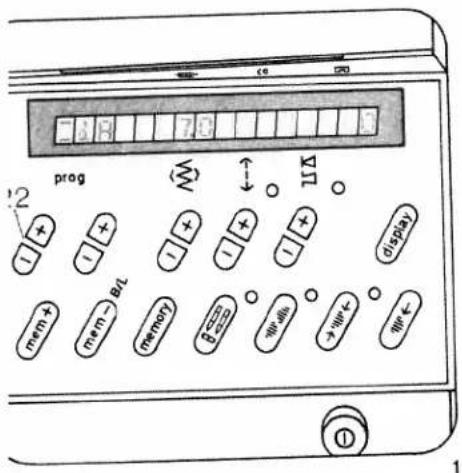
text_image
prog BIT mem+ mem- memory Wells +Wk+ Wk- 1
text_image
prog 22 mem + mem - BL memory β = 0.0000 % W=48% > W< % W< % 48 27ewing script capital letters
dA
xample: D F
Before programming, select a free M-memory
Push "m e m +" key 48
1. Select = a A at left "prog" key 22 "-" (Fig. 1)
Select the following letters at right "prog" key 22 "+"
dD = dF
- Input in memory by pressing the mem + key 48 each time
- Push "single pattern" key 27
- Sew the stored program (Fig. 3).

text_image
DF3
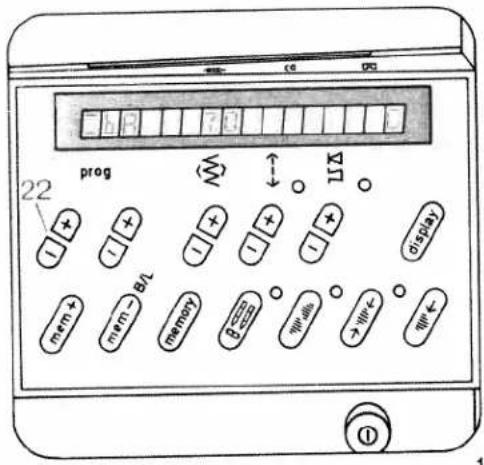
text_image
22 prog mem + mem - BL memory β < img > img < display
text_image
22 prog 11 display mem+ mem- BIT memory width + - 27 482
Sewing block letters bA
Example: J O U R N A L
● Before programming, select a free M-memory
- Push "mem+" key 48
- At key "Prog." 22 (left, minus) select =bA (Fig. 1)
- At key "Prog." 22 (right, plus) enter the letters: (Fig. 2)
__J__O__U__R__N__A__L
by pressing "mem+" key 48 each time
- Push "single pattern" key 27
● Sew the stored program (Fig. 3).
Sewing numbers 二b0
- Select program = b0
Program numbers as described under letters.
text_image
JOURNAL3

text_image
AIR MAIL4
133
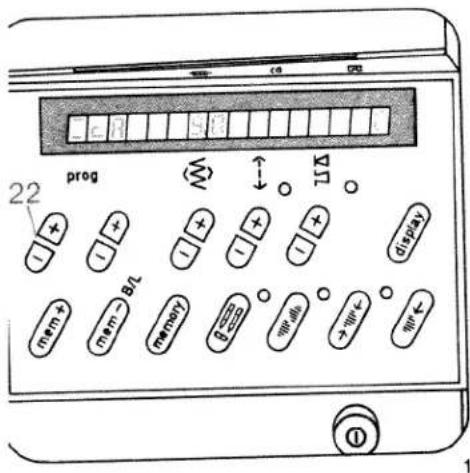
text_image
22 prog mem + mem - B1 memory P-000 → W+ ← W+ ← ← ↑ ↓ ↑ ↓ ↑ ↓ ↓ ↓ ↓ ↓ ↓ ↓ ↓ ↓ ↓ ↓ ↓ ↓ ↓ ↓ ↓ ↓ ↓ ↓ ↓ ↓ ↓ ↓ ↓ ↓ ↓ ↓ ↓ ↓ ↓ ↓ ↓ ↓ ↓ ↓ ↓ ↓ ↓ ↓ ↓ ↓ ↓ ↓ ↓ ↓ ↓ ↓ ↓ ↓ ↓ ↓ ↓ ↓ ↓ ↓ ↓ ↓ ↓ ↓ ↓ ↓ ↓ ↓ ↓ ↓ ↓ ↓ ↓ ↓ ↓ ↓ ↓ ↓ ↓ ↓ ↓ ↓ ↓ ↓ ↓ ↓ ↓ ↓ ↓ ↓ ↓ ↓ ↓ ↓ ↓ ↓ ↓ ↓ ↓ ↓ ↓ ↓ ↓ ↓ ↓ ↑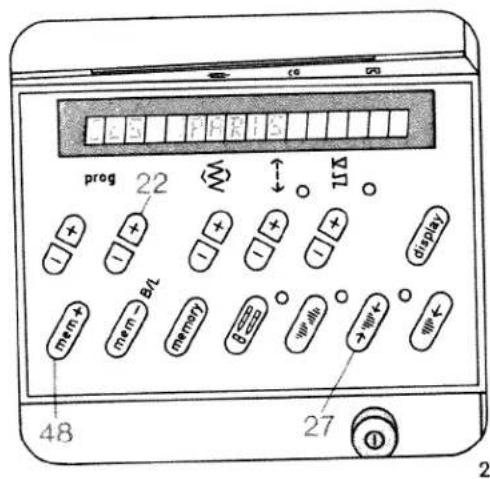
text_image
prog 22 mem + mem - BL memory 8 mm min > mm + mm - 48 27 ① 2Outline alphabet, sewing outlined letters —cA
Example: PARIS
Before programming, select a free M-memory
- Push "mem+" key 48
- At key "prog." 22 (left, minus) select _cA (Fig. 1)
- At key "Prog." 22 (right, plus) enter the letters: (Fig. 2)
__P __A __R __I __S by pressing "mem+" key 48 each time
- Push "single pattern" key 27
● Sew the stored program (Fig. 3).
Sewing numbers 二c0
- Select program = c0 Program numbers as described under letters.
PARIS
BERLIN
ROM
PFAFF
ALL OVER THE
WORLD
SEWING
MACHINES
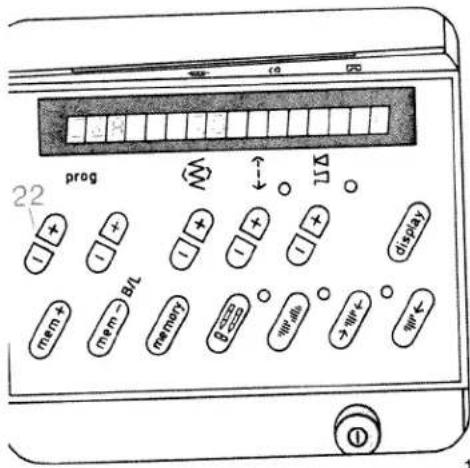
text_image
prog 22 + - + - + - + - + - + - + - + - + - + - + - + - + - + - + - + - + - + - + - + - + - + - + - + - + - + - + - + - + - + - + - + - + - + - + - + - + - + - + - + - + - + - + - + - + - + - + - + - + - + - + -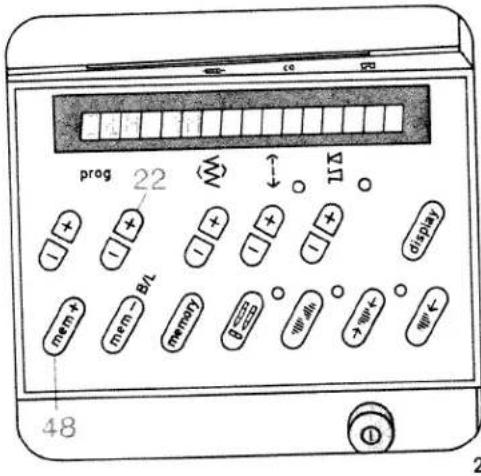
text_image
prog 22 mem + mem - B/L memory β = 0.0000 0 0 0 0 0 0 0 0 0 0 0 0 0 0 48 115 displaySewing dots
A dot can be used as a full stop or period, for example between the letters of an abbreviation. A dot can be selected together with every letter or figure in italics.
Example: H. P
- Before programming, select a free M-memory
- Push "m e m +" key 48
- At key: "Prog." 22 (left, minus) select =dA (Fig. 1)
- At key: "Prog." 22 (right, plus) select =dH (Fig. 2)
- Push "mem+" key 48
Dot quick-selection - Push "mem+" key 48 and hold it (a second "H" appears Fig. 3), and in addition
● Push the left key "Prog." (22 +)
The second "H" is now substituted with a dot - Select = dP at the right key "Prog." (22 +)
- Push "mem+" key 48 (Fig. 4)
● Push single pattern key 27
Now your monogram is provided with a dot and can be sewn (Fig. 4).

text_image
22 prog mem + bit mem - memory 48 11Δ display 1000000000000000000000000000000000000000000000000000000000000000000000000000000000000000000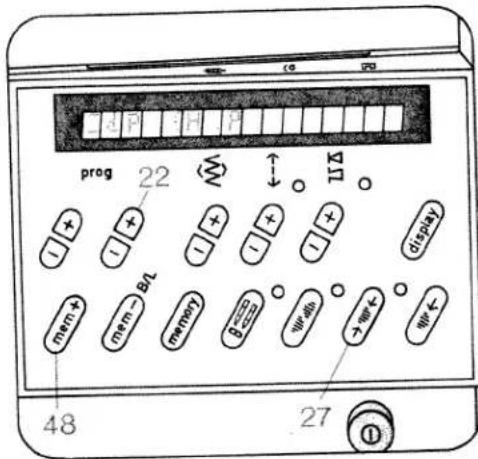
text_image
prog 22 48 27 113 1 + - + - + - + - + - mem+ mem- memory width + - 屏幕 display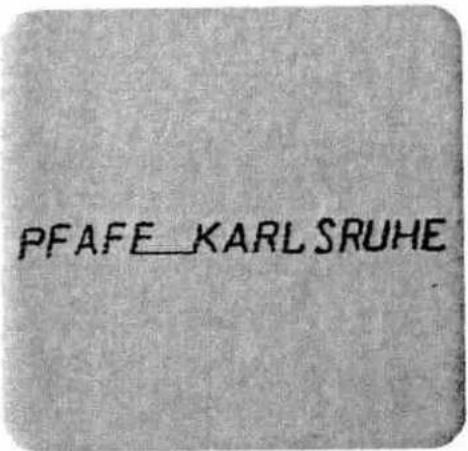
text_image
PFAFE_KARLSRUHE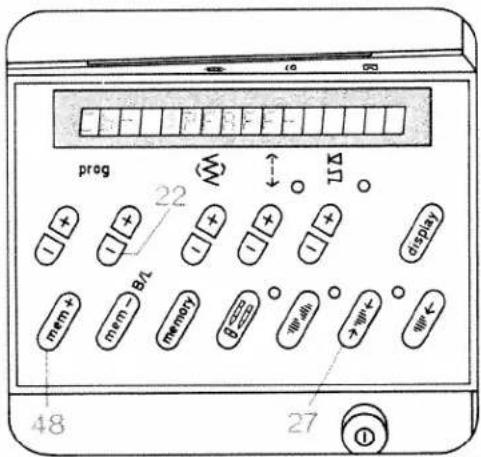
text_image
prog 22 ↓ 11 display mem > B/L memory B > C will > link 48 271
Spacing between words
二bA 二cA
Example: PFAFF____KARLSRUHE
A spacing must always be programmed between two words.
A spacing can be selected for every block capital or outline letter. Three or four spacing characters are input, depending on the size of spacing required (Fig. 1).
- Spacings are programmed the same way as dot quick-selection
Sewing hyphens
Example: PFAFF-CREATIVE
- Press right "prog" keys 22 until the dash is displayed in the right length (Fig. 2)
- Press "mem+" key 48 (Figs. 2 and 3)
● Input the rest of the text - Press "single pattern" key 27
Full stops, commas, spacing marks, dashes, question marks or exclamation marks
At the end of the numbers and outline letters a full stop, comma, space mark and hyphen are programmed.
At the end of the alphabets in hand-writing and capitals a question mark and exclamation mark are programmed.
- Select the required program with "prog" keys 22.
- Press "mem+" key 48.
PFAFF-CREATIVE
3

text_image
HAPPY BIRTHDAY
text_image
ABA ABA M2
Sewing texts
If you wish to divide a text into several lines, select free M-memory for each line and enter the text. After the last program entry, press the single pattern key. Insert a spacing after each word (page 37). Sewing is then begin with the first M-memory again. To divide the text, select one M-memory after the other with each part of the ext. The machine will stop after each line. Before sewing, mark the beginning of the text on he fabric.
After sewing, cut the joining threads between letters, figures and spacings (Fig. 1).
f you wish to check the text, press run-through key, display 6. The text will then run through in the computer. It can be stopped by pressing the same key again.
Letters and figures in different sizes
Letters and figures can be sewn in different sizes. The maximum character height is 9 mm.
Before the first entry of a letter or a figure, its height can be determined by means of stitch width key 8 (Fig. 2).
If you wish to sew letters and numbers in different heights, select the height just before the required change and input the program in the memory.
Correcting program entries
If you have missed out a letter or figure or entered a wrong one, you can correct the entry. Cancel the individual entries back up to the mistake using "mem—" key 47 and correct it, then enter the rest of the text again.
Programming names with embroidery stitches
- Select a free M-memory
- Push "mem+" key 48
- Select the following programs
1 × 84
2×00
_E_V_A
2×00
1×84
● and enter them in the computer by pressing "mem+" key 48 each time.
● Press single pattern key 27.
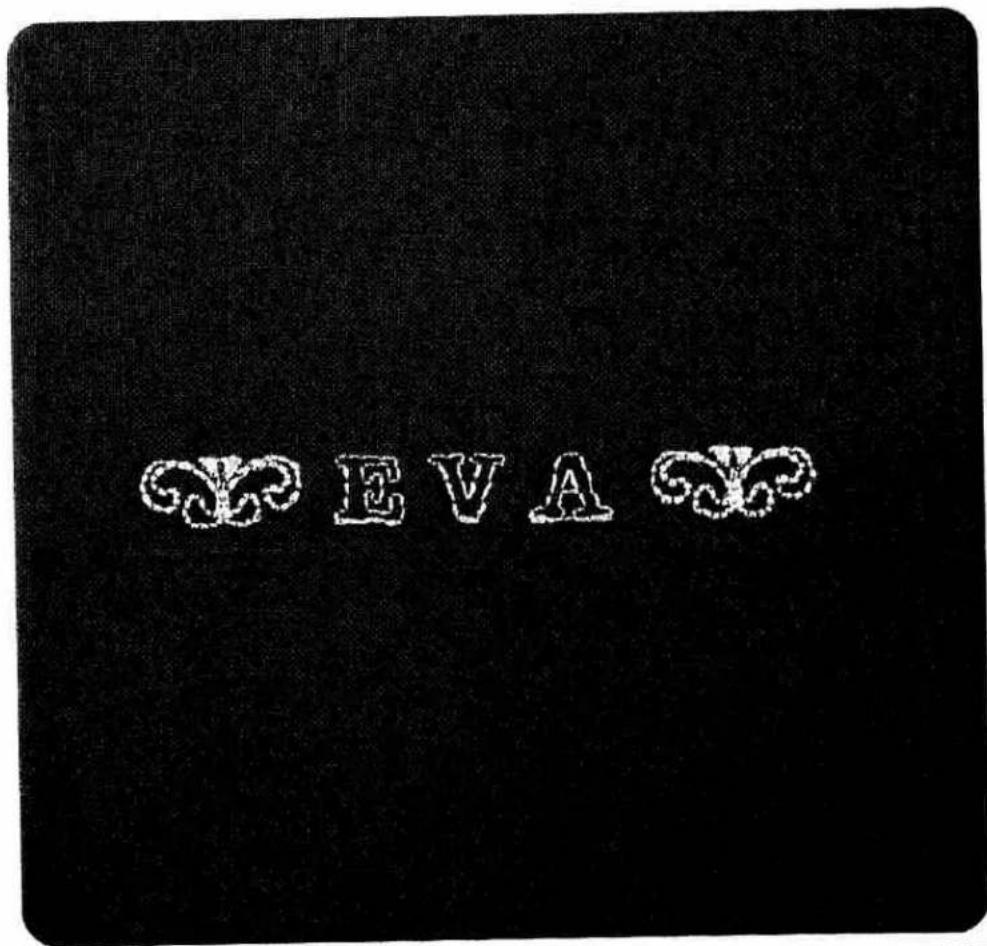
text_image
EVA
text_image
prog 22 5 display mem + mem - mem memory 5 48 27 26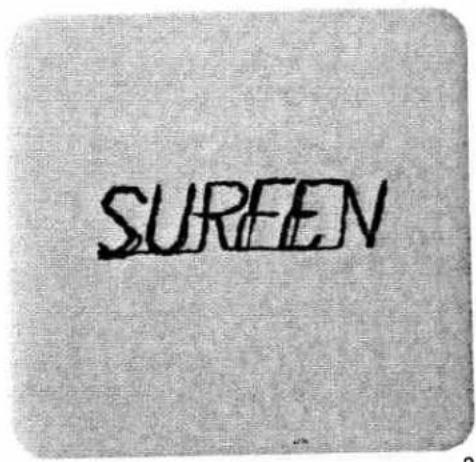
text_image
SUREEN2
Correcting characters with the balance key
sometimes, letters or words may shift, depending on the fabric used. This can be corrected with the alance key (Fig. 2).
Jords or texts can only be corrected together. he letter or figure last entered is corrected awards plus or minus with key 5 and entered with mem+" key 48. The correction applies to the whole memorized program.
example: SURFEN
Press "pattern start" key 26
Program "N" appears
Select - 3 on balance key 5 (Fig. 1)
Press "mem+" key 48
the program has now been corrected with -3 (Fig. 3)
Press "single pattern" key 27.
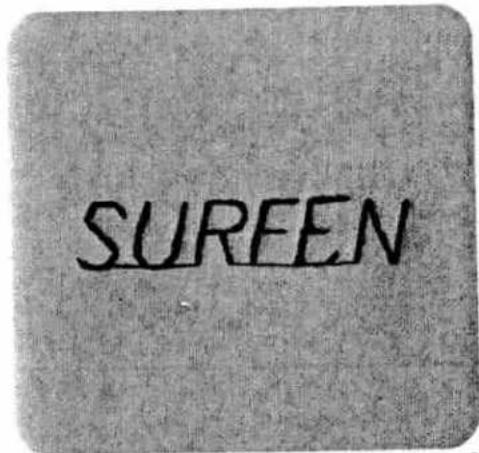
text_image
SUREEN3

natural_image
Black-and-white photo of a teacup on a patterned tablecloth, with decorative border and no visible text or symbols.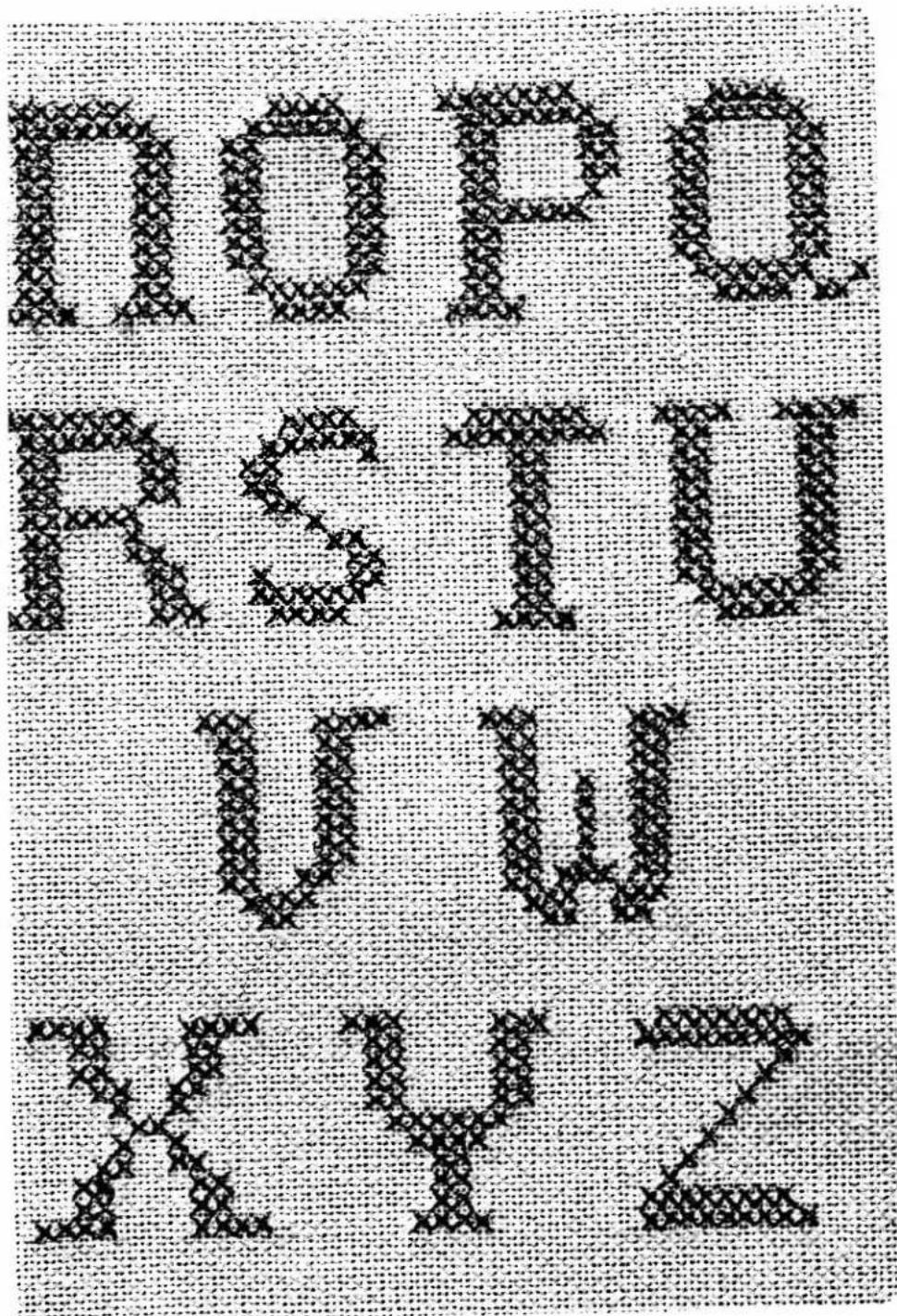
text_image
MOPA HOTU UM XX[Non-Text]

natural_image
Pixelated abstract pattern with no discernible text or symbols
text_image
Scanned text of contract clauses with dense vertical columns and a central vertical lineThe cross stitch has always played an important role in the history of crafts. The Pfaff Creative offers you the chance to continue this wonderful tradition with great ease. Besides the cross-stitch programs 70 to 72 the sewing computer has numerous other ready-made cross-stitch borders in store for you. The program numbers of these are 81 to 83, and they can be called whenever needed.
These beautiful motifs are also available for combination as shown on pages 152 and 153. The decorative hand-work stitches are ideal for making small presents. Cross-stitch motifs on able cloths, clothing or children's things lend them a singularly personal touch. Why not spend some of your leisure time beautifying and increasing the personal expression of your clothing? When cross-stitching, it is suggested to press key 16 "sew slowly".
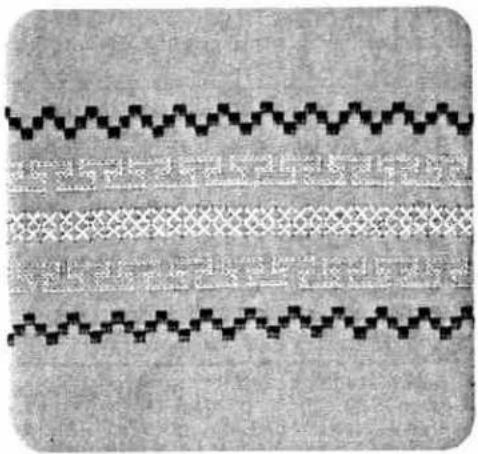
natural_image
Abstract pattern of repeating zigzag and diamond shapes on textured background (no text or symbols)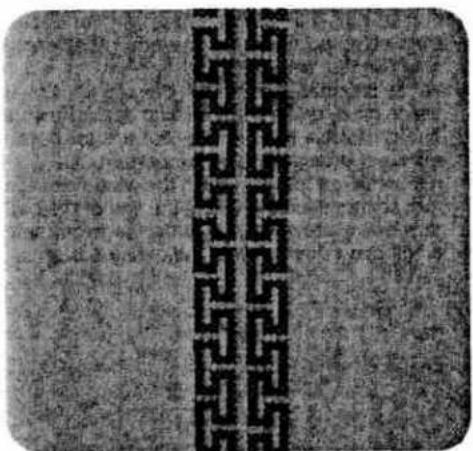
natural_image
Abstract pattern with interlocking black lines on a textured gray background (no text or symbols)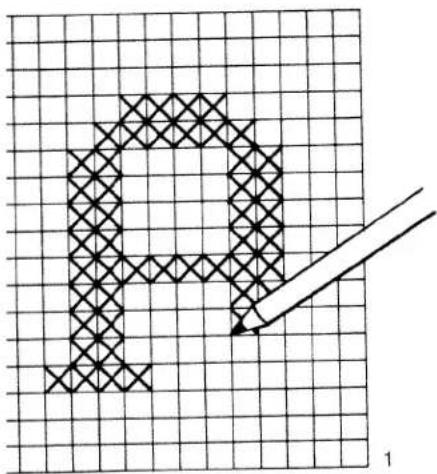
text_image
A 1Cross-stitches
| prog | |||
| 70-79 | -3+ | 2A |
you have no cross-stitch pattern available, you an design and sew your own pattern.
Draw the cross-stitch pattern on graph paper (see Fig. 1).
Before beginning to sew, mark the sewing sequence by means of arrows on the drawing. As shown in the above example, indicate the sequence of numbers for every pattern sequence -M-. This is required for programming (Fig. 2).
Now place the pattern in the direction of the arrow. The number of cross stitches is then entered for each pattern sequence in a free M-memory by pressing "mem+" key 48 each time.
For sewing, the programmed memories are then selected one after the other, beginning with the first M-memory.
- Fancy stitching foot No. 2A has red lines on it which make cross-stitch sewing easier for you. The crosswise lines in the foot are for determining the beginning of the pattern.
- Allow the left metal edge in the window of the foot to move exactly along the line of the pattern sewn previously, in order to avoid spacings occurring between adjoining patterns.
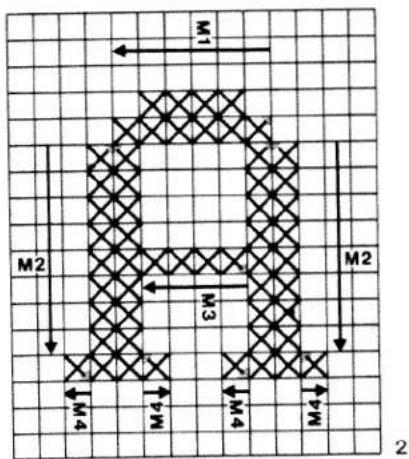
text_image
M1 M2 M3 M4 M4 M2 M4 2• Arrow = Sewing direction
- Point = Beginning of sewing (needle penetration)
- When sewing is begun the needle always enters in the middle of the foot. The red dot on the pattern marks each starting point.
- In order to shift individual cross stitches, 71 from left to right, press the pattern reverse key beforehand.
● The mirroring of program 71 is indicated in the computer by a dash after figure 71i.
● The illustrations on this and the following pages provide some suggestions of ways to make attractive cross-stitch patterns with your Creative, instead of by hand.
text_image
ABC DEF GHIJ KLMSuggestions: (not described)
text_image
1 2 3 4 5 6 7 8 9 0For the pattern Fig. 2, for example, the following combinations are stored:
Three worksteps are required.
First workstep
- Select a free M-memory before programming
- Push "mem+" key 48
- Select the following programs:
1 x 711 "pattern mirror"
4 × 70 and
1 x 711 "pattern mirror"
and enter them in the computer by pressing "mem+" key 48 each time.
- Push "memory" key 30
- Select the next free M-memory
• Push "mem+" key 48
M2 ● Push the pattern start key
- Select the program:
9×70
and enter it in the computer by pressing "mem+" key 48
● Push "memory" key 30
↓ ● Select the next free M-memory
M3 ● Push "mem+" key 48
- Select the program:
4×71
and enter it in the computer by pressing
● Push "memory" key 30
● Push the "single pattern" key
Now the cross-stitch monogramme is memorized.
↓ Arrow = Sewing direction
- Point = Beginning of sewing (needle penetration)
Second workstep
● Mark the starting point for sewing on the fabric.
Select memory M 1 and sew through pro-
M1 gram according to pattern.
↓ Select memory M 2.
M2 Sew the program once right and once left, as shown by the pattern.
↓ Select memory M 3 and sew through program according to pattern.
Third workstep
● Push the pattern start key.
- Select program 71.
- Push the single pattern key.
M4 ● Sew the individual patterns according to design.
When the programmed memories are no longer required, they can be cancelled by pressing "mem-" key.
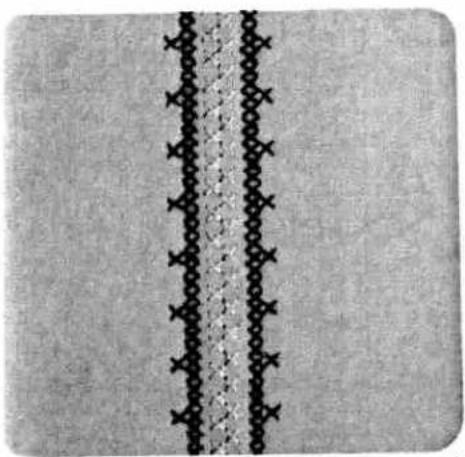
natural_image
Close-up of a patterned fabric with repeating dark circular motifs and two vertical seam lines (no text or symbols)1
Cross-stitch
corders
Depending on the kind of work, the illustrated borders can be sewn in plain colours or in colour combinations.
Mark the beginning line for the border on the abric.
3order 1 consists of the programs: 70, 71, 71;
=first workstep
- Select a free M-memory before programming. (middle motif)
- Push "mem+" key 48
- Select the programs:
1 × 71
1 x 711, pattern mirror 28
and enter them in the computer by pressing "mem+" key each time.
- Push "memory" key 30.
- Select the next free M-memory (edge motif).
- Push "mem+" key 48.
- Push the pattern start key.
- Select the programs:
1 x 70
3×71
and enter them in the computer by pressing "mem+" key.
- Push "memory" key.
The border is now stored in the computer.
Second workstep
Call off the programmed M-memory for each workstep and sew according to the design. When the M-memories are no longer required they can be cancelled with "mem-" key.

natural_image
Black-and-white abstract pattern with white zigzag lines and plus symbols on a dark background (no text or symbols)2
Border 2 consists of the following programs: 70, 71, 72
First workstep: centre motif
Mark the pattern design for the centre motif in dots on the material. The distance between two points is approximately 2.5 cm and the height approximately 1.3 cm. Connect the dots with lines.
- Select the following program.
1 × 72
Sew the selected program along the pre-drawn line.
Second workstep: edge
- Select a free M-memory before programming.
- Push "mem+" key 48.
- Enter programs:
1 x 70 mirror
2×71
in the computer by pressing "mem+" key each time. Sew the stored program.
The 2nd side can be sewn without turning the material by pressing "memory" key 30 "pattern mirror" key 28.

natural_image
Black-and-white aerial view of a road with white cross symbols indicating traffic or movement, flanked by dark vertical tracks (no text or labels visible)3
Border 3 consists of the following programs: 70, 71, 72
First workstep: centre motif
- Select the following program.
1 x 70
● Sew the selected program.
Second workstep: centre rows
- Select the following program 1 x 72
- Sew the selected program at both sides along the centre motif.
Third workstep: edge
- Select a free M-memory.
- Push "mem+" key 48.
● Enter programs
2 x 70
4 x 71
in the computer by pressing "mem+" key each time.
● Sew the stored program at both sides.
- By pressing
- "memory" key 30 and "pattern mirror" key you will save yourself the trouble of turning the material. The programmed memory can be cleared again after the work is finished by pressing "mem-" key.


natural_image
Abstract pattern of interlocking diamond shapes on textured background (no text or symbols)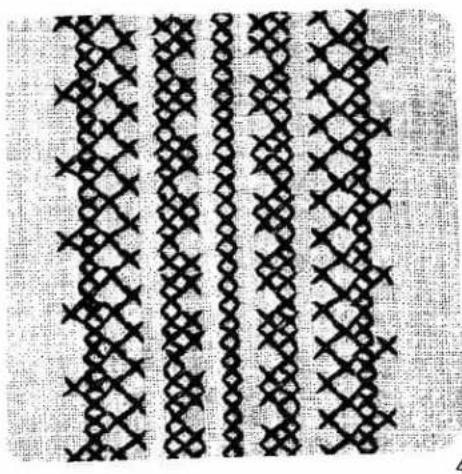
natural_image
Pattern of repeating black diamond and cross motifs on a textured background (no text or symbols)
natural_image
Pixelated black-and-white illustration of flowers and stems (no text or symbols)3order 4 consists of the following programs: 70, 71, 71i
First workstep (centre motif)
Mark the centre-line on the material.
Select program 71
and sew along the marked line.
Second workstep
- Select a free M-memory
- Push "mem+" key 48.
Enter programs
2×70
1×71
in the computer by pressing key "mem+" each time.
- Sew the stored program at both sides along the centre-line.
Third workstep
- Select a free M-memory.
- Push "mem+" key 48.
● Push beginning-of-pattern key
● Enter programs
1 × 71
1 x 711 pattern mirror
in the computer by pressing "mem+" key each time.
- Sew the stored program at both sides along the previously sewn pattern.
Fourth workstep (edge)
- Select a free M-memory.
- Push "mem+" key 48.
- Enter programs
1 × 70
3×71
in the computer by pressing "mem+" key each time.
- Sew the stored program at both sides along the previously sewn pattern as shown on the drawing.
The reserved M-memories can be cleared by pressing "mem-" key after the work is finished.
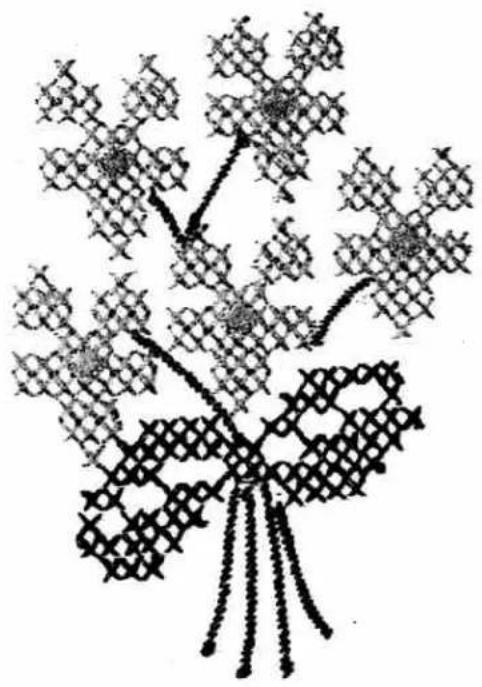
natural_image
Abstract black-and-white line drawing of a symmetrical, branching structure resembling a tree or floral pattern (no text or symbols)
text_image
M W3 W4 W5 W6 W7 W8 W9 W10 M1Motifs with cross stitches
Swan
For the pattern shown above 11 free M-memories are required. As the following example shows, they are stored in sequence (for preparation see page 150).
For M-memory programs M 3 to M 10 the arrow indicating the sewing direction is replaced by symbol = sewing direction.
First workstep
- Select a free M-memory.
M1 M1 - Press "mem+" key 48
- Enter programs
1 x 711 mirror
1×70
1×71
1×70
1×71
2×70
1×71
2×70
1×71
2 x 711 mirror in the computer by pressing
"mem+" key each time.
Press "memory" key.
M2 ● Select the next free M-memory.
M2
- Press "mem+" key
- Press "pattern start" key.
● Enter programs:
2×70
1×71
in the computer by pressing "mem+" key each time.
Press "memory" key.
Arrow = Sewing direction
= Sewing direction (M3 to M10)
Dot = Beginning of seam (needle penetration)
M3 ● Select the next free M-memory. M 3
- Press "mem+" key.
● Press "pattern start" key
● Enter programs
3×71
1 x 711 mirror
1×70
3×71
1 x 711 mirror
1×70
1×71
in the computer by pressing "mem+" key each time.
Press "memory" key.
M4 ● Select the next free M-memory.
M4
- Press "mem+" key.
- Press "pattern start" key.
- Enter programs
1×71
1×70
2 x 711 mirror
1×70
3×71
1×70
1 x 711 mirror
in the computer by pressing "mem+" key each time.
Press "memory" key.
M5 ● Select the next free M-memory.
M5
- Press "mem+" key
- Press "pattern start" key.
- Enter programs
3 x 711 mirror
1×71
in the computer by pressing "mem+" key each time.
Press "memory" key.

natural_image
Pixelated graphic of three stylized human figures in a row against a dark textured background (no text or symbols)M6 ● Select the next free M-memory. M 6
- Push "mem+" key.
- Push "pattern start" key.
- Enter programs
1 × 70
4 x 711 mirror
1 × 70
in the computer by pressing "mem+" key each time.
Push "memory" key.
M7 ● Select the next free M-memory. M 7
- Push "mem+" key.
- Push "pattern start" key.
● Enter programs
1×71
2×70
2 x 711 mirror
1×71
1 x 711 mirror
1 × 71
in the computer by pressing "mem+" key each time.
Push "memory" key.
M8 ● Select the next free M-memory. M 8
- Push "mem+" key
- Push "pattern start" key.
● Enter programs
1×70
2×71
2×70
1×71
1 × 70
1×71
1×70
in the computer by pressing "mem+" key each time.
Push "memory" key.
M9 ● Select the next free M-memory. M 9
- Push "mem+" key.
- Push "pattern start" key.
- Enter programs
1 x 711 mirror
3×71
1×70
1×71
in the computer by pressing "mem+" key each time.
Push "memory" key.
M10● Select the next free M-memory. M 10
- Push "mem+" key.
- Push "pattern start" key.
● Enter programs
5×71
in the computer by pressing "mem+" key each time.
Push "memory" key.
M11● Select the next free M-memory. M 11
- Push "mem+" key.
- Push "pattern start" key.
● Enter programs
1×71
1 × 70
in the computer by pressing "mem+" key each time.
Push "memory" key.
- Push "single pattern" key.
Now your pattern is stored.
Second workstep: sewing a pattern
- Mark the beginning point on the material. Select an M 1 memory and recall the following M-memories in sequence and sew according to pattern.
When the programmed memories are no longer required, they can be cleared with the correction key.

natural_image
Black-and-white decorative pattern with repeating floral and geometric motifs (no text or symbols)
natural_image
Three horizontal black-and-white patterned textile or textile swatches on a textured gray background (no text or symbols)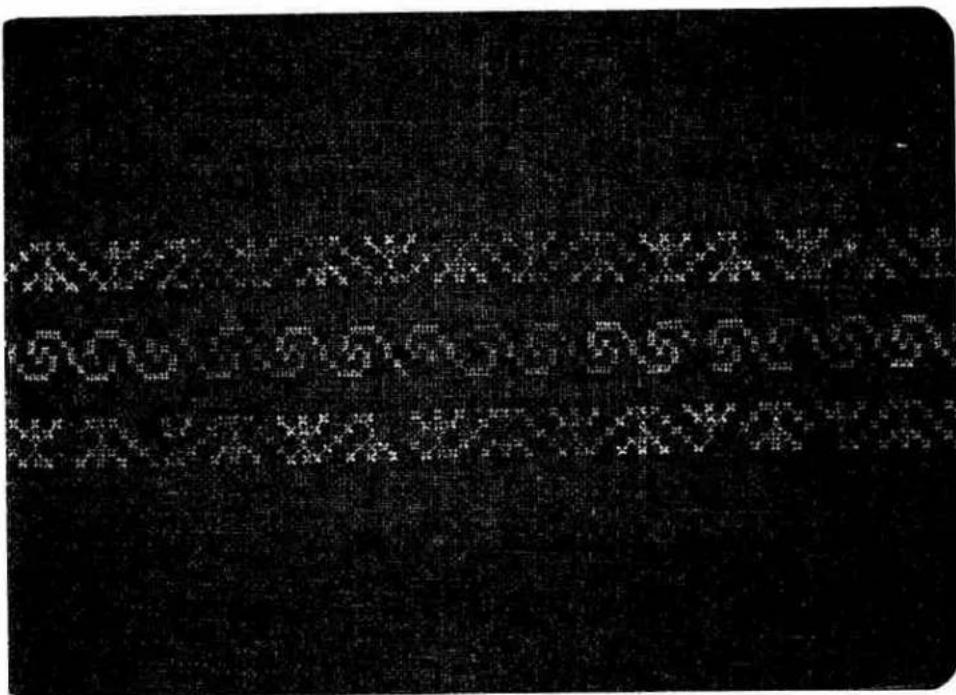
text_image
Black-and-white scanned text with pixelated, distorted characters, possibly from a low-resolution document or label.
natural_image
Three abstract geometric patterns with interlocking lines on a dark textured background (no text or symbols)Needle chart
Using the adequate needle guarantees better processing of the material.
| Fabric weight: lightNeedle size: 60, 70, 75 | Fabric weight: mediumNeedle size: 80, 90 | Fabric weight: heavyNeedle size: 100, 110, 120 | ||
| Needle points | ||||
| System & No. | Profile | Point & eye | Suitable for | |
| 130/705 H 70, 80 |  | Light ball point | Universal needle for fine-meshed synthetics, fine linen, chiffon, batiste, organdy, woolens, velvet, fancy seams and embroidery work. | |
| 130/705 H-SUK 70, 110 |  | Medium ball point | Coarse knitted fabrics, Lastex, double-jersey fabrics, Quiana and Simplex. | |
| 130/705 H-PS 75, 90 |  | Medium ball point | Stretch-fabric needle developed especially for Pfaff. Particularly suitable for delicate stretch and knitted fabrics. | |
| 130/705 H-SKF 70, 110 |  | Heavy ball point | Wide-meshed corsetry, Lycra, Simplex and Lastex. | |
| 130/705 H-J 90-110 |  | Acute round point | Twill, workwear, heavy linen, blue jeans and light canvas. | |
| 130/705 H-LL 70-120 |  | Narrow twist point | Leather, suede, calf and goatskin leathers. | |
| 130/705 H-PCL 80-110 |  | Narrow wedge point with left-twist groove | Imitation leathers, plastic materials, plastic sheeting and oilcloth. | |
| 130 H-N 70-110 |  | Light ball point, long eye | Seams topstitched with buttonhole silk or No. 30/3 synthetic thread. | |
| 130/705 H-WING 100 |  | Hemstitching point | Attractive hemstitching on heavily dressed materials, organdy and glass cambric. | |
| System & No. | Stitch length | Stitch width | Needle spacing | Suitable for | |
| 130/705 H-ZWI80 | 2.5 mm2.5 mm | -- | 1.6 mm2.0 mm | Medium-wide cording | |
| 130/705 H-ZWI8090100 | 2.5 mm2.5 mm3.0 mm | -- | 2.5 mm3.0 mm4.0 mm | Wide cordingExtra wide cordingExtra-wide cording | |
| Decorative designs sewn with twin needlesBefore you start sewing, turn the handwheel and check to make sure the needles stitch into the fabric properly. In this way, needle breakage can be largely prevented. | |||||
| Decorative and zigzag patterns | |||||
| 130/705 H-ZWI808080 | 0.5-1.5 mm0.5-1.5 mm0.5-1.5 mm | widenarrownarrow | 1.6 mm2.0 mm2.5 mm | OrnamentationsOrnamentationsOrnamentations | |
| Special hemstitching twin needle | |||||
| 130/705H-ZWI-Ho80100 | 2.0-3.0 mm2.0-3.0 mm | very narrowvery narrow | -- | Decorative hem-stitching effect.Heavily dressed fabrics are par-ticularly suitable. | |
Fault finding
| Cause: | Remedy: |
| 1. Machine skips stitches | |
| Needle not inserted correctly. | Push needle up as far as it will go, its flat shank side facing rear. |
| Wrong needle used. | Insert system 130/705 H needle. |
| Needle bent or blunt. | Insert new needle. |
| Machine threaded improperly. | Check threading. |
| Needle too thin for thread used. | Insert thicker needle. |
| 2. Needle thread breaks | |
| For any of the above reasons. | See par. 1 above. |
| Thread tension too strong. | Regulate thread tensions. |
| Poor-quality or knotty thread used, or thread that has become too dry by excessive storage. | Use only good-quality thread. |
| 3. Needle breaks | |
| Needle not pushed up as far as it will go. | Insert new needle and push it up as far as it will go. |
| Needle bent. | Insert new needle. |
| Needle too thin or too thick. | Refer to needle table. |
| Needle bent and strikes needle plate because fabric is pushed or pulled. | Let machine feed the fabric. Only guide the material lightly. |
| Bobbin case improperly inserted. | When inserting the bobbin case, push it in as far as it will go. |
| 4. Seam is not uniform | |
| Tension out of adjustment. | Check upper and lower tensions. |
| Tread too thick, knotty or hard. | Use first-class thread only. |
| Bobbin thread wound unevenly. | During bobbin winding, do not hold thread in hand, but pass it through the winder tension stud. |
| Kinks appear on top and bottom of material. | Thread machine properly and check both tensions. |
Cause:
Remedy:
5. Machine feeds irregularly or not at all
Lint has accumulated between tooth rows of feed dog.
Remove needle plate and remove lint with a soft brush.
Feed dog lowered. (Slide control is at right).
Push slide control to the left.
6. Machine runs with difficulty
Thread ends in hook raceway.
Remove thread ends and put one drop of oil into hook raceway.
7. Electronic bobbin thread monitor does not work
Thread ends and dirt have collected in the free arm cover over the sensor, in the hook raceway, in the bobbin case, behind the hook and on the second sensor to the right behind the hook.
Remove thread ends and dirt. Special care should be taken in the area round the second sensor.
8. Machine does not sew the program entered
Switch the machine off, wait about 30 seconds, then switch it on again. Again enter the desired program.
9. Machine can no longer be programmed
If you find that it is not possible to program the computer although it is not filled up, the machine must be switched off. Press key 47 "Correction B/L" after about 30 seconds, hold it down and switch the machine on again by actuating main switch 9. Release button 47.
By means of this procedure the contents of both the M- and P-memory has been fully erased. Required program sequences and patterns must be entered once more.
10. The sewing lamp lights up, but the machine does not run
Fuse is defective.
Insert new fuse.
Important:
Before exchanging either sewing foot or needle, switch off master switch 9.
Never run a threaded machine unless there is a piece of fabric under the sewing foot.
If you have to leave the machine, even for a short while, be sure to switch off the master switch. This is particularly important when children are around.
natural_image
Black-and-white illustration of a four-petal flower with five petals and two leaves, placed on textured fabric background (no text or symbols)Contents
*echnical section
1
Alphabets, numbers
8,9
3
Balance and pattern length setting
Battery changing
3obbin case, inserting
3obbin thread tension, checking
3obbin thread, drawing up
Bobbin winding
Bobbin winding from a second spool
3obbin winding through the needle
3obbin, inserting
Buttonhole programs
:
Cleaning and oiling
Creative computer keys
)
Dropping the feed dog
Dual feed
...
Electrical connection
Electronic controls and keys
Embroidery stitch programs
:
foot control
-use, changing
important notes
.amp bulb, changing
N
8,9
31, 32
43
17
16
20
12, 13
14
15
16
6
D
Pattern mirroring 35
Pattern start, setting 36
Presser bar lifter 23, 24
Program combination, cancelling 33
Program combination, checking 33
Program combination, repeating 34
Program combination, storing 33
Program selection 30
Program table 4-9
R
Recommended sewing modes 36
Reverse sewing 28
s
38
21, 22
22
11
28
7-9
7-9
24
43
27
Upper threading 18, 19
Utility stitch programs 4-6
w
Work support and accessories box 40, 41
159
ndex
viewing instructions
| Iphabet, outline | 134 |
| Iphabet and numbers, programming | 131-140 |
| appliquéing | 98 |
| Balance | 73, 78, 140 |
| Basting | 49 |
| Basting seams | 49 |
| Binding attachment | 70 |
| Binding edges | 68, 70 |
| Blind stitch | 71 |
| Block capitals | 133 |
| Borders, ornamental | 104, 105, 124, 125 |
| Buttonholes | |
| Buttonholes, linen 7-16 mm | 78, 79 |
| Buttonholes, linen 7-44 mm | 80, 81 |
| Buttonholes, linen 7-16 mm fully-automatic, semi-automatic) | 78, 79 |
| Buttonholes, linen 7-44 mm fully-automatic, semi-automatic) | 80, 81 |
| Buttonholes, linen programmable | 82, 83 |
| Buttonholes, stretch fully- and semi-automatic) | 84, 85 |
| Buttonholes, stretch programmable | 86, 87 |
| Buttonholes, bartacks | 88-91 |
| Buttonholes, eyelet | 90, 91 |
| Buttonholes, with gimp thread | 92, 93 |
| Buttonholes, cutting open | 94 |
| Buttons, sewing on | 94 |
| C | |
| Combinations with reverse straight stitch | 127 |
| Cording | 96, 97 |
| Corsetry stitch | 63 |
| Covering stitch | 66 |
| Cross stitches | 143-153 |
| D | |
| Darning tears | 72 |
| Darring, elastic stitch | 72 |
| Darning, automatic | 73 |
| Darning, straight-stitch wool | 73, 74, 75 |
| Darning, wool | 75 |
| Dot, sewing and quick selection | 136 |
| E | |
| Elastic stitch | 64, 69 |
| Embroidery stitches and monograms, programming | 117-140 |
| Embroidery stitches, programming in M-memory | 117, 118 |
| Embroidery, eyelet- | 113, 114 |
| Embroidery, linen | 112 |
| Embroidery, multi-colour | 104 |
| F | |
| Fagotting stitch | 63 |
| Fancy stitch | 52 |
| Fault finding | 156, 157 |
| Fringes | 109 |
| G | |
| Gathering with elastic thread | 59 |
| Gathering with shirring foot | 60 |
| Gathering, straight stitch | 58 |
| H | |
| Hem-stitching | 110, 111 |
| Hemmer | 56 |
| Hems, securing with twin-needle | 52, 68 |
| Honecomb stitch | 68 |
| Hyphen or dash | 137 |
| J | |
| Joining and serging seamsL | 68 |
| Lace, inserting and sewing on | 102 |
| Lap-felling | 54 |
| Leather seams | 107 |
| Letters and numbers in different sizes | 138 |
| Letters, italics | 131, 132 |
| Lycra stitch | 63 |
| M | |
| M-memories, selecting | 118 |
| Monograms | 115, 131, 132 |
| N | |
| Names, sewing, with embroidery stitches | 138 |
| Needle position, changing, zigzag stitch | 53 |
| Needle position, changing, straight stitch | 53 |
| Needle table | 154, 155 |
| Numbers in different heights | 138 |
| Numbers, sewing | 132, 133, 134, 138 |
| O | |
| Overlock stitch, closed | 66, 67 |
| Overlock stitch, edge | 67, 69 |
| Overlockstitch | 66, 68, 69 |
| Overlockstitch with edge thread | 67 |
| P | |
| Patches, inserting | 72 |
| Pattern mirroring | 116, 118 |
| Pattern, single | 116, 118 |
| Pleats | 97 |
| Programs, checking stored | 122 |
| Programs, correction of | 122 |
| Q | |
| Quilting | 100 |
| R | |
| Roll hemmer | 57 |
| S | |
| Serging seams | 66 |
| Serging with zigzag stitch and overlock foot | 62 |
| Sewing with twin-needle | 52 |
| Shell edging | 108 |
| Smocking with elastic threads | 61 |
| Spacing between two words | 136 |
| Spacing mark | 136 |
| Special marks | 133 |
| Stitch density | 116, 122 |
| Stitch length | 120 |
| Stitch length, changing | 120 |
| Stitch width | 122 |
| Stitch width, changing | 122 |
| Straight stitch | 50, 51, 52, 53 |
| Stretch triple straight stitch | 51 |
| Stretch triple zigzag stitch | 63 |
| Swan | 150, 151 |
| T | |
| T-shirt hems | 68 |
| Texts, sewing | 138 |
| Tips for embroidering and sewing | 46-48 |
| Top-stitching seams | 52 |
| Twin needle, fancy seams | 126 |
| Z | |
| Zigzag stitch | 51, 53 |
| Zippers, inserting | 76, 77 |
| Zippers, trousers | 77 |
natural_image
Black-and-white still life photo of a ceramic teapot, teacup, and floral arrangement on a table (no text or symbols)PFAFF
G. M. PFAFF
Aktiengesellschaft
Printed in West Germany
Subject to alterations in design.