automatic 262 - Sewing machine PFAFF - Free user manual and instructions
Find the device manual for free automatic 262 PFAFF in PDF.


User questions about automatic 262 PFAFF
0 question about this device. Answer the ones you know or ask your own.
Ask a new question about this device
Download the instructions for your Sewing machine in PDF format for free! Find your manual automatic 262 - PFAFF and take your electronic device back in hand. On this page are published all the documents necessary for the use of your device. automatic 262 by PFAFF.
USER MANUAL automatic 262 PFAFF
natural_image
Vintage sewing machine with dual buttons and control knobs (no visible text or symbols)INSTRUCTION BOOK
PFAFF®
Automatic 262-261
INSTRUCTIONS
Foreword
Your dream has come true!
You are now the proud owner of a Pfaff 262-261 Automatic -- the sewing machine with unlimited possibilities.
The machine you have chosen has a built-in vibrator which enables you to darn without hoops.
An exclusive feature of Pfaff sewing machines, the Stopmatic ensures that your machine is ready for sewing at any time.
This instruction book will help you understand the machine and give you valuable tips to make sewing more fun for you.
Even if you are an experienced seamstress, you will find this book a valuable guide to easy sewing -- Pfaff-Automatic Sewing.
Follow these simple instructions and familiarize yourself with the exclusive automatic features of your machine. You will find sewing exciting on your easy-to-operate Pfaff-Automatic.
If you have any sewing problems, please contact your Pfaff dealer. He will be glad to help you at any time.
G. M. PFAFF AG
natural_image
Completely dark image with no visible content or text
text_image
1 2 3 4 5 6 7 PFAFF 161 17 18 19 20 8 9 10 16 15 14 13 12 11a 11R 8025 A
1 Thread take-up lever
2 Top control (D) cover
3 Embroidery pattern length lever (E)
4 Dial (C)
5 Zigzag finger-tip control
6 Bobbin winder
7 Stop motion knob
8 Stitch length dial
9 Reverse feed control
10 Light switch
11 Drop feed control
11 a Electric motor
12 Needle plate
13 Transverse rotary hook
14 Bed slide
15 Needle
16 Automatic needle threader
17 Needle thread tension
18 Sewlight
19 Stitch width dial (A)
20 Needle position lever (B)
R 8024 A

text_image
21 22 23 24 25 PFAFF 26 30 29 27 32 28 31↑21 Balance wheel
22 Collapsible spool pins
23 Top cover
24 Needle threader control
25 Face cover
26 Presser bar lifter (also used to operate the Stopmatic)
27 Sewing foot thumb screw
28 Sewing foot
29 Needle set screw
30 Bed plate
31 Stopmatic switch box
32 Double receptacle for speed control and power cords
text_image
b l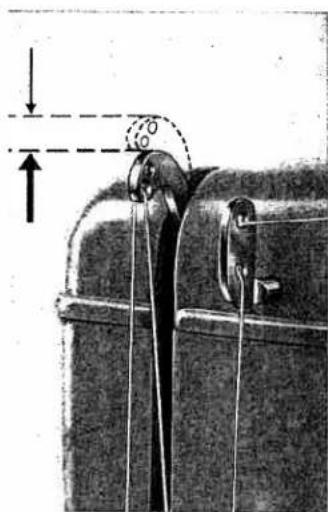
natural_image
Mechanical diagram showing a lever mechanism with a curved guide and directional arrows (no text or symbols)DR 688
DR 084
Fundamentals of Machine Operation
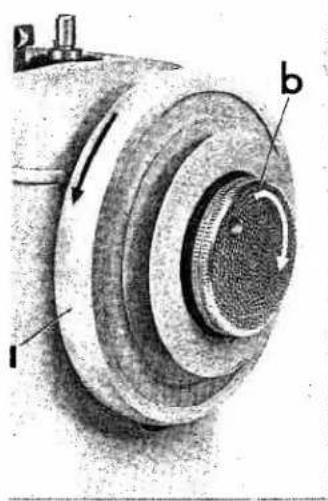
Make sure stop motion knob b is tightened before you begin sewing (clockwise as indicated by white arrow). If you want to turn balance wheel a by hand (although normally there is no need to do so), always turn it toward you (counter-clockwise as shown by black arrow).
Never run a threaded machine unless you have fabric under the presser foot.
The machine will feed the material under the sewing foot automatically. All you have to do is guide the work. Never try to hasten feeding by pushing or pulling the fabric while stitching because the needle may bend or break.
Before you begin and after you have completed a seam, always operate the Stopmatic lever to raise the take-up lever to a position about 5/32'' below the top of its stroke (see ill.). When in this position, the needle can be threaded with the needle threader, or the work be removed from the machine.
DR 085
4

natural_image
Close-up of a hand holding a tool inside a metal bracket (no visible text or symbols)
natural_image
Vertical abstract pattern with dark and light gradients, no text or symbols visibleThe Stopmatic
Push the raised presser bar lifter toward the machine as far as it will go -- and the motor will automatically lift the take-up lever and the needle to the positions required for threading the needle and removing the work. (Don't forget to plug in the machine, though.)
Whenever you have to raise the needle, operate the Stopmatic lever.

text_image
Diagram showing a hand holding an electrical plug with labeled parts 1, 2, 3, and 4, alongside a coiled cable.DR 735
Make sure the electric circuit is A. C. before you plug in the machine.
Electrical Information
Push plug 1 into receptacle 2, and plug 3 at other end of cord into the wall outlet. Cord 4 leads to the speed control which is available in several varieties:
Treadle Control
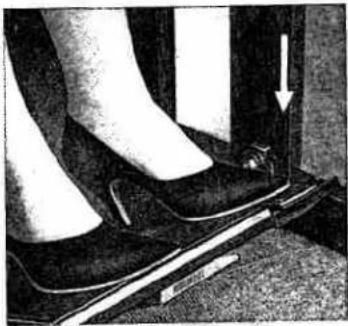
Comfortably rest both feet on the treadle and press. The harder you press, the faster the machine will run.
Foot Controls
Place the foot control under the cabinet within easy reach of your feet. Rest the right foot on the control pedal and press. The harder you press, the faster the machine will run.
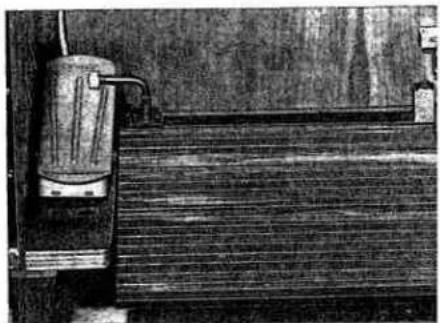
If your cabinet is equipped for foot and power drive, as illustrated, detach the ball-joint connection from the treadle and push it into the clip on the back wall. Swing the foot control lever to the left so that the movement of the treadle is transferred to the foot control.
R 7133
natural_image
Close-up of a person's lower legs and feet using a walking pedal, with a white arrow pointing to the pedal (no text or symbols visible)R 7132

natural_image
Illustration of a person's foot pressing down on a high-heeled shoe, with a downward arrow indicating motion (no text or symbols present)R 8925
natural_image
Illustration of a wooden fence with a metal mug attached, no visible text or symbols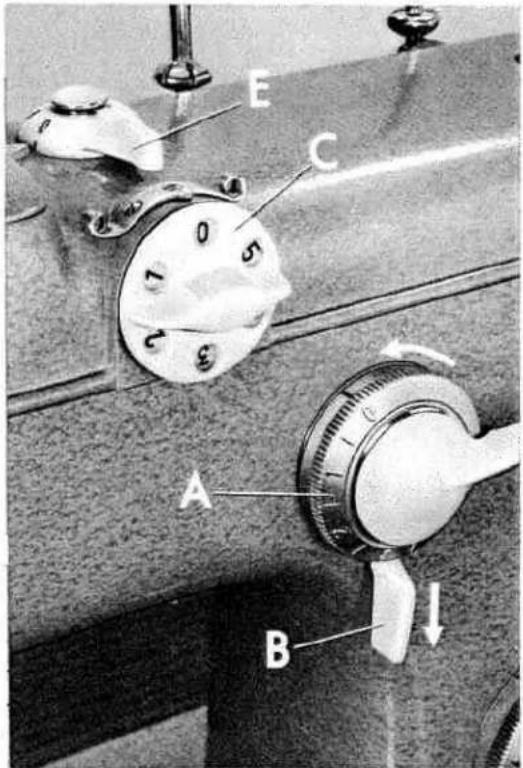
text_image
E C A BR 8007
Straight Stitching
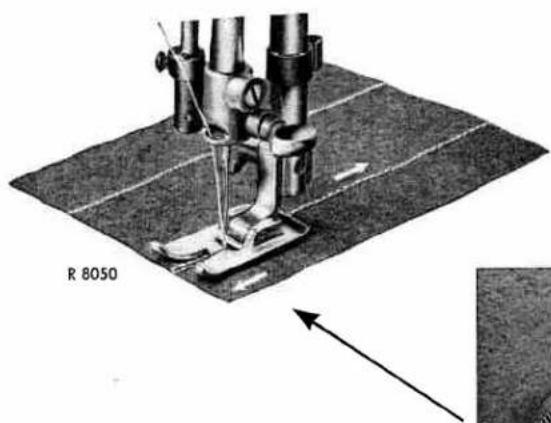
Set: Dial C=0 · Dial A=0 · Lever B=↓
Lever E engages and disengages the Automatic mechanism. If you don't need this mechanism for a longer period, set lever E at "0".
This setting is indicated on pages 32 to 53 as follows:
A=0; B=↓; C=0; E=0
text_image
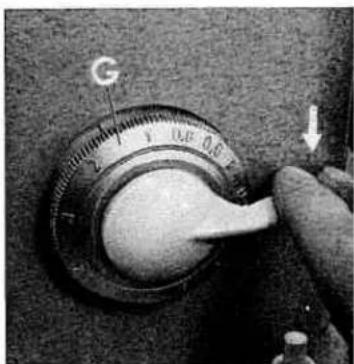
R 8050Dial G regulates the stitch length (the higher the number on the dial, the longer the stitch). To backtrack the end of a seam, simply depress the finger-tip control.
6
R.7998
text_image
G[Unreadable]
Zigzag Sewing
Set: Dial C=0
If you want to sew a few wide zigzag stitches while the machine is set for straight stitching (A on 0), merely press down the finger-tip control. When the lever is released, the machine resumes straight stitching automatically.
To sew longer zigzag seams, turn dial A to desired stitch width (indicated by numbers 1 to 4).
When dial A is set between 1 and 2, you can double the stitch width by depressing the finger-tip control (important for making buttonholes).
When you push the control up, the machine will sew straight, regardless of the stitch width set (ideal for tying off zigzag seams).
Lever B changes the position of the needle in the needle plate slot. Thus the stitching can be moved from the center to the left or right of the slot, as desired.
R 7999

natural_image
Close-up of a hand operating a rotary dial with a handle, showing no text or symbols on the dial itself.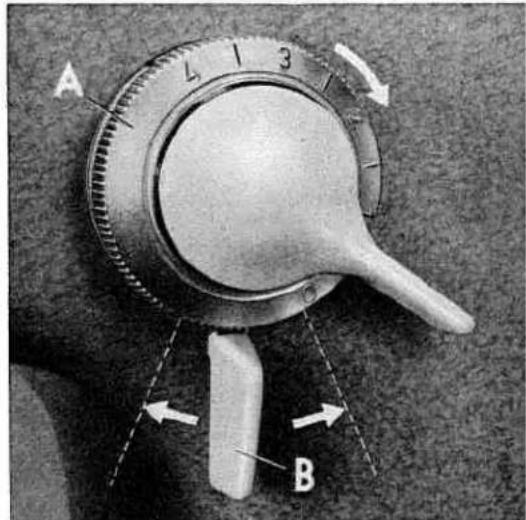
text_image
A 4 1 3 BThe position of lever B (left, center, right) indicates the position of the needle in the needle plate slot.

natural_image
Three identical diagrams showing a coiled spring with arrows indicating direction (no text or symbols)7
R 7995

text_image
D E A C BR 8002
Setting the Built-in Automatic Embroidery Mechanism
Set: Lever E=3
Swing back the cover on control D.
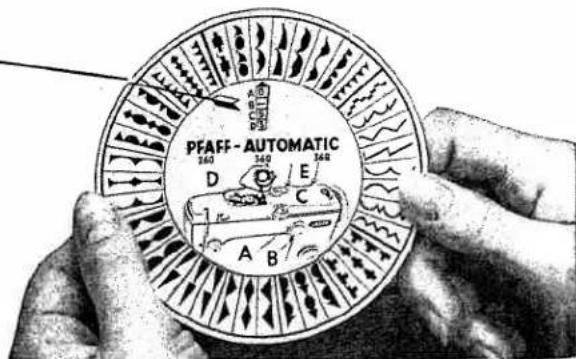
Your embroidery design dial shows all the primary designs you can make with the Automatic. Pick your design and turn the dial so that it points to that design. The numbers in the slot indicate the machine dial settings which will give you the design you have chosen.

text_image
A 0 B ← C 5 D 3Here is an example:
Turn control A to 0.
Flick lever B left (as indicated by arrow).
Turn dial C clockwise until 5 is at top.
Turn dial D clockwise until 3 is opposite red mark (see arrow).
And watch your Pfaff conjure up the design you want.
To ensure that the zigzag stitches are packed closely together, set dial G (page 6) between 0.2 and 0.4, depending on the type of fabric and the thread size.
Important
To avoid heavy working of the automatic embroidery mechanism after periods of idleness, occasionally set lever E on 3, dial D on 4, and dial C on 5. Then unthread the needle, raise the presser bar lifter and run the machine for a few minutes.
R 8045
text_image
PFAFF - AUTOMATIC D 340 E 340 C A B
text_image
A 0 B ↓ C 4 D 3 B ← →The arrow appearing in box B indicates whether lever B should be moved to the right, left or central position.


You can produce a nice border effect (see above illustration) by simply moving lever B from the left to the center and right, without changing settings A, C and D. This is a special feature of your Pfaff embroidery unit.
Most designs are made with dial A set on "0" (see box A on dial |wheel)_so that this setting need hardly be changed.
A Big Advantage of the Pfaff Embroidery Unit
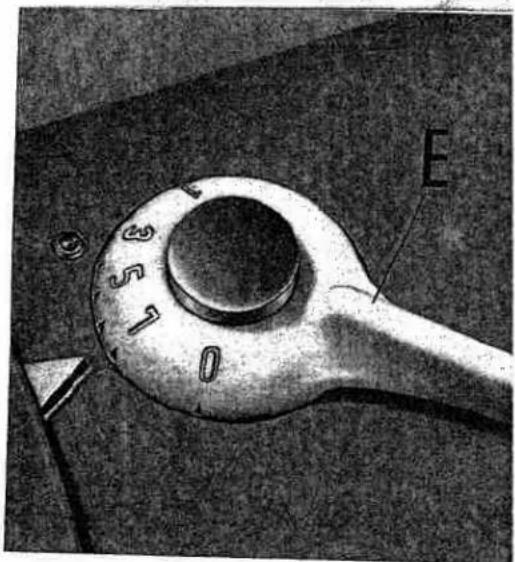
Each of the primary designs pictured on the embroidery design dial can be sewn in different lengths. Therefore you can vary the appearance of the pattern without changing the stitch length. The pattern length is controlled by lever E, which has seven graduations -- four numbered (1, 3, 5 and 7) and three unnumbered. Maximum pattern length is obtained by setting E on "7", and minimum length by setting it on "1". When it is set on "0", the embroidery mechanism is disengaged.
text_image
E 3 5 1 0R 7095

text_image
1 3 5 7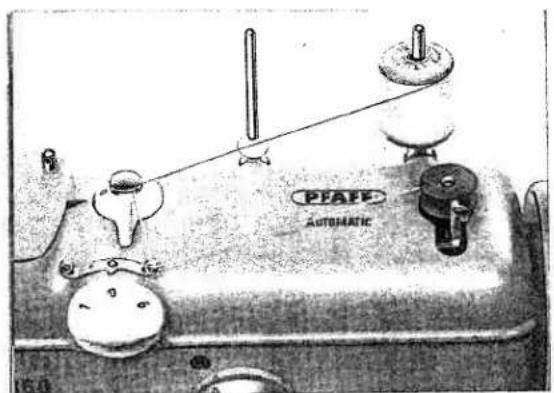
natural_image
Illustration of a automatic electrical switch with labeled components (no readable text or symbols beyond branding)DR 699
Winding the Bobbin
① Hold the balance wheel and turn stop motion knob b all the way to the left (counter-clockwise).
② Place spool of thread on right-hand spool pin. The bobbin thread should always be the same size as that used on the spool, or a little finer.
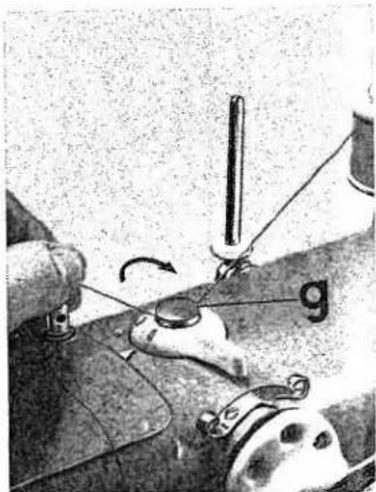
③ Pull thread from spool and lead it clockwise around thread retainer stud g, crossing the thread.
1

natural_image
Close-up of a hand holding a mechanical component with a labeled arrow (b), no visible text or symbols beyond the label.R 6704
R 7101
2
natural_image
Close-up of a hand holding a small cylindrical object, possibly a spool or mechanical component (no visible text or symbols)3
R 7096
natural_image
Close-up of a sewing machine needle stitching fabric, showing a hand holding a metal rod and a sewing machine (no text or symbols visible)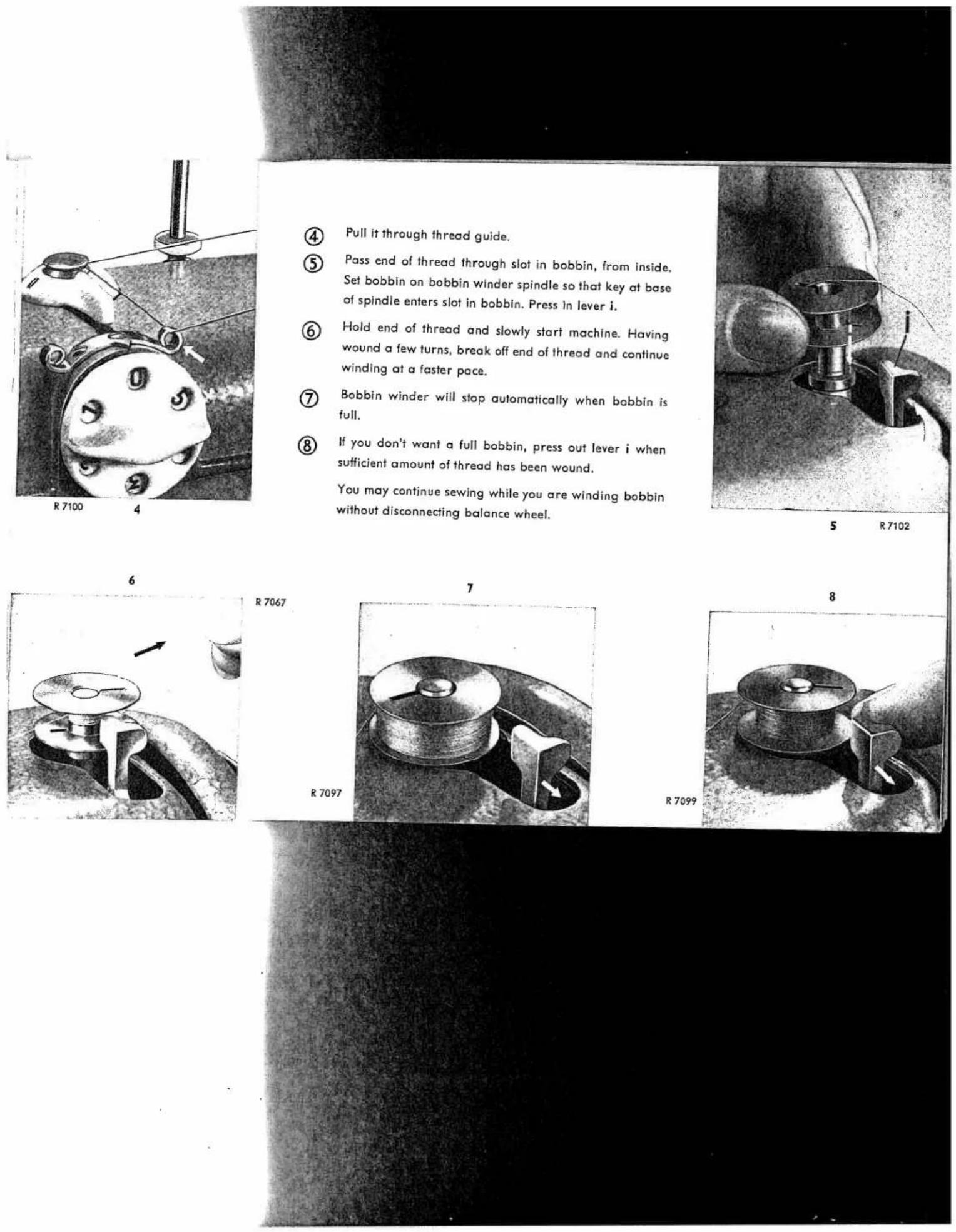
④ Pull it through thread guide.
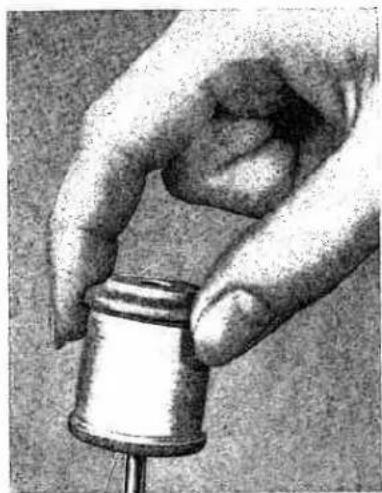
⑤ Pass end of thread through slot in bobbin, from inside. Set bobbin on bobbin winder spindle so that key at base of spindle enters slot in bobbin. Press In lever i.
⑥ Hold end of thread and slowly start machine. Having wound a few turns, break off end of thread and continue winding at a faster pace.
⑦ Bobbin winder will stop automatically when bobbin is full.
⑧ If you don't want a full bobbin, press out lever i when sufficient amount of thread has been wound.
You may continue sewing while you are winding bobbin without disconnecting balance wheel.

natural_image
Technical illustration of a mechanical device with labeled parts and directional arrows (no readable text or symbols)Inserting a Full Bobbin into Bobbin Case
① As shown in illustration 1, hold bobbin in left hand so that the thread end falls from the top down toward you, and insert bobbin into bobbin case.
② Hold the bobbin firmly in the bobbin case and pull the thread into the case slot.
③ Pull the thread under the tension spring until it emerges from the opening at the end of the spring. Leave about three inches of thread hanging from the bobbin case.
Hold the case by its open latch, so that the bobbin cannot fall out.
Removing the Bobbin Case
▲ Operate the Stopmatic lever to raise the needle, and open the bed slide, so you can see sewing hook.
Reach under the machine with your left hand and lift latch k with your forefinger. Pull out bobbin case with bobbin by holding the latch. When you release latch k the empty bobbin drops out.

Inserting the Bobbin Case
It is best to tilt machine back when inserting bobbin case the first time. After you have become more practiced, you will manage without tilting it. Move bed slide all the way to the left. Make sure the needle is still at its highest point. With the thumb and forefinger of left hand, lift latch k and turn bobbin case until slot at end of latch points up (see arrow). Then place it on center stud s of hook.

natural_image
Mechanical assembly diagram showing a motor or gear mechanism with labeled parts (no readable text or symbols)R 5868
3
R 5870
4

natural_image
Close-up of hands holding a small object, possibly a tool or device, with no visible text or symbols.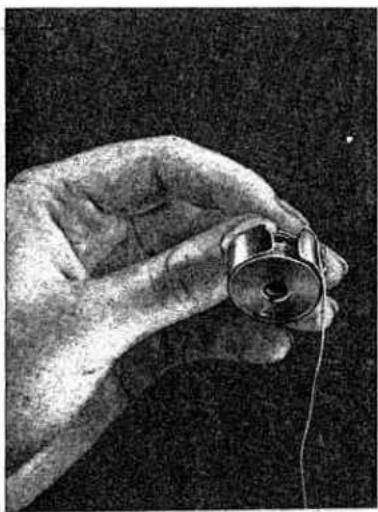
natural_image
Close-up of a hand holding a small cylindrical object with wires, against a dark background (no visible text or symbols)R 8006
In replacing the bobbin case, it is best to hold the loose end of thread so that it will not get jammed between bobbin case and hook. Release latch k and press against bobbin case until you hear it snap into place. An improperly inserted bobbin case will cause needle breakage.
| Types of Fabrics | Mercerized Cotton | Silk | Needle Size |
| Fine Fabrics such as georgette, chiffon, batiste, voile, lawn, silk. | 80 to 100 | 0 to 000 twist | 60 or 70 |
| Lightweight Fabrics such as dress silks and cottons, sheer woolens, shirting, draperies. | 70 to 80 | A & B twist | 80 |
| Medium Fabrics such as lightweight woolens, madras, muslin, brocades, heavy silks and rayon, gabardine. | 50 to 70 | B & C twist | 90 |
| Heavy Fabrics such as coating, denim, corduroy, slipcover fabrics, bed tickings, lightweight canvas. | 40 to 50 | C & D twist | 100 |
| Very Heavy Fabrics such as heavy tickings, canvas, overcoating, sailcloth, up-holstery. | 24 to 40 | E twist | 90 to 110 |
| Synthetics, Rayon, Acetate including nylon, orlon, dacron, plastics, etc. | Determined by weight of fabric 40 to 50 | Determined by thread size 60 to 80 | |
Recommended Needle and Thread Sizes
The appearance of the finished seam is dependent on the correct relationship between needle, thread and fabric. Select the proper thread sizes and needles from this chart.
The same size threads should be used in the needle and on the bobbin. Some experienced seamstresses prefer a somewhat hinner bobbin thread. However, the bobbin thread never should be thicker than the needle thread.
Important Facts about Needles
On Pfaff 262 sewing machines, System 130 R, flat-shank needles are used for all ordinary sewing and embroidery work. The needle system is stamped on the bed slide. Genuine Pfaff needles, System 130 R, are available from every Pfaff dealer. Bent or blunt needles should not be used.
Changing the Needle
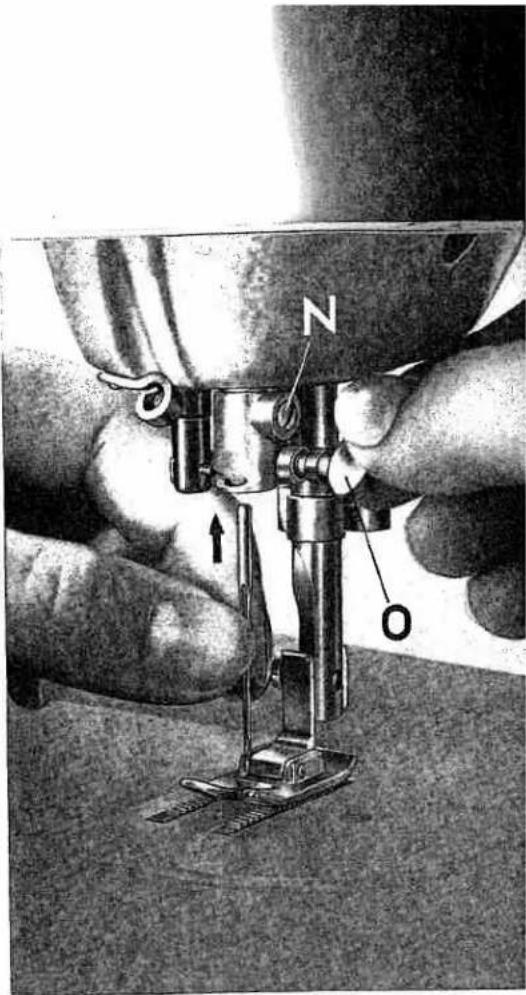
Operate the Stopmatic lever to raise the needle, and lower sewing foot.
Loosen needle set screw o half a turn √ and pull old needle out of needle clamp. Insert new needle into opening of needle clamp and push it up as far as it will go. Make sure that flat side of shank faces toward the back and long groove toward you. Tighten needle set screw o.
text_image
Black-and-white photo of a sewing machine with labeled parts N and O, showing hand positioning and needle insertion mechanism.R 6798

natural_image
Grayscale abstract texture with no discernible text, symbols, or structured elementsUpper Threading
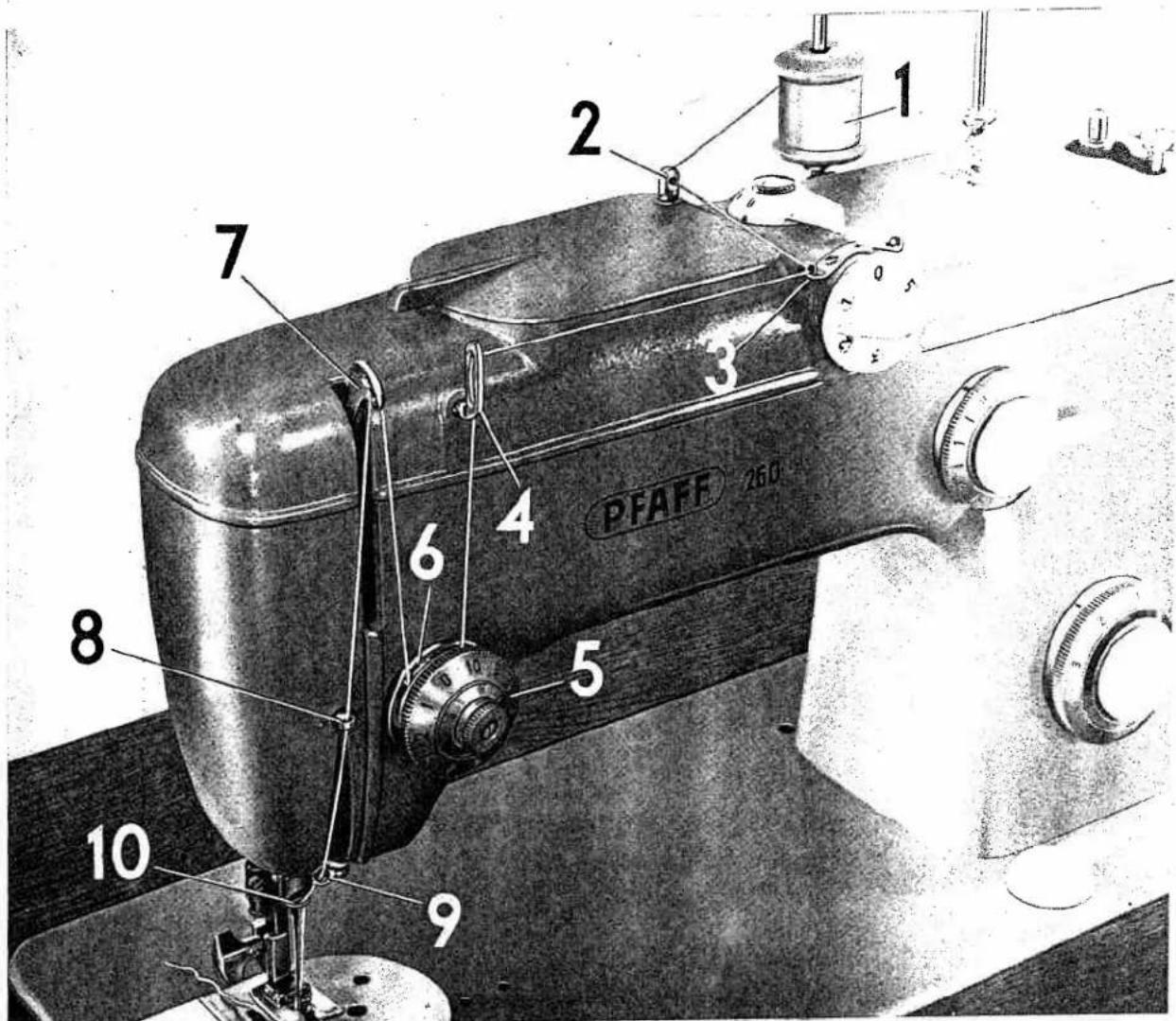
Place spool of thread on spool pin 1 and lead thread end through holes in thread guides 2 and 3 and through both thread retainer openings 4 (see illustration opposite).
Pull thread between any two of tension discs 5, as illustrated, and jerk it far over to the right so that it slips properly into the slot and under thread check spring 6. At the same time, press the thread passing down to the tension against the top cover of the machine.
Bring take-up lever 7 as high as it will go and pass thread from right to left through one of the holes at its end. Pull thread into slots at left of thread guides 8 and 9 and then into the slot at left of needle clamp 10.
Then thread needle, front to back. The automatic needle threader will do this for you easily and quickly.

natural_image
Illustration of hands using a tool to adjust a mechanical component (no text or symbols present)R B026 A
text_image
1 2 3 7 4 6 5 8 10 9 PFAFF 260Operating the Needle Threader
Operate the Stopmatic lever to lift the needle to its raised position (which has been reached when the ascending take-up lever is about 532 " below the top of its stroke, as illustrated on page 4).
Now lower the sewing foot and --
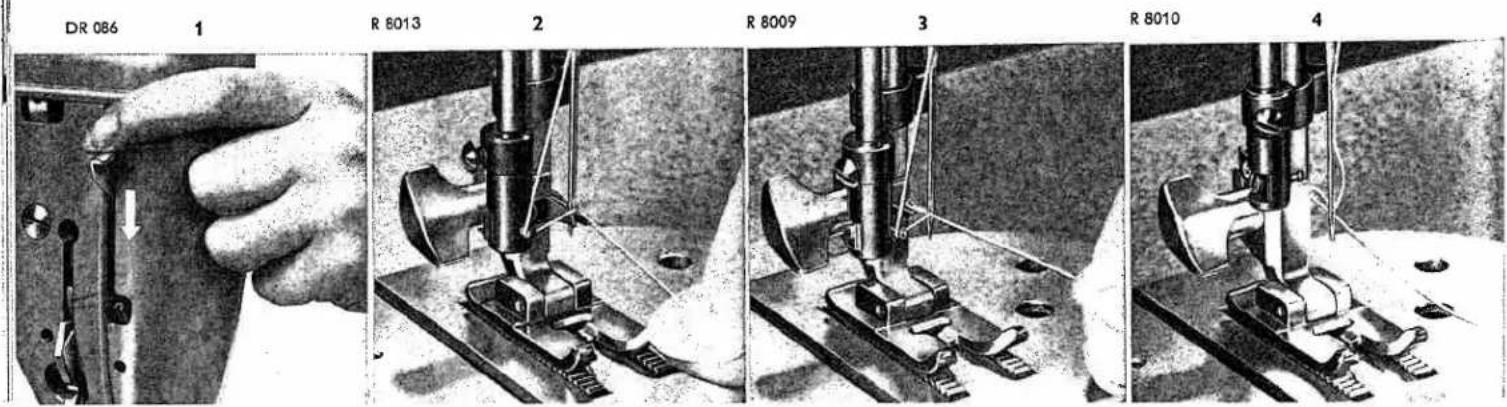
① With your left hand push needle threader control down until threader prong w (see opposite page) penetrates needle eye. Keep control in this position.
Hold thread loosely and lead it from left around the small pin, then place it behind hook of threader prong.
③ Release control slightly until prong w reverses and pulls thread through needle eye.
④ Jerk control down again so the thread loop will fall off the prong. Pull thread through needle eye and release control.
text_image
DR 086 1 R 8013 2 R 8009 3 R 8010 4When you have had sufficient needle threading practice, you may shorten the procedure as follows:
Push needle threader control down. Place thread behind hook of prong w so that its end is about 12 inch to the right of the prong. Slowly release control. Prong w now pulls end of the thread -- instead of the loop -- through needle eye.
Since the take-up lever is almost at its highest point when you thread the needle, it is sufficient to pull only about three inches of thread through the needle eye.
R 8458
natural_image
Close-up of a hand operating a sewing machine needle on a metal workpiece (no visible text or symbols)
text_image
Technical diagram showing a mechanical or electrical component with labeled part 'W' and directional arrowDrawing Up the Bobbin Thread
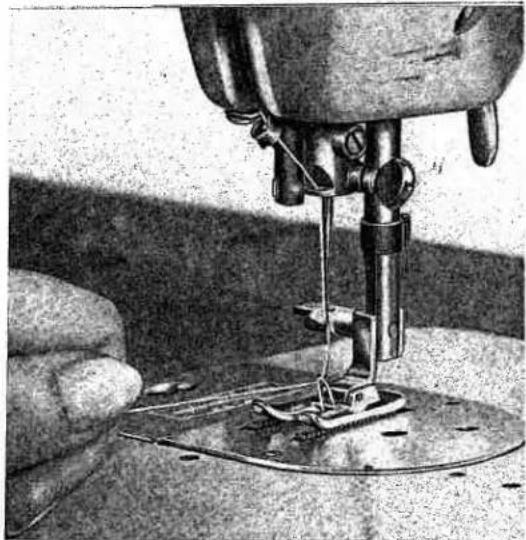
Hold needle thread lightly in your left hand. Turn balance wheel toward you until the needle moves down and up again and take-up lever reaches its highest position. Lightly pull needle thread to draw bobbin thread up through needle plate slot. Place both threads back under sewing foot before you put fabric into machine.
natural_image
Close-up of a sewing machine needle stitching fabric, with a hand operating the work (no visible text or symbols)R 8004
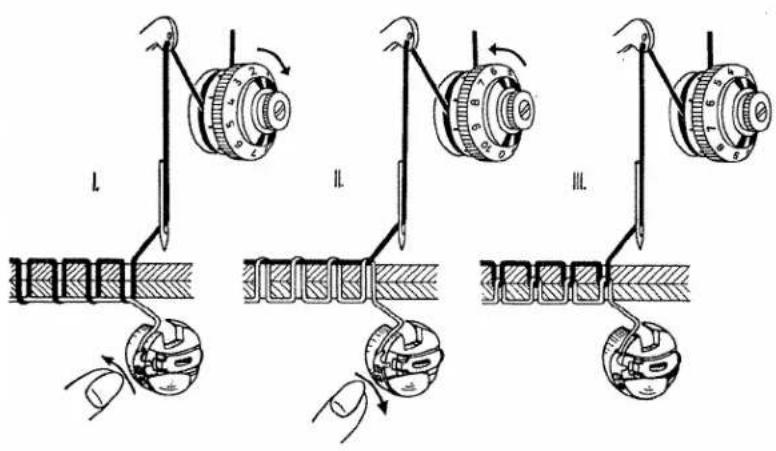
Correct Tension Regulation
Balanced tensions are essential for sewing. If your tension is correct, you will have perfect seams as sketched below (III).
Sketch I - The threads interlock on the underside of the fabric.
Cause: Upper tension too loose or lower tension too tight.
Sketch II - The threads interlock on the surface of the fabric.
Cause: Upper tension too tight or lower tension too loose.

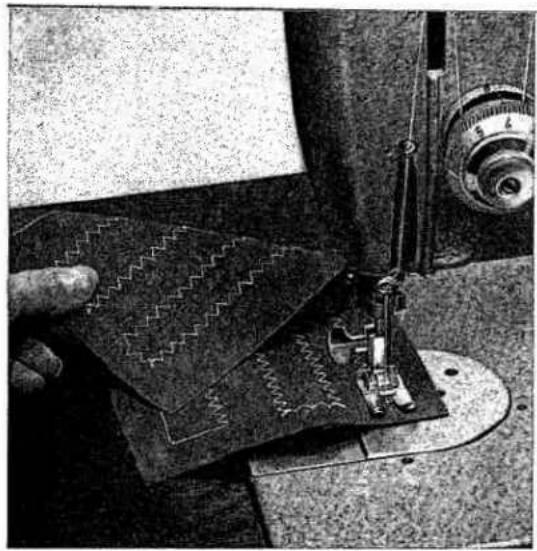
To check whether the tensions are correctly balanced, take a closely woven piece of fabric and sew a few straight and zigzag seams. If the straight stitches are tightly drawn in on both sides of the fabric (see seam sketch III), the tensions are correct. The surest way to double-check this is by examining a zigzag seam. If the zigzag seam is equally wide on surface and underside of the fabric, that is, if the threads are locked exactly at the zigs and zags of the seam, the tension adjustment is correct.
text_image
I II IIIRegulating the Thread Tension
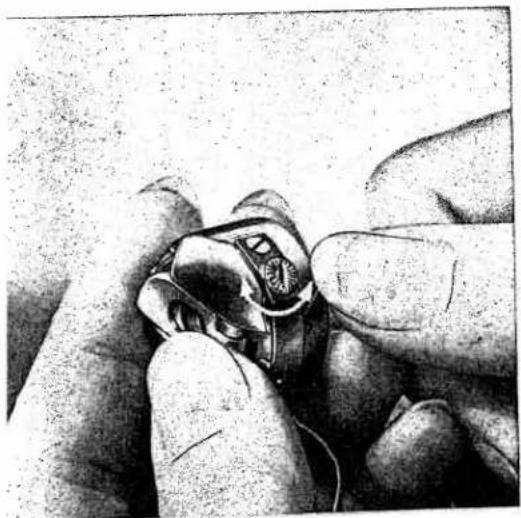
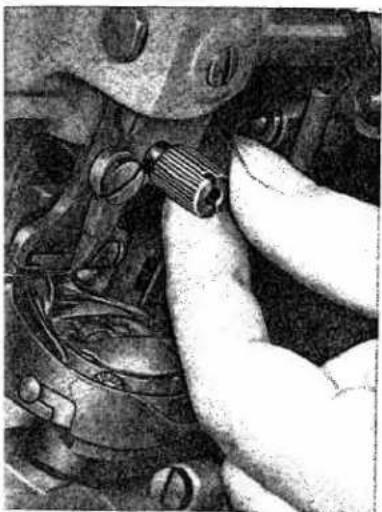
The bobbin thread tension rarely needs adjusting, except for embroidery when it should be a little tighter than for ordinary sewing. Adjustment is made by a small knurled screw on the bobbin case which can be turned with the thumb tip.
Turn it left

for looser tension.
Turn it right

for tighter tension.
Determine correct bobbin tension by holding the thread end between thumb and forefinger and letting the bobbin case hang freely. The tension should be strong enough to keep the bobbin case from being pulled down by its own weight. However, as you jerk your hand slightly, the bobbin case should gradually slide down.
DR 079

natural_image
Close-up of a hand holding a mechanical knob with a dial and pointer (no visible text or symbols)
natural_image
Close-up sketch of a hand holding an object, possibly a tool or device, with no visible text or symbols.
natural_image
Hand holding a thin wire inserted into a mechanical component (no text or symbols visible)R 8029
21
The final stitch appearance can be regulated by the upper tension dial, as follows:
Turn left

for looser tension.
Turn right

for tighter tension.
The upper tension is so designed that all grades of tension -- loose to tight -- can be covered with one complete turn of the tension dial. The numbers on the tension dial indicate different degrees of tension. The higher the number, the greater the tension. Only in very rare cases will it be necessary to reset the tension. For ordinary sewing, the upper tension should be set at about 5.
Your upper tension has a third tension disc for two-needle work.
natural_image
Close-up of a magnifying glass with a white handle, showing measurement markings (no readable text or symbols)R 7996
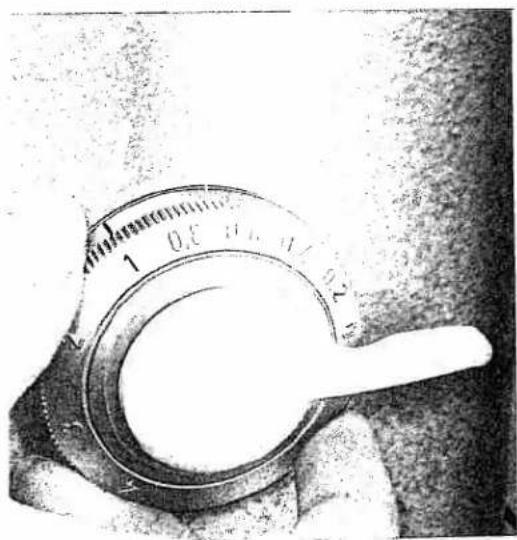
Stitch Length Regulation
Turn dial until the number indicating the desired stitch length is opposite the mark on the dial housing (see straight arrow). Or sew a few stitches and regulate stitch length as required.
To facilitate satin stitching, the 0–1 range on the scale is just as large as the 1–4 section. The setting depends on the type of fabric and thread size used. For normal satin stitching, set dial on 0.2.

natural_image
Close-up of a hand holding a circular dial with measurement markings and a white handle, next to a textured surface (no readable text or symbols)Reverse Sewing
To backtrack the beginning or end of a seam, simply press the finger-tip control down. When the control is released, the machine resumes forward sewing automatically. This feature is ideal for darning rips with the ordinary sewing foot.
To do this, operate the control in rhythm and move the fabric slightly sideways. In this way, one seam is placed neatly beside the other.
The reverse stitches will be about the same length as forward stitches.
Dropping the Machine Feed
The machine feed is dropped for darning with the aid of the vibrator, for hoop embroidery and button sewing.
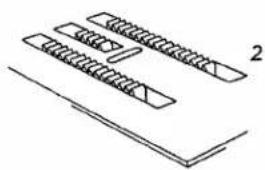
① To lower feed below the needle plate, turn drop feed control v clockwise. Fabric will cease feeding.
natural_image
Pure technical line drawing of three rectangular components with hatching, no text or symbols present② When control v is turned to the right as far as it will go, feeding of the fabric resumes automatically when you start sewing.
natural_image
Diagram of two parallel screw-like components with triangular cutouts, placed on a flat base (no text or symbols)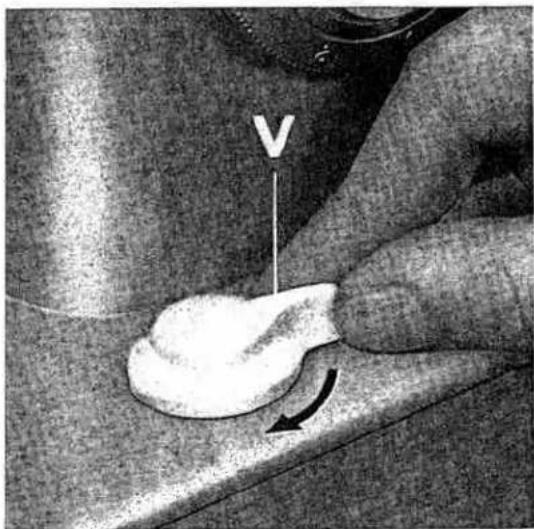
natural_image
Close-up of a hand holding a white object with a V-shaped arrow and arrow indicating rotation (no text or symbols)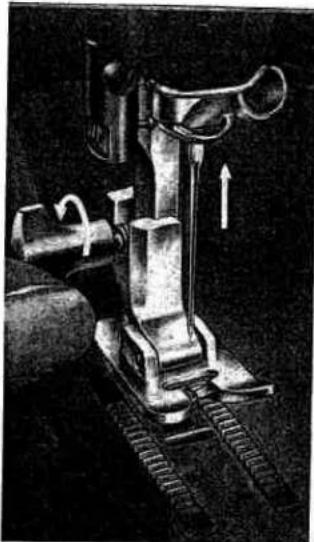
natural_image
Mechanical device with attached gears and a lever, showing motion direction (no text or symbols)
natural_image
Close-up of a mechanical device with metal components and textured base (no visible text or symbols)R 7085
R 7086
Changing the Sewing Foot
Raise the presser bar and operate the Stopmatic lever to lift the needle. Turn the sewing foot thumb screw to the left. Tilt the foot sideways and pull it down. Slip on new foot and tighten the screw securely.
Darning Foot and Vibrator
Attach darning foot No. 53670, as instructed above. Drop machine feed and lower presser bar lifter. As the machine sews, the vibrator moves presser bar and darning foot up and down. The fabric is thus held down when it is entered by the needle, and can be moved freely when the needle has risen clear again. Hold the fabric taut with both hands as you move it back and forth under the needle. (Only delicate fabrics should be clamped into hoops.)

natural_image
Close-up of a vintage sewing machine needle and foot, showing mechanical components and stitching (no visible text or symbols)
DR 082
R 8035
Care and Maintenance
Longevity and smooth machine performance are dependent on regular and proper cleaning and oiling.
Use Pfaff sewing machine oil only. Never lubricate machine with animal or vegetable oils. Remove all lint before oiling.
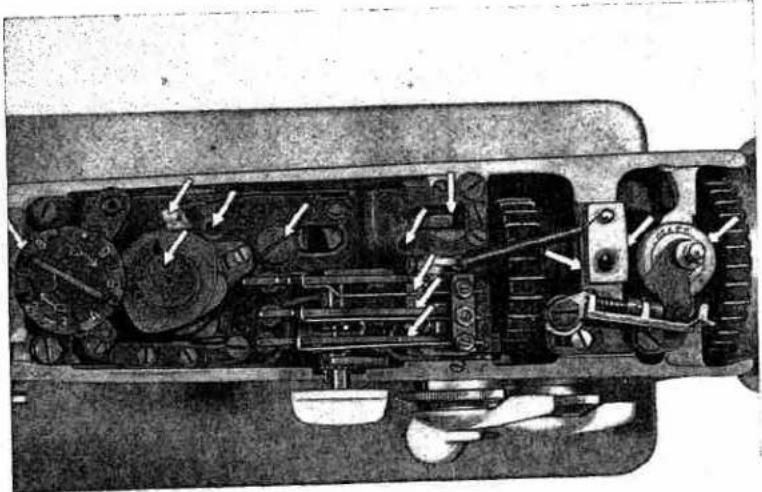
All moving and rotating parts require regular lubrication. It is advisable to establish a pattern when oiling your machine. Begin under the bedplate. The principal oiling points are marked by arrows.

natural_image
Mechanical assembly diagram showing a mechanical component with no visible text or symbols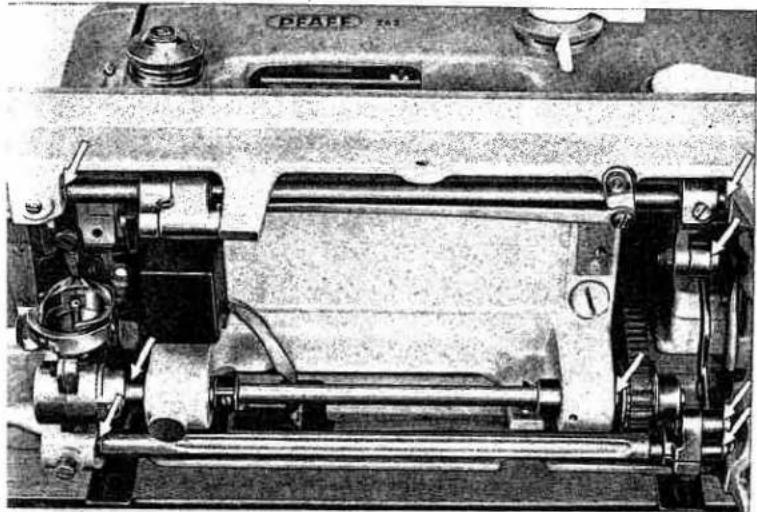
natural_image
Technical illustration of a mechanical assembly with gears and shafts (no visible text or symbols)The raceway in the sewing hook is the most important oiling point. Put one drop of oil into the raceway each day you sew. A dry raceway will cause rapid wear. Don't forget to oil the bearings and bevel gears of the short hook shaft.
R 8036
25
natural_image
Close-up of a sewing machine with visible brand name 'PFAFF' and control knob (no readable text beyond label)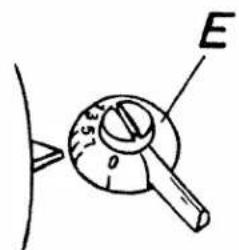
text_image
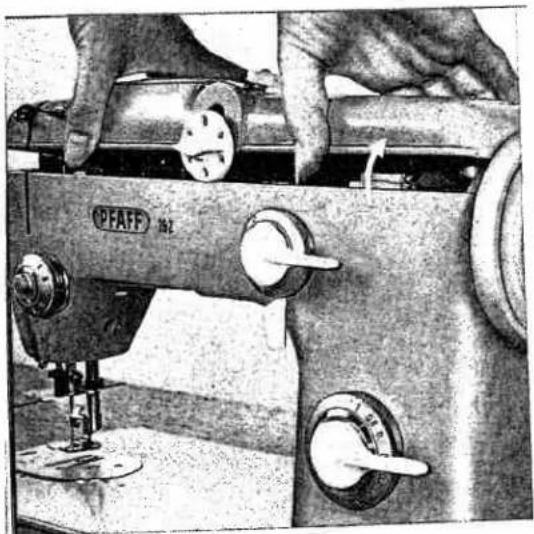
E 5° 0The oiling points in the machine arm can be reached easily by removing the top cover. Oil should be applied sparingly. Excessive quantities of oil may soil the work and cause machine sluggishness. One or two drops of oil usually will suffice.
Before you remove the top cover, set lever E between 5 and 7.
To pull cover up, tilt it back and lift.

text_image
R 8065 A Oiling points in the machine head26
R 8460
natural_image
Cross-sectional diagram of a mechanical device showing internal components and directional arrows (no text or labels)Regular Machine Care
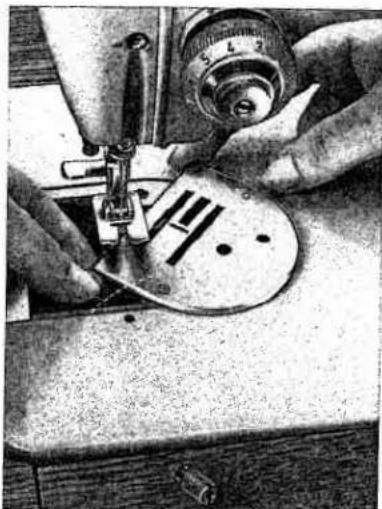
Accumulations of lint packed between the tooth rows of the feed cause noisy operation of the machine. Therefore, from time to time, remove the needle plate and clean the feed with a toothpick or similar wooden object.
To remove the needle plate, turn out the thumb nut (Fig. R 8454), drop the machine feed, turn the needle plate half a turn (Fig. R 8455), and lift it out.
To replace, reverse the above procedure.
R 8454
natural_image
Close-up of hands adjusting a mechanical component with visible wiring and adjustment knobs (no text or symbols)R 8455
natural_image
Close-up of hands operating a sewing machine with a circular workpiece (no visible text or symbols)R 8030

natural_image
Mechanical assembly diagram showing a coiled cable inserted into a motor housing (no text or labels visible)Tilt the machine back and take out bobbin case and bobbin. With a soft brush remove the lint which has accumulated in the vicinity of the sewing hook.
Once in a while your Pfaff should be given a thorough checkup by your Pfaff dealer.
Sewlight Facts
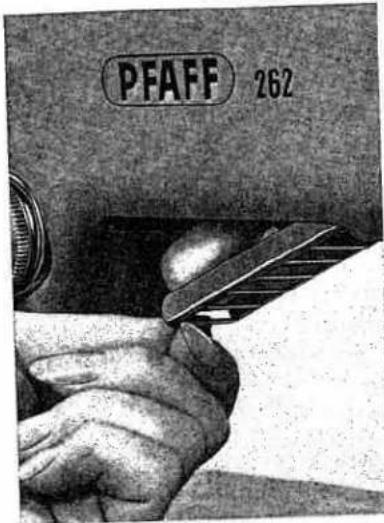
The 15-watt sewlight is recessed under the machine arm and can be swung out by pulling down the grille.
To change the light bulb:
Push bulb into socket, turn left, and pull out.
When inserting new Pfaff light bulb, be sure to slide bulb pins into bayonet socket slots.
Press bulb in and turn right. Close grille. Note voltage of electric circuit.
DR 626

natural_image
Close-up of a white object with a curved base and a black rod inserted, no visible text or symbolsNo extra sewlight cord is needed for your machine.
Press this button to switch sewlight on and off.

R 8066 A
text_image
PFAFF 262R 8067 A

text_image
PFAFF 262Trouble Shooting
1. Machine Skips Stitches
Cause:
Needle incorrectly inserted.
Wrong needle.
Needle bent.
Machine threaded improperly.
Needle too fine or too thick for the thread.
Remedy:
Push needle up as far as it will go and be sure that the long groove faces toward you, and flat side of shank away from you.
The correct needle system is stamped on bed slide. (For ordinary sewing, use System 130R needles.)
Insert new needle.
Check and correct threading as instructed on pages 16 and 17.
Use correct needle and thread.
2. Needle Thread Breaks
Cause:
The above mentioned may cause thread breakage.
Thread tension too tight.
Poor, knotty or rotten thread used.
Hook raceway is jammed with thread or needs oiling.
Burrs or sharp edges on needle plate slot.
Remedy:
See remedies listed under 1. above.
Adjust tensions as instructed.
Use good quality threads only.
Clean and oil hook raceway.
Polish needle plate slot with fine emery cloth.
3. Needle Breaks
Cause:
Bent needle strikes point of sewing hook.
Needle too thin or thread too heavy.
Fabric pulls needle so it bends and strikes needle plate.
Bobbin case inserted incorrectly.
Remedy:
Replace needle at once to prevent further damage.
Use correct needle and thread sizes.
Don't force the feeding motion. Guide the material lightly.
Push bobbin case until you hear it snap into place.
4. Faulty Stitch Formation
Cause:
Improper tension.
Thread too heavy, knotty or hard.
Bobbin unevenly wound.
Pieces of thread between tension discs.
Remedy:
Adjust tensions as instructed.
Use only first-rate thread -- the correct size for the needle and fabric.
Don't run thread over finger when winding the bobbin, but lead it around thread retainer stud on top cover and through thread guide.
Raise presser bar lifter and remove thread.
5. Machine Feeds Improperly
Cause:
Feed dog set too low, does not rise up enough above needle plate level.
Accumulations of lint packed between feed teeth.
Remedy:
Have your Pfaff dealer make the necessary adjustment.
Take off needle plate and remove lint with a stiff brush.
6. Machine Works Heavily
Cause:
Motor belt is too loose, or has shrunk and causes excessive pressure on bearings.
Hook raceway lacks oil or is obstructed by pieces of thread.
Mechanism clogged by inferior oil.
Machine works heavily when automatic embroidery mechanism is engaged.
Bobbin winder working while sewing (when a bobbin is not being filled).
Remedy:
Have your Pfaff dealer adjust the belt tension.
Clean and oil hook raceway.
Use only Pfaff sewing machine oil -- never salad oil or glycerine.
See note on page 8.
Stop bobbin winder.
7. Stopmatic Works Incorrectly
Cause:
After frequent operation of the Stopmatic it may happen that the take-up lever does not move when you push the presser bar lifter up all the way.
Take-up lever strikes hard against its stop or does not rise when Stopmatic lever is operated.
Remedy:
The built-in thermal switch may have interrupted the electric circuit. Wait a few minutes until both the motor and the thermal switch have cooled down and the electric circuit has been closed automatically.
Have your Pfaff dealer adjust the Stopmatic.
Note the "Fundamentals of Machine Operation" on page 4.
Thread Jamming
The new Pfaff rotary hook will not normally jam, even if the machine should be handled improperly.
If thread should happen to jam in the raceway of the sewing hook, the power of the motor in most instances will be sufficient to overcome hard working of the mechanism.
If this action should not free the jammed thread, put a drop of kerosene into the hook raceway, jerk the balance wheel back, then jerk it back and forth.
Thread jamming can be avoided, however, if you follow the instructions on page 4.
R 7153A
Using Sewing Feet and Attachments (for settings see page 6)
Zipper Insertion
Machine Setting:
Dial A=0 · Lever B=→
Dial C=0 · Lever E=0
Pin or baste closed zipper on wrong side of fabric. Position of zipper depends on whether or not you want the edge of the fabric to overlap the zipper. Turn fabric to right side. Run a straight seam close to left edge of zipper, stitch across end and up the other side in one continuous operation. Use right edge of foot as a guide. For other types of zipper insertion, follow directions in your zipper package.
Edge Stitching
Machine Setting:
Dial A=0 to 4 · Lever B=↓
Dial C=0 · Lever E=0
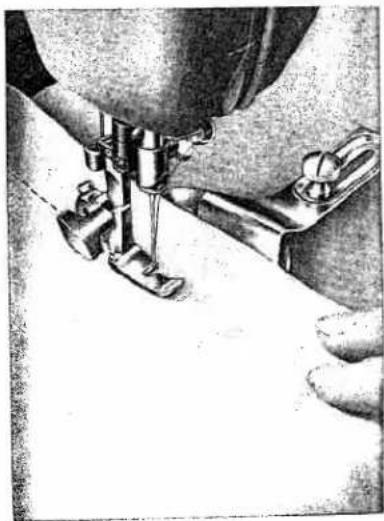
Sew parallel rows of straight or zigzag stitches at various distances from the fabric edge by using adjustable seam guide No. 53077 and the edge stitcher (without quilting gauge). The seam guide is fastened to the machine bed with the long thumb screw. For wider marginal stitching, turn edge guide half a turn and use low end as a guide. To sew narrow parallel seams, guide fabric edge or preceding seam along right edge of sewing foot, using no edge guide.
natural_image
Close-up of a sewing machine needle stitching fabric (no visible text or symbols)
natural_image
Close-up of a sewing machine needle stitching fabric, with no visible text or symbolsQuilting
Machine Setting:
Dial A=0 · Lever B=↓
Dial C=0 · Lever E=0
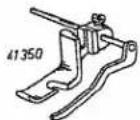
Edge stitcher No. 41350 used with the quilting gauge sews parallel rows of stitching over the entire surface of the fabric. Always guide the gauge finger along the preceding row of stitches. Attractive tea cosies, slippers, seat pads and covers can be quilted.
R 8033
32
R 8032

natural_image
Close-up of a sewing machine needle stitching a tiled floor (no text or symbols visible)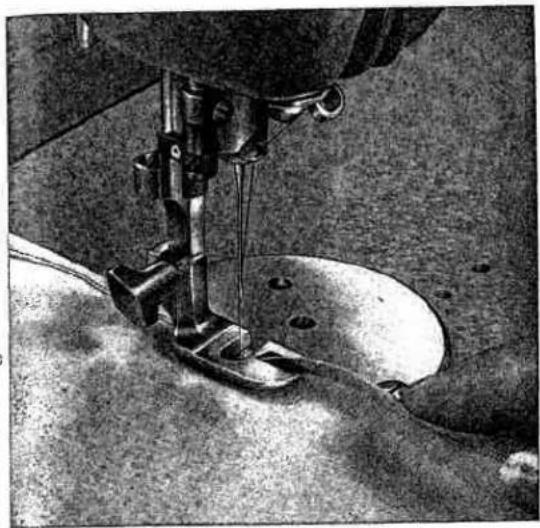
natural_image
Close-up of a sewing machine needle stitching fabric (no visible text or symbols)R 7171
Flat Felled Seams
Machine Setting:
Dial A=0 or 2 (optional) · Lever B=↓ · Dial C=0 · Lever E=0
Flat felled seams are used to durably join two pieces of fabric. They are made in two operations.
Flat felled seams usually are straight stitched. Narrow zigzag stitches are used for felling on elasticized fabrics only.
First Seam
Lay pieces together with the right sides facing and the bottom piece protruding 18 inch. Feed both pieces into felling foot, as illustrated, so that the bottom fabric is folded over edge of top piece and stitched down. Make sure that protruding seam allowance is not folded twice.

natural_image
Close-up of a sewing machine needle and screw mechanism (no visible text or symbols)Second Seam
Open the two pieces, place them under the needle right side up, insert seam ridge into felling foot opening, and stitch down to the left. Make sure that second seam is placed close to the edge but not beyond it.
The felling foot has a needle slot, rather than a needle hole, to permit zigzag felling.
33
R 7154
Rolled Hems
Machine Setting:
Dial A=2 to 4 · Lever B=↓
Dial C=0 · Lever E=0
Rolled hems are used to finish sheer or delicate fabrics. For a smooth, unpuckered hem, ease thread tension slightly and set dial A on 2 or 3. To hem tricot fabrics, increase the tension and use the widest zigzag stitch so the hem has a rolled shell effect.


natural_image
Close-up of a sewing machine needle stitching fabric, no visible text or symbols
Hemming
Machine Setting:
Dial A=0 or 2 to 4 · Lever B=↓
Dial C=0 · Lever E=0
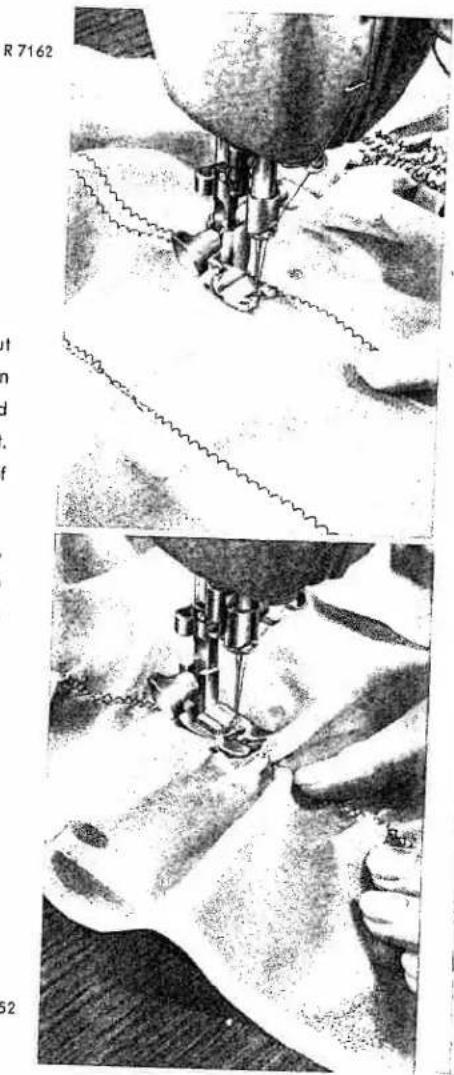
The hemmer foot is indispensable if you want to sew a uniform hem. You can hem with straight or zigzag stitches, depending on the type of fabric you are using.
Fold over edge of fabric about 18 " to facilitate insertion into the hemmer foot. Place fabric under hemmer foot so that the needle stitches in the material about 12 " short of its rear edge and close to the folded edge. Sew backwards as far as the rear fabric edge. Take the work out of the machine by pulling it forward. Don't trim the threads (sketch 1).
Draw the fabric into the scroll of the hemmer by pulling both threads backwards. Inserting the fabric into the scroll like this will ensure a neat hem right from the beginning. Feed fabric so that the hem edge is in line with the left edge of the hemmer scroll. Don't crowd fabric into the scroll, but keep scroll well filled with fabric at all times (see ill. at top).
Avoid ugly ends by slowing down feeding. To do this, press the fabric against the needle plate on the left side of the foot before you come to the end of the hem (see ill. at bottom).
If you want to hem several edges, hem first edge to within about 1/2" of corner, cut away remaining portion of hem, as shown in sketch 2. Then hem the second edge, as instructed above.
Before you hem the last edge, cut away about 14 " of the hem sewn first, as illustrated in sketch 3.
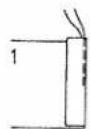
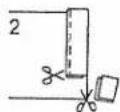
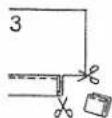
R 7172
34
R 5915
R 5912

natural_image
Close-up of a hand operating a sewing machine needle, no visible text or symbols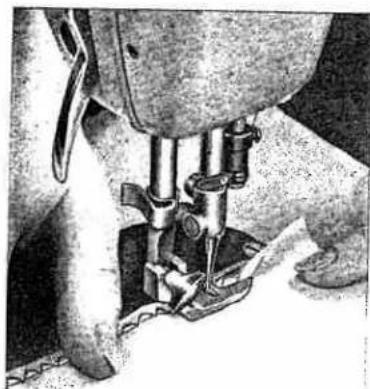
natural_image
Close-up of a sewing machine needle stitching fabric (no visible text or symbols)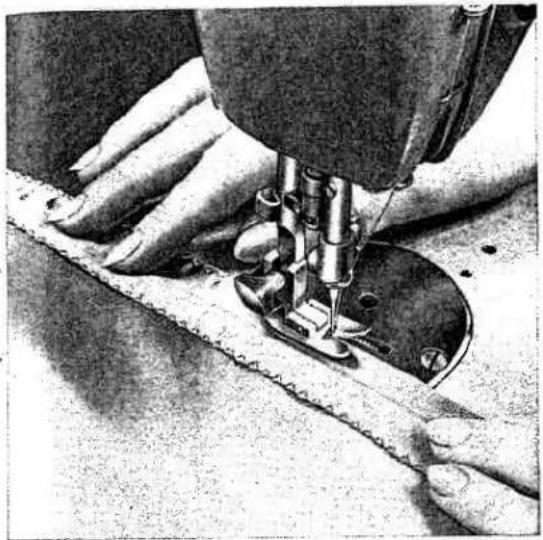
natural_image
Close-up of a sewing machine needle stitching fabric, no visible text or symbols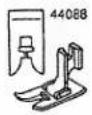
Overcasting Edges
Machine Setting: Dial A=2 to 4 · Lever B=↓ · Dial C=0 · Lever E=0
Overcasting prevents frayed edges. Use a long, wide zigzag stitch and sew edge with the needle taking one stitch into the fabric and the other over its edge. You may overcast edges after fabric is cut and before the pieces are joined.
R 5925

Butt Seaming
Machine Setting: Dial A=3 or 4 · Lever B=↓ · Dial C=0 · Lever E=0
Two similar pieces of fabric which do not ravel easily may be butted together and joined with zigzag stitches. Worn bed sheets may be mended this way. Cut out worn center strip. Place the selvaged edges of the remaining pieces of sheet under the sewing foot so that the abutted edges are centered under the needle. Join them with close, wide zigzag stitches. Hem raw edges of sheet.
R 7169

natural_image
Close-up of a sewing machine needle and foot assembly (no visible text or symbols)Attaching Lace
Machine Setting:
Dial A=1 to 3 · Lever B=↓
Dial C=0 · Lever E=0
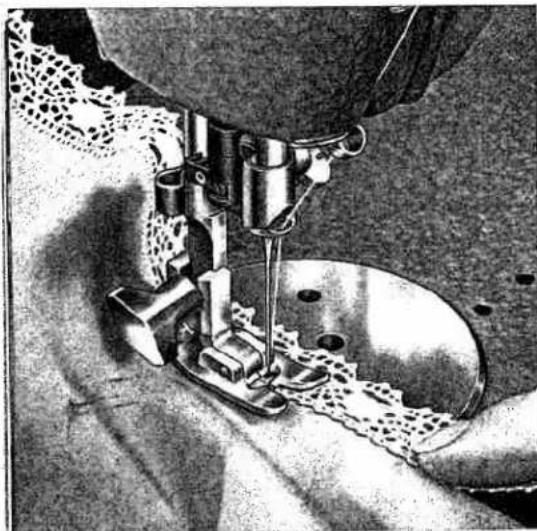
You can attach lace edging in one simple operation. First fold fabric down 38 inch with the fabric grain. Press fold. Overlap lace on folded edge. Sew together with narrow zigzag stitches. Trim excess fabric on wrong side close to seam.

natural_image
Close-up of a sewing machine needle stitching fabric, no visible text or symbolsR 7170

Inserting Lace
Machine Setting:
Dial A=1 to 3 · Lever B=↓
Dial C=0 · Lever E=0
This sewing job takes two operations. Place the lace over the desired area of the fabric and attach with a line of straight stitching along both edges of the lace. Turn the work over and slit the fabric about halfway between the two rows of stitching under the insertion. Fold edges of material back and press.
Turn work to right side, set machine for a narrow zigzag stitch of medium length, and overcast edges, making a firm, elastic seam. Trim away excess material as outlined in the preceding section.
36
R 7177

natural_image
Black-and-white illustration of a sewing machine stitching fabric, no visible text or symbols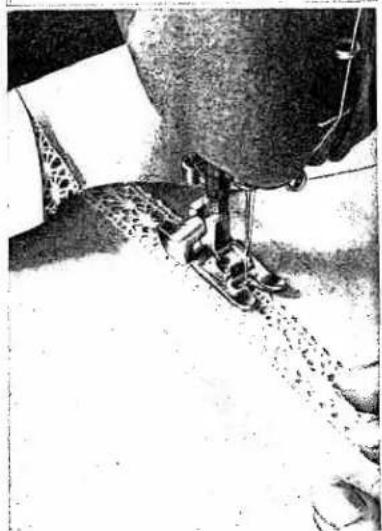
natural_image
Close-up of a sewing machine needle stitching fabric (no visible text or symbols)R 7161
natural_image
Illustration of a sewing machine stitching a piece of thread (no text or symbols present)R 7156
Inserting Patches with the Elastic Seam
(especially on elastic materials)
Machine Setting:
Dial A=0 · Lever B=← · Dial C=3 · Dial D=8 · Lever E=1
Stitch length control between 0.2 and 0.6 (see also page 53)
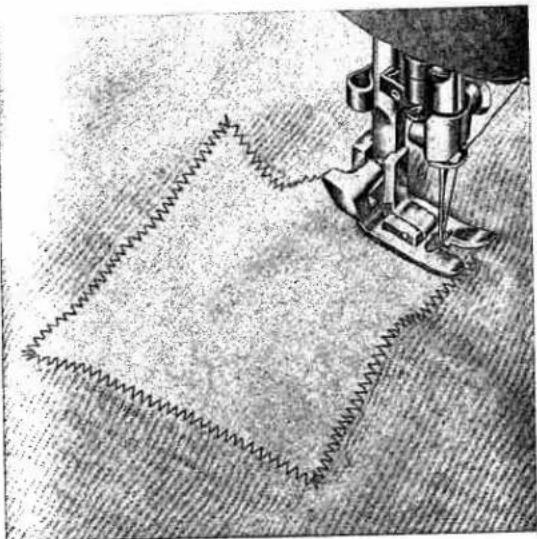
Inserting Patches with Zigzag Stitches
(especially on non-elastic materials)
Machine Setting:
Dial A=4 · Lever B=↓ · Dial C=0 · Lever E=0
Stitch length control about 0.5
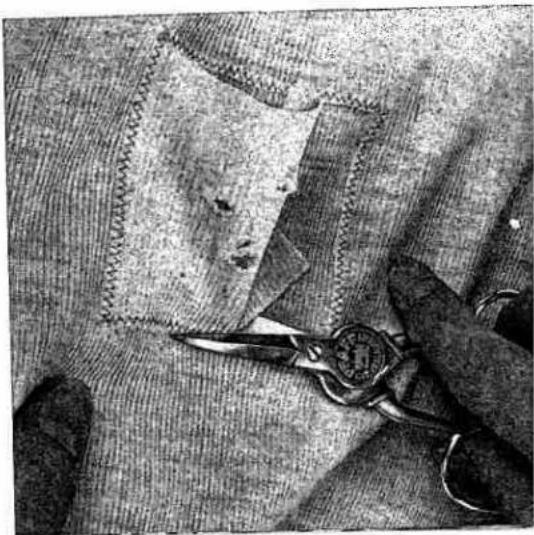
Large holes can be patched quickly. Cut patch so that its grain will match the rest of the fabric. Place the patch over the damaged area.
Now you begin to oversee the raw edges with the elastic seam or the zigzag seam.
For additional strength stitch over corners twice. Turn over and trim close to seams.
Also the zigzag seam forms an elastic juncture between the material and the patch.
R 7157
natural_image
Close-up of hands using scissors to cut fabric with visible stitching and stitching details (no text or symbols)Single-Needle Cording
Machine Setting:
Dial A=2 · Lever B=↓
Dial C=0 · Lever E=0
Trace cording pattern on fabric and pull a filler thread through the groove in the sole of the sewing foot. Follow your pattern with a satin stitch and hold the filler thread lightly. The satin stitch is used for many sewing jobs. For added effects sew over embroidery with contrasting thread. Set stitch length between 1/2 and 1.

natural_image
Black-and-white illustration of a sewing machine needle stitching fabric, with no visible text or symbols.R 7159
Shirring
Machine Setting:
Dial A=2 to 2^1/_2 · Lever B=↓
Dial C=0 · Lever E=0
Filler thread: cotton (pearl thread)
Follow above directions for shirring, but place filler thread under rather than on top of the fabric. Fabric and filler thread both are guided in the groove of the foot. Width of zigzag depends on thickness of filler thread used.
When you have finished the zigzag seam, slide material along the filler thread to distribute fullness. Finish the shirring with a line of straight stitching.
Leave filler thread in the shirring or pull it out, piece by piece, as you straight-stitch, depending on the stress to which the shirring will be exposed.
38
natural_image
Close-up of a sewing machine needle stitching fabric, showing three different stages of thread and stitching (no text or symbols visible)R7162
R 7152

natural_image
Black-and-white illustration of a sewing machine needle stitching fabric, with no visible text or symbols.R 7163

Applique Work
Machine Setting:
$$ \text { Dial } A = 1 ^ {1 / 2} \cdot \text { Lever } B = \downarrow $$
$$ \text { Dial } C = 0 \quad \cdot \quad \text { Lever } E = 0 $$
Appliqueing is easy and modern.
Trace design on the wrong side of fabric and baste a piece of contrasting material to right side. Outline design with narrow zigzag stitches on the wrong side, and the motif will appear on the right side of the fabric.
Trim excess material close to the line of stitching and go over the edges of the applique with medium-wide satin stitches. To make the design more visible, run a filler thread (pearl thread) under the satin stitching.

natural_image
Illustration of scissors cutting flowers with leaves, no text or symbols presentR 7167
39
R 7155
Or accentuate the applique with a line of Automatic embroidery.
The embroidery outlines below were sewn with the following settings:
$$ \text { Dial A } = 0 \quad \cdot \quad \text { Lever B } = \downarrow $$
$$ \text { Dial } C = 4 \cdot \text { Dial } D = 3 $$
$$ \text { Lever } E = 1 $$
And the stems:
$$ \text { Dial } A = 0 \quad \cdot \quad \text { Lever } B = \downarrow $$
$$ \text { Dial } C = 1 \cdot \text { Dial } D = 4 $$
$$ \text { Lever } E = 1 $$

natural_image
Black-and-white illustration of a flower with five petals and a sewing machine in the corner (no text or symbols)
Openwork Embroidery
Machine Setting:
Dial A=0 and 2^1/_2 · Lever B=↓ · Dial C=0 · Lever E=0
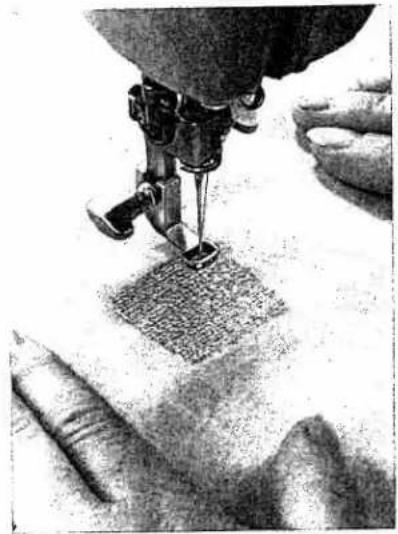
There are hundreds of patterns excellent for openwork embroidery. Although similar in appearance to applique, openwork embroidery is much simpler. Let's embroider the 25-square box illustrated. First, sew over all traced lines twice, using short straight stitches. Then sew over straight-stitch lines with a medium-wide satin stitch. Make sure that your rows of satin stitching are even so the corners of your squares look neat.
R 7166

natural_image
Close-up of a sewing machine needle stitching a grid-patterned surface (no text or symbols visible)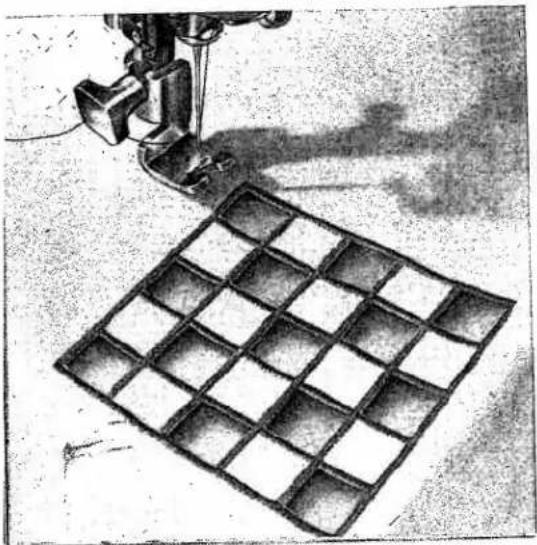
natural_image
Illustration of a sewing machine stitching a grid-patterned fabric (no text or symbols)When you finish sewing, cut out every other square. Be careful that you don't injure the seams.
To make an attractive modern design, outline flowers or free forms with an embroidery design instead of satin stitching.
R 7179
40
natural_image
Illustration of a sewing machine needle stitching fabric, with no visible text or symbolsR 7158
Scalloping
Machine Setting:
Dial A=2 · Lever B=← · Dial C=3
Dial D=5 · Lever E=1 to 7
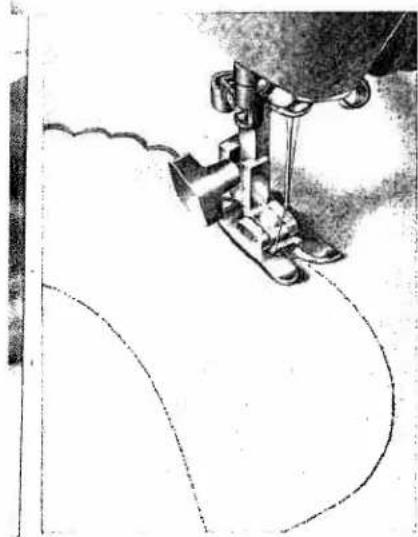
Scalloping can be done in a jiffy on your Pfaff 262 Automatic. Scalloped edges can be used effectively as trimming on numerous articles.
The illustrations (left) show how scalloping adds sparkle to a child's collar. Here's how to do it.
First, trace the collar pattern on a doubled piece of fabric. Set machine as indicated above, place fabric under sewing foot and guide needle along traced line. The scallops are produced automatically. You may vary the length of the scallops (see sketch) by changing the setting of lever E. When you have finished, trim excess fabric along scalloped edge.

natural_image
Curved white object on dark textured background, resembling a crescent moon or crescent shape (no text or symbols)R 7168
41
R 7150
Scrollwork
Machine Setting:
Dial A=2 to 4 · Lever B=↓
Dial C=0 · Lever E=0
Draw designs on fabric. Clamp work into embroidery hoops. As you are following the scroll-work outline with wide satin stitches, move hoops right, then left, alternating the rhythm and the direction of your movements. An exciting note may be added by using variegated thread.

natural_image
Illustration of hands operating a sewing machine to print a patterned fabric (no text or symbols visible)
Imitation Hemstitching
Machine Setting: Dial A=2 ^1/2 · Lever B=↓ · Dial C=0 · Lever E=0 Stitch Length: 1—1 ^1/2 · Increase Tension
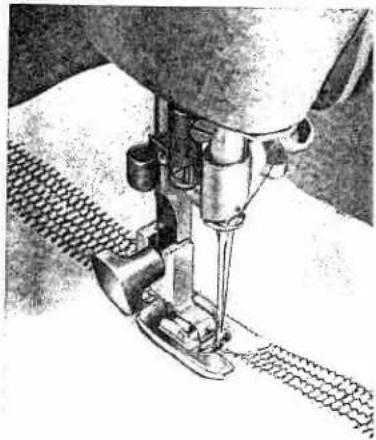
Beautiful hemstitching effects on handkerchiefs, blouses, dresses, and so forth, can be made with Pfaff's System 130 (wing) needle available at Pfaff stores at extra cost. Loosely woven fabrics, such as batiste, organdy, georgette, etc., are well suited to hemstitching while wooly fabrics are not recommended because needle penetrations close up. Since the hemstitching needle has a slightly thicker shank, the needle set screw must be turned out far enough for insertion. The hemstitching needle cannot be threaded with the automatic needle threader. Hemstitching is very simple (see sketch).
1 Sew first row on the left of the area to be hemstitched.
2 Stop machine when needle is in fabric on the right.
3 Lift sewing foot, turn fabric in the direction of arrow, and lower foot again.
4 Sew second row, as shown in sketch, guiding material parallel to first row so that needle penetrates needle holes of previous zigzag stitches as it descends on the right.]
5 If you are making more than two lines of hemstitching, alternately leave needle in fabric on the left and right at turning points, pivot fabric on needle, and proceed as directed above.

natural_image
Close-up of a sewing machine needle stitching fabric (no visible text or symbols)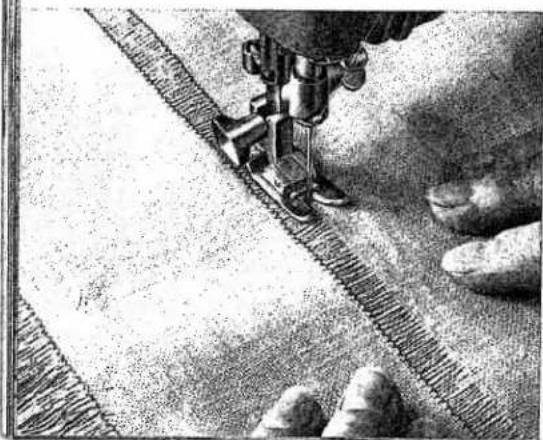
natural_image
Close-up of a sewing machine stitching fabric with visible stitching details (no text or symbols)Hemstitching
Hemstitching is successful on linen and twilled fabrics. For this type of work use an ordinary needle. Draw several threads out of the fabric. Set machine for a medium-wide zigzag stitch and sew along both edges of the strip, making sure that "zigs" and "zags" in both rows are exactly opposite each other. Set stitch length according to thread bar width you desire.
Draw threads from the edge until your fringe is the length you want. Zigzag along this line -- and you will have picot edging.
R 7173
42
R 7140

text_image
Scanned document with printed text and a small embedded image, likely a form or report.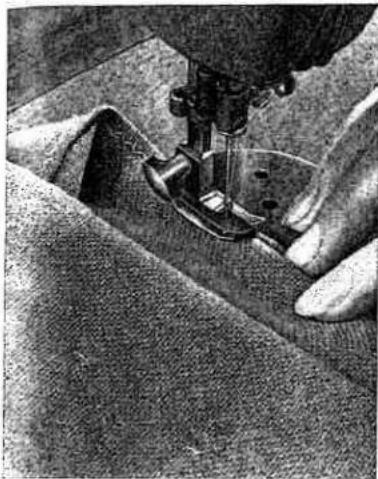
natural_image
Close-up of hands operating a sewing machine on fabric (no visible text or symbols)
text_image
R 7139 1
natural_image
Diagram of a mechanical setup with a tool and spring, no visible text or symbols
Blindstitching
Machine Setting:
Dial A=1 to 2 · Lever B=> · Dial C=0 · Lever E=0
Stitch Length: Maximum
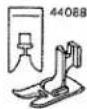
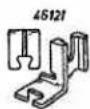
Hemming dresses and skirts by hand is a laborious task. You can do it easily on your Pfaff on medium and heavy fabrics. Use zigzag foot No. 44088 with blindstitch guide No. 46669, which you can buy at your Pfaff store. Attach the guide so that its vertical flange goes through the sewing foot slot. Use a No. 70 needle, a loose upper tension and thin thread in the needle.
Next, follow this procedure:
Turn fabric wrong side up. Fold selvaged material once (Fig. 1), unselvaged fabric twice (Fig. 2). It is advisable to press or baste hem. Guide work evenly, holding top hem edge against the vertical flange of the blindstitch guide.
Set dial A so that needle takes left stitch exactly in the folded edge and right stitch up to or over the hem edge. When hem is finished, stitches will not be visible on top side.

Automatic Blindstitching
Used for draperies or curtains.
Machine Setting: Dial A=0 · Lever B=> · Dial C=1
Dial D=6 · Lever E=1
Stitch Length: 1—1 ^1/2
Blindstitching will be visible on the right side of sheer and filmy fabrics. Therefore these fabrics should be blindstitched using the above setting which results in a number of narrow and one wide zigzag stitch, sewn at regular intervals. Use thread that matches fabric and fold the hem as illustrated, placing bulk of material on the left side. Run upper fold along right inside edge of foot.
43
R 8000

natural_image
Close-up of a sewing machine needle stitching a piece of fabric, with a small inset showing the same fabric detail (no text or symbols visible)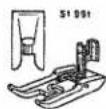
Sewing Buttonholes
Machine Setting: Dial A=1 ^1/2 · Lever B=← · Dial C=0 · Lever E=0
Stitch Length: 0.2
Darning Thread: No. 50
Filler Thread: cotton (pearl thread)
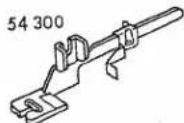
Attach buttonhole foot No. 54300 and set slide on buttonhole gauge to buttonhole length desired. The buttonhole is the right length when beginning of first seam reaches red end of slide indicator (see arrow).
The basic machine settings need not be changed in sewing a buttonhole. All special settings are made by simply pushing lever F up (for tying off) or down (for bartacking).

text_image
B FYou may use also the all-purpose sewing foot No. 51991.
If you prefer more prominent buttonholes, put a filler cord in the guide groove. To get the correct stitch length, sew on a piece of scrap material. In making buttonholes in soft or loosely woven fabrics, it is advisable to place a piece of tissue paper under the material. To strengthen buttonholes in tricot and knit fabrics, insert a piece of firmly woven cotton material between the fabric layers.
R 7994
44
R 8046

natural_image
Close-up of a sewing machine needle stitching fabric, no visible text or symbols
natural_image
Close-up of a sewing machine needle stitching fabric, no visible text or symbolsR 8042
text_image
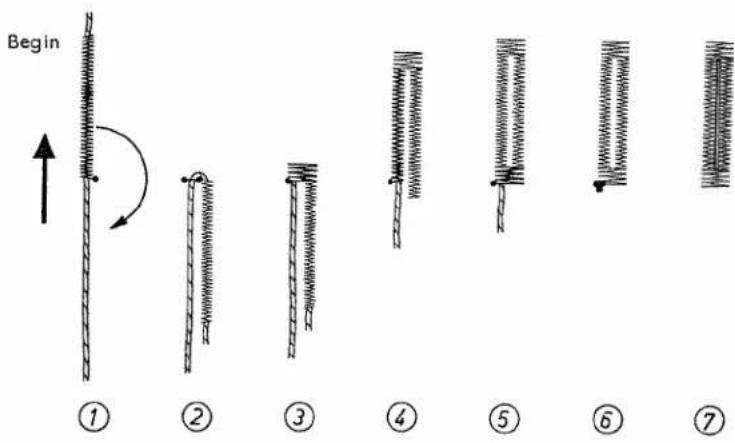
Begin ① ② ③ ④ ⑤ ⑥ ⑦4 Release lever F. Trim filler cord at end of first stitch row. Sew second row and stop about 4 to 6 stitches from end of first row.
5 Press lever F down. Make second tack, as instructed above.
6 Push lever F up and make 3 to 4 tying stitches.
7 Trim both the sewing and filler threads. Open the buttonhole with your seam ripper. Be careful not to injure the bartacks.
Instructions for Buttonholing
1 Sew first side over a filler cord. When beginning of seam reaches slide indicator on buttonhole gauge, it is the right length. Leave needle in fabric on right side of its throw.
2 Lift foot, turn fabric around clockwise, using needle as a pivot. Lower foot, take one stitch to the left, pull filler cord taut and lay it parallel to completed line of stitching.
3 Press lever F down. Make 4 to 6 bartack stitches, slightly closing together buttonhole end to reduce length of bar.

natural_image
Illustration of a hand using a compass to draw or mark a pattern on a textured surface (no text or symbols)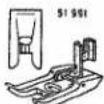
Button Sewing
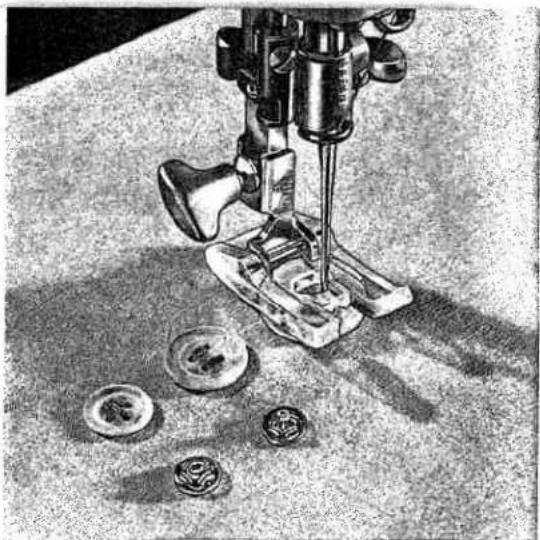
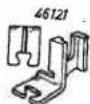
Don't be afraid to sew on buttons, hooks, eyes or rings with your Pfaff. Attach all-purpose sewing foot No. 51991 or button sewing foot No. 46120, which can be obtained from your Pfaff dealer, and drop machine feed.
DR 795
natural_image
Black-and-white illustration of a sewing machine needle stitching small circular components on a textured surface (no text or symbols)Machine Setting: Dial A=0 · Lever B=← · Dial C=0 · Lever E=0
Place button under button sewing foot and align so that needle will enter left hole and make one or two tying stitches. Raise needle. Turn dial A to the right, usually to 3, until needle on the right of its throw is centered over right hole. Start machine and sew as many zigzag stitches as you deem necessary to fasten button securely. Push lever F up and make two or three tying stitches.
When sewing on four-hole buttons, lift foot, reposition button and repeat the above process, stitching through the second pair of holes.
Hooks, eyes or rings are attached in the same manner.
natural_image
Close-up of a sewing machine needle stitching fabric, with hands operating it (no visible text or symbols)
Darning
Machine Setting: Stitch width dial A=0 · Needle position lever B=↓
Attach darning foot, as instructed on page 24, drop machine feed, and lower presser bar lifter. Since your machine is fitted with a vibrator, there is no need to place the fabric into darning hoops. Simply guide it under the needle free-hand.
Remember that "a stitch in time saves nine" and reinforce spots that have worn thin with short stitches made lengthwise and across worn section at high speed.
Triangular tears are best darned with close stitches made across and lengthwise.
DR 087
To mend small and medium-size holes, trim ragged edges with the fabric grain. First stitch back and forth across the hole from one side to the other with the machine running at high speed. Then turn the fabric at right angles and sew back and forth over preceding work with short stitches. This anchors the threads in the unworn area around the hole.
Darning foot No. 53670 can be used to mend woolen pullovers and other woolen articles. Lace filler thread through the hole in the foot. Place thread back and forth across damaged spot and anchor it in unworn area. Sew across filler thread with zigzag stitches (A=2.5).
47
DR 089

natural_image
Close-up of a sewing machine needle stitching fabric (no visible text or symbols)DR 088

natural_image
Close-up of a sewing machine needle stitching fabric, no visible text or symbolsDarning without Foot
Prepare your machine for darning as follows:
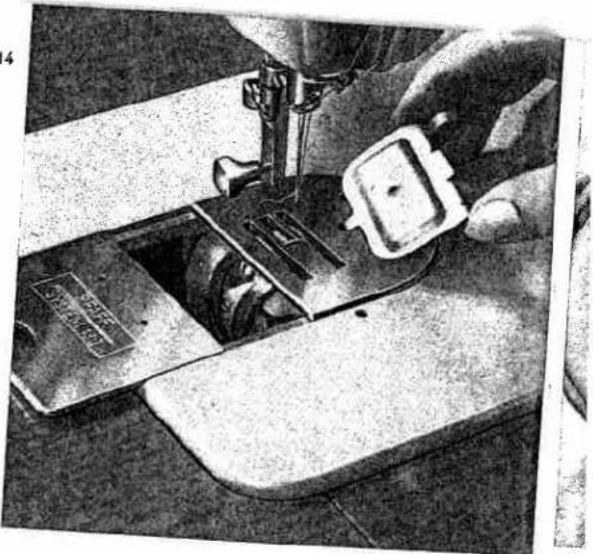
Remove presser foot and drop machine feed. Use feed cover plate No. 41251 to increase tautness of fabric in hoops and permit free movement. To fasten the feed cover plate to the machine, slip its finger into the hole of the needle plate (top), turn, and secure in position with bed slide (bottom).
You can buy the feed cover plate No. 41251 from your Pfaff dealer.
R 5914
natural_image
Close-up of hands operating a sewing machine with a small inset showing a component (no visible text or symbols)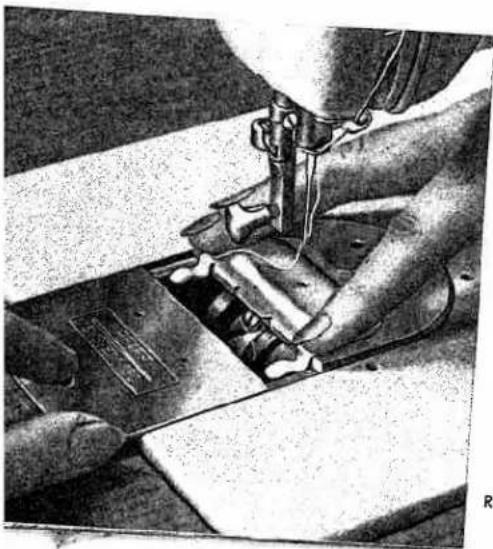
natural_image
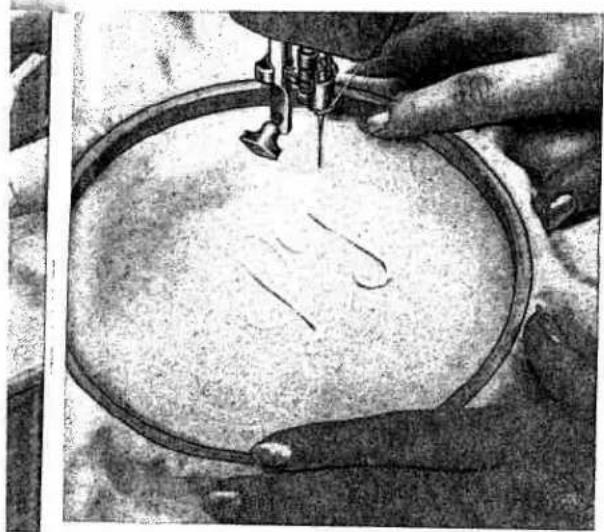
Close-up of hands operating a sewing machine with fabric and metal components (no visible text or symbols)Place fabric into darning hoops.
Machine Setting: Stitch width dial A=2. Needle position lever B=↓ This technique is used primarily to darn small holes in delicate fabrics, such as nylon.
R 5918
natural_image
Close-up of hands operating a sewing machine to print or fabric (no visible text or symbols)R 5926
Monogram Embroidery
Machine Setting:
Dial A=3 to 4 (optional) · Lever B=↓ · Dial C=0 · Lever E=0
Script letters are best for monogram embroidery without a sewing foot. It requires a little practice. You will soon enjoy creative embroidery once you have learned to move the material at a uniform rate. The fabric should be held taut in the hoops, the presser bar suspended and the presser bar lifter lowered. Drop machine feed. Lower needle into fabric at the beginning of your design and draw bobbin thread up through the fabric. Hold both thread ends and sew over outline, moving hoops slowly and evenly. To give your monogram dimensional quality, embroider outline twice. Be sure stitches are closely spaced.
Sewing Monograms
Machine Setting:
Dial A=2 ^1 / _2 · Lever B=↓ · Dial C=0 · Lever E=0
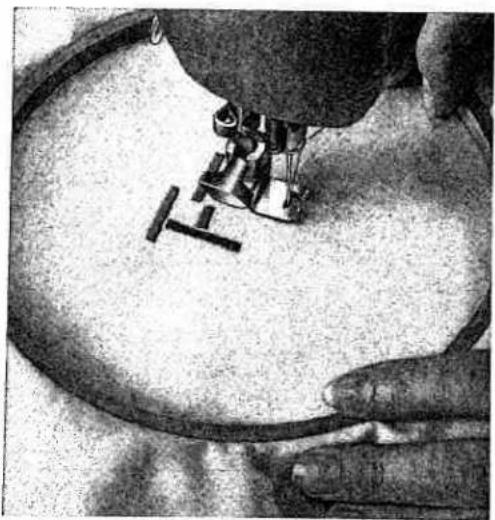
(Monogramming foot No. 43737 available on special request.)
The procedure below is primarily used for block letters. Raise machine feed and set machine for satin stitch. Watch that seams do not overlap at joints of letters. To raise monogram, insert a filler thread (cotton or pearl thread).

The vibrator of your machine (see page 24) makes it possible to sew both block and script letters with the machine feed dropped and the darning foot attached, guiding the material free-hand.
Ask your Pfaff dealer to show you Pfaff's Ornamentograph, the ingeniously designed monogram and ornamental stitch attachment. You will marvel at its versatility and delight in its countless creative possibilities.
49
R 7165
natural_image
Close-up of a hand operating a sewing machine on a circular workpiece (no visible text or symbols)Cording
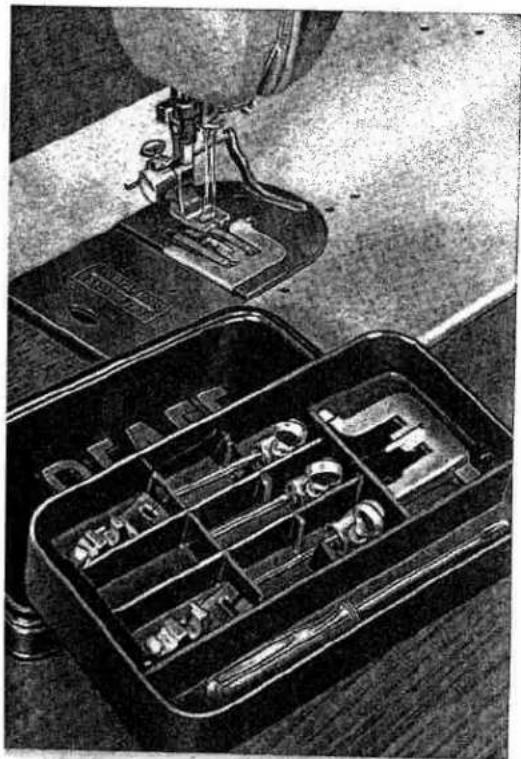
To cord on your Pfaff-Automatic, use Cording Kit No. 50115 which is available at extra cost.
R 5964
natural_image
Black-and-white photo of a sewing machine stitching a box with multiple compartments (no visible text or symbols)The Cording Kit comprises:
4 double-needle holders for needle distances of 116 , 564 , 332 and 864 inch; 3 cording feet; 3 cording plates (2 with cord ducts and 1 with center claw); 1 package of System 130B needles; and 1 screwdriver. Additional parts for heavier cording are available at extra cost.
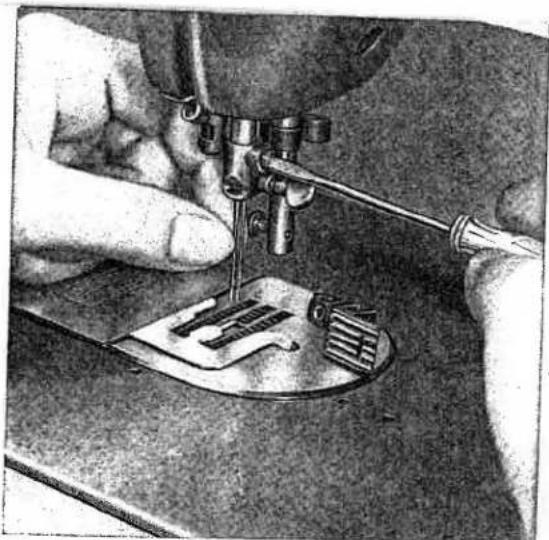
The interchangeable double-needle holder is easy to attach.

natural_image
Close-up of hands using a sewing machine to adjust fabric (no visible text or symbols)R 6942
Changing the Needle Holder
Operate Stopmatic lever to raise needle, loosen small set screw and change needle holders. Tighten set screw securely. The large needle set screw must always point toward the right.
Use System 130B round-shank needles in 116 and 564 -inch double-needle holders, and System 130R flat-shank needles in 332 and 764 -inch needle holders.
To attach cording plate, refer to instructions on page 48 for mounting feed cover plate.
natural_image
Vintage sewing machine with visible brand name 'PFAFE' and control knobs (no additional text or symbols)R 8047 A
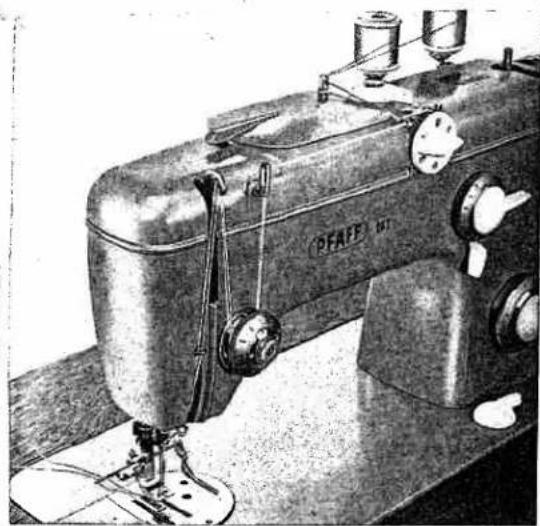
Increase the bobbin thread tension slightly for cording. Piaff recommends you fill your cording so it keeps its shape in the laundry. Filler cord thickness depends on cording size you want. To sew filled cording, use the two cording plates with cord ducts.
Only very narrow tucks are made without filler cord.
Machine Setting: Dial A=0 · Lever B=↓ · Dial C=0 · Lever E=0 (Both needles are to be threaded by hand.)
Additional Information on Cording
Ordinary cording in medium-heavy fabric is made with cording foot No. 41319 and cording plate No. 41842.
For thicker cording use foot No. 41318 with cording plate No. 105996.
Upper Threading for Two-Needle Work
Cording foot No. 41641 and cording plate No. 41842 (with center claw, but without cord duct) serve to make narrow air tucks in lightweight material. Pin tucks without filler cord also are made with cording foot No. 41641. However, for these, cording plate No. 41844 is used. Cording height and width are determined by the distance between the two needles, the cord diameter and the height of the ridge on the cording plate. Thread tensions also influence cording size. For uniform spacing of parallel tucks, attach an adjustable guide to the cording foot. When space between tucks is very narrow, place the preceding seam into one of the grooves of the foot and use it as a guide. This procedure insures uniform and parallel rows of cording.

natural_image
Close-up of a mechanical device with attached wires and a metallic component, no visible text or symbols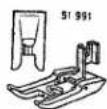
Two-Needle Decorative Sewing
All black patterns on the narrow-design side of the embroidery design dial can be sewn with two needles, if the distance between them does not exceed 564 inch. These patterns can be sewn without changing machine parts. To sew all other designs with two needles, the needle plate, machine feed and sewing foot must be changed. Your Pfaff dealer will do this for you at extra cost. These parts have wider slots to allow for movement of both needles.
(Needle holder available at extra cost.)
DR 839

text_image
PFAFF - AUTOMATIC 260/262 360/362 368 A B C D E F A BEmbroidery design dial with Elastic Seam (arrow)

natural_image
Black-and-white illustration of a sewing machine stitching a patterned fabric (no text or symbols visible)R 7178
Two-needle designs are particularly attractive when sewn with different color thread. The sewing abilities of your Pfaff-Automatic are practically unlimited. Interesting effects can be obtained by combining various designs, embroidering colored ribbons, glamorizing a garment with lace or rick-rack attached with a line of Automatic stitches and -- well, you probably can think of many articles which would take on new life with a touch of embroidery. Your Pfaff-Automatic will help you solve decorative problems and will stimulate your creative fancy. Combination foot No. 51366 (available at extra cost) is ideal for decorative stitching.
R 7137
R7175

Three-Needle Decorative Sewing
To do three-needle sewing, you must buy spool holder No. 53137 which slips over the regular spool pins (see illustration) and have your Pfaff dealer convert your machine to sew a stitch width of about 14 inch. The third thread is led to the needle with the second thread.
After your machine has been converted, you can sew all black patterns on the narrow-design side of the embroidery dial with three needles.

natural_image
Close-up of a sewing machine needle stitching a floral pattern (no text or symbols visible)▲
Automatic Embroidery
Interesting design effects are easy to make by combining automatic embroidery patterns.
Now you can make flower petals and other irritable designs. The more familiar you are with your machine, the more inspired you will be toward creative sewing.
The Elastic Seam
When setting A=0, B=♦, C=3, D=8, E=1, and the stitch length control between 0.2 and 0.6, the machine sews the zigzag seam pictured on the design selector wheel (see also page 52 arrow). This functional seam is firmly anchored in the material and is ideally suited for hemming and other edge finishing operations on elastic materials, such as tricot, jersey, Helanca, Lastex and charmeuse. Additional applications are inserting patches in tricot and linen (see page 39) and attaching elastic.
R 7176
53
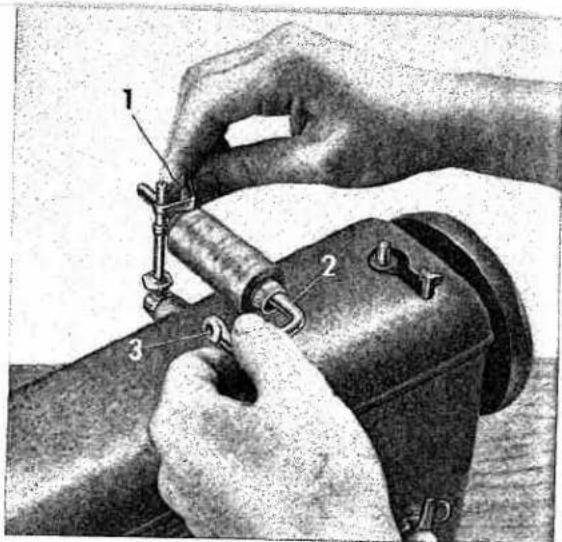
The Transverse Spool Holder
To ensure that the thread will unwind evenly from a cross-wound spool, use the transverse spool holder. You can buy the transverse spool holder from your Pfaff-dealer.
To attach the spool holder, slip position spring 1 over the vertical spool pin, the bent portion of the spring pointing toward you. Push the spool of thread on spool pin 2. Press the position spring together, and push pin 2 into the spring slot. With the spring pressed together, adjust its position on the vertical spool pin, as required. When you release the spring, the transverse pin will be held in place firmly. Pass the thread through eyelet 3, and thread the machine as instructed.
text_image
Technical diagram showing hands operating a mechanical device with numbered parts labeled 1, 2, and 3.R 6533

All-Purpose Sewing Foot (with Clear-View Shoe)
All-purpose sewing foot No. 51991 is attached as instructed on page 24.
The transparency of its shoe facilitates all sewing operations where it is important to watch the needle penetrate the fabric.
Special application possibilities are discussed on the preceding pages.
Sewing feet and attachments which are not included in the accessory box of your sewing machine can be obtained from your Pfaff dealer.
Contents
| Page | Page | ||
| Foreword | 1 | Quilting | 32 |
| Essential Parts of Machine | 2 | Flat Felled Seams | 33 |
| Fundamentals of Machine Operation | 4 | Rolled Hems | 34 |
| The Stopmatic | 4 | Hemming | 34 |
| Electrical Information | 5 | Overcasting Edges | 35 |
| Straight Stitching | 5 | Butt Seaming | 35 |
| Zigzag Sewing | 7 | Attaching Lace | 36 |
| Setting Machine for Automatic Embroidery | 8 | Inserting Lace | 36 |
| Winding the Bobbin | 10 | Inserting Patches with Elastic and Zigzag Seam | 37 |
| Removing the Bobbin Case | 12 | Single-Needle Cording | 38 |
| Inserting a Full Bobbin into Bobbin Case | 12 | Shirring | 38 |
| Inserting the Bobbin Case | 13 | Applique Work | 39 |
| Recommended Needle and Thread Sizes | 14 | Openwork Embroidery | 40 |
| Important Facts about Needles | 15 | Scalloping | 41 |
| Changing the Needle | 15 | Scrollwork | 41 |
| Upper Threading | 16 | Imitation Hemstitching | 42 |
| Operating the Needle Threader | 18 | Blindstitching | 43 |
| Drawing Up the Bobbin Thread | 19 | Automatic Blindstitching | 43 |
| Correct Tension Regulation | 20 | Sewing Buttonholes | 44 |
| Regulating the Thread Tension | 21 | Button Sewing | 46 |
| Stitch Length Regulation | 22 | Darning | 47 |
| Reverse Sewing | 22 | Darning without Foot | 48 |
| Dropping the Machine Feed | 23 | Monogram Embroidery | 49 |
| Changing the Sewing Foot | 24 | Sewing Monograms | 49 |
| Darning Foot and Vibrator | 24 | Cording | 50 |
| Care and Maintenance | 25 | Two-Needle Decorative Sewing | 52 |
| Regular Machine Care | 27 | Three Needle Decorative Sewing | 53 |
| Sewlight Facts | 28 | Automatic Embroidery | 53 |
| Trouble Shooting | 29 | Elastic Seam | 53 |
| Zipper Insertion | 32 | The Transverse Spool Holder | 54 |
| Edge Stitching | 32 | All-Purpose Sewing Foot | 54 |