6250 - Sewing machine PFAFF - Free user manual and instructions
Find the device manual for free 6250 PFAFF in PDF.


User questions about 6250 PFAFF
0 question about this device. Answer the ones you know or ask your own.
Ask a new question about this device
Download the instructions for your Sewing machine in PDF format for free! Find your manual 6250 - PFAFF and take your electronic device back in hand. On this page are published all the documents necessary for the use of your device. 6250 by PFAFF.
USER MANUAL 6250 PFAFF
natural_image
Exterior view of a PFAFF electronic 6250 sewing machine (no visible text or symbols on the device body)Instruction book
For easier understanding of this instruction book please fold this page open when reading it.

Safety rules
For the United Kingdom only
The leads must definitely not be connected to the safety-lead terminal I nor to a plug with three pins.
The wires in the mains lead are coloured according to the following code:
Blue: Neutral
Brown: Live
As the colours of the wires in the mains lead of this appliance may not correspond with the colour coding of the terminals in your plug, proceed as follows:
The wire which is coloured blue must be connected to the terminal which is marked with the letter N or coloured black.
The wire which is coloured brown must be connected to the terminal which is marked with the letter L or coloured red.
Cut-off mains plugs are definitely not to be used, but disposed of immediately. Defective mains leads must be replaced complete.
Only 3 A spare fuses must be used as approved by ASTA according to BS 1362 and the fuse cover must be marked 3 A or with the corresponding colour code.
The plug must never be used without fuse cover. Spare fuse covers are available from electrical suppliers or the PFAFF agencies.
Please also observe the general safety notes on page 2.
Contents on pages 4 and 5
text_image
Warning symbol image with exclamation mark inside a triangleImportant safety instructions
For the United States only
This sewing machine is designed and manufactured for HOUSEHOLD use only. When you use an electric appliance, basic safety precautions should always be adhered to as follows:
Read all instructions before using this sewing machine.
DANGER To reduce the risk of electric shock:
- The sewing machine should never be left unattended when plugged. Always unplug this appliance from the electric outlet immediately after using and before cleaning.
- Always unplug before relamping. Replace bulb with same type rated 15 Watts.
- Always unplug for a sewing machine that has fallen into water. Unplug immediately.
- Do not place or store a sewing machine where it can fall or be pulled into a tub or sink. Do not place in or drop into water or other liquid.
WARNING To reduce the risk of burns, fire, electric shock, or injury to persons:
- Do not allow to be used as a toy. Close attention is necessary when this sewing machine is used by or near children.
- Use this sewing machine only for its intended use as described in this manual. Use only attachments recommended by the manufacturer as contained in this manual.
- Never operate this sewing machine if it has a damaged cord or plug, if it is not working properly, if it has been dropped or damaged, or dropped into water. Return the appliance to the nearest authorized dealer or service center for examination, repair, electrical or mechanical adjustment.
- Never operate the sewing machine with any air openings blocked. Keep ventilation openings of the sewing machine and foot control free from the accumulation of lint, dust, and loose cloth.
- Never drop or insert any object into any opening.
- Do not use out of doors.
- Do not operate where aerosol (spray) products are being used or where oxygen is being administered.
- To disconnect turn all controls to off ("0") position, then remove plug from outlet.
- Never operate on a soft surface such as a bed or couch where the air openings may be blocked.
- Do not unplug by pulling on cord. To unplug, grasp the plug, not the cord.
1.1. Keep fingers away from all moving parts. Special care is required around the sewing machine needle. - Always use the proper needle plate. The wrong plate can cause the needle to break.
- Do not use bent or blunt needles. Use needles recommended by the manufacturer only.
- Do not pull or push fabric while stitching. It may deflect the needle, causing it to break.
- Switch the sewing machine off ("0") when making any adjustments in the needle area, such as threading needle, changing needle, threading bobbin, or changing presser foot, etc.
- Always unplug sewing machine from the electric outlet when removing covers, lubricating, or when making any other user servicing adjustments mentioned in the instruction manual.
- Hold plug when rewinding into cord reel. Do not allow plug to whip when rewinding.
Please also observe the general safety notes on page 2.
SAVE THESE INSTRUCTIONS
text_image
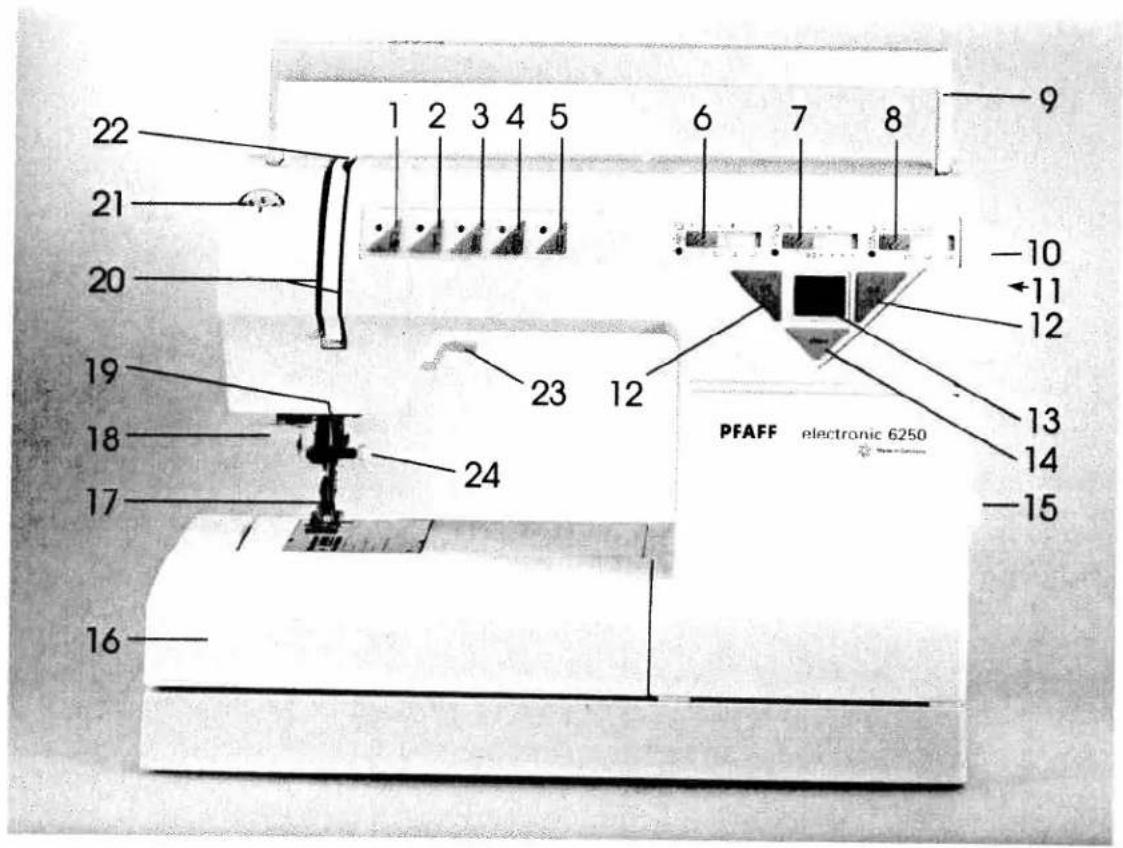
22 21 20 19 18 17 16 1 2 3 4 5 6 7 8 9 -10 -11 12 23 12 PFAFF electronic 6250 13 14 -15
text_image
25 26 27 28 29 37 PFAFF 36 35 34 33 32 38 39 PFAFF electronic 6250 30 31Parts of the sewing machine
(1) Key for "slow sewing"
(2) Key for "needle up/down position"
(3) Key for "tacking/buttonhole/single pattern"
(4) Key for "reverse sewing"
(5) Twin needle indicator
(6) Stitch width slide key/needle positions
(7) Stitch length slide key/buttonhole length
(8) Balance slide key/pattern length
(9) Carrying handle
(10) Hand wheel
(11) Hand-wheel release disk
(12) Program keys 0 to 7/0 to 9
(13) Liquid crystal display
(14) Clear key "beginning of pattern"
(15) Main switch
(16) Accessory box
(17) Sewing foot holder with sewing foot
(18) Needle threader
(19) Thread guide
20) Threading slot
21) Needle thread tension
22) Take-up lever
23) Presser bar lifter
24) Needle holder with fixing screw
25) Thread guide for bobbin winding
26) Program table
27) Reel holder with unwinding disk
28) Second spare reel holder
29) Bobbin winder
(30) Connection socket "mains cord"
(1) Connection socket "foot control"
2) Base plate
3) Hook cover
4) Free arm
5) Sewing lamp
6) Thread trimmer
7) Top cover
(38) Dual feed (top feed)
(39) Needle plate
Notes on safety
Notes on safety for domestic sewing machines according to DIN 57 700, Section 28 or IEC 335, Section 28
-
The user must exercise adequate caution with regard to the up- and down moving needle and constantly observe the sewing area during work.
-
When leaving the machine, during maintenance work or when changing mechanical parts or accessories, always disconnect the machine from the mains by pulling out the mains plug.
-
The maximum permissible wattage for the sewing lamp is 15 Watts.
-
The tension of the drive belt must only be adjusted by a Pfaff mechanic.
-
The machine must be put into operation according to the indications on the specification plate.
-
Do not place any objects in openings on the machine.
-
Do not use the sewing machine if:
- there is visible damage.
- its function is disturbed.
- it is wet, e.g. with condensation.
-
Do not pull the mains plug out of the socket by its cord.
-
If this appliance is used for another purpose than that intended or if it is wrongly operated, we will not accept any liability for any damage caused.
-
To avoid the risk of electric shock, do not open the machine. There are no parts inside the machine which the user can repair. This is solely the responsibility of our qualified service staff.
-
Be sure to use only original PFAFF parts.
Environment
The recommended environment is: Ambient temperature 10^ C to 40^ C Humidity 20% to 80%
This sewing machine is a high-quality electronic-mechanical appliance; it is a machine for supervised use in the home. It should be operated in such a way that it is not subjected to: dust, severe dampness, direct sunlight, static electricity, heat-producing objects, corrosive chemicals or liquids.
The machine must be used on a free surface, for ventilation purposes, which is both firm and even.
Treatment
Always protect the machine against damage by hitting or dropping.
Cleaning
Housing:
To clean the housing, use a dry, clean and soft cloth which is free of fluff. To remove any stubborn dirt, use a soft cloth with alcohol or paraffin.
Please Note!
Do not use any insecticides or chemical products such as petrol (gas) or thin chemicals for cleaning the housing.
Modern, uncomplicated - Sewing by touch-key control -
Congratulations! You have bought a high-quality product that offers unique advantages. Your new sewing machine can take any material in its stride and will sew through thick and thin for you.
It features the very latest in desgin and technology, and this instruction book is just as uncomplicated as your PFAFF sewing machine.
If you now take time enough to study the instruction book, nothing can go wrong.
After all, this is the only way to learn all the things the machine can do, and to make full use of them.
If you have any further questions, that is no problem! Your PFAFF dealer will be at your service with any help or advice you need.
So now you can get started! We wish you many enjoyable hours of creating your fashion ideas.
Contents
| Page | |
| Accessory compartment | 95-107 |
| Adjusting slide keys | 35-37 |
| Applique foot | 101 |
| Automatic darning | 48+82 |
| Balance | 61+65 |
| Balance slide key | 37 |
| Basting stitch | 45 |
| Bias tape binder | 104 |
| Blind stitch | 47 |
| Bobbin case | 20 |
| Bobbin thread | 24 |
| Bobbin thread tension | 21 |
| Bobbin winding | 17-19 |
| Borders | 66 |
| Suspenders (braces) | 70 |
| Buttonhole balance | 61 |
| Buttonhole/tacking/single pattern | 39 |
| Buttonholes | 59-62 |
| Changing a sewing foot | 25 |
| Changing the needle | 28 |
| Changing the needle plate | 112 |
| Cleaning and oiling | 112 |
| Clear key | 34 |
| Closed overlock stitch | 54 |
| Closed overlock stitch with edge thread | 55 |
| Cording foot | 102+105 |
| Covering stitches | 56-58 |
| Cross stitch | 57+68 |
| Darning | 81-83 |
| Darning tears | 83 |
| Darning with elastic stitch | 82, 83 |
| Darning with straight stitch | 81 |
| Decorative stitches | 63-71 |
| Detachable work support | 16 |
| Dual fabric feed | 26, 27 |
| Elastic stitch | 53 |
| Elastic stitches | 51-58 |
| Electrical connection | 14, 15 |
| Electronics | 34-40 |
| Embroidery techniques | 89-93 |
| Eyelet embroidery | 91 |
| Eyelets | 50 |
| Fagoting stitch | 56 |
| Fancy elastic stitch | 57 |
| Fancy stitch table | 8 |
| Faults | 114, 115 |
| Foot control | 15 |
| Free arm | 16 |
| Fringe foot | 105 |
| Function keys | 38, 39 |
| Gathering foot | 103 |
| Gathering with elastic threads | 79 |
| Gathering with straight stitch | 78 |
| General notes on sewing | 76, 77 |
| Hand wheel release disk | 17 |
| Item with the twin needle | 77 |
| Hemstitching | 92, 93 |
| Honeycomb stitch | 53 |
| Inserting patches | 83 |
| Inserting the bobbin | 21 |
| Inserting zippers | 84, 85 |
| Init-edge foot | 103 |
| Face work | 86 |
| Gap-feller | 101 |
| Large-area embroidery | 68 |
| Weather embroidery | 69 |
Left needle position 35+45
Light-knit mending stitch 58
Linen buttonhole with gimp thread 62
Linen buttonhole, programmable 60
Linen embroidery 89
Lowering the feed dog 29
Maintenance and sewing faults 109-11
Monograms 104
Needle chart 106,10
Needle positions 35
Needle thread tension 29
Needle threader 23
Needle up/down position 38
Non-elastic stitches 45-50
Oiling 11
Open overlock stitch 54
Overlock stitches 54.55
Pattern length 37+64
Pattern start (clear key) 34
Pattern width 35+65
Plain stem stitch 52
Practical sewing 73-88
Presser bar lifter 24
Program keys 34
Pullover stitch 55
Quilting 90
Reverse sewing 40
Richelieu 89
Right needle position 35+45
Roll-hemming 86
Saddle stitch 48
Safety notes 1
Semi automatic (buttonhole) 60
Semi-automatic sewing of second tack 60
Serging with the overlock foot 46+54
Serging with zigzag stitch 46
Sewing and embroidering 41-71
Sewing chart 44
Sewing faults and their remedies 114.11
Sewing feet (special accessories) 100
Sewing feet (standard accessories) 98.99
Sewing lamp 113
Sewing on buttons 49
Shell edging 88
Single pattern 39
Slow sewing 38
Smocking 80
Special accessory table 100
Stitch density 36
Stitch length slide key 36+64
Stitch width slide key 35+65
Straight stitch 45
Stretch buttonhole 62
Stretch triple straight stitch 51
Stretch triple zigzag stitch 52
facking 39
Technical section 11-29
18
thread tension 20+29
thread trimmer 24
22
threading the needle thread 22
22 22 22
op feed 27
opstitching 76
rouble shooting 114 11
win needle 67+77
win needle indicator 40
utility and fancy stitches 41-71
utility stitch table 6.7
Vinding from a second reel holder 19
zigzag stitch 46
Utility stitch table
| 00 | 01 | 02 | 03 | 04 | 05 | 06 | 07 | 08 | 09 | 10 | 11 | 12 | 13 | 14 | 15 |
| Program No. | Description | Application | Width up to mm |
| 00 | Straight stitchMiddle needle position | For all straight-stitch and lockstitch sewing job, 6 mm stitch length. | - |
| 01 | Straight stitchLeft needle position | For all sewing and top-stitching work requiring left needle position. | - |
| 02 | Straight stitch with 13 needle positions | For sewing jobs requiring other needle positions, e. g. zipper insertion, and especially top-stitching. | - |
| 03 | Grass stitch | Both top-stitching and fancy stitching. | - |
| 04 | Plain stem stitch | Durable elastic seam, e. g. for sewing leggings, and for embroidery work. | 3 |
| 05 | Triple stem stitch | Ornamental utility stitch. | - |
| 06 | Stretch triple straight stitch, stitch length 1.5 to 4.5 mm | For highly durable seams, e. g. for inseams, sportswear and workwear, and for fancy stitching. | - |
| 07 | Stretch triple straight stitch, stitch length 3 to 6 mm | ||
| 08 | Basting stitch | For basting your sewing cuttings. | - |
| 09 | Darning program | For reinforcing damaged places or darning small holes. | 6 |
| 10 | Zigzag stitch | For sewing and appliqué work. | 6 |
| 11 | Zigzag stitch, needle position changeable from right to left | For eyelet embroidery and cording. | 6 |
| 12 | Zigzag stitch, needle position changeable from left to toight | ||
| 13 | Elastic stitch | For sewing on elastic, daming tears and inserting patches. | 6 |
| 14 | Blind stitch | For securing seams invisibly. | 6 |
| 15 | Elastic blind stitch | For sewing seams invisibly and serging an edge at the same time.Also for stretch materials. | 6 |
Utility stitch table
| 16 | 17 | 18 | 19 | 20 | 21 | 22 | 23 | 24 | 25 | 26 | 27 | 70 | 71 | 72 | 73 |
| Program No. | Description | Application | V |
| 16 | Shell-eding stitch | For decorative hems on light fabrics, e. g. for underwear. | |
| 17 | Blind stitch | Needle position changeable to the right. | |
| 18 | Fancy elastic stitch | For over-stitching two butt-joined plies of fabric. | |
| 19 | Stretch triple zigzag stitch | For sewing elastic tape onto elastic materials. | |
| 20 | Open overlock stitch | For closing and simultaneously serging firm materials. | |
| 21 | Closed overlock stitch with edge thread | For simultaneously closing and serging one or several fabric plies. An overlock seam that comes next to an industrial seam. | |
| 22 | Light-knit patchwork stitch | For sewing light-knit fabrics. Also as a fancy-stitch seam on knitted fabrics. | |
| 23 | Pullover stitch | Elastic closing and serging seam for open-knit materials. | |
| 24 | Honeycomb stitch | For sewing on elastic threads, covering terry-cloth seams and for fancy hems. | |
| 25 | Closed overlock stitch | For closing and serging seams for materials that fray easily. | |
| 26 | Fagoting stitch | For joining corsetry parts and for overstitching that fray easily. | |
| 27 | Cross stitch | Flat joining seam for elastic butt-joined fabric plies. Also suitable as a fancy hem. | |
| 70 | Fully automatic linen buttonhole | The buttonhole is stored in three pre-set lengths, e. g. for bed linen, underwear and blouses | |
| 71 | Linen buttonhole | Stitch length and width adjustable, thus very suitable for difficult materials such as silk or viscous fabrics. | |
| 72 | Stretch buttonhole | For stretch materials. | |
| 73 | Fully automatic eyelet | Can be re-called in different sizes. | |
| 74 | Button sewing program | Fully automatic sewing of buttons in various sizes. |
Fancy stitch table

other
| Position | Value | |---|---| | 28 | 28 | | 29 | 29 | | 30 | 30 | | 31 | 31 | | 32 | 32 | | 33 | 33 | | 34 | 34 | | 35 | 35 | | 36 | 36 | | Position | Value | |---|---| | 37 | 37 | | 38 | 38 | | 39 | 39 | | 40 | 40 | | 41 | 41 | | 42 | 42 | | 43 | 43 | | 44 | 44 | | 45 | 45 | | Position | Value | |---|---| | 46 | 46 | | 47 | 47 | | 48 | 48 | | 49 | 49 | | 50 | 50 | | 51 | 51 | | 52 | 52 | | 53 | 53 | | Position | Value | |---|---| | 54 | 54 | | 55 | 55 | | 56 | 56 | | 57 | 57 | | 58 | 58 | | 59 | 59 | | 60 | 60 | | 61 | 61 | | Position | Value | |---|---| | 62 | 62 | | 63 | 63 | | 64 | 64 | | 65 | 65 | | 66 | 66 | | 67 | 67 | | 68 | 68 | | 69 | 69 |
natural_image
Black-and-white photo of a person in a voluminous dress with high heels and a sleeveless top, posing with one hand on hip (no visible text or symbols)Operating the sewing machine
Technical section
Pages 11 to 29
-
natural_image
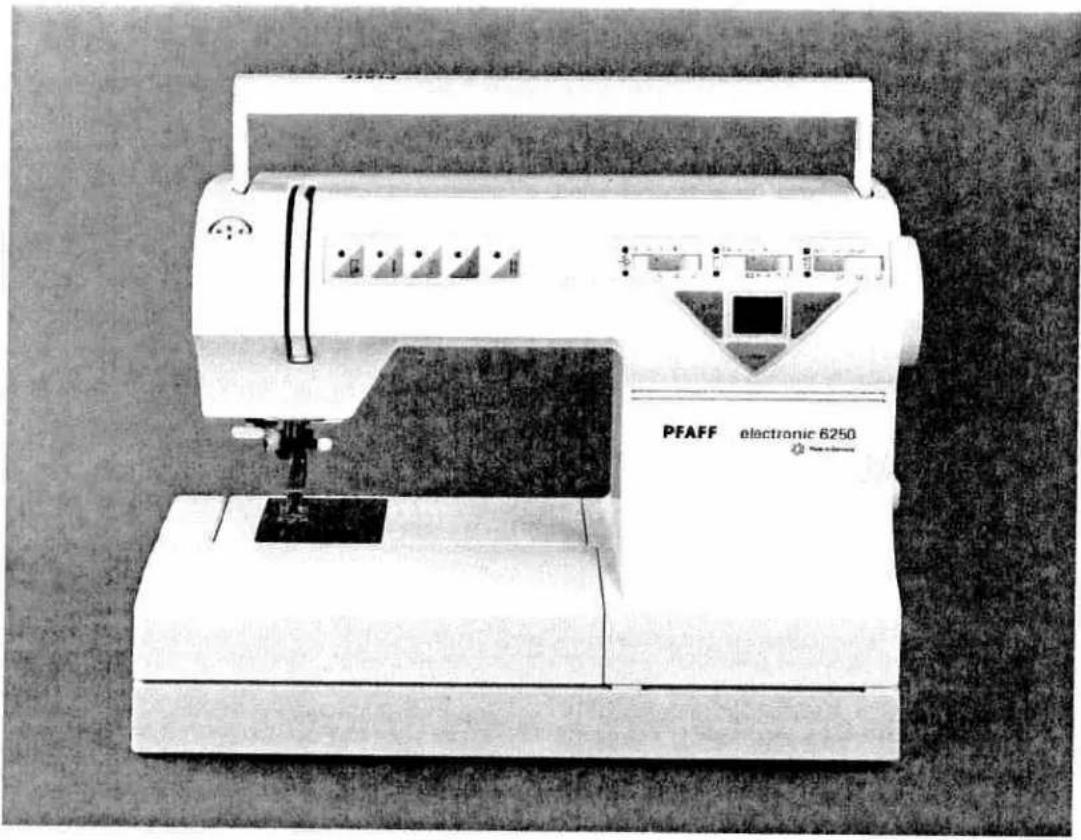
Exterior view of a PFAFF electronic 6250 sewing machine (no visible text or symbols on the device body)Technical section
Electrical connection Pages 14, 15
Detachable work support Page 16
Winding the bobbin Pages 17, 18, 19
Bobbin case Page 20
Bobbin thread tension Page 21
Threading the needle thread Page 22
Needle threader Page 23
Drawing up the bobbin thread Page 24
Presser foot lifter Page 24
Thread trimmer Page 24
Changing the sewing foot Page 25
Dual feed Pages 26, 27
Top feed Page 27
Changing the needle Page 28
Needle thread tension Page 29
Lowering the bottom feed Page 29
natural_image
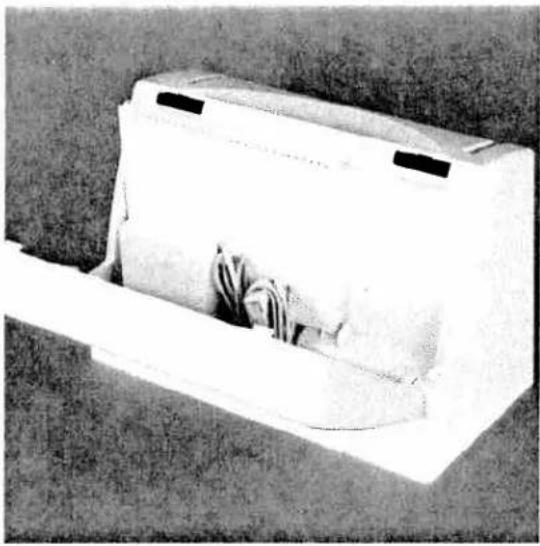
Black-and-white photo of a white rectangular box with a folded paper or cushion, placed on grass (no visible text or symbols)Cover-case
Place the enclosed mains cord, foot control and instruction book in the compartment of the cover-case.
natural_image
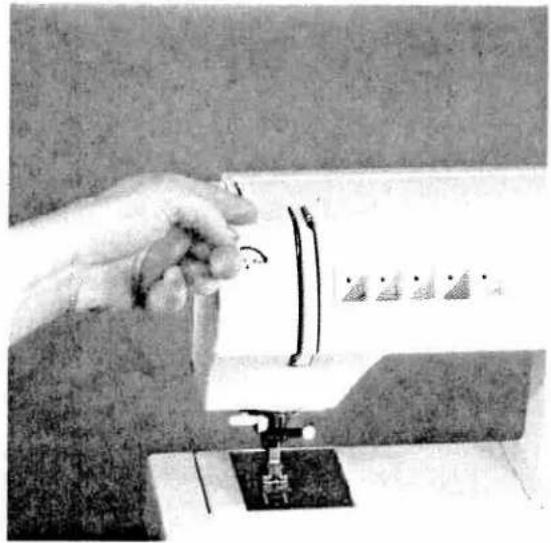
Close-up of a hand using a sewing machine to press fabric (no visible text or symbols)Top cover
Open the folding cover (37) upwards.

text_image
Black-and-white photo of a sewing machine with printed text and brand 'PFAFF' visible on its side panel.Programs
The programs of the sewing machine are illustrated on the inside of the top cover.

natural_image
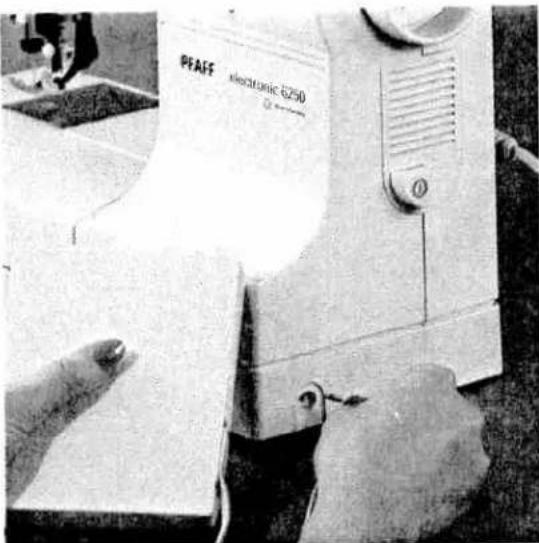
Close-up of a white sewing machine with a cable inserted, next to a small white plug (no visible text or symbols)Electrical connection
Connect the mains cord between socket (30) of the sewing machine and the wall socket.
text_image
PEAFF electronic 6250Connecting the foot control
Connect the plug of the foot control with the connection socket (31) of the sewing machine.
The sewing speed is regulated by pressing the pedal.
natural_image
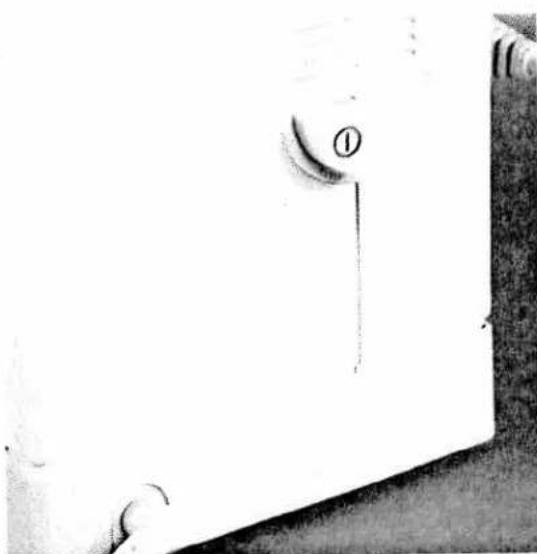
Close-up of a white mechanical component with a circular button labeled '①' and a small protrusion, no readable text or symbols.Main switch
When the main switch (15) is switched on, the sewing lamp lights up.
The sewing machine is now ready to use.

natural_image
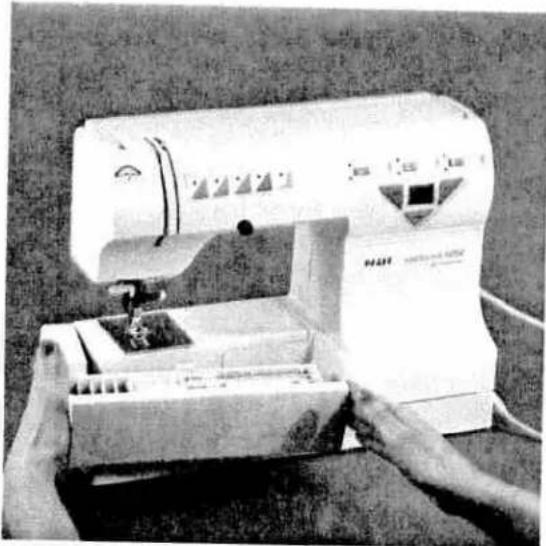
Close-up of a hand operating a sewing machine needle on a workbench (no visible text or symbols)Accessory compartment
Open the accessory compartment (16).
natural_image
Black-and-white photo of a sewing machine with hands operating it (no visible text or symbols)Detachable work support
Swing out the detachable work support (16) to the left using both hands.

natural_image
Black-and-white photo of a white open box with several small electronic components placed on the floor, no visible text or symbols.Sorting the accessories
The enclosed accessories are marked with numbers. Sort them into the corresponding compartments of the accessory box.
natural_image
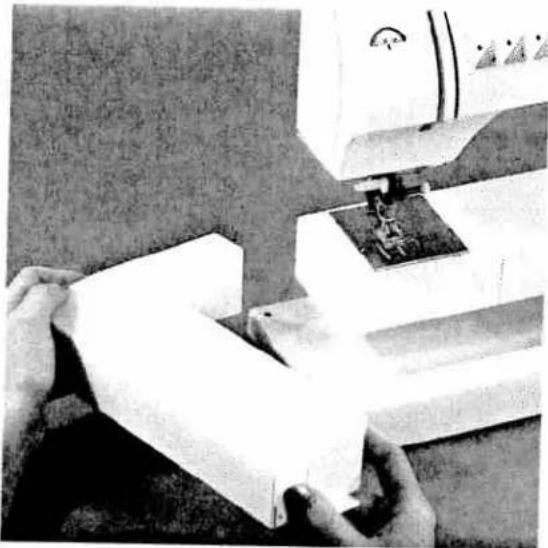
Close-up of hands operating a sewing machine with fabric being cut (no visible text or symbols)Removing the detachable work support (free-arm)
In order to sew using the free-arm, swing the detachable work support to the left and lift it upwards out of the hole.
When you replace and swing it in again make sure the detachable work support is flush with the free-arm of the sewing machine.
natural_image
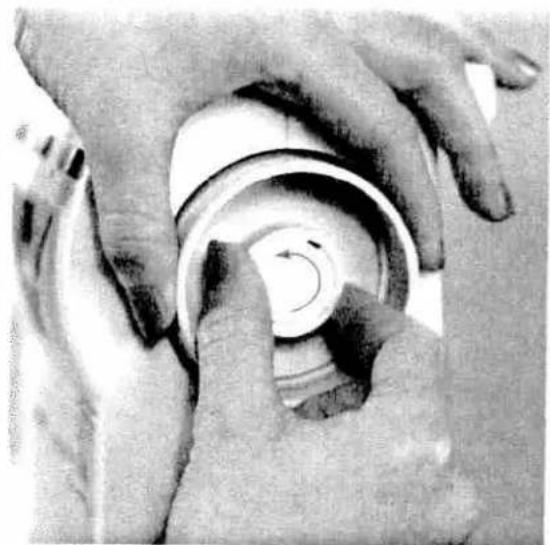
Close-up of hands adjusting a circular mechanical component with a rotating arrow (no visible text or symbols)Preparing the machine for bobbin winding
Hold the hand wheel (10) firmly and turn the release disk (11) fully in the direction of the arrow. During bobbin winding the needle will not move.
natural_image
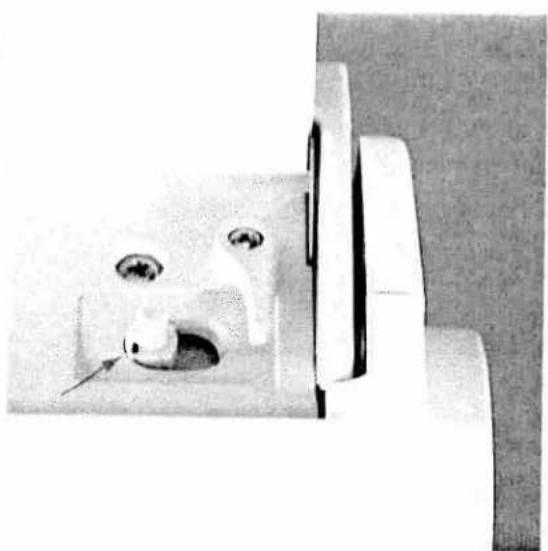
Close-up of a white electrical socket with a metallic clip and a small inset showing a hole (no visible text or symbols)Placing the bobbin
Switch off the main switch
Place the empty bobbin so that the black pin of the bobbin winder (29) snaps into the slot of the bobbin.

natural_image
Close-up of a mechanical device with a circular component and directional arrow (no visible text or symbols)Push the bobbin to the right.
Note:
The bobbin can only be wound if it is moved fully to the right.
text_image
PFAFF PEAFF electronic 1000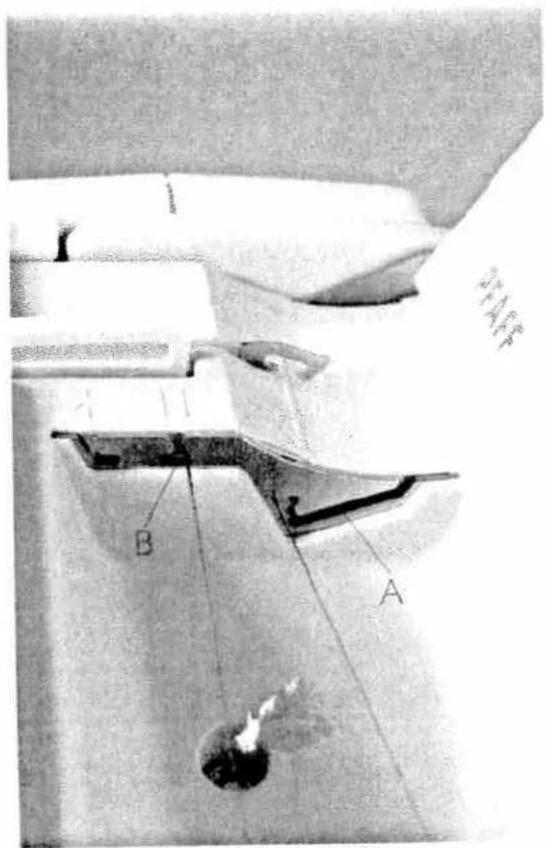
text_image
A B A H14F1Winding the bobbin from the reel holder
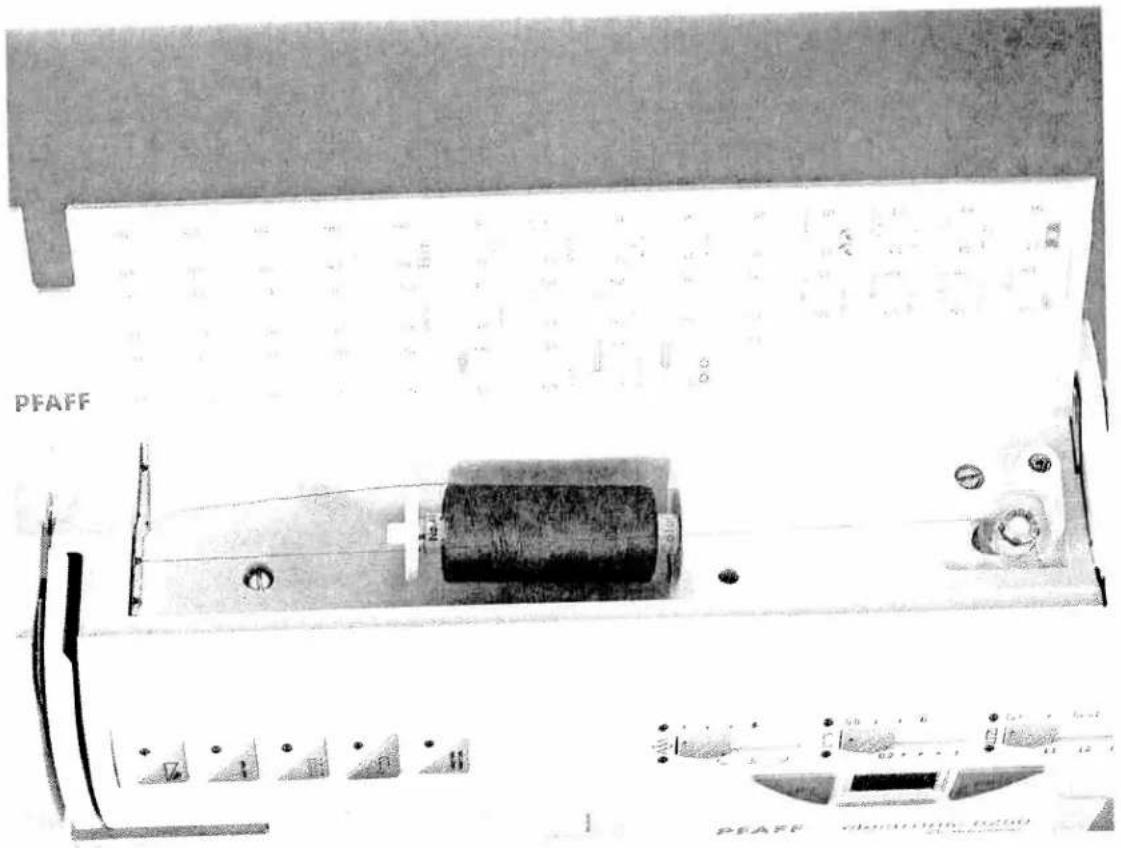
Place the sewing thread on the reel holder (27). To obtain free movement of the thread and hold the thread reel firmly, fit an unwinding disk of the right size for the thread reel.
Threading
Place the thread into guide A from behind and pull it through opening B to the right. Wind the thread clockwise a few times around the bobbin.
Switch on the main switch (15)
Hold the end of the thread firmly and press the foot control. As soon as the bobbin is full, the winding action will stop automatically. Cut the thread, push the bobbin to the left and take it off
Do not forget:
Turn the release disk (11) fully back again. Then turn the hand wheel (10) towards you until it snaps in.
text_image
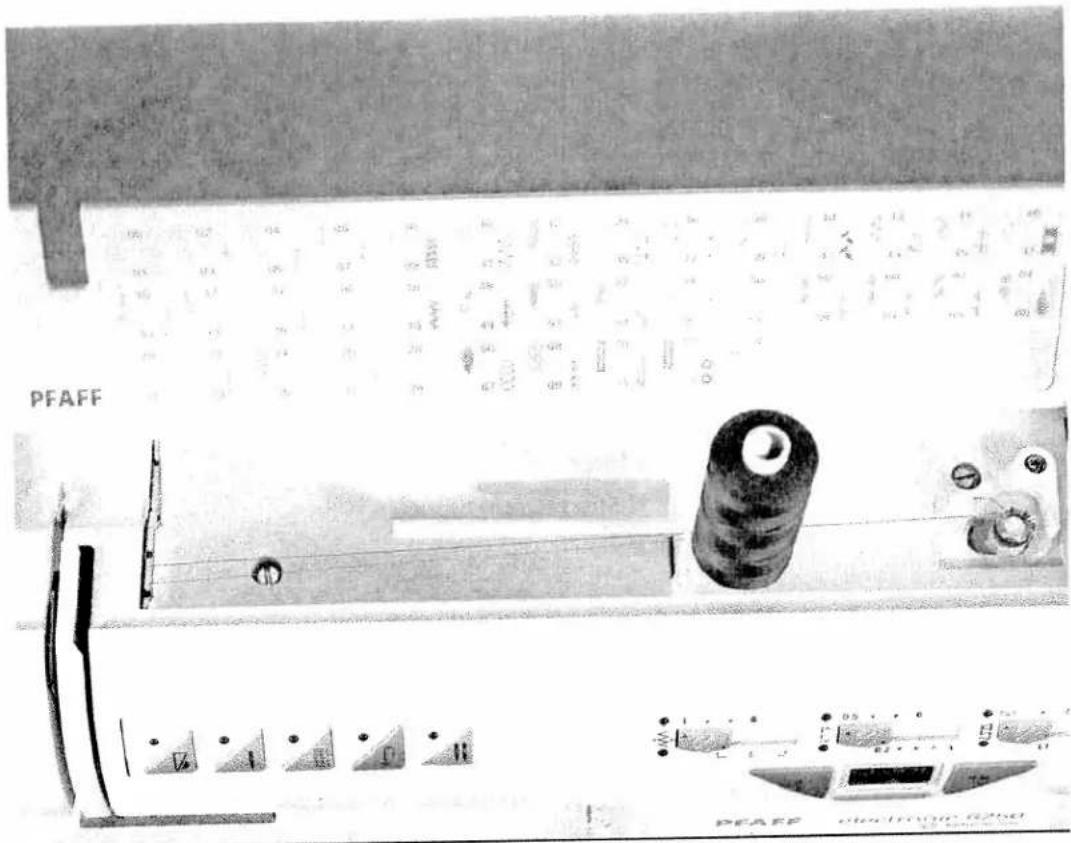
PFAFF PEAFF electronic G250AWinding from the second reel holder
Insert the second reel holder (28) in the hole intended for it and place a reel of thread on it.
Threading
Place the thread into guide C and pull it through opening B to the right. Wind the thread clockwise a few times around the bobbin.
Switch on the main switch (15)
Hold the end of the thread firmly and press the foot control. As soon as the bobbin is full, the winding action will be stopped automatically. Cut the thread, push the bobbin to the left and take it off.
Do not forget:
Turn the release disk (11) fully back again. Then turn the hand wheel (10) towards you until it snaps in. TIP: If the machine is already threaded, you can wind thread from the second thread reel without having to unthread the machine.

text_image
C B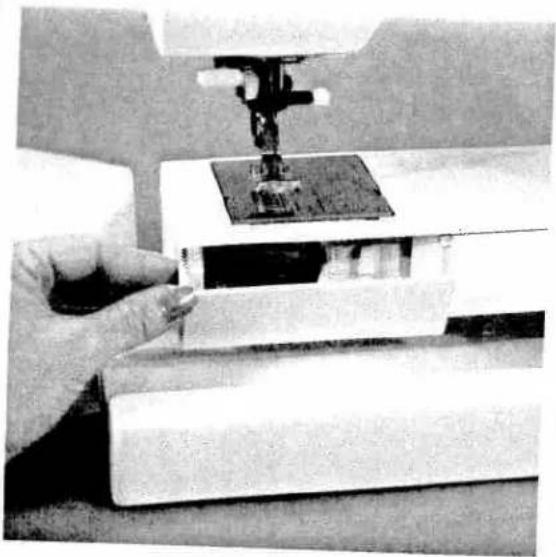
natural_image
Close-up of a hand using a sewing machine to adjust or install a small object on a white workbench (no visible text or symbols)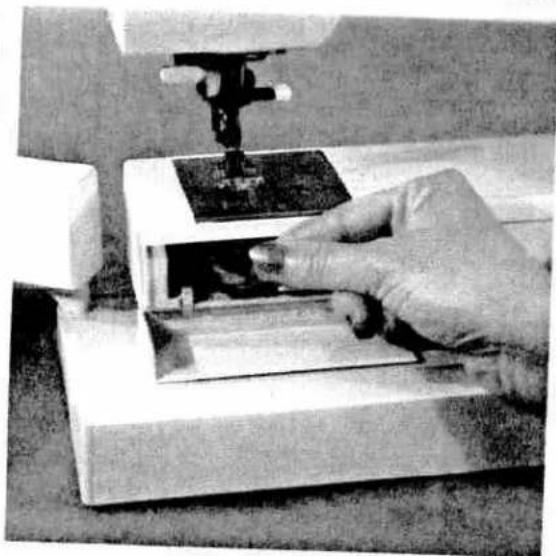
natural_image
Close-up of hands operating a sewing machine with a sewing machine needle inserted (no visible text or symbols)Hook cover
Switch off the main switch
Hold the hook cover (33) at the side and open it to the front.
Taking out the bobbin case
Lift the latch of the bobbin case and pull the bobbin case out. Release the latch and take out the empty bobbin.

natural_image
Close-up of hands holding a metallic ring, no visible text or symbolsread tension
obtain optimum seam appearance and durability make sure the needle- and bobbin thread tensions are rectly adjusted to each other, i.e. the threads are interlaced between the two fabric plies. For fancy seams of buttonholes the thread interlace should be visible on the underside of the fabric.

text_image
Technical diagram showing a hand holding a mechanical component with labeled parts A through F, illustrating the step-by-step assembly.Inserting the bobbin
Insert the full bobbin in the bobbin case. When doing so, pull the thread sideways through slot A, then under tension spring B so that it rests in the opening (see arrow).
Check:
When you pull the thread, the bobbin must turn clockwise.
Checking the bobbin thread tension
Hold the bobbin case by the thread and move your hand sharply upwards. The bobbin case must slip downwards a little with each hand movement.
Correcting the tension:
Turn adjusting screw C just a little to the left to decrease the bobbin thread tension.
Turn screw C just a little to the right to increase the tension.
Inserting the bobbin case
Lift cover F and push the bobbin case fully onto pin of the sewing hook. Opening E of the bobbin case must face upwards.
Check:
Pull the bobbin thread sharply; the bobbin case must not fall out of the hook.

text_image
PFAFF D A 5 4 E F 19Threading the needle thread Switch off the main switch
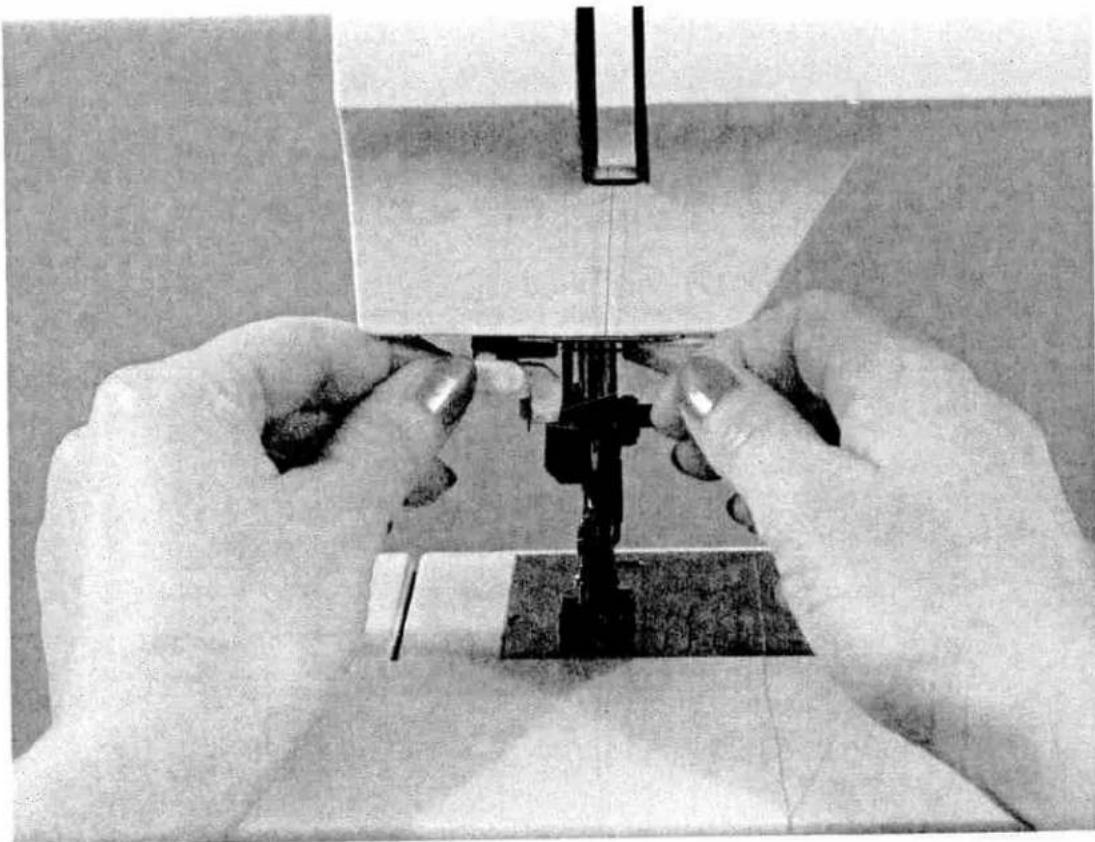
Raise the presser foot lifter (23). Why do they need to touch the hand wheel. Take 1 stitch to bring take up lever to highest position. Place the thread on the reel holder (27) and fit an unwinding disk of the right size.
Now, using both hands, pull the thread into guide A and under thread guide hook D. Pass the thread through the threading slot (20) and downwards. Pull the thread around stop E into the right-hand threading slot and upwards to the take-up lever (22).
The thread must be pulled into the take-up lever from left to right. Then pass the thread downwards again in the right-hand threading slot and behind thread guide F.
Finally pass the thread from the side between one of the two thread guides (19).
To thread the needle, please refer to the next page.
natural_image
Close-up of hands operating a sewing machine needle (no visible text or symbols)
text_image
Technical diagram of a mechanical tool with labeled parts O and R, showing a cutting or fastening mechanism.Needle threader
In order to make threading of the needle easier and quicker the PFAFF needle threader is provided. Lower the sewing foot (see next page). Take one stitch to bring needle to its highest position. Turn the hand wheel until the needle is at its highest point. Place the needle thread over hook O and hold it taut. Move the threader (18) fully downwards and turn it towards the needle so that the small hook R goes through the needle eye. Place the thread into the hook from the underside.

natural_image
Technical line drawing of a mechanical clamp or clamp assembly with a tool, no text or symbols presentTurn the threader towards the rear, releasing the thread carefully, and allow the threader to move upwards. You can now pull the end of the thread through the needle eye.

natural_image
Close-up of a mechanical device with a curved arrow indicating motion or direction (no visible text or symbols)Presser bar lifter
The sewing foot is raised or lowered with the presser bar lifter (23).
natural_image
Close-up of a sewing machine needle and baseplate (no visible text or symbols)Drawing up the bobbin thread
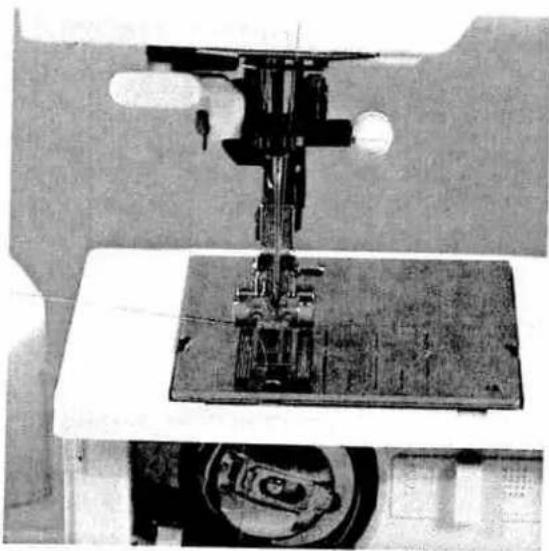
Raise the sewing foot. Hold the needle thread and take one stitch towards you until the needle is at the top again and the bobbin thread has formed a loop. Pull the needle thread to draw up the bobbin thread.
natural_image
Close-up of a sewing machine needle and base mechanism, no visible text or symbolsobbin thread
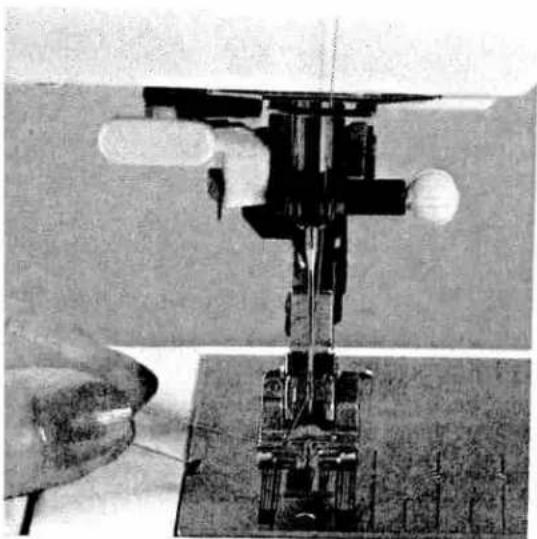
lose the hook cover (33) and pull the thread under the sewing foot to the left.

natural_image
Close-up of a sewing machine with fabric and metal components (no visible text or symbols)Thread trimmer
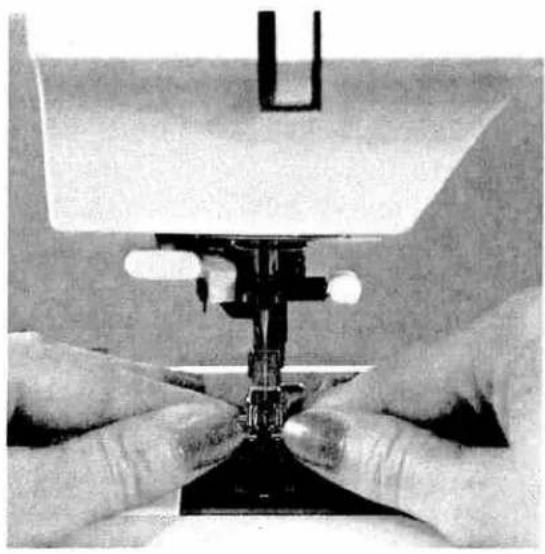
Pull the threads from the back to the front over the thread trimmer (36).
natural_image
Close-up of hands operating a sewing machine needle (no visible text or symbols)Removing the sewing foot Turn off the main switch
Set the needle at its highest point. Press the sewing foot upwards at the front and downwards at the back at the same time so that it disengages from the sewing foot holder (17).

natural_image
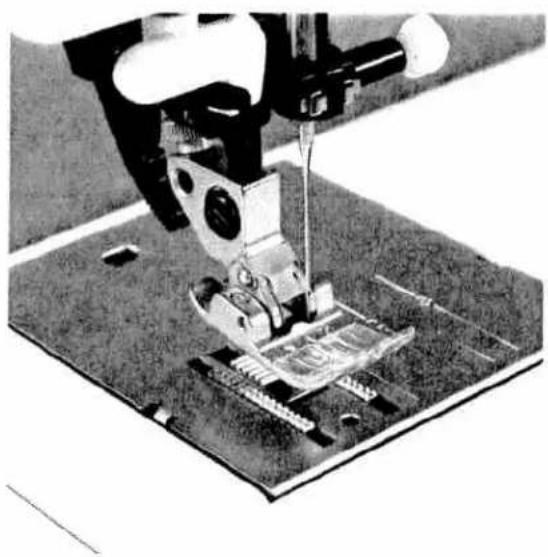
Close-up of a sewing machine needle stitching fabric on a metal workbench (no visible text or symbols)Engaging the sewing foot
Place the sewing foot under the sewing foot holder (17) so that when the presser bar lifter is lowered, the pins of the foot engage in the sewing foot holder.
natural_image
Close-up of a sewing machine needle stitching fabric on a metal base (no visible text or symbols)Check:
Please check that the sewing foot is properly engaged by raising the presser bar lifter.

natural_image
Close-up of hands assembling electronic components on a circuit board (no visible text or symbols)he built-in dual fabric feed
or sewing difficult materials PFAFF offer the ideal solution: built-in dual feed. The same as on industrial sewing machines it feeds the material from the top and bottom at the same time. The fabric is fed accurately. In light or difficult materials such as silk and rayon fabrics the dual fabric feed prevents seam pucker. The ven feeding action also ensures perfect matching of checked and striped fabrics (see next page).
natural_image
Black-and-white photo of a sewing machine needle stitching a shoe (no visible text or symbols)Engaging the top feed
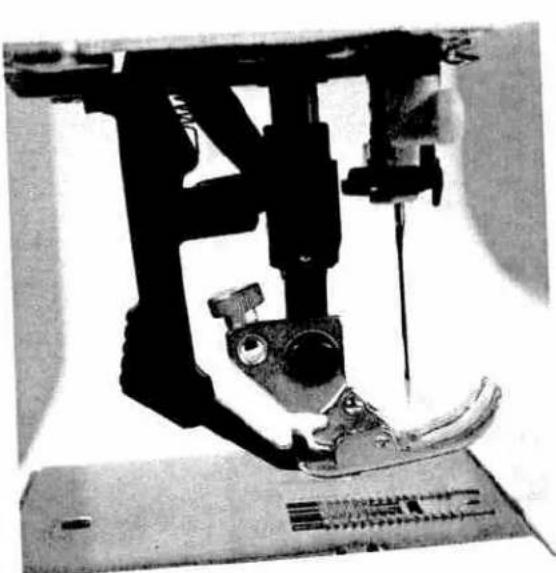
Engaging the foot. Raise the sewing foot. Now push the top feed (38) so that it snaps in place.
natural_image
Close-up of a sewing machine needle stitching a shoe, with no visible text or symbolsDisengaging the top feed
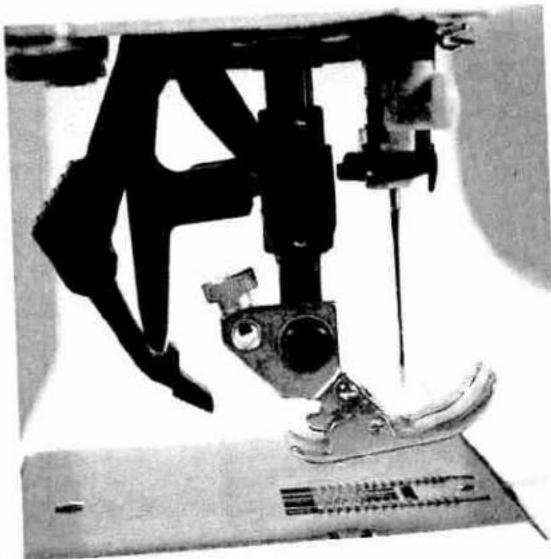
Hold the top feed with two fingers at the marked places. Push the top feed (38) down a little and out to the rear, and let it move slowly upwards (see also the illustration on page 26).

natural_image
Abstract black-and-white striped pattern with no discernible text or symbolsImportant!
Important!
For all sewing jobs with the top feed, only use sewing feet with cutout at the back.

natural_image
Close-up of hands operating a sewing machine with a vertical tool, no visible text or symbols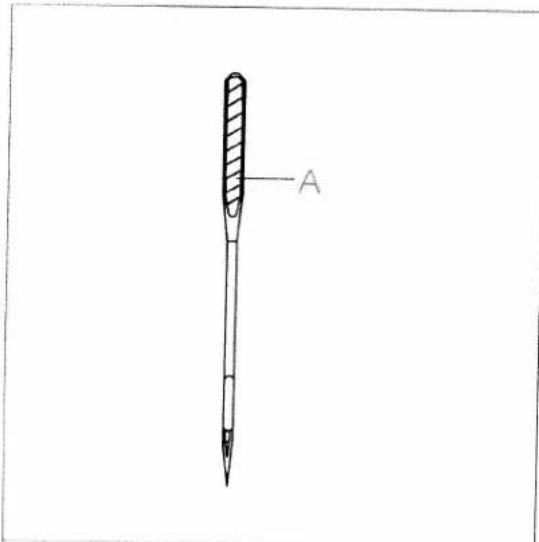
text_image
AChanging the needle
Switch off main switch
To remove: Lower the sewing foot and set the needle at its highest point. Now loosen the fixing screw (24) and pull the needle out downwards.
To insert: The flat side A of the needle must face to the rear. Lower the sewing foot and insert the needle, pushing it up as far as it will go. Hold the needle and tighten the fixing screw (24) firmly.
text_image
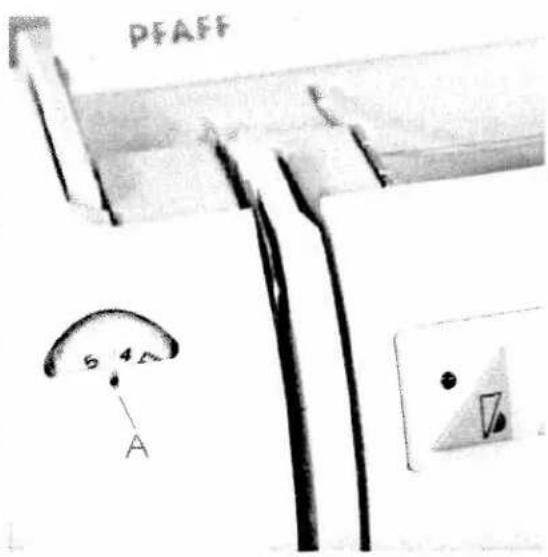
PFAFF 5 4.5 ASetting the needle thread tension
Set the required amount on the needle thread tension (21) using mark A.
The normal setting for sewing is 4 to 5. For embroidering and buttonhole sewing between 2 and 3.
natural_image
Black and white photo of a flatbed structure with two small structures on the left side (no visible text or symbols)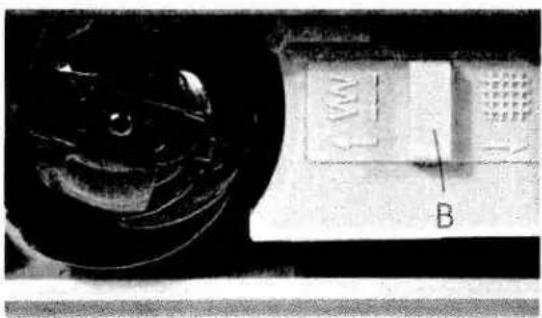
natural_image
Close-up of a computer keyboard with a mouse and labeled component 'B' (no readable text or symbols beyond labels)Lowering the feed dog
For certain sewing work, e.g. darning, the feed dog has to be dropped. To do this, open the hook cover and press slide B fully to the right. Now the feed dog is lowered.
natural_image
Black-and-white illustration of a woman in a trench coat and boots, standing on fabric (no text or symbols visible)Operating the sewing machine
Program keys
Function keys
Control slide keys
Pages 31 to 40

text_image
PFAFF electronic 6250 Made in GermanyElektronic section
| Program keys | Page 34 |
| Clear key | Page 34 |
| Needle positions | Page 35 |
| Stitch width slide key | Page 35 |
| Stitch length slide key | Page 36 |
| Balance slide key | Page 37 |
| Slow sewing | Page 38 |
| Needle position up/down | Page 38 |
| Buttonhole/tacking/ single patterns | Page 39 |
| Reverse sewing | Page 40 |
| Twin needle | Page 40 |
text_image
PFAFF electronic 6250 Made in GermanyProgram keys
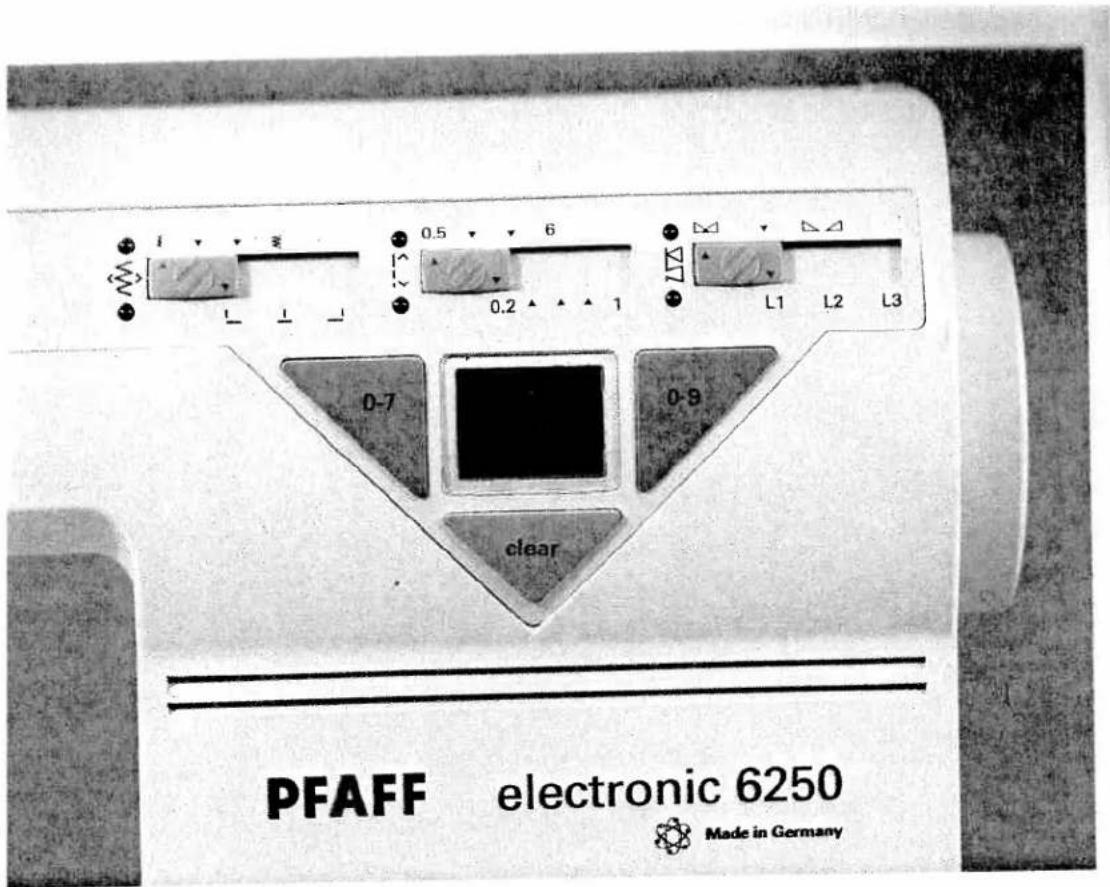
The PFAFF electronic 6250 has two program keys. When the machine is switched on, program 00 will appear automatically in the liquid crystal display (13).
Use the left program key (12) to select tens digits from 0 to 7. After you reach number 7 the machine will return automatically to number 0. Use the right program key to select units digits from 0 to 9. After number 9 the machine does not jump to the next tens digit (e.g. from 29 to 30), but the selected tens digit stays as it is (e.g. from 29 to 20). The selected program cannot be changed during sewing.
Clear key
The clear key (14) has two functions.
- You can set a program you have started back at the beginning again.
- You can cancel a previously saved buttonhole- or darning program.

text_image
0.5 6 0.2 1 L1 L2 L3 0-7 0-9Setting the stitch width
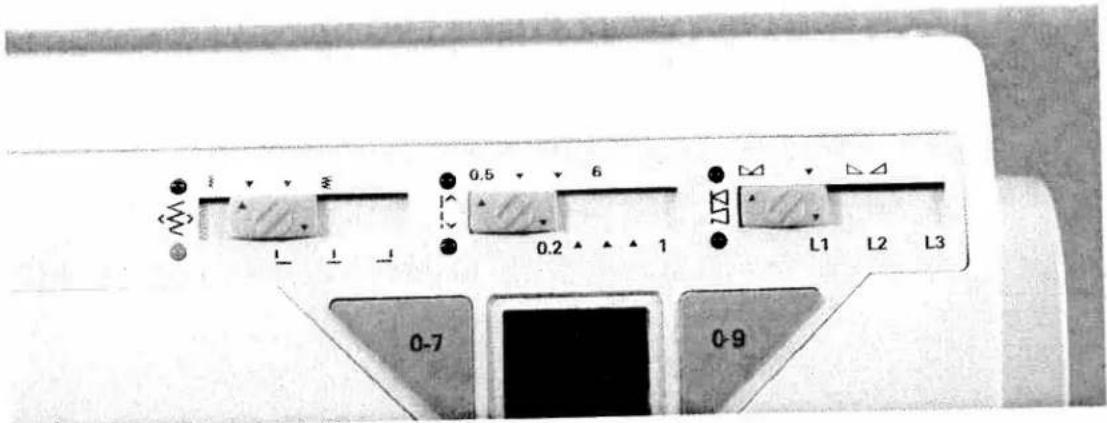
The stitch width slide key (6) has two functions:
- When you move the slide key the upper diode lights up and you can set the required stitch width from 0 to 6 mm; infinitely variable.
Please observe the note concerning slide key (6).
text_image
0-7 0-9Setting the needle position
- When you move the slide key (6) the lower diode lights up and you can set up to 15 needle positions.
This is possible in programs 02, 03, 06 and 07.
Note concerning slide key (6):
Note concerning slide key (5). Whenever the machine is switched on or a program is selected, the electronic system will make a basic program setting.
The green diode does not light up until the slide key is moved. It goes out again as soon as the slide key is moved back to the basic setting again.

text_image
I L 0.5 6 0.2 1 L1 L2 L3 0-7 0-9Setting the stitch length
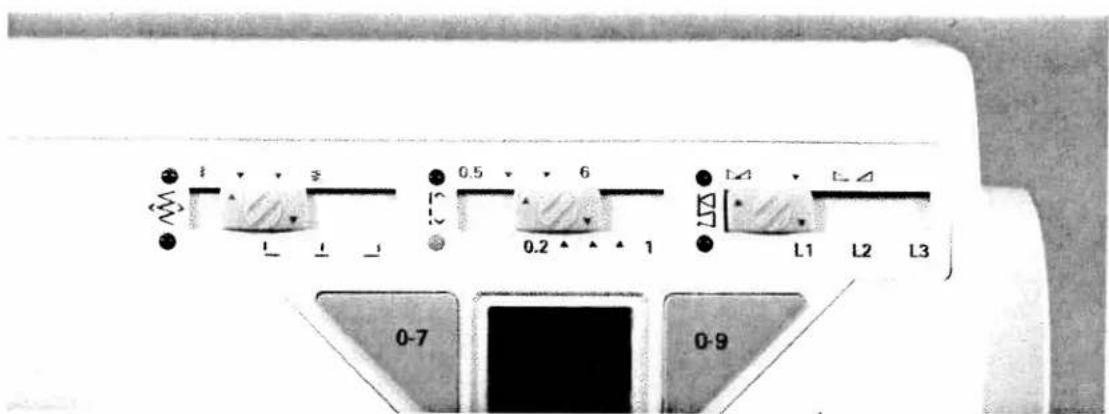
The stitch length slide key (7) has three functions:
- When you move the slide key the upper diode lights up and you can set the required stitch length from 0.5 to 6 mm; infinitely variable.
Setting the length of a buttonhole
2 With slide key (7) you can also set the different lengths of buttonholes in program 70.
Please observe the note below concerning slide key (7).
text_image
0-7 0-9Setting the stitch density
3 When you move the slide key (7) the lower diode lights up and you can set the required stitch density from 0.2 to 1 mm; infinitely variable.
Note concerning slide key (7):
Whenever the machine is switched on or a program is selected, the electronic system will make a basic program setting.
The green diode does not light up until the slide key is moved. It goes out again as soon as the slide key is moved back to the basic setting again.

text_image
0-7 0-9Setting the balance
The balance slide key (8) has two functions:
- When you move the slide key the upper diode lights up and you can determine the length of reverse stitches.
The farther you move the key right, the longer the reverse stitches will be sewn to: the stitches of the pattern will be more dense.
The farther you move the key left, the shorter the reverse stitches will be sewn, ie the stitches of the pattern will be less dense.
Please observe the note below concerning slide key (8).

text_image
0-7 0-9Setting the pattern length
- When you move the slide key (8) the lower diode lights up and you can set the required pattern length seven steps from L1 to L3
Note concerning slide key (8):
Whenever the machine is switched on or a program is selected, the electronic system will make it a program setting.
The green diode does not light up until the slide key is moved. It goes out again as soon as, the slide is moved back to the basic setting again.

text_image
Cropped image showing four triangular icons with symbols: a triangle with 'B', a plus sign, a grid, and a circle with 'O', all aligned on a horizontal line.Function keys
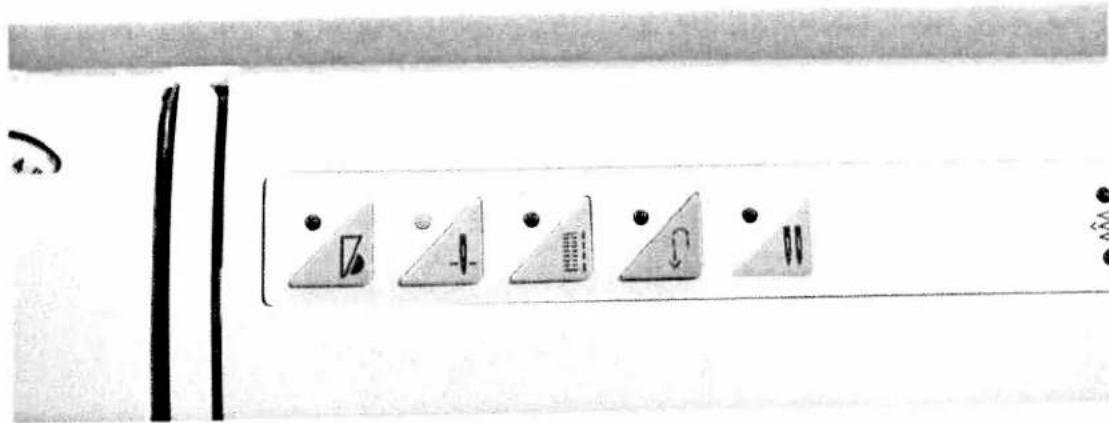
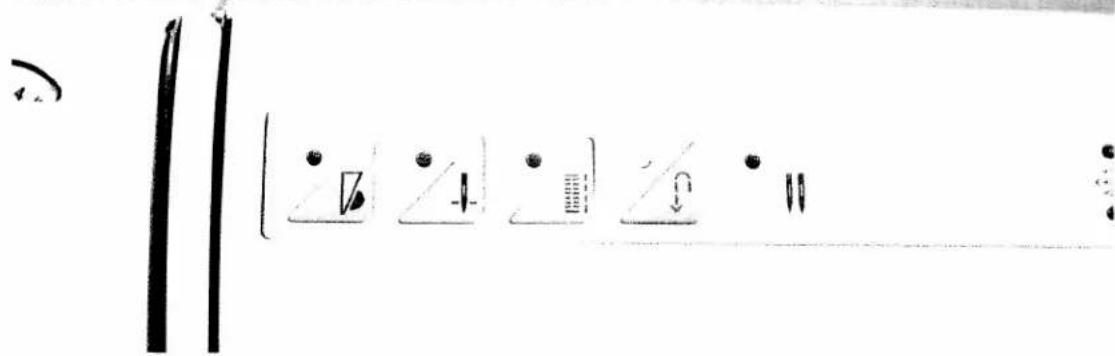
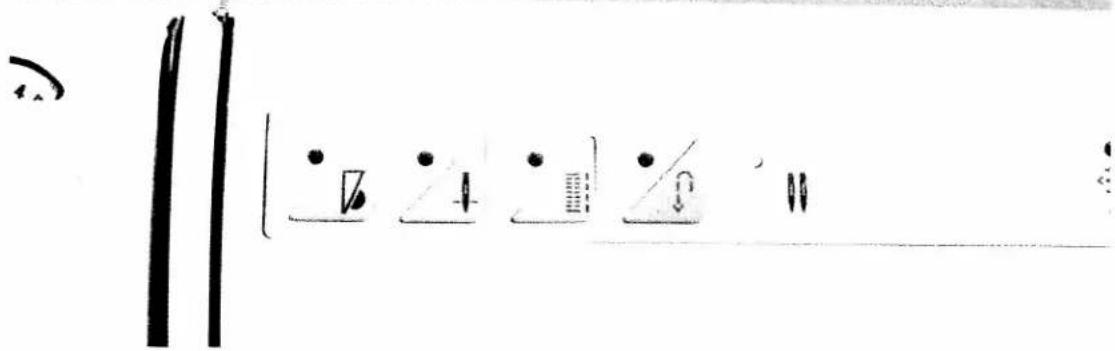
The PEAFF electronic 6250 has four function keys and an additional twin-needle indicator.
1. Slow sewing
Slow sewing When you press key (1) the green diode will light up. The machine now sews at half sewing speed. Press the key again; the green diode goes out and the machine sews at full speed again.
text_image
Diagram showing five triangular icons with symbols and numbers, possibly representing a control or measurement device.2. Needle position up/down
Whenever you stop sewing, the needle will move up automatically. Press key (2) and the red diode will light up. If you stop sewing now, the needle will stay down in the fabric. Press the key again; the diode goes out and the needle will rise again automatically.

text_image
Cropped image showing five triangular icons with symbols and numbers, possibly indicating a menu or control panel.3. Buttonholes/tacking/single patterns
Key (3) has three functions:
-
Buttonholes With this key you can determine and save your own buttonhole lengths in programs 71/72.
-
Tacking If this key is pressed before sewing is begun, the green diode will light up. The seam, or beginning of the pattern, is tacked automatically, then the diode goes out again.
-
Single patterns If this key is pressed during sewing, the green diode will light up. A seam is sewn immediately, and a pattern is sewn at the end. The green diode goes out again.
text_image
Handwritten musical notation or symbol sequence with dots, numbers, and arrows indicating key points or measures4. Reverse sewing
Before sewing, press key (4); the green diode lights up. The machine now sews backwards.
As soon as you press the key again, the green diode will go out and the machine sews forwards.
again. If you press the key during sewing, the PFAFF electronic 6250 will sew backwards as long as you hold the key. Then the green diode does not light up.
text_image
Handwritten musical notation with notes and symbols including a staff, guitar, quarter note, and slursTwin needle indicator
In some of the programs the diode of the twin needle indicator lights up. This means that you must not use the twin needle. If you reduce the stitch width and the diode goes out, it is then possible to sew with twin needle.
Sewing and embroidering
Utility and fancy stitches
Pages 41 to 71

natural_image
Pure vertical black line on white background (no text or symbols)
natural_image
Vertical column of black rectangular blocks with dashed lines extending downward (no text or symbols)
natural_image
Black-and-white portrait of a woman seated in a chair, wearing casual clothing with earpieces and trousers (no visible text or symbols)Utility and fancy stitches
Non-elastic stitches
Pages 45 to 50
Elastic stitches
Pages 51 to 53
Overlock stitches
Pages 54 to 55
Covering stitches
Pages 56 to 58
Buttonholes
Pages 59 to 62
Fancy stitches
Pages 63 to 71
Sewing table
Page 44
Explanation of tables for sewing recommendations
Whenever a program is selected, the machine sets a basic stitch length, stitch width and balance automatically.
You can change these settings according to material and sewing purpose using slide keys 6, 7 and 8. In the following tables you will find the settings we recommend for different sewing purposes.
These tables give you further information required for sewing the selected programs: the type of sewing foot you need, the needle thread tension setting, and whether you should sew with the top feed engaged or disengaged.
| prog | |||||
prog
Program number
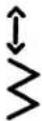
Stitch length in mm

Stitch width in mm

Top feed engaged
disengaged


Needle thread tension
Sewing foot number

natural_image
Pure geometric diagram of a rectangular plate with dashed lines and circular markers, no text or symbols present.
natural_image
Plain textured surface with a vertical dashed line dividing it into two sections (no text or symbols)| prog | |||||
| 08 | - | - | ○ | 3 | 0/1 |
| prog | |||||
| 00-02 | 2,5 | - | ● | 3-5 | 0/1 |
Basting stitch
With program 08 you can baste a garment before trying it on. When you press the foot control the machine will only make one stitch. For each further stitch you have to press the foot control each time.
- Lower the bottom feed and disengage the top feed.
- Place the fabric under the sewing foot.
- Sew one stitch, then pull the fabric to the rear by the required amount
- Repeat this as many times as you need to finish the work.
TIP: To prevent the material plies from shifting, insert dress pins crosswise to the basting direction. Light fabrics are easier to baste with long straight stitches (6 mm). Then you do not need to lower the bottom feed.
Straight stitch
Program 00 is the basic straight stitch with middle needle position. The stitch length can be increased up to 6 mm as required.
Some sewing jobs can be done easier by changing the needle position, e.g. top-stitching a collar or sewing in a zip fastener. To change the needle position, use program 02. Before you change its position, always make sure the needle is at its highest point. You can set up to 13 different needle positions with slide key (6). Program 01 is a straight stitch with left needle position that cannot be changed.

natural_image
Close-up of a sewing machine needle stitching fabric (no visible text or symbols)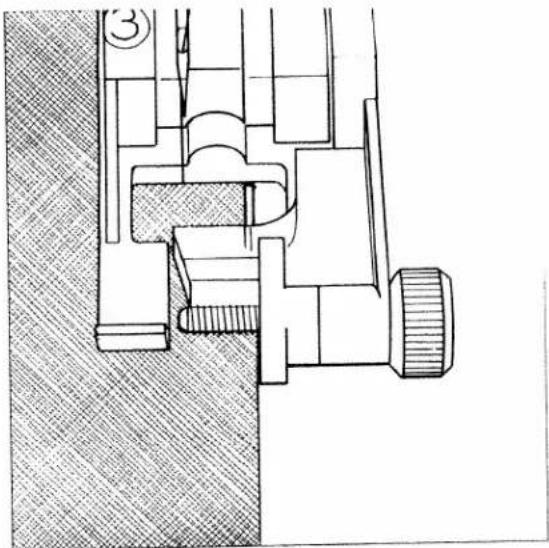
natural_image
Technical line drawing of a mechanical assembly with no visible text or symbols| prog | |||||
| 10-12 | 1-2 | 3-6 | 3-5 | 0/1 |
Zigzag stitch
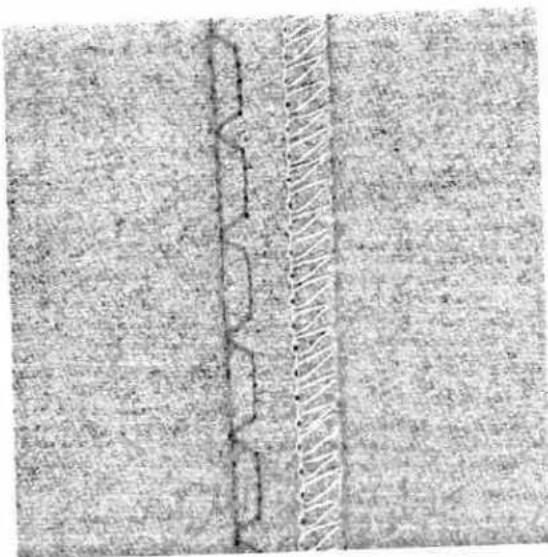
Zigzag stitch 10 can be used for trouble-free serging of all edges. While serging an edge, always make sure the needle goes into the material and over the edge alternately.
In program 10 the width of zigzag stitch changes from the middle outwards. In program 11 the needle position changes toward the right, and in program 12 toward left, i.e. the stitch width can be regulated to one side, e.g. for eyelet embroidery and cording work.
For serging difficult materials, blind stitch foot No. 3 is very useful. During sewing, the thread lies over pin C, thus preventing curling of the fabric edge. In this way you can sew beautiful smooth seams.
The raw edge has to be guided along edge guide B. You can adjust this edge guide with adjusting screw A.
Important: Only use the blind stitch foot in program 11.
natural_image
Close-up of a textured surface with a vertical crack and a diagonal band (no text or symbols)
text_image
Technical diagram of a mechanical assembly with labeled parts A and B, showing cross-sectional views and components.If the stitches are visible on the face side, adjust edge guide B by turning adjusting screw A.
Blind stitch
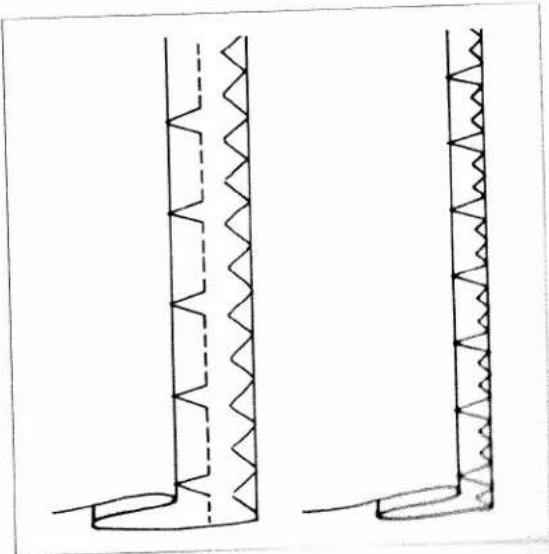
Blind stitch 14 is best suited for invisible hems; sewing by hand is unnecessary.
- Serge the edge of the hem.
- Fold the edge inwards by the hem width.
- Now unfold the hem again so that the hem edge protrudes by about half an inch.
- Now place the fabric under the sewing foot so that the crease line runs along edge guide B.
- When the needle enters the crease line it must only pick up one fibre of the fabric.
natural_image
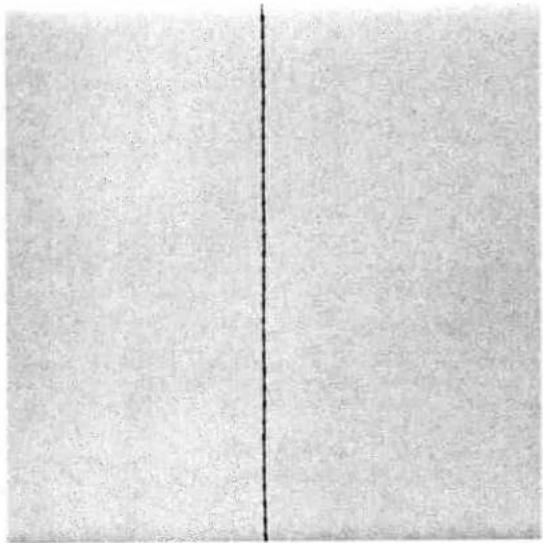
Two technical line drawings of vertical structural components with zigzag patterns, no text or symbols presentProgram 15 is a blind stitch for elastic materials. The hem is sewn and serged at the same time, i.e. it is not necessary to serge the fabric edge.
natural_image
Two vertical panels with a single black dashed line dividing the left panel (no text or symbols)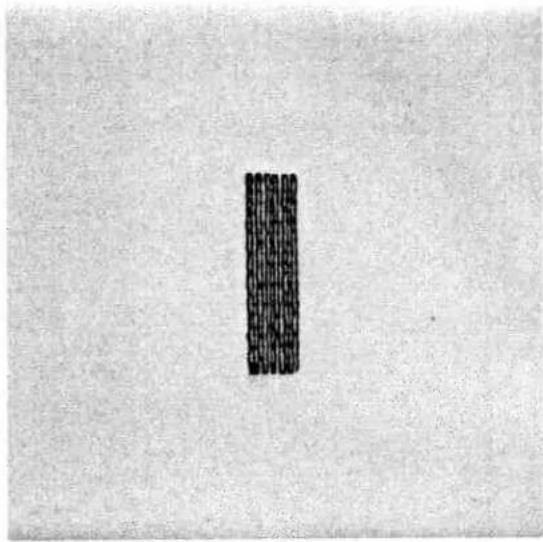
natural_image
Simple vertical black bar on a textured gray background (no text or symbols)| prog | |||||
| 03 | 2.5 | - | ● | 3-5 | 0/1 |
| prog | |||||
| 09 | 1,5 | 6 | 3 | 0/1 |
Saddle stitch
Saddle stitch 03 is best suited for top-stitching work on jackets and coats. If you use grass stitch combined with other fancy stitches, you can also produce beautiful pattern combinations.
Automatic darning
Program 09 is mainly intended for strengthening damaged areas of fabric.
- Stitch over the damaged area at the required length.
- Press the reverse key; the machine finishes sewing the darning program and the darning length is thus saved.
The saved darning length can now be repeated as often as you need.
The program is cancelled by pressing the clear key
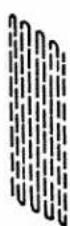
1
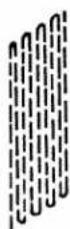
2
Depending on the type of material, the demanding pattern may shift to one side. You can straighten the pattern again using the balance key (B)
Fig. 1 If the pattern shifts this way you have to move the balance key right.
Fig. 2 In this case you have to move the balance for left.
natural_image
Mechanical device performing a sewing machine on a circular base (no text or symbols visible)
natural_image
Technical line drawing of a sewing machine needle and base mechanism (no text or symbols)| prog | |||||
| 74 | - | 4 | ○ | 2-3 | - |
Sewing on buttons with stems
- Insert the sewing foot.
Place a match between the holes of the button and sew it on as described at left.
Sewing on buttons
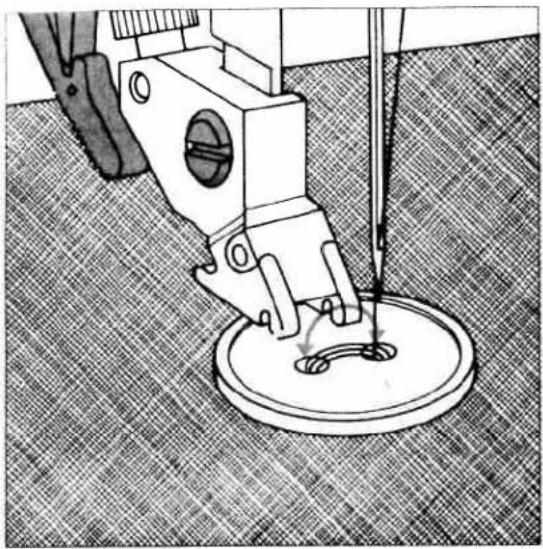
With program 74 you can sew on two- and four-hole buttons with no problem at all.
- Remove the sewing foot
- Place the button in the place marked.
- Turn the hand wheel towards you and position the button so that the needle enters the left hole in the button.
- Now lower the presser bar lifter, the button is now held by the shank of the foot
- Now sew on the button. Make sure that the needle also enters the right hole in the button.
- The machine sews a tack and the program is completed.
TIP: You can sew on buttons easier still if you lower the feed dog.

natural_image
Two mechanical diagrams showing a circular component with a curved slot and a threaded base, both with directional arrows indicating rotation (no text or symbols)- Remove the match and pull the button and fabric apart.
- Wrap the stem with sewing thread and knot it.

natural_image
Pure white background with six small black circular symbols at the top and bottom corners (no text or labels)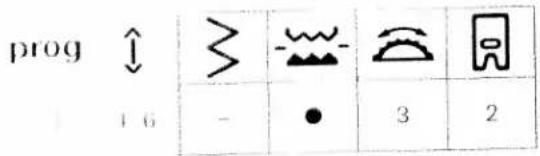
text_image
prog 46 - ● 3 21 y 10
- In the eye-on eyelets with program 73 of the
FALL electronic 6250 very quickly and simply.
The fabric in the sewing machine.
Please be viewing, press the "single pattern" key. The one-fane now sews only one eyelet and tacks at at least one
to the yedet open.
The time bar, two different eyelet sizes to choose in the case you can change using slide key (7).
- 2017

natural_image
Close-up of a curved black line on a textured gray background, no text or symbols visible
natural_image
Abstract geometric line drawing with intersecting and parallel lines (no text or symbols)| prog | |||||
| 06 | 3 | - | 3-5 | 0/1 |
| prog | |||||
| 07 | 4-6 | - | 3-5 | 0/1 |
Stretch triple straight stitch
This program is used for sewing all seams where great strength is needed, e.g. inside trouser seams and sleeve seams. The heavier the fabric, the longer the stitch length you need.
Program 06 can be lengthened up to 4.5 mm, and program 07 up to 6 mm. This is why program 07 at the longest stitch length is suitable for fancy tup-stitching edges for lapels on classic jackets and coats.
TIP: If you wish to top-stitch a collar edge with program 07, use the functions "needle down" and "single pattern". Do not press the single pattern key until you reach the last stitch before the corner, the machine thus stops after the stitch, and the needle stays in the material. Now turn the fabric; the "single pattern" function switches itself off.

natural_image
Blank white image with a vertical decorative border on the right (no text or symbols)
| prog | ≥slant | - | [IMAGE] | [IMAGE] | |
| 04 | 2.5 | 1 | ● | 3-5 | 0/1 |
| prog | |||||
| 19 | 2-3 | 4-6 | 3-5 | 0/1 |
Plain stem stitch
Owing to its zigzag-like stitch, this program is very suitable for sewing seams on elastic materials, e.g. for leggings and sportswear.
TIP: This stitch is also suitable for sewing seams subjected to great strain, e.g. crotch seams on trousers.
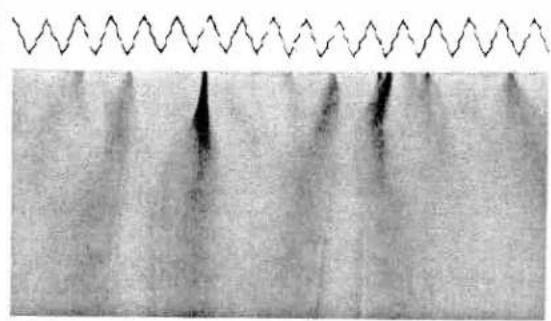
Stretch triple zigzag stitch
The stretch triple zigzag stitch produces a highly elastic and decorative seam which is very suitable for hems on
T-shirts and underwear.
- Serge the edge of the hem.
- Fold the hem inwards at the required width.
- Top-stitch the hem from the face side.
natural_image
Microscopic view of a material sample with wavy topography and dark vertical features (no text or symbols)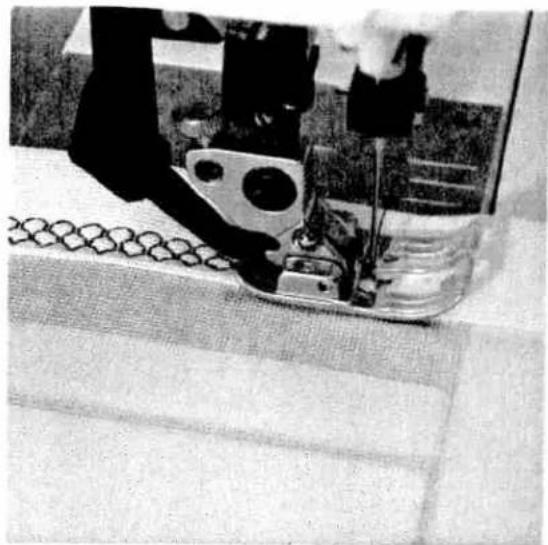
natural_image
Close-up of a sewing machine needle stitching fabric, no visible text or symbols| prog | |||||
| 13 | 1 | 6 | 3-5 | 0/1 |
| prog | |||||
| 24 | 2 | 6 | 3-5 | 0/1 |
Elastic stitch
Owing to its high elasticity this stitch is used for sewing elastic, e.g. on underwear.
- Cut off the old elastic close to the edge.
- Gather the fabric with 6 mm long straight stitches.
- Push the part prepared in this way between the elastic tape, or place it underneath, and pin it firmly in place.
- Sew it on with elastic stitch. Leave the ends of the elastic tape overlapping a little and sew over them with elastic stitches.
- On skirts or trousers the elastic tape is sewn onto the prepared edge with elastic stitch.
Honeycomb stitch
Honeycomb stitch is used for elastic and decorative hemming, and is very suitable for hems on underwear and T-shirts.
- Fold the edge of the hem over double and over stitch it.
natural_image
Two vertical panels with diagonal hatching patterns, no text or symbols presentWhat is an overlock stitch?
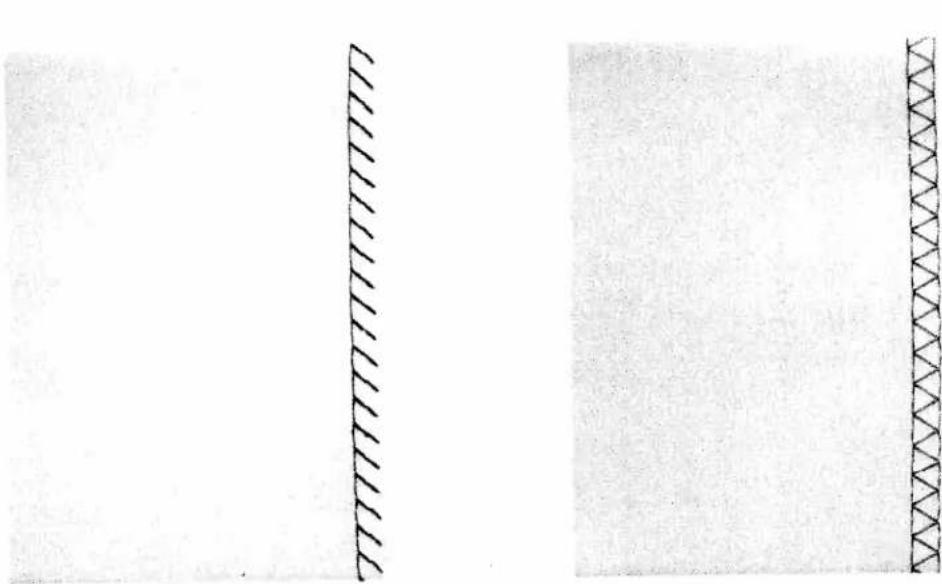
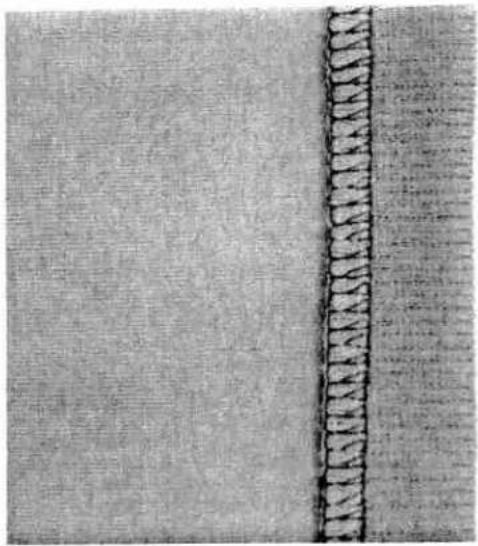
For knit and other stretch materials the PFAFF electronic 6250 offers a selection of overlock stitches. These join two plies of fabric and serge them in one operation. They have a higher elasticity than usual stitches, they are more durable, and you can sew them fast, too.
TIP: When you sew overlock seams, we recommend you use blind stitch foot No. 3. It guides the fabric better and prevents tunneling of the seam at wider stitch widths.
| prog | |||||
| 20 | 3 | 6 | 3-5 | 0/1/3 |
Open overlock stitch
With this stitch is is no problem to join firm materials or fabrics which do not fray too much.
TIP: Make sure that the needle in its right-hand position just misses the edge of the material.
| prog | |||||
| 25 | 3 | 6 | 3-5 | 0/1/3 |
Closed overlock stitch
Program 25 is ideal for sewing jersey fabrics especially. You can use it for sewing on sleeve cuffs or knitted collars durably too.
TIP: Make sure that the cuff is stretched during sewing.
natural_image
Close-up of a textured fabric with a vertical seam or seam, showing no visible text or symbols.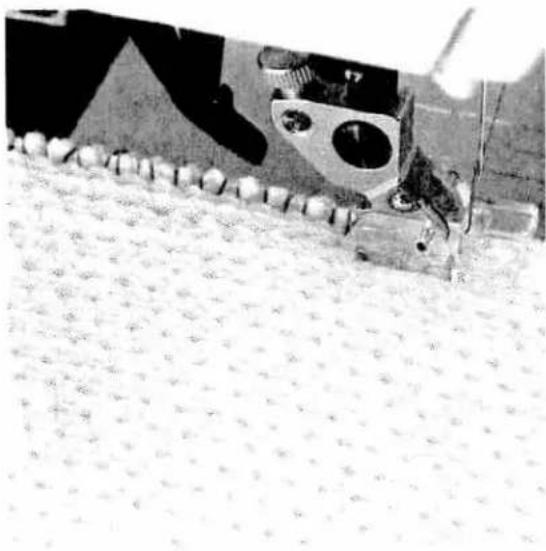
natural_image
Close-up of a sewing machine stitching a patterned fabric (no visible text or symbols)| prog | |||||
| 21 | 3 | 6 | 3-5 | 0/1/3 |
| prog | |||||
| 23 | 3 | 6 | 3-5 | 0/1 |
Closed overlock stitch with edge thread
If you wish to use a material that frays easily, select program 21. With this stitch an additional edge thread protects the fabric edge against fraying.
Pullover stitch
Used together with the knitted-edge foot (special accessory, this stitch can even be used for sewing open-knit fabrics. Fashion-knit garment sections can be joined with this stitch without any effort.
TIP: To prevent the seam from stretching open during joining, it is advisable to add a woolen thread under slight tension.

What is a covering stitch?
You can use the following programs for sewing a flat covering seam. This produces the typical "flatlock effect" which lends a professional look to collar plackets or raglan seams.
natural_image
Technical line drawing of a sewing machine needle stitching fabric, showing measurement dimension (3mm) with no text or symbols beyond the label.| prog | |||||
| 26 | 2,5 | 6 | 3-5 | 1 |
Fagoting stitch
With the fagoting stitch you can make very elastic seams with hemstitching effect, e.g. on corsetry.
- Serge the fabric edges and tack-baste over on the insde.
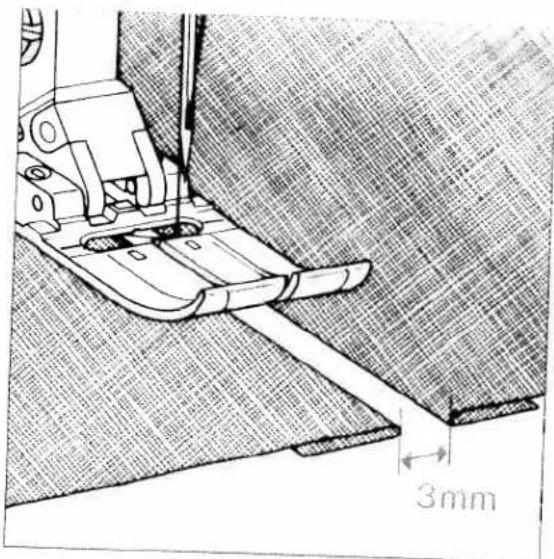
- Place the fabric under the sewing foot with the edges about 1/8 of an inch apart.
- Sew on the face side, making sure the needle enters the material on the right and left side.

natural_image
Abstract black zigzag line pattern on white background (no text or symbols)
natural_image
Pure geometric pattern with diagonal lines and a horizontal band, no text or symbols present| prog | |||||
| 18 | 1-2 | 6 | 3-5 | 1 |
| prog | |||||
| 27 | 3 | 6 | 3-5 | 1 |
Fancy elastic stitch
Fancy elastic stitch is very useful for materials that need a flat seam, e.g. terry cloth.
- Place the two fabric edges so that they overlap by about 3/4 of an inch and over-stitch each edge with fancy elastic stitch.
Cross stitch
Owing to its high elasticity, this stitch is very suitable for decorative hems, e.g. on T-shirts and underwear.
- Serge the fabric edge.
- Baste over the seam margin to the left.
- Stitch over the hem from the face side. When doing so, make sure the fabric edge is properly over-stitched.
prog

2

text_image
6 3-5 1Light knit mending stitch
and that bending stitch is a stretchable covering
- It is very suitable for over-stitching cuffs in
e.g. sweat shirts or sportswear.
- all onto the part with overlock stitch.
- If a can allowance can be over stitched
and the lace side of the fabric. Make sure that the
He refers close against the seam.
Buttonholes
The PFAFF electronic 6250 offers you different buttonhole sewing programs to choose from.
Depending on the material and type of work, you can choose between three different buttonhole programs.
Buttonholes are generally sewn onto a piece of doubled fabric. However, for some materials, e.g. silk, organza and viscous fabric, it is necessary to use a stabilizer to prevent the material from puckering during sewing.
To produce beautiful seams, good embroidering or darning threads are ideally suitable.
Mark the starting point of the buttonhole either with a magic pen or dress pin, and always sew a sample buttonhole first
Note: Before starting any buttonhole, always push the guide of the buttonhole foot fully to the front, i.e. so that the red arrow is at the first red mark.
C
十
[Unreadable]
drog

/1)
10
| 4 | ○ | 3 | 5 |
ully automatic linen buttonhole sewing
rogram 50 is very suitable for sewing buttonholes, subsets, blouses and bed linen. When a program is elected a buttonhole with a length of 13 mm and a width of 4 mm to sewn automatically. You can arrange the length of the buttonhole using the slide ey (7)
de to (7) left corresponds with a buttonhole height of 10 mm
Ind. Fig. (7) middle corresponds with a buttonhole angle of 13 mm
Fig. 4 (7) right corresponds with a buttonhole width of 10 mm
the abt is directly, however, is not changeable. This
Make the buttonholes and push the buttonhole hole fully forward
Place labor under the sewing foot and sew the buttonhole. The machine will automatically secure the beginning and end of the buttonhole seam.
Lattice [16, 17]
to expect the buttonhole with a scissors of a seam
Self-defined second bartack (semi-automatic)
On difficult materials such as silk it may happen that the machine feeds differently and the buttonhole seams do not turn out the same length.
With stored buttonholes you can correct this with the help of the semi-automatic control. To define the length of the second bartack yourself, press key 3 "buttonhole". A point then appears at the right side of the "7" in the display. The machine will now sew slowly just before the end of the second buttonhole seam. As soon as the two seams are of equal length, press the key again. The machine will now sew the second bartack and secure it.
If you wish to sew the next buttonhole fully automatically again, switch to fully automatic by pressing key 3.
The point then disappears. In programs 71 and 72 you cannot use semi-automatic control until the buttonhole has been stored.

text_image
a + b
text_image
Scanned text of contract clauses with a dark rectangular seal on a light backgroundCompensating the buttonhole seam length with the balance key (8)
A further correction possibility is offered by the balance key. With this you can also correct unequally long buttonhole seams.
If the left seam is too short (Fig. a), push the slide key to the right. The farther you move the slide key right, the more reverse stitches the machine sews, i.e. the left seam will automatically be made longer.
If the left seam is too long (Fig. b), push the slide key to the left. The farther you move the slide key left, the fewer reverse stitches the machine sews, i.e. the left seam will automatically be made shorter.
| prog | |||||
| 71 | - | 4.5 | ○ | 3 | 5 |
Programmable linen buttonholes
In program 71 you can determine the length, width and density of the buttonhole yourself.
- Push the buttonhole slide fully to the front.
- Sew the right-hand seam at the required length.
- Press the "buttonhole" key (3). Now the machine sews the first bartack and the second buttonhole seam. Shortly before the second bartack the machine sews autoamtically slower.
- As soon as the two buttonhole seams are the same length, press key (3) again. The machine now sews the second buttonhole seam and secures it automatically.
The buttonhole length is now stored. All further buttonholes are now sewn automatically at the same length. You can cancel the saved length by pressing the clear key.
natural_image
Close-up of a mechanical device with labeled parts A and B, no readable text or symbols beyond labels
natural_image
Pure electrical circuit lines without any symbols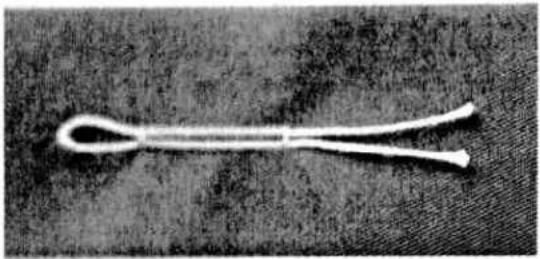
natural_image
Close-up of a white knuckle-shaped tool with a looped handle, resting on a textured surface (no text or symbols visible)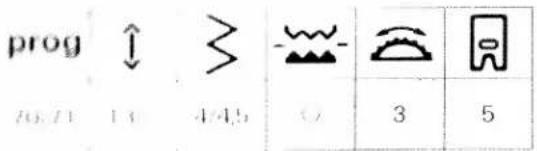
text_image
prog 70.71 1.4 4.45 3 5| prog | |||||
| 72 | - | 5 | ○ | 3 | 5 |
Inen buttonhole with gimp thread
to produce highly durable buttonholes, e.g. for spotwash, we recommend using a gimp thread.
For all stretchable materials, too, a gimp thread is very important, an order to avoid over-stretching of the buttonhead.
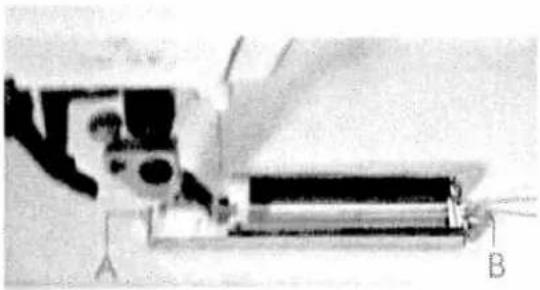
Place the qcup thread over the back ridge A and paid the thread ends under the sewing foot to the front.
Full the threads in to the left and right of ridge B.
I'llh the buttonhole slide fully forward, then sew the buttonhole.
Fall the loop of the gimp thread into the button-hole and cut off the loose thread ends.
Stretch buttonhole
Program 72 is very useful for sewing buttonholes in stretchable materials, e.g. in jogging suits. It can also be used for making decorative buttonholes, e.g. in national costume blouses.
You can determine the length and width of the buttonhole yourself.
- Push the buttonhole slide fully to the front.
- Sew the first buttonhole seam at the required length.
- Press the buttonhole key (3). The machine now sews the first bartack and the second seam. Shortly before the second bartack the machine automatically sews slower.
- As soon as the two buttonhole seams are the same length, press key (3) again. The machine now sews the second buttonhole seam and secures it automatically.
The buttonhole length is now stored. All further buttonholes are now sewn automatically at the same length. You can cancel the saved length by pressing the clear key.
Decorative stitches
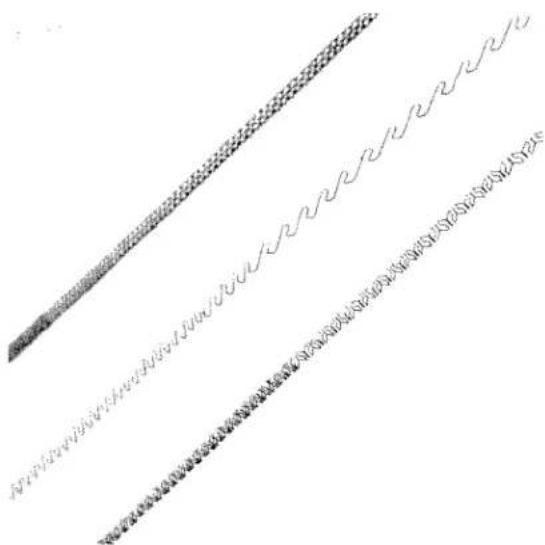
To enhance your own home textiles or garments the PFAFF electronic 6250 offers you a whole host of fancy- and decorative stitches to choose from. You can produce even greater embroidery variations by selecting different combinations, colours or sizes. For embroidery work we recommend using special embroidery threads which are available from your Pfaff dealer.
For the parts to be embroidered you should either use an iron-on or tear away stabilizer. This prevents the material from tunneling or puckering. You can mark out the embroidery pattern with a magic pen or marking chalk. These lines will dissolve after a few hours or can be ironed away. The following recommendations apply to all embroidery work:
| prog | |||||
| - | - | - | ○ | 2-3 | 2 |
The stitch length and stitch width can be varied as required.
text_image
Scanned document with three rows of handwritten or printed text, possibly a form or report with fragmented characters.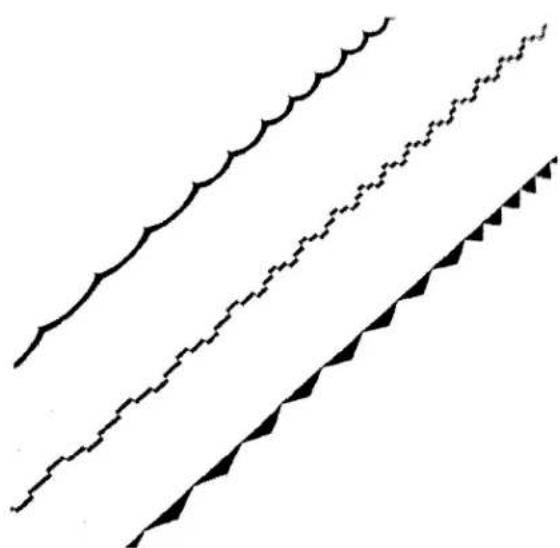
natural_image
Three abstract black-and-white line patterns with wavy, jagged, and triangular shapes (no text or symbols)tanation in pattern length
When the machine is switched on and when a new program is selected, the PFAFF electronic 6250 sets pattern length specific to the program.
the upper diode lights up when the stitch length is key (7) is pressed, it is possible to change the atom length. The stitch length is changed and thus in pattern length, too.
however, not all embroidery patterns can be changed length
Changing the pattern length at the same stitch density
In some programs you can change the pattern length with the pattern length slide key (8) and retain the stitch density. The lower diode then lights up.
Independently of the pattern length you can change the stitch density using the stitch length slide key (7). In this case the lower diode lights up, too.
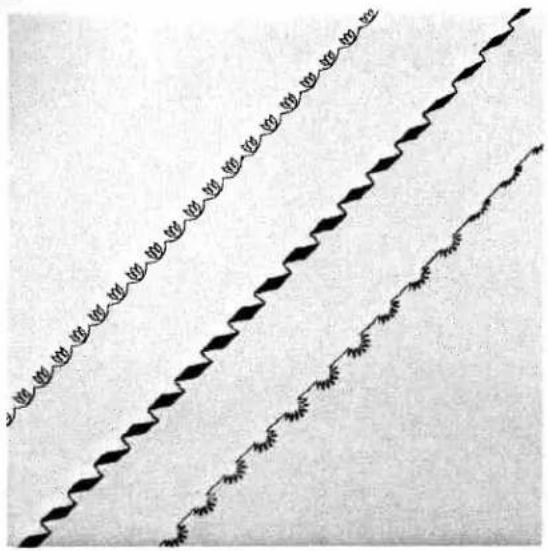
Changing the pattern width
When the machine is switched on and when a new program is selected, the PFAFF electronic 6250 automatically sets a basic pattern width.
This basic setting can be infinitely varied with the stitch width slide key (6). Then the upper diode lights up.
Exceptions to this are programs 32, 41 and 46 to 49.

natural_image
Three parallel decorative line patterns with circular motifs, no text or symbols presentBalance
Embroidery patterns may turn out differently on different materials; a woollen fabric is fed differently to silk. In order that you can embroider the pattern you need in the optimum way, the
PFAFF electronic 6250 has a correction system, called "Balance." This allows you to change the reverse feed in a number of programs; the upper diode then lights up.
The farther you move the slide key (8) to the left, the shorter the reverse stitches are sewn, i.e. the pattern is opened up more.
The farther you move the slide key to the right, the longer the reverse stitches are sewn, i.e. the pattern is closed up more.
natural_image
Blank white image with no visible content or text
natural_image
Abstract pattern of wavy lines and geometric shapes, no text or symbols presentBorders with coloured threads
- Combining different embroidery programs you can embroider borders of any width. Mez alcazar or similar embroidery threads are very suitable. They are available in many colour shades and different sizes. However, only use one thread size for one piece of embroidery work.
Apply iron-on or tear-away stabilizer under the lubrication.
Pese "needle position" down and embroider over the marked middle point with program 54. After that turn the fabric and sew the border back again in reverse.
I mbroider program 50 (reduced) parallel to it. You can now add the outer zigzag edge with program 57.
Finally, use the single pattern key to add program 60 to every second zigzag point.

text_image
Scanned page of dense Chinese text with vertical columns and footnotesIn this border embroidery example, a variegated (blecked) embroidery thread is used as an additional effect. This is available from the Platt dealer in a great variety of shades.
- Apply iron-on or tear-away stabilizer under the fabric.
- Embroider over the marked middle with program 53
- Set program 42 parallel to it
- Embroider the finishing rows with program 58

natural_image
Repeating pattern of repeating diamond shapes with no text or symbolsTwin needle
You can achieve further embroidery effects by using the twin needle. The illustrations show what beautiful borders can be made with a little imagination.
Note:
As soon as embroidery programs are selected, the twin needle indicator (5) lights up. In this case do not use the twin needle. If you reduce the stitch width using the stitch width slide key (6), indicator (5) will go out in some programs. Then an optimum stitch width has been set and you can sew the pattern using the twin needle.

natural_image
Repeating pattern of circular and floral motifs in vertical columns (no text or symbols)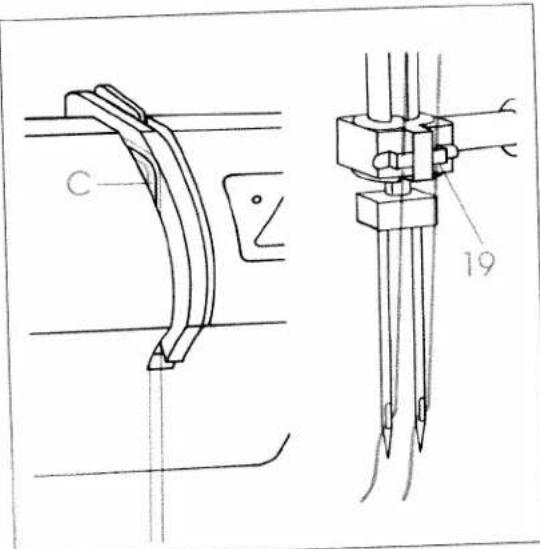
text_image
C 19Threading the twin needle
- Insert the twin needle.
- Fit the second reel holder and place one reel of thread on each holder.
- In the left threading slot (20) you will find tension disk C. During threading, make sure that you pass one thread left and one thread right over tension disk C.
- Carry on threading in the usual way, but make sure the threads are not twisted with each other
- Pull the threads right and left into thread guide (19) and thread the needles.

natural_image
Abstract black-and-white diagram with scattered dots and curved lines (no text or symbols)Large area embroidery
• Individual programs you can also
The image area borders. Geometric shapes are similar for this.
In the embroidery pattern to the fabric using a -tetra-embroidery. The embroidery illustrated above was based on an applied added pentagon.
(1) a section of tear-away stabilizer under the
Figure 1: the embroidery pattern
The pentagon with program 48 and the F-5001 program 64.
If the header for the pentagon using the keys for a step and "needle down." In this way you
I hope up the pentagon by simply turning the
natural_image
Black-and-white photo of a person seated with floral-patterned fabric, featuring teapots and a teapot (no visible text or symbols)Cross stitch
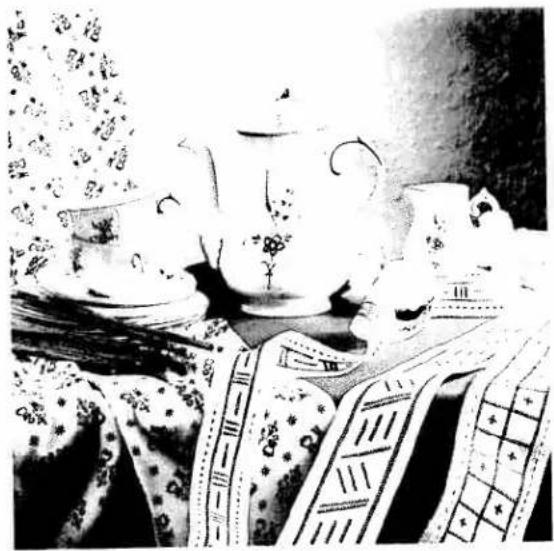
No matter whether you embroidery tapes as gifts, blouses or home textiles; graphic border designs are simple to make with the cross stitch program of the
PFAFF electronic 6250, and they look as if they are sewn by hand. Even if you have never done class stitch work before, these borders can be made with no problem at all. Since the program can be set at different sizes, you can achieve different effects with little effort.
- Place stabilizer under the linen border.
- Mark out the pattern as shown in the illustration with tailoring chalk or the magic pen, and embroider it in the required colour using program 69. Press "single pattern" key at the end of each pattern.
- Pull the threads to the back and knot them together.
TIP: The border embroidery on the wide border can be done with a wide cross stitch (4 to 5 mm) and on the narrow border with a narrower cross stitch (3 mm).

natural_image
Black-and-white photo of a vintage mechanical device with coiled components, resting on a textured fabric background (no visible text or symbols)Embroidering leather
With the PFAFF electronic 6250 you can embroider leather with no problem at all.
Since leather stretches easily, you should use an iron-on backing or place two layers of stabilizer under it. The stitch length should not be set too short, because leather tears between stitch holes easily, too.
Embroidering leather can be made even easier by using a teflon sewing foot. The teflon covering allows the foot to slide easily over the leather. Depending on the thickness of the leather and thread, we recommend using a special needle or a needle with a large eye (130 N).
Do not forget that unravelled seams show up on leather.
This is the way to do it:
- Apply iron-on or tear-away stabilizer as an underlay.
- Embroider program 62 (extended) over the centre of the belt.
- Sew the dots with program 64 (do not forget the single-pattern key).
- Fit the cording foot and over-stitch the gimp thread with program 51 (reduced in stitch width and density).
- Finally, embroider the triangular border parallel to the cording seam with program 61.
TIP: Leave enough space in the embroidery for the eyelets which are punched in later.

natural_image
Black and white patterned garment with diagonal stripes and scalloped edges (no text or symbols)Suspenders with a difference
Why not tailor make a pair of suspenders and embroider them exactly to your own taste?
Cut the suspenders to shape. To strengthen the suspenders we recommend applying an iron-on or tear away stabilizer as an underlay.
Emigrates over the middle of the suspenders with program 50
- Embroider the row of triangles parallel to this with program b1
- Emulsory the circles with eyelet program 73 and the edge finish with program 55.
- New finish the suspenders and sew on the strap
Lackeners
text_image
Lyt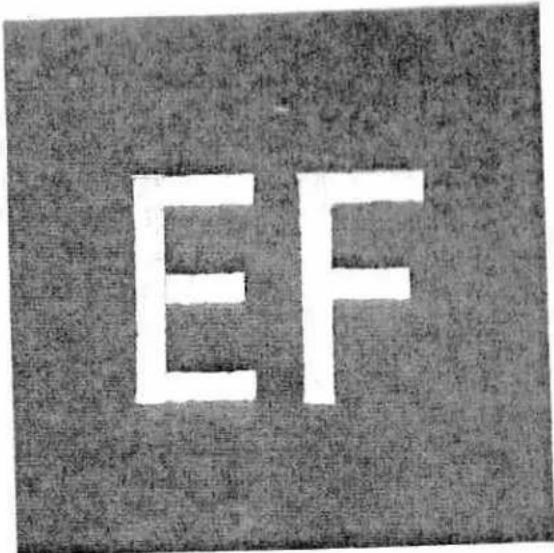
text_image
EFMonograms
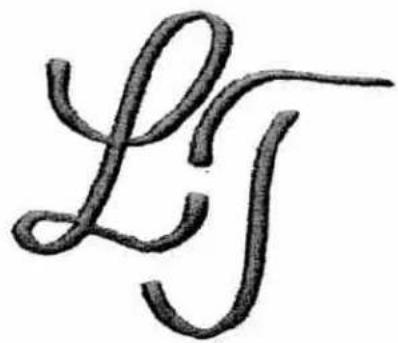
No matter whether you work on terry cloth or woven fabric, with the daming foot and program 50 you can monogram any initials of your own design.
Free-hand guiding, however, needs a little practice in the beginning.
- Transfer the initials with the magic pen to the part to be embroidered.
- Lower the feed dog and insert the daming foot.
- Place a piece of water stabilizer on the fabric.
- Tauten the part in an embroidery hoop and embroider it with program 50. Do not forget to use the darning position.
- Knot the threads and pull off the stabilizer. (Any waste is dissolved in water).
TIP: If you sew fast but move the material slowly, the stitches will be made dense.
On terry cloth the monogram must first be pre-sewn with narrow zigzag stitches and then over-sewn with a wider zigzag stitch. This makes sure the terry-cloth loops are properly covered.
Block capitals are a little easier to embroider. The feed dog does not need to be lowered, i.e. no free-hand guiding is required. All you have to do is stitch along the marked lines using program 50.
- Apply iron-on backing or place stabilizer underneath.
- Mark the monogram on the fabric.
- Now embroider the marked lines with program 50.

natural_image
Pure black vertical bar on white background (no text or symbols)
natural_image
Black-and-white portrait of a woman with curly hair and a necklace, standing in front of her (no text or symbols visible)
Application examples
Practical sewing
Traditional embroidering techniques
Pages 73 to 93

text_image
Practical sewing 73
natural_image
Pure black vertical rectangle with no text, numbers, or symbols
natural_image
Black-and-white portrait of a woman in a light-colored top, hand on chin, no visible text or symbolsPractical sewing
Traditional embroidering techniques
| General notes on sewing | Pages 76, 77 |
| Hems with twin needle | Page 77 |
| Gathering | Pages 78, 79 |
| Shirring | Page 80 |
| Darning | Pages 81, 82, 83 |
| Inserting zippers | Pages 84, 85 |
| Roll-hemming | Page 86 |
| Sewing lace | Page 87 |
| Shell-edging | Page 88 |
| Richelieu | Page 89 |
| Linen embroidery | Page 89 |
| Quilting | Page 90 |
| Eyelet embroidery | Page 91 |
| Hemstitching | Pages 92, 93 |

text_image
PRAH 5.4π 7
natural_image
Technical line drawing of a sewing machine on fabric, showing needle and base components (no text or symbols)Needle thread tension
be order to obtain perfect sewing results the needle-wet bobban thread tensions must be correctly adjusted for each other. The normal setting for utility did be, e.g., 3 to 5.
The tension using a wide zigzag stitch. The position of the two threads must lie in the middle of the fabric plies.
If the subplace lies on the top side of the fabric, this line is on the needle thread tension is too tight. If it lies in the underside, the needle thread tension is set too
the refer to the bobbin thread tension please refer to
Top-stitching
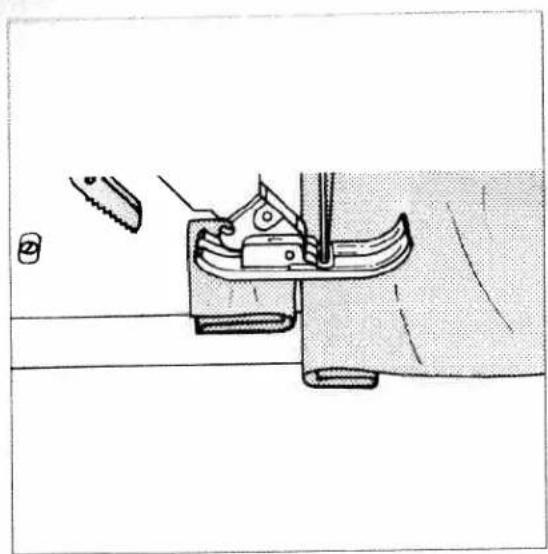
With program 02 you can change the needle position in such a way that you can always guide the sewing foot along the fabric edge for top-stitching work. If you wish to top-stitch at a wider width than this, simply guide the fabric along the guide marks on the needle plate, or use edge guide 8. The edge guide is inserted into hole C and is secured with fixing screw F.
natural_image
Technical line drawing of a sewing machine tool (no text or symbols visible)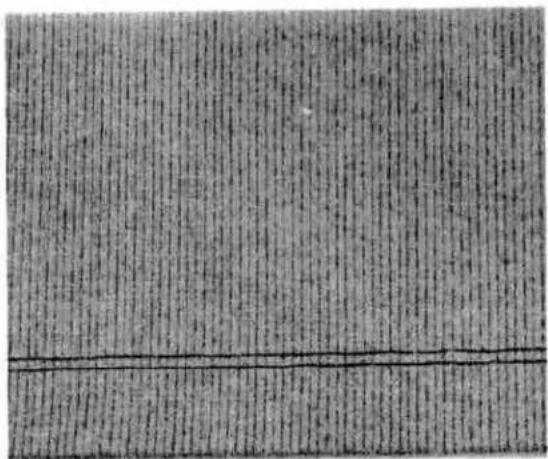
text_image
Scanned text of contract clauses with dense vertical columns and horizontal line at bottomSewing aid for thick seams
To ensure correct feeding at the beginning of the seam we recommend placing a piece of fabric of the same thickness as the work under the sewing foot to support it.
| prog | |||||
| 00 | 3 | - | ● | 3-5 | 0/1 |
Sewing hems with the twin needle
With the twin needle you can not only embroider, but also make top-stitch seams.
Using the twin needle you can put the professional touch to hems on stretch materials, such as T-shirts, knitted articles or cycling shorts, both quickly and easily. Twin needles are available in different widths. The most common is 4 mm. Do not forget to use only jersey needles for stretch fabrics.
To thread the twin needle please refer to page 67
- First iron the hem over at the required width
- Then stitch the hem through from the face side of the fabric.
- Finally, trim the overlapping hem edge back to the seam.
TIP: On difficult fabrics, such as rib-knits, it is easier to baste the hem over before top-stitching.

natural_image
Close-up of a sewing machine needle stitching fabric (no visible text or symbols)
natural_image
Close-up of a textured surface with vertical cracks and horizontal lines, no visible text or symbols| prog | |||||
| 00 | 6 | - | ● | 3-5 | 0/1 |
Gathering with straight stitch
With Program 00 at a stitch length of 6 mm you can gather sleeves, skirts or valances. To obtain neat and even gathers you should sew two or three gathering seams.
- Mark the first line on the face side of the fabric and stitch along it. Leave about four or five inches of thread protruding at the end.
- You can now stitch the other seams at sewing-foot width using the first one as a guide.
- Now gather the part by pulling the bottom threads. You determine the amount of gather yourself.
Finally, knot the thread ends together to secure the gather.

natural_image
Close-up of a sewing machine needle stitching fabric (no visible text or symbols)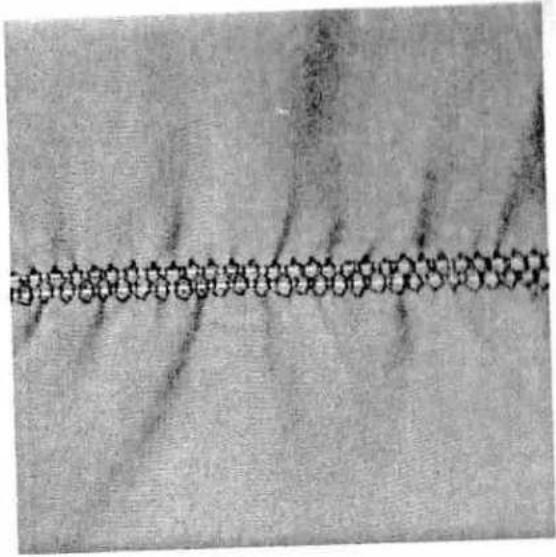
natural_image
Close-up of a textured surface with a horizontal line and circular patterns (no text or symbols)| prog | |||||
| 24 | 2 | 6 | 3-5 | 0/1 |
TIP: The cording foot (special accessory) is also ideal for gathering. The grooves in this foot guide the elastic evenly during the sewing action.
Gathering with elastic threads
Gathering sleeves or waist seams is no problem at all with elastic threads. The elastic thread must not be wound onto the bobbin.
- Mark the first gathering seam on the reverse side of the fabric.
- Make a few starting stitches using program 24, then leave the needle down in the fabric. The needle must be at the middle of the sewing foot. Raise the sewing foot and place the elastic thread around the needle.
- Lower the sewing foot again and sew a few more stitches, but do not pull the ends of the elastic thread until these are sewn.
- From then on you determine the amount of gather by the amount you pull on the elastic thread.
- After sewing you can still change the amount of gather by pulling both elastic threads.
- Finally, knot the threads and the elastic.

natural_image
Black-and-white sketch of a person wearing boots and holding a tool, with no visible text or symbols.
natural_image
Abstract grayscale pattern with wavy, curved lines and no discernible text or symbols| prog | |||||
| 00 | 3-4 | - | ● | 3-5 | 0/1 |
Shirring with elastic threads
With fine and light materials, such as batiste, viscous or silk fabrics, you can make beautiful shirring. For sharing with elastic thread you should use an additional bobbin case and wind the elastic thread by hand. Since elastic threads are much thicker than normal bobbin threads, the tension on the bobbin case must be set very loose. However, the tighter you set the bobbin thread tension the greater the shirring effect you obtain.
First sew a test seam to determine the amount of gather.
Mark the first line on the face side of the fabric and stitch along it.
You can now stitch the other seams at sewing foot width using the first one as a guide.
If you sew several seams one beside the other, you have to stretch the material to its original length during sewing, otherwise the shirring will be equal.
- at the threads at beginning and end of the curve: the reverse side.
此
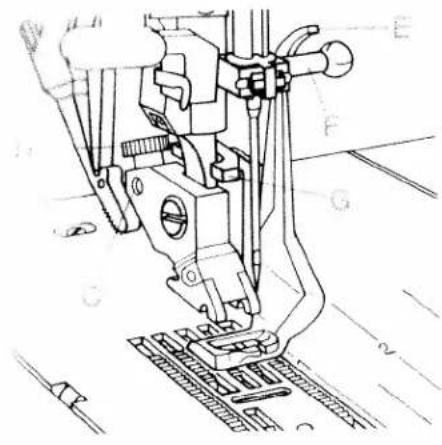
natural_image
Technical line drawing of a sewing machine needle and base plate (no text or symbols)
natural_image
Technical line drawing of a mechanical assembly with labeled components A and B (no text or symbols beyond labels)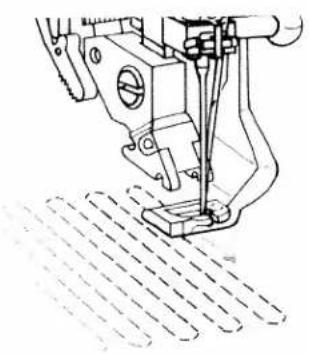
natural_image
Technical line drawing of a sewing machine needle stitching a textured surface (no text or symbols)| prog | [4D46] | ||||
| 00 | - | - | + | 2-3 | 6 |
Darning with straight stitch
Insert the daring foot:
Set the needle at its highest position and push the pin of the daring foot fully into hole C. When you do this, guide fork G places itself around the presser bar. Wire E must be behind fixing screw F. Now tighten screw D.
Darning position:
Lower the presser bar lifter and push it lightly to the rear. This positions the presser bar lifter into notch E (daming position).
- Place the darning work in the darning hoop.
- Lower the feed dog.
- Draw up the bobbin thread and hold the threads when you start sewing.
- Dam over the damaged area by moving the part evenly in the required direction. When doing so, move the part in shallow curves. This prevents tearing of the dam later.
- When you have stitched evenly over the daming area, turn the fabric through 90 degrees and dam over the damaged area again.
You determine the stitch length for this work yourself by moving the part back and forth.
TIP: If small knots appear on the underside, this means you have been moving the part too slowly.
text_image
Scanned text of contract clauses with dense, illegible handwritten or typed charactersprog

1.5
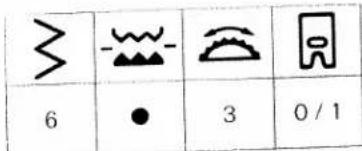
text_image
6 3 0/1| prog | |||||
| 13 | 0,2-1 | 6 | 3-5 | 0/1 |
Automatic darning
(1) 09 is mainly intended for strengthening
of fabric.
the damaged area at the required
1
the reverse key; the machine finishes sewing
Laming program and the daring length is
- 2017年
• 1. flaming length can now be repeated as
. , on need.
- it is cancelled by pressing the clear key.
}
2
Darning with elastic stitch
Darning with elastic stitch is also a very suitable means of repairing damaged fabric.
- Sew over the damaged area with rows of stitches until it is well covered. When doing so, make sure the stitch rows overlap each other.
The top of material, the daring hold to one side. You can straighten the way and the balance key (8). In our chairs, this way, you have to move a right. If you have to move the balance key

natural_image
Pure decorative border with a square frame and coiled spring-like lines (no text or symbols)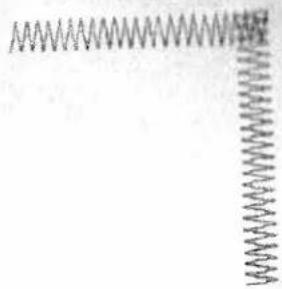
natural_image
Pure electrical circuit lines without any symbols| prog | |||||
| 13 | 0,2-1 | 6 | 3-5 | 0/1 |
| prog | |||||
| 13 | 0.2-1 | 6 | 3-5 | 0/1 |
Sewing on patches
The best way to darn larger holes is to cover the damaged area with a piece of new material.
- Baste the piece of new material onto the damaged area from the face side.
- Over-stitch its edges with elastic stitch.
- Now cut back the damaged material up to the seam on the reverse side.
TIP: In order to turn at the corners more easily, use the "needle down" function.
Darning tears
For tears, frayed edges or smaller holes it is easier to place a piece of material on the underside of the fabric. This strengthens the fabric and provides a much better darn.
- Place a piece of material on the underside of the fabric. The piece must always be a little bigger than the damaged area.
- Now over-stitch the damaged area by the length of the tear.
- Cut back the material on the underside close to the edge.
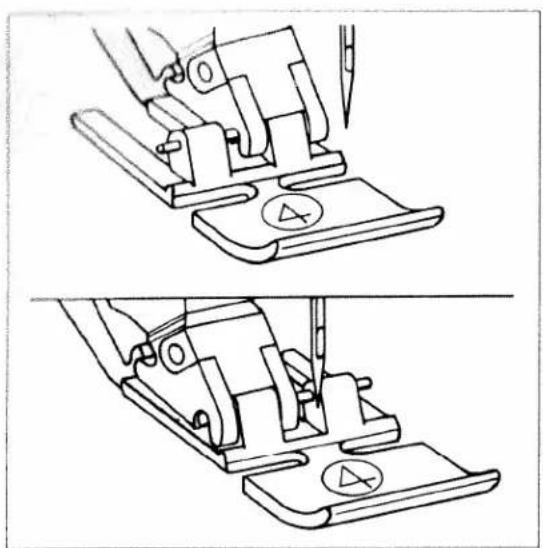
natural_image
Technical line drawing showing two views of a sewing machine handle mechanism (no text or symbols)| prog | |||||
| 00 | 3 | - | ● | 3-5 | 4 |
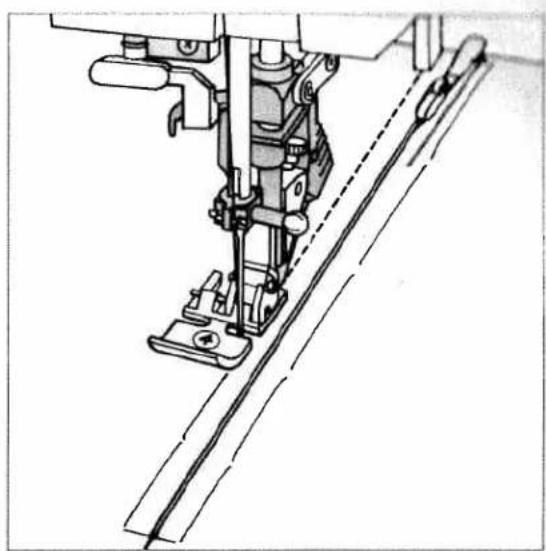
natural_image
Technical line drawing of a sewing machine needle and cutting tool (no text or symbols)Sewing in zippers
There are different ways to sew in zippers. For skirts we recommend inserting the zipper concealed on both sides, and for men's or ladies' slacks concealed on one side. Different types of zippers are available in shops and stores. For firm materials, such as jeans, we recommend metal zippers, and plastic zippers for all other materials.
For all types of zippers it is important to sew right up close to the teeth of the zipper. This is why the zipper foot can be engaged in the foot holder to the left or right, depending on the method of insertion.
Using one of the 13 needle positions, you can also set the needle so that it enters close to the edge of the zipper teeth. If the sewing foot is engaged on the right side, the needle position must only be changed to the right. If the foot is engaged left, the needle must only be moved to the left.
Inserting zippers concealed on both sides
- Engage the zipper foot to the right side.
- Place the zipper under the sewing foot so that the teeth run at the side of the foot. Using program 02, you can set the needle at the required position.
- Sew in half of the zipper, leave the needle in the material, raise the sewing foot and close the zipper.
- Now you can sew the rest of the seam to the end of the zipper and stitch the crosswise seam.

natural_image
Technical line drawing of a sewing machine needle and chain attachment mechanism (no text or symbols)- Sew the second half of the zipper parallel at the same distance.
- Stop shortly before the end of the seam and leave the needle in the material. Raise the sewing foot and open the zipper.
- You can now sew to the end of the seam.
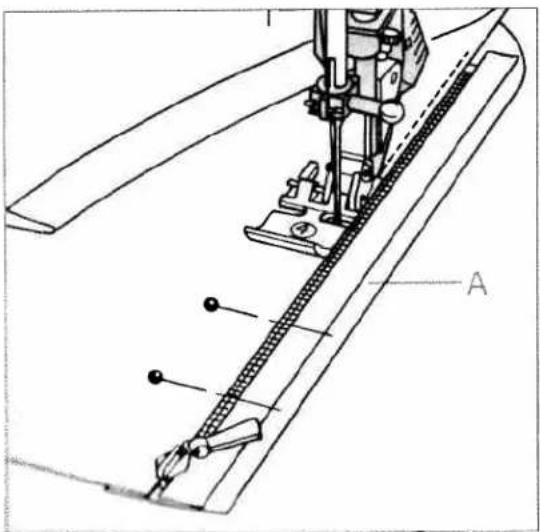
text_image
Technical diagram of a sewing machine with labeled parts A and B, showing mechanical components and assembly line.
natural_image
Technical line drawing of a sewing machine needle and foot (no text or symbols)1. 2014年1月1日
true the warm allowance over, making sure there is an overlap of about 7:
The line is given under the overlapping edge so that the tooth are still visible
Eugene the lighter foot on the right and set the
corona of the spigued position.
which is the following value of the zipper
Figure before the end of the space, open the space and brought something the space.
- Close the zipper and baste the overlap evenly onto the other zipper half.
- Afterwards stitch along the basted seam
TIP: To achieve accurate seams we recommend using the edge guide.
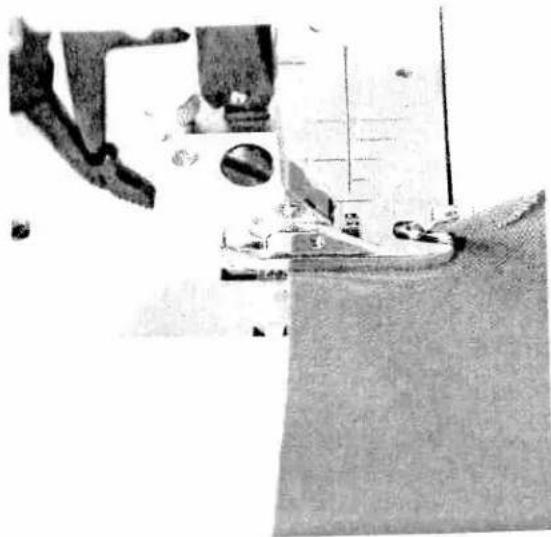
natural_image
Close-up of a sewing machine needle stitching fabric (no visible text or symbols)| prog | ||||
| 00 | 3 | - | ○ | 3-5 |
Roll hemming
With the hemmer you can roll-hem blouses, silk fabrics or valances with no problem at all and without having to iron the edges beforehand. Hemming secures the edges against fraying and produces a tidy and durable edge finish.
- Fold the fabric edge over double (about 18 " per fold).
- Place the folded fabric edge under the hammer and sew a few stitches.
- Leave the needle in the material. Raise the sewing foot and push the fabric into the scroll of the hemmer.
- Lower the sewing foot and guide the fabric edge evenly in the hemmer. When doing so, make sure the fabric does not run under the right side of the sewing foot.

natural_image
Close-up of a sewing machine needle stitching fabric (no visible text or symbols)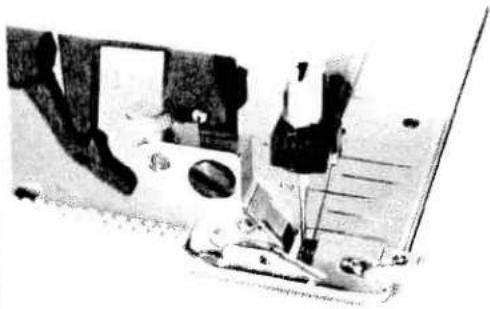
natural_image
Close-up of a sewing machine needle and fabric workpiece (no visible text or symbols)TIP: For silk, rayon or chiffon materials, I rolled her looks better with zigzag stitches.
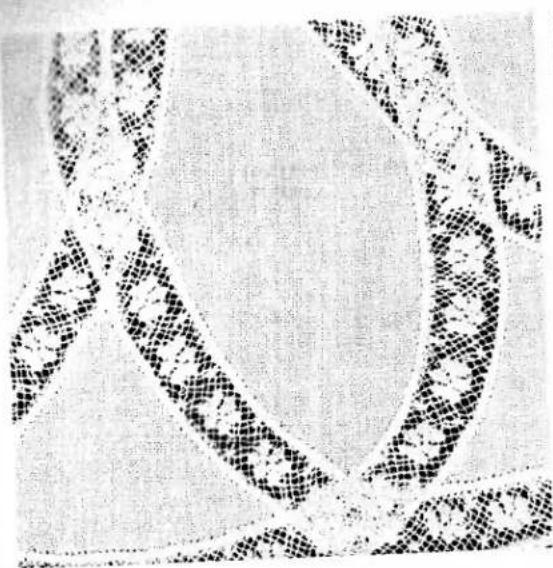
natural_image
Close-up of a textured fabric or garment with no visible text or symbols| prog | |||||
| 00 | 2,5 | - | 3-5 | 0/1 |
Lace inserts
You can produce a beautiful effect on christening wear or other children's clothes with lace inserts.
- First haste the lace to the face side of the fabric.
Stitch both edges of the lace at a narrow margin. - Cut open the fabric under the lace at the middle and iron it over to the side.
- Stitch over both edges of the lace with small and dense zigzag stitches.
- Cut back the waste material.
Lace edges
Lace trimmings provide many new ways of designing and enhancing home textiles.
This is the way to do it:
- First serge the raw edges.
- Stitch the lace onto the face side up to the first corner.
- Fold the corner and stitch over it diagonally.
- All other sides are done in the same way.
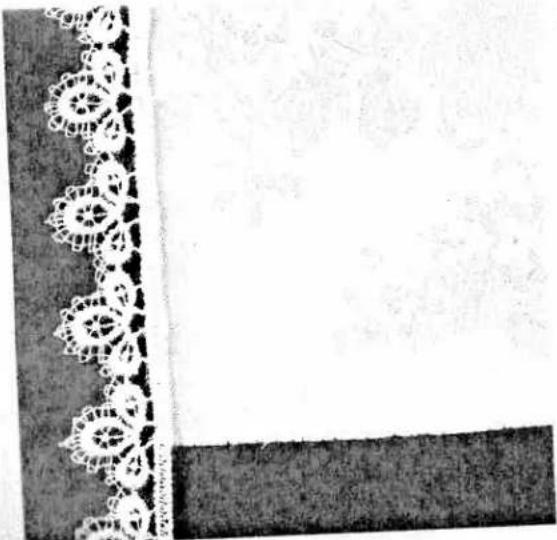
natural_image
Decorative border with lace border and textured background (no text or symbols)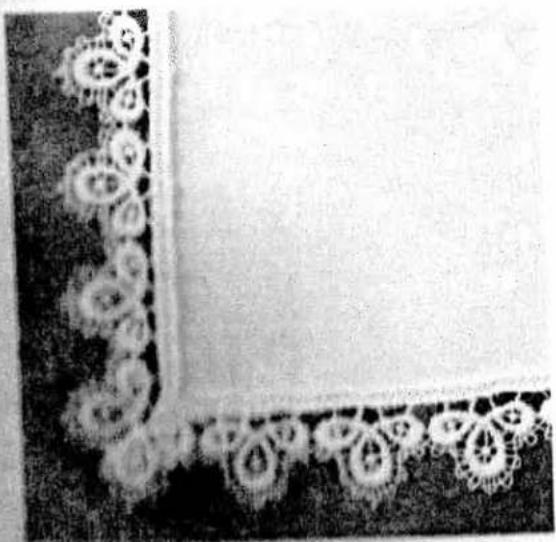
natural_image
Decorative corner frame with ornate circular patterns and a blank space (no text or symbols)
natural_image
Close-up of a textured surface with a horizontal black line and small white specks (no text or symbols)
natural_image
Close-up of a textured surface with a wavy white line and dotted boundary (no text or symbols)| prog | > | - | [IMAGE] | [IMAGE] | |
| 16 | 1.5 | 4,5 | ● | 4-5 | 0/1 |
Shell edging
Ball edging is very effective for thin, soft fabrics, such as silk and viscous materials. It is frequently used as an edge brush on under-wear, too. The tighter you act the needle thread tension the farther the shell edging is pulled in.
to tape the raw edge and iron the seam margin given to the left.
During sewing, make sure that the fabric runs under the sewing foot at half the foot width only. This provides a more prominent shell edging effect.
TIP: If you add a coloured wool thread at the edge you can strengthen the shell edging and obtain a pretty contrast at the same time. Instead of a woolen thread you can also place a different coloured light fabric underneath.
natural_image
Close-up of a textured, frilly surface with no visible text or symbols
natural_image
Black-and-white artistic composition featuring a seated figure with draped fabric, a chair, and decorative plates (no text or symbols)Richelieu
This very artistic form of bar- and eyelet embroidery is easy to make with your sewing machine.
- Transfer your pattern onto the face side of the fabric using the magic pen.
- Then place two plies of water soluble stabilizer under the area to be embroidered and tauten the fabric and backing in an embroidery hoop.
- To make the embroidery more stable, sew around all contours double in straitgh stitch (at about 1 mm stitch length).
- After that, carefully cut out the fabric from the areas that will form the cutouts at about 2 mm along their contours, but do not cut away the backing material.
- Embroider the contours with a dense zigzag stitch.
- The backing material provides this part of the work with much more shape and stability.
Finally, all you have to do is dissolve the stabilizer in water, and your piece of individually made embroidery is ready.
Linen embroidery
Linen embroidering is a very well-known and popular technique which in earlier times was widely used in bed- and table linen production.
Due to its simple production and exquisite appearance, linen embroidery is rapidly in-creasing in popularity. More and more variants are created with different stitches and combinations of them.
- Transfer your pattern, using the magic pen, to the face side of the fabric.
- Iron on fabric backing or use tear-away stabilizer as an underlay.
- Embroider your pattern with programs of your choice. It is recommended to use the "single pattern" and "needle down" keys for this.
- Knot the threads on the reverse side and remove the silk paper.

natural_image
Black-and-white sketch of a draped fabric or garment with geometric patterns, no visible text or symbols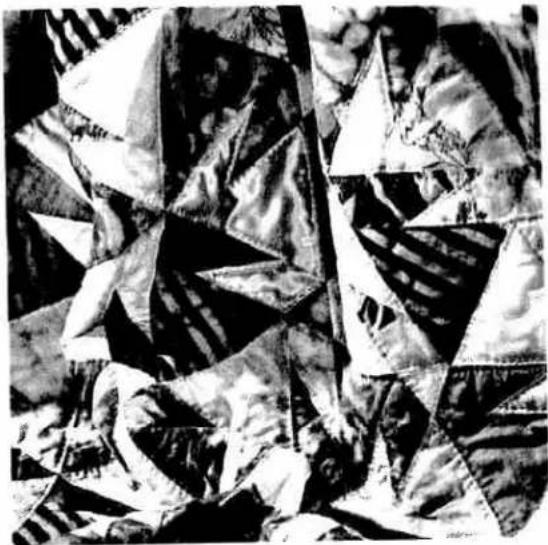
natural_image
Abstract black-and-white geometric sculpture with triangular facets and layered textures (no text or symbols)( )ulting
Traditional traditional sewing technique. The good that the wives of American settlers is linked to make use of material remnants has become an artistic hobby with many enthusiasts in society too.
As pull always consists of three layers of material. Lots be geometrically shaped pieces of material are joined together in continually changing patterns to form the back layer of the quilt. This is tacked onto the middle layer made of polyester padding and connected to the back layer of the quilt that usually consists of one part, no piece of material. The entire quilt is often also fixed with the back layer.
The work of piecing the individual bits of a metal together must be very precise. The double metal load is of particular assistance when doing
And this is what you do:
- Cut out the parts of your quilt with templates you have bought or made yourself. A seam allowance of 0.7 cm should already be included in the templates.
- Spread out the parts as in the pattern and form small squares that you can match together. These squares are then sewn together to form the surface of the quilt.
- The seam allowances of quilts are not neatened up but just smoothed out - never ironed!
- In traditional quilts these three layers of material are sewn together by hand with small stitches - but it is quicker and more practical with the sewing machine e.g. with the program 03. There is always stitching about 3mm beside the seam. Embroidered stitches look very good on plain coloured material.
When your quilt is finished you can make it into cushions, wall hangings or bed covers.
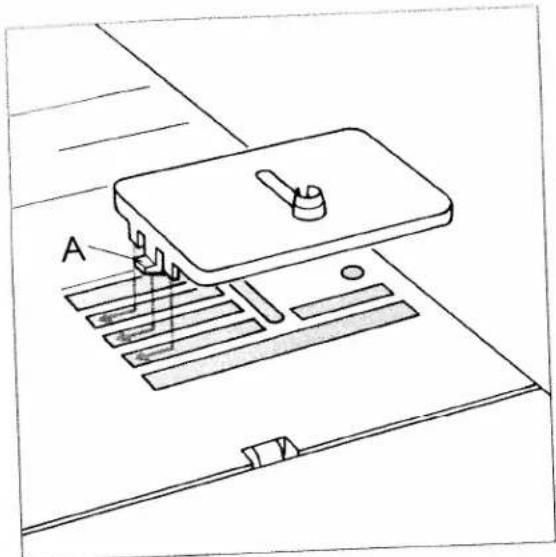
text_image
AEylet embroidery
Traditional eyelet embroidery which long ago had to be made laboriously by hand can be made quite easily with the help of an eyeletting plate (special accessory).
This is very effective on blouses, bed- or table linen. Practically all stitch types of the PFAFF electronic 6250 are suitable for this: zigzag stitch blind stitch, elastic stitch or fancy stitches.
For classic eyelet embroidery, program 12 is very suitable. Set the needle at its left position, select the stitch width, and the machine stitches evenly around the cut-in portion.
- Set the presser bar lifter at the daring position.
- Lower feed dog.
- Remove the sewing foot
- Place the eyeletting plate on the needle plate, making sure pin A fits in the middle cutout of the needle plate. Then push the plate down at the front.
- Place the marked fabric taut in an embroidery hoop. Cut one or two of the fabric threads and push the fabric over the pin in the eyeletting plate. The fabric must fit snugly around the pin.
- Draw up the bobbin thread and hold it for the first few stitches.
You can now stitch around the cut with selected program. When you do this it is important to turn the fabric slowly and evenly. The stitches should be right close to each other.
Afterwards secure with straight stitch.

natural_image
Black-and-white photo of two patterned ceramic teacups on plates, one with floral patterns, placed on a surface (no visible text or symbols)
natural_image
Black-and-white photo of a teapot and saucer with floral patterns, no visible text or symbolsTIP: If you choose another program, e.g. 64, 55 or 57, the cut will only be partly stitched around, or not at all. To complete this, just select program 12 afterwards and stitch evenly around the cut. This is how beautiful blossoms can be made, too.

natural_image
Pure diagram of parallel lines with dots, no text or symbols presentHomstitching
Hemstitching is an old embroidering technique and can be used for securing edges of table linen and as a fancy effect on garments. For hemstitching you need a wing needle and coarse-weave fabric on which you can draw single threads easily. Embroidery and darning thread is very suitable. With programs 67 and 68 you can produce hemstitching with different techniques, such as fagoting, traditional hemstitching, a hem sewn as a hemstitch seam and hemstitching as an edge finish.
Fagoting:
Draw the threads at the required width the same as in hand hemstitching.
Embroider with program 67 or 68 along both fabric edges. When you do this the needle must enter at the side of the edges into the drawn threads, this will bunch the threads.
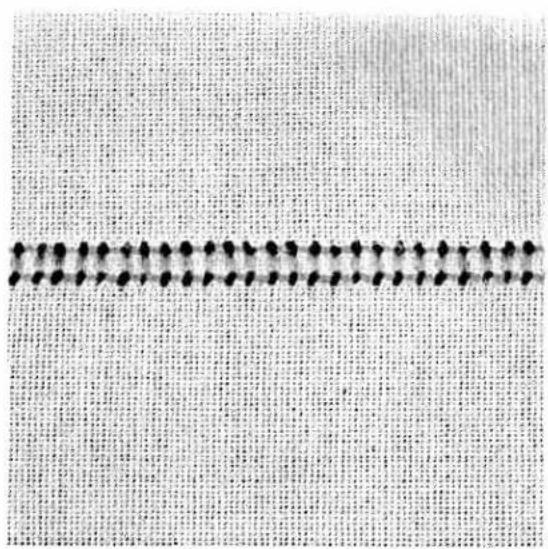
natural_image
Close-up of a textured fabric with a horizontal seam and evenly spaced dark circular indentations (no text or symbols)Traditional hemstitching
- Using "single pattern", sew program 67 or 68 on a piece of waste fabric.
- Now you can count off the threads on the inside and draw the required number of threads from your hemstitch work.
- Over-stitch the remaining threads with the selected program. When you do this, the needle must enter right close to the edges in the drawn threads at both sides.

natural_image
Close-up of a textured fabric with repeating patterns and a dark band at the bottom (no text or symbols)Making a hem with a hemstitch seam
- Iron the hem over twice and pull one or more threads above the hem.
- Stitch along the hem with program 67 or 68 from the face side. When you do this the needle must enter the hem to the right and tie off the pulled threads to the left.
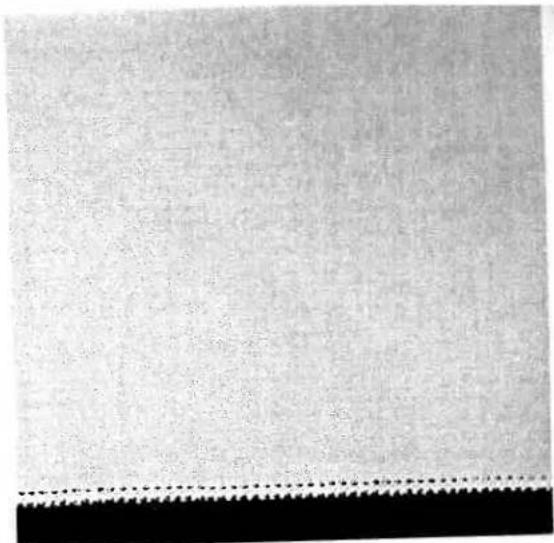
natural_image
Close-up of a textured fabric surface with a dotted line at the bottom (no text or symbols)Hemstitching as an edge finish
This edge finish is used for very light and thin materials. It is very suitable for frills or ruffles. There is no need to pull any threads.
- Sew using program 67 or 68 at foot width along the edge of the fabric.
- Cut off the protruding fabric at the hemstitched edge with a small pair of scissors.
natural_image
Black-and-white photo of a baby sitting on the floor, wearing a teddy bear-themed outfit with a bow (no text or symbols visible)Sewing feet
Accessories and needles
Pages 95 to 107
natural_image
Blank white image with a black vertical line on the left edge and a dotted border on the right (no text or symbols)
natural_image
Black-and-white photo of various hand tools and accessories on a table, including pens, scissors, and tools (no visible text or symbols)Accessories and needles
Sewing feet
(standard accessories) Pages 98, 99
Special accessory table Page 100
Apliqué foot Page 101
Cording foot Page 102
Gathering/knit-edge foot Page 103
Bias tape binder Page 104
Multi-stitch gathering foot Page 104
Cording/fringe foot Page 105
Needle table Pages 106, 107
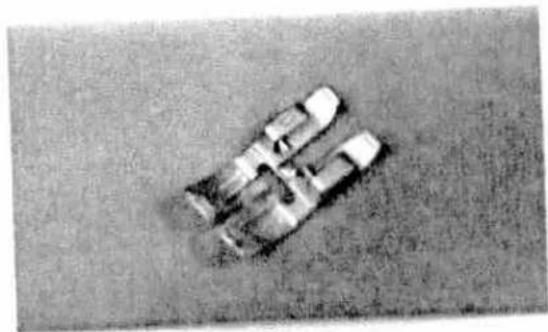
natural_image
Aerial view of a vehicle on a grassy field, no visible text or symbols.Sewing feet (accessories)
0 Normal sewing feet
Fact No: 01694 (SLO (10)
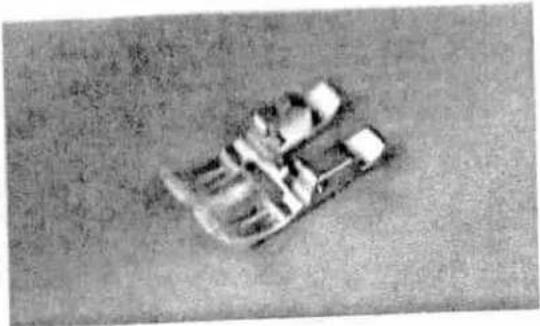
natural_image
Aerial view of a small boat or vessel on a flat surface, with no visible text or symbols.- Fancy-stitch foot for top feed
Part No: 98-694 814-00

natural_image
Close-up of a metallic mechanical component with no visible text or symbols- Fancy-stitch foot (not suitable for top feed)
Part No.: 98-694 897-00
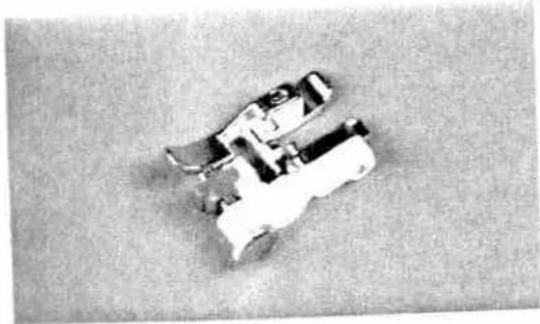
natural_image
Top-down view of a mechanical component or tool with no visible text or symbols3 Blind stitch and overlock foot
Part No.: 98-694 890 00

natural_image
Close-up of a small mechanical component or tool with no visible text or symbols4 Zipper- and edge-stitching foot
Part No: 98-694 884-00

natural_image
Exterior view of a mechanical component with internal channels and mounting holes (no visible text or symbols)- Buttonhole foot
Part No. 98-694 002-00

natural_image
Mechanical linkage component with articulated joints and a black cover (no visible text or symbols)6 Darning foot
Part No.: 93-035 960-91

natural_image
Close-up of a mechanical component with metallic parts and bolts, resting on a textured surface (no visible text or symbols)7 Hemmer
Part No.: 98-694 818-00
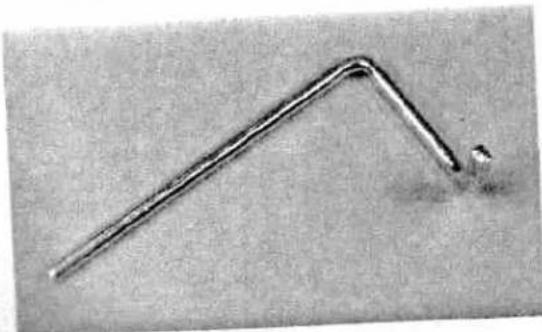
natural_image
Close-up of a metallic L-shaped tool or wire with a small protrusion at the end (no text or symbols visible)8 Edge guide
Part No.: 98-802 422-00
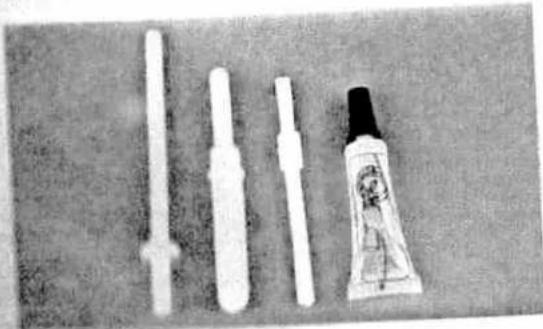
natural_image
Black-and-white photo of four white plastic tools and a small tube on a dark surface (no text or symbols visible)Second reel holder
Seam nipper
Soft brush
Oit tube
Sewing feet (special accessory)
Special accessories are intended for special sewing work. They are available at a charge from your dealer.
| Accessory | Part number | Sewing work |
| Applique foot | 93-042 941-91 | For appliqué work |
| Bias tape binder (remove foot holder) | 98-053 484-91 | For binding edges with bias tape |
| Cording foot, 5 grooves (twin needle with needle spacing 1,6-2,0) 130/705 H-ZWI | 93-042 950-91 | For cording work needle (needle size 80) |
| Cording foot, 7 grooves (twin needle with needle spacing 1,6-2,0) 130/705 H-ZWI | 93-042 953-91 | |
| Cording tongue (2 | 93-035 952-45 | |
| Fringe foot | 93-042 943-91 | For sewing loop embroidery |
| Straight-stitch foot with round hole | 98-694 821-00 | Caution! Only use straight stitch in middle needle position! For top-stitching seams and sewing very light and soft materials (silk jersey, etc.) |
| Needle plate with round hole | 98-694 822-00 | |
| Lap-feller, 4,5 mm | 93-042 946-91 | For lap-telled seams |
| Lap-feller, 6,5 mm | 93-042 948-91 | |
| Gathering foot | 93-036 998-91 | For gathering frills, etc. |
| Multi-stitch gathering foot | 98-999 650-00 | For placing dense or loose pleats on frills, etc. |
| Cording foot | 93-036 915-91 | For cording |
| Eyeletting plate | 93-036 976-45 | For eyelet embroidery |
| Roll hemmer, 2 mm | 98-694 873-00 | For hemming edges |
| Hemmer, 4 mm (for top feed) | 98-694 823-00 | For hemming edges |
| Knit-edge foot | 93-042 957-91 | For sewing knitted fabrics |
| Teflon foot | 93-036 917-91 | For sewing leather and synthetics |
The following pages contain application examples of some special accessories.
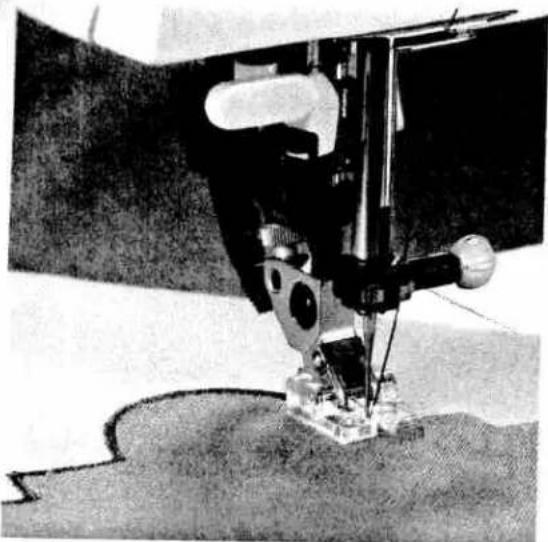
natural_image
Close-up of a sewing machine needle stitching fabric, no visible text or symbols
natural_image
Close-up of a sewing machine needle stitching fabric (no visible text or symbols)| prog | |||||
| 50 | 0,35-1 | 1,5-2,0 | ○ | 3 | Appliqué foot |
| prog | |||||
| 00 | 3 | - | ○ | 3-5 | Lap feller |
Appliqué foot
Appliqués are quickly made and always produce a beautiful fancy effect. By using different materials and patterns you can obtain variations galore. You can make a perfect, densely stitched seam with the appliqué foot, because it has a special cutout on the underside for the zigzag seam.
- Insert the appliqué foot in the sewing machine.
- Transfer your drafted pattern to the face side, smooth side, of the fusible backing fabric. Remember that any letters or numbers have to be drawn in mirrored fashion.
Now iron the backing fabric onto the appliqué material. Cut the motif out and pull the paper off. - Place and iron on the appliqué parts on the base material.
Afterwards over-stitch all contours with narrow and dense zigzag stitches. When you reach a curve, use the "needle down" function to help you guide the work more easily. Also make sure the needle passes the outer edge so that no fraying occurs later.
Lap-feller
Lap-felled seams are not only ornamental but strong too. This makes them very suitable for sportswear and children's wear, men's shirts and jeans. You can make these seams very prominent if you use a sewing thread of a contrasting colour.
- Place the fabric reverse side to reverse side.
- Overlap the raw edge of the lower ply by about 3/8" to 5/8".
- Now place this overlapping edge over the tongue of the lap-felling foot. The fabric must be placed fully under the sewing foot
- Sew along the folded edge with straight stitch.
- Afterwards pull the fabric apart and feed the protruding hem into the lap-feller. The hem is turned over by the foot and is over-stitched along the edge. Pull the two fabric plies apart during sewing.
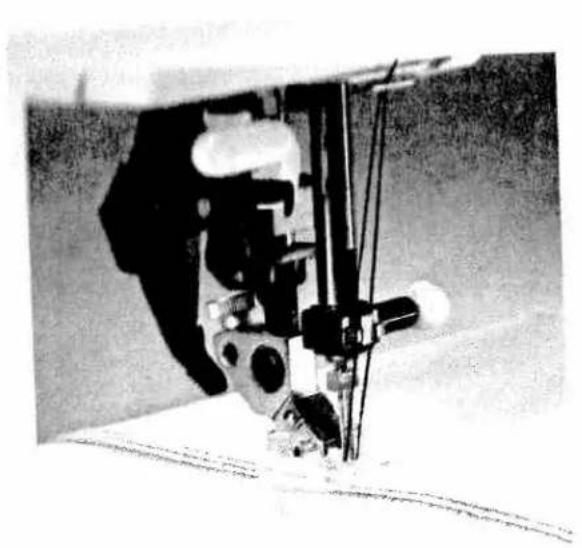
natural_image
Close-up of a sewing machine needle stitching fabric, no visible text or symbols| prog | ↓ | > | - | △ | R |
| 00 | 2.5 | - | ○ | 5 | Cording foot |
Cording foot
The classic sewing technique of cording can be used without any problems on fabrics, such as cotton and light woolers. Underclothing and children's wear can be given a traditional look with cording.
Luggage the cording foot
Replace the needle with a twin needle (1.6 or 2 mm)
Thread up with two needle threads (see page 67).
Now set the needle thread tension quite tight (at about b) to make the seam more prominent.
TIP: If you wish to emphasize the cording effect, you can fit a "cording tongue" on the front edge of the needle plate. This shapes the fabric during sewing and gets the cording more volume.
You can obtain a similar effect by using a gimp thread; this makes the cording look wider.
In this case, however, do not use a cording tongue.
- To do this, remove the needle plate.
- Thread the gimp thread through the hole of the needle plate from the underside.
- Replace the needle plate. The notch between the needle plate and the sewing machine provides space for the gimp thread. This thread must be fed under the cloth plate, so that it does not become tangled during sewing.
- While sewing the cording pull the material lightly.
- You can use the grooves in the cording foot to guide the work along an already sewn cording seam. This ensures that the distance between cording seams is always constant.
TIP: There are two different cording feet: a five-groove and a seven-groove foot (see table on page 100).
With the seven-groove foot the sewn cordings are closer together than with the five-groove foot.
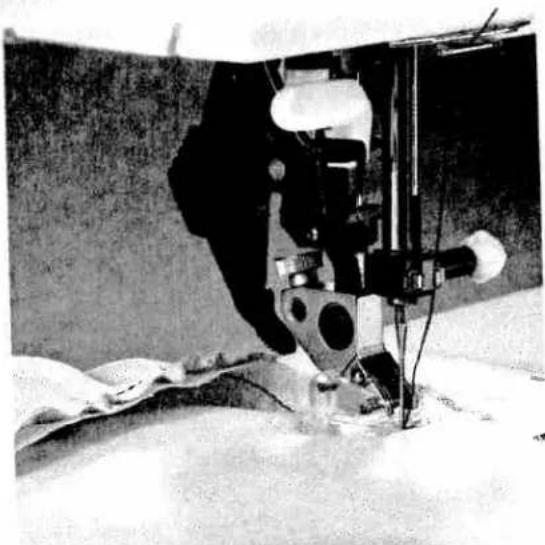
natural_image
Close-up of a sewing machine needle stitching fabric, no visible text or symbols
natural_image
Close-up of a sewing machine needle stitching fabric (no visible text or symbols)| prog | |||||
| 00 | 3 | - | ○ | 3-5 | Gathering foot |
| prog | |||||
| 25 | 3 | 6 | ○ | 3-5 | Knut edge foot |
Gathering foot
Beautiful gathering effects, e.g. on children's wear or curtains, can be made quickly and easily with the gathering foot. This eliminates gathering by hand.
- Engage the gathering foot by hooking the rear bar of the foot into the rear groove of the foot holder. Push the foot upwards until it snaps into the front bar.
- Place the fabric to be gathered under the sewing foot, and the gather-free fabric from the top through the foot cutout. The fabric parts lie face side to face side.
- During stitching you have to pull the top fabric a little. The harder you pull, the greater the gathering effect you achieve.
- Be sure you guide the fabric edges evenly through the foot
- Disengage the gathering foot by pushing it down at the front, and take it out to the back over the groove of the sewing foot holder.
TIP: You can also regulate the amount of gather by adjusting the needle thread tension and the stitch length.
Knit-edge foot
The knit-edge foot is provided with toes of different height, which makes it very simple to sew thick seams on knitted fabrics. To obtain a perfect seam on shape-cut parts we recommend adding a wool thread under slight tension and over-stitching it at the same time.
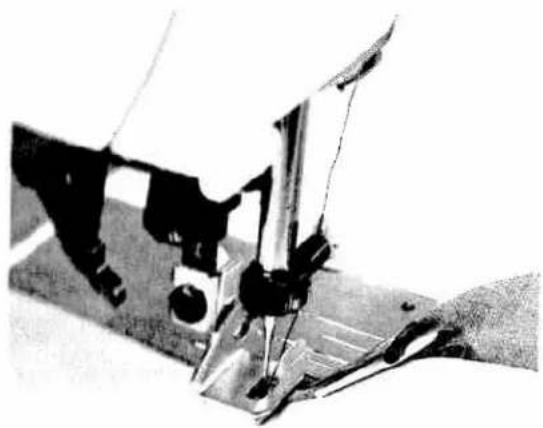
natural_image
Close-up of a sewing machine needle stitching fabric (no visible text or symbols)
natural_image
Black-and-white photo of a robotic arm operating a mechanical device (no visible text or symbols)| prog | ↓ | ||||
| 0.002 | 2.5 | - | # | 3-5 | Bias tape binder |
| prog | |||||
| 00 | 3 | - | ○ | 3-5 | Multi stick gathering foot |
The tape binder
with bar tape is a very easy method of angle, flat edge, smooth and neat appearance.
For the presence of unfolded bias tape about an inch
to cover the foot holder with sewing foot and to cover the lander
The bis-contrast of the bias tape at a diagonal.
For the tape into the scroll of the binder and pull to its book
The needle is the bandlet so that the needle enters at the edge of the folded-in edge of the bias.
(1) If the edge is not for so along the bias tape, it is a closed edge to be bound into the top edge. The raw edge must be placed above the top tape edges. During sewing, the top tape walls before the raw edge automatically.
Fig. 10. The physical additional effect by using
Multi-stitch gathering foot
This is a really classic sewing foot! You can make closely or widely spaced pleats as if by magic.
The multi-stitch gathering foot can be used in three different ways:
- Folding the fabric in pleats.
- Folding the fabric in pleats and sewing them on in one workstep.
- Folding the fabric in pleats, sewing them on and sewing on lace at the same time.
When you buy the multi-stitch gathering foot from your Pfaff dealer a full description is provided with it.

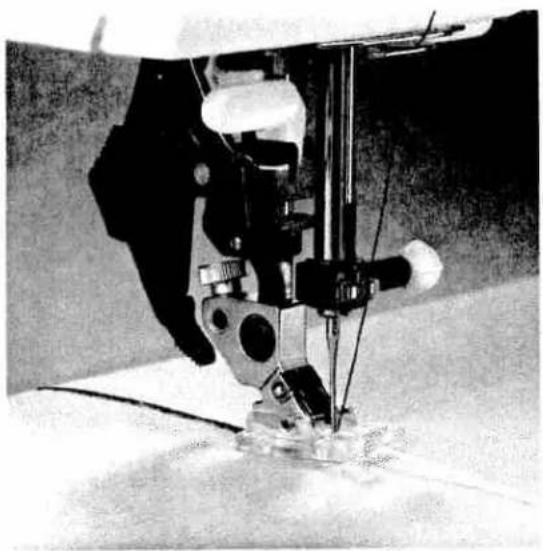
natural_image
Close-up of a sewing machine needle stitching fabric (no visible text or symbols)
natural_image
Close-up of a sewing machine needle stitching fabric (no visible text or symbols)| prog | |||||
| 51/52 | 0,35-1 | 1,5-2 | ○ | 3 | Cording foot |
| prog | |||||
| 50 | 0,35-1 | 1,5-2,5 | ○ | 2-3 | Fringe foot |
Cording foot
Cording is a technique in which pearl thread or a fine cord is over-stitched to produce a purl seam. With this you can obtain an effect similar to braiding. Appliqués can also be made more impressive by this seam.
- Mark the required motif on the fabric, avoiding too tight curves or angles if possible.
- Engage the cording foot and place the filling thread in one of the front grooves of the foot, then place the filling thread in the back groove under the foot shoe.
- Now over-stitch the filling thread with narrow and dense zigzag stitches. Now you have made a so-called purl seam.
TIP: You can also obtain a special effect by over-statching a medium pearl thread with a thread of a different colour.
Fringe foot
With this special foot for loop embroidery you can produce fantastic effects in no time.
- Mark out any pattern you wish with the magic pen.
- Use a stabilizer and engage the fringe foot.
- Embroider the motif, row by row. For circles you have to work from the outside inward.
- For thicker threads you may have to choose a longer stitch length; it is best to sew a test seam first.
- When you have finished, pull the work out of the machine carefully, because if you pull too fast, you will pull the last loops tight.
- Knot the threads on the reverse side.
Needle chart
Using the adequate needle guarantees better processing of the material
Fabric weight. light
Needle size: 60, 70, 75
Fabric weight: medium
Needle size: 80, 90
Fabric weight: heavy
Needle size: 100, 110, 120
Needle points
| System & No. | Profile | Point & eye | Suitable for |
| 130/705 H 70,80 |  | Light ball point | Universal needle for fine-meshed synthetics, fine linen, chiffon, batiste, organdy, woolens, velvet, fancy seams and embroidery work. |
| 130/705 H-SUK 70,110 |  | Medium ball point | Coarse knitted fabrics, Lastex, double-jersey fabrics, Quiana and Simplex. |
| 130/705 H-PS 75,90 |  | Medium ball point | Stretch-fabric needle developed especially for Pfaff. Particularly suitable for delicate stretch and knitted fabrics. |
| 130/705 H-SKF 70,110 |  | Heavy ball point | Wide-meshed corsetry, Lycra, Simplex and Lastex. |
| 130/705 H-J 90-110 |  | Acute round point | Twill, workwear, heavy linen, blue jeans and light canvas. |
| 130/705 H-LL 70-120 |  | Narrow twist point | Leather, suede, calf and goatskin leathers. |
| 130/705 H-PCL 80-110 |  | Narrow wedge point with left-twist groove | Imitation leathers, plastic materials, plastic sheeting and oilcloth. |
| 130 H-N 70-110 |  | Light ball point, long eye | Seams topstitched with buttonhole silk or No. 30/3 synthetic thread. |
| 130/705 H-WING 100 |  | Hemstitching point | Attractive hemstitching on heavily dressed materials, organdy and glass cambric. |
| [044A] | System & No. | Stitch length | Stitch width | Needle spacing | Suitable for |
| 130/705 H-ZWI 80 | 2.5 mm2.5 mm | -- | 1.6 mm2.0 mm | Medium-wide cording | |
| 130/705 H-ZWI 8090100 | 2.5 mm2.5 mm3.0 mm | --------- | 2.5 mm3.0 mm4.0 mm | Wide cordingExtra wide cordingExtra-wide cording | |
| Decorative designs sewn with twin needlesBefore you start sewing, turn the handwheel and check to make sure the needles stitch into the fabric properly. In this way, needle breakage can be largely prevented. | |||||
 | Decorative and zigzag patterns | ||||
| 130/705 H-ZWI 808080 | 0.5-1.5 mm0.5-1.5 mm0.5-1.5 mm | widenarrownarrow | 1.6 mm2.0 mm2.5 mm | OrnamentationsOrnamentationsOrnamentations | |
| [TWCS] | Special hemstitching twin needle | ||||
| 130/705H-ZWI-Ho 80100 | 2.0-3.0 mm2.0-3.0 mm | very narrowvery narrow | -- | Decorative hem-stitching effectHeavily dressed fabrics are par-ticularly suitable | |
natural_image
Black-and-white illustration of a woman in a patterned skirt and overalls, posing with her hand on her lap (no text or symbols visible)Care
Maintenance and trouble shooting
Pages109 to 115

natural_image
Vertical column of black rectangular shapes with dashed lines, no text or symbols present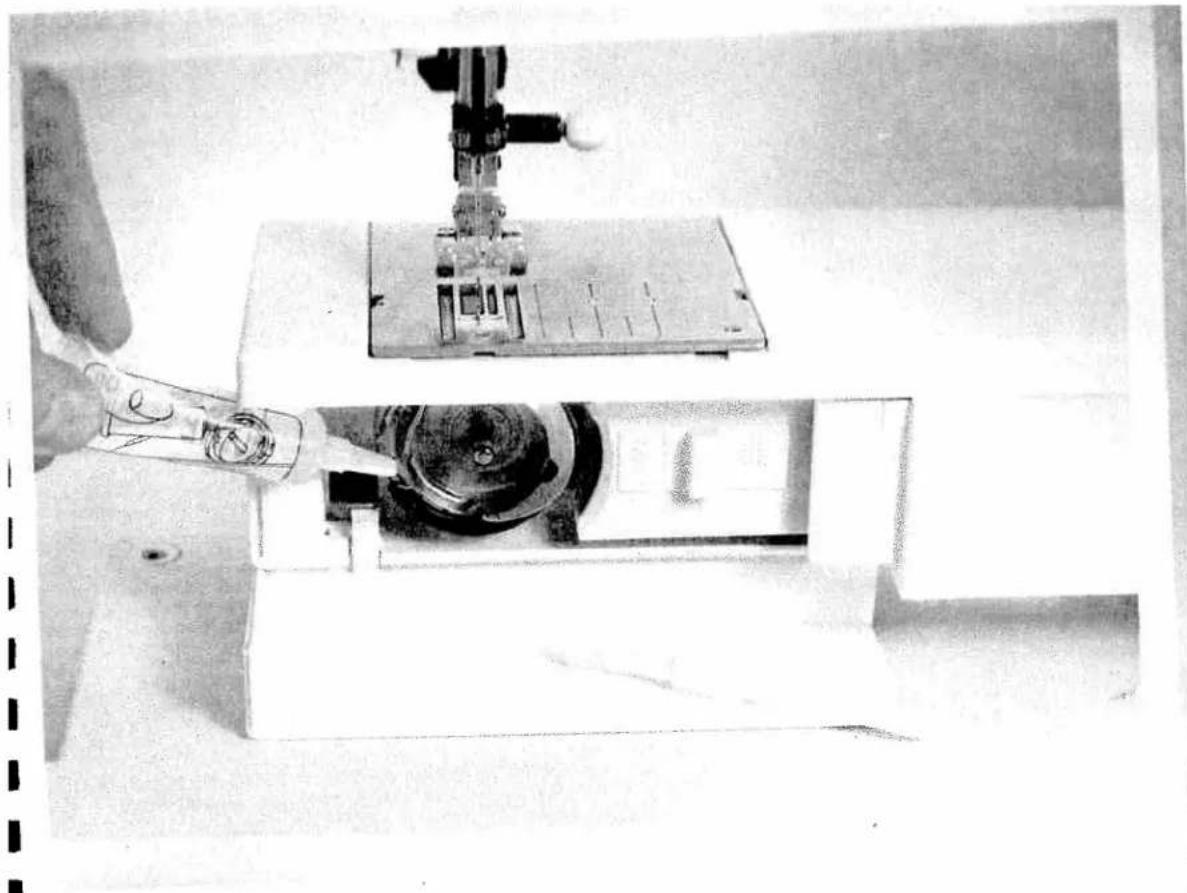
natural_image
Close-up of a sewing machine needle stitching fabric, with a hand adjusting the tool (no visible text or symbols)Maintenance and trouble shooting
Changing the needle plate Page 112
Cleaning and oiling Page 112
Sewing lamp Page 113
Sewing faults and Pages 114, 115
their removal Pages 114, 115

natural_image
Close-up of a hand using a sewing machine to lift a small electronic component (no visible text or symbols)
natural_image
Black-and-white photo of a vintage mechanical device with a circular component and a small inset image (no visible text or symbols)Changing the needle plate
It is very important to clean and oil the sewing machine, because it will reward you with a longer service life. The more often you use the machine, the more care it needs.
Removal:
Switch off the main switch
- Raise the sewing foot and remove the cloth plate. Push the point of a small screwdriver into the opening between needle plate and sewing machine. Twist it lightly to the right and the needle plate will snap half way out of its mounting. Now push the screwdriver into the left opening and take the needle plate out.
Replacing
Place the needle plate on flat at the back and pick it down with both hands at the front until you hear it snap in place. Before you start sewing, check that the needle plate is lying flat.
Cleaning and oiling
Switch off the main switch
- Remove the needle plate and lower the feed dog.
- Clean the feed dog and hook area with the brush.
- Then apply a drop of oil (every 15 to 20 hours of operation) to the hook. You can see where to apply the oil in the illustration and on the provided oil bottle.
The machine is otherwise maintenance-free and must not be oiled.
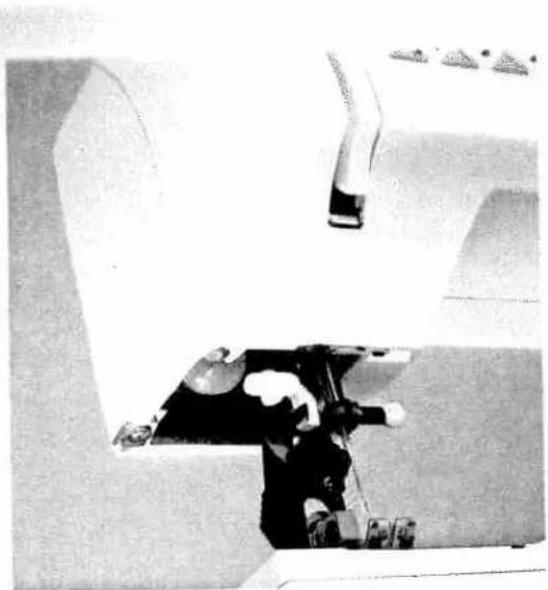
natural_image
Black-and-white photo of a person operating machinery with no visible text or symbolsChanging the sewing lamp Switch off the main switch
- Disconnect the mains plug and the foot control plug from the machine.
Take off the detachable work support. The sewing lamp (bulb) is located inside the needle head of the sewing machine.

natural_image
Person using a sewing machine on a wooden surface (no visible text or symbols)Removal
To make it easier to change the bulb we recommend placing the sewing machine on the hand wheel as illustrated.
- Hold the sewing machine tightly.
- Push the bulb into its holder as far as it will go, and turn it anti-clockwise to remove it
Insertion
- Insert the bulb in the diagonal holder and turn it so that both stops of the bulb engage.
- Now push the bulb fully into the holder and turn it clockwise so that it is held firmly.
Important!
The maximum permissible bulb wattage is 15 Watts!
Sewing faults and their removal
| Fault/cause: | Remedy: |
| 1. The machine skips stitches | |
| Needle is not properly inserted. | Push needle fully upwards, flat side facing the back. |
| Wrong is bent or blunt. | Use needle system 130/705 H. |
| Machine is not properly threaded. | Insert a new needle. |
| Needle is too small for thread | Use a larger needle. |
| 2. Needle thread breaks | |
| See reasons above. | See 1. |
| Thread tension is too light. | Adjust thread tension. |
| Thread is poor or has slubs in it, or.has become dry after too long storage. | Only use good threads. |
| Thread is too thick. | Use needle with large eye (System 130 N). |
| 3. Needle breaks off | |
| Needle is not pushed fully in. | Insert new needle and push fully in. |
| Needle is bent. | Insert new needle. |
| Needle is too thick or too thin. | See needle chart (page 106). |
| Needle is bent, and has hit the needle plate becauseyou are pulling or pushing the fabric. | Let the machine feet the fabric. Only guide the fabric lightly. |
| The bobbin case is not properly inserted. | When you insert the bobbin case, push it fully in tohe stop. |
| 4. Seam is sewn unevenly | |
| The tension needs adjusting. | Check top and bottom tensions. |
| Thread is too thick, slubbed or hard. | Only use perfect threads. |
| The bobbin thread is unevenly wound. | Do not wind thread free-hand, but run it on throughthe winding tension. |
| Thread bunching at top or bottom side of fabric. | Thread up correctly. Check needle- and bobbinthread tensions. |
| 5. Machine does not feed or feeds irregularly | |
| Sewing lint has collected between the feed dog teethrows. | Remove needle plate, remove lint with brush. |
| Feed dog is lowered, slide B (see page 29 is at right). | Push slide B (see page 29) to left. |
Four/cause
Remedy
6. Machine birds
Loose threads in the book race.
Remove loose thread and apply one drop of oil to hook
7. Machine does not sew the input program
Switch off machine and back on again after about 10 seconds.
Important notes:
Before you change sewing feet or needles, you must switch off main switch 107.
Do not start the threaded machine without fabric in it.
If you leave the machine, even for a short time, do not forget to switch off the main switch. This is important if children are nearby.