1221 - Sewing machine PFAFF - Free user manual and instructions
Find the device manual for free 1221 PFAFF in PDF.


User questions about 1221 PFAFF
0 question about this device. Answer the ones you know or ask your own.
Ask a new question about this device
Download the instructions for your Sewing machine in PDF format for free! Find your manual 1221 - PFAFF and take your electronic device back in hand. On this page are published all the documents necessary for the use of your device. 1221 by PFAFF.
USER MANUAL 1221 PFAFF
text_image
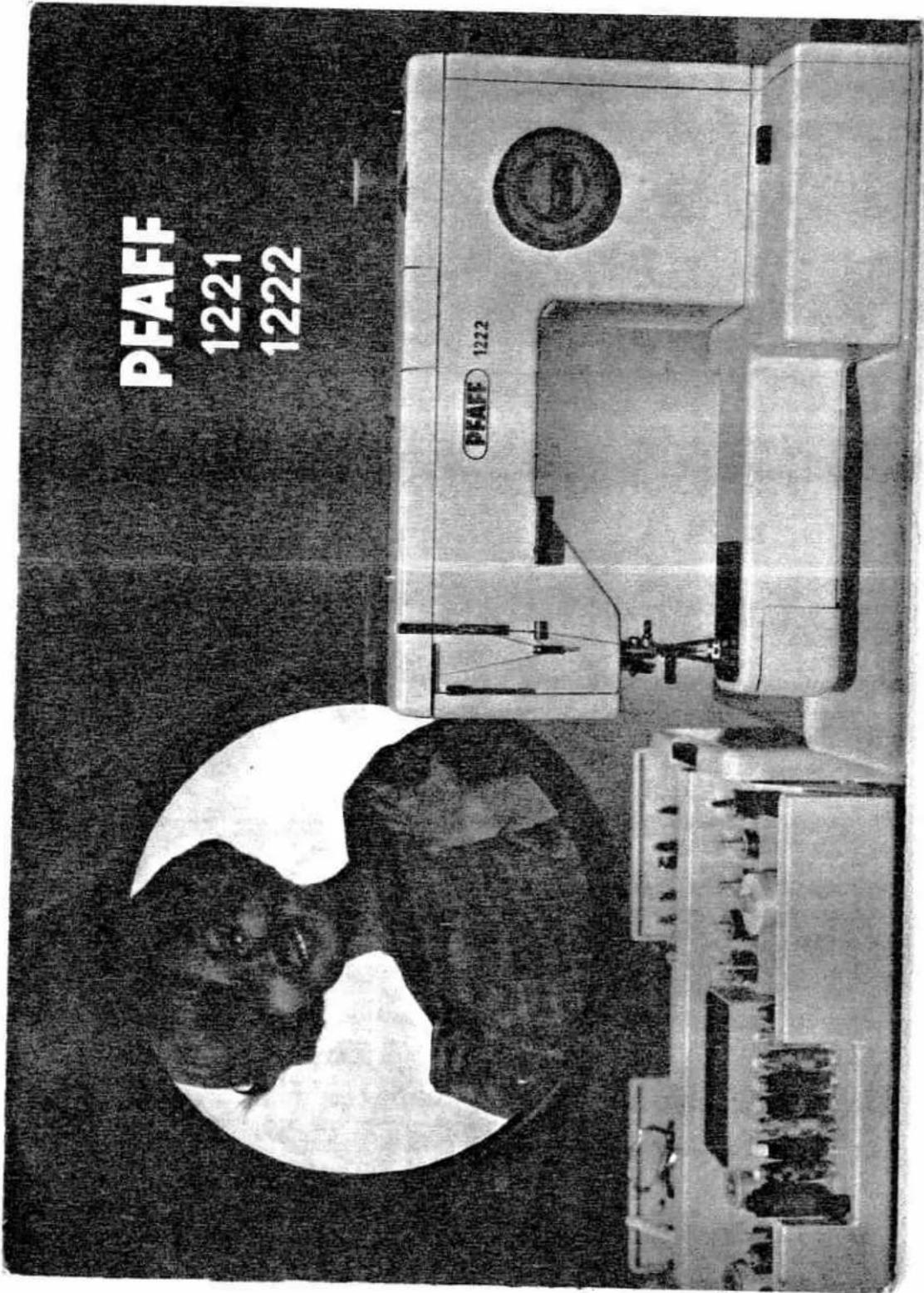
PFAFF 1221 1222 PFAFF 1222
natural_image
Abstract grayscale illustration of a human head silhouette with three leaf-like shapes below (no text or symbols)
natural_image
Illustration of a woman standing beside a striped dress on a mannequin (no text or symbols)PFAFF Haushaltmaschinen G. m. b. H.
Karlsruhe-Durlach · West-Germany
We recommend that you study these sewing instructions carefully, and hope that sewing with your Pfaff will always be a pleasure.
Dear (new) Pfaff Customer:
Welcome to the modern, efficient world at the Pfaff sewing machine. You are probably very anxious to try out your new machine, but we suggest that you first take the time to read this instruction booklet. Your Pfaff sewing machine is very versatile, and we would like to tell you about all the wonderful things you can create with it.
We suggest that you thumb through the booklet first and then open it at pages 62 and 63, where the most essential parts of your machine are illustrated. By identifying these parts on your machine, you will quickly familiarize yourself with your Pfaff.

Instruction Book
for the Push-Button Pfaff 1221 and 1222

text_image
Ancient Chinese stone inscription with vertical classical text, likely a stele or inscriptionTo start sewing right away ...
text_image
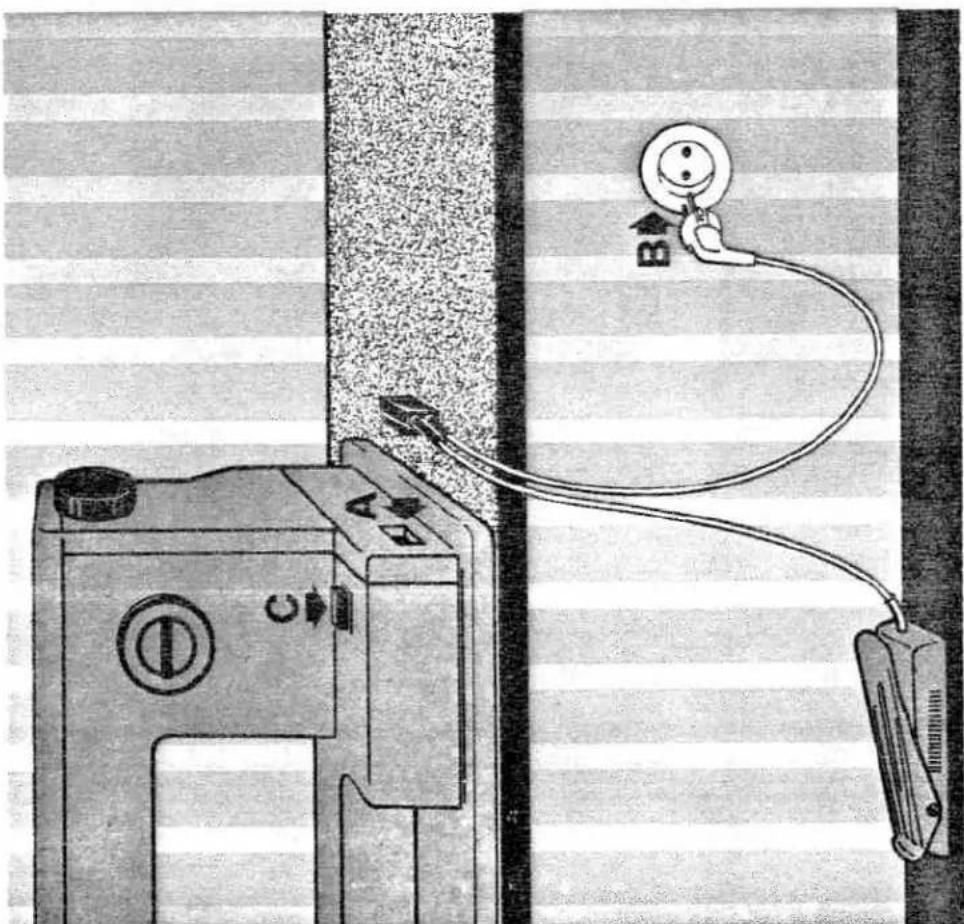
Diagram showing a sewing machine connected to a cable with labeled points A and B, indicating a sewing or repair operation.only a few simple steps are necessary. Just plug in the machine, wind the bobbin and thread the needle. Push the master plug into socket A in the machine base, and plug B into the wall socket.
Place the foot control under the table in a convenient position.
All you have to do now is push button C which is the on-off control of your machine. This button also switches on the glare-free sewing light.
2
Before you start winding the bobbin
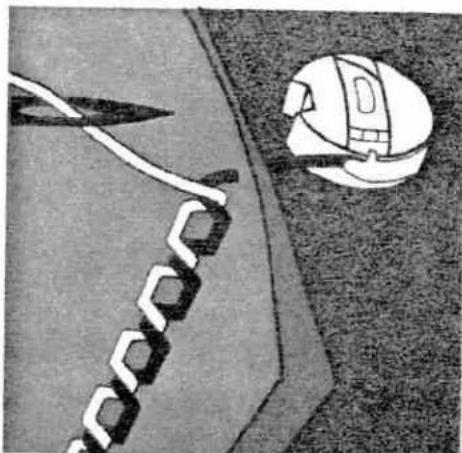
remember that you need two threads to sew a seam: an upper and a lower thread. These two threads are locked together in the middle of the fabric to form a lock stitch. The seam produced in this way is illustrated below.
If your seam doesn't look like the illustration, turn to page 19.
To wind the bobbin, turn the machine on by pushing button C (page 2). Then raise the presser bar lifter on the back of the machine to disengage the sewing mechanism (see ill below).
natural_image
Illustration of a soccer serve with a white diving tool and a helmet, no text or symbols present
natural_image
Illustration of a textile machine with scissors, yarn spools, and thread handles (no text or symbols)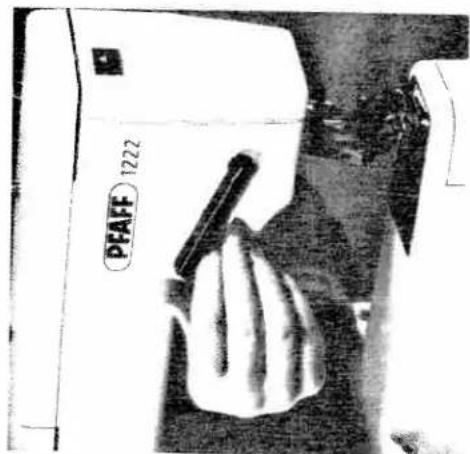
natural_image
Close-up of a hand using a PFAFF 1222 sewing machine (no visible text or symbols on the device itself)
natural_image
Close-up of a hand using a tool to adjust or install a component, no visible text or symbols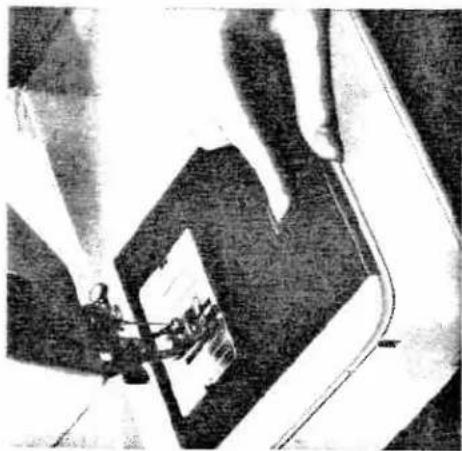
natural_image
Close-up of hands using a sewing machine to press or install a printed object (no visible text or symbols)To remove the bobbin case ...
natural_image
Close-up of a hand operating a sewing machine needle, no visible text or symbolsRaise the presser bar lifter and the patented Pfaff Stopmatic mechanism is automatically engaged. The Stopmatic mechanism brings the needle to the correct position for removing the bobbin case and threading the needle.
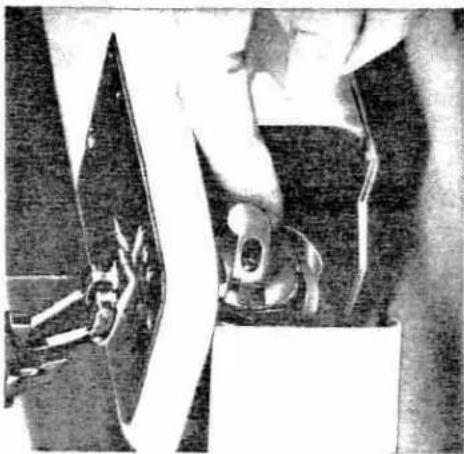
On the Pfaff 1221 remove the bed cover. Lift latch K (see ill.) and pull out the bobbin case with the bobbin.
The bobbin cannot fall out as long as you hold the bobbin case by its open latch. When you release the latch, the empty bobbin drops out.
On the Pfaff 1222 open the free-arm cover and swing it toward the left. Then — just like with the Pfaff 1221 — lift latch K and pull out the bobbin case with the bobbin.
natural_image
Close-up of hands using a tool to cut or apply a mechanical component (no visible text or symbols)
natural_image
Close-up of hands using a tool to cut or apply a mechanical component (no visible text or symbols)
natural_image
Close-up of hands using a tool to cut or apply a mechanical component (no visible text or symbols)
natural_image
Close-up of hands using a tool to cut or apply a mechanical component (no visible text or symbols)
natural_image
Close-up of hands using a tool to cut or apply a mechanical component (no visible text or symbols)
natural_image
Close-up of hands using a tool to cut or apply a mechanical component (no visible text or symbols)
natural_image
Close-up of hands using a tool to cut or apply a mechanical component (no visible text or symbols)
natural_image
Close-up of hands using a tool to cut or apply a mechanical component (no visible text or symbols)
natural_image
Close-up of a hand operating a sewing machine needle, no visible text or symbols
natural_image
Diagram of a mechanical setup with rotating components and directional arrows (no text or labels)
text_image
Diagram showing a hand pressing a button labeled 'E' with directional arrows, likely illustrating a mechanical or electrical concept.... and to wind the bobbin
bar lifter on the back of the machine is in its highest position. Push lever E against the bobbin and start the bobbin winder by pressing down on the foot control.
Raise both spool pins and place a spool of thread on one of them. Place the bobbin on the bobbin winder disc where it is held in position magnetically (see illustration at left).
Pass the thread from the spool to the bobbin, as shown in the above illustration.
Wind the thread clockwise around the bobbin a few times. Check to make sure the sewing mechanism is disengaged, i.e. the presser
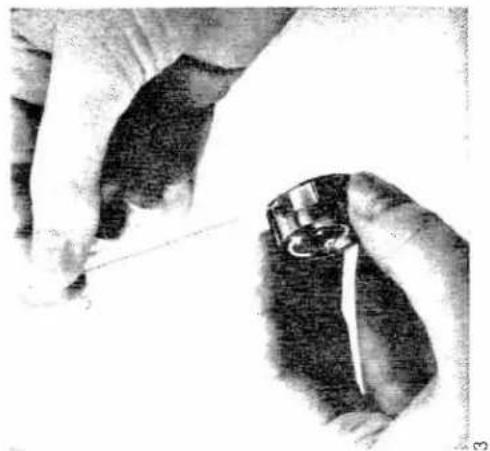
Fig. 1: Insert the filled bobbin into the bobbin case, making sure the thread end drops from the top down towards you.
Fig. 2: Pull the thread into the slot ...
Fig. 3: ... and under the spring. As you draw the thread, the bobbin should rotate clockwise (as indicated by an arrow). Leave about three inches of thread hanging from the bobbin case.
natural_image
Close-up of hands holding a small mechanical component, possibly a tool or device, with no visible text or symbols.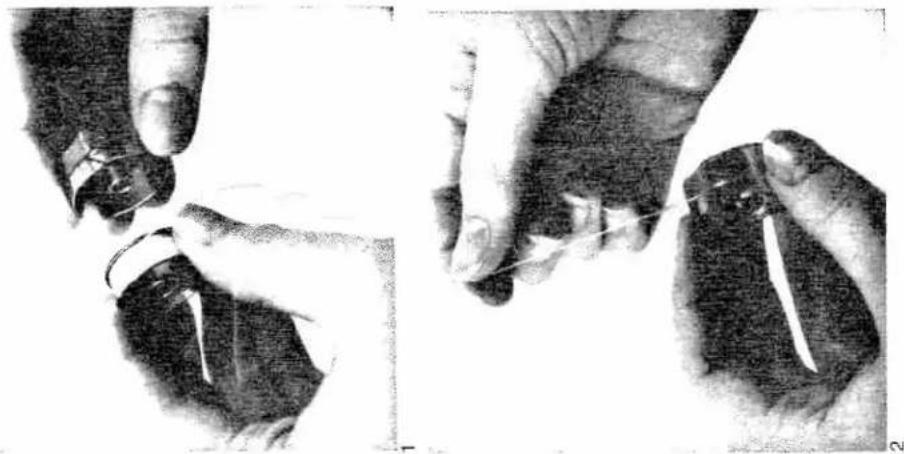
natural_image
Two black-and-white images showing hands performing a sewing or threading technique, with no visible text or symbols.To insert the bobbin into the bobbin case...
... and to replace the bobbin case in the machine
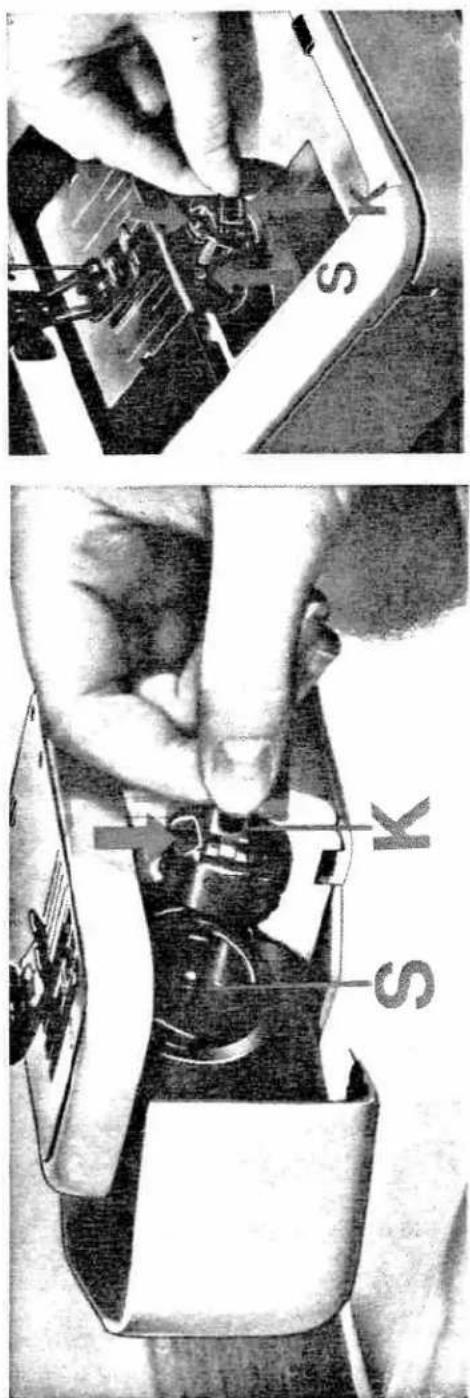
Lift latch K and push the bobbin case onto center stud S, making sure its slot (see arrow) points upwards. Release the latch and press against the bobbin case until you hear it snap into place.
text_image
S K S K
natural_image
Close-up of a white aircraft fuselage with attached suspension cables and control panels (no visible text or symbols)Now thread the needle
Pull the thread from the spool and into the slot in the top cover of the machine. By this motion, the thread is drawn into the upper tension which is enclosed under the top cover. Pull the thread to the right and pass it through the slots in the thread guides and the take-up lever, as shown in the illustrations below and on the right. The built-in Pfaff needle threader will then thread the needle for you quickly and easily.

natural_image
Close-up of a hand using a tool to adjust or install a component, with arrows indicating motion (no visible text or symbols)Threading the needle with the automatic Pfaff needle threader
Before you begin, make sure that the needle is at its highest point, i.e. the presser bar lifter on the back of the machine is at its highest position (see page 3).
Push the needle threader control down with your left hand, and at the same time place the needle thread under the hook of the needle threader with your right hand (see ill.). Now push the needle threader control down completely and draw the needle thread under the threader prong.
Release the needle threader control slightly until the prong reverses and pulls the thread through the needle eye. Fully release the control, take hold of the thread loop and pull the thread through the needle eye completely.
Return the presser bar lifter on the back of the machine to its normal (horizontal) position.

natural_image
Close-up of hands assembling electronic components on a circuit board (no visible text or symbols)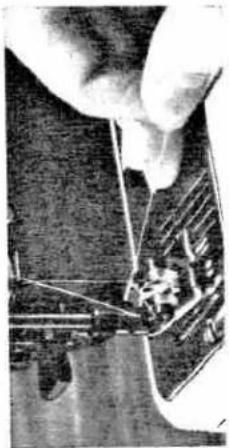
natural_image
Close-up of a hand using a sewing machine to cut fabric (no visible text or symbols)
natural_image
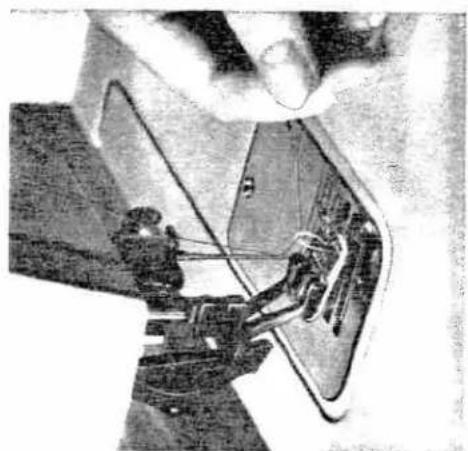
Close-up of hands operating a sewing machine needle and hook (no visible text or symbols)If the bobbin thread should break in the seam or the bobbin becomes empty while sewing, you can draw up the bobbin thread without raising the sewing foot. To do this, push the presser bar litter down, as instructed in number 3 on page 15.
natural_image
Close-up of a sewing machine needle stitching fabric, no visible text or symbols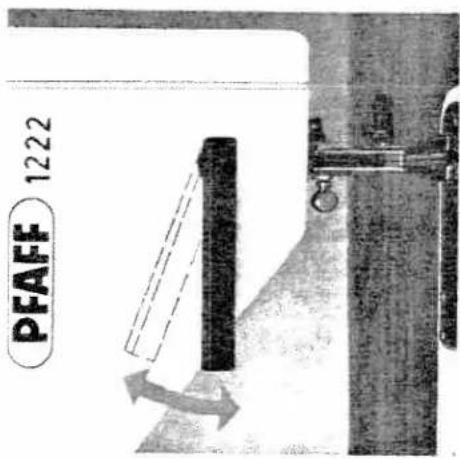
text_image
PFAFF 1222Draw bobbin thread up with Stopmatic (For a detailed description of the Stopmatic refer to page 15.) Before you start sewing, the bobbin thread has to be drawn up through the needle hole. Hold the needle thread loosely in your left hand and with your right hand raise the presser bar lifter and then return it to its normal (horizontal) position. This causes the needle to move down and bring up the bobbin thread through the needle hole in a loop. Lightly pull the needle thread to draw the bobbin thread up completely. Place both threads back under the sewing foot.
Before you start sewing on your new machine
try sewing a piece of scrap material. Place the fabric under the sewing foot. Flick presser bar lifter 2 (see ill.) to its lowest position ... and the sewing foot is lowered onto the fabric.
To prepare your machine for sewing
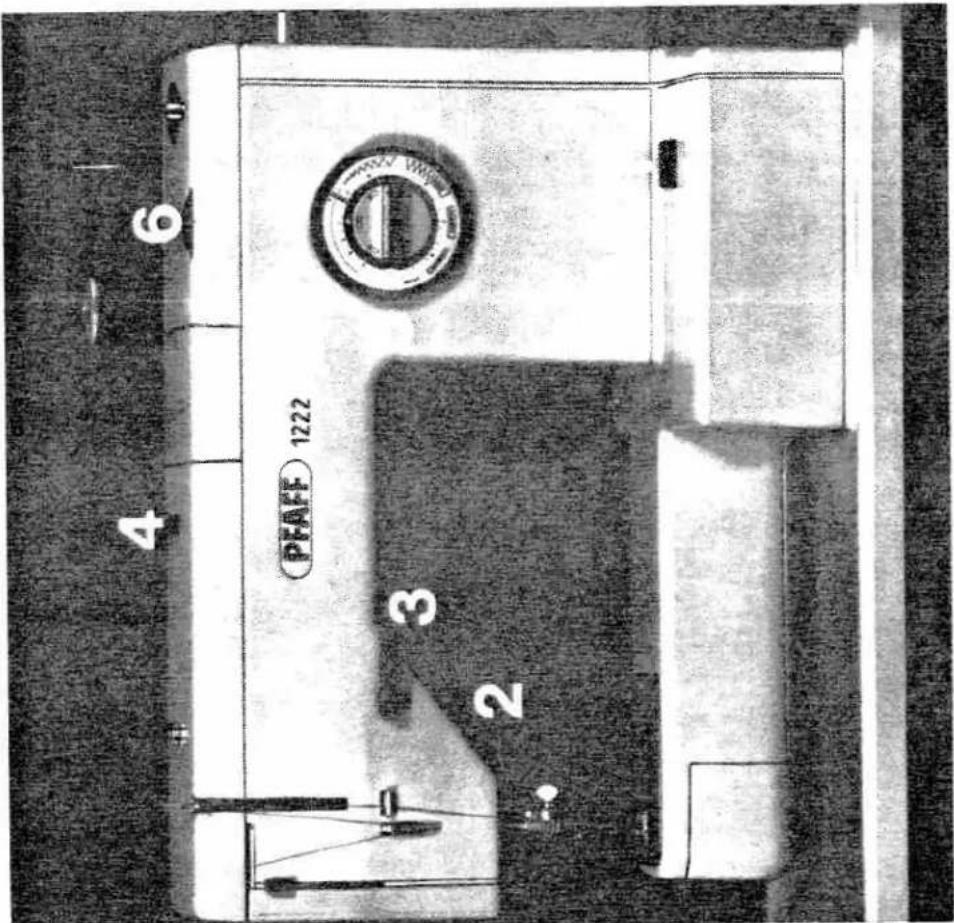
check the following items even after you have become well acquainted with your Pfaff. ● Touch "on-off" button 1 to turn machine on.
- Presser bar lifter 2 must be at its lowest position in order to ensure that the sewing foot is down.
- Reverse-feed control 3 must be in its horizontal position and must show the forward-reverse sewing symbol on its top surface.
- For straight and zigzag sewing, the decorative and functional-stitch mechanism must be disengaged. To make sure it is, push button 4 on the top cover of your machine.
● The knob of Ultra-Matic stitch selector 5 must be positioned horizontally with the buttonhole symbol located at the left.
● Pattern length dial 6, which you need for decorative stitching, must be turned to this symbol:
text_image
PFAFF 1222 3 2 4 6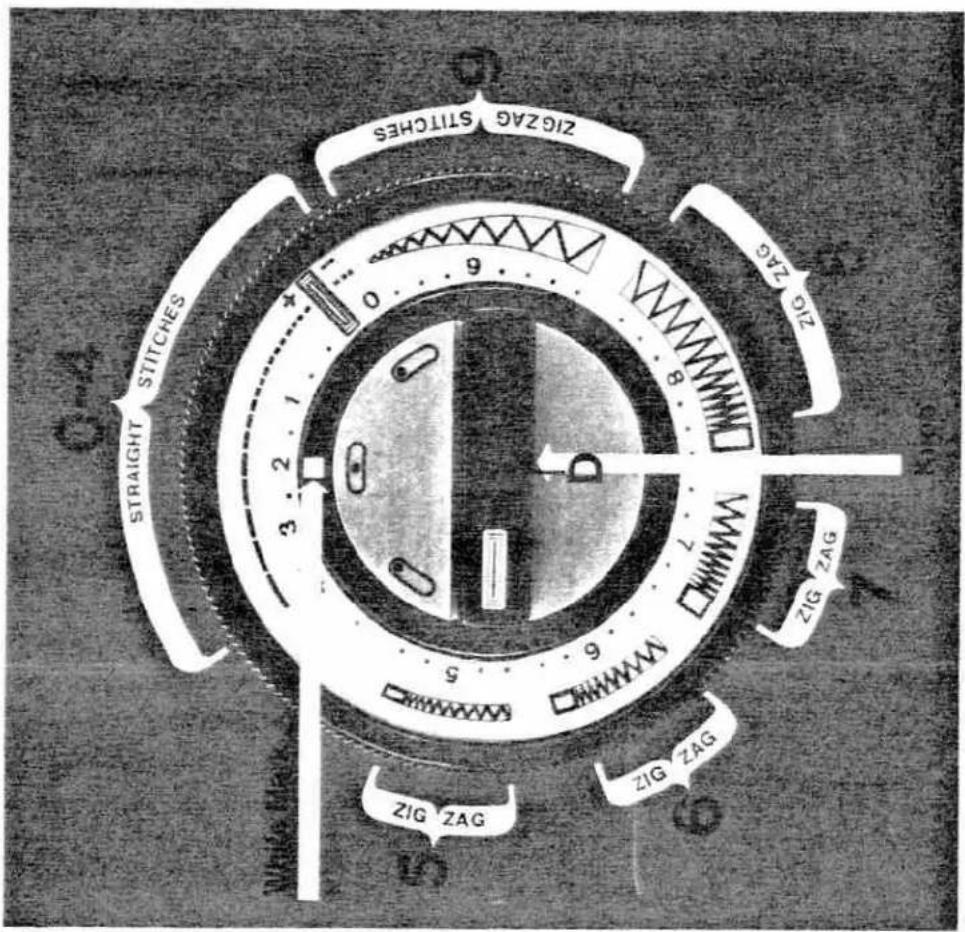
text_image
ZIGZAG SITCHES STRAIGHT STITCHES ZIG ZAG ZIG ZAG ZIG ZAG White Man 0.12 0.9 8 7 5 6 9 WWMH WWMH WWMH ZIG ZAG ZIG ZAG ZIG ZAGNote: The needle must never be in the material when you turn the Ultra-Matic stitch selector.
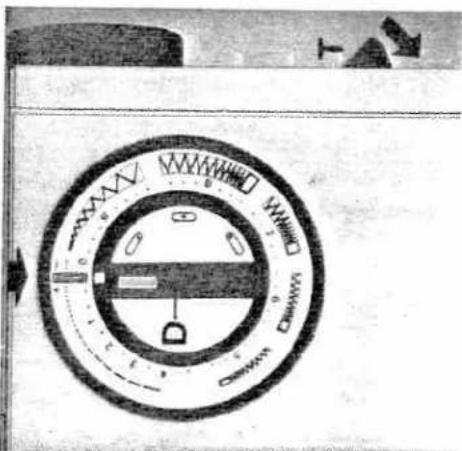
The Ultra-Matic stitch selector
The Ultra-Matic stitch selector sets your machine for straight and zigzag stitching.
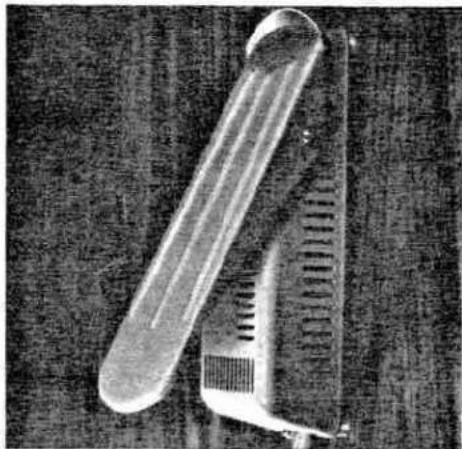
The different stitch ranges are marked by numbers. For instance, the range from 0 to 4 comprises straight stitches of different lengths. Turn the outer ring of the stitch selector until the symbol of the stitch desired is opposite the white mark. In the illustration on the left, the stitch selector is set for sewing straight stitches about 2 mm long (about 12 stitches per inch).
Start by making a sewing test. Press the foot control pedal, and watch your machine sew a straight-stitch seam.
Then let your Pfaff run at different speeds. The harder you press the foot control pedal, the faster your machine will run. Now try a zigzag stitch. Zigzag stitches are shown on the Ultra-Matic stitch selector in the stitch ranges marked 5, 6, 7, 8 and 9. The zigzag stitch desired is dialed just as easily as a straight stitch.
The setting of the stitch selector is indicated for every sewing operation discussed. This simplifies the operation of your machine. In the illustration on this page the stitch selector is shown set for a medium zigzag stitch in stitch range 8.
natural_image
Close-up of a laboratory pipette and test tube on a dark surface (no text or symbols visible)
text_image
Zigzag stitches wide medium denseDarning with your Pfaff is discussed on page 24.
...or backtrack a seam, press the reverse-feed control on the front of your machine down, moving it from A to B. When this control is released, it returns to position A automatically.
If you wish to sew a longer seam in reverse, flick the reverse-feed control to position C (vertical).
To sew backwards

natural_image
Close-up of a mechanical component with labeled point B and directional arrow (no readable text or symbols)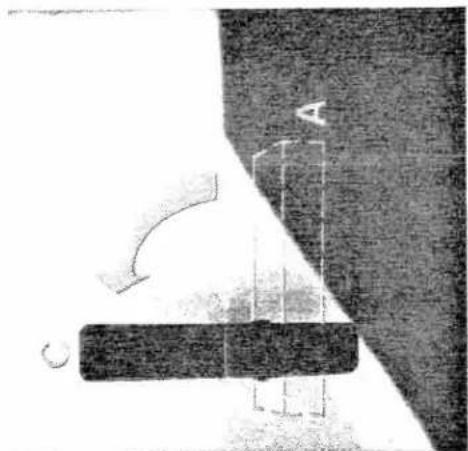
natural_image
Simple line drawing of a vertical object labeled 'A' with an arrow indicating direction (no text or symbols beyond labels)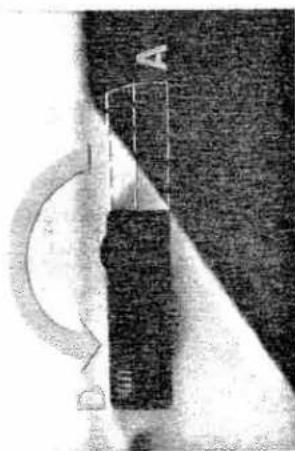
natural_image
Black-and-white illustration of a train on a slope with an arched bridge and letter 'D' above (no readable text or symbols)When you've finished sewing ...
flick the presser bar lifter to its highest position. Since this lever has been mentioned repeatedly so far, we're now going to tell you how it works when set at its various positions:
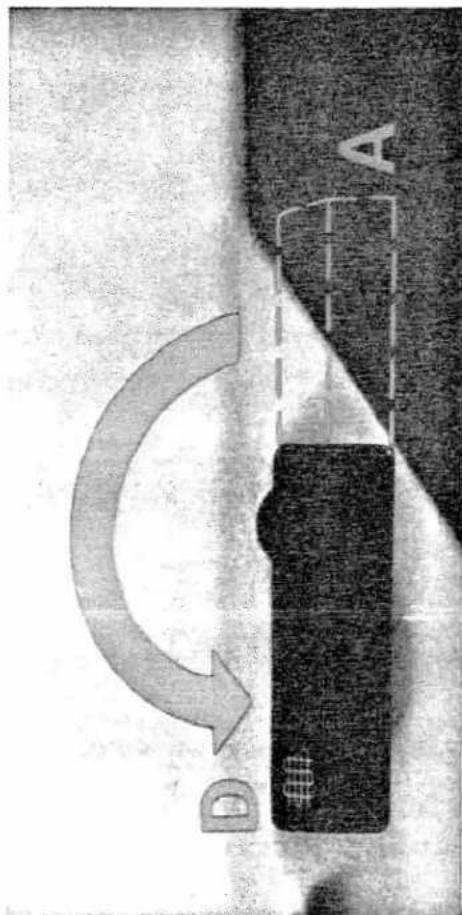
- Position C (illustrated below) means that
the sewing foot is lowered. When you push
the presser bar lifter to position D, the Stop-
matic mechanism is engaged (as in position
A). This position is used when the bobbin
thread is to be drawn up, in case of seam
interruptions, when the bobbin becomes
empty, or when the bobbin thread breaks.
Hold the presser bar lifter in its lowest posi-
tion until the needle has stopped at its high-
est point. When this lever is released, it re-
turns automatically to position C.
text_image
PFAFF 1222-
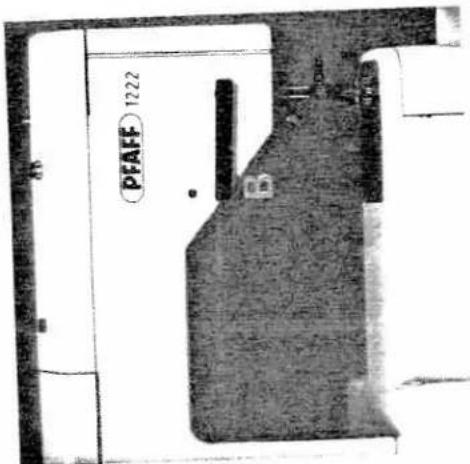
Position A (illustrated below) is used for threading the needle and removing the fabric. In this position, the sewing foot is raised and the sewing mechanism disengaged for bobbin winding. The needle is raised automatically to its highest point.
-
Position B (illustrated above) is used when you need to turn the fabric. The sewing foot is raised, but the needle remains in the fabric and serves as a pivot point for turning the material.

text_image
PFAFF 1222 C D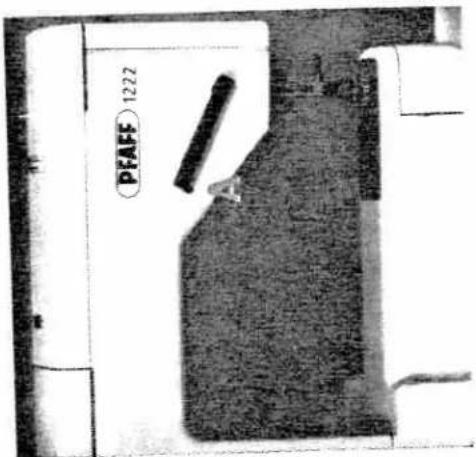
text_image
PFAFF 1222 A
natural_image
Illustration of a person holding a striped fabric item, with no visible text or symbolsThis tool is used for sewing long seams and patterned fabrics. The Matchemaker sewing tool is also used for sewing over thick cross seams.
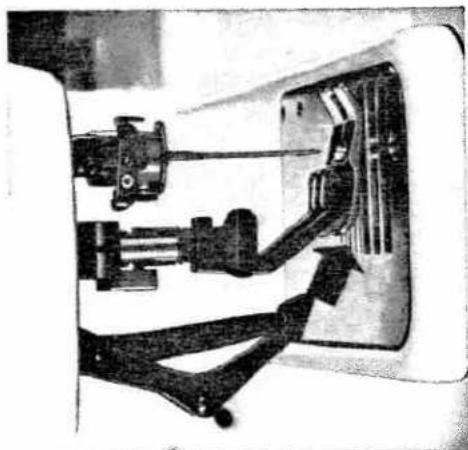
To engage the Matchmaker sewing tool, simplify push it down in the slot of the raised sewing tool until it snaps into place (see arrow in illustration at bottom left).
To disengage this foot, push it down slightly. then pull it up out of the slot in the sewing foot.

natural_image
Mechanical assembly diagram showing a motor and linkage mechanism (no text or labels visible)Two pieces of fabric will match perfectly, no matter how long the seam may be . . . Your Fiat is the only home sewing machine in the world featuring a Matchmaker sewing tool.
(1) AD = BD = 1
natural_image
Mechanical assembly diagram showing robotic arms and a control panel (no text or symbols visible)91
natural_image
Close-up of a sewing machine needle stitching fabric, no visible text or symbolsOther feet which can be used with the Match-maker sewing foot include the hemmer foot, blindstitch foot and felling foot.
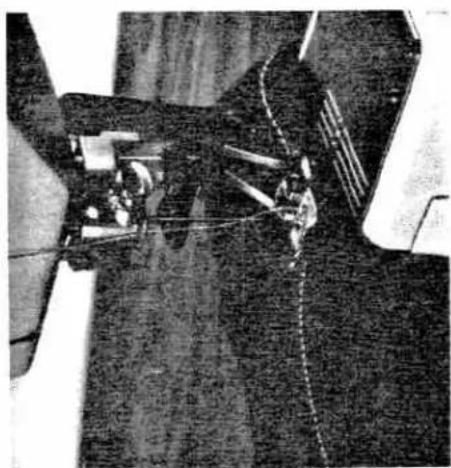
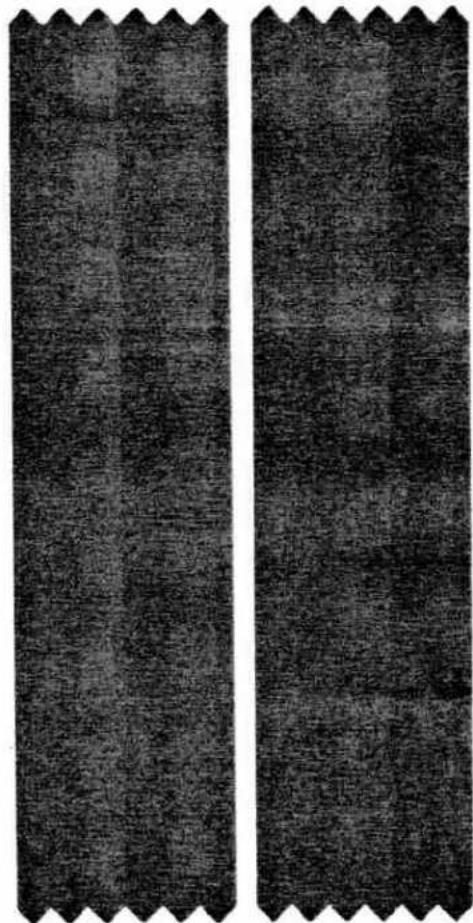
No matter how carefully you match the squares or other patterns, the result will be similar to that shown in the top illustration (below) when you sew without the Match-maker sewing foot. When you join two pieces of checked material with the aid of the Matchmaker sewing foot, the squares or stripes will match exactly. (See ill. at bottom of page.)
natural_image
Two identical textured fabric strips with serrated edges, no text or symbols visibleEven the thickest cross seams are no obstacle ...
This is another advantage of your Pfaff. An electronic control which operates "behind the scenes" comes to your assistance whenever you have to sew over thick seams or several layers of fabric. Just relieve the pressure on the foot control... and the electronic control instantly reduces the speed of your machine to slow stitch-by-stitch sewing for stitching through the thickest spots in the material.
Changing the needle or sewing foot is easy...
Various sewing operations require different size needles or special needles. A detailed Needle and Thread Chart is shown on page 61. To change the needle, lower the presser bar lifter and flick it to position D (see page 15). This causes the Stopmatic mechanism to bring the needle to the correct position for changing. Changing the sewing foot is just as simple. The accessory box of your machine contains several special sewing feet (hemmer foot, buttonhole foot, etc.) which are used for various sewing operations. Which sewing foot to use for a specific sewing job is discussed on page 21 and the following pages.
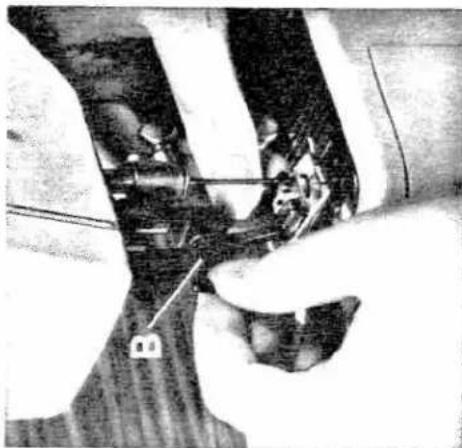
To change the sewing foot, push the presser bar lifter to its highest position. Loosen screw B until the sewing foot can be removed, tilting it sideways or backwards. The new sewing foot is attached in the reverse order. Tighten screw B again before starting to sew.
Loosen screw N (see ill. below) and pull the old needle out of the needle holder. Insert a new needle and push it up as far as it will go, making sure the flat side of its shank faces toward the back. Now tighten the needle screw.
Use System 130 needles only.
natural_image
Close-up of hands operating a sewing machine needle (no visible text or symbols)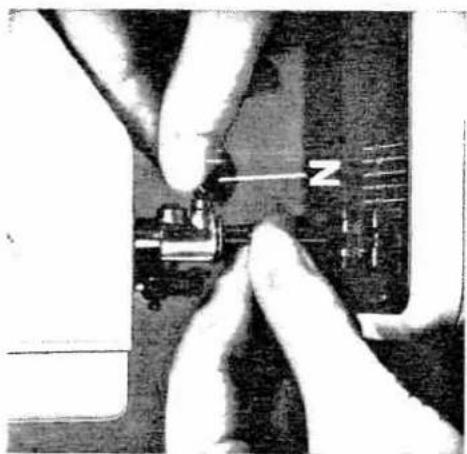
natural_image
Close-up of hands operating a sewing machine needle with a compass needle (no visible text or symbols)
text_image
Diagram showing a hand operating a switch labeled 'L' with a 4-pin component, alongside a close-up of the switch being adjusted.The lower tension is regulated by turning the small screw on the bobbin case. Turn this screw to the right (with your thumb rather than your finger nail) for a tighter tension, or to the left for a looser tension. Right (R) and left (L) are indicated by arrows.
If you can pull the thread from the bobbin easily against little resistance, the bobbin thread tension is just right. You need not change the lower tension if you always use the same size thread on the bobbin and in the needle.
The thread tensions are set correctly when the machine leaves our factory. This means that they normally need not be adjusted.
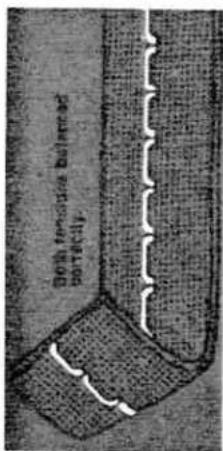
Even so, you may not be satisfied with the appearance of the seam. In this case, check to see whether the upper or lower tension needs adjusting. Then regulate the tensions as follows:
The upper tension is located under the top cover of your machine. The tension dial is provided with numbers 0 to 10. The higher the number, the tighter the tension. The normal tension setting is marked by a black line on the scale.
Perfect seams through properly balanced tensions
text_image
Both tensile balanced portionally.
text_image
Upper lamination for light or lower lamination too thick
text_image
Upper torsion too loose a lower torsion too light.Straight-stitch and zigzag sewing jobs
A detachable workplate increases your working surface ...
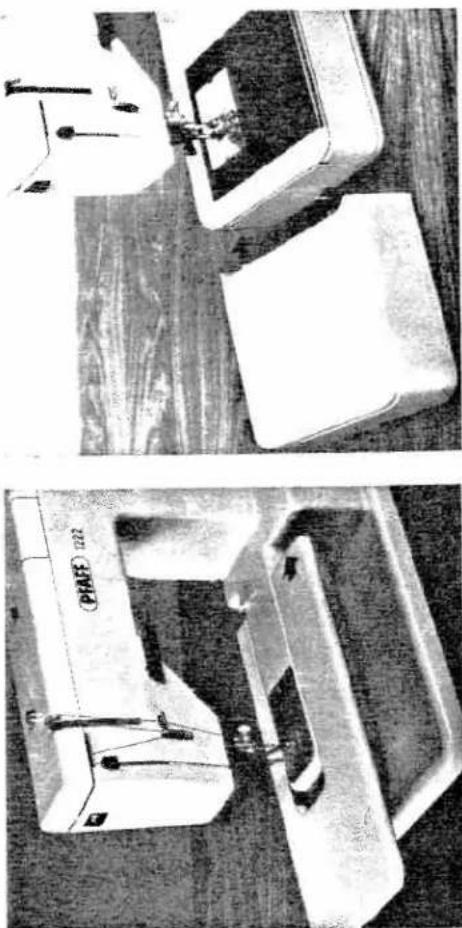
The Pfaff 1222 is supplied with a detachable workplate, as shown in the illustration at the bottom (left). This workplate is simply pushed To increase the sewing area of your Pfaff 1221 Portable, attach the bedplate extension illustrated below.
over the free arm until its two guide pins enter the appropriate holes in the machine.
natural_image
Two industrial sewing machines, one labeled 'PFAFF 1222' and the other on a base (no visible text or symbols)20
natural_image
Stack of books with one open top, showing various shades of gray and white (no text or symbols visible)
natural_image
Close-up of hands operating a sewing machine needle (no visible text or symbols)
natural_image
Close-up of hands operating a sewing machine (no visible text or symbols)
Felling
Ultra-Matic stitch selector:
machine offers you in straight and zigzag straight stitch
Stitch length: 1.5—2
Engage Matchmaker foot, if
material requires it.
Attach felling foot
No. 91-040 938-31 (can be
obtained from your Pfaff dealer).
Now see for yourself what your Pfaff can do. Take advantage of the many possibilities this machine offers you in straight and zigzag stitching.
Felled seams are used to join two pieces of fabric. They are often used on bed linen or children's wear and are made in two operations:
First seam: Lay the two pieces of fabric to-
gether with their right sides facing and the
bottom piece protruding about 4 mm (1/s").
Make sure the fabric enters the felling foot
evenly. The bottom fabric should be folded
over the edge of the top piece, but the top
edge must not be folded. Open the two
pieces.
Second seam: Insert the seam ridge into the
felling foot. Stitch it down to the left, starting
at the same end as the first seam. Lightly
pull the fabric sideways to keep it taught
while sewing.
natural_image
Illustration of a woman and child using a sewing machine (no text or symbols present)
natural_image
Close-up of a sewing machine needle and base with visible wiring (no text or symbols)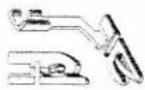
Hemming
Ultra-Matic stitch selector:
straight stitch
Stitch length: 2
Engage Matchmaker foot.
Attach hemmer foot
No. 93-040 934-31.
When you hem a fabric edge, you protect it against fraying and at the same time produce a neat, durable edge finish.
Fold the beginning of the fabric edge twice.
making a hem about 3 mm (1/8") wide and several inches long. Place the material
several inches long. Place the material under
the hemmer foot and lower same. Stitch the folded edge down with 2 and straight stitches.
folded edge down with 3 or 4 straight stitches.
Draw the fabric into the hemmer foot by pull-
ing both threads backwards, as shown in the
illustration at the top. Feed the fabric edge
into the hemmer foot scroll with your right
hand (see ill. at the bottom).
Make sure the fabric does not slip sideways
under the right half of the foot. The scroll
should be well filled with fabric so that the
fabric edge is in line with the right side of the
left toe.
To produce an elastic hem on soft materials.
use zigzag stitches. Turn the stitch selector to
the maximum stitch length in range 6 and
proceed, as instructed above.

natural_image
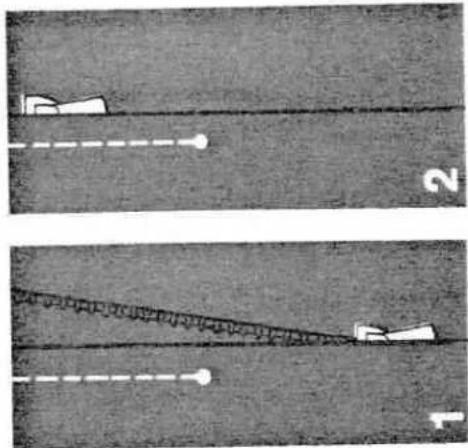
Illustration of a person wearing a coat, pants, and boots, standing with a bow (no text or symbols)Baste the closed zipper on the fabric, then open it. Stitch close to the left edge of the zipper for about 5 cm (2"), guiding the right edge of the foot along the zipper teeth (Fig. 1). Leave the needle in the material, raise the zipper foot and close the zipper. Then lower the zipper foot again (Fig. 2). Continue stitching until you reach the end of the zipper, then stitch across this end and up the other side close to the right edge of the zipper (Fig. 3).
Stop about 5 cm (2") short of the end of the seam, raise the zipper foot and open the zipper. Continue sewing to the end of the zipper.
The finished zipper closure is shown in Fig. 4.

natural_image
Two diagrams showing a vertical structure with dashed lines and numbered annotations (3 and 4), no readable text or symbols present.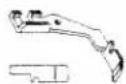
Zipper insertion
Ultra-Matic stitch selector: straight stitch Stitch length: 1.5—2 Attach zipper foot No. 93-040 927-31.
natural_image
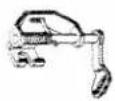
Two identical diagrams showing a vertical structure with dashed lines and labeled points (no text or symbols present)For darning, the machine feed is dropped. To do this, swing the reverse-feed control to its left horizontal position so that the darning symbol is visible on its upper side. The darning foot moves up and down while darning. This motion is controlled by a built-in vibrator. When the needle enters the fabric, the darning foot presses it against the needle plate, and when the needle rises, the darning foot rises too, so that you can freely move the material under the needle by hand.
Darning
Ultra-Matic stitch selector: straight stitch Stitch length: 1—4 Attach darning foot No. 93-040 960-91.
When darning a hole, you determine the stitch length. It depends on how fast you move the material under the needle and how far you depress the foot control pedal.
text_image
D A
natural_image
Illustration of a woven basket with layered materials and tassels (no text or symbols)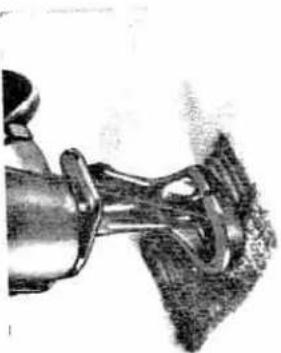
natural_image
Close-up of a mechanical component with a curved base and handle, resting on a textured surface (no visible text or symbols)After you have finished darning, swing the reverse-feed control back to its regular sewing position.

natural_image
Close-up of a sewing machine needle stitching fabric (no text or symbols visible)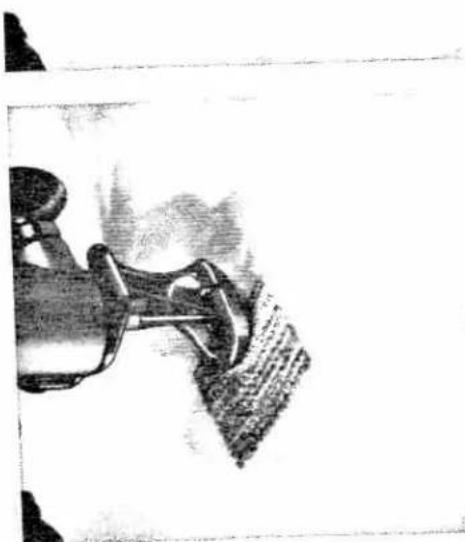
natural_image
Close-up sketch of a sewing machine's foot and arm, showing the blade and base (no text or symbols)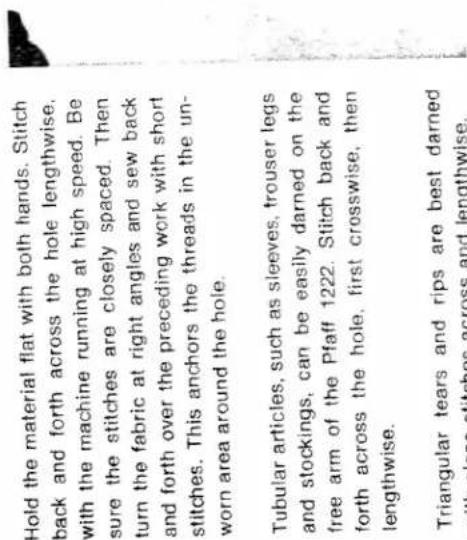
text_image
Hold the material flat with both hands. Stitch back and forth across the hole lengthwise, with the machine running at high speed. Be sure the stitches are closely spaced. Then turn the fabric at right angles and sew back and forth over the preceding work with short stitches. This anchors the threads in the unworn area around the hole. Tubular articles, such as sleeves, trouser legs and stockings, can be easily darned on the free arm of the Pfaff 1222. Stitch back and forth across the hole, first crosswise, then lengthwise. Triangular tears and rips are best darned with close stitches across and lengthwise.Triangular tears and rips are best darned with close stitches across and lengthwise.
Basting
Ultra-Matic stitch selector:
straight stitch
Stitch length: 4
Attach ordinary sewing foot
No. 93-040 910-91
or clear-view sewing foot
No. 93-040 920-91

natural_image
Close-up of a sewing machine needle stitching fabric (no visible text or symbols)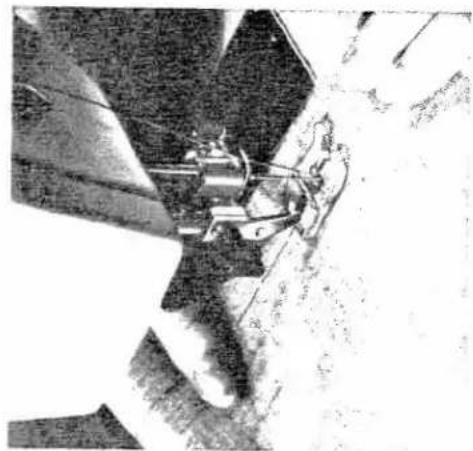
natural_image
Close-up of a sewing machine needle stitching fabric, no visible text or symbolsYou can make short or long basting stitches with your Pfaff.
rear by hand. To make the next hasting
stitch operate the presser bar lifter again
and operate the pressor bar mittel again.
When basting in this way, you determine
the stitch length yourself, depending on
how far you pull the fabric between
stitches.
- Longer basting stitches are made with the
When joining the parts of a garment, sew close to rather than on top of the cloth
close to, rather than on top of the basting
seam made previously. This will make it
easier to pull the basting thread out later.
tion C to D and hold it there until the
then C to B and hold it there until the needle has risen to its highest position.
Nedale has risen to its highest position and closed.
and stopped.

natural_image
Black-and-white photo of a person using a lever system to lift a large object, with no visible text or symbols.26

natural_image
Close-up of a sewing machine needle stitching fabric, with a hand operating it (no visible text or symbols)Single-needle cording

Ultra-Matic stitch selector: satin stitch (in the zigzag stitch
range best suited to the cord size).
Attach cording foot
No. 93-040 915-35.
cord size).
Attach cording foot
No. 93-040 915-35.
Single-needle cording is very popular for bed and table linen. A prominent cording effect is obtained by stitching over the filler cord with zigzag stitches.
Trace the pattern on the fabric. Place a filler thread (preferably cotton thread) under the groove in the sole of the cording foot. Sew over this filler thread with closely packed zigzag stitches. The seam thus produced is known as "satin-stitch seam". For a more conspicuous cording effect take a medium-heavy pearl or cotton thread and sew over it with zigzag stitches at a stitch length setting of 0.5 to 1. When stitching with longer stitches, the filler thread will remain visible.
With lightweight fabrics you can even produce a shadow effect with single-needle cording. Sheer lawn is particularly well suited for this purpose. Place a piece of material under the fabric, stitch down the filler thread and trim away the excess backing material.

natural_image
Close-up of a sewing machine needle stitching fabric (no visible text or symbols)To produce a durable shirring effect, a filler
thread is needed. As with single-needle
cording, the thread best suited for this pur-
pose is a cotton thread. Place the filler
thread under the groove of the cording foot
and sew on the wrong side of the fabric.
When you have finished the zigzag s
slide the material along the filler thread to
distribute its fullness evenly.
Inserting a filler thread in the shirring makes
it more durable.

natural_image
Close-up of a textured surface with vertical striations and horizontal lines, no visible text or symbols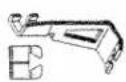
Shirring with filler thread
Ultra-Matic stitch selector:
widest zigzag stitch in the
stitch range 5 or 6.
Attach cording foot
No. 93-040 915-35.
Overcasting edges
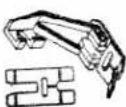
Ultra-Matic stitch selector:
immediately to the right of
number 9 in stitch range 9.
Engage Matchmaker foot if
material is cut on the bias:
Attach ordinary sewing foot
No. 93-040 910-91.
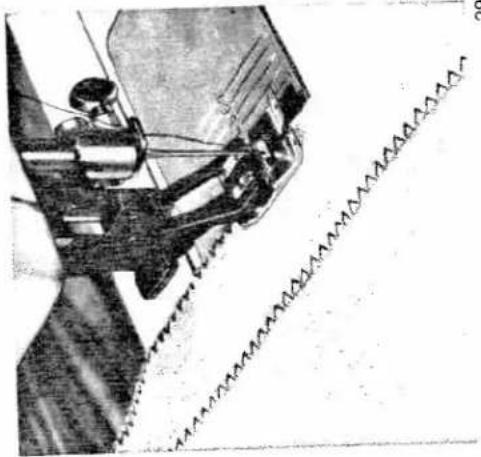
As you sew along the fabric edge, make sure
the needle takes one stitch into the fabric
and the other over its edge. In this way, a
neat edge finish is produced.
If the fabric is loosely woven, more fabric
varns must be caught in the seam. For this
reason, set the machine for a medium or long
stitch length in stitch range 8.
natural_image
Close-up of a sewing machine needle stitching fabric (no visible text or symbols)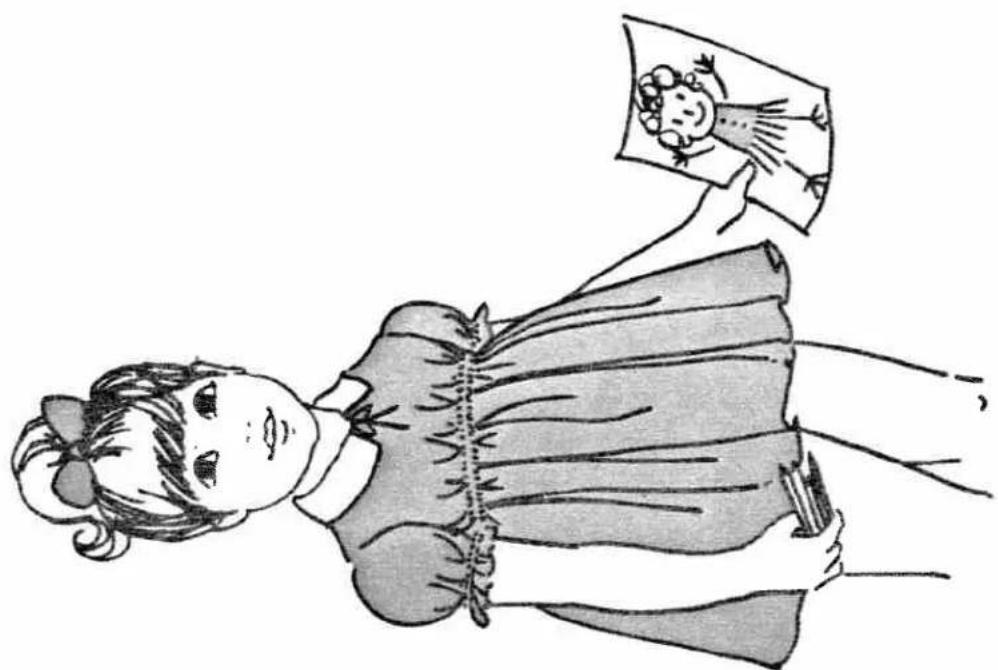
natural_image
Illustration of a girl in a dress holding a framed picture (no text or symbols)29
Cording
Ultra-Matic stitch selector:
straight stitch
Stitch length: 1.5—2
Insert twin needle.
Attach cording foot (with
grooves) and cording plate
(with cord duct).
Twin needle, cording foot and cording plate can be obtained from your Pfaff dealer.
Cording is very popular as a trimming
Golding is very popular as a trimming lineron goods, dresses, blouses, etc.
men goods, dresses, blouses, etc.
Cording is made with two needle threads and
a filler cord. When threading the needles,
make sure to draw one thread above and the
other below the disc in the slot of the face
cover (see ill. below).
The filler thread makes the cording more
prominent. Unless you prefer a special
thread, pearl thread can be used for this pur-
pose. Cording on woolens is best made with
a wool thread. If you want to apply cording
to transparent materials, take a filler thread
in a matching color.

natural_image
Close-up of a hand using a sewing machine to work on fabric (no visible text or symbols)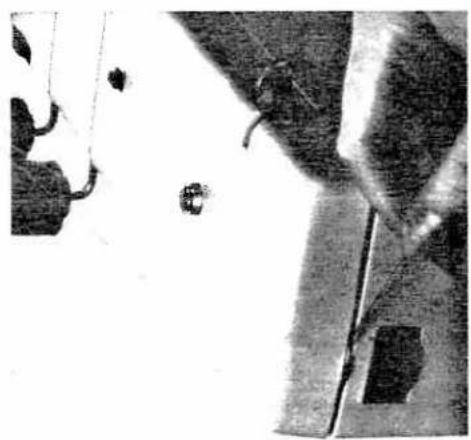
natural_image
Close-up of a mechanical component with no visible text or symbols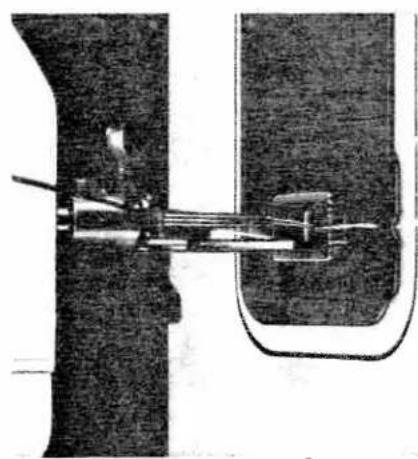
natural_image
Mechanical sewing machine diagram showing needle and base components (no text or labels)
natural_image
Line drawing of a woman with hair in a bun, wearing a striped top and holding a bag (no text or symbols)
natural_image
Close-up of a mechanical device with lever and base mount (no visible text or symbols)To make different size cording, the following twin needles and cording feet can be obtained from any Pfaff dealer:
Three-row cording foot No. 93-040 948-31 which is used with twin needles set from 2.4 to 2.8 mm (approx. ^3/32 " to ^7/64 ") apart.
Five-row cording foot No. 93-040 950-31 which is used with twin needles set from 1.8 to 2.4 mm (approx. 116'' to 332'' ) apart.
Seven-row cording foot No. 93-040 952-31 which is used with twin needles set from 1.2 to 1.8 mm (approx. ^3/64 " to ^1/16 ") apart.

natural_image
Close-up of a textured fabric with a vertical decorative pattern and two horizontal lines (no text or symbols)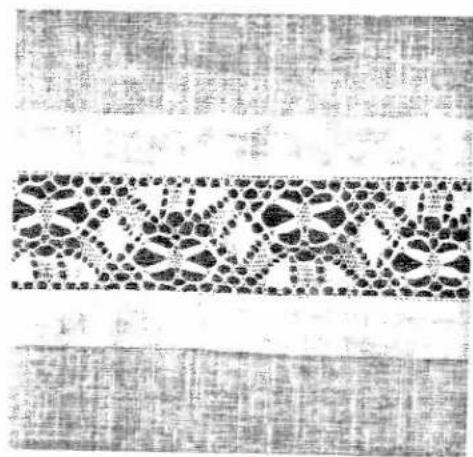
natural_image
Black-and-white textile pattern with repeating floral motifs and vertical stripes (no text or symbols)
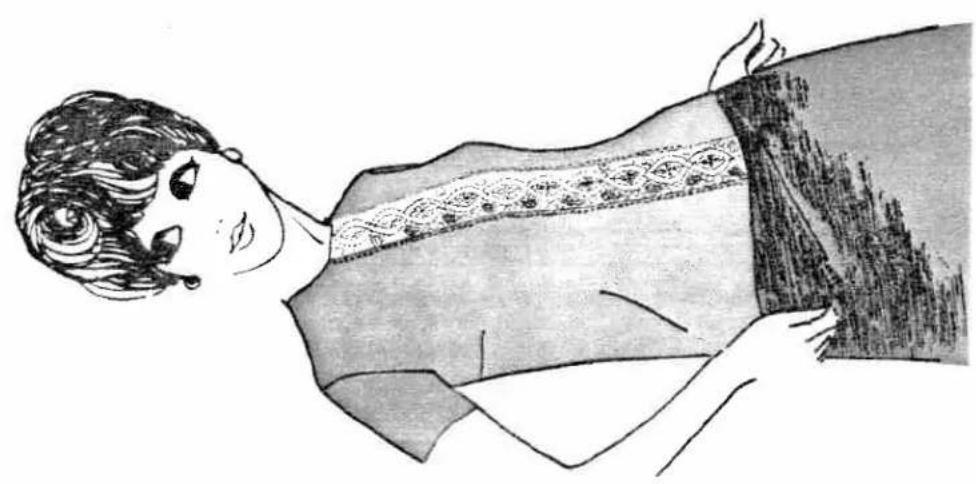
Inserting lace
Ultra-Matic stitch selector: straight stitch (initially) Stitch length: 1 Attach ordinary sewing foot No. 93-040 910-91.
Place the lace on the right side of the material and sew it down with straight stitches on both sides (1).
Cut the fabric open under the lace insertion (2), fold the fabric edges back and iron (3).
Now turn the stitch selector to a medium-wide zigzag stitch in stitch range 6 and sew over the edges of the lace on the right side.
Trim the excess material away close to the seams on the wrong side (4).
natural_image
Illustration of a woman in profile wearing a patterned garment (no text or symbols)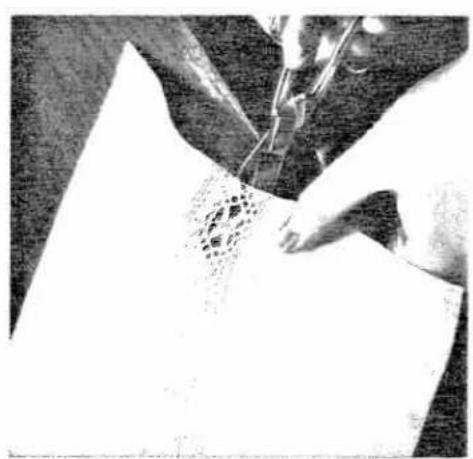
natural_image
Close-up of hands operating a sewing machine needle to cut fabric or paper (no visible text or symbols)
natural_image
Black-and-white textile pattern with repeating geometric and floral motifs (no text or symbols)
Ultra-Matic stitch selector: straight stitch (initially)
Stitch length: 1
Attach cording foot
No. 93-040 915-35.

natural_image
Illustration of a girl in a dress with a cat and a bird nearby (no text or symbols)Regardless whether you create your own designs or use motifs that are ready-made ... appliqueing adds a beautiful fashion trim to articles, such as wall hangings and table cloths, napkins and aprons, children's dresses and beachwear, cushions and many other things.
- Trace the design on the right side of the fabric.
-
Stitch along the outlines of the design with a straight-stitch seam.
-
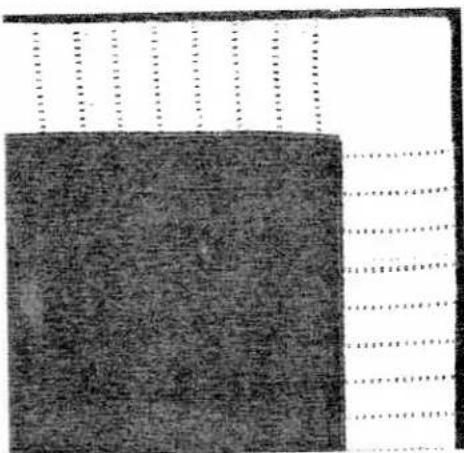
Turn the stitch selector to the largest zigzag stitch in stitch range 9. Then sew the fabric to be appliqued to the right side of the material (Fig. 1), so that the design is concealed.
-
Turn the stitch selector back to its original position, setting the machine for straight stitching with a stitch length of 1. Follow the outlines of the design on the wrong side (Fig. 2) ... and the motif will appear on the right side. Now turn the stitch selector to a not-too-dense zigzag stitch in stitch range 5 and sew over the edges of the applique on the right side.
-
Undo the first zigzag seam and trim the excess material close to the seam on the right side (Fig. 3).
-
Turn the stitch selector to a dense zigzag stitch in stitch range 6 and sew over the edges of the applique again. To give the design a raised effect, satin-stitch over a filler thread (Fig. 4).
natural_image
Abstract pattern with vertical dotted lines and a solid dark square, no text or symbols present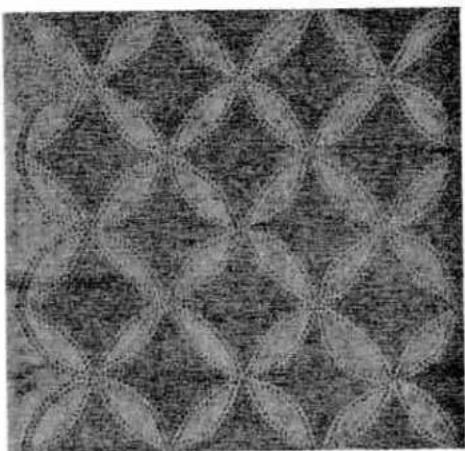
natural_image
Abstract geometric pattern with interlocking star-like shapes in grayscale (no text or symbols)Heavy threads are unsuitable for hemstitching. For best results, use a No. 50 machine embroidery thread. Make sure the needle and bobbin threads are the same size. As with cording, draw one thread above and the other below the tension disc in the slot under the top cover. Slightly increase the needle thread tension.
The hemstitching effect is produced by the left wing needle penetrating the fabric. Sew the first seam, then turn the fabric around and sew in the opposite direction, guiding the material so that the wing needle enters the needle holes it has made in the fabric previously (1).
At every stitch, the wing needle displaces the fabric yarns and gathers them in bars.
When sewing several hemstitching seams one beside the other, make sure the needle enters the left needle holes of the preceding seam as it descends on the right of its throw, or vice versa (Fig. 2).
(Producing a hemstitching effect with the aid of the functional-stitch mechanism is explained on page 53.)
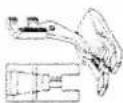
Hemstitching
- When using a twin hemstitching needle (obtainable at your Pfaff dealer): Ultra-Matic stitch selector: straight stitch Stitch length: 2 Attach clear-view sewing foot No. 93-040 920-91.
- When using a wing needle (also obtainable at your Pfaff cealer): Ultra-Matic stitch selector: medium-long zigzag stitch in stitch range 6. Attach clear-view sewing foot No. 93-040 920-91.
Where does the needle enter the needle hole: in the middle, at the right or left?
For most sewing operations, the needle enters the needle hole in the middle. This is achieved by turning knob D in the stitch selector to the position shown in Fig. 1. In this position, the buttonhole symbol is located on the left.
For other sewing jobs, e.g. sewing on buttons and sewing various functional-stitch seams, however, the position of the needle in the needle hole must be changed so that it enters the needle hole on the right or left.
Turning knob D changes the needle position. If the needle position has to be changed for a certain sewing job, this is indicated in the instructions.

Button sewing
Ultra-Matic stitch selector:
straight stitch
Drop the machine feed
(see pp. 14 and 24).
Right needle position
(see p. 37).
Attach clear-view sewing foot
No. 93-040 920-91.
Sewing buttonholes
Attach buttonhole foot
No. 93-040 924-91. Use No. 50
machine embroidery thread as
needle and bobbin thread.
Check to make sure that all
decorative and functional-stitch
buttons are out (see page 11).
Mark the buttonhole on the
fabric.
natural_image
Black-and-white illustration of a sewing machine needle stitching fabric, with no visible text or symbols.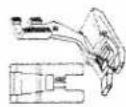
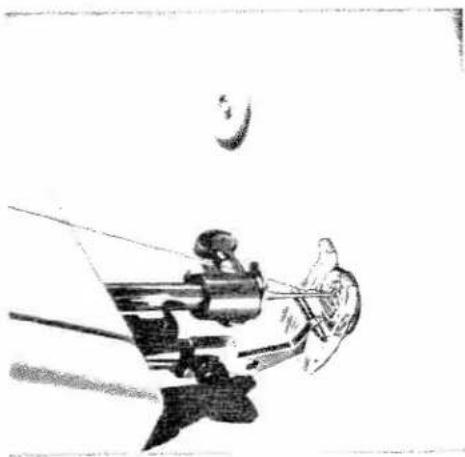
Place the material and the button under the sewing foot and align them so that the needle will enter the right hole in the button. Check the correct position of the button by letting the needle stitch through the hole. Sew one or two tying stitches, then raise the needle again. Turn the stitch selector to the stitch width in stitch range 9 which corresponds exactly to the distance between the holes in the button. This selector is set correctly if the needle enters the left hole exactly as it descends for its left stitch.
Sew as many zigzag stitches as you deem necessary to fasten the button securely. Turn the stitch selector to straight stitching and sew a few tying stitches. Then trim the threads.
When sewing on four-hole buttons, repeat the above process.
38

natural_image
Dark textured surface with faint circular marks and vertical lines, no visible text or symbols-
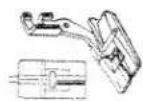
Turn the outer ring of the stitch selector so that its buttonhole symbol is positioned above the setting mark (small white square) [ ] . Turn knob D clockwise until both buttonhole symbols are in line with each other. The machine is thus set for a medium stitch density. We recommend to sew a buttonhole to try out the stitch density which should be selected in accordance with the fabric and the thread to be used. When you turn the stitch selector toward —, the stitches are packed together more closely; when you turn it toward +, they are spaced further apart.
-
Place the fabric under the buttonhole foot, pull the filler cord over the lug at the back of the buttonhole foot and place both strands under the two grooves in the sole of the foot.
text_image
PFAFF 1222 1221 1222- Lower the buttonhole foot.
text_image
D W W W W W W W W W W W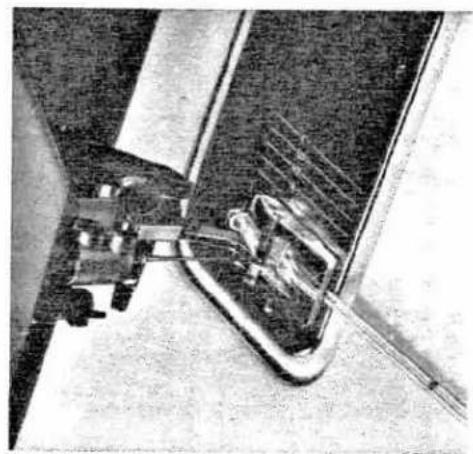
natural_image
Close-up of a sewing machine needle stitching a metal sheet (no visible text or symbols)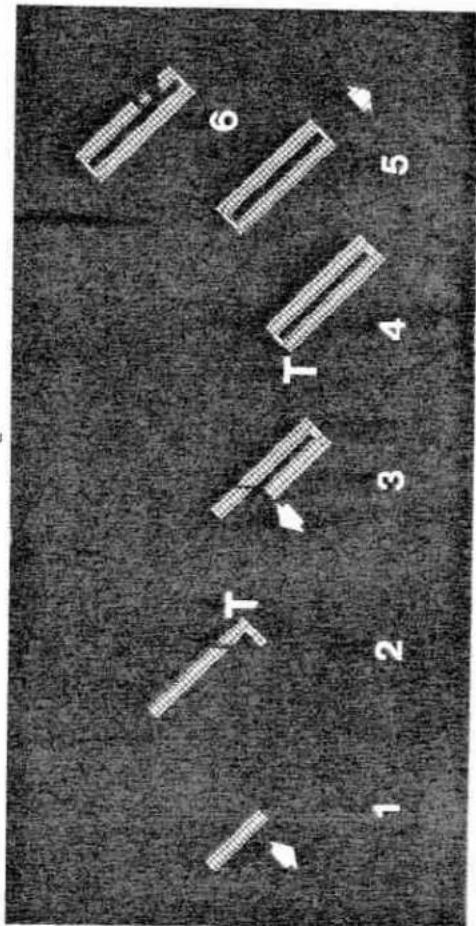
text_image
1 2 T 3 T 4 5 6- Lower the buttonhole foot.
-
Now you can sew the buttonhole in one continuous operation: Begin by sewing the right seam (1). When the buttonhole is the right length, push buttonhole control T down until the machine has made a few zigzag stitches for the first bar (2). When buttonhole control T is released, the machine automatically proceeds to sew the left seam (3). When both seams are the same length, again press buttonhole control T down to sew the second bartack (4). Leave your foot on the control pedal until the machine has made a few tying stitches.
-
Raise the presser bar lifter to its highest position.
-
To set the machine for sewing the next buttonhole, turn knob D clockwise until the buttonhole symbol again snaps into place under the white mark.
-
Pull the filler cord into the buttonhole seam completely (5) and trim both ends.
- Open the buttonhole with your seam ripper (6) which is included in the accessory box. After you have sewn all buttonholes, turn knob D clockwise until the symbol for the central needle position is positioned under the white mark (normal position).
Note: Always turn knob D clockwise to return it to its normal position. Depending on the type of fabric it may be advisable to loosen the upper thread tension somewhat.
lifter. Briefly depress the presser bar lifter ... and the bobbin thread will come up exactly at the beginning of the monogram.
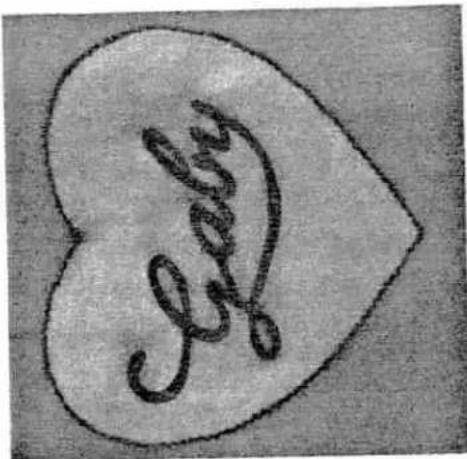
Move the hoop slowly and evenly, and follow the traced outlines as if you were writing. If you want to give your monogram dimensional quality, embroider the outlines twice, packing the stitches closely together.
Straight-lined monograms can be embroidered with the cording or clear-view sewing foot.
Once you have acquired a little practice, you will be able to embroider monograms in fabrics that are not too flimsy without using a darning hoop.
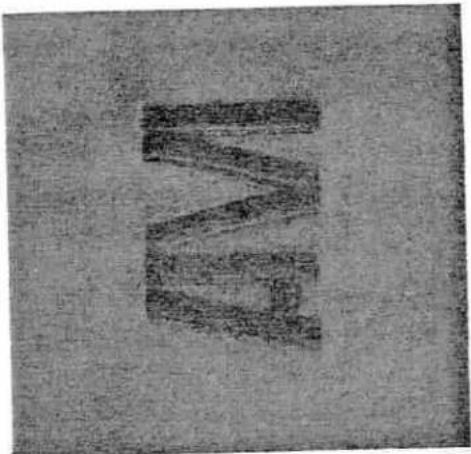
text_image
M
text_image
B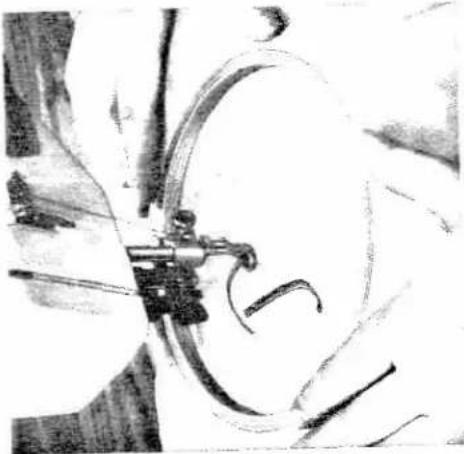
natural_image
Close-up of a sewing machine needle stitching a circular arc, with no visible text or symbols
Monogram embroidery
Ultra-Matic stitch selector: zigzag stitch (depending on size of monogram desired). Drop the machine feed. Attach darning foot No. 93-040 960-91.
Trace the monogram first on a piece of paper and then on the fabric. Place the material in a darning hoop and lower the presser bar
text_image
GabyQuilting
the quinting gauge finger along the raw edge of the material.
Having completed the first seam, move the
material under the zipper foot so that the
gauge finger now runs along the seam
previously sewn (or marked). For any sub-
sequent seam, guide the gauge finger along the preceding line of stitches.
Ultra-Matic stitch
Ultra-Matic stitch selector:
straight stitch
Stitch length: 2
Attach zipper foot
No. 93-040 927-31 or ordinary sewing foot No. 93-040 910-91.
Ultra-Matic stitch
the quinting gauge finger along the raw edge of the material.
Theorem 1.2. (Theorem 1.3) Let be a finite field and let (x) be the set of all elements of such that
Having completed the first seam, move the
material under the zipper foot so that the
gauge finger now runs along the seam
previously sewn (or marked). For any sub-
sequent seam, guide the gauge finger along the preceding line of stitches.
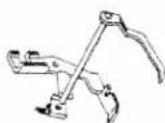
Ultra-Matic stitch selector:
straight stitch (2) or
small zigzag stitch.
Attach zipper foot
No. 93-040 927-31 and apply
the quinting gauge to the foot.
set the gauge for the desired spacing between seams.

Guide the edge of the material along the line marking the desired stitching margin on the needle plate.

natural_image
Close-up of a sewing machine needle and foot assembly (no visible text or symbols)
natural_image
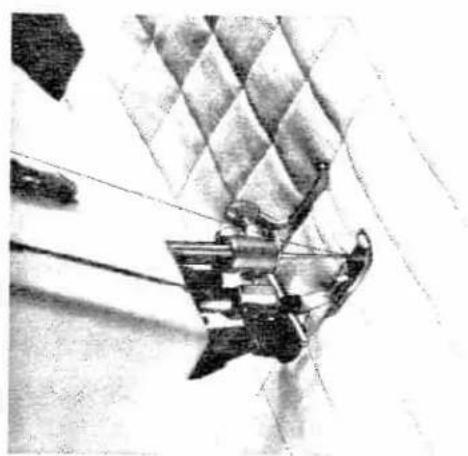
Illustration of a young child sitting cross-legged, wearing a plaid shirt and tie (no text or symbols)To attach the quilting gauge place the spring on the shank of the zipper foot so that both holes are in line. Compress it until the gauge can be easily pushed through the holes. This quilting gauge can be attached to all feet which have a hole in their shank.
natural_image
Close-up of a sewing machine needle stitching fabric with a checkered pattern on the floor (no visible text or symbols)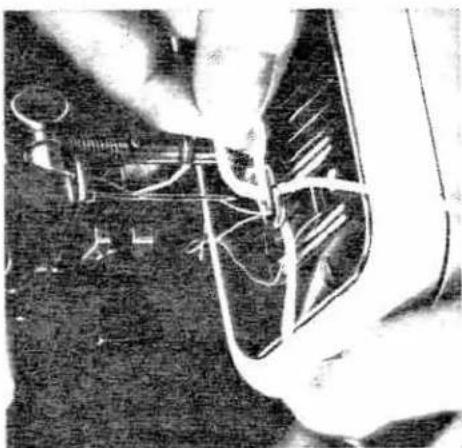
natural_image
Close-up of hands assembling or repairing a mechanical component (no visible text or symbols)as those darned with thin embroidery and darning thread.
Draw the wool thread through the needle hole of the darning foot and into the slot of this foot. The wool thread must be placed under the darning foot (ill. right).
Run the machine and place the wool thread back and forth across the hole, packing the individual strands closely together. Stitch it down on the right and left of the defective area. Once the hole is covered with the wool thread, trim it. Then sew back and forth over the darned area lengthwise, using a thin darning thread. Do not space the various lines of stitching too closely since this would make the darn too hard.
Darning with wool thread
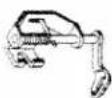
Ultra-Matic stitch selector: zigzag stitch in stitch range 6 or 7. Drop the machine feed. Attach darning foot No. 93-040 960-91.
Knitted garments and articles made of terry cloth are best darned with wool thread since spots darned with this thread are not as stiff
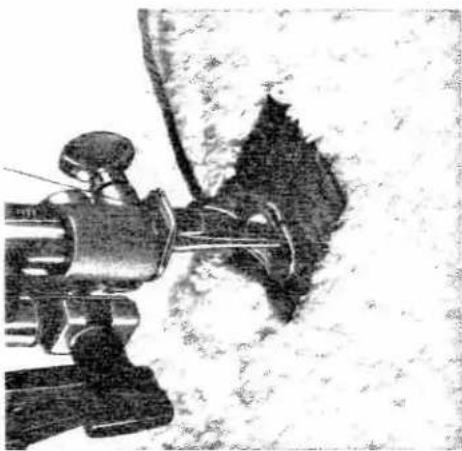
natural_image
Close-up of a sewing machine needle stitching fabric (no visible text or symbols)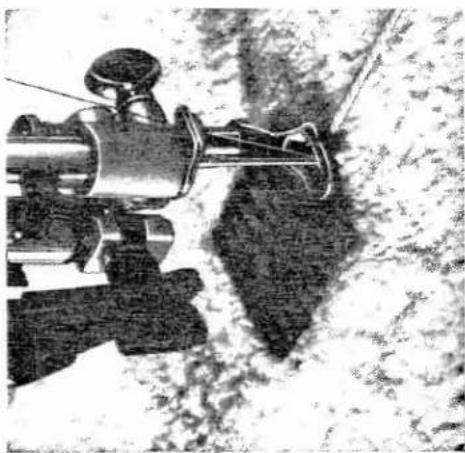
natural_image
Close-up of a sewing machine needle stitching fabric (no visible text or symbols)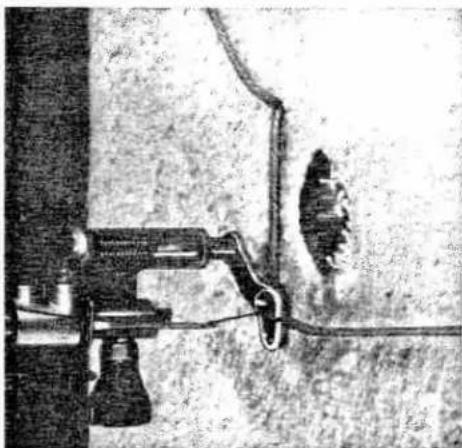
natural_image
Close-up of a sewing machine needle stitching a hole, no visible text or symbolsEyelet embroidery
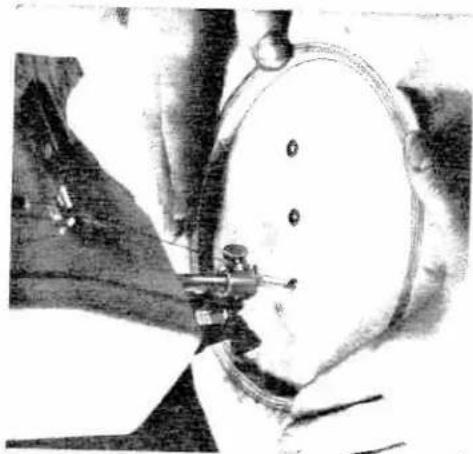
Mark the position of the eyelets on the fabric
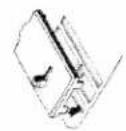
For eyelet embroidery you need cover plate
No. 93-040 946-45
inserted in the feed slot (see
adjoining drawing). This cover
plate can be obtained from
your Pfaff dealer.
your seam ripper or a pointed embroidery scissors.
Push the stud of the cover plate through one of the little holes in the fabric and turn the stitch selector to a narrow zigzag stitch in stitch range 5 or 6.
Now sew around the hole, turning the hoop by hand at a uniform rate. This is very important to obtain beautiful eyelets.
Sew around every hole twice.
natural_image
Close-up of hands operating a sewing machine in a circular workpiece (no visible text or symbols)Drop the machine feed.
Remove the sewing foot.
Lower the presser bar lifter.

natural_image
Close-up of hands using a tool to draw or mark a circular object, no visible text or symbols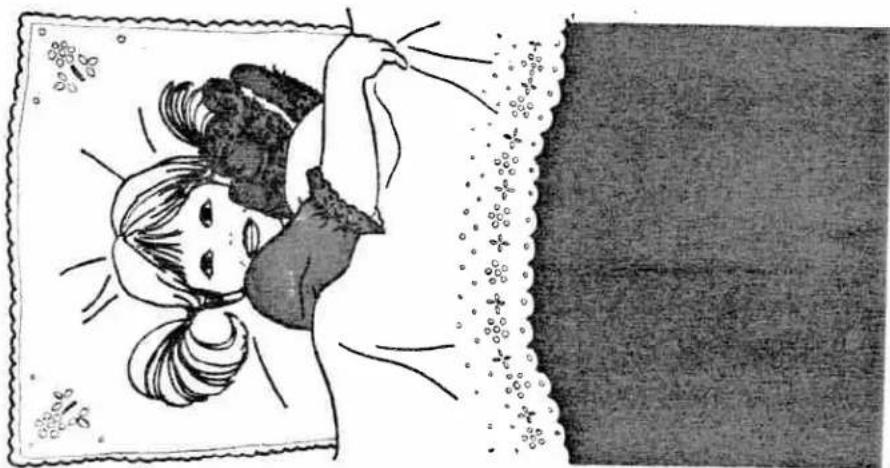
natural_image
Illustration of a child holding a pillow, framed with decorative borders (no text or symbols)Simply push a button
The built-in functional-stitch mechanism makes functional sewing simple
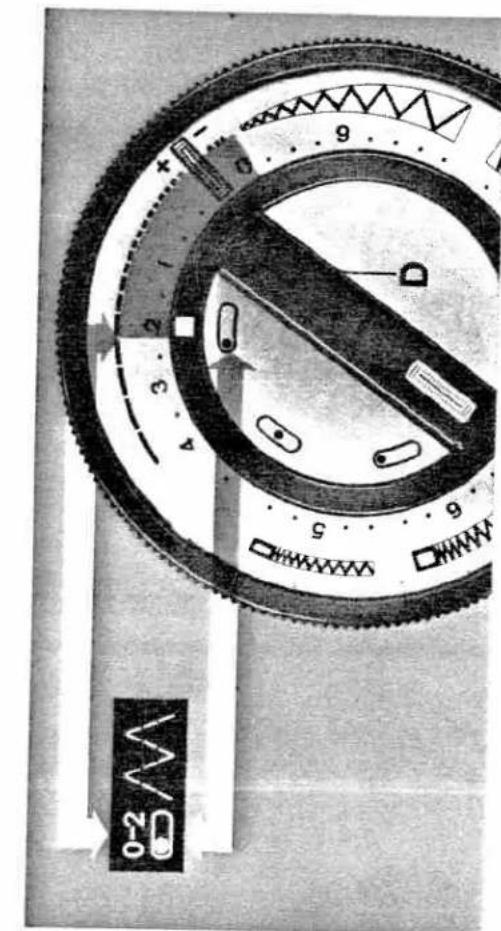
The built-in functional-stitch mechanism makes it possible to sew functional seams on all kinds of materials, no matter whether they are elastic (e.g. tricot, jersey, Helanca and stretch fabrics) or not. Simply set the machine for the functional-stitch seam desired by pushing a button.
to set your machine for the desired stitch. Each button shows the symbol of the respective functional stitch, and indicates the stitch length recommended as well as the needle position which is to be set by turning knob D. The illustration on the opposite page shows you how to set your machine. To sew an elastic seam, push the button identified by the elastic-seam symbol. Turn knob D until the needle position symbol indicated on the button is opposite the mark on the dial.
To set your machine for functional stitching, open the lid in the top cover. The different functional-stitch symbols appear on the left row of buttons.
Overedge-stitch seam



Elastic seam

Then turn the outer ring of the stitch selector until the number indicating the desired stitch length (between 0 and 2) is opposite the mark. Now your machine is ready for sewing an elastic seam.
To disengage the functional-stitch mechanism, simply push button K (ill. below).
text_image
0-2 5 6 D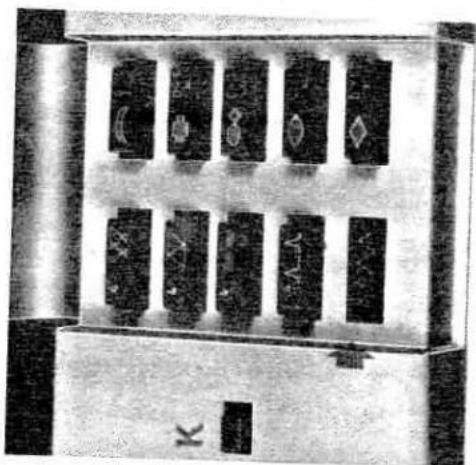
text_image
K A...A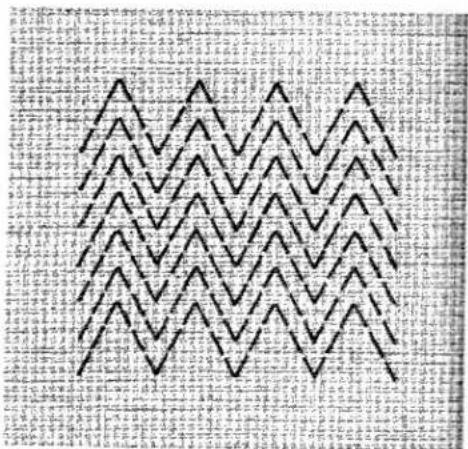
text_image
Black zigzag pattern on a textured gray background, possibly a textile or patterned fabric with visible text fragments.Rip open the section of the hem opposite the damaged area. Take a piece of suitable material in the right size, fold it in half and press. Then insert this piece in the hem so that its folded edge is in line with the folded edge of the hem.
Sew it down with an elastic seam, so that the individual patterns overlap (see ill.).
To mend a rip, place a piece of suitable material under it and join both plies so that the individual elastic-seam patterns overlap.
Mending hems and darning rips
Stitch length: 0.5 or less Attach ordinary sewing foot No. 93-040 910-91.
natural_image
Technical illustration of a mechanical assembly with no visible text or symbolsThe functional stitches make sewing easy for you
Sewing on elastic

Elastic seam
Stitch length: 1
Attach ordinary sewing foot
No. 93-040 910-91.
natural_image
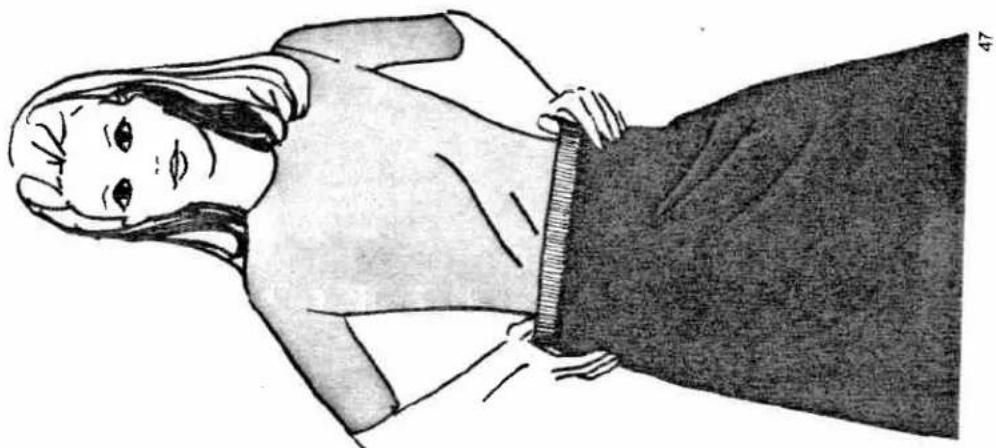
Illustration of a woman wearing a short-sleeve shirt and dark skirt, hands on hips (no text or symbols)Lay the elastic on the fabric edge, stretching
it with both hands as far as possible (see ill.).
Then sew the stretched elastic down with an
elastic seam.
The more you stretch the elastic, the more
the fabric will be gathered.

natural_image
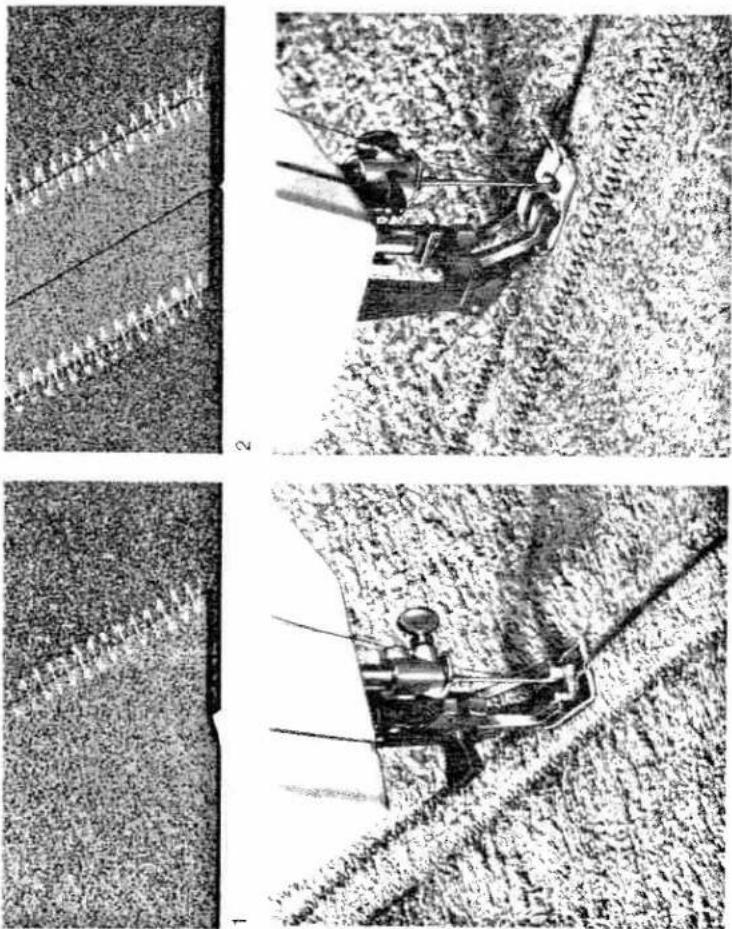
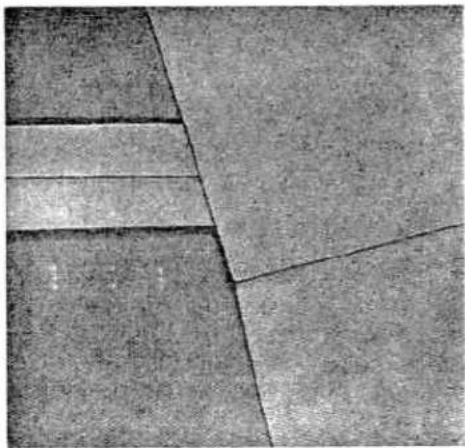
Close-up of hands operating a sewing machine with a sewing machine needle inserted (no visible text or symbols)Place both pieces of fabric on top of each other with their edges overlapping about 1 cm ( ^1/2 " ), as shown in Fig. 1. Sew down one edge with an elastic seam, then turn the fabric over, and stitch down the second edge. If the seam is exposed to great stress, lay the two pieces of material one upon the other so that their edges are in line, and join them with a straight-stitch seam taken 1.5 to 2.0 cm (abt. ^1/2 ") from the fabric edge (stitch length 1.5 to 2). Press the seam open. Restore the elastic-seam setting and turn the stitch selector to 0.5. Sew both edges down one after the other (2).
Stitching terry cloth
Elastic seam
Stitch length: 0.5
Engage Matchmaker foot (as
instructed on pp. 16 & 17).
Attach ordinary sewing foot
No. 93-040 910-91.
Press-open seams and inseams
Triple-stitch seam
Stitch length: 4
Engage Matchmaker foot, as
instructed on pp. 16 & 17.
Attach ordinary sewing foot
No. 93-040 910-91
Seams that are pressed open after sewing are used for all elastic materials.
Sew the two pieces of material together with
the machine set as indicated above, then
press the seam open.
The same machine setting is used for closing
inseams of trousers.
natural_image
Abstract geometric pattern with diagonal lines and textured surfaces (no text or symbols)
natural_image
Close-up of a sewing machine needle stitching fabric (no visible text or symbols)
natural_image
Illustration of a person wearing a patterned coat and shorts, with hands on head (no text or symbols)Shell edging
Slightly increase the tension for non-elastic fabrics.
fabrics.
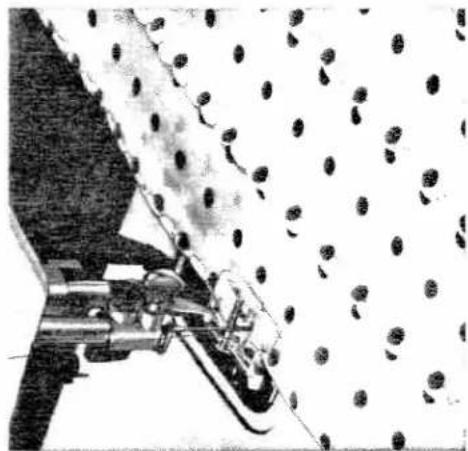
Shell edging makes a nice trimming on lingerie and garments made of sheer, soft materials or tricot.
Fold the fabric along the line which is to be trimmed by shell edging. Sew along this folded edge with the needle alternately taking one stitch into the fabric and the other over its edge. As the threads are interlocked outside the fabric, the fabric edge is drawn inward, thus producing a shell edging effect.
natural_image
Black-and-white illustration of a sewing machine stitching fabric with scattered circular components (no text or symbols)
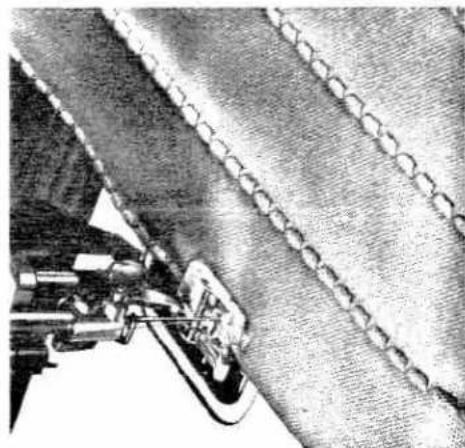
Blind-stitch seam
Stitch length: 1—2
Attach clear-view sewing foot No. 93-040 920-91.
natural_image
Close-up of a sewing machine stitching fabric with visible stitching details (no text or symbols)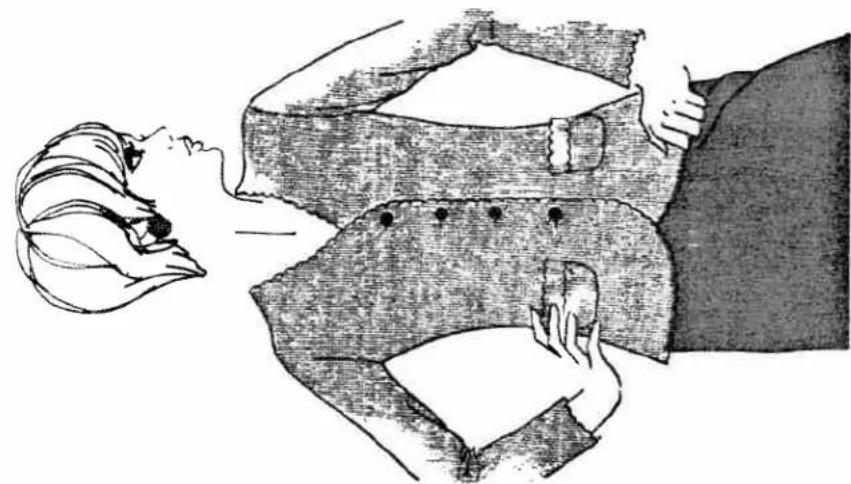
natural_image
Illustration of a woman wearing a sleeveless vest with buttons, hands on hips (no text or symbols)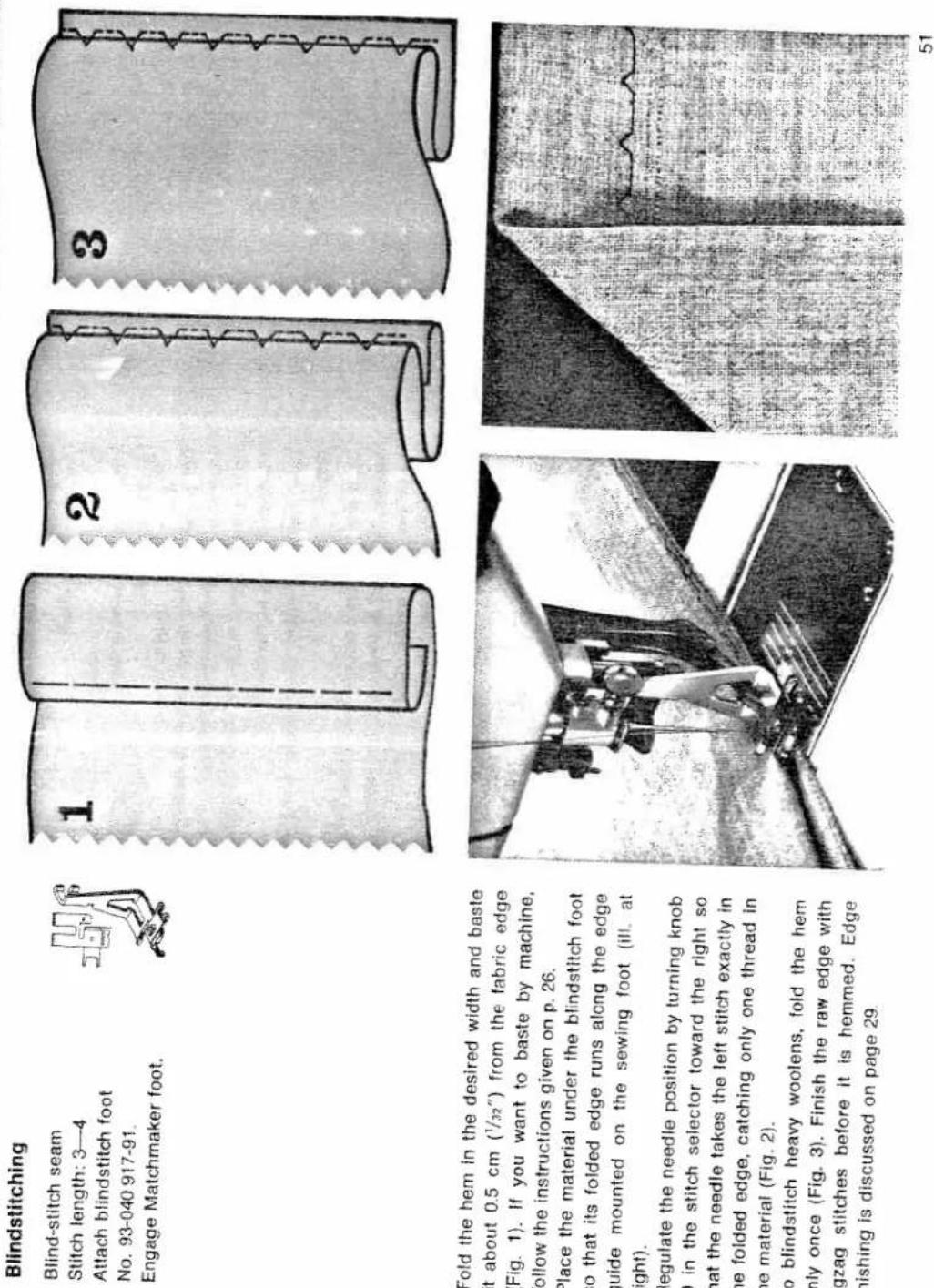
Blindstiching
Blind-stitch seam
Sitch length: 3—4
Attach blindstitch foot
No. 93-040 917-91
Engage Matchmaker foot.
Inserting patches
Sewing knit underwear

Overedge-stitch seam
Stitch length: 4
Engage Matchmaker foot if the
material is very elastic.
Attach ordinary sewing foot
No. 93-040 910-91.
area and place it over the thin spot on the
right side of the fabric so that its grain
matches the rest of the fabric.
Sew the patch down by stitching along its
edges.
Turn the material over and trim close to the
seams. That's all there is to it. The patch has
been sewn on neatly without impairing the
elasticity of the mended spot.

natural_image
Close-up of a sewing machine needle stitching fabric, showing mechanical components and no visible text or symbols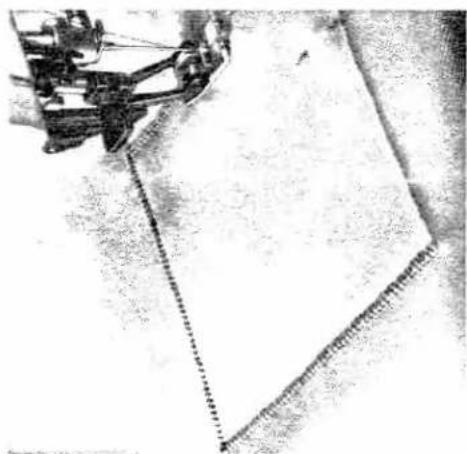
natural_image
Close-up of a sewing machine stitching a flat sheet of fabric (no visible text or symbols)
natural_image
Abstract dark textured surface with intersecting diagonal lines and scattered bright spots (no text or symbols)
natural_image
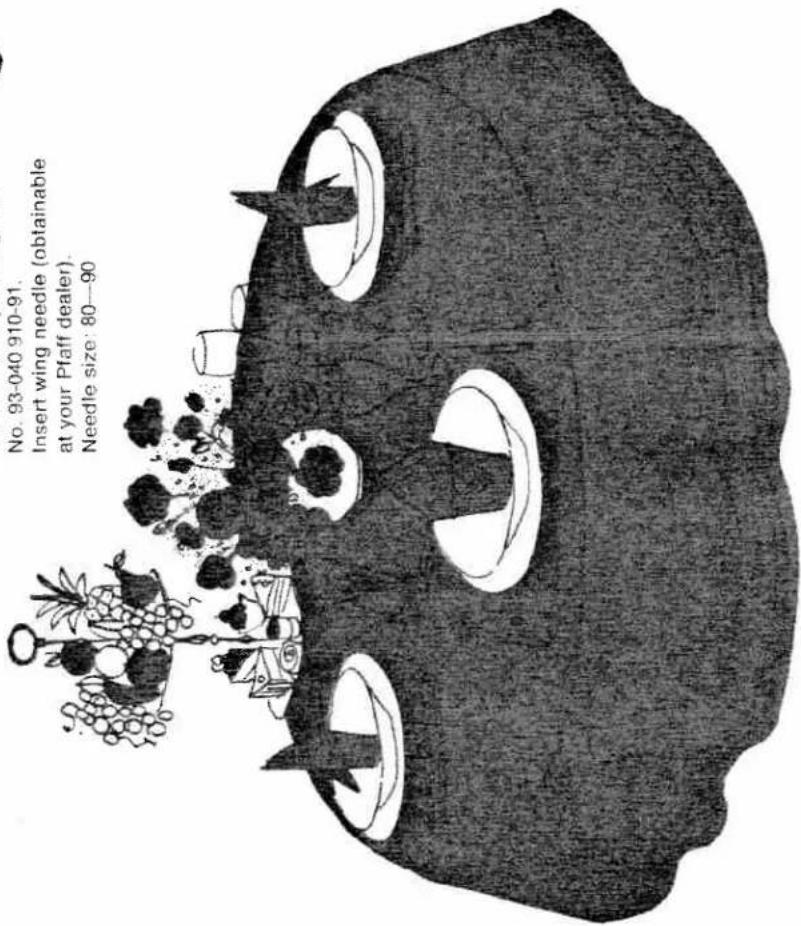
Close-up of a textured fabric with vertical stripes and frayed edges (no visible text or symbols)Hemstitching made with a wing needle is particularly effective on table linen, children's wear, etc.
The hemstitching effect is produced in one operation. When hemstitching heavier material, it is recommended that you draw one or two threads out of the fabric before sewing.
The hemstitching seam
Hemstitching seam
Ultra-Matic stitch selector:
straight stitch
Stitch length: 4
Attach ordinary sewing foot
No. 93-040 910-91.
Insert wing needle (obtainable
at your Pfaff dealer) Needle size: 80—90
text_image
No. 93-040 910-91. Insert wing needle (obtainable at your Pfaff dealer). Needle size: 80—90Functional-
stitch
combinations
Sewing on elastic threads
Elastic-stitch and triple-stitch
seans
Stitch length: 4
Needle position: left
Elastic or shirring thread.
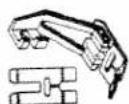
Attach buttonhole foot
No. 93-040 924-91.
If the elastic borders of knee-length stock-
ings, socks or night gowns become worn,
replace them with elastic threads. To do this,
push the elastic-stitch and triple-stitch seam
buttons.
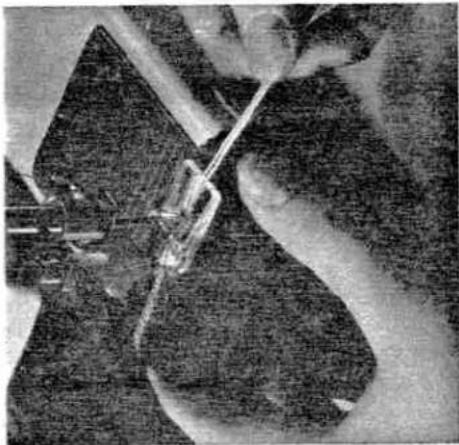
Place the elastic thread over the prong of the
buttonhole foot and lay it under its grooves.
Hold it taut and stitch it down.
The more you stretch the elastic thread, the
more the material will be shirred.
natural_image
Close-up of hands operating a sewing machine needle (no visible text or symbols)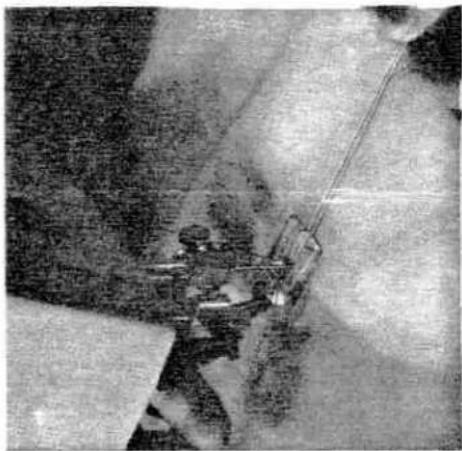
natural_image
Aerial view of a small industrial or construction site with machinery and equipment, surrounded by snow-covered ground (no visible text or symbols)When you push two functional-stitch buttons simultaneously, both functional-stitch patterns will be combined. This further increases the versatility of your Pfaff machine.

text_image
Electrical control panel with multiple display indicators and symbols, including switches, meters, and terminal blocks54
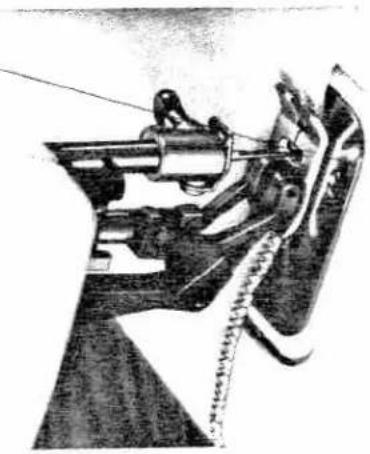
Joining knitted and jersey fabrics
natural_image
Close-up of a sewing machine needle stitching fabric (no visible text or symbols)
Reinforcing hems in elastic fabrics
Blind-stitch seam
Ultra-Matic stitch
widest zigzag stitch in stitch
range 5 or 6.
Attach blindstitch foot
No. 93-040 917-91.
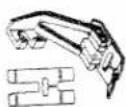
Blind-stitch and triple-stitch
Ultra-Matic stitch selector:
straight stitch
Needle position: left (see p. 37)
Engage Matchmaker foot.
Attach ordinary sewing foot
No. 93-040 910-91.
text_image
Place the two one on top of line. Sew along the alternately sti its edge. In t and finish the was done withThe procedure is the same as with blind-stitching non-elastic fabrics (see page 51).

natural_image
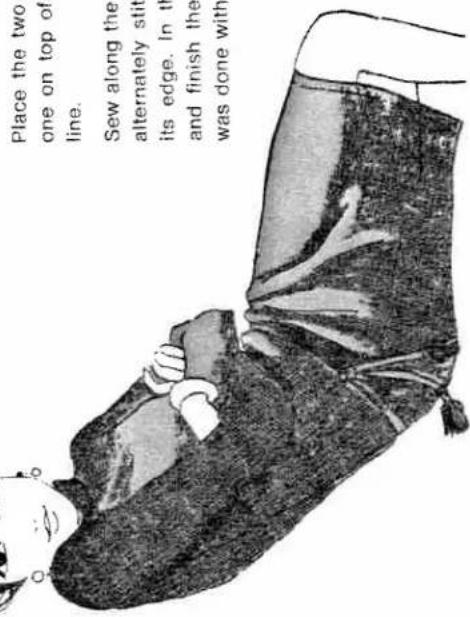
Close-up of a sewing machine needle stitching a metal sheet, no visible text or symbolsPlace the two pieces of fabric to be joined one on top of the other with their edges in line. Sew along the fabric edge so that the needle alternately stitches into the fabric and over its edge. In this way, you join both pieces and finish their edges in one operation, as was done with knit underwear (see page 52).
Ornamental stitches
The decorative-stitch mechanism
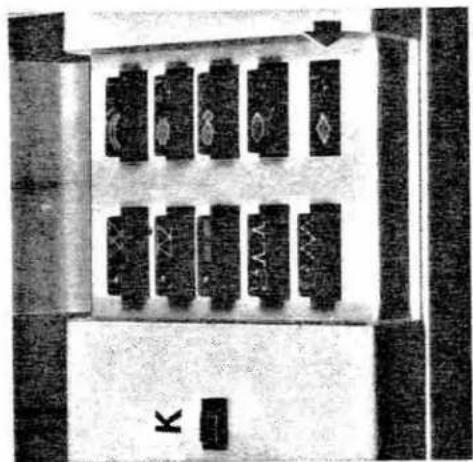
To sew various fancy stitches, you need the decorative-stitch mechanism of your machine. You will see a row of fancy-stitch buttons right next to the row of functional-stitch buttons. The buttons in the right row are marked with the symbols of patterns which can be used for ornamental purposes only. The patterns on the left row of buttons can be used for both functional and decorative purposes. Push the button showing the desired motif. Then turn the stitch selector to the stitch length and needle position indicated on the button next to the fancy-stitch symbol. If you want to sew the first design, for in-
stance, push the first button. Then turn knob
symbol indicated and turn the outer ring between 0 and 1, as indicated on the button. The desired pattern length is regulated by turning wheel E. The minimum pattern length is obtained by turning wheel E to 10, the maximum length by turning it to 18 (see ill.). This is all you have to do to sew the pattern selected.
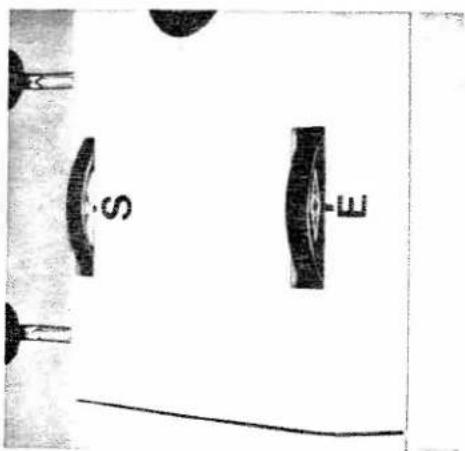
In case sewing is interrupted because the bobbin is empty or the needle thread is broken, you can easily locate the exact beginning of the pattern with the aid of indicator wheel S. Simply turn this wheel until the pattern being sewn is opposite the mark on the top cover as shown at right
be used for both functional and decorative purposes. Push the button showing the desired motif. Then turn the stitch selector to the stitch length and needle position indicated on the button next to the fancy-stitch symbol. If you want to sew the first design, for in-
natural_image
Top-down view of a mechanical or electronic component with multiple rectangular blocks and a labeled 'K' (no readable text or symbols beyond the label)
text_image
0-1 3 2 5 D 9 8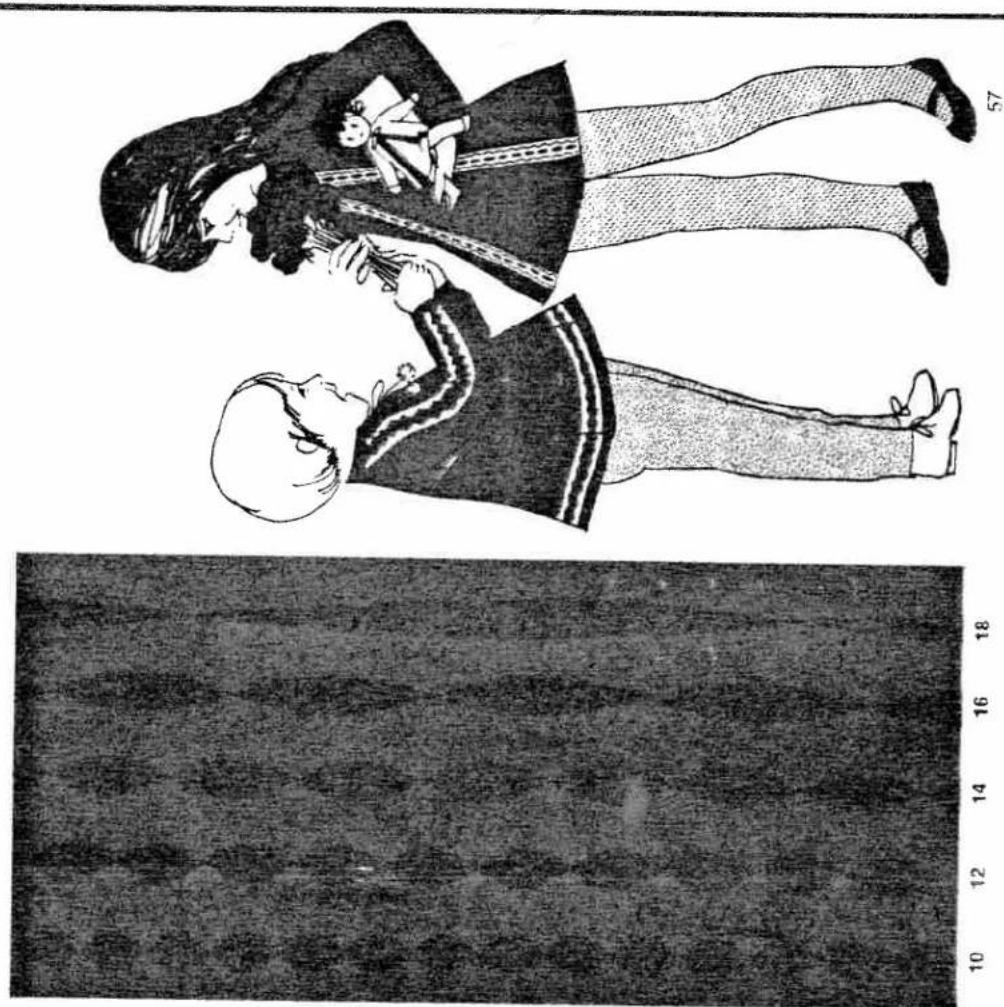
text_image
Diagram showing a compass with a north arrow and a dollar sign, likely illustrating a physics or mathematics concept.Then resume sewing at the end of the last pattern completed. If part of the next design has been seen already, simply saw over this portion again.
After you have completed ornamental sewing, turn wheel E to the pattern length symbol. Thus disagreeing the decorative stitch mechanism, in addition, push button K (see page 56).
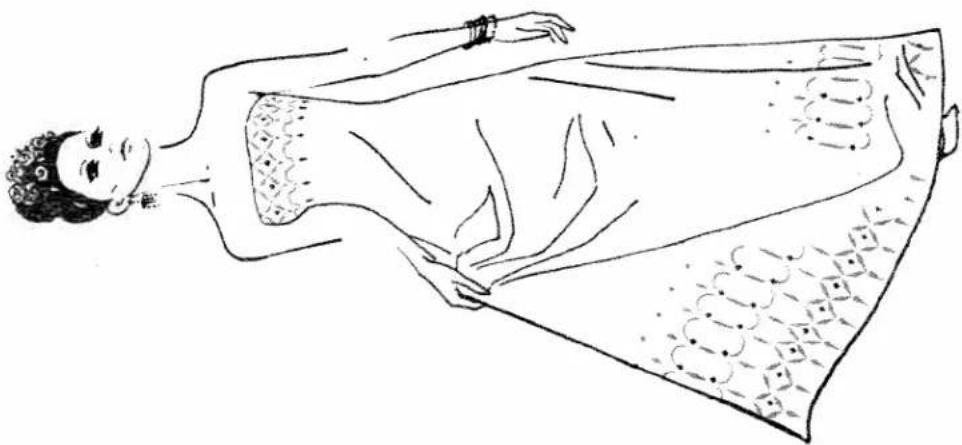
With this decorative-style mechanism you can make attractive borders by combining several lines of orientational stitching accord- are illustrated on the next pages.
natural_image
Line drawing of a woman wearing a strapless gown with decorative patterns (no text or symbols)
natural_image
Close-up of a textured fabric surface with repeating patterns and a vertical seam (no text or symbols)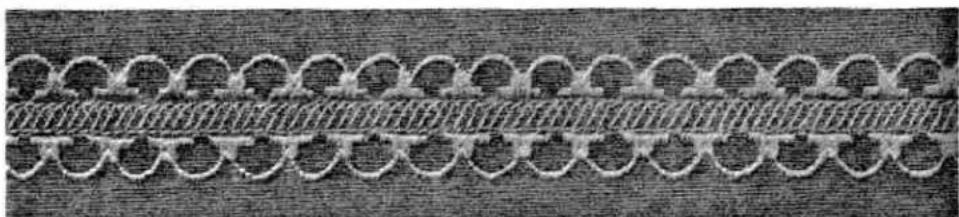
natural_image
Close-up of a woven textile or fabric pattern with interwoven rings and a central hatched band (no text or symbols)Which fancy-stitch
variation do
you like best?
The two borders shown on this page are made as follows:
Always begin with the pattern in the middle. First border: Sew the center strip of the border with over-edge stitches.
Then push the button marked 📄 and sew along the right and left edges of the center strip, turning back B on the stitch selector to
strip, turning knob B on the small selector to the right and left needle positions respectively.
The outer pattern 📄 is again sewn with the needle at its left position. Make sure the
scallops match the pattern sewn previously (see ill.). Before you start sewing the
second row of scalloping, turn the fabric clockwise.
Second border: To sew the center strip, push the button marked 📄. Next, combine the
blind stitch with the zigzag stitch (turning the stitch selector to a dense zigzag stitch in
stitch range 6) and sew along one side of the center strip, turn the material, and stitch
along the other side as well. Sew the outer pattern with the built-in hem-
stitching design. Additional ornamental effects are obtained
by using vari-colored threads.
58

text_image
59 a pattern which upon. Trace the push the button die. del to 15 (see a material with gith and follow e zigzag stitch.Show on this page is a nice pattern which showing the design in the middle. Turn the pattern length wheel to 15 (see page 57) and saw along the traced line. Trace the curved lines on the material with the aid of a cardboard stencil, set the ma- chine for a suitable pattern length and follow the outlines with a medium-wide zigzag stitch.

natural_image
Abstract diagram of three vertically aligned oval shapes with internal lines, no text or symbols present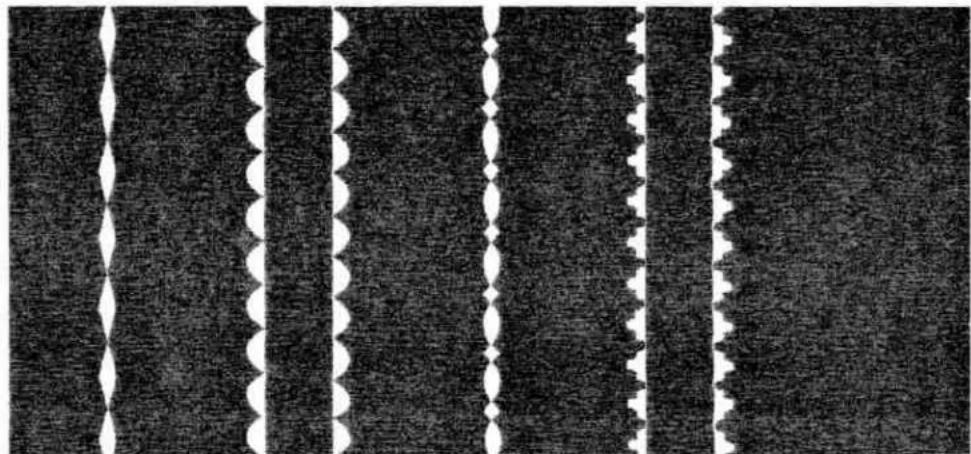
natural_image
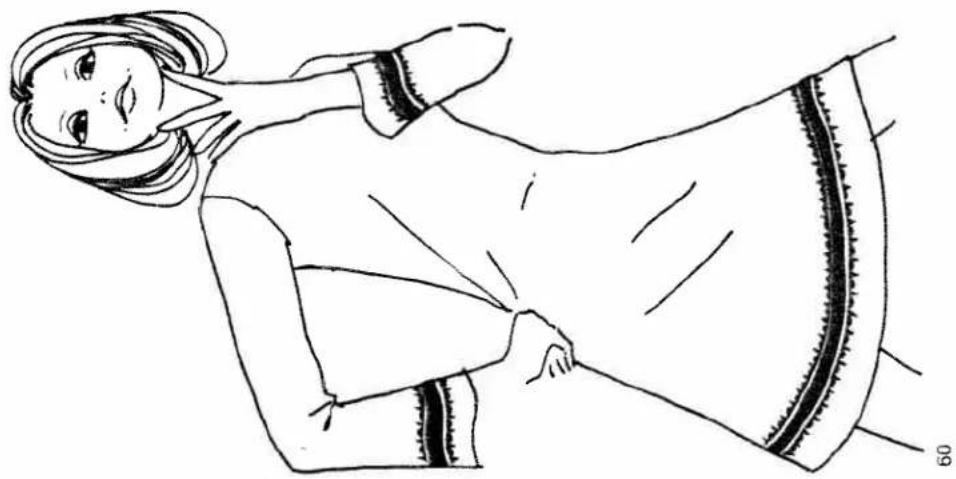
Abstract pattern of repeating dark and light horizontal bands with white wavy lines (no text or symbols)The four borders in the upper half of this page were made by simply varying the needle position (left, center, right).
The two designs below them were made with a functional-stitch seam sewn with two needles.
The design at the bottom was made by stitching over wool threads with one needle.
For further suggestions on how to make attractive borders by combining various stitches, please refer to the inside back cover.
natural_image
Line drawing of a woman wearing a long-sleeve dress with a patterned collar and visible design elements (no text or symbols)Needle and ThreadChart
| Bed linen Fine linen Muslin | Cotton | 50 | 80 70-80 70-80 | |
| Suitings and mantlings | Silk | 40 | 80-90 | |
| Terry cloth, cherrile goods, knitted pile fabric for bathrobes, corduroy | Cotton Silk | 40 50 | 80-90 | |
| Jersey fabrics (synthetic) | Synthetic Cotton | 50 50 | 70-80 | 130 ses |
| Lastex, Helancis fabrics | Synthetic Silk | 50 50 | 70-90 | 130 ses |
| Foambacks | Synthetic Silk | 50 40 | 70-80 90 | 130 R |
| Cotton curtains Synthetic curtains | Mercerized cotton Synthetic thread | 50 50 | 70-80 70-80 | 130 suk |
| Acalia, leatherette, oilcloth | Cotton | 40 | 90-90 | PCL |
| Leather | Cotton Linen | 40 40 | 110 | 130 Lr |

text_image
PFAFF 12.21 1 2 3 4 5 6 7 8 9 10 11 12 13 14 15 16 17 18 20 21So you know which button to press, here are the most essential parts of your Pfaff 1221:
1 Take-up lever
2 Thread retainer stud
3 Push button (K)
4 Top cover lid
5 Spool pins
6 Indicator wheel (S)
7 Pattern length wheel (E)
8 Bobbin winder
9 Ultra-Matic stitch selector
0 Needle position control (D)
1 Buttonhole control (T)
2 Master on-off switch (C
3 Base (of portable
4 Bed cover
5 Sewing foot
6 Matchmaker foot
7 Needle threader control
3 Upper tension
3 Reverse-feed control
Presser bar lifter
(on back of machine arm)
62
text_image
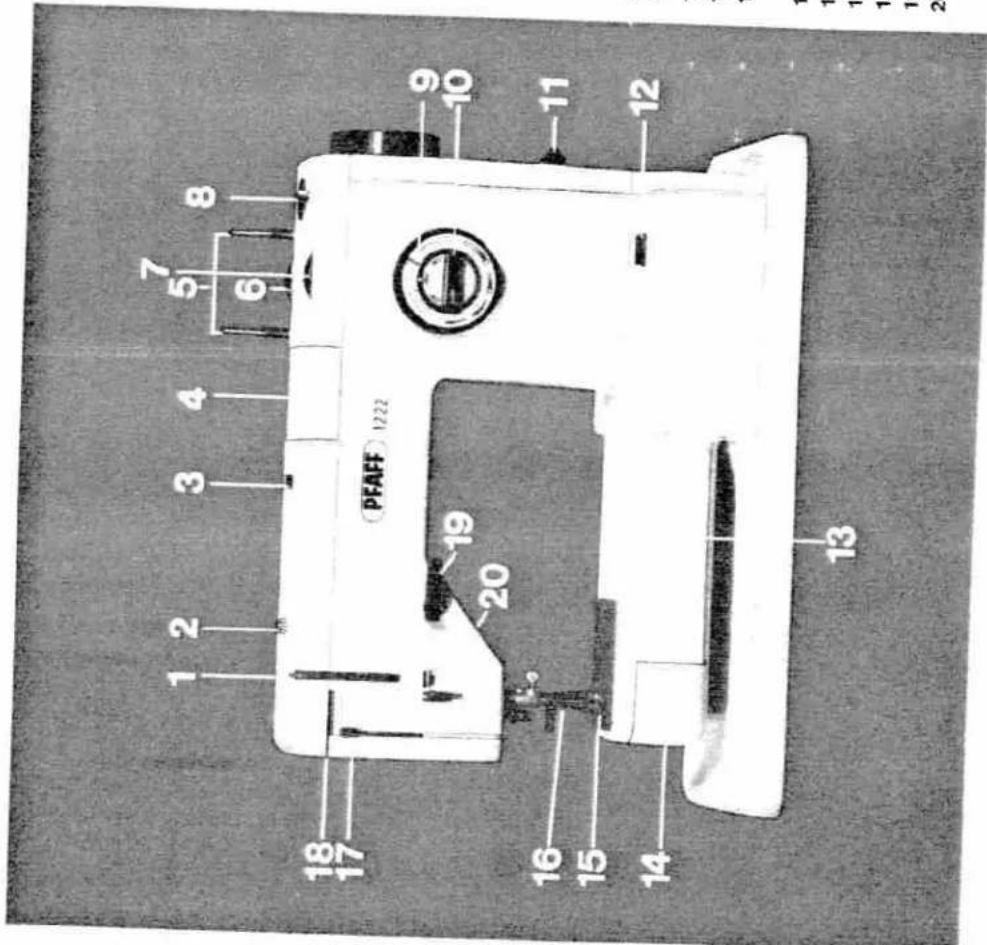
PFAFF 1222 1 2 3 4 5 6 7 8 18 17 19 20 16 15 14 13 9 10 11 12... and this is how your Pfaff 1222 looks:
1 Take-up lever
2 Thread retainer stud
3 Push button (K
4 Top cover lid
5 Spool pins
5 Indicator wheel (S)
7 Pattern length wheel (E)
8 Bobbin winder
9 Ultra-Matic stitch selector
10 Needle position control (D)
11 Buttonhole control (T)
12 Master on-off switch (C)
13 Free arm
14 Free arm cover
(enclosing the sewing hook)
15 Sewing foot
16 Matchmaker foot
17 Needle threader control
18 Upper tension
19 Reverse-feed control
20 Presser bar lifter
(on back of machine arm)
Your Pfaff needs very little attention

natural_image
Close-up of a mechanical device with a lever and base component (no visible text or symbols)
natural_image
Interior view of a vehicle or industrial control room with machinery and a curved roof (no visible text or symbols)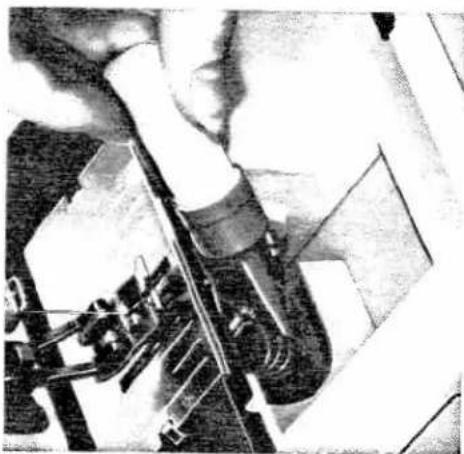
natural_image
Close-up of hands operating a sewing machine (no visible text or symbols)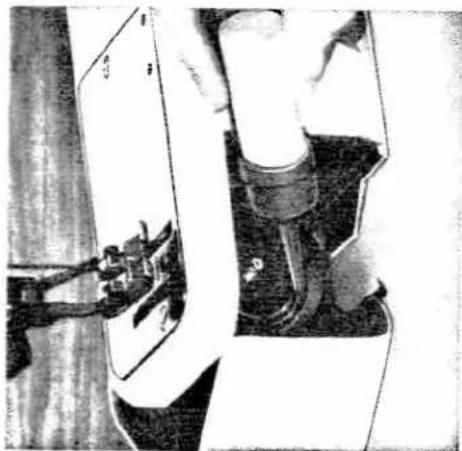
natural_image
Close-up of a sewing machine with a sewing machine on top, showing mechanical components and wiring (no visible text or symbols)All you have to do to keep your machine in good operating condition is to oil the sewing hook and clean the machine feed regularly. This you can easily do yourself.
Since your Pfaff sewing machine has been made from the finest quality materials, the only part that has to be oiled occasionally is the sewing hook. Therefore, remove the bobbin case and put a drop of oil into the hook raceway every so often.
You need no expert either for cleaning the parts in the machine arm and in the vicinity of the sewing hook. You can do this yourself with the aid of the small soft brush included in the accessory kit.
For cleaning the sewing hook, remove the needle, the bobbin case and the sewing foot. To reach the sewing hook, tilt the Pfaff 1221 back or open the free arm cover of the Pfaff 1222.
Remove the lint that accumulates in the vicinity of the machine feed with a soft brush. To do this, remove the needle plate. The needle plate of the Pfaff 1221 is simply pulled forward and lifted up (see arrow in ill. at top right). The needle plate of the Pfaff 1222 must be unscrewed with the screwdriver included in the accessories.
Take care that no lint accumulates between the teeth of the machine feed. Accumulations of packed lint are best removed with a tooth-pick or a similar wooden object. 64
64
Changing the light bulb of your Pfaff
is something you can easily do
yourself
The sewing light illuminates the work in front and back of the needle without casting a shadow.
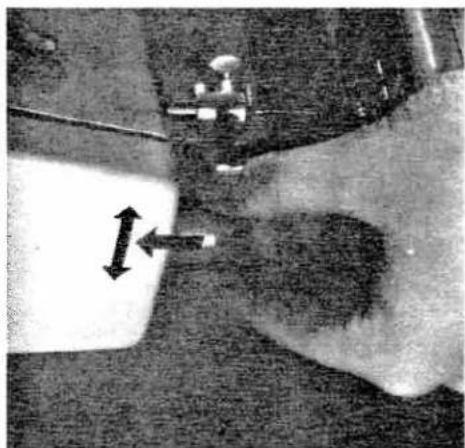
It is enclosed in the face cover of your machine. Changing the light bulb is very simple: Push the burnt-out light bulb into its socket, turn it left and pull it out (see ill.). Insert the new bulb and turn it right.
Light bulbs for your Pfaff 1221 or 1222 can be obtained from your Pfaff dealer.
natural_image
Close-up of a hand holding a small object with directional arrows indicating movement or force (no visible text or symbols)Trouble shooting
When handled properly, your Plaff will cover of your machine rarely develop any trouble. Are both tensions cor
Whenever you have completed sewing, be sure to restore the original setting of your machine, i.e. turn the stitch selector to straight stitching, setting
it at about 2; turn the needle position control to its central position; raise the machine feed; switch your machine off by pushing the master on-off button, and see that the presser bar lifter is set horizontally.
Even if you have just sewn buttonholes or darned, we recommend that you set your machine for straight stitching
again. If trouble should occur, check the following:
Is the needle still in good condition and inserted properly? Have you selected the right needle and thread from the Needle and Thread Chart? Are you sewing with a good quality thread?
Has the bobbin case been inserted properly?
For straight and zigzag stitching, the functional and decorative-stitch mechanism must be disengaged. To make sure it is, push the button on the top
natural_image
Black-and-white photo of an open toolbox containing various battery packs and components (no visible text or labels)People will envy you ...
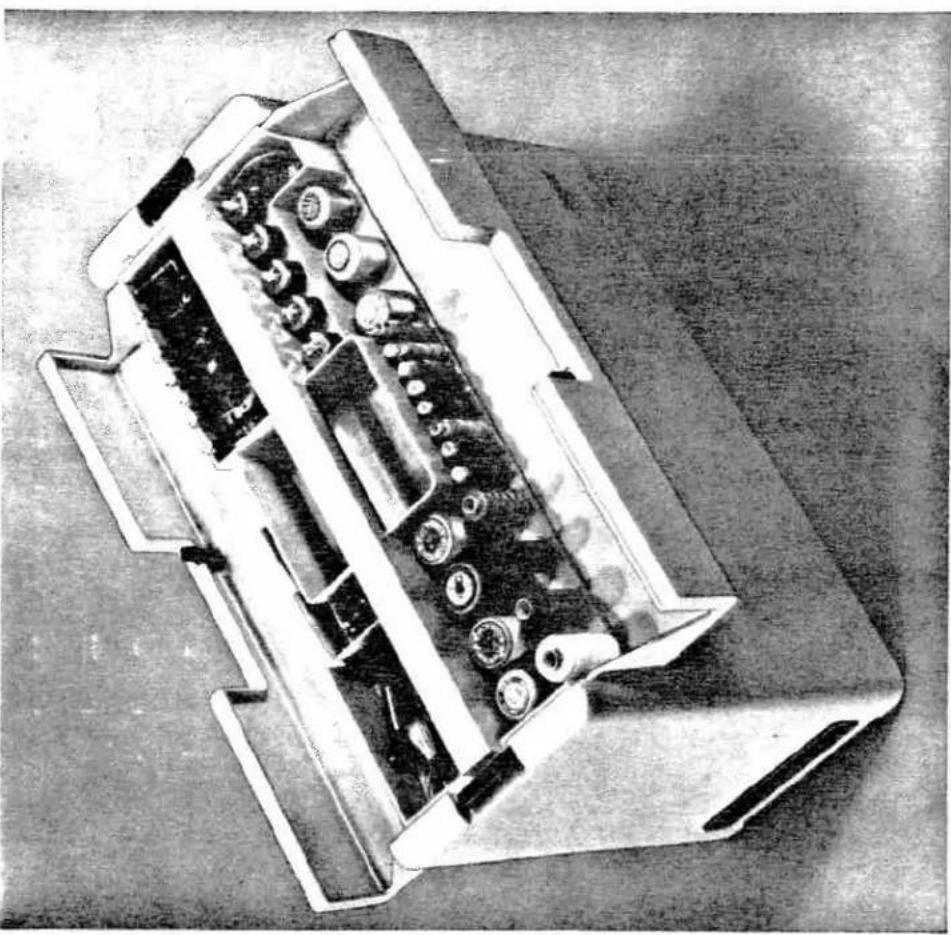
this carrying case. It is not only attractive, but also very useful. The bottom part holds your Pfaff, while the top part holds all sewing utensils, such as spools of thread, bobbins, scissors and many other items.
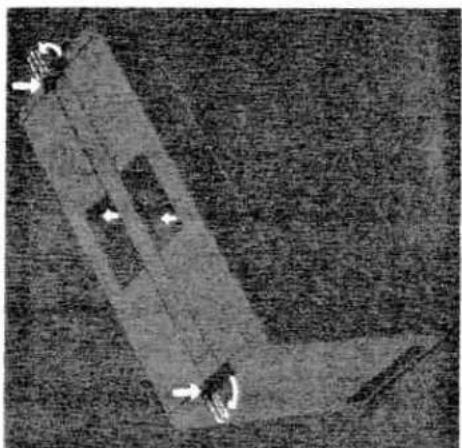
To remove the cover, depress the catches on the right and left at their pivots and turn them in the direction indicated by arrows (see ill.). Now remove the cover. These two catches must be open when you place the cover over your Pfall after you have finished sewing. Lock the catches when the cover rests on the base firmly.
The catches of the sewing box are located in the middle of the cover (see arrows).
natural_image
3D rendered mechanical component with arrows indicating motion direction (no text or symbols)| Where to look... | Page | Page | |
| Applique work | 34 | Machine drive | |
| Basting | 26 | Master switch | |
| Before you start sewing | 11 | Matchmaker foot | |
| Blindstitching | 51 | Mending hems | |
| Bobbin winding | 5 | Monogram embroidery | |
| Button sewing | 38 | Needle position control | |
| Carrying case | 66 | Needle and thread chart | |
| Changing the light bulb | 65 | Needle threader | |
| Changing the needle | 18 | Oiling | |
| Changing the sewing foot | 18 | Ornamental designs | |
| Cleaning the machine | 64 | Overall view of Pfaff 1221 | |
| Cording | 30 | Overall view of Pfaff 1222 | |
| Darning | 24 | Overcasting edges | |
| Darning rips | 46 | Press-open seams | |
| Darning with wool thread | 42 | Presser bar lifter | |
| Decorative-stitch mechanism | 56 | Quilting | |
| Detachable workplate | 20 | Regulating the thread tensions | |
| Disengaging the sewing mechanism | 3 | Reinforcing hems in elastic fabrics | |
| Drawing up the bobbin thread | 10 | Removing the bobbin case | |
| Dropping the machine feed | 14, 24 | Reverse sewing | |
| Edge stitching | 41 | Sewing buttonholes | |
| Electrical connection | 2 | Sewing knit underwear | |
| Electronic control | 17 | Sewing on elastic | |
| Eyelet embroidery | 43 | Sewing on elastic threads | |
| Felling | 21 | Sewing over thick cross seams | |
| Foot control | 2, 13 | Shell edging | |
| Foreword | 1 | Shirring with filler thread | |
| Functional-stitch combinations | 54 | Single-needle corcing | |
| Functional-stitch mechanism | 44 | Stitching terry cloth | |
| Hemming | 22 | Stopmatic mechanism | |
| Hemstitching | 36 | Straight stitching | |
| Hemstitch seam | 53 | Threading the needle | |
| Inseams | 49 | Trouble shooting | |
| Inserting lace | 32 | Ultra-Matic stitch selector | |
| Inserting patches | 52 | Vibrator | |
| Inserting the bobbin | 6 | Winding the bobbin | |
| Subject to technical alterations | Inserting the bobbin case | 7 | Zigzag stitching |
| Printed in Germany | Joining jersey fabrics | 55 | Zipper insertion |
| No. 21083 engl. (US) 271 Wi | Joining knitted fabrics | 55 |
Subject to technical alterations
No. 21083 engl. (US) 271 Wi