RAD40QH4 - Air Conditioning HITACHI - Free user manual and instructions
Find the device manual for free RAD40QH4 HITACHI in PDF.


User questions about RAD40QH4 HITACHI
0 question about this device. Answer the ones you know or ask your own.
Ask a new question about this device
Download the instructions for your Air Conditioning in PDF format for free! Find your manual RAD40QH4 - HITACHI and take your electronic device back in hand. On this page are published all the documents necessary for the use of your device. RAD40QH4 by HITACHI.
USER MANUAL RAD40QH4 HITACHI
SPLIT TYPE AIR CONDITIONER
natural_image
Line drawing of a refrigerant air conditioner unit with ventilation grilles and fan base (no text or symbols on the device itself)RAF25NH4 RAF50NH4


natural_image
Line drawing of a rectangular industrial air vent or cooling unit with horizontal slats and a side-mounted outlet (no text or symbols)RAD25QH4 RAD40QH4

natural_image
Line drawing of a large industrial air conditioning unit with ventilation grilles and control panel (no text or symbols)RAM70QH4 RAM80QH4
SAFETY PRECAUTION
Please read the "Safety Precaution" carefully before operating the unit to ensure correct usage of the unit. Pay special attention to signs of "▲ Warning" and "▲ Caution". The "Warning" section contains matters which, if not observed strictly, may cause death or serious injury. The "Caution" section contains matters which may result in serious consequences if not observed properly. Please observe all instructions strictly to ensure safety.
The signs indicate the following meanings. (The following are examples of signs.)

This sign in the figure indicates prohibition.

Indicates the instructions that must be followed.
Please keep this manual after reading.
PRECAUTIONS DURING INSTALLATION
| [2TCS]WARNING | ·Do not reconstruct the unit.Water leakage, fault, short circuit or fire may occur if you reconstruct the unit by yourself. | [XABG]PROHIBITION |
| ·Please ask your sales agent or qualified technician for the installation of your unit.Water leakage, short circuit or fire may occur if you install the unit by yourself. | ||
| ·Please use earth line.Do not place the earth line near water or gas pipes, lightning-conductor, or the earth line of telephone. Improper installation of earth line may cause electric shock. |  CONNECT EARTH LINE CONNECT EARTH LINE | |
| ·Be sure to use the specified piping set for R410A. Otherwise, this may result in broken copper pipes or faults. | ||
| CAUTION | ·A circuit breaker should be installed depending on the mounting site of the unit.Without a circuit breaker, the danger of electric shock exists. |  PROHIBITION PROHIBITION |
| ·Do not install the unit near a location where there is flammable gas. The outdoor unit may catch fire if flammable gas leaks around it. Piping shall be suitable supported with a maximum spacing of 1m between the supports. | ||
| ·Please ensure smooth flow of water when installing the drain hose. | ||
| ·Make sure that a single phase 230V power source is used.The use of other power sources may cause electrical components to overheat and lead to fire. |  PROHIBITION PROHIBITION |
PRECAUTIONS DURING SHIFTING OR MAINTENANCE
| WARNING | Should abnormal situation arise (like burning smell), please stop operating the unit and remove plug from the socket. Contact your agent. Fault, short circuit or fire may occur if you continue to operate the unit under abnormal situation. |  |
| Please contact your agent for maintenance. Improper self maintenance may cause electric shock and fire. | ||
| Please contact your agent if you need to remove and reinstall the unit. Electric shock or fire may occur if you remove and reinstall the unit yourself improperly. |
PRECAUTIONS DURING OPERATION
| WARNING | · Avoid an extended period of direct air flow for your health.  PROHIBITION PROHIBITION |
 · Do not put objects like thin rods into the panel of blower and suction side because the high-speed fan inside may cause danger. · Do not put objects like thin rods into the panel of blower and suction side because the high-speed fan inside may cause danger. | |
· Do not use any conductor as fuse wire, this could cause fatal accident.  YKDH YKDH | |
 · During thunder storm, disconnect the plug top and turn off the circuit breaker. · During thunder storm, disconnect the plug top and turn off the circuit breaker. | |
· Spray cans and other combustibles should not be located within a meter of the air outlets of both indoor and outdoor units.  As a spray can's internal pressure can be increased by hot air, a rupture may result. As a spray can's internal pressure can be increased by hot air, a rupture may result.  | |
| PRECAUTIONS DURING OPERATION | |
| CAUTION | The product shall be operated under the manufacturer specification and not for any other intended use.  PROHIBITION PROHIBITION |
 Do not attempt to operate the unit with wet hands, this could cause fatal accident.DONT WET Do not attempt to operate the unit with wet hands, this could cause fatal accident.DONT WET | |
| When operating the unit with burning equipments, regularly ventilate the room to avoid oxygen insufficiency. [STD44]STRICTLYOBSERV PRECAUTIONS | |
 Do not direct the cool air coming out from the air-conditioner panel to face household heating apparatus as this may affect the working of apparatus such as the electric kettle, oven etc. Do not direct the cool air coming out from the air-conditioner panel to face household heating apparatus as this may affect the working of apparatus such as the electric kettle, oven etc. | |
Please ensure that outdoor mounting frame is always stable, firm and without defect. If not, the outdoor unit may collapse and cause danger. 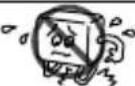 PROHIBITION PROHIBITION | |
 Do not wash the unit with water or place a water container such as a vase on the indoor unit.Electrical leakage could be present and cause electric shock. Do not wash the unit with water or place a water container such as a vase on the indoor unit.Electrical leakage could be present and cause electric shock. | |
Do not place plants directly under the air flow as it is bad for the plants.  PROHIBITION PROHIBITION | |
 Be sure to stop the operation by using the remote controller and turn off the circuit breaker during cleaning, the high-speed fan inside the unit may cause danger. Be sure to stop the operation by using the remote controller and turn off the circuit breaker during cleaning, the high-speed fan inside the unit may cause danger. | |
Turn off the circuit breaker if the unit is not be operated for a long period.  | |
 Do not climb on the outdoor unit or put objects on it.PROHIBITION Do not climb on the outdoor unit or put objects on it.PROHIBITION | |
When operating the unit with the door and windows opened, (the room humidity is always above 80%) and with the air deflector facing down or moving automatically for a long period of time, water will condense on the air deflector and drips down occasionally. This will wet your furniture. Therefore, do not operate under such condition for a long time.  PROHIBITION PROHIBITION | |
 If the amount of heat in the room is above the cooling or heating capability of the unit (for example: more people entering the room, using heating equipments and etc.), the preset room temperature cannot be achieved. If the amount of heat in the room is above the cooling or heating capability of the unit (for example: more people entering the room, using heating equipments and etc.), the preset room temperature cannot be achieved. | |
Indoor unit cleaning must be performed by authorized personnel only. Consult your sales agent.Using a commercially available detergent or similar can damage the plastic parts or clog the drain pipe, causing water to drip with potential electric shock hazard.  PROHIBITION PROHIBITION | |
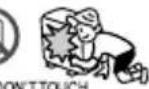 Do not touch the air outlet, bottom surface and aluminum fin of the outdoor unit.You may get hurt. Do not touch the air outlet, bottom surface and aluminum fin of the outdoor unit.You may get hurt. | |
Do not touch the refrigerant pipe and connecting valve.Burns may result.  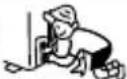 DON'TOUCH DON'TOUCH | |
With this multi-air conditioner, several indoor units can be connected to one outdoor unit to be driven. You can operate the required number of indoor units.
Combination of operations:
- You cannot operate the indoor units in the following combinations.
| One unit | Other unit |
| Heating | Cooling |
| Dehumidifying | |
| Circulating (fan) |
- The indoor unit which is switched on first continues to operate, but other indoor units which is switched on later does not operate while the lamp lights.
- To restart an indoor unit which was operated later, stop the indoor unit which was operated first or later and reset the type of operation, then perform operation again.
Adjusting the number of indoor units:
Decrease the number of indoor units to be operated especially when it is very hot or very cold or when you want to reach the preset temperature quickly.

natural_image
Simple line drawing of a sun and a box with birds (no text or symbols)Stopped indoor units:
When an indoor unit is operated in the cooling, heating or dehumidifying mode in one room, the sound of refrigerant flow may be heard from a stopped indoor unit or a stopped indoor unit may become warm. This is because the indoor unit returns refrigerant to the outdoor unit to be ready for operation.
NAMES AND FUNCTIONS OF EACH PART
INDOOR UNIT

text_image
FULL DUCT Discharge grille Air deflector Remote controller Indicator Suction grille FilterSEMI DUCT

text_image
Discharge grille Air deflector Filter Suction grille IndicatorRemote controller

NON DUCT

text_image
Remote controller Air deflector Indicator Discharge grille Filter Suction grilleMODEL NAME AND DIMENSIONS
| MODEL | WIDTH | HEIGHT | DEPTH |
| RAD-25QH4RAD-40QH4(INDOOR UNIT) | 750mm (29-17/32") | 235mm (9-1/4") | 400mm (15-3/4") |
INDOOR UNIT INDICATORS

text_image
OPERATION lampThis lamp lights during operation.
TEMPORARY SWITCH
Use this switch to start and stop when the remote controller does not work. Normally do not use this button.
HOT KEEP lamp
This lamp lights in the following cases during heating. While this is lit, heated air will not come out of the indoor unit.
(1) During preheating For about 2-3 minutes after start up.
(2) During defrosting
Defrosting will be performed about once an hour when frost forms on the heat exchanger of the outdoor unit, for 5-10 minutes each time.
TIMER lamp
This lamp lights when the timer is working.
MULTI-AIR CONDITIONER
With this multi-air conditioner, several indoor units can be connected to one outdoor unit to be driven. You can operate the required number of indoor units.
Combination of operations:
- You cannot operate the indoor units in the following combinations.
| One unit | Other unit |
| Heating | Cooling |
| Dehumidifying | |
| Circulating (fan) |
- The indoor unit which is switched on first continues to operate, but other indoor units which is switched on later does not operate while the lamp lights.
- To restart an indoor unit which was operated later, stop the indoor unit which was operated first or later and reset the type of operation, then perform operation again.
Adjusting the number of indoor units:
Decrease the number of indoor units to be operated especially when it is very hot or very cold or when you want to reach the preset temperature quickly.

natural_image
Simple line drawing of a sun and two figures under a blanket, no text or symbols presentStopped indoor units:
When an indoor unit is operated in the cooling, heating or dehumidifying mode in one room, the sound of refrigerant flow may be heard from a stopped indoor unit or a stopped indoor unit may become warm. This is because the indoor unit returns refrigerant to the outdoor unit to be ready for operation.
NAMES AND FUNCTIONS OF EACH PART
INDOOR UNIT

text_image
Indoor unit indicators Horizontal air deflector (Air outlet) Vertical air deflector (Air outlet) Signal receiver Front panel (Air intake) Vertical air deflector (Air outlet) Air filter Remote controllerMODEL NAME AND DIMENSIONS
| MODEL | WIDTH | HEIGHT | DEPTH |
| RAF-25NH4RAF-50NH4(INDOOR UNIT) | 750mm (29-17/32") | 600mm (23-5/8") | 215mm (8-15/32") |
INDOOR UNIT CONTROL PANEL

text_image
TEMPORARY SWITCH AIR OUTLETAIR OUTLET SWITCH
COOLING OPERATION
- If cooling is started at an AUTO or HI fan speed setting, and if a considerable difference is present between the room temperature and preset temperature, the damper inside of the bottom air outlet will automatically open to allow cold air to also be directed out of the bottom side air outlet.
TEMPORARY SWITCH
If the remote controller does not work due to battery failure, press this switch to start and stop operation.
- This temporary operation will be at the most recent setting made. (The unit will immediately go into automatic operation once power is switched on.)
AIR OUTLET SWITCH
AIR OUTLET SWITCH IS SET TO

HEATING OPERATION
- As operation starts, warm air is automatically discharged from top and bottom side air outlets.
- When the room temperature reaches the preset temperature, air is directed only from top side air outlet at the LOW fan speed.
When the room temperature reaches the preset temperature or after approximately 30 minutes have elapsed from starting operation, cold air will automatically be directed only from the top side air outlet.
- When it is desirable to direct cold air from the bottom side air outlet for a longer period of time, set the temperature at 16°C and fan speed at HI. When the room temperature is more than 8°C above the preset temperature (16°C), cold air will continuously blow from the bottom side air outlet.
- For more efficient dehumidifying, the bottom side air outlet will remain closed.
FAN OPERATION
• Air blows out only from top side air outlet.
AIR OUTLET SWITCH IS SET TO

• Air blows out only from top side air outlet in both heating and cooling operation.
• Air can be blown only from top side air outlet, to prevent blowing air striking your face during sleep, etc.
- If air blows out only from the top side air outlet, it takes more time to reach the set temperature when compared to air blowing from both top and bottom side air outlets. Also, temperature distribution within the room may be adversely affected. It is therefore recommended to use both top and bottom side air outlets whenever possible.
INDOOR UNIT INDICATORS
FILTER Iamp
This lamp lights when the device is operated for a total of about 100 hours, it is time to clean the filter. The lamp goes out when the "X (AUTO SWING)" button is pressed while the operation is stopped.

TIMER lamp
This lamp lights when the timer is working.
OPERATION lamp
This lamp lights during operation.
During heating, the operation indicator may blink, blowing very lightly or totally stopping under the following conditions:
(1) During preheating (heating operation) For about 2\~3 minutes after start up.
(2) During defrosting (heating operation)
Defrosting will be performed about once an hour when frost forms on the heat exchanger of the outdoor unit, for 5\~10 minutes each time. (If the piping length used is longer than usual, frost will likely to form.)
HOW TO OPEN OR CLOSE THE FRONT PANEL
Open the front panel
- To open the front panel, use the remote controller to stop unit operation. Then press the two "” sections below PUSH at the top left and right corners of the front panel.
- Grasp the left and right sides of the front panel and open it toward you.
Close the front panel
- To close the front panel, press the two "■" sections below PUSH at the top left and right corners of the front panel.
- Press the upper center part of the front panel to close properly.

text_image
PUSHUpper center part
REMOTE CONTROLLER
- This controls the operation of the indoor unit. The range of control is about 7 meters. If indoor lighting is controlled electronically, the range of control may be shorter.
This unit can be fixed on a wall using the fixture provided. Before fixing it, make sure the indoor unit can be controlled from the remote controller. - Handle the remote controller with care. Dropping it or getting it wet may compromise its signal transmission capability.
• After new batteries are inserted into the remote controller, the unit will initially require approximately 10 seconds to respond to commands and operate.

text_image
HITACHI +0.0 +0.0 +0.0 +0.0 +0.0 +0.0 +0.0 +0.0 +0.0 +0.0 +0.0 +0.0 +0.0 +0.0 +0.0 +0.0 +0.0 +0.0 +0.0 +0.0 +0.5 +0.5 +0.5 +0.5 +0.5 +0.5 +0.5 +0.5 +0.5 +0.5 +0.5 +0.5 +0.5 +0.5 +0.5 +0.5 +0.5 +0.5 +0.5 +0.5 +0.1Signal emitting window/transmission sign
Point this window toward the indoor unit when controlling it.
The transmission sign blinks when a signal is sent.
Display
This indicates the room temperature selected, current time, timer status, function and intensity of circulation selected.
START/STOP button
Press this button to start operation. Press it again to stop operation.
SLEEP button
Use this button to set the sleep timer.
TEMPERATURE buttons
Use these buttons to raise or lower the temperature setting. (Keep pressed, and the value will change more quickly.)
TIME button
Use this button to set and check the time and date.
RESET buttons
FUNCTION selector
Use this button to select the operating mode. Every time you press it, the mode will change from ⬤ (AUTO) to ⓐ (HEAT) to ⬇ (DEHUMIDIFY) to ✕ (COOL) and to ⊕ (FAN) cyclically.
FAN SPEED selector
This determines the fan speed. Every time you press this button, the intensity of circulation will change from ⭕ (AUTO) to ≈ (HI) to ≈ (MED) to ≈ (LOW). (This button allows selecting the optimal or preferred fan speed for each operation mode.)
AUTO SWING button
Controls the angle of the horizontal air deflector.
TIMER control
Use these buttons to set the timer.
OFF-TIMER button Select the turn OFF time.
ON-TIMER button Select the turn ON time.
RESERVE button Time setting reservation.
CANCEL button Cancel time reservation.

text_image
HITACHI 8.0°C +/-| AUTO | |
| HEAT | |
| DEHU MIDIFY | |
| COOL | |
| + | FAN |
| FAN SPEEDLOWMEDHI | |
| SLEEPING | |
| STOP (CANCEL) | |
| START (RESERVE) | |
| START/STOP | |
| TIME | |
| TIMER SET | |
| TIMER SELECTORON TIMEROFF TIMER | |
| AUTO SWING |
Precautions for use
- Do not put the remote controller in the following places.
• In direct sunlight
• In the vicinity of a heater. - Handle the remote controller carefully. Do not drop it on the floor, and protect it from water.
- Once the outdoor unit stops, it will not restart for about 3 minutes (unless you turn the power switch off and on or unplug the power cord and plug it in again).
This is to protect the device and does not indicate a failure. - If you press the FUNCTION selector button during operation, the device may stop for about 3 minutes for protection.
Auto Restart Control
- If there is a power failure, operation will be automatically restarted when the power is resumed with previous operation mode and airflow direction.
(As the operation is not stopped by remote controller.) - If you intend not to continue the operation when the power is resumed, switch off the power supply. When you switch on the circuit breaker, the operation will be automatically restarted with previous operation mode and airflow direction.
Note: 1. If you do not require Auto Restart Control, please consult your sales agent. - Auto Restart Control is not available when Timer or Sleep Timer mode is set.
AUTOMATIC OPERATION
The device will automatically determine the mode of operation, HEAT, COOL, or DEHUMIDIFY, depending on the initial room temperature. The selected mode of operation will change when the room temperature varies.

text_image
1 Press the FUNCTION selector so that the display indicates the Ⓧ (AUTO) mode of operation. • When AUTO has been selected, the device will automatically determine the mode of operation, HEAT, COOL, or Dehumidify, depending on the current room temperature. START STOP Press the Ⓞ (START/STOP) button. Operation starts with a beep. Press the button again to stop operation. As the settings are stored in memory in the remote controller, you only have to press the Ⓞ (START/STOP) button next time. You can raise or lower the temperature setting as necessary by maximum of 3°C. Press the temperature button and the temperature setting will change by 1°C each time. • The preset temperature and the actual room temperature may vary somewhat depending on conditions. Press the + (FAN SPEED) button, AUTO and LOW is available.- Use the device for heating when the outdoor temperature is under 21°C.
When it is too warm (over 21°C), the heating function may not work in order to protect the device. - In order to keep reliability of the device, please use this device above -15°C of the outdoor temperature.

text_image
1 Press the FUNCTION selector so that the display indicates (HEAT). 2 Set the desired FAN SPEED with the + (FAN SPEED) button (the display indicates the setting). ○ (AUTO) : The fan speed changes automatically according to the temperature of the air which blows out. ■ (HI) : Economical as the room will become warm quickly. But you may feel a chill at the beginning. ■ (MED) : Quiet. ■ (LOW) : More quiet. 3 Set the desired room temperature with the TEMPERATURE buttons (the display indicates the setting). The temperature setting and the actual room temperature may vary somewhat depending on conditions. 4 START STOP Press the ① (START/STOP) button. Heating operation starts with a beep. Press the button again to stop operation. As the settings are stored in memory in the remote controller, you only have to press the ① (START/STOP) button next time.1
Press the FUNCTION selector so that the display indicates Ⓞ (HEAT).
Set the desired FAN SPEED with the + (FAN SPEED) button (the display indicates the setting).
(AUTO) : The fan speed changes automatically according to the temperature of the air which blows out.
(HI) : Economical as the room will become warm quickly. But you may feel a chill at the beginning.
(MED) : Quiet. (LOW) : More quiet.
Set the desired room temperature with the TEMPERATURE buttons (the display indicates the setting).
The temperature setting and the actual room temperature may vary somewhat depending on conditions.
Press the ① (START/STOP) button. Heating operation starts with a beep. Press the button again to stop operation.
As the settings are stored in memory in the remote controller, you only have to press the ① (START/STOP) button next time.
Use the device for dehumidifying when the room temperature is over 16^ C. When it is under 15^ C, the dehumidifying function will not work.

text_image
HITACHI 24°C Press the FUNCTION selector so that the display indicates ○ (DEHUMIDIFY). The FAN SPEED is set at LOW automatically. The FAN SPEED button does not work. START STOP Press the ① (START/STOP) button. • When you want to change the operation mode, please use the FUNCTION selector. • Set the desired temperature is available. • You also can use the FUNCTION selector to select this operation.Dehumidifying Function
When the room temperature is higher than the temperature setting: The device will dehumidify the room, reducing the room temperature to the preset level.
When the room temperature is lower than the temperature setting: Dehumidifying will be performed with the room temperature set slightly lower than the current room temperature, whatever the temperature setting. The function will stop (the indoor unit will stop emitting air) as soon as the room temperature becomes lower than the setting.
Use the device for cooling when the outdoor temperature is 22-42°C.
If humidity is very high (over 80%) indoors, some dew may form on the air outlet grille of the indoor unit.

text_image
1 Press the FUNCTION selector so that the display indicates * (COOL). 2 Set the desired FAN SPEED with the + (FAN SPEED) button (the display indicates the setting). ○ (AUTO) : The FAN SPEED is HI at first and varies to MED automatically when the preset temperature has been reached. ■ (HI) : Economical as the room will become cool quickly. ■ (MED) : Quiet. ■ (LOW) : More quiet. 3 Set the desired room temperature with the TEMPERATURE buttons (the display indicates the setting). The temperature setting and the actual room temperature may vary somewhat depending on conditions. 4 Press the ① (START/STOP) button. Cooling operation starts with a beep. Press the button again to stop operation. The cooling function does not start if the temperature setting is higher than the current room temperature (even though the ① (OPERATION) lamp lights). The cooling function will start as soon as you set the temperature below the current room temperature. 5 START STOPAs the settings are stored in memory in the remote controller, you only have to press the ① (START/STOP) button next time.
You can use the device simply as an air circulator. Use this function to dry the interior of the indoor unit at the end of summer.

text_image
1 Press the FUNCTION selector so that the display indicates + (FAN). 2 Press the + (FAN SPEED) button. 3 (HI) : The strongest air blow. 4 (MED) : Quiet. 5 (LOW) : More quiet. START STOP Press the ① (START/STOP) button. Fan operation starts with a beep. Press the button again to stop operation.FAN SPEED (AUTO)
... When the AUTO fan speed mode is set in the cooling/heating operation:
| For the heating operation | The fan speed will automatically change according to the temperature of discharged air.As room temperature reaches the preset temperature, a very light breeze will blow. |
| For the cooling operation | Operation starts in the “HI” mode to reach the preset temperature.As room temperature approaches the preset temperature, fan speed automatically switches to “LOW”. |

flowchart
graph TD
    A["ON/OFF-Timer"] --> B["Start"]
    B --> C["Stop"]
    C --> D{The device will turn on at the designated times.}
    D -->|Yes| E["0:00"]
    D -->|No| F["1:0:30"]
    E --> G{Set the turn-off time with the TIMER control button.}
    G -->|Yes| H["0:30"]
    G -->|No| I["1:0:30"]
    H --> J["6:00"]
    I --> K["6:00"]
    L["ON-Timer"] --> M{The device will turn on at the designated times.}
    M -->|Yes| N["Stop"]
    M -->|No| O["1:0:30"]
    P["OFF-Timer"] --> Q["Start"]
    Q --> R["Stop"]
    R --> S{Press the (ON-TIMER) button. The (ON) mark blinks on the display.}
    S -->|Yes| T["0:00"]
    S -->|No| U["1:0:30"]
    V["Time, Day, Month"] --> W["After you change the batteries;"]
    W --> X["SET the current month and day with the TIMER control button."]
How to Cancel Reservation
Point the signal window of the remote controller toward the indoor unit, and press the O (CANCEL) button.
The Ⓑ (RESERVED) sign goes out with a beep and the ⓞ (TIMER) lamp turns off on the indoor unit.
NOTE
You can set only one of the OFF-timer, ON-timer and ON/OFF-timer.
2 Set the Ⓕ (TIME) button.
3 Set the current time with the TIMER control button.
4 Press the Ⓧ (TIME) button again. The time indication starts lighting instead of flashing.


Example: The current time is 1:30p.m.
• The time indication will disappear automatically in 10 seconds.
• To check the current time setting, press the ⊙ (TIME) button twice.
The setting of the current time is now complete.
2 Set the turn-off time with the TIMER control button.

3 Point the signal window of the remote controller toward the indoor unit, and press the ■ (RESERVE) button.
The Ⓗ (OFF) mark starts lighting instead of flashing and the ⏻ (RESERVED) sign lights. A beep occurs and the ⏻ (TIMER) lamp lights on the indoor unit.

Example: The device will turn off at 11:00p.m. The setting of turn-off time is now complete.
2 Set the turn-on time with the TIMER control button.

3 Point the signal window of the remote controller toward the indoor unit, and press the ■ (RESERVE) button.
The ■ (ON) mark starts lighting instead of flashing and the ⏻ (RESERVED) sign lights. A beep occurs and the ⏻ (TIMER) lamp lights on the indoor unit.

Example:
The device will turn on at 7:00 a.m.
The setting of the turn-on time is now complete.
4 Set the turn-on time with the TIMER control button.

text_image
▶ ↑ V → O PM 10:30 6 7:005 Point the signal window of the remote controller toward the indoor unit, and press the I (RESERVE) button.
The ■ (ON) mark starts lighting instead of flashing and the ⏻ (RESERVED) sign lights. A beep occurs and the ⏻ (TIMER) lamp lights on the indoor unit.

Example:
The device will turn off at 10:30p.m. and it will be turned on at 7:00 a.m.
The settings of the turn-on/off time are now complete.
- The timer may be used in three ways: off-timer, on-timer and ON/OFF (OFF/ON)-timer. Set the current time at first because it serves as a reference.
- As the time settings are stored in memory in the remote controller, you only have to press the ■ (RESERVE) button is order to use the same settings next time.
Set the current time at first if it is not set before (see the pages for setting the current time). Press the ☐ (SLEEP) button and the display changes as shown below.

text_image
HITACHI SLEEP| Mode | Indication |
| Sleep Timer |  |
SleepTimer: The device will continue working for the desired number of hours and then turn off.
Point the signal window of the remote controller toward the indoor unit, and press the SLEEP button.
The timer information will be displayed on the remote controller. The TIMER lamp lights with a beep from the indoor unit. When the sleep timer has been set, the display indicates the turn-off time.

Example: If you set 3 hours sleep time at 11:38 p.m., the turn-off time is 2:38 a.m.

The device will be turned off by the sleep timer and turned on by on-timer.
1 Set the ON-timer.
2 Press the ⏻ (SLEEP) button and set the sleep timer.

text_image
★ 2H O^AM 1:38 ↓ I^AM 6:00For heating:
In this case, the device will turn off in 2 hours (at 1:38 a.m.) and it will be turned on at 6:00 next morning.
How to Cancel Reservation
Point the signal window of the remote controller toward the indoor unit, and press the ○ (CANCEL) button.
The Ⓔ (RESERVED) sign goes out with a beep and the ⓔ (TIMER) lamp turns off on the indoor unit.
1. NON DUCT
Adjustment of the conditioned air in the upward and downward directions.
According to "Dehumidifying" or "Cooling" operation, the horizontal air deflector is automatically set to the proper angle suitable for each operation. The deflector can be swung up and down and also set to the desired angle using the "× (AUTO SWING)" button. (If the angle of the deflector is changed, it will not return to the auto-set position after operations start unless the operation mode is switched.)
- If the “× (AUTO SWING)” button is pressed once, the horizontal air deflector swings up and down. If the button is pressed again, the deflector stops in its current position.
- Use the horizontal air deflector within the adjusting range shown on the right.
- When the auto swing operation is performed, if the horizontal air deflector is moved manually, the swing range may drift. However, it will return to the original operation range after a short time.

text_image
Diagram of a remote control panel with labeled buttons and a hand pointing to the button.
text_image
About 65°2. FULL DUCT · SEMI DUCT

natural_image
Simple line drawing of a hand pressing down on a rectangular object with a double-headed arrow indicating rotation (no text or symbols)- As shown in the diagram, perform by holding the horizontal air deflector.
- When adjusting the air direction, use a stepladder, etc.
- For full duct type and semi duct type, auto air deflector is not provided.
CAUTION
- When operating the unit in cooling operation with the air deflector facing down and moving automatically for a long period of time, water will condensed on the air deflector and drips down occasionally. This will wet your furniture.
HOW TO CHANGE THE BATTERIES IN THE REMOTE CONTROLLER

flowchart
graph TD
    A["1 Remove the cover as shown in the figure and remove the old batteries."] --> B["2 Install the new batteries. The direction of the batteries should match the marks in the case."]

text_image
Push and pull to the direction of arrow mark▼. CoverCAUTION
- Do not mix new and old batteries, or different type of batteries together.
- Remove the batteries when you do not use the remote controller for 2 or 3 months.
TEMPORARY SWITCH
Use the temporary switch when operation cannot be done with the remote controller.
- By pressing the temporary switch, the operation is done in previously set operation mode.
When the operation is done using the temporary switch after the power source is turned off and turned on again, the operation is done in automatic mode.
- When the operation is stopped or when the operation is done with the remote controller again. Press the temporary switch once again.

text_image
TEMPORARY SWITCHCIRCUIT BREAKER
When you do not use the room air conditioner, set the circuit breaker to "OFF".
HOW TO USE THE AIR CONDITIONER EFFECTIVELY
-
An average room temperature setting is probably the best for you as well as being economical.
-
Excessive cooling or heating is not recommended for health reasons. High electricity bills may also result.
-
Close the curtains or blinds to prevent heat from flowing into or escaping the room as well as to make more effective use of electricity.
-
At intervals, the doors and windows should be opened to let fresh air in.

CAUTION
Make sure the room is ventilated when operating the air conditioner at the same time as other heating appliances.

- Using the timer is recommended before going to sleep or going out.

- The following must never be used for cleaning the indoor and outdoor units:

- Benzine, thinner and scrub can damage plastic surfaces or coating.
-
Hot water above 40^ can shrink the filter and deform plastic parts.
-
Do not block the air intake and air outlet.
- Do not block the air outlets and intakes of the indoor and outdoor units with curtains or other obstacles which could degrade air conditioner performance and cause unit failure.

WARNING
• Before cleaning, stop unit operation with the remote controller and turn off the circuit breaker.

CAUTION
- Do not expose the unit to water as it may cause an electric shock.
• For cleaning inside the air conditioner, consult your sales agent. - Avoid using detergent when cleaning the heat exchanger of the indoor unit. Unit failure may result.
- When cleaning the heat exchanger with a vacuum cleaner, make sure to wear gloves so as not to injure your hands on the heat exchanger fins.
1. AIR FILTER
Clean the air filter, as it removes dust inside the room.
Be sure to clean the filter once every two weeks so as not to consume electricity unnecessarily.
PROCEDURE

Remove suction grille before removing filter.
- Lift up one side of suction grille and remove by inclining it (refer to diagram).
- Press claw downward to remove filter.

Remove dust from the filter using a vacuum cleaner.
If there is too much dust, use neutral detergent. After using neutral detergent, wash with clean water and dry in the shade.

Install the filters.
Slightly lift the suction grille and close as original state.

Suction grille
Lift up suction grille

Suction grille


CAUTION
- Do not wash with hot water at more than 40°C. The filter may shrink.
- When washing it, shake off moisture completely and dry it in the shade; do not expose it directly to the sun. The filter may shrink.
- Do not operate the air conditioner with the filter removed. Dust may enter the air conditioner and cause trouble.
2. CLEANING OF SUCTION GRILLE
- Wipe it with a soft dry cloth.
- When it is excessively dirty, wipe with soft cloth soaked in lukewarm water or neutral detergent. Then wipe thoroughly with a soft dry cloth.

CAUTION
- Never clean with hot water (above 40°C), benzine, gasoline, acid, thinner or a brush, because it will damage the plastic surface and the coating.

text_image
50% NO 3HNOxide 2HNOxide3. MAINTENANCE AT BEGINNING OF LONG OFF PERIOD
- Running the unit setting the operation mode to ÷ (FAN) and the fan speed to HI for about half a day on a fine day, and dry the whole of the unit.
• Turn off the circuit breaker.

text_image
Air blowCAPABILITIES
Heating Capability
- This room air conditioner utilizes a heat pump system that absorbs exterior heat and brings it into a room to be heated. As the ambient temperature gets lower, heating capability will also lower. In such a situation, the PAM and inverter work to increase compressor rpm to keep the unit's heating capability from decreasing. If the unit's heating performance is still unsatisfactory, other heating appliances should be used to augment this unit's performance.
- The air conditioner is designed to heat an entire room so that it may take some time before you feel warm. Timer operation is recommended for effective preheating ahead of the desired time.
Do not use a stove or any other high-temperature devices in proximity to the indoor unit.
Cooling and Dehumidifying Capabilities
- If the heat present in a room exceeds the unit's cooling capacity (for example, if there are many people in the room or other heating appliances are used), the preset room temperature may not be reached.
CAUTION

text_image
PROHIBITIONVARIOUS FUNCTIONS
- When fan speed, room temperature are set with the remote controller before starting manual operation and the buttons are released, the indication of settings will go off in 10 seconds and only the operation mode will be displayed.
- Pressing the button while the unit is in operation will let the protective circuit work so that the unit will not operate for approximately 3 minutes.
- If you feel cold wind during warming operation with the ⚡ (HI) fan speed or want to make the unit operation quieter after the room is heated, use of ⬇ (AUTO) setting is recommended.
- With the ☐ (LOW) setting, the unit's cooling capability will lower slightly.
TIMER PROGRAMMING/SLEEP TIMER OPERATION
- When the timer has been programmed, the unit will not operate even if the set time is reached unless the unit receives a signal from the remote controller. Confirm that timer programming is complete (beep) and the TIMER lamp of the indoor unit lights.
- If the ☐ (SLEEP) button is pressed while the ON/OFF timer is programmed, the sleep timer takes priority.
- During sleep timer operation, the fan speed sets to ☑ (LOW) regardless of the preset speed. The remote controller display indication will remain unchanged even with the ☑ (LOW) setting.

Adjustment of the conditioned air in the upward and downward directions.
The horizontal air deflector is automatically set to the proper angle suitable for each operation. The deflector can be swung up and down continuously and also set to the desired angle using the "× (AUTO SWING)" button.
- If the "× (AUTO SWING)" button is pressed once, the horizontal air deflector swings up and down. If the button is pressed again, the deflector stops in its current position.
- Use the horizontal air deflector within the adjusting range shown in the right figure.
- When the "× (AUTO SWING)" button is pressed while the operation is stopped, the horizontal air deflector moves and stops at the position where the air outlet closes.
- When the auto swing operation is performed, if the horizontal air deflector is moved manually, the swinging range may drift. However, it will return to the original operation range after a short time.

text_image
Vertical about 40° When cooling, dehumidifying about 20° When heating, about 30°
Adjustment of the conditioned air to the left and right.
Hold the vertical air deflector as shown in the figure and adjust the conditioned air to the left and right.
Vertical air deflector

natural_image
Illustration of a hand using a tool to press down a metal ruler, with no visible text or symbols.
natural_image
Illustration of a hand pressing down on a computer keyboard (no text or symbols visible)Vertical air deflector

CAUTION
- When operating the unit in cooling operation with the air deflector facing down and moving automatically for a long period of time, water will be condensed on the air deflector and drips down occasionally. This will wet your furniture.
HOW TO CHANGE THE BATTERIES IN THE REMOTE CONTROLLER

flowchart
graph TD
    A["1 Remove the cover as shown in the figure and remove the old batteries."] --> B["2 Install the new batteries. The direction of the batteries should match the marks in the case."]

text_image
Push and pull to the direction of arrow mark ▼. Cover
CAUTION
- Do not mix new and old batteries, or different type of batteries together.
- Remove the batteries when you do not use the remote controller for 2 or 3 months.
TEMPORARY SWITCH
If the remote controller does not work due to battery failure, press this switch to start and stop operation.
- This temporary operation will be at the setting made most recently. (The unit will immediately go into automatic operation once power is switched on.)

text_image
TEMPORARY SWITCH AIR OUTLETCIRCUIT BREAKER
When you do not use the room air conditioner, set the circuit breaker to "OFF".
HOW TO USE THE AIR CONDITIONER EFFECTIVELY
-
An average room temperature setting is probably the best for you as well as being economical.
-
Excessive cooling or heating is not recommended for health reasons. High electricity bills may also result.
- Close the curtains or blinds to prevent heat from flowing into or escaping the room as well as to make more effective use of electricity.

- At intervals, the doors and windows should be opened to let fresh air in.

CAUTION
Make sure the room is ventilated when operating the air conditioner at the same time as other heating appliances.

-
Using the timer is recommended before going to sleep or going out.
-
The following must never be used for cleaning the indoor and outdoor units:
-
Benzine, thinner and scrub can damage plastic surfaces or coating.
- Hot water above 40°C can shrink the filter and deform plastic parts.

- Do not block the air intake and air outlet.
- Do not block the air outlets and intakes of the indoor and outdoor units with curtains or other obstacles which could degrade air conditioner performance and cause unit failure.

WARNING
- Before cleaning, stop unit operation with the remote controller and turn off the circuit breaker.

CAUTION
- Do not expose the unit to water as it may cause an electric shock.
- For cleaning inside the air conditioner, consult your sales agent.
- Avoid using detergent when cleaning the heat exchanger of the indoor unit. Unit failure may result.
- When cleaning the heat exchanger with a vacuum cleaner, make sure to wear gloves so as not to injure your hands on the heat exchanger fins.
1. AIR FILTER
Clean the air filter, as it removes dust inside the room.
Be sure to clean the filter once every two weeks so as not to consume electricity unnecessarily.
PROCEDURE

Open the front panel.
- To open the front panel, use the remote controller to stop unit operation. Then press the two "■" sections below PUSH at the top left and right corners of the front panel.
- Grasp the left and right sides of the front panel and open it toward you.

text_image
PUSH
Remove the filters.

Remove dust of the filters using a vacuum cleaner.
• After using neutral detergent, wash with clean water and dry in shade.

natural_image
Diagram of a cabinet or enclosure with two panels, showing internal structure and arrows indicating direction (no text or symbols)
Attach the filters.
- Attaching the filters which are placed the surface written "FRONT" up.


Close the front panel.
- To close the front panel, press the two "■" sections below PUSH at the top left and right corners of the front panel.
- Press the upper center part of the front panel to close properly.

natural_image
Diagram of a door handle with arrows indicating direction (no text or symbols)
CAUTION
- Do not wash with hot water at more than 40°C. The filter may shrink.
- When washing it, shake off moisture completely and dry it in the shade; do not expose it directly to the sun. The filter may shrink.
- Don't operate the unit without filter. Fault may occur if you continue.
2. HOW TO INSTALL AND REMOVE THE FRONT PANEL
- Be sure to use both hands to grasp the front panel when removing it or attaching it.
• The front panel may be installed up or down to suit user preference.
Removing
- Press the hook found at the tip of the resin band installed inside the front panel's right section to remove the resin band.
- Pull the front panel down toward you and once fully open, pull it to remove.

text_image
Front cover Resin band Hook Front panel
text_image
Resin bandAttaching
- Attach three front panel bearings to the axis of the front cover. (Set the hook to face up.)
- Insert the tip of the resin band into the hole of the protrusion inside the right section of the front panel.
3. CLEANING OF FRONT PANEL
The front panel can be washed in water. It can be kept clean at all times.
- Front panel can be removed and washed in water. Gently clean the front panel using a soft sponge.
- When the air conditioner is to be cleaned without removing the front panel, clean both the body and remote controller with a dry soft cloth.
- Wipe off water completely. If water remains on the display section or light receiver section, this could cause a malfunction.

natural_image
Illustration of hands cleaning a textured surface with a cloth (no text or symbols)
CAUTION
- Do not splash or direct water to the body of the unit when cleaning it as this may cause short circuit.
- Never clean with hot water (above 40°C), benzine, gasoline, acid, thinner or a brush, because it will damage the plastic surface and the coating.

text_image
BPAHNO ACID THINHER4. MAINTENANCE AT BEGINNING OF LONG OFF PERIOD
- Activating air conditioner drying will keep the interior of the indoor unit dry and prevent mold formation.
• Turn off the circuit breaker.

text_image
Air blow1. AIR CLEANSING AND DEODORIZING FILTERS (SPX-CFH5)
- The air cleansing and deodorizing filters can absorb even minute dust particles. The filter's antibacterial function prevents growth of microorganisms in the filter. The air cleansing and deodorizing filters also add air purification to the unit's normal operation to offer a clean and comfortable environment.
- When installing the air cleansing and deodorizing filters, remove the air filters and attach them onto the hooks of the front cover frame.
- The cooling capacity is slightly weakened and the cooling speed becomes slower when the air cleansing and deodorizing filters are used. So, set the fan speed to "HIGH" when using it in this condition.
- The air cleansing and deodorizing filters is washable and reusable up to 20 times by using vacuum cleaner or water rinse under running tap water.

text_image
Air cleansing and deodorizing filtersCAPABILITIES
Heating Capability
- This room air conditioner utilizes a heat pump system that absorbs exterior heat and brings it into a room to be heated. As the ambient temperature gets lower, heating capability will also lower. In such a situation, the PAM and inverter work to increase compressor rpm to keep the unit's heating capability from decreasing. If the unit's heating performance is still unsatisfactory, other heating appliances should be used to augment this unit's performance.
- The air conditioner is designed to heat an entire room so that it may take some time before you feel warm. Timer operation is recommended for effective preheating ahead of the desired time.
Do not use a stove or any other high-temperature devices in proximity to the indoor unit.
Cooling and Dehumidifying Capabilities
- If the heat present in a room exceeds the unit's cooling capacity (for example, if there are many people in the room or other heating appliances are used), the preset room temperature may not be reached.
CAUTION

VARIOUS FUNCTIONS
- When fan speed, room temperature are set with the remote controller before starting manual operation and the buttons are released, the indication of settings will go off in 10 seconds and only the operation mode will be displayed.
- Pressing the button while the unit is in operation will let the protective circuit work so that the unit will not operate for approximately 3 minutes.
- During heating operation, the indoor unit's color indicator lamp may flash with no air emitted for a while.
- If you feel cold wind during warming operation with the ☑ (HI) fan speed or want to make the unit operation quieter after the room is heated, use of ⬇ (AUTO) setting is recommended.
- With the ☐ (LOW) setting, the unit's cooling capability will lower slightly.
TIMER PROGRAMMING/SLEEP TIMER OPERATION
- When the timer has been programmed, the unit will not operate even if the set time is reached unless the unit receives a signal from the remote controller. Confirm that timer programming is complete (beep) and the TIMER lamp of the indoor unit lights.
- If the ☐ (SLEEP) button is pressed while the ON/OFF timer is programmed, the sleep timer takes priority.
- During sleep timer operation, the fan speed sets to ☐ (LOW) regardless of the preset speed. The remote controller display indication will remain unchanged even with the ☐ (LOW) setting.
PLEASE CHECK THE FOLLOWING POINTS EVERY EITHER HALF YEARLY OR YEARLY. CONTACT YOUR SALES AGENT SHOULD YOU NEED ANY HELP.
| 1 |  |  | Check to see if the unit's earth line has been connected correctly.If the earth line is disconnected or faulty, unit failure or electric shock hazard may result. |
| 2 |  |  | Check to see if the mounting frame has rusted excessively or if the outdoor unit has tilted or become unstable.It could collapse or fall, causing injury. |
AFTER SALES SERVICE AND WARRANTY
WHEN ASKING FOR SERVICE, CHECK THE FOLLOWING POINTS.
| CONDITION | CHECK THE FOLLOWING POINTS |
| If the remote controller is not transmitting a signal.(Remote controller display is dim or blank.) | Do the batteries need replacement?Is the polarity of the inserted batteries correct? |
| When it does not operate. | Is the fuse all right?Is the voltage extremely high or low?Is the circuit breaker “ON”?Is the setting of operation mode different from other indoor units? |
| When it does not cool well.When it does not heat well. | Is the air filter blocked with dust?Is the set temperature suitable?Have the top and bottom air deflectors been adjusted to their correct positions according to the operation mode selected?Are the air inlets or air outlets of indoor and outdoor units blocked?Is the fan speed “LOW”? |
The following phenomena do not indicate unit failure.
| During heating, the operation indicatorblinks and air blow stops | |
| The unit is preparing to blow warm air. Please wait. | |
| The outdoor unit is defrosting. Please wait. | |
| Hissing or fizzy sounds | Refrigerant flow noise in the pipe or valve sound generated when flow rate is adjusted. |
| Squeaking noise | Noise generated when the unit expands or contracts due to temperature changes. |
| Rustling noise | Noise generated with the indoor unit fan's rpm changing such as operation start times. |
| Clicking noise | Noise of the motorized valve when the unit is switched on. |
| Perking noise | Noise of the ventilation fan sucking in air present in the drain hose and blowing out dehumidifying water that had accumulated in the condensed water collector. For details, consult your sales agent. |
| Changing operation noise | Operation noise changes due to power variations according to room temperature changes. |
| Mist emission | Mist is generated as the air within the room is suddenly cooled by conditioned air. |
| Steam emitted from the outdoor unit | Water generated during defrosting operation evaporates and steam is emitted. |
| Odors | Caused as the smells and particles of smoke, food, cosmetics, etc. present in room air become attached the unit and blown off into the room again. |
| The outdoor unit continues to operate even if operation is stopped. | Defrosting is underway (as the heating operation is stopped, the microcomputer checks frost accumulated in the indoor unit and instructs the unit to perform automatic defrosting if necessary). |
| The OPERATION lamp is blinking. | Shows preheating or defrosting operation is underway.As the protective circuit or preheat sensor operates when unit operation is stopped during preheating and then restarted, or when operation mode is switched from cooling to heating, the lamp continues to blink. |
| Does not reach the temperature setting. | Actual room temperature may deviate slightly from the remote controller's temperature setting depending on the number of people in the room, indoor or outdoor conditions when the air conditioner is used for more than one room at the same time. |
- If the unit still fails to operate normally after performing the above inspections, turn the circuit breaker off and contact your sales agent immediately.
Contact your sales agent immediately if the following phenomena should occur:
- The circuit breaker switches off or the fuse blows frequently.
• The switch operation is not stable.
• Foreign matter or water accidentally enters the unit interior. - The power cord gets excessively hot or its insulation is torn or stripped.
- TIMER lamp on the indoor unit display blinks. (As the nature of the failure can be identified by the blinking cycle, check the blinking cycle before turning off the circuit breaker.


natural_image
Illustration of a smiling man in a suit pointing upward with both hands (no text or symbols)Notes
- In quiet operation or stopping the running, the following phenomena may occasionally occur, but they are not abnormal for the operation.
(1) Slight flowing noise of refrigerant in the refrigerating cycle.
(2) Slight rubbing noise from the fan casing which is cooled and then gradually warmed as operation stops. - The odor will possibly be emitted from the room air conditioner because the various odor, emitted by smoke, foodstuffs, cosmetics and so on, sticks to it. So please clean the air filter and the evaporator regularly to reduce the odor.
- Please contact your sales agent immediately if the air conditioner still fails to operate normally after the above inspections. Inform your agent of the model of your unit, production number, date of installation. Please also inform him regarding the fault.
Please note:
On switching on the equipment, particularly when the room light is dimmed, a slight brightness fluctuation may occur. This is of no consequence.
The conditions of the local Power Supply Companies are to be observed.
HITACHI
Hitachi, Ltd. Tokyo, Japan
International Sales Division
THE HITACHI ATAGO BUILDING,
No. 15–12 Nishi Shinbashi, 2 – Chome,
Minato - Ku, Tokyo 105-8430, Japan.
Tel: 03 35022111
HITACHI EUROPE LTD,
Whitebrook Park
Lower Cookham Road
Maidenhead
Berkshire
SL6 8YA
UNITED KINGDOM
Tel: 01628 643000
Fax: 01628 643400
Email: consumer-service@hitachi-eu.com
HITACHI EUROPE S.A.
364 Kifissias Ave. & 1, Delfon Str.
152 33 Chalandri
Athens
GREECE
Tel: 1-6837200
Fax: 1-6835964
Email: service.hellas@hitachi-eu.com
HITACHI EUROPE GmbH
Munich Office
Dornacher Strasse 3
Email: HSE-DUS.service@hitachi-eu.com
HITACHI EUROPE S.A.
Gran Via Carlos III, 86, planta 5
Email: customerservice.italy@hitachi-eu.com
HITACHI Europe AB
Box 77 S-164 94 Kista
SWEDEN
Tel: +46 (0) 8 562 711 00
Fax: +46 (0) 8 562 711 13
Email: csgswe@hitachi-eu.com
HITACHI EUROPE S.A.S
Lyon Office
B.P. 45, 69671 BRON CEDEX
FRANCE
Tel: 04 72 14 29 70
Fax: 04 72 14 29 99
HITACHI EUROPE LTD (Norway) AB
STRANDVEIEN 18
1366 Lysaker
NORWAY
Tel: 67 5190 30
Fax: 67 5190 32
Email: csgnor@hitachi-eu.com
HITACH EUROPE AB
Egebækgård
Egebækvej 98
DK-2850 Nærum
DENMARK
Tel: +45 43 43 6050
Fax: +45 43 60 51
Email: csgnor@hitachi-eu.com
HITACHI EUROPE AB
Neopoli / Niemenkatu 73
FIN-15140 Lahti
FINLAND