
USB-Pair - Electronic accessory DVDO - Free user manual and instructions
Find the device manual for free USB-Pair DVDO in PDF.


| Product Type | USB 2.0 Extender (Transmitter & Receiver Set) |
| Brand | DVDO |
| Model | USB-Pair (DVDO-USB-Pair) |
| Transmission Distance | Up to 50 m (165 ft) via Cat 5e/6 cable |
| USB Standard | USB 2.0 (backward compatible with USB 1.1 and 1.0) |
| Number of USB Ports (Receiver) | 4 |
| Maximum Data Rate | Up to 480 Mbps |
| Power Supply | DC 12V 1A (included) or PoE from transmitter when powered by USB host |
| Power Consumption (Max) | 4.5 W |
| Operating Temperature | 0°C to 45°C (32°F to 113°F) |
| Storage Temperature | -20°C to 70°C (-4°F to 158°F) |
| Humidity | 10% to 90% non-condensing |
| ESD Protection | Human-body Model: ±8 kV (Air-gap) / ±4 kV (Contact) |
| Cable Type | Cat 5e / Cat 6 (T568B straight-through recommended) |
| Dimensions (Transmitter) | 90 mm × 25 mm × 71 mm (3.54" × 0.98" × 2.79") |
| Dimensions (Receiver) | 90 mm × 25 mm × 71 mm (3.54" × 0.98" × 2.79") |
| Weight (Each) | 0.35 kg (0.77 lb) |
| Package Contents | Transmitter & Receiver set, DC 12V 1A power supply with US/UK/EU/AU pins, USB-A to USB-B cable, mounting brackets (with screws), user manual |
| Safety | Do not expose to rain or moisture. Clean with dry cloth only. Do not block ventilation. Unplug during storms. |
| Cleaning | Use a dry cloth; do not use liquids or aerosols. |
| Mounting | Mounting brackets included for secure installation. |
Frequently Asked Questions - USB-Pair DVDO
User questions about USB-Pair DVDO
0 question about this device. Answer the ones you know or ask your own.
Ask a new question about this device
Download the instructions for your Electronic accessory in PDF format for free! Find your manual USB-Pair - DVDO and take your electronic device back in hand. On this page are published all the documents necessary for the use of your device. USB-Pair by DVDO.
USER MANUAL USB-Pair DVDO
DVDO-USB-Pair
50m USB 2.0 Extender
User Manual
Version: V1.0.0
Important Safety Instructions
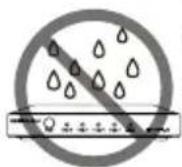
- Do not expose this apparatus to rain, moisture, dripping or splashing and that no objects filled with liquids, such as vases, shall be placed on the apparatus.

- Clean this apparatus only with dry cloth.

- Do not install or place this unit in a bookcase, built-in cabinet or in another confined space. Ensure the unit is well ventilated.
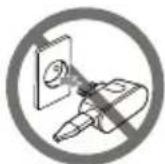
- Unplug this apparatus during lightning storms or when unused for long periods of time.
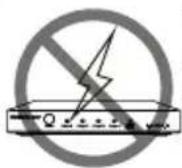
- To prevent risk of electric shock or fire hazard due to overheating, do not obstruct the unit's ventilation openings with newspapers, tablecloths, curtains, and similar items.

- Protect the power cord from being walked on or pinched particularly at plugs.

- Do not install near any heat sources such as radiators, heat registers, stoves, or other apparatus (including amplifiers) that produce heat.

- Only use attachments / accessories specified by the manufacturer.

- Do not place sources of naked flames, such as lighted candles, on the unit.

- Refer all servicing to qualified service personnel.
Table of Contents
Introduction....5
Overview....5
Features 5
Package Contents .... 5
Specifications 6
Panel Description 7
Transmitter 7
Receiver 7
Installation and Wiring 8
Troubleshooting 10
Warranty Terms and Conditions.... 11
Introduction
Overview
Thank you for purchasing this product. For proper installation and optimum performance, please read the instructions in this manual carefully.
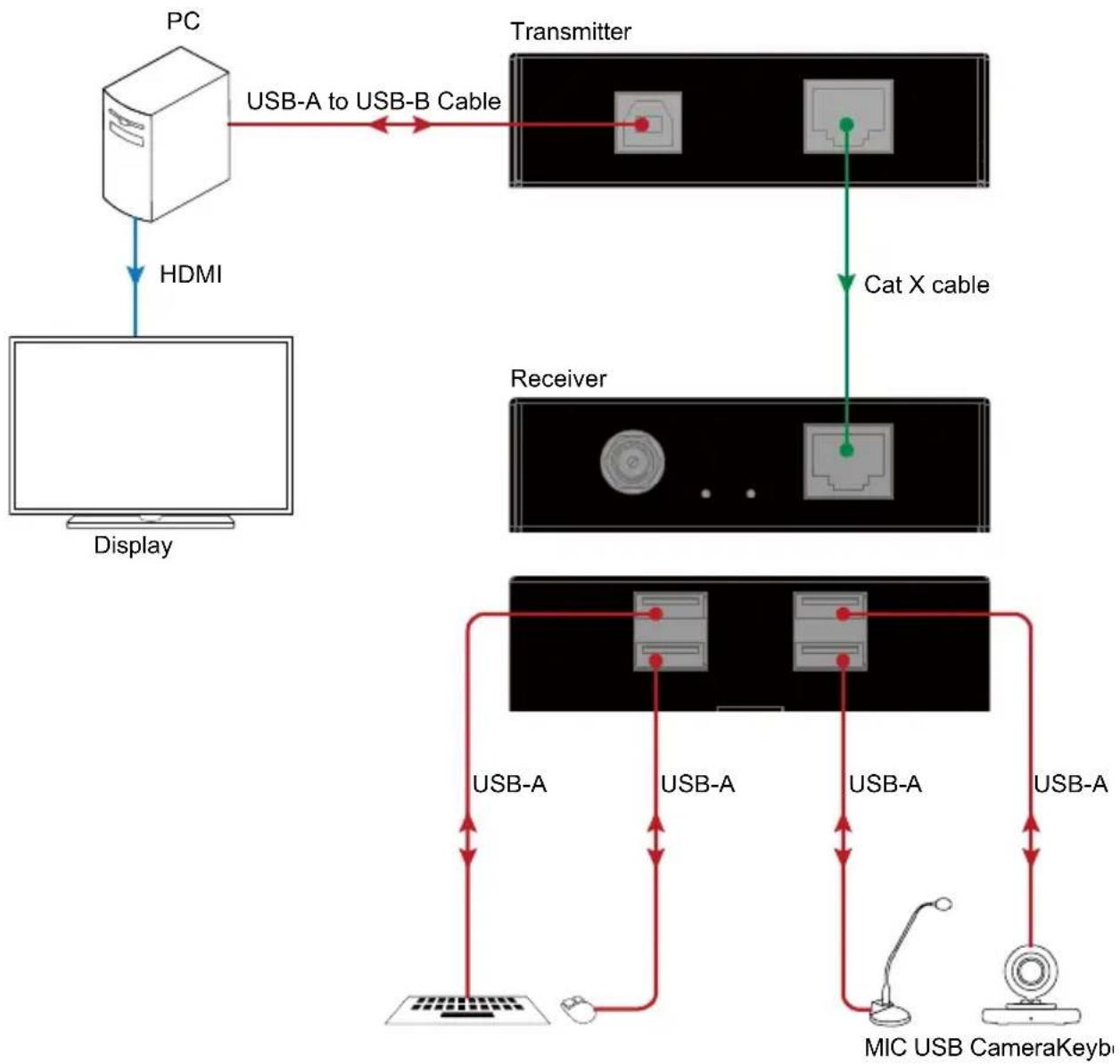
The DVDO-USB-Pair USB 2.0 extender is a slim transmitter and receiver set. It can extend USB signal up to 50m/165ft via a Cat 5e/6 cable. The built-in USB Hub in the receiver supports up to 4 ports of USB 2.0. The transmitter can be powered by the USB host such as a PC.
Features
• Supports high-speed USB 2.0 (Up to 480Mbps) over a Cat 5e/6 cable up to 50m/165ft
• Up to 4 USB device connections supported by the Hub
- Transmitter can be powered by USB port, receiver can be powered by lockable DC supply with 500mA to each USB device
• Plug-and-play, with no driver installation required
• Supports all major operating systems: Windows, Mac OS and Linux
• Compatible with USB 1.1 and USB 1.0 peripherals
Package Contents
Before you start the installation of the product, please check the package contents as below:
• DVDO-USB-Pair (Transmitter Receiver Set) x 1
• DC 12V 1A Power Supply (with US, UK, EU, AU Pins) x 1
• USB-A to USB-B Cable x 1
• Mounting Brackets (with Screws) x 4
- User Manual x 1
Specifications
| Technical | |
| I/O Connections | TX: 1 x USB Type-B, 1 x UTP OutRX:1 x UTP IN, 1 x DC 12V IN, 4 x USB 2.0 |
| Input/Output Signal Type | USB 2.0 and backward compatible with USB 1.1and USB 1.0 |
| Maximum Data Rate Up to 480Mbps | |
| General | |
| Operating Temperature | 0°C to 45°C (32°F to 113°F) |
| Storage Temperature | -20°C to 70°C (-4°F to 158°F) |
| Humidity | 10% to 90%, non-condensing |
| ESD Protection | Human-body Model:±8kV (Air-gap discharge)/±4kV (Contact discharge) |
| Power Supply DC 12V 1A | |
| Power Consumption(Maximum) | 4.5W |
| Device Dimension(W x H x D) | 90 mm × 25 mm × 71 mm/3.54" x 0.98" x 2.79" each for TX/RX |
| Product Weight | 0.35kg/0.77lb each for TX/RX |
Transmission Distance
Note: The use of T568B straight-through Category cables is recommended.
| Cable Type Range |
| Cat 5e/6 Up to 50m/165ft |
Panel Description
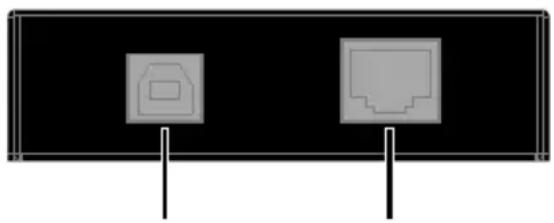
Transmitter
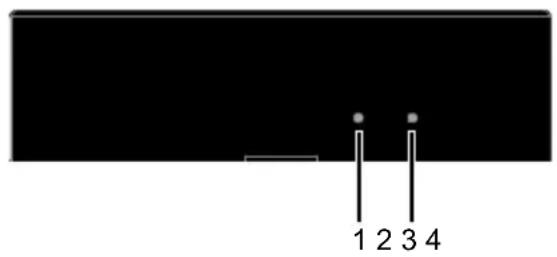
natural_image
Pure diagram of two pixelated devices on black background with vertical supports (no text or symbols)| No. | Name | Description |
| 1 STATUS LED | Blinking: The device is working properly.Off: The device is not working properly. | |
| 2 | POWER LED | On/Off: The device is powered on/off. |
| 3 | USB HOST | Connect to the PC with a USB-A to USB-B cable. |
| 4 | UTP OUT | Connect TX and RX with a Cat 5e/6 cable. |
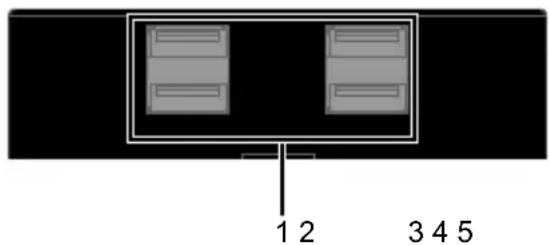
Receiver

natural_image
Back panel with three electronic components: a port icon, a circular button, and vertical pins (no text or symbols)| No. | Name | Description |
| 1 | USB 1-4 | Connect to USB devices such as keyboard, mouse, MIC, USB camera. |
| 2 | UTP IN | Connect TX and RX with a Cat 5e/6 cable. |
| 3 | STATUS LED | Blinking: The device is working properly.Off: The device is not working properly. |
| 4 | POWER LED | On/Off: The device is powered on/off. |
| 5 | DC 12V | Connect to the power adapter provided. |
Installation and Wiring
1. Video conference system
flowchart
graph TD
    PC["PC"] -->|HDMI| Display["Display"]
    PC -->|USB-A to USB-B Cable| Transmitter["Transmitter"]
    Transmitter -->|Cat X cable| Receiver["Receiver"]
    Receiver -->|USB-A| Mouse1["User Device"]
    Receiver -->|USB-A| Mouse2["User Device"]
    Receiver -->|USB-A| Mouse3["User Device"]
    Mouse1 -->|USB-A| Mouse4["User Device"]
    Mouse2 -->|USB-A| Mouse5["User Device"]
    Mouse3 -->|USB-A| Mouse6["User Device"]
    Mouse4 -->|USB-A| Mouse7["User Device"]
    Mouse5 -->|USB-A| Mouse8["User Device"]
    Mouse6 -->|USB-A| Mouse9["User Device"]
    Mouse7 -->|USB-A| Mouse10["User Device"]
    Mouse8 -->|USB-A| Mouse11["User Device"]
    Mouse9 -->|USB-A| Mouse12["User Device"]
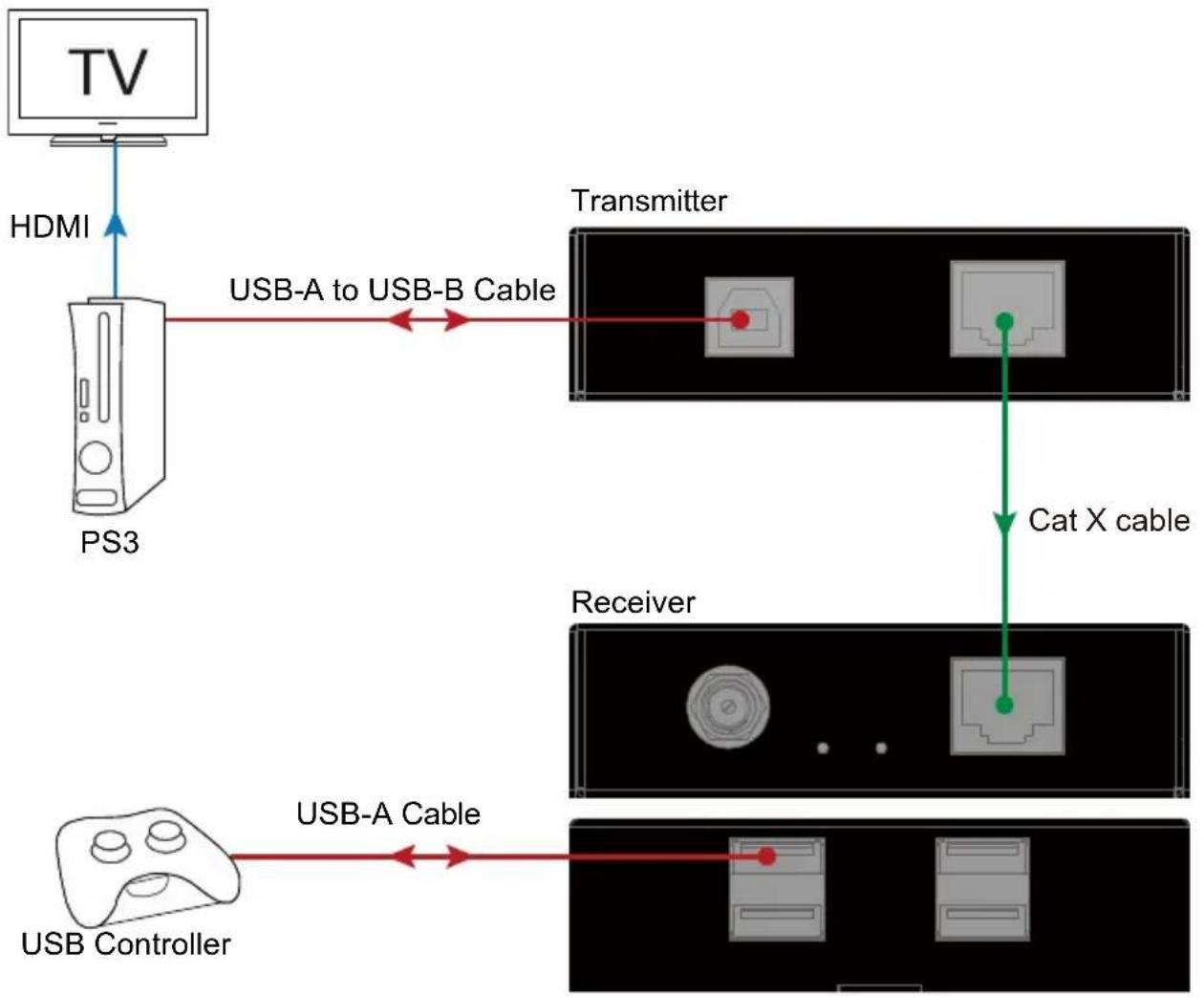
2. Personal entertainment system
flowchart
graph TD
    TV["TV"] -->|HDMI| PS3["PS3"]
    PS3 -->|USB-A to USB-B Cable| Transmitter["Transmitter"]
    Transmitter -->|Cat X cable| Receiver["Receiver"]
    Receiver -->|USB-A Cable| Controller["USB Controller"]
Troubleshooting
1. No Power
- Ensure the power is on.
- Ensure you use the power adapter provided in the package.
- If the transmitter is powered by the USB host, the receiver can be powered by transmitter through PoE.
- If connect to high power USB device(s), using external power supply to power the receiver is recommended.
2. USB Not Detected
Ensure all devices are powered on, and all cables are qualified and connected properly. Ensure all the cables' length are within the maximum transmission distance (refer to Specification table).
Warranty Terms and Conditions
For the following cases we shall charge for the service(s) claimed for the products if the product is still remediable and the warranty card becomes unenforceable or inapplicable.
- The original serial number (specified by us) labeled on the product has been removed, erased, replaced, defaced or is illegible.
- The warranty has expired.
- The defects are caused by the fact that the product is repaired, dismantled or altered by anyone that is not from an authorized service partner. The defects are caused by the fact that the product is used or handled improperly, roughly or not as instructed in the applicable User Guide.
- The defects are caused by any force majeure including but not limited to accidents, fire, earthquake, lightning, tsunami and war.
- The service, configuration and gifts promised by salesman only but not covered by normal contract.
- We preserve the right for interpretation of these cases above and to make changes to them at any time without notice.
DVDO
- Important Safety Instructions
- Table of Contents
- Introduction
- Overview
- Features
- Package Contents
- Specifications
- Transmission Distance
- Panel Description
- Transmitter
- Receiver
- Installation and Wiring
- Video conference system
- Personal entertainment system
- Troubleshooting
- No Power
- USB Not Detected
- Warranty Terms and Conditions
- DVDO
Brand : DVDO
Model : USB-Pair
Category : Electronic accessory