CBESATA2 - Computer accessory StarTech.com - Free user manual and instructions
Find the device manual for free CBESATA2 StarTech.com in PDF.


User questions about CBESATA2 StarTech.com
0 question about this device. Answer the ones you know or ask your own.
Ask a new question about this device
Download the instructions for your Computer accessory in PDF format for free! Find your manual CBESATA2 - StarTech.com and take your electronic device back in hand. On this page are published all the documents necessary for the use of your device. CBESATA2 by StarTech.com.
USER MANUAL CBESATA2 StarTech.com
eSATA CardBus Adapter
2 Port CardBus eSATA2 Drive Controller Card
CBESATA2
Instruction Manual

text_image
2 Port e-Link Cardium CERAMIC StarPacum www.sarPacum.com SARPacumActual product may vary from photo
StarTech.com

Making hard-to-find easy!
FCC Compliance Statement
This equipment has been tested and found to comply with the limits for a Class B digital device, pursuant to part 15 of the FCC Rules. These limits are designed to provide reasonable protection against harmful interference in a residential installation. This equipment generates, uses and can radiate radio frequency energy and, if not installed and used in accordance with the instructions, may cause harmful interference to radio communications. However, there is no guarantee that interference will not occur in a particular installation. If this equipment does cause harmful interference to radio or television reception, which can be determined by turning the equipment off and on, the user is encouraged to try to correct the interference by one or more of the following measures:
- Reorient or relocate the receiving antenna.
- Increase the separation between the equipment and receiver.
- Connect the equipment into an outlet on a circuit different from that to which the receiver is connected.
- Consult the dealer or an experienced radio/TV technician for help.
Use of Trademarks, Registered Trademarks, and other Protected Names and Symbols
This manual may make reference to trademarks, registered trademarks, and other protected names and/or symbols of third-party companies not related in any way to StarTech.com. Where they occur these references are for illustrative purposes only and do not represent an endorsement of a product or service by StarTech.com, or an endorsement of the product(s) to which this manual applies by the third-party company in question. Regardless of any direct acknowledgement elsewhere in the body of this document, StarTech.com hereby acknowledges that all trademarks, registered trademarks, service marks, and other protected names and/or symbols contained in this manual and related documents are the property of their respective holders.
Instruction Manual
Table of Contents
Introduction 1
Features 1
Before You Begin....1
System Requirements 1
Package Contents ....1
Installation and usage 2
Windows® 2000 / XP Driver Installation .....2
Windows® NT Driver Installation 2
Windows® 98SE/ME Driver Installation ....3
Troubleshooting 4
Accessory Products from StarTech.com ....5
Technical Support 6
Warranty Information ....6
Instruction Manual
Introduction
Thank you for purchasing a StarTech.com Two Port eSATA ExpressCard Adapter. This product allows notebook users to experience the high performance capability of eSATA storage, allowing convenient data offloads with up to 133Mbps bandwidth based on the CardBus standard.
Features
• Supports two high-speed eSATA channels for SATAI/II device connections
• Works with SATA I and SATA II devices
- Plug and Play installation
• Supports Windows 98SE/ME/2000/XP/Vista
Before You Begin
System Requirements
• One available CardBus Slot
- Operating System: Windows® 98SE/ME/2000/XP/Vista
Package Contents
This package should contain:
• 1 x 2 Port eSATA Cardbus Adapter
- 1 x Driver CD
- 1 x User Manual
Instruction Manual
Installation and usage

WARNING: Do not disconnect any cables or power sources while the hard drive is active. This can result in data loss and possible damage to the hard drive. To avoid this, please shut down the host computer prior to disconnecting the attached eSATA device from the host computer.
Regardless of the operating system version being used, please insert the Driver CD into the CD/DVD-ROM drive, prior to connecting the device to the CardBus slot.
Windows® 2000 / XP / Vista Driver Installation
- Insert CBESATA2 into an available CardBus slot.
- Windows will detect that the SATA PCI Controller has been connected, and automatically load the Add New Hardware Wizard. Select Install from a list or specific location (Advanced), and click Next to continue setup.
- Select Specify the location... and in the dialogue box provided, type D:\WINXP and click Next.
- Click Next and Finish respectively.
- Remove the Driver CD diskette, and select Yes when prompted to restart the computer, in order for the setup to take effect. Once the computer has rebooted, it is safe to connect your eSATA devices to the newly installed ports.
Windows® NT Driver Installation
- With the host computer in a powered state, select Settings from the Start menu, and open the Control Panel.
- In the Control Panel window, double-click on the SCSI Adapters icon.
- Choose the Drivers tab from the SCSI Adapters window, then press Add to continue.
- Click Have Disk from the Install Driver window.
- Ensure the Driver CD is present in the CD/DVD-ROM drive, and type D:\WINNT4.0 into the field designating the file's location. Press OK to continue setup.
- Select Initio inic1622 S-ATA Adapter from the window then click OK to continue.
Instruction Manual
- Click Have Disk from the Install Driver window.
- Please restart the computer when prompted, for installation to take effect. Once the computer has rebooted, it is safe to connect your eSATA devices to the newly installed ports.
Windows® 98SE/ME Driver Installation
- With the host computer in a powered state, insert CBESATA2 into an available CardBus slot.
- Windows will automatically load the Add New Hardware Wizard. Select Specify the location of the driver (Advanced) and click Next to continue to setup.
- Ensure the Driver CD is present in the CD/DVD-ROM drive, and select Search for the best driver for your device (Recommended). In the dialog box designating the file location, type D:\WIN9X and click Next to continue to setup.
- Once the driver for initio inic1622 S-ATA Adapter has been found, press Next to continue setup.
- When the driver installation has finished, press Finish to continue.
- Please restart the computer when prompted, for installation to take effect. Once the computer has rebooted, it is safe to connect your eSATA devices to the newly installed ports.
Instruction Manual
Troubleshooting
Following installation of the necessary software, and restarting the computer, your eSATA devices should be accessible by the host computer (once connected to CBESATA2 using an eSATA cable). If you find that the attached devices are not detected by the host computer, verify that installation was successful by:
Windows® 2000 / XP verification / Vista
1 Right-click on My Computer and select Manage. This will open the Computer Management dialogue window.
2. In the left pane of the Computer Management dialogue window, click on Device Manager.
3. Click on the + sign next to SCSI and RAID controllers. If Initio inic1622 S-ATA Adapter is listed underneath, CBESATA2 has successfully been installed.
Windows® 98SE / NT verification
- Right-click on the My Computer icon, and select Properties.
- Select Device Manager from the System Properties window and click on SCSI controllers. If Initio inic1622 S-ATA Adapter device is shown below, it means that the driver has been installed successfully.
Instruction Manual
Accessory Products from StarTech.com
Contact your local StarTech.com dealer or visit www.startech.com for cables or other accessories that will help you get the best performance out of your new product.
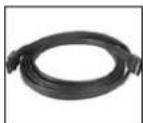
ESATA3
3' Shielded External eSATA Cable M/M
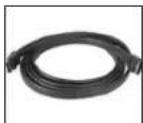
ESATA6
6' Shielded External eSATA Cable M/M

PCI2PCMCIA1
1 Port CardBus/PCMCIA to PCI Adapter Card
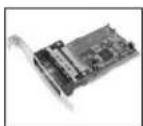
PCI2PCMCIA2
2 Port CardBus/PCMCIA to PCI Adapter Card
Instruction Manual
Specifications
| Bus Type Serial ATA | |
| Connectors 2 x eSATA | |
| Maximum Data Transfer Rate | 1.5Gbps (SATA I drive)3Gbps (SATA II drive)133 Mbps (CardBus standard) |
| Chipset | Initio-1622 |
| OS Support Windows98SE/ME/2000/XP/Vista | |
| Regulatory Certifications | CE, FCC, ROHS |
Technical Support
StarTech.com's lifetime technical support is an integral part of our commitment to provide industry-leading solutions. If you ever need help with your product, visit
www.startech.com/support and access our comprehensive selection of online tools, documentation, and downloads.
Warranty Information
This product is backed by a lifetime warranty. In addition, StarTech.com warrants its products against defects in materials and workmanship for the periods noted, following the initial date of purchase. During this period, the products may be returned for repair, or replacement with equivalent products at our discretion. The warranty covers parts and labor costs only. StarTech.com does not warrant its products from defects or damages arising from misuse, abuse, alteration, or normal wear and tear.
Limitation of Liability
In no event shall the liability of StarTech.com Ltd. and StarTech.com USA LLP (or their officers, directors, employees or agents) for any damages (whether direct or indirect, special, punitive, incidental, consequential, or otherwise), loss of profits, loss of business, or any pecuniary loss, arising out of or related to the use of the product exceed the actual price paid for the product. Some states do not allow the exclusion or limitation of incidental or consequential damages. If such laws apply, the limitations or exclusions contained in this statement may not apply to you.
About StarTech.com
StarTech.com is “The Professionals’ Source for Hard-to-Find Computer Parts”. Since 1985, we have been providing IT professionals with the quality products they need to complete their solutions. We offer an unmatched selection of computer parts, cables, server management solutions and A/V products and serve a worldwide market through our locations in the United States, Canada, the United Kingdom and Taiwan.
Visit www.startech.com for complete information about all our products and to access exclusive interactive tools such as the Parts Finder and the KVM Reference Guide. StarTech.com makes it easy to complete almost any IT solution. Find out for yourself why our products lead the industry in performance, support, and value.