CSA100 - Wall mount Chief - Free user manual and instructions
Find the device manual for free CSA100 Chief in PDF.


User questions about CSA100 Chief
0 question about this device. Answer the ones you know or ask your own.
Ask a new question about this device
Download the instructions for your Wall mount in PDF format for free! Find your manual CSA100 - Chief and take your electronic device back in hand. On this page are published all the documents necessary for the use of your device. CSA100 by Chief.
USER MANUAL CSA100 Chief
INSTALLATION INSTRUCTIONS
natural_image
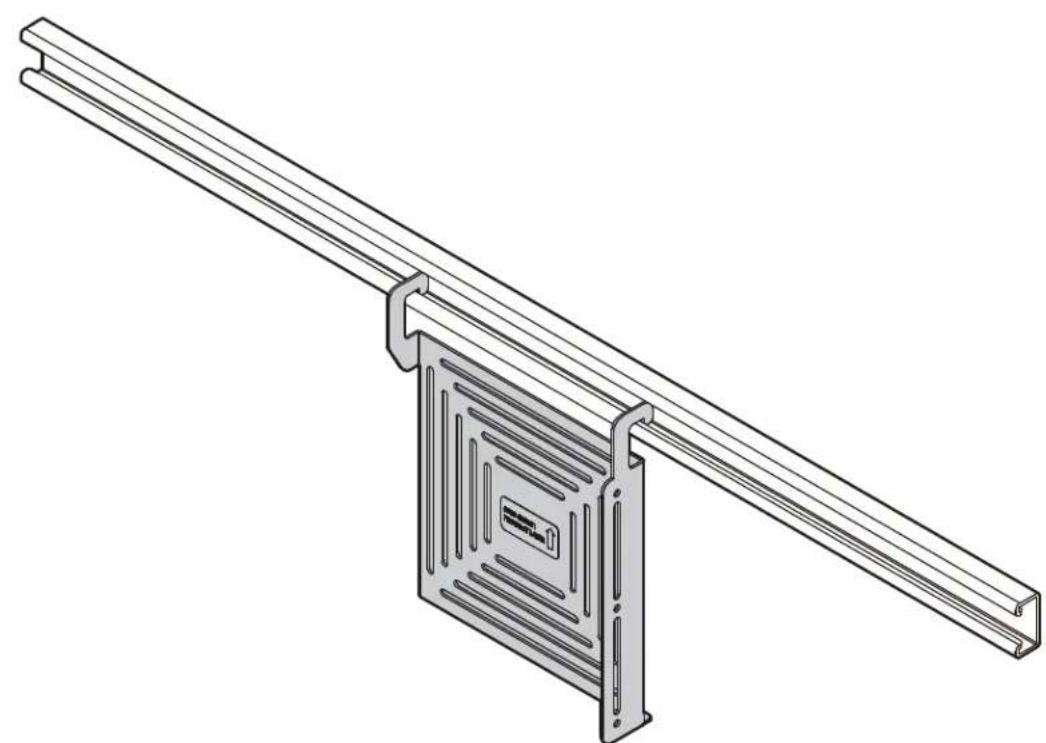
Technical line drawing of a mechanical assembly with two parallel rods and a central panel (no text or symbols)ConnexSys™ Device Holder
DISCLAIMER
Milestone AV Technologies and its affiliated corporations and subsidiaries (collectively "Milestone"), intend to make this manual accurate and complete. However, Milestone makes no claim that the information contained herein covers all details, conditions or variations, nor does it provide for every possible contingency in connection with the installation or use of this product. The information contained in this document is subject to change without notice or obligation of any kind. Milestone makes no representation of warranty, expressed or implied, regarding the information contained herein. Milestone assumes no responsibility for accuracy, completeness or sufficiency of the information contained in this document.
Chief® is a registered trademark of Milestone AV Technologies. All rights reserved.
IMPORTANT SAFETY INSTRUCTIONS
WARNING: A WARNING alerts you to the possibility of serious injury or death if you do not follow the instructions.

CAUTION: A CAUTION alerts you to the possibility of damage or destruction of equipment if you do not follow the corresponding instructions.

WARNING: Failure to read, thoroughly understand, and follow all instructions can result in serious personal injury, damage to equipment, or voiding of factory warranty! It is the installer's responsibility to make sure all components are properly assembled and installed using the instructions provided.

WARNING: Exceeding the weight capacity can result in serious personal injury or damage to equipment! It is the installer's responsibility to make sure the combined weight of all components attached to the CSA100 does not exceed 10 lbs (4.5 kg).

WARNING: Use this mounting system only for its intended use as described in these instructions. Do not use attachments not recommended by the manufacturer.

WARNING: Never operate this mounting system if it is damaged. Return the mounting system to a service center for examination and repair.

WARNING: Do not use this product outdoors.

CAUTION: Do not bump CSA100 or its attached components. If bumped from below the CSA100 may dislodge from the rail.
IMPORTANT ! : The CSA100 is designed for use on the LVS1U/LVSXU or LVS1UP/LVSXUP video wall mounting systems.
--SAVE THESE INSTRUCTIONS--
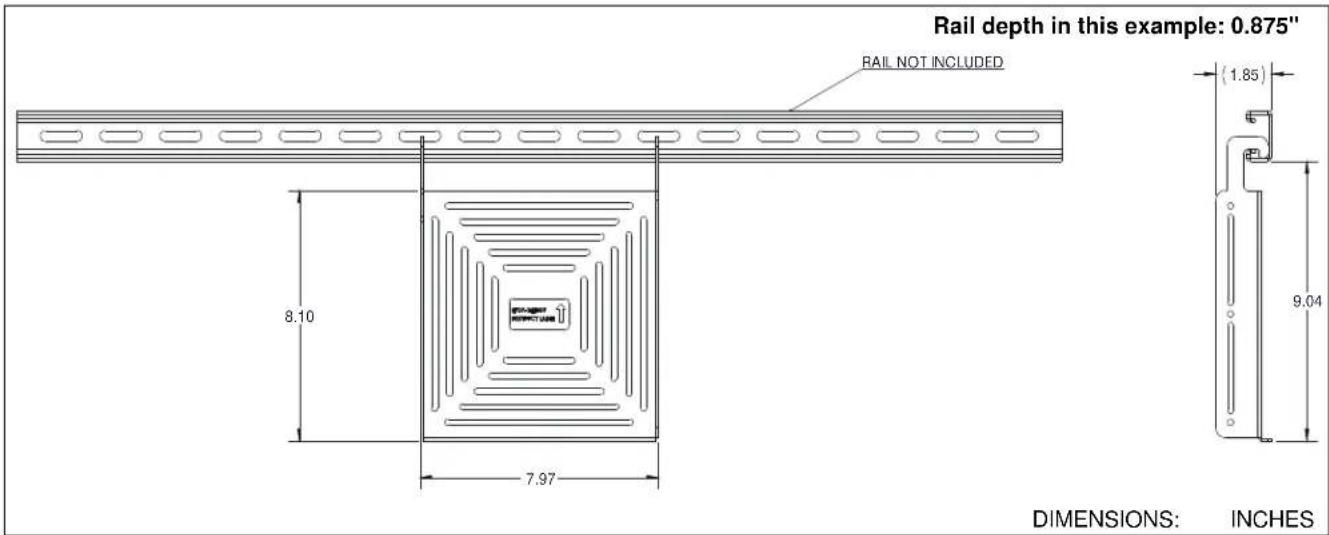
DIMENSIONS
text_image
Rail depth in this example: 0.875" RAIL NOT INCLUDED (1.85) 8.10 7.97 9.04 DIMENSIONS: INCHESTOOLS / PARTS FOR INSTALLATION
text_image
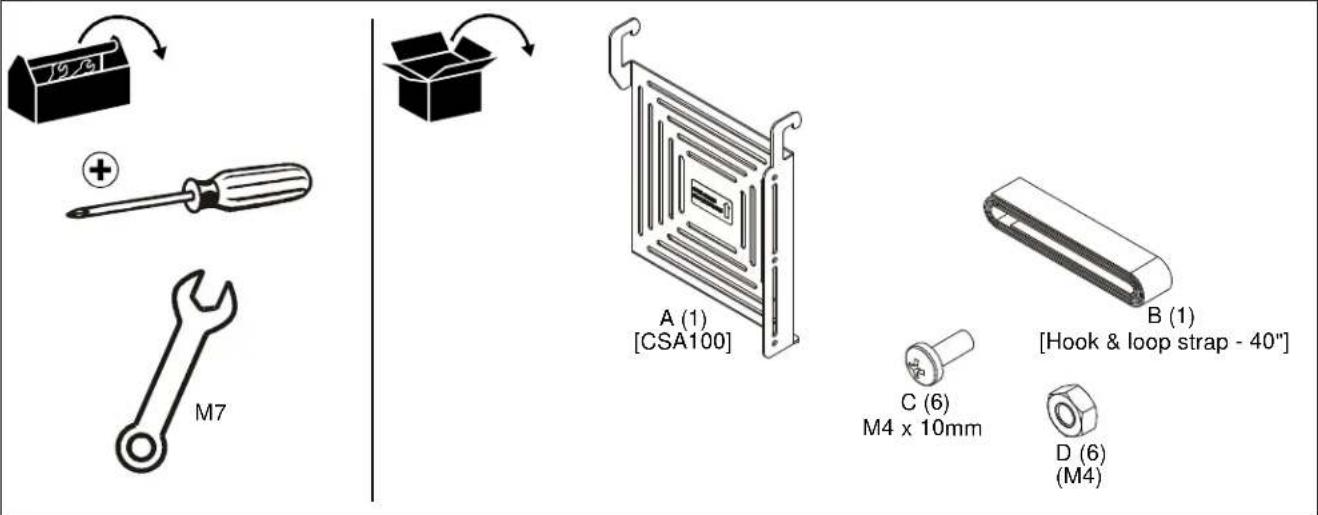
M7 A (1) [CSA100] C (6) M4 x 10mm D (6) (M4) B (1) [Hook & loop strap - 40"]ASSEMBLY AND INSTALLATION
NOTE: Components may be attached to the CSA100 (A) either using the hardware included (C and D), or the hook and loop strap (B) provided.
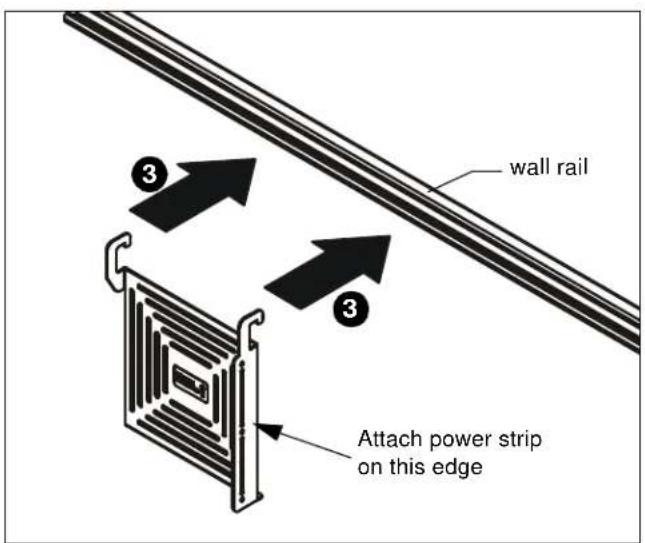
NOTE: A power strip may be attached to the side of the CSA100 ONLY when used in the middle of the LVS1U/LVSXU, OR if CSA100 is installed on rail outside of main mount frame. (See Figure 1)
- If component has a flange: Attach component to CSA100 using Phillips M4 x 10mm screws (C) and M4 nuts (D). Proceed to Step 3.
- If component does not have an attachment point: Attach component to CSA100 using hook and loop strap (B). Cut strap to length as necessary.
- Complete the installation by hanging CSA100 on the lower part of the LVS1U/LVSXU or LVS1UP/LVSXUP wall rail between displays. (See Figure 1)
text_image
wall rail Attach power strip on this edgeFigure 1

CAUTION: Do not bump CSA100 or its attached components. If bumped from below the CSA100 may dislodge from the rail.
Installation Instructions