FWP-F - Projector Vello - Free user manual and instructions
Find the device manual for free FWP-F Vello in PDF.


User questions about FWP-F Vello
0 question about this device. Answer the ones you know or ask your own.
Ask a new question about this device
Download the instructions for your Projector in PDF format for free! Find your manual FWP-F - Vello and take your electronic device back in hand. On this page are published all the documents necessary for the use of your device. FWP-F by Vello.
USER MANUAL FWP-F Vello
natural_image
Two black remote control devices with control buttons and indicator lights, no visible text or symbolsINTRODUCTION
Thank you for choosing the Vello FreeWave Plus Wireless Remote Shutter Release. This device triggers your camera in either wired or wireless mode, allowing you to trip the shutter without disturbing the camera. It's ideal for taking pictures of subjects that are difficult to approach, such as wildlife. It also eliminates vibrations caused by pressing your camera's shutter release button during macro, close-up, and long-exposure photography. The four-second delay function is great for self-portraits.
The FreeWave Plus does not require line-of-sight alignment, as its radio waves pass through and around objects such as walls, windows, and floors. You can even trigger your camera around corners.
The FreeWave Plus uses the 2.4 GHz wireless frequency for extended range and reduced interference.

natural_image
Product photo of four electronic devices: remote control, two handheld devices, a coiled cable, and a battery pack (no visible text or symbols)Your Vello FreeWave Plus
Wireless Remote Shutter Release
Kit contains:
Wireless Transmitter
Wireless Receiver
Shutter Release Cable(s)
4 AAA Batteries
Wrist strap
SAFETY WARNINGS
- There are no user-serviceable parts inside the devices. Do not attempt to disassemble or perform any unauthorized modifications.
- Do not operate the FreeWave Plus in the presence of flammable gases or vapors.
-
Observe caution when handling batteries. Batteries may leak or explode if improperly handled. Use only the batteries listed in this manual. Make certain to align batteries with correct polarity.
-
Do not handle with wet hands or immerse in or expose to water or rain. Failure to observe this precaution could result in fire or electric shock.
- Keep out of the reach of children. This device contains small parts which may pose a choking hazard.
-
Batteries are prone to leakage when fully discharged. To avoid damage to the product, be sure to remove the batteries when leaving the product unattended for prolonged periods or when no charge remains.
-
Do not use or leave the devices in conditions of extreme heat, severe cold, or high humidity.
- Turn off the camera's power before inserting or removing the remote cord.
- Dispose used batteries, packaging, and old devices in accordance with appropriate local environmental regulations.
- All images are for illustrative purposes only.
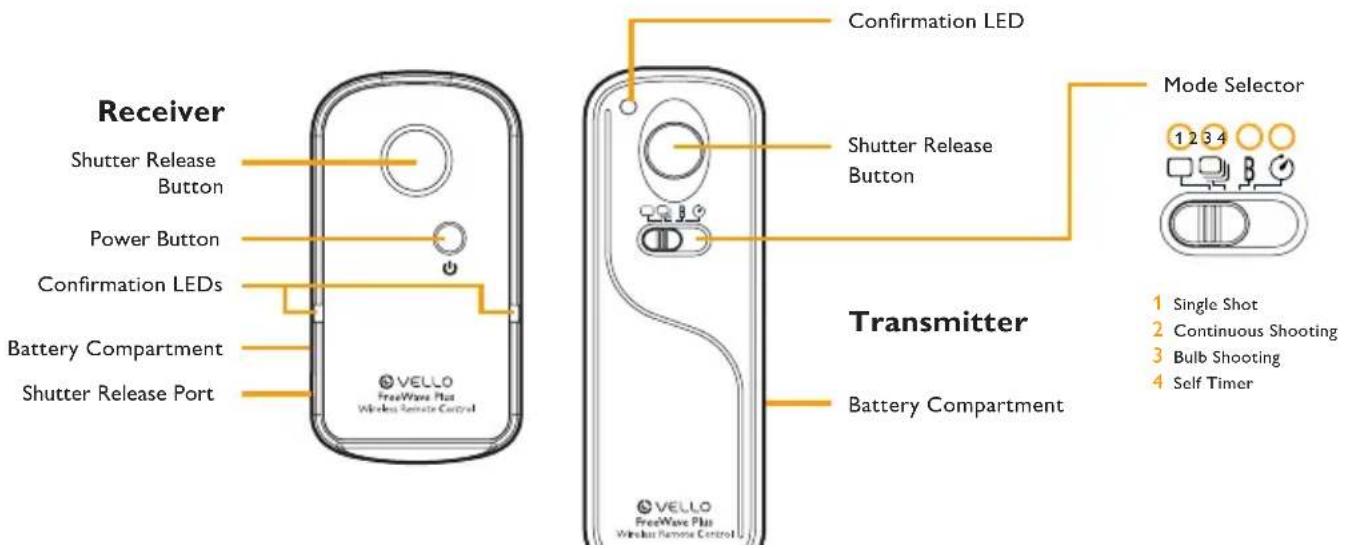
FEATURES DIAGRAM
text_image
Receiver Shutter Release Button Power Button Confirmation LEDs Battery Compartment Shutter Release Port Confirmation LED Shutter Release Button Transmitter Battery Compartment MODE Selector 1 2 3 4 1 Single Shot 2 Continuous Shooting 3 Bulb Shooting 4 Self TimerSETTING THE DEVICE CHANNEL AND INSERTING THE BATTERIES
Set the DIP switches located in the battery compartments of the Transmitter and Receiver. The DIP switches set a different radio frequency (channel) for each Transmitter/Receiver pair to prevent radio interference.
Use any combination of the DIP switches so long as both the Transmitter and Receiver are set to the same position. There are a total of 16 available combinations.
Insert 2×AAA batteries into the transmitter and receiver.

text_image
ON ×1% ON ON ONPOWERING ON & OFF
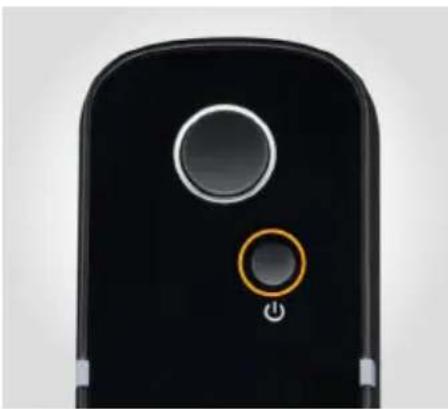
Turn ON the Receiver: Press and hold the Power button for 2 seconds. The LEDs will flash red at 2 second intervals to indicate that the receiver is working.
To power down after use, Press and hold the Power button for 2 seconds. The LEDs will flash 4 times in quick succession to indicate that it is powering off.
natural_image
Close-up of a black mobile phone's front panel showing a circular button and a highlighted orange button (no text or symbols visible)There is no need for a power button on the transmitter. The Transmitter is always ready to fire and uses power only when you press the focus/shutter release button.
Press and hold the
Power button for 2 seconds to power up the Receiver.
MOUNTING THE RECEIVER
If using the FreeWave wirelessly, mount the Receiver on your camera's hot shoe, facing forwards or backwards.
If your camera's hot shoe is in use, you can mount the receiver to a bracket or cage via its mounting foot or 1/4-20 socket.
With your camera and Receiver OFF, connect the shutter release cable's sub-mini plug end to the Receiver, and the other end to your camera's shutter release jack. Power up your camera and Receiver.

natural_image
Close-up of a black DSLR camera with a yellow arrow pointing to the lens (no visible text or symbols)
natural_image
Close-up of a black DSLR camera with attached optical cable and control buttons (no visible text or symbols)8
SINGLE SHOT MODE
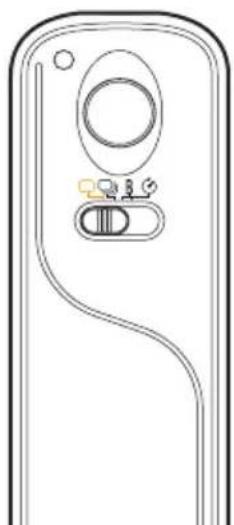
- Set the Transmitter and camera to Single Shot mode.
- Press the Transmitter's shutter release button halfway to wake or focus your camera (if set to Auto Focus). The LED will turn blue.
- Fully depress the shutter button to take the photograph. The LED will flash red and the shutter will be triggered.
natural_image
Line drawing of a device front panel with circular and rectangular components (no text or symbols)
natural_image
Close-up of a white bowl filled with fresh green leafy salad garnished with purple and white flowers, placed on a blue napkin (no text or symbols visible)CONTINUOUS MODE
- Set the transmitter to Continuous Shooting.
-
Press the Transmitter's shutter release button halfway to wake or focus your camera (if set to Auto Focus). The LED will turn blue.
-
A full press of the Transmitter's shutter button will trigger the camera to take continuous photos at 1 second intervals until you release the shutter button.
natural_image
A whale leaping out of calm blue ocean waters under a clear sky (no text or symbols visible)
natural_image
A whale partially submerged in calm blue ocean waters under a clear sky (no text or symbols visible)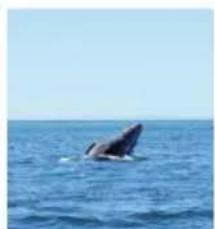
natural_image
Whale leaping out of calm ocean under clear sky (no text or symbols visible)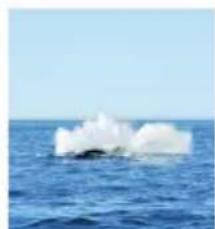
natural_image
A large white ice sculpture floating above the ocean under a clear sky (no text or symbols visible)To access your camera's fastest drive speed:
- Set the Transmitter to Bulb Shooting, and your camera to Continuous Shooting mode.
- Press the Transmitter's shutter release button halfway to wake or focus your camera (if set to Auto Focus). The LED will turn blue.
- Fully depress the shutter button to begin shooting. The LED on the Transmitter will flash red, and the LED on the receiver will turn solid red. The camera will continue shooting until you press the shutter button a second time.
BULB MODE
- Set the Transmitter and camera to Bulb Shooting.
- Press the Transmitter's shutter release button halfway to wake or focus your camera (if set to Auto Focus). The LED will turn blue.
- Fully depress the shutter button to begin the exposure. The LED on the Transmitter will flash red, and the LED on the receiver will turn solid red. The shutter will remain open until you press the shutter button a second time.

natural_image
Pure diagram of a device casing with internal components and no text or symbols
natural_image
Night city street scene with illuminated skyscrapers and light trails from traffic (no visible text or signage)11
SELF TIMER MODE
- Set the Transmitter to Self Timer mode.
- Set your camera to the Single Shot setting.
- Press the Transmitter's shutter release button halfway to wake or focus your camera (if set to Auto Focus). The LED will turn blue.
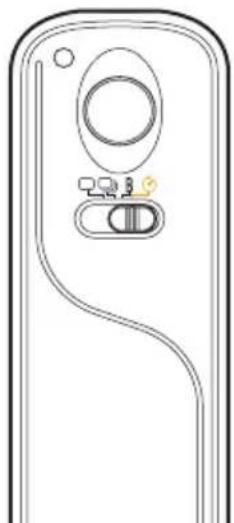
- Fully depress the shutter button to take the photograph. The LED will blink red, and the shutter will be triggered after a four-second delay.
natural_image
Pure diagram of a device casing with internal components and no text or symbols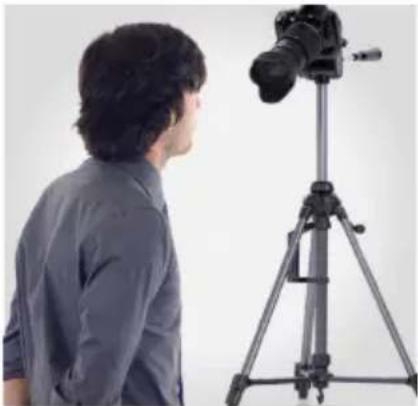
natural_image
Side profile of a person looking at a professional camera on a tripod (no text or symbols visible)WIRED RELEASE TRIGGER
You can use the FreeWave Plus receiver as a wired trigger and it can be used with the receiver's power turned off.
- Adjust your camera settings, such as exposure mode, shutter speed, and focus and shooting modes.
- Press the receiver's shutter release button halfway to focus.
Note: Autofocus is not compatible with back-button focusing on some camera models.
- Press the shutter release button fully to take a photo. If your camera is set to bulb mode you need to press the shutter a second time to end the exposures.

natural_image
Hand holding a camera on a tripod with a handheld device, no visible text or symbolsTROUBLESHOOTING
Troubleshooting
Problems with the FreeWave Plus can usually be traced to the following most common causes. Perform the following steps to diagnose and correct the problem:
- Check that the shutter release cable is in good condition and is properly connected.
- Make sure that the Receiver is powered on.
- Remove the batteries from the Transmitter and Receiver, and change the channel by rearranging the DIP switches to a different combination, taking care to ensure that both the Transmitter and Receiver are set identically.
FCC COMPLIANCE
This device complies with Part 15 of the FCC Rules. Operation is subject to the following two conditions:
- This device may not cause harmful interference
- This device must accept any interference received, including interference that may cause undesired operation.
SPECIFICATIONS
| Transmitter Receiver | ||
| Power | ||
| Battery Life | ||
| Dimensions (L×W×H) | 3.94 × 1.34 × .63 in. (100 × 34 × 16 mm) | 2.7 × 1.5 × 1.02 in. (71 × 38 × 26 mm) |
| Weight | ||
| Channels | ||
| Range | ||
| Frequency | ||
| Confirmation LEDs | ||
| Shutter Modes | Single Shot, 4-Second Delay, Continuous, 1-Second Continuous, and Bulb | |
ONE-YEAR LIMITED WARRANTY
This VELLO product is warranted to the original purchaser to be free from defects in materials and workmanship under normal consumer use for a period of one (1) year from the original purchase date or thirty (30) days after replacement, whichever occurs later. The warranty provider's responsibility with respect to this limited warranty shall be limited solely to repair or replacement, at the provider's discretion, of any product that fails during normal use of this product in its intended manner and in its intended environment. Inoperability of the product or part(s) shall be determined by the warranty provider. If the product has been discontinued, the warranty provider reserves the right to replace it with a model of equivalent quality and function.
This warranty does not cover damage or defect caused by misuse, neglect, accident, alteration, abuse, improper installation or maintenance. EXCEPT AS PROVIDED HEREIN, THE WARRANTY PROVIDER MAKES NEITHER ANY EXPRESS WARRANTIES NOR ANY IMPLIED WARRANTIES, INCLUDING BUT NOT LIMITED TO ANY IMPLIED WARRANTY OF MERCHANTABILITY OR FITNESS FOR A PARTICULAR PURPOSE. This warranty provides you with specific legal rights, and you may also have additional rights that vary from state to state.
To obtain warranty coverage, contact the Vello Customer Service Department to obtain a return merchandise authorization ("RMA")
number, and return the defective product to Vello along with the RMA number and proof of purchase. Shipment of the defective product is at the purchaser's own risk and expense.
For more information or to arrange service, visit www.vellogear.com or call Customer Service at 212-594-2353.
Product warranty provided by the Gradus Group.
www.gradusgroup.com
VELLO is a registered trademark of the
Gradus Group. © 2021 Gradus Group LLC. All Rights Reserved.

VELLO
www.vellogear.com

VELLO*
A Gradus Group Brand
All other trademarks are the property of their respective owners.
GG1