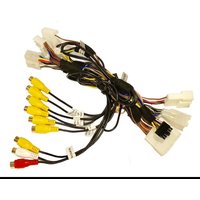
RFM-TYS - Rear Camera CRUX - Free user manual and instructions
Find the device manual for free RFM-TYS CRUX in PDF.


| Product Type | Rear View Camera Interface Module (Multi-Camera Input) |
| Brand | CRUX |
| Model | RFM-TYS |
| Vehicle Compatibility | 2018-Up Toyota Sienna |
| Video Inputs | 6 (Front, Rear, Left, Right, Cargo, Trailer) + 1 Audio/Video Input |
| Output | To Factory Radio via 28-Pin and 30-Pin Connectors |
| Power Supply | 12V DC (Vehicle Battery) |
| Camera Power Outputs | Front/Rear +12V (purple/white), Left/Right +12V (green/white), Cargo/Trailer +12V (orange/white) |
| Control | Steering Wheel Control (SWC) for source toggle and forced camera view |
| Turn Signal Trigger | Left/Right turn signals automatically switch to corresponding side camera; can be disabled via SWC |
| DIP Switch Settings | Enable/disable individual cameras (Front, Left, Right, Cargo, Trailer, AUX A/V) |
| Included Parts | RFM-TYS Module, RFM-TYS Harness, CSV-TYS Sienna Side Mirror Camera |
| Optional Cameras (Sold Separately) | CUL-16, CUL-04, CLP-12, CFF-01, CFF-02, CFF-03 |
| Installation | Professional installation recommended; requires removal of door panels, dash trim, etc. |
| Programming | Turn signal + hold Hang-Up button for 3 seconds to program side cameras |
| Auto Front Camera | Shows for 10 seconds when shifting from Reverse to Drive |
| Dimensions | Not specified |
| Weight | Not specified |
| Maintenance | Keep connectors clean; wipe with dry cloth if needed; no user-serviceable parts inside |
| Safety | Disconnect battery before installation; avoid short circuits; use proper fuses |
| Spare Parts | Contact manufacturer for replacement parts |
Frequently Asked Questions - RFM-TYS CRUX
User questions about RFM-TYS CRUX
0 question about this device. Answer the ones you know or ask your own.
Ask a new question about this device
Download the instructions for your Rear Camera in PDF format for free! Find your manual RFM-TYS - CRUX and take your electronic device back in hand. On this page are published all the documents necessary for the use of your device. RFM-TYS by CRUX.
USER MANUAL RFM-TYS CRUX
- Adds a reverse camera input, 6 video plus 1 audio/video inputs.
- Uses the steering wheel controls buttons to toggle between the sources.
- Turn signals automatically triggers the corresponding side camera.
- Turn signal camera trigger can be turned on or off by using the SWC button.
PARTS INCLUDED:

RFM-TYS Module RFM-TYS Harness CSV-TYS Sienna Side Mirror Camera
OPTIONAL ADD-ON CAMERAS:
Optional add on cameras are available to complete the multi-view capability of the RFM-TYS. Cameras available and sold separately include: (More cameras can be found at www.cruxinterfacing.com)

CUL-16 Lip Mount Camera CUL-04 Lip Mount Camera CLP-12 License Plate Mount Camera
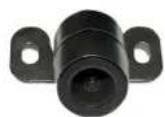
CFF-01 Bullet Type Front Camera (Recommended)
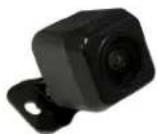
CFF-02 Square Body Front Camera

CFF-03 Grille Mount Front Camera
INSTALLATION DIAGRAM:
To Vehicle Harness
![graph TD A["30 PIN"] --> B["To Radio"] C["28 PIN"] --> B B --> D["CRUX"] D --> E["Connect this 6-pin plug if OEM backup camera is being used"] E --> F["Audio/Video Input"] E --> G["Front and Rear Camera Power Output +12V (purple/white)"] E --> H["Left and Right Camera Power Output +12V (green/white)…](/content/2026/06/1226917/images/7e9e626d826e2936c1051af5aa0c73594f8cca0b38cbf7382ec61e173e3a7454.jpg)
DIP SWITCH SETTINGS:
| DIP#ONOFF | — | — |
| 1 No Function – Leave OFF | ||
| 2 Front Camera ON Front Camera OFF | ||
| 3 Left Camera ON Left Camera OFF | ||
| 4 Right Camera ON Right Camera OFF | ||
| 5 Cargo Camera ON Cargo Camera OFF | ||
| 6 Trailer Camera ON Trailer Camera OFF | ||
| 7 AUX A/V ON | AUX A/V OFF | |
| 8 | Set to OFF | |
OPERATION:
Side Mirror Mounted Camera Installation:
Side mirror camera installation below is on a 2018 Toyota Tacoma. Installation on a 2018 Sienna is similar.
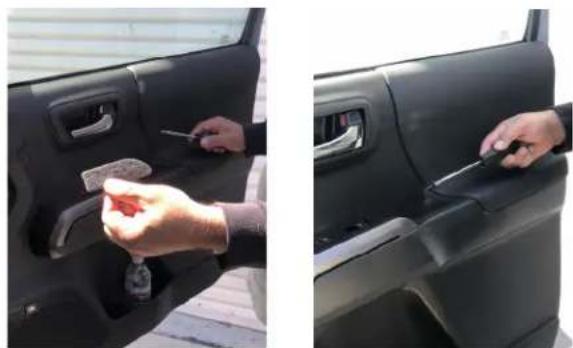
- Remove the felt liner inside the door pull and remove the screw.
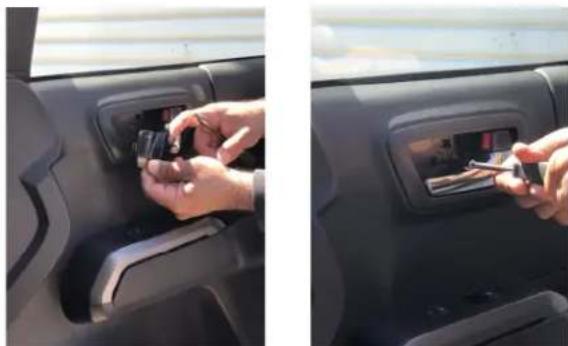
- Remove the door unlock handle cover and remove the screw.

- Use a plastic pry bar to remove the window sail. Remove the trim panel clips
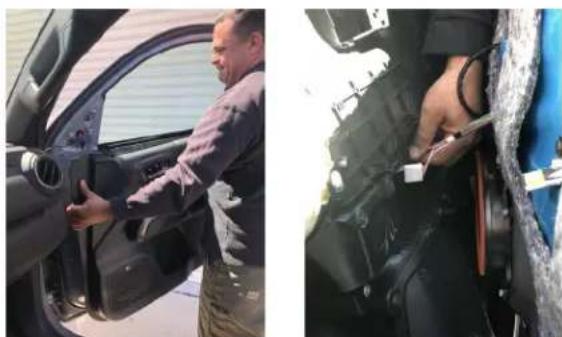
- Unhook the door panel by pulling it upward. Unplug the speaker and doorlock harness.

- Use a hooked pick tool to remove the OEM side mirror cover. Fish the camera cable through the hole.

- Tuck in the camera cable inside the cavity and snap in the CSV-TYS side mirror cover with camera.
RFM-TYS module installation:
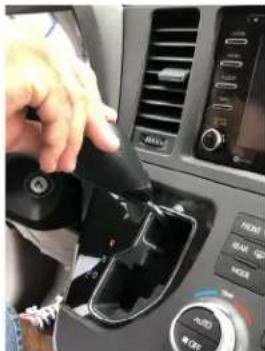
- Unscrew the shifter knob. 2. Remove the upper dash trim by pulling upward. It is held
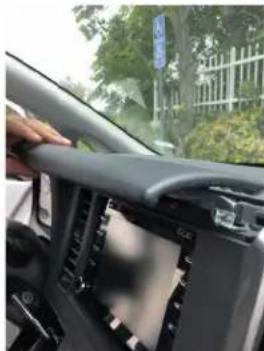
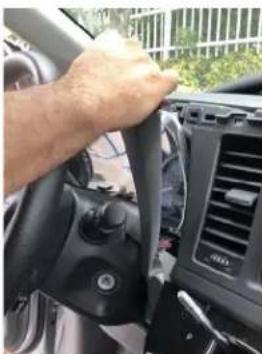
- Carefully pull out the trim around the instrument cluster. This is held by clips.


-
Unplug the connectors behind the radio bezel.
-
Carefully pull out the whole from radio bezel.
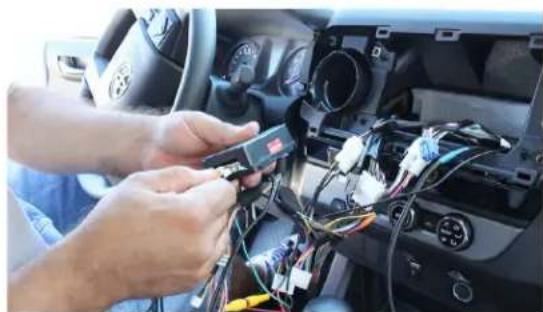
- Run all camera wires towards the radio and make the video RCA connections at the RFM-TYS harness. See diagram on page 2 for the camera power connections.
OPERATION:
The RFM-TYS will need to be programmed once to turn on the Left and Right side cameras as follows:
- Turn on Left turn signal then press and hold the Hang Up button on SWC for 3 seconds.
- Turn on the Right Turn signal then press and hold the Hang Up button on SWC for 3 seconds.
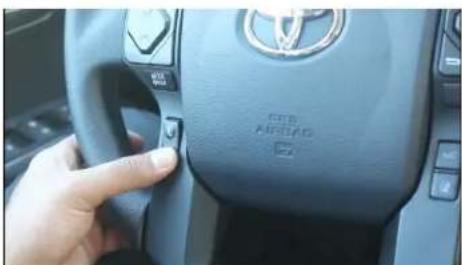
- Press and hold the HANG UP button for 3 seconds to turn on forced camera view mode. Each press of the button thereafter toggles which ever cameras are turned on using the DIP switches. It will also toggle to AV mode.

- The front camera (if installed) will automatically show on the screen for 10 seconds when the gear is put to Drive from Reverse.
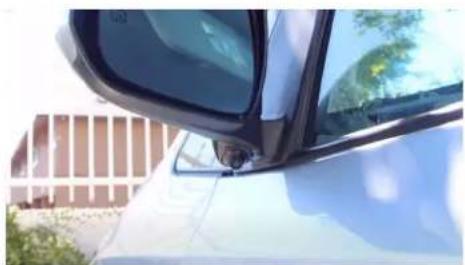
CSV-TYS side mirror mounted camera.
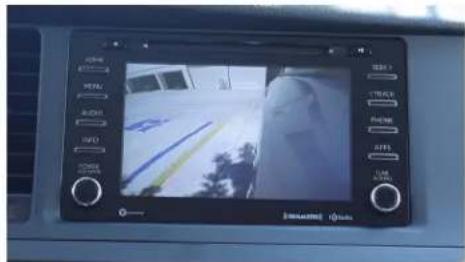
- The left and right turn signal triggers the respective side camera. See diagram on page 2 for wire connection information.

- Go to AUX IN mode on the radio to hear audio when using the AV Input. Image shown using Crux part# VCIP5, HDMI to CVBS adapter. (sold separately)
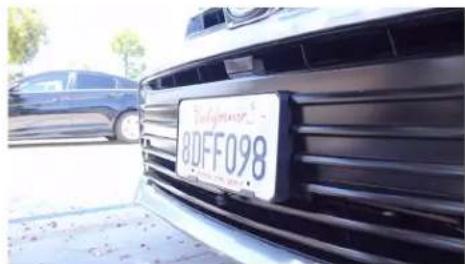
CFF-01 installed under the license plate (CFF-01 sold separately)
VEHICLE APPLICATIONS:
TOYOTA
2018 - Up Sienna
rev.0112215 of 5

Crux Interfacing Solutions • Chatsworth, CA 91311 phone: (818) 609-9299 • fax: (818) 996-8188 • www.cruxinterfacing.com
Brand : CRUX
Model : RFM-TYS
Category : Rear Camera