
RVCNS-74F - Rear Camera CRUX - Free user manual and instructions
Find the device manual for free RVCNS-74F CRUX in PDF.


| Product Type | Backup Camera Integration Kit |
| Brand | CRUX |
| Model | RVCNS-74F |
| Compatible Vehicles | Nissan Frontier 2013-2016 (with 4.3" screen, no navigation) |
| Camera Type | Tailgate Handle Mount |
| Wiring Type | Plug-and-Play T-Harness |
| Included Parts | Tailgate handle camera, T-harness, 26' extension cable |
| Power Input | 12V DC (reverse light tap) |
| Video Connector | RCA |
| Installation Difficulty | Moderate |
| Features | Integrates aftermarket camera to factory radio; automatic activation when reversing |
| Maintenance | Keep camera lens clean; periodically check wiring connections |
| Safety Notes | Disconnect battery before installation; verify correct wiring |
| Repairability | Camera and harness replaceable; contact CRUX for spare parts |
| Warranty | Limited lifetime (CRUX standard) |
Frequently Asked Questions - RVCNS-74F CRUX
User questions about RVCNS-74F CRUX
0 question about this device. Answer the ones you know or ask your own.
Ask a new question about this device
Download the instructions for your Rear Camera in PDF format for free! Find your manual RVCNS-74F - CRUX and take your electronic device back in hand. On this page are published all the documents necessary for the use of your device. RVCNS-74F by CRUX.
USER MANUAL RVCNS-74F CRUX
- Allows the integration of an aftermarket backup camera to the factory radio.
- Plug and play wiring for easy installation.
PARTS INCLUDED:
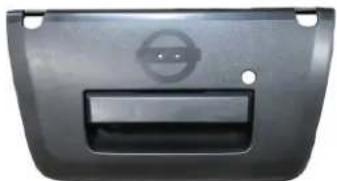


Frontier Tailgate Handle Camera RVCNS-74F T-Harness 26' Extension Cable
INSTALLATION DIAGRAM:

INSTALLATION INSTRUCTIONS:
RVCNS-74F Installation at the Radio:
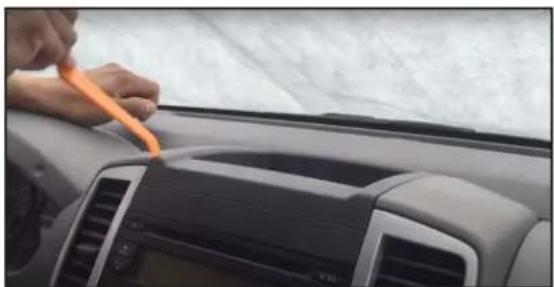
- Remove the dash panel above the radio using a pry tool.
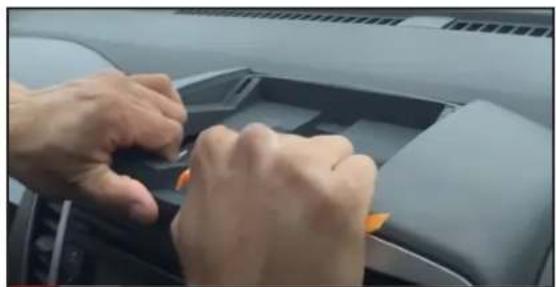
- Carefully pull out the radio trim bezel.
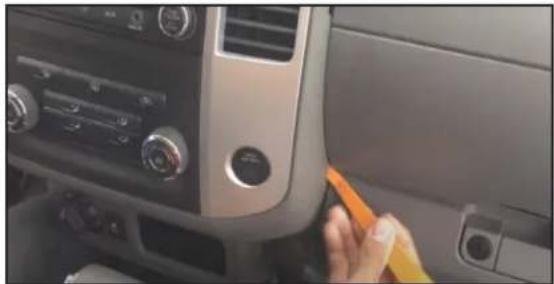
- Use the pry tool to pull put the corners of the radio trim bezel.

- Unplug the factory radio connector and plug it into the RVCNS-74F t-harness.
Tailgate Handle Camera Installation:

- Remove the screws holding the tailgate liner.

- Use a pry tool and pull out 2 plastic rivets on both sides of the tailgate.

- Remove the tailgate liner.
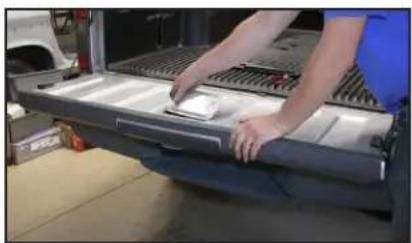
- Remove the cover plate under the tailgate liner.
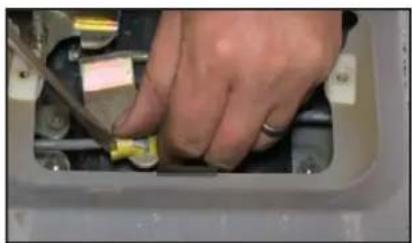
- Use a screwdriver to remove the rod retaining clips.
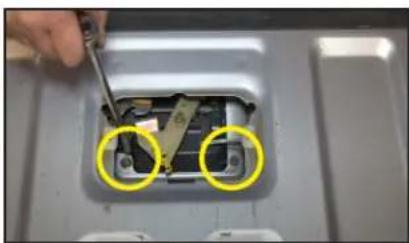
- Remove the two 10mm nuts securing the tailgate handle.
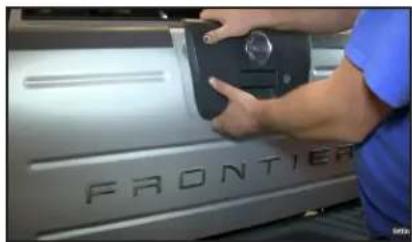
- Remove the factory tailgate handle assembly. Carefully remove the emblem.

- Install the new tailgate handle camera and run the cable towards the radio. Apply glue for the emblem.
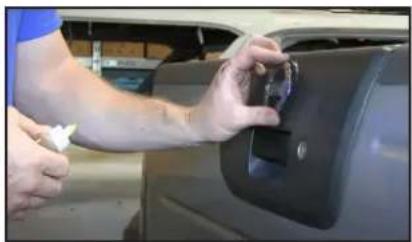
- The emblem only goes one way. Press on it firmly and let the glue set.

- Tap the Red wire on the extension cable to +12V on the reverse light. Tap the black wire to ground. See diagram on page 1.
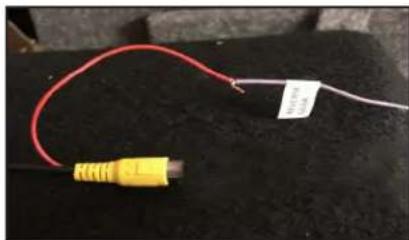
- Tap the Red wire on the Yellow RCA connector to the wire on the T-harness labeled "Reverse Gear". See diagram on page 1.
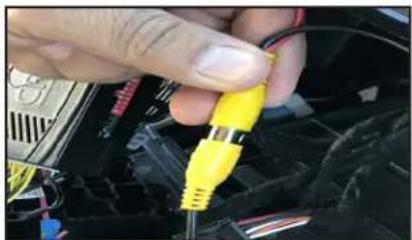
- Plug the male RCA from the extension cable to the femal RCA on the RVCNS-74F t-harness.

- Test the camera for functionality before re-installing the radio.
VEHICLE APPLICATIONS:
NISSAN
2013-2016
Frontier (with 4.3" screen)
NOTE: Not compatible in vehicles with Navigation system.


Brand : CRUX
Model : RVCNS-74F
Category : Rear Camera