
VRFFD-79D - Vehicle Video Interface CRUX - Free user manual and instructions
Find the device manual for free VRFFD-79D CRUX in PDF.


| Product Type | Vehicle Video Interface |
| Brand | CRUX |
| Model | VRFFD-79D |
| Compatible Vehicles | Ford Sync 3 vehicles (2017+ Explorer, 2016-2017 F-150, 2018-2020 F-150 with 4" or 8" screen, 2016+ Focus/Mustang, 2017+ F-250/F-350/F-450/F-550) with factory backup camera |
| Functions | Adds front and aftermarket backup camera inputs; adds extra video input; toggles sources via steering wheel controls |
| Power Output to Cameras | +12V via purple/white (front/rear camera) and orange/white (video input) wires |
| DIP Switch Settings | 8 switches: DIP1 OFF, DIP2 ON=Front camera ON, DIP3 OFF, DIP4 OFF, DIP5 ON=Video input ON, DIP6 OFF, DIP7 OFF, DIP8 ON |
| Included Components | VRFFD-79D module, T-harness with 18-pin connector |
| Optional Accessories | Tailgate handle camera (CFD-15KL), emblem camera (CFD-03E), bullet front camera (CFF-01), square body front camera (CFF-02), grille mount front camera (CFF-03) |
| Installation Method | Connect T-harness between vehicle harness and radio; plug white 18-pin connector to module; set DIP switches |
| Camera Power Source | Module provides +12V to cameras |
| Operation: Manual Camera Activation | Press and hold SEEK UP for 3 seconds to enter forced camera view mode; subsequent presses toggle active cameras |
| Operation: Reverse Gear Toggle | While in reverse, press and hold HANG UP button to toggle between reverse camera and extra video input |
| Auto Front Camera Display | When shifting from Reverse to Drive, front camera (if installed) shows for 10 seconds automatically |
| Forced View Sequence (with OEM backup camera) | FRONT → VIDEO INPUT |
| Forced View Sequence (with aftermarket backup camera) | FRONT → BACKUP → VIDEO INPUT |
| LED Indicator | Red LED on module (on/off status) |
| Note for Vehicles Without Factory Backup Camera | Requires RVCFD-790 (sold separately) for backup camera retrofit |
| Dimensions (Module) | Approx. 2.5" x 1.5" x 0.5" (estimated) |
| Weight (Module) | Approx. 50 g (estimated) |
Frequently Asked Questions - VRFFD-79D CRUX
User questions about VRFFD-79D CRUX
0 question about this device. Answer the ones you know or ask your own.
Ask a new question about this device
Download the instructions for your Vehicle Video Interface in PDF format for free! Find your manual VRFFD-79D - CRUX and take your electronic device back in hand. On this page are published all the documents necessary for the use of your device. VRFFD-79D by CRUX.
USER MANUAL VRFFD-79D CRUX
- Adds front and aftermarket backup camera inputs.
- Adds an extra video input.
- Uses the steering wheel control buttons to toggle between the sources.
NOTE:
Please use with RVCFD-790 (sold separately) if there is no factory backup camera present.
PARTS INCLUDED:

natural_image
Black electronic device with red LED and black outline (no visible text or symbols)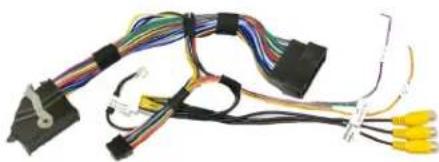
natural_image
Coiled electrical cable with various wires and connectors, no visible text or symbolsVRFFD-79D Module VRFFD-79D Harness
OPTIONAL ADD-ON CAMERAS:
Optional aftermarket add on cameras are available for the VRFFD-79D. Cameras available and sold separately include: (More cameras can be found at www.cruxinterfacing.com)

natural_image
Close-up of a black plastic door handle with a small circular button on the side (no visible text or symbols)
natural_image
Close-up of a Ford logo on a silver oval background (no additional text or symbols visible)CFD-15KL Tailgate Handle Camera CFD-03E Emblem Camera

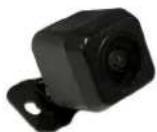
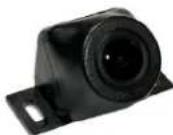
CFF-01 Bullet Type Front Camera (Recommended)
CFF-02 Square Body Front Camera CFF-03 Grille Mount Front Camera
INSTALLATION DIAGRAM:
To Vehicle Harness

flowchart
graph TD
    A["Device"] --> B["Switch"]
    B --> C["OEM Backup Camera"]
    C --> D["CRUX"]
    D --> E["Connect this 6-pin plug if OEM backup camera is being used"]
    E --> F["Front and Rear Camera Power Output +12V (purple/white)"]
    E --> G["Video Input Power Output +12V (orange/white)"]
    F --> H["Front Camera Input"]
    F --> I["Aftermarket Backup Camera Input"]
    F --> J["Video Input"]
To Radio
DIP SWITCH SETTINGS:
| DIP# ON OFF | — | — |
| 1 | No Function – Leave OFF | |
| 2 | Front Camera ON | Front Camera OFF |
| 3 | Set to OFF | |
| 4 | Set to OFF | |
| 5 | Video Input ON | Video Input OFF |
| 6 | Set to OFF | |
| 7 | Set to OFF | |
| 8 | Set to ON | |
VRFFD-79D module installation: (Note: Sample installation is with a 4" screen radio. Installation is similar with an 8" screen.

natural_image
Close-up of hands installing or adjusting a black car interior panel, with a white fence and building in background (no visible text or symbols)- Lift the rubber mat on the dashboard upper tray and remove the 2 screws.

natural_image
Interior view of a car showing dashboard and camera module with yellow circular annotations highlighting specific components (no text or symbols visible)- Carefully pull out the radio bezel. This is held by multiple clips.

- Install the cameras and run the video and power cables towards the radio. Make the video and power connections. The VRFFD-79D provides +12V power to the cameras.

natural_image
Interior view of a car showing a hand adjusting the dashboard with a yellow circle highlighting a component (no text or symbols visible)- Remove the tray and remove the 2 screws holding the radio bezel.

natural_image
Two-panel photo showing hands installing or adjusting a car engine compartment, one with a power adapter and the other with a power strip (no visible text or symbols)- Remove the radio, unplug the connector and plug it into the VRFFD-79D T-harness. Plug the other end of the T-harness to the radio.

natural_image
Close-up of hands holding a small electronic component with wires, no visible text or symbols- Plug the white, 18-pin connector of the T-harness to the VRFFD-79D module. Set the DIP switches according to the chart on page 2.
OPERATION:
natural_image
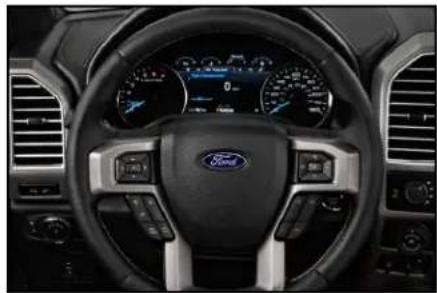
Interior view of a Ford car dashboard and steering wheel (no visible text or symbols)- Press and hold the SEEK UP button for 3 seconds to turn on forced camera view mode. Each press of the button thereafter toggles which ever cameras are turned on using the DIP switches.(Forced view of the backup camera is only available if using an aftermarket backup camera.) While in reverse gear, press and hold the HANG UP button to toggle between reverse, and the extra video input.

natural_image
Interior view of a car dashboard with air conditioners and a digital display showing a snowy landscape (no visible text or symbols)- The front camera (if installed) will automatically show on the screen for 10 seconds when the gear is put to Drive from Reverse.
FORCED VIEW CAMERA SEQUENCE:
Using OEM backup Camera
FRONT → VIDEO INPUT
Using Aftermarket backup Camera
FRONT → BACKUP → VIDEO INPUT
NOTE: Forced view of the backup camera is only available if using an aftermarket backup camera.
VEHICLE APPLICATIONS:
Ford vehicles with Sync 3 systems and factory installed backup camera.
FORD
2017 - Up Explorer
2016 - 2017 F-150
2018 - 2020 F-150 with 4" or 8" screen
2016 - Up Focus
2016 - Up Mustang
2017 - Up F-250
2017 - Up F-350
2017 - Up F-450
2017 - Up F-550
NOTE:
- Please use with RVCFD-790 (sold separately) if there is no factory backup camera present.

4 of 4
rev.12032021


Brand : CRUX
Model : VRFFD-79D
Category : Vehicle Video Interface