HPA-DAC4 - Speaker Atlas Sound - Free user manual and instructions
Find the device manual for free HPA-DAC4 Atlas Sound in PDF.


User questions about HPA-DAC4 Atlas Sound
0 question about this device. Answer the ones you know or ask your own.
Ask a new question about this device
Download the instructions for your Speaker in PDF format for free! Find your manual HPA-DAC4 - Atlas Sound and take your electronic device back in hand. On this page are published all the documents necessary for the use of your device. HPA-DAC4 by Atlas Sound.
USER MANUAL HPA-DAC4 Atlas Sound
Dante® Accessory Card

natural_image
Close-up of a Ethernet circuit board with components like capacitors, connectors, and Ethernet ports (no readable text or symbols beyond branding)
Atlas
IED
1601 Jack McKay Blvd. • Ennis, Texas 75119 U.S.A.
Telephone: 800.876.3333 • Fax: 800.765.3435
AtlasIED.com - 1 -
Description
The HPA-DAC4 accessory card is designed to work in conjunction with HPA Series 4-channel amplifiers. The HPA-DAC4 is a 4-input Dante ^® receiver that features digital audio transportation over standard IP networks. The HPA Series 4-channel amplifiers come standard with four balanced line inputs and an accessory card slot to add an additional 4-inputs, giving the amplifier a total of 8-inputs. Analog Input 1, Dante ^® Input 1, and the analog balanced input levels are isolated from each other and are electronically summed together forming a mixed output. Both the Dante ^® input and the analog balanced input levels to the amplifier channel are controlled by the Ch-1 level control. Channel 2 inputs are configured the same as Channel 1.
Features
• Dante® Digital Audio Platform
• 4-Channel Receiver
• Integrates with 4-Channel HPA Series Amplifiers
Dante® Overview
Audinate ^® created Dante ^® , an uncompressed, multi-channel digital media networking technology, with near-zero latency and synchronization. Hundreds of Dante ^® enabled products are available from many manufacturers, enabling you to mix devices from multiple manufacturers.
One cable does it all. Dante ^® does away with heavy, expensive analog or multicore cabling, replacing it with low-cost, easily-available CAT5e, CAT6, or fiber optic cable for a simple, lightweight, and economical solution. Dante ^® integrates media and control for your entire system over a single, standard IP network.
Dante ^® systems can easily scale from a simple pairing of a console to a computer, to large capacity networks running thousands of audio channels. Because Dante ^® uses logical routes instead of physical point-to-point connections, the network can be expanded and reconfigured at any time with just a few mouse clicks.
Since the signal audio is transmitted digitally, common analog challenges like interference from other electrical equipment, crosstalk between cables, or signal degradation over long cable runs is not a problem. Setting up Dante ^® networks is easy, even the most complex networks can be set up and configured quickly and easily with Dante ^® , making system integration simple. Dante ^® automatically handles the technical complexities.
Signal routing and system configuration with Dante ^® is fast, simple, and incredibly flexible. Dante ^® Controller is a powerful software application that manages devices on the network. Setting up a Dante ^® network is typically just a matter of plugging devices into an Ethernet switch and connecting a computer to the network. All Dante ^® devices are automatically discovered and displayed in Dante ^® Controller, so a system can be up and running in seconds.
Visit www.audinate.com for details or to learn more on using Dante®. There are many Dante® guides available in the industry. AtlasIED offers one in the BlueBridge® DSP section of atlasied.com.

Atlas

1601 Jack McKay Blvd. • Ennis, Texas 75119 U.S.A. Telephone: 800.876.3333 • Fax: 800.765.3435
AtlasIED.com - 2 -
Audio Applications
When installed, the HPA-DAC4 converts the HPA Series amplifier into a digital audio network amplifier and makes the HPA Series amplifier the "go to" solution for a variety of applications including:
- Restaurants
• Government facilities - Schools
- Industrial facilities
- House of worship
Selecting the dBFS Reference on the HPA-DAC4
The HPA-DAC4 comes with a choice of dBFS (Decibels Full Scale) gain selections of 0dBFS = 10dBu and 0dBFS = 20dBu. Factory default for the card is 0dBFS = 20dBu. There is a 2-pin header on the card that is the 0dBFS gain selection. When a shunt is applied to the header, the 0dBFS = 20dBu setting is engaged. When the shunt is removed the setting is 0dBFS = 10dBu. Most pro audio equipment gains are in the range of 20dBu - 24dBu. Read the entire manual to understand these settings.

natural_image
Close-up of a circuit board with electronic components and a red arrow pointing to a component (no visible text or symbols)Shunt on 0dBFS = 20dBu, factory default Shunt off 0dBFS = 10dBu
Matching Gain from a Source to the HPA Series Amplifier In a Dante® Network
Understanding the gain structure is very important to avoid clipping the audio signal or amplifier output. There are three potential ways to clip the signal chain.
- Amplifier Input Clipping - This occurs when the applied input signal exceeds the maximum input level of the amplifier input stage.
- Amplifier Output Clipping - Driving the amplifier to maximum output level using the factory default requires 0dBu or .775V of signal when the channel level control is set to maximum or the all up fully clockwise. Note: AtlasIED recommends the level to be set with the level being controlled from the source. Exceeding .775V or 0dBu level will cause the amplifier output stage to clip.
- Digital Clipping - This occurs when the 0dBFS levels are exceeded. This is very important to understand. Several examples are provided to help understand digital to analog gain structure. Note: AtlasIED recommends to always place a limiter set for 0dB in the signal path prior to the Network Output of the transmitting device. This is the best way to prevent clipping the HPA-DAC4.

Atlas

1601 Jack McKay Blvd. • Ennis, Texas 75119 U.S.A. Telephone: 800.876.3333 • Fax: 800.765.3435
AtlasIED.com - 3 -
HPA-DAC4 Card Installation
Note: Accessory card installation must be done by a qualified technician.
- Remove the HPA amplifier from the AC mains source. Note: In standby mode there are DC voltages present. The HPA amp must be removed from the AC Mains source in order to prevent damage to the card or amplifier.
- Remove the two screws (M3 x 8mm Pan Head Black) holding the HPA Accessory blank panel.
- Remove the ribbon cable from the cover plate.
- Connect the accessory card to the ribbon cable by carefully aligning the ribbon cable connector to the mating PCB connector. Do not force. If aligned correctly the cable will mate easily.
- Carefully guide the accessory card into the slot without forcing the PCB or cable.
- After the card is inserted and the accessory panel is flush to the chassis, align the two screw holes and secure them together by inserting two M3 x 8mm screws.

text_image
250V~10A Breaker CH1 1 - 2 LOAD IN 1 IN 2 IN 3 IN 4 Ch1 Ch2 Ch3 Ch4 Amplifier Output Class 2 Wiring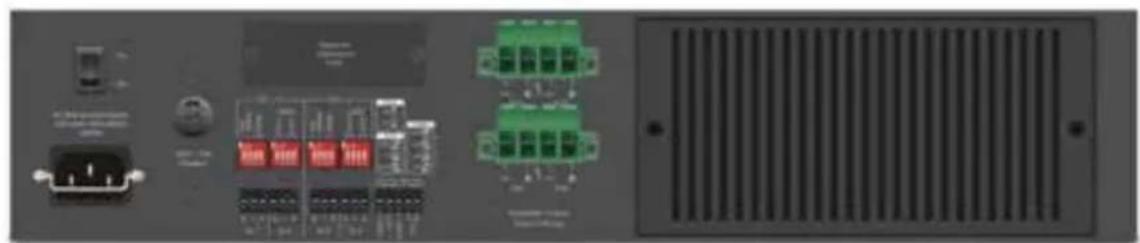
natural_image
Front view of a computer interface panel with ports, connectors, and ventilation grilles (no readable text or symbols)
Atlas
IED川
1601 Jack McKay Blvd. • Ennis, Texas 75119 U.S.A. Telephone: 800.876.3333 • Fax: 800.765.3435
AtlasIED.com - 4 -
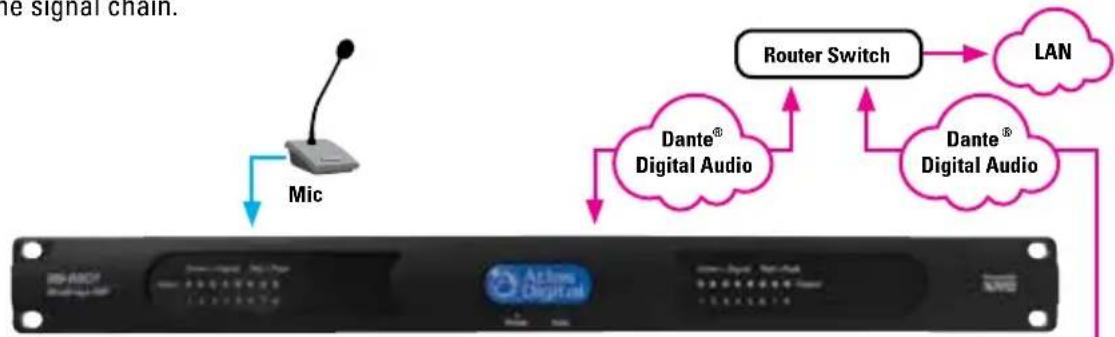
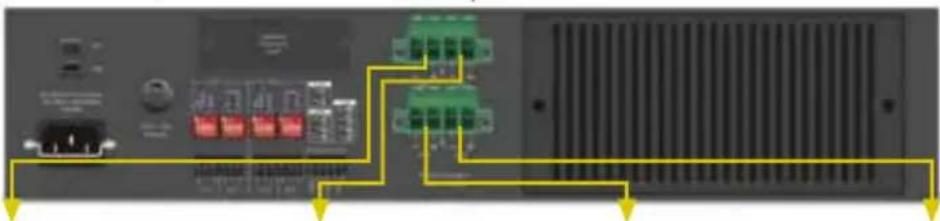
The following example illustrates an AtlasIED BlueBridge ^® digital signal processor sending audio over the network via Dante ^® to an optional HPA-DAC4 Dante ^® card.
Please note the following:
- Audio signal is applied to the analog input of the BlueBridge® DSP. For this example, a .775V / 0dBu signal was applied.
- The analog signal is converted to digital in the DSP domain, processed and routed onto the Dante® Network output of the BlueBridge® DSP. The signal chain throughout the BlueBridge® DSP is kept at 0dBu.
- The Dante® Network output or Transmitter level is set for a maximum signal of 0dBu and remains the same through transmission through the network without any signal degradation or amplitude loss. The input sensitivity of the HPA amplifiers is 0dBu / .775V. This means the analog input signal to the amp is set properly to achieve full power output from the amplifier without clipping any part of the signal chain.
flowchart
graph TD
    A["mic"] --> B["Micro Signal"]
    B --> C["Router Switch"]
    C --> D["Dante® Digital Audio"]
    C --> E["Dante® Digital Audio"]
    D --> F["LAN"]
    E --> F
BlueBridge BB-88DT
Optional 4 Channel Dante® Card
(Receiver)
HPA-DAC4
Up to 300'
HPA1204 Amplifier
text_image
Diagram showing internal components of a device with labeled connectors and ports, including a green connector and red indicator lights.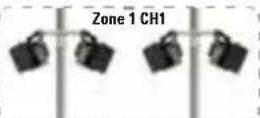
AtlasIED AH Series stadium horns with pole mount hardware
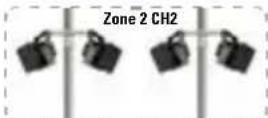
Plenty of power for additional speakers in each zone
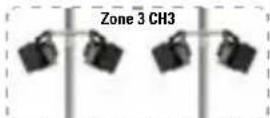
Plenty of power for additional speakers in each zone
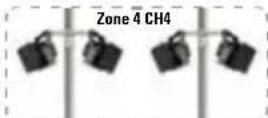
Plenty of power for additional speakers in each zone

Atlas
IED川
1601 Jack McKay Blvd. • Ennis, Texas 75119 U.S.A.
Telephone: 800.876.3333 • Fax: 800.765.3435
AtlasIED.com - 5 -
HPA Setup after HPA-DAC4 Installation
- Please read the HPA manual prior to proceeding. It is important to set the input levels within the system to avoid clipping the amplifier input or the output HPA-DAC4 card. Note: The best way to prevent clipping the HPA-DAC4 is to place a limiter set for 0dB in the signal path prior to the network output of the transmitting device (always recommended).
- Set the HPA-DAC4 card to 0dBFS = 20dBu. The shunt needs to be on.
- Set the HPA amplifier input sensitivity to .775V. (This is the factory default setting)
- Set the HPA front panel level controls to the max (10) or fully clockwise. The HPA comes with a front panel level security cover to prevent tampering.

text_image
Class D TOPOLOGY 1 2 3 4 Project Limits Signal Reach Power Temp Standby Atlas Sound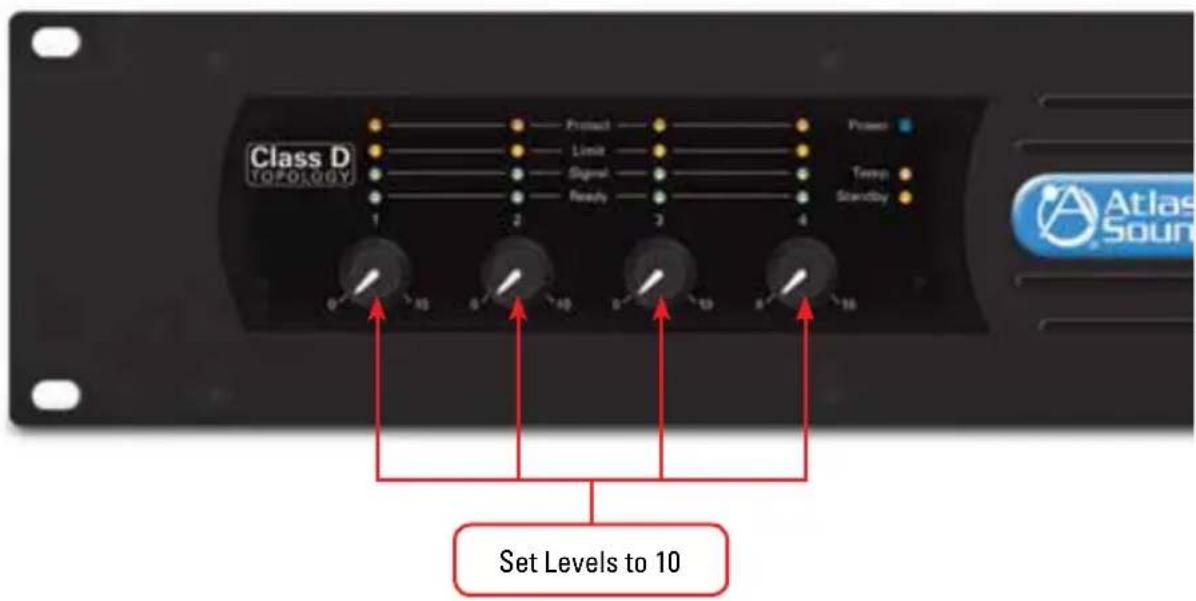
text_image
Class D TOPOLOGY Protect Limit Signal Ready Power Temp Standby Atlas Sound Set Levels to 10
Atlas
IED
1601 Jack McKay Blvd. • Ennis, Texas 75119 U.S.A. Telephone: 800.876.3333 • Fax: 800.765.3435
AtlasIED.com - 6 -
Connecting the HPA-DAC4 to a Dante® Network
Refer to the example below on how to connect a simple Dante® network audio system. There are three items needed to make a Dante® network, (1) gigabit router, Dante® transmitter and a Dante® receiver. In the illustration example below the AtlasIED BlueBridge® BB-168DT is the transmitter and the HPA-DAC4 is the receiver. The HPA-DAC4 installed into the HPA amplifier becomes the HPA amplifier's Inputs 1-4. The router and the CAT5e cable connect the devices together.
Figure 5 is a configuration snapshot of the GUI of the BB-168DT. Analog inputs 1-4 are routed to a limiter, then onto the network outputs 1-4. Where signal goes from the BB-168DT network output is determined by a separate software called Dante® Controller. Dante® Controller is free software that allows connectivity and signal routing within Dante® devices.

Note: Always add a limiter before the network output. Set the limiter threshold to 0dBu to prevent clipping the input of the HPA amplifier.
Figure 5
Figure 6 shows the BB-88DT and HPA-DAC4 on the Dante® Network. The HPA amplifier model number will not appear in the Dante® Controller GUI because the amplifier is not the recognized Dante® device, the HPA-DAC4 is. The accessory card installed in the amplifier combines the digital and analog platforms. The cells that have been connected are indicated by the green highlighted circle with the check mark. These highlighted cells indicate the routing of the BB-88DT transmitters 01, 02, 03, 04 (BB-88DT network output 1, 2, 3, 4) to the HPA-DAC4 (Atlas4-0a004b) receiver channels 1, 2, 3, 4 (HPA amplifier inputs 5-8).

text_image
Dante Controls/Network Note File Device View Help Tand Web Service Info Click Links Network Status Source Dante® Radio Transmitters Radio Recovery Dante Receivers Green check circles indicate a specific channel connection between the Dante® transmitting device and the Dante® receiving device. Note: Can be renamed in Dante® ControllerFigure 6

Atlas

1601 Jack McKay Blvd. • Ennis, Texas 75119 U.S.A. Telephone: 800.876.3333 • Fax: 800.765.3435
AtlasIED.com - 7 -
Setting Levels In The HPA Amplifier to Avoid Clipping
It is important to set the input levels within the system to avoid clipping the amplifier input or the output HPA-DAC4 card. Note: The best way to prevent clipping the HPA-DAC4 is to place a limiter set for 0dB in the signal path prior to the network output of the transmitting device (always recommended).
- Set the HPA-DAC4 card to 0dBFS = 20dBu. The shunt needs to be on.
- Set the HPA amplifier input sensitivity to .775V. (This is the factory default setting)
- Set the HPA front panel level controls to the max or fully clockwise. The HPA comes with a front panel level security cover to prevent tampering.
- Most of the time a DSP processor will be used as the Dante® Transmitter. It is highly recommended that a limiter is placed before the network output. This is shown in Figure 5. Set the limiter maximum output to 0dB. This will prevent the amplifier input or HPA-DAC4 from clipping, but will be enough signal to achieve maximum amplifier output. Note: The HPA-DAC4 clips at +7dBu.
- With the HPA front panel levels set to max, increase the source level until the HPA Limit LEDs just begin to blink, then, back down the source level slightly so Limit LED only blinks occasionally.
- After the proper source levels have been set, adjust the HPA amplifier output level to the desired sound levels.
Selecting the Router OR Network Switch – Important!
It is extremely important when selecting a router or switch for the Dante® network; not all routers or switches are the same. The size of the Dante® network will influence which router or switch is needed to handle network traffic. There are three things to look for at a minimum or system dropouts may occur. Refer to Audinate® for products they recommend.
- Gigabit speed.
- If using a network switch, it must be a "managed switch" type.
- If using a router with a built-in switch, it should have DD-WRT firmware or Open Source firmware.

Atlas

1601 Jack McKay Blvd. • Ennis, Texas 75119 U.S.A. Telephone: 800.876.3333 • Fax: 800.765.3435
AtlasIED.com - 8 -
Dante® Items to Know or Think About
- Fixed Levels - Signal level cannot be added or reduced within Dante® Controller. It is strictly a signal router.
- What Does 0dBFS Mean - In the previous example, the signal output of the BlueBridge® DSP onto the Dante ® network is 0dBu, so the signal within the BlueBridge® DSP can be increased by 20dBu before clipping the Dante ® network. This defines the relationship of 0dBFS = 20dBu (0dB "Full Scale") from the source, which in this case the source is the BlueBridge ® DSP. When interfacing Dante ® networks, it is very important to know the source and receiver 0dBFS specification.
- HPA-DAC4, -10dB Setting - If the setup is identical as described above, but the HPA-DAC4 card is set to 0dBFS = 10dBu, how would that affect a HPA amplifier? The signal coming into the HPA amp would be -10dB down and the amp could never reach full output because the HPA amplifier requires 0dBu to reach full output power. To correct the low input level to the amp, increase the signal from the source (BlueBridge ^ DSP) by 10dBu. Keep in mind within BlueBridge ^ there is only 10dBu of headroom before digitally clipping the input of the HPA-DAC4. Be careful when adding EQ boost. If adding 6dB of EQ boost at 100Hz, there is only 4dB of headroom at 100Hz before clipping. If the HPA-DAC4 was set to 20dBu = 0dFS there would be 14dB of headroom at 100Hz. This is why it's so important to know the OdBFS reference points between devices in the Dante ^ network.
- Industry Standard - At the time of this information, there is no industry standard between companies for scaling 0dBFS gain levels in equipment. In a digital studio this is usually not an issue because most of the same brand is used or a limited number of products are interfaced. However, with live sound or commercial audio there can be multiple brands used in one job. Dante® can be great for connectivity between devices but be aware of gain structure matching.
-
Interfacing Data with Different Manufactures Equipment - To help understand scaling here are some examples:
-
Source device 0dBFS = 20dBu, transmits to a receiver with a 0dBFS = 20dBu reference, the output is 0dBu. This scenario is ideal when using the HPA amplifiers.
- Source device 0dBFS = 20dBu, transmits to a receiver with a 0dBFS = 10dBu reference, the output is -10dBu. To get full output of the HPA amplifiers you have to increase the network output levels by 10dBu to get 0dBu into the HPA amplifiers input.
- Source device 0dBFS = 10dBu, transmits to a receiver with a 0dBFS = 20dBu reference, the output is +10dBu. This combination will give too much signal into the HPA amplifier. Reduce the signal from the DSP Network output.
- Source device 0dBFS = 10dBu, transmits to a receiver with a 0dBFS = 10dBu reference, the output is 0dBu. This scenario is ideal when using amplifiers with .775V input sensitivity.

Atlas

1601 Jack McKay Blvd. • Ennis, Texas 75119 U.S.A.
Telephone: 800.876.3333 • Fax: 800.765.3435
AtlasIED.com - 9 -
- Understanding Digital Noise vs Headroom - If headroom before clipping is a concern, the higher the ratio between OdBFS and output level, the less likely clipping will be an issue. If the application is paging and background music then a lower number is ok because the headroom is not as critical. In live sound reinforcement applications such as a church band or a concert, more headroom and gain is needed for dynamics. The issue with higher gain in a product is the higher the gain the higher the noise output. To combat high gain output noise, use a Dante ^ Transmitter product with good signal to noise ratio specification, such as 100dB or better. For instance, AtlasIED BlueBridge ^ DSP has a signal to noise ratio of 110dB. The noise is very low before it is amplified, assuring low noise out of the HPA amplifier. Look at the input and output OdBFs reference points and the noise floor specification. If they are not listed call the manufacturer.
| System | |
| Type 4 Input Dante | ^ Receiver Card for the HPA Series Amplifiers |
| Connection Single RJ-45 | |
| Cable Quality CAT-5 | |
| Gain Settings | 0dBFS = 20dBu & 0dBFS = 10dBu PCB Shunt Selectable |
| Indicators | Ethernet Network Activity LED Green / Yellow |
| Amplifier Interface | 16 Pin HPA Amplifier Connections |
| Electrical | |
| Dante ^ Transmission Speed | 100Mbps |
| Frequency Response | 20Hz - 20KHz +/- 1dB |
| THD | .06% @ 1KHz |
| Maximum Output Level | 7dBu |
| Noise | 10dB Gain Setting = -83dBu20dB Gain Setting = -77dBu |
| Mechanical | |
| Dimensions | H 0.97" x W 2.7" x D 2.5" (H 24.6mm x W 68mm x D 63mm) |
| Weight | 2.6oz (.07kg) |
| Color | Black |
| Material | Steel |

Atlas

1601 Jack McKay Blvd. • Ennis, Texas 75119 U.S.A. Telephone: 800.876.3333 • Fax: 800.765.3435
AtlasIED.com - 10 -
Notes:

Atlas

1601 Jack McKay Blvd. • Ennis, Texas 75119 U.S.A.
Telephone: 800.876.3333 • Fax: 800.765.3435
AtlasIED.com - 11 -
Limited Warranty
All products manufactured by AtlasIED are warranted to the original dealer/installer, industrial or commercial purchaser to be free from defects in material and workmanship and to be in compliance with our published specifications, if any. This warranty shall extend from the date of purchase for a period of three years on all AtlasIED products, including SOUNDOLIER brand, INNOVATIVE ELECTRONIC DESIGNS brand, and AtlasIED brand products except as follows: one year on electronics and control systems; one year on replacement parts; and one year on Musician Series stands and related accessories. Additionally, fuses and lamps carry no warranty. AtlasIED will solely at its discretion, replace at no charge or repair free of charge defective parts or products when the product has been applied and used in accordance with our published operation and installation instructions. We will not be responsible for defects caused by improper storage, misuse (including failure to provide reasonable and necessary maintenance), accident, abnormal atmospheres, water immersion, lightning discharge, or malfunctions when products have been modified or operated in excess of rated power, altered, serviced or installed in other than a workman like manner. The original sales invoice should be retained as evidence of purchase under the terms of this warranty. All warranty returns must comply with our returns policy set forth below. When products returned to AtlasIED do not qualify for repair or replacement under our warranty, repairs may be performed at prevailing costs for material and labor unless there is included with the returned product(s) a written request for an estimate of repair costs before any nonwarranty work is performed. In the event of replacement or upon completion of repairs, return shipment will be made with the transportation charges collect.
EXCEPT TO THE EXTENT THAT APPLICABLE LAW PREVENTS THE LIMITATION OF CONSEQUENTIAL DAMAGES FOR PERSONAL INJURY, ATLASIED SHALL NOT BE LIABLE IN TORT OR CONTRACT FOR ANY DIRECT, CONSEQUENTIAL OR INCIDENTAL LOSS OR DAMAGE ARISING OUT OF THE INSTALLATION, USE OR INABILITY TO USE THE PRODUCTS. THE ABOVE WARRANTY IS IN LIEU OF ALL OTHER WARRANTIES INCLUDING BUT NOT LIMITED TO WARRANTIES OF MERCHANTABILITY AND FITNESS FOR A PARTICULAR PURPOSE.
AtlasIED does not assume, or does it authorize any other person to assume or extend on its behalf, any other warranty, obligation, or liability. This warranty gives you specific legal rights and you may have other rights which vary from state to state.
Service
Should your HPA-DAC4 require service, please contact the AtlasIED warranty department at 1-877-689-8055, ext. 277 or www.atlasied.com/support to obtain an RA number.
AtlasIED Tech Support can be reached at 1-800-876-3333 or www.atlasied.com/support.
Visit our website at www.AtlasIED.com to see other AtlasIED products.
©2018 Atlas Sound L.P. The Atlas "Circle A", Soundolier, and Atlas Sound are trademarks of Atlas Sound L.P. IED is a registered trademark of Innovative Electronic Designs LLC. All Rights Reserved. All other trademarks are the property of their respective owners. All specs are subject to change without notice. ATS005717 RevA 1/18 P/N 493567

1601 Jack McKay Blvd. • Ennis, Texas 75119 U.S.A. Telephone: 800.876.3333 • Fax: 800.765.3435
AtlasIED.com - 12 -