
KAWLCSDUALA - Mobile Device Charger Kogan - Free user manual and instructions
Find the device manual for free KAWLCSDUALA Kogan in PDF.


| Product Type | 2-in-1 30W Dual Wireless Charger |
| Brand | Kogan |
| Model | KAWLCSDUALA |
| Input | 5V-2A, 9V-2A, 12V-3A |
| Output (per pad) | Up to 15W (30W total) |
| Charging Efficiency | ≥75% |
| Charging Distance | ≤8mm |
| Operating Frequency | 110–205 kHz |
| Dimensions | 204 x 104 x 8.5 mm (8.03 x 4.09 x 0.33 in) |
| Material | ABS |
| Included Cable | USB-C to USB-C, 1 m (3.3 ft) |
| Power Adapter | Not included (recommend QC/PD adapter, 12V-3A) |
| Compatibility | Qi-enabled devices (smartphones, earbuds, etc.) |
| Charging Positions | Two: one for phone, one for accessory |
| Safety Features | Overcurrent, overvoltage, over-temperature, short-circuit protection |
| Operating Temperature | 0°C to 45°C (32°F to 113°F) |
| Cleaning Instructions | Disconnect power, wipe with dry, soft cloth |
| Environmental Precautions | Avoid humidity, extreme heat, corrosive environments |
| Repairability | Not user-serviceable; no replaceable parts |
| Certifications | Qi standard compatible |
| Usage Indication | LED indicators (may vary by device) |
Frequently Asked Questions - KAWLCSDUALA Kogan
User questions about KAWLCSDUALA Kogan
0 question about this device. Answer the ones you know or ask your own.
Ask a new question about this device
Download the instructions for your Mobile Device Charger in PDF format for free! Find your manual KAWLCSDUALA - Kogan and take your electronic device back in hand. On this page are published all the documents necessary for the use of your device. KAWLCSDUALA by Kogan.
USER MANUAL KAWLCSDUALA Kogan
natural_image
Simple line drawing of a curved object with two cross marks and a rectangular base (no text or symbols)2-IN-1 30W DUAL WIRELESS CHARGER
KAWLCSDUALA
SAFETY & WARNINGS
- Do not squeeze tightly, drop, or hit this product with other items
- Do not disassemble or throw into fire or water, to avoid causing a short circuit leakage
- Do not use wireless charger in severely hot, humid or corrosive environments, to avoid circuit damage and occur leakage phenomenon
- Do not place too close with magnetic stripe or chip card (ID card, bank card, etc.) to avoid magnetic failure
- Keep wireless charger away from implanted medical equipment (pacemaker, implantable cochlea, etc.) by at least 20cm to avoid potential interference to medical equipment
- To take care of the children, to ensure that they won't play the wireless charger as a toy, to avoid unnecessary accidents
- Keep the charger away from water or other liquids
- If you need to clean the charger, please make sure it is not connected power supply
- Ensure environmental temperature remains between 0 - 45° while in use
SPECIFICATIONS
| Input | 5V-2A, 9V-2A, 12V-3A |
| Output Dual 15W (MAX) | |
| Charging Efficiency ≥75% | |
| Charging Distance ≤8mm | |
| Frequency 110-205KHZ | |
| Size 204 x 104 x 8.5mm | |
| Material ABS | |
| Included cable USB-C (1 metre) |
OVERVIEW
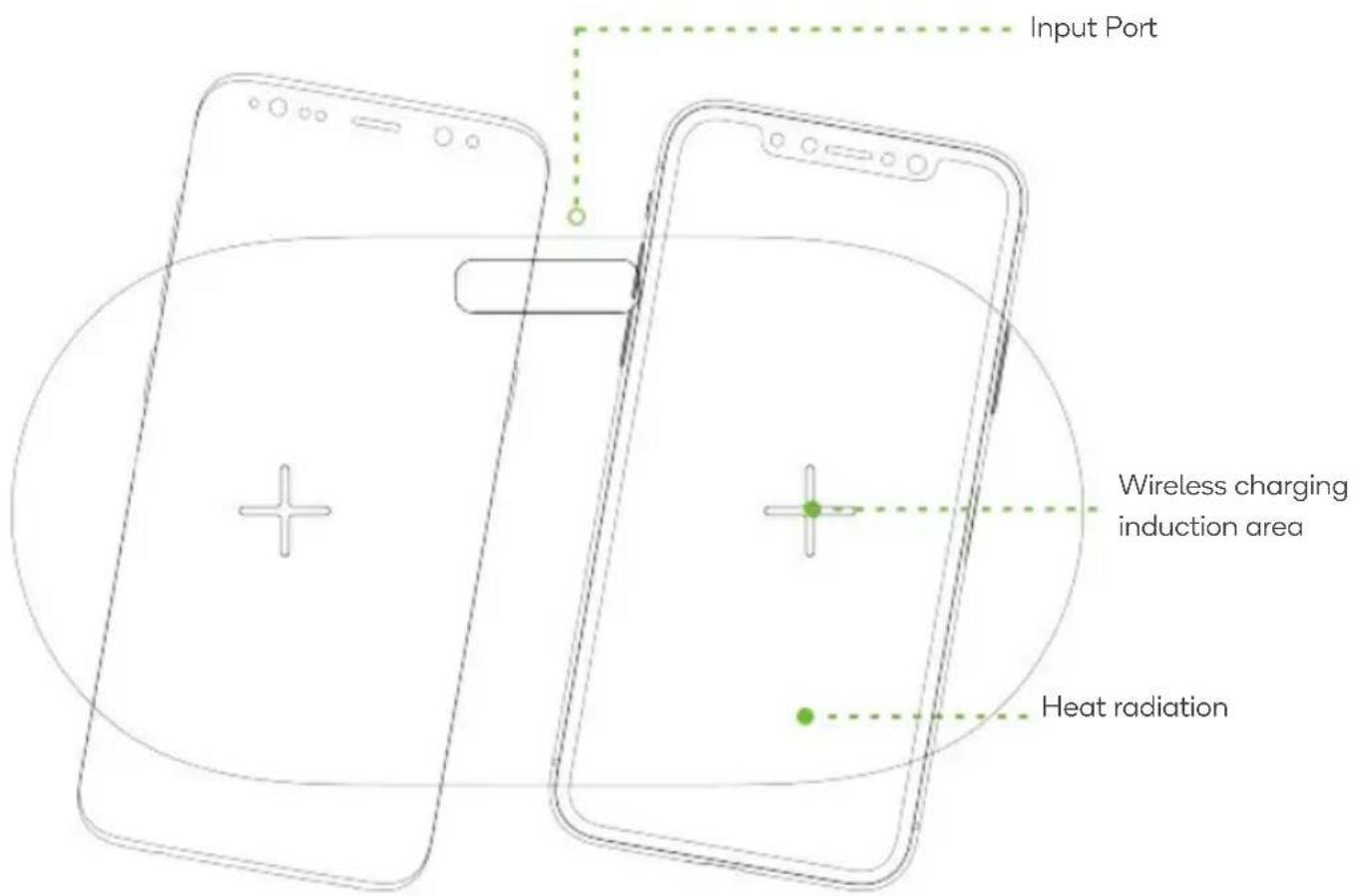
OPERATION
Connect to Power Adapter

- Connect the power adapter (not supplied) to socket.
- Connect adapter to the USB-C cable, connecting the other end of the cable to the wireless charger.
- After placing a mobile phone with wireless charging function on the phone charging position, the phone will begin to charge.
Note: Only Samsung mobile phones conform to the full-charging indication. Other mobiles do not have any indication after full recharged.
Need more information?
We hope that this user guide has given you the assistance needed for a simple set-up.
For the most up-to-date guide for your product, as well as any additional assistance you may require, head online to help.kogan.com
kogan.com


Brand : Kogan
Model : KAWLCSDUALA
Category : Mobile Device Charger