
KAPCADPTCWA - Mobile Device Charger Kogan - Free user manual and instructions
Find the device manual for free KAPCADPTCWA Kogan in PDF.


| Product Type | 2-in-1 Mug Warmer and Cooler with Wireless Charger |
| Brand | Kogan |
| Model | KAPCADPTCWA |
| Color | White ceramic mug, black/gray charging pad |
| Material | Ceramic mug; plastic, metal and electronic components in base |
| Dimensions (Pad) | Approx. 200 mm x 200 mm x 50 mm |
| Weight (Total) | Approx. 0.6 kg |
| Power Source | AC power adapter (included) |
| Power Consumption | Approx. 30 W (heating/cooling max) |
| Cooling Mode | Cools beverages to -6°C (21°F) |
| Heating Mode | Heats beverages to 55°C (131°F) |
| Wireless Charging Output | 5W (standard), 7.5W / 10W (Quick Charge compatible) |
| Mug Capacity | Approx. 350 ml (12 oz) |
| Number of Mugs Included | 1 (with lid) |
| Controls | Single power button cycles through cooling, heating, off |
| Safety Features | Auto shut-off not specified; do not immerse in water; keep away from children |
| Compatible Devices | Any Qi-compatible wireless charging mobile device |
| Cleaning Instructions | Wipe with a clean dry cloth; do not submerge or use abrasives |
| Included Accessories | Mug, mug cover, power adapter |
| Certifications | Not specified |
Frequently Asked Questions - KAPCADPTCWA Kogan
User questions about KAPCADPTCWA Kogan
0 question about this device. Answer the ones you know or ask your own.
Ask a new question about this device
Download the instructions for your Mobile Device Charger in PDF format for free! Find your manual KAPCADPTCWA - Kogan and take your electronic device back in hand. On this page are published all the documents necessary for the use of your device. KAPCADPTCWA by Kogan.
USER MANUAL KAPCADPTCWA Kogan
natural_image
White ceramic mug resting on a black and white electronic device with a circular logo and indicator lights (no text or symbols visible)2-IN-1 MUG WARMER AND COOLER WITH WIRELESS CHARGER
KAPCADPTCWA
SAFETY & WARNINGS
- Ensure to read all instructions and warnings in this user guide prior to first use.
• Take caution when using the mug due to the presence of water or other liquids.
• If any liquid spills onto the device, do not touch it. Turn the power off immediately. - Do not use hard abrasives to clean the device.
• This product supports wireless charging enabled mobile devices only. - Keep this product out of reach of children.
- Do not attempt to disassemble, modify, or repair this product yourself. If broken, stop use immediately and contact help.Kogan.com for assistance.
- Do not place any metal (including metal phone cases) onto the wireless charger.
- Do not use of this device in high temperature, humid or corrosive environments.
COMPONENTS
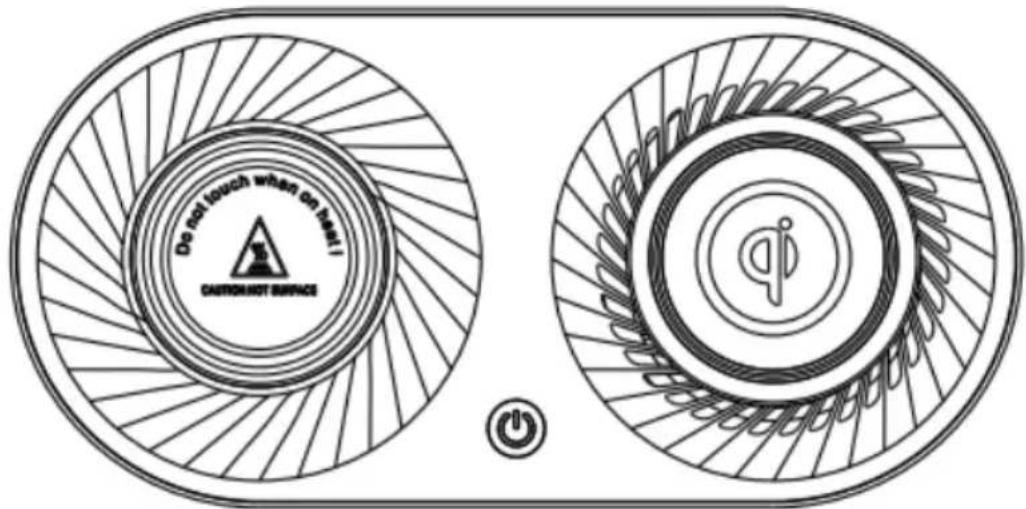
Heating/Cooler/Charging pad (x1)

natural_image
Line drawing of a mug with lid and handle (no text or symbols)Mug (x1)
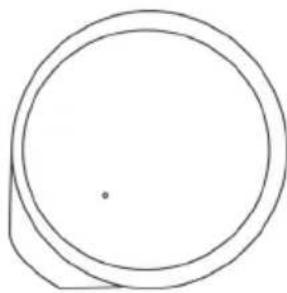
natural_image
Simple geometric diagram showing two concentric circles with a small dot at the center (no text or symbols)Mug cover (x1)
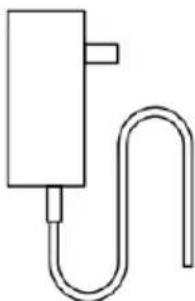
natural_image
Simple line drawing of a U-shaped pipe fitting with a rectangular block (no text or symbols)Power adapter (x1)

OPERATION
- Connect the cable end of the power adapter into the unit, with the plug going into a power socket. Turn the power on.
- Place mug on top of the heating/cooling pad, ensuring the mug sits evenly in the centre of the pad.
- Press the power button to cycle through the cooling/heating pad's modes (cooling > heating > off), to select your desired setting.
- Place your wireless charging device on the charging pad.
Note:
The wireless charger is always on and will activate automatically when a compatible device is placed upon it.
Power button
The power button cycles through the cooling/heating pad's mode types.
- Pressing it once will activate the cooling mode, making beverages cool to drink.
- Pressing it a second time will activate the heating mode, keeping beverages warm to drink.
- Pressing it a third time will turn off the pad.
Charger
The charger uses auto-sensing technology to detect and charge when a device is compatible for charging. When a device with wireless charging compatibility is placed onto the charger, it will automatically start charging the device.
The standard charging power this charger uses is 5W.
If your device is capable of using Quick Charge, the charger will charge at a rate of either 7.5W or 10W.
CLEANING & CARE
Ensure the device is turned off when cleaning.
Wipe the device down with a clean dry cloth.
Do not submerge the device into water to clean it.
SPECIFICATIONS
Cooling mode: cools to -6^ C
Heating mode: heats to 55°C
Need more information?
We hope that this user guide has given you the assistance needed for a simple set-up.
For the most up-to-date guide for your product, as well as any additional assistance you may require, head online to help.kogan.com
kogan.com


Brand : Kogan
Model : KAPCADPTCWA
Category : Mobile Device Charger