LED-E025i - Monitor SHARP - Free user manual and instructions
Find the device manual for free LED-E025i SHARP in PDF.


User questions about LED-E025i SHARP
0 question about this device. Answer the ones you know or ask your own.
Ask a new question about this device
Download the instructions for your Monitor in PDF format for free! Find your manual LED-E025i - SHARP and take your electronic device back in hand. On this page are published all the documents necessary for the use of your device. LED-E025i by SHARP.
USER MANUAL LED-E025i SHARP
[Models for indoor use]
LED-E012i
LED-E015i
LED-E018i
LED-E025i
MODELS: LED-E012i, LED-E015i, LED-E018i, LED-E025i
Table of Contents
Important Information....English-1
About the LED lamps ....English-4
Lamp break-in .... English-4
Contents....English-5
Related Items for Installation ....English-6
Parts Name ......English-7
Wiring ....English-8
Specifications....English-9
Diagram ......English-10
Safety Precautions and Maintenance
FOR OPTIMUM PERFORMANCE, PLEASE NOTE
THE FOLLOWING WHEN SETTING UP AND
USING THE LED DISPLAY SYSTEM:
About the Symbols
To ensure safe and proper use of the product, this manual uses a number of symbols to prevent injury to you and others as well as damage to property. The symbols and their meanings are described below. Be sure to understand them thoroughly before reading this manual.
 WARNING WARNING | Failing to heed this symbol and handling the product incorrectly could result in accidents leading to major injury or death. |
 CAUTION CAUTION | Failing to heed this symbol and handling the product incorrectly could result in personal injury or damage to surrounding property. |
Examples of symbols
 | ▲ Indicates a warning or caution.This symbol indicates you should be careful of electric shocks. |
 | ⊗ Indicates a prohibited action.This symbol indicates something that must be prohibited. |
 | ● Indicates a mandatory action.This symbol indicates that the power cord should be unplugged from the power outlet. |
- Be sure to read the following before using the product to use it correctly and safely.

WARNING

Do not apply vibrations or shocks to the product.

Do not install the product to unstable locations or locations subject to vibrations.

Always ask a technician to perform the installation.

Do not connect the cables with wet hands. Otherwise, it may cause an injury or an electrical shock.

Do not repair or modify the product yourself. Otherwise, it may cause an injury, a fire or an electrical shock.

In case of thunder, do not touch the power cord. Otherwise, it may cause an electrical shock.

Connect the product to the correct voltage. If the product is connected to a voltage other than the specified voltage, it may lead to a fire or an electrical shock.

In case of a malfunction (nothing is displayed on the screen, etc.) or if smoke, abnormal heat, or a strange sound or odor is generated, turn the power off and immediately ask a technician or your retailer for repair.

Install the product so that the vents are not obstructed.

Make sure there are enough people available to ensure safety (at least two people) when installing or moving the product. Otherwise, it may lead to an injury.

Be sure to ground the product. If the product is not grounded, there is a risk of electrical shock in case a malfunction occurs.

In case foreign matter has entered into the product, immediately disconnect the power supply and stop using the product.

After the installation, if a problem such as loose screws occurs, immediately ask a technician or your retailer for repair.

Do not put objects into the product. Otherwise, it may cause a fire or an electrical shock.

In case the product is in contact with water or another liquid, immediately disconnect the power supply and stop using the product. If you continue using the product in that state, it may lead to a malfunction, a fire, or an electrical shock.

CAUTION

Do not damage the power cord. Do not put heavy objects on it, place it near heaters, pull it with excessive strength, or apply a strong force on it while it is bent.
A damaged power cord may cause a fire or an electrical shock.

Do not install the product in narrow places where heat tends to build up.

Do not use the product in an environment with low heat dissipation. Otherwise, it may cause a malfunction.

The RJ-45 port of the product is for use with the product only. Do not connect it to a network. Connecting this port to a network that may receive over-voltage current may cause damage to the product or an electrical shock.

Do not use the product in a vehicle or another means of transportation.
Do not use or store the product in the following places.
- Near heaters
- Places with lots of humidity or dust, or places subject to oily smoke
- Places where water or oil may splash
- Places with lots of corrosive gases, such as near hot springs
- Places where the product may freeze
- Do not place the product on its side, face down, or upside down.
- Places with lots of vibrations

If you will not be using the product for a long time, disconnect it from the power distributor for safety purposes.

Disconnect the power supply when performing the maintenance.

Install the product in accordance with the local laws and regulations.

Do not place the product under direct sunlight or near heaters.

This product is designed to be used indoors. Do not use it outdoors. Otherwise, it may cause a malfunction.
This product can only be serviced in the country where it was purchased.

LED lamps are sensitive to static electricity and surge voltage, which may damage their components and decrease their reliability.
Take measures against static electricity during the installation. Do not touch the LED display areas.

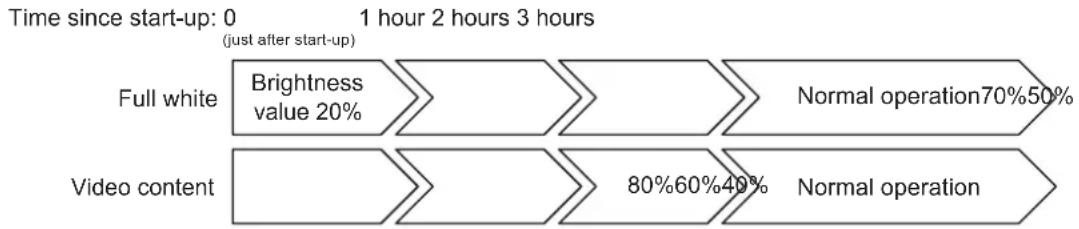
The LED lamps may absorb and hold moisture during the LED module installation or if not used for a long time. Therefore, in such cases, the brightness must be increased gradually during a break-in period before setting the normal brightness.
If the LED lamps are lit with 100% brightness while moisture is retained, the temperature will rise very quickly and the water inside the lamps will evaporate and expand. This will cause the encapsulating resin to expand, which may lead to separation of the boundary surface inside the LED lamps. This separation can cause the LED lamps not to light up properly.
Lamp break-in
Configure the brightness settings as shown below with a video displayed on the LED module. After a break-in period of approximately 3 hours, the LED module can be used under normal conditions.
line
| Time Since Start-Up | Full white | Video content | | ------------------- | ---------- | ------------- | | 0 | Brightness value 20% | | | 1 hour | | 80% | | 2 hours | | 60% | | 3 hours | | 49% | | Normal operation | 70% | 50% |The supplied parts are as follows.
In case one of these parts is missing or damaged, contact the retailer.
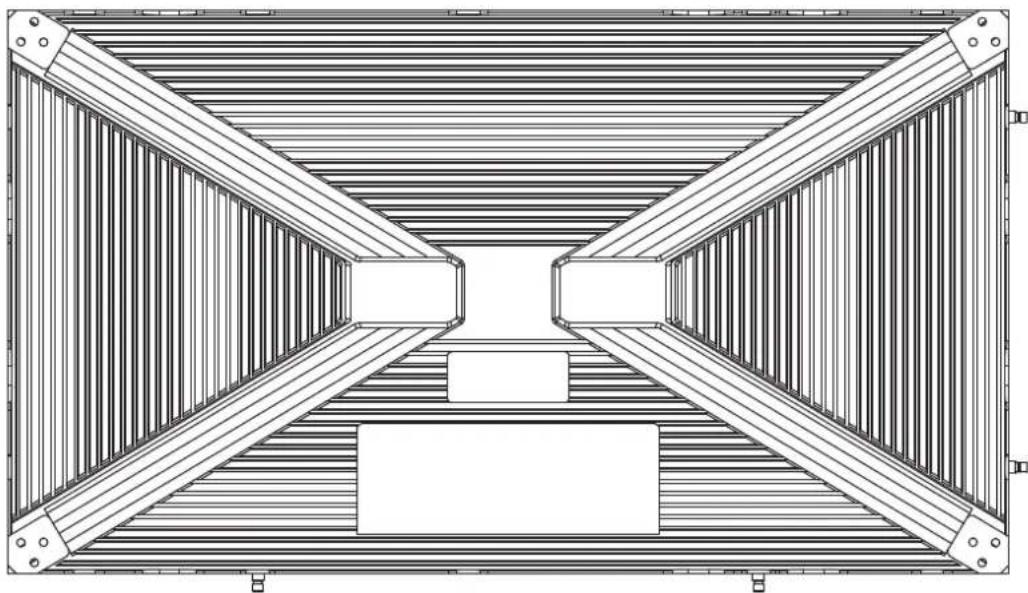
[Cabinet]
natural_image
Technical line drawing of a symmetrical structural frame with diagonal bracing and central rectangular cutout (no text or symbols)[Pixel card]
natural_image
Solid gray rectangle with no visible text, symbols, or features4 cards per cabinet
Related Items for Installation
The items required when installing the system are shown below. Contact your retailer for more details.
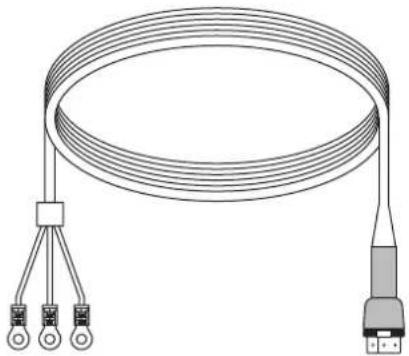
[Power cord]
natural_image
Coiled electrical cable with terminal connectors and connector pins (no text or symbols)To connect the LED module to the power distributor
[LAN cable]
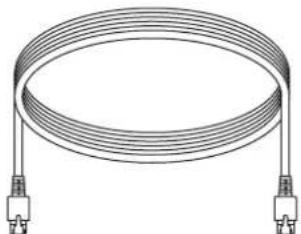
natural_image
Coiled cable with two connectors at ends, no text or symbols presentTo connect the LED module to the LED controller

natural_image
Pure electrical connector diagram showing two U-shaped terminals with no text or symbolsTo connect two LED modules together
[Cabinet alignment bracket] [Connection screw for LED modules]

natural_image
Simple line drawing of a diamond-shaped object with four circular holes (no text or symbols)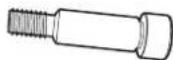
[USB drive]

Contains the data, the user's manual (this document), and the control software for the product you have purchased.

natural_image
Pure geometric shape with vertical lines and a numbered label (1) at the top-left corner, no text or symbols present.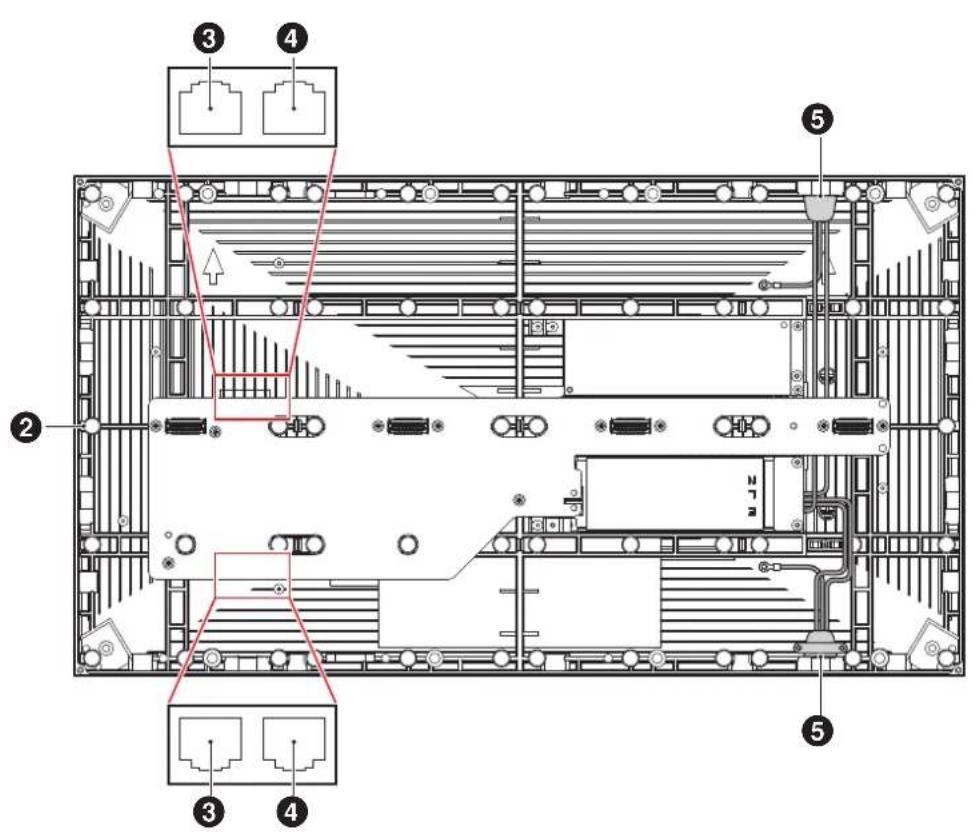
text_image
Technical diagram of an internal server rack layout with numbered components and labeled connectors① Pixel card
② Cabinet
③ LAN cable input/output
④ LAN cable input (not used with this product)
⑤ Power cord input/output
(1) Maximum number of signal connections
The maximum number of connections per LAN cable is shown below.
| Product name Maximum number of connections | |
| LED-E012i 4 modules | |
| LED-E015i 7 modules | |
| LED-E018i 10 modules | |
| LED-E025i 17 modules |

CAUTION
The maximum number of connections may differ depending on the connected LED controller. Therefore, check the specifications of the LED controller you are using. Ask a technician or your retailer for more details.
(2) Maximum number of power connections

CAUTION
Exceeding the maximum capacity may generate smoke or cause a fire. Check the voltage used and do not exceed the connection limits shown below.
| Product name 100 | - 120 V AC | 200 - 240 V AC |
| LED-E012i 10 modules 20 modules | ||
| LED-E015i 10 modules 20 modules | ||
| LED-E018i 10 modules 20 modules | ||
| LED-E025i 10 modules 20 modules | ||
Specifications
| LED-E012i | LED-E015i LED | -E018i | LED-E025i | ||
| LED configuration 3-in-1 SMD | |||||
| Pixel pitch 1.25 mm 1.56 mm 1.88 mm | 2.50 mm | ||||
| Number of displayed pixels (resolution/module) | 480 × 270 384 | × 216 320 × 180 240 | × 135 | ||
| Brightness 600 cd/m | 2 | 600 cd/m2 | 800 cd/m2 | 800 cd/m2 | |
| Contrast ratio 5000:1 5000:1 7000:1 | 7000:1 | ||||
| Brightness adjustment range 0 to 100% (256 increments) | |||||
| Gamma correction 1.0 to 4.0 (default setting: 2.8) | |||||
| Color temperature 3000 K to 9500 K (default setting: 6500 K) | |||||
| Viewing angle Horizontally 85°/ | Vertically 80° | Horizontally 80°/ Vertically 70° | Horizontally 80°/ Vertically 70° | Horizontally 80°/ Vertically 70° | |
| Signal interface Signal input 1 × RJ-45 | |||||
| Signal output 1 × RJ-45 | |||||
| Power supply | 100 V AC to 240 V AC, 50 Hz/60 Hz | ||||
| Power consumption (all white, 100% brightness) | 125 W | ||||
| Ingress protection | Front IP 20 / Back IP 20 | ||||
| Maintenance | Front | ||||
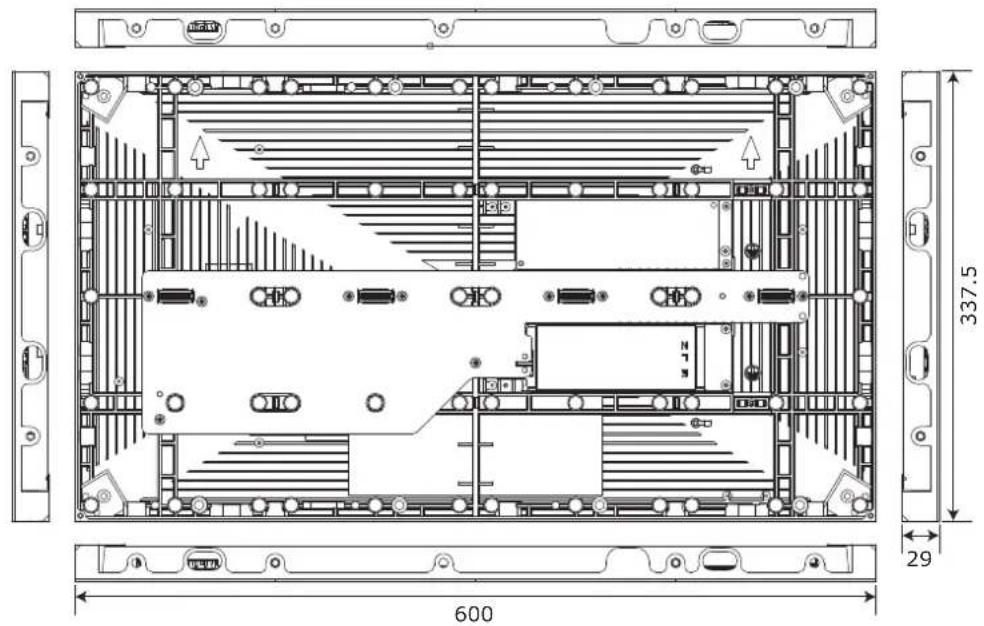
| Dimensions | 600 × 337.5 × 29 mm | ||||
| Weight | 4.7 kg | ||||
| Operating environment | Temperature | -20 to 40°C | |||
| Humidity | 10% to 80% (without condensation) | ||||
| Altitude | No more than 5000 m | ||||
| Storage environment | Temperature | -20 to 45°C | |||
| Humidity | 10% to 85% (without condensation) | ||||
Specifications are subject to change without notice.
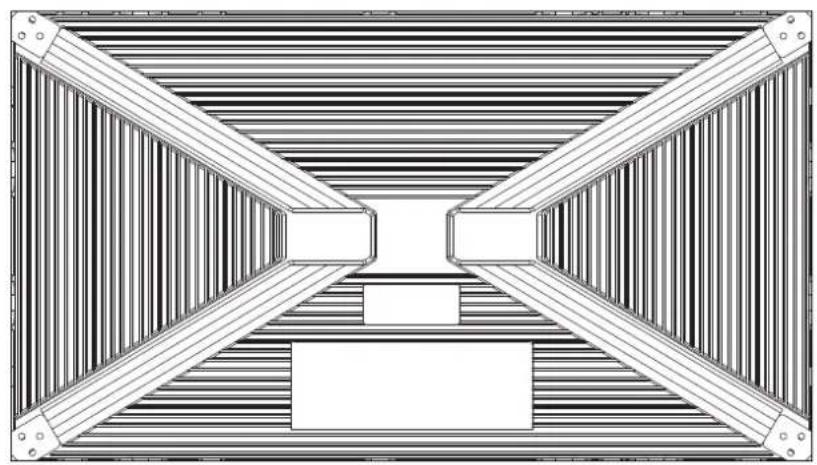
LED-E012i / LED-E015i / LED-E018i / LED-E025i
natural_image
Pure architectural floor plan lines without any text, numbers, or symbols(Unit: mm)
WEEE Mark (European Directive 2012/19/EU and amendments)
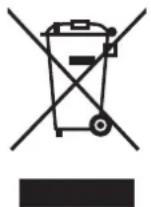
Disposing of your used product: In the European Union
EU-wide legislation as implemented in each Member State requires that used electrical and electronic products carrying the mark (left) must be disposed of separately from normal household waste. This includes LED Poster and electrical accessories, such as signal cables or power cords. When you dispose of such products, please follow the guidance of your local authority or ask the shop where you purchased the product, or if applicable, follow applicable legislation or agreement you may have. The mark on electrical and
electronic products may only apply to the current European Union Member States.
Outside the European Union
If you wish to dispose of used electrical and electronic products outside the European Union, please contact your local authority and ask for the correct method of disposal.

For EU: The crossed-out wheeled bin implies that used batteries should not be put to the general household waste! There is a separate collection system for used batteries, to allow proper treatment and recycling in accordance with legislation.
According to EU directive 2006/66/EC and amendments, the battery can't be disposed improperly. The battery shall be separated to collect by local service.
Service & Support in Europe
Please contact:
Sharp NEC Display Solutions Europe GmbH.
Landshuter Allee 12-14, D-80637 München
Phone: +49 (0) 89/99699-0
Fax: +49 (0) 89/99699-500
For the latest information please see
https://www.sharpnecdisplays.eu
Data is subject to change without notice.
Sales Office List for Asia/Pacific
For the latest information please see
https://www.sharp-nec-displays.com/ap/contact/index.html