Efektor TR3604 Tremolo - Audio software Kuassa - Free user manual and instructions
Find the device manual for free Efektor TR3604 Tremolo Kuassa in PDF.


User questions about Efektor TR3604 Tremolo Kuassa
0 question about this device. Answer the ones you know or ask your own.
Ask a new question about this device
Download the instructions for your Audio software in PDF format for free! Find your manual Efektor TR3604 Tremolo - Kuassa and take your electronic device back in hand. On this page are published all the documents necessary for the use of your device. Efektor TR3604 Tremolo by Kuassa.
USER MANUAL Efektor TR3604 Tremolo Kuassa
text_image
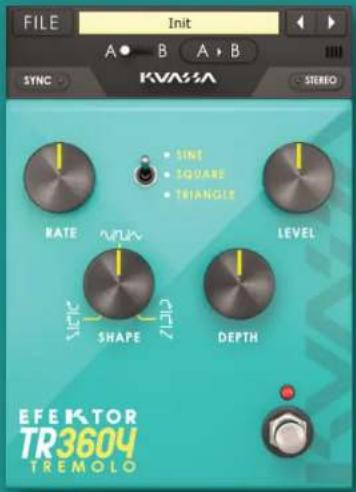
SINE • SQUARE • TRIANGLE RATE LEVEL SHAPE DEPTH EFEKTOR TR3604 TREMOLOEF E K T O R
TR3604
TREMOLO


text_image
FILE Init A B A B SYNC KVASSA STEREO RATE VCLK LEVEL SIZE ZEP SHAPE DEPTH EF EKTOR TR3604 TREMOLOTHANK YOU FOR CHOOSING KUASSA PRODUCTS!
We encourage you to take the time to read this User Manual thoroughly to ensure trouble free and proper operation of the software.
Following the previous Efektor Distortion series, please welcome the newest addition to the Efektor series: Efektor Modulation. We studied and examined more than 20 models of fabled modulation effects from the 1950s to the last decade. From rack gears, desktop units, and effect pedals as well. Modulation effects are widely used by organ/synth players, guitarists, and studio engineers to add width, depth, and movement to the original sound. In this latest bundle, we collect the prominent ones and packed them into four devices.
PROBABLY ONE OF THE OLDEST EFFECT APPLIED TO MUSICAL DEVICE. THIS VOLUME MODULATING EFFECT IS KNOWN TO BE EQUIPPED ON GUITAR AMPS SUCH AS FENDER TWIN REVERB OR VOX AC30.
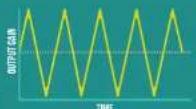
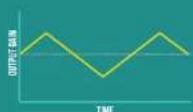
- Classic volume modulation with greater control over tremolo speed and wave shape. Choose from three type of wave oscillations:
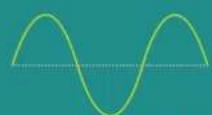


SINE SQUARE TRIANGLE
EFEKTOR TR3604
TREMOLO

text_image
RATE ONE SQUARE • Triangle DEPTH SHIFT EFEKTOR TR3604 TREMOLO
text_image
Collection of logos including Apple, vST, Amazon Prime Video, and others arranged in a grid-like layout.KEY FEATURES:
• Three modes of Modulation in every units.
- Bypass switch button.
- BPM sync.
- Mono or stereo mode.
• CV inputs for automation (RE Only)
SYSTEM REQUIREMENTS
Windows:
Windows Vista or Later (64 bit)
Core2 Duo, or AMD Phenom ii X4 or better (latest Intel i3, AMD A4, or
better is recommended) with 4GB minimum RAM
VST or VST3 compatible host/DAW
Pro Tools 11 or later for AAX format
Propellerhead Reason 7.1 or later for Rack Extension format
Macintosh:
Mac OS 10.11 or later (64 Bit).
Core2 Duo, or better (latest Intel i3 recommended)
with 4GB minimum RAM
Native Apple Silicon support
VST, VST3, or Audio Units compatible host/DAW
Pro Tools 11 or later for AAX format
Propellerhead Reason 10.1 or later for Rack Extension format
MAC OSX 10.11 OR LATER
Note for MacOS X users: you will be asked for your password upon installation.
For Mac installer(.pkg) format, double-click the installer and follow the instructions. The installer automatically point to your Mac's default VST/VST3/AU/AAX plug-ins and Standalone path (see below). Alternatively you can customize the installation target to specific folder.
Here are the default folders installation path for each of our supported platforms in Mac OSX:
• Mac Audio Unit (EfektorTR3604.component)
: /Library/Audio/Plug-Ins/Components/
• Mac VST (EfektorTR3604.vst)
: /Library/Audio/Plug-Ins/VST/Kuassa/
• Mac VST3 (EfektorTR3604.vst3)
:/Library/Audio/Plug-Ins/VST3/
• Mac AAX (EfektorTR3604.aaxplugin)
: /Library/Application Support/Avid/Audio/Plug-Ins/
WINDOWS VISTA OR LATER
For Windows Installer (.exe), double-click the installer and follow the instructions. The installer automatically points to your system's default plugins path (see below). Alternatively you can point the installation target to specific folder. Most VST host already have a "Plugins" or "VSTplugins" folder inside its installation directory, or you can point the host to read any folder you choose.
Here are the default folders installation path for each of our supported platforms:
- Windows 64-bit VST (EfektorTR3604.dll) : C:\Program Files\Steinberg\VstPlugins\Kuassa\
- Windows 64-bit VST3 (EfektorTR3604.vst3) : C:\Program Files\Common Files\VST3\
- Windows 64-bit AAX (EfektorTR3604.aaxplugin) : C:\Program Files\Common Files\Avid\Audio Plug-Ins\
MAC OSX 10.11 OR LATER
On a Mac, simply delete the plug-in located on the corresponding Plug-ins folder, and delete other folders and file resources located at.
Folders:
• /Library/Application Support/Kuassa/Default Presets/EfektorTR3604/
- /Users/[User Name]/Music/Kuassa/Presets/EfektorTR3604/
Files:
• /Library/Application Support/Kuassa/Misc/EfektorTR3604 EULA.txt
• /Library/Application Support/Kuassa/User Manuals/EfektorTR3604 Manual.pdf
- /Users/[User Name]/Music/Kuassa/Settings/EfektorTR3604.setting
WINDOWS VISTA OR LATER
Use "Add/Remove programs" or "Programs and Features" from the Windows Control Panel. If Efektor TR3604 does not listed, delete the .dll/.vst3/.aaxplugin file from your VST plug-in folder. After Uninstallation, manually delete other Efektor TR3604 file resources at, Folder:
• C:\Users[User Name]\Documents\Kuassa\Presets\EfektorTR3604\
Files:
• C:\Users[User Name]\Documents\Kuassa\Settings\EfektorTR3604.setting
Authorization
text_image
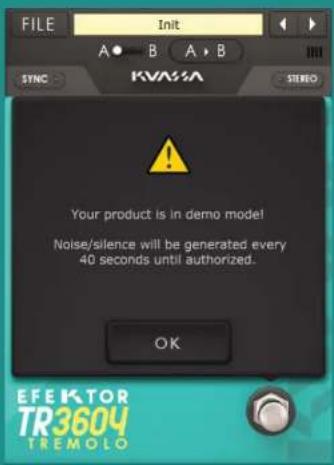
FILE Init A B A B STNC KVA3A STUDIO Your product is in demo model! Noise/silence will be generated every 40 seconds until authorized. OK EFEKTOR TR3604 TREMOLO123 On evaluation mode, you will see this pop-up window when you first start the plugin.
text_image
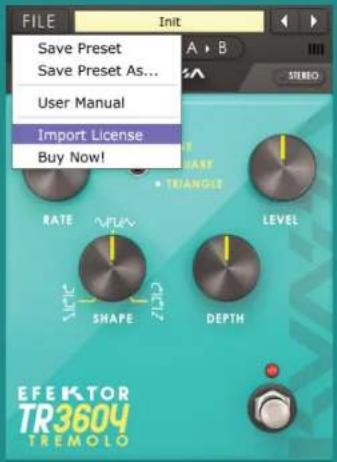
FILE Init Save Preset Save Preset As... User Manual Import License Buy Now! RATE MFLV LEVEL SHAPE ZUO DEPTH EF E K T O R TR3604 TREMOLOTo start the authorization process, click the [File] button on the top-left of the plug-in's interface, there, you will find a selection box titled [import License].

text_image
IMPORT C:\Users\Kuassa-Bram\Documents\Kuass... EfektorTR3604.kuassa File: EfektorTR3604.kuassa IMPORT CANCELLocate the License File [EfektorTR3604.kuassa] obtained from the confirmation e-mail sent to you after you purchase EFEKTOR Plug-in(s) from our web store or downloaded from member area. Note that the License File contains your personal information used to authorize the plug-in.
Authorization(Cont'd)

text_image
IMPORT Authorization Succeeded! Enjoy your Efektor TR3604. We hope you make great music using it. OK CANCEL4 After you locate the License File, a pop-up box confirming that you are successfully authorize your plug-in will show.

text_image
FILE Init A B A B ISV304 Efektor TR3804 Tremolo Version : 1.0.0 (32bit) Registered to : Your Name Here Developed by: Arie Ardiansyah, Cil Satriwan Bramantyo Ibrahim, Adhtya Wibitsa Iman Amarullah, Muhammad Abdullah Pratama Kusuma, Rendy Basuki, Iqbal Ansyori Grahades Kusut, Juan Prahamma, Irstan Zariska Dimitar Nalbantov, Sandawan Sukimaya VST / VST3 by Steinberg Media Technologies, GmbH. Audio Units by Apple, Inc. AAX by Avid Technology, Inc. © 2017 - PT Kuassa Teknika, Kuassa and Efektor TR3804 Tremolo are trademarks of PT Kuassa Teknika. All rights reserved. IR3804 TREMOLO5 To check if you have completed the authorization process, just simply load the About Box by clicking the Efektor logo on the bottom left corner. If your authorization is successful, either your name or your e-mail address will be shown on the About Box. You will also notice that the generated noise/silence on the Evaluation Version is now gone.
RATEDEPTH

text_image
1 FILE Init SYNC 3 A B 5 STEREO 6 7 SINE ● SQUARE ● TRIANGLE 8 9 LEVEL ● SHAPE ● DEPTH 10 11 12 13 EF E K T O N TR3604 TREMOLO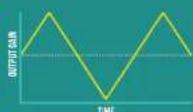
1 [FILE] BUTTON: The Menu button contains several functions; preset saving, license file authorization, and shortcuts to the user manual and Kuassa website.
2 PRESET SELECTOR: Select from available Presets, press left-right buttons or select from drop down menu.
3 SYNC: Enables synchronization of Rate to the host's tempo in BPM.
4 A-B COMPARE: Compares two different settings of the plug-in.
5 COPY A to B: Copies settings from the "A" state to the "B" state.
6 STEREO: Enables or Disables stereo output.
7 RATE: Controls the frequency, or the speed of the oscillation. On manual mode, the range is from 0.01 Hz to 20 Hz. When "Sync" is enabled, the range will be from 1 to 1/32T.
8 SHAPE: Modifies the shape of the LFO. On the center twelve o'clock position, the shape will be symmetrical.
9 DEPTH: Controls the height, or amplitude of the modulated signal. On minimum settings, the effect will be very subtle, almost inaudible.
10 LEVEL: Controls the overall output level from the plug-ins.
11 TYPE SELECTOR: There are three types of wave: Sine wave, Square wave, and Triangle/Sawtooth wave. Pick one which suited your desired sound.
12 BYPASS: Turns the effect unit completely On or Bypass.
13 EFEKTOR LOGO: Click to show the About Box.
Preset Management

text_image
Favorites Libraries Documents Download Git Music Pictures Videos Homegroup Computer Local Disk (C:) Local Disk (D:) Network Documents library EfektorTR3604 Name Data modified Type Size Init.ktrp 23/08/2017 19:56 KTRP File 1 KB Sine Classic.ktrp 23/08/2017 17:22 KTRP File 1 KB Sine Clean.ktrp 23/08/2017 17:22 KTRP File 1 KB Sine Solo.ktrp 23/08/2017 17:22 KTRP File 1 KB Sine Stereo Clean.ktrp 23/08/2017 17:04 KTRP File 1 KB Square Classic.ktrp 23/08/2017 17:22 KTRP File 1 KB Square Clean.ktrp 23/08/2017 17:22 KTRP File 1 KB Square Puliar.ktrp 23/08/2017 17:22 KTRP File 1 KB Square Solo.ktrp 23/08/2017 17:22 KTRP File 1 KB Triangle Classic.ktrp 23/08/2017 17:02 KTRP File 1 KB Triangle Clean.ktrp 23/08/2017 17:22 KTRP File 1 KB Triangle Solo.ktrp 23/08/2017 17:22 KTRP File 1 KB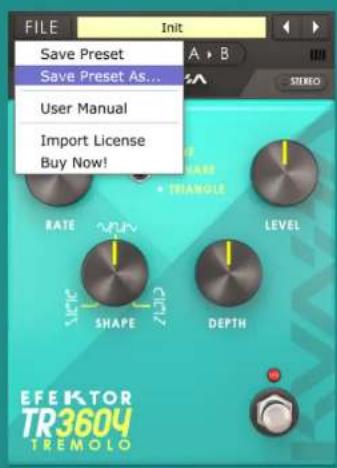
text_image
FILE Init Save Preset Save Preset As... User Manual Import License Buy Now! RATE MURV LEVEL VEGET SHAPE DEPTH EFEKTOR TR3604 TREMOLO1 Presets for EFEKTOR Plug-in(s) are located in the following folders*:
• Mac: Users/[YourName]/Music/Kuassa/Presets/EfektorTR3604
- Win: \~\Documents\Kuassa\Presets\EfektorTR3604
All presets inside these folders will be recognized by the plugin as individual presets, you can also create a folder to group the preset(s). They will thus be shown on the EFEKTOR Plug-in's preset selector.
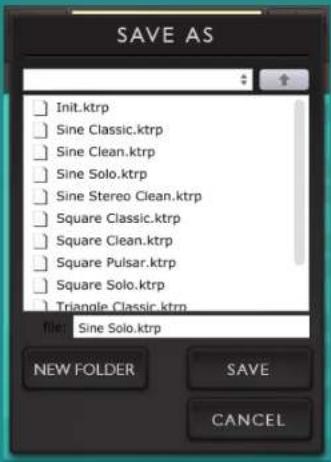
2 To save a preset, set your plugin to the desired parameter settings, then select:
- "Save Preset": Overwrites currently active preset.
- "Save Preset As": Saves current settings into a new preset file (*.ktrp for TR3604).
Preset Management
text_image
SAVE AS Init.ktrp Sine Classic.ktrp Sine Clean.ktrp Sine Solo.ktrp Sine Stereo Clean.ktrp Square Classic.ktrp Square Clean.ktrp Square Pulsar.ktrp Square Solo.ktrp Triangle Classic.ktrp file: Sine Solo.ktrp NEW FOLDER SAVE CANCEL
text_image
Sine Solo Init.ktrp Sine Classic.ktrp Sine Clean.ktrp ✓ Sine Solo.ktrp Sine Stereo Clean.ktrp Square Classic.ktrp Square Clean.ktrp Square Pulsar.ktrp Square Solo.ktrp Triangle Classic.ktrp Triangle Clean.ktrp Triangle Solo.ktrp3 When you create a new preset using "Save Preset As...", make sure that you have chosen the correct preset folder as aforementioned on point 1 above to make sure that it will be recognized automatically by EFEKTOR plug-ins.
Preset Management

text_image
SAVE AS Please enter the name of the new folder: OK CANCEL CANCEL
text_image
SAVE AS C:\Users\Kuassa-Bram\Documents\Kuass... Sine Low Depth.ktrp file: Sine Low Depth.ktrp NEW FOLDER SAVE CANCEL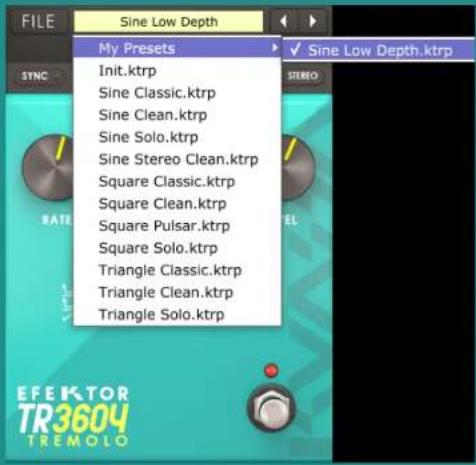
text_image
FILE Sine Low Depth My Presets Init.ktrp Sine Classic.ktrp Sine Clean.ktrp Sine Solo.ktrp Sine Stereo Clean.ktrp Square Classic.ktrp Square Clean.ktrp Square Pulsar.ktrp Square Solo.ktrp Triangle Classic.ktrp Triangle Clean.ktrp Triangle Solo.ktrp4 To add new additional preset banks, create a new folder by clicking "New Folder" button and rename it. Sub-folders are also recognized to manage presets into groups, useful to manage additional preset bank, or grouping presets based by their use.
EFEKTOR
TR3604
TREMOLO
text_image
TREMOL RATE SHAPE DEPTH LEVEL KVASSA EFEKTOR TR3604 A PRODUCT OF PT-XIMARA 1700MA MAXIMO GENERATOR INPUT OUTPUT TR3604 EFEKTOR TREMOL Bypass On Off SYNC STEREO RATE SHAPE DEPTH LEVEL TYPE DEPTH LEVEL
Function

text_image
1 2 SYNC 3 STEREO 4 5 6 7 8 Init 9 TR3604 EFEKTOR TREMOLO INIT1 BYPASS
Turns on, off or bypass the rack extension.
2 SYNC Enabl
Enables synchronization of Rate to the host's tempo in BPM.
2 STEREO
Enables or Disables stereo output.
4 RATE KNOB
Controls the frequency, or the speed of the oscillation. On manual mode, the range is from 0.01 Hz to 20 Hz. When "Sync" is enabled, the range will be from 1 to 1/32T.
5 SHAPE KNOB
Modifies the shape of the LFO. On the center twelve o'clock position, the shape will be symmetrical.
6 TYPE SELECTOR
There are three types of wave: Sine wave, Square wave, and Triangle/Sawtooth wave. Pick one which suited your desired sound.
7 DEPTH KNOB
Controls the height, or amplitude of the modulated signal. On minimum settings, the effect will be very subtle, almost inaudible.
LEVEL KNOB
Controls the overall output level from the plug-ins.
O ADDITIONAL BYPASS SWITCH
Turns the effect unit completely On or Bypass.
Function

text_image
RATE SHAPE DEPTH LEVEL KVASA EFEKTOR TR3604 INIT INPUT OUTPUT1 CV INPUTS
CV INPUT SOCKET:
Receives incoming CV message for controlling each of EFEKTOR's CV control enabled parameters from another device's CV output.
CV INPUT TRIM:
Turn counter-clockwise for each corresponding input to trim or reduce the intensity of incoming CV message.
2 AUDIO INPUT AND OUTPUT SOCKETS :
Please note that EFEKTOR is an FX, and should always be added as FX device instead of instrument.
MIDI CC PARAMETER LIST (PROPELLERHEAD REASON)
EFEKTOR TR3604
TREMOLO

PARAMETER NAME
128 = ON BYPASS SWITCH
129=TREMOLO TYPE SWITCH
130 = SYNC SWITCH
131=STEREO SWITCH
132=RATEKNDB
133=RATESYNCKNOB
134=SHAPE KNOB
135=DEPTH KNOB
136=LEVEL KNOB
Kuassa Efektor Series Created by:
Muhammad Abduh
Abshar Platisza
Muhammad Yusreza Irsyan
Intan Zariska Daniyanti
Iman Firman Amarullah
Juan Prahamma Hartjamt
Dimitar Nalbantov
Arie Ardiansyah
Raden Pratama Kusuma
Adhitya Sulistia Wibisana
Bramantyo Ibrahim
Cil Satriawan
Grahadea Kusuf
Iqbal Ansyori
Rathomi Trinugraha
Bayu Ardianto
Sundawan Sukmaya
Presets and Audio Demos by:
Dimitar Nalbantov (http://www.nalbantov.com)
EFEKTOR TR3604 TREMOLO
KUASSA TEKNIKA, PT
Jl. Dipati Ukur No. 71A
Bandung 40132
West Java, INDONESIA
https://www.kuassa.com
General inquiry: info@kuassa.com
TECHNICAL SUPPORT :
support@kuassa.com

Uassa
A Product of KUASSA. Bandung, West Java. Indonesia © 2010-2022 PT Kuassa Teknika
Electro183604 are trademarks of PT Kuassa Teknika, Indonesia.
All other commercial symbols, product and company names are trademarks or registered trademarks of their respective holders.
All rights reserved.