
EX605ST - Projector OPTOMA - Free user manual and instructions
Find the device manual for free EX605ST OPTOMA in PDF.


| Product type | DLP projector |
| Native resolution | XGA (1024 x 768) |
| Display technology | DLP® single-chip Texas Instruments |
| Lamp | SHP 180W DC |
| Lamp life (Standard mode) | Approximately 3000 hours |
| Lamp life (Bright mode) | Approximately 130% of standard life, i.e., ~3900 hours |
| Projection distance | 1.0 to 12.0 meters |
| Image size (diagonal) | 25 to 303 inches (63.5 cm to 769.6 cm) |
| Keystone correction | Vertical, ±18 degrees |
| Zoom | Manual (zoom ring) |
| Focus | Manual (focus ring) |
| Video inputs | 1x VGA (RGB/Component/HDTV/SCART), 1x HDMI, 1x S-Video, 1x Composite, 1x USB (mouse) |
| Projection modes | Front, Rear, Ceiling front, Ceiling rear |
| Remote control | With laser pointer, AAA battery (included) |
| Security | 4-digit password, keypad lock, auto power off, high altitude mode |
| Maintenance | Clean with a soft cloth and mild detergent. Do not use abrasive solvents. |
| Spare parts available | SHP 180W DC lamp, AAA batteries, VGA cable, USB cable, remote control |
| Repairability | Lamp replacement by the user. Other repairs by a qualified technician. |
Frequently Asked Questions - EX605ST OPTOMA
User questions about EX605ST OPTOMA
0 question about this device. Answer the ones you know or ask your own.
Ask a new question about this device
Download the instructions for your Projector in PDF format for free! Find your manual EX605ST - OPTOMA and take your electronic device back in hand. On this page are published all the documents necessary for the use of your device. EX605ST by OPTOMA.
USER MANUAL EX605ST OPTOMA
natural_image
Symbolic illustration of a computer monitor with a red X mark and eye, enclosed in an oval (no text or symbols)natural_image
Line drawing of a projector with a speaker and cable (no text or symbols)natural_image
Line drawing of a cord with multiple wires and connectors (no text or symbols)natural_image
Pure electrical circuit lines without any symbolsCâble VGA
natural_image
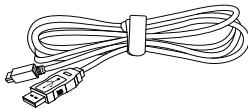
Line drawing of a bundle of USB connectors (no text or symbols)Câble USB
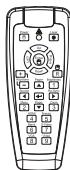
Télécommande IR
2 x piles AAA
natural_image
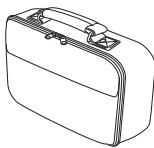
Line drawing of a rectangular briefcase with handle and clasp (no text or symbols)Sac de transport mou
Documentation:
42 Caxton Way, The Watford Business Park
Watford, Hertfordshire,
WD18 8QZ, UK
Tél: +44 (0) 1923 691 800
www.optoma.eu
Télécopie: +44 (0) 1923 691 888
Service Tél: +44 (0)1923 691865
Service : service@tsc-europe.com
France
Bâtiment E
Tél: +33 1 41 46 12 20
81-83 avenue Edouard Vaillant
Télécopie: +33 1 41 46 94 35
92100 Boulogne Billancourt, France
Service : savoptoma@optoma.fr
Espagne
Unit A, 27/F Dragon Centre,
79 Wing Hong Street, Tél: +852-2396-8968
Cheung Sha Wan, Télécopie: +852-2370-1222
Kowloon, Hong Kong www.optoma.com.hk
Chine
5F, No. 1205, Kaixuan Rd., Tél: +86-21-62947376
Changning District Télécopie: +86-21-62947375
Shanghai, 200052, China www.optoma.com.cn
Changes or modifications not expressly approved by the manufacturer could void the user's authority, which is granted by the Federal Communications Commission, to operate this projector.
Brand : OPTOMA
Model : EX605ST
Category : Projector