
Coda - Bedroom Fantastic - Free user manual and instructions
Find the device manual for free Coda Fantastic in PDF.


| Product Type | Bookcase |
| Brand | Fantastic |
| Model | Coda |
| Category | Bedroom |
| Recommended Weight Capacity | 10 kg per shelf |
| Material | Engineered Wood |
| Assembly Required | Yes |
| Tools Required | Phillips Head Screwdriver, Hammer |
| Included Hardware | Dowels, Cam Bolts, Cam Nuts, Screws, Allen Key, Covers, Plastic Glides, Restraint Strap, Brackets |
| Safety Feature | Anti-tip wall strap included |
| Number of Shelves | 3 |
| Care Instructions | Wipe with dry cloth; avoid power tools during assembly |
Frequently Asked Questions - Coda Fantastic
User questions about Coda Fantastic
0 question about this device. Answer the ones you know or ask your own.
Ask a new question about this device
Download the instructions for your Bedroom in PDF format for free! Find your manual Coda - Fantastic and take your electronic device back in hand. On this page are published all the documents necessary for the use of your device. Coda by Fantastic.
USER MANUAL Coda Fantastic
Secure it!
Reduce the risk of furniture tip-over accidents


WARNING: ENSURE THE WALL STRAP IS ATTACHED TO AVOID SERIOUS INJURY OR DEATH.
To avoid any serious or fatal injury, a wall strap has been provided with this product to prevent toppling. We strongly recommend that this product is permanently fixed to the wall or other suitable surface. Fixing devices are not included since different surface materials require different attachments.
Please seek professional advice if you are in doubt of what fixing device to use.
Recommended Weight Capacity :10kg/shelf
To reduce the risk of furniture tipover:
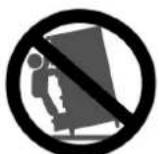
- Do not allow children to stand, climb or hang on furniture. It may topple and cause serious injury or death.
- Do not place toys or other child appealing items on top of this furniture, and place heaviest items towards the bottom of the furniture.
- Do not open more than one drawer at the time.
- Anchoring this product to a wall or other suitable surface is recommended. Check anchors regularly.
- Avoid putting a TV on this product.
Wall attachment guide
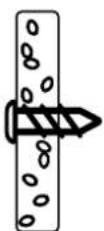
For plasterboard
(withoavailable wood stud)
Securing method:
Self drilling plasterboard anchor.
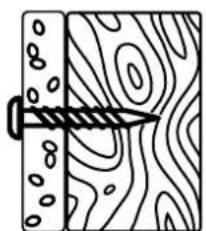
For plasterboard
(with available wood stud)
Securing method:
Screw idiredly into stud.


For masonry wall
Securing method:
Solid wall: Plug with screw
Hollow wall: Spring toggle
Please seek professional advice if you are in doubt of what fixing device to use.
Looks like you've found your Fantastic!
We're thrilled you've chosen Fantastic Furniture to help create a home you'll love!

Fantastic Furniture
Love it? Share it!
Fantastic buy! Share how it looks at home on Instagram for your chance to win a \$250 Fantastic Furniture Gift Card!
@fantasticfurniture
Assembly Checklist

Read through the instructions carefully before you begin.
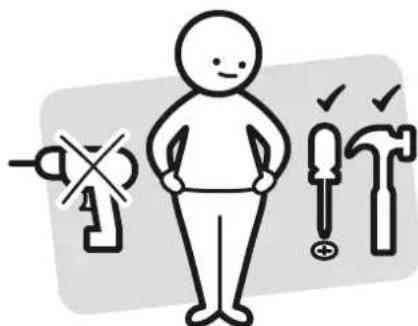
Make sure you have all the required tools. Never use power tools unless instructed.
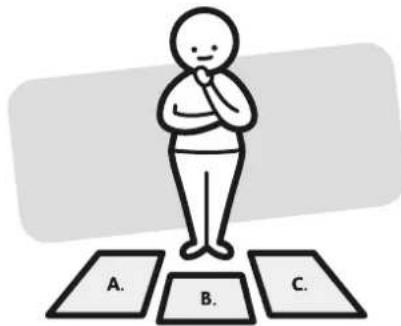
Identify and lay out all of the components before you begin assembly.
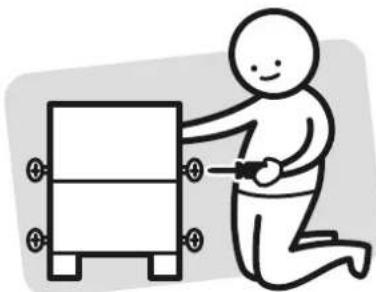
Unless instructed, do not fully tighten screws until the item is fully assembled.
Useful Information
! Never use power tools unless specifically instructed. They can damage your components or hardware if used incorrectly.
! The most common mistakes made during assembly are using the wrong hardware or getting components back to front.
! Always use a soft surface (such as carpet or cardboard) when assembling your product to avoid scratching or damaging the surface of the product.
! Bulky items such as wardrobes and bunk beds should be assembled in the room they will be used in as they may not fit through a door once assembled.
! Never use any glue until you are certain that the parts belong together.
! Periodically check and re-tighten all fasteners. Check the product care label or website for product care instructions.
! If you are having any difficulties assembling your product, missing any hardware or components please visit our website Help Centre for further assistance.
! Please see page 2 for any safety requirements or weight restrictions.
What you need
to assemble the product

DO NOT USE

Other tools you need:
Phillips Head Screwdriver;
Hammer

Parts list
Top Panel (P1);
2 x Side Panels (P2);
Shelf Panel (P3);
Divider (P4);
Divider (P5);
Bottom Panel (P6);
Hardware pack
 |  |  |  | 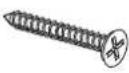 | 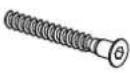 | |
| 8 x Dowels (H1) | 8 x Small Dowels (H2) | 12 x Cam Bolts (H3) | 12 x Cam Nuts (H4) | 2 x Long Screws (H5) | 6 x Inside Hexagonal Bolts (H6) | |
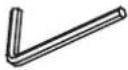 |  |  | 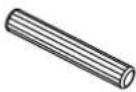 | 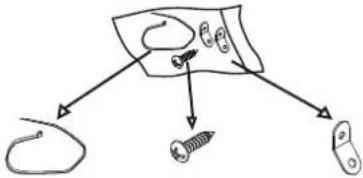 | ||
| 1 x Allen Key (H7) | 8 x Covers (H8) | 4 x Plastic Glides (H9) | 2 x Long Dowels (H10) | 1 x Restraint Strap (H11) | 1 x Screw (H12) | 2 x Brackets (H13) |
Step 1
| You will need | |
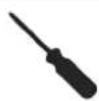 | |
| 6 x Cam Bolts (H3) | Phillips Head Screwdriver |

Attach 6 x Cam Bolts (H3) into Top Panel (P1) as shown.
Step 2
| You will need | |
 | |
| 4 x Cam Bolts (H3) | Phillips Head Screwdriver |
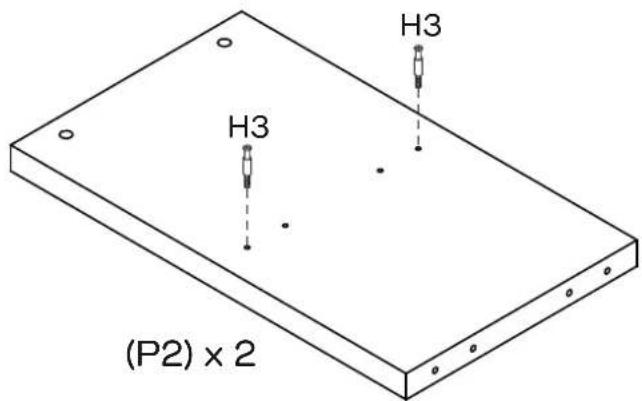
Attach 2 x Cam Bolts (H3) into each Side Panel (P2) as shown.
Step 3
| You will need | |
 | |
| 2 x Cam Bolts (H3) | Phillips head screwdriver |

Attach 2 x Cam Bolts (H3) into Shelf Panel (P3) as shown.
fantasticfurniture.com.au

Fantastic Furniture
Step 4
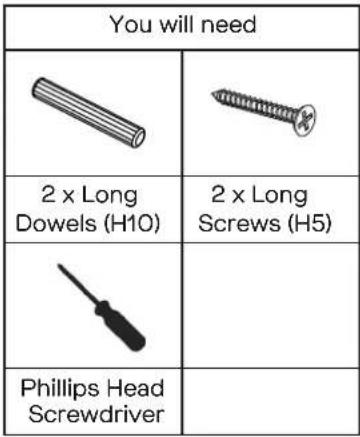 |

Insert 2 x Long Dowels (H10) into the holes of Divider (P4) through Shelf Panel (P3) as shown. Attach Divider (P4) to Shelf Panel (P3) with 2 x Long Screws (H5) using a Phillips Head Screwdriver.
Step 5
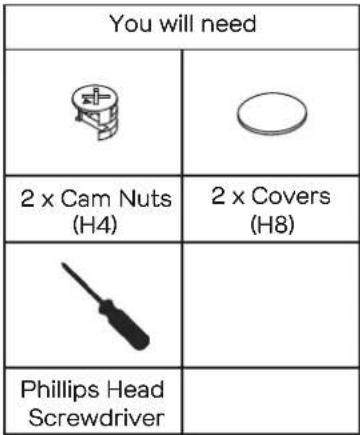 |

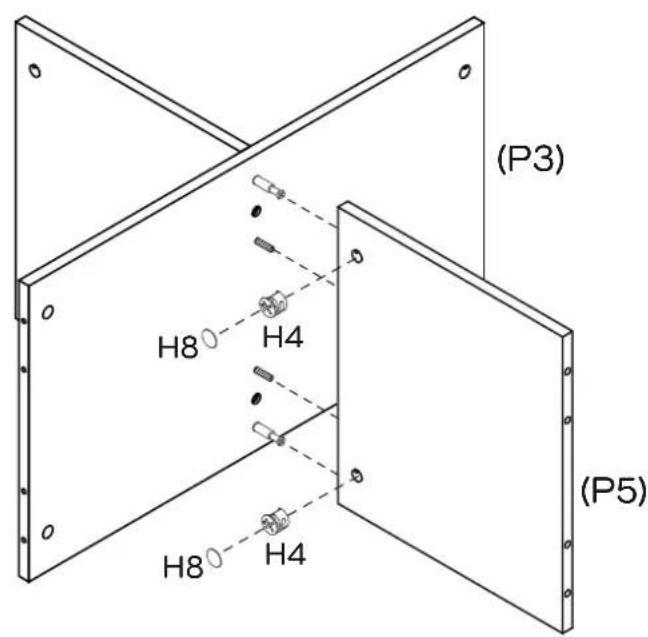
Insert 2 x Cam Nuts (H4) into the holes of Divider (P5).
Rotate the Cam Nuts so the arrows point towards the incoming Cam Bolts.
Push Divider (P5) into place and then tighten the Cam Nuts using a Phillips Head Screwdriver. Seal the holes with 2 x Covers (H8).
Step 6
| You will need | |
| 2 x Small Dowels (H2) | 2 x Cam Nuts (H4) |
| Phillips Head Screwdriver | |

Insert 2 x Small Dowels (H2) into the holes of Shelf Panel (P3).
Insert 2 x Cam Nuts (H4) into the holes of Shelf Panel (P3).
Rotate the Cam Nuts so the arrows point towards the incoming Cam Bolts.
Push Side Panel (P2) into place and then tighten the Cam Nuts using a Phillips Head Screwdriver.
Step 7
| You will need | |
| 2 x Small Dowels (H2) | 2 x Cam Nuts (H4) |
| Phillips Head Screwdriver | |

Insert 2 x Small Dowels (H2) into the holes of Shelf Panel (P3).
Insert 2 x Cam Nuts (H4) into the holes of Shelf Panel (P3).
Rotate the Cam Nuts so the arrows point towards the incoming Cam Bolts.
Push Side Panel (P2) into place.
Tighten the Cam Nuts using a Phillips Head Screwdriver.
Step 8
| You will need | |
 | 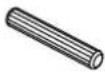 |
| 4 x Dowels (H1) | 2 x Small Dowels (H2) |
 |  |
| 6 x Cam Nuts (H4) | 6 x Covers (H8) |
 | |
| Phillips Head Screwdriver | |
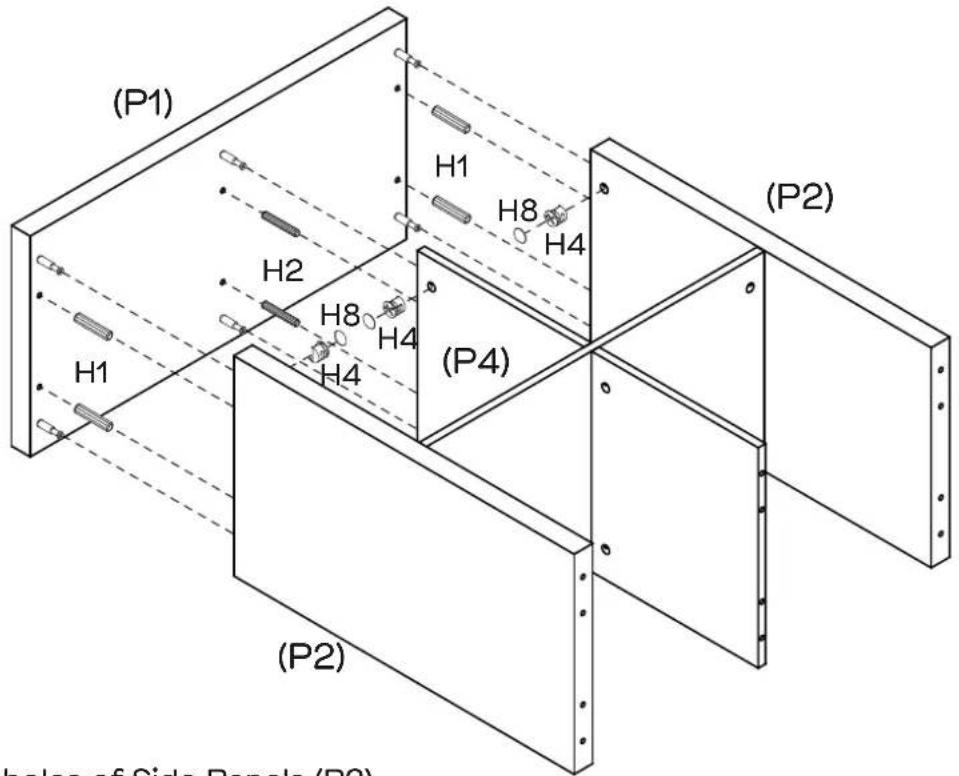
Insert 4 x Dowels (H1) into the holes of Side Panels (P2).
Insert 2 x Small Dowels (H2) into the holes of Divider (P4).
Insert 6 x Cam Nuts (H4) into the holes of Side Panels (P2) and Divider (P4),
Rotate the Cam Nuts so the arrows point towards the incoming Cam Bolts.
Attach Top Panel (P1) into place and then tighten the Cam Nuts using a Phillips Head Screwdriver. Seal the holes with 6 x Covers (H8) as shown.
Step 9
| You will need | |
| 4 x Dowels (H1) | 2 x Small Dowels (H2) |
| 6 x Inside Hexagonal Bolts (H6) | 1 x Allen Key (H7) |

Insert 4 x Dowels (H1) into the holes of Side Panels (P2).
Insert 2 x Small Dowels (H2) into the holes of Divider (P5).
Attach Bottom Panel (P6) to Side Panels (P2) and Divider (P5) with 6 x Inside Hexagonal Bolts (H6) using an Allen Key (H7).
Step 10
| You will need | |
 | |
| 4 x Plastic Glides (H9) | Hammer |
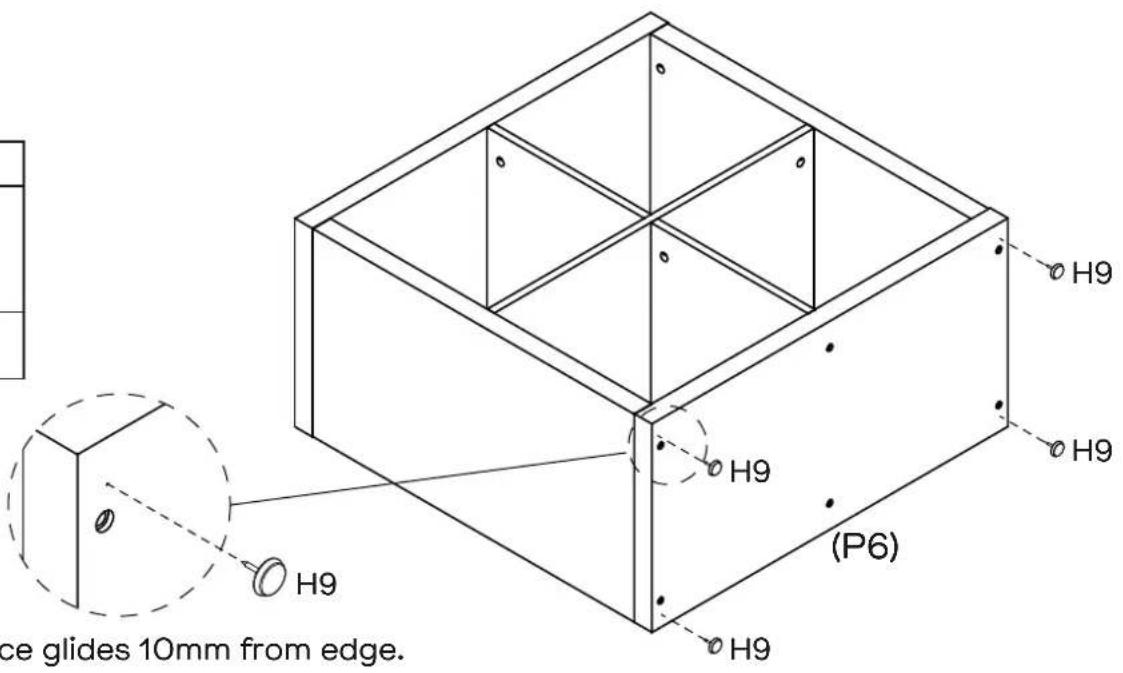
Attach 4 x Plastic Glides (H9) to the bottom of Bottom Panel (P6) with a Hammer.
Step 11
| You will need | |
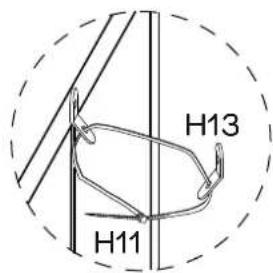
| 1 x Restraint Strap (H11) | 1 x Screw (H12) |
| 2 x Brackets (H13) | Phillips Head Screwdriver |
| Screw and Wall Plug are not provided. Please use appropriate fixtures for your wall. | |
We strongly advise that you use the wall safety strap provided to prevent the unit toppling

Seek advice from a qualified trades person on how to attach this safety strap to your specific wall.


Carefully turn the bookcase over to an upright position.
Attach 1 x Bracket (H13) securely to back of Top Panel (P1)
with 1 x Screw (H12) through the smaller hole.
Align the opposite wall Bracket about 20mm lower than the one attached to the bookcase so the Bracket can't be seen.
Using appropriate wall connection fixtures, secure the bracket to the wall and thread the Restraint Strap through it.
Be careful not to over tighten the strap which would cause the unit to lean.
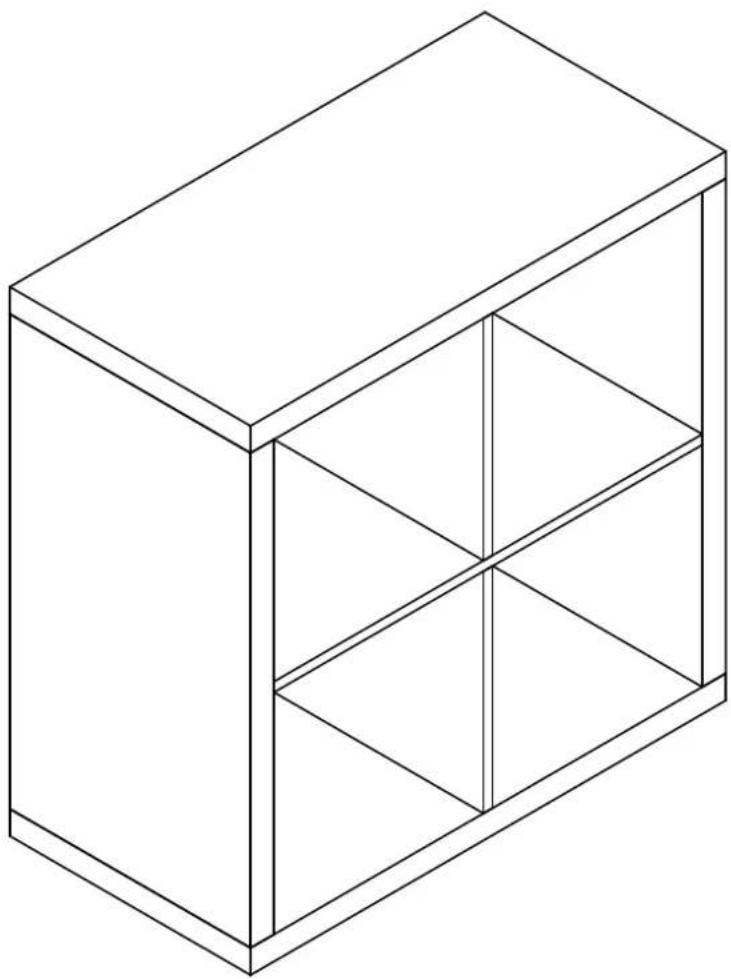
Job Complete!
In the interest of our environment please dispose of all packaging thoughtfully.


- SECURE IT
- WARNING: ENSURE THE WALL STRAP IS ATTACHED TO AVOID SERIOUS INJURY OR DEATH
- RECOMMENDED WEIGHT CAPACITY :10KG/SHELF
- WALL ATTACHMENT GUIDE
- FOR PLASTERBOARD
- SECURING METHOD
- FOR MASONRY WALL
- LOOKS LIKE YOU'VE FOUND YOUR FANTASTIC
- FANTASTIC FURNITURE
- LOVE IT? SHARE IT
- ASSEMBLY CHECKLIST
- USEFUL INFORMATION
- WHAT YOU NEED
- PARTS LIST
- STEP 1
- STEP 2
- STEP 3
- STEP 4
- STEP 5
- STEP 6
- STEP 7
- STEP 8
- STEP 9
- STEP 10
- STEP 11
- JOB COMPLETE
Brand : Fantastic
Model : Coda
Category : Bedroom