 ManualGo.com
MX-M354N - Multifunction Printer SHARP - Free user manual and instructions
Find the device manual for free MX-M354N SHARP in PDF.


Download the instructions for your Multifunction Printer in PDF format for free! Find your manual MX-M354N - SHARP and take your electronic device back in hand. On this page are published all the documents necessary for the use of your device. MX-M354N by SHARP.
USER MANUAL MX-M354N SHARP
=] m7: 54 MOPERAMNON Search based on what:youlwant:to do
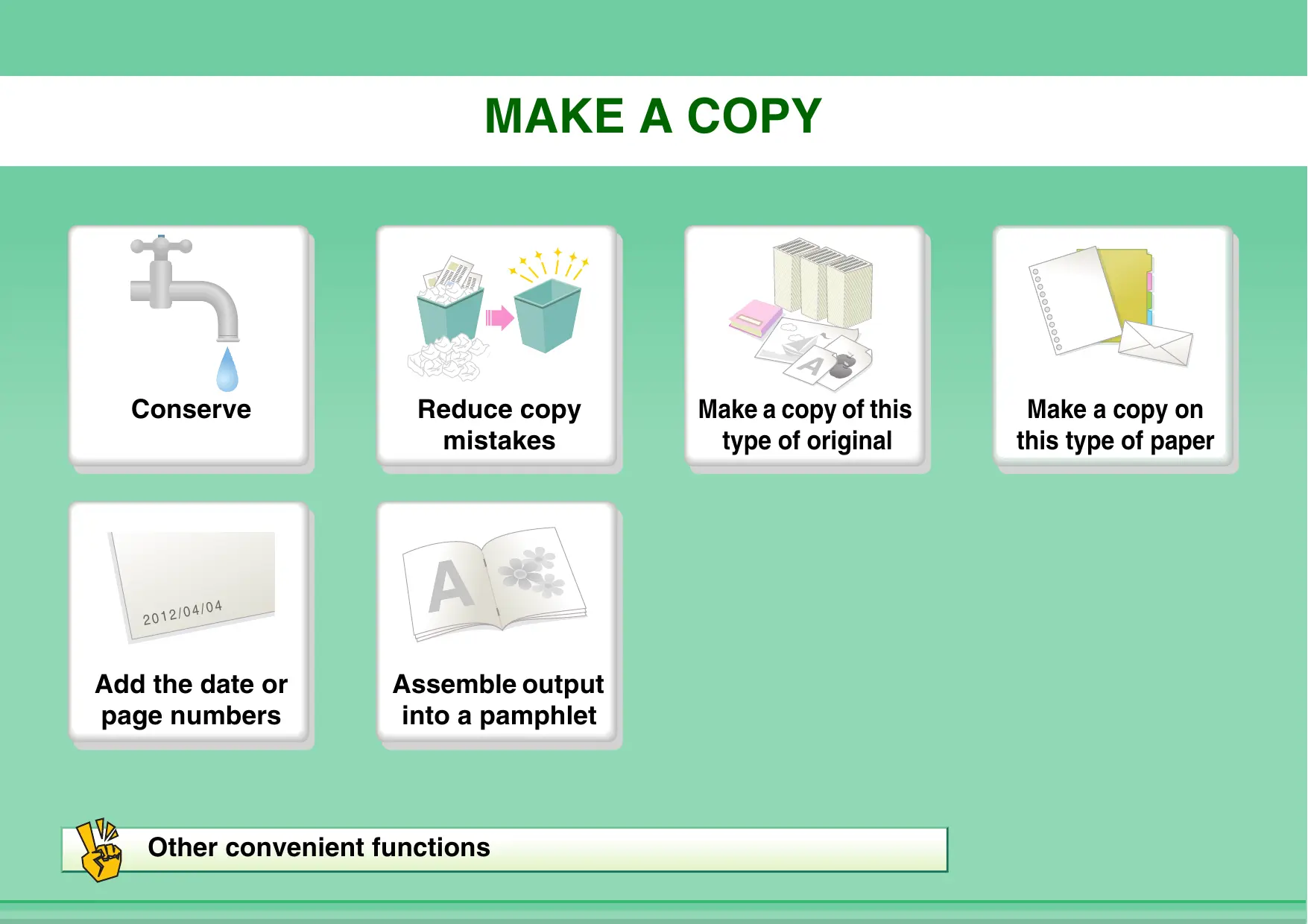
Sc ed Conserve Reduce copy Make a copy of this Make a copy on mistakes type of original this type of paper 2012/0410 Add the date or Assemble output page numbers into a pamphlet % Other convenient functions
Make a copy of this type of original More original pages than Mixed-size originals can be loaded at once Bulky original (shadows : Bound original such as a appear at edges) book (one page at a time) : Book or pamphlet (make ; facing page copies)
Make a copy on this type of paper Envelopes and other f Tab Paper special media Transparency film
Assemble output into a pamphlet : Create a stapled pamphlet = Staple output = Create a blank margin
LS Other convenient functions Functions used for specific purposes © Make a copy of arranged photos e Create a large poster © Make a mirror-image copy © Copy onto the centre of the paper © Make a negative copy Convenient functions © Use two machines simultaneously © Give priority to a copy job © Check the status of a reserved job e Insert covers/inserts in copy output © Copy a thin original
PRINT À DOCUMENT Conserve Print without a Print attractive Assemble output computer output into a pamphlet Print on this type Add text or an of paper image % Other convenient functions
Conserve Print on both sides of the & 2), Print multiple pages on one paper | 4 side of the paper
Print without a computer Print a file on an FTP Print a file in a network folder Print a file in a USB memory device Print a file stored in the machine
Print attractive output Print matching the size of the paper A Bring out faint text and — lines Select the print mode
# Adjust the brightness and contrast Adjusting line width when LA printing a file such as CAD data
Assemble output into a pamphlet Create a stapled pamphlet Staple output Create a blank margin Print specific pages on the front side of the paper
Print on this type of paper Envelopes | Tab Paper [æ] Transparency film 2 Print specific pages on EE different paper ® Rotate the image 180 degrees
LS Other convenient functions Correct the size or orientation of the print data e Enlarge or reduce the print image © Print a mirror-image Security is important @ Print confidentially © Print an encrypted PDF file Functions used for specific purposes @ Print an "invoice copy" © Create a large poster Convenient functions e Give priority to a print job © Use two machines simultaneously e Store frequently used print settings @ Store a print job
Les Conserve Send this type of Prevent transmission to Send a clear document the wrong destination document Save trouble Security is important % Other convenient functions
Conserve Send when the rate is lowest Send two original pages as a single page Check received data before printing Relay a transmission through a branch office
Send this type of document Bulky original (shadows appear at edges) More original pages than can be loaded at once Original printed on both sides Bound original such as a book (one page at a time) Mixed-size originals ID card or other card
Prevent transmission to the wrong destination =467# Check the destination once Check the result of more before sending transmission Check the log of previous Stamp scanned original transmissions pages
Send without shadows at the edges
ÆXXXX-6789 ÆXXXX-9874 ÆxXXX-4567 ÆXXXX-5432 ÆxXXX-9999 Save trouble Store frequently used settings ÆXXXX-6789 ÆXXXX-9874 View the transmission log RXXXX 4567 ÆXXXX-5432 ÆXXXX-9999 Bound original such as a book (one page at a time) Send to multiple destinations Easily specify an address (search number)
Security is important Check the destination once more before sending Print protected reception data Send a document at the other machine's request Send confidentially Initiate reception of a document from a sending machine
LS Other convenient functions Convenient management functions e Forward a received fax to a network address @ Print a list of addresses Convenient functions e Send a thin original e Select a transmission destination from a global address book e Give priority to a transmission © Use an extension phone
SCAN AN IMAGE / SEND AN INTERNET FAX
NS Le (2 Send a clear Send this type of Prevent transmission to Send a smaller image document the wrong destination file Save trouble Scan from my computer % Other convenient functions
Send a clear image Adjust the contrast or Re À Adjust the resolution ht R, image quality before sending Send without shadows at Suppress the background of the edges a transmitted document
Send this type of document Bulky original (shadows appear at edges) More original pages than can be loaded at once Original printed on both sides Bound original such as a book (one page at a time) Mixed-size originals Original with background
Send a smaller file & Send at low resolution Reduce an image before sending Z; Send two original pages as a single page
Compress a file before sending Send an image in black & _ white ID or other card
Save trouble Store frequently used settings Send an Internet fax from a computer Send to multiple destinations aaa@aa.aa.c bbb@bb.bb. cc Easily Specify an address sat (search number) eee@ee.ee.el Bound original such as a book (one page at a time)
LS Other convenient functions Convenient management functions e Forward a received fax to a network address @ Print a list of transmission destinations Convenient functions @ Scan a thin original e Select a transmission destination from a global address book © Send at a specified time e Give priority to a transmission @ Send in USB memory mode
_ Search for a file using a Search by checking the keyword contents of files
Organize my files Delete a file Delete all files Du Periodically delete files Change the folder
There are two ways to search for a topic in this guide: you can use an "| want to..." menu, or you can use a regular table of contents. The following explanation assumes that Adobe Reader 8.0 is being used (Some buttons do not appear in the default state.). Return to top page (IQ Return to previously displayed page (@) Search based on what you Search using the table of want to do contents Menu page
HOW TO USE THIS MANUAL
Click a button below to move to the page that you wish to view. HA @ REÉXMIETEÉEROEE EE:
PART NAMES AND FUNCTIONS
EXTERIOR = ee Ts an De eg ape DR age mms ere) Eu ÉRRIES page 9 Output (eaneray) ut à nee ay
- erpner oui. UE 1 (6) (1) Return to top page button (4) Return to previously displayed page button If an operation does not proceed as expected, click this Displays the page that was displayed before the current button to start over again. page. (2) Back one page button (5) Adobe Reader Help button Displays the previous page. Opens Adobe Reader Help. (3) Forward one page button (6) Contents button Displays the next page. Displays the contents of each chapter. - If a button does not appear, refer to Adobe Reader Help to display the button. © + Caution when printing If all pages are printed, the menu pages of the "! want to..." menu will also be printed. To print only the pages that contain the explanation of a function, specify a page range.
MANUALS PROVIDED WITH THE MACHINE
Operation manuals in PDF format (this manual) The manuals in PDF format provide detailed explanations of the procedures for using the machine in each mode. The manuals in PDF format are on the CD-ROM that accompanies the machine. V4 o
= 1. BEFORE USING THE MACHINE
This chapter provides information, such as basic operation procedures, how to load paper, and machine maintenance.
This chapter provides detailed explanations of the procedures for using the copy function.
This chapter provides detailed explanations of the procedures for using the print function.
This chapter provides detailed explanations of the procedures for using the fax function.
5. SCANNER / INTERNET FAX
This chapter provides detailed explanations of the procedures for using the scanner function and the Internet fax function.
This chapter provides detailed explanations of the procedures for using the document filing function. The document filing function allows you to save the document data of a copy or fax job, or the data of a print job, as a file on the machine's hard drive. The file can be called up as needed.
This chapter explains the "System Settings", which are used to configure a variety of parameters to suit the aims and the needs of your workplace. Current settings can be displayed or printed out from the "System Settings". =, 8. TROUBLESHOOTING > This chapter explains how to remove paper misfeeds and provides answers to frequently asked === questions regarding the operation of the machine in each mode. Refer to this manual when you have difficulty using the machine. (S J Printed manual Manual name Contents Start Guide This manual contains instructions for using the machine safely, describes preparations that must be made before using the machine, and lists the specifications of the machine and its peripheral devices.
ABOUT OPERATION MANUAL
This manual explains how to use the MX-M264N/MX-M314N/MX-M354N digital multifunctional system. Please note <- For information on installing the drivers and software cited in this manual, please refer to the Software Setup Guide. < For information on your operating system, please refer to your operating system manual or the online Help function. + The explanations of screens and procedures in a Windows environment are primarily for Windows Vista®. The screens may vary depending on the version of the operating system or the software application. + The explanations of screens and procedures in a Macintosh environment are based on Mac OS X v10.4 in the case of Mac OS
X. The screens may vary depending on the version of the operating system or the software application.
+ Wherever "MX-xxxx" appears in this manual, please substitute your model name for "xxxx". + This manual contains references to the fax function. However, please note that the fax function is not available in some countries and regions. + Considerable care has been taken in preparing this manual. If you have any comments or concerns about the manual, please contact your dealer or nearest authorised service representative. + This product has undergone strict quality control and inspection procedures. In the unlikely event that a defect or other problem is discovered, please contact your dealer or nearest authorised service representative. - Aside from instances provided for by law, SHARP is not responsible for failures occurring during the use of the product or its options, or failures due to incorrect operation of the product and its options, or other failures, or for any damage that occurs due to use of the product. Warning + Reproduction, adaptation or translation of the contents of the manual without prior written permission is prohibited, except as allowed under copyright laws. - All information in this manual is subject to change without notice. Illustrations and the operation panel and touch panel shown in this manual The peripheral devices are generally optional, however, some models include certain peripheral devices as standard equipment. The explanations in this manual assume that a right tray and paper drawer are installed on the MX-M354N. For some functions and procedures, the explanations assume that devices other than the above are installed. The display screens, messages, and key names shown in the manual may differ from those on the actual machine due to product improvements and modifications. Icons used in the manuals The icons in the manuals indicate the following types of information: VAN Warning This alerts you to a situation where there is a risk of human death or injury. | VAN Caution This alerts you to a situation where there is a risk of human injury or property damage. | This alerts you to a situation where there is a risk of machine damage or This indicates the name of a system setting and provides a brief explanation of the setting. failure. When "System Settings:" appears: A general setting is explained. When "System Settings (Administrator):" appears: A setting that can only be configured by an administrator is This explains how to cancel or correct explained. an operation. explanation of a function or procedure. © This provides a supplemental
This chapter provides information, such as basic operation procedures, how to load paper, and machine maintenance.
ABOUT THE WEB PAGES OF THIS
+ EXTERNAL ACCOUNT MODULE
FUNCTIONS OF THE MAIN KEYS
This section provides basic information about the machine. Please read this chapter before using the machine.
PART NAMES AND FUNCTIONS
NS ] où EE When a finisher is installed (1) Job separator (upper tray)* (5) Operation panel Received faxes and printed papers are delivered to this This is used to select functions and enter the number of tray. copies. OPERATION PANEL (page 1-7) (6) Exit tray unit (right tray) When installed, output can be delivered to this tray. When a finisher is installed. (7) Finisher* This can be used to staple output. [ FINISHER (page 1-42) (2) Automatic document feeder This automatically feeds and scans multiple originals. Both sides of 2-sided originals can be automatically scanned. [ PLACING THE ORIGINAL (page 1-36) (3) Front cover Open this cover to replace a toner cartridge. REPLACING THE TONER CARTRIDGES (page 1-51) (4) Output tray (centre tray) Output is delivered to this tray.
- Peripheral device. 1-2 Contents
Go) (8) USB connector (A type) Supports USB 2.0 (Hi-Speed). This is used to connect a USB device such as USB memory to the machine. For the USB cable, use a shielded cable. (9) Keyboard* This is a keyboard that is incorporated into the machine. When not used, it can be stored under the operation panel. [ ENTERING TEXT FROM À KEYBOARD (page 1-57) (10) Main power switch This is used to power on the machine. When using the fax or Internet fax functions, keep this switch in the "on" position. [ TURNING THE POWER ON AND OFF (page 1-14)
When a keyboard is installed (11) (12) (13) (14) 1-3 at) (2) (3) (4) Tray 1 This holds paper. D TRAY SETTINGS FOR TRAY 1 TO 4 (page 1-31) Tray 2 This holds paper. D TRAY SETTINGS FOR TRAY 1 TO 4 (page 1-31) Tray 3 (when a paper drawer is installed)* This holds paper. D TRAY SETTINGS FOR TRAY 1 TO 4 (page 1-31) Tray 4 (when a paper drawer is installed)* This holds paper. D TRAY SETTINGS FOR TRAY 1 TO 4 (page 1-31) Contents
INTERIOR @5) q6) a?) G5) (20) Toner cartridges These contain toner for printing. When the toner runs out in a cartridge, the cartridge must be replaced. [ REPLACING THE TONER CARTRIDGES (page 1-51) Upper right side cover If a paper misfeed occurs while outputting to the job separator or the finisher (sold separately), open this cover to remove the misfed paper. Paper misfeed in the upper exit area (when a job separator/finisher (MX-FN23) is installed) (page 8-10) Fusing unit Heat is applied here to fuse the transferred image onto the paper. A\ Caution The fusing unit is hot. Take care not to burn yourself when removing a paper misfeed. (8) qs) (20) Right side cover Open this cover to remove a misfeed. Paper reversing section cover This is used when 2-sided printing is performed. Open this cover to remove a paper misfeed. Photoconductive drum This is a drum with a photoconductor coating. The images are produced on this photoconductor. (The photoconductor is green.) Do not touch or damage the photoconductive drum. This may cause a defective image. @1) Handle Pull this out and grasp it when moving the machine. (21) (22) (23) 1-4 (6) (22) (23) (24)
BEFORE USING THE MACHINE
(17) (18) (19) (24) Right cover of paper drawer (when a paper drawer is installed) Open this to remove a paper misfeed in tray 3 or tray 4. Paper tray right side cover Open this to remove a paper misfeed in tray 1 or tray 2. Bypass tray Use this tray to feed paper manually. When loading a large sheet of paper, be sure to pull out the bypass tray extension. [ LOADING PAPER IN THE BYPASS TRAY (page 1-33) Contents
(6) Paper feed roller This roller rotates to automatically feed the original. Document feeding area cover Open this cover to remove an original misfeed or clean the paper feed roller. Original guides These help ensure that the original is scanned correctly. Adjust the guides to the width of the original. [ PLACING THE ORIGINAL (page 1-36) Document feeder tray Place originals in this tray. 1-sided originals must be placed face up. (ll PLACING THE ORIGINAL (page 1-36) Original exit tray Originals are delivered to this tray after scanning.
(@) (5) (6) Scanning area Originals placed in the document feeder tray are scanned here. [ REGULAR MAINTENANCE (page 1-48) (7) Original size detector This detects the size of an original placed on the document glass. (ll PLACING THE ORIGINAL ON THE DOCUMENT GLASS (page 1-38) (8) Document glass Use this to scan a book or other thick original that cannot be fed through the automatic document feeder. (ll PLACING THE ORIGINAL ON THE DOCUMENT GLASS (page 1-38) 1-5 Contents
(1) Service-only connector A\ Caution This connector is for use only by service technicians. Connecting a cable to this connector may cause the machine to malfunction. Important note for service technicians: The cable connected to the service connector must be less than 3 m (118") in length. (2) LAN connector Connect the LAN cable to this connector when the machine is used on a network. For the LAN cable, use a shielded type cable. (3) USB connector (B type ) Supports USB 2.0 (Hi-Speed). A computer can be connected to this connector to use the machine as a printer. For the USB cable, use a shielded cable. (4) USB connector (A type) Supports USB 2.0 (Hi-Speed). This is used to connect a USB device such as USB memory to the machine. (5) Power plug. (6) Extension phone socket When the fax function of the machine is used, an extension phone can be connected to this socket. (7) Telephone line socket When the fax function of the machine is used, the telephone line is connected to this socket. 1-6 Contents
Houe (7) Touch panel Messages and keys appear in the touch panel display. Touch the displayed keys to perform a variety of operations. When a key is touched, a beep sounds and the selected item is highlighted. This provides confirmation as you perform an operation. [ TOUCH PANEL (page 1-9) [SYSTEM SETTINGS] key Press this key to display the system settings menu screen. The system settings are used to configure paper tray settings, store addresses for transmission operations, and adjust parameters to make the machine easier to use. [JOB STATUS] key Press this key to display the job status screen. The job status screen is used to check information on jobs and to cancel jobs. For details, see the chapters for each of the functions in this manual. PRINT mode indicators + READY indicator Print jobs can be received when this indicator is lit. + DATA indicator This blinks while print data is being received and lights steadily while printing is taking place. (5) Numeric keys These are used to enter the number of copies, fax numbers, and other numerical values. These keys are also used to enter numeric value settings (except for the system settings). [CLEAR] key (©) Press this key to return the number of copies to [HOME] key Touch this key to display the home screen. Frequently used settings can be registered in the home screen to enable quick and easy operation of the machine. [ HOME SCREEN (page 1-21) (6) (7) (8) IMAGE SEND mode indicators + LINE indicator This lights up during transmission or reception of a fax or Internet fax. This also lights during transmission of an image in scan mode. + DATA indicator This blinks when a received fax or Internet fax cannot be printed because of a problem such as out of paper. This lights up when there is a transmission job that has not been sent. (2) Stylus pen This can be used to touch a key displayed on the touch panel. Contents
«o) (1) (12) (3) (10) [STOP] key ((@)) Press this key to stop a copy job or scanning of an original. (11) Main power indicator This lights up when the machine's main power switch is in the "on" position. [ TURNING THE POWER ON AND OFF (page 1-14) [POWER] key ((@©)) Use this key to turn the machine power on and off. [ TURNING THE POWER ON AND OFF (page 1-14) [LOGOUT] key (()) Press this key to log out after you have logged in and used the machine. When using the fax function, this key can also be pressed to send tone signals on a pulse dial line. [| USER AUTHENTICATION (page 1-16) [#/P] key (CD) When using the copy function, press this key to use a job program. When using the fax function, this key can be used when dialling. (12) «3) (4)
(5) (6) (7) @6) (15)(17) [START] key Press this key to copy or scan an original. This key is also used to send a fax in fax mode. [CLEAR ALL] key (@)) Press this key to return to the initial operation state. Use this key when you wish to cancel all settings that have been selected and start operation from the initial state. [POWER SAVE] key (@)) / indicator Use this key to put the machine into auto power shut-off mode to save energy. The [POWER SAVE] key (©) blinks when the machine is in auto power shut-off mode. [ IPOWER SAVE] KEY (page 1-15) The indicators of the operation panel may differ depending on the country and region. 1-8 Contents
TOUCH PANEL This section explains how to use the touch panel. + To enter text, see "ENTERING TEXT" (page 1-55). - For information on the screens and procedures for using the system settings, see "Common Operation Methods" (page 7-4) in "7. SYSTEM SETTINGS". Using the touch panel Example 1 a) -1 jcon… Junnace sa [ ES TS sue JE su à RS onzussre { (3) seophpsiere (1) Mode select keys Use these keys to switch between copy, image send, and document filing modes. (2) Settings for each function are easily selected and cancelled by touching the keys on the screen with your finger. When an item is selected, a beep will sound and the item will be highlighted to confirm the selection. (3) Keys that are greyed out cannot be selected. @) If you touch a key that cannot be selected, a double beep will sound. Example 2 Example 3 a) @) @) (a) 4) (2) CRE Es | C= (1) lf the initial state of a key in a screen is highlighted, the key is selected. To change the selection, touch one of the other keys to highlight that key. (2) The +][2) keys can be used to increase or (1) Some items in the special modes screen are selected by simply touching the key of the item. To cancel a selected item, touch the highlighted key once again so that it is no longer highlighted. decrease a value. To make a value change quickly, keep your finger on the key. (3) Touch this key to cancel a setting. (4) Touch the [OK] key to enter and save a setting. (2) When settings extend over multiple screens, touch the =] key orthe [+] key to switch through the screens. Contents
Example 4 EE Ex } shifrniqne margin SRÈÉE pion: L0nm/ Back LOnm ÉCESCS When at least one special mode is selected, the li} The |] key can be touched to display a list of the key appears in the base screen. selected special modes. Example 5 = ee) Sie pue mm | x
Touch a numeric value display key to directly enter a Press the numeric keys to enter any numeric value value with the numeric keys. and then touch the [OK] key. @) The touch panel (screen) shown in this manual is a descriptive image. The actual screen is slightly different. System Settings (Administrator): Keys Touch Sound This is used to adjust the volume of the beep that sounds when keys are touched. The key touch sound can also be turned off. 1-10 Contents
STATUS DISPLAY When the base screen of a mode appears, the right side of the touch panel shows the machine's status. The information shown is explained below. (U]
Copying Display selection key The status display can be switched between "Job Status" and "MFP Status”. If the job status screen is displayed, the status display automatically changes to "MFP Status". “Job Status" display This shows the first 4 print jobs in the print queue (the job in progress and jobs waiting to be printed). The type of job, the set number of copies, the number of copies completed, and the job status appear. Jobs cannot be manipulated in this screen. Jobs can only be manipulated in the job status screen. For details, see the chapters for each of the functions in this manual. (8) 1-11 @) (8) "MFP Status" display This shows machine system information. “Maintenance Information This shows machine maintenance information by means of codes. Contents
SYSTEM BAR The system bar appears at the bottom of the touch panel. The items that appear in the system bar are explained below.
BEFORE USING THE MACHINE
sue CES (1) Job status display The job in progress or reserved are indicated by icons. The icons are as follows.
. Print job = Copy job £ D Scan to E-mail Scan to FTP job A = | job 4 Scan to Scan to 1 | Network Folder Desktop job job Fax Fax reception transmission & job job ë PC-Fax Internet fax transmission transmission a |; a |; ’ job A job à ( (Including Direct SMTP) Internet Fax PC-I-Fax reception job PA transmission & (including Es job Direct SMTP) Broadcast job* Scan to HDD LA Inbound routing Œ file print job 5 job Tandem = Metadata send T7 | copy/print job 4 job
- This appears in a multi-mode broadcast job. 1-12
(2) (8) When a base screen other than that of image send mode appears, the number of the tray being used to feed paper appears during paper feeding. The colour appearing in the job status display depends on the job status as indicated in the table below. The job status display can be touched to show the job status screen. un os Machine Configuration display Green A print, scan or other job is being executed normally. The machine is warming up or on Yellow standby, or a job is being cancelled. A paper misfeed or other error Red " condition has occurred. Grey The machine has no jobs. Icon display This icon appears when data is being sent or W received. This icon appears when fax, scan, or Internet fax data is stored in the machine's memory. When data to be transmitted is cf stored, 7 appears. When received data is stored, ff appears. When both data to be transmitted and received data are stored, ÉF appears. This appears when a service technician has EÆ activated simulation mode. ” This appears when a USB memory or other ‘# | USB device is connected to the machine. Contents
This appears when the data security kit is ® being used. … The icon appears when the machine is ci communicating with an external application. Brightness adjustment key Touch this key to adjust the brightness of the touch panel. When touched, the following screen appears next to the key. Touch the [+] key or the [-] key to adjust the brightness. When finished, touch the brightness adjustment key again to close the screen. 1-13
The machine has two power switches. The main power switch is towards the rear on the left side. The other power switch is the [POWER] key ((@)) on the operation panel at the top right. Main power switch [POWER] key When the main power switch is switched on, the main power indicator on the operation panel lights up. Main power indicator
"On" position [POWER] key Turning on the power Turning off the power (1) Switch the main power switch to the "on" (1) Press the [POWER] key (@©)) to turn off the position. power. (2) Press the [POWER] key (@)) to turn on the (2) Switch the main power switch to the "off" power. position. + Ifthe main power indicator is blinking, press the [POWER] key (@)) after it becomes steadily lit. @) + When turning off the main power switch, ensure that each of the lamps on the operation panel has been turned off. + In the event that the main power is suddenly interrupted due to a power failure or other reason, turn the machine power back on and then turn it off in the correct order. If the machine is left for a long time with the main power having been turned off prior to the [POWER] key (@)), abnormal noises, degraded image quality, and other problems may result. Switching off the main power switch or removing the power cord from the outlet while any of the indicators are lit or blinking may damage the hard drive and cause data to be lost. + Switch off both the [POWER] key (@) and the main power switch and unplug the power cord if you suspect a machine failure, if there is a bad thunderstorm nearby, or when you are moving the machine. + The main power indicator blinks when a print job is received. Once the print job data is received and the printing starts, the @ PRINT DATAT indicator becomes lit. + When using the fax or Internet fax function, always keep the main power switch in the "on" position. Restarting the machine In order for some settings to take effect, the machine must be restarted. If a message in the touch panel prompts you to restart the machine, press the [POWER] key (©) to turn off the power and then press the key again to turn the power back on. In some states of the machine, pressing the [POWER] key (@)) to restart will not make the settings take effect. In this case, @ use the main power switch to switch the power off and then on. 1-14 Contents
This product has the following two energy save functions that conform to the Energy Star guidelines to help conserve natural resources and reduce environmental pollution. Preheat Mode (Low power mode) Preheat mode automatically lowers the temperature of the fusing unit and thereby reduces power consumption if the machine remains in the standby state for the interval of time set in "Preheat Mode Setting" in the system settings (administrator). This keeps the fusing unit at a lower temperature and reduces power consumption while the machine is on standby. The machine automatically wakes up and returns to normal operation when a print job is received, a key is pressed on the operation panel, or an original is placed. Auto power shut-off mode (Sleep mode) Auto power shut-off mode automatically shuts off power to the display and the fusing unit if the machine remains in the standby state for the interval of time set in "Auto Power Shut-Off Timer” in the system settings (administrator). This mode provides the lowest level of power consumption. Considerably more power is saved than in preheat mode, however, the wakeup time is longer. This mode can be disabled in the system settings (administrator). The machine automatically wakes up and resumes normal operation when a print job is received or when the blinking [POWER SAVE] key (©) is pressed.
Press the [POWER SAVE] key (©) to put the machine in auto power shut-off mode or wake it up from auto power shut-off mode. The [POWER SAVE] key (©) has an indicator that indicates whether or not the machine is in auto power shut-off mode. When the [POWER SAVE] The machine is ready to be used. key (©) indicator is offinthe Ifthe [POWER SAVE] key (©) is pressed when the indicator is off, the indicator will blink standby state and the machine will enter auto power shut-off mode after a brief interval. The machine is in auto power shut-off mode. Ifthe [POWER SAVE] key ((©)) is pressed when the indicator is blinking, the indicator will turn off and the machine will return to the ready state after a brief interval. When the [POWER SAVE] key (@)) indicator is blinking er, OA: [POWER SAVE] key / indicator 1-15 Contents
USER AUTHENTICATION User authentication restricts the use of the machine to users that have been registered. The functions that each user is allowed to use can be specified, allowing the machine to be customized to meet the needs of your workplace. When the administrator of the machine has enabled user authentication, each user must log in to use the machine. There are different types of user authentication, and each type has a different login method. For more information, see the explanations of the login methods. [ AUTHENTICATION BY USER NUMBER (see below) [ AUTHENTICATION BY LOGIN NAME / PASSWORD (page 1-18)
AUTHENTICATION BY USER NUMBER
The following procedure is used to log in using a user number received from the administrator of the machine. When controlled by user number Enter your user number (5 to 8 digits) with the numeric keys. Each entered digit will be displayed as "x".
= =] Touchthe [OK] key. d y After the entered user number is authenticated, the user count screen will appear briefly. When page limits have been set in "Pages Limit Group List" in the system settings (administrator), the number of pages remaining will appear. (The remaining number of pages that the user can use in each mode (copy, scan, etc.) appears.) The amount of time that this screen appears can be changed using "Message Time Setting" in the system settings (administrator). When the user number is an 8-digit number, this step is not necessary. (Login takes place automatically after the user number is entered.) (©) When you have finished using the © machine and are ready to log out, press O) the [LOGOUT] key (©). © + However, note that the [LOGOUT] key (©) cannot be used to log out when a fax number is being entered in fax mode, as the key is used for fax number entry. - If a preset duration of time elapses after the machine is last used, the Auto Clear function will activate. When Auto Clear activates, logout takes place automatically. However, when PC Scan mode is used, logout does not take place when the [LOGOUT] key (@) is pressed and Auto Clear does not operate. Change to a different mode on the machine and then log out. If an incorrect user number is entered 3 times in a row... If "A Warning when Login Fails" is enabled in the system settings (administrator), the machine will lock for 5 minutes if an incorrect user number is entered 3 times in a row. Verify the user number that you should use with the administrator of the machine. The administrator can clear the locked state. This is done from [User Control] and then [Default Settings] in the Web page menu. 1-17 Contents
The following procedure is used to log in using a login name and password received from the administrator of the machine or the administrator of the LDAP server. The LDAP certification requires the hard disk drive. ( ] rogin 1ocal1y When controlled by login name and password (Different items will appear in the screen when LDAP authentication is used.) { ] 2ogin 1oeatiy Touch the [Login Name] key or the | 27 key. If the [Login Name] key is touched, a screen for selecting the user name appears. Go to the next step. Ifthe Fa] key is touched, an area for entering a "Registration No." appears [---]. Use the numeric keys to enter your registration number that has been stored in "User List" in the system settings (administrator). After entering the registration number, go to step 3. (A) (8) (C)
cos a — =— — — mn 5 Select the user name. (A) [Direct Entry] key Use this key if you have not been stored in "User List" in the system settings (administrator) and are only using LDAP authentication. A text entry screen will appear. Enter your login name. (B) User selection keys Touch your user name that has been stored in "User List" in the system settings (administrator). (C) [Back] key Touch this key to return to the login screen. (D) Index tabs All users appear on the [AI!] tab. Users are grouped on the other tabs according to the search characters entered when each user was stored. © LDAP authentication can be used when the administrator of the server provides LDAP service on the LAN (local area network). 1-18 Contents
ES =] Touch the [Password] key. A text entry screen for entering the password will appear. PTIITIIC Enter your password that is stored in "User List" in the system Were egues 000 settings (administrator). Ces) = If you are logging in to an LDAP server, enter the password that
is stored with your LDAP server login name. Each entered character will be displayed as "*k". When you have finished entering the password, touch the [OK] key. When authentication is by LDAP server and you have different passwords stored in "User List in the system settings (administrator) and in the LDAP server, use the password stored in the LDAP server. © + When an LDAP server has been stored, [Auth to:] can be changed. - If you are logging in using a user selection key... The LDAP server was stored when your user information was stored, and thus the LDAP server will appear as the authentication server when you select your login name. Go to step 4. + When logging in using the [Direct Entry] key... Touch the [Auth to:] key. EEPETEEE EEE EE EEE EEE EE PEN EEE ET EEE
Select the LDAP server and touch the [OK] key. 1-19 Contents
Touch the [OK] key. After the entered login name and password are authenticated, the user count screen will appear briefly. LS secttrsssseesceemenpnnmnneenes ( ] 2001 (Different items will appear in the screen when LDAP authentication is used.) When page limits have been set in "Pages Limit Group List" in the system settings (administrator), the number of pages remaining will appear. (The remaining number of pages that the user can use in each mode (copy, scan, etc.) appears.) The amount of time that this screen appears can be changed using "Message Time Setting" in the system settings (administrator). When you have finished using the machine and are ready to log out, press the [LOGOUT] key (©).
dO© CIOIT) + However, note that the [LOGOUT] key (©) cannot be used to log out when a fax number is being entered in fax © mode, as the key is used for fax number entry. - If a preset duration of time elapses after the machine is last used, the Auto Clear function will activate. When Auto Clear activates, logout takes place automatically. However, when PC Scan mode is used, logout does not take place when the [LOGOUT] key (@) is pressed and Auto Clear does not operate. Change to a different mode on the machine and then log out. If an incorrect login name or password is entered 3 times in a row... If "A Warning when Login Fails" is enabled in the system settings (administrator), the machine will lock for 5 minutes if an incorrect login name or password is entered 3 times in a row. Verify the login name and password that you should use with the administrator of the machine. - The administrator can clear the locked state. © This is done from [User Control] and then [Default Settings] in the Web page menu. + When LDAP authentication is used, the [E-mail Address] key may appear, depending on the authentication method. If the [E-mail Address] key appears in step 3, touch the key. A text entry screen will appear. Enter your e-mail address. [oser autrenttestion x _j
Fe 0) server 2 System Settings (Administrator): User List This is used to store names of users of the machine. Detailed information such as the login name, user number, and password are also stored. Ask the administrator of the machine for the information that you need to use the machine. 1-20 Contents
HOME SCREEN When the [HOME] key is pressed on the operation panel, the home screen appears in the touch panel. Mode selection keys appear in the home screen. These keys can be touched to open the base screen of each mode. The [My Menu] key can be touched to display shortcuts to functions stored in "My Menu”. 1st screen 2nd screen «) @) (3) M
(a) (6) (6) @) (1) Mode select keys (5) Title Use these keys to switch between copy, image send, This shows the title of the my menu screen. document filing, and Sharp OSA modes. Key names and (6) Shortcut key images can be changed. (1st screen onl g ged. ( w A registered function appears as a shortcut key. (2) Background Image The key can be touched to select the registered function. Background image of the home screen. The background (7) User name image can be changed. This shows the name of the logged in user. (3) [My Menu] key The user name appears when user authentication is Touch to go to your my menu screen. Key names and enabled on the machine. images can be changed. (4) _ Application Keys* Itis possible to display a combined total of eight Sharp OSA application shortcuts and my menu shortcuts.
- This function requires the hard disk drive. Shortcuts to functions can be registered as keys in the my menu screen. When a shortcut key is touched, the screen for that function appears. Register frequently used functions in the my menu screen to quickly and conveniently access those functions. When user authentication is used, the my menu screen of "Favourite Operation Group" can be displayed. Use the Web page to configure the following settings: + Changing the name of the home screen key, changing the image, storing an application key + Storing keys that appear in the my menu screen. + System Settings (Administrator): My Menu Settings Registration is performed in [System Settings] - [Operation Settings] - [My Menu Settings] in the Web page menu. + System Settings (Administrator): My Menu List When user authentication is enabled, a my menu screen can be set for each "Favourite Operation Group List". Registration is performed in "My Menu List" in [User Control] in the Web page menu. 1-21 Contents
The remote operation function allows you to operate the machine from your computer. When this function is added, the same screen as the operation panel screen appears on your computer. This allows you to operate the machine from your computer in the same way as if you were standing in front of the machine. The machine Your computer Operation panel Operate the machine using your computer screen. Network The remote operation function can only be used on one computer at a time. How to use the remote operation function Before using this function, set "Operational Authority" to "Allowed" in "Remote Software Operation" of "Remote Operation Settings" in the system settings (administrator). (ll 7. SYSTEM SETTINGS "Remote Operation Settings" (page 7-66) To use the remote operation function, the machine must be connected to a network and a VNC application must be installed on your computer (recommended VNC software: RealVNC). The procedure for using this function is as follows: Example: RealVNC NC Viewer : Connection Details < Connect from the computer to the Server | TERME v machine. Ve Baxter (1) Start the VNC viewer Ci Cor) CLIC os (2) Enter the IP address of the machine in the "Server" entry box. (@) (2) (3) Click the [OK] button. Follow the prompts on the operation panel of the machine to permit the connection. e When the machine is connected to the remote software, #7 appears on the system bar of the machine's touch panel. If you wish to disconnect, exit the remote software or touch #7. Use the operation panel in the same way as you would on the machine. Note that a key cannot be held down to continuously change a value being entered. For detailed procedures, see the chapters for each of the functions in this manual. System Settings (Administrator): Remote Operation Settings Set the operation authority for the remote operation function. 1-22 Contents
This function requires the hard disk drive. The machine records the jobs that are performed in the job log. The main information that is recorded in the job log is described below. + To make it easy to total the usage counts of differently configured machines, the items recorded in the job log are fixed, @) regardiess of what peripheral devices are installed or the objective of the recording. + In some cases, job information may not be correctly recorded, such as when a power failure occurs during a job. No. Item name Description 1 Main items Job ID The job ID is recorded. Job IDs appear in the log as consecutive numbers up to a maximum of 999999, after which the count resets to 1. 2 Job Mode The job mode, such as copy or print. 3 Computer Name The name of the computer that sent a print job.* 4 User Name The user name when the user authentication function is used. 5 Login Name The login name when the user authentication function is used. 6 Starting Date & Time | The date and time the job was started. 7 Completing Date & The date and time the job was completed. Time 8 Black & White Total For a print job, the total count is recorded. Count For a send job, the number of transmitted black & white pages is recorded. When a broadcast transmission is summarized, the total number of pages is recorded. For a scan to HDD job, the number of stored black & white pages is recorded. 9 Full Colour Total Count | For a send job, the total number of transmitted full colour pages is recorded. When a broadcast transmission is summarized, the total number of pages is recorded. For a scan to HDD job, the number of stored full colour pages is recorded. 10 Count according to size | Counts by original/paper size in colour mode and black & white mode. 11 Number of sheets Indicates the sheet count by paper type. according to size 12 Invalid Paper Indicates the black & white invalid sheet count. Count(Black & White) 13 Main items Number of Reserved Number of specified sets or reserved destinations. Sets 14 Number of Completed | Number of completed sets or number of destinations to which Sets transmission was successfully completed. 15 Number of Reserved Number of reserved original pages of a copy, print, scan job, or other Pages job. 16 Number of Completed | Number of completed pages of a set. Pages 17 Result The result of a job. 18 Error Cause When an error occurs during a job, the cause of the error. 1-23 Contents
No. Item name Description 19 Print Job Related Item | Output The output mode of a printed job. 20 Staple The status of stapling. 21 Staple Count The staple count. 22 Printer Tone The tone used for a print job. 23 Image Send Related Direct Address Address of an image send job. 24 fem Sender Name Sender name of an image send job. 25 Sender Address Sender address of an image send job. 26 Transmission Type Transmission type of an image send job. 27 Administrative Serial Administrative serial number of an image send job. Number 28 Broadcast number Broadcast number of an image send job. 29 Entry Order Reservation order for broadcast transmission of an image send job. For a serial polling job, this is used to correlate communication with printing. 30 File Type File format of an image send job. 31 Compression Compression mode and compression ratio of the file of an image Mode/Compression send job. Ratio 32 Communication Time | Indicates the communication time of image send jobs. 33 Fax No. Indicates the stored sender's number. 34 Document Filing Document Filing Status of document filing. 35 Related Item Storing Mode Document filing storing mode. 36 File Name 2 File name of a file stored by document filing or retention print. 37 Data Size [KB] File size. 38 Common Functionality | Colour Setting Colour mode selected by user. 39 Special Modes Special modes selected when the job was executed. 40 File Name 2 Records the file names of print jobs.* 41 Detailed Items Original Size Size of scanned original. For a document filing print job, the paper size of the file. 42 Original Type Original type (text, printed photo, etc.) set in the exposure settings screen. 43 Paper Size For a print job, the paper size. For a send job, the transmitted paper size. For a Scan to HDD job, the paper size of the stored file. 44 Paper Type The paper type used for printing. 45 Paper Property: Indicates that duplex was disabled in "Paper Type". Disable Duplex 46 Paper Property: Fixed | Indicates that fixed side was specified in "Paper Type". Paper Side 47 Paper Property: Indicates that stapling was disabled in "Paper Type". Disable Staple 48 Duplex Setup Indicates the duplex setting. 49 Resolution Indicates the scanning resolution. 1-24 Contents
No. Item name Description 50 Machine Item Model Name Indicates the model name of the machine. 51 Unit Serial Number Indicates the serial number of the machine. 52 Name Indicates the name of the machine that is set in the Web pages. 53 Machine Location Indicates the installation location of the machine that is set in the Web pages. “In some environments this is not recorded. 1-25 Contents
ABOUT THE WEB PAGES OF THIS
MACHINE This machine has a Web server, and you can access it from your computer to configure the machine. You can also download this guide from the Web page. How to check the IP address You can check the IP address by printing out a list of all settings from the system settings of this machine. Press the [SYSTEM SETTINGS] key. a) (1) Touch the [List Print (User)] key. nn (2) Touch the [Print] key in [AII Custom Setting List]. The machine's IP address can be confirmed from the printed list. © User verification may be required depending on the machine's settings. Please check with the machine’s administrator to obtain the account information necessary for verification. 1-26 Contents
SUPPLIES Standard supplies for this product that can replaced by the user include paper, toner cartridges, and staple cartridges for the finisher. Be sure to use only SHARP-specified products for the toner cartridges, finisher staple cartridge, and transparency film. SHARP For best copying results, be sure to use only Sharp Genuine Supplies which are designed, engineered, and tested to maximize the life and performance of Sharp products. Look for the Genuine Supplies label on the toner package.
GENUINE SUPPLIES Proper storage Store the supplies in a location that is: - clean and dry, + at a stable temperature, + not exposed to direct sunlight. Store paper in the wrapper and lying flat. Paper stored in packages standing up or out of the wrapper may curl or become damp, resulting in paper misfeeds. Storing toner cartridges Store a new toner cartridge box horizontally with the top side up. Do not store a toner cartridge standing on end. lf stored standing on end, the toner may not distribute well even after shaking the cartridge vigorously, and will remain inside the cartridge without flowing out. Staple cartridge The finisher require the following staple cartridge: MX-SCX1 (for finisher) Approx. 5000 per cartridge x 3 cartridges Supply of spare parts and consumables The supply of spare paris for repair of the machine is guaranteed for at least 7 years following the termination of production. Spare parts are those parts of the machine which may break down within the scope of the ordinary use of the product, whereas those parts which normally exceed the life of the product are not to be considered as spare parts. Consumables too, are available for 7 years following the termination of production. 1-27 Contents
This section provides information that you should know before loading paper in the paper trays. Be sure to read this section before loading paper.
NAMES AND LOCATIONS OF TRAYS
The names of the trays are as follows. Bypass tray Tray 1 > © “Optional paper drawer is installed. THE MEANING OF "R" IN PAPER SIZES Some original and paper sizes can be placed in either the vertical or the horizontal orientation. To differentiate between vertical and horizontal orientations, paper sizes in the horizontal orientation will be followed by an "R" (for example, A4R, 8-1/2" x 11"R). Sizes that can be placed only in the horizontal orientation (A3, B4, 12" x 18", 11" x 17", 8-1/2" x 14", 8-1/2" x 13") do not include the "R" in their size indication. A4R A4 A3 (8-2" x 11"R) (8-2"x 11") qt"x 17) Horizontal orientation Vertical orientation Gan be placed only nm the Ri “pri horizontal orientation R'" is appended. R'is not appended. "R'is not appended. 1-28 Contents
USEABLE PAPER Various types of paper are sold. This section explains what plain paper and what special media can be used with the machine. For detailed information on the sizes and types of paper that can be loaded in each tray of the machine, see the specifications in the Start Guide and "Paper Tray Settings" (page 7-13) in "7. SYSTEM SETTINGS". Plain paper, special media Plain paper that can be used + SHARP standard plain paper (80 g/m2 (21 Ibs.)). For paper specifications, see the specifications in the Start Guide. + Pain paper other than SHARP standard paper (60 g/m2 to 105 g/m2 (16 lbs. to 28 Ibs.)) Recycled paper, coloured paper and pre-punched paper must meet the same specifications as plain paper. Contact your dealer or nearest authorised service representative for advice on using these types of paper. Types of paper that can be used in each tray The following types of paper can be loaded in each tray. Trays 1 to 4 Bypass tray Plain paper Permitted Permitted Pre-printed Permitted Permitted Recycle Paper Permitted Permitted Letter head Permitted Permitted Pre-punched Permitted Permitted Colour Permitted Permitted Heavy paper“ _- Permitted Labels - Permitted Transparency film _- Permitted Tab paper‘? _ Permitted Envelopes _- Permitted Thin paper*$ Permitted Permitted *1 "Heavy paper 1" is heavy paper up to 200 g/m2 (110 lbs. index). *2 Tab paper cannot be used when the finisher is installed. #3 Thin paper from 56 g/m? to 59 g/m? (13 Ibs. to 16 Ibs.) can be used. 1-29 Contents
Print side face up or face down Paper is loaded with the print side face up or face down depending on the paper type and tray. Trays 1 to 4 Load the paper with the print side face up. However, if the paper type is "Letter Head" or "Pre-Printed”", load the paper with the print side face down*. Bypass tray Load the paper with the print side face down. However, if the paper type is "Letter Head" or "Pre-Printed", load the paper with the print side face up*.
- If "Disabling of Duplex" is enabled in the system settings (administrator), load the paper in the normal way (face up in trays 1 to 4; face down in the bypass tray). Paper that cannot be used + Special media for inkjet printers + Irregularly shaped paper (fine paper, glossy paper, glossy film, etc.) + Stapled paper + Carbon paper or thermal paper + Damp paper + Pasted paper + Curled paper + Paper with clips + Paper on which either the print side or the reverse side + Paper with fold marks has been printed on by another printer or multifunction + Torn paper device. + Oil-feed transparency film + Paper with a wave-like pattern due to moisture - Thin paper less than 55 g/m? (15 lbs.) absorption + Paper that is 257 g/m? (69 lbs.) or heavier Non-recommended paper + lron-on transfer paper + Japanese paper + Perforated paper + Various types of plain paper and special media are sold. Some types cannot be used with the machine. Contact your (©) dealer or nearest authorised service representative for advice on using these types of paper. + The image quality and toner fusibility of paper may change due to ambient conditions, operating conditions, and paper characteristics, resulting in image quality inferior to that of SHARP standard paper. Contact your dealer or nearest authorised service representative for advice on using these types of paper. + The use of non-recommended or prohibited paper may result in skewed feeding, misfeeds, poor toner fusing (the toner does not adhere to the paper well and can be rubbed off), or machine failure. + The use of non-recommended paper may result in misfeeds or poor image quality. Before using non-recommended paper, check if printing can be performed properly. 1-30 Contents
LOADING PAPER AND CHANGING THE PAPER SIZE A maximum of 500 sheets of paper from size B5R to A3 (8-1/2" x 11R to 11" x 17") can be loaded in trays 1 to 4. Pull out the paper tray. Gently pull the tray out until it stops. To load paper, go to step 3. To load a different size of paper, go to the next step. Adjust the guide plates A and B by squeezing their lock levers and sliding them to match the vertical and horizontal dimensions of the paper to be loaded. + Guide plate A is an insertion-type plate. Remove it and insert it where the tick mark is located for loading the papers. + Guide plate B is a slidable plate. Slide it while squeezing its lock lever. + When loading 11"x17" papers, insert guide plate À on the front left side of the tray. Fan the paper. Fan the paper well before loading it. If the paper is not fanned, multiple sheets may feed at once and cause a misfeed. Insert the paper into the tray. Load the paper with the print side face up. The stack must not be higher than the indicator line (maximum of 500 sheets). 1-31 Contents
Gently push the paper tray into the machine. Push the tray firmly all the way into the machine. © If you loaded a different type or size of paper than was loaded previously, be sure to change the "Paper Tray Settings" in the system settings. If these settings are not configured correctly, automatic paper selection will not operate correctly and printing may take place on the wrong size or type of paper, or a misfeed may occur. O) Do not place heavy objects on the tray or press down on the tray. System Settings: Paper Tray Settings (page 7-13) Change these settings when you change the size or type of paper loaded in a tray. 1-32 Contents
The bypass tray can be used to print on plain paper, envelopes, label sheets, tab paper, and other special media. Up to 100 sheets of paper can be loaded (up to 40 sheets of heavy paper) for continuous printing similar to the other trays. Open the bypass tray. When loading a large sheet of paper, be sure to pull out the bypass tray extension. Pull the bypass tray extension all the way out. O Do not place heavy objects on the bypass tray or press down on the tray. Set the bypass tray guides to the width of the paper. Insert the paper along the bypass tray guides all the way into the bypass tray un stops. Load the paper with the print side face down. © + Do not force the paper in. + Ifthe bypass tray guides are set wider than the paper, move the bypass tray guides in until they correctly fit the width of the paper. If the bypass guides are set too wide, the paper may skew or be creased. 1-33 Contents
IMPORTANT POINTS WHEN USING THE BYPASS TRAY + When using plain paper other than SHARP standard paper or special media other than SHARP-recommended transparency film, or when printing on the reverse side of previously used paper, the paper must be loaded one sheet at a time. Loading more than one sheet at a time will cause misfeeds. - Before loading paper, straighten any curling in the paper. + When adding paper, remove any paper remaining in the bypass tray, combine it with the paper to be added, and reload as a single stack. If paper is added without removing the remaining paper, a misfeed may result. Inserting paper Place paper that is A5 (5-1/2" x 8-1/2") or smaller in the horizontal orientation. Inserting tab paper To print on tab paper, load tab paper in the bypass tray with the print side face down. Face down © + Use only tab paper that is made of paper. Tab paper made of a material other than paper (film, etc.) cannot be used. + To print on the tabs of tab paper... In copy mode, use "Tab Copy" in the special modes. In print mode, use the tab print function. Inserting transparency film + Use SHARP-recommended transparency film. When inserting transparency film in the bypass tray, the rounded corner should be at the front left when the film is oriented horizontally, or at the far left when the film is oriented vertically. + When loading multiple sheets of transparency film in the Horizontally Vertically re tray, be sure to fan the sheets several times before + When printing on transparency film, be sure to remove each sheet as it exits the machine. Allowing sheets to stack in the output tray may result in curling. 1-34 Contents
Loading envelopes When inserting envelopes in the bypass tray, place them aligned to the left side in the orientation shown below. Only the front side of envelopes can be printed on. Be sure to place the front side face down. SN T Important points when using envelopes + Do not print on both sides of an envelope. This may result in misfeeds or poor print quality. - Resirictions apply to some types of envelopes. For more information, consult a qualified service technician. + Some operating environments may cause creasing, smudging, misfeeds, poor toner fusing, or machine failure. + Do not use the following envelopes: Envelopes with metal clasps, plastic hooks, or ribbon hooks; envelopes closed with string, envelopes with windows or backing, envelopes with an uneven front surface due to embossing, double-layer envelopes, envelopes with an adhesive for sealing, hand-made envelopes, envelopes with air inside, envelopes with creases or fold marks, torn or damaged envelopes + Envelopes with an incorrecily aligned corner gluing position on the back cannot be used as creasing may result. + Print quality is not guaranteed in the area 10 mm (13/32) around the edges of the envelope. + Print quality is not guaranteed on parts of envelopes where there is a large step-like change of thickness, such as on four-layer parts or parts less than three layers. Can be used + Print quality is not guaranteed on envelopes having peel off flaps for sealing the envelopes. Cannot be used 1-35 Contents
ORIGINALS This section explains how to place originals in the automatic document feeder and on the document glass.
PLACING THE ORIGINAL
FEEDER This section explains how to place originals in the automatic document feeder. Allowed original sizes Minimum original size Maximum original size Standard sizes (Minimum size that can be automatically detected) A5: 148 mm (height) x 210 mm (width) 5-1/2" (height) x 8-1/2" (width) Non-standard sizes (Minimum size that can be specified manually) 131 mm (height) x 140 mm (width) 5-1/8" (height) x 5-1/2" (width) Standard sizes (Maximum size that can be automatically detected) A3: 297 mm (height) x 420 mm (width) 12" x 18" size paper (A3W) cannot be used. 11" (height) x 17" (width) Non-standard sizes (Maximum size that can be specified manually) Copy mode: 297 mm (height) x 432 mm (width) 11-5/8" (height) x 17" (width) Image send mode: 297 mm (height) x 1000 mm (width) 11" (height) x 39-3/8" (width) When the original is a non-standard size, see the appropriate explanation below for the mode you are using. [ 2. COPIER "SPECIFYING THE ORIGINAL SIZE" (page 2-27) [ 4. FACSIMILE "IMAGE SETTINGS" (page 4-46) [ 5. SCANNER / INTERNET FAX "IMAGE SETTINGS" (page 5-53) Allowed original weights 1-sided copying: 35 g/m2 to 128 g/m? (9 lbs. to 34 Ibs.) 2-sided copying: 50 g/m? to 105 g/m? (15 lbs. to 28 lbs.) To scan originals from 35 g/m? to 49 g/m? (9 lbs. to 14 Ibs.), use "Slow Scan Mode" in the special modes. Scanning without using "Slow Scan Mode" may result in original misfeeds. When "Slow Scan Mode" is selected, automatic 2-sided scanning is not possible. 1-36 Contents
Make sure an original does not remain on the document glass. Open the automatic document feeder, make sure that an original is not on the document glass, and then gently close the automatic document feeder. Adjust the original guides to the size of the originals. Place the original. Make sure the edges of the originals are even. Insert the originals face up all the way into the document feeder tray. Insert a number of originals that does not exceed the indicator line on the document feeder tray. Up to 100 sheets can be inserted. Be sure to remove originals that have been finished scanning from the original exit tray. Indicator line —+ + Originals of different sizes can be placed together in the automatic document feeder. In this case, select "Mixed Size Original" in the special modes of the mode you are using. - Before inserting originals into the document feeder tray, be sure to remove any staples or paper clips. + If originals have damp spots due to correction fluid, ink or pasteup glue, wait until the originals are dry before making copies. Otherwise the interior of the document feeder or the document glass may be soiled. + Do not use the following originals. Incorrect original size detection, original misfeeds, and smudges may result. Transparency film, tracing paper, carbon paper, thermal paper or originals printed with thermal transfer ink ribbon should not be fed through the document feeder. Originals to be fed through the feeder should not be damaged, crumpled, folded, loosely pasted together, or have cut-out holes. Originals with multiple punched holes other than two-hole or three-hole punched paper may not feed correctly. + When using originals with two or three holes, place them so that the punched edge is at a position away from the feed slot of the document feeder tray. Feed slot Hole positions 1-37 Contents
PLACING THE ORIGINAL ON THE DOCUMENT GLASS This section explains how to place the original on the document glass. Allowed original sizes u —— u When the original is a non-standard size, see the Maximum original size appropriate explanation below for the mode you are Standard sizes using. A3: 297 mm (height) x 420 mm (width) [ 2. COPIER "SPECIFYING THE ORIGINAL SIZE" 11" (height) x 17" (width) (page 2-27) Non-standard sizes [ 4. FACSIMILE "IMAGE SETTINGS" (page 4-46) 297 mm (height) x 432 mm (width) [ 5. SCANNER / INTERNET FAX "IMAGE 11-5/8" (height) x 17" (width) SETTINGS" (page 5-58) Open the automatic document feeder. Place the original. Place the original face down in the far left corner of the document glass...... Document glass scale Document glass scale Original size « k “ k mar! mar! detector = = 12 x8412"| B5R GATE | ss B4 (8-1/2" x 14°) L'ICSAEELS) A3 QT x 17) The original should always be placed in the far left corner, regardless of its size. Align the top left corner of the original with the tip of the ff mark. Do not place any objects under the original size detector. Closing the automatic document feeder with an object underneath may damage the original size detector and prevent correct detection of the original size. If you are placing a small non-standard size original on the document glass, it is convenient to place a blank sheet of A4 or B5 (8-1/2" x 11" or 5-1/2" x 8-1/2") paper on top of the original to facilitate detection of the original size. 1-38 Contents
Close the automatic document feeder. After placing the original, be sure to close the automatic document feeder. If left open, parts outside of the original will be copied black, causing excessive use of toner. Placing a thick book When scanning a thick book or other thick original, follow the steps below to press the book down. (1) Push up the far side of the automatic document feeder. The hinges supporting the automatic document feeder will release and the rear side of the automatic document feeder will rise. (2) Slowly close the automatic document feeder. ÂÀ\ Caution + Close the automatic document feeder slowly. Abruptly closing the automatic document feeder may damage it. + Take care that your fingers are not pinched when closing the automatic document feeder. The automatic document feeder cannot be closed correctly in this state. To return the automatic document feeder to its @ normal state, open it completely and then close it. 1-39 Contents
PERIPHERAL DEVICES This section describes the peripheral devices that can be used with the machine and explains how to use the finisher, as well as Sharp OSA (application communication module and external account module). PERIPHERAL DEVICES Peripheral devices can be installed on the machine to increase its range of functionality. The peripheral devices are generally optional, however, some models include certain peripheral devices as standard equipment. (As of March, 2012) Product name Product number Description Document cover MX-VR11 This holds down the original. Reversing single pass feeder MX-RP15 This automatically turns the original over to enable scanning of (Automatic document feeder) both sides. Stand/500 sheet paper drawer MX-DE17 Additional tray. À maximum 500 sheets of paper can be loaded. Stand/2x500 sheet paper drawer MX-DE18 Additional tray. À maximum 500 sheets of paper can be loaded in each tray. Low stand MX-DS16 These are stands on which the machine is set. High stand MX-DS17 JOB SEPARATOR MX-TR11 This enables separation of output locations by mode (copy, printer, etc.). Exit tray unit MX-TE10 When a finisher is installed, this can be added to the right side of (Right tray) the machine. ” Output device that enables the use of the staple function and Finisher MX-FN23 offset function. Printer expansion kit MX-PB15 Adds a PCL6 printer function. To install this kit, the hard disk drive is required. Network scanner expansion kit MX-NSX1 Adds a network scanner function. Barcode font kit MX-PF10 Adds barcode fonts to the machine. PS3 expansion kit MX-PK11 D the machine to be used as a Postscript compatible Internet fax expansion kit MX-FWX1 Enables Internet Fax. Facsimile expansion kit MX-FX11 Adds a fax function. The application integration module can be combined with the Application integration module MX-AMX1 network scanner function to append a metadata file to a scanned image file. ot at This allows the machine to be linked over a network to an Application communication module MX-AMX2 external software application. External account module MX-AMX3 This is required to use an external account application on the machine. 1-40 Contents
Product name Product number Description Sharpdesk 1 licence kit MX-USX1 Sharpdesk 5 licence kit MX-USX5 Sharpdesk 10 licence kit MX-US10 This software enables integrated management of documents and computer files. Sharpdesk 50 licence kit MX-US50 Sharpdesk 100 licence kit MX-USAO Sharp OSA network scanner tool 1 licence kit MX-UNOT A Sharp OSA network scanner toolS | |}X_UNo5A licence kit This is an application for making scanning-related tasks more Sharp OSA network scanner tool MX-UN10A efficient, by automatically sorting scanned data into folders, etc. 10 licence kit To use this, the application communication module (MX-AMX2) Shan OSA K 1 is required. arp network scanner tool 50 licence kit MX-UNS0A Sharp OSA network scanner tool MX-UN1HA 100 licence kit Stamp unit AR-SU1 This stamps each original page after it is scanned in image send Stamp cartridge AR-SV1 Two stamp cartridges are included. Hard disk expansion kit MX-HD12 Add a hard disk drive and add functions. Keyboard MX-KB14 This is a keyboard that is incorporated into the machine. When not used, it can be stored under the operation panel. @ Some options may not be available in some countries and regions. 1-41 Contents
FINISHER The finisher is equipped with the offset function, which offsets each set of output from the previous set. In addition, each set of sorted output can be stapled. PART NAMES The following parts can be accessed when the finisher is open. «) (2) (3) (4) (6) (1) Output tray (3) Staple case Stapled and offset output is delivered to this tray. This holds the staple cartridge. Pull the case out to The tray is slidable. Extend the tray for large output replace the staple cartridge, remove a staple jam, or (A3, A4R, B4, B5R, 12" x 18", 11" x 17", 8-1/2" x 14", remove the punch scrap case. 8-1/2" x 13", 8-1/2" x 13-1/2", 8-1/2" x 13-2/5", (4) Staple case release lever 8-1/2" x 11"R, 8K and 16KR sizes). Use this to remove the staple case. (2) Lever Use this to move the finisher in order to remove a paper @)_ Front sover misfeed, replace staples, or remove a staple jam. Open this cover to remove a paper, replace staples, or remove a staple jam. @ Use caution when you turn on the power and when printing is taking place, as the tray may move up and down. SUPPLIES The finisher requires the following staple cartridge: Staple cartridge (approx. 5000 staples per cartridge x 3 cariridges) MX-SCX1 1-42 Contents
FINISHER MAINTENANCE When the staple cartridge runs out of staples, a message will appear in the operation panel. Follow the procedure below to replace the staple cartridge. Replacing the staple cartridge Open the cover. While pressing the lever over to the left, slide the finisher to the left until it stops. Gently slide the finisher until it stops. Lower the staple case release lever and remove the staple case. Pull the staple case out to the right. Remove the empty staple cartridge from the staple case. Insert a new staple cartridge into the staple case as shown. Push the staple cartridge in until it clicks into place. 1-43 Contents
Replace the staple case. Push the staple case in until it clicks into place. Slide the finisher back to the right. Gently slide the finisher back to the right until it locks into its original position. Close the cover. @) Make a test print or copy in staple sort mode to verify that stapling takes place correctly. 1-44 Contents
SHARP OSA This function requires the hard disk drive. Sharp OSA (Open Systems Architecture) is an architecture that enables external applications to be directly connected to a digital multifunction machine over a network. When a digital multifunction machine that supports Sharp OSA is used, the operation panel controls and functions of the machine such as scan send can be linked to an external application. There are two types of external applications: "standard application" and "external account application". An "external account application" is used for centralized account management of a multifunction machine on a network. A "standard application" refers to all other applications. APPLICATION COMMUNICATION MODULE (MX-AMX2) The application communication module is required to use a "standard application" on the machine. When a previously registered standard application is selected in the Web pages of the machine, the machine retrieves the operation screen from the registered URL. Control of the operation screen is performed by the standard application, and Scan to FTP, Scan to Network Folder, and HTTPS transmission can be executed. Standard application setup To enable a general application in the Web pages of the machine, click [Application Settings] in the administrator menu frame, and then [External Applications Settings] and [Standard Applications]. Configure settings for the standard application in the screen that appears. Selecting a standard application The procedure for selecting a general application that has been enabled in the Web pages of the machine is explained below. Enacsan a à Touch the [Sharp OSA] key in the mode select keys. If no standard applications have been stored in the Web pages, the key cannot be touched. 1-45 Contents
] Select the standard application. If two or more standard applications have been stored in the Web pages, the screen to select the standard application will appear. Touch the standard application that you wish to use. If only one standard application has been stored in the Web | pages, connection to the standard application will begin. The machine connects to the standard application. The message "Connecting to the external application." appears while the machine communicates with the standard application. The mode select key cannot be used during scanning. EXTERNAL ACCOUNT MODULE (MX-AMX3) The external account module is required to use a "external account application" on the machine. An external account application can be used in "external authentication mode" or "external count mode". When external authentication mode is used, the login screen is retrieved from the application when the machine is started. When a job ends, a job notification screen is sent to the application to enable counts to be kept for each authenticated user. When "external count mode" is used, the login screen is not displayed when the machine is started. Only a job result notification is sent to the application. User authentication by the external account application cannot be used, however, the external account application can be used in combination with the internal account function. External account application setup To enable an external account application in the Web pages of the machine, click [Application Settings] in the administrator menu frame, and then [External Applications Settings] and [External Accounting Application Settings]. Configure settings for the external account application in the screen that appears. The setting change will take effect after the machine is restarted. To restart the machine, see "TURNING THE POWER ON AND OFF" (page 1-14). Operation in external account mode The two modes for using an external account application operate as explained below. External authentication mode When the [Enable Authentication by External Server] checkbox is selected in "External Account Setting" of "Sharp OSA Settings" in the system settings (administrator), the machine enters external authentication mode. When the machine is powered on in external authentication mode, the machine accesses the external account application and displays the login screen. The login screen also appears when the [Call] key is touched to run a job in the job status complete screen. (The login screen does not appear if the user has already logged in by the normal method.) The [JOB STATUS] key can be pressed while the login screen appears to show the job status screen. To return to the previous state, press the mode select key. - The user control function of the machine cannot be used in external authentication mode. @ However, "User Registration", "User Count Display", "User Count Reset", "User Information Print", and "The Number of User Name Displayed Setting" can be used. + The mode select key cannot be used while the login screen appears. 1-46 Contents
If login fails If the login screen fails to appear or the application does not operate correctly, the machine may also stop operating correctly. In this event, it is recommended that you quit external account mode from the Web pages of the machine. For more information, see [Help] in the Web pages. Ifitis necessary to forcibly terminate external account mode using the operation panel of the machine, follow the steps below. Press the [SYSTEM SETTINGS] key and change "External Account Setting" in the system settings (administrator). The setting change will take effect after the machine is restarted. To restart the machine, see "TURNING THE POWER ON AND OFF" (page 1-14). External count mode When only the [External Account Control] setting is enabled in "External Account Setting" of "Sharp OSA Settings" in the system settings (administrator), the machine enters external count mode. Unlike external authentication mode, when the machine is started in "external count mode”, the login screen of the external account application is not displayed. Only the job result is sent to the external account application. External count mode can be used together with the user control function of the machine. (External count mode can also be used when the user control function is disabled.) 1-47 Contents
MAINTENANCE This section explains how to clean the machine and replace the toner cartridge and the stamp cartridge. REGULAR MAINTENANCE To ensure that the machine continues to provide top quality performance, periodically clean the machine. A\ Warning Do not use a flammable spray to clean the machine. If gas from the spray comes in contact with hot electrical components or the fusing unit inside the machine, fire or electrical shock may result. + Do not use thinner, benzene, or similar volatile cleaning agents to clean the machine. These may degrade or discolour the O housing. + Use a soft cloth to gently wipe off dirt from the area on the operation panel with a mirror-like finish (shown at right). If you use a stiff cloth or rub hard, the surface may be damaged. The area with a mirror-like finish is the area that is D.
CLEANING THE DOCUMENT GLASS AND AUTOMATIC
DOCUMENT FEEDER If the document glass or document backplate sheet becomes dirty, the dirt will appear as dirty spots, coloured lines, or white lines in the scanned image. Always keep these parts clean. Wipe the parts with a clean, soft cloth. If necessary, moisten the cloth with water or a small amount of neutral detergent. After wiping with the moistened cloth, wipe the parts dry with a clean dry cloth. Document glass Document backplate sheet Scanning area If coloured lines or white lines appear in images scanned Examples of lines in the image using the automatic document feeder, clean the scanning area (the thin long glass next to the document glass). m To clean this area, use the glass cleaner that is stored in Pa the automatic document feeder. After using the glass [AT cleaner, be sure to return it to its storage position. Lan‘ Black lines White lines 1-48 Contents
Open the automatic document feeder and remove the glass cleaner. Clean the document scanning area on the document glass with the glass cleaner. Replace the glass cleaner. 1-49 Contents
If paper misfeeds frequently occur when feeding envelopes or heavy paper through the bypass tray, wipe the surface of the feed roller with a clean soft cloth moistened with water or a neutral detergent.
CLEANING THE ORIGINAL FEED ROLLER
If lines or other dirt appear on the scanned original when the automatic document feeder is used, wipe the surface of the roller with a clean soft cloth moistened with water or a neutral detergent. 1-50 Contents
Be sure to replace the toner cartridge when the message "Change the toner cartridge." appears. In copy mode If you continue to use the machine without replacing the cartridge, the following message will appear when the toner runs out. When the message appears in the message display, replace the toner cartridge. A Chers the toner cartridge. 1-51 Contents
Open the front cover. Press the lock release lever, then place your other hand on the toner cartridge and pull it out.
HAT Lock release lévér Gently pull the toner cartridge horizontally toward you. If the cartridge is pulled out abruptly, toner may spill out. Hold the toner cartridge with both hands as shown and pull it out of the machine. Securely hold both ends of the toner cartridge that you removed from the bag, and shake it horizontally 20 times. Push the cartridge in until it locks securely in place. Push the cartridge firmly in until it clicks into place. EN Ne © + After pulling out the toner cartridge, do not shake or tap it, as this will cause the toner to spill out. Promptly place the used cartridge into the bag that is inside the box. + For information on discarding the cartridge, contact your place of purchase. N ; 1-52 Contents
Close the front cover. A\ Caution + Do not throw a toner cartridge into a fire. Toner may fly and cause burns. + Store toner cartridges out of the reach of small children. - If a toner cartridge is stored on end, the toner may harden and become unusable. Always store toner cartridges on their side. + If a toner cartridge other than a SHARP-recommended toner cartridge is used, the machine may not attain full quality and performance and there is a risk of damage to the machine. Be sure to use a SHARP-recommended toner cartridge. + Keep the used toner cartridge in a plastic bag (do not discard it). Your service technician will collect the used toner @ cartridge. + To view the approximate amount of toner remaining, continually touch the [COPY] key during printing or when the machine is idle. The percentage of toner remaining will appear in the display while the key is touched. When the percentage falls to “25-0%", obtain a new toner cartridge and keep it ready for replacement. + When the toner cartridge provided with the machine is installed, the percentage of toner remaining displayed from the beginning is "50-25%". + Depending on your conditions of use, the colour may become faint or the image blurred. + When copying continuously for a long time, or when copying a document with large areas of black, the machine may display the message "Toner replenishment in progress." and pause the copy job, even though there is still toner left. In such a case, the machine will replenish the toner for approximately three minutes, and will resume copying once the toner is replenished. 1-53 Contents
If a stamp unit (AR-SU1) is installed on the automatic document feeder and the stamp has become faint, replace the stamp cartridge (AR-SV1). Supplies Stamp cartridge (2 in package) AR-SV1 Open the document feeder tray Remove the stamp cartridge while pushing it downwards Install a new stamp cartridge. Close the document feeder tray. 1-54 Contents
This section explains the text entry screen.
FUNCTIONS OF THE MAIN KEYS
This changes the text entry screen from the lower case screen to the upper case screen. The upper case screen will continue to appear until the [Caps] key is touched again so that it is no longer highlighted. The [Caps] key is convenient when you wish to enter all capital letters. (This key will vary depending on your country or region.) This key temporarily changes the keys in the text entry screen to upper case when lower case letters appear, or to lower case when upper case letters appear. Touch a letter key after touching the [Shift] key to enter that letter. After the letter is entered, the [Shift] key Will no longer be highlighted and the original text entry screen will appear. The [Shift] key is convenient when you only need to enter one upper case letter or one lower case letter, or when you need to enter one of the symbols assigned to the numeric keys. To cancel selection of the [Shift] key, touch the [Shift] key again. The [Shift] key will no longer be highlighted. (This key will vary depending on your country or region.) Touch this key to enter a line break when entering the body text of an e-mail message. (This key will vary depending on your country or region.) Touch this key to delete the characters to the left of the cursor one character at a time. Other Language Touch this key to temporarily change the key layout of character entry mode to a different language. Select the key layout that you wish to use. Space Touch this key to enter a space between letters. AltGr This temporarily changes the entry screen to the accented letter and symbol entry screen. Touch a letter key after touching the [AÏtGr] key to enter that letter. After the letter is entered, the [AÏtGr] key will no longer be highlighted and the original text entry screen will appear. To cancel selection of the [AItGr] key, touch the [AltGr] key again. The [AltGr] key will no longer be highlighted.
These keys move the cursor left and right. Ci) These keys move the cursor to the line above or below the current line during entry of the body text of an e-mail message. Characters Touch this key to select character entry mode. Touch this key to select symbol entry mode. Symbol mode is used to enter symbols and accented letters. De) ES, Pre-Set Select Use this to retrieve a previously stored subject for e-mail or other pre-set text. 1-55 Contents
Key Description Help ] Shows explanations of each key. Use this to enter a previously stored text string such as ".com". -com |{ net | | .org = [=] Es) Text strings are stored in the system settings. bia J{uinto] nttp:]| [| 7. SYSTEM SETTINGS "Soft Keyboard Template Setting' (page 7-66) Cancel Touch this key to return to the previous setting screen without entering text. ft ox Touch this key to enter the text that currently appears and return to the previous setting screen. Search Search results will appear based on the entered characters. + Some keys described above may not appear in certain key layouts or in the keyboards of certain countries or regions. + "d'in the text entry screen indicates how many characters can be entered. A number of characters greater than " (" cannot be entered. + On some keyboards that show the English alphabet, the [AÏtGr] screen continues to appear until the [AltGr] key is touched to remove the highlighting. + The rc] key is only displayed in limited countries and regions. The |»: | key is a shortcut key to switch the keyboard between the language of your region and English. + The key layouts that can be selected vary depending on the language selected in "Display Language Setting" in the system settings (administrator). - The following symbols cannot be used when entering a file name or folder name. \?P/'ir,<>1*1&# Some computer environments may not allow the use of spaces and the symbols indicated below. For example, hyperlinks Will not operate correctly or nonsense characters may appear. $%'()+-.=@[IN {}-- 1-56 Contents
Entering text from an external keyboard An external keyboard can only be used as a alternative for the text entry screen that appears in the machine's touch panel. The layout of the keys in the text entry screen in the touch panel differs slightly from the layout of the keys on the external keyboard. Use a SHARP-recommended external keyboard. For the recommended keyboards, please contact your dealer or nearest authorised service representative. Entering text from a keyboard (MX-KB14) A keyboard can only be used as a alternative for the text entry screen that appears in the machine's touch panel. The layout of the keys in the text entry screen in the touch panel differs slightly from the layout of the keys on the keyboard. For details on using the keys, press the F1 key to view an explanation of each key. To use the keyboard, pull it out from under the operation panel. When not in use, store the keyboard under the operation panel. Always hold the keyboard by the handle when storing it. You may pinch your fingers if you hold the keyboard elsewhere. O + MX-KB14 may not be available in some countries and regions. + Do not place heavy objects on the keyboard or press down on the keyboard. 1-57 Contents
This chapter provides detailed explanations of the procedures for using the copy function.
CHANGING THE EXPOSURE AND
IMAGE (Sharpness)....................... 2-109
+ ADJUSTING THE SHARPNESS OF AN
IMAGE (Sharpness) .................... 2-109
INTERRUPTING A COPY RUN (Interrupt CHECKING A PREVIEW IMAGE OF A COPY (Preview) ... + PREVIEW SCREEN
COPIER This section provides information that you should know before using the machine as a copier.
BASE SCREEN OF COPY MODE
Touch the [COPY] key in the touch panel to open the base screen of copy mode. The base screen shows messages and keys necessary for copying, and settings that have been selected. (U]
Mode Select keys Use these keys to switch between copy, image send, and document filing modes. If you wish to switch to copy mode, touch the [COPY] key. Output display When one or more output functions such as sort, group, or staple sort have been selected, this shows the icons of the selected functions. [ OUTPUT (page 2-31) [Exposure] key This shows the current copy exposure and original type settings. Touch this key to change the exposure or original type setting. (El CHANGING THE EXPOSURE AND ORIGINAL IMAGE TYPE (page 2-21) [Copy Ratio] key This shows the current copy ratio. Touch this key to adjust the copy ratio. [ REDUCTION/ENLARGEMENT/ZOOM (page 2-23) (5) (6) 2-3 [Original] key Touch this key to enter the original size manually. When an original is placed, the detected original size is displayed. If the original size is set manually, the set size appears. [ ORIGINAL SIZES (page 2-27) [Paper Select] key Touch this key to change the paper (tray) that is used. The tray, paper size, and paper type will appear. Trays 1 to 4 can also be touched in the paper size display to open the same screen. [ PAPER TRAYS (page 2-11) Original feed display This appears when an original is inserted in the automatic document feeder. Contents
(12) Paper select display This shows the size of paper loaded in each tray. For the bypass tray, the paper type appears above the paper size. The selected tray is highlighted. The approximate amount of paper in each tray is indicated by El] . Trays 1 to 4 can be touched to open the same screen as when the [Paper Select] key is touched. [ PAPER TRAYS (page 2-11) Number of copies display This shows the number of copies set. [Special Modes] key Touch this key to select special modes such as Margin Shift, Edge Erase, and Dual Page Copy. [ SPECIAL MODES (page 2-38) [2-Sided Copy] key Touch this key to select the 2-sided copying function. [ AUTOMATIC 2-SIDED COPYING (page 2-16) [Output] key Touch this to select an output function such as sort, group, offset, or staple sort. [ OUTPUT (page 2-31) COPIER (13) Customized keys The keys that appear here can be changed to show settings or functions that you prefer. (ll Customizing displayed keys (page 2-5) (14) [Preview] key Touch to view a preview image of a copy in the touch panel before printing the copy. (ll CHECKING À PREVIEW IMAGE OF À COPY (Preview) (page 2-121) The screen explained in this section appears when a paper drawer and finisher are installed. The image will vary depending @) on the equipment installed. Tray during paper feeding Do not pull out a tray while paper is being fed from the tray. This will cause a paper misfeed. Identifying the tray that is being used to feed paper (1) While paper is feeding, the job status display of the system bar on the touch panel screen will show the number of the tray that is being used to feed paper. (2) The tray being used to feed paper also appears in green in the paper size display in the base screen on the touch panel. Base screen "5 = (1) Job status display on the system bar Shows the number of the tray being used to feed paper. Paper size display Shows the tray being used to feed paper in green. 2-4 Contents
COPIER = Customizing displayed keys Special mode keys and other keys can be displayed in the base screen. By assigning frequently used functions to these keys, you can access the functions with a single touch. To change the function that is assigned to a key, use "Customize Key Setting" in the Web pages. When "Erase" and "Margin Shift” are assigned to the customized keys — These 3 keys can be changed nn as desired. RE ee
System Settings (Administrator): Customize Key Setting Registration is performed in [System Settings] - [Operation Settings] - "Customize Key Setting" in the Web page menu. Checking what special modes are selected The [Hi] key appears in the base screen when one or more special modes are selected. The [Hi] key can be touched to display the selected special modes. To close the screen, touch the [OK] key. — [ Function Review oe | —=\1û"
COPIER COPYING SEQUENCE This section explains the basic procedure for copying. Select settings in the order shown below to ensure that the copy operation takes place smoothly. For detailed procedures for selecting the settings, see the explanation of each setting in this chapter. Place the original. Place the original in the document feeder tray of the automatic document feeder, or on the document glass.
- Depending on the copy functions used, there are also cases where functions are selected before the original is placed.
Basic copy settings Gaginel Select the basic copy settings. The main settings are as follows: + Exposure and original type [cHANGING THE EXPOSURE AND ORIGINAL IMAGE TYPE (page 2-21) + Copy ratio O REDUCTION/ENLARGEMENT/ZOOM (page 2-23) + Original size HoriaiNaL SIZES (page 2-27) + Paper Settings [PAPER TRAYS (page 2-11)
2-sided copy settings ES) Select settings as needed for 2-sided copying and 2-sided scanning of the original. [ AUTOMATIC 2-SIDED COPYING (page 2-16) 2-6 Contents
Number of copies (sets) setting Set the number of copies (number of sets).
à d Start copying. Start scanning the original(s) and making copies. Press the [START] key. 2-7 Contents
COPIER list of the selected special modes. This lets you check what special modes are selected and the settings of each mode. (El Checking what special modes are selected (page 2-5) + To store a copy job using the document filing function, select copy settings and then touch the [File] key or the [Quick File] key. ©) + When one or more special modes are selected, the [u) key appears in the base screen. Touch the ) key to display a When the [CLEAR ALL] key (@) is pressed, all settings selected to that point are cleared and you will return to the base screen. To stop scanning of the original and copying, press the [STOP] key (©). When the [STOP] key (©) is pressed, a message will appear asking you if you want to cancel the job. Touch the [Yes] key in the message screen. e To cancel all settings, press the [CLEAR ALL] key (@ ). 2-8 Contents
When [Auto] appears in the [Original] key, the size of the placed original is automatically detected. The machine automatically detects the original size when an original is placed and displays the size in the [Original] key in the base screen. Example of base screen The original size is displayed. operating.
es (A) "Auto" appears when the automatic original detection function is (B) The original size is displayed. An icon shows the orientation of the original. Standard sizes are sizes that the machine can automatically detect. The standard sizes are set in "Original Size Detector Setting" in the system settings (administrator). The factory default setting is "AB-1 (Inch-1)". List of original size detector settings Standard sizes (detected original sizes) Selections Document feeder tray Document glass q (automatic document feeder) AB-1 A3, A4, A4R, A5, B4, B5, B5R A3, A4, A4R, A5, B4, B5, B5R, 8-1/2" x 11", 8-1/2" x 14", 11" x 17" AB-2 A3, A4, AGR, A5, B5, B5R, 216 mm x 330 mm A3, A4, AG, A5, B4, B5, B5R, 8-1/2" x 11", (8-1/2" x 13") 11x17", 216 mm x 330 mm (8-1/2" x 13") AB-3 A4, AGR, A5, B4, 8K, 16K, 16KR A3, A4, A4R, A5, B4, 8K, 16K, 16KR, 8-1/2" x 11", 11"x17", 216 mm x 330 mm (8-1/2" x 13") AB-4 A3, A4, A4R, A5, B5, B5R, A3, A4, A4R, A5, B4, B5, B5R, 8-1/2" x 11", 216 mm x 340 mm (8-1/2" x 13-2/5") 11°x 17", 216 mm x 340 mm (8-1/2" x 13-2/5") AB-5 A3, A4, A4R, A5, B5, B5R, A3, A4, A4R, A5, B4, B5, B5R, 8-1/2" x 11", 216 mm x 343 mm (8-1/2" x 13-1/2") 11°x 17", 216 mm x 343 mm (8-1/2" x 13-1/2") Inch-1 11"x 17", 8-1/2" x 14", 8-1/2" x 11", 8-1/2" x 11°R, 11°x 17", 8-1/2" x 14", 8-1/2" x 11", 8-1/2" x 11"R, 5-1/2" x 8-1/2" 5-1/2" x 8-1/2", A4, A3 Inch-2 11"x 17", 8-1/2" x 13" (216 mm x 330 mm), 11" x 17", 8-1/2" x 13" (216 mm x 330 mm), 8-1/2" x 11", 8-1/2" x 11"R, 5-1/2" x 8-1/2" 8-1/2" x 11", 8-1/2" x 11"R, 5-1/2" x 8-1/2", A4, A3 Inch-3 11"x 17", 8-1/2" x 13-2/5" (216 mm x 340 mm), 11"x 17", 8-1/2" x 13-2/5" (216 mm x 340 mm), 8-1/2" x 11", 8-1/2" x 11"R, 5-1/2" x 8-1/2" 8-1/2" x 11", 8-1/2" x 11"R, 5-1/2" x 8-1/2", AS, A4 + When the automatic original detection function is operating and the original is a non-standard size (an inch size or special size), the closest standard size may be displayed or the original size may not appear. In this event, manually set the correct original size. [ SPECIFYING THE ORIGINAL SIZE (page 2-27) + When placing a non-standard size original on the document glass, you can make it easier for the size to be detected by placing a blank sheet of A4 (8-1/2" x 11"), B5 (5-1/2" x 8-1/2"), or other standard size of paper on top of the original. 2-9 Contents
COPIER = Standard original placement orientations Place originals in the document feeder tray or on the document glass so that the top and bottom of the original are oriented as shown in the illustration. If the original is not oriented correcily and a function such as stapling is selected, the staple positions may not be correct. For more information on placing the original, see "ORIGINALS" (page 1-36) in "1. BEFORE USING THE MACHINE". [Example 1] Document feeder tray Document glass Place the originals 2 (= with the corners aligned here. Ir] | mL ME, [Example 2] Document glass Place the originals = with the corners aligned here. Automatic copy image rotation (Rotation Copy) If the orientation of the original and paper are different, the original image will be automatically rotated 90 degrees to match the paper. (When an image is rotated, a message is displayed.) [Example] Orientation of Orientation The image is rotated placed original of paper 90 degrees a =) 4 The original seen The paper seen from behind from behind This function operates in both auto paper selection mode and auto image mode. Rotation can be disabled using "Rotation Copy Setting" in the System Settings (Administrator). 2-10 Contents
COPIER PAPER TRAYS The machine is set to automatically select a tray that has the same size of paper as the size of the placed original (automatic paper tray selection). If the correct paper size is not selected or you wish to change the paper size, you can select the paper tray manually. Touch the [Paper Select] key. (A)
G) @) Select the tray that you want to use. [paper sect == (1) Touch the key of the desired tray. (2) Touch the [OK] key. CE You will return to the base screen and the selected tray sur | à ou will be highlighted. If the selected tray runs out of paper during a copy job and there is another tray that has the same size and type of paper, that tray will be automatically selected and the copy job will continue. ©) To return to automatic paper tray selection after selecting a tray manually, press the [CLEAR ALL] key (@ ). System Settings (Administrator): Initial Status Settings (Paper Tray) Use this setting to change the tray that is selected by default. 2-11 Contents
COPIES This section explains the basic procedures for making copies, including selection of the copy ratio and other copy settings. MAKING COPIES
USING THE AUTOMATIC DOCUMENT FEEDER TO
MAKE COPIES This section explains how to make copies (1-sided copies of 1-sided originals) using the automatic document feeder. Place the originals face up in the document feeder tray with the edges aligned evenly. Insert the originals all the way into the document feeder tray. Multiple originals can be placed in the document feeder tray. The stack of originals must not be higher than the indicator line on the tray. Indicator line Check the paper to be used. Make sure that the desired paper (tray) is selected. + To change the paper (tray), touch the [Paper Select] key. [ PAPER TRAYS (page 2-11) © Depending on the size of the placed original, there may be cases where the same size of paper as the original is not selected automatically. In this event, change the paper size manually. 2-12 Contents
COPIER = Set the number of copies (number of 200 sets) with the numeric keys. Special Modes ©0® © + Up to 999 copies (sets) can be set. + A single copy can be made even if "0" appears for the number of copies. e) If an incorrect number of copies is set. Press the [CLEAR] key (© ) and then enter the correct number. Press the [START] key. e) To cancel scanning of the original and copying... Press the [STOP] key (@)). 2-13 Contents
To make a copy of a book or other thick original that cannot be scanned with the automatic document feeder, open the automatic document feeder and place the original on the document glass. This section explains how to make a copy (1-sided copy of a 1-sided original) using the document glass. Open the automatic document feeder, Original size place the original face down on the detector document glass, and then gently close the automatic document feeder. Document glass scale Document glass scale k & mark C # mar C 12 x8412"| B5R GATE NEC] ss B4 (8-1/2" x 14°) L'ICSAESLS) LES) + Align the corner of the original with the tip of the arrow mark $% on the document glass scale. - Place the original in the appropriate position for its size as shown above. - After placing the original, be sure to close the automatic document feeder. If left open, parts outside of the original will be copied black, causing excessive use of toner. O Do not place any objects under the original size detector. Closing the automatic document feeder with an object underneath may damage the original size detector plate and prevent correct detection of the document size. Check the paper to be used. Make sure that the desired paper (tray) is selected. + To change the paper (tray), touch the [Paper Select] key. [ PAPER TRAYS (page 2-11) © Depending on the size of the placed original, there may be cases where the same size of paper as the original is not selected automatically. In this event, change the paper size manually. 2-14 Contents
COPIER = Set the number of copies (number of sets) with the numeric keys. 2-Sided Copy GIOIQI) ©86® 060® + Up to 999 copies (sets) can be set. + A single copy can be made even if "0" appears for the number of copies. Se) If an incorrect number of copies is set. Press the [CLEAR] key (© ) and then enter the correct number. Press the [START] key. Normally copying will start. Depending on the copy settings (2-sided copying, etc.), copying may not begin until all originals have been scanned. In this case, go to the next step. Remove the original and place the next original, and then press the [START] key. Repeat this step until all originals have been scanned. Touch the [Read-End] key. e) To cancel scanning of the original and copying... Press the [STOP] key (@)). 2-15 Contents
2hÉ) +6 Automatic 2-sided copying of 1-sided Automatic 2-sided copying of 2-sided 1-sided copying of 2-sided originals originals originals Copying onto both sides of a sheet saves paper. Place the originals face up in the document feeder tray with the edges aligned evenly. Insert the originals all the way into the document feeder tray. Multiple originals can be placed in the document feeder tray. The stack of originals must not be higher than the indicator line on the tray. Indicator line — Touch the [2-Sided Copy] key. a : ET CRE Paper Selece «) @) Select the 2-sided copy mode. 2-siüe4 pr Es (1) Touch the key of the desired mode. : Automatic 2-sided copying of 1-sided originals Le+3 | : Automatic 2-sided copying of 2-sided originals When the document cover is installed, this key is not displayed. Le | : 1-sided copying of 2-sided originals [ dl When the document cover is installed, this key is not displayed. (2) Touch the [OK] key. To make 2-sided copies of a 1-sided portrait original placed horizontally, or to invert the reverse side with respect to © the front side when copying a 2-sided original, touch the [Binding Change] key. O Using the [Binding Change] key (page 2-17) 2-16 Contents
Check the paper to be used. - Make sure that the desired paper (tray) is selected. Ce >) =) + To change the paper (tray), touch the [Paper Select] key. Cu [PAPER TRAYS (page 2-11) © Depending on the size of the placed original, there may be cases where the same size of paper as the original is not selected automatically. In this event, change the paper size manually. 2-Sided Copy @ISIQI) ©S®® EIOIOIS) + Up to 999 copies (sets) can be set. If an incorrect number of copies is set. e Press the [CLEAR] key (© ) and then enter the correct number. Set the number of copies (number of sets) with the numeric keys. + If you are only making a single copy, the copy can be made with the copy number display showing "0". Press the [START] key. Se To cancel scanning of the original and copying... Press the [STOP] key (@)). Using the [Binding Change] key Originals Binding Change is used Binding Change is not used
Select this when the pages will be bound into a tablet. The reverse side 3 is upside down.
The reverse side A is not upside down.
Select this when the pages will be bound into a booklet. 2-17 Contents
Automatic 2-sided copying of 1-sided originals
taxe] 85n ATEN A gs) B4 (8-12 x 14) RTE) FT 7) + Align the corner of the original with the tip of the arrow mark $ on the document glass scale. - Place the original in the appropriate position for its size as shown above. - After placing the original, be sure to close the automatic document feeder. If left open, parts outside of the original will be copied black, causing excessive use of toner.
Do not place any objects under the original size detector. Closing the automatic document feeder with an object underneath may damage the original size detector plate and prevent correct detection of the document size. LS Copr Touch the [2-Sided Copy] key. 2-18 Contents
4) (2) Select the 2-sided copy mode.
L (1) Touch the [1-Sided to 2-Sided] key. (2) Touch the [OK] key. 2-sideà copy qi l
[as)(su) Ris + When the document cover is installed, the [2-Sided to 2-Sided] key and the [2-Sided to 1-Sided] key is not displayed. + The [2-Sided to 2-Sided] key and [2-Sided to 1-Sided] key cannot be used when copying from the document glass. Check the paper to be used. E Make sure that the desired paper (tray) is selected. + To change the paper (tray), touch the [Paper Select] key. [PAPER TRAYS (page 2-11) par sara © Depending on the size of the placed original, there may be cases where the same size of paper as the original is not selected automatically. In this event, change the paper size manually. Set the number of copies (number of sets) with the numeric keys. 2-Sided Copy © + Up to 999 copies (sets) can be set. + A single copy can be made even if "0" appears for the number of copies. e) If an incorrect number of copies is set. Press the [CLEAR] key (© ) and then enter the correct number. Press the [START] key. Scanning begins. Repeat this step until all originals have been scanned. Remove the original and place the next original, and then press the [START] key. 2-19 Contents
COPIER = Touch the [Read-End] key. To cancel scanning of the o Press the [STOP] key (@)). System Settings (Administrator): Initial Status Settings (2-Sided Copy) The default 2-sided copy mode can be changed. 2-20 Contents
IMAGE TYPE The exposure and original image type can be selected to obtain a clear copy.
AUTOMATIC ADJUSTMENT OF THE EXPOSURE AND
ORIGINAL TYPE Automatic exposure adjustment operates by default to automatically adjust the exposure level and original type as appropriate for the original being copied. ("Auto" is displayed.) This function automatically adjusts the image to obtain the most suitable copy.
SELECTING THE ORIGINAL TYPE AND MANUALLY
If you wish to select the original type or manually adjust the exposure, touch the [Exposure] key in the base screen of copy mode and follow the steps below. Select the original image type. Touch the appropriate original image type key for the original. N Original image type select keys Mode Description Text Use this mode for regular text documents. Text/Prtd. Photo This mode provides the best balance for copying an original which contains both text and printed photographs, such as a magazine or catalogue. Text/Photo This mode provides the best balance for copying an original which contains both text and photographs, such as a text document with a photo pasted on. Printed photo This mode is best for copying printed photographs, such as photos in a magazine or catalogue. Photo Use this mode to copy photos. 2-21 Contents
COPIER F— =] Adjust the exposure level. Touch the |_B_| key to make the copy darker. (eu) —— Touch the |_{] | key to make the copy lighter. Marvel origi me + Guidelines for the exposure level when [Text] is selected: © 1 to 2: Dark originals such as a newspaper 3: Normal density originals 4to 5: Originals written in pencil or light coloured text C— =) Touch the [OK] key. eee Es oj + If [Auto] is selected but the darkness or lightness of the image does not seem quite right. If the image seems too light or too dark when [Auto] is selected, the exposure level can be adjusted using "Copy Exposure Adjustment" in the system settings (administrator). - To change the resolution. When making a full-size copy, you can press the [Scan Resolution] key to select the scanning resolution. Numbers that can be selected for the document glass are different from numbers that can be selected for the automatic document feeder. + System Settings (Administrator): Initial Status Settings (Exposure Type) This is used to change the default original image type. + System Settings (Administrator): Copy Exposure Adjustment The exposure level used for automatic exposure adjustment can be adjusted. + System Settings (Administrator): 600dpiX600dpi Scanning Mode for Document Feeder / Quick Scan from Document Glass The default resolution setting can be changed. 2-22 Contents
AUTOMATIC RATIO SELECTION (Auto Image) This section explains the automatic ratio selection function (Auto Image), which automatically selects the ratio to match the paper size. When the paper tray is manually changed, the [Auto Image] key appears in the base screen of copy mode. Touch the [Auto Image] key to have the reduction or enlargement ratio automatically selected based on the original size and the selected paper size. First place the original and select the paper tray, and then touch the [Auto Image] key. The selected ratio will appear in the ratio display. @ + Ifthe message "Rotate original from (À to f]" is displayed, change the orientation of the original as indicated in the message. - For a non-standard size original, the size must be entered in order to use Auto Image. + To cancel automatic ratio selection. ©) Touch the [Auto Image] key so that it is no longer highlighted. + To return the ratio to 100%... To return the ratio setting to 100%, touch the [Copy Ratio] key to display the ratio menu and then touch the [100%] key. System Settings (Administrator): Initial Status Settings (Copy Ratio) This is used to change the default copy ratio. 2-23 Contents
COPIER MANUALLY SELECTING THE RATIO (Preset ratios/Zoom) Touch the [Copy Ratio] key in the base screen of copy mode to select one of five preset enlargement ratios or five (four) preset reduction ratios (maximum 400%, minimum 25%). In addition, the zoom keys can be used to select any ratio from 25% to 400% in increments of 1%. Set the ratio. Touch a preset ratio key and/or the zoom keys to set the ratio. There are two setting screens. Use the +] +] keys to switch between the screens. N 1st screen + Enlargement keys: 115%, 122% and 141% (for the AB system). 121% and 129% (for the inch system). + Reduction keys: 70%, 81% and 86% (for the AB system). 64% and 77% (for the inch system). + [100%] key N 2nd screen + Enlargement keys (2 to 4 ratios) 200%, 400%, any ratio (max. of two) + Reduction keys (2 to 4 ratios) 25%, 50%, any ratio (max. of two) + [100%] key The keys marked (A) can be set to show any ratio using "Add or Change Extra Preset Ratios" in the system settings (administrator). + To quickly select a ratio, touch a reduction or enlargement key to select a ratio close to the desired ratio and then use the zoom keys for fine adjustment. + The zoom keys can be used to select any ratio from 25% to 400% in increments of 1%. Touch the [+] key to increase the ratio, or the [5] key to decrease the ratio. (If you continue to touch the []/=] key, the ratio will change automatically. After 3 seconds, the ratio will change rapidly.) + As an alternative to touching the E2) E) keys, you can also directly touch the numeric value display key and change the value with the numeric keys. + Ifthe message "Image is larger than the copy paper." appears when an enlargement ratio is selected, the image may not fit on the paper. 2-24 Contents
COPIER Touch the [OK] key. After touching the [OK] key, make sure that a paper size suitable for the ratio is selected. Copy ratio When the automatic document feeder is used, the selectable ratio ranges from 25% to 200%. To return the ratio to 100%... To return the ratio setting to 100%, touch the [Copy Ratio] key to display the ratio menu and then touch the [100%] key. System Settings (Administrator): Add or Change Extra Preset Ratios Two enlargement preset ratios (101% to 400%) and two reduction preset ratios (25% to 99%) can be added. An added preset ratio can also be changed. GO O 2-25 Contents
SEPARATELY (XY Zoom) The XY Zoom feature allows the horizontal and vertical copy ratios to be changed separately. Both the horizontal and vertical ratios can be set from 25% to 400% in increments of 1%. Touch the [Copy Ratio] key in the base screen of copy mode and then follow the steps below. When 50% is selected for the horizontal ratio and 70% is selected for the vertical ratio Original Copy A =} # en = Touch the [XY Zoom] key.
@) (1), (6) (Q] Set the horizontal and vertical ratios. ere =] 1) Touch the 1 key. (cm | The [X] key will be highlighted and the horizontal ratio can be set. (2) Touch one of the preset ratio keys (A) and the zoom keys (B) to set the X (horizontal) ratio. (A) A touched preset ratio key will not be highlighted. (B) The zoom keys can be touched to set the ratio from 25% to 400% in increments of 1%. (3) Touch the [Y] key and set the Y (vertical) ratio in the same way as the [X] key. (4) Touch the [OK] key. After touching the [OK] key, make sure that a paper size suitable for the ratio is selected. (A) (B) (A) + To quickly select a ratio, touch a preset ratio key (A) to select a ratio close to the desired ratio and then use the © zoom keys (B) for fine adjustment. + As an alternative to touching the EE e) keys, you can also directly touch the numeric value display key and change the value with the numeric keys. @ When the automatic document feeder is used, the vertical and horizontal ratio selection ranges are both 25% to 200%. To cancel an XY zoom setting... To cancel an XY Zoom setting, touch the [XY Zoom] key or the [Cancel] key. 2-26 Contents
COPIER = ORIGINAL SIZES
When the original size is a non-standard size or is not detected correctly, manually specify the original size. Touch the [Original] key in the base screen of copy mode and then follow the steps below. Specifying an AB original size (1) Touch the appropriate original size key. (2) Touch the [OK] key.
COPIER a) (3) Enter the original size. original = =) (1) Enter the X (horizontal) dimension of the a es) original. Touch the X (width) numeric value display key to open a number entry screen. Enter the width of the original with the numeric keys, and touch the [OK] key in the number entry screen. When the document glass is used, a number from 25 mm to 432 mm (1" to 17") can be entered. When the automatic document feeder is used, a number from 140 mm to 432 mm (5-1/2" to 17") can be entered. If the horizontal dimension of the original is less than 140 mm (5-1/2"), use the document glass. (2) Enter the Y (vertical) dimension of the original. Touch the Y (height) numeric value display key to open a number entry screen. Enter the height of the original with the numeric keys, and touch the [OK] key in the number entry screen. When the document glass is used, a number from 25 mm to 297 mm (1" to 11-5/8") can be entered. When the automatic document feeder is used, a number from 131 mm to 297 mm (5-1/8" to 11-5/8") can be entered. If the vertical dimension of the original is less than 131 mm (5-1/8"), use the document glass. (3) Touch the [OK] key. You will return to the base screen. Make sure that the entered dimensions appear in the [Original] key. © You can also touch the ‘| |Æ]| keys to change the number.
STORING FREQUENTLY USED ORIGINAL SIZES
You can save special original sizes that you frequenily use. This section explains how to store, retrieve, change, and delete special original sizes. Storing original sizes (editing/clearing) Up to 12 special original sizes can be stored. Touch the [Original] key in the base screen of copy mode and then follow the steps below. Touch the [Custom Size] key. 2-28 Contents
COPIER EE ==] Store the original size. _— CC) (1) Touch the [Store/Delete] tab. es ( 1 1 (2) Touch a key for storing a custom original d à ) ( j ( ) Size. ( 1! ) ( ) Touch a key that does not show a size ( ). [ Recall If you wish to edit or clear a previously stored key... Touch the key that you want to edit or clear. The following screen will appear.
+ To edit the key, touch the [Amend] key and go to the next step. + To clear the key, touch the [Delete] key. Make sure that the original size has been cleared and touch the [OK] key. a) (3) Enter the original size. Origine = =) (1) Enter the X (horizontal) dimension of the sûre mmput Cas JL _ à | original. Touch the X (width) numeric value display key to open a number entry screen. Enter the width of the original with the numeric keys, and touch the [OK] key in the number entry screen. À dimension from 25 mm to 432 mm (1" to 17") can be entered. (2) Enter the Y (vertical) dimension of the original. Q Touch the Y (height) numeric value display key to open a number entry screen. Enter the height of the original with the numeric keys, and touch the [OK] key in the number entry screen. À dimension from 25 mm to 297 mm (1" to 11-5/8") can be entered. (3) Touch the [OK] key. © You can also touch the | [a] keys to change the number. © The stored original size will be retained even if the main power is turned off. To cancel the operation. © Press the [CLEAR ALL] key (@). 2-29 Contents
COPIER = Retrieving a stored original size To retrieve a stored original size, touch the [Original] key in the base screen of copy mode and perform the steps below. Touch the [Custom Size] key. (3) Retrieve the desired stored original size. Lx (1) Touch the [Recall] tab. (2) Touch the key of the original size that you wish to retrieve. (3) Touch the [OK] key. To cancel the operation. © Press the [CLEAR ALL] key (@). 2-30 Contents
COPIER OUTPUT To select output functions and the output tray, touch the [Output] key in the base screen of copy mode. Output functions that can be selected are sort, group, offset and staple sort. AIl explanations of the settings below assume that a finisher is installed. (6) (7) (8) (1) [Offset Tray] key ([Centre Tray] key) Output is delivered to the offset tray. The [Offset Tray] key is automatically selected when the [Staple Sort] key is selected. (2) [Offset] key This is used to offset each set of output from the previous set. The offset function operates when the checkbox is selected [Y] and does not operate when the checkbox is not selected b. (The offset checkmark is automatically cleared when the staple sort function is selected.) (ll Offset function (page 2-32) (3) [Sort] key This is used to sort (collate) output into sets. (ll Sort mode (page 2-32) (4) (5) (u] (8) [Staple Sort] key This is used to sort output into sets, staple each set, and deliver the sets to the tray. (Note that the sets will not be offset in the output tray.) (ll Staple sort function (page 2-33) [Group] key This is used to group copies by page. (ll Group mode (page 2-32) Output display An icon will appear to indicate the output mode. [Right Tray] key Select this key to have output delivered to the right tray. When the right tray is selected, offset and staple sort cannot be selected. [OK] key Touch this key to close the output screen and return to the base screen. peripheral devices are installed. The above screen shows the keys that appear when a finisher is installed. The keys that appear will vary depending on what In addition, it may not be possible to select some keys depending what peripheral devices are installed. If your screen is different from the screen of previous page, see the screens that follow. Example The screen when a finisher is not installed. 2-31 Contents
OUTPUT MODES This section explains the output modes. Sort mode This is used to sort (collate) output into sets. Example: Sorting the output into 5 sets riginals Ep Hi] mm)
Q@@® @@ © Set the number of copies (5). see Touch the [Output] key. Touch the [Sort] key. Press the [START] key. COPIER Group mode This function groups copies by page. Example: Groups of 5 copies of each page Originals Output
ES Touch the [Output] key. SION Touch the [Group] key.
Press the [START] key. + The sort function is automatically selected when © originals are placed in the automatic document feeder. + When the Quick File Folder for document filing is full, copying of a large number of originals using the sort function will be impeded. Delete unneeded files from the Quick File Folder. Offset function The group function is automatically selected when an @ original is placed on the document glass. This function offsets each set of copies from the previous set in the output tray, making it easy to separate sets of copies. Offset function "ON" Offset function "OFF" @ + The offset function cannot be used in the right tray. - The offset function cannot be selected when the staple sort function is selected. 2-32 Contents
COPIER Staple sort function The staple sort function sorts output into sets, staples each set, and delivers the sets to the tray. The relations between the stapling positions, paper orientation, permitted paper sizes for stapling, and number of sheets that can be stapled are shown below. For original placement orientations, see "Original placement orientation (for the staple sort)" (page 2-34). Staple sort Stapling positions Vertically-oriented paper Horizontally-oriented paper 1 staple at top left - Finisher corner Aprplicable paper sizes A3, B4, A4R, B5R, 11" x 17", 8-1/2" x 14", 8-1/2" x 13-1/2", Applicable paper sizes 8-1/2" x 13-2/5", 8-1/2" x 13", A4, B5, 8-1/2" x 11", 16K 8-1/2" x 11"R, 8K, 16KR Number of sheets that can Number of sheets that can be stapled be stapled: A3, B4, 11" x 17", 8-1/2" x 14", Max. 50 sheets* 8-1/2" x 13-1/2", 8-1/2" x 13-2/5", 8-1/2" x 13", 8K: Max. 30 sheets* A4R, B5R, 8-1/2 x 11"R, 16KR: Max. 50 sheets*
- You can insert 2 sheets of maximum 200g/m? as cover sheets and staple them. In such cases, you can subtract 2 from the maximum number of sheets that can be stapled and use those many sheets. @ + The number of sheets that can be stapled at once includes any covers and/or inserts that are inserted. + When Mixed Size Original in the special modes is used with the "Same Width" setting, the maximum number of sheets that can be stapled is 30 for a finisher regardiess of the paper size. 2-33 Contents
COPIER = Original placement orientation (for the staple sort) When using the staple sort function, the original must be placed as shown below to enable stapling in the desired position on the paper. Staple sort Document feeder tray Document glass One staple (top) 2-34 Contents
In addition to plain paper, the bypass tray allows you to make copies on transparency film, envelopes, tab paper, and other special media. For detailed information on paper that can be loaded in the bypass tray, see "IMPORTANT POINTS ABOUT PAPER" (page 1-28) in "1. BEFORE USING THE MACHINE". For precautions when loading paper in the bypass tray, see "LOADING PAPER IN THE BYPASS TRAY" (page 1-33) in "1. BEFORE USING THE MACHINE". Place the original. Place the original face up in the document feeder tray, or face down on the document glass. When placing the originals on the document glass. After placing the original, be sure to close the automatic document feeder. If left open, parts outside of the original will be copied black, causing excessive use of toner. Place paper in the bypass tray. Insert the paper with print side face down. However, if the paper type is "Letter Head" or "Pre-Printed", load the paper with the print side face up*.
- If "Disabling of Duplex" is enabled in the system settings (administrator), load the paper in the normal way (face up in trays 1 to 5; face down in the bypass tray). When loading a large sheet of paper, be sure to pull out the bypass tray extension. Pull the bypass tray extension all the way out. If the bypass tray extension is not pulled all the way out, the size of the loaded paper will not be correctly displayed.
Touch the [Paper Select] key. 2-35 Contents
COPIER ES =] Check the paper type setting for the bypass tray. If you need to change the — setting, touch the paper type key. Bain If you do not need to change the paper size and type that Le appear under "Bypass Tray", go to step 7. ES | Select the type of paper used in the pass C== bypass tray. Select the paper type that you will use. ne) Croce) Cm] + ] Crsnee ) Ces jf. Cases) Css) Cons) Ces j| Set the paper size. (1) Select the paper size.
Bipass may Type/s mme [Auto-Inch] key When the paper placed in the bypass tray is an inch size (8-1/2" x 11", etc.), the paper size will be detected automatically and an appropriate size set. [Auto-AB] key When the paper inserted in the bypass tray is an AB size (A4, etc.), the paper size will be detected automatically and an appropriate size set. [Custom Size] key Touch this key if you wish to enter numeric values for the size of the loaded paper. (a Enter the paper size of the bypass tray (page 2-37) [Manual] key This key can be touched to display the [16K], [16KR], and [8K] keys. Touch one of these keys if you loaded the corresponding size of paper. (2) Touch the [OK] key. © + When [Envelope] is selected, specify the size of the envelope. When finished, touch the [OK] key. + If tab paper is selected, check the size. Touch the [Auto-Inch] key or the [Auto-AB] key. When you have finished checking/changing the setting, touch the [OK] key. 2-36 Contents
COPIER a) €) Select the bypass tray. [rer soce == (1) Touch the paper size key of the bypass tray. (2) Touch the [OK] key. CNET pr mu sun Press the [START] key. Scanning begins. - Ifthe originals were placed in the document feeder tray, the originals are copied. < If you placed the originals on the document glass, scan each page one page at a time. When using sort mode, change originals and press the [START] key. Repeat until all pages have been scanned and then press the [Read-End] key. To cancel scanning of the original and copying... Press the [STOP] key ( Enter the paper size of the bypass tray When the [Custom Size] key is touched, the paper size entry screen appears. Touch the X (width) numeric value display key to open a [ras y nest ais = number entry screen. Enter the width of the paper with the numeric keys, and touch the [OK] key in the number entry screen. Touch the Y (height) numeric value display key to open a number entry screen. Enter the height of the paper with the numeric keys, and touch the [OK] key in the number entry screen. @ + You can also touch the œ [al keys to change the number. + Stored custom paper sizes appear in the keys on the left side of the screen. Custom paper sizes are stored in the system settings. For details, see "Paper Tray Settings" (page 7-13) in "7. SYSTEM SETTINGS". If the key for the size that you wish to enter appears, touch that key. 2-37 Contents
SPECIAL MODES COPIER This chapter explains Margin Shift, Erase, Dual Page Copy, and other special modes. SPECIAL MODES When the [Special Modes] key is pressed in the base screen, the special modes menu screen appears. The special modes menu consists of two screens. Touch the +] +] keys to move between the screens. After selecting special mode settings, touch the [OK] key in the special modes menu screen to complete the settings and return to the base screen of copy mode. Special modes menu (1st screen)
Em) Real Phone] mu] Pepe ff) © ce | (1) [Margin Shift] key [ ADDING MARGINS (Margin Shift) (page 2-41) (2) [Erase] key [ ERASING PERIPHERAL SHADOWS (Erase) (page 2-43) (3) [Dual Page Copy] key (ll COPYING EACH FACING PAGE OF À BOUND DOCUMENT (Dual Page Copy) (page 2-45) (4) [Pamphlet Copy] key (ll MAKING COPIES IN PAMPHLET FORMAT (Pamphlet Copy) (page 2-47) (5) [Job Build] key (ll COPYING À LARGE NUMBER OF ORIGINALS AT ONCE (Job Build) (page 2-50) When the document cover is installed, this key is not displayed. (6) [Tandem Copy] key (ll USING TWO MACHINES TO MAKE A LARGE NUMBER OF COPIES (Tandem Copy) (page 2-53) The hard disk drive is required. (7) [Covers/Inserts] key (ll USING A DIFFERENT PAPER TYPE FOR COVERS (Covers/Inserts) (page 2-56) When the document cover is installed, this key is not displayed. (8) [Transparency Inserts] key
TRANSPARENCY FILM (Transparency Inserts) (page 2-67) (9) [Multi Shot] key (ll COPYING MULTIPLE ORIGINALS ONTO ONE SHEET (Multi Shot) (page 2-69) (10) [Book Copy] key [ CoPYiNG À PAMPHLET (Book Copy) (page 2-71) (11) [Tab Copy] key (ll COPYING CAPTIONS ONTO TAB PAPER (Tab Copy) (page 2-75) (12) [Card Shot] key [ COPYING BOTH SIDES OF À CARD ON ONE SHEET OF PAPER (Card Shot) (page 2-77) 2-38 Contents
Special modes menu (2nd screen) (U]
eus | [Stamp] key (6) (ll PRINTING THE DATE AND A STAMP ON COPIES (Stamp) (page 2-80) [Image Edit] key [ timage Edit] KEY (page 2-100) (4) [Sharpness] key (ll ADJUSTING THE SHARPNESS OF AN IMAGE (Sharpness) (page 2-109) [File] key This saves a job in a folder of the document filing function. The hard disk drive is required. (8) [Quick File] key @) This saves a job in the Quick File folder of the document filing function. The hard disk drive is required. [Proof Copy] key (ll CHECKING COPIES BEFORE PRINTING (Proof Copy) (page 2-110) The hard disk drive is required. [Original Count] key (ll CHECKING THE NUMBER OF SCANNED ORIGINAL SHEETS BEFORE COPYING (Original Count) (page 2-113) (ll COPYING ORIGINALS OF DIFFERENT SIZES (Mixed Size Original) (page 2-114) When the document cover is installed, this key is not displayed. [Slow Scan Mode] key (ll COPYING THIN ORIGINALS (Slow Scan Mode) (page 2-117) When the document cover is installed, this key is not displayed.
+ Special modes can generally be combined with other special modes, however, there are some combinations that are not possible. In this case, a message indicating that the combination is not possible will be displayed. - The displayed menu will vary depending on the country and regions. 2-39 Contents
COPIER = [OK] key and [Cancel] key In some cases two [OK] keys and one [Cancel] key will appear in the special mode screens. The keys are used as follows:
margin shift (A) Enter the selected special mode settings and return to the base screen of copy mode. (B) Enter the selected special mode settings and return to the special modes menu screen. Touch this key when you wish to continue selecting other special mode settings. (C) During selection of special mode settings, this key returns you to the special modes menu screen without saving the settings. When settings have been completed, this cancels the settings and returns you to the special modes menu screen. 2-40 Contents
COPIER ADDING MARGINS (Margin Shift) This function is used to shift the copy image right, left or down to adjust the margin. This is convenient when you wish to bind the copies with a string or in a binder. Shifting the image to the right so the copies can be bound at the left edge with a string Margin shift positions Not using margin shift Using margin shift The punch holes cut off part of the image
The image is moved to allow space for the string holes so the image is not cut off. Left —+ edge E—[] À Right edge Top edge
Place the original. Place the original face up in the document feeder tray, or face down on the document glass. Select the special modes. (1) Touch the [Special Modes] key. (2) Touch the [Margin Shift] key. (El Special modes menu (1st screen) (page 2-38)
speetal EE eu 94 DA Set the margin shift. (1) Touch the margin shift position. Select one of the three positions. (2) Set the amount of the margin shift with sa). O mm to 20 mm (0" to 1") can be entered. (3) Touch the [OK] key. You will return to the base screen of copy mode. 2-41 Contents
COPIER Press the [START] key. Copying will begin. If you are using the document glass to copy multiple original pages, copying will take place as you scan each original. If you have selected sort mode, change originals and press the [START] key. Repeat until all pages have been scanned and then touch the [Read-End] key. To cancel scanning of the original and copying... ©) Press the [STOP] key (@)). Rotation copy cannot be used in combination with margin shift. To cancel the margin shift setting... Touch the [Cancel] key in the screen of step 3. System Settings (Administrator): Initial Margin Shift Setting The default margin shift setting can be set from O mm to 20 mm (0" to 1"). The factory default setting is 10 mm (1/2"). 2-42 Contents
COPIER = ERASING PERIPHERAL SHADOWS (Erase) The erase function is used to erase shadows around the edges of copies that occur when copying thick originals or books. When a thick book is copied Not using the erase function Using the erase function
Shadows appear here Shadows appear on the Shadows do not appear on copy. the copy. Erase modes Edge Erase Centre Erase Edge + Centre Erase Side Erase =Ù =0 =[] =0 =[0] [eill Place the original. Place the original face up in the document feeder tray, or face down on the document glass. Select the special modes. (1) Touch the [Special Modes] key. (2) Touch the [Erase] key. (El Special modes menu (1st screen) (page 2-38) 2-43 Contents
(1) Touch the desired erase mode. Select one of the four positions. Touch the [Side Erase] key to open the following screen. cancet | | race position £or Side 2
Touch the checkbox of the edge that you wish to erase and make sure that a checkmark appears. When performing 1-sided to 2-sided copying or 2-sided to 2-sided copying, set the erase edge on the reverse side. + If you touch the [Same Side as Side 1] key, the edge in the same position as on the front side will be erased. + If you touch the [Different Side from Side 1], the edge in the position opposite to the erased edge on the front side will be erased. When you have completed the erase edge settings, touch the [OK] key. (2) Set the erasure width with +) 2). O mm to 20 mm (0" to 1") can be entered. (3) Touch the [OK] key. You will return to the base screen of copy mode. Press the [START] key. Copying will begin. If you are using the document glass to copy multiple original pages, copying will take place as you scan each original. If you have selected sort mode, change originals and press the [START] key. Repeat until all pages have been scanned and then touch the [Read-End] key. a) To cancel scanning of the original and copying... Press the [STOP] key (@)). If a ratio setting is used in combination with an erase setting, the erase width will change according to the selected ratio. For example, if the erase width setting is 20 mm (1") and the image is reduced to 50%, the erase width will be 10 mm (1/2"). To cancel the erase setting... Touch the [Cancel] key in the screen of step 3. System Settings (Administrator): Erase Width Adjustment The default erase width can be set from O mm to 20 mm (0" to 1"). The factory default setting is 10 mm (1/2"). 2-44 Contents
BOUND DOCUMENT (Dual Page Copy) The dual page copy function produces separate copies of two document pages that are placed side by side on the document glass. This function is useful when making copies of the facing pages of a book or other bound document. Copying the facing pages of a book or bound document s 5 The facing pages are copied onto 2 separate pages. Place the original on the document glass. Align the centre of the original with the appropriate size mark W. Size mark (Li
Centreline of Cenitreline of A8 original 11" x 17" original ! } D The page on this nd side is copied first. Centreline of original
dt" x 17) Select A4 (8-1/2" x 11") size paper. 1 Select the paper as explained in "PAPER TRAYS" (page 2-11). Copy mcio Gigial Faper Select 2-45 Contents
COPIER €) (3) Select Dual Page Copy. (1) Touch the [Special Modes] key. [ SPECIAL MODES (page 2-38) (2) Touch the [Dual Page Copy] key so that it is highlighted. (3) Touch the [OK] key. You will return to the base screen of copy mode. Press the [START] key. Copying will begin. If you have selected sort mode, change originals and press the [START] key. Repeat until all pages have been scanned and then touch the [Read-End] key. a) To cancel scanning of the original and copying... Press the [STOP] key (@)). @ + When using dual page copy, the original must be placed on the document glass. + To erase shadows caused by the binding of a book or other bound document, use the erase function. However, note that [Centre Erase] and [Edge + Centre Erase] cannot be used. To cancel dual page copy... Touch the [Dual Page Copy] key in the screen of step 3 so that it is not highlighted. 2-46 Contents
(Pamphlet Copy) This function copies 2 original pages onto the front side and 2 original pages onto the reverse side of each sheet of paper so that the copies can be folded at the centreline to form a pamphlet. This function is convenient for arranging copies into an attractive booklet or pamphlet. Pamphlet copy using 8 original pages Originals In pamphlet form
istpage 2ndpage Srdpage 4th page La 2} li) LL D 5 G 7 De 5th page 6th page 7thpage &th page Binding side Left binding Right binding ET À Place the original. Place the original face up in the document feeder tray, or face down on the document glass. €) If the originals are 2-sided, place them in the document feeder tray. Select the special modes. (1) Touch the [Special Modes] key. (2) Touch the [Pamphlet Copy] key. (El Special modes menu (1st screen) (page 2-38) 2-47 Contents
COPIER = original side 2-sided Select pamphlet copy settings.
(2) (8) If the original is 1-sided, touch the [1-Sided] key. If the original is 2-sided, touch the [2-Sided] key. When the document cover is mounted, the [2-Sided] key is not displayed. Select the binding edge ([Left Binding] or [Right Binding]). To insert a cover, touch the [Cover Setting] key. If you do not want to add a cover, go to step 5. When the document cover is mounted, it is not possible to touch the [Cover Setting] key. (2) Panphlet Con paper may Plain Select cover settings.
(2) If the cover sheet will be copied on, touch the [Yes] key. Otherwise, touch the [No] key. Select paper settings for the cover. (A) The currently selected paper tray for the cover is displayed. (B) The size and type of paper in the currently selected tray is displayed. To change the paper tray for the cover, touch the "Paper Tray" key. When the "Paper Tray" key is touched, a tray selection screen appears. Select the paper tray for the cover in the tray selection screen and touch the [OK] key. Satin © If the cover will be copied on, label sheets, transparency film, and tab paper cannot be used. To cancel cover settings... Touch the [Cancel] key. 2-48 Contents
COPIER Touch the [OK] key. You will return to the base screen of copy mode.
Fi] Press the [START] key. Copying will begin. If you are using the document glass, change originals and press the [START] key. Repeat until all pages have been scanned and then touch the [Read-End] key. e) To cancel scanning of the original and copying... Press the [STOP] key (@)). + To make pamphlet copies of a book or other bound original, use the book copy function. © + When the pamphlet copy function is selected, 2-sided copying mode is automatically selected. When settings are selected that prevent 2-sided copying, the pamphlet copy function cannot be used. + Scan the originals in order from the first page to the last page. The order of copying will be automatically adjusted by the machine. Four original pages will be copied onto each sheet of paper. Blank pages will be automatically produced at the end if the number of original pages is not a multiple of four. To cancel pamphlet copy... Touch the [Cancel] key in the screen of step 3. 2-49 Contents
ORIGINALS AT ONCE (Job Build) This function requires the automatic document feeder to be installed. When copying a very large number of originals, this function allows you to divide the originals into sets and feed each set through the automatic document feeder one set at a time. Use this function when you wish to copy all of the originals as a single job but the number of originals exceeds the maximum number that can be inserted. This function is convenient when you wish to sort copies of a large number of originals into multiple sets. Because all originals are copied as a single job, you are saved the trouble of sorting the copies that would be required if the originals were divided into separate copy jobs. When scanning originals in sets, divide the sheets so that no set has more than the number of paper that can be loaded, and then scan from the set with the first page. The settings that you select for the first set can be used for all remaining sets. Sorting the copies of a large number of originals into 2 sets Originals are Originals scanned in = Insert the originals face up in the document feeder tray. Insert the originals all the way into the document feeder tray. Multiple originals can be placed in the document feeder tray. The stack of originals must not be higher than the indicator line on the tray. Indicator line @) (3) Select Job Build. (1) Touch the [Special Modes] key. [| SPECIAL MODES (page 2-38) (2) Touch the [Job Build] key so that it is En highlighted. E (3) Touch the [OK] key. ΠYou will return to the base screen of copy mode.
COPIER Press the [START] key to scan the first set of originals. Scanning begins. To cancel scanning... ©) Press the [STOP] key (@)). Insert the next set of originals and press the [START] key. Repeat this step until all originals have been scanned. © The copy settings (Exposure, Paper Select, and Copy Ratio only) can be changed for each set of originals. If you need to change the copy setting, follow the steps in "Changing the copy settings for each set of originals". To cancel scanning... Press the [STOP] key ( ). All scanned data will be cleared. Touch the [Read-End] key. e) To cancel copying.. Press the [STOP] key (©). If the Quick File Folder of document filing mode is full, copying in job build mode will be impeded. Delete unneeded files from the Quick File Folder. To cancel job build mode... Touch the [Job Build] key in the screen of step 2 so that it is not highlighted. 2-51 Contents
COPIER Changing the copy settings for each set of originals The copy settings (Exposure, Paper Select, and Copy Ratio only) can be changed for each set of originals. Perform the step below before pressing the [Start] key to scan the originals in step 4 above. Touch the [Change] key.
Change the desired copy settings in the screen that appears and press the [Start] key. Es Scanning of the originals will begin using the changed copy settings. To cancel the copy setting changes and begin copying without scanning the new originals, touch the [Read-End] key. + The original size cannot be changed manually with the [Original] key. If the automatic original detection function is © operating, the original size will be detected for each set of originals placed. + When the bypass tray is selected, it is not possible to change the paper type. + 1f"XY Zoom" was set for the ratio when the previous original was scanned, it will not be possible to change the ratio. + When "Job Build" is used in combination with the functions below, the [Change] key will not appear in the screen of step 1 above. Pamphlet copy, tandem copy, covers/inserts, transparency inserts, multi-shot, book copy, tab copy, staple sort 2-52 Contents
COPIER USING TWO MACHINES TO MAKE A LARGE NUMBER OF COPIES (Tandem Copy) This function requires the hard disk drive. This function requires the hard disk expansion kit to be installed. Two machines connected to the same network can be used to run a large copy job in parallel. Each machine prints half of the copies, reducing the time required to complete the job. Master machine and slave machine In the following explanation, the master machine is the machine that is used to scan the originals. The slave machine is another machine specified in the master machine that only helps print the copies; it is not used to scan the originals. Master machine : ï ' — ! 2 sets of ï | copies z 1 | 4 sets of copies are ' HT] (ms) i made : ES ï — ! 2 sets of = copies
Network environment Before using tandem copy - To use this function, two machines must be connected to your network. Even if more machines are connected to the network, this function can only be used to have one other machine share a job. + To use the tandem copy function, "Tandem Connection Setting" must be configured in the system settings (administrator). + When configuring the system settings in the master machine, the IP address of the slave machine is required. For the port number, it is best to use the initial setting (50001). Unless you experience difficulty with this setting, do not change the port number. The tandem settings should be configured by your network administrator. lf the master machine and slave machine will switch roles, configure the IP address of the master machine in the slave machine. The same port number can be used for both machines. Place the original. Place the original face up in the document feeder tray, or face down on the document glass. @) @) Select tandem copy. (1) Touch the [Special Modes] key. [| SPECIAL MODES (page 2-38) (2) Touch the [Tandem Copy] key so that it is EE highlighted. 3 (3) Touch the [OK] key. ) You will return to the base screen of copy mode. 2-53 Contents
COPIER Set the number of copies (number of sets) with the numeric keys. Up to 999 copies (sets) can be set. When the [START] key is pressed, the copies will automatically be divided between the master and slave machines. If an odd number of copies is set, the master machine will print the extra set. e) If an incorrect number of copies is set. Press the [CLEAR] key (© ) and then enter the correct number. Press the [START] key. Copying will begin. If you are using the document glass, change originals and press the [START] key. Repeat until all pages have been scanned and then touch the [Read-End] key. The following screen appears when the [START] key is pressed. ng tante After the message appears, tandem copying begins. If tandem copying is not possible, the following screen appears. seta using master machine? ancel vi11 delete the Job.) To have the master machine make all copies, touch the [OK] key. To cancel the job, touch the [Cancel] key. + To cancel scanning... © Press the [STOP] key ((@)). + To cancel tandem copy Touch the [STOP] keys ( on both the master machine and the slave machine. 2-54 Contents
In this situation. If a machine runs out of paper If either the master machine or the slave machine run out of paper, the machine that ran out of paper will hold the job while the machine that still has paper continues the job. When paper is added to the machine that ran out, the job resumes. When user authentication is enabled User authentication is enabled in the master machine: tandem copying is possible. User authentication is enabled in the slave machine but not in the master machine: tandem copying is not possible. If tandem copying is performed without setting the number of copies A message will appear and the master machine and slave machine will each make one set of copies (total of two sets). To cancel tandem copy... Touch the [Tandem Copy] key in the screen of step 2 so that it is not highlighted. System Settings (Administrator): Tandem Connection Setting This must be configured to use the tandem function. This can also be used to disable the tandem function. 2-55 Contents
COVERS (Covers/inserts) This function requires the automatic document feeder. A different type of paper can be inserted in positions corresponding to front and back covers of a copy job when the automatic document feeder is used. A different type of paper can also be automatically added as an insert at specified pages. Example of adding covers Example of adding inserts Originals Originals Back A B [7 cover C I | A [IC B Front cover A A Inserts Example of adding covers/inserts Originals About the explanations of covers and Le Back : P C cover inserts A B L] There are various ways of using covers and inserts. To keep the explanations simple, covers and inserts are explained separately. For specific examples, see "Examples of covers and inserts" (page 2-133). Inserts Preparations for using covers and inserts + Load the cover/insert paper in the tray before using the cover/insert function. - Before selecting the cover/insert function, place the originals in the document feeder tray, select 1-sided or 2-sided copying, and select the number of copies and any other desired copy settings. When these settings have been completed, perform the procedure to select covers/inserts. + The originals must be scanned using the automatic document feeder. The document glass cannot be used.
- For covers, only one sheet can be inserted for the front cover and only one sheet can be inserted for the back cover. For inserts, up to 100 sheets can be inserted. Note that two insert sheets cannot be inserted between the same two pages. + When performing 2-sided copying of 2-sided originals, an insert cannot be inserted between the front and reverse sides of an original. 2-56 Contents
COPIER INSERTING COVERS IN COPIES (Cover Settings) This function requires the automatic document feeder. A different type of paper can be inserted at the positions corresponding to the front and back covers of a copy job. This is useful for arranging documents in an attractive format and for using a different type of paper as a cover on an estimate sheet or similar document. Covers can be used in combination with inserts. Copying on a front cover and inserting together with a back cover AAA Front cover PN Originals 4 : : Là Back cover Front cover paper Back cover paper Copies Insert the originals face up in the Indicator line document feeder tray. Insert the originals all the way into the document feeder tray. Multiple originals can be placed in the document feeder tray. The stack of originals must not be higher than the indicator line on the tray. €) The document glass cannot be used. Select the special modes. (1) Touch the [Special Modes] key. (2) Touch the [Covers/Inserts] key. (El Special modes menu (1st screen) (page 2-38) E | Touch the [Front Cover] key. corexs/snsares aus }| + | seting 2-57 Contents
COPIER (3) (2) (1) (@) Select cover settings. (1) ff the cover sheet will be copied on, touch the [Yes] key. Otherwise, touch the [No] raper rrayl key. If the [No] key is touched, only cover insertion will be a (A) performed. In this case, go to step (3). (2) To copy on one side of the cover, touch the [1-Sided] key. To copy on both sides of the cover, touch the [2-Sided] key. (3) Select paper settings for the cover. (A) The currently selected paper tray for the cover is displayed. (B) The size and type of paper in the currently selected tray is displayed. To change the paper tray for the cover, touch the "Paper Tray" key. When the "Paper Tray" key is touched, a tray selection screen appears. Select the paper tray for the cover in the tray selection screen and touch the [OK] key. © If the cover will be copied on, label sheets, transparency film, and tab paper cannot be used. If not copied on, tab paper can be inserted. e) To cancel cover settings... Touch the [Cancel] key. If you wish to insert a back cover, touch the [Back Cover] key. The screen of step 4 appears. The procedures are the same as for the front cover. Follow the procedures in step 4. When following the procedures, substitute "Back Cover" for "Front Cover”.
COPIER es | Touch the [OK] key. co Cancel =) You will return to the base screen of copy mode. You can touch the [Insertion Type A] key or the [Insertion Type B] key to select insert settings. Ü INSERTING INSERT SHEETS IN COPIES (Insert Settings) (page 2-60) To check your settings, touch the [Page Layout] key. [ CHANGING COVER/INSERT SETTINGS (Page Layout) (page 2-64) Press the [START] key. Copying of the originals in the document feeder tray begins. e) To cancel scanning and copying.. Press the [STOP] key (@)). @ + The document glass cannot be used. + Cover settings cannot be selected if insertion of covers and inserts is disabled in the system settings (administrator). To cancel cover sheet insertion. Touch the [Cancel] key in the screen of step 3. 2-59 Contents
(Insert Settings) This function requires the automatic document feeder. You can have different paper automatically inserted as inserts at specified pages of copies. Two types of paper can be used as inserts, and the insertion positions can be specified separately for each. Covers can be used in combination with inserts. Example: Insert A after page 3 and insert B after page 5. Originals Copies Insert the originals face up in the document feeder tray. Insert the originals all the way into the document feeder tray. Multiple originals can be placed in the document feeder tray. The stack of originals must not be higher than the indicator line CET Indicator line —+ on the tray. © The document glass cannot be used. Select the special modes. (1) Touch the [Special Modes] key. (2) Touch the [Covers/Inserts] key. (El Special modes menu (1st screen) (page 2-38) Ru =) Touch the [Insertion Type A] key. 2-60 Contents
COPIER (@) (2) (1) (a) Select insert settings. coves/tmserta | (1) ff the insert will be copied on, touch the ——— | EC © 7 [Yes] key. Otherwise, touch the [No] key. apr may EE If the [No] key is touched, only insert sheet insertion will be performed. “a 3 (A) In this case, go to step (3). in 1_(8) (2) To copy on one side of the insert, touch the [1-Sided] key. To copy on both sides, touch the [2-Sided] key. (3) Select insert paper settings. (A) The currently selected paper tray for the insert is displayed. (B) The size and type of paper in the currently selected tray is displayed. To change the paper tray for the inserts, touch the "Paper Tray" key. When the "Paper Tray" key is touched, a tray selection screen appears. Select the desired paper tray in the tray selection screen and touch the [OK] key. © If both sides of the insert will be copied on, label sheets, transparency film, and tab paper cannot be used. lf not copied on, tab paper can be inserted. sci does 53] lf you wish to insert a different type of corers/iaarte as JC x insert sheet, touch the [Insertion Type B] cover setting = key. The screen of step 4 appears. Settings are selected in the same way as for insert type A. Follow the procedures in step 4. When following the procedures, substitute "Insert Type B" for "Insert Type A". 2-61 Contents
on, tab paper can be inserted. (c) Specify the pages where inserts À and B will be inserted. (1) Touch the [Insertion Type A] key or the [insertion Type B] key. Specify the page where the highlighted insert will be inserted. (A) This shows the tray selected for insert type A and the paper size and type. (B) This shows the tray selected for insert type B and the paper size and type. When the [Insertion Type A] key is highlighted, the insert sheet insertion settings are applied to [Insertion Type A]. When the [Insertion Type B] key is highlighted, the insert settings are applied to [Insertion Type B]. (2) Enter the page number where the insert sheet will be inserted with the numeric keys. For more information, see "Inserts (copying of 1-sided originals)" (page 2-138) and "Inserts (copying of 2-sided originals)" (page 2-138). The [CLEAR] key ( (O] ) can be pressed to return the setting of the selected item to the default value. If you make a mistake, press the [CLEAR] key (© ) and then enter the correct number. (3) Touch the [Enter] key. (C) This shows the total number of inserts. Up to 100 insert sheets can be inserted. To insert multiple inserts, touch the [Enter] key after entering each insertion page number (insertion position) with the numeric keys. (4) To insert another insert sheet, repeat steps (1) to (3). (5) Touch the [OK] key. If both sides of the insert will be copied on, label sheets, transparency film, and tab paper cannot be used. lf not copied 2-62 Contents
=) Touch the [OK] key. es 7 5 You will return to the base screen of copy mode. Insert setting To select cover settings, touch the [Front Cover] key or the [Back Cover] key. (El INSERTING COVERS IN COPIES (Cover Settings) (page 2-57) To check your settings, touch the [Page Layout] key. [ CHANGING COVER/INSERT SETTINGS (Page Layout) (page 2-64) Press the [START] key. Copying of the originals in the document feeder tray begins. © To cancel scanning and copying.. Press the [STOP] key (@)). @) + Use the same size of paper for the inserts as for the copies. + Up to 100 insert sheets can be added. Note that two insert sheets cannot be inserted between the same two pages. + When performing 2-sided copying of 2-sided originals, an insert cannot be added between the front and reverse sides of an original page. + Cover/insert settings cannot be selected if insertion of covers and inserts is disabled in the system settings (administrator). To cancel cover sheet insertion. Touch the [Cancel] key in the screen of step 3. 2-63 Contents
COPIER = CHANGING COVER/INSERT SETTINGS (Page Layout) This function requires the automatic document feeder. Cover settings and insert settings can be combined. This section explains how to check completed cover and insert insertion page settings, and change or delete insertion pages. Changing insert À from page 4 to page 5 Ath page, insert A : 5th page, insert A 7th page, insert B 7th page, insert B 9th page, insert B 9th page, insert B 12th page, insert A 12th page, insert A Select the special modes. (1) Touch the [Special Modes] key. (2) Touch the [Covers/Inserts] key. (El Special modes menu (1st screen) (page 2-38) mu D =) Touch the [Page Layout] key. ms N + | Insert setting 2-64 Contents
COPIER Example: Touch insert A at page 4 Touch the key of the page that you wish [osvereanmeres to delete or change. Page Layout Css) If you do not need to change the setting, touch the [OK] key and go to step 6. + Each key shows a print image icon and the insertion page. + lfthere are multiple screens, touch the + Es keys to move æ) through the screens. To edit a cover, touch the [Front Cover] key or the [Back Cover] key and go to step 4. Touch the key of the insertion page that you want to edit or clear. The following screen will appear. mes
Auend the insertion? + To delete the page, touch the [Delete] key. After deleting the key, touch the [OK] key and go to step 6. + To edit the page, touch the [Amend] key. To edit an insert, touch the [Insertion Type A] key or the [insertion Type B] key and go to step 5. + To cancel, touch the [Cancel] key. Icons © EP: Copy on front side only opy on reverse side only [: 2-sided copy {7: Do not copy For inserts, the insertion page also appears.
- represents a page number. */-: Copy only on front side at page * “/*: 2-sided copy at page */* <*: Insert without copying at page * Change the front/back cover settings. J The settings are changed in the same way as they are initially configured. See step 4 of "INSERTING COVERS IN COPIES (Cover Settings)" (page 2-57) to change the cover settings. After changing the settings, touch the [OK] key and return to step 3. To cancel cover settings... Touch the [Cancel] key. 2-65 Contents
COPIER Change the settings for insert type A/B. J The settings are changed in the same way as they are initially configured. See step 7 of "INSERTING INSERT SHEETS IN COPIES (Insert Settings)" (page 2-60) to change the insert settings. After changing the settings, touch the [OK] key and return to step 3. ECC | =] Touch the [OK] key. re = = You will return to the base screen of copy mode. 2-66 Contents
TRANSPARENCY FILM (Transparency Inserts) When copying on transparency film, the sheets may stick together due to static electricity. The transparency inserts function can be used to automatically insert a sheet of paper between each sheet of transparency film, making the sheets easy to handle. It is also possible to copy on the inserts. Place the transparency film in the bypass tray. + Transparency film can only be placed in the bypass tray. BYPASS TRAY" (page 2-85). Place the original. Place the original face up in the document feeder tray, or face down on the document glass. Select the special modes. (1) Touch the [Special Modes] key. (2) Touch the [Transparency Inserts] key. Oriented Oriented + Place the transparency film face down on the bypass tray. » horizontally vertically When placing the transparency film, the rounded corner of T the film should be: | - Atthe front and left if the film is oriented horizontally. - Atthe back and left if the film is oriented vertically. + After loading the transparency film, configure the bypass tray settings as explained in "MAKING COPIES USING THE : [ Special modes menu (1st screen) (page 2-38) 2-67 Contents
COPIER Q) ] Select insert settings. CRE El as (1) Select whether or not the insert paper will rransparency 1nserts en) be copied on ([Yes] or [Nol). raper ray (2) Touch the [OK] key. You will return to the base screen of copy mode. Explanation of (A) When transparency inserts is selected, paper suitable for Le the inserts is automatically selected. The automatically selected paper tray, paper size, and paper type are indicated here. (A) Press the [START] key. Copying will begin. e) To cancel scanning and copying.. Press the [STOP] key (@)). @ + The number of copies cannot be selected in this mode. + When performing 2-sided copying, only "2-sided to 1-sided" mode can be used. To cancel the transparency inserts setting... Touch the [Cancel] key in the screen of step 4. 2-68 Contents
ONE SHEET (Multi Shot) Multiple original pages can be copied onto a single sheet of paper in a uniform layout. Select 2in1 to copy two original pages onto one sheet, or 4in1 to copy four original pages onto one sheet. This function is convenient when you wish to present multiple pages in a compact format, or show a view of all pages in a document. 2in1 copying 4ini copying
Place the original. Place the original face up in the document feeder tray, or face down on the document glass. Select the special modes. (1) Touch the [Special Modes] key. (2) Touch the [Multi Shot] key. (El Special modes menu (1st screen) (page 2-38) 2-69 Contents
COPIER Select the number of originals to be copied onto one sheet of paper, the layout, and the border. (1) Touch the [2in1] key or the [4in1] key. lf needed, the images will be rotated. (2) Select the layout. Select the order in which the originals will be arranged on the copy. Number Layout of pages 2in1 te ot TE LH
4ini E:} = The arrows in the above diagram indicate how the images are arranged. (3) Select the border. Solid lines, broken lines, or no lines can be selected. (4) Touch the [OK] key. You will return to the base screen of copy mode. Press the [START] key. Copying will begin. If you are using the document glass, change originals and press the [START] key. Repeat until all pages have been scanned and then touch the [Read-End] key. To cancel scanning and copying.. ©) Press the [STOP] key (@)). When using the multi shot function, the appropriate copy ratio will be automatically set based on the original size, paper size, @ and the number of originals to be copied onto one sheet. The minimum possible reduction ratio is 25%. The original size, paper size, and selected number of original pages may require that the ratio be less than 25%. As copying will take place at 25% in this case, part of the original images may be cut off. To cancel a multi shot setting... Touch the [Cancel] key in the screen of step 3. 2-70 Contents
COPIER = COPYING À PAMPHLET (Book Copy) This function is used to make a copy of the two facing pages of an open book or other bound document. Copies made with this function can be folded at the centre to create a booklet. This function is convenient for arranging copies into an attractive booklet or pamphlet. How to place the original Originals NA = AZ D= = O!_
mn | Back cover Cover Inside of 1st page 2nd page 8rd page Ath page Inside of cover back cover [Tr 2 [LL 2 [T2 Place the original The copies are in the same 2 layout as the original. Select the special modes. (1) Touch the [Special Modes] key. (2) Touch the [Book Copy] key. (El Special modes menu (1st screen) (page 2-38) 2-71 Contents
(2) Special Modes & Book cop an | x Select book copy settings.
(2) Select the binding position ([Left Binding] or [Right Binding]). To insert a cover, touch the [Cover Setting] key. If a cover will not be added, go to step 4. © Cover settings cannot be selected if insertion of covers and inserts is disabled in the system settings (administrator).
(8) D w ae le () Select cover settings.
(2) (8) If the cover sheet will be copied on, touch the [Yes] key. Otherwise, touch the [No] key. Select paper settings for the cover. (A) The currently selected paper tray for the cover is displayed. (B) The size and type of paper in the currently selected tray is displayed. In the example screen, A3 (11" x 17") size plain paper is loaded in the bypass tray. To change the paper tray for the cover, touch the "Paper Tray" key. When the "Paper Tray" key is touched, a tray selection screen appears. Select the desired paper tray in the tray selection screen and touch the [OK] key. Touch the [OK] key. © If the cover will be copied on, label sheets, transparency film, and tab paper cannot be used. To cancel cover settings... Touch the [Cancel] key. 2-72 Contents
COPIER = E =) Touch the [OK] key. cancel, JL d 5 You will return to the base screen of copy mode. Rign Place the original face down on the document glass. Place the opened front cover and back cover face down. Press the [START] key to scan the first original. Scanning begins. Scan the remaining original pages in the following order: Opened inside of front cover and 1st page Opened 2nd and 3rd page Opened last page and inside of back cover To cancel scanning... Press the [STOP] key ( Repeat this step until all original pages have been scanned. e) To cancel scanning... Place the next pair of opened pages and press the [START] key. Press the [STOP] key (@)). 2-73 Contents
COPIER Touch the [Read-End] key. Copying will begin. e) To cancel scanning and copyi Press the [STOP] key (@)). - Four original pages will be copied onto each sheet of paper. Blank pages will be automatically added at the end if the total @) number of original pages is not a multiple of four. + When book copy is selected, 2-sided copying is automatically selected. When settings are selected that prevent 2-sided copying, the book copy function cannot be used. To cancel book copy... Touch the [Cancel] key in the screen of step 2. 2-74 Contents
COPIER = COPYING CAPTIONS ONTO TAB PAPER (Tab Copy) Captions can be copied onto the tabs of tab paper. Prepare appropriate originals for the tab captions. Tab copy is possible from the bypass tray.
Prepare originals that The image is shifted maïch the tab positions. by the width of the tab RELATION BETWEEN THE ORIGINALS AND THE TAB PAPER Tab copying with a left binding
Originals Placing the originals Loading tab paper + Document feeder tray Originals . [ Il | L 1 |) Reverse | Insert the originals so that the side with no tab text Side enters first. Final image + Document glass Load the tab paper so that the tab on the first sheet is toward you. Place so that the side with the tab text is on the left. Tab copying with a right binding Originals Placing the originals Loading tab paper + Document feeder tray Originals
Insert the originals so that the side with no tab text enters first. + Document glass Final image [ Load the tab paper so that the tab on the first sheet is away from you. Place so that the side with the tab text is on the left. 2-75 Contents
COPIER Place the original. Place the original face up in the document feeder tray, or face down on the document glass. Select the special modes. (1) Touch the [Special Modes] key. (2) Touch the [Tab Copy] key. (El Special modes menu (1st screen) (page 2-38)
1) €) Set the tab width.
seit voies as (1) Set the image shift width (tab width) with nn cn Cas Je the (+ {2) keys. © mm to 20 mm (0" to 5/8") can be entered. You can also directly touch a numeric value display key to change a number with the numeric keys. (2) Touch the [OK] key. You will return to the base screen of copy mode. Load the tab paper. | When using the bypass tray, place the paper with the print side L down. [| Place the paper so that the sides with the tabs enter the © The width of the tab paper can be as wide as A4 width (210 mm) plus 20 mm (or 8-1/2" x 11" paper (8-1/2") plus 5/8"). machine last. After loading the tab paper, configure the bypass tray settings as explained in "MAKING COPIES USING THE BYPASS TRAY" (page 2-35). Press the [START] key. Copying will begin. If you are using the document glass to copy multiple original pages, copying will take place as you scan each original. If you have selected sort mode, change originals and press the [START] key. Repeat until all pages have been scanned and then touch the [Read-End] key. e) To cancel scanning and copyin: Press the [STOP] key (@)). To cancel tab copy... Touch the [Cancel] key in the screen of step 3. System Settings (Administrator): Initial Tab Copy Setting The default image shift width can be set from O mm to 20 mm (0" to 5/8"). The factory default setting is "10 mm (1/2")". 2-76 Contents
COPIER = COPYING BOTH SIDES OF À CARD ON ONE SHEET OF PAPER (Card Shot) When copying a card, this function allows you to copy the front and reverse sides together onto a single sheet of paper. This function is convenient for making copies for identification purposes and helps save paper. Copies Originals Front — => —=||0= [= O= Back Example of an A4 (8-1/2" x 11") Example of an A4 size landscape copy (8-1/2" x 11") size portrait copy Select the paper to be used for card shot. Select the paper as explained in "PAPER TRAYS" (page 2-11). Copy mcio Gigial Faper Select Place the original face down on the document glass. Select the special modes. (1) Touch the [Special Modes] key. (2) Touch the [Card Shot] key. (El Special modes menu (1st screen) (page 2-38) 2-77 Contents
COPIER Select card shot settings. (1) Enter the original size. With the [X] key highlighted, enter the X (horizontal)
dimension of the original with the [w] =) keys. : = Touch the [Y] key and enter the Y (vertical) dimension of EE IE) . HE =—— (A) the original with the +] [2] keys. 54 E You can also directly touch a numeric value display key to (+) ) , (B) change a number with the numeric keys. (A) To enlarge or reduce the images to fit the paper based on the entered original size, touch the [Fit to Page] key. (B) The [Size Reset] key can be pressed to return the (2) Touch the [OK] key. horizontal and vertical dimensions to the values set in "Card Shot Settings" in the system settings (administrator). You will return to the base screen of copy mode. Make sure that the entered dimensions appear in the [Original] key. Press the [START] key to scan the front side of the card. a) To cancel scanning... Press the [STOP] key (@)). Turn the card over and press the [START] key to scan the reverse side of the card. Use the same [START] key that you used for the front side of the card. To cancel scanning... Press the [STOP] key ( Touch the [Read-End] key.... ne Copying will begin. To cancel copying... Press the [STOP] key (©). 2-78 Contents
COPIER + The original must be placed on the document glass. + Copying is only possible on standard size paper. + XY Zoom cannot be used when using this function. + The image cannot be rotated when using this function. To cancel card shot... Touch the [Cancel] key in the screen of step 4.
System Settings (Administrator): Card Shot Settings This is used to set the values to which the size returns when the [Size Reset] key is pressed. 25 mm to 210 mm (1" to 8-1/2") can be entered for both the horizontal and vertical dimensions. The factory default settings are 86 mm (3-3/8") for X (the width) and 54 mm (2-1/8") for Y (the height). 2-79 Contents
COPIER PRINTING THE DATE AND A STAMP ON COPIES (Stamp) Use this function to print the date, a stamp, the page number, and text on copies. In addition, specific text can be added to a copy as a watermark. (Watermark)* Six printing positions are available: top left, top centre, top right, bottom left, bottom centre, and bottom right. The printing positions are separated into areas that are used for the date, page number and text (A below), and areas that are used for a stamp (B below). The watermark is printed at the centre of the paper. Top centre Maximum number Top left Top right il 7] | LC Stamp Print area Gi positions ds) Date A 1 position only Stamp B 6 positions Léeuens B Page : print position Numbering A 1 position only Text A 6 positions ns) Centre of Watermark* — Bottom left TT | == Bottom right paper Bottom centre
- when equipped with the hard disk drive. + Ifthe selected stamp content of one position overlaps the stamp content of another position, priority will be given in the @ following order: watermark, right side, left side, centre. Content that is hidden due to overlapping will not be printed. + Text will be printed at the preset size regardless of the copy ratio or paper size setting. + Text will be printed at the preset exposure regardless of the exposure setting. + Depending on the size of the paper, some printed content may be cut off or shifted out of position. When used in combination with other special modes When Stamp is used in combination with the following special modes, the special modes are reflected in the stamp content. Special Modes Printing Margin Shift Together with the image, the stamp content is shifted the amount of the margin width. Tab Copy Centring Unlike a copy image that moves, the image will be printed in the position set in the stamp. Dual Page Copy The stamp is printed on each copy sheet. Card Shot Multi Shot The print content is printed on each original page. Pamphlet Copy : : Book Copy The stamp is printed on each page of the resulting pamphlet or book. Use the stamp settings to select whether or not the item is printed on inserted covers and Covers/Inserts inserts. 2-80 Contents
To select stamp settings, follow the steps below. Place the original. Place the original face up in the document feeder tray, or face down on the document glass. Select the special modes. (1) Touch the [Special Modes] key. (2) Touch the {+){+] keys to switch through the screens. (3) Touch the [Stamp] key. (El Special modes menu (2nd screen) (page 2-39) Caunes =] Select the print position. Stanp RS | Ï Select from 6 positions: top left, top centre, top right, bottom left, bottom centre, bottom right. El You can also skip this step and go directly to the next step. In _} this case, the stamp items will be printed in the following positions: Date: Top right Stamp: Top left Page number: Bottom centre Text: Top left ) The position of a watermark cannot be selected. Proceed to the next step.
Print positions The keys that show the print positions will appear as follows depending on the state of the settings. Not selected, stamp setting has not been selected. Selected during selection of the stamp setting. Not available, stamp setting has already been allocated. The above key is the top left key. The appearance of each key varies depending on the position of the key. + "Date" and "Page Numbering" cannot be selected in multiple positions. If the [Date] key or [Page Numbering] key is touched when "Date" or "Page Numbering" has already been selected for a position, a message will appear asking you if you wish to move that item to the selected position. To move the item, touch the [Yes] key. Otherwise, press the [No] key. + If you attempt to set "Date", "Text", or "Page Numbering" in a position where one of these items is already set, a message will appear. To change the previously selected item to the new item, touch the [Yes] key. To keep the previous item, touch the [No] key. 2-81 Contents
Select Stamp. For detailed information on each of the stamp items, see the following sections: Date: ADDING THE DATE TO COPIES (Date) (page 2-84) Stamp: STAMPING COPIES (Stamp) (page 2-86) Page numbering: PRINTING PAGE NUMBERS ON COPIES (Page Numbering) (page 2-88) Sranp
Text: PRINTING TEXT ON COPIES (Text) (page 2-92) Watermark: ADDING À WATERMARK TO À COPY (Watermark) (page 2-98) EE When you have finished selecting stamp settings, touch the [+] key.
pr l _ Cam XL = 2 orientation 2-si8 cuisine ae | = ge) As EE: ] 2 Print on Covers/Incerta vhen Copying on Covers/Tncerte
Select settings for the original and covers/inserts.
(2) (8) Touch the [Original Orientation] key and specify the orientation of the placed original. If 2-sided originals have been placed, touch the [Te 3 | key and specify the binding position (booklet binding or tablet binding) of the originals. Select stamp settings for covers/inserts. If you do not want to print the stamp items on covers/inserts, touch the checkbox to remove the checkmark |__|. Touch the [OK] key. You will return to the base screen of copy mode. To edit a stamp position or delete a stamp item, touch the [Layout] key. ÜCHECKING THE STAMP LAYOUT (Layout) (page 2-96) 2-82 + When copying on covers/inserts is not selected, printing will not take place even if a checkmark appears. - This setting cannot be selected if insertion of covers and inserts is disabled in the system settings (administrator). Contents
COPIER Press the [START] key. Copying will begin. If you are using the document glass to copy multiple original pages, copying will take place as you scan each original. If you have selected sort mode, change originals and press the [START] key. Repeat until all pages have been scanned and then 7 touch the [Read-End] key. To cancel scanning and copying.. Press the [STOP] key (@)). To cancel Stamp... Touch the [Cancel] key in the screen of step 3. 2-83 Contents
As an alternative to touching the oo = keys, you can also directly touch the numeric value display key and change the value with the numeric keys. + If you select a date that does not exist (such as Feb. 30), the [OK] key will be greyed out to prevent entry. + Changing the date here will not change the date that is set in the machine using "Clock" in the system settings. 2-84 Contents
COPIER = Select the pages that the date will be ] printed on and touch the [OK] key. Select printing on the first page only, or printing on all pages. After touching the [OK] key, continue from step 5 of "GENERAL PROCEDURE FOR USING STAMP" (page 2-81) to complete the copy procedure. To cancel the date print setting... Touch the [Cancel] key in the screen of step 2. 2-85 Contents
COPIER = STAMPING COPIES (Stamp) Text such as "CONFIDENTIAL" can be printed in white on a dark background as a "stamp" on copies. The position, colour, size, density, and pages (first page only or all pages) can be selected for a stamp. Printing "CONFIDENTIAL" in the top left corner of a copy CONFIDENTIA The following 12 selections are available for the stamp text.
CONFIDENTIAL PRIORITY PRELIMINARY FINAL
FOR YOUR INFO. DO NOT COPY IMPORTANT COPY
URGENT DRAFT TOP SECRET PLEASE REPLY
Three levels can be selected for the density of the stamp background. Two stamp sizes can be selected. Touch the [Stamp] key in the stamp selection screen. See steps 1 to 4 of "GENERAL PROCEDURE FOR USING STAMP" (page 2-81).
wish to use. 2-86 Touch the key of the stamp that you Contents
COPIER = = Touch the [Exposure] key and set the sean Css JC = colour and density. If you wish to darken the exposure, touch the key. If you wish to lighten the exposure, touch the ._Q | key. When you have finished selecting the settings, touch the [OK] key. EE Touch the [Larger# Smaller] key to sa as JC x select the size of the stamp. Es Select the pages that the date will be ] printed on and touch the [OK] key. Select printing on the first page only, or printing on all pages. After touching the [OK] key, continue from step 5 of "GENERAL PROCEDURE FOR USING STAMP" (page 2-81) to complete the copy procedure. The stamp text cannot be edited. To cancel a stamp setting... Touch the [Cancel] key in the screen of step 2. 2-87 Contents
(Page Numbering) Page numbers can be printed on copies. The position, format, and page number can be selected for page numbering. Printing the page number at the bottom centre of the paper. Touch the [Page Numbering] key in the stamp selection screen. See steps 1 to 4 of "GENERAL PROCEDURE FOR USING STAMP" (page 2-81). Fe Select a format for the page number. Page munbering ne | æœ | If the [1/5, 2/5, 3/5] key is selected, “Page number / total pages" will be printed. "Auto" is initially selected for the total pages, which means that the number of scanned original pages is automatically set as the total pages. 1 If you need to set the total pages manually, such as when a large number of originals are divided into sets for scanning, touch the [Manual] key to display the total pages entry screen. E= ] nverin ms | « | moral rage il) Page Munber usbering Format otal rage
Enter the total pages (1 to 999) with the numeric keys and touch the [OK] key. The [CLEAR] key (© ) can be pressed to return the setting of the selected item to the default value. If you make a mistake, press the [CLEAR] key (© ) and then enter the correct number. + When 2-sided copying is performed, the total pages is the total number of sides of the paper. If the final page is © blank, it is not counted. However, if a back cover will be added and the [Count Back Cover] checkbox is selected w, the final page is counted. (See step 7.) + When used in combination with "Dual Page Copy", "Multi Shot, or "Card Shot", the number of sides of the paper copied on is the total pages. + When used in combination with "Pamphlet Copy" or "Book Copy", the total number of pages in the resulting pamphlet or booklet is the total pages. 2-88 Contents
COPIER Page unbering To configure page number settings, touch the [Page Number] key. If you do not need to configure page number settings, go to Last Murder Select page number settings. (1) Touch the [Manual] key. (2) Set the first number, the last number, and the "Printing Starts from Page" number. Touch each key and enter a number with the numeric keys (1 to 999). The [CLEAR] key ((©) ) can be pressed to return the setting of the selected item to the default value. If you make a mistake, press the [CLEAR] key (© ) and then enter the correct number. © + A "Last Number" smaller than the "First Number cannot be set. + The "Last Number" is initially set to "Auto", which means that page numbers are automatically printed through the last page based on the "First Number" and "Printing Start from Page" settings. + Ifthe "Last Number" is set to a number smaller than the "Total Pages", page numbers are not printed on pages after the page set as the "Last Number”. + "Printing Starts from Page" is used to set the page number from which you want to begin printing page numbers. For example, if "3" is set and 1-sided copying is being performed, page numbers will be printed beginning from the 8rd copy sheet (the 3rd original page). If 2-sided copying is being performed, page numbers will be printed beginning from the front side of the 2nd copy sheet (the 3rd original page). Last munber 2-89 If covers/inserts will be inserted, touch the [Covers/Inserts Counting] key if you want to include the covers/inserts in the page number count and want page numbers printed on the covers/inserts. Contents
(A) (B) (C) Touch each item that you want counted in the page numbers so that a checkmark appears (), and then touch the [OK] key. Items with a checkmark er will be reflected in the print image on the right side of the screen. (A): Front cover image (B): Insert image (C): Back cover image + When the checkboxes are selected C2R each inserted sheet of paper (front cover, insert, or back cover) will be counted as one page in the case of 1-sided copying, or two pages in the case of 2-sided copying. However, when the body sheets are 1-sided copies and the inserted sheets are 2-sided copies, each body sheet is counted as one page and each inserted sheet is counted as two pages. + Page numbers are printed on covers/inserts if the covers/inserts are counted and if they are copied on. Page number Last Munder Touch the [OK] key. Page munbering moral rage Touch the [OK] key. After touching the [OK] key, continue from step 5 of "GENERAL PROCEDURE FOR USING STAMP" (page 2-81) to complete the copy procedure. 2-90 Contents
+ When Page Numbering is selected, copying in group mode is not possible. The mode automatically changes to sort mode. + When the page number printing position is set to the right side or left side and pamphlet copy or book copy is used, the print position is changed so that the page numbers always appear on the outer side of each opened page (the left and right sides of the opened pages). lf a stampis set in the area where page numbering is set, the position of the stamp changes in the same way as the page number. If another stamp item is set in this changing position, the page numbers will alternate sides with this stamp item. A stamp item that is in a position not affected by the changing page number position will be printed in its original set position. Example: When four pages are copied using pamphlet copy and the page number format is "1, 2, 3...", the result is as follows: In this example, the page number is set at the bottom of the page and the date is set at the top, and thus the date does not move. Print settings Side 1 Side 2 Date 04/APR/2012 O4/APR/2012 04/APR/2012 04/APR/2012 Stamp No. Text a AAA | AAA 1 2 AAA [AAA 3 To cancel the page numbering setting... Touch the [Cancel] key in the screen of step 2. 2-91 Contents
COPIER = PRINTING TEXT ON COPIES (Text) Entered text can be printed on copies. Up to 30 frequently used text strings can be stored. Example: Printing "April 2012 Planning Meeting" in the top left corner of the paper April 2012 Planning Meeting Touch the [Text] key in the stamp selection screen. See steps 1 to 4 of "GENERAL PROCEDURE FOR USING STAMP" (page 2-81). Touch the [Recall] key. pen = |] The [Direct Entry] key can be touched to display the text entry screen. When all characters have been entered, touch the [OK] key. To store or delete a text string, touch the [Store/Delete] key. (El Storing, editing, and deleting text strings (page 2-94) «) @ Specify the text to be printed. (1) Touch the text string that you wish to [= == select. _ 3 — You can touch the [5 4} 10] key to switch the number of keys displayed in the screen between 5 and 10. When 5-key display is selected, the entire text string appears in fuo-es cee ce EE ER each key. JU ] (2) Touch the [OK] key. 2-92 Contents
COPIER Select the pages to be printed on and touch the [OK] key. Select printing on the first page only, or printing on all pages. After touching the [OK] key, continue from step 5 of "GENERAL PROCEDURE FOR USING STAMP" (page 2-81) to complete the copy procedure. Text settings can also be configured in the Web pages. Click [Application Settings], [Copy settings] and then [Text Settings (Stamp)] in the Web page menu. ©) To cancel a text setting... Touch the [Cancel] key in the screen of step 2. 2-93 Contents
COPIER Storing, editing, and deleting text strings Touch the [Text] key in the stamp selection screen. See steps 1 to 4 of "GENERAL PROCEDURE FOR USING STAMP" (page 2-81). ps Touch the [Store/Delete] key. en as _J En Store a text string, or edit/delete a stored me = text string. + To store a text string, touch a key with no text stored. A text entry screen will appear. À maximum of 50 characters can be entered. When you have finished entering the text, touch the [OK] key. The text entry screen will close. + To edit or delete a text string, follow the instructions below. © To edit or delete a text string... + When the key with the text string is touched, the following screen appears. When the [Amend] key is touched, a text entry screen appears. The stored text string appears in the text entry screen. Edit the text. When you have finished entering the text, touch the [OK] key. The text entry screen will close. + When the [Delete] key is touched, the stored text is deleted.
+ Text settings can also be configured in the Web pages. Click [Application Settings], [Copy settings] and then [Text Settings (Stamp)] in the Web page menu. 2-94 Contents
COPIER = CHECKING THE STAMP LAYOUT (Layout) After stamp items have been selected, you can check the print layout, change the print position, and delete stamp items. [ame à) =] Touchthe [Layout] key. © The [Layout] key can only be touched when stamp items have been selected. If the layout is correct, touch the [OK] ps = key. Touch the key of the stamp item that you want to delete or whose position you want to change. © A maximum of 14 characters appear in each key. To change the position of the item, pese touch the [Move] key. To delete the item, touch the [Delete] key. < Ifthe [Move] key is touched, a screen for selecting the Can JC Je =) ee) destination position appears. EM] + Ifthe [Delete] key is touched, the item is deleted. (Go to step
COPIER Selecr the location + Touch the key of the desired destination position. The touched position key is highlighted and the print position changes. The keys that show the print positions will appear as follows depending on the state of the settings. Not selected, stamp setting has not =) been selected. Selected during selection of the stamp setting. Not available, stamp setting has already been allocated. The above key is the top left key. The appearance of each key varies depending on the position of the key. If you wish to swap the position of the selected stamp item with the position of another stamp item, temporarily move © either one of the items to an unoccupied position and then switch the print positions. Touch the [OK] key. If you attempt to move the stamp item to a position that is already occupied by another stamp item, a message will appear asking you if you wish to overwrite the other stamp item. To overwrite the other stamp item, touch the [Yes] key. To cancel the move, touch the [No] key.
Touch the [OK] key. 2-97 Contents
COPIER = ADDING A WATERMARK TO A COPY (Watermark) This function requires the hard disk drive. When making a copy, specific text can be added to the copy as a watermark. The density, angle, and pages (first page only or all pages) can be selected for a watermark. The watermark is printed at the centre of the paper. Printing "CONFIDENTIAL" on the paper The following 12 selections are available for the stamp text.
CONFIDENTIAL PRIORITY PRELIMINARY FINAL
FOR YOUR INFO. DO NOT COPY IMPORTANT COPY
URGENT DRAFT TOP SECRET PLEASE REPLY
Three levels can be selected for the density of the watermark. The angle of a watermark can be selected in the range +90 degrees to -90 degrees in increments of 45 degrees. Touch the [Watermark] key in the stamp selection screen. See steps 1 to 4 of "GENERAL PROCEDURE FOR USING STAMP" (page 2-81). Touch the key of the watermark that you wish to use. atermat ms J Touch the [Exposure] key and set the colour and density. itermark Bee mage If you wish to darken the exposure, touch the ‘ni key. If you il wish to lighten the exposure, touch the !_{ | key. When you have finished selecting the settings, touch the [OK] key.
COPIER = E= Touch the [+] 4) keys to set the angle of semast = the watermark. cancel pal E= Select the pages that the watermark will _— ] be printed on and touch the [OK] key. Select printing on the first page only, or printing on all pages. After touching the [OK] key, continue from step 5 of "GENERAL PROCEDURE FOR USING STAMP" (page 2-81) to complete the copy procedure. = Gr) à) The watermark text cannot be edited. To cancel a watermark setting... Touch the [Cancel] key in the screen of step 2. 2-99 Contents
COPIER = [Image Edit] KEY When the [Image Edit] key is touched in the 2nd special modes menu screen, the image edit menu screen opens. Image edit menu screen [ppeciar ces CE x j sect moe [ ] nage ie Ce | Ve) ‘ a (1) [Photo Repeat] key (4) [Centring] key (ll REPEATING PHOTOS ON A COPY (Photo Repeat) (ll COPYING IN THE CENTRE OF THE PAPER (page 2-101) (Centring) (page 2-107) (2) [Multi-Page Enlargement] key (5) _[B/W Reverse] key (ll CREATING A LARGE POSTER (Multi-Page (ll REVERSING WHITE AND BLACK IN À COPY (B/W Enlargement) (page 2-103) Reverse) (page 2-108) (3) [Mirror Image] key (ll REVERSING THE IMAGE (Mirror Image) (page 2-106) 2-100 Contents
COPIER = REPEATING PHOTOS ON A COPY (Photo Repeat) Photo Repeait is used to create repeated images of a photo-size original (130 mm x 90 mm size, 100 mm x 150 mm size, 70 mm x 100 mm size, 65 mm x 70 mm size or 57 mm x 100 mm size (3" x 5" size, 5" x 7" size, 2-1/2" x 4" size, 2-1/2" x 2-1/2" size or 2-1/8" x 3-5/8" size)) on a single sheet of copy paper as shown below. Up to 24 images (when the image is 65 mm x 70 mm size (2-1/2" x 2-1/2" size)) can be repeated on a single sheet of paper. + Original sizes up to 130 mm x 90 mm (3" x 5") Copying on A4 (8-1/2" x 11") size paper 4 copies are made. Copying on A3 (11" x 17") size paper 8 copies are made. + Original sizes up to 70 mm x 100 mm (2-1/2" x 4") Copying on A4 (8-1/2" x 11") size paper 8 copies are made. Copying on A3 (11" x 17") size paper 16 copies are made. + Original sizes up to 57 mm x 100 mm (2-1/8" x 3-5/8") Copying on A4 (8-1/2" x 11") size paper (Ratio 95%) 10 copies are made. + Original sizes up to 100 mm x 150 mm (5" x 7")
Es] Copying on A4 (8-1/2" x 11") BF size paper Es] 2 copies are made. Copying on A3 (11" x 17") size paper 4 copies are made. FRE + Original sizes up to 65 mm x 70 mm (2-1/2" x 2-1/2") Copying on A4 (8-1/2" x 11") size paper 12 copies are made. SERRE opying on Û SDS ax 17) ie paper SPÉÈÉ (4 24 copies are made. Place the original face down on the document glass. + When placing a 130 mm x 90 mm, 100 mm x 150 mm, 70 mm x 100 mm, 65 mm x 70 mm or 57 mm x 100 mm ("x 5", 5" x 7",2-1/2" x 4", 2-1/2" x 2-1/2" or 2-1/8" x 3-5/8") photo size original, place the original with the long side aligned against the left side of the document glass. + When placing a business card size original, place the original with the long side aligned against the far side of the document glass. 2-101 Contents
COPIER Select the special modes. (1) Touch the [Special Modes] key. (2) Touch the {:]{[2+] keys to switch through the screens. (3) Touch the [Image Edit] key. (4) Touch the [Photo Repeat] key. [ Image Edit] KEY (page 2-100) a) 2) Select Photo Repeat settings. (1) Touch the key showing the original type and paper size combination that you want to use. Touch the [+] [+] keys to switch through the screens and touch the desired repeat type key (A4 or A3 (8-1/2" x 11" or 11" x 17")). (2) Touch the [OK] key. You will return to the special modes screen. Touch the [OK] key to return to the base screen of copy mode. When making repeat copies of a business card size original (up to 57 mm x 100 mm (2-1/8" x 3-5/8")), only A4 (8-1/2" x 11") can be selected for the paper size. Press the [START] key. Copying will begin. If you have selected sort mode, change originals and press the [START] key. Repeat until all pages have been scanned and then touch the [Read-End] key. To cancel scanning and copying.. Press the [STOP] key (@)). @ + The original must be placed on the document glass. + Only A4 (8-1/2" x 11") or A3 (11" x 17") size paper can be used. + The copy ratio is 100% when this function is used. (The ratio cannot be changed.) However, for a business card size original (up to 57 mm x 100 mm (2-1/8" x 3-5/8')), the images are reduced to 95%. To cancel the photo repeat setting... Touch the [Cancel] key in the screen of step 3. 2-102 Contents
COPIER = CREATING A LARGE POSTER (Multi-Page Enlargement) This function is used to enlarge an image of an original and print it as a composite image using multiple sheets of paper. Original (A4 (8-1/2" x 11") size) H =} Copy (enlarged image on 8 sheets of A3 (11" x 17") paper) met sur Select the special modes. (1) Touch the [Special Modes] key. (2) Touch the {[+){[+] keys to switch through the screens. (3) Touch the [Image Edit] key. (4) Touch the [Multi-Page Enlargement] key. [ Image Edit] KEY (page 2-100) 2-103 Contents
COPIER ES CS Enlargenen Enlargement size + Original size > [A2 + A3, A4, A5 2 at <—_A3, A4, A5 8 [AO = A3,M 3 |A0x2 = A3 w [83 — B4,B5 2 [82 + _B4,B5 2 [Bt = B4,B5 3 |B0 = 54 3 22" x 17" = 11" x 17", 8-1/2" x 14", 8-1/2"x 11" 3 22" x 34" y 11" x 17", 8-1/2" x 14", 8-1/2"x 11" r 34" x 44" = 11" x 17", 8-1/2" x 14", 8-1/2"x 11" 5 44" x 68" %=+ 11" x 17"
- The size that is twice AO size. Set the enlargement size and the original size.
(2) (8) Select the size system that you wish to use for multi-page enlargement. Touch the :+][#] keys to display the screen that shows the desired group of sizes. + istscreen: A system + 2nd screen: B system + 3rd screen: Inch system Select the enlargement size. Select the size of the original to be used. A suitable original placement orientation (A) and the number of sheets of paper required for the enlarged image (B) are displayed based on the selected original size and enlargement size. Check the placement orientation and number of sheets. The combinations of original sizes and enlargement sizes shown in the table at left are possible for multi-page enlargement. + An A size original cannot be enlarged to a B size, and a B size original cannot be enlarged to an A size. + To print a borderline around the copy image, touch the [Border Print] key so that it is highlighted. 2-104 Place the original face down on the document glass in the orientation indicated in the screen. Contents
COPIER = & = Touch the [OK] key. roiargenent (Bortermrime] [ Cancel JL d 5 You will return to the special modes screen. Touch the [OK] key to return to the base screen of copy mode. original orlentation Press the [START] key. Copying will begin. If you have selected sort mode, change originals and press the [START] key. Repeat until all pages have been scanned and then touch the [Read-End] key. To cancel scanning and copying.. Press the [STOP] key (@)). + The original must be placed on the document glass. + Overlap of sections of image - There will be a margin around the edges of each copy. - Areas for overlapping the copies will be created at the leading and trailing edges of each copy. - If an original size is selected first, a message will appear indicating the enlargement sizes that can be selected. lf an enlargement size is selected first, a message will appear indicating the original sizes that can be selected. - Ifa combination of settings is selected for which multi-page enlargement is not possible, invalid selection beeps will sound. - The paper size, number of sheets required for the enlarged image, and the ratio are automatically selected based on the selected original size and enlargement size. (The paper size and ratio cannot be selected manually.) - If no paper trays have the size of paper that was automatically selected, "Load XXX paper" will appear. Change the paper in one of the trays or the bypass tray to the indicated size of paper. - To cancel the multi-page enlargement setting... Touch the [Cancel] key in the screen of step 2. Although the multi-page enlargement setting is cancelled, the ratio selected automatically is kept valid. + To return the ratio to 100%... To return the ratio setting to 100%, touch the [Copy Ratio] key to display the ratio menu and then touch the [100%] key. 2-105 Contents
COPIER = REVERSING THE IMAGE (Mirror Image) This feature is used to make a copy that is a mirror image of the original. 4 k
Original Mirror image copy Place the original. Place the original face up in the document feeder tray, or face down on the document glass. Select the special modes. (1) Touch the [Special Modes] key. (2) Touch the {[+){[+] keys to switch through the screens. (3) Touch the [Image Edit] key. [ Image Edit] KEY (page 2-100) {) (2) Select Mirror Image. nn ES] ] (1) Touch the [Mirror Image] key so that it is mage die = highlighted. (2) Touch the [OK] key. You will return to the special modes screen. Touch the [OK] key to return to the base screen of copy mode. Press the [START] key. Copying will begin. If you are using the document glass to copy multiple original pages, copying will take place as you scan each original. If you have selected sort mode, change originals and press the [START] key. Repeat until all pages have been scanned and then touch the [Read-End] key. To cancel scanning and copying.. Press the [STOP] key (@)). To cancel a mirror image setting... Touch the [Mirror Image] key in the screen of step 3 so that it is not highlighted. 2-106 Contents
COPIER COPYING IN THE CENTRE OF THE PAPER (Centring) This is used to centre the copied image on the paper. This lets you place the image in the centre of the paper when the original size is smaller than the paper size or when the image is reduced. Not using the centring function Using the centring function
ë 8 Place the original. Place the original face up in the document feeder tray, or face down on the document glass. Select the special modes. (1) Touch the [Special Modes] key. (2) Touch the |+|[+] keys to switch through the screens. (3) Touch the [Image Edit] key. [ Image Edit] KEY (page 2-100) (2) Select Centring. ] (1) Touch the [Centring] key so that it is highlighted. (2) Touch the [OK] key. You will return to the special modes screen. Touch the [OK] key to return to the base screen of copy mode. CE: ES É 5 _ Press the [START] key. Copying will begin. If you are using the document glass to copy multiple original pages, copying will take place as you scan each original. If you have selected sort mode, change originals and press the [START] key. Repeat until all pages have been scanned and then touch the [Read-End] key. To cancel scanning and copying.. Press the [STOP] key (@)). @ - The image can be reduced when using the centring function, but not enlarged. + When the original size or the paper size is displayed as a special size, this function cannot be used. To cancel centring... Touch the [Centring] key in the screen of step 3 so that it is not highlighted. 2-107 Contents
COPIER REVERSING WHITE AND BLACK IN A COPY (B/W Reverse) This is used to reverse black and white in a copy to create a negative image. This function can only be used for black and white copying. Originals with large black areas (which use a large amount of toner) can be copied using Black/White Reverse to reduce toner consumption. A A A + |: Originals B/W Reverse copy Place the original. Place the original face up in the document feeder tray, or face down on the document glass. Select the special modes. (1) Touch the [Special Modes] key. (2) Touch the {:]{[2+] keys to switch through the screens. (3) Touch the [Image Edit] key. [ Image Edit] KEY (page 2-100) «) (2) Select B/W Reverse. men D ] (1) Touch the [B/W Reverse] key so that it is mage die = highlighted. (2) Touch the [OK] key. BD ne You will return to the special modes screen. Touch the [OK] key to return to the base screen of copy mode. Press the [START] key. Copying will begin. If you are using the document glass to copy multiple original pages, copying will take place as you scan each original. If you have selected sort mode, change originals and press the [START] key. Repeat until all pages have been scanned and then touch the [Read-End] key. To cancel scanning and copying.. Press the [STOP] key (@)). @ + When this function is selected, the "Original Image Type" setting for exposure adjustment automatically changes to "Text". - This function is not available in some countries and regions. To cancel B/W reverse... Touch the [B/W Reverse] key in the screen of step 3 so that it is not highlighted. 2-108 Contents
COPIER = ADJUSTING THE SHARPNESS OF AN IMAGE (Sharpness) This is used to sharpen an image or make it softer.
Sharp Place the original. Place the original face up in the document feeder tray, or face down on the document glass. Select the special modes. (1) Touch the [Special Modes] key. (2) Touch the {:]{[2+] keys to switch through the screens. (3) Touch the [Sharpness] key. a) €) Adjust the image. en) (1) Touch the [Soft] key or the [Sharp] key. ==) ) (2) Touch the [OK] key. You will return to the special modes screen. Touch the [OK] key to return to the base screen of copy mode. Press the [START] key. Copying will begin. If you are using the document glass to copy multiple original pages, copying will take place as you scan each original. If you have selected sort mode, change originals and press the [START] key. Repeat until all pages have been scanned and then touch the [Read-End] key. a) To cancel scanning and copying.. Press the [STOP] key (@)). To cancel the sharpness setting... Touch the [Cancel] key in the screen of step 3.
(Proof Copy) This function requires the hard disk drive. This feature prints only one set of copies, regardiess of how many sets have been specified. After the first set is checked for errors, the remaining sets can be printed. Previously it was necessary to re-scan the original each time changes to settings were required. However, this feature makes it possible to change settings for the scanned original without scanning it again, allowing you perform copying more efficiently. "“Proof Copy" is 1 set of copies is The remaining 4 selected and 5 sets of printed for you to sets are printed copies are executed check Adijust the settings After adjustments are The remaining 4 sets made, 1 set is printed are printed for you to check Place the original. Place the original face up in the document feeder tray, or face down on the document glass. Select copy settings in the base screen. (3) @) (4) Select Proof Copy. #5] (1) Touch the [Special Modes] key. [ SPECIAL MODES (page 2-38) (2) Touch the ::}|+] keys to switch through the screens. (3) Touch the [Proof Copy] key so that it is highlighted. (4) Touch the [OK] key. DES 2-110 Contents
COPIER = Set the number of copies (number of 200 sets) with the numeric keys. (secte œs) If you will copy multiple originals using the document glass, @) (O] switch to sort mode after this step. OIO) [ Sort mode (page 2-32) © Up to 999 copies (sets) can be set. e) If an incorrect number of copies is set. Press the [CLEAR] key (© ) and then enter the correct number. Press the [START] key. One set of copies is printed. If you are using the document glass to copy multiple originals, change originals and press the [START] key. Repeat until all pages have been scanned and then touch the [Read-End] key. One set of copies will be printed. e) To cancel copying... Press the [STOP] key (©)). Check the printed set of copies. If the a pren copies are acceptable, touch the [End] key. If you need to change the settings, touch the [Change] key. When the [End] key is touched, the remaining sets are printed. If you touched the [Change] key, go to the next step. To cancel copying... ©) Press the [STOP] key (@) 2-111 Contents
COPIER Change the settings. (1) Touch the key of the setting that you want to change. The setting screen of the touched key opens. Change the settings and touch the [OK] key. (2) Touch the [OK] key.
Proct Copy + To change the number of sets printed, set the desired number of copies (sets) with the numeric keys. After changing the number of sets, touch the [End] key in the touch panel (not the [START] key) to print the sets. + Special modes that can be adjusted are Margin Shift, Pamphlet Copy, Tandem Copy, Covers/Inserts, Transparency Inserts, Multi-Shot, and Stamp. + For Pamphlet Copy, Covers/Inserts, and Multi Shot, only changes to the settings of the functions can be made; the functions cannot be newly added or deleted. + When transparency film is used, the settings can be changed, new settings can be added, and the function can be cancelled. However, this is not possible when pamphlet copying is enabled. Press the [START] key. One set of copies is printed again using the adjusted settings. Check the results. If further adjustments are needed, repeat steps 6 through 8. (Repeating Proof Copy does not decrease the remaining number of sets to be printed.) Touch the [End] key. You will return to the base screen of copy mode and the remaining sets will be printed. a JC D) e) To cancel scanning and copying.. Press the [STOP] key ((@)). 1f Proof Copy is executed while the machine is printing another job, the other job is interrupted and the proof copies are printed. The previous job will resume after the proof copies are printed. However, if proof copy is executed during output of a job for which both two-sided printing and stapling are enabled, the proof copy will be output after the job in progress is finished. If the [End] key is touched to execute printing of the remaining sets while the machine is printing another job, the remaining sets will be printed after all previously reserved jobs are completed. 2-112 Contents
(Original Count) The number of scanned original sheets can be counted and displayed before copying is executed. By allowing you to check the number of original sheets that were scanned, this helps reduce the occurrence of copy mistakes. Insert the originals face up in the document feeder tray. Insert the originals all the way into the document feeder tray. Multiple originals can be placed in the document feeder tray. The stack of originals must not be higher than the indicator line on the tray. ® o & Select Original Count. (1) Touch the [Special Modes] key. Es En [| SPECIAL MODES (page 2-38) sta mnge ie == (2) Touch the ::}|+] keys to switch through the Indicator line screens. (3) Touch the [Original Count] key so that it is highlighted. (4) Touch the [OK] key. You will return to the base screen of copy mode. Press the [START] key. To cancel scanning and copying e Press the [STOP] key (@)). After scanning is finished, check the number of sheets that were scanned and touch the [OK] key. Copying will begin. + When job build mode is used, the number of scanned sheets appears when the [Read-End] key is touched. + The number that is displayed is the number of scanned original sheets, not the number of scanned original pages. For example, when two-sided copying is performed using one original, the number "1" will appear to indicate that one original sheet was scanned, not "2" to indicate the front-side page and the reverse side page. If the displayed number of original sheets is different from the actual number of original sheets... e Press the [STOP] key (@)). To cancel the original count mode setting... Touch the [Original Count] key in the screen of step 2 so that it is not highlighted. 2-113 Contents
(Mixed Size Original) This function requires the automatic document feeder. Even when B4 (8-1/2" x 14") originals are mixed in with A3 (11° x 17") originals, all originals can be copied at once. When scanning the originals, the machine automatically detects the size of each original and uses paper appropriate for that size. When mixed size original is combined with auto ratio selection, the ratio is adjusted individually for each original according to the selected paper size, enabling output on a uniform paper size. Originals Copies ET, A8 A3 When mixed size original is combined with auto ratio selection (Auto ratio selection and A3 (11" x 17") are selected) Originals Copies ne; EN tb, A8 A8 —[ A B4 (8-1/2" x 14") size original will be enlarged to A3 (11" x 17") size. There are two settings for mixed size originals. Use this setting for originals that are different sizes but have sides that are the same length. The originals are inserted in the document feeder tray with the sides that are the same length aligned together on the left. Same Width *A3andA4 +B4andB5 + A4R and A5 +11"x17"and8-1/2"x11" +8-1/2"x 14"and8-1/2"x11"R + 8-1/2" x 14" and 5-1/2" x 8-1/2" +8-1/2"x13"and8-1/2"x11"R +8-1/2" x 13" and 5-1/2" x 8-1/2" + 8-1/2" x 11"R and 5-1/2" x 8-1/2" Use this setting when the originals are different sizes and do not have sides that are the same length. This setting can only be used for the following combinations of sizes: Different Width | -A3andB4 +A3andB5 +B4andA4 +A4andB5 +B4andA4R +B4 and A5 + B5 and A4R + B5 and A5 +11"x17"and8-1/2"x14" +11" x 17" and 8-1/2" x 13" +11"x17" and 5-1/2 x 8-1/2" 2-114 Contents
COPIER = Insert the originals face up in the document feeder tray. N When "Same Width" is used Place the originals with the sides that are the same length aligned on the left. lace with the sides that are y ] the same length aligned on the left. + LA N When "Different Width" is used Place the originals with the corners aligned in the far left corner Place the originals of the document feeder tray. aligned to the far left corner. + 4 Select the special modes. (1) Touch the [Special Modes] key. (2) Touch the {:]{[2+] keys to switch through the screens. (3) Touch the [Mixed Size Original] key. (El Special modes menu (2nd screen) (page 2-39)
4) (2) Select Mixed Size Original settings.
me ES | (1) Touch the [Same Width] key or the ixeë size original mm | x | [Different Width] key as appropriate for the originals. (2) Touch the [OK] key. You will return to the base screen of copy mode. Place the same vidth originale 2-115 Contents
COPIER Press the [START] key. Copying will begin. To cancel scanning and copying.. ©) Press the [STOP] key (@)). + When [Different Width] is selected, automatic two-sided copying cannot be used. + When [Different Width] is selected, the staple function cannot be used. + The mixed size original function cannot be used to copy originals that are the same size but are placed in different orientations (A4 and A4R (8-1/2" x 11" and 8-1/2" x 11"R), etc.). To cancel the mixed size original setting... Touch the [Cancel] key in the screen of step 3. System Settings (Administrator): Original Feeding Mode The original feeding mode can be set to always scan mixed size originals. 2-116 Contents
Insert the originals face up in the document feeder tray. Insert the originals all the way into the document feeder tray. Multiple originals can be placed in the document feeder tray. The stack of originals must not be higher than the indicator line on the tray. Indicator line © If the originals are inserted with too much force, they may crumple and misfeed. (3) €) (4) Select Slow Scan Mode. (1) Touch the [Special Modes] key. [ SPECIAL MODES (page 2-38) (2) Touchthe +/|+] keys to switch through the screens. (3) Touch the [Slow Scan Mode] key so that it is highlighted. (4) Touch the [OK] key. You will return to the base screen of copy mode. [rescisn noces el Press the [START] key. Copying will begin. e) To cancel scanning and copying Press the [STOP] key (©)). 2-117 Contents
COPIER @ The "2-Sided to 2-Sided" and "2-Sided to 1-Sided" modes of automatic 2-sided copying cannot be used. To cancel the slow scan mode setting... Touch the [Slow Scan Mode] key in the screen of step 2 so that it is not highlighted. System Settings (Administrator): Original Feeding Mode This is used to have scanning always take place in slow scan mode. 2-118 Contents
This section explains convenient copy functions such as interrupting a copy run, changing the order of reserved copy jobs, and storing copy settings in a program.
INTERRUPTING A COPY RUN
(Interrupt copy) When you need to make an urgent copy and the machine is busy with a long copy run or other job, use interrupt copy. Interrupt copy temporarily stops the job in progress and lets you perform the interrupt copy job first. Touch the [Interrupt] key. The [Interrupt] key does not appear while an original is being scanned. Paper Selece Place the original. Place the original face up in the document feeder tray, or face down on the document glass. Select copy settings and press the [START] key. The interrupt copy job begins. When the interrupt copy job is completed, the interrupted job resumes. e To cancel scanning and copying Press the [STOP] key (©)). 2-119 Contents
- If user authentication is enabled, the login screen will appear when the [Interrupt] key is pressed. Enter your user name and password to log in. The number of copies made will be added to the count of the user that logged in. + Depending on the settings of the job in progress, the [Interrupt] key may not appear. + Depending on the settings of the job in progress, the [Reserve] key may appear instead of the [Interrupt] key. Unlike interrupt copy, reserve copy does not temporarily stop the job in progress. Instead, the reserve copy job begins when the job in progress is finished. + Interrupt copy cannot be used in combination with the following special modes: Job Build, Tandem Copy, Book Copy, Card Shot, Multi-Page Enlargement, Original Count - Ifthe document glass is used for an interrupt copy job, 2-sided copying, sort copying, and staple sort copying cannot be selected. If any of these functions are necessary, use the automatic document feeder. 2-120 Contents
COPIER = CHECKING A PREVIEW IMAGE OF A COPY (Preview) This function requires the hard disk drive. You can touch the [Preview] key so that it is highlighted in the base screen and then scan the original to check a preview image of the copy in the touch panel before printing the copy. Place the original. Place the original face up in the document feeder tray, or face down on the document glass. Touch the [Preview] key so that it is Æ . highlighted. ane se)
Select copy settings and press the [START] key. After the original is scanned, a preview image of the copy appears in the touch panel. The copy is not printed until the [Start Copy] key is touched in the preview screen. = Check the preview image and then touch If you need to change the copy settings, touch the [Reset] key. the [Start Copy] key. Copy printing begins. For details on the preview screen, see "PREVIEW SCREEN" (page 2-123). a) To cancel copying... Press the [STOP] key (@) 2-121 Contents
COPIER To cancel the operation. Press the [CLEAR ALL] key (@ ).
System Settings (Administrator): Default Preview You can set the default state of the [Preview] key to always selected (highlighted). Enable this setting if you wish to check a preview image each time you make a copy. 2-122 Contents
PREVIEW SCREEN The preview screen is explained below. (U]
COPIER sue co (8) Preview image An image of the selected received image appears. If the image is cut off, use the scroll bars at the right and bottom of the screen to scroll the image. Touch a bar and slide it to scroll. (You can also touch the w æ keys to scroll.) Change page keys When there are multiple pages of images, use these keys to change pages. + Kj Où] keys: Go to the first or the last page. + 40] keys: Go to the previous page or the next page. + Page number display: This shows the total number of pages and the current page number. You can touch the current page number key and enter a number with the numeric keys to go to that page number. [Reset] key Touch to change the copy settings after checking the preview image. After changing the settings, touch the [Preview Again] key to update the preview image with the new settings. [onerreser ESNIE 5] (Q) (6) (6) (7) (8) [Display Output] key Touch to show the selected modes and settings as icons. Functions that are displayed are as follows: + 2-sided copying + Pamphlet copy + Book copy + Staple function + Stamp menu + Covers/Inserts + Transparency inserts This key can only be touched when the entire preview image is displayed in the preview screen. [Function Rev.] key Touch to check special mode items, 2-sided copying, and output settings. Display zoom key Use this to set the zoom ratio of the displayed image. Changes from the left in the order "Full Page", "Twice", "4 Times", "8 Times". The setting applies to all pages in the file, not just the displayed page. "Display Rotation" key This rotates the image right or left by 90 degrees. The rotation applies to all pages in the file, not just the displayed page. [Start Copy] key Touch to start printing the copy. image are as follows: Copy settings: ratio, paper size Special modes: - A preview image is an image for display on the touch panel. It will differ from the actual print result. + The preview image reflects certain copy settings and special mode settings. Settings that are reflected in the preview margin shift, edge erase, dual page copy, pamphlet copy, covers/inserts, transparency film, 2 in 1/4 in 1, book copy, card shot, image edit menu + Fine lines (such as borderlines printed by the 2in1/4in1 function) may not appear correctly at some zoom ratios. 2-123 Contents
The job status screen is displayed when the [JOB STATUS] key on the operation panel is pressed. The job status screen shows the status of jobs by mode. When the [JOB STATUS] key is pressed, the job status screen of the mode that was being used before the key was pressed appears. Example: Pressing the key in copy mode JOB STATUS (ss) Malting
mitin ][) When the hard disk drive is not installed, [Spool] is not displayed. The job status display (A) is in the lower left corner of the touch panel. The job status display can be touched to display the job status screen. The first four jobs in the print queue (the job in progress and reserved jobs) can be checked in the job status display (B).
COPIER JOB QUEUE SCREEN AND COMPLETED JOB SCREEN The job status screen consists of the job queue screen that shows copy and print jobs waiting to be printed and the job currently in progress, the completed job screen that shows jobs that have been completed, and the spool screen that shows print jobs that have been spooled and encrypted PDF jobs that are waiting for a password to be entered. This section explains the job queue screen and the completed jobs screen, which are related to copy mode. The job status screen switches between the job queue screen and the completed jobs screen each time the job status screen selector key is touched. UE ER EEEE =) Lis Guess | comiete 2e (3) Maiting Marino aiting
Fax db | @rnterner rax] [s E HE sut JE ( (5) ES (6) Mode select tabs (U] Use these tabs to select the mode that is shown in the job status screen. The status of copy jobs can be checked by touching the [Print Job] tab. (2) Job list (job queue screen) Jobs waiting to be printed appear in the job queue as keys. The jobs are printed in order from the top of the queue. Each job key shows information on the job and the current status of the job.
Job status screen selector key Touch this key to switch through the job queue screen, the completed jobs screen, and the spool screen. When the hard disk drive is not installed, [Spool] is not displayed. (a) [Detail] key (job queue screen) Touch this key to display detailed information on a job. (5) [Priority] key Touch this key to give priority to a selected job. (6) [Stop/Delete] key Touch this key to stop or delete a selected job.
Job list (completed jobs screen) This shows up to 99 completed jobs. The result (status) of each completed job is shown. Copy jobs that used the document filing function are indicated as keys. [Detail] key (completed jobs screen) When a job is shown as a key in the job list, the [Detail] key can be touched to show detailed information on the job. [Call] key Touch this key to retrieve and use a copy job stored using the document filing function. When the hard disk drive is not installed, this key is not displayed. Contents
Job key display Each job key shows the position of the job in the job queue and the current status of the job. (U]
(6) COPIER AE Copy 002 {po 0] Waiting G) (2) 6) @) (5) (6) Indicates the number (position) of the job in the job (6) Status queue. Shows the job status. When the job currently being printed is finished, the job moves up one position in the job queue. Message Status This number does not appear in keys in the completed "Copying" Copying is in progress. jobs screen. “Waiting” The job is waiting to be executed. Mode icon The © icon appears when the job is a copy job. "Toner The toner cartridge is out of toner. Empty" Replace the toner cartridge with a Job name new cartridge. "Copy" appears for a copy job. nu : When user authentication is enabled, the name of the Paper The paper used for the job has run user that performed the job appears. Empty out. Add paper or change to a different paper tray. Number of copies (sets) entered — — This shows the number of copies (sets) specified. Limit The copy page limit has been exceeded. Check with the Number of completed copies administrator of the machine. This shows the number of copies (sets) completed. "000! “Error An error occurred while the job was appears while the job is waiting in the job queue. 2-126 being executed. Clear the error condition. Contents
COPIER = CANCELLING A JOB THAT IS WAITING IN THE QUEUE A copy job that is waiting to be printed can be cancelled. JOB STATUS Press the [JOB STATUS] key. €) Cancel the job. (1) Touch the [Print Job] tab. ee (2) Change the print job status mode to [Job cemplete Queue]. Touch this key to change modes. The selected mode will be highlighted. (3) Touch the key of the copy job that you wish __ to cancel. L (4) Touch the [Stop/Delete] key. @) @ (5) A message appears to confirm the cancellation. Touch the [Yes] key. À 22 © D copy The selected job key is deleted and printing is cancelled. If the job in progress is a copy job, you can also press the [STOP] key (©) to display the above screen. To cancel, touch the [Yes] key. If you do not want to cancel the selected print job... Touch the [No] key in step (5). 2-127 Contents
COPIER = GIVING PRIORITY TO A JOB IN THE QUEUE If a copy job is begun when there are already multiple jobs in the queue, the copy job will appear at the end of the queue. However, if you have an urgent copy job, you can give priority to the job and have it executed first. JOB STATUS Press the [JOB STATUS] key.
a) €) Give the desired job priority. S EE sante JU ru |@nreme rx | (1) Touch the [Print Job] tab. (2) Change the print job status mode to [Job JD: (emiee Queue]. J ” EE ==) 1) Touch this key to change modes. The selected mode will Té mu me =] + be highlighted. n (3) Touch the key of the copy job to which you ND) want to give priority. Sropsieee . —| (4) Touch the [Priority] key. (8) (4) The job being printed stops and the job selected in (3) is printed. 2-128 Contents
COPIER = CHECKING INFORMATION ON A COPY JOB WAITING
Detailed information can be displayed on a copy job waiting in the queue. JOB STATUS Press the [JOB STATUS] key.
a) Î Checking job details RE CCS CES CE | (1) Touch the [Print Job] tab. — ad (2) Change the print job status mode to [Job OS naiting Lu 1. [Lcopiete Queue]. er Becoms) ‘ Touch this key to change modes. The selected mode will Eee D ES) be highlighted. FE, (3) Touch the key of the job that you wish to _ 4 check. (4) Touch the [Detail] key. (3) («) The job check screen of the job selected in (3) appears.
[Paper Select] key lf a copy job is stopped because the paper ran out, the [Paper Select] key can be pressed to change to a different paper tray. When the [Paper Select] key is pressed, the paper tray selection screen appears. [ PAPER TRAYS (page 2-11) Touch the key of the tray that has the size of paper that you wish to use and then touch the [OK] key. The stopped copy job will resume. 2-129 Contents
COPIER STORING COPY OPERATIONS (Job Programs) A job program is a group of copy settings stored together. When copy settings are stored in a job program, the settings can be retrieved and used for a copy job by means of a simple operation. For example, suppose A3 (11" x 17") size CAD drawings are copied once a month for archive purposes using the following settings: A3 (11" x 17") size CAD drawings (1) The A3 (11" x 17") size CAD drawings are reduced to A4 (8-1/2" x 11") size. Copies (2) The drawings have fine lines that do not show clearly, and thus a dark exposure setting (level 4) is used. EE =} ET É= (3) To reduce paper use by half, 2-sided EE copying is used. (4) Margin shift is used so that holes can be punched for filing. When a job program is not stored When a job program is stored Set A3 (11° x 17") to A4 ‘8-1/2" x 11") reduction Change the exposure setting Select 2-sided copying
Press the [START] key. Press the [#/P] key ((®) ).
= ss y Touch the stored program key.
Press the [START] key. Considerable time is required to copy the drawings each month because the above settings must be selected. In addition, mistakes are occasionally made when selecting the settings, so some copies must be redone. The settings are stored in a job program, so they can be selected by the touch of a key. This is simple and takes no time. In addition, the settings are all stored so there are no chances for mistakes, and thus no need to redo copies due to setting mistakes. job program. + Up to 48 job programs can be stored. The job programs are retained even if an interruption occurs in the power supply. + Job programs can also be stored in the Web pages. Click [Job program] and then [Copy] in the Web page menu to store a 2-130 Contents
The procedures for storing copy settings in a job program and deleting a job program are explained below. Press the [#/P] key (à). EE =) Touch the [Store/Delete] tab. Press progran runber
Touch a numeric key. [Fer rrograns =) Press progran number Numeric keys in which job programs are already stored are highlighted. _ + To store a job program, touch a numeric key that is not rs | ere highlighted. ne js jo | + To edit or delete a job program, touch the key in which the job program is stored (highlighted key). Editing or deleting a job program... When a highlighted numeric key is touched, the following screen appears. The [Store] key can be touched to delete the stored settings and store new settings. Go to the next step. When the [Delete] key is touched, the stored settings are deleted. After the deletion is finished, touch the [Exit] key to return to the base screen. When "Disabling Deletion of Job Programs" is enabled in the system settings, a stored job program cannot be edited or deleted. 2-131 Contents
COPIER E Select the copy settings that you wish to ST store in the job program and touch the [OK] key. To assign a name to the program, touch the [Program Name] key. A text entry screen will appear. Up to 10 characters can be entered for the name. When you have finished, touch the [OK] key. You will return to the base screen with the stored information reflected in the screen. © The number of copies cannot be stored. 2-132 Contents
COPIER APPENDIX Examples of covers and inserts The relations between the originals and finished copies when covers or inserts are inserted are shown on the following pages. Covers + 1-sided copying of 1-sided originals + 1-sided copying of 2-sided originals Inserts + 1-sided copying of 1-sided originals + 1-sided copying of 2-sided originals Symbols used for covers and inserts The following symbols are used to make the explanations easier to understand. -2-sided copying of 1-sided originals -2-sided copying of 2-sided originals -2-sided copying of 1-sided originals -2-sided copying of 2-sided originals The numbers that appear indicate what original a copy corresponds to, and will vary depending on the settings. © Icon © Icon & | Symbol Meaning appearing & | Symbol Meaning appearing Fr in display F in display 777 Front cover when not Insert when not copied on. V7) copied on. ma ma Front cover when one side BI Insert when one side is 5 is copied on. copied on. ë p l$ € Front cover when a 2-sided à Insert when a 2-sided © original is copied on one _- EN original is copied on one L side of the cover. (One side of the insert. (One page is not copied.) page is not copied.) Front cover when both — EN Insert when both sides are sides are copied on. ww copied on. Back cover when not 1-sided original or output copied on. ma L page of regular 1-sided copying. Back cover when a 1-sided 2-sided original or output . [Rs original is copied on one FA Li] HR page of regular 2-sided 2 side of the back cover. 8 copying. e A L Back cover when a 2-sided ë 1-sided original or output 8 original is copied on one 5 $ page of regular 1-sided a side of the back cover. ô copying. (One page is not copied.) Back cover when both Output page of 2-sided sides are copied on. BD | copyingwhenonly 1 sideis W copied on due to lack of originals. 2-133 Contents
Covers (1-sided copying of 1-sided originals) 1-sided copies are made of the following 1-sided originals. COPIER 1st page 2nd page 3rd page 4th page 5th page 6th page 1 2 3 a 5 G Cover copying condition Resulting copies Front cover Back cover 2 3 a 5 GO No copying No copying 1-sided No copyini L ‘ $ ‘ copying pying 2-sided N ; 4 5 $ copying o copying No copyin 1-sided . : ‘ : pyng copying N A 2-sided 2 3 4 o copying copying 1-sided 1-sided 3 4 5 [TB copying copying 1-sided 2-sided 3 4 copying copying 2-sided 1-sided 4 5 [à copying copying 2-sided 2-sided 4 copying copying 2-134 Contents
COPIER = Covers (2-sided copying of 1-sided originals) 2-sided copies are made of the following 1-sided originals. 1st page 2nd page 3rd page 4th page 5th page 6th page Cover copying condition Resulting copies Front cover Back cover Fa FR Fà No copying No copying 1-sided . AS ES EN RKK R No copying 77) NN 2-sided A EN FD R No copying copying . 1-sided FR ER EN E No copying . copying . 2-sided FR ER No copying . copying 1-sided 1-sided EN CPS [B copying copying 1-sided 2-sided EP copying copying 2-sided 1-sided EN FN [B copying copying 2-sided 2-sided FR copying copying 2-135 Contents
Covers (1-sided copying of 2-sided originals) 1-sided copies are made of the following 2-sided originals. 1st page 2nd page 3rd page
COPIER Cover copying condition Resulting copies Front cover Back cover 2 3 a No copying No copying 1-sided No copyin ° ‘ $ copying pying 2:sided No copyini ‘ | $ copying pying No copyin 1-sided L : ‘ pyng copying No copyini 2-sided L : ‘ pying copying 1-sided 1-sided 3 4 $ copying copying 1-sided 2-sided 3 4 copying copying 2-sided 1-sided 4 5 [TB copying copying 2-sided 2-sided 4 copying copying 2-136 Contents
COPIER = Covers (2-sided copying of 2-sided originals) 2-sided copies are made of the following 2-sided originals. 1st page 2nd page 3rd page 1 EN EN Cover copying condition Resulting copies Front cover Back cover FR Fa No copying No copying 1-sided A EN ES à No copying W77) copying WI) 2-sided A EN FD à No copying copying ; 1-sided EN ER PR No copying . copying ; 2-sided FR ER No copying . copying 1-sided 1-sided FE FR copying copying 1-sided 2-sided FR copying copying 2-sided 1-sided FE FR copying copying 2-sided 2-sided FR copying copying 2-137 Contents
COPIER = Inserts (copying of 1-sided originals) 1-sided and 2-sided copying of the following 1-sided originals. The example of adding an insert at the 3rd sheet is shown. (when "Insertion Page" is set to "3" in the insertion settings of the insert settings in the special modes) 1st page 2nd page 3rd page 4th page 5th page 6th page | | | | | | | | | | | Insert Resulting copies copying Resulting copies (1-sided copying) à . condition (2-sided copying) No copying ! . ° ‘ $ ° Fi FR FR ist | F7 D F1 576$ FR EN Fà EN copying 2sidd |) F7] D F7 5 FR EF Fà copying Inserts (copying of 2-sided originals) 1-sided and 2-sided copying of the following 2-sided originals. The example of adding an insert at the 3rd sheet is shown. (when "Insertion Page" is set to "3" in the insertion settings of the insert settings in the special modes) 1st page 2nd page 3rd page TR EN SR copying Resulting copies (1-sided copying) Resulting copies condition (2-sided copying) No copying | |’ ? È 4 5 5 FR EN Fr 1-sided 1 2 EN à 5 G FR EN EFù copying 2-sided 1 2 ED, F5 6 FR Eh FX copying 2-138 Contents
PRINTER This chapter provides detailed explanations of the procedures for using the printer function.
+ USING TWO MACHINES TO PRINT A
CHANGING TO ANOTHER PAPER SIZE AND
To enable printing from your computer, a printer driver must be installed. See the table below to determine which printer driver to use in your environment. Environment Printer driver type Remarks Windows PCL6 The machine supports the Hewlett-Packard PCL printer control languages. It is recommended that you use the PCL6 printer driver. Can be used in the standard machine configuration. Macintosh
This printer driver supports the PostScript 3 page description language developed by Adobe Systems Incorporated, and enables the machine to be used as a PostScript 3 compatible printer. (A PPD file is available if it is desired to use the Windows standard PS printer driver.) The PS3 expansion kit is required. Installing the printer driver in a Windows environment To install the printer driver and configure settings in a Windows environment, see "2. SETUP IN A WINDOWS ENVIRONMENT" in the Software Setup Guide. The explanations in this manual of printing in a Windows environment generally use the screens of the PCLG printer driver. The printer driver screens may differ slightly depending on the printer driver that you are using. Installing the printer driver in a Macintosh environment In a Macintosh environment, the PS3 expansion kit must be installed to use the machine as a network printer. To install the printer driver and configure settings in a Macintosh environment, see "3. SETUP IN À MACINTOSH ENVIRONMENT" in the Software Setup Guide. 3-3 Contents
The following example explains how to print a document from "WordPad", which is a standard accessory program in Windows. Ej Document WoriPad Select [Print] from the [File] menu of Ha View inst Format He = = WordPad. Open. crie If you are using Windows 7, click the BL:RM button. Save cuis a Ses Page Setup. Recent file © The menu used to execute printing may vary depending on the software application. T8 Print æs Open the printer driver properties General window. nu (1) Select the printer driver of the machine. A - E + Ifthe printer drivers appear as icons, click the icon Add Printer] SHARP of the printer driver to be used. CRE s < lfthe printer drivers appear as a list, select the Status: Ready Pinto «| Preferences ] il i ik en y it to fle Ÿ | Prof name of the printer driver to be used from the list. Srment (2) Click the [Preferences] button. Page Range ow Ausrber of copies: 1 Pages: 1.655] Erter ether a angle pag] number or single 129 lL29 page renge. Forermpi] 5-12 Part Cancel (] (2) The button that is used to open the printer driver properties window (usually [Properties] or [Printing Preferences]) may vary depending on the software application. 3-4 Contents
(Aus Sac j @tena (To re _—_—_— Eu ours [ceer Ta 5) Poster Ping Select print settings. (1) Click the [Paper] tab. (2) Select the paper size. To select settings on other tabs, click the desired tab and then select the settings. (3) Click the [OK] button. © + Make sure the paper size is the same as the paper size set in the software application. + Up to eight custom paper sizes can be stored. Storing a custom paper size makes it easy to specify that size each time you need to use it. To store a paper size, select [Custom Paper] or one of [User1] to [User7] from the pull-down menu and click the [Custom] button. Number of copies: 1 1-65535 2 single page number or à single 1 For example, 5-12 3-5 Click the [Print] button. Printing begins. Contents
This section explains how to configure the "Paper Selection" setting on the [Paper] tab of Paper Selection the printer driver properties window. Paper Source: Before printing, check the paper sizes, paper types, and paper remaining in the machine's Auto Select | trays. To view the most recent tray information, click the [Tray Status] button. Paper Type: Auto Select | { Trey Status: ] + When [Auto Select] is selected in "Paper Source" The tray that has the size and type of paper selected in "Paper Size" and "Paper Type" on the [Paper] tab is automatically selected. + When other than [Auto Select] is selected in "Paper Source" The specified tray is used for printing regardless of the "Paper Size" setting. When [Bypass Tray] is selected The "Paper Type" must also be selected. Check the bypass tray and make sure that the desired type of paper is loaded, and then select the appropriate "Paper Type setting. + Special media such as envelopes can also be placed in the bypass tray. For the procedure for loading paper and other @) media in the bypass tray, see "LOADING PAPER IN THE BYPASS TRAY" (page 1-33) in "1. BEFORE USING THE MACHINE". + When "Enable Detected Paper Size in Bypass Tray" (disabled by factory default) or "Enable Selected Paper Type in Bypass Tray" (enabled by factory default) is enabled in the system settings (administrator), printing will not take place if the paper size or paper type specified in the printer driver is different from the paper size or paper type specified in the settings of the bypass tray. + When [Auto Select] is selected in "Paper Type" A tray with plain paper or recycled paper of the size specified in "Paper Size" is automatically selected. (The factory default setting is plain paper only.) + When other than [Auto Select] is selected in "Paper Type" A tray with the specified type of paper and the size specified in "Paper Size" is used for printing. System Settings (Administrator): Exclude Bypass-Tray from Auto Paper Select ©) When [Auto Select] is selected in "Paper Selection", specify whether or not the paper in the bypass tray will be excluded from the paper that can be selected. This setting is disabled by factory default, and thus paper in the bypass tray is included in the paper that can be automatically selected. If special media are frequently loaded in the bypass tray, it is recommended that this setting be enabled. 3-6 Contents
The bypass tray can be used to print on special media such as envelopes. The procedure for printing on an envelope from the printer driver properties screen is described below. For the types of paper that can be used in the bypass tray, see "IMPORTANT POINTS ABOUT PAPER" (page 1-28) in "BEFORE USING THE MACHINE". For the procedure for loading paper in the bypass tray, see "LOADING PAPER IN THE BYPASS TRAY" (page 1-33) in "1. BEFORE USING THE MACHINE". Select the envelope size in the appropriate settings of the application ("Page Settings" in many applications) and then perform the following steps. (1) Click the [Paper] tab. q) (2) 3) {l (2) Select the envelope size from the "Paper “> ( Paper j== Special Modes Lo Handing | Watemratkes Size" menu. Nr — ds = — (3) Select [Bypass Tray] from the "Paper 5 FR ZD en rene Source" menu of "Paper Selection". (pr =] JA Gross Tr [ Casa. ] (4) Select [Envelope] from the "Paper Type" Zoom Senngs menu. © RE Paper Sue ____ Set the paper type of the bypass tray to [Envelope] and : a make sure the envelope is loaded in the bypass tray. y Center Ts P' YP< y. © - Itis recommended that you do a test print to check the print result before using an envelope. + In the case of media that can only be loaded in a certain orientation such as an envelope, you can rotate the image 180 degrees if needed. For more information, see "ROTATING THE PRINT IMAGE 180 DEGREES (Rotate 180 degrees)" (page 3-36). + For more information on "Paper Selection", see "SELECTING THE PAPER" (page 3-6). 3-7 Contents
When the user authentication function is enabled in the machine's system settings (administrator), your user information (login name, password, etc.) must be entered in the printer driver properties window before you can print. The information that must be entered varies depending on the authentication method being used, so check with the administrator of the machine before printing. &s Open the printer driver properties window from the print window of the Sac Pier . software application. = 4 Add Printel (1) Select the printer driver of the machine. È (2) Click the [Preferences] button. Pinto fie ( Preferences ] End FÎner. Page Range °4 Number of copies: 1 | number or a single 128 28 ei]. 512 Pont (L_ Canoe! «) 2) © The button that is used to open the printer driver properties window (usually [Properties] or [Printing Preferences]) may vary depending on the software application. 3-8 Contents
Man [Paper | Advanced aner( 5 Hendi )|:-— Use Settngs Factor Dateuts —=| D Logh Name Reterton Serge 4 abodeon 2 Faoaord Faerien User Auhencaen Document Fig Setngs Mie Users pb Nane FE Not Job End to ipb Control Review Enter your login name and password. (1) Click the [Job Handling] tab. (2) Enter your user information. + When authentication is by login name/password Select the [Login Name] and [Password] checkboxes so that checkmarks /] appear, and enter your login name and password. Enter 1 to 32 characters for the password. + When authentication is by user number Click the [User Number] checkbox /| and enter a user number (5 to 8 digits). When [User Authentication] has been checked @) on [Printing Policy] in the [Configuration] tab, you cannot enter the user information. Enter the user information in the dialog box whenever you print. (3) Enter the user name and job name as necessary. + User Name Click the [User Name] checkbox |J| and enter your user name (maximum of 32 characters). Your entered user name will appear at the top of the operation panel. If you do not enter a user name, your computer login name will appear. + Job Name Click the [Job Name] checkbox | and enter a job name (maximum of 30 characters). The entered job name will appear at the top of the operation panel as a file name. If you do not enter a job name, the file name set in the software application will appear. (4) Click the [OK] button. © To have a confirmation window appear before printing starts, select the [Auto Job Control Review] checkbox so that a checkmark /| appears. Number of copies: 1
PRINTER + When user authentication is enabled in the system settings (administrator), printing is possible without entering user © information. The number of pages printed is added to the "Other User count. In this case, other print functions may be restricted. For more information, ask your administrator. + The machine's user authentication function cannot be used when the PPD file“ is installed and the Windows standard PS printer driver is used. For this reason, printing will not be possible if printing by invalid users is prohibited in the system settings (administrator).
- The PPD file enables the machine to print using the standard PS printer driver of the operating system. System Settings (Administrator): Disabling of Printing by Invalid User This is used to prohibit printing of print jobs by users whose user information is not stored in the machine. When this function is enabled, printing is not allowed when user information is not entered or incorrect information is entered. 3-10 Contents
When selecting settings in the printer driver, you can display Help to view explanations of the settings. Print &s Open the printer driver properties General window from the print window of the See Pier . software application. | Ê (1) Select the printer driver of the machine. Add Printer] SHARP Pinto fie ( Preferences ] Find F]nter, (2) Click the [Preferences] button. Number of copies: 1 pag] number or a single 1 28 28 Fe moms[oe Be) Goes
The button that is used to open the printer driver properties window (usually [Properties] or [Printing Preferences]) © may vary depending on the software application. Srnmtes &s Click the [Help] button. Main _ [Paper | Advanced | Special Nodeo | ob Handing | Watsrratke The Help window will open to let you view explanations of the settings on the tab. Use Seins [toy Deus È Dés | .. To view Help for settings in a dialog box, click the Ccos inshna - « 1 Binding Edge underlined text at the top of the Help window. Len Lu Document Se © 1iéed 25e Boot) Sie Tab Farphet Sie Ne Of Mar Shi [None E ML Pirtng a Ce o] Image Oran Ca Gares Pop-up help Help can be displayed for a setting by clicking the setting and pressing the [F1] key.
- To view Help for a setting in Windows XP/Server 2008, click the (? | button in the upper right-hand corner of the printer driver properties window and then click the setting. Information icon Some restrictions exist on the combinations of settings that can be selected in the printer driver properties window. When a restriction exists on a selected setting, an information icon ((3») will appear next to the setting. Click the icon to view an explanation of the restriction. 3-11 Contents
SETTINGS Settings configured on each of the tabs at the time of printing can be saved as user settings. Saving frequently used settings or complex settings under an assigned name makes it easy to select those settings the next time you need to use them. SAVING SETTINGS AT THE TIME OF PRINTING Settings can be saved from any tab of the printer driver properties window. Settings configured on each tab are listed at the time of saving, allowing you to check the settings as you save them. @ Print &s Open the printer driver properties General window from the print window of the See Pier . software application.
Add Printel (1) Select the printer driver of the machine. È (2) Click the [Preferences] button. Pinto fie ( Preferences ] Find After. o Number of copies: 1 The button that is used to open the printer driver properties window (usually [Properties] or [Printing Preferences]) may vary depending on the software application. Paré Preferences Es Save the print settings. ue esse —. a tan (1) Configure print settings on each tab. — _. CD ee (2) Click the [Save] button. f ‘ ire : «) (2) 3-12 Contents
(3) Check and save the settings. (1) Check the displayed settings. (2) Enter a name for the settings (maximum of 20 characters). (3) Click the [OK] button. Image Orntation © Four Landscape Rois 180 degrees Cle ce Click the [OK] button. Number of copies: 1 1-65535
a single page number or a single 1 1 For example, 5-12 Cancel Aophy Start printing. + Up to 30 sets of user settings can be saved. © + The following items cannot be saved in user settings. - À watermark that you created - Paper insertion settings - Overlay file - [Tab Paper Print] settings on the [Special Modes] tab (PCL6 only) - The login name, password, user name, and job name entered in the [Job Handling] tab 3-13 Contents
USING SAVED SETTINGS
Print &%) Open the printer driver properties General window from the print window of the See Prier software application. A (1) Select the printer driver of the machine. ss Er e (2) Click the [Preferences] button. Read Prntto te [[ Frances nd ter Page Range ox Nunber of copies: 1 Page Erter ether a single pag] number or a singe 12 [128 pape enge. Foret 5-12 Pire] [. Canceï may vary depending on the software application. The button that is used to open the printer driver properties window (usually [Properties] or [Printing Preferences]) Select the print settings. (1) Select the user settings that you wish to use. (2) Click the [OK] button. Wan [Paper [Aanond | Species [15 Hands [Vioraie Le san (uert Je Goes Friding 1 Bron Esse (a 5 Decunet Se & Hs 256esE20t) Zsceatab Faro ve oO Marin SH [ne = NA iris [ru =) image Onsntaton © Poiat Less Rae 1HOdègres { cn ] re] (KP (U] @) 2 single page number or a single 1 1 For example, 5-12 Cancel] | Appy | Start printing. Deleting saved settings Select the user settings that you want to delete in (1) of step 2 above, and click the [Delete] button. 3-14 Contents
DEFAULT SETTINGS The default settings of the printer driver can be changed using the procedure below. The settings selected using this procedure are saved and become the default settings when printing from a software application. (Settings selected in the printer driver properties window when printing from an application remain in effect only while the application is in use.) Click the [Start] button (@) and select [Control Panel] and then [Printer]. + In Windows 7, click the [start] button and then click [Devices and Printers]. + In Windows XP/Server 2003, click the [start] button and then click [Printers and Faxes]. In Windows XP, if [Printers and Faxes] does not appear in the [start] menu, select [Control Panel], select [Printers and Other Hardware], and then select [Printers and Faxes].
The following example explains how to print a document from the standard accessory program "TextEdit" in Mac OS X. To use the machine as a printer for the Macintosh, the PS3 expansion kit must be installed in the machine and the machine must be connected to a network. To install the PPD file and configure printer driver settings, see "3. SETUP IN A MACINTOSH ENVIRONMENT" in the Software Setup Guide.
SELECTING PAPER SETTINGS
Select paper settings in the printer driver before selecting the print command. MS edit Format Winde New SÆN Open #0 Open Recent > Close æwW Save æs Save As... Êæs Save All Show Properties X3P Page Setup. CHP FINE AT Select [Page Setup] from the [File] menu of TextEdit.
Select paper settings. (1) Make sure that the correct printer is selected. (2) Select paper settings. The paper size, paper orientation, and enlarge/reduce can be selected. (3) Click the [OK] button. The machine name that appears in the "Format for" menu is normally [SCx600%%]. ("x00xx" is a sequence of characters that varies depending on your machine model.) Contents
PRINTER PRINTING EN sûr rormat_ Winde Select [Print] from the [File] menu of Tes _ TextEdit. Open... #0 Open Recent >» Close æw Save æs Save As Êæs Save All Show Properties X3P Paae Setun #12 int. P The menu used to execute printing may vary depending on the software application. Make sure that the correct printer is selected. Printe Presets: | Standard Copies & Pages Copies: 1 M Collated Pages. DAI Orrom: 1 t: 1
7) CPDFr ) CPrevien ) Cancel) Cri)
The machine name that appears in the "Printer" menu is normally [SCxxox]. ("x00xx" is a sequence of characters that varies depending on the machine model.) Select print settings. + In Mac OS X, click #5 next to [Copies & Pages] and —————_—_—_—_—_—_—_— + select the settings that you wish to configure from the | pull-down menu. The corresponding setting screen will Capies| et cou appear. If the settings do not appear in Mac OS X v10.5 reg] Cao to 10.5.8, 10.6 to 10.6.8 and 10.7 to 10.7.2, click "rl" E : ae next to the printer name. Paper Feed Job Hancling Color Matermarks = Printer: [SC BE) Press: [Standard
Click the [Print] button. Printing begins. Printer: [SDo0o0x Presets: [Standard Copies & Pages D) Copies: 1 F Collated Pages: © Au Orrem. [1 to 1 Per) Cravies 3-18 Contents
This section explains the [Paper Feed] settings in the print settings window. + When [Auto Select] is selected A tray with plain paper or recycled paper (the factory default setting is plain paper only) of the size specified in "Paper Size" in the page settings window is automatically selected. + When a paper tray is selected The specified tray is used for printing regardless of the "Paper Size” setting in the page settings window. For the bypass tray, a paper type can also be specified. Make sure that the paper type setting for the bypass tray is correct and that the set type of paper is actually loaded in the bypass tray, and then select the appropriate bypass tray (paper type). + Special media such as envelopes can also be placed in the bypass tray. For the procedure for loading paper and other © media in the bypass tray, see "LOADING PAPER IN THE BYPASS TRAY" (page 1-33) in "1. BEFORE USING THE MACHINE". + When "Enable Detected Paper Size in Bypass Tray" (disabled by factory default) or "Enable Selected Paper Type in Bypass Tray" (enabled by factory default) is enabled in the system settings (administrator), printing will not take place if the paper size or paper type specified in the printer driver is different from the paper size or paper type specified in the settings of the bypass tray. + When a paper type is selected A tray with the specified type of paper and the size specified in "Paper Size" in the page settings window is used for printing. System Settings (Administrator): Exclude Bypass-Tray from Auto Paper Select When [Auto Select] is used for printing, this setting determines whether or not the paper in the bypass tray will be excluded from the paper that can be selected. This setting is disabled by factory default, and thus paper in the bypass tray is included in the paper that can be automatically selected. lf special media are frequently loaded in the bypass tray, it is recommended that this setting be enabled. 3-19 Contents
The bypass tray can be used to print on special media such as envelopes. The procedure for printing on an envelope from the printer driver properties screen is described below. For the types of paper that can be used in the bypass tray, see "IMPORTANT POINTS ABOUT PAPER" (page 1-28) in "BEFORE USING THE MACHINE". For the procedure for loading paper in the bypass tray, see "LOADING PAPER IN THE BYPASS TRAY" (page 1-33) in "1. BEFORE USING THE MACHINE". Select the envelope size in the appropriate settings of the application ("Page Settings" in many applications) and then perform the following steps. a) Select the paper size. CR D + (1) Select the envelope size from the "Paper F Size" menu on the page setup screen. Le ee {2) Click the [OK] button.
In the case of media that can only be loaded in a certain orientation such as an envelope, you can rotate the image 180 degrees if needed. For more information, see "ROTATING THE PRINT IMAGE 180 DEGREES (Rotate 180 degrees)" (page 3-36). «) Select the bypass tray. (1) Select [Paper Feed] on the print screen. Prinner, [SCxoomex Presets: {Standard (2) Select [Bypass Tray(Envelope)] from the Paper Fred "AI pages from" menu. @ Al pages vor Bypass Tray(Envelope) D ] Set the paper type of the bypass tray to [Envelope] nes TraylPlai c sviPai E D First page from: and make sure the envelope is loaded in the bypass tray. Remaining from
© For more information on "Paper Feed", see "SELECTING THE PAPER" (page 3-19). @ It is recommended that you do a test print to check the print result before using an envelope. 3-20 Contents
When the user authentication function is enabled in the machine's system settings (administrator), you must enter your user information (login name, password, etc.) in order to print. The information that must be entered varies depending on the authentication method being used, so check with the administrator of the machine before printing. ITA ect Format Winde Select [Print] from the application's New SN [File] menu. Open. #0 Open Recent >» Close æw Save æs Save As... Êæs Save Al Show Properties X36P Paae Setun ip © The menu used to execute printing may vary depending on the software application. «) Display the job handling screen. {| - (1) Make sure that the machine's printer ne = name is selected. Presets. | Standard E] V Copies & Pages [E] (2) Select [Job Handling]. cons Scheduter + In Mac OS X v10.5 to 10.5.8,10.6 to 10.6.8 and 10.7 EE 2 to 10.7.2, select [Job Handling] and then click the Error Handling [Authentication] tab in the screen that appears.
7) CeDer ) Creer Cana) Grim)
D TT warermarks = ES The machine name that appears in the "Printer" menu is normally [SCxxox]. ("x00xx" is a sequence of characters that varies depending on the machine model.) 3-21 Contents
PRINTER Start printing. (1) Enter your user information. + When authentication is by login name/password 2 Retention @ user Authertication Enter your login name in "Login Name" and your " Din password in "Password" (1 to 32 characters). non, + us + When authentication is by user number Enter your user number (5 to 8 digits) in "User Number". Printer. { SCxomex Presets: | Standard Job Handling int En # TD User Number
U (2) Enter the user name and job name as c " Eu necessary. ci + User Name _ Enter your user name (maximum of 32 characters). a) Your entered user name will appear at the top of the operation panel. If you do not enter a user name, your computer login name will appear. + Job Name Enter a job name (maximum of 30 characters). The entered job name will appear at the top of the operation panel as a file name. If you do not enter a job name, the file name set in the software application will appear. (3) Click the [Print] button. a User Name: Job Name: © Cor) Crevies ) Ccancel
In Mac OS X, you can click the 4 (lock) button after entering your login name and password, or user number, to © simplify operation the next time you wish to print based on the same user authentication. When user authentication is enabled in the system settings (administrator), printing is possible without entering user © information. The number of pages printed is added to the "Other User" count. In this case, other print functions may be restricted. For more information, ask your administrator. System Settings (Administrator): Disabling of Printing by Invalid User This is used to prohibit printing of print jobs by users whose user information is not stored in the machine. When this function is enabled, printing is not allowed when user information is not entered or incorrect information is entered. 3-22 Contents
This section explains frequently used functions. + SELECTING A PRINT MODE SETTING (page 3-24) + PRINTING MULTIPLE PAGES ON ONE PAGE (page 3-28) + TWO-SIDED PRINTING (page 3-25) + STAPLING OUTPUT (page 3-30) + FITTING THE PRINT IMAGE TO THE PAPER (page 3-27) The explanations assume that the paper size and other basic settings have already been selected. For the basic procedure for printing and the steps for opening the printer driver properties window, see the following section: [ Windows: BASIC PRINTING PROCEDURE (page 3-4) [ Macintosh: BASIC PRINTING PROCEDURE (page 3-17) e In Windows, view printer driver Help for details on printer driver settings for each printing function. 3-23 Contents
This section explains the procedure for selecting a print mode setting. The "Print Mode Settings" consist of the following two items: Normal: This mode is suitable for printing data such as regular text or a table. Fine: The print quality of photos and text is high. @) €) (1) Click the [Advanced] tab. (2) Select the "Print Mode". [ia [ff ess |] sante re eme] 7 Setros [Us CS Cons Fe Mes Guess Ere
PRINTER TWO-SIDED PRINTING The machine can print on both sides of the paper. This function is useful for many purposes, and is particularly convenient when you want to create a simple pamphlet. Two-sided printing also helps conserve paper. Paper Print results orientation Windows Macintosh Windows Macintosh : Long-edged binding : Short-edged binding 2-Sided(Book) (Flip on long edge) 2-Sided(Tablet) (Flip on short edge) Vertical Windows Macintosh Windows Macintosh ai Short-edged binding ai Long-edged binding 2-Sided(Book) (Flip on short edge) 2-Sided(Tablet) (Flip on long edge) Horizontal The pages are printed so that they can be bound at The pages are printed so that they can be bound at the side. the top. «) @) (1) Configure the settings on the [Main] tab. (2) Select [2-Sided(Book)] or [2-Sided(Tablet)]. Man _|]aner | Advanced | speviiodes | op Hana | items 0] ET Defauts Coins ring 1‘ E Eindna Edge (en - Dcument Sy © 2Sdedtbel) À De Of Mag SH [ere Ta 3-25 Contents
PRINTER = Printer (1) @) (1) Select [Layout]. (2) Select [Long-edged binding] or [Short-edged binding]. Presets Pages per Sheet: {1 Border. [None E To-Sided{T of © Long-edged binäing Short-ecged binding 3-26 Contents
PRINTER = FITTING THE PRINT IMAGE TO THE PAPER This function is used to automatically enlarge or reduce the printed image to match the size of the paper loaded in the machine. This is convenient for such purposes as enlarging an A4 or letter size document to A3 or ledger size to make it easier to view, and to print when the same size of paper as the document image is not loaded in the machine.
A4 or Letter ue or Ledger The following example explains how to print an A4 size document on A3 size paper.
Co D) (This function can only be used in Mac OS X v10.4.11, v10.5 to 10.5.8, 10.6 to 10.6.8 and 10.7 to 10.7.2.) «) @) (1) Select [Paper Handling]. (2) Check the size of the print image (for example: A4). To change the print image size, use the "Paper Size" menu that appears when [Page Setup] is selected. Printer: (SC Presets: (Standard Page Order © automate | Print @alPages . | Normal 2 odd numbered pages (3) Select [Scale to fit paper size]. Dreverse Even numbered pages (4) Select the actual paper size to be used for Destination Paper Size: Due dorumente nanersfes printing (for example: A3). ST CC #1) @) (a) 3-27 Contents
This function can be used to reduce the print image and print multiple pages on a single sheet of paper. This is convenient when you want to print multiple images such as photos on a single sheet of paper, and when you want to conserve paper. This function can also be used in combination with two-sided printing for maximum conservation of paper. For example, when [2-Up] (2 pages per sheet) and [4-Up] (4 pages per sheet) are selected, the following print results will be obtained, depending on the order selected. Print results (Pages per Top To Bottom sheet) Left To Right Right To Left (When the print orientation is landscape) 2-U (2 pages per 1 3 4 2 1 4 3 3 Sheet) 2 4 N-U er Right, and Down Down, and Right Left, and Down Down, and Left sheet) (pages par 12 13 21 31 sheet) 3 4 2 4 4 3 4 2 - The page orders for 6-Up, 8-Up, 9-Up, and 16-Up are the same as for 4-Up. © + In a Windows environment, the page order can be viewed in the print image in the printer driver properties window. In a Macintosh environment, the page orders are displayed as selections. + In a Macintosh environment, the number of pages that can be printed on a single sheet is 2, 4, 6, 9, or 16. 3-28 Contents
(2) Select the number of pages per sheet. Printer: [SCoonex Presaus: [Sta (3) Select the order of the pages.
PRINTER STAPLING OUTPUT Staple function The staple function can be used to staple output. This function saves considerable time when preparing handouts for a meeting or other stapled materials. The staple function can also be used in combination with two-sided printing to create materials with a more sophisticated appearance. Staples Left 1 Staple*
- The staple orientation varies depending on the size and orientation of the paper. Ce) - To use the staple function, a finisher is required. - For the maximum number of sheets that can be stapled, see "SPECIFICATIONS" in the Start Guide. The maximum number of sheets that can be stapled at once includes any covers and/or inserts that are inserted. - The staple function cannot be used in combination with the offset function, which offsets the position of each output job from the previous job. + When the finisher is disabled in the machine's system settings (administrator), the staple function cannot be used. + When the staple function is disabled in the machine's system settings (administrator), stapling is not possible. 3-30 Contents
PRINTER = q) (8) (2) C-: Joe rares canne |) E Handing | Waters | Defauts me | se os FE—— none ee _. t= à Document 5 | Sage © rStes Use 9] 2SuiBo0h sue Frot Se Primes, [SCxoomex Preseus, [Standard [__ a — L printer Fe ] Feature Sets: { Output atures Output: [ Finener Upper Tray Binding Edgef" Lait [RES Margin Shi { None Pamphler Style: | Off (U) (2) (3) (U) (2) (3) 3-31 Configure the settings on the [Main] tab. Select the "Binding Edge". This setting is only effective for Pamphlet Style. Select the staple function. - For the staple function, select the number of staples in the "Staple" menu. Select [Printer Features]. Select the "Binding Edge". This setting is only effective for Pamphlet Style. Select the staple function. - For the staple function, select the number of staples in the "Staple" menu. Contents
This section explains convenient functions for specific printing objectives. + CONVENIENT FUNCTIONS FOR CREATING + FUNCTIONS THAT COMBINE TEXT AND IMAGES PAMPHLETS AND POSTERS (page 3-42) + FUNCTIONS TO ADJUST THE SIZE AND + PRINT FUNCTIONS FOR SPECIAL PURPOSES ORIENTATION OF THE IMAGE (page 3-36) (page 3-45) + IMAGE ADJUSTMENT FUNCTION (page 3-40) + CONVENIENT PRINTER FUNCTIONS (page 3-52) The explanations assume that the paper size and other basic settings have already been selected. For the basic procedure for printing and the steps for opening the printer driver properties window, see the following section: [ Windows: BASIC PRINTING PROCEDURE (page 3-4) [ Macintosh: BASIC PRINTING PROCEDURE (page 3-17) © In Windows, view printer driver Help for details on printer driver settings for each printing function.
CONVENIENT FUNCTIONS FOR CREATING
PAMPHLETS AND POSTERS
CREATING A PAMPHLET (Pamphiet) The pamphlet function prints on the front and back of each sheet of paper so that the sheets can be folded and bound to create a pamphlet. This is convenient when you wish to compile printed output into a pamphlet. a) @) (3) (1) Configure the settings on the [Main] tab. C Ja las ste, Pepe (2) Select [Pamphlet Style] User Sting (Ca) ue] Çoeens (3) Select the "Binding Edge". as : 3-32 Contents
PRINTER = (1) Select [Printer Features]. Printer: (SG | —- (2) Select the "Binding Edge”. Presets: {Standard | (3) Select [Tiled Pamphlet] or [2-Up Pamphlet]. (aus 77) É printer Features 4] = Feature Sets: { Output | Binding tou Let L ]
PRINTER INCREASING THE MARGIN (Margin Shift) This function is used to shift the print image to increase the margin at the left, right, or top of the paper. This is convenient when you wish to staple the output but the binding area overlaps the text. When a finisher is installed, the staple function can be used with this function. { (2) ( Mn }== Ace | Spzcai des | banc | Witemots Use Serge [Uri rs) (| veau Cros Ennon 1 E ETES ns) Dieu Sy © 15e 2 SehBook) 2 Siéesrobe Farohet Se Do ft : ei Para ETES ps @ D D Partng
(1) Configure the settings on the [Main] tab. (2) Select the "Binding Edge". This setting is only effective for Pamphlet Style. (3) Select the "Margin Shift". Select from the "Margin Shift" menu. If you wish to configure another numeric setting, select the setting from the pull-down menu and click the [Settings] button. Click the + button or directly enter the number. (1) Select [Printer Features]. (2) Select the "Binding Edge". (3) Select the "Margin Shift". 3-34 Contents
PRINTER = CREATING A LARGE POSTER (Poster Printing) (This function is only available in Windows.) One page of print data can be enlarged and printed using multiple sheets of paper (4 sheets (2 x 2), 9 sheets (8 x 3) or 16 sheets (4 x 4)). The sheets can then be : attached together to create a large poster. To enable =} precise alignment of the edges of the sheets during attachment, borderlines can be printed and overlapping edges can be created (overlap function). ile «) (1) Click the [Paper] tab. (2) Select the [Poster Printing] checkbox / and click the [Poster Settings] button. ManQ. Pare | érencec | Spocsl ocdes | deb Handing | Waters er Sens [unies CS Co spa Gain (3) Select poster settings. = gl os o] Select the number of sheets of paper to be used from the Custom. ] Pærrlie: pull-down menu. If you wish to print borderlines and/or See : : s Dao Setnge Es use the overlap function, select the corresponding Sema ns) checkboxes |. FT Paper Sec 2 Our F7 Poster Prog Poser Setings (2) Shecis Per Page (3) Con | Over 3-35 Contents
(Rotate 180 degrees) This feature rotates the image 180 degrees so that it can be printed correctly on paper that can only be loaded in one orientation (such as envelopes or paper with punch D. holes). (In Mac OS X, a portrait image cannot be rotated a9av ABCD 180 degrees.) a) €) (1) Select the setting on the [Main] tab. C2 ——————— | — (2) Select the [Rotate 180 degrees] checkbox /. Ur Sete [Us fs Dés
Nb Ping (1) Select [Page Setup] from the [File] menu Settings: | Page Attributes 3 and click the :+ button. Format for {Sono D] (2) Click the [OK] button. SHARP MX Paper Size: {A4 3
(Zoom/XY-Zoom) This function is used to enlarge or reduce the image to a selected percentage. This allows you to enlarge a small == image or add margins to the paper by slightly reducing us an image. on à When using the PS printer driver (Windows), you can set the width and length percentages separately to change the proportions of the image. (XY-Zoom) [Ils a) (1) Click the [Paper] tab. -l (2) Select [Zoom] and click the [Settings] Mai. Fer | vence | Special des | oo Hancing | Wsterroks button. Ur Satnos [Uri 2 — eau nn s ro « The actual paper size to be used for printing can be ID 23m Fee selected from the pull-down menu. (Cr (Auto Set =] : [ == | Fonte (3) Select the zoom ratio. pans [osas d Directly enter a number (%) or click the #- button to un (EEE) change the ratio in increments of 1%. You can also select © Zoom Ouru: [Upper Left] or [Center] for the base point on the paper. (nee o)
© UperLet carter (1) Select [Page Setup] from the [File] menu Settings: | Page Attributes [5] and enter the ratio (%). Format for. (SGoooox B] (2) Click the [OK] button.
often [TE] [15] || Scale} 100% @ (Cancel ( Ex) a) @) 3-37 Contents
ADJUSTING LINE WIDTHS WHEN PRINTING
(Line Width Settings) (This function is only available in Windows.) When lines in special applications such as CAD cannot be printed correcily, this setting can be used to adjust line widths, such as making overall line widths wider. (This setting is only effective for vector data; raster data such as bitmap images cannot be adjusted.) When the data includes lines of varying widths, you can also print all lines at the minimum width. es) Q
(This function can be used when the PCL6 and Sharp Advanced Printing Language-c printer driver is used.)
Lire With Un. Fred Wa = Picimun Line With 3-38 (1) Click the [Advanced] tab. (2) Adjust the line width. Select a number from the pull-down menu. - The units of line-width adjustment can be set to “Fixed Width" or "Ratio". Click the [Compatibility] button and select the units from the "Line Width Unit’ menu. + To print all lines in the data at the minimum line width, click the [Compatibility] button and select the [Minimum Line Width] checkbox (./|). Contents
PRINTER = REVERSING THE IMAGE (Mirror Image) The image can be reversed to create a mirror image. This function can be used to conveniently print a design for a woodblock print or other printing medium. B' > 4 (This function can be used when the PS printer driver is used.) (1) @) (1) Click the [Advanced] tab. Main. ( Advanced Jeans JT Handing | Watsmaiks Q) Select a mirror Image setting. If you wish to reverse the image horizontally, select (He Seins Le Je) rs [Horizontal]. If you wish to reverse the image vertically, Font Mode: Oveias select [Vertical]. fre D (os j Mer img a Verca : TROT ( C2FS Eroromaton
IMAGE ADJUSTMENT FUNCTION
ADJUSTING THE BRIGHTNESS AND CONTRAST OF
THE IMAGE (Image Adjustment) The brightness and contrast can be adjusted in the print settings when printing a photo or other image. These settings can be used for simple corrections when you do not have image editing software installed on your computer. (1) Click the [Advanced Settings] tab. (2) Click the [Image Adjustment] button. (3) Adjust the colour settings. To adjust a setting, drag the slide bar __| or clickthe 4 or |h] button. et Paper Sen. Image Adjuetment Brghiness. Contrast 3-40 Contents
PRINTER = PRINTING FAINT TEXT AND LINES IN BLACK (Text To Black/Vector To Black) (This function is only available in Windows.) When printing a colour image in greyscale, colour text and lines that are faint can be printed in black. (Raster ABCD data such as bitmap images cannot be adjusted.) This allows you to bring out colour text and lines that are faint e on à e and difficult to see when printed in greyscale. + [Text To Black] can be selected to print all text other EN than white text in black. + [Vector To Black] can be selected to print all vector graphics other than white lines and areas in black. (1) Click the [Advanced] tab. L (2) Select the [Text To Black] checkbox / SJ rate Lo tandne_Héemehs and/or the [Vector To Black] checkbox /|. Man_| Paper Us Sennos [urnes ES [re Br Node Caine (em LT) (ve j [ Er. ] BarapCergreson (Ver High Quai] CT Pour Seres [main] it Satin Vetor Te Back, E +) Trone
(Watermark) Faint shadow-like text can be added to the background of the printed image as a watermark. The size, angle, — and position of the watermark text can be adjusted. The text can be selected from a pre-stored list, or entered to ——— => create an original watermark.
Main [Paper [Avenoed | Species 2H ras ] (2) Select the watermark settings. Detaus | | Use Settngs Factor Dafeuts If you wish to create a new watermark... Enter the text of the watermark in the "Text" box and click the [Add] button. DEEE @) ) (1) Select [Watermarks]. (2) Click the [Watermark] checkbox and Presets: (Standard à configure watermark settings. ( Watermarks E] Detailed watermark settings can be configured such as Printer: { SCxxxxxx RE selection of the text and editing of the font and colour. = Adjust the size and angle of the text by dragging the slide Text bar @
TOP SECRET Size 48 Angle 45 Font Transparent Text Hewaez D oo À ask © 50% D 758 3-42 Contents
PRINTER = PRINTING AN IMAGE OVER THE PRINT DATA (Image Stamp) (This function is only available in Windows.) A bitmap or JPEG image stored on your computer can be printed over the print data. The size, position, and = angle of the image can be adjusted. This feature can be TZ used to "stamp" the print data with a frequently used on à image or an icon of your own creation. ——— =
® @ (1) Click the [Watermarks] tab. sn = (2) Select the image stamp setting. : Er If an image stamp has already been stored, it can be selected from the pull-down menu. If you have not stored an image stamp, click the [Image File], select the file you wish to use for the image stamp, and click the [Add] button. User Settnge [Factor Deteuts Mistemare a Done Poster % 0 y 0 age File On Frs Page On 3-43 Contents
PRINTER CREATING OVERLAYS FOR PRINT DATA (Overlays) (This function is only available in Windows.) The print data can be printed in a previously created overlay. By creating table rulings or a decorative frame in an application different from that of the text file and registering the data as an overlay file, an attractive print result can be easily obtained without the need for complex manipulations. (This function can be used when the PS printer driver is used.) Create an overlay file.
Overlay file (1) Click the [Advanced] tab. Configure the printer driver settings from the software application that you wish to use to create the overlay file. Click the [Edit] button. Create an overlay file. Click the [Create Overlay] button and specify the name and folder to be used for the overlay file that you wish to create. The file will be created when the settings are completed and printing is started. (2) (3) + When printing is started, a confirmation message will appear. The overlay file will not be created until the [Yes] button is clicked. + To register a previously existing overlay file, click the [Load Overlay] button. (1) Click the [Advanced] tab. Configure the printer driver settings from the application from which you wish to print using the overlay file. (2) Select the overlay file. A previously created or stored overlay file can be selected from the pull-down menu. 3-44 Contents
(Different Paper) + Using this function in a Windows environment The front and back cover and specified pages of a == lu: document can be printed on paper that is different 2 from the other pages. Use this function when you wish = l,B to print the front and back cover on heavy paper, or _ 2 [2 insert coloured paper or a different paper type at [] > — fl specified pages. You can also insert paper as an insert without printing on it. (Only a cover can be =— ŒÆ inserted when the SAPL-c printer driver is used.) + Using this function in a Macintosh environment The front cover and last page can be printed using paper that is different from the other pages. This function can be used, for example, when you want to print only the front cover and last page on thick paper. = (2) Select [Different Paper] and click the Mon [Paper Br Special Mode Jets Watemotss [Settings] button.
1) (1) Click the [Special Modes] tab.
Us sua (unes ICS Ca (3) Select paper insertion settings. Select the insertion position, paper source, and printing method from the corresponding menus. Click the [Add] button to show the selected settings in "Information". ac Insleave When you have completed the settings, click the [Save] Cr button in "User Settings" to save the settings. T2 Paper il + When [Bypass Tray] is selected in "Paper Source", © be sure to select the "Paper Type" and load that type of paper in the bypass tray. + About paper insertion settings When [Other Page] is selected for "Insert Position", se the insert position can be specified by directly entering a page number. However, inserts cannot be successively inserted at the same page. When “Printing Method" is set to [2-Sided], the specified page and the next page after it will be printed on the front and reverse side of the paper, and thus an insert setting at a page printed on the reverse side will not be effective. 3-45 Contents
Printer: [SGoooex | In (2) Select [Different Paper]. Presets. [Standard | 19) : : : ———| 3) Select cover insertion settings. TEE | 6) ver ins g Select the print setting, paper tray, and paper type for the Feature Set DiferentPaner ) cover page and last page. Last Page: { 1-Sided 3] Paper Source: | Eypass Traÿ 1] 3-46 Contents
TRANSPARENCY FILM (Transparency Inserts) When printing on transparency film, this function helps prevent the sheets of transparency film from sticking together by inserting a sheet of paper between each sheet of film. It is also possible to print the same content on each inserted sheet of paper as is printed on the corresponding sheet of transparency film.
3-47 Click the [Special Modes] tab. Select [Transparency Inserts] and click the [Settings] button. Select transparency insert settings. To print the same content on the insert as is printed on the sheet of transparency film, select the [Printed] checkbox |. Select the paper source and type if needed. Set [Transparency] for the "Paper Type" of the bypass tray. Select [Printer Features]. Select [Transparency Inserts]. Select transparency insert settings. To print the same content on the insert as is printed on the sheet of transparency film, select [Print] in "Transparency Inserts". Select the paper source and type if needed. + Set [Transparency] for the "Paper Type" of the bypass tray. Contents
PRINTING A CARBON COPY (Carbon Copy) (This function is only available in Windows.) This function is used to print an additional copy of the print image on paper that is the same size but from a different paper tray. For example, if carbon copy print is selected when standard paper is loaded in tray 1 and coloured paper is loaded in tray 2, a print result similar to a carbon copy slip can be obtained with a single selection of the print command. As another example, if standard paper is loaded in tray 1 and recycled paper is loaded in tray 2, Carbon Copy can simultaneously print one copy for presentation and one copy as a duplicate. (This function can be used when the PS printer driver is used.) PRINTER
Ohomal Qiirent Papa À Tiareasenev Insene Oaice Con O Tab Pages Pint OPageinitene OasoutPint — 0) (1) Click the [Special Modes] tab. (2) Select [Carbon Copy] and click the [Settings] button. (3) Select the carbon copy settings. Select the tray for the "Top Copy" and then select the tray for the carbon copy (or copies) in "Carbon Copy". When the bypass tray is selected, be sure to select @) the "Paper Type". Top Cooy Paper Soure Byposs Troy = — rire
PRINTER PRINTING TEXT ON TABS OF TAB PAPER (Tab Paper Print/Tab Paper Settings) (This function is only available in Windows.) This function is used to print text on the tabs of tab paper. Tab Paper Print (PCL6 only) You can print on each sheet of tab paper that you insert in the desired page position. Text to be printed on tabs can be entered in [Tab Paper Print] on the [Special Modes] tab of the printer driver properties window, and detailed settings can be configured such as the size of the tabs, the starting position, the distance between tabs, and the page numbers where tab sheets will be inserted. Tab Paper Settings (PCL6 and PS only) Text to be printed on tab papers can be created in a software application, and then [Tab Paper Settings] on the [Advanced] tab of the printer driver properties window can be used to specify how far the text needs to be shifted for tab printing. Tab Paper Settings
Original image Printed on the tab paper
(This function can be used when the PCLE6 or PS printer driver is used.) When you have finished preparing the data to be printed on the tabs in the software application, select the following settings: @) (1)
sn (se (ee pos Late vante Ur Serrures Es [ven Br Node One (ms) (ieover j Gran Mode ———_ [leder Btnap Compression: [ (Par 9h oi (1) Click the [Advanced] tab. (2) Click the [Tab Paper Settings] button. (3) Select the tab paper settings. To shift the image, directly enter a number or click the button. (4) Select the paper source and type. Click the [Paper] tab, and select [Bypass Tray] for "Paper Source" and [Tab Paper] for "Paper Type". Set [Tab Paper] for the "Paper Type" of the bypass tray. 3-49 Contents
Tab Paper Print PRINTER Open the data that you wish to print on the tab paper and then select the settings. (This function can be used when the PCL6 printer driver is used.)
Let pape by se To Seine Tex Agrment eme Fee Te
Een Se (U) (2) (3) (4) 3-50 Click the [Special Modes] tab. Select [Tab Paper Print] and click the [Settings] button. Select the tab position settings. For commercially available tab paper, you can use the existing settings in "User Settings" such as [A4-5tab-D]. For other types of tab paper, the position of the first tab, the distance between tabs, and the horizontal and vertical dimensions of the tab can be directly entered or changed using the + button. In addition, the size of the tab paper can be selected in "Paper Size". Select the page settings. Specify the pages where you wish to insert tab paper and enter the text that you wish to print on the tabs. You can also select the font and adjust the layout. + Set [Tab Paper] for the "Paper Type" of the bypass tray. + The tab paper settings can be stored and a stored file opened in "User Settings". Contents
ON THE FRONT SIDE (Chapter Inserts) (This function is only available in Windows.) You can have specific pages printed on the front side of the paper. When a page (such as the first page of a chapter) is specified as a front side page, the page will be printed on the front side of the paper even if would normally be printed on the reverse side (the reverse side will be left blank and the page will be printed on the front side of the next sheet of paper). Example: When pages 4 and 8 are specified as page settings.
3 <6| | 8 Back is blank «) (1) Click the [Special Modes] tab. (2) Select [Chapter Inserts] and click the Man Fans [dance( seven [isemate [Settings] button. Ur Satin {Led JE Se Das (3) Select the chapter settings. Enter the page numbers that are to begin chapters in "Page Settings". Click the [Add] button and your settings will appear in "Information". When you have finished selecting settings, click the [Save] button in "User Settings" to save the settings. User Sing Ne Chaper sets 7] Page Sete Ent pago number opartedby sen. Irfomaton Chapter No Pace 3-51 Contents
USING TWO MACHINES TO PRINT A LARGE PRINT JOB (Tandem Print) This function requires the hard disk drive. Two machines are required to use this function. Example: Printing 4 sets of copies Tandem Print allows you to divide a large print job between two machines connected to your network. The machines simultaneously print each half of the job, making it possible to shorten the printing time when printing a large number of sets. To use Tandem Print, the IP address of the slave machine configured in "Tandem Connection Setting" in the machine's system settings (administrator) must be configured in the printer driver. In a Windows environment, this can be accomplished automatically by clicking the [Auto Configuration] button on the — — [Configuration] tab of the printer driver. In a Macintosh == == environment, this can be accomplished automatically by 2sets of = = 2sets of clicking the [Tandem Settings] button. copies Sopies (This function can be used when the PS printer driver is used.) a) @) (1) Click the [Advanced] tab. GC 7) (2) Select the [Tandem Print] checkbox |. Main _| Pape 4 Jeeciel Modes | sob Handing |fvsterreiks Ur Serge [red San) Comes) || 2... 222222 Pin Mode Ovetays The tandem print function can be used only when the E= | loowir @) printer driver is installed using a “Custom installation" Grshe Mode (Vector With "LPR Direct Print (Specify Address/Auto Search)" and checking "Yes" for "Do you want to use ‘Tandem Print’ function?" Er Congres (Var gn y Inege Adusment RES Tandem Pr (This function can only be used in Mac OS X.)
2) a) (1) Select [Tandem Print].
Printer: {SCxxxxxx (2) Select the [Tandem Print] checkbox W. Preseis. | Standard used must be selected in accordance with the message that appears in the left screen when adding the printer driver with the "Printer Setup Utility". © To use the tandem print function, the protocol to be This feature is available ahen LPD/LPR or Socket/HP Jet Direct is used Umrnenmn) Croire 3-52 Contents
(Retention/Document Filing) This function requires the hard disk drive. This function is used to store a print job as a file on the =———— machine's hard drive, allowing the job to be printed from the operation panel when needed. The location for HDD. storing a file can be selected to prevent the file from being mixed together with files of other users. When printing from a computer, a password (5 to 8 digits) can be set to maintain the secrecy of information in a stored file. When a password is set, the password must be entered to print a stored file from the machine.
Hold Only This setting is used to hold a print job on the machine's hard drive without printing it. Hold After Print This setting is used to hold a print job on the machine's hard drive after it is printed. Sample Print When a print job is sent to the machine, only the first set of copies is printed. After checking the contents of the first set of copies, you can print the remaining sets from the operation panel of the machine. This prevents the occurrence of excessive misprints. To print files stored on the machine's hard drive, see "PRINTING A STORED FILE" (page 6-31) in "6. DOCUMENT FILING". (1) (1) Click the [Job Handling] tab. sun re | atoncs| sad (5 Le Jacnars (2) Select the retention setting. Click the [Retention] checkbox 1]. Select the retention method in "Retention Settings". To enter a password (5 to Cane ane 8 digit number), click the [Password] checkbox V1. © re Pat (3) Select document filing settings. See User Serngs:[Unied CET Défauts Select the folder for storing the file in "Document Filing sens ul number Settings". If you selected [Custom Folder], click the F4 Ping Sotirgs [Stored to] button to select the folder. Se Dos ES Custom Foder sanene + When [Quick File] is selected, "Retention Settings" L @ will be set to [Hold After Print] only.
auto ob ferei Reviens + When [Quick File] is selected, the password entered in "Retention Settings" is cleared and cannot be used. - To store a file in a custom folder, the custom folder must first be created using "Document Filing Control" in the system settings (administrator). lf a password has been established for a custom folder, enter the "Folder Password" in the folder selection screen. (8) (2) + When [Retention] has been checked on [Printing Policy] on the [Configuration] tab, the [Retention] checkbox is always checked and you cannot change the checkbox. + In an IPV6 environment, files can only be stored in the main folder. 3-53 Contents
PRINTER @) «) (1) Select [Job Handling]. Printer. (SGo00ox [E) (2) Select the retention setting. Presets. | Standard Click the [Retention] checkbox M1. Select the retention method in "Retention Settings". To simplify operation the ( Jeb Hand |] Mratansen à ar Authentiation next time the same password is set, click the 4 (lock) re Login Name: button after entering the password (5 to 8 digit number). Que qu vu Psvord e (3) Select document filing settings. O Sample Print # Select the folder for storing the file in "Document Filing Password D user Number = Settings". If you selected [Custom Folder], click the mes s [Stored to] button to select the folder. Document Fig Sets Do 10 ee Tee = + When [Quick File] is selected, "Retention Settings" O Custom Folder = = will be set to [Hold After Print] only. : mn + When [Quick File] is selected, the password entered — in "Retention Settings" is cleared and cannot be 1 used. (3) - To store a file in a custom folder, the custom folder must first be created using "Document Filing Control" in the system settings (administrator). If a password has been established for a custom folder, enter the "Folder Password" in the folder selection screen. + In Mac OS X v10.5 to 10.5.8, 10.6 to 10.6.8 and
10.7 to 10.7.2, if you wish to store document filing
settings in a custom folder, click the [Custom Folder] tab. Automatically print all stored data When user authentication is enabled in the system settings (administrator), all retained (stored) print jobs of a user who logs in can be printed automatically after log in. After all jobs are printed, the files are deleted. To use the print all function, the following steps are necessary: - "Automatically print stored jobs after login" must be enabled in the system settings (administrator) of the machine. - At the time of retention print, in addition to user authentication information, the user name stored in the machine must be entered in "User Name" of the job ID in the printer driver. [ Windows: PRINTING WHEN THE USER AUTHENTICATION FUNCTION IS ENABLED (page 3-8) [ Macintosh: PRINTING WHEN THE USER AUTHENTICATION FUNCTION IS ENABLED (page 3-21) (1) Log into the machine. Enter your user number or login name and password in the user authentication screen of the machine. (2) Perform print all. A confirmation prompt will appear. Touch the [OK] key. The print files stored in the quick file folder, main folder, and custom folder will be printed automatically and then deleted. Files with a password and files that are protected by the document filing function of the machine will not be printed. Files in a folder (excluding My Folder) that has a password will also not be printed. If you do not wish to "print all". Touch the [Cancel] key in step (2). 3-54 Contents
DRIVER When you do not have the printer driver installed on your computer, or when the software application used to open a file that you wish to print is not available, you can print directly to the machine without using the printer driver. The file types (and corresponding extensions) that can be printed directly are shown below. PDF/ File Type TIFF JPEG PCL Encrypted PDF* Ps i ff ti jpeg, jpg, Extension tiff, tif jpe, jf pcl pdf ps “This function requires the hard disk drive. @ + To print PDF/Encrypted PDF and PS files, the PS3 expansion kit is required. + Depending on the file type, it may not be possible to print some files in the above table.
DIRECTLY PRINTING FROM THE MACHINE
This function requires the hard disk drive. A file on an FTP server, in a network folder or in a USB memory device connected to the machine can be selected and printed from the operation panel of the machine without using the printer driver. 38-55 Contents
PRINTER DIRECTLY PRINTING A FILE ON AN FTP SERVER When an FTP server is configured in the machine's Web pages, you can specify and print a file on the FTP server from the operation panel of the machine. This saves you the trouble of downloading the file and printing it from a computer. For the procedure for accessing the Web pages, see "ABOUT THE WEB PAGES OF THIS MACHINE" (page 1-26) in "1. BEFORE USING THE MACHINE". To configure FTP server settings, click [Application Settings] and then [Setting for Print from the MFP(FTP)] in the Web page menu. (Administrator rights are required.) Up to 20 FTP servers can be configured. [ External Data Access Access the FTP server. (1) Touch the [DOCUMENT FILING] key. (2) Touch the [Ex Data Access] tab. (3) Touch the [FTP] key. The [FTP] key cannot be touched when any FTP server has not been configured. Touch the key of the FTP server that you wish to access. (ppm Goes the key of the folder.
(E] = Touch the key of the file that you wish to fee rie me ü] print. (otre n ] + The [) icon appears to the left of keys of files that can be MES am j = printed. (D rnecmer ) … + The Q icon is displayed to the left of keys of folders on the (Chen ) FTP server. To display the files and folders in a folder, touch (sl )
© + A total of 100 keys of files and folders can be displayed. + Touch the |_ © | key to move up one folder level. + When you move down a folder level by touching a folder key, the Æ) key appears in the top right corner of the screen. Touch this key to return to the file or folder name selection screen. + Touch the [File or Folder Name] key to change the order of the files and folders displayed on the screen. The order switches between ascending order and descending order each time you touch the key. 3-56 Contents
PRINTER Print the selected file. rie-on.tiéé (1) Select print conditions. [en = | If you selected a file (PCL or PS) in step 3 that includes
EE Rabe 05 rrinre print settings, the settings will be applied. 1 BE Li (2) Touch the [Print] key. SE mens Printing begins. When the message appears in the touch [ — ) panel, touch the [OK] key. LI T q) @) When you select a PDF file that has a password, you must enter the password in the job status screen to begin printing. © [ PRINTING AN ENCRYPTED PDF FILE (page 3-68) DIRECTLY PRINTING A FILE IN USB MEMORY This function requires the hard disk drive. A file in a USB memory device connected to the machine can be printed from the operation panel of the machine without using the printer driver. When the printer driver of the machine is not installed on your computer, you can copy a file into a commercially available USB memory device and connect the device to the machine to print the file directly. Connect the USB memory device to the machine. © Use a FAT32 USB memory with a capacity of no more than 32 GB. 3-57 Contents
Access the USB memory device. (1) Touch the [DOCUMENT FILING] key. (2) Touch the [Ex Data Access] tab. (3) Touch the [USB Memory] key. System Settings (Administrator): Disabling of USB Memory Direct Print This setting is used to disable printing of files in a USB memory. When this setting is enabled, [USB Memory] key cannot be touched. fre Touch the key of the file that you wish to (ere
Dress print. + The D icon appears to the left of keys of files that can be printed. + The Q icon is displayed to the left of keys of folders in the USB memory. To display the files and folders in a folder, touch the key of the folder. + A total of 100 keys of files and folders can be displayed. + Touch the |_ © | key to move up one folder level. + When you move down a folder level by touching a folder key, the Æ) key appears in the top right corner of the screen. Touch this key to return to the file or folder name selection screen. + Touch the [File or Folder Name] key to change the order of the files and folders displayed on the screen. The order switches between ascending order and descending order each time you touch the key.
j] Printthe selected file. (1) Select print conditions. If you selected a file (PCL or PS) in step 3 that includes print settings, the settings will be applied. (2) Touch the [Print] key. Printing begins after the selected file is transferred. When the message appears in the touch panel, touch the [OK] To cancel printing while the file is being transferred, touch the [Cancel] key in the message screen that appears in the touch panel. 3-58 Contents
PRINTER = Remove the USB memory device from the machine. When you select a PDF file that has a password, you must enter the password in the job status screen to begin printing. @ [ PRINTING AN ENCRYPTED PDF FILE (page 3-68) 3-59 Contents
PRINTER = DIRECTLY PRINTING A FILE IN À NETWORK FOLDER You can use the machine's operation panel to select and print a file on a server or in a shared folder of an individual's computer on the same network as the machine. a) @) (3) Access the network. 4 (1) Touch the [DOCUMENT FILING] key. (2) Touch the [Ex Data Access] tab. (3) Touch the [Network Folder] key.
System Settings (Admi bling of Network Folder Direct Print This setting is used to disable printing of files in a network folder. When this setting is enabled, [Network Folder] key cannot be touched. 3-60 Contents
Access the network folder. (1) Touch the key of the workgroup that you wish to access. (2) Touch the key of the server or computer that you wish to access. If a screen appears prompting you to enter a user name and password, check with your server administrator and enter the appropriate user name and password. (3) Touch the key of the network folder. €) + You can touch the [Search] key and enter a keyword to search for a workgroup, server, or network folder. For the procedure for entering text, see "ENTERING TEXT" (page 1-55) in "1. BEFORE USING THE MACHINE". + Up to 100 workgroups, 100 servers, and 100 network folders can be displayed. + Touchthe | Æ | key to move up one folder level. + To return to the workgroup selection screen, touch the | Æ | key. + To change the sorting order of the displayed keys, touch the key that shows à or | 1 in each screen. The order switches between ascending order and descending order each time you touch the key. + To go to a particular page, touch the !1) key that shows the current page number and enter the desired page number. 3-61 Contents
PRINTER EEE |] Touchthe key of the file that you wish to Ces rie ne print. Du re! + The [) icon appears to the left of keys of files that can be = an 2 printed. Fie-02.Hiét + The Q icon is displayed to the left of keys of folders in the network folder. To display the files and folders in a folder, touch the key of the folder. Foldert2 Fie-tu.tiff
© + A total of 100 keys of files and folders can be displayed. + Touchthe | Æ | key to move up one folder level. + To return to the network folder selection screen, touch the _Æ | key. + Touch the [File or Folder Name] key to change the order of the files and folders displayed on the screen. The order switches between ascending order and descending order each time you touch the key. Print the selected file. [en = | (1) Select print conditions. Paper select If you selected a file (PCL or PS) in step 3 that includes EE re ee print settings, the settings will be applied. (2) Touch the [Print] key. Printing begins after the selected file is transferred. When the message appears in the touch panel, touch the [OK] key. When you select a PDF file that has a password, you must enter the password in the job status screen to begin printing. © (ll PRINTING AN ENCRYPTED PDF FILE (page 3-68) 3-62 Contents
Settings can be configured in the Web pages of the machine to enable direct printing from a computer without using the printer driver. For the procedure for accessing the Web pages, see the Start Guide.
You can specify a file to be printed directly without using the printer driver. In addition to a file on your computer, this procedure can be used to print any file that can be accessed from your computer, such as a file on another computer connected to the same network. To direcily print a file on a computer, click [Document Operations] and then [Submit Print Job] in the Web page menu. FTP PRINT You can print a file from your computer by simply dragging and dropping the file onto the FTP server of the machine. + Configuring settings To enable FTP Print, click [Application Settings] and then [Setting for Print from the PC] in the Web page menu, and configure the port number. (Administrator rights are required.)
- Performing FTP Print Type "ftp://" and then the IP address of the machine in the address bar of your computer's Web browser as shown below. (Example) fip://192.168.1.28 Drag and drop the file that you wish to print onto the "Ip" folder that appears in your Web browser. The file will automatically begin printing. €) - lf you printed a file (PCL or PS) that includes print settings, the settings will be applied. + When user authentication is enabled in the system settings (administrator) of the machine, the print function may be restricted. For more information, ask your administrator. 3-63 Contents
PRINTER E-MAIL PRINT An e-mail account can be configured in the machine to have the machine periodically check your mail server and automatically print received e-mail attachments without using the printer driver. + Configuring settings To use E-mail Print, you must first configure an e-mail account in the machine. To configure an account, click [Application Settings] and then [E-mail Print Settings] in the Web page menu. (Administrator rights are required.) For the procedure for accessing the Web pages, see "ABOUT THE WEB PAGES OF THIS MACHINE" (page 1-26) in "1. BEFORE USING THE MACHINE". + Using E-mail Print To print a file using E-mail Print, use your e-mail program on your computer to send the file as an attachment to the machine's e-mail address. Control commands can be entered in the message of the e-mail to specify the number of copies and print format. Commands are entered in the format "command name = value". As an example, the control commandés include the following: Function Command name Values Example Copies COPIES 1-999 COPIES-2 Staples*1 STAPLEOPTION OFF, ON DUPLEX=LEFT JACCOUNTNUMBER-11111 Output COLLATE OFF, ON PAPER=A4 2-sided print DUPLEX OFF, TOP, LEFT, RIGHT Account ACCOUNTNUMBER Number (5 to 8 digits) number’? File type LANGUAGE PCL, PCLXL, POSTSCRIPT, PDF, TIFF, JPG Paper PAPER Name of available paper (A4, LETTER, etc.) Document Filing FILE OFF, ON FOLDERNAME Maximum of 28 characters Quick File QUICKFILE OFF, ON Output tray OUTTRAY CENTER, RIGHT, FINISHER Fit to page FITIMAGETOPAGE OFF, ON *1 Only effective when a finisher is installed. *2 Can be omitted except when authentication is by user number. @ - Enter the commandés in Plain Text format. lf entered in Rich Text format (HTML), the commands will have no effect. + To receive a list of the control commands, enter the command "Config" in the e-mail message. + If nothing is entered in the body text (message) of the e-mail, printing will take place according to the "Printer Default Settings" in the system settings. If you printed a file (PCL or PS) that includes print settings, the settings will be applied. + Only enter a "File type" when you are specifying a page-description language. Normally there is no need to enter a file type. 3-64 Contents
The job status screen is displayed when the [JOB STATUS] key on the operation panel is pressed. The job status screen shows the status of jobs by mode. When the [JOB STATUS] key is pressed, the job status screen of the mode that was being used before the key was pressed appears.
JOB STATUS (& ] 1 (eme (ET ss | fes einem mr ms (+ Spies The job status display (A) is in the lower left corner of the touch panel. The job status display can be touched to display the job status screen. You can check the first four print jobs in the print queue (the job in progress and reserved jobs) in the job status display (B).
JOB SCREEN The job status screen consists of the job queue screen that shows copy and print jobs waiting to be printed and the job currently in progress, the completed job screen that shows jobs that have been completed, and the spool screen that shows print jobs that have been spooled and encrypted PDF jobs that are waiting for a password to be entered.
aiting + Dee Ne) aiting Haiting Fax dob [RBrnternet rax] [ + (6) a 0) ( 0) Mode select tabs Use these tabs to select the mode that is shown in the job status screen. The status of print jobs can be checked by touching the [Print Job] tab. Job status screen selector key Touch this key to switch through the job queue screen, the completed jobs screen, and the spool screen. When the hard disk drive is not installed, [Spool] is not displayed. Job list (spool screen) Spooled print jobs and encrypted PDF print jobs that require a password to be entered are displayed. Job list (job queue screen) Jobs waiting to be printed appear in the job queue as keys. The jobs are printed in order from the top of the queue. Each job key shows information on the job and the current status of the job. [Detail] key (job queue screen) Touch this key to display detailed information on a job. (8) Go) 3-66 [Priority] key Touch this key to give priority to a selected job. [Stop/Delete] key Touch this key to stop or delete a selected job. Job list (completed jobs screen) This shows up to 99 completed jobs. The result (status) of each completed job is shown. [Detail] key (completed jobs screen) When a job is shown as a key in the job list, the [Detail] key can be touched to show detailed information on the job. [Call] key Touch this key to retrieve and use a print job stored using the document filing function. When the hard disk drive is not installed, [Spool] is not displayed. Contents
Job key display Each job key shows the position of the job in the job queue and the current status of the job. (U]
(TE t «@) (2) (3) Indicates the number (position) of the job in the job queue. When the job currently being printed is finished, the job moves up one position in the job queue. This number does not appear in keys in the completed jobs screen. Mode icon The ca icon appears when the job is a print job. User name The computer login name of the user will appear in the print job. A "User Name" can be entered in the printer driver to display the name of the user who executed the job. Number of sets entered This shows the number of sets specified. Number of completed sets This shows the number of sets completed. "000" appears while the job is waiting in the job queue. Waiting (6) (6) Status Shows the job status. Message Status "Printing" Printing is in progress. "Waiting" The job is waiting to be executed. "Toner The toner cartridge is out of toner. Empty" Replace the toner cartridge with a new cartridge. "Paper The paper used for the job has run Empty" out. Add paper or change to a different paper tray. "Limit" The printing page limit has been exceeded. Check with the administrator of the machine. "Error" An error occurred while the job was being executed. Clear the error condition. "Rendering" | Analyzing print data. "Spooling" Print data is being received or a job is waiting for analysis after being spooled. “Encrypt Upon analysis, if a spooled job is PDF" found to be an encrypted PDF, it changes to the password entry wait state. 3-67 Contents
Encrypted PDF is used to protect a PDF file by requiring the entry of a password to print or edit the file. To directly print an encrypted PDF file on an FTP server or in a USB memory device, etc. connected to the machine, follow the steps below to enter the password and begin printing. @) The PS3 expansion kit is required to use this function. JOB STATUS
o02 / — Encrype æDP Select the encrypted PDF print job. (1) Touch the [Print Job] tab. (2) Change the print job status mode to [Spool]. Touch this key to change modes. The selected mode will be highlighted. (3) Touch the print job key of the PDF file that has the password.
password. Touch the [Yes] key. A text entry screen appears. Enter the password (32 characters or less) and touch the [OK] key. The print job is released and moved to the [Job Queue]. When both a master password and a user password (which is used to open the file) have been set, enter the master
+ To print an encrypted PDF file using the printer driver, enter the password when opening the file on your computer. - Printing is not possible if you do not know the password for an encrypted PDF file. To delete a spooled print job, touch the [No] key in the screen of step 3 and touch the [Stop/Delete] key. + Encrypted PDF versions that can be directly printed are 1.6 (Adobe® Acrobat® 7.0) and earlier. 3-68 Contents
When the machine is busy copying or printing a received fax or other job, you can give priority to a print job that is waiting to be printed and print it ahead of the other jobs. JOB STATUS Press the [JOB STATUS] key.
a) @ Give the desired job priority. L (1) Touch the [Print Job] tab. (2) Change the print job status mode to [Job Queue]. Touch this key to change modes. The selected mode will be highlighted. (3) Touch the key of the print job to which you want to give priority. (4) Touch the [Priority] key. The job being printed stops and the job selected in (3) is printed. @ To check print information on the selected job, touch the [Detail] key. 3-69 Contents
A job being printed, a job waiting to be printed, or a spooled job can be cancelled. JOB STATUS Press the [JOB STATUS] key.
a) €) Cancel the job. Te Je ms Jun] (1) Touch the [Print Job] tab. nn ) ee (2) Change the print job status mode to [Spool] La [ompiere or [Job Queue]. Ge ne || à Touch this key to change modes. The selected mode will be highlighted. (3) Touch the key of the print job that you wish to cancel. 8 © mis |] ETES | L (4) Touch the [Stop/Delete] key. (3) (a) (5) A message appears to confirm the cancellation. Touch the [Yes] key. AA meicte tre jar
© Itis also possible to cancel printing with the [STOP] key (©) on the operation panel. When the [STOP] key (©) is pressed, a message will appear asking you if you want to cancel the job. If you do not want to cancel the selected print job... Touch the [No] key in step (5). 3-70 Contents
CHANGING TO ANOTHER PAPER SIZE AND
PRINTING WHEN PAPER RUNS OUT
If printing stops because the machine ran out of paper, or if the size of paper specified in the printer driver is not loaded in the machine, a message will appear in the touch panel. Printing will begin automatically when the [OK] key is touched and paper is loaded in the machine. If you wish to print on paper in another tray because the desired size of paper is not immediately available, follow the steps below. JOB STATUS Press the [JOB STATUS] key. Display details on the print job for which there is no paper. (1) Touch the key of the job for which “Paper Empty" appeared. (2) Touch the [Detail] key. «) (2) =) Touch the [Paper Select] key. 820 / av Paper Empty pa Touch the key of the tray that has the = 20 00 = me paper you wish to use. Printing begins. If you changed to a different paper size, printing may not take place correctly; for example part of the text or image may run off the paper. 3-71 Contents
Available functions and output results may vary depending on the type of printer driver being used. Function PCL6 ps as | Mecmesn Frequently used | Copies 1-999 1-999 1-999 1-999 functions Orientation Yes Yes Yes Yes N-Up Number of 2,4,6,8,9,16 2,4,6,8,9,16 2,4,6,9,16 2,4,6,9,16 pages Order Selectable Selectable Selectable Selectable Border On/Off On/Off Yes Selectable 2-Sided Print Yes Yes Yes Yes Fit To Page Yes Yes No Yes*2 Binding Edge Selectable Selectable No Yes Staple*3 Yes Yes Yes Yes Paper Paper Size Yes Yes Yes Yes Custom Paper 8 size 8 size Yes Yes Paper Selection Yes Yes Yes Yes Output tray Yes Yes Yes Yes Convenient Pamphlet Yes Yes Yes Yes printer functions Margin Shift © mm to 30 mm O mm to 30 mm Yes Yes Poster Printing Yes Yes No No Rotate 180 degrees Yes Yes Yes Yes Zoom/XY-Zoom Yes*4 Yes Yes*4 Yes*4 Line Width Settings Yes No No No Mirror Image No Yes Yes No 3-72 Contents
PRINTER q Windows Macintosh Function PCL6 PS PPD*1 PPD*1 Special Different Paper Yes Yes No Yes'5 functions Transparency Inserts Yes Yes No Yes Carbon Copy Yes Yes No No Tab Printing Yes Yes*6 No No Chapter Inserts Yes No No No Page Interleave Yes No No No Tandem Print? Yes Yes No Yes Retention Yes Yes No Yes Document Filing Yes Yes No Yes Functions to Watermark Yes Yes Yes Yes combine text Image Stamp Yes Yes No No and images Overlay Yes Yes No No Image Quality Print Mode Normal/ Normal/ Normal/ Normal/ Fine Fine Fine Fine Graphics Mode Selection Yes No No No Toner Save*7 Yes Yes Yes Yes Font Resident font 80 fonts 136 fonts 136 fonts 35 fonts Selectable download font bitmap, bitmap, bitmap, TrueType, TrueType, TrueType, No*8 Graphics Type Typei Other functions Auto Configuration Yes Yes No Yes User Authentication Yes Yes No Yes “1 The specifications of each function in Windows PPD and Macintosh PPD vary depending on the operating system version and the software application. *2 Only Mac OS X v10.4.11, v10.5 to 10.5.8, v10.6 to 10.6.8 and v10.7 to 10.7.2 can be used. *3 Can be used when a finisher is installed. *4 The horizontal and vertical proportion cannot be set separately. *5 Only covers can be inserted. *6 Only the amount of the shift of the text string data created in the software application can be set. *7 This setting may not operate in some software applications and operating systems. *8 True Type and Type can be selected in some versions of LaserWriter. *9 This function requires the hard disk drive. 3-73 Contents
PRINTER PRINTER SPECIFICATIONS Type Built-in Continuous printing speed MX-M264N: 26 pages/min MX-M314N: 31 pages/min MX-M354N: 35 pages/min (When printing same document continuously on A4 (8-1/2"x11") plain paper in non-offset mode, excluding processing time.) Printing resolution 600x600 dpi, 1200x600dpi Printer driver type PCLE, PostScript 3 compatible*1 Supported protocols TCP/IP, IPX/SPX, NetBEUI, EtherTalk*1 Supported client PC operating systems See "VERIFYING SYSTEM REQUIREMENTS" in the Software Setup Guide. Fonts PCL6 80 European fonts, 28 barcode fonts’2, 1 bitmap font PostScript 3 compatible*1 136 European fonts Interface port LAN connectivity: 10Base-T / 100Base-TX / 1000Base-T USB connectivity: Supports USB 2.0 (Hi speed) Memory Standard system memory: 2 GB Print area Entire page excluding margin of 4.2 mm (11/64") at each edge. The actual print area may vary depending on the printer driver and the software application. “1 When the PS3 expansion kit is installed and the machine is used as a PostScript printer. *2 Barcode font kit is required. 3-74 Contents
+ CHECKING AND DELETING ENTERED
DESTINATIONS (Broadcast Transmission) .... 4-40
SEND SIZE (Enlarge/Reduce)
+ CHANGING THE EXPOSURE
CHECKING THE IMAGE TO BE
(Hold Setting For Received Data Print)........ 4-62
ADDRESS (Inbound Routing Settings)... . . 4-67
IMAGE (Erase).............eececeece 4-75
SIZES (Mixed Size Original) .. FAXING THIN ORIGINALS (Slow Scan Mode)...
CALLING A FAX MACHINE AND INITIATING
FAX This section provides information that you should know before using the machine as a fax machine.
PREPARATIONS FOR FAX
To use the machine as a fax, the telephone line must be connected and the type of line set.
CONNECTION TO THE TELEPHONE LINE
Be sure to use the provided telephone line cord to connect the machine to the wall telephone socket. Connect the end of the line cord that has the core to the "LINE" socket on the machine. Insert the other end (the end without the core) into a telephone line socket. "LINE" socket Insert the end of the cord with the core into the "LINE" socket. In some countries, an adapter is required to connect the telephone line cable to the wall telephone socket, as shown in the illustration. Wall socket Adapter Contents
The machine's dial mode setting must be set to the type of telephone line you are using. If the setting is not correct, dialling will not be possible. Touch the [Auto Select] key in "Dial Mode Setting" in the system settings (administrator). The machine will automatically set the dial mode to the type of line you are using. You can also set the "Dial Mode Setting" manually. - This Setting can only be activated in Canada. - After setting the dial mode, do not change the setting unless you have a specific reason for changing it. MAKE SURE THE MAIN POWER SWITCH IS IN THE "ON" POSITION When the main power indicator on the operation panel is lit, the main power is on. If the main power indicator light is not lit, the main power is "off". Switch the main power switch to the "on" position and press the [POWER] key ((©)) on the operation panel. If the fax function will be used, and in particular if reception or timer transmission will take place at night, always keep the main power switch in the "on" position. When the [POWER SAVE] key (©) indicator light is blinking, the machine is in auto power shut-off mode. If the [POWER @) SAVE] key (®)) is pressed when the indicator is blinking, the indicator will turn off and the machine will return to the ready state after a brief interval. u os Main power switch Main power indicator
Verify that the correct date and time are set in the machine. The date and time are set in the system settings of the machine. When the [SYSTEM SETTINGS)] key is pressed, the system settings menu screen appears on the touch panel. Select [Default Settings], [Clock], and [Clock Adjust], and set the year, month, day, hour, and minute. @ If "Disabling of Clock Adjustment" has been enabled in the system settings (administrator), the date and time cannot be set.
STORING THE SENDER FAX NUMBER
Store the user name and fax number in "Sender Data Registration". Be sure to configure this information, as it is required for communication. System Settings (Administrator): Sender Data Registration Use this setting to program the sender name and sender fax number. Contents
To use the fax function, select settings and operations in the base screen of fax mode. To display the base screen of fax mode, touch the [IMAGE SEND] key and then touch the [Fax] tab. Parens Boo on EM -* This screen only appears ane when the fax function and Internet fax function have been installed. The contents of the screen Will vary depending on the devices that are installed. Each of the other modes that can be displayed by touching the [IMAGE SEND] key (scan, Internet fax, USB memory, PC scan and data entry modes) also have base screens. Transmission destinations can be stored in one-touch keys in the address book and retrieved from the address book screen when you need to use them. The address book is shared by fax mode, scan mode, Internet fax mode and data entry mode. To display the address book screen, touch the [Address Book] key in the base screen. To display the base screen, touch the [Condition Settings] key in the address book screen. This chapter refers to the base screen of fax mode as the "base screen". Base screen of fax mode Address book screen ] Csrmois) (or ) & ] pétsqus ont] | Cons « — Di] me EI : ) = J Er J @ The procedures in this chapter begin from the base screen of fax mode. System Settings (Administrator): Default Display Settings One of the following screens can be selected for the initial screen that appears when the [IMAGE SEND)] key is touched. - Base screen of each mode (scan, Internet fax, fax, or data entry mode) + Address book screen Contents
This screen is used to select settings and operations in fax mode. (U]
GE) — AE L (14) (15) (16) Mode select keys (7) Customized keys Use these keys to switch between copy, image send, and The keys that appear here can be changed to show document filing modes. settings or functions that you prefer. To switch to fax mode, touch the [IMAGE SEND] key. Customizing displayed keys (page 4-9) This shows various messages and the destinations (8) [Preview] key that have been entered. Touch to check the image that will be sent in the touch a : in panel before transmission. The À icon on the left indicates fax mode. Û CHECKING THE IMAGE TO BE TRANSMITTED Send mode tabs (Preview) (page 4-57) Use these keys to change the mode of the image send This function requires the hard disk drive. function. (2) [Speaker] key / [Pause] key / [Space] key Tabs of modes that cannot be used because the Touch this key to dial using the speaker. appropriate options are not installed do not appear. When entering a fax number to be dialled, the key If the [Fax] tab does not appear, touch the + changes to the [Pause] key. When entering a tab to move the screen. sub-address, the key changes to the [Space] key. [ BASE SCREEN OF FAX MODE (page 4-7) [ TRANSMISSION USING THE SPEAKER (page 4-39) [Address Book] key (10) [Resend] key / [Next Address] key Touch this key to dial using a one-touch key or group Touch this key to redial a fax number. When entering a key. When the key is touched, the address book screen fax number to be dialled, this key changes to the [Next appears. Address] key. [| RETRIEVING À FAX NUMBER FROM THE D USING THE RESEND FUNCTION (page 4-24) ADDRESS BOOK (page 4-18) (11) Image settings [Direct TX] key Image settings (original size, exposure, resolution) can : : . be selected. Touch this key to send a fax by direct transmission. O IMAGE SETTINGS (page 4-46) When the [Direct TX] key is not highlighted, normal transmission (memory TX mode) is selected. (12) Hi] key [ To fax a large number of sheet originals, use the This key appears when a special mode or 2-sided automatic document feeder. (page 4-26) scanning is selected. Touch the key to display the [Ü 1f you wish to send a fax ahead of other previously selected special modes. reserved fax transmissions, use direct transmission El Checking what special modes are selected (page 4-9) mode. (page 4-27) (13) [Special Modes] key Touch this key to use a special mode. [Sub Address] key [] SPECIAL MODES (page 4-71) Touch this key to enter a sub-address and passcode for F-code transmission. (14) &] key [ F-CODE DIALLING (page 4-110) Touch this key to dial a fax destination using a search number. (ll USING A SEARCH NUMBER TO RETRIEVE A DESTINATION (page 4-21) Contents
FACSIMILE G5) &)/ Es] [ [3] key (16) This shows the currently selected fax reception When "Hold Setting for Received Data Print" or mode and the amount of free memory remaining. "Received Data Image Check Setting" is enabled in the (ll RECEIVING FAXES (page 4-59) system settings (administrator), this will appear when a fax is received. Only "Hold Setting for Received Data Print" is enabled Only "Received Data Image Check Setting" is enabled 43: Both settings are enabled (il PRINTING À PASSWORD-PROTECTED FAX (Hold Setting For Received Data Print) (page 4-62) (ll CHECKING THE IMAGE BEFORE PRINTING (page 4-63) Customizing displayed keys Special mode keys and other keys can be displayed in the base screen. You can assign frequently used functions to these keys to access the functions with a single touch. To change the function that is assigned to a key, use "Customize Key Setting" in the Web pages. Example: When "Dual Page Scan", "Job Build", and "Mixed Size Original" are assigned to the customized keys.
These 3 keys can be changed as desired. 1 LE) Displaying a program key in the base screen will enable you to call up the program by simply touching the key. @ (ll STORING FAX OPERATIONS (Program) (page 4-73) System Settings (Administrator): Customize Key Setting Registration is performed in [System Settings] - [Operation Settings] - "Customize Key Setting" in the Web page menu. To register a customized key setting, an optional feature may be required. Please refer to the respective descriptions of individual functions for details. Checking what special modes are selected The | Hi} key appears in the base screen when a special mode or 2-sided scanning is selected. The [Hi] key can be touched to display the selected special modes. To close the screen, touch the [OK] key. (onairess mi] b address Stan : = original The special mode settings cannot be changed from the function review screen. To change a setting, touch the [OK] key to © close the function review screen and then touch the [Special Modes] key and select the setting that you wish to change. Contents
FACSIMILE [R] key When the machine is connected to a PBX, the "PBX Setting" can be enabled to automatically connect to the outside line each time you dial normally. When the PBX setting is enabled, the [R] key appears in the base screen. To dial a number inside your PBX, touch the [R] key before dialling to temporarily cancel the "PBX Setting". Fax Memory: 1008 © + This Setting can only be activated in Germany. + The [R] key can be included in a fax number stored in an one-touch key. + When the [Speaker] key is touched, the "PBX Setting" is temporarily cancelled and the [R] key does not appear. + When the [R] key is touched before dialling, an F-code (sub-address and passcode) cannot be used. Likewise, an one-touch key in which an F-code (sub-address and passcode) is stored cannot be used. System Settings (Administrator): PBX Setting This is used to enable PBX Setting. 4-10 Contents
This screen is used to select a destination from the list of stored destinations. q1) (U]
(2) — #5 FACSIMILE (3) ; ES (2) (4) rise ravi (5) res mr (6) as Je ee E qe) | CIE nl G)— ET (4) This shows the destination that has been selected. (8) Number of displayed items selector key Touch to change the number of destinations (one-touch keys) displayed in the address book screen. Select 5, 10, or 15 destinations.
[Condition Settings] key @) Touch this key to select transmission settings and operations. When the key is touched, the base screen appears. [ BASE SCREEN OF FAX MODE (page 4-8) Go) [Address Review] key Touch this key to view a list of the selected destinations. The selected destinations can be changed. (ll CHECKING AND DELETING ENTERED DESTINATIONS (page 4-20) [Address Entry] key Not used in fax mode. at) (2) [Global Address Search] key When the use of an LDAP server has been enabled in the machine's Web page, a fax number can be obtained from a global address book. (ll RETRIEVING A DESTINATION FROM A GLOBAL ADDRESS BOOK (page 4-22) [Sub Address] key Touch this key to enter a sub-address and passcode for F-code transmission. [ F-CODE DIALLING (page 4-110) (3) (4) a-11 [Sort Address] key Touch this key to change the index tabs to custom indexes or to display one-touch keys by send mode. (ll CHANGING THE DISPLAY OF ONE-TOUCH KEYS IN THE ADDRESS BOOK SCREEN (page 4-12) [Preview] key Touch to check the image that will be sent in the touch panel before transmission. D RECEIVING FAXES(page 4-59) This function requires the hard disk drive. [To] key Touch this key to enter a selected destination (one-touch key). (fl RETRIEVING A STORED DESTINATION (page 4-19) [Ce] key Not used in fax mode. One-touch key display This shows the one-touch keys of the destinations that have been stored in the address book. This chapter refers to keys in which single destinations and groups are stored as one touch keys. Keys that have fax numbers stored are indicated by À, . (ll RETRIEVING A STORED DESTINATION (page 4-19) Index tabs Touch this to change indexes. (ll RETRIEVING A STORED DESTINATION (page 4-19) [7] key Touch this key to retrieve a destination using a search number. (ll USING A SEARCH NUMBER TO RETRIEVE A DESTINATION (page 4-21) Contents
When using the network scanner function or the Internet fax function, a different icon will appear in the one-touch key display if a non-fax destination (address) is stored. [ RETRIEVING À FAX NUMBER FROM THE ADDRESS BOOK (page 4-18) (3) + System Settings: Address Book (page 7-16) This is used to store fax numbers in one-touch keys. + System Settings (Administrator): The Number of Direct Address Keys Displayed Setting This is used to change the default setting for the number of one-touch keys displayed in the address book screen. + System Settings (Administrator): Default Display Settings One of the following screens can be selected for the initial screen that appears when the [IMAGE SEND] key is touched. - Base screen of each mode (scan, Internet fax, fax, or data entry mode) - Address book screen + System Settings (Administrator): Address Book Default Selection The following settings are available for the method of sorting the addresses that appear in the address book. - Index type (alphabetical, custom) - Address type (all, group, E-mail, FTP/Desktop, Network Folder, Internet fax, fax) CHANGING THE DISPLAY OF ONE-TOUCH KEYS IN
THE ADDRESS BOOK SCREEN
You can show only destinations of a specific transmission mode in the address book screen, or change the displayed index tabs from the alphabetical tabs to the custom tabs. The procedure for selecting destinations does not change. ÊË ) & ]
Change the display mode. (1) Touch the key of the mode or tab that you wish to display. + To show only the one-touch keys of a particular send mode, touch the desired mode key under "Address Type”. + To change the index tabs to the custom indexes, touch the [User] key under "Tab Switch". (2) Touch the [OK] key. 4-12 Contents
FACSIMILE Index display Indexes make it easy to search for a destination (one-touch key). The destinations are displayed separately using alphabetical search characters and index numbers. To display a stored destination, touch the appropriate index tab. lt is convenient to store frequentily used destinations in the [Freq.] index. Specify that a destination be displayed in the [Freq.] index when you store the destination. os) & \ & ] aa] | Ge [Es resvess Il sea nue Jaron Ja amor sr J Je. ] y ET EE Index tabs The destinations can be displayed in alphabetical order by their initials. Each time the displayed index tab is touched, the display order changes in the following order: search numbers (page 4-21), ascending names, descending names, search numbers. When the display order is changed, the display order of the other index tabs also changes. Ordered by search number (default) Ascending names Descending names HE + LE + LE Index names can be changed using "Custom Index" in the system settings, allowing you to create groups of one-touch keys that can be easily recognized. System Settings: Storing group keys (page 7-18) This is used to store custom index names. The custom index where a one-touch key appears is specified when the transmission destination is stored in the key. Narrowing the search letter range An alphabet tab on an index tab can be touched to display keys to further narrow the search range. For example, when the [ABCD)] tab is touched, keys from "A" to "D" appear. lf the [B] key is touched, only destinations starting with the letter "B" will appear. To cancel, touch the key again. Note that the search letter range cannot be narrowed on the [Freq.] tab, the [etc.] tab, or on a user index tab. ÊË ) & ] Es EE) [er rose] Éd ENONESE Previeu ( CE: lc) ] 4-13 Contents
This section explains the basic procedure for sending a fax. Place the original. Place the original in the document feeder tray of the automatic document feeder, or on the document glass.
Enter the destination fax number + [Address Book] key: Select a destination that is stored in the address book or look up a destination in a global address book. (El RETRIEVING A FAX NUMBER
FROM THE ADDRESS BOOK
(page 4-18) + l>) key: Use a search number to specify a destination stored in the address book. (ll USING A SEARCH NUMBER TO RETRIEVE A DESTINATION (page 4-21) + [Resend] key: Select a fax number from the last eight destinations used for transmission. (ll USING THE RESEND FUNCTION (page 4-24) + Numeric keys: Enter a fax number. (ll ENTERING A FAX NUMBER WITH THE NUMERIC KEYS (page 4-17)
FACSIMILE Select image settings. jandaré ésress ravie gsaure präèress 800ë| E quick File Select settings for the original to be faxed. + [Original] key: Use this key to select the original size, the original send size, and 2-sided original scanning. (El SPECIFYING THE SCAN SIZE AND SEND SIZE (Enlarge/Reduce) (page
4-48), AUTOMATICALLY SCANNING
BOTH SIDES OF AN ORIGINAL
(2-Sided Original) (page 4-47) + [Exposure] key: Use this key to adjust the exposure of the image. (ll CHANGING THE EXPOSURE (page 4-55) + [Resolution] key: Use this key to adjust the resolution of the image. (ll CHANGING THE RESOLUTION (page 4-56)
Special mode settings Touch the [Special Modes] key to select special modes such as timer transmission and the erase function. 4-15 Contents
FACSIMILE Begin transmission Scan the original and send the fax. If the original is placed on the document glass, follow these steps to start scanning and transmission: When sending a fax normally (memory transmission) (1) Press the [START] key. (2) When scanning is finished, replace the original with the next original. (3) Press the [START] key. (4) Repeat steps (2) and (3) until all originals have been scanned. (5) Touch the [Read-End] key. When sending a fax in direct transmission mode Multiple originals cannot be scanned in direct transmission mode. Press the [START] key to start transmission. @ When transmission ends, image settings and convenient special mode settings are cleared. To cancel scanning... ©) Press the [STOP] key ((@)). System Settings (Administrator): Default Display Settings The settings can be kept in effect a fixed period of time after scanning is completed. 4-16 Contents
FACSIMILE | ENTERING DESTINATIONS This section explains how to enter destination fax numbers. Destination fax numbers can be entered using the numeric keys, or by retrieving a previously stored fax number using the address book or a search number.
ENTERING A FAX NUMBER WITH THE
NUMERIC KEYS Enter the destination fax number with d@® (OIO]O] the numeric keys. D®O®© e Take care to enter the correct number. If an incorrect number is entered... © Press the [CLEAR] key (©) to clear the number and then enter the correct number. Entering a pause between digits of the number Enter a pause after the number used to dial out from a PBX (for example, after "O"), or after the country code when dialling an international number. Touch the [Pause] key. A hyphen "-" is entered when the [Pause] key is touched once. Fa* Menory:1008 System Settings (Administrator): Pause Time Setting This is used to set the length of pauses. The default setting is 2 seconds. 4-17 Contents
ADDRESS BOOK The address book screen shows stored destinations as one-touch keys. A destination fax number is retrieved by simply touching the one-touch key of that destination. This is called "one-touch dialling”". lt is also possible to store multiple fax numbers in a one-touch key, allowing you to retrieve all the numbers by simply touching the key. This is called "group dialling". This dialling method is convenient when you wish to send a fax to (or poll) multiple fax destinations.
Er DE 5 Je J ‘ pes) ©) es | ( JE 0j EE JE > When destinations of other scan modes are stored in addition to fax destinations, an icon indicating the mode appears together with the name of the destination in each one-touch key. Icon Mode LA Fax KA | Scan to E-mail [1 Internet fax (Direct SMTP) 3 Scan to FTP Fe Scan to Network Folder sea] Scan to Desktop ff Group key with multiple destinations System Settings: Address Book (page 7-16) This is used to store destinations (names and fax numbers) in the address book. 4-18 Contents
A destination fax number is retrieved by simply touching the one-touch key of that destination. NES - ] Touch the [Address Book] key. Padäsess ñookf | (CL ceisinat ) sean: EN quiex rite Select the destination. (1) Touch the index tab where the destination is stored. TE LES (2) Touch the one-touch key of the desired æ destination. E LE If you select an incorrect destination, touch the key again — SJ (ue ÿJ fs) to cancel the selection. DE) (EE der 0]
EE J( run Jones Jimi Jun JUace J ans J vs Je. ] ( Brevieu ] F2] + Frequently used destinations can be displayed in the [Freq.] index. Specify that a destination be displayed in the [Freq,.] index when you store the destination. + To continue specifying other destinations... Touch the [Next Address] key and repeat (1) and (2) of this step. + System Settings (Administrator): Must Input Next Address Key at Broadcast Setting This setting determines whether or not the [Next Address] key can be omitted before specifying the next destination. Factory default setting: The [Next Address] key can be omitted. + System Settings (Administrator): Disable Switching of Display Order This is used to disable switching of the order of display of the one-touch keys in the address book screen. The currently selected display order will be the order that is used after this setting is enabled. 4-19 Contents
When multiple destinations have been entered, you can display and check the destinations. You can also delete a destination (cancel selection of the destination). E ) & ] Touch the [Address Review] key. » En DES e : (63) Cases )|fr Je” QI] sort notes [| rres asc James Jam Joe ons mme Jere) Ce) Passe mue =] Checkthe destinations and then touch D the [OK] key. oo1 (Grece CRMEES e où (EE 9 où y dos fase ©) 00 (Erocos t) on (EEE ©) 0: Ga g (+) 00 RS CET ÿ MORE: a To delete a destination. Touch the one-touch key of the destination that you wish to delete. À message will appear to confirm the deletion. Touch the [Yes] key. Touch the [Detail] key to check the specified destination type and name. À senciuc che sreser 4-20 Contents
A DESTINATION A destination stored in the address book can be retrieved using the [17] key. This can be done in the base screen of any of the modes or in the address book screen. ==] Touchthe >] key. badäress B00k| _ ES À +
@0@ Enter the 4-digit search number of the OIO]O) address with the numeric keys. (@IO)O) When the 4-digit search number is entered, the stored address ® O) is retrieved and specified as a destination. + The search number is programmed when the destination is stored in the address book. + If you do not know the search number, print the one-touch address list using "Sending Address List" in the system settings. + When entering search numbers such as "0001" and "0011", "0" can be omitted. For example, to enter "0001", enter "1" and touch the |&) key or the [Next Address] key. If an incorrect search number is entered.…. Press the [CLEAR] key ( (OC) to clear the number and enter the correct number. 4-21 Contents
If an LDAP server is stored in the Web pages, you can look up a destination fax number in a global address book.
E E pass vies] | eg) rm [aa jf gym lt) { a — Open the global address search screen. (1) Touch the [Address Book] key in the base screen. (2) Touch the [Global Address Search] key.
Search for the destination. If only one LDAP server has been stored, (1) and (2) are not necessary. Go directly to (3). If an authentication screen for the LDAP server appears, enter your user name and password.
(2) (8) Touch the key of the LDAP server that you wish to use. If an authentication screen for the LDAP server appears, enter your user name and password. Touch the [OK] key. Search for the destination in the search screen. Enter search characters for the destination and touch the [Search] key. The search results will appear after a brief interval. For the procedure for entering text, see "ENTERING TEXT" (page 1-55) in "1. BEFORE USING THE MACHINE". How to search Enter a maximum of 64 characters for the search characters. The system will look for names starting with the entered letters. An asterisk X can be used as follows: XXXX: Names beginning with "XXX". XXXX: Names that end with "XXX". XXXXX: Names that include "XXX". AAX XX: Names that start with "AA" and end with "XX". 4-22 Contents
FACSIMILE €) «) Select the destination. Es E | (1) Touch the key of the desired destination. If no names are found that match the search letters, a me | ra] a message will appear. Touch the [OK] key to close the = = message and touch the [Search Again] key to search — again. (2) Touch the [To] key. This enters the selected destination. If you wish to select another destination, repeat steps (1) and (2) above.
+ 1f30 or more matches are found, a message will appear in the screen. Touch the [OK] key to close the message. A © maximum of 300 search results are displayed. lf the desired destination was not found, touch the [Search Again] key to add more search letters.
- To check the information stored in a destination. Touch the key of the destination and then touch the [Detail] key. The information stored for the selected destination will appear. Check the information and then touch the [OK] key to return to the search results screen. - If a screen for selecting the item to be used appears... If the selected destination includes an E-mail address or other address in addition to the fax number or telephone number, you will need to select which item you wish to use. Touch the [Fax] key to retrieve the fax number. Storing a destination from a global address book in the machine's address book A destination from a global address book can be stored in the machine's address book as a one-touch key. Touch the [Detail] key in the search results screen of the global address book (the screen of step 3 above) to display information on the selected destination. Touch the [Register] key in the detailed information screen and then touch the item to be used (the [Fax] key in this case). The following screen will appear. in) )
bpe/none The information stored in the global address book is automatically entered. (The settings can be changed if needed. For detailed information on each item, see "Address Control" (page 7-16) in "7. SYSTEM SETTINGS".) However, configure the items below manually. To complete the storing procedure, touch the [Exit] key. + [Initial] key: Touch this key to enter the initials that determine where the destination will appear in the alphabetical index and the order of one-touch key display. Enter up to 10 characters for the initials. + [Index] key: Touch this key to select the custom index in which the address will appear. You can also select whether or not the destination will be included on the [Freq.] tab of the address book. + [Mode] key: Touch this key to configure the "Transmission Speed" and "International Correspondence Mode" settings. These settings have already been configured, however, if the destination is an international destination, or if you find that communication errors frequently occur when communicating with that destination, you can try changing the settings. 4-23 Contents
The destinations of the most recent 8 transmissions by fax, Scan to E-mail, and/or Internet fax are stored. One of these can be selected to resend to that destination. ere] praäress nodk … EC Le ] quick rie Touch the [Resend] key. Cancel | Era
fu qan ] J ] (Goo Gr mo j ] J feu Gr Touch the key of the fax destination that you wish to redial. The last 8 transmission destinations appear.
+ If numeric keys were pressed during the previous transmission, the [Resend] key may not dial the correct number. + The fax addresses below are not stored as addresses for which resend is possible. - À one-touch key in which multiple destinations are stored (group key). - Broadcast destinations - Destinations transmitted to using a program of image send mode. System Settings (Administrator): Disable [Resend] on Fax/Image Send Mode This prohibits use of the resend function. When this setting is enabled, the [Resend] key cannot be used in the base screen 4-24 Contents
FACSIMILE CHAIN DIALLING Number sequences entered with the numeric keys and/or one-touch keys can be linked together with pauses and dialled as a single number. Use chain dialling to dial a long number (such as an international number) when the country code and/or area code are stored separately in one-touch keys. Example: Using chain dialling to dial an international number Number to access international telephone 010 Country Area codel | Number of other service code party Number to be dialled XXX 010 00 XX XXXX Using the Using a one-touch numeric keys key Entry XXX Le cc ce d System Settings (Administrator): Pause Time Setting This is used to set the length of pauses. The default setting is 2 seconds. 4-25 Contents
This section explains the basic procedures for sending a fax. TRANSMISSION METHODS The methods that can be used to send a fax from the machine are explained below. Select the method that best suits your needs. To fax a large number of sheet originals, use the automatic document feeder. The originals will be scanned into memory and then transmitted (memory transmission). When memory transmission is selected and multiple originals are placed in the automatic document feeder (and the line is free), transmission will begin as soon as the first page is scanned and will take place while the remaining pages are being scanned (Quick Online transmission). If transmission cannot begin immediately because the line is in use, all pages will be scanned into memory and the transmission will be reserved. [ USING THE AUTOMATIC DOCUMENT FEEDER FOR TRANSMISSION (page 4-32) When a fax transmission or reception is already in progress, the following procedure can be performed to reserve a transmission job. To check reserved transmission jobs, display the job status screen. [ CHECKING THE STATUS OF FAX JOBS (page 4-127)
Transmission + |f memory becomes full while the first original page is being scanned, transmission will stop. © - In the following situations, the transmission will be automatically reserved (memory transmission) - When the line is busy or a communication error occurs and automatic resending is enabled. (ll WHEN THE LINE IS BUSY (page 4-30), WHEN À COMMUNICATION ERROR OCCURS (page 4-30) - The machine is already using the line to send or receive a fax. - Another fax transmission was reserved ahead of your fax. - One of the following functions is being used for transmission. Broadcast transmission, F-code transmission, timer transmission, Dual Page Scan, 2in1, Card Shot, Job Build, Original Count - The document glass is being used (except when the speaker is being used to dial). + Up to 94 transmission jobs can be reserved. + When the transmission is finished, the scanned original pages are cleared from memory. However, when the document filing function is used, the transmitted fax is stored. System Settings (Administrator): Quick On Line Sending This is used to disable Quick Online transmission. In this case, fax transmissions will be sent by memory transmission (reserved and then transmitted). 4-26 Contents
FACSIMILE | To fax thick originals or pages of a book, use the document glass. [ USING THE DOCUMENT GLASS FOR TRANSMISSION (page 4-35) @ When the document glass is being used for a transmission, Quick Online transmission will not operate. If you wish to send a fax ahead of other previously reserved fax transmissions, use direct transmission mode. The original is transmitted directly to the receiving fax machine without being scanned into memory. When direct transmission mode is used, transmission will begin as soon as the transmission in progress is completed (ahead of any previously reserved transmissions). To send a fax by direct transmission, touch the [Direct TX] key in the base screen. [ USING THE AUTOMATIC DOCUMENT FEEDER TO SEND A FAX IN DIRECT TRANSMISSION MODE (page 4-33) [ USING THE DOCUMENT GLASS TO SEND A FAX IN DIRECT TRANSMISSION MODE (page 4-37)
Transmission @ + When transmission in direct transmission mode ends, the mode automatically changes back to memory transmission mode. + When the document glass is used, multiple original pages cannot be scanned. 4-27 Contents
When an A4 (8-1/2" x 11") original is placed in vertical orientation ([à), the image is automatically rotated 90 degrees and transmitted in horizontal orientation ([n) (Rotation Sending). If the original is placed in horizontal orientation (d]), it is transmitted in that orientation (T]) without being rotated.
A4 (8-1/2" x 11") Transmission
Rotated to A4R (8-1/2" x 11"R) orientation
A4R (8-1/2" x 11"R) image is transmitted.
@) A4R, B5 and A5 (8-1/2" x 11"R and 5-1/2" x 8-1/2") size originals are not rotated for transmission. System Settings (Administrator): Rotation Sending Setting The factory default setting is rotate before transmission. If this setting is disabled, the original will be transmitted in the orientation in which it is placed.
AUTOMATIC REDUCTION OF THE TRANSMITTED
IMAGE If the width of the transmitted image is larger than the width of the paper in the receiving machine, the image will be automatically reduced to fit the receiving machine's paper width. Example: Reduced sizes and reduction ratios Trnsmies image Fee maenines Reduced size Ratio A3 B4 B4 1:0.84 A3 (11"x 17") A4 (8-1/2" x 14", 8-1/2" x 11") AGR (8-1/2" x 14", 8-1/2" x 11°R) 1:0.71 B4 A4 A4R 1:0.84 of the image may be cut off. System Settings (Administrator): Auto Reduction Sending Setting The factory default setting is automatic reduction enabled. |f this setting is disabled, the image will be sent at full size and part 4-28 Contents
The following original sizes can be transmitted. Minimum original size Maximum original size feeder Using the automatic document 131 mm (height) x 140 mm (width) (5-1/8" (height) x 5-1/2" (width)) 297 mm (11-5/8" height) x 1000 mm* (width) height) x 39-3/8"* (width)) Using the document glass 297 mm (11-5/8" height) x 432 mm (width) height) x 17" (width)) *A long original can be transmitted.
THE SIZE OF THE PLACED ORIGINAL
When a standard size original is placed, the original size is automatically detected and displayed in "Scan" in the base screen. When the automatic original detection function is operating and the original is a non-standard size, the closest standard size may be displayed or the original size may not appear. In this event, manually set the correct original size. (ll Specifying the original scan size (by paper size) (page 4-49) (l Specifying the original scan size (by numerical values) (page 4-51) STANDARD SIZES Standard sizes are sizes that the machine can automatically detect. The standard sizes are set in "Original Size Detector Setting" in the system settings (administrator). List of original size detector settings Standard sizes (detected original sizes) Selections Sonncrècies Document feeder tray 9 (automatic document feeder) AB-1 A3, A4, A4R, A5, B4, B5, B5R A3, A4, A4R, A5, B4, B5, B5R, 8-1/2" x 11", 8-1/2" x 14", 11" x 17" AB-2 A3, A4, A4R, A5, B5, B5R, 216 mm x 330 mm A3, A4, A4R, A5, B4, B5, B5R, 8-1/2" x 11", (8-1/2" x 13") 11°x 17", 216 mm x 330 mm (8-1/2" x 13") AB-3 A4, AGR, A5, B4, 8K, 16K, 16KR A3, A4, A4R, A5, B4, 8K, 16K, 16KR, 8-1/2" x 11", 11°x 17", 216 mm x 330 mm (8-1/2" x 13") AB-4 A3, A4, AGR, A5, B5, B5R, 216 mm x 340 mm A3, A4, AGR, A5, B4, B5, B5R, 8-1/2" x 11", (8-1/2" x 13-2/5") 11°x 17", 216 mm x 340 mm (8-1/2" x 13-2/5") AB-5 A3, A4, AGR, A5, B5, B5R, 216 mm x 343 mm A3, A4, AGR, A5, B4, B5, B5R, 8-1/2" x 11", (8-1/2" x 13-1/2") 11°x 17", 216 mm x 343 mm (8-1/2" x 13-1/2") Inch-1 11"x 17", 8-1/2" x 14", 8-1/2" x 11", 8-1/2" x 11°R, 11°x 17", 8-1/2" x 14", 8-1/2" x 11", 8-1/2" x 11"R, 5-1/2" x 8-1/2" 5-1/2" x 8-1/2", A4, A3 Inch-2 11"x 17", 8-1/2" x 13" (216 mm x 330 mm), 11"x 17", 8-1/2" x 13" (216 mm x 330 mm), 8-1/2" x 11", 8-1/2" x 11"R, 5-1/2" x 8-1/2" 8-1/2" x 11", 8-1/2" x 11"R, 5-1/2" x 8-1/2", A4, A3 Inch-3 11"x 17", 8-1/2" x 13-2/5" (216 mm x 340 mm), 11"x 17", 8-1/2" x 13-2/5" (216 mm x 340 mm), 8-1/2" x 11", 8-1/2" x 11"R, 5-1/2" x 8-1/2" 8-1/2" x 11", 8-1/2" x 11"R, 5-1/2" x 8-1/2", A4, A3 4-29 Contents
If the line is busy when you send a fax, transmission will be re-attempted automatically after a preset interval. This function only operates in memory transmission mode. In direct transmission mode or manual transmission mode, the transmission will be cancelled. Wait briefly and then try sending the fax again. To cancel transmission. © Cancel the transmission from the job status screen. (ll CANCELLING A FAX IN PROGRESS OR A RESERVED FAX (page 4-134) System Settings (Administrator): Recall in Case of Line Busy This is used to set the number of recall attempts and the interval between attempts when the connection cannot be established because the line is busy.
WHEN A COMMUNICATION ERROR OCCURS
If a communication error occurs or the other fax machine does not answer the call within a preset period of time, transmission will be re-attempted automatically after a preset interval. This function only operates in memory transmission mode. To cancel transmission. Cancel the transmission from the job status screen. (ll CANCELLING A FAX IN PROGRESS OR A RESERVED FAX (page 4-134) System Settings (Administrator): Recall in Case of Communication Error This is used to set the number of recall attempts and the interval between attempts when a transmission fails due to an error. 4-30 Contents
The fax destination confirmation mode displays a destination confirmation message when a fax transmission is performed to prevent accidental transmission to the wrong destination. This function is enabled in the system settings (administrator). When the function is enabled, a message will appear to confirm the destination when the [START] key is pressed to begin fax transmission. The message that appears will vary depending on the method used to specify the destination. Destination specified by one-touch key/search Destination specified by the numeric keys, [Resend] number key, or [Global Address Search] key Make sure that the destination indicated in the message Touch the [OK] key, re-enter the destination with the is correct and touch the [OK] key. Scanning will begin. numeric keys, and press the [START] key. If the destination is not correct, touch the [Cancel] key If the re-entered destination is correct, scanning will and select the destination again. begin. If the re-entered destination is not correct, a message will appear. Touch the [OK] key and re-enter the destination. If an incorrect number is entered for confirmation 8 times in a row, the screen will revert to the base screen. + lfthe [Sub Address] key was used to enter a sub-address and passcode, the fax number must be re-entered during @) confirmation. After re-entering the fax number, touch the [Sub Address] key and enter the sub-address and passcode. - If chain dialling was used, touch the [Pause] key to enter "-" during confirmation. Functions that cannot be used When the fax destination confirmation function is enabled, only one destination is allowed, and thus the following functions cannot be used. + Broadcast transmission to multiple destinations including fax destinations Group keys and program keys that contain multiple fax destinations cannot be used. After one destination is specified, keys such as another one-touch key, the [Next Address] key, the [Address Entry] key, and the [Global Address Search] key cannot be touched. + Transmission using the speaker key A destination cannot be specified after the [Speaker] key is pressed. System Settings (Administrator): Fax Dest. Confirmation Mode This setting is used to have a destination confirmation message appear when a fax is sent. 4-31 Contents
This function requires the automatic document feeder to be installed. This section explains how to use the automatic document feeder to send a fax. Place the originals face up in the document feeder tray with the edges aligned evenly. Insert the originals all the way into the document feeder tray. Multiple originals can be placed in the document feeder tray. The stack of originals must not be higher than the indicator line on the tray.
Indicator line —+ When sending a multi-page fax, the automatic document feeder and the document glass cannot both be used to scan the original pages. (2) Enter the destination fax number. a (1) Touch the [Address Book] key in the base pe, — screen. …— : 2) Touch the one-touch key of the desired airess 2 | y of : 1 GS fr (+ destination. Bas) en en © Css) fer Je J ES nas )| DEEE) In addition to specification by one-touch key, a destination can also be specified using a search number. You can also directly enter a fax number with the numeric keys or look up a destination in a global address book. For more information, see "ENTERING DESTINATIONS" (page 4-17). Press the [START] key. Scanning begins. When scanning is completed, the machine sounds a beep. When scanning is completed, "Job stored." will be displayed together with a job control number. This number can be © used to locate the job in the Transaction Report or in the Image Sending Activity Report. - fa fax is being received when the transmission operation is performed, the transmission will be reserved and transmitted @) after fax reception is completed. + Ifthe memory becomes full while the originals are being scanned, a message will appear and scanning will stop. If Quick Online transmission is taking place, the originals that were scanned will be transmitted. If Quick Online is not enabled, the transmission will be cancelled. System Settings (Administrator): Scan Complete Sound Setting The scan complete sound can be selected. To cancel scanning... Press the [STOP] key ( to cancel the operation. 4-32 Contents
SEND A FAX IN DIRECT TRANSMISSION MODE Place the originals face up in the document feeder tray with the edges aligned evenly. Insert the originals all the way into the document feeder tray. Multiple originals can be placed in the document feeder tray. The stack of originals must not be higher than the indicator line
Indicator line ===] on the tray. (2) Enter the destination fax number. S (1) Touch the [Address Book] key in the base D Be Screen. ES E : (2) Touch the one-touch key of the desired me 9 Eu g (*) destination.
ess Searo = T) FES . : = = J = J == J Œ) (3) Touch the [Condition Settings] key. (sms) DEMO ONE 5) + Only one destination can be entered. A one-touch key in which multiple destinations are stored (group key) cannot be used. + In addition to specification by one-touch key, a destination can also be specified using a search number. You can also directly enter a fax number with the numeric keys or look up a destination in a global address book. For more information, see "ENTERING DESTINATIONS" (page 4-17). met Teese ] Touchthe [Direct TX] key. CE) san EN(* << EM Quick rite Press the [START] key. Transmission begins. To cancel transmission... While "Dialling. Press [@] to cancel." appears or while the fax is being transmitted, press the [STOP] key (©). 4-33 Contents
FACSIMILE - The following functions cannot be used with direct transmission: @ Program, Timer Transmission, 2in1, Card Shot, Job Build, Polling Memory, Original Count, File, Quick File, Memory Box, 2-Sided Original Scanning, Global Address Search + Resending will not take place when a direct transmission is not successful due to a communication error or other reason. - Ifa fax transmission is already in progress when the direct transmission operation is performed, the direct transmission will wait until the previous transmission is finished. When the previous transmission is completed, the direct transmission will begin. While the direct transmission is waiting, the [JOB STATUS] key can be pressed to display the job status screen. No other operations are possible. [CHECKING THE STATUS OF FAX JOBS (page 4-127) 4-34 Contents
TRANSMISSION To fax a thick original or other original that cannot be fed through the automatic document feeder, open the automatic document feeder and place the original on the document glass. Original size AT detector Open the automatic document feeder, place the original face down on the document glass, and then gently close the automatic document feeder. Document glass scale Document glass scale = $ mark = $ mark 121817] B5R DATE MITT | ss B4 (8-1/2 x 14°) RE TE n) RIT 7) + Align the corner of the original with the tip of the arrow mark # on the document glass scale. - Place the original in the appropriate position for its size as shown above. O Do not place any objects under the original size detector. Closing the automatic document feeder with an object underneath may damage the original size detector plate and prevent correct detection of the document size. © + When faxing a multi-page original, scan each page in order starting from the first page. + When sending a multi-page fax, the automatic document feeder and the document glass cannot both be used to scan the original pages. (2) ee 3 ES fem à : EE" . x CE Jl* en JE J me Ja Je ee Jaune jee) Enter the destination fax number. (1) Touch the [Address Book] key in the base screen. (2) Touch the one-touch key of the desired destination. In addition to specification by one-touch key, a destination can also be specified using a search number. You can also directly enter a fax number with the numeric keys or look up a destination in a global address book. For more information, see "ENTERING DESTINATIONS" (page 4-17). 4-35 Contents
FACSIMILE Press the [START] key. Scanning begins. If you have another page to scan, change pages and then press the [START] key. Repeat until all originals have been scanned. © If no action is taken for one minute, scanning automatically ends and the transmission is reserved. Touch the [Read-End] key. : Lure Fe A beep sounds... ess (Read-En Open the automatic document feeder and remove the original. + When scanning is completed, "Job stored." will be displayed together with a job control number. This number can be used to locate the job in the Transaction Report or in the Image Sending Activity Report. + If no action is taken for one minute after the confirmation screen appears, scanning automatically ends and the transmission is reserved. + The [Configure] key can be touched to change the exposure, resolution, scan size, and send size for each original page scanned. However, when "2in1" or "Card Shot" is selected in the special modes, only the exposure can be changed, and this can only be done when scanning each even page number of the original pages. e) To cancel transmission... Press the [STOP] key (©) before the [Read-End] key is touched. - Ifa fax is being received when the transmission operation is performed, the transmission will be reserved and transmission © will take place after fax reception is completed. + Ifthe memory becomes full while the originals are being scanned, a message will appear and transmission will be cancelled. 4-36 Contents
FACSIMILE USING THE DOCUMENT GLASS TO SEND A FAX IN
When sending a fax from the document glass in direct transmission mode, only one page can be transmitted. Original size Ds detector Open the automatic document feeder, place the original face down on the document glass, and then gently close the automatic document feeder. Document glass scale Document glass scale = & mark = & mark sie" 1817 | B5R GATE NEC] ss B4 (8-1/2" x 14°) L'ICSAESLS) LES) + Align the corner of the original with the tip of the arrow mark # on the document glass scale. - Place the original in the appropriate position for its size as shown above. O Do not place any objects under the original size detector. Closing the automatic document feeder with an object underneath may damage the original size detector plate and prevent correct detection of the document size. (3) (2) ( D | (Gros E saine fe DES H
(= ne 6) Cas) er JE ÿ (sms) men Je J mor ces Jens Je] be used. Enter the destination fax number. (1) Touch the [Address Book] key in the base screen. (2) Touch the one-touch key of the desired destination. (3) Touch the [Condition Settings] key. + Only one destination can be entered. A one-touch key in which multiple destinations are stored (group key) cannot + In addition to specification by one-touch key, a destination can also be specified using a search number. You can also directly enter a fax number with the numeric keys or look up a destination in a global address book. For more information, see "ENTERING DESTINATIONS" (page 4-17). 4-37 Contents
FACSIMILE [= ] Touchthe [Direct TX] key. cs. EE badèress Book | EE Press the [START] key. Transmission begins. e) To cancel transmission... While "Dialling. Press 1@1 to cancel" appears in the display, press the [STOP] key (©). - The following functions cannot be used with direct transmission: @) Program, Timer Transmission, 2in1, Card Shot, Job Build, Polling Memory, Original Count, File, Quick File, Memory Box, 2-Sided Original Scanning, Global Address Search + Resending will not take place when a direct transmission is not successful due to a communication error or other reason. - Ifa fax transmission is already in progress when the direct transmission operation is performed, the direct transmission will wait until the previous transmission is finished. When the previous transmission is completed, the direct transmission will begin. While the direct transmission is waiting, the [JOB STATUS] key can be pressed to display the job status screen. No other operations are possible. [CHECKING THE STATUS OF FAX JOBS (page 4-127) 4-38 Contents
When the speaker is used to dial, the fax is sent after the number is dialled and the connection is established. If a person answers, you will be able to hear his or her voice, but you will not be able to speak. Place the original face up in the document feeder tray, or face down on the document glass. When the document glass is used, only one page can be transmitted. Enter the destination fax number. (1) Touch the [Speaker] key. You will hear the dial tone through the machine's speaker. ÿ en ÿ) Es (2) Touch the [Address Book] key in the base ES (y y screen. =— —— ns À) (3) Touch the one-touch key of the desired destination. A group key cannot be used. Ce En vs DENES —— Œ + In addition to specification by one-touch key, a destination can also be specified using a search number. You can © also directly enter a fax number with the numeric keys or look up a destination in a global address book. For more information, see "ENTERING DESTINATIONS" (page 4-17). - After touching the [Speaker] key, you can touch the [Speaker Volume] key to adjust the volume of the speaker. The speaker volume changes each time the [Speaker Volume] key is touched. Adjust the volume to the desired level. Wait until the connection is made and then press the [START] key. Transmission begins. To cancel transmission... Touch the [Speaker] key before the [START] key is pressed. The line will be disconnected and transmission will stop. Ce) + When the speaker is used, transmission takes place without scanning the original into memory. + A destination that includes an F-code (sub-address and passcode) cannot be used. + À one-touch key that has multiple destinations or has a non-fax destination cannot be used. System Settings (Administrator): Speaker Settings The default volume level of the speaker can be changed in the "Speaker Settings". 4-39 Contents
DESTINATIONS (Broadcast Transmission) This function is convenient when you need to send the same fax to multiple destinations, such as sending a report to branch offices in different regions. A single broadcast operation allows transmissions to a maximum of 500 destinations. Transmission on! Originals M? [nl re]
[ol It is convenient to store destinations to which you frequentily send faxes by broadcast transmission in group keys. Group dialling allows you to retrieve multiple fax numbers stored in a one-touch key by simply pressing the one-touch key. To store group keys, see "Address Control" (page 7-16) in "7. SYSTEM SETTINGS". When a group key is used to dial, the number of fax numbers that are dialled is the number of destinations that are stored in the group key. When a group key that has 10 destinations is used, 10 fax numbers are dialled. Place the original. Place the original face up in the document feeder tray, or face down on the document glass. 4-40 Contents
FACSIMILE Enter the destination fax number. (1) Touch the [Address Book] key in the base screen. CUT ) fus ÿ (2) Touch the one-touch key of the desired =) &) . destination. L g1*} (3) Repeat step (2) until all destinations are selected. ss) (Er JE G]
pes [psc Je Je er Joue ee) © + In addition to specification by one-touch key, a destination can also be specified using a search number. You can also directly enter a fax number with the numeric keys or look up a destination in a global address book. For more information, see "ENTERING DESTINATIONS" (page 4-17). - Itis convenient to use a group key to enter the destinations. - After entering a destination with the numeric keys, if you wish to enter another destination with the numeric keys, touch the [Next Address] key before entering the next destination. The [Next Address] key can be omitted before or after a destination entered using a one-touch key. However, if "Must Input Next Address Key at Broadcast Setting" is enabled in the system settings (administrator), the [Next Address] key must be touched before entering the next destination. Fax number entered [Next Address] Fax number [Next Address]| | Destination entered with with the numeric keys key entered with the key a one-touch key numeric keys
- Cannot be omitted if "Must Input Next Address Key at Broadcast Setting" is enabled in the system settings (administrator). System Settings (Administrator): Must Input Next Address Key at Broadcast Setting This setting is used to prohibit omission of the [Next Address] key when entering destinations for broadcast transmissions. E | & ] Touch the [Address Review] key. CE Es
FACSIMILE [asus mue Lx] Check the destinations and then touch the [OK] key. oo (EME &] 002 frame G Der ©) 00 E J = PE ©) oo fo CR co RER © cv: ES J (*) 00 (ER ©] o0 &) — PT — o To cancel a specified destination. Touch the key of the destination that you wish to cancel. A message will appear to confirm the deletion. Touch the [Yes] key. (El CHECKING AND DELETING ENTERED DESTINATIONS (page 4-20) Press the [START] key. Scanning begins. < If you inserted the original pages in the document feeder tray, all pages are scanned. A beep will sound to indicate that scanning is finished. - If you are scanning the original on the document glass, scan each page one page at a time. When scanning finishes, place the next original and press the [START] key. Repeat until all pages have been scanned and then touch the [Read-End] key. A beep will sound to indicate that scanning is finished. e) To cancel scanning... Press the [STOP] key (@)). + A broadcast transmission takes place by memory transmission only. @) + A broadcast transmission can be used in combination with the timer transmission function to transmit at night or any other desired time. À broadcast transmission can also be used in combination with other convenient functions. + The broadcast transmission can include Scan to E-mail and Internet fax destinations. In this case, the image sent to the Scan to E-mail and Internet fax destinations will be black and white. 4-42 Contents
FACSIMILE | Resending to unsuccessful broadcast transmission destinations The results of a completed broadcast transmission can be checked in the job status screen. lf transmission to any of the destinations failed, resend the fax to those destinations. Press the [JOB STATUS] key. JOB STATUS Denon esmelé rue [men] Touch the [Complete] key. If the job status screen of fax mode does not appear, touch the [Fax Job] tab. bo aiting oo aiting 20:30 Q00/010 vaieing 10:33 04/02 00/0210 vaiting If the broadcast transmission included destinations of different modes, the same broadcast transmission key will © appear in each of those modes. a) (2) Display details on the broadcast FES CSSS RE transmission. == (1) Touch the key of the completed broadcast EL | transmission. à ox —_| (2) Touch the [Detail] key. 20:30 04/02 020/010 send GK F © “Broadcastxxxx" will appear as the destination of the broadcast job key. The job control number that appeared in the touch panel when scanning ended appears in "xxxx". 4-43 Contents
FACSIMILE = = Resend to unsuccessful destinations. = (1) Touch the [Failed] tab. — au (2) Touch the [Retry] key. c02 & 200 m0 og meme Fe ]_"2« + The procedure after the [Retry] key is touched varies depending on whether or not the document filing function was used. Not using document filing You will return to the base screen with the unsuccessful destinations entered. Place the original and perform the broadcast transmission operation. Using document filing The document filing operation selection screen will appear with the unsuccessful destinations entered. Perform the document filing resend procedure. (There is no need to rescan the original.) If the job was stored in a confidential folder or was stored as confidential file, a password entry screen will appear after you touch the [Retry] key. Enter the password. + Ifthe [AII Destinations] key is touched in (1), all destinations will be displayed. The [Retry] key that appears in the screen can be touched to resend to all destinations. 4-44 Contents
COMPUTER (PC-Fax) A document in a computer can be transmitted via the machine as a fax. Faxes are sent using the PC-Fax function in the same way as documents are printed. Select the PC-Fax driver as the printer driver on your computer and then select the Print command in the software application. Image data for transmission will be created and sent as a fax. Fax transmission For more information on using PC-Fax, see the Help file for the PC-Fax driver. MACHINE". < This function can only be used on a Windows® computer. - This function can only be used for transmission. Faxes cannot be received to your computer. @ + To use the PC-Fax function, the PC-Fax driver must be installed. For more information, see "1. BEFORE USING THE 4-45 Contents
FACSIMILE IMAGE SETTINGS Settings for scanning the original are selected in the base screen of each mode. The current state of each setting appears to the right of the key used to select the setting. Patton soi] [Ct Jon EE En; (1) se He ÊET [ BU) stanéarà —— (3) en) (7) Here (1) [Original] key Touch this key to set the scan size, send size, and orientation of the original, and select 2-sided scanning settings. (ll AUTOMATICALLY SCANNING BOTH SIDES OF AN ORIGINAL (2-Sided Original) (page 4-47) (ll SPECIFYING THE SCAN SIZE AND SEND SIZE (Enlarge/Reduce) (page 4-48) (2) [Exposure] key Touch this key to select the exposure for scanning. [ CHANGING THE EXPOSURE (page 4-55) (3) [Resolution] key Touch this key to select the scanning resolution. [ CHANGING THE RESOLUTION (page 4-56) 4-46 Contents
ORIGINAL (2-Sided Original) The automatic document feeder will automatically scan both sides of the document. Transmission 2-sided original Front and back are sent as two pages Touch the [Original] key. [ IMAGE SETTINGS (page 4-46) Es y Specify the binding style of the 2-sided original (book or tablet) and the a orientation in which the original is placed. (1) Touch the [2-Sided Booklet] key or the [2-Sided Tablet] key. A book and a tablet are bound as shown below. Booklet Tablet «) (2) (3) É AB
When a document cover is installed the [2-Sided Booklet] key and the [2-Sided Tablet] key are not displayed. (2) Touch the appropriate [Image Orientation] key. If the wrong orientation is selected here, the image may not be sent properly. (3) Touch the [OK] key. e To cancel 2-sided scanning, touch the highlighted key so that it is no longer highlighted. @ - 2-sided scanning automatically turns off after the transmission operation is completed. - 2-sided scanning is not possible when direct transmission or speaker transmission is performed. 4-47 Contents
FACSIMILE | SPECIFYING THE SCAN SIZE AND SEND SIZE (Enlarge/Reduce) When the original is placed, its size is automatically detected and displayed in the base screen. The size of the placed original is indicated as the scan size, and the size to be transmitted is indicated as the send size. praäress Bock JC Dis ES In the above screen, the scan size (the placed original) is A4 (8-1/2" x 11") and the send size is auto. If, for example, the scan size were A4 (8-1/2" x 11") and the send size were B5 (5-1/2" x 8-1/2"), the image would be reduced before transmission. "Scan Size" [] Transmission [— = ZT | "Send Size” is set to 1 B5 (5-1/2" x 8-1/2") A4 (8-1/2" x 11") The image is reduced to B5 (5-1/2" x 8-1/2") before transmission + Only standard original sizes can be automatically detected. © [| STANDARD SIZES (page 4-29) + When the original size is a non-standard size, or if the size is not detected correctly, manually specify the original scan size. (El Specifying the original scan size (by paper size) (page 4-49) Ü Specifying the original scan size (by numerical values) (page 4-51) 4-48 Contents
FACSIMILE | Specifying the original scan size (by paper size) If the original is a non-standard size or you wish to change the scan size, touch the [Original] key to specify the original size manually. Place the original in the document feeder tray or on the document glass and follow the steps below. Touch the [Original] key. The automatically detected original size appears to the right of the [Original] key. [ IMAGE SETTINGS (page 4-46) Touch the [Scan Size] key. [Es a) 2) Specify the scan size. Cr ss (1) Touch the appropriate original size key. When the document cover is installed, the [Long size] key is not displayed. — (2) Touch the [OK] key. + If you are sending a long original, touch the [Long Size] key. Use the automatic document feeder to scan a long © original. The maximum length that can be scanned is 1000 mm (39-3/8") (the maximum height is 297 mm (11-5/8")). [ TRANSMITTABLE ORIGINAL SIZES (page 4-29) + To specify an Inch size for the scan size, touch the [AB# Inch] key to highlight the [Inch] side and then specify the scan size. 4-49 Contents
FACSIMILE | D = Touch the [OK] key. When [Long Size] is selected, the 2-sided scanning setting and send size cannot be changed. 4-50 Contents
FACSIMILE | Specifying the original scan size (by numerical values) When scanning a non-standard size original such as a postcard or card, follow these steps to specify the original size. The width can be from 25 mm to 432 mm (1" to 17"), and the height can be from 25 mm to 297 mm (1" to 11-5/8"). Touch the [Original] key. The automatically detected original size appears to the right of the [Original] key. [ IMAGE SETTINGS (page 4-46) Touch the [Scan Size] key. (bas J (He) Bas 5j] Touchthe [Size Input] key.
(1), 2) Enter the scan size. (1) Touch the X (width) numeric value display key and enter the width. FaxJoniginal (2) Touch the Y (height) numeric value display key and enter the height. (3) Touch the [OK] key. To complete the setting and return to the screen of step 3, touch the [OK] key next to the [Cancel] key. © You can also touch the ] [=] keys to change the number. 4-51 Contents
FACSIMILE Touch the [OK] key. The specified size appears in the [Scan Size] key. Fax/original ) m1 + When the scan size is specified by numerical values, the send size cannot be specified. + When the automatic document feeder is used, an original longer that 432 mm (17") can be scanned (maximum width 1000 mm (39-3/8")). In this case, touch the [Long Size] key in the screen of step 3. (El Specifying the original scan size (by paper size) (page 4-49) [ TRANSMITTABLE ORIGINAL SIZES (page 4-29) 4-52 Contents
FACSIMILE Specifying the send size of the original Specify the send size as a paper size. lf a send size bigger than the scan size is selected, the image will be enlarged. If a send size smaller than the scan size is selected, the image will be reduced. The send size cannot be specified when [Long Size] is selected for the scan size, or when the scan size is specified by © numerical values. Touch the [Original] key. [ IMAGE SETTINGS (page 4-46) es Touch the [Send Size] key. sie coke Specify the send size. (1) Touch the desired send size key. When the document cover is installed, the [Long size] key is not displayed. (2) Touch the [OK] key. [ Fax/original © + Depending on the "Scan Size" setting, it may not be possible to select some sizes for the "Send Size". Size keys that cannot be specified for the "Send Size" are greyed out to prevent selection. + To specify an Inch size for the send size, touch the [AB # Inch] key to highlight the [Inch] side and then specify the send size. 4-53 Contents
FACSIMILE | Specify the orientation in which the original is placed. LL _—. (1) Touch the appropriate [Image Orientation] . key. If the wrong orientation is selected here, the image may not be sent properly when using enlargement/reduction. (2) Touch the [OK] key. (ua) CIE] © The ratio used for reduction or enlargement of the original will appear between the "Scan Size" and the "Send Size". 4-54 Contents
The exposure can be changed to match the darkness of the original. Refer the following tables to select appropriate settings. Exposure settings Exposure When to select Auto This setting automatically adjusts the exposure for light and dark parts of the original. 1-2 Select this setting when the original consists of dark text. Manual 3 Select this setting for a normal original (neither dark nor light). 4-5 Select this setting when the original consists of faint text. Touch the [Exposure] key. The current exposure setting appears to the right of the [Exposure] key. [ IMAGE SETTINGS (page 4-46)
(2) (3) Select the exposure. Cr (1) Touch the [Manual] key. (2) Adjust the exposure with the !_4 j{ ) keys. When the exposure is set to [Auto], the {_Q ] {| B | keys cannot be used. The exposure darkens when the |_ BR | key is touched, and lightens when the |_{l | key is touched. To return to auto exposure adjustment, touch the [Auto] key. (3) Touch the [OK] key. When using the document glass to scan multiple original pages, the exposure setting can be changed each time you change pages. When using the automatic document feeder, the exposure setting cannot be changed once scanning has begun. (However, when "Job Build" in the special modes is used, the exposure can be changed each time a new set of originals is inserted.) System Settings (Administrator): Default Exposure Settings This is used to change the default exposure setting. 4-55 Contents
The resolution can be selected to match the characteristics of the original, such as text or photo, the size of the text, and the darkness of the image. Refer the following tables to select appropriate settings. Resolution settings Resolution When to select Standard Select this setting when your original consists of normal-sized text (like the text in this manual). Fine Select this setting when your original has small text or diagrams with fine lines. The original will be scanned at twice the resolution of the [Standard] setting. Super Fine Select this setting when your original has intricate pictures or diagrams. A higher-quality image will be produced than with the [Fine] setting. Ultra Fine Select this setting when your original has intricate pictures or diagrams. This setting gives the best image quality. However, transmission will take longer than with the other settings. Half Tone Select this setting when your original is a photograph or has gradations of colour (such as a colour original). This setting will produce a clearer image than [Fine], [Super Fine], or [Ultra Fine] used alone. Halftone cannot be selected when [Standard] is used. Touch the [Resolution] key. The current resolution setting appears to the right of the [Resolution] key. [ IMAGE SETTINGS (page 4-46) a) (2) Select the resolution. as (1) Touch the key of the desired resolution. (2) Touch the [OK] key. © When [Fine], [Super Fine], or [Ultra Fine] is selected, the [Half Tone] key can be touched to select halftone. + When using the document glass to scan multiple original pages, the resolution setting can be changed each time you change pages. When using the automatic document feeder, the resolution setting cannot be changed once scanning has begun. (However, when “Job Build" in the special modes is used, the resolution can be changed each time a new set of originals is inserted.) + When a fax is sent at [Ultra Fine], [Super Fine], or [Fine] resolution, a lower resolution will be used if the receiving machine does not have that resolution. System Settings (Administrator): Initial Resolution Setting This is used to change the default resolution setting. 4-56 Contents
(Preview) This function requires the hard disk drive. If you touch the [Preview] key before scanning the original, you can check the scanned image in the touch panel before sending the image.
- The factory default setting is disabled. Depending on the size of the transmission data, part of the preview image may not appear in the preview screen in the touch panel. Place the original. Place the original face up in the document feeder tray, or face down on the document glass. Mi] Ken Touch the [Preview] key to highlight it. Qu) Select transmission settings and press the [START] key. “Originals are being read" appears while the originals are being scanned, and when scanning is finished, the preview screen appears on the touch panel. Transmission will not take place until you touch the [Start Sending] key in the preview screen. Check the preview image and then touch the [Start Sending] key. Transmission begins. For information on the preview screen, see "PREVIEW CHECK SCREEN" (page 4-58). System settings (administrator): Default Preview You can specify whether or not the [Preview] key function will be enabled in the base screens of the image send modes and in the address book. 4-57 Contents
This section explains the preview check screen. FACSIMILE { e— (3) Eee (4) (1) Preview image A preview of the scanned original appears. If the image is cut off, use the scroll bars at the right and bottom of the screen to scroll the image. Touch a bar and slide it to scroll. (You can also touch the # | keys to scroll.) (2) Change page keys When there are multiple pages, use these keys to change pages. + K] ON] keys: Go to the first or the last page. + 40] keys: Go to the previous page or the next page. + Page number display: This shows the total number of pages and the current page number. You can touch the current page number key and enter a number with the numeric keys to go to that page number. (8) (a) (6) (6) (7) [Sender Info] key Touch to display the sender information for fax own number. This key can only be touched when the entire preview image is displayed in the preview screen. [Function Rev.] key Touch to check special mode settings or scan settings for two-sided originals. Display zoom key Use this to set the zoom ratio of the displayed image. Changes from the left in the order "Full Page", "Twice", "4 Times", "8 Times". The setting applies to all pages in the file, not just the displayed page. "Display Rotation" key This rotates the image right or left by 90 degrees. The rotation applies to all pages in the file, not just the displayed page. [Start Sending] key Touch to begin transmission. @) - A preview image is an image for display on the touch panel. It will differ from the actual send result. + The preview image reflects certain scanning and special mode settings. Settings reflected in the preview image are as follows: Scanning settings: Original Special modes: Erase, Dual Page Scan, Card Shot, 2in1 4-58 Contents
FACSIMILE FAX RECEPTION This section explains the basic procedures for receiving faxes. RECEIVING FAXES When the reception mode is set to "Auto Reception", the machine will receive and print faxes automatically. The fax reception mode is displayed in the base screen. badiress Book | Send: Auto E— " fadäress revi
This shows the current fax reception mode and the amount ——— Pi —— 5 of free memory remaining. + When fax reception is in progress, it is possible to reserve a transmission by performing the transmission in memory @) transmission mode. [TRANSMISSION METHODS (page 4-26) + To print received faxes, make sure that the required paper is loaded in the machine's paper trays. It is not necessary to load A4 (8-1/2" x 11") paper and B5 (5-1/2" x 8-1/2") paper in both the vertical (à ) and horizontal ([f]) orientations. Differences in orientation are automatically adjusted when faxes are received. When a fax smaller than A4 (8-1/2" x 11") size is received, the size of the paper used for printing will vary depending on the orientation (vertical or horizontal) in which the sender placed the original. + System Settings: Receive Setting (page 7-103) This is used to change the fax reception mode. "Auto Reception" should normally be used. Select "Manual Reception" when an extension phone is connected to the machine. + System Settings (Administrator): Allow/Reject Number Setting You can store numbers and specify whether or not reception is allowed from those numbers. 4-59 Contents
When a fax is transmitted to the machine, the machine automatically receives and prints the fax. begins automatically.
A beep sounds when reception ends. The machine rings and fax reception + System Settings (Administrator): Speaker Settings This is used to change the volume and tone of the reception beep. + System Settings (Administrator): Number of Calls in Auto Reception This is used to change the number of rings on which fax reception begins automatically. To receive faxes without the machine ringing, select "O" rings. PE, The fax is automatically printed. -+ If a password entry screen appears... © A password must be entered to print the received fax. When the correct password is entered, the received fax is printed. [PRINTING A PASSWORD-PROTECTED FAX (Hold Setting For Received Data Print) (page 4-62) - The output tray and stapling (when a finisher is installed) can be selected. The number of copies of received faxes that are printed and the output tray can be selected. When a finisher is installed, the number of copies printed, the output tray, and stapling can be selected. < If printing of a copy job or print job is in progress when a fax is received, the fax will not be printed until the previously @) reserved job is completed. - Received faxes will not be printed when the machine cannot print due to an error condition such as out of paper, out of toner, or a paper misfeed. The faxes will be printed automatically when the error condition is cleared. (If the machine ran out of paper, touch the [OK] key in the touch panel after loading paper. + When received faxes cannot be printed, the faxes can be forwarded to another fax machine. [FORWARDING RECEIVED FAXES (Fax Data Forward) (page 4-66) + System Settings (Administrator): Duplex Reception Setting This is used to have received faxes printed on both sides of the paper. + System Settings (Administrator): Receiving Date & Time Print Use this to select whether or not the date and time of reception is added when a received image is printed. 4-60 Contents
RECEIVING A FAX MANUALLY
A fax can be received manually using the touch panel. While the machine rings, touch the [Speaker] key in the base screen and then touch the [Fax Manual Reception] key that appears.
+ When a call is answered by touching the [Speaker] key, you will be able to hear the other party, however, you will not be © able to speak. - Even when you use an extension phone to answer a call, you can touch the [Fax Manual Reception] key in the touch panel to begin fax reception. You can also use the extension phone to begin fax reception. ÜRECEIVING A FAX AFTER ANSWERING A CALL ON THE EXTENSION PHONE (Remote Reception) (page 4-126) 4-61 Contents
(Hold Setting For Received Data Print) "Hold Setting for Received Data Print" can be enabled in the system settings (administrator) to have faxes received to memory without being printed. To print the faxes, a password must be entered. When this function is used, a password entry screen appears in the touch panel when a fax is received.
When the previously programmed 4-digit password is entered with the numeric keys, printing begins. The [Cancel] key can be touched to close the password entry screen. If this is done, the data in memory key (1) will blink in the touch panel. The password entry screen will reappear when you touch the blinking key ( |) or change modes. When "Received Data Image Check Setting" is enabled in the system settings (administrator), a password can be entered to display the received data list screen. If you wish to check an image before printing it, continue from step 2 on the next page. - The received faxes will be retained in memory regardiess of whether they were received automatically or manually. (@) - If"Fax Data Receive/Forward" is executed in the system settings to forward received faxes to another machine, faxes retained in memory will also be forwarded. At that time, the same password entry screen as for printing will appear. Forwarding will not take place unless the password is entered. System Settings (Administrator): Hold Setting for Received Data Print Enable this setting to have received faxes retained in memory until a password is entered. This setting is also used to program the password. 4-62 Contents
This function requires the hard disk drive. When "Received Data Image Check Setting" is enabled* in the system settings (administrator), you can check a received image in the touch panel before printing it out. When this function is enabled, follow the steps below to print a received image.
- The factory default setting is disabled. @) Depending on the size of the received data, part of the image in the image check screen on the touch panel may not appear. When an image is received, a confirmation prompt will appear. Touch the [Yes] key. If this message appears while you are configuring settings of de any type and you touch the [Yes] key, the settings that you are configuring will be cancelled. If this message appears in another mode, you will return to the base screen of image send mode after checking the image. a) Select the received image [oran FE (1) Touch the key of the received image that Tara you want to check. Multiple received images can be checked. —— Œ — L — ; © (2) Touch the [Image Check] key. ï LUS Louvre | 10:08 | cos | { + To show thumbnails of the received images, touch the 3 euoaaers | 10:00 Jnoe encres) [Thumbnail] key. = + To delete an image that has been selected, touch the [Delete] key. To print an image that has been selected, touch the [Print] key. Check the received image and then touch the [Print] key. Printing begins. For information on the image check screen, see "IMAGE CHECK SCREEN" (page 4-65). If the screen of step 1 appears when you are configuring settings in the setting screens of any of the modes, the configured settings will be cancelled if you view the image. After viewing the image, you will return to the base screen of image send mode, regardless of which mode you were in previously. System Settings (Administrator): Received Data Image Check Setting ÿ Use this to specify whether or not a received fax can be viewed before it is printed. 4-63 Contents
FORWARDING This function requires the hard disk drive. When "Received Data Image Check Setting" is enabledin the system settings (administrator), you can select the received data from the list and forward it to the addresses recorded in the address book. When this function is enabled, follow the steps below to forward the received image.
- The factory default setting is disabled. @) Depending on the size of the received data, part of the image in the image check screen on the touch panel may not appear. When an image is received, a confirmation prompt will appear. Touch the [Yes] key. = — If this message appears while you are configuring settings of = — any type and you touch the [Yes] key, the settings that you are _ configuring will be cancelled. If this message appears in another mode, you will return to the base screen of image send mode after checking the image. a) Select the received image [ascatves mu cine + — J (1) Touch the key of the received image that a || you want to check. Multiple received images can be checked. Ele, —— (2) Touch the [Forward] key. Leuven | 10:08 | cckea | L® ] + To show thumbnails of the received images, touch the [Thumbnail] key. Tou/oa/aon2 | 10:00 | checkea | + To check a receieved image, touch the [Image Check] (Les) 2 JC mx key. [ IMAGE CHECK SCREEN (Page 4-65) [ours | a100 [ur crectud] E E ] Touch the Forward Destination from the —— 3. address book to select it. M9 &x y" Multiple forwarding addresses can be checked. TT J (+) FES EE Ÿ [=277 21) io ] mor | orsru | vuxvz fete (passons nevis] 4-64 Contents
Start forward Touch the [Start forward.] key.
mode, regardless of which mode you were in previously. If the screen of step 1 appears when you are configuring settings in the setting screens of any of the modes, the configured settings will be cancelled if you view the image. After viewing the image, you will return to the base screen of image send System Settings (Administrator): Received Data Image Check Setting Use this to specify whether or not a received Internet fax can be viewed before it is printed.
This function requires the hard disk drive. This section explains the image check screen. Display Rotation (6) (7) This rotates the image right or left by 90 degrees. The rotation applies to all pages in the file, not just the Use this to set the zoom ratio of the displayed image. Changes from the left in the order "Full Page", "Twice", "4 Times", "8 Times". The setting applies to all pages in the file, not just the displayed page.
[CS = 070) r- G) (2) 6) @) (6) (1) _ Information display (4) "Display Rotation" key This shows information on the displayed image. (2) Preview image L An image of the selected received image appears. displayed page. If the image is cut off, use the scroll bars at the right and (5) [Print] key bottom of the screen to scroll the image. Touch a bar and slide re it to scroll. (You can also touchthe w 2 keys to scroll.) Touch to start printing. (3) Change page keys (6) Display zoom key When there are multiple pages, use these keys to change pages... bi] keys: Go to the first or the last page. + <4j{+] keys: Go to the previous page or the next page. + Page number display: This shows the total number of (7) Image select key pages and the current page number. You can touch the current page number key and enter a number with the numeric keys to go to that page number. When multiple images are selected for preview display, use this to change the displayed images. A preview image is an image for display on the touch panel. It will differ from the actual print result. 4-65 Contents
(Fax Data Forward) When the machine cannot print because it is out of paper or out of toner, received faxes can be forwarded to another previously programmed fax machine. This function is convenient in an office or work area that has two or more telephone lines and another fax machine is connected to a different line than the machine. The machine The machine cannot print Forwarding destination Forwarding Printing Received fax Forwarding of received faxes is executed in the system settings of the machine. Press the [SYSTEM SETTINGS] key on the operation panel to display the system setting menu screen in the touch panel. Select [Fax Data Receive/Forward] - [Fax Settings], and then touch the key that executes received fax forwarding. forwarded. + À forwarded fax becomes a fax transmission job. If transmission does not take place because the transmission was cancelled or an error occurred, the fax will be held in memory until it can be printed. - All faxes received are forwarded. Note, however, that faxes received to an F-code confidential memory box cannot be forwarded. - If a password entry screen appears after touching the [OK] key, "Hold Setting for Received Data Print" has been enabled. Enter the password with the numeric keys to begin forwarding. CPRINTING A PASSWORD-PROTECTED FAX (Hold Setting For Received Data Print) (page 4-62) @ - lf some pages of a fax that is being forwarded were successfully printed, only those pages that were not printed will be + System Settings: Fax Data Receive/Forward (page 7-22) Use this to forward received faxes when the machine is unable to print. + System Settings (Administrator): Set the Telephone Number for Data Forwarding This is used to store the forwarding fax number. 4-66 Contents
ADDRESS (Inbound Routing Settings) You can have received faxes automatically forwarded to a facsimile internet fax, e-mail address, file server address, desktop address, or network folder address. This function can be used to forward received faxes to a specified address without printing them. This function requires the hard disk drive. The machine === = ITR Forwarding obb#Æ Received fax - This function cannot be used for faxes received by confidential reception. @ + When faxes forwarded using this function are printed at the forwarding destination, the date and time of reception cannot be printed on the faxes. ("Receiving Date & Time Print" is disabled.)
CONFIGURING INBOUND ROUTING SETTINGS
All inbound routing settings are configured in the Web pages. For the procedure for accessing the Web pages, see "ABOUT THE WEB PAGES OF THIS MACHINE" (page 1-26) in "1. BEFORE USING THE MACHINE". The following explanation assumes that the Web pages have been accessed with administrator rights. To configure inbound routing settings, follow the steps below. Administration Setings Tv) Enabling the inbound routing function.
O) Corse (1) In the Web page menu, click [Application . Settings], [Inbound Routing Settings], and ee then [Administration Settings]. (2) Select [Enable] in “Inbound Routing" and click the [Submit] button. Users without administrator rights can be prohibited from storing, editing, and deleting forwarding tables in this screen, and from specifying which table is used. To do so, select the checkboxes below M. - Disable Registration of Forward Table + Disable Change/Delete of Forward Table + Disable Change of Forward Approval When inbound routing is enabled, you can also specify whether or not you wish the machine to print the forwarded faxes. To have all received faxes printed before being forwarded, select "Print Out All Report" in "Print Style Setting". To have received faxes printed only when an error prevents forwarding, select "Print at Error". If an error occurs when [Not Print and Forward to the Following E-mail Address at Error] is selected, received data is not printed, but is forwarded to the specified e-mail address. After configuring the settings, be sure to click the [Submit] button. 4-67 Contents
FACSIMILE Sender Number/Address Registration Cam] Cons dires be Enter ET] Far Nanbar ape 1sun GET
Faire cam Intel Fe crass uote gants) Gal dire SE) Fa CM] Sn ] urnes kate Tan on Ti Page | Storing sender addresses. If you wish to have only faxes from specified addresses forwarded, store the desired sender addresses. Send addresses stored here can be selected from a list when you store a forwarding table. (1) Click [Sender Number/Address Registration] in the [Inbound Routing Settings] menu in the Web page. (2) Enter the sender address in "Internet Fax Address" or "Fax Number" as appropriate, and click the [Add to List] button. The entered address will be added to the "Address to be Entered' list. + Specify whether the address will be directly entered (maximum of 1500 characters) or selected from a global address book by clicking the [Global Address Search] button. + To store multiple addresses, repeat this step. (3) When you have finished adding addresses, click the [Submit] button. © + A maximum of 500 sender numbers/addresses can be stored. + To delete an entered address, select the address in "Address to be Entered" and click the [Delete] button. 4-68 Contents
FACSIMILE @) (@)() Store a forwarding table. = TE) Follow the steps below to store a forwarding table that Table Registration — . " : combines a specified sender and forwarding address. raie ame ans à 1 (1) Click [Inbound Routing Settings] in the Web pere RE page menu and click the [Add] button. sara seing HER D nn ee (2) Enter a "Table Name". Ge re 2 (3) Select the line used for reception. DR DA : Er (4) Select the sender whose faxes will be D, forwarded. Mae eo ra ep En * sd “pie + To forward all received faxes, select [Forward All nu Received Data]. Ben es + To forward only data received from specific senders, ronvard Destination + select [Forward Received Data from Below Sender]. To Eau Con ——— forward all data except data from specific senders, na select [Forward Received Data from Senders except Dr re oc bond Dlesdar Dédnosdar Below]. Select the appropriate senders from the list and Dre Ce Re click the [Add] button. SA) Cm : "es sa Forge (5) Select the forwarding conditions. san rm CHOC Camtna Time COPA *+ To always forward received data, select [Always mat CD Forward]. Fowarding Destination Seings: + To specify a day and time on which received data will nee a be forwarded, select [Forward on Selected Day & Time] aa taste and select the checkbox |[#] of the desired day of the —— » _ . _ a s week. To specify a time, select the [Set Forwarding RC » Time] checkbox [”] and specify the time. os | 2 ee 0 ———— oem E (6) Select the file format. (CD Prato Pons) 14 JDN en ane A The format can be set separately for each forwarding Lee ane | address (for each of forwarding addresses 1, 2, and 3 in the table). (8) (7) (6) (6) (7) Select the forwarding address. Forwarding addresses can be selected from the machine's address book. (Multiple addresses can be selected.) A maximum of 1000 forwarding addresses can be stored (a combined maximum of 100 facsimile, internet fax, file server, desktop, and network folder addresses can be stored). (8) Click [Submit]. + When selecting senders from the "Sender Number/Address Setting" list, you can use the [Shift] key or the [Ctrl] key on your keyboard to select multiple senders. + À maximum of 50 forwarding tables can be stored. + Images sent in TIFF format may not display correctly in some recipient environments. In this event, change the file format to PDF. + Up to three forwarding day and time settings can be set for one forwarding table, and a forwarding destination can be set for each set time. To configure these settings, use the forwarding list tabs to access each setting. 4-69 Contents
Inbound Routing Settings
(3) Specifying forwarding tables to be used. To use the inbound routing function, enable the forwarding tables that you wish to use from among the stored tables. (1) Click [Inbound Routing Settings] in the Web page menu. (2) Select [Always Forward] or [Forward on Selected Day & Time] from the forwarding table. The forwarding permission settings that appear here are linked to the forwarding conditions set in step 8. If you wish to use different forwarding conditions than those set in step 3, set the forwarding permission settings. (3) Click [Submit]. @ To delete a forwarding table, click the checkbox next to the table name so that it is selected M and click [Delete]. 4-70 Contents
SPECIAL MODES FACSIMILE This section explains special modes that can be used for fax transmission. SPECIAL MODES When the [Special Modes] key is touched in the base screen, the special modes menu screen appears. The special modes menu consists of two screens. Touch the [+] +) key to switch between the two screens. When the [OK] key is touched in the special modes screen, the selected settings are entered and the base screen reappears. 1st screen (U]
[Program] key [ STORING FAX OPERATIONS (Program) (page 4-73) [Erase] key (ll ERASING PERIPHERAL SHADOWS ON THE IMAGE (Erase) (page 4-75) [Dual Page Scan] key (ll TRANSMITTING AN ORIGINAL AS TWO SEPARATE PAGES (Dual Page Scan) (page 4-77) [Timer] key (ll SENDING A FAX AT A SPECIFIED TIME (Timer) (page 4-79) [2in1] key [ SENDING TWO PAGES AS À SINGLE PAGE (2int) (page 4-81) [Card Shot] key (ll SENDING BOTH SIDES OF A CARD AS A SINGLE PAGE (Card Shot) (page 4-84) [Job Build] key (ll SENDING A LARGE NUMBER OF PAGES (Job Build) (page 4-87) When the document cover is installed, this key is not displayed. (8) (8) Go) (Lu) (2) (3) 4-71 [Mixed Size Original] key (ll TRANSMITTING ORIGINALS OF DIFFERENT SIZES (Mixed Size Original) (page 4-89) When the document cover is installed, this key is not displayed. [Slow Scan Mode] key (ll FAXING THIN ORIGINALS (Slow Scan Mode) (page 4-91) When the document cover is installed, this key is not displayed. [Original Count] key (ll CHECKING THE NUMBER OF SCANNED
- Does not appear when the automatic document feeder and the stamp unit are not installed. Special modes can generally be combined with other special modes, however, there are some combinations that are not possible. If a prohibited combination is selected, a message will appear in the touch panel. [OK] key and [Cancel] key In some cases two [OK] keys and one [Cancel] key will appear in the special mode screens. The keys are used as follows: ES Π(A) Enter the selected special mode setting and return to the base screen. (B) Enter the selected special mode setting and return to the special modes menu screen. Touch this key when you wish to continue selecting other special mode settings. (C) During selection of special mode settings, this key returns you to the special modes menu screen without saving the settings. When settings have been completed, this cancels the settings and returns you to the special modes menu screen. 4-72 Contents
FACSIMILE STORING FAX OPERATIONS (Program) A program is a group of transmission settings stored together. When transmission settings are stored in a program, the settings can be retrieved and used for a fax job by means of a simple operation. For example, suppose that the same A4 (8-1/2" x 11") size documents are distributed to branch offices in various regions once a month. (1) The same documents are faxed to each branch office (2) To save paper, two document pages are faxed as a single page (3) Smudges on the edges of the documents are erased before transmission A4 (8-1/2" x 11") size documents to be distributed
—=| | = TK Fax received by recipients.
When a job program is not stored When a job program is stored Enter the fax numbers of the branch offices
Select erase settings
Press the [START] key. The originals are scanned and transmitted. Retrieve the stored program.
Press the [START] key. The originals are scanned and transmitted. Considerable time is required to send the documents each month because the above settings must be selected. In addition, mistakes may occasionally be made when selecting the settings, so incorrect transmissions may occur. When a program is stored, settings are selected with ease by simply pressing the program key. In addition, transmission takes place based on the stored settings so there are no chances for mistakes. © + Programs are stored, edited, and deleted using "Address Control" in the system settings. See "Program" (page 7-21) in "7. SYSTEM SETTINGS". + Programs can also be stored using the Web pages. Click [Job Programs] and then [Image Send] in the Web page menu. - The settings stored in a program will be retained even after the program is used for transmission. The same settings can be used repeatedly for transmission. - The following settings can be stored in programs. Destinations: One-touch keys, group keys, search numbers Image settings: Original scan size, original orientation, duplex scanning, exposure, resolution Special modes: Polling reception, Erase, Dual Page Scan, Job Build, Mixed Size Original, Slow Scan Mode, Original Count, Verif. Stamp, 2int F-code communication: A destination that includes an F-code can be stored to perform an F-code operation. + Up to 48 programs can be stored. + Up to 500 destinations can be stored in each program. 4-73 Contents
J ee Retrieve the stored program. (1) Touch the desired program key. (2) Touch the [OK] key. ET — Select additional settings. When a program is used, the following settings can be additionally specified: + Image settings: Original scan size*, send size + Special modes: Timer Transmission, Card Shot, File, Quick File, Own Name Select, Transaction Report
- When stored in the program, this cannot be additionally specified. + The screen that appears will vary depending on the destination stored in the program. + The mode cannot be changed here. + Functions stored in the program cannot be cancelled here. Press the [START] key. Scanning begins. < If you inserted the original pages in the document feeder tray, all pages are scanned. A beep will sound to indicate that scanning is finished. - If you are scanning the original on the document glass, scan each page one page at a time. When scanning finishes, place the next original and press the [START] key. Repeat until all pages have been scanned and then touch the [Read-End] key. A beep will sound to indicate that scanning is finished. e) To cancel scanning... Press the [STOP] key (@)). 4-74 Contents
IMAGE (Erase) The erase function is used to erase shadows on images produced when scanning thick originals or books. (This function erases the parts of the image where shadows tend to form. The function does not detect shadows and erase only the shadows.) Scanning a thick book Not using the erase Using the erase function function 7? EU || 20 — — =0| = =0 Shadows appear here. Shadows appear in the image. | No shadows appear. Erase modes Edge Erase Centre Erase Edge + Centre Erase Side Erase =0 =0 =0 =0 =0 [sil Place the original. Place the original face up in the document feeder tray, or face down on the document glass. Enter the destination fax number. [ ENTERING DESTINATIONS (page 4-17) Select the special modes. (1) Touch the [Special Modes] key. (2) Touch the [Erase] key. [ SPECIAL MODES (page 4-71) 4-75 Contents
FACSIMILE Select the erase settings. (1) Touch the desired erase mode. Select one of the 4 erase modes. Touch the [Side Erase] key to open the following screen.
race position for Original Side 2 CJ> Touch the checkbox of the edge that you wish to erase and make sure that a checkmark () appears. When performing two-sided scanning, set the erase edge on the reverse side. + If you touch the [Same Side as Side 1] key, the edge in the same position as on the front side will be erased. + If you touch the [Different Side from Side 1], the edge in the position opposite to the erased edge on the front side will be erased. When you have completed the settings, touch the [OK] key. (2) Set the erasure width with the [+ 2) keys. O mm to 20 mm (0" to 1") can be entered. (3) Touch the [OK] key. Press the [START] key. Scanning begins. < If you inserted the original pages in the document feeder tray, all pages are scanned. A beep will sound to indicate that scanning is finished. - If you are scanning the original on the document glass, scan each page one page at a time. When scanning finishes, place the next original and press the [START] key. Repeat until all pages have been scanned and then touch the [Read-End] key. A beep will sound to indicate that scanning is finished. To cancel scanning... Press the [STOP] key When the erase function is used, erase takes place at the edges of the original image. If you also use a reduction or an enlargement setting, the erase width will change according to the selected ratio. For example, if the erase width setting is 20 mm (1") and the image is reduced to 50%, the erase width will be 10 mm (1/2"). To cancel an erase setting... Touch the [Cancel] key in the screen of step 4. ©! ©! CES D System Settings (Administrator): Erase Width Adjustment The default erase width setting is linked to the copy mode system setting, and can be set from O mm to 20 mm (0" to 1"). The factory default setting is 10 mm (1/2"). 4-76 Contents
SEPARATE PAGES (Dual Page Scan) The left and right sides of an original can be transmitted as two separate pages. This function is useful when you wish to fax the left and right pages of a book or other bound document as separate pages. Example: Faxing the left and right pages of a book Book or bound document The left and right pages are sent as two pages. Example: Original scan size Transmitted image A3 (11"x 17") x 1 page A4 (8-1/2" x 11") x 2 pages + When using dual page scan, the original must be placed on the document glass. (@ + The send size cannot be changed. Place the original face down on the document glass. Align the centre of the original with the appropriate size mark Y. Size mark Cenitreline of Cenireline of A3 original 11" x 17" original = The page on this side LT is scanned first.
Centreline of original
tx 17) Enter the destination fax number. [ ENTERING DESTINATIONS (page 4-17) 4-77 Contents
FACSIMILE (2) (3) Select Dual Page Scan. Fesses D ED == (1) Touch the [Special Modes] key. [ SPECIAL MODES (page 4-71) (2) Touch the [Dual Page Scan] key so that it is Es highlighted. E (3) Touch the [OK] key. Press the [START] key. Scanning begins. When scanning finishes, place the next original and press the [START] key. Repeat until all pages have been scanned and then touch the [Read-End] key. A beep will sound to indicate that scanning is finished. Se) To cancel scanning... Press the [STOP] key (@)). + To erase shadows caused by the binding of a book or other bound document, use the erase function. (Note, however, that © "Centre Erase" and "Edge + Centre Erase" cannot be used.) + When the scan size of the original is specified by numerical values, this function cannot be used. To cancel Dual Page Scan... Touch the [Dual Page Scan] key in the screen of step 3 so that it is not highlighted. 4-78 Contents
FACSIMILE SENDING A FAX AT A SPECIFIED TIME (Timer) When this function is used, transmission takes place automatically at a specified time. The timer transmission function makes it easy to perform reserved transmissions, broadcast transmissions and other transmissions at night or other times when phone rates are low. A timer setting can also be specified for polling reception to receive a fax when you are not present.
5o£ © D) © ZTS NT dl [eye] D ax d O0 [ol During the day, set up a At 20:00, the broadcast broadcast transmission to transmission begins automatically take place at 20:00 (Transmission to the first destination takes place) + When a timer transmission is set, keep the main power switch "on". Transmission will not take place if the main power is turned off at the specified time. + When performing a timer transmission, you must scan the original into memory when you set up the transmission. It is not possible to leave the document in the auto document feeder or on the document glass and have it scanned at the reserved time of transmission. + Settings selected for a timer transmission (exposure, resolution, special modes, etc.) are automatically cleared after the transmission is finished. (However, when the document filing function is used, the scanned original and settings are stored on the built-in hard drive.) Place the original. Place the original face up in the document feeder tray, or face down on the document glass. Enter the destination fax number. [ ENTERING DESTINATIONS (page 4-17) Select the special modes. (1) Touch the [Special Modes] key. (2) Touch the [Timer] key. [ SPECIAL MODES (page 4-71) 4-79 Contents
FACSIMILE «) @) (3) Set the time with the ©] 2] keys. rax/spectal modes © ss (1) Specify the day. Tiner Cases x) If you do not wish to specify a day, select [---]. In this case, transmission will begin when the time specified in (2) arrives. (2) Specify the time (hour, minute) Select the time in 24-hour format. You can also directly touch a numeric display key to change the setting with the numeric keys. (3) Touch the [OK] key. When this screen is opened, the setting will show the current time. If the time is not correct, press the [CLEAR ALL] © key (@ ) to cancel the operation. Correct the time in the system settings and then perform the timer transmission procedure. [ CHECKING THE DATE AND TIME (page 4-6) Press the [START] key. Scanning begins. < If you inserted the original pages in the document feeder tray, all pages are scanned. A beep will sound to indicate that scanning is finished. - If you are scanning the original on the document glass, scan each page one page at a time. When scanning finishes, place the next original and press the [START] key. Repeat until all pages have been scanned and then touch the [Read-End] key. A beep will sound to indicate that scanning is finished. - The time can be specified up to a week in advance. @ + Up to 94 timer transmissions can be stored at once. + Only one timer polling operation can be stored at once. If you wish to poll multiple machines, store a serial polling timer operation. + If another transmission is in progress when the specified time arrives, the timer operation will begin after that transmission is finished. + Other operations can be performed after a timer transmission is set Up. - This function cannot be used in direct transmission mode or when the speaker is used to dial. - If a timer transmission is given priority in the job status screen, the time specification is cancelled. The transmission will begin as soon as the job in progress is completed. [aviwa PRIORITY TO A RESERVED FAX JOB (page 4-135) To cancel timer transmission... Touch the [Cancel] key in the screen of step 4. 4-80 Contents
FACSIMILE | SENDING TWO PAGES AS A SINGLE PAGE (2in1) Two original pages can be reduced and sent as a single page. This function is convenient when you have a large number of original pages and wish to reduce the number of pages sent. Portrait-oriented originals Transmission
Transmission = | |— IR © When placing the originals, orient them as shown below. Document feeder tray Document glass riginals Orig Place the originals face up. Place the originals face down. Portrait orientation pe = rientation Enter the destination fax number. [ ENTERING DESTINATIONS (page 4-17) 4-81 Contents
FACSIMILE Select 2in1. (1) Touch the [Special Modes] key. [ SPECIAL MODES (page 4-71) (2) Touch the [2in1] key so that it is highlighted.
- (3) Touch the [OK] key. [mans D E = m….| = ] Touchthe [Original] key. badäress Book Css J ser EE en Cam) ES] {) (2) Specify the orientation in which the original is placed. (1) Touch the appropriate [Image Orientation] key. If this setting is not correct, a suitable image may not be transmitted. (2) Touch the [OK] key. FaxJoniginal Press the [START] key. Scanning begins. < If you inserted the original pages in the document feeder tray, all pages are scanned. A beep will sound to indicate that scanning is finished. - If you are scanning the original on the document glass, scan each page one page at a time. When scanning finishes, place the next original and press the [START] key. Repeat until all pages have been scanned and then touch the [Read-End] key. A beep will sound to indicate that scanning is finished. The [Configure] key can be touched in the scan-end confirmation screen to change the exposure, resolution, scan size, and send size. (However, when scanning each even-numbered page of the original, only the exposure can be changed.) To cancel scanning... Press the [STOP] key ( 4-82 Contents
FACSIMILE + Transmission is not possible at a size smaller than the original size. @) - This function cannot be used in direct transmission mode or when the speaker is used to dial. + The 2in1 function cannot be used when the original is other than A4, B5 or A5 (8-1/2" x 11" or 5-1/2" x 8-1/2") size. + When the scan size of the original is specified by numerical values, this function cannot be used. To cancel 2in1.. Touch the [2in1] key in the screen of step 3 so that it is not highlighted. 4-83 Contents
FACSIMILE | SENDING BOTH SIDES OF A CARD AS A SINGLE PAGE (Card Shot) This function lets you send the front and reverse sides of a card as a single page, without the need to send each side separately. Transmitted image Originals Front | = Transmission — = TM —= Back [L]—= Example of an A4 (8-1/2" x 11") Example of an A4 (8-1/2" x 11") size landscape scan transmission size portrait scan transmission When using card shot, the original must be scanned on the document glass. Place the original face down on the document glass. Enter the destination fax number. [ ENTERING DESTINATIONS (page 4-17) Select the special modes. (1) Touch the [Special Modes] key. (2) Touch the [Card Shot] key. [ SPECIAL MODES (page 4-71) 4-84 Contents
FACSIMILE «) (A) () (2) Specify the original size. rax/specsal Modes E] == (1) Enter the original size. car Shot (ME CS) + Touch the X (width) numeric value display key and enter the width. + Touch the Y (height) numeric value display key and IE send sive enter the height. (A) To return the original size to the default size, touch Free the [Size Reset] key. (B) To automatically enlarge or reduce the image size to the send size, touch the [Fit to Send Size] key. Do not touch this key if you wish to scan the original at the original size that you entered. (2) Touch the [OK] key. © + You can also touch the [w] !=] keys to change the number. + The send size is automatically selected based on the original size you entered. + After selecting Card Shot, you can touch the [Original] key in the base screen to change the original scan size or the send size. In this case, the screen of step 3 appears when you touch the scan size key. For the procedure for setting the send size, see "Specifying the send size of the original" (page 4-53). Press the [START] key to scan the front of the card. e) To cancel scanning... Press the [STOP] key (@)). Turn the card over so that the back is face down, and press the [START] key to scan the back of the card. © Before scanning the back of the card, you can touch the [Configure] key in the touch panel to change the exposure. Se To cancel scanning... Press the [STOP] key (@)). 4-85 Contents
FACSIMILE Touch the [Read-End] key. If you will continue by scanning the front of the card, you can touch the [Configure] key to change the exposure, © resolution, scan size, and send size. + The ratio cannot be specified and "Rotation Sending Setting" cannot be selected. - This function cannot be used in direct transmission mode or when the speaker is used to dial. To cancel Card Shot... Touch the [Cancel] key in the screen of step 4. 4-86 Contents
(Job Build) This function requires the automatic document feeder to be installed. This function lets you separate an original consisting of numerous pages into sets, scan each set using the automatic document feeder, and transmit the pages in a single transmission. Use this function when there are more original pages than can be placed at once in the auto document feeder. When scanning originals that are separated into sets, scan the set that has the first page first. The settings that you select for the first set can be used for all remaining sets. Originals Originals are Transmission scanned in separate sets. == 47e @ Up to 999 pages can be scanned. Note that when the memory is being used for other jobs, fewer pages can be scanned.
bbhbh Insert the originals face up in the document feeder tray. Insert the originals all the way into the document feeder tray. Multiple originals can be placed in the document feeder tray. The stack of originals must not be higher than the indicator line on the tray.
FACSIMILE Press the [START] key to scan the first set. To cancel scanning... Press the [STOP] key ( Insert the next set of originals and press the [START] key. Repeat this step until all originals have been scanned. e) To cancel scanning... Press the [STOP] key (©). All scanned data will be cleared. Touch the [Read-End] key. Place next original 79-H.x + If no action is taken for one minute after the confirmation screen appears, scanning automatically ends and the © transmission is reserved. + The [Configure] key can be touched to change the exposure, resolution, scan size, and send size for each original page scanned. However, when Job Build is used in combination with 2in1 in the special modes, only the exposure can be changed when scanning each even-numbered page of the original pages. @ - Ifthe memory becomes full during scanning, a message will appear and the transmission will be cancelled. - This function cannot be used in direct transmission mode or when the speaker is used to dial. To cancel Job Build. Touch the [Job Build] key in the screen of step 3 so that it is not highlighted. 4-88 Contents
SIZES (Mixed Size Original) This function requires the automatic document feeder to be installed. This feature lets you scan and transmit originals of different sizes at the same time; for example, B4 (8-1/2" x 14") size originals mixed together with A3 (11" x 17") size originals. When scanning the originals, the machine automatically detects the size of each original.
For a mixed size document with different widths, this feature can only be used with the following combinations of original sizes: + A3 and B4 + A3 and B5 + B4 and A4 + A4 and B5 + A4R and B5 + B4 and A4R + B4 and A5 + B5 and A5 +11"x17" and 8-1/2" x 14" +11"x17" and 8-1/2" x 13" °11"x17" and 5-1/2" x 8-1/2" Place the originals with Insert the originals face up in the the corners aligned document feeder tray. together in the far left Insert the originals with the corners aligned together in the far comer. left corner of the document feeder tray.
FACSIMILE €) (3) Select the mixed size original setting. (1) Touch the [Special Modes] key. [ SPECIAL MODES (page 4-71) (2) Touch the [Mixed Size Original] key so that it is highlighted. (3) Touch the [OK] key. If an original scan size has been specified, a message will appear when the [Mixed Size Original] key is touched. To enable the Mixed Size Original setting, change the scan size setting to auto and then touch the [Mixed Size Original] key again. Press the [START] key. Scanning begins. A beep will sound to indicate that scanning is finished. To cancel scanning... Press the [STOP] key ( + Once mixed size originals has been selected, an original scan size cannot be specified. + When mixed size originals are set, automatic duplex scanning cannot be used. + When the mixed size original setting is selected, rotation sending does not operate. To cancel the mixed size original setting... Touch the [Mixed Size Original] key in the screen of step 3 so that it is not highlighted. System Settings (Administrator): Original Feeding Mode The original feeding mode can be set to always scan mixed size originals. 4-90 Contents
FACSIMILE FAXING THIN ORIGINALS (Slow Scan Mode) This function requires the automatic document feeder to be installed. Use this function when you wish to scan thin originals using the automatic document feeder. This function helps prevent thin originals from misfeeding. 27 L
Insert the originals face up in the document feeder tray. Adjust the document guides slowly. D ENTERING DESTINATIONS (page 4-17) @) (3) Select slow scan mode. (1) Touch the [Special Modes] key. [ SPECIAL MODES (page 4-71) (2) Touch the [Slow Scan Mode] key so that it is highlighted. (3) Touch the [OK] key. Faxseetas node ml E Enter the destination fax number. 4-91 Contents
FACSIMILE Press the [START] key. Scanning begins. A beep will sound to indicate that scanning is finished. To cancel scanning... ©) Press the [STOP] key (@)). When this function is selected, automatic 2-sided scanning is not possible. To cancel slow scan mode... Touch the [Slow Scan Mode] key in the screen of step 3 so that it is not highlighted. System Settings (Administrator): Original Feeding Mode This is used to have scanning always take place using slow scan mode. 4-92 Contents
(Original Count) The number of scanned original sheets can be counted and displayed before transmission. Checking the number of scanned original sheets before transmission helps prevent transmission mistakes. Insert the originals face up in the document feeder tray. Insert the originals all the way into the document feeder tray. Multiple originals can be placed in the document feeder tray. The stack of originals must not be higher than the indicator line on the tray. Indicator line Enter the destination fax number. [ ENTERING DESTINATIONS (page 4-17) (2) (3) Select the original count function. rax/ special Modes En = (1) Touch the [Special Modes] key. [ SPECIAL MODES (page 4-71) - : (2) Touch the [Original Count] key so that it is highlighted. (3) Touch the [OK] key. Press the [START] key. Scanning begins. To cancel scanning... Press the [STOP] key (©) to cancel the operation. All scanned data will be cleared. 4-93 Contents
FACSIMILE (A) () When scanning ends, check the number of original sheets scanned and touch the [OK] key. Transmission will begin. + When Job Build mode is used, the confirmation message will appear after the [Read-End] key is touched. + The message on the screen shows the number of sheets scanned in (A), and the number of pages (sheet sides) scanned in (B). For example, if both sides of one original sheet are scanned, "1" will appear in (A) and "2" will appear in (B). If this step is not performed for one minute while the above confirmation screen appears, the scanned image and settings will be cleared and the base screen will reappear. Scanning will not be completed automatically and the image will not be reserved for transmission. If the displayed number of original sheets is different from the actual number of sheets. © Touch the [Cancel] key and then touch the [OK] key in the message screen to clear all scanned data. Scan settings and destination settings will not be cleared. Insert the original sheets in the automatic document feeder again and press the [START] key to re-scan. When original count is enabled, it is enabled in other modes as well. To cancel the Original Sheet Count function. Touch the [Original Count] key in the screen of step 3 so that it is no longer highlighted. System Settings (Administrator): Initial Original Count Setting This can be enabled to have the number of original sheets always counted. The setting can be enabled separately for each mode. 4-94 Contents
FACSIMILE | STAMPING SCANNED ORIGINALS (Verif. Stamp) This function requires the automatic document feeder. This function stamps each original that is scanned using the automatic document feeder, allowing you to verify that all originals were correctly scanned. Position of stamp An "O" mark is =} T— stamped in fluorescent Originals are pink. Originals scanned @ To use this function, the optional stamp unit must be installed. Insert the originals face up in the document feeder tray. Enter the destination fax number. [ ENTERING DESTINATIONS (page 4-17) Select "Verif. Stamp". (1) Touch the [Special Modes] key. [ SPECIAL MODES (page 4-71) (2) Touchthe +/|+] keys to switch through the screens. (3) Touch the [Verif. Stamp] key so that it is E highlighted. (4) Touch the [OK] key. 4-95 Contents
FACSIMILE Press the [START] key. Scanning begins. A beep will sound to indicate that scanning is finished. Se To cancel scanning... Press the [STOP] key (©) to cancel the operation. © + When two-sided originals are used, the front of each original is stamped twice. - If an error occurs during scanning, an original that was not scanned may be stamped. + When the "O" mark that is stamped on originals starts to become faint, replace the stamp cartridge. For the procedure for replacing the stamp cartridge, see "REPLACING THE STAMP CARTRIDGE" (page 1-54) in "1. BEFORE USING THE MACHINE". To cancel the stamp function... Touch the [Verif. Stamp] key in the screen of step 3 so that it is no longer highlighted. System Settings (Administrator): Default Verification Stamp This setting is used to always have originals stamped. 4-96 Contents
TRANSACTION REPORT (Transaction Report) A transaction report is automatically printed out to alert you when a transmission fails or when a broadcast transmission is performed. The transaction report contains a description of the transmission (date, start time, name of other party, time required, number of pages, result, etc.). [ INFORMATION APPEARING IN THE RESULT COLUMN (page 4-137) Transaction reports are printed based on conditions set in the system settings; however, you can temporarily select different conditions for a transmission. To change the transaction report print conditions at the time of transmission, follow the steps below. Place the original. Place the original face up in the document feeder tray, or face down on the document glass. Enter the destination fax number. [ ENTERING DESTINATIONS (page 4-17) Select the special modes. (1) Touch the [Special Modes] key. (2) Touch the {[+)|+] keys to switch through the screens. (3) Touch the [Transaction Report] key. [ SPECIAL MODES (page 4-71) «) Select print conditions. rue (1) Select the print conditions. ransaction Report. = (2) Touch the [OK] key. © + The print conditions for a transaction report are as follows: “Always Print": A transaction report is printed no matter whether the transmission succeeds or fails. “Print at Error": A transaction report is printed when transmission fails. "Do not Print": Do not print a transaction report. + When the [Print Original Image] checkbox is selected VW, part of the transmitted original is included on the transaction report. + Even if the [Print Original Image] checkbox is selected VW, the original cannot be printed when speaker dialling, direct transmission, polling reception, or F-code transmission is used. 4-97 Contents
FACSIMILE Press the [START] key. Scanning begins. < If you inserted the original pages in the document feeder tray, all pages are scanned. A beep will sound to indicate that scanning is finished. - If you are scanning the original on the document glass, scan each page one page at a time. When scanning finishes, place the next original and press the [START] key. Repeat until all pages have been scanned and then touch the [Read-End] key. A beep will sound to indicate that scanning is finished. Se To cancel scanning... Press the [STOP] key (©) to cancel the operation. @ For a broadcast transmission, changes to the transaction report print conditions apply to all destinations. To cancel the transaction report setting... Touch the [Cancel] key in the screen of step 4. + System Settings (Administrator): Transaction Report Print Select Setting This is used to set the conditions for printing transaction reports. The factory default setting is | Single Sending: Print Out All Report/ Print Out Error Report Only ]/No Printed Report Broadcasting: [Print Out AIT Report |/Print Out Error Report Only/No Printed Report Receiving: Print Out Al Report/Print Out Error Report Only/[No Printed Report ] Confidential Reception (fax mode): [Print Out Notice Page]/No Printed Report + System Settings (Administrator): Original Print on Transaction Report This is used to have part of the transmitted original printed on the transaction report. 4-98 Contents
FAXES (Own number sending) Your sender information (date, time, sender name, sender fax number, number of pages) is automatically added to the top of each fax page you transmit. Example of the sender information printed D4/APR/2012/Wed 3:00 PM, , AAAAA FAX No. 0123456789, P.001/001, () (2) (3) (4) (1) Date, time: The date and time of transmission. (2) Sender name: The sender name programmed in the machine. (8) Sender fax number: The sender fax number programmed in the machine. (4) Page numbers: Page number / total pages (the total page number is only printed when the fax is sent by memory transmission.) Information programmed in Own Number Sending @ Date, time: Adjust the setting in "Clock Adjust" in the system settings. Sender name, sender fax number: Program the sender name and fax number in "Sender Data Registration" in the system settings (administrator). If you intend to use own number sending, be sure to configure this information. Page numbers: Select whether or not to include page numbers in "Printing Page Number at Receiver" in the system settings (administrator). Page numbers appear in the format "page number / total pages". Only the page number is printed when manual transmission or quick online transmission is used. System Settings (Administrator): Date/Own Number Print Position Setting © This is used to set the position where the sender information is printed. The sender information can be printed outside the scanned original image or inside the scanned original image. Outside scanned image (factory default setting) Inside scanned image +-— Sender Sender information information 00000 se 20000 Originals —_—_——— Originals The transmitted image length will be: length of sender The sender information is printed inside the original information + length of original image. When the fax is image, and thus the transmitted image length is the printed by the receiving machine, it may be reduced or length of the original. Note that the sender information divided onto two pages. will overlap part of the original image (the overlapped part of the original image will not appear). 4-99 Contents
INFORMATION (Own Name Select) You can select the sender information printed on a transmitted fax from a list of stored senders. Select the special modes. (1) Touch the [Special Modes] key. (2) Touch the {[+){[+] keys to switch through the screens. (3) Touch the [Own Name Select] key. [ SPECIAL MODES (page 4-71) Select the sender information. (1) Touch the desired sender information key. (2) Touch the [OK] key.
Touch the [OK] key. System Settings (Administrator): Registration of Own Name Select This is used to store sender information for Own Name Select. 4-100 Contents
RECEPTION (Polling) The Polling function allows the receiving machine to call the transmitting machine and initiate reception of a document in that machine. Because the receiving machine initiates reception of a document, this is called "Polling Reception". a (1) Requests fax transmission.
bbFrI Transmission (8) The fax is received. (2) The previously prepared document is transmitted. Make sure that an original is not placed in the machine when using the polling reception function. (3) (2) (4) Select polling reception. Re F == (1) Touch the [Special Modes] key. [ SPECIAL MODES (page 4-71) (2) Touchthe +/|+] keys to switch through the screens. (3) Touch the [Polling] key so that it is highlighted. (4) Touch the [OK] key. Enter the destination fax number. [ ENTERING DESTINATIONS (page 4-17) + Multiple fax numbers can be entered. Polling will take place in the order that the numbers were entered. Polling multiple machines is called "Serial Polling". Up to 500 fax numbers can be entered. In this procedure, one-touch keys that have a sub-address and passcode cannot be used. + To enter multiple fax numbers, touch the [Next Address] key after entering a fax number and enter the next fax number. 4-101 Contents
FACSIMILE Press the [START] key. Your machine will call the other machine and initiate reception of the fax. - Polling reception can be used in combination with the timer function to poll at any specified time, such as at night or when you are not present (Only one timer polling reception can be set.). + This function can only be used when the other machine is Super G3 or G3 compatible and has a polling function. + The receiving machine bears the expense (phone charges) of the polling reception. To cancel polling reception. Touch the [Polling] key in the screen of step 1 so that it is not highlighted. 4-102 Contents
INITIATING POLLING RECEPTION MANUALLY
Use this procedure when you must start polling after listening to a recorded greeting, such as when using a fax information service. @ + Make sure that an original is not placed in the machine when using the polling reception function. - This function cannot be used to poll multiple machines (serial polling). Enter the destination fax number. (1) Touch the [Speaker] key. You will hear the dial tone through the machine's speaker. PE : (2) Touch the [Address Book] key in the base —— ——_ Screen. =" (3) Touch the one-touch key of the desired = = destination. A group key cannot be used. (er ]| ra, Mes eee) + In addition to specification by one-touch key, a destination can also be specified using a search number. You can © also directly enter a fax number with the numeric keys or look up a destination in a global address book. For more information, see "ENTERING DESTINATIONS" (page 4-17). - After touching the [Speaker] key, you can touch the [Speaker Volume] key to adjust the volume of the speaker. The speaker volume changes each time the [Speaker Volume] key is touched. Adjust the volume to the desired level. @) (2) Receive the fax. ES =] (1) Touch the [Special Modes] key. [ SPECIAL MODES (page 4-71) (2) Touchthe +/|+] keys to switch through the screens. [ EF] (3) When you hear the fax tone, touch the [Polling] key. The fax is received. + This function can only be used when the other machine is Super G3 or G3 compatible and has a polling function. + The receiving machine bears the expense (phone charges) of the polling reception. 4-103 Contents
(Polling Memory) Sending a document that has been scanned into memory when another machine polls your machine is called "Polling Memory". Prior to polling, the document that will be faxed to the other machine must be scanned into a polling memory box. This function can only be used when the other machine is Super G3 or G3 compatible and has a polling function. (1) Requests fax transmission. Vs y Polling memory box
Transmission (2) The document in the memory box is . (3) The fax is received. transmitted. RESTRICTING POLLING ACCESS (Polling security) To only allow specified machines to poll your machine, you can restrict polling to machines whose programmed sender fax number matches a fax number stored in your machine as a polling passcode number. This is called "Polling Security". To use this function, first store polling passcode numbers (the sender fax numbers programmed in the other machines) in the machine's system settings, and then enable polling security. @ Up to 10 fax numbers can be stored as polling passcode numbers. System Settings (Administrator): Fax Polling Security This is used to enable polling security. This is used to store fax numbers as polling passcode numbers. 4-104 Contents
Follow these steps to scan a document into the memory box for polling transmission (Public Box). Place the original. Place the original face up in the document feeder tray, or face down on the document glass. Select the special modes. (1) Touch the [Special Modes] key. (2) Touch the {+){+] keys to switch through the screens. (3) Touch the [Memory Box] key. [ SPECIAL MODES (page 4-71) Touch the [Data Store] key.
confidential #1 ï u EEE Æ=j] Touchthe [Public Box] key. EE ] Ex: ay &s ] Eu PE ] &s ] fo pu ] fau a) (2) Specify the number of polling times. ec onE = (1) Touch the key for the desired number of times. Touch the [Once] key if you want the document cleared Do | from memory after it is transmitted. Touch the [Unlimited] key to allow polling an unlimited number of times. (2) Touch the [OK] key. 4-105 Contents
FACSIMILE | Select image settings and special = EE modes. © + A program, timer setting, transaction report, polling, verif. stamp and document filing cannot be selected. + To return to the screen of step 4, touch the [Memory Box List] key. Press the [START] key. Scanning begins. < If you inserted the original pages in the document feeder tray, all pages are scanned. - If you are scanning the original on the document glass, scan each page one page at a time. When scanning finishes, place the next original and press the [START] key. Repeat until all pages have been scanned and then touch the [Read-End] key. Se) To cancel scanning... Press the [STOP] key (©) while the original is being scanned. If another document remains in the memory box (Public Box), the newly scanned document is added to the previous document. In this case, the number of polling times will be the number set for the newly scanned document. 4-106 Contents
FACSIMILE | CHECKING THE DOCUMENT IN THE PUBLIC BOX You can check the document stored in the machine's public box for memory polling. Select the special modes. (1) Touch the [Special Modes] key. (2) Touch the |+|[+] keys to switch through the screens. (3) Touch the [Memory Box] key. [ SPECIAL MODES (page 4-71) = = Touch the [Data Check] key. Bolling Memory mea sors FLE pise nu ] ET Dem mu ont ==] Touch the [Public Box] key. CE a] (2 4 Cr À — _ Touch the [Image Check] key. The content of the document can be viewed in the image check screen. For information on the image check screen, see “IMAGE CHECK SCREEN" (page 4-65). The [Image Check] function requires the hard disk drive. 7} To print the document, touch the [Print] key. 4-107 Contents
Delete a document from the Public Box when it is no longer needed. Select the special modes. (1) Touch the [Special Modes] key. (2) Touch the |+|[+] keys to switch through the screens. (3) Touch the [Memory Box] key. [ SPECIAL MODES (page 4-71) Pas = Touch the [Delete Data] key. rolling Menory mata suore ]{ para ce | [ ven Data Check Dee muse ==) Touch the [Public Box] key. CE 5) ALL
; a (E] © When nothing is stored in the Public Box, the [Public Box] key will be greyed out. Touch the [Yes] key. + The document is deleted and you return to the screen of step 3. + You can touch the [Image Check] key to check the image in the touch panel before deleting it. For information on the image check screen, see "IMAGE CHECK SCREEN" (page 4-65). The [Image Check] function requires the hard disk drive. To cancel the deletion.. Touch the [No] key. You will return to the screen of step 3. 4-108 Contents
FACSIMILE PERFORMING F-CODE COMMUNICATION This section explains how to perform F-code communication operations. F-code communication is possible with machines of other manufacturers that also support F-code communication. F-CODE COMMUNICATION Exchange of confidential documents (confidential communication), retrieval (polling) and distribution (polling memory) of information, distribution of information to multiple destinations (relay broadcast transmission) are possible with other machines that support F-code communication. An F-code* is specified in each communication, enabling a higher level of security.
- F-code is a communication function based on the G3 standard of the ITU-T. The ITU-T is a United Nations organization that establishes communications standards. lt is a department of the International Telecommunication Union (ITU), which coordinates global telecommunications networks and services.
A fax that is transmitted with an F-code is received to the memory box in the receiving machine specified by the F-code (sub-address and passcode). If the F-code sent by the transmitting machine does not match the F-code in the receiving machine, reception will not take place. The fax is received to the memory box specified by the F-code Memory box for F-code communication Box name: BBBB Sub-address: AAAAAAAA Passcode: XXXXXXXX Fax number of other machine F-code Sub-address: AAAAAAAA Passcode: XXXXXXXX The products of other manufacturers may use different terms for "sub-address" and "passcode". If you need to contact the operator of another machine regarding sub-addresses and passcodes, refer to the terms used by the ITU-T in the table below. The machine ITU-T F-code polling memory box F-code confidential box F-code relay broadcast memory box Sub Address SEP SUB SUB Passcode PWD SID SID © An F-code consists of a sub-address and passcode, and cannot be longer than 20 digits. 4-109 Contents
FACSIMILE CREATING MEMORY BOXES IN THE MACHINE FOR F-CODE COMMUNICATION Before the F-code communication function can be used, special memory boxes must be created using "F-Code Memory Box" in the system settings. A box name and F-code (sub-address and passcode) are programmed in each box, and an F-code communication function is assigned to each box. After you have created a memory box, inform the other party of the sub-address and passcode of the box. Memory box for F-code communication + Box Name + Sub Address + Passcode + End receiving machines (only in an F-code relay broadcast memory box) + Print PIN (only for F-code confidential reception) To use the following F-code communication functions, F-code memory boxes must be created in your machine. F-code confidential reception, F-code polling memory, F-code relay broadcast transmission To use the following F-code communication functions, F-code memory boxes must be created in the other machine. F-code confidential transmission, F-code polling reception, F-code relay request transmission System Settings: F-Code Memory Box (page 7-101) This is used to configure memory boxes for F-code communication. + Up to 100 memory boxes can be created. + The memory box name cannot be longer than 18 characters, and the sub-address and passcode cannot be longer than 20 digits. F-CODE DIALLING When performing an F-code operation, the F-code (sub-address and passcode) is appended to the fax number that is dialled. Check the F-code (sub-address and passcode) programmed in the memory box in the other machine before you perform an F-code transmission. lt is convenient to store an F-code together with the fax number in a one-touch key or group key. 0123456789 / AAAAAAAA / XXXXXXXX [ I Il I L I Il I Il I 1 Touchthe [Sub Address] key in the screen to enter un. Fax number ofother * Sub Address Passcode machine When the following F-code functions are used, your machine dials the other machine. F-code confidential transmission, F-code polling reception, F-code relay request transmission When the following F-code functions are used, the other machine dials your machine. F-code confidential reception, F-code polling memory, F-code relay broadcast transmission Ce) - Ifthe destination machine does not have a passcode configured in the F-code, do not enter a passcode when dialling that machine. - F-code communication cannot be performed when using the speaker or performing manual transmission. System Settings: Address Book (page 7-16) This is used to store and edit one-touch keys and group keys. 4-110 Contents
F-CODES By sending a fax to an F-code memory box (confidential) in the receiving machine (your machine or the other machine), the sender can direct the transmission specifically to the user of the box. This is convenient for sending sensitive documents that you do not wish people other than the recipient to see, or when the receiving machine is shared by multiple departments. To print an F-code confidential fax, the print passcode must be entered. Receiver Sender Sub-address: AAAAAAAA Passcode: XXXXXXXX
Transmission with an F-code Reception in F-code Memory Box Sub-address: AAAAAAAA Passcode: XXXXXXXX Print passcode: Enter BBBB The fax is printed. The F-code (sub-address and passcode) of the memory box to be used should be verified by the sender and the recipient before the fax is sent. System Settings: F-Code Memory Box (page 7-101) This is used to create memory boxes for F-code confidential communication (confidential reception). A memory box name, sub-address, passcode, and print passcode are programmed in each box. 4-111 Contents
Follow the steps below to send a confidential fax by adding an F-code to the fax number. Place the original. Place the original face up in the document feeder tray, or face down on the document glass. €) Enter the destination fax number. E | 5 (1) Touch the [Address Book] key in the base Ca = s— screen. E = 9 Ge CR (2) Touch the one-touch key of the desired = =) EE S) Ce CIE2] destination. { x = el à E If the destination is not stored in the address book, enter Œ ES) EE the fax number with the numeric keys. pacs Jaran J| 00e Je Jouer Jon Jure]
If the sub-address and passcode are stored in the one-touch key, the following sub-steps are not necessary. Go to step 3. (8), (5) (3) Touch the [Sub Address] key. "/' appears. (4) Enter the sub-address with the numeric keys. (5) Touch the [Sub Address] key. "/' appears. (6) Enter the passcode with the numeric keys. © If a passcode has been omitted in the memory box of the other machine, (5) and (6) are not necessary. Press the [START] key. Scanning begins. < If you inserted the original pages in the document feeder tray, all pages are scanned. A beep will sound to indicate that scanning is finished. - If you are scanning the original on the document glass, scan each page one page at a time. When scanning finishes, place the next original and press the [START] key. Repeat until all pages have been scanned and then touch the [Read-End] key. A beep will sound to indicate that scanning is finished. This function can be used in combination with a broadcast transmission or timer transmission. This function can also be @) stored in a program. 4-112 Contents
CONFIDENTIAL RECEPTION When an F-code confidential fax is sent to your machine, the fax is received to the memory box specified by the F-code. To check received faxes, enter the print passcode. The machine rings and the fax is received. A beep sounds when reception ends. Select the special modes. (1) Touch the [Special Modes] key. (2) Touch the {:]{[2+] keys to switch through the screens. (3) Touch the [Memory Box] key. [ SPECIAL MODES (page 4-71) Touch the [Data Check] key. confidential rolling Menory Touch the key of the memory box [meosy 20x = contiaenien necepeion + mx } containing the confidential fax. FE: 5] (2m E] appears in the keys of memory boxes that have received CE ( Er] _ faxes. The keys of memory boxes that have not received faxes { : are greyed out and cannot be selected. 4-113 Contents
FACSIMILE Enter the print passcode with the numeric keys. As each digit is entered, "—" changes to "X". © Take care to enter the correct print passcode. If you make a mistake, a message will appear and you will return to the entry screen. You can touch the [Cancel] key to return to step 4.
Touch the [Image Check] key. The content of the document can be viewed in the image check screen. For information on the image check screen, see “IMAGE CHECK SCREEN" (page 4-65). The [Image Check] function requires the hard disk drive. To print the document, touch the [Print] key. Ce) + The confidential fax is automatically given priority in the print job queue. + The fax is automatically cleared from the memory box after printing. - If you forget the print passcode... There is no way to check a forgotten passcode on the machine. Take care not to forget the passcode. In the event that you forget the passcode or need to verify the passcode, contact your dealer or nearest authorised service representative. System Settings (Administrator): Transaction Report Print Select Setting This setting can be used to have a transaction report printed automatically when an F-code confidential fax is received. 4-114 Contents
This function enables your machine to call another machine and initiate reception of a fax stored in an F-code memory box (polling memory) in the other machine. During the polling operation, your machine must correcily specify the F-code (sub-address and passcode) configured in the other machine or polling reception will not take place. Transmission request (polling) using an F-code Sub-address: AAAAAAAA ji Passcode: XXXXXXXX The machine | ) The other machine a F-code polling memory box ŒÆ TT TA bhbhbh Transmission Box name: BBBB Sub-address: AAAAAAAA Passcode: XXXXXXXX @ + Verify the F-code (sub-address and passcode) of the memory box in the other machine before you perform F-code polling reception. + Do not place an original in the automatic document feeder or on the document glass when using this function. + The receiving machine bears the phone charges of the transmission. @) (2) (à) Select polling. (1) Touch the [Special Modes] key. [ SPECIAL MODES (page 4-71) (2) Touch the ::}|+] keys to switch through the screens. rame (3) Touch the [Polling] key so that it is highlight. (4) Touch the [OK] key. 4-115 Contents
SEEN ESNES — (8), (6) Enter the destination fax number. (1) Touch the [Address Book] key in the base screen. (2) Touch the one-touch key of the desired destination. If the destination is not stored in the address book, enter the fax number with the numeric keys. If the sub-address and passcode are stored in the one-touch key, the following sub-steps are not necessary. Go to step 3. (3) Touch the [Sub Address] key. "/' appears. (4) Enter the sub-address with the numeric keys. (5) Touch the [Sub Address] key. "/' appears. (6) Enter the passcode with the numeric keys. © If a passcode has been omitted in the memory box of the other machine, (5) and (6) are not necessary. Press the [START] key. Your machine will call the other machine and initiate reception of the fax. @ - Polling multiple machines (serial polling) is not possible. + F-code polling reception can be used in combination with a timer setting. Only one polling reception operation with a timer setting can be stored at a time. DISENDING À FAX AT A SPECIFIED TIME (Timer) (page 4-79) To cancel polling... Touch the [Polling] key in the screen of step 1 so that it is not highlighted. 4-116 Contents
F-CODES When your machine receives a transmission request from another machine, this function sends a fax stored in an F-code memory box (polling memory) in your machine to that machine. The other machine must correcily specify the F-code configured in your machine or transmission will not take place. The document to be transmitted must be scanned into an F-code polling memory box. Transmission request (polling) using an F-code The other machine Sub-address: AAAAAAAA Passcode: XXXXXXXX Transmission The machine F-code polling memory box Box name: BBBB Sub-address: AAAAAAAA Passcode: XXXXXXXX System Settings: F-Code Memory Box (page 7-101) This is used to create memory boxes (polling memory) for F-code polling memory transmission. A memory box name, sub-address, and passcode are programmed in each box. SCANNING À DOCUMENT INTO A MEMORY BOX FOR
F-CODE POLLING TRANSMISSION
Follow these steps to scan a document into a memory box (polling memory) for F-code polling transmission. Place the original. Place the original face up in the document feeder tray, or face down on the document glass. Select the special modes. (1) Touch the [Special Modes] key. (2) Touchthe |+){+] keys to switch through the screens. (3) Touch the [Memory Box] key. [ SPECIAL MODES (page 4-71) 4-117 Contents
= (1) Touch the key for the desired number of times. Touch the [Once] key if you want the document cleared Memory Box - Data Store from memory after it is transmitted. Touch the [Unlimited] key to allow polling an unlimited number of times. (2) Touch the [OK] key. EEE | Select image settings and special EX: modes. lee
© + A program, timer setting, transaction report, polling, verif. stamp and document filing cannot be selected. + To return to the screen of step 4, touch the [Memory Box List] key. a) €) Specify the number of polling times. 4-118 Contents
FACSIMILE Press the [START] key. Scanning begins. < If you inserted the original pages in the document feeder tray, all pages are scanned. - If you are scanning the original on the document glass, scan each page one page at a time. 7 When scanning finishes, place the next original and press the [START] key. Repeat until all pages have been scanned and then touch the [Read-End] key. e To cancel scanning... Press the [STOP] key @)) while the original is being scanned. + If other documents have already been stored in the memory box, the document is added to the previously stored documents. + The factory default setting for the number of polling times is "Once" (after the document is transmitted to the receiving machine, it is automatically cleared). 4-119 Contents
FACSIMILE | CHECKING THE DOCUMENT IN THE F-CODE MEMORY POLLING BOX You can check the document stored in the F-code memory polling box. @) A document in a memory box cannot be printed while the document is being transmitted. Select the special modes. (1) Touch the [Special Modes] key. (2) Touch the {:]{[2+] keys to switch through the screens. (3) Touch the [Memory Box] key. [ SPECIAL MODES (page 4-71) rolling Menory Touch the [Data Check] key. Touch the key of the F-code memory polling box where the document you wish to print is stored. = appears in keys that have documents stored.
Touch the [Image Check] key. The content of the document can be viewed in the image check screen. For information on the image check screen, see “IMAGE CHECK SCREEN" (page 4-65). The [Image Check] function requires the hard disk drive. To print the document, touch the [Print] key. 4-120 Contents
POLLING TRANSMISSION When a document in an F-code memory polling box is no longer needed, follow the steps below to delete it. @) A document in a memory box cannot be deleted while the document is being transmitted. Select the special modes. (1) Touch the [Special Modes] key. (2) Touch the {:]{[2+] keys to switch through the screens. (3) Touch the [Memory Box] key. [ SPECIAL MODES (page 4-71) rolling Touch the [Delete Data] key. Touch the key of the F-code memory polling box that has the document you wish to delete. =] appears in keys that have documents stored. To cancel the deletion.. [ Menory 3x = Delete Data + mx | EE Ga 5] En E] ; a
Touch the [Yes] key. + The document is deleted and you return to the screen of step 3. + Printing will begin. You can touch the [Image Check] key to check the image in the touch panel before deleting it. For information on the image check screen, see "IMAGE CHECK SCREEN" (page 4-65). The [Image Check] function requires the hard disk drive. Touch the [No] key. You will return to the screen of step 3 without deleting the document. 4-121 Contents
F-CODES This function is used to send a fax to an F-code relay broadcast memory box in another machine and have that machine relay the fax to multiple end receiving machines. When the end receiving machines are far from your machine, sending the fax to a relay machine that is close to the end receiving machines can help reduce phone charges. A relay request transmission can be used in combination with the timer transmission function to further reduce phone costs. [ SENDING À FAX AT A SPECIFIED TIME (Timer) (page 4-79) The fax is transmitted to each of the end receiving machines programmed in End receiving the F-code relay machines Relay machine broadcast memory box. m F-code relay broadcast Ti : ransmission The machine memory box
Transmission specifying an F-code [mi Sub-address: AAAAAAAA Passcode: XXXXXXXX Box name: BBBB Sub-address: AAAAAAAA Passcode: XXXXXXXX End receiving machines are programmed in this box + Verify the F-code (sub-address and passcode) and end receiving machines programmed in the relay broadcast memory @ box in the relay machine before you perform an F-code relay request transmission. - Before this function can be used, the end receiving machines must be programmed in the F-code relay broadcast memory box in the relay machine. + The end receiving machines do not need to support F-code communication. - This function can be used in combination with a broadcast transmission or timer transmission. An F-code relay request transmission can also be stored in a program. + Your machine (the machine that requests a relay broadcast transmission) only bears the cost of sending the fax to the relay machine. The relay machine bears the cost of sending the fax to each of the end receiving machines. + When faxes forwarded using this function are printed at the forwarding destination, the date and time of reception cannot be printed on the faxes. ("Receiving Date & Time Print" is disabled.) System Settings: F-Code Memory Box (page 7-101) This is used to create memory boxes for F-code relay broadcast transmission. A memory box name, sub-address, passcode, and end receiving machines are programmed in each box. Place the original. Place the original face up in the document feeder tray, or face down on the document glass. 4-122 Contents
ES) SE (8), (5) Enter the destination fax number. (1) Touch the [Address Book] key in the base screen. (2) Touch the one-touch key of the desired destination. If the destination is not stored in the address book, enter the fax number with the numeric keys. If the sub-address and passcode are stored in the one-touch key, the following sub-steps are not necessary. Go to step 3. (3) Touch the [Sub Address] key. "/' appears. (4) Enter the sub-address with the numeric keys. (5) Touch the [Sub Address] key. "/' appears. (6) Enter the passcode with the numeric keys. © If a passcode has been omitted in the memory box of the other machine, (5) and (6) are not necessary. Press the [START] key. Scanning begins. < If you inserted the original pages in the document feeder tray, all pages are scanned. A beep will sound to indicate that scanning is finished. < If you are scanning the original on the document glass, scan each page one page at a time. When scanning finishes, place the next original and press the [START] key. Repeat until all pages have been scanned and then touch the [Read-End] key. A beep will sound to indicate that scanning is finished. When the relay machine receives the fax, it will automatically transmit the fax to each of the end receiving machines programmed in the memory box. e) To cancel scanning, Press the [STOP] key (©) while the original is being scanned. 4-123 Contents
USING F-CODES When your machine receives an F-code relay request transmission, the fax is received to an F-code relay broadcast memory box in your machine. Your machine then relays the fax to each of the end receiving machines programmed in the memory box. Transmission to the end receiving machines takes place automatically. The machine The fax is transmitted to each of the end receiving machines programmedin End receiving the F-code relay machines broadcast memory box.
F-code relay broadcast T : The other memory box ransmission machine
Transmission specifying an F-code [mi Sub-address: AAAAAAAA Passcode: XXXXXXXX Box name: BBBB Sub-address: AAAAAAAA Passcode: XXXXXXXX End receiving machines are programmed in this box - Prior to the operation, inform the requesting party of the sub-address and passcode of the relay broadcast memory box in @) your machine. + Program the end receiving machines in the F-code relay broadcast memory box when you create the box in your machine. DCREATING MEMORY BOXES IN THE MACHINE FOR F-CODE COMMUNICATION (page 4-110) + The end receiving machines do not need to support F-code communication. + The machine that requests a relay broadcast transmission only bears the cost of sending the fax to your machine (the relay machine). Your machine bears the cost of sending the fax to each of the end receiving machines. + When faxes forwarded using this function are printed at the forwarding destination, the date and time of reception cannot be printed on the faxes. ("Receiving Date & Time Print" is disabled.) 4-124 Contents
This section explains how to use an extension phone to make voice calls and receive a fax after talking with the other party.
CONNECTING AND USING AN EXISTING
PHONE (Extension Phone Connection) You can connect an existing extension phone to the machine. The phone can be used for voice calls and to start fax reception on the machine. As an example, you can make a phone call using the existing phone, speak to the other party, and then press the [START] key to fax an original that has been placed to that party. You can also press the [START] key when an original is not placed to receive a fax. Connect the extension phone as shown below. Extension phone socket
Existing extension phone (example) Attach the provided core to Make sure you hear a "click" your extension telephone cord sound indicating that the and then connect the cord to cord is securely connected. the machine. + Connect an extension phone that has a modular socket. Use standard phone line cable to connect the phone. lf other than © a standard phone line cable is used, the connection may not work correctly. - Ifthe plug on the telephone line cord does not fit into the socket on your extension phone, contact your dealer or nearest authorised service representative. 4-125 Contents
FACSIMILE | RECEIVING A FAX AFTER ANSWERING A CALL ON THE EXTENSION PHONE (Remote Reception) Follow the steps below if you need to start fax reception after answering a call and speaking on the extension phone. If you are on a pulse-dial (rotary) line, set the extension phone to issue tone signals. When you hear ringing, answer the call on the extension phone. Signal the machine to start fax reception. Press © (O] (O)] on the keypad of the extension phone. Replace the extension phone. The machine sounds a beep when reception ends. If the extension phone is still lifted when fax transmission ends, an alarm signal will sound and a message will appear in the touch panel. The alarm and message will stop when the extension phone is replaced. + System Settings: Receive Setting (page 7-103) To use remote fax reception, set this setting to "Manual Reception". + System Settings (Administrator): Remote Reception Number Setting This is used to change the number used for remote fax reception. The factory default setting is "5".
MAKING AND RECEIVING PHONE CALLS
You can make and receive calls like normal on your extension phone. A phone call can also be made by dialling on the machine. 4-126 Contents
JOBS This section explains how to check the status of reserved transmission jobs and received faxes.
The job status screen is displayed when the [JOB STATUS] key on the operation panel is pressed. The job status screen shows the status of jobs by mode. When the [JOB STATUS] key is pressed, the job status screen of the mode that was being used before the key was pressed appears. Reserved transmissions and received faxes are referred to as jobs here. Example: Pressing the key in fax mode Qu vvint oo [et sente [@ sxcc [Rrnreme rex] Go0/o0 waiting JOB STATUS (GS anus io FRET Aou2z on conan Mltine [EAN sroncast 10:33 06/01 009/010 Waiting The job status display is in the lower left corner of the touch panel. The job status display can be touched to display the job status screen. ME) + CES ressens sa] | (CE san EE
pan mie) 4-127 Contents
FACSIMILE JOB QUEUE SCREEN AND COMPLETED JOB SCREEN The job status screen consists of two screens: the job queue screen, which shows reserved jobs and the job currently in progress, and the completed jobs screen. To switch between the two screens, touch the job status screen selector key ((2) below). Job queue screen
(a) (6) Use these tabs to select the job status screen of each mode. Job status screen selector key Touch this key to switch between the job queue screen and the completed jobs screen. Job queue screen [Detail] key This shows detailed information on a broadcast transmission or serial polling job that is reserved or in progress. Select the key of the desired job in the job queue screen (6) and then touch the [Detail] key. (ll CHECKING A RESERVED JOB OR THE JOB IN PROGRESS (page 4-132) [Priority] key Touch this key to give priority to a selected job. (ll GIVING PRIORITY TO A RESERVED FAX JOB (page 4-135) [Stop/Delete] key Touch this key to stop or delete a selected job. (ll CANCELLING A FAX IN PROGRESS OR A RESERVED FAX (page 4-134) Completed job screen
Geste lé = (6) (u] (8) (8) 4-128 (9) Job queue screen Jobs are shown as keys in the order they were reserved. Each key shows information on a job and its current status. (ll Job key display (page 4-129) Completed jobs screen [Detail] key This function requires the hard disk drive. This shows detailed information on the results of completed broadcast transmission jobs, completed serial polling jobs, and completed jobs that used the document filing function. Select the key of the desired job in the completed jobs screen (9) and then touch the [Detail] key. From the details screen, it is possible to resend the fax to destinations to which transmission was not successful. [ CHECKING COMPLETED JOBS (page 4-133) [Call] key Touch this key to retrieve and use a transmission or reception job that was stored using the document filing function. Completed jobs screen This shows up to 99 completed transmission/reception jobs. A description of each job and the result (status) are shown. Broadcast transmission jobs, serial polling jobs, received fax forwarding jobs, and transmission/reception jobs that used the document filing function are indicated as keys. Contents
Job key display The following information is shown in the job queue keys and completed job keys that appear in the job status screen. (U]
G) (2) [Q] Indicates the number (position) of the job in the job queue. When the job currently being transmitted is finished, each job moves up one position in the job queue. This number does not appear in keys in the completed jobs screen. Mode icon This indicates the type of job. In the completed jobs screen, a colour bar indicating black & white will appear next to the icon. (However, the colour bar icon does not appear in the key of a job that used document filing or in (4) (Q) (5) (6) Ï T (5) (6) Time reserved / Time started In the job queue screen, the date and time the job was reserved. In the completed jobs screen, the date and time the job was started. Number of pages Shows the number of pages transmitted / total number of original pages. Status Shows the job status. + Job in progress the key of a transmission/reception job that was Message Status cancelled.) “Connecting" Connecting Icon Job type "“Sending" Sending Fax transmission "“Receiving" Receiving Fax reception "Tel" Speaking with the other party using KS an extension phone Broadcast transmission, Serial polling "Stopped" The job has been stopped. or Inbound routing "Error" An error occurred while the job was PC-Fax transmission Name of other party For a transmission, the name or fax number of the destination. For a reception, the fax number of the sending party. In the case of a broadcast transmission or serial polling operation, "Broadcast" or "Multi Polling" appears together with a broadcast control number (4-digits). 4-129 being executed. + Job waiting to be executed Message Status "Waiting" The job is waiting to be executed. “Retry Mode" The job is being re-attempted due to a communication error or other problem. The day and Timer transmission job (the time are specified time is displayed) displayed. Contents
+ Completed job Message Status "Send OK" Transmission completed. “In Memory" Reception completed but the fax has not been printed. "Received" Printed received fax data. “Forward OK" | The received fax has been forwarded. "Stopped" The job was stopped. "Delete" Deleted received data in the image check screen. "Number of Completion of a broadcast successful transmission, serial polling or transmission destinations / Total destinations OK" inbound routing operation. If transmission to 3 destinations was successful out of a total of 5, “003/005" will appear. “No An error occurred because there response" was no response from the destination. "Busy" An error occurred because the other party was busy. "Reject A fax was sent from a party that Reception" has been blocked by the anti junk fax function. "NGX000xX" Transmission/reception was not successful because a communication error occurred (a 6-digit error code appears in 2000XX.) "Error" An error occurred while the job was being executed. 4-130 FACSIMILE Contents
FACSIMILE | OPERATION WHEN A JOB IN THE JOB QUEUE IS COMPLETED When a normal transmission job is completed, it moves to the completed jobs screen and "Send OK" appears in the status column. Received faxes, timer transmission jobs, retry jobs, and forwarding jobs are handled in the job status screen as explained below. Fax reception jobs While a fax is being received, "Receiving" appears in the job queue screen. When reception is completed, the job moves to the completed jobs screen and "In Memory" appears. After the fax is printed, the status changes to "Printed". Timer transmission jobs A timer transmission job appears at the bottom of the job queue screen until the specified time arrives. When the specified time arrives, the job is executed. If another job is in progress, the timer job is started when the other job is completed. Retry jobs A retry job appears at the bottom of the job queue screen. When the set retry interval elapses, the job is executed. If there are jobs reserved ahead of the retry job, the retry job is reserved at the bottom of the job queue and executed when its turn arrives. Fax reception jobs when Inbound Routing is enabled When Inbound Routing is enabled in the Web pages, fax reception jobs are handled as follows depending on the print setting. [ FORWARDING RECEIVED FAXES TO AN ADDRESS (Inbound Routing Settings) (page 4-67) + Received fax is not printed "Receiving" appears in the job queue screen while the fax is being received. When reception is completed, the job moves to the job queue of the job status screen of scan mode. + Received fax is printed When reception is completed, the job moves to the completed jobs screen and "In Memory" appears. After the fax is printed, "Printed" appears. In addition, the job is added to the job queue of the job status screen of scan mode. When forwarding is finished, "Forward OK" appears. 4-131 Contents
FACSIMILE CHECKING A RESERVED JOB OR THE JOB IN PROGRESS The detailed contents of a broadcast transmission or serial polling job can be displayed. Select (touch) the key of the job that you wish to check and touch the [Detail] key. The job details screen will appear (see below). ES = CE 0 mcm DRE] The job name and progress (number of completed destinations / total destinations) appear at the top of the screen. Touch a tab to display the information that appears on that tab. The following information appears on each tab. Tab name Information displayed Fax Connecting Information on the current destination appears. Fax No.: The fax number of the destination. Name: The name of the destination. Number: The broadcast control number (3-digits). Pages: Number of pages completed / total number of pages Fax Waiting This shows information on the destinations that are waiting. À broadcast control number (3-digits) appears in front of each destination. Address: The name of the other destination. Status: The status of communication. Failed This shows information on destinations for which communication failed. À broadcast control number (3-digits) appears in front of each destination. Address: The name or fax number of each destination. Start Time: The time when communication began. Status: The status of communication. All Destinations This shows all destinations specified in the job. A broadcast control number (3-digits) appears in front of each destination. Address: The name or fax number of the destination. Start time: The time at which communication began. Status: The status of communication. 4-132 Contents
You can check a list of the destinations, the destinations for which transmission failed, and other detailed information on completed broadcast transmission jobs, received fax forwarding jobs, serial polling jobs, and jobs that used document filing. Touch the key of the desired job in the completed jobs screen and touch the [Detail] key. The job detail screen (see below) will appear.
Fes) The job name appears at the top of the job detail screen. To view details on the job, touch one of the tabs. The following information appears on each tab. Tab name Information displayed File Information on a transmission/reception that used document filing. To retrieve the file and use it, touch the [Call] key. The File tab does not appear when the hard disk drive is not installed. Failed This shows information on destinations for which communication failed. À broadcast control number (3-digits) appears in front of each destination. Address: The name or fax number of each destination. Start time: Time at which communication began. Status: Description of failure (error) The [Retry] key can be touched to re-attempt transmission to that destination.* All Destinations Shows all addresses specified in the job. A broadcast control number (3-digits) appears in front of each destination. Address: The name or fax number of each destination. Start time: Time at which communication began. Status: Communication result The [Retry] key can be touched to transmit to all destinations again.*
- Recalling is not possible for a broadcast transmission that includes a Scan to FTP address, Scan to Network Folder address, or Scan to Desktop address. 4-133 Contents
FACSIMILE | CANCELLING A FAX IN PROGRESS OR A RESERVED FAX Follow the steps below to cancel a fax transmission that is in progress or a reserved fax job. JOB STATUS Press the [JOB STATUS] key. Select the fax job that you wish to cancel. (1) Touch the key of the fax job to be cancelled. (2) Touch the [Stop/Delete] key. Touch the [Yes] key. If you do not wish to cancel the selected fax job... Touch the [NO] key. Printing of received faxes and forwarding jobs set using "Inbound Routing Settings" cannot be cancelled. © [ FORWARDING RECEIVED FAXES TO AN ADDRESS (Inbound Routing Settings) (page 4-67) 4-134 Contents
JOB When multiple jobs are waiting to be transmitted, the jobs are normally transmitted in the order they were reserved. If you need to give priority to a job and send it ahead of the other jobs, follow the steps below. JOB STATUS Press the [JOB STATUS] key. D aie so [ep sante Je ruos [éme ru] Select the fax job to which you wish to Du ruines) pl Sive priority EL CIE CHE j= | ces (1) Touch the key of the desired job. (2) Touch the [Priority] key. The selected job moves up to the position immediately following the job in progress. The job will be executed when the job in progress is completed.
If the job in progress is a broadcast transmission job or a serial polling job, the priority job will be transmitted between destinations of the broadcast transmission or serial polling job. However, if the priority job is a broadcast transmission job or a serial polling job, it will be executed after the current job is completed. 4-135 Contents
CHECKING THE ACTIVITY LOG
You can have the machine print a log of recent image sending activity (date, name of other party, time required, result, etc.). The Image Sending Activity Report contains useful information such as the types of errors that occurred. The most recent 200 transactions are included in the report. You can have the machine print the Image Sending Activity Report each time the number of transactions reaches 201, or at a specified time (once a day only). @) The contents of the Image Sending Activity Report are erased when the report is printed, and thus it cannot be reprinted. System Settings (Administrator): A ity Report Print Select Setting This is used to set the conditions for printing activity reports. The factory default setting is not to print. The Image Sending Activity Report can be set to print each time the number of transactions reaches 201, or at a specified time (once a day only). 4-136 Contents
Error types and other information are printed in the result column of transaction and activity reports. When a transaction report or activity report is printed, check the result of the transaction in the result column and take action as needed. Examples of messages that are printed in the result column Message Explanation OK The transaction was completed normally. G3 Communication took place in G3 mode. ECM Communication took place in G3 ECM mode. SG3 Communication took place in Super G3 mode. Forwarding The received data was forwarded. NO RESPONSE No response from the receiving party. BUSY Transmission was not possible because the other party was already using the line. CANCEL The transmission was cancelled while in progress. MEMORY OVER The memory became full during quick on-line transmission. MEM.FULL The memory became full during reception. LENGTH OVER The transmitted fax was over 1.5 m (59") long and therefore could not be received. ORIGINAL ERROR Direct transmission or manual transmission was not successful because a misfeed occurred. PASS# NG The connection was broken because the polling passcode was not correct. NO RX POLL The machine that was polled does not have a polling function. RX POLL FAIL The other machine refused the polling operation, or your machine broke the connection when polled because no data was in memory. NO F-CODE POLL The other machine refused an F-code polling operation, or your machine broke the connection when polled because no data was in its F-code memory polling box. RX POLL# NG The connection was broken because the sub-address for F-code polling memory was not valid. F POLL PASS# NG The connection was broken because the passcode for F-code polling memory was not valid. BOX NO. NG Your machine broke the connection because the specified sub-address for an F-code memory box does not exist. F PASS# NG Your machine broke the connection because the other machine sent an incorrect passcode for F-code communication. RX NO F-CODE POLL F-code polling was attempted, however, the other machine did not have an F-code polling memory box. NO F FUNC F-code communication was attempted, however, the other machine does not support F-code communication. NO F-CODE F-code communication was refused by the other machine because of an incorrect sub-address or other reason. M. BOX: Docxxxx] Data was received to a confidential or relay broadcast memory box, or data was sent from a KXEXXX memory polling box. The name of the memory box appears in boocxx], and the type of F-code operation (relay request reception, polling memory transmission, or confidential reception) appears in %* * %X * * *X. FAIL xx (x00x) The transaction failed due to a communication error. First 2 digits of communication error number: Error code from 00 to 99. Last 4 digits of communication error number: Code for use by service technicians. REJECTED A fax was sent from a party from which reception is blocked. 4-137 Contents
FACSIMILE FACSIMILE SPECIFICATIONS Model MX-FX11 Applicable telephone line Public switched telephone network, PBX Scanning resolution (supports ITU-T standards) 8 x 3.85 lines/mm (Standard), 8 x 7.7 lines/mm (Fine, Fine-Halftone), 8 x 15.4 lines/mm (Super Fine, Super Fine - Halftone), 16 x 15.4 lines/mm (Ultra Fine, Ultra Fine - Halftone) Transmission speed
Transmission modes Super G3, G3 (the machine can only send faxes to and receive faxes from machines that support G3 or Super G3) Input document size AB sizes: A3, B4, A4, A4R, B5, B5R, A5, A5R, 216 mm x 340 mm, 216 mm x 343 mm Inch sizes: 11" x 17", 8-1/: 5-1/2" x 8-1/2", 5-1/2" x 8-1/2"R x 14", 8-1/2" x 13-2/5", 8-1/2" x 13", 8-1/2" x 11", 8-1/2" x 11"R, Long originals (max. width 297 mm (11-45/64") x max. length 1000 mm (39-23/64") can be transmitted using the automatic document feeder. Scanning one side is possible.) Paper sizes A3, B4, A4, A4R, B5, B5R, A5, A6R (11" x 17", 8-1/2" x 14", 8-1/2" x 13-2/5", 8-1/2" x 13", 8-1/2" x 11", 8-1/2" x 11"R, 5-1/2" x 8-1/2"), 7-1/4"x10-1/2"R, 8-1/2" x 13-1/2" Transmission time * Approx. 2 seconds (Super G3 mode/33.6 kbps, JBIG) Approx. 6 seconds (G3 ECM mode/14.4 kbps) Power supply Supplied from the machine Dimensions 192 mm (W) x 52 mm (D) x 215 mm (H) (7-9/16" (W) x 2-8/64" (D) x 8-15/32" (H)) Weight Approx. 1.0 kg (2.2 Ibs.) Extension telephone connection Possible (1 telephone) Number of one-touch keys for storing Maximum number of keys: 1000 destinations*2 Number of destinations that can be stored in a | Maximum number of destinations in one group group (1 key)*2 (1 key): 500 Remerhe Timer transmission Yes Program function Yes (48 programs) F-code transmission Supported (SUB/SEP (sub-address) and SID/PWD (passcode) signals can be transmitted / received) Image memory Without HDD 512 MB With HDD 1 GB “1 Transmission speed is for an A4 or 8-1/2" x 11" document with approximately 700 characters at standard resolution (8 x 3.85 lines/mm) sent in high speed mode (33.6 kbps (JBIG) or 14.4 kbps). This is only the time required to transmit the image information; the time required to send protocol signals is not included. Actual transmission times will vary depending on the contents of the document, the receiving machine type, and telephone line conditions. *2 Total number of all destinations (Scan to E-mail, Scan to FTP, Scan to Desktop, Scan to Network folder, Internet Fax, Fax and Group) 4-138 Contents
This chapter provides detailed explanations of the procedures for using the scanner function and the Internet fax function. USB memory mode can be used without installing a peripheral device. To use the Internet fax function, the Internet fax expansion kit and the hard disk drive are needed.
ADDRESS BOOK .. 5-18
+ RETRIEVING À DESTINATION. ....... . 5-19
+ CHECKING AND DELETING THE
DESTINATIONS (Broadcast Transmission) .... 5-47
AND SEND SIZE (Enlarge/Reduce)...
CHECKING THE IMAGE TO BE
IMAGE (Erase).............eececeece 5-75
(Hold Setting For Received Data Print)....... 5-114
STOPPING A SCAN JOB BEING
NETWORK SCANNER This section provides information that you should know before using the machine as a network scanner.
NETWORK SCANNER FUNCTION
The network scanner function of the machine can be used to scan an original, create an image file, and send the file over a network to a computer, FTP server, or other destination. Scanning is also possible from your computer using a TWAIN-compliant application. The network scanner function provides the following scanning modes. Scan modes [ SENDING AN IMAGE IN SCAN MODE (page 5-28) Scan to E-mail The scanned file is sent to an e-mail address. Scan to FTP The scanned file is sent to a specified directory of an FTP server. When the file is sent, it is also possible to send an e-mail to a previously stored e-mail address to inform the recipient of the location of the file. (This is called "Scan to FTP (Hyperlink)".) Scan to Desktop The scanned file is sent to a specified folder on your computer. To use Scan to Desktop, software must be installed from the "Sharpdesk/Network Scanner Utilities" CD-ROM that accompanies the machine. For the system requirements of the software, see the manual (PDF format) or the Readme file on the CD-ROM. For the procedures for installing the software, see the "Sharpdesk Installation Guide". Scan to Network Folder The scanned file is sent to a network folder on a Windows computer on the same network as the machine. 5-3 Contents
USB memory mode [ SENDING AN IMAGE IN USB MEMORY MODE (page 5-35) USB Memory Scan The scanned file is sent to and stored in a USB memory device connected to the machine. Internet fax mode To use the Internet fax function, the hard disk drive and Internet fax expansion kit must be installed. [ SENDING À FAX IN INTERNET FAX MODE (page 5-41) Internet fax transmission The scanned file is sent as an Internet fax. Reception of Internet faxes is also possible. The machine supports Direct SMTP, which lets you directly send Internet faxes within your {7 company without using a mail server. PC scan mode This function requires the hard disk drive. [ SCANNING FROM À COMPUTER (PC Scan Mode) (page 5-122) PC Scan A TWAIN-compliant application on a computer connected to the same network as the machine is used to scan a document or image. To use PC Scan, the scanner driver must be installed from the "Software CD-ROM" that accompanies the machine. Operating systems that can be used are Windows XP/Server 2003/Vista/Server 2008/7. Data entry mode The hard disk drive and application integration module are required to use the metadata transmission function. OI METADATA DELIVERY (page 5-127) Metadata delivery The application integration module can be combined with the network scanner function to append a metadata* file to a scanned image file. (This is called metadata delivery.) Information entered using the touch panel or automatically generated by the machine can be sent to a directory on an FTP server or an application on a computer as a metadata file in XML format.
- Metadata is information about a file, how it is to be processed, and its relation to other objects. 5-4 Contents
SCANNER MAKE SURE THE MAIN POWER SWITCH IS IN THE "ON" POSITION The main power is "on" when the main power indicator on the right side of the operation panel is lit. Ifthe main power indicator is not lit, the main power is "off". Switch the main power switch to the "on" position and press the [POWER] key ((@)) on the operation panel. If the Internet fax function will be used, and in particular if reception or timer transmission will take place at night, always keep the main power switch in the "on" position. When the [POWER SAVE] key (®)) indicator light is blinking, the machine is in auto power shut-off mode. If the [POWER @) SAVE] key (©) is pressed when the indicator is blinking, the indicator will turn off and the machine will return to the ready state after a brief interval. Main power indicator Main power switch GER ® of: JE SAVE] key/indicator
CHECKING THE DATE AND TIME
Verify that the correct date and time are set in the machine. The date and time are set in the system settings of the machine. When the [SYSTEM SETTINGS)] key is pressed, the system settings menu screen appears on the touch panel. Select [Default Settings], [Clock], and [Clock Adjust], and set the year, month, day, hour, and minute. @ If "Disabling of Clock Adjustment" has been enabled in the system settings (administrator), the date and time cannot be set.
STORING SENDER INFORMATION
Be sure to configure this information, as it is required for communication. Before using Scan to E-mail Store a default sender name in "Sender Name" and a reply e-mail address in "Reply E-mail Address". These will be used when a sender is not selected. System Settings (Administrator): Default Sender Set This is used to store the sender name and e-mail address that is used when a sender is not selected. Before using Internet fax Store a sender name in "Sender Name" and a sender Internet fax address in "Own Address”. System Settings (Administrator): Sender Data Registration Use this setting to program the sender name and sender address. 5-5 Contents
To use scan mode and Internet fax mode, the basic network scanner settings, server settings such SMTP and DNS server settings, and sender addresses must be configured in the Web pages. + Server settings To configure server settings, click [Network Settings] and then [Services Settings] in the Web page menu. (Administrator rights are required.) + Basic network scanner settings To configure network scanner settings, click [Application Settings] and then [Network Scanner Settings] in the Web page menu. (Administrator rights are required.) + Internet fax settings To configure the network scanner settings, click [Application Settings] and then [Internet Fax Settings] in the Web page menu. (Administrator rights are required.)
STORING DESTINATION ADDRESSES FOR EACH
To use Scan to FTP or Scan to Desktop, the destination must be stored in the address book. For Scan to E-mail, Internet Fax, and Scan to Network Folder, the destination can be directly entered or looked up in a global address book at the time of transmission, however, the procedure is simpler when the destination is stored in the address book. Store each type of destination as explained below. Types of transmission in scanner mode + Scan to FTP: Click [Address Book] in the Web page menu and then click the [Add] button. Select [FTP] in [Address Type] and store an address. + Scan to Network Folder: Click [Address Book] in the Web page menu and then click the [Add] button. Select [Network Folder] in [Address Type] and store an address. + Scan to E-mail: Click [Address Book] in the Web page menu and then click the [Add] button. Select [E-mail] in [Address Type] and store an address. Addresses can also be stored in the system settings. + Scan to Desktop: See "STORING A DESTINATION FOR SCAN TO DESKTOP" (page 5-7). Scan to Desktop destinations can also be stored in the Web pages. Click [Address Book] in the Web page menu and then click the [Add] button. Select [Desktop] in [Address Type] and store an address. A total of 1000 addresses can be stored. Among these, a combined maximum of 200 Scan to Network Folder, Scan to FTP, and Scan to Desktop addresses can be stored. Transmission in Internet fax mode: Click [Address Book] in the Web page menu and then click the [Add] button. Select [Internet Fax] or [Direct SMTP] for the [Address Type], and store the address. Addresses can also be stored in the system settings. System Settings: Address Book (page 7-16) This is used to store destination addresses for Scan to E-mail and Internet fax. 5-6 Contents
STORING A DESTINATION FOR SCAN TO DESKTOP To store your computer in the machine as a destination for Scan to Desktop, Network Scanner Tool must be installed from the "Sharpdesk/Network Scanner Utilities" CD-ROM that accompanies the machine. To scan an image to your computer, Network Scanner Tool must be running on your computer.
INSTALLING NETWORK SCANNER TOOL
To install Network Scanner Tool, see the "Sharpdesk Installation Guide" that accompanies the machine. When a standard installation is performed, Network Scanner Tool is installed with Sharpdesk. When you restart your computer after installing Network Scanner Tool, the Setup Wizard will start automatically. Follow this wizard to set up Network Scanner Tool. This will store your computer in the machine as a destination for Scan to Desktop. The stored destination will be displayed as a one-touch key in the address book screen. The following window appears while Network Scanner Tool is being set up. The item selected in "My Profiles" (C) will be the name of the one-touch key. Drame pose = EN | badäregs Book | Scan: senc Auto Dante = = se 200x2004pi Etre ahoñ pr eg. name. nil) that il ho you idert Jeu oies one secret pare Fe 7 —« | Û = — Quick File E— TJ (B) Previeu li) E ) & ] [#5 Network Scanner Tool Setup Es Pole Scion Pi proies yeuantto use rèe M Pris rfi co à mor complet douerption lo
on rOLDER Cros Hp The profile name is determined by the combination of the text entered in "Prefix" (A) and the profile*. The one-touch key is assigned to an index tab in the address book screen based on the text entered in "Initial" (B).
- This defines how an image sent to your computer is processed. For more information, see profile explanation (D). ADDING DESTINATIONS For the number of computers that can be stored in the machine as destinations of Scan to Desktop, see the number of licences indicated in the "Sharpdesk Installation Guide". To store more destinations, a licence kit is required. Store Scan to Desktop destinations by installing Network Scanner Tool on each computer. 5-7 Contents
BEFORE SENDING TO A DIRECT SMTP ADDRESS The machine supports Direct SMTP, which lets you directly send Internet faxes within your company without using a mail server. For the procedure for storing a Direct SMTP address in the address book, see "STORING DESTINATION ADDRESSES FOR EACH SCAN MODE IN THE ADDRESS BOOK" (page 5-6). Stored Direct SMTP addresses are included in the address book for Internet fax mode. If the destination is busy If the destination is busy, the machine will wait briefly and then automatically resend. To cancel transmission. @ Cancel the transmission from the job status screen. (ll STOPPING A SCAN JOB BEING TRANSMITTED OR WAITING TO BE TRANSMITTED (page 5-109) System Settings (Administrator): Recall in Case of Line Busy © This is used to set the number of recall attempts and the interval between attempts when the connection cannot be established because the line is busy. When a communication error occurs If a communication error occurs or the other fax machine does not answer the call within a preset period of time, transmission will be re-attempted automatically after a preset interval. To cancel transmission. Cancel the transmission from the job status screen. (ll STOPPING A SCAN JOB BEING TRANSMITTED OR WAITING TO BE TRANSMITTED (page 5-109) System Settings (Administrator): Recall in Case of Communication Error This is used to set the number of recall attempts and the interval between attempts when a transmission fails due to an error. 5-8 Contents
BASE SCREEN Scan mode, USB memory mode, Internet fax mode, and PC scan mode are used by selecting operations and settings in the base screens of those modes. To display the base screen of a mode, touch the [IMAGE SEND] key in the touch panel and then touch the tab of the mode that you wish to use. Base screen of scan mode G)<
(OR, ES [ [hassass revie]
Use these keys to switch between copy, image send, and document filing modes. To use scan mode, USB memory mode, Internet fax mode, PC scan mode, or data entry mode, touch the [IMAGE SEND) key. Various messages are displayed here. The icon of the selected mode appears on the left. Send mode tabs Touch one of these tabs to change the image send mode. Tabs of modes that cannot be used because the corresponding options are not installed do not appear. If the [USB Mem. Scan] and [PC Scan] tabs do not appear, touch the ‘ L tab to move the screen. If the [Scan], [Internet Fax], [Fax], and [Data Entry] tabs do not appear, touch the La tab move the screen. The [Data Entry] tab appears when the application integration module is installed. For information on metadata delivery using the [Data Entry] tab, see "METADATA DELIVERY" (page 5-127). 5-9 (6) (6) Touch this key to use a one-touch key or a group key. When the key is touched, the address book screen appears. (ll RETRIEVING A DESTINATION FROM THE ADDRESS BOOK (page 5-18) [Address Entry] key Touch this key to manually enter an destination address instead of using a one-touch key. D ENTERING AN ADDRESS MANUALLY (page 5-22) [Send Settings] key Touch this key to select or enter the subject, file name, sender name, or body text, which has been previously stored in the Web page. Scan modes: (ll CHANGING THE SUBJECT, FILE NAME, REPLY-TO, AND BODY TEXT (page 5-32) Internet fax mode: (ll CHANGING THE SUBJECT, FILE NAME, AND BODY TEXT (page 5-44) Contents
(u] (8) (8) Go) (Lu) (2) Customized keys The keys that appear here can be changed to show settings or functions that you prefer. (ll Customizing displayed keys (page 5-11) [Preview] key Touch to check the image that will be sent in the touch panel before transmission. (ll CHECKING THE IMAGE TO BE TRANSMITTED (Preview) (page 5-69) This function requires the hard disk drive. [Resend] key/[Next Address] key The destinations of the most recent 8 transmissions by Scan to E-mail, fax and/or Internet fax are stored. Touch this key to select one of these destinations. After a destination is selected, this key changes to the [Next Address] key. [ USING THE RESEND FUNCTION (page 5-27) [| RETRIEVING A DESTINATION (page 5-19) Image settings Image settings (original size, exposure, resolution, file format, and colour mode) can be selected. [ IMAGE SETTINGS (page 5-53) TH) key This key appears when a special mode or 2-sided scanning is selected. Touch the key to display the selected special modes. (ll Checking what special modes are selected (page 5-11) 7 key Touch this key to specify a destination using a search number‘.
- 4-digit number assigned to a destination when it is stored.
(13) [Special Modes] key Touch this key to use a special mode. [ SPECIAL MODES (page 5-71) (14) [Stored to] key Touch to select the folder in USB memory where a file will be stored. (ll SPECIFY THE FOLDER IN WHICH THE FILE WILL BE STORED (page 5-39) (15) [File Name] key Touch this key to enter a file name when storing a file to USB memory. D ENTERING À FILE NAME (page 5-40) G6) 5] / (a) /(&] key When "Hold Setting for Received Data Print" or “Received Data Image Check Setting" is enabled in the system settings (administrator), this will appear when an Internet fax is received. (E] : Only "Hold Setting for Received Data Print" is enabled @) : Only "Received Data Image Check Setting" is enabled (3): Both settings are enabled
O PRINTING À PASSWORD-PROTECTED FAX
(Hold Setting For Received Data Print) (page 5-114) (ll CHECKING THE IMAGE BEFORE PRINTING (page 5-115) (17) [l-Fax Manual Reception] key Touch this key to receive an Internet fax manually. (ll MANUALLY RECEIVING INTERNET FAXES (page 5-113) When sending an image, you can retrieve and use a stored transmission destination from the address book screen. The address book screen is shared by scan mode, Internet fax mode, fax mode and data entry mode. Touch the [Address Book] key in the base screen to switch to the address book screen. Touch the [Condition Settings] key in the address book screen to switch to the base screen. Base screen of scan mode Address book screen Sn Jamel ee Jousu] re Cm) 6 ) & ] me de — = a —
- This chapter uses the base screen of scan mode as an example when operations common to all modes are explained. + The procedures in this chapter assume that the base screen of scan mode appears when the [IMAGE SEND)] key is touched. System Settings (Administrator): Default Display Settings One of the following screens can be selected for the initial screen that appears when the [IMAGE SEND)] key is touched. - Base screen of each mode (scan, Internet fax, fax, or data entry mode) + Address book screen 5-10 Contents
Customizing displayed keys Special mode keys and other keys can be displayed in the base screen. Set these keys to functions that you frequently use to access the functions with a single touch. The customized keys are configured using "Customize Key Setting" in the Web pages. In USB memory mode... Customized keys do not initially appear, however, up to three keys can be added. Example: When "Dual Page Scan", "Job Build", and "Mixed Size Ori
badäress Book] Scan Adâress Entry EE Send set: (Css ) 2 CE an nal" are assigned to the customized keys
- Displaying a program key in the base screen will enable you to retrieve the program by simply touching the key. @ [sToriNa SCAN OPERATIONS (Programs) (page 5-73) - The functions that can be selected for the customized keys vary depending on the mode. System Settings (Administrator): Customize Key Setting ©) Registration is performed in [System Settings] - [Operation Settings] - "Customize Key Setting" in the Web page menu. Checking what special modes are selected The [1] key appears in the base screen when a special mode or 2-sided scanning is selected. The | Hi} key can be touched to display the selected special modes. To close the screen, touch the [OK] key. pires sou _ _ Ra Es | [Fersen rene ns) ak onde _ = ee The special mode settings cannot be changed from the review screen. To change a setting, touch the [OK] key to close the review screen and then touch the [Special Modes] key and select the setting that you wish to change. 5-11 Contents
This screen is used to select transmission destinations. (U]
(14) (8) This shows the selected destination. Number of displayed items selector key Touch this key to change the number of destinations (one-touch keys) displayed in the address book screen. Select 5, 10, or 15 keys. [Condition Settings] key Touch this key to select transmission settings. When the key is touched, the base screen appears. [ BASE SCREEN (page 5-9) (8) [Address Review] key Touch this key to view a list of the selected destinations. Destination selections can be changed. (ll CHECKING AND DELETING THE SELECTED DESTINATIONS (page 5-20) Go) q1) [Address Entry] key Touch this key to manually enter a destination address instead of using a one-touch key. À ENTERING AN ADDRESS MANUALLY (page 5-22) [Global Address Search] key When the use of an LDAP server has been enabled in the machine's Web pages, a transmission address can be obtained from a global address book. (ll RETRIEVING A DESTINATION FROM A GLOBAL ADDRESS BOOK (page 5-25) (2) [Sort Address] key Touch to change the index tabs to custom indexes or to display one-touch keys by send mode. (ll CHANGING THE DISPLAY OF ONE-TOUCH KEYS IN THE ADDRESS BOOK SCREEN (page 5-13) (3) (4) 5-12 [Preview] key Touch to check the image that will be sent in the touch panel before transmission. This function requires the hard disk drive. (ll CHECKING THE IMAGE TO BE TRANSMITTED (Preview) (page 5-69) [To] key Touch this key to enter the selected destination (one-touch key). [ RETRIEVING A DESTINATION (page 5-19) [Ce] key When using Scan to E-mail, touch the [Cc] key when you wish to send a "Carbon copy" of the e-mail to an additional destination. [Bcc] key When using Scan to E-mail, touch the [Bcc] key when you wish to send a "Blind carbon copy" of the e-mail to an additional destination. When an address is specified as a Bcc recipient, other recipients will not know that the address is a recipient. This key only appears when Bcc has been enabled using "Bec Setting" in the system settings (administrator). One-touch key display The destinations (one-touch keys) stored in each index are displayed. This chapter refers to keys in which destinations and groups are stored as one-touch keys. [ RETRIEVING A DESTINATION (page 5-19) Index tabs Touch this to change the displayed index tab. (ll Index display (page 5-14)
- À 4-digit number assigned to a one-touch key or group key when it is stored. (ll USING A SEARCH NUMBER TO RETRIEVE A DESTINATION (page 5-21) Contents
- Icons appear in the one-touch keys in the address book to indicate which mode is used for transmission. © ÜRETRIEVING A DESTINATION FROM THE ADDRESS BOOK (page 5-18) - For information on storing addresses in the address book, see "STORING DESTINATION ADDRESSES FOR EACH SCAN MODE IN THE ADDRESS BOOK" (page 5-6). + Forinformation on storing destinations for Scan to Desktop, see "STORING A DESTINATION FOR SCAN TO DESKTOP" (page 5-7). + System Settings: Address Book (page 7-16) This is used to store Scan to E-mail and Internet fax addresses in one-touch keys. + System Settings (Administrator): The Number of Direct Address Keys Displayed Setting This is used to change the default setting for the number of one-touch keys displayed in the address book screen. + System Settings (Administrator): Bcc Setting This setting enables or disables Bcc delivery. When enabled, the [Bcc] key appears in the address book screen. + System Settings (Administrator): Default Display Settings One of the following screens can be selected for the initial screen that appears when the [IMAGE SEND] key is touched. - Base screen of each mode (scan, Internet fax, fax, or data entry mode) - Address book screen "Default Display Settings" can be set on the displayed screen by touching [Image Send Settings] - [Operation Settings] - [Other Settings]. + System Settings (Administrator): Address Book Default Selection The following settings are available for the method of sorting the addresses that appear in the address book. - Index type (alphabetical, custom) - Address type (all, group, E-mail, FTP/Desktop, Network Folder, Internet fax, fax) CHANGING THE DISPLAY OF ONE-TOUCH KEYS IN
THE ADDRESS BOOK SCREEN
You can show destinations of only a specific transmission mode in the address book screen, or change the displayed index tabs from the alphabetical tabs to the custom tabs. The procedure for selecting destinations does not change. Touch the [Sort Address] key. 2]! gag ag ne) DEEE (paires ner (1) €) Change the display mode. a) (1) Touch the key of the mode or tab that you wish to display. + To show only the one-touch keys of a particular send U_ » ) _—_— mode, touch the desired mode key under "Address Type”. + To change the index tabs to the custom indexes, touch the [User] key under "Tab Switch". (2) Touch the [OK] key. 5-13 Contents
Index display Indexes make it easy to search for a destination (one-touch key). The destinations are displayed separately using alphabetical search characters and index numbers. To display a stored destination, touch the appropriate index tab. lt is convenient to store frequentily used destinations in the [Freq.] index. Specify that a destination be displayed in the [Freq.] index when you store the destination. Ê ] (8 ] Go) GS) ES Co A] — ay) —0 (= Pre LE res Joss [mr —— Lee ur — Index tabs The destinations can also be displayed in alphabetical order by initial. Each time the displayed index tab is touched, the display order changes in the following order: search numbers (page 5-21), ascending names, descending names. When the display order is changed, the display order of the other index tabs also changes. Ordered by search number (default) Ascending names Descending names SE + LE + Er Index names can be changed using "Custom Index" in the system settings, allowing you to create groups of one-touch keys that can be easily recognized. System Settings: Storing group keys (page 7-18) This setting is used to store custom index names. The custom index where a one-touch key appears is specified when the transmission destination is stored in the key. Narrowing the search letter range An alphabet tab on an index tab can be touched to display keys to further narrow the search range. For example, when the [ABCD)] tab is touched, keys from "A" to "D" appear. lf the [B] key is touched, only destinations starting with the letter "B" will appear. To cancel, touch the key again. Note that the search letter range cannot be narrowed on the [Freq.] tab, the [etc.] tab, or on a user index tab. sms) (em }) (Be | Cie) © _— Yww aatres ee] | (same jé lt es ns (eee ares pr > Poe eee = JE) (on) 5-14 Contents
This section explains the basic procedure for scanning and transmission. Select settings in the order shown below to ensure smooth transmission. For the detailed procedures for selecting the settings, see the explanation of each setting in this chapter. Place the original. Place the original in the document feeder tray of the automatic document feeder, or on the document glass. SENDING AN IMAGE IN SCAN MODE (page 5-28) SENDING AN IMAGE IN USB MEMORY MODE (page 5-35) [ SENDING À FAX IN INTERNET FAX MODE (page 5-41)
Start scanning and transmission Start scanning and transmission. If the original is placed on the document glass, follow these steps to start scanning and transmission: (1) Press the [START] key. (2) When scanning is finished, replace the original with the next original. (3) Press the [START] key. (4) Repeat (2) and (3) until all originals have been scanned. (5) Touch the [Read-End] key. @ - After the original is scanned, the settings revert to the default settings. To cancel scanning... © Press the [STOP] key (©) to cancel the operation. System Settings (Administrator): Default Display Settings The settings can be kept in effect a fixed period of time after scanning is completed. 5-16 Contents
The following original sizes can be transmitted Minimum original size Maximum original size Using the automatic document feeder 131 mm (height) x 140 mm (width) 297 mm (height) x 1000 mm* (width) (5-1/8" (height) x 5-1/2" (width) (11-5/8" (height) x 39-3/8"* (width)) Using the document glass 297 mm (height) x 432 mm (width) (11-5/8" (height) x 17" (width))
- A long original can be transmitted. (When only scan destinations are selected for scan transmission or metadata transmission, scanning will take place in Mono? at a resolution of 300X300dbpi or less. When a resolution of 600X600dpi is used for Internet fax transmission, the maximum original size is 800 mm (31-1/2").)
THE SIZE OF THE PLACED ORIGINAL
When a standard size original is placed, the original size is automatically detected and displayed in "Scan" in the base screen. When the automatic original detection function is operating and the original is a non-standard size, the closest standard size may be displayed or the original size may not appear. In this event, manually set the correct original size. (ll Specifying the original scan size (by paper size) (page 5-56) (l Specifying the original scan size (by numerical values) (page 5-57) STANDARD SIZES Standard sizes are sizes that the machine can automatically detect. The standard sizes are set in "Original Size Detector Setting" in the system settings (administrator). List of original size detector settings Standard sizes (detected original sizes) Selections Document glass Document feeder tray 9 (automatic document feeder) AB-1 A3, A4, A4R, A5, B4, B5, B5R A3, A4, A4R, A5, B4, B5, B5R, 8-1/2" x 11", 8-1/2" x 14", 11" x 17" AB-2 A3, A4, AGR, A5, B5, B5R, 216 mm x 330 mm A3, A4, AGR, A5, B4, B5, B5R, 8-1/2" x 11", (8-1/2" x 13") 11°x 17", 216 mm x 330 mm (8-1/2" x 13") AB-3 A4, AGR, A5, B4, 8K, 16K, 16KR A3, A4, A4R, A5, B4, 8K, 16K, 16KR, 8-1/2" x 11", 11°x 17", 216 mm x 330 mm (8-1/2" x 13") AB-4 A3, A4, A4R, A5, B5, B5R, 216 mm x 340 mm A3, A4, A4R, A5, B4, B5, B5R, 8-1/2" x 11", (8-1/2" x 13-2/5") 11°x 17", 216 mm x 340 mm (8-1/2" x 13-2/5") AB-5 A3, A4, AGR, A5, B5, B5R, 216 mm x 343 mm A3, A4, AGR, A5, B4, B5, B5R, 8-1/2" x 11", (8-1/2" x 13-1/2") 11°x 17", 216 mm x 343 mm (8-1/2" x 13-1/2") Inch-1 11"x 17", 8-1/2" x 14", 8-1/2" x 11", 8-1/2" x 11°R, 11°x 17", 8-1/2" x 14", 8-1/2" x 11", 8-1/2" x 11"R, 5-1/2" x 8-1/2" 5-1/2" x 8-1/2", A4, A3 Inch-2 11"x 17", 8-1/2" x 13" (216 mm x 330 mm), 11"x 17", 8-1/2" x 13" (216 mm x 330 mm), 8-1/2" x 11", 8-1/2" x 11"R, 5-1/2" x 8-1/2" 8-1/2" x 11", 8-1/2" x 11"R, 5-1/2" x 8-1/2", A4, A3 Inch-3 11"x 17", 8-1/2" x 13-2/5" (216 mm x 340 mm), 11"x 17", 8-1/2" x 13-2/5" (216 mm x 340 mm), 8-1/2" x 11", 8-1/2" x 11"R, 5-1/2" x 8-1/2" 8-1/2" x 11", 8-1/2" x 11"R, 5-1/2" x 8-1/2", A4, A3 5-17 Contents
ENTERING DESTINATIONS This section explains how to specify destination addresses, including selecting an address from the address book and retrieving an address by entering a search number.
RETRIEVING A DESTINATION FROM THE
ADDRESS BOOK The address book screen shows stored destinations as one-touch keys. The destinations are displayed in order by search number. Coms) ) & ] É) e (pairess revies] — | _ (pass Sur] — —— — (Cemie The address book screen shows the destinations of all modes of the image send function. Each one-touch key shows the name of the destination and an icon indicating the mode to be used. Icon Mode LA Fax | Scan to E-mail e Internet fax (Direct SMTP) 3 Scan to FTP Fe Scan to Network Folder sea] Scan to Desktop if Group key with multiple destinations - For information on storing addresses in the address book, see "STORING DESTINATION ADDRESSES FOR EACH © SCAN MODE IN THE ADDRESS BOOK" (page 5-6). + For information on storing destinations for Scan to Desktop, see "STORING A DESTINATION FOR SCAN TO DESKTOP" (page 5-7). System Settings: Address Book (page 7-16) This is used to store Scan to E-mail and Internet fax addresses in one-touch keys. 5-18 Contents
A destination is retrieved by selecting its one-touch key. Es) = Jess] = ] Touchthe [Address Book] key. pairesisoon] | (Go) se (x Css) o00ei (3) Specify the destination. PmPs = (1) Touch the index tab where the destination : = —E ae 6. is Stored. ÈS Eh (2) Touch the one-touch key of the desired nées me | Game €) Er =) destination. (user ture) ES ES 3) fu» Es If you select an incorrect destination, touch the key again nr | to cancel the selection. ES passes Jf sua. James aveu J som Jouer Jouer J ve Jus )) (3) Touch the [To] key. Eee) y | This enters the selected destination. + Itis convenient to store frequently used destinations in the [Freq.] index. Specify that a destination be displayed in © the [Freq.] index when you store the destination. + To continue specifying other destinations... Itis possible to specify multiple scan mode (Scan to E-mail, Scan to FTP, Scan to Desktop, Scan to Network Folder), Internet fax, and fax mode destinations when performing a broadcast transmission (maximum of 500 destinations). To specify multiple destinations, repeat (1) through (3) of this step. When performing Scan to E-mail, you can select a one-touch key and then touch the [Cc] key or the [Bcc] key to send Cc or Bcc copies of the e-mail. + System Settings (Administrator): Bcc Setting This setting enables or disables Bcc delivery. When enabled, the [Bcc] key appears in the address book screen. + System Settings (Administrator): Must Input Next Address Key at Broadcast Setting This setting determines whether or not the [Next Address] key can be omitted before specifying the next destination. Factory default setting: the [Next Address] key can be omitted. + System Settings (Administrator): Disable Switching of Display Order This is used to disable switching of the order of display of the one-touch keys in the address book screen. The currently selected display order will be the order that is used after this setting is enabled. 5-19 Contents
CHECKING AND DELETING THE SELECTED
DESTINATIONS When multiple destinations have been selected, you can display and check the destinations. You can also delete a destination from the list (cancel selection of the destination). E ) E Touch the [Address Review] key. | cm ee
= x j] Checkthe destinations and then touch SD the [OK] key.
co (EE CCE co: (EE CRE SJ à cos (a €) cv: fe CS so (Goo ©) over 9 cos (IEEE 5) sf d cu (ESS S) fm E] E To check Cc or Bcc destinations, touch the corresponding tab. e) To cancel selection of a destination. Touch the one-touch key of the destination that you wish to cancel. A message will appear to confirm the deletion. Touch the [Yes] key. Touch the [Detail] key to check the specified destination type and name.
A DESTINATION A destination stored in the address book can be retrieved using the [17] key. This can be done in the base screen of any of the modes or in the address book screen. ] Touchthe !] key. [oséssess moi] EC
me ae (M | Ge) gg acorceinene DE) @0® Enter the 4-digit search number of the OIO]O) address with the numeric keys. (@IO)O) When the 4-digit search number is entered, the stored address ® O) is retrieved and specified as a destination. + The search number is programmed when the destination is stored in the address book. © + If you do not know the search number, print the one-touch address list using "Sending Address List" in the system settings. + When entering search numbers such as "0001" and "0011", "0" can be omitted. For example to enter "0001", enter "“"'and touch the |i] key or the [Next Address] key. If an incorrect search number is entered.….. Press the [CLEAR] key (©) to clear the number and enter the correct number. 5-21 Contents
Scan to E-mail, Internet fax, Network Folder and data entry mode addresses can be manually entered. €) Display the address input screen. (1) Touch the [Address Book] key in the base screen. Before touching the [Address Entry] key in the base screen, touch the tab of the mode that you wish to use. = Je 9 SE ET ED (uuseamo]| Eee Je 9) (2) Touch the [Address Entry] key. Enter the destination address. (1) Touch the key of the desired delivery en method. Internet Fax + Touch the [E-mail] key to open the delivery method fl selection screen. Normally the [To] key is touched. 7 + Touch the [Network Folder] key to open the network folder entry screen. To specify a network folder, see "SPECIFYING À NETWORK FOLDER" (page 5-23). + If you touched the [Address Entry] key in the base screen in step 1, the delivery methods that can be selected vary depending on the mode being used. (2) Enter the destination address in the text entry screen that appears. Enter the destination address and touch the [OK] key. For the procedure for entering text, see "ENTERING TEXT" (page 1-55) in "1. BEFORE USING THE MACHINE". © + If you wish the destination to be a Cc destination, touch the [Cc] key. + The [Bcc] key only appears when Bcc has been enabled using "Bec Setting" in the system settings (administrator). If you wish the destination to be a Bcc destination, touch the [Bcc] key. + When Internet fax mode is selected, the base screen appears after the destination address is entered. However, if "I-Fax Reception Report On/Off Setting" is enabled in the system settings (administrator), the reception report request screen will appear. lf you wish to receive a report, touch the [Yes] key. If not, touch the [No] key. (When Direct SMTP is used, transmission confirmation is not performed.) + System Settings (Administrator): l-Fax Reception Report On/Off Setting © This setting is used to request a reception report when an Internet fax is sent. When the destination is specified by directly entering the address, a message will appear asking you if you wish to receive a report. (When Direct SMTP is used, transmission confirmation is not performed.) + System Settings (Administrator): Bcc Setting This setting enables or disables Bcc delivery. When enabled, the [Bcc] key appears in the address book screen and the delivery type selection screen. 5-22 Contents
A network folder on a server or computer connected to the same network as the machine can be direcily specified. Select [Network Folder] in step 2 on the previous page and follow the steps below. necverk Folder Touch the [Browse] key. + To directly enter a folder, touch the [Folder Path] key. A text entry screen will appear. + If a user name and password are required, check with the administrator of the server and enter the user name and password.
Access the network folder. (1) Touch the key of the workgroup that you wish to access. Worigroup. fvorkgroup ane (2) Touch the key of the server or computer that you wish to access. If a screen appears prompting you to enter a user name and password, check with your server administrator and enter the appropriate user name and password. (3) Touch the key of the network folder. (4) Touch the [OK] key. You will return to the screen of step 1. Touch the [OK] key again to enter the folder. Betuork Folder © + You can touch the [Search] key and enter a keyword to search for a workgroup, server, or network folder. For the procedure for entering text, see "ENTERING TEXT" (page 1-55) in "1. BEFORE USING THE MACHINE". + Up to 100 workgroups, 100 servers, and 100 network folders can be displayed. + To move up one level, touch the |_Æ | key. + The [Cancel] key can be pressed to return to the screen of step 1. + To change the sorting order of the displayed keys, touch the key that shows à or [1 in each screen. The order switches between ascending order and descending order each time you touch the key. + To go to a particular page, touch the !1) key that shows the current page number and enter the desired page number. 5-24 Contents
When an LDAP server is configured in the Web pages, you can look up an address in a global address book and retrieve the address for Scan to E-mail or Internet fax transmission (excluding Direct SMTP addresses). €) Open the global address search screen. T = | TE ] (1) Touch the [Address Book] key in the base ] CRE | | screen. =) RE SE SS) . (2) Touch the [Global Address Search] key. sl Jam fr Carole Ju Ÿ Œ Sort Address Fra asco | ru EE oRsTu | vuvz ete. (ame | a) (2) Search for the destination. If only one LDAP server has been stored, (1) and (2) are not necessary. Go directly to (3). If an authentication screen for the LDAP server appears, enter your user name and password. (1) Touch the key of the LDAP server that you wish to use. If an authentication screen for the LDAP server appears, enter your user name and password. (2) Touch the [OK] key. (3) Search for the destination in the search screen. Server Change Le == Enter search characters for the destination and touch the [Search] key. The search results will appear after a brief interval. For the procedure for entering text, see "ENTERING TEXT" (page 1-55) in "1. BEFORE USING THE MACHINE". How to search © Enter the search characters (maximum of 64 characters). The system will look for names starting with the entered letters. An asterisk X can be used as follows: XXX%X: Names beginning with "XXX". *X0X: Names that end with "XXX". *X0OCX: Names that include "XXX". AAX XX: Names that start with "AA" and end with "XX". 5-25 Contents
@) «) Select the destination. Es = (1) Touch the key of the desired destination. | If no names are found that match the search characters, a - message will appear. Touch the [OK] key to close the Les mu | à message and touch the [Search Again] key to search srch gain | fox on ED on com _ s — = 2 again. ele = (#1] (2) Touch the [To] key. CE Een Œ) This enters the selected destination. Re E If you wish to enter another destination, repeat (1) and (2) of this step. + 1f30 or more matches are found, a message will appear in the screen. Touch the [OK] key to close the message. Up © to 300 matches can appear. If no names are found that match the search letters, touch the [Search Again] key to search again using more search letters.
- To check the information stored in a destination. Touch the key of the destination and then touch the [Detail] key. The information stored for the selected destination will appear. Check the information and then touch the [OK] key to return to the search results screen. - If a screen for selecting the item to be used appears... If the selected destination includes a fax number, telephone number, or other contact information in addition to the e-mail address or Internet fax address, you will need to select which item you wish to use. Touch the [E-mail] key or the [Internet Fax] key to retrieve the address for Scan to E-mail or Internet fax transmission. Storing a destination from a global address book in the machine's address book A destination address obtained from a global address book can be stored as a destination (one-touch key) in the address book of the machine. Touch the [Detail] key in the search results screen of the global address book (the screen of step 3 above) to display information on the selected destination. Touch the [Register] key in the detailed information screen and then touch the item to be used (the [E-mail] key or the [Internet Fax] key). The following screens will appear. E-mail address registration screen Internet fax address registration screen [pisse aûress ? raiviauar =) [oisees naûcess 7 matviauar EC } b) bn) (se) où Ce Juan Comes RE) ve: mea Ja en es CE au oncon DES (ne) 4 ES de :20F/Mediun EST am sors (ct œe The information stored in the global address book is automatically entered. (The settings can be changed if needed. For detailed information on each item, see "Address Control" (page 7-16) in "7. SYSTEM SETTINGS".) However, configure the items below manually. To complete the storing procedure, touch the [Exit] key. + [Initial] key: Touch this key to enter the initials that determine where the destination will appear in the alphabetical index and the order of one-touch key display. Enter up to 10 characters for the initials. + [Index] key: Touch this key to select the custom index in which the address will appear. You can also select whether or not the destination will be included on the [Freq.] tab of the address book. - [File Format] key: Set the format for Scan to E-mail. Default format settings have already been configured; however, selecting format settings when you store a destination saves you the trouble of selecting the settings each time you transmit to that destination. + [Compression] key: Touch this key to set the compression mode when sending an Internet fax. + [I-Fax Repori] key: Touch this key to request a reception report when sending an Internet fax. 5-26 Contents
The destinations of the most recent 8 transmissions by Scan to E-mail, Internet fax (including Direct SMTP addresses) and/or fax are stored. One of these can be selected to resend to that destination. Enr = CRE] Touch the [Resend] key. can ml]
: we Fe (ne) GS quote F= — Touch the key of the desired address. The last 8 addresses used for transmission are displayed. pue jen ) prog e ] Font En me ) ÉRCET EE ) fo: ms ) fre ] selected. + The following types of addresses are not stored for resending. - À one-touch key in which multiple destinations are stored (group key). - Scan to FTP, Scan to Desktop, and Scan to Network Folder addresses. - Broadcasting destinations © + When the [Resend] key is touched and a destination selected, the mode of the selected destination is automatically - Addresses used only for BCC delivery - Destinations transmitted to using a program System Settings (Administrator): Disable [Resend] on Fax/Image Send Mode This prohibits use of the resend function. When this setting is enabled, the [Resend] key cannot be used in the base screen of image send mode. 5-27 Contents
This section explains the basic procedure for transmission in scan mode (Scan to E-mail, Scan to FTP, Scan to Desktop, and Scan to Network Folder). When a default address is configured in "Default Address Setting" in the system settings (administrator), the mode cannot be @) changed, the destination cannot be changed, and destinations cannot be added. If you wish to change the mode or destination, touch the [Cancel] key in the touch panel and then follow the procedure below. When "Default Address Setting" is set to "Apply E-mail address of the user for login.", pressing the [Add Address] key on the touch panel switches modes and adds addresses. Place the original. Do not place any objects under the original size detector. Closing the automatic document feeder with an object underneath may damage the original size detector plate and prevent correct detection of the document size. Original size detector © + When placing the originals, orient them as shown below. Document feeder tra! Document glass GES Pass nu i nl ray Place the original face down and align the corner with the tip of the BEC CAGRENEROUTE arrow mark 4 in the top left corner of the document glass scale. Portrait orientation* “ Landscape orientation “
- To place a large portrait-oriented original, place it as shown above in "Landscape orientation" and specify the placement orientation in step 3. + Place A5 (5-1/2" x 8-1/2") size originals in portrait (vertical) orientation [(E ). If placed in landscape (horizontal) orientation (fl), an incorrect size will be detected. For a A5R (5-1/2" x 8-1/2"R) size original, enter the original size manually. + Originals cannot be scanned in succession from both the automatic document feeder and the document glass and sent in a single transmission. 5-28 Contents
@ (G@ € Specify the destination. Coms] EE (EC (1) Touch the [Address Book] key in the base = Es 9: screen: ma] ll CÉE à ouch the one-touch key of the desire: pe Eng 2) Touch th h key of the desired Com] er 3" destination. fans) Îles ce ) pe D) The icon on the key indicates the type of destination stored in the key. Ce paires ]| pres. Ouen fer] ve ner Jon Jen Ju) SA: Scan to E-mail Cas | : Scan to FTP & : Scan to Network Folder F1 : Scan to Desktop (3) Touch the [To] key. The destination is specified. (4) Touch the [Condition Settings] key. © + After a one-touch key is touched, if the screen is changed without touching the [To] key, the destination is automatically specified. + When performing Scan to E-mail, you can also send Cc or Bcc copies to other destinations. Touch the desired destination and then touch the [Cc] key or the [Bcc] key. + Multiple destinations can be specified. To specify multiple destinations, repeat steps (2) and (3). + You can also select multiple one-touch keys and then touch the [To] key (or the [Cc] or [Bcc] key) to specify all selected keys at once. + In addition to specification by a one-touch key, a destination can also be specified by a search number. Destinations for Scan to E-mail and Scan to Network Folder can also be manually entered or looked up in a global address book. For more information, see "ENTERING DESTINATIONS" (page 5-18). System Settings (Administrator): Bec Setting This setting enables or disables Bcc delivery. When enabled, the [Bcc] key appears in the address book screen. Gt) @) Switch to scan mode and display the r—E En == | image settings screen. = = (1) Touch the [Scan] tab. UE M (2) Touch the [Original] key. jertinge épi The current settings for [Original], [Exposure], [Resolution], [File Format], and [Colour Mode] are indicated at the right © of each key. To change a setting, touch the appropriate key. (a AUTOMATICALLY SCANNING BOTH SIDES OF AN ORIGINAL (2-Sided Original) (page 5-54), SPECIFYING THE ORIGINAL SCAN SIZE AND SEND SIZE (Enlarge/Reduce) (page 5-55), CHANGING THE EXPOSURE AND ORIGINAL IMAGE TYPE (page 5-61), CHANGING THE RESOLUTION (page 5-63), CHANGING THE FILE FORMAT (page 5-64), CHANGING THE COLOUR MODE (page 5-68), SPECIAL MODES (page 5-71) 5-29 Contents
@) (2) Specify the orientation in which the original is placed. To enable the original to be scanned in the correct orientation écan sine dut Send sine (the orientation of the top edge of the original that is shown at + the top of the display), specify the orientation in which the original was placed in step 1. Scan/origiral nage Orientation (1) Touch the appropriate orientation key. (ns ] EE ] [sa] If the top edge of the original is up, touch the fI«1| key. If the top edge of the original is to the left, touch the TE] key. (2) Touch the [OK] key. You will return to the screen of step 2. The original orientation is initially set to {1}. If the original was placed with the top edge up, this step is not necessary. Press the [START] key. Scanning begins. < Ifthe original is placed on the document glass, the [Read-End] key appears in the touch panel. If the original is only one page, go to step 7. To scan more pages, go to the next step. < Ifthe original was inserted in the document feeder tray, a beep will sound when scanning is completed and transmission will take place. © + lf Encrypt PDF is selected for the file format ([PDF] is selected in the format settings screen and the [Encry.] checkbox is set to v), you will be prompted to enter a password when you press the [START] key. Touch the [Entry] key to open the keyboard screen, enter a password (maximum of 32 characters), and touch the [OK] key. The recipient must use the password entered here to open the Encrypt PDF file. To cancel Encrypt PDF, touch the [Cancel] key. The format settings screen will appear to let you change the file type. Select a new file type and press the [START] key to begin transmission. If the original was placed on the document glass, replace it with the next original and press the [START] key. Repeat until all originals have been scanned. 5-30 Contents
Touch the [Read-End] key. A beep will sound to indicate that the operation is completed. Open the automatic document feeder and remove the original. + If no action is taken for one minute after the confirmation screen appears, scanning automatically ends and the © transmission is reserved. + The [Configure] key can be touched to change the exposure, resolution, scan size, and send size for each original page scanned. However, when "Card Shot" is selected in the special modes, only the exposure can be changed when scanning an even-numbered original page. + When all originals have been scanned, “Job stored." will be displayed together with a job control number. This number can @) be used to locate the job in the Transaction Report or in the Image Sending Activity Report. If the job is a broadcast transmission, this number will also appear in the key of the job in the job status screen. For this reason, making a note of the number is useful for checking the result. + Ifthe memory becomes full while the originals are being scanned, a message will appear and scanning will stop. + When performing Scan to E-mail, take care not to send a file that is too large. In particular, multi-page files tend to be large. When sending a multi-page file or other large file, it may be necessary to reduce the number of scanned pages or reduce the send size. + Storing a mail signature You can have preset text automatically added at the end of e-mail messages as a mail signature. This is convenient when you wish to have a corporate policy or other preset text appear at the bottom of e-mail messages. To store the text for the mail signature, click [Application Settings], [Network Scanner Settings] and then [Administration Settings] in the Web page menu. (Administrator rights are required.) Up to 900 characters can be entered. (The mail signature is not included in the maximum number of characters that can be entered in the e-mail message.) Use "Pre-Setting Mail Signature" in the system settings (administrator) to specify whether or not a mail signature is added. To cancel scanning... © Press the [STOP] key (@)) to cancel the operation. + System Settings (Administrator): Image Send Settings Use this to configure scanner transmission settings, including the default resolution and exposure settings, the default colour mode and file format, the file compression method for broadcasting, the file size limit for Scan to E-mail, and the default sender and destination. + System Settings (Ad istrator): Pre-Setting Mail Signature Use this setting to specify whether or not a mail signature is added at the end of e-mail messages. By factory default, a mail signature is not added. 5-31 Contents
CHANGING THE SUBJECT, FILE NAME, REPLY-TO,
The subject, file name, reply-to, and body text can be changed when performing a scan transmission. Preset items can be selected or text can be directly entered. To change the body text, the hard disk drive is required. + When performing Scan to FTP, Scan to Desktop, or Scan to Network Folder, only the file name is used. @) + Ifthe subject and file name are not changed, the settings in the Web page are used. + fthe sender name is not changed, the name set in "Default Sender Set" in the system settings is used. |f this is not configured, the reply address in [Network Settings] - [Services Settings] - [SMTP Settings] in the Web pages is used. (Administrator rights are required.) + Selections for the subject, file name, and body text are configured by clicking [Application Settings] and then [Network Scanner Settings] in the Web page menu. + For the procedure for entering text, see "ENTERING TEXT" (page 1-55) in "1. BEFORE USING THE MACHINE". Touch the [Send Settings] key in the base screen. [ BASE SCREEN (page 5-9) If you are sending to a Scan to FTP, Scan to Desktop, or Scan to Network Folder destination, go to step 4. = To change the subject, touch the [Subject] key. [ns sertie (2) Enter the subject. — —_—— (1) Touch a Pre-Set text key. [ oem ) (2) Touch the [OK] key. (Go.02 sub: Monty sense + If you wish to directly enter the text, touch the [Direct Entry] key to open the text entry screen. Enter the text and © touch the [OK] key. + The text in a pre-set text key can be edited by touching the pre-set text key and then the [Direct Entry] key. The text entry screen will appear with the selected pre-set text entered. (When a destination is stored using the Web pages, up to 80 characters can be entered. However, only 54 characters can be entered in the touch panel.) 5-32 Contents
EF =) To change the file name, touch the [File Name] key. SP: sehedale coordination meet + The file name is entered in the same way as the subject. File qane - If you are sending to a Scan to FTP, Scan to Desktop, or Fe Scan to Network Folder destination, go to step 9. Le y) 9 P (UN) a rent co ES = To change “"Reply-To", touch the [Reply-To] key. Material for plaming meetin (UN) a62 “renay co If user authentication is being used, the information of the user that logged in will be applied, and thus "Reply-To" cannot be changed. ES = =D] Specify a user for "Reply-To" and touch EL | the [OK] key. Es + Touch the key that you wish to use for "Reply-To". ee Jen) : + You can touch the [Global Address Search] key to specify a SE () user stored in a global address book for "Reply-To". You can also touch the [Address Entry] key to directly enter an e-mail
ee) E Address, + To specify the return address, you can touch the [Fa] key and enter a user number that has been previously stored © using "User List" in the system settings (administrator). + A key can only be selected for the return address if an e-mail address has been stored for that user in "User List" in the system settings (administrator). 5-33 Contents
ES nn) To change the body text, touch the [Body Text] key. peer pores + This function requires the hard disk drive. Hateral for planning meeting + Please go to Step 9. 7 sn ] Enter the body text and touch the [OK] key. + To select a pre-set text previously stored in the Web page, touch the [Pre-Set Select] key. + To directly enter the body text, touch the [Edit] key. + 1800 characters can be entered. (A line break counts as one character.) © + To clear all entered text, touch the [Clear All] key. When this key is touched, the entire body of the message is erased immediately; not just the selected line. + Each line of the entered text can be selected with the R4 {a} keys. To edit the selected line, touch the [Edit] key. The text entry screen will appear with the selected text entered. ES = Touch the [OK] key.
09 meeting © The [Add ‘Reply to' to Cc] checkbox can be selected F2 to send a Cc copy to the sender. @) When storing pre-set text for the subject and file name in the Web pages, up to 80 characters can be entered. + System Settings (Administrator): The Number of File Name/Subject/Body Keys Displayed Setting The setting for the number of subject keys and file name keys displayed in one screen can be changed to 6, 12, or 18. + System Settings (Administrator): Default Sender Set This is used to store the sender name and e-mail address that is used when a sender is not selected. 5-34 Contents
SENDING AN IMAGE IN USB MEMORY MODE Follow the steps below to send a scanned image to a commercially available USB memory device that has been connected to the machine. This stores the file in the USB device. © + Use a FAT32 USB memory with a capacity of no more than 32 GB. + When a default address is configured in "Default Address Setting" in the system settings (administrator), the mode cannot be changed. To switch to USB memory mode, touch the [Cancel] key in the touch panel and then follow the steps below. Connect the USB memory to the USB connector (Type A) on the machine. Place the original. Do not place any objects under the original size detector. Closing the automatic document feeder with an object underneath may damage the original size detector plate and prevent correct detection of the document size. Original size F7 detector + When placing the originals, orient them as shown below. Originals Document feeder tray Document glass 9 Place the original face up. Place the original face down and align the comer with the tip of the larrow mark 4 in the top left comer of the document glass scale. Portrait orientation* « Landscape orientation “
- To place a large portrait-oriented original, place it as shown above in "Landscape orientation" and specify the placement orientation in step 4. + Place A5 (5-1/2" x 8-1/2") size originals in portrait (vertical) orientation ([à). If placed in landscape (horizontal) orientation (ff), an incorrect size will be detected. For a A5R (5-1/2" x 8-1/2"R) size original, enter the original size manually. + Originals cannot be scanned in succession from both the automatic document feeder and the document glass and sent in a single transmission. 5-35 Contents
2) @) Switch to USB memory mode and
Ts … | de (2) Touch the [Original] key. © + When scanning to USB memory, there is no need to specify the destination. + If a destination of another mode has been previously specified, a message will appear when you change to USB memory mode indicating that the destination setting will be cleared. Touch the [OK] key in the message screen and go to the next step. + The current settings for [Original], [Exposure], [Resolution], [File Format], and [Colour Mode] are indicated at the right of each key. To change a setting, touch the appropriate key. (ll AUTOMATICALLY SCANNING BOTH SIDES OF AN ORIGINAL (2-Sided Original) (page 5-54), SPECIFYING THE ORIGINAL SCAN SIZE AND SEND SIZE (Enlarge/Reduce) (page 5-55), CHANGING THE EXPOSURE AND ORIGINAL IMAGE TYPE (page 5-61), CHANGING THE RESOLUTION (page 5-63), CHANGING THE FILE FORMAT (page 5-64), CHANGING THE COLOUR MODE (page 5-68), SPECIAL MODES (page 5-71) {) (2) Specify the orientation in which the Use Men, Sean/originat Ban: To enable the original to be scanned in the correct orientation aie (the orientation in which the top edge of the original appears at EE the top of the display), specify the orientation in which the original was placed in step 2. (1) Touch the appropriate orientation key. If the top edge of the original is up, touchthe =) key. If the top edge of the original is to the left, touch the TE] key. (2) Touch the [OK] key. You will return to the screen of step 3. CENIEFSS] la © The original orientation is initially set to {| . If the original was placed with the top edge up, this step is not necessary. 5-36 Contents
Press the [START] key. Scanning begins. < Ifthe original is placed on the document glass, the [Read-End] key appears in the touch panel. If the original is only one page, go to step 7. To scan more pages, go to the next step. < Ifthe original was inserted in the document feeder tray, a beep will sound when scanning is completed and transmission will begin. Go to step 8. O Do not disconnect the USB memory until "Sending data has been completed." appears in the touch panel. © + If Encrypt PDF is selected for the file format ([Encrypted PDF] is selected in the format settings screen), you will be prompted to enter a password when you press the [START] key. Touch the [Entry] key to open the keyboard screen, enter a password (maximum of 32 characters), and touch the [OK] key. The recipient must use the password entered here to open the Encrypt PDF file. To cancel Encrypt PDF, touch the [Cancel] key. The format settings screen will appear to let you change the file type. Select a new file type and press the [START] key to begin transmission. If the original was placed on the document glass, replace it with the next original and press the [START] key. Repeat until all originals have been scanned. Touch the [Read-End] key. none .. A beep will sound to indicate that the operation is completed. er fisess press read Open the automatic document feeder and remove the original. + If no action is taken for one minute after the confirmation screen appears, scanning automatically ends and the © transmission is reserved. + The [Configure] key can be touched to change the exposure, resolution, scan size, and send size for each original page scanned. However, when "Card Shot" is selected in the special modes, only the exposure can be changed when scanning an even-numbered original page. 5-37 Contents
When "Sending data has been completed." appears in the touch panel, disconnect the USB memory. O Do not disconnect the USB memory while "Processing data." or "Sending data." appears in the touch panel.
+ When transmission to USB memory is completed, "Sending data has been completed." is displayed. After a brief interval the message is cleared and the base screen of image send mode reappears. (The base screen of image send mode is the screen that appears when the [IMAGE SEND)] key is touched.) + If the USB memory becomes full during scanning... A message will appear and scanning will stop. The scanned data will not be stored. However, if the file format is set to JPEG and the [Specified Pages per File] checkbox is selected, files for which scanning is completed will be stored in USB memory.
+ To cancel scanning... Press the [STOP] key ((@)) to cancel the operation. + To cancel scanning to USB memory... While scanned data is being stored in the USB memory, the message "Sending data." and the [Cancel] key appear in the touch panel. To cancel the storing operation, touch the [Cancel] key. + System Settings: USB-Device Check (page 7-26) This is used to check the connection of a USB device to the machine. + System Settings (Administrator): Scan Settings This is used to set the default colour mode and file format. + System Settings (Administrator): Disable Scan Function The use of PC scan mode and USB memory mode can be prohibited. 5-38 Contents
SPECIFY THE FOLDER IN WHICH THE FILE WILL BE STORED When sending a file to USB memory, a folder can be specified in USB memory. A new folder can also be created in USB memory. @) If a folder is not specified, the file will be stored on the first level of the USB memory. en [ae] = Je = |] Touchthe [Stored to] key. Stored to Scan Send: [a | penanoépt me cer æ ° (A) Q) @) Select the folder. = RS (1) Touch the key of the folder in which you CL) wish to store the file. fFcier same a If the selected folder contains another folder, you can 2 select that folder. The current folder level appears in (A). æ (2) Touch the [OK] key. = You will return to the base screen. The [Stored to] key will (n2] be highlighted. + To create a new folder on the currently displayed level, touch the [New Folder] key. A text entry screen will appear. C) Enter a folder name and touch the [OK] key. For the procedure for entering text, see "ENTERING TEXT" (page 1-55) in “1. BEFORE USING THE MACHINE". + To move up one level, touch the (+) key. This key appears when a folder on the second level or lower is selected. + To change the order of the keys that appear in a screen, touch the key that shows à or L 2 Each time the key is touched, the order changes between ascending and descending. Specify a folder name and file name that are within the allowed number of display characters of your operating system. lf the file name or folder name exceeds the allowed number of characters, it may not be possible to display the scanned file. 5-39 Contents
The file name can be directly entered when performing a scan transmission. @ - Ifthe file name is not entered, the settings in the Web page are used. + For the procedure for entering text, see "ENTERING TEXT" (page 1-55) in "1. BEFORE USING THE MACHINE". Qrsro/cresesle (A) Touch the [File Name] key. À text entry screen will appear. Enter the file name and touch the [OK] key. Enter the file name and touch the [OK] key. The entered file name will appear in (A). 5-40 Contents
SENDING A FAX IN INTERNET FAX MODE The basic procedure for sending a fax in Internet fax mode is explained below. This procedure can also be used to perform direct transmission by Direct SMTP. When a default address is configured in "Default Address Setting" in the system settings (administrator), the mode cannot be @) changed, the destination cannot be changed, and destinations cannot be added. To switch to Internet fax mode, touch the [Cancel] key in the touch panel and follow the steps below. When "Default Address Setting" is set to "Apply E-mail address of the user for login.", pressing the [Add Address] key on the touch panel switches to Internet fax mode. Original size Place the original. detector + Place the original face up in the document feeder tray, or face down on the document glass. + Do not place any objects under the original size detector. Closing the automatic document feeder with an object underneath may damage the original size detector plate and prevent correct detection of the document size. + Place A5 (5-1/2" x 8-1/2") size originals in portrait (vertical) orientation (À). If placed in landscape (horizontal) orientation © (M), an incorrect size will be detected. For an A5R (5-1/2" x 8-1/2"R) size original, enter the original size manually. + Image rotation A4, B5R, and A5R (8-1/2" x 11" and 5-1/2" x 8-1/2"R) originals are rotated 90 degrees and transmitted in A4R, B5, or A5 (8-1/2" x 11"R or 5-1/2" x 8-1/2") orientation. (A4R, B5, and A5 (8-1/2" x 11"R and 5-1/2" x 8-1/2") originals cannot be rotated for transmission.) e) = G: Transmission &: + Originals cannot be scanned in succession from both the automatic document feeder and the document glass and sent in a single transmission. System Settings (Administrator): Rotation Sending Setting This is used to select whether or not a scanned original image is rotated before transmission. The default setting is: rotate A4 to A4R, B5R to B5, and A5R to A5 (8-1/2" x 11" to 8-1/2" x 11"R, and 5-1/2" x 8-1/2"R to 5-1/2" x 8-1/2"). @) (@) Specify the destination. (1) Touch the [Address Book] key in the base screen. (2) Touch the key of the desired destination. CÉET | + The & icon appears in one-touch keys in which Internet ER 9) fax addresses are stored. Er G (3) Touch the [To] key. (= pars ]| mo Ja [ee Ju Jeu Jun Je) The destination is specified. Frevien (4) Touch the [Condition Settings] key. + After a one-touch key is touched, if the screen is changed without touching the [To] key, the destination is automatically specified. + In addition to specification by a one-touch key, a destination can also be specified by a search number. You can also manually enter a destination or look up a destination in a global address book. For more information, see "ENTERING DESTINATIONS" (page 5-18). 5-41 Contents
© The current settings for [Original], [Exposure], [Resolution], and [File Format] are indicated at the right of each key. To change a setting, touch the appropriate key. [ AUTOMATICALLY SCANNING BOTH SIDES OF AN ORIGINAL (2-Sided Original) (page 5-54), SPECIFYING THE ORIGINAL SCAN SIZE AND SEND SIZE (Enlarge/Reduce) (page 5-55), CHANGING THE EXPOSURE AND ORIGINAL IMAGE TYPE (page 5-61), CHANGING THE RESOLUTION (page 5-68), CHANGING THE FILE FORMAT (page 5-64), SPECIAL MODES (page 5-71) scan size 200$ send size specify the orientation of the original placed in step 1. = : Ce (1) Touch the appropriate orientation key. If the top edge of the original is up, touchthe =) key. If Jnage Ortentation the top edge of the original is to the left, touch the TE] key. ES ES CT © (2) Touch the [OK] key. You will return to the screen of step 2. © The original orientation is initially set to {1}. If the original was placed with the top edge up, this step is not necessary. Press the [START] key. Scanning begins. + Ifthe original is placed on the document glass, the [Read-End] key appears in the touch panel. If the original is only one page, go to step 7. To scan more pages, go to the next step. < Ifthe original was inserted in the document feeder tray, a beep will sound when scanning is completed and transmission will take place. If the original was placed on the document glass, replace it with the next original and press the [START] key. Repeat until all originals have been scanned. {) (2) Specify the orientation in which the | original is placed. —_—— When specifying the orientation of the image to be transmitted, 5-42 Contents
Touch the [Read-End] key. A beep will sound to indicate that the operation is completed. Open the automatic document feeder and remove the original. © + If no action is taken for one minute after the confirmation screen appears, scanning automatically ends and the transmission is reserved. + The [Configure] key can be touched to change the exposure, resolution, scan size, and send size for each original page scanned. However, when "2in1" or "Card Shot" is selected in the special modes, only the exposure can be changed when scanning an even-numbered original page. + When all originals have been scanned, “Job stored." will be displayed together with a job control number. This number can © be used to locate the job in the Transaction Report or in the Image Sending Activity Report. If the job is a broadcast transmission, this number will also appear in the key of the job in the job status screen. For this reason, making a note of the number is useful for checking the result. + Ifthe memory becomes full while the originals are being scanned, a message will appear and scanning will stop. + Storing a mail signature You can have preset text automatically added at the end of e-mail messages as a mail signature. This is convenient when you wish to have a corporate policy or other preset text appear at the bottom of e-mail messages. To store the text for the mail signature, click [Application Settings], [Network Scanner Settings] and then [Administration Settings] in the Web page menu. (Administrator rights are required.) Up to 900 characters can be entered. (The mail signature is not included in the maximum number of characters that can be entered in the e-mail message.) Use "Pre-Setting Mail Signature" in the system settings (administrator) to specify whether or not a mail signature is added. To cancel scanning... © Press the [STOP] key (@)) to cancel the operation. + System Settings (Administrator): l-Fax Send Settings This is used to select Internet fax transmission settings such as the receive report setting, rotation setting, size restriction setting, and sender information attachment setting. + System Settings (Ad istrator): Pre-Setting Mail Signature Use this setting to specify whether or not a mail signature is added at the end of e-mail messages. By factory default, a mail signature is not added. 5-43 Contents
CHANGING THE SUBJECT, FILE NAME, AND BODY TEXT The subject, file name, and body text can be changed when performing an Internet fax transmission. Preset items can be selected or text can be directly entered. To change the body text, the hard disk drive is required. + Ifthe subject and file name are not changed, the settings in the Web page are used. @ + Selections for the subject, file name, and body text are configured by clicking [Application Settings] and then [Network Scanner Settings] in the Web page menu. + For the procedure for entering text, see "ENTERING TEXT" (page 1-55) in "1. BEFORE USING THE MACHINE". Touch the [Send Settings] key in the base screen. [ BASE SCREEN (page 5-9) ES =] To change the subject, touch the [Subject] key. WE) «) (2) Enter the subject. = —= —_—— (1) Touch a pre-set text key. [ee] (2) Touch the [OK] key. (fo-02 su: Monty sets | © + If you wish to directly enter the text, touch the [Direct Entry] key to open the text entry screen. Enter the text and touch the [OK] key. + The text in a pre-set text key can be edited by touching the pre-set text key and then the [Direct Entry] key. The text entry screen will appear with the selected pre-set text entered. (When a destination is stored using the Web page, up to 80 characters can be entered. However, only 54 characters can be entered in the touch panel.) 5-44 Contents
ES ns) To change the file name, touch the [File Name] key. FE Rae epordaten mere The file name is entered in the same way as the subject. === =) To change the body text, touch the [Body Text] key. Enter the body text and touch the [OK] key. + To select a pre-set message previously stored in the Web page, touch the [Pre-Set Select] key. + To directly enter the message, touch the [Edit] key. + 1800 characters can be entered. (A line break counts as one character.) © + To clear all entered text, touch the [Clear All] key. When this key is touched, the entire body of the message is erased immediately; not just the selected line. + Each line of the entered text can be selected with the F2 a keys. To edit the selected line, touch the [Edit] key. The text entry screen will appear with the selected text entered. 5-45 Contents
Touch the [OK] key. chedule coordination meeting £or planning meeting Thank you for your continuous support je have attached sea © When storing pre-set text for the subject and file name in the Web pages, up to 80 characters can be entered. System Settings (Administrator): The Number of File Name/Subject/Body Keys Displayed Setting The setting for the number of subject keys and file name keys displayed in one screen can be changed to 6, 12, or 18. 5-46 Contents
DESTINATIONS (Broadcast Transmission) The same scanned image can be sent to multiple scan modes, Internet fax mode, and fax mode destinations in a single operation. Up to 500 destinations can be selected in one broadcast operation. Transmission Originals IT If you frequently use broadcasting to send images to the same group of destinations, it is convenient to store those © destinations in a group key. Place the original. Place the original face up in the document feeder tray, or face down on the document glass.
Specify the destination. (1) Touch the [Address Book] key in the base Er . screen. = = ©) En 3 * (2) Touch the one-touch key of the desired fus) eg pm (+ destination. Gale] leses mm (8) Touch the [To] key. The destination is specified. (4) Repeat steps (2) and (3) until all destinations are selected.
pacs Java J x Jeu Jouer J von Jure.] + To add Cc or Bcc recipients, select a recipient and touch the [Cc] key or the [Bcc] key. e) - If "Must Input Next Address Key at Broadcast Setting" is enabled in the system settings (administrator), touch the [Next Address] key before specifying the next destination. + One-touch keys that cannot be used for broadcast transmission are greyed out to prevent selection. - Ifa Scan to FTP (Hyperlink) address is specified in a broadcast transmission, hyperlink e-mail transmission will not take place. + If you frequently use broadcasting to send images to the same group of destinations, it is convenient to store those destinations in a group key. Coms) G ] & Touch the [Address Review] key.
Press the [START] key. Scanning begins. < If you inserted the original pages in the document feeder tray, all pages are scanned. A beep will sound to indicate that scanning is finished. - If you are scanning the original on the document glass, scan each page one page at a time. When scanning of one page finishes, replace it with the next page and press the [START] key. Repeat until all pages have been scanned and then touch the [Read-End] key. A beep will sound to indicate that scanning is finished. @ If Internet fax or fax destinations are included in the broadcast transmission. Scanning will take place in Mono. To cancel scanning... Press the [STOP] key @) to cancel the operation. 5-49 Contents
When a broadcast transmission includes both scan mode and Internet Fax mode destinations, the Internet Fax mode settings (original orientation and other various settings) are given priority. When performing this type of broadcast transmission, note the information below. Original placement orientation The orientation of Internet fax mode is given priority. When "Rotation Sending Setting" is enabled in the system settings (administrator), the image is rotated 90 degrees. For this reason, in some cases the image may not be displayed in the correct orientation. When the file format is set to [TIFF-S] in Internet fax mode, transmission is only SERIES possible in A4R (8-1/2" x 11"R) size. Exposure The Internet fax settings are given priority. a When the file format is set to [TIFF-S] in Internet fax mode and a high resolution Resolution setting is selected in scan mode, the resolution will be changed to [200X200dpi]. File compression mode The compression mode will be changed to the compression mode set in “Compression Mode at Broadcasting" in the system settings (administrator). Colour scanning Scanning will take place in Mono? regardiess of the colour mode setting. Special modes 2ini This cannot be selected in scan mode, however, if selected in Internet fax mode, it will also be applied to scan destinations. Scan file size If a broadcast transmission is performed that includes destinations for which an attachment size limit has been set using "Maximum Size of E-mail Attachments (E-mail)" or "Maximum Size of Data Attachments (FTP/Desktop/Network Folder)" in the system settings (administrator), the limit will also apply to destinations for which a limit is not set. (The limitation setting of Scan to E-mail or Internet fax is given priority.) Resending to unsuccessful broadcast transmission destinations The results of a completed broadcast transmission can be checked in the job status screen. If transmission to any of the addresses failed, resend the image to those addresses. JOB STATUS Press the [JOB STATUS] key. a) €) Display the jobs completed screen. (1) Touch the tab of the mode that you wish to display. (2) Touch the [Complete] key. sa cc 10:30 04/01 000 © If the broadcast transmission included destinations of different modes, the same broadcast transmission key will appear in each of those modes. 5-50 Contents
a) 2) Display details on the broadcast D mm |[e se [Ou [@rmennru] transmission. : nn (1) Touch the key of the completed broadcast onde Een Tete transmission. (Lu Mtimrosacast 19:22 oafor 004/004 Send 0x (2) Touch the [Detail] key. © "“Broadcastxxxx" will appear as the address of the broadcast job key. The job control number that appeared in the touch panel when scanning ended appears in "xxxx". Resend the image to the unsuccessful destinations. (1) Touch the [Failed] tab. (2) Touch the [Retry] key. File ] Failed + The steps to follow after the [Retry] key is touched differ depending on whether or not the document filing function is © used. Not using document filing You will return to the base screen with the unsuccessful destinations entered. Place the original and perform the steps of the broadcast transmission. Using document filing You will return to the document filing resend screen with the unsuccessful destinations entered. Perform the document filing resend procedure. (There is no need to rescan the original.) + lfthe [AIl Destinations] tab is touched in (1), all destinations will be displayed. The [Retry] key that appears in the screen can be touched to resend to all the destinations. 5-51 Contents
COMPUTER (PC-I-Fax) A file on a computer can be sent via the machine as an Internet fax (PC-I-Fax function). Internet faxes are sent using the PC-I-Fax function in the same way as documents are printed. Select the PC-Fax driver as the printer driver for your computer and then select the Print command in the software application. Image data for transmission will be created and sent as an Internet fax. mn PC-I-Fax FE transmission
chbh For the procedures for using this function, see the PC-Fax driver Help. + To send an Internet fax using the PC-I-Fax function, the PC-Fax driver must be installed and then updated using the @) CD-ROM that accompanies the Internet fax expansion kit. For more information, see the Software Setup Guide. - This function can only be used on a Windows computer. - This function can only be used for transmission. Internet faxes received on the machine cannot be received to a computer that is connected to the machine. 5-52 Contents
IMAGE SETTINGS Settings for scanning the original are selected in the base screen of each mode. The current state of each setting appears to the right of the key used to select the setting. = Bock (ss sa EE
DR'ETE quick rile ] (1) [Original] key (@) Touch this key to set the scan size, send size, and orientation of the original, and select 2-sided scanning settings. (ll AUTOMATICALLY SCANNING BOTH SIDES OF AN ORIGINAL (2-Sided Original) (page 5-54),
SPECIFYING THE ORIGINAL SCAN SIZE AND
SEND SIZE (Enlarge/Reduce) (page 5-55) (5) (2) [Exposure] key Touch this key to select the exposure for scanning. (ll CHANGING THE EXPOSURE AND ORIGINAL IMAGE TYPE (page 5-61) (3) [Resolution] key Touch this key to select the resolution for scanning. [ CHANGING THE RESOLUTION (page 5-63) 5-53 [File Format] key Touch this key to change the format (file type) of the scanned image file. D CHANGING THE FILE FORMAT (page 5-64) [Colour Mode] key Touch this key to select the colour mode for scanning. This key does not appear in Internet fax mode. [ CHANGING THE COLOUR MODE (page 5-68) Contents
ORIGINAL (2-Sided Original) The automatic document feeder can be used to automatically scan both sides of an original. Scan transmission 7 Ê® 2-sided original Front and reverse sides are scanned Select the mode and display the image settings screen. (1) Touch the tab of the mode that you wish to use. (2) Touch the [Original] key. [ IMAGE SETTINGS (page 5-53) Specify the binding style of the 2-sided original (book or tablet) and the orientation in which the original is placed. (1) Touch the [2-Sided Booklet] key or the [2-Sided Tablet] key. A book and a tablet are bound as shown below. Scan/original ÊFS Book Tablet
When a document cover is installed the [2-Sided Booklet] key and the [2-Sided Tablet] key are not displayed. (2) Touch the appropriate [Image Orientation] key. If this setting is not correct, a suitable image may not be transmitted. (3) Touch the [OK] key. e To cancel 2-sided scanning, touch the highlighted key so that it is no longer highlighted. 2-sided scanning automatically turns off after the transmission operation is completed. 5-54 Contents
SPECIFYING THE ORIGINAL SCAN SIZE AND SEND SIZE (Enlarge/Reduce) When the original is placed, its size is automatically detected and displayed in the base screen. The size of the placed original is indicated as the scan size, and the size to be transmitted is indicated as the send size. paaäress nook Es | . EM: Ex) Adâress Entry Exposure EE que EEE [ Quick rite In the above screen, the scan size (the placed original) is A4 (8-1/2" x 11") and the send size is auto. For example, if the scan size is A4 (8-1/2" x 11") and the send size is B5 (5-1/2" x 8-1/2"), the image will be reduced before transmission. "Scan Size" = [] Transmission =] "Send Size" is set to B5 r Le (5-1/2" x 8-1/2") A4 (8-1/2" x 11") The image is reduced to B5 (5-1/2" x 8-1/2") before transmission + Only standard original sizes can be automatically detected. © [ STANDARD SIZES (page 5-17) + When the original size is a non-standard size, or if the size is not detected correctly, manually specify the original scan size. (El Specifying the original scan size (by paper size) (page 5-56) Specifying the original scan size (by numerical values) (page 5-57) 5-55 Contents
Specifying the original scan size (by paper size) If the original is a non-standard size or you wish to change the scan size, touch the [Original] key to specify the original size manually. Place the original in the document feeder tray or on the document glass and follow the steps below. Select the mode and display the image settings screen. (1) Touch the tab of the mode that you wish to use. (2) Touch the [Original] key. The automatically detected original size appears to the right of the [Original] key. [ IMAGE SETTINGS (page 5-53) —— =) Touch the [Scan Size] key.
Ssoer a) @ Specify the scan size. [scaostsinr == (1) Touch the appropriate original size key. When the document cover is installed, the [Long size] key is not displayed. (2) Touch the [OK] key.
image orientation HSE) (a) When [Long Size] is selected, the 2-sided scanning setting and send size cannot be changed. In addition, when only scan destinations are selected for scan transmission or metadata transmission, scanning will take place in Mono2. 5-56 Contents
Specifying the original scan size (by numerical values) When scanning a non-standard size original such as a card, follow these steps to specify the original size. The width can be from 25 mm to 432 mm (1" to 17"), and the height can be from 25 mm to 297 mm (1" to 11-5/8"). Select the mode and display the image settings screen. (1) Touch the tab of the mode that you wish to use. (2) Touch the [Original] key. The automatically detected original size appears to the right of the [Original] key. [ IMAGE SETTINGS (page 5-53) seesgsnn = Touch the [Scan Size] key. (ES) CS CT © Touch the [Size Input] key. (1), (2) (3) Enter the scan size (original size). som fonisnl ss (1) Touch the X (width) numeric value display sie pue ms N _« | key and enter the width. (2) Touch the Y (height) numeric value display key and enter the height. (3) Touch the [OK] key. Touch the [OK] key next to the [Cancel] key to complete the setting and return to the screen of step 3. 5-57 Contents
= = Touch the [OK] key. d h The specified size appears in the [Scan Size] key. LES Ge + When the scan size is specified by numerical values, the send size cannot be specified. @) + When the automatic document feeder is used, an original longer than 432 mm (17") can be scanned (maximum width 1000 mm (39-3/8")). In this case, touch the [Long Size] key in the screen of step 3. (El Specifying the original scan size (by paper size) (page 5-56) [ TRANSMITTABLE ORIGINAL SIZES (page 5-17) 5-58 Contents
Specifying the send size of the image Specify the send size as a paper size. lf a send size bigger than the scan size is selected, the image will be enlarged. If a send size smaller than the scan size is selected, the image will be reduced. + The send size cannot be specified when [Long Size] is selected for the scan size, or when the scan size is specified by @) numerical values. + The send size cannot be specified when [TIFF-S] is selected for the format in Internet fax mode. (The send size is fixed at AR (8-1/2" x 11"R).) Select the mode and display the image settings screen. (1) Touch the tab of the mode that you wish to use. (2) Touch the [Original] key. [ IMAGE SETTINGS (page 5-53) ES ES) Touch the [Send Size] key. EE FFT 50) a) (2) Specify the send size. (1) Touch the desired send size key. (2) Touch the [OK] key. © + Depending on the paper size specified for the "Scan Size", it may not be possible to select some sizes for the "Send Size". Size keys that cannot be specified for the "Send Size" are greyed out to prevent selection. + To specify an Inch size for the send size, touch the [AB # Inch] key to highlight the [Inch] side and then specify the send size. 5-59 Contents
2) Specify the orientation in which the
Es original is placed. (1) Touch the appropriate [Image Orientation] MED + CN) key. If this setting is not correct when sending an image with a changed ratio, a suitable image may not be transmitted. (2) Touch the [OK] key. LES) Gy The ratio used for reduction or enlargement of the original will appear between the "Scan Size" and the "Send Size". 5-60 Contents
TYPE The exposure and original image type can be set appropriately for the original to enable optimum scanning. Refer the following tables to select appropriate settings. How to select the exposure Exposure When to select Auto This setting automatically adjusts the exposure for light and dark parts of the original. 1-2 Select this setting when the original consists of dark text. Manual 3 Select this setting for a normal original (neither dark nor light). 4-5 Select this setting when the original consists of faint text. How to select the original image type (Scan mode, USB memory mode and Data entry mode) Setting Description This mode provides the best balance for scanning an original which contains both text and Tex/Prid. Photo printed photographs, such as a magazine or catalogue. This mode provides the best balance for scanning an original which contains both text and Text/Photo photographs, such as a text document with a photo pasted on. Text Use this mode for regular text documents. Photo Use this mode to scan photos. This mode is best for scanning printed photographs, such as photos in a magazine or Printed Photo catalogue. Map This mode is best for scanning the colour shading and fine details found on most maps. Select the mode and display the exposure settings screen. (1) Touch the tab of the mode that you wish to use. (2) Touch the [Exposure] key. [ IMAGE SETTINGS (page 5-53) Read the displayed message and touch the [OK] key. This message does not appear in USB memory mode or Internet fax mode. Go to the next step. © If a broadcast transmission is performed that includes both scan mode destinations and Internet fax destinations, the exposure settings for Internet fax mode will have priority. 5-61 Contents
Select the exposure and original image Scan mode, USB memory mode, Data entry mode type. (2) «) (3) (1) Select the original image type. == = Touch the original image type key that matches the original image type. (2) Adjust the exposure with the [QG j{» j keys. ue — — The exposure darkens when the [_B | key is touched, LS) re and lightens when the !_{ | key is touched. (3) Touch the [OK] key. Internet fax mode (1) Touch the [Manual] key. a) €) @) (2) Adjust the exposure with the [1] {[[b) keys. CE The exposure darkens when the (_B_] key is touched, and lightens when the © { ] key is touched. (3) Touch the [OK] key. © + In Internet fax mode, the original image type and moiré reduction cannot be selected. + To reduce the occurrence of line patterns (moiré effect) when scanning printed matter, touch the [Moiré Reduction] checkbox so that a checkmark vl appears. When using the document glass to scan multiple original pages, the exposure setting can be changed each time you change @ pages. When using the automatic document feeder, the exposure setting cannot be changed once scanning has begun. (However, when "Job Build” is used in the special modes, the exposure can be changed each time a new set of originals is inserted.) System Settings (Administrator): Default Exposure Settings This is used to change the default exposure setting. 5-62 Contents
The resolution setting can be selected. Select the mode and display the image settings screen. (1) Touch the tab of the mode that you wish to use. (2) Touch the [Resolution] key. [ IMAGE SETTINGS (page 5-53) Select the resolution. Scan mode, USB memory mode, Data entry mode (1) Touch the key of the desired resolution. A) fi (2) Touch the [OK] key. Internet fax mode (U] (2)
In Internet fax mode, the [Half Tone] key can be touched to select halftone (except when [200X100dpi] is selected). When the original has many gradations of light and dark such as a photo or colour illustration, halftone provides a more attractive image than regular transmission. 5-63 Contents
How to select the resolution For normal text originals, 200X200dpi (200X100dbpi in Internet fax mode) produces an image that is sufficiently legible. For photos and illustrations, a high resolution setting (600X600dbpi, etc.) will produce a sharp image. However, a high resolution setting will result in a large file, and if the file is too large, transmission may not be possible. In this event, reduce the number of pages scanned or take other measures to decrease the file size.
[ CHANGING THE FILE FORMAT
(l Specifying the send size of the image (page 5-59) + When using the document glass to scan multiple original pages, the resolution setting can be changed each time you @ change pages. When using the automatic document feeder, the resolution setting cannot be changed once scanning has begun. (However, when "Job Build" is used in the special modes, the resolution can be changed each time a new set of originals is inserted.) + When [TIFF-S] is selected for the format in Internet fax mode, only [200X100dbpi] or [200X200dpi] can be selected. System Settings (Administrator): Initial Resolution Setting This is used to change the default resolution setting.
CHANGING THE FILE FORMAT
Changing the format (Scan mode, USB memory mode and Data entry mode) The file format (file type and compression mode/compression ratio) for sending a scanned image can be changed at the time of transmission. In addition, if the scanned originals are divided into separate files, the number of pages per file can be changed. The file format for sending a scanned image is specified when the destination is stored in a one-touch key; however, you can @ change the format at the time of transmission. Select the mode and display the image settings screen. (1) Touch the tab of the mode that you wish to use. (2) Touch the [File Format] key. [ IMAGE SETTINGS (page 5-53) Read the displayed message and touch the [OK] key. The message does not appear in USB memory mode. Go to the next step. 5-64 Contents
Set the format. N Scanning in Mono2 a) (2) (1) Select the file type. To send a file using Encrypt PDF, touch the [Encry.] [revene rome ms) checkbox to select it (7)). Fr _— (2) Select the compression mode. Fons LJ Sites rares per rie D [A N Scanning in colour/greyscale (1) Touch the indicated key to select [Colour/Grey] mode. When [Colour/Grey] is highlighted, [Colour/Grey] mode is selected. (2) Select the file type. To send a file using Encrypt PDF, touch the [Encry.] checkbox to select it (|#)).
[ Scan/File Format Fe Te (3) Select the compression ratio. Programmed - High results in a smaller file size, however, the image quality is slightly degraded. PA + When [High] is selected in the file format settings, the compression ratio cannot be selected. + The [Programmed] key does not appear in USB memory mode. © + When this screen is displayed, the setting screen of [B/W] mode initially appears. + The format setting for [B/W] mode is the file format that is used when the colour mode is set to [Mono2]. + The format setting for [Colour/Grey] mode is the file format that is used when the colour mode is set to [Auto], [Full Colour], or [Greyscale]. + The file type of [B/W] mode and the file type of [Colour/Grey] mode are linked. The file type cannot be set separately for each. (When [JPEG] is selected for [Colour/Grey] mode, [TIFF] is automatically selected for [B/W] mode.) 5-65 Contents
To change the number of pages per file, enter the number of pages and exit the format settings. (8) [ Scan/File Format File Type (1) Touch the [Specified Pages per File] checkbox so that a checkmark | appears. (2) Set the number of pages per file with the y) 2) keys. (3) Touch the [OK] key. M specified pages per File
© + When a checkmark does not appear in the [Specified Pages per File] checkbox &,. one file is created for all scanned pages. + When [Specified Pages per File] is selected, consecutive numbers are added to the created file names. + When JPEG] is selected for the file type, one file is created for each page (a file cannot be created for multiple pages). For this reason, the [Specified Pages per File] checkbox does not appear. + When the file format is set to Encrypt PDF ([Encrypted PDF] is selected in the format settings screen), a screen prompting @) you to enter a password will appear when the [START] key is pressed to start scan send transmission. + Touch the [Entry] key in the displayed screen to open the keyboard screen. Enter a password (maximum of 32 characters) and touch the [OK] key. Scanning and transmission will begin. System Settings (Administrator): Initial File Format Setting This sets the default file format setting for scanner transmission. 5-66 Contents
Changing the format (Internet fax mode) The file format for sending an Internet fax is normally set to [TIFF-F]. lf the destination Internet fax machine does not support full mode (it only supports simple mode), follow the steps below to select [TIFF-S]. Switch to Internet fax mode and display the file format settings screen. (1) Touch the [Internet Fax] tab. (2) Touch the [File Format] key. [ IMAGE SETTINGS (page 5-53) a) (2) Select the file format. (1) Touch the key of the desired format. If you selected [TIFF-F], select the compression mode. (2) Touch the [OK] key. When [TIFF-S] is selected, the transmission settings are restricted as follows: @ + Resolution: The selections are [200X100dpi] and [200X200dbpi]. If [TIFF-S] is selected after [200X400dbpi], [400X400dpi] or [600X600dpi] is selected, the resolution automatically changes to [200X200dbpi]. + Send size: Always A4R (8-1/2" x 11"R). If [TIFF-S] is selected after the send size is changed, the send size is automatically changed to A4R (8-1/2" x 11"R). If a size larger than A4 (8-1/2" x 11") is scanned, the size will automatically be reduced to A4R (8-1/2" x 11"R). When this format is included in a broadcast transmission, the image will be transmitted to all destinations at A4R (8-1/2" x 11"R). + Special modes: When a ratio setting is selected and the original size is entered, Dual Page Scan, Card Shot, 2in1, and Mixed Size Original cannot be used. System Settings (Administrator): Compression Setting This is used to set the default compression mode for Internet fax transmission. 5-67 Contents
This procedure is used to change the colour mode used to scan the original when the [ START] key is pressed. @) This function cannot be used in Internet fax mode. Mode Scanning method Greyscale The machine detects whether the original is colour or black and white and Auto automatically selects full colour or black and white (Mono2 or Greyscale) Mono2 scanning. The original is scanned in full colour. This mode is best for full colour Full Colour Le originals such as catalogues. Mono2 Colours in the original are scanned as black or white. This mode is best for text-only originals. The colours in the original are scanned in black and white as shades of Greyscale grey (greyscale). Select the mode and display the colour mode settings screen. (1) Touch the tab of the mode that you wish to use. (2) Touch the [Colour Mode] key. [ IMAGE SETTINGS (page 5-53) an =) Select the colour mode. (1) Touch the key of the mode to be used when the [START] key is pressed. You can select whether black & white scanning will take place in Mono2 or greyscale when [Auto] is selected and a black and white original is scanned. Note that if the file format is set to JPEG, scanning will take place in greyscale. (2) Touch the [OK] key. «) (2) + System Settings (Administrator): Default Colour Mode Settings The default colour mode can be changed. + System Settings (Administrator): Disable Change of B/W Setting in Auto Mode This prohibits selection of the black and white original scanning setting when [Auto] is selected for the colour mode. 5-68 Contents
CHECKING THE IMAGE TO BE
TRANSMITTED (Preview) This function requires the hard disk drive. If you touch the [Preview] key before scanning the original, you can check the scanned image in the touch panel before sending the image.
- The factory default setting is disabled. Depending on the size of the transmission data, part of the preview image may not appear in the preview screen in the touch panel. Place the original. Place the original in the document feeder tray or on the document glass as appropriate for the functions stored in the program. = = ] Touchthe [Preview] key to highlight it. Adâress Entry = = 200x2008pi Aiéreus mari == CE qe
ES] Select transmission settings and touch the [START] key. “Originals are being read" appears while the originals are being scanned, and when scanning is finished, the preview screen appears on the touch panel. Transmission will not take place until you touch the [Start Sending] key in the preview screen. Check the preview image and then touch the [Start Sending] key. Transmission begins. For information on the preview screen, see "PREVIEW CHECK SCREEN" (page 5-70). System settings (administrator): Default Preview You can specify whether or not the [Preview] key function will be enabled in the base screens of the image send modes and in the address book. 5-69 Contents
{ e— (3) Eee (4) Sending (1) Preview image A preview of the scanned original appears. If the image is cut off, use the scroll bars at the right and bottom of the screen to scroll the image. Touch a bar and slide it to scroll. (You can also touchthe # æ keys to scroll.) (2) Change page keys When there are multiple pages, use these keys to change pages. . K] Où keys: Go to the first or the last page. . KI D] keys: Go to the previous page or the next page. + Page number display: This shows the total number of pages and the current page number. You can touch the current page number key and enter a number with the numeric keys to go to that page number. (8) (a) (6) (6) (7) [Sender Info] key When Internet fax mode is selected, touch to display the sender information for l-fax own address send. This key can only be touched when the entire preview image is displayed in the preview screen. [Function Rev.] key Touch to check special mode settings or scan settings for two-sided originals. Display zoom key Use this to set the zoom ratio of the displayed image. Changes from the left in the order "Full Page", "Twice", "4 Times", "8 Times". The setting applies to all pages in the file, not just the displayed page. "Display Rotation" key This rotates the image right or left by 90 degrees. The rotation applies to all pages in the file, not just the displayed page. [Start Sending] key Touch to begin transmission.
Settings reflected in the preview image are as follows: Scanning settings: Original - A preview image is an image for display on the touch panel. It will differ from the actual print result. + The preview image reflects certain scanning and special mode settings. Special modes: Erase, Dual Page Scan, Card Shot, 2in1, Blank Page Skip 5-70 Contents
SPECIAL MODES This section explains special modes that can be used in scan send mode.
SCANNER/INTERNET FAX
SPECIAL MODES When the [Special Modes] key is touched in the base screen, the special modes menu screen appears. The special modes menu consists of two screens. Touch the +] [+] key to switch between the two screens. When the [OK] key is touched in the special modes screen, the selected settings are entered and the base screen reappears. (ll Internet fax mode (page 5-72) Scan mode, USB memory mode, Data entry mode 1st screen 2nd screen ETS CD [Essen mer = A 2 3 (L cn EL VE, à (U]
[Program] key*2: 4 (ll STORING SCAN OPERATIONS (Programs) (page 5-73) [Erase] key (ll ERASING PERIPHERAL SHADOWS ON THE IMAGE (Erase) (page 5-75) [Dual Page Scan] key (ll SCANNING AN ORIGINAL AS TWO SEPARATE PAGES (Dual Page Scan) (page 5-77) [Timer] key*1 (ll SENDING AN IMAGE AT A SPECIFIED TIME (Timer Transmission) (page 5-79) [Suppress Background] key (ll WHITENING FAINT COLOURS IN THE IMAGE (Suppress Background) (page 5-81) [Card Shot] key (ll SCANNING BOTH SIDES OF À CARD ONTO A SINGLE PAGE (Card Shot) (page 5-83) [Job Build] key (ll SCANNING MANY ORIGINALS AT ONCE (Job Build) (page 5-86) When the document cover is installed, this key is not displayed. [Mixed Size Original] key (ll SCANNING ORIGINALS OF DIFFERENT SIZES (Mixed Size Original) (page 5-88) (8) Go) (Lu) (2) (3) (4) When the document cover is installed, this key is not displayed. [Slow Scan Mode] key (ll SCANNING THIN ORIGINALS (Slow Scan Mode) (page 5-90) When the document cover is installed, this key is not displayed. [Original Count] key** (ll CHECKING THE NUMBER OF SCANNED
ORIGINAL SHEETS BEFORE TRANSMISSION
(Original Count) (page 5-92) [File] key*1 Touch this to use the File function of document filing mode. This function requires the hard disk drive. [Quick File] key“ Touch this to use the Quick File function of document filing mode. This function requires the hard disk drive. [Verif. Stamp] key*3 (ll STAMPING SCANNED ORIGINALS (Verif. Stamp) (page 5-94) [Blank Page Skip] key (ll ELIMINATING BLANK PAGES FROM À TRANSMISSION (Blank Page Skip) (page 5-96) *1 Does not appear in USB memory mode and when the hard disk drive is not installed. *2 Does not appear in data entry mode. *3 Does not appear when the automatic document feeder and stamp unit are not installed. In USB memory mode, this appears in the 1st screen. *4 Does not appear in USB memory mode 5-71 Contents
Internet fax mode The keys explained below can only be used in Internet fax mode. The other keys are the same as those explained in "Scan mode, USB memory mode, Data entry mode" (page 5-71). 1st screen 2nd screen CEE) nsesses raxopecie noûes C x _j d—) (1) [2ini]key (2) [Transaction Report] key (ll SENDING TWO PAGES AS A SINGLE PAGE (2int) (ll CHANGING THE PRINT SETTINGS FOR THE (page 5-98) TRANSACTION REPORT (Transaction Report) (page 5-101) Special modes can generally be combined with other special modes, however, there are some combinations that are not @) possible. If a prohibited combination is selected, a message will appear in the touch panel. [OK] key and [Cancel] key In some cases two [OK] keys and one [Cancel] key will appear in the special mode screens. The keys are used as follows: [ress/spectar noûes EX Cæ
(A) Enter the selected special mode setting and return to the base screen. (B) Enter the selected special mode setting and return to the special mode menu screen. Touch this key when you wish to continue selecting other special mode settings. (C) During selection of special mode settings, this key returns you to the special mode menu screen without saving the settings. When settings have been completed, this cancels the settings and returns you to the special mode menu screen. 5-72 Contents
STORING SCAN OPERATIONS (Programs) A destination, original settings, and functions can be stored in a program. When you wish to use those settings to send an image, they can be retrieved with ease. For example, suppose A4 (8-1/2" x 11") size documents are scanned into a file and sent to each branch office once a month. (1) The same documents are sent to each branch office (2) Each page of a bound document is successively transmitted (3) Smudges on the edges of the documents are erased before transmission When a job program is not stored When a job program is stored Enter the address of each branch office. Touch a stored program key. Ld Dé Select Dual Page Scan Press the [START] key. gl The originals are scanned and transmitted. Select Erase settings
Press the [START] key. The originals are scanned and transmitted. Considerable time is required to send the documents each When a program is used, settings are selected with ease by month because the above settings must be selected. In addition, mistakes may occasionally be made when selecting the settings, so incorrect transmissions may occur. simply pressing the stored key. In addition, transmission takes place based on the stored settings so there are no chances for mistakes. + Programs are stored, edited, and deleted using "Address Control" in the system settings. See "Program" (page © 7-21) in "7. SYSTEM SETTINGS". + Programs can also be stored in the Web pages. Click [Job Programs] and then [Image Sendi] in the Web page menu. - The settings stored in a program will be retained even after the program is used for transmission. The same settings can be used repeatedly for transmission. - The following settings can be stored in programs. Image send mode: Scan, Internet fax Destinations Image settings: Original scan size, original orientation, duplex scanning, exposure, resolution Special modes: Erase, Dual Page Scan, Suppress Background, Job Build, Mixed Size Original, Slow Scan Mode, Original Count, Verif. Stamp, Blank Page Skip, 2in1 + Up to 48 programs can be stored. + Up to 500 destinations can be stored in one program. - This function cannot be used in USB memory mode or data entry mode. Place the original. Place the original in the document feeder tray or on the document glass as appropriate for the functions stored in the program. 5-73 Contents
En d ésrr à : rose 9 Er E] (G = Select additional settings. an a: cn il When a program is used, the following settings can be Driginal) scan M send. additionally specified: CE dritionslh specified + Image Settings: Original scan size*, send size, file format, en colour mode CSSS roc + Send settings ES, me . + Special modes: Timer Transmission, Card Shot, File, Quick rue File, Transaction Report quiex rile * When stored in the program, this cannot be additionally rrevies specified. © + The screen that appears will vary depending on the destination stored in the program. + The mode cannot be changed here. + Functions stored in the program cannot be cancelled here. Press the [START] key. Scanning begins. < If you inserted the original pages in the document feeder tray, all pages are scanned. A beep will sound to indicate that scanning is finished. - If you are scanning the original on the document glass, scan each page one page at a time. When scanning finishes, place the next original and press the [START] key. Repeat until all pages have been scanned and then touch the [Read-End] key. A beep will sound to indicate that scanning is finished. Se To cancel scanning... Press the [STOP] key (©) to cancel the operation. 5-74 Contents
IMAGE (Erase) The erase function is used to erase shadows on images produced when scanning thick originals or books. (This function erases the paris of the image where shadows tend to form. The function does not detect shadows and erase only the shadows.) Scanning a thick book Not using the erase Using the erase function function
Shadows appear here Shadows appear in the No shadows appear. image. Erase modes Edge Erase Centre Erase Edge + Centre Erase Side Erase =0 =0 =0 =0 =0 [eill © + Shadows at the edges of the original can also be erased when the automatic document feeder is used. + When using USB memory mode, connect the USB memory device to the machine before performing the procedure below. Place the original. Place the original face up in the document feeder tray, or face down on the document glass. Specify the destination. [ ENTERING DESTINATIONS (page 5-18) @ When scanning to USB memory, there is no need to specify the destination. Go to step 3. Select the special modes. (1) Touch the tab of the mode that you wish to use. (2) Touch the [Special Modes] key. (3) Touch the [Erase] key. [ SPECIAL MODES (page 5-71) 5-75 Contents
O mm to 20 mm (0" to 1") can be entered. (3) Touch the [OK] key. Press the [START] key. Scanning begins. < If you inserted the original pages in the document feeder tray, all pages are scanned. A beep will sound to indicate that scanning is finished. - If you are scanning the original on the document glass, scan each page one page at a time. When scanning of one page finishes, replace it with the next page and press the [ START] key. Repeat until all pages have been scanned and then press the [Read-End] key. A beep will sound to indicate that scanning is finished. To cancel scanning... Press the [STOP] key (©) to cancel the operation. When the erase function is used, erase takes place at the edges of the original image. If you also use a reduction or an enlargement setting, the erase width will change according to the selected ratio. For example, if the erase width setting is 20 mm (1") and the image is reduced to 50%, the erase width will be 10 mm (1/2"). To cancel the erase setting... Touch the [Cancel] key in the screen of step 4. a) €) (3) Select the erase settings. (1) Touch the desired erase mode. Scan/spacial Modes = E = = Select one of the 4 erase modes. _ = Touch the [Side Erase] key to open the following screen. ann À « rase posieion for Original Side Touch the checkbox of the edge that you wish to erase and make sure that a checkmark () appears. When performing two-sided scanning, set the erase edge on the reverse side. + If you touch the [Same Side as Side 1] key, the edge in the same position as on the front side will be erased. + If you touch the [Different Side from Side 1], the edge in the position opposite to the erased edge on the front side will be erased. When you have completed the settings, touch the [OK] key. (2) Set the erasure width with the [+ 2) keys. System Settings (Administrator): Erase Width Adjustment The default erase width setting is linked to the copy mode system setting, and can be set from O mm to 20 mm (0" to 1"). The factory default setting is 10 mm (1/2"). 5-76 Contents
SEPARATE PAGES (Dual Page Scan) The left and right sides of an original can be scanned as two separate pages. This function is useful when you wish to successively scan each page of a book or other bound document. Example: Scanning the left and right pages of a book Book or bound document The pages are scanned as two separate pages. Example: Original scan size Transmitted image A3 (11"x 17") x 1 page A4 (8-1/2" x 11") x 2 pages + When using dual page scan, the original must be placed on the document glass. © + The send size cannot be changed. + When using USB memory mode, connect the USB memory device to the machine before performing the procedure below. Place the original face down on the document glass. Align the centre of the original with the appropriate size mark Y. Size mark Centreline of Cenitreline of A8 original 11"x 17" original = L The page on this TT side is scanned first. Centreline of original
Select the special modes. (1) Touch the tab of the mode that you wish to use. (2) Touch the [Special Modes] key. [ SPECIAL MODES (page 5-71) (1) €) Select Dual Page Scan. —| 1) P the [Dual Page S k that it i EE = (1) Press the [Dual Page Scan] key so that it is 5 —1 highlighted. (2) Touch the [OK] key. Press the [START] key. Scanning begins. When scanning finishes, place the next original and press the [START] key. Repeat until all pages have been scanned and then touch the [Read-End] key. A beep will sound to indicate that scanning is finished. To cancel scanning... Press the [STOP] key ( to cancel the operation. + To erase shadows caused by the binding of a book or other bound document, use the erase function. (Note, however, that © "Centre Erase" and "Edge + Centre Erase" cannot be used.) + When the scan size of the original is specified by numerical values, this function cannot be used. To cancel the dual page scan setting... Touch the [Dual Page Scan] key in the screen of step 4 so that it is no longer highlighted, and touch the [OK] key. 5-78 Contents
SENDING AN IMAGE AT A SPECIFIED TIME (Timer Transmission) This function requires the hard disk drive. This function lets you specify a time at which a transmission or broadcast transmission will automatically take place. Transmission begins automatically at the specified time. Set a transmission to At 20:00, the transmission take place at 20:00 begins automatically + When a timer transmission is stored, keep the main power switch in the "on" position. If the main power switch is in the "off" position at the specified time, transmission will not take place. + When performing a timer transmission, you must scan the original into memory when you set up the transmission. It is not possible to leave the document in the auto document feeder or on the document glass and have it scanned at the specified time of transmission. + Settings selected for a timer transmission (exposure, resolution, special modes, etc.) are automatically cleared after the transmission is finished. (However, when the document filing function is used, the scanned original and settings are stored on the built-in hard drive.) - This function cannot be used in USB memory mode. Place the original. Place the original face up in the document feeder tray, or face down on the document glass. Specify the destination. [ ENTERING DESTINATIONS (page 5-18) Select the special modes. (1) Touch the tab of the mode that you wish to use. (2) Touch the [Special Modes] key. (3) Touch the [Timer] key. [ SPECIAL MODES (page 5-71) 5-79 Contents
«) @) 6) Set the time with the [2] keys. L (1) Specify the day. If you do not wish to specify a day, select [---]. In this case, transmission will begin when the time specified in (2) arrives. Scan/specia Modes © Tiner ES (2) Specify the time (hour, minute) Select the time in 24-hour format. You can also directly touch a numeric display key to change the setting with the numeric keys. (3) Touch the [OK] key. © When this screen is opened, the setting will show the current time. If the time is not correct, press the [CLEAR ALL] key (@ ) to cancel the operation. Correct the time in the system settings and then perform the timer transmission procedure. [ CHECKING THE DATE AND TIME (page 5-5) Press the [START] key. Scanning begins. < If you inserted the original pages in the document feeder tray, all pages are scanned. A beep will sound to indicate that scanning is finished. - If you are scanning the original on the document glass, scan each page one page at a time. When scanning finishes, place the next original and press the [START] key. Repeat until all pages have been scanned and then touch the [Read-End] key. A beep will sound to indicate that scanning is finished. © + The original is scanned into memory. The original cannot be scanned at a specified time. e To cancel scanning... Press the [STOP] key (©) to cancel the operation. - The time can be specified up to a week in advance. © + Up to 94 timer transmissions can be stored at once. + If another transmission is in progress when the specified time arrives, the timer transmission will begin after that transmission is finished. + Other transmissions can be performed as usual after a timer transmission is stored. - A timer transmission can be deleted in the job status screen. - If a timer transmission is given priority in the job status screen, the time specification is cancelled. The transmission will begin as soon as the job in progress is completed. [aviwa PRIORITY TO À SCAN TRANSMISSION JOB (page 5-110) To cancel timer transmission... Touch the [Cancel] key in the screen of step 4. 5-80 Contents
(Suppress Background) This feature is used to suppress light background areas. Level [+] The lightness level at which ) suppression takes place can be adjusted.
Level [-] Ce) - This function cannot be used in Internet fax mode. + When using USB memory mode, connect the USB memory device to the machine before performing the procedure below. Place the original. Place the original face up in the document feeder tray, or face down on the document glass. Specify the destination. [ ENTERING DESTINATIONS (page 5-18) © When scanning to USB memory, there is no need to specify the destination. Go to step 3. Select the special modes. (1) Touch the tab of the mode that you wish to use. (2) Touch the [Special Modes] key. (3) Touch the [Suppress Background] key. Read the message that appears and then touch the [OK] key. [ SPECIAL MODES (page 5-71) 5-81 Contents
a) 2) Select the suppress background setting. scan/spectai Modes Tu nn | (1) Adjust the background suppression level. sus und ES OS) Touch the [+] key to suppress only faint background. he original may be suppressec]as background. Touch the [-] key to suppress faint to dark background. (2) Touch the [OK] key. Press the [START] key. Scanning begins. < If you inserted the original pages in the document feeder tray, all pages are scanned. A beep will sound to indicate that scanning is finished. - If you are scanning the original on the document glass, scan each page one page at a time. When scanning finishes, place the next original and press the [START] key. Repeat until all pages have been scanned and then touch the [Read-End] key. A beep will sound to indicate that scanning is finished. To cancel scanning... © Press the [STOP] key (©) to cancel the operation. To cancel the background suppression setting... Touch the [Cancel] key in the screen of step 4. 5-82 Contents
A SINGLE PAGE (Card Shot) This function lets you send the front and reverse sides of a card as a single page, without the need to send each side separately. Scanned image Originals Transmission =
Back Example of an A4 (8-1/2" x 11") Example of an A4 (8-1/2" x 11) size landscape scan transmission size portrait scan transmission Ce) + When using card shot, the original must be placed on the document glass. + When using USB memory mode, connect the USB memory device to the machine before performing the procedure below. Place the original face down on the document glass. Specify the destination. [ ENTERING DESTINATIONS (page 5-18) © When scanning to USB memory, there is no need to specify the destination. Go to step 3. Select the special modes. (1) Touch the tab of the mode that you wish to use. (2) Touch the [Special Modes] key. (3) Touch the [Card Shot] key. [ SPECIAL MODES (page 5-71) 5-83 Contents
@) (a) &) (2) Specify the original size. x (1) Enter the original size. car Shot (ME CS) + Touch the X (width) numeric value display key and enter the width. + Touch the Y (height) numeric value display key and IE send sive enter the height. (A) To return the original size to the default size, touch the Free [Size Reset] key. (B) To automatically enlarge or reduce the image to fit the send size, touch the [Fit to Send Size] key. If you wish to scan the original at the entered original size, there is no need to touch this key. (2) Touch the [OK] key. pe voue T © + You can also touch the 6 A) keys to change the number. + The send size will be selected automatically based on the entered original size. + After selecting Card Shot, you can touch the [Original] key in the base screen to change the original scan size or the send size. In this case, the screen of this step appears when you touch the scan size key. For the procedure for setting the send size, see "Specifying the send size of the image" (page 5-59). Press the [START] key to scan the front side of the card. e) To cancel scanning... Press the [STOP] key (©) to cancel the operation. Turn the card over and press the [START] key to scan the reverse side of the card. Press the same [START] key that was used to scan the front side. @ Before scanning the back of the card, you can touch the [Configure] key in the touch panel to change the exposure. To cancel scanning... Press the [STOP] key ( ) to cancel the operation. 5-84 Contents
Touch the [Read-End] key. Flace next original Lg.
© If you will continue by scanning the front of the card, you can touch the [Configure] key to change the exposure, resolution, scan size, and send size. @ The ratio cannot be specified and "Rotation Sending Setting" cannot be selected. To cancel Card Shot... Touch the [Cancel] key in the screen of step 4. 5-85 Contents
(Job Build) This function requires the automatic document feeder to be installed. This function lets you separate an original consisting of numerous pages into sets, scan each set using the automatic document feeder, and transmit the pages in a single transmission. Use this function when the number of originals that you wish to scan exceeds the maximum number of sheets that can be inserted in the automatic document feeder at once. When scanning originals that are separated into sets, scan the set that has the first page first. The settings that you select for the first set can be used for all remaining sets. Originals Originals are scanned in EE. separate sets. | Transmission bbbh Ce) + Up to 999 pages can be scanned. Note that when the memory is being used for other jobs, fewer pages can be scanned. + When using USB memory mode, connect the USB memory device to the machine before performing the procedure below. Insert the originals face up in the document feeder tray. Insert the originals all the way into the document feeder tray. Multiple originals can be placed in the document feeder tray. The stack of originals must not be higher than the indicator line on the tray.
Indicator line —+ Specify the destination. [ ENTERING DESTINATIONS (page 5-18) © When scanning to USB memory, there is no need to specify the destination. Go to step 3. Select the special modes. (1) Touch the tab of the mode that you wish to use. (2) Touch the [Special Modes] key. [ SPECIAL MODES (page 5-71) 5-86 Contents
«) €) Select job build mode. (1) Touch the [Job Build] key so that it is highlighted. (2) Touch the [OK] key. Press the [STOP] key ( ) to cancel the operation. Insert the next set of originals and press the [START] key. Repeat until all originals have been scanned. 5 To cancel scanning... e To cancel scanning... Press the [STOP] key (©) to cancel the operation. All scanned data will be cleared. Touch the [Read-End] key. + If no action is taken for one minute after the confirmation screen appears, scanning automatically ends and the © transmission is reserved. + The [Configure] key can be touched to change the exposure, resolution, scan size, and send size for each original page scanned. However, when Job Build is used in combination with "2in1" in the special modes, only the exposure can be changed when scanning each even-numbered page of the original pages. @ If the memory becomes full during scanning, a message will appear and the transmission will be cancelled. To cancel the job build function... Touch the [Job Build] key in the screen of step 4 so that it is not highlighted. 5-87 Contents
SIZES (Mixed Size Original) This function requires the automatic document feeder to be installed. This feature lets you scan originals of different sizes at the same time; for example, B4 (8-1/2" x 14") size originals mixed together with A3 (11" x 17") size originals. When scanning the originals, the machine automatically detects the size of each original. Originals (B4 (8-1/2" x 14") original mixed in with A3 (11" x 17") originals) Files created 1st page 2nd to 4th pages SAUTP 73 Scanned in at Scanned in at B4(8-1/2" x 14") A3 (11" x 17") size size For a mixed size document with different widths, this feature can only be used with the following combinations of original sizes: + A3 and B4 + A3 and B5 + B4 and A4 + A4 and B5 + A4R and B5 + B4 and A4R + B4 and A5 + B5 and A5 +11"x17" and 8-1/2" x 14" +11"x17" and 8-1/2" x 13" °11"x17" and 5-1/2" x 8-1/2" @) When using USB memory mode, connect the USB memory device to the machine before performing the procedure below. Place the originals with Insert the originals face up in the the comers aligned document feeder tray. together in the far left Insert the originals with the corners aligned together in the far corner. left corner of the document feeder tray.
Specify the destination. [ ENTERING DESTINATIONS (page 5-18) © When scanning to USB memory, there is no need to specify the destination. Go to step 3. Select the special modes. (1) Touch the tab of the mode that you wish to use. (2) Touch the [Special Modes] key. [ SPECIAL MODES (page 5-71) 5-88 Contents
4) (2) Select the mixed size original setting.
(1) Touch the [Mixed Size Original] key so that it is highlighted. (2) Touch the [OK] key. [sess/épectat noûes Een €) If an original scan size has been specified, a message will appear when the [Mixed Size Original] key is touched. To enable the Mixed Size Original setting, change the scan size setting to auto and then touch the [Mixed Size Original] key again. Press the [START] key. Scanning begins. A beep will sound to indicate that scanning is finished. e) To cancel scanning... Press the [STOP] key (©) to cancel the operation. @ + Once mixed size originals has been selected, an original scan size cannot be specified. + When mixed size originals are set, automatic duplex scanning cannot be used. + Rotate cannot be used when Mixed Size Original is enabled. To cancel the Mixed Size Original setting... Touch the [Mixed Size Original] key in the screen of step 4 so that it is not highlighted. System Settings (Administrator): Original Feeding Mode The original feeding mode can be set to always scan mixed size originals. 5-89 Contents
(Slow Scan Mode) This function requires the automatic document feeder to be installed. Use this function when you wish to scan thin originals using the automatic document feeder. This function helps prevent thin originals from misfeeding.
Le rl @ When using USB memory mode, connect the USB memory device to the machine before performing the procedure below. Insert the originals face up in the document feeder tray. Adjust the original guides slowly. © If the originals are inserted with too much force, they may crumple and misfeed. Specify the destination. [ ENTERING DESTINATIONS (page 5-18) © When scanning to USB memory, there is no need to specify the destination. Go to step 3. Select the special modes. (1) Touch the tab of the mode that you wish to use. (2) Touch the [Special Modes] key. [ SPECIAL MODES (page 5-71) 5-90 Contents
G) €) Select slow scan mode. (1) Touch the [Slow Scan Mode] key so thatit is highlighted. (2) Touch the [OK] key. [sess/spectat noûes 77 Press the [START] key. Scanning begins. A beep will sound to indicate that scanning is finished. e) To cancel scanning... Press the [STOP] key (©) to cancel the operation. @ + When this function is selected, automatic 2-sided scanning is not possible. + Rotate cannot be used when Mixed Size Original is enabled. To cancel slow scan mode... Touch the [Slow Scan Mode] key in the screen of step 4 so that it is not highlighted. System Settings (Administrator): Original Feeding Mode This is used to have scanning always take place in slow scan mode. 5-91 Contents
(Original Count) The number of scanned original sheets can be counted and displayed before transmission. Checking the number of scanned original sheets before transmission helps prevent transmission mistakes. © + This function cannot be used in USB memory mode. + The setting can be enabled separately for each mode. = Insert the originals face up in the document feeder tray. Insert the originals all the way into the document feeder tray. Multiple originals can be placed in the document feeder tray. The stack of originals must not be higher than the indicator line on the tray. Specify the destination. [ ENTERING DESTINATIONS (page 5-18) Select the special modes. (1) Touch the tab of the mode that you wish to use. (2) Touch the [Special Modes] key. [ SPECIAL MODES (page 5-71)
4) (2) Select the original count function.
[ses/speciai modes E: ss (1) Touch the [Original Count] key so that it is highlighted. (2) Touch the [OK] key. 5-92 Contents
Press the [START] key. Scanning begins. Se To cancel scanning... Press the [STOP] key (©) to cancel the operation. All scanned data will be cleared. (A) (B) When scanning ends, check the number of original sheets scanned and touch the [OK] key. Transmission will begin. + When Job Build mode is used, the confirmation message will appear after the [Read-End] key is touched. + The message on the screen shows the number of sheets — scanned in (A), and the number of pages (sheet sides) scanned in (B). For example, if both sides of one original sheet are scanned, "1" will appear in (A) and "2" will appear in (B). © If this step is not performed for one minute while the above confirmation screen appears, the scanned image and settings will be cleared and the base screen will reappear. Scanning will not be completed automatically and the image will not be reserved for transmission. If the displayed number of original sheets is different from the actual number of sheets. © Touch the [Cancel] key and then touch the [OK] key in the message screen to clear all scanned data. Scan settings and destination settings will not be cleared. Insert the original sheets in the automatic document feeder again and press the [START] key to re-scan. When a broadcast transmission is performed, if the original count function is selected in any of the modes, the function will @ operate for all destinations. To cancel the Original Sheet Count function. Touch the [Original Count] key in the screen of step 4 so that it is no longer highlighted. System Settings (Administrator): Initial Original Count Setting This can be enabled to have the number of original sheets always counted. The setting can be enabled separately for each mode. 5-93 Contents
STAMPING SCANNED ORIGINALS (Verif. Stamp) This function stamps each original that is scanned using the automatic document feeder, allowing you to verify that all originals were correctly scanned. Position of stamp An "O" mark is r— stamped in fluorescent pink.
— : : Originals are Originals scanned - To use this function, the automatic document feeder and optional stamp unit must be installed. + When using USB memory mode, connect the USB memory device to the machine before performing the procedure below. Insert the originals face up in the document feeder tray. Specify the destination. [ ENTERING DESTINATIONS (page 5-18) © When scanning to USB memory, there is no need to specify the destination. Go to step 3. Select the special modes. (1) Touch the tab of the mode that you wish to use. (2) Touch the [Special Modes] key. [ SPECIAL MODES (page 5-71)
(2) G) (3) Select "Verif. Stamp". scan/spectal Modes &] (1) Touch the +]{+] keys to switch through the screens. 7 (2) Touch the [Verif. Stamp] key so that it is EI highlighted. A] (3) Touch the [OK] key. Press the [START] key. Scanning begins. A beep will sound to indicate that scanning is finished. e) To cancel scanning... Press the [STOP] key (©) to cancel the operation. © + When two-sided originals are used, the front of each original is stamped twice. - If an error occurs during scanning, an original that was not scanned may be stamped. + When the "O" mark that is stamped on originals starts to become faint, replace the stamp cartridge. For the procedure for replacing the stamp cartridge, see "REPLACING THE STAMP CARTRIDGE" (page 1-54) in "1. BEFORE USING THE MACHINE". To cancel the stamp function... Touch the [Verif. Stamp] key in the screen of step 4 so that it is no longer highlighted. System Settings (Administrator): Default Verification Stamp This setting is used to always have originals stamped. 5-95 Contents
TRANSMISSION (Blank Page Skip) When blank pages are included in originals scanned using the automatic document feeder, the blank pages can be detected and automatically eliminated from transmission. Blank pages are not sent Blank pages Send @ - This function cannot be used in Internet fax mode. + Depending on the original, some pages that are not blank may be detected as blank pages and thus not sent, and some pages that are blank may not be detected as blank and thus sent. + When using USB memory mode, connect the USB memory device to the machine before performing the procedure below. Insert the originals face up in the document feeder tray. This function cannot be used when the document glass is used for scan send. Specify the destination. [ ENTERING DESTINATIONS (page 5-18) When scanning to USB memory, there is no need to specify the destination. Go to step 3. Select the special modes. (1) Touch the tab of the mode that you wish to use. (2) Touch the [Special Modes] key. (3) Touch the {[+){[+] keys to switch through the screens. (4) Touch the [Blank Page Skip] key. [ SPECIAL MODES (page 5-71) 5-96 Contents
«) ê Set blank page skipping. Scan/special Hodes (1) Select the type of blank page to be skipped. Page Skip Select from two types. To include blank pages on which the content on the opposite side shows through, touch [Skip Blank and Back Shadow]. (2) Touch the [OK] key. Press the [START] key. Scanning begins. A beep will sound to indicate that scanning is finished. To cancel scanning... Press the [STOP] key (©) to cancel the operation. | (a) (8) When scanning is completed, check the number of original sheets and the number of sheets to be sent, and touch [OK]. Scanning begins. + When Job Build mode is used, the confirmation message will appear after the [Read-End] key is touched. + The number of scanned original sheets appears in (A), the number of scanned sides in (B), and the number of sheets to be sent excluding blank pages in (C). For example, if five original sheets that include two blank pages are scanned by duplex scanning, (A) will show "5", (B) will show "10", and (C) will show "8". © If this step is not performed for one minute while the above confirmation screen appears, the scanned image and settings will be cleared and the base screen will reappear. Scanning will not be completed automatically and the image will not be reserved for transmission. When "Default Preview" is enabled in the system settings (administrator) and the skip blank pages function is used to scan @) original pages, you can check the pages, including the blank pages, in the preview screen. For more information, see "PREVIEW CHECK SCREEN" (page 5-70). To cancel the Blank Page Skip function... Touch the [Cancel] key in the screen of step 4 so that it is no longer highlighted. System settings (administrator): Original Feeding Mode Use this setting to always skip blank pages when sending. 5-97 Contents
SENDING TWO PAGES AS A SINGLE PAGE (2in1) Two original pages can be reduced to half their original size and sent together as a single page. Portrait-oriented originals Transmission INR Landscape-oriented originals Transmission = | [= INR @ This function cannot be used in scan mode, USB memory mode, or data entry mode. Place the original. © When placing the originals, orient them as shown below. Document feeder tray Document glass riginals Orig Place the originals face up. Place the originals face down. Portrait orientation rientation Specify the destination. [ ENTERING DESTINATIONS (page 5-18) 5-98 Contents
Select the special modes. (1) Touch the [Internet Fax] tab. (2) Touch the [Special Modes] key. [ SPECIAL MODES (page 5-71) Select 2in1. (1) Touch the [2in1] key so that it is highlighted. (2) Touch the [OK] key. Touch the [Original] key. @2) Specify the orientation in which the == original is placed. (1) Touch the "Image Orientation" key with the same orientation as the original image. If this setting is not correct, a suitable image may not be transmitted. (2) Touch the [OK] key. (Es 5-99 Contents
Press the [START] key. Scanning begins. < If you inserted the original pages in the document feeder tray, all pages are scanned. A beep will sound to indicate that scanning is finished. - If you are scanning the original on the document glass, scan each page one page at a time. When scanning finishes, place the next original and press the [START] key. Repeat until all pages have been scanned and then touch the [Read-End] key. 7 A beep will sound to indicate that scanning is finished. © The [Configure] key can be touched in the scan-end confirmation screen to change the exposure, resolution, scan size, and send size. (However, when scanning each even-numbered page of the original, only the exposure can be changed.) Se To cancel scanning... Press the [STOP] key ) to cancel the operation. © + Transmission is not possible at a size smaller than the original size. + The 2in1 function cannot be used when the original is other than A4, B5, or A5 (8-1/2" x 11" or 5-1/2" x 8-1/2") size. + When the scan size of the original is specified by numerical values, this function cannot be used. To cancel 2in1.. Touch the [2in1] key in the screen of step 4 so that it is not highlighted. 5-100 Contents
TRANSACTION REPORT (Transaction Report) A transaction report is automatically printed out to alert you when an Internet fax transmission fails or when a broadcast transmission is performed. The transaction report contains a description of the transmission (date, start time, name of other party, time required, number of pages, result, etc.). [ INFORMATION APPEARING IN THE RESULT COLUMN (page 5-111) @ This function cannot be used in scan mode, USB memory mode, or data entry mode. Transaction reports are printed based on conditions set in the system settings; however, you can temporarily select different conditions for a transmission. To change the transaction report print conditions at the time of transmission, follow the steps below. Place the original. Place the original face up in the document feeder tray, or face down on the document glass. Specify the destination. [ ENTERING DESTINATIONS (page 5-18) Select the special modes. (1) Touch the [Internet Fax] tab. (2) Touch the [Special Modes] key. (3) Touch the |+|[+] keys to switch through the screens. (4) Touch the [Transaction Report] key. [ SPECIAL MODES (page 5-71) «) (2) Select print conditions. — L (1) Select the print conditions. = (2) Touch the [OK] key. (] print original Image + The print conditions for a transaction report are as follows: © “Always Print": A transaction report is printed no matter whether the transmission succeeds or fails. “Print at Error": A transaction report is printed when transmission fails. "Do not Print": Do not print a transaction report. + When the [Print Original Image] checkbox is selected [F2R part of the transmitted original is included on the transaction report. 5-101 Contents
Press the [START] key. Scanning begins. < If you inserted the original pages in the document feeder tray, all pages are scanned. A beep will sound to indicate that scanning is finished. - If you are scanning the original on the document glass, scan each page one page at a time. When scanning finishes, place the next original and press the [START] key. Repeat until all pages have been scanned and then touch the [Read-End] key. A beep will sound to indicate that scanning is finished. Se To cancel scanning... Press the [STOP] key (©) to cancel the operation. @ For a broadcast transmission, changes to the transaction report print conditions apply to all destinations. To cancel the transaction report setting... Touch the [Cancel] key in the screen of step 4. + System Settings (Administrator): Transaction Report Print Select Setting This is used to set the conditions for printing transaction reports. The factory default setting is | Single Sending: Print Out All Report/| Print Out Error Report Only J/No Printed Report Broadcasting: [Print Out AIT Repor]/Print Out Error Report Only/No Printed Report Receiving: Print Out Al Report/Print Out Error Report Only/[No Printed Report] + System Settings (Administrator): Original Print on Transaction Report This is used to have part of the transmitted original printed on the transaction report. 5-102 Contents
This section explains how to check the status of reserved transmission jobs and received Internet faxes.
The job status screen is displayed when the [JOB STATUS] key on the operation panel is pressed. The job status screen shows the status of jobs by mode. When the [JOB STATUS] key is pressed, the job status screen of the mode that was being used before the key was pressed appears. Reserved transmissions and received Internet faxes are referred to as jobs here. Example: Pressing the tab in scan mode 10:05 ou/o1 000002 Kaïting
Ge Tor ou/es Do/on Me The job status display is in the lower left corner of the touch panel. The job status display can be touched to display the job © status screen. = Se) Pasiress 002] | (Cons) sexe ss EE res mexy
JOB QUEUE SCREEN AND COMPLETED JOB SCREEN The job status screen consists of two screens: the job queue screen that shows reserved jobs and the job currently in progress, and the completed jobs screen. To switch between the two screens, touch the job status screen selector key ((2) below). Job queue screen Complete screen a) Q) Css 1 [UT sx [Érmcemet rx] ï COUT | 2 de constate] Æ + ec) (7) I T (5) I (8) (6) «) (1) Mode switch tabs (6) Job queue screen
(6) Use these tabs to change the job status screen mode. Job status screen selector key Touch this key to switch between the job queue screen and the completed jobs screen. (u] Job queue screen [Detail] key This shows detailed information on broadcast transmission jobs and the status of jobs. Select the key of the desired job in the job queue screen (6) and then touch the [Detail] key. [Priority] key Touch this key to give priority to a selected job. (ll GIVING PRIORITY TO A SCAN TRANSMISSION JOB (page 5-110) [Stop/Delete] key Touch this key to stop or delete a selected job. (ll STOPPING A SCAN JOB BEING TRANSMITTED OR WAITING TO BE TRANSMITTED (page 5-109) (8) (8) 5-104 Jobs are shown as keys in the order they were reserved. Each key shows information on the job and its current status. (ll Job key display (page 5-105) Completed jobs screen [Detail] key This shows detailed information on the results of completed broadcast transmissions and jobs that used the document filing function. Select the key of the desired job in the completed jobs screen (9) and then touch the [Detail] key. This key does not appear if the had disk drive is not installed. [ CHECKING COMPLETED JOBS (page 5-108) [Call] key Touch this key to call up and use a transmission or reception job stored with the document filing function. This key does not appear if the had disk drive is not installed. Completed jobs screen This shows up to 99 completed transmission or reception jobs in each mode. A description of the job and the result (status) are shown. Jobs that used document filing function, broadcast transmission jobs, and received Internet fax forwarding jobs are indicated as keys. Contents
Job key display The following information is shown in the job queue keys and completed job keys that appear in the job status screen. Direct SMTP information is also included in Internet fax transmission/reception information. (U]
EEE AAA AAA 10:22 04/01[000/o04[Waiting G) €) 6) (a) (5) (6) Displays the number (position) of the job in the job queue. (4) Time reserved/Time started When the job currently being transmitted is finished, the In the job queue screen, the date and time the job was job moves up one position in the job queue. reserved. In the completed jobs screen, the date and This number does not appear in keys in the completed time the job was started. jobs screen. (5) Number of pages Mode icon Shows the number of pages transmitted/total number of This indicates the type of job. In the completed jobs original pages. screen, a colour bar appears next to the icon to indicate (6) Status whether the job was executed in colour or black & white. (However, the colour bar icon does not appear in the key of a job that used document filing or in the key of a transmission/reception job that was cancelled.) Icon Job type Scan to E-mail Scan to FTP Scan to Network Folder Scan to Desktop Internet fax transmission Internet fax reception PC-I-Fax transmission Broadcast transmission or Inbound routing E| Metadata transmission Name of communicating party (address) For a transmission, the name or address of the destination. For a reception, the address of the sending party. In the case of a broadcast transmission, "Broadcast" appears together with a broadcast control number (4-digits). 5-105 Shows the job status. + Job in progress Display Status “Connecting" Connecting to the destination. "“Sending" Sending data. "“Receiving" Receiving an Internet fax. "Stopped" The job has been stopped. "Error" An error occurred while the job was being executed. + Job waiting to be executed Display Status "Waiting" The job is waiting to be executed. “Retry Mode" The job is being re-attempted due to a communication error or other problem. “Report Wait" An Internet fax has been sent for which a receive report was requested, and the machine is waiting for the receive report. A day and Timer transmission job (the time is specified time is displayed) displayed Contents
+ Completed job Display Status "Send OK" Transmission was completed. “In Memory" An Internet fax has been received but has not yet been printed. "Received" Printed received fax data. “Forward OK" | A received Internet fax has been forwarded. "Stopped" The job was stopped. "Delete" Deleted received data in the image check screen. "Number of Completion of a broadcast successful transmission or inbound routing transmission destinations/ Total destinations OK" operation. If transmission to 3 destinations was successful out of a total of 5, "003/005 OK" will appear. “No Response" An error occurred because there was no response from the destination. "OK Report" A receive report was requested for a transmission, the transmission was completed normally, and the receive report was received from the destination. "NG Report" A receive report was requested for a transmission, however, the transmission did not take place correctly and a transmission failed report was received. "No Report" An e-mail was received without an attached file and thus printing was not possible. "Received" An e-mail was received, however, the attached file was not a TIFF-F file or there was no attached file, and thus printing was not possible. "Rejected" An Internet fax was sent from a party that is blocked. "NGx0000%" Transmission/reception was not successful because a communication error occurred (a 6-digit error code appears in 2000XX.) "Error" An error occurred while the job was being executed. 5-106
OPERATION WHEN A JOB IN THE JOB QUEUE IS COMPLETED When a normal transmission job is completed, it moves to the completed jobs screen and "Send OK" appears in the status column. Received Internet faxes, timer transmission jobs, and forwarding jobs are handied in the job status screen as explained below. Internet fax reception jobs While an Internet fax is being received, "Receiving" appears. When reception is completed, the job moves to the completed jobs screen and "In Memory" appears. When printing ends, the status changes to "Printed" and the job is completed. Timer transmission jobs A timer transmission job appears at the bottom of the job queue until the specified time arrives. When the specified time arrives, the job is executed. If another job is in progress, the timer job is started when the other job is completed. Internet fax transmission jobs that request a receive report After completion of an Internet fax transmission job (excluding Direct SMTP transmission jobs) that requests a receive report, the job is placed on standby at the bottom of the job queue screen. "Report Wait" appears in the status column. When the receive report is received from the destination, or if the report is not received within the timeout time, the job moves to the completed jobs screen. Reception jobs when “Inbound Routing Settings" are enabled When "Inbound Routing Settings" are enabled, reception jobs are handled as follows depending on the print setting. [ FORWARDING RECEIVED INTERNET FAXES TO AN ADDRESS (Inbound Routing Settings) (page 5-118) + Received Internet fax is not printed "Receiving" appears while the Internet fax is being received. When reception is completed, the job moves to the job queue of the job status screen of scan mode. + Received Internet fax is printed When reception is completed, the job moves to the completed jobs screen and "In Memory" appears. When printing ends, the status changes to "Printed" and the job is completed. In addition, the job is added to the job queue of the job status screen of scan mode. When forwarding received Internet faxes is finished, "Forward OK" appears. 5-107 Contents
This function requires the hard disk drive. You can check a list of the destinations, the destinations for which transmission failed, and other detailed information on completed jobs that used document filing function, broadcast transmission jobs, and received Internet fax forwarding jobs. Touch the key of the job for which you wish to display information in the completed jobs screen and touch the [Detail] key. The job detail screen (see below) will appear. [es x _} (5)
[ Fe ]_"1« [son ] The job name appears at the top of the job detail screen. To view details on the job, touch one of the tabs. The following information appears on each tab. Tab name Information displayed File Shows information on a transmission/reception that used document filing function. To call up the file and use it, touch the [Call] key. Failed Shows information on addresses for which communication failed. Address: Address name or number Start time: Time at which communication began. Status: Description of failure (error) The [Retry] key can be touched to re-attempt transmission to that address.* All Destinations Shows all addresses specified in the job. Address: Address name or number Start time: Time at which communication began. Status: Communication result The [Retry] key can be touched to transmit to all addresses again.”
- Recalling is not possible for a broadcast transmission that includes a Scan to FTP address, Scan to Network Folder address, or Scan to Desktop address. 5-108 Contents
STOPPING A SCAN JOB BEING
TRANSMITTED OR WAIÏTING TO BE
TRANSMITTED Follow the steps below to stop a job that is being transmitted or is waiting to be transmitted. El JOB STATUS Press the [JOB STATUS] key. Select the job that you wish to stop. (1) Touch the mode tab of the job to be stopped. (2) Touch the key of the job to be stopped. (3) Touch the [Stop/Delete] key. Touch the [Yes] key. If you do not want to stop the selected job... Touch the [No] key. @) Printing of a received Internet fax cannot be stopped. 5-109 Contents
TRANSMISSION JOB When multiple jobs are waiting to be transmitted, the jobs are normally transmitted in the order they were reserved. lf you need to give priority to a job and send it ahead of the other jobs, follow the steps below. Press the [JOB STATUS] key. JOB STATUS (1) a) Select the job to which you wish to give ER EE CE CE priority. x = —— = (1) Touch the mode tab of the job to be given Ge priority. (2) Touch the key of the job to be given priority. (3) Touch the [Priority] key. The selected job moves up to the position immediately following the job in progress. The job will be executed when the job in progress is completed. 5-110 Contents
You can have the machine print a log of recent image sending activity (date, name of other party, time required, result, etc.). The Image Sending Activity Report contains useful information such as the types of errors that occurred. The most recent 200 transactions are included in the report. You can have the machine print the Image Sending Activity Report each time the number of transactions reaches 201, or at a specified time (once a day only). @ The contents of the Image Sending Activity Report are erased when the report is printed, and thus it cannot be reprinted. System Settings (Administrator): Activity Report Print Select Setting This is used to set the conditions for printing activity reports. The factory default setting is not to print. The Image Sending Activity Report can be set to print each time the number of transactions reaches 201, or at a specified time (once a day only).
INFORMATION APPEARING IN THE RESULT COLUMN
Error types and other information are printed in the result column of transaction and activity reports. When a transaction report or activity report is printed, check the result of the transaction in the result column and take action as needed. Examples of messages that are printed in the result column Message Explanation OK The transaction was completed normally. OK REPORT A receive report was requested for a transmission, the transmission was completed normally, and the receive report was received from the destination. CANCEL A transmission was stopped while in progress, or a reserved transmission job was cancelled. MEM. FULL The memory became full during reception. REJECTED An Internet fax was sent from a party that is blocked. NG REPORT A receive report was requested for a transmission, however, the transmission did not take place correctly and a transmission failed report was received. NO REPORT A receive report was requested for a transmission, however, a report was not received within the timeout time. NG LIMIT Transmission was not possible because the file size exceeded the machine's file size limit setting. RECEIVED An e-mail was received, however, the attached file was not a TIFF-F file or there was no attached file, and thus printing was not possible. FAIL xx (x00x) The transaction failed due to a communication error. First 2 digits of communication error number: Error code from 00 to 99. Last 4 digits of communication error number: Code for use by service technicians. 5-111 Contents
This section explains the basic procedures for receiving Internet faxes.
RECEIVING AN INTERNET FAX
The Internet fax function periodically* connects to the mail server (POP3 server) and checks whether or not Internet faxes have been received. When faxes have been received, the faxes are automatically retrieved and printed.
- The default setting is once every 5 minutes. e If faxes will be received at night, keep the main power switch in the "on" position. Internet faxes are received automatically. A beep sounds when reception ends. The faxes are printed automatically. If the machine is out of paper or there is no paper that matches the size of the received fax, a message will appear in the touch panel. Follow the instructions in the message to load an appropriate size of paper. + System Settings: Fax Data Receive/Forward (page 7-22) When printing is not possible because the machine has run out of paper or toner, received Internet faxes can be forwarded to and printed by another previously stored Internet fax machine. + System Settings (Administrator): l-Fax Default Settings These settings are used to select how received faxes are handled when the [POWER] key (@)) is "off" (the main power switch is "on"), the volume of the beep that sounds when reception ends, and whether or not received e-mail messages are printed. + System Settings (Administrator): l-Fax Receive Settings Settings related to Internet fax reception can be configured such as the interval for checking for received faxes, duplex reception, output settings, auto reduction printing, and storing allow/reject reception addresses. + System Settings (Administrator): Allow/Reject Mail or Domain Name Setting This setting is used to allow/refuse reception from stored addresses and domains. + System Settings (Administrator): Receiving Date & Time Print Use this to select whether or not the date and time of reception is added when a received image is printed. 5-112 Contents
If the interval for checking for received faxes is somewhat long and you wish to check immediately, you can manually initiate reception. Touch the [I-Fax Manual Reception] key to connect to the mail server and retrieve received faxes. If POP3 server settings are not configured in the Web pages, the [I-Fax Manual Reception] key is greyed out to prevent selection. System Settings: Fax Data Receive/Forward (page 7-22) This setting is used to hide the [I-Fax Manual Reception] key that appears in the base screen of Internet Fax mode. When the [l-Fax Manual Reception] key is hidden, manual reception is initiated by touching the [Reception Start] key in the screen that appears when "Fax Data Receive/Forward" - "I-Fax Settings" is selected. 5-113 Contents
(Hold Setting For Received Data Print) "Hold Setting for Received Data Print" in the system settings (administrator) can be enabled to have faxes received to memory without being printed. To print the faxes, a password must be entered. When this function is enabled, a password entry screen appears in the touch panel when received Internet faxes are retrieved. When the previously programmed 4-digit password is entered with the numeric keys, printing begins. The [Cancel] key can be touched to close the password entry screen; however, the data in memory key (1) Will blink in the touch panel. The password entry screen will reappear when you touch the blinking key (RE) ) or change modes. When "Received Data Image Check Setting" is enabled in the system settings (administrator), a password can be entered to display the received data list screen. If you wish to check an image before printing it, continue from step 2 on the next page. @ - The received faxes will be retained in memory regardiess of whether they were received automatically or manually. - If"Fax Data Receive/Forward" is enabled in the system settings so that received faxes are forwarded to another machine, faxes retained in memory are also forwarded. At that time, the same password entry screen will appear as for printing. Forwarding will not take place unless the password is entered. System Settings (Administrator): Hold Setting for Received Data Print Enable this setting to have faxes received to memory without being printed. This setting is also used to program the password that must be entered to print the faxes. 5-114 Contents
This function requires the hard disk drive. When "Received Data Image Check Setting" is enabled* in the system settings (administrator), you can check a received image in the touch panel before printing it out. When this function is enabled, follow the steps below to print a received image.
- The factory default setting is disabled. @ Depending on the size of the received data, part of the image in the image check screen on the touch panel may not appear. When an image is received, a confirmation prompt will appear. Touch the [Yes] key. If this message appears while you are configuring settings of ir any type and you touch the [Yes] key, the settings that you are — configuring will be cancelled. If this message appears in another mode, you will return to the base screen of image send mode after checking the image. a) Select the received image Coran ee (1) Touch the key of the received image that you want to check. Multiple received images can be checked. (2) Touch the [Image Check] key. + To show thumbnails of the received images, touch the
Jours [ sons | mue | (1) monsnes) PES | [osfoa/zoi2 | 10:00 Joe checked] [Thumbnail] key. Tou/ca/2oi2 | 10:00 | checkea | + To delete an image that has been selected, touch the ck ]] Forward | mixe }| Print ) [Delete] key. To print an image that has been selected, touch the [Print] key. Check the received image and then touch the [Print] key. Printing begins. For information on the image check screen, see "IMAGE CHECK SCREEN" (page 5-117). If the screen of step 1 appears when you are configuring settings in the setting screens of any of the modes, the configured @) settings will be cancelled if you view the image. After viewing the image, you will return to the base screen of image send mode, regardless of which mode you were in previously. System Settings (Administrator): Received Data Image Check Setting ©) Use this to specify whether or not a received Internet fax can be viewed before it is printed. 5-115 Contents
FORWARDING This function requires the hard disk drive. When "Received Data Image Check Setting" is enabled in the system settings (administrator), you can select the received data from the list and forward it to the addresses recorded in the address book. When this function is enabled, follow the steps below to forward the received image.
- The factory default setting is disabled. @) Depending on the size of the received data, part of the image in the image check screen on the touch panel may not appear. When an image is received, a confirmation prompt will appear. Touch the [Yes] key. If this message appears while you are configuring settings of 4 any type and you touch the [Yes] key, the settings that you are — configuring will be cancelled. If this message appears in another mode, you will return to the base screen of image send mode after checking the image. a) Select the received image ES + — J (1) Touch the key of the received image that you want to check. Multiple received images can be checked.
les} D (2) Touch the [Forward] key. + To show thumbnails of the received images, touch the [Thumbnail] key. + The receieved image can be checked by touching the monsnes) Jouve [ice | anses | [ours | a100 [ur crectud] Tours [axes | cc | sms cest [0 sus Je J( mx [Image Check] key. Î This function requires the hard disk drive. @ [ IMAGE CHECK SCREEN (Page 5-117) = E ] Touch the Forward Destination from the _ DE j address book to select it. Em A es 1 (paaress mevia) ee | Multiple forwarding addresses can be checked. J En g(#) EC LE EE) aux ] mor ]] qesru | wxvz fete. 5-116 Contents
If the screen of step 1 appears when you are configuring settings in the setting screens of any of the modes, the configured @) settings will be cancelled if you view the image. After viewing the image, you will return to the base screen of image send mode, regardless of which mode you were in previously. System Settings (Administrator): Received Data Image Check Setting Use this to specify whether or not a received Internet fax can be viewed before it is printed.
This function requires the hard disk drive. This section explains the image check screen. Display Rotation
G) (2) 6) @) (6) (6) (7) (1) _ Information display (4) "Display Rotation" key This shows information on the displayed image. This rotates the image right or left by 90 degrees. The rotation applies to all pages in the file, not just the €) Preview image displayed page. An image of the selected received image appears. | If the image is cut off, use the scroll bars at the right and (5) [Print] key bottom of the screen to scroll the image. Touch a bar and slide Touch to start printing. it to scroll. (You can also touchthe # æ keys to scroll.) (6) Display zoom key (8) Change page keys Use this to set the zoom ratio of the displayed image. When there are multiple pages, use these keys to Changes from the left in the order "Full Page", "Twice", change pages. "4 Times", "8 Times". The setting applies to all pages in . bi] keys: Go to the first or the last page. the file, not just the displayed page. + 4]{+] keys: Go to the previous page or the next page. + Page number display: This shows the total number of (7) Image select key : : pages and the current page When multiple images are selected for preview display, number. You can touch the use this to change the displayed images. current page number key and enter a number with the numeric keys to go to that page number. @ A preview image is an image for display on the touch panel. It will differ from the actual print result. 5-117 Contents
(Inbound Routing Settings) This function requires the hard disk drive. Received Internet faxes can be automatically forwarded to a facsimile internet fax, e-mail address, file server address, desktop address, or network folder address. When this function is enabled, you can also have received Internet faxes forwarded without printing them. The machine Forwarding ebkbh Received Internet fax When faxes forwarded using this function are printed at the forwarding destination, the date and time of reception cannot be printed on the faxes. ("Receiving Date & Time Print" is disabled.)
CONFIGURING INBOUND ROUTING SETTINGS
All inbound routing settings are configured in the Web pages. For the procedure for accessing the Web pages, see "ABOUT THE WEB PAGES OF THIS MACHINE" (page 1-26) in "1. BEFORE USING THE MACHINE". The following explanation assumes that the Web pages have been accessed with administrator rights. To configure inbound routing settings, follow the steps below. Enabling the inbound routing function. Administration Settings C0 GS (1) In the Web page menu, click [Application inbound Reuting Setings Settings], [Inbound Routing Settings], and . then [Administration Settings]. (2) Select [Enable] in “Inbound Routing" and click the [Submit] button. Users without administrator rights can be prohibited from storing, editing, and deleting forwarding tables in this screen, © and from specifying which table is used. To do so, select the checkboxes below M. - Disable Registration of Forward Table + Disable Change/Delete of Forward Table + Disable Change of Forward Approval When inbound routing is enabled, you can also specify whether or not you wish the machine to print the forwarded faxes. To have all received faxes printed before being forwarded, select "Print Out All Report" in "Print Style Setting". To have received faxes printed only when an error prevents forwarding, select "Print at Error". If an error occurs when [Not Print and Forward to the Following E-mail Address at Error] is selected, received data is not printed, but is forwarded to the specified e-mail address. After configuring the settings, be sure to click the [Submit] button. 5-118 Contents
Storing sender addresses. If you wish to have only faxes from specified addresses CENT) forwarded, store the desired sender addresses. Send esse be Enteteé addresses stored here can be selected from a list when you store a forwarding table. (1) Click [Sender Number/Address Registration] in the [Inbound Routing Sender Number/Address Registration Css me) Settings] menu in the Web page. Fa Rumba une 1500 (2) Enter the sender address in "Internet Fax CE Address" or "Fax Number" as appropriate, ETS) and click the [Add to List] button. mensitar aies tue 1500 The entered address will be added to the "Address to be CRETE | Entered" list. Faust] + Specify whether the address will be directly entered (maximum of 1500 characters) or selected from a global address book by clicking the [Global Address Search] button. + To store multiple addresses, repeat this step. Beck oh Tan on This Page Sn ] urnes (3) When you have finished adding addresses, click the [Submit] button. + A maximum of 500 sender numbers/addresses can be stored. + To delete an entered address, select the address in "Address to be Entered" and click the [Delete] button. 5-119 Contents
(8) (7) (6) (6) Store a forwarding table. Follow the steps below to store a forwarding table that combines a specified sender and forwarding address. (1) Click [Inbound Routing Settings] in the Web page menu and click the [Add] button. (2) Enter a "Table Name". (3) Select the line used for reception. (4) Select the sender whose faxes will be forwarded. + To forward all received faxes, select [Forward AI Received Data]. + To forward only data received from specific senders, select [Forward Received Data from Below Sender]. To forward all data except data from specific senders, select [Forward Received Data from Senders except Below]. Select the appropriate senders from the list and click the [Add] button. (5) Select the forwarding address. + To always forward received data, select [Always Forward]. + To specify a day and time on which received data will be forwarded, select [Forward on Selected Day & Time] and select the checkbox &) of the desired day of the week. To specify a time, select the [Set Forwarding Time] checkbox (1) and specify the time. (6) Select the file format. The format can be set separately for each forwarding address (for each of forwarding addresses 1, 2, and 3 in the table). (7) Select the forwarding address. Forwarding addresses can be selected from the machine's address book. (Multiple addresses can be selected.) A maximum of 1000 forwarding addresses can be stored (a combined maximum of 100 facsimile, internet fax, file server, desktop, and network folder addresses can be stored). (8) Click [Submit]. + When selecting senders from the "Sender Number/Address Setting" list, you can use the [Shift] key or the [Ctrl] key © on your keyboard to select multiple senders. + À maximum of 50 forwarding tables can be stored. + Images sent in TIFF format may not display correctly in some recipient environments. In this event, change the file format to PDF. + Up to three forwarding day and time settings can be set for one forwarding table, and a forwarding destination can be set for each set time. To configure these settings, use the forwarding list tabs to access each setting. 5-120 Contents
Specifying forwarding tables to be used. (2) To use the inbound routing function, enable the forwarding Can] . Fo tables that you wish to use from among the stored tables. Inbound Routing Settings SU] CE (1) Click [Inbound Routing Settings] in the Web nee page menu. Table lame 2 + | Fear Comtion (2) Select [Always Forward] or [Forward on Faemes Fun Det! | ame Fan Selected Day & Time] from the forwarding Fer on Séetc Dar Tin En DT Ps table. Forvar Dastinion 3 Dunes The forwarding permission settings that appear here are ant He linked to the forwarding conditions set in step 8. If you Craie Fonvar on Selected Day & Time wish to use different forwarding conditions than those set Fan Dario? in step 3, set the forwarding permission settings. (3) Click [Submit]. Fan Destin Ana Font ra rot Pros] 11 CH Sant AS] C_ He Ohnatod D] [ASM
© To delete a forwarding table, click the checkbox next to the table name so that it is selected M and click [Delete]. 5-121 Contents
(PC Scan Mode) This function requires the hard disk drive.
BASIC SCANNING PROCEDURE
You can install the scanner driver on your computer from the CD-ROM that accompanies the machine, and use a TWAIN* compliant application to scan an image using your computer. Scanning from your computer is most useful for scanning a single original such as a photo, particularly when you want to adjust scan settings as you scan. By contrast, scanning at the machine is most useful for continuous scanning of multiple originals.
- Aninterface standard used for scanners and other image input devices. When the scanner driver is installed on your computer, you can use any TWAIN-compliant application to scan an image. + Scanning in PC scan mode is only possible when the scanner driver has been installed from the "Software CD-ROM" using the integrated installer. For the procedures for installing the scanner driver and configuring settings, see the Software Setup Guide. - This function cannot be used when it has been disabled using "Disable Scan Function" in the system settings (administrator). + The procedures for selecting the scanner driver and starting scanning vary depending on the TWAIN-compliant application. For more information, see the manual for the application or Help. + When a large image is scanned at high resolution, the amount of data will be very large and scanning will take a long time. Be sure to select appropriate scan settings for the original (text, photo, etc.). As an example, the procedure for scanning from the "SharpdesK" application that accompanies the machine is explained below. [At the machine] Place the original. Place the original face up in the document feeder tray, or face down on the document glass. CNE ISERE Touch the [PC Scan] tab to switch to PC Scan mode. Ifthe [PC Scan] tab does not appear, touch the L | tab to move the screen. © When PC scan mode is selected, only the [Exit] key displayed in the touch panel can be used on the machine; no other keys can be used. 5-122 Contents
[At your computer] & Srarpdesk Start the TWAIN-compliant application (Fe) Edit View Tools Intemet OutputZone Help on your computer and select [Select New Folder CtrikN Scanner] from the [File] menu. Sharpdesk Folders.. Acauire Image... Select Scanner... Properties. Exit Ak+F4 Select Source ES Select the scanner driver of the u machine. { ] (1) Select [SHARP MFP TWAIN K]. (2) Click the [Select] button. «) (2) @ Srarpdexk Select [Acquire Image] from the [File] (Fite] Edit View Tools Intemet OutputZone Help menu. New Folder Ctri+N The scanner driver opens. Sharpdesk Folders.. Acquire Image... SeTECT Scanne Properties. Exit Alt+F4 5-123 Contents
= ECES Preview the image. ————— (1) Select the location where the original is TT 6 placed. & "Scanning Source" menu: Soonning Mode. + lfthe original is a one-sided original and is placed in the Standard = document feeder tray, select [SPF(Simplex)]. Spies + lfthe original is a 2-sided original and is placed in the es EE document feeder tray, select [SPF (Duplex - Book)] or fé, [SPF (Duplex - Tablet)] depending on whether the (EH original is a book-style or tablet-style original. In addition, select [Left edge is fed first] or [Top edge is E a fed first] depending on the orientation of the original. l=i ee (2) Select scan settings. RGFSRSTU "Scanning Mode" menu: Image Arar Switch between the "Standard" screen and the Custom _ "Professional". In the "Standard" screen, select "Monitor", En “Photo”, "FAX" or "OCR" depending on the original type | EC | Tue and your scanning purpose. If you wish to change the initial settings of any of the four buttons or select the resolution or other advanced (1) (2) G) settings, change to the "Professional" screen. “Image Area" menu: Select the scan area. If "Auto" is selected, the original size detected by the machine will be scanned. You can also set the scanning area in the preview window with your mouse. (3) Click the [Preview] button. The preview image will appear in the scanner driver. If you are not satisfied with the preview image, repeat (2) and (3). If the [Zoom Preview] checkbox is selected before the [Preview] button is clicked, the selected area will be enlarged in the preview window. If the checkmark is removed, the preview image will return to normal. Note that if SPF is selected in the "Scanning Source" menu, the [Zoom Preview] function cannot be used. © - For further information on the scan settings, click the 2] button in the preview image screen of step 7 to open scanner driver Help. + Ifthe [Preview] button is clicked when scanning from the document feeder tray, only one original page will be scanned for the preview image. If you wish to include that original in the scan, return it to the document feeder tray. 5-124 Contents
Dar n Select scanning settings while viewing the image. [Rotate] button: Each time this button is clicked, the preview image rotates 90 degrees. This lets you change the orientation of the image without picking up and placing the original again. The image file will be created using the orientation that appears in the preview window. [Image Size] button: Click this button to specify the scan area by entering numerical values. Pixels, mm, or inches can be selected for the units of the numerical values. lf a scanning area has already been specified, the entered numbers will change the area relative to the top left corner of the specified area. Æ:| button: When a preview image is displayed and a scanning area is not specified, you can click the Æ# button to automatically set the scanning area to the entire preview image. - For further information on the scan settings, click the 2] button to open scanner driver Help. + lfthe originals are placed in the document feeder tray, only the top page will be previewed. The top page will be delivered to the original exit tray. Be sure to return the previewed page to the document feeder tray before previewing again or scanning. = Œicses Click the [Scanning] button. Scanring Source Scanning begins. The image appears in your application. BEEN = Assign a file name to the scanned image and save it as . appropriate in the software application you are using. Scoring Mode Stardard g Scarring Type Monior Photo Image Ares Custom 7 Preview Ir
[At the machine] Touch the [Exit] key in the touch panel. Touch the [Yes] key. 5-126 Contents
METADATA DELIVERY This section explains metadata delivery, which can be used when the hard disk drive and application integration module kit is installed. METADATA DELIVERY (Data Entry) When the application integration module kit is installed and an image file is generated for a scan send transmission, metadata (data indicating the attributes of the image file and how it is to be processed) can be generated based on pre-stored information and transmitted as a separate file. The metadata file is created in XML format. By linking the metadata with applications such as document management software, a workflow application, or an encryption server, a sophisticated document solution environment can be built. Scan to Desktop Metadata (XML file) Client PC that uses Network = Scanner Tool TT D =—
> _o D Fax server, document S s management software, Image file erver workflow application, encryption server, etc. Scan to E-mail Scan to FTP Scan to Network Folder Using the application integration module kit, information on a generated image file can be entered at the touch panel and transmitted along with the image as an XML file. 5-127 Contents
All settings related to metadata are configured in the Web pages. (Administrator rights are required.) To configure metadata settings, click [Application Settings] and then [Metadata Settings] in the Web page menu. When configuring settings, be sure to enable metadata transmission. Storing Metadata Sets Store the items (the metadata set) that are written to the XML file that is generated during scanning. Up to 10 metadata items can be configured in a metadata set. À stored metadata set can be selected at the time of transmission. Addresses specified in "Address Type Allowing Metadata Entry" when a metadata set is stored can be selected as transmission destinations at the time of transmission using one-touch keys, manual entry, and/or a global address book search. (Addresses for which metadata entry is not allowed cannot be specified as transmission destinations.)
METADATA TRANSMISSION FOR SCAN TO DESKTOP
When Network Scanner Tool is used in its factory default configuration, a file will be generated with a new file name on the computer. When Network Scanner Tool is used as a means of sending a metadata file to a third party software application, this setting must be disabled to allow cross referencing between the image file and XML file by means of the file name generated by the computer. (When setting the file name in [Send Settings], to ensure that a previously existing file on a computer is not overwritten by a transmitted file of the same name, be sure to configure the file name so that name duplication cannot occur; for example, by including a unique extension (the date, etc.) in the generated file name. If the file name setting is left blank, the machine will automatically generate a file name that is unique.) - Itis recommended that you use Network Scanner Tool to receive metadata. For more information, see the Network @ Scanner Tool User's Guide (PDF format) on the "Sharpdesk/Network Scanner Utilities" CD-ROM. - For information on the licence agreement and how to use the CD-ROM that accompanies the application integration module, see the separate "Sharpdesk licence kit" manual. + Using third party software applications Various types of third party software applications exist. Some applications can start automatically from Network Scanner Tool and some cannot. When the auto-run function of an application is enabled, Network Scanner Tool will start the application with the ".exe" command using the file name as a parameter. For example, when Network Scanner Tool is set to start the application "APP.EXE", the “APP.EXE IMG.TIF” command is applied. If a file was specified to receive metadata, the metadata file name cannot be specified at the same time using the command to start the application directly. (However, the metadata file is stored in the same folder as the IMG.TIF file on the computer.) 5-128 Contents
TRANSMITTING METADATA Follow the steps below to select a metadata set, enter each item, and perform metadata transmission. a) Switch to data entry mode and display EE EC EI ET the metadata set screen. JG. EC — (1) Touch the [Data Entry] tab. = (2) Touch the [Metadata Entr: y] key. (pairass ravie) CE er rue Dao creyseste quick File + If no metadata sets have been stored, the [Data Entry] tab cannot be selected. Store a metadata set in the Web © pages and then perform the transmission procedure. - fa specific metadata set has been specified as the default set, go to step 3. a) 2) Select a metadata set. (1) Touch the key of the metadata set that you wish to use. (2) Touch the [OK] key. pes pese: j Frais == a = =) The keys of the items stored in the metadata set will appear. Touch the key of the item that you want to enter. ie — (E]
If you accidentally selected the wrong metadata set or wish to use a different metadata set when a default metadata set has been set, touch the [Metadata Set] key. Touch the [OK] key in the message screen that appears. You will return to the screen of step 1. Metadata items entered to that point will be cancelled. 5-129 Contents
(1) €) Enter the selected metadata item. EC | (1) Touch the key of the value that you wish to eee nc enter. Comos) + When the entry values of the metadata item are in the (Lee 2 1 form of selections, the selections are shown as keys. ( When a value is editable, you can touch the [Direct (ane 6 Es Entry] key to manually enter the value. Cas + Ifthe metadata item requires the entry of text, a text (rase 20 ) entry screen will appear. Enter the required information.
Value Value 22 (2) Touch the [OK] key. © + To change the number of keys displayed in the screen, touch the number of displayed items selector key. Select 6, 12, or 18 keys. + For the procedure for entering text, see "ENTERING TEXT" (page 1-55) in "1. BEFORE USING THE MACHINE". ES ms = 7j] When you have finished entering all items, touch the [OK] key. pen a == o) = T_» |] Select image settings and any other == . settings, and perform the scan send Cl procedure. 200x2008pi + The procedures for selecting settings and performing Lu ge transmission are the same as in the other modes. M + To make changes to entered values, touch the [Metadata Special modes Entry] key once again. The entry screen of the selected metadata set will appear. + Transmission cannot be performed if the [Data Entry] tab is displayed and no metadata settings have been configured. To @ perform transmission without sending metadata, switch to a different mode by touching the tab of that mode and then perform transmission. - Before configuring metadata settings, you can specify addresses in all modes to be used. After metadata settings have been configured, only addresses in modes that are allowed in the selected metadata set can be specified. + When metadata settings have been configured or an address is specified in the [Data Entry] tab, it will not be possible to switch to another mode. + Metadata delivery is possible using the document filing function. The [Data Entry] tab appears in the transmission settings screen of document filing mode to allow metadata delivery. In addition, metadata delivery using document filing can be performed in [Document Operations] in the Web pages. 5-130 Contents
METADATA FIELDS The following three types of metadata are included in the XML file that is transmitted. + Data automatically generated by the machine: These data are always included in the XML file and are automatically stored on your computer. + Previously defined fields: These fields are automatically recognized by the machine and assigned to appropriate XML tags. These fields are selectable, and can only be included in the XML file if enabled in the Web pages. + User defined fields: Custom fields can be added to the XML file. These fields are selectable and can be defined in the Web pages. If a defined metadata field is one of the following fields, a message will appear informing you that the field cannot be entered. Enter appropriate information in the related items of the send settings. Name entered in metadata field Description Where entered fromName Name of the user who sent the job. If the [Reply-To] name is not entered as metadata, the sender (Sender name of selected sender) name determined by the usual rules for determining the sender name will be applied as metadata. replyTo E-mail address to which the transmission [Reply-To] result will be sent. (E-mail address of selected sender) documentSubject Job name appearing in the e-mail "Subject" [Subject] line, or job name on the fax cover sheet. (Blank until a value is set in the send settings When the user enters a [Subject] in the send screen.) settings screen in the touch panel, the entered value is applied as metadata. fileName Enter the file name of the image to be sent. [File Name] (Only when the [Allow Custom Filenames] checkbox is selected [V] in the metadata settings screen in the Web pages.) (Blank until a value is set in the send settings screen.) 5-131 Contents
SPECIFICATIONS Type Built-in Scanning resolution (dpi) 100 x 100, 200 x 200, 300 x 300, 400 x 400, 600 x 600 Internet Fax: 200 x 100, 200 x 200, 200 x 400, 400 x 400, 600 x 600 (200 x 100, 200 x 200 when file type is TIFF-S) Halftone can be selected for resolutions other than 200 x 100 dpi. Scanning speed Colour (A4 / 8-1/2" x 11") One-sided: 50 pages/min. (200 x 200 dpi), Two-sided: 20 pages/min. (200 x 200 dpi) Black and white (A4 / 8-1/2" x 11") One-sided: 50 pages/min. (200 x 200 dpi), Two-sided: 20 pages/min. (200 x 200 dpi) Interface port LAN connectivity: 10Base-T / 100Base-TX / 1000Base-T Supported protocols TCP/IP (IPv4) Colour (including greyscale) File types:TIFF, JPEG, PDF, PDF/A, Encrypted PDF, XPS Compression ratio:High / Medium / Low Black and white File types:TIFF, PDF, PDF/A, Encrypted PDF, XPS ADETES Compression modes:None / Medium (G3) / High (G4) Internet Fax File types:TIFF-FX (TIFF-F, TIFF-S) (black and white only) Compression modes:Medium (G3) / High (G4) Number of one-touch keys for Maximum number of keys: 1000 storing destinations*2 Number of destinations that can be | Maximum number of destinations in one group (1 key): 500 Remarks stored in a group (1 key)*2 Scan destinations Scan to E-mail / Scan to FTP / Scan to Desktop / Scan to Network Folder *1 The hard disk expansion kit and the Internet fax expansion kit are required. *2 Total number of all destinations (Scan to E-mail, Scan to FTP, Scan to Desktop, Scan to Network folder, Internet Fax, Fax, and Group) PULL SCAN FUNCTION (TWAIN) SPECIFICATIONS Supported protocol TCP/IP (IPv4) Supported client PC operating systems Windows XP / Server 2003 / Vista / Server 2008/7 Colour modes Full Colour, Greyscale, Mono Diffusion, Mono 2 gradation Resolution settings 75 dpi, 100 dpi, 150 dpi, 200 dpi, 300 dpi, 400 dpi, 600 dpi (The resolution can be specified by entering a numerical value from 50 to 9600 dpi. However, when a high resolution is specified, it is necessary to reduce the scanning area.) Scanning area Maximum: A3 (11" x 17") 5-132 Contents
DOCUMENT FILING This function requires the hard disk drive. This chapter provides detailed explanations of the procedures for using the document filing function. The document filing function allows you to save the document data of a copy or fax job, or the data of a print job, as a file on the machine's hard drive. The file can be called up as needed. This chapter assumes that you are already familiar with copy mode, scanner mode, and the other modes of the machine. For information on procedures of copy, scanner and other modes that remain the same when those modes are used in conjunction with the document filing function, see the chapters for those modes. DOCUMENT FILING OVERVIEW . 6-2
SAVING A DOCUMENT FILE ONLY (Scan to + "Scan to HDD" SCREEN + PERFORMING "Scan to HDD" 6-1
DOCUMENT FILING DOCUMENT FILING This function requires the hard disk drive. This section provides information that you should know before using the document filing function, including an overview of document filing, the features and functions of document filing, and points to keep in mind when using document filing. OVERVIEW The document filing function allows you to save the document image of a copy or image send job, or the data of a print job, as a file on the machine's hard drive. The stored file can be retrieved and printed or transmitted as needed. [Saving a file à ( Retrieving and using a stored file à 2 Internet Fax Print Send g Scan El , =
| Reel Scan to HDD A stored file can be printed. A stored file can also be sent as a fax or sent to another computer over a network. A stored file can also be kept for archive purposes.
Document information used in any of the modes is saved to the hard drive as a file. Ne 7
TYPES OF DOCUMENT FILING
There are three ways to save a file using document filing: "Quick File", "File", and "Scan to HDD". As a copy, scan send, or other job is performed, this function saves the document data to the hard drive. Use this function when you want to quickly and easily store document data without specifying a Quick File file name or other information. The stored file can also be used by other people. Do not use this method to save files that you do not want others to use, such as files containing sensitive or confidential information. As a copy, scan send, or other job is performed, this function saves the document data to the hard drive. Unlike Quick File, various types of information can be appended to the file when the file is saved GIE to enable efficient file management. A password can also be established to prevent the file from being retrieved up by others. This function scans a document and stores it as a file. Like File, various types of information can be Scan to HDD x re appended to the file when it is stored. 6-2 Contents
Quickly using a file Example: You prepared handouts consisting of numerous pages for a meeting, however, another handout is needed for a newly added participant. The handout was not saved using document filing The handout was saved using document filing Ratio, colour mode, and special mode settings must be reselected. = The numerous original pages must all be _ rescanned.
The stored file is simply retrieved and printed. Not likely to be completed in time for the meeting... Printing is accomplished quickly and the handout is ready in time for the meeting! Copy settings must be reselected and the original must be rescanned. As indicated above, to obtain another set of output, the settings must be selected all over again. If you don't remember the settings, much effort may be expended to get the same output result as the previous time. By retrieving a job stored using document filing, there is no need to reselect copy settings or rescan the original. The job can be retrieved and printed using the same settings quickly and easily. As shown in the example, storing a job with the document filing function frees you of the need to rescan the original and select settings, saving considerable time. Convenient for managing frequently used documents Example: Managing a large number of business forms Not using document filing It takes time to find the form you need. Using document filing The required form can be easily retrieved from the document filing list, and document management is much more efficient. Application forms, report forms, and other business forms can be stored on the hard drive for easy retrieval, letting you print the number of copies you need when you need them. 6-3 Contents
This section provides information that you should know before using the document filing function. Folders Three types of folders are used to store files by document filing. Folders on the hard drive Quick File Main Folder Folder Custom Folder
Quick File Folder Documents scanned using the [Quick File] key are stored in this folder. A user name and file name are automatically assigned to each job. Main Folder Documents scanned using the [File] key are stored in this folder. When you store a job in the Main folder, you can specify a previously stored user name and assign a file name. A password can also be set when storing a file ([Confidential] save). Custom Folder Folders with custom names can be created inside this folder. When a document is scanned using the [File] key and a folder is selected, the document is stored in the specified folder. Like the Main folder, a custom folder allows you to specify a previously stored user name and assign a file name when storing a job. Passwords can be established for custom folders and for files saved in custom folders. @) A maximum of 1000 custom folders can be created on the hard drive. Items convenient to store When storing a job using "File" or "Scan to HDD"!, it is convenient to store the items below. These settings are not needed when storing a job using "Quick File". This is necessary if you will be assigning a user name to stored files. User names are stored in "User List" in User Name the system settings (administrator). À user name is also used as a search condition when searching for a file. The Main folder is initially available as a location for storing files by "File" and "Scan to HDD". When custom folders have been created using "Document Filing Control" in the system settings, a custom folder can be specified as a location for storing files. À password can also be established for a custom folder to restrict access to the folder. Custom Folder "My Folder" is specified using "User List" in the system settings (administrator). A previously created custom folder can be selected as "My Folder", or a new folder created as "My Folder". When "My Folder" has been configured and user authentication is used, "My Folder" will always be selected as the destination of "File" and "Scan to HDD". My Folder + System Settings: Document Filing Control (page 7-25) This is used to create custom folders for document filing. À password can also be established for a custom folder. + System Settings (Administrator): User List This is used to store a user name and specify a folder as "My Folder". 6-4 Contents
DOCUMENT FILING |. Approximate number of pages and files that can be stored by document filing Combined total number of pages and total number of files that can be stored in custom folders and in the Main folder Examples of original types Number of pages* Number of files Full colour original (Text and photo Max. 4500 example) Size: A4 (8-1/2" x 11") Max. 3000 Black & white original Max. 10000 (Text) Size: A4 (8-1/2" x 11") Number of pages and number of files that can be stored in the Quick File folder SOS GEIÈEE Number of pages* Number of files Full colour original (Text and photo s Max. 800 example) Size: A4 (8-1/2" x 11") Max. 1000 Black & white original Max. 1000 (Text) Size: A4 (8-1/2" x 11")
The indicated numbers are guidelines for the number of pages that can be stored when all pages are full colour, and when all pages are black & white. Copying in sort mode uses the same memory area as the Quick File folder. For this reason, when too much data has been stored in the Quick File folder, it may not be possible to perform a large copy job using sort mode. Delete unneeded files. The original types above are examples to make the explanation easier to understand. The actual number of pages and number of files that can be stored will vary depending on the contents of the original images and the settings when the files are stored. 6-5 Contents
DOCUMENT FILING Automatic deletion of files You can have document filing data in specified folders automatically deleted at regular intervals by specifying the folders and the time. Periodic deletion of files stored in the machine helps to prevent the leaking of sensitive information and frees space on the hard drive. Every day, every week, or every month can be selected for the deletion cycle, and a time can be set for each selection. For example, you can set file deletion to take place every week on Friday at 6:00 PM. Automatic file deletion settings are configured in "Automatic Deletion of File Settings" in the system settings (administrator). To check the settings, print the following list in the system settings. To check information on the deletion cycle: Print the "Administrator Settings List" in the system settings (administrator). To check information on the folders selected for file deletion: Print the "Document Filing Folder List" in the system settings. When "Automatic Deletion of File Settings" is enabled in the system settings (administrator), all files in the specified folders will be deleted when the set time arrives. Take care not to store files that you wish to keep in folders specified for file deletion. + System Settings: Document Filing Control (page 7-25) This shows a list of the folder names for document filing. + System Settings (Administrator): Automatic Deletion of File Settings Configure settings for automatic deletion at regular intervals of files stored using the document filing function. + System Settings (Administrator): Administrator Settings List Use this to print a list of the administrator settings, including document filing settings. 6-6 Contents
DOCUMENT FILING Files When a file is saved using "File", the following information can be appended. User Name: Name 1 File Name: Meeting handout Password: 12345678 obkbh “Meeting minutes" folder Saving a file with this information allows you to distinguish it from other files. User name: Use this to specify the owner of the file. The user name must first be stored in "User List" in the system settings. File Name: A file name can be entered. Folder: Select which folder the file will be saved in. Confidential: À password (5 to 8 digits) can be established to prevent others from using the file. @ The above information cannot be specified when a file is saved with Quick File. System Settings (Administrator): User List This is used to store user names.
IMPORTANT POINTS WHEN USING DOCUMENT FILING
Note the following when using document filing: - Files saved using "Quick File" are assigned the "Sharing" property. "Sharing" files can be retrieved and printed or transmitted by anyone, and thus Quick File should not be used to save sensitive or confidential documents that you do not wish others to use. + When saving a file with "File", use the "Confidential" property. À password can be set for a "Confidential" file to prevent the file from being used by other people. Take care to keep the password of a stored "Confidential" file secret.
- The property of a stored "Confidential" file can be changed to "Sharing" by "Property Change" when the file is used. Do not store sensitive documents or documents that you do not want to be used by others. + Except in cases provided for by law, SHARP Corporation bears no responsibility for any damages that result from the leaking of sensitive information due to manipulation by a third party of any data saved using the Quick File function or File function, or incorrect operation of the Quick File function or File function by the operator that saves the data. 6-7 Contents
In copy or image send mode, the original can be saved as a file on the hard drive at the same time it is copied or transmitted. In addition, Scan to HDD can be used to save the scanned data of an original to the hard drive without copying or transmitting the data. Copy mode The original is saved as an image file at the same time it is copied. (1) @ (1) Touch the [COPY] key. (2) Touch the [File] key or the [Quick File] key. Image Send mode Example: Base screen of scan mode The original is saved as an image file at the same time it is scanned and transmitted. @ (1) (1) Touch the [IMAGE SEND] key. (2) Touch the [Scan] tab. (3) Touch the [File] key or the [Quick File] key. Es G 200x200dpi a ae D ao eee BC 5: (3) Contents
DOCUMENT FILING Scan to HDD mode The scanned original is saved as an image file. Neither printing nor transmission are performed when Scan to HDD is used. @ (1) Touch the [DOCUMENT FILING] key. (2) Touch the [Scan to HDD] tab. Pa [mous [armee] Ce) vie Ces) à D [File] key and [Quick File] key The "File" key and/or "Quick File" key will not appear in the base screen of copy mode or image send mode if one or both of the keys has been changed to a different function using "Customize Key Setting" in the Web page menu. In this case, touch the [Special Modes] key in the base screen of either mode. Document filing can be performed by touching the [Quick File] key or [File] key in the special modes menu. Using document in print mode To use document filing in print mode, select document filing in the printer driver. For more information on using document filing in print mode, see "CONVENIENT PRINTER FUNCTIONS" (page 3-52) in "3. PRINTER". Using document filing in PC-Fax/PC-I-Fax mode To use document filing in PC-Fax or PC-I-Fax mode, select document filing settings in the PC-Fax driver. For more information, see Help in the PC-Fax driver. System Settings (Administrator): Customize Key Setting Registration is performed in [System Settings] - [Operation Settings] - "Customize Key Setting" in the Web page menu. 6-9 Contents
MODE Touch the [DOCUMENT FILING] key in the touch panel to open the base screen of document filing mode. Files stored on the hard drive in the machine can be retrieved from this screen. When user authentication is used and My Folder is configured, the file selection screen of My Folder will appear. If the user that logged in does not have My Folder configured, the folder selection screen will appear. [ FOLDER SELECTION SCREEN (page 6-26) [ FILE SELECTION SCREEN (page 6-27) (U]
one rater Ce: Cu Ces Ce Es Ce Ces Css NES mer Jorsr ] wc J Mode switch keys 6) Use these keys to switch between copy, image send, and document filing modes. To switch to document filing mode, touch the [DOCUMENT FILING] key. [File Retrieve] tab (6) Touch this tab to retrieve a file stored by document filing. The folder selection screen will appear. [ FOLDER SELECTION SCREEN (page 6-26) [Scan to HDD] tab Touch this key to select Scan to HDD. Neither printing @) nor transmission are performed. The file will be stored in the Main folder or a custom folder. (ll SAVING À DOCUMENT FILE ONLY (Scan to HDD) (page 6-18) [HDD Status] tab Touch this key to check how much of the machine's hard drive is being used. The amount used is shown as a percentage. Free space:50t Free space:30t 6-10 [External Data Access] tab This can be selected when an FTP server is stored or a USB memory device is connected to the machine. (ll "DIRECTLY PRINTING FROM THE MACHINE" (page 3-55) in "3. PRINTER" [Search] key Touch this key to search for a file stored in a folder. You can search using the user name, file name, or folder name. [ SEARCHING FOR À STORED FILE (page 6-47) When retrieving a stored file, use this to select the folder where the file is stored. [ FOLDER SELECTION SCREEN (page 6-26) Contents
FILING This chapter explains how to save an original as an image file using the Quick File, File, and Scan to HDD functions of document filing mode. SAVING A FILE WITH "Quick File" When copying, printing or transmitting a document in copy mode, print mode, or image send mode (excluding USB memory scan mode), "Quick File" can be selected to save an image of the document to the Quick File folder. The image can retrieved at a later time, allowing you to print or transmit the document without having to locate the original. As an example, the procedure for storing a document in the Quick File folder while copying is explained below. Place the original. Place the original face up in the document feeder tray, or face down on the document glass. Touch the [Quick File] key. Touch the [OK] key. You will return to the base screen of copy mode and the [Quick File] key will be highlighted. To cancel Quick File... Touch the [Quick File] key in the screen of step 2 so that it is not highlighted after you touch the [OK] key. 6-11 Contents
DOCUMENT FILING Select copy settings and then press the [START] key. + Copying begins and the scanned document image is saved to the hard drive. The selected copy settings are also saved. + To prevent accidental saving of the document, the message "The scanned data is stored in the quick file folder." appears for 6 seconds (default setting) after the [START] key is pressed. The message display time can be changed using "Message Time Setting" in the system settings (administrator). < If you inserted the original pages in the document feeder tray, all pages are scanned. < If you placed the original on the document glass, scan each page one page at a time. When scanning of one page finishes, replace it with the next page and press the same [START] key that you pressed initially. Repeat until all pages have been scanned and then press the [Read-End] key. To cancel scanning, Press the [STOP] key
When a file is stored using Quick File, the following user name and file name are automatically assigned to the file. User Name: User Unknown File Name: Mode_Day-Month-Year_Hour-Minute-Second (Example: Copy_04042012_112030) Stored to: Quick File Folder When user authentication is used, the user name that was used for login is automatically selected. Only the file name and location of a file stored in the Quick File Folder can be changed. To cancel Quick File... Touch the [Quick File] key in the screen of step 2 so that it is no longer highlighted. System Settings (Administrator): Delete All Quick Files With the exception of protected files, all files in the quick file folder can be deleted at once. Settings can be configured to delete all files by key operation and to have all files automatically deleted when the power is turned on. 6-12 Contents
DOCUMENT FILING SAVING A FILE WITH "File" When copying, printing or transmitting a document in copy mode, print mode, or image send mode (excluding USB memory scan mode), "File" can be selected to save an image of the document to the Main folder or a previously created custom folder. The image can retrieved at a later time, allowing you to print or transmit the document without having to locate the original. As an example, the procedure for using "File" while copying is explained below. Place the original. Place the original face up in the document feeder tray, or face down on the document glass. Touch the [File] key. Gigi «) 2) Select the "File" settings. [eue stomacton career == (1) Select file information settings. To select the user name, file name, folder, and confidential LJ contidential setting, see "FILE INFORMATION" (page 6-15). + Specifying a user name: page 6-15 + Assigning a file name: page 6-16 … + Specifying the folder: page 6-16 es : + Storing a file as a confidential file: page 6-17 rene After configuring the above settings, you will return to this screen. Go to the next step. If you do not wish to assign a user name or other information to the file, go to the next step. (2) Touch the [OK] key. You will return to the base screen of copy mode and the [File] key will be highlighted. 6-13 Contents
DOCUMENT FILING Select copy settings and then press the [START] key. + Copying begins and the scanned document image is saved to the hard drive. The selected copy settings are also saved. + For the procedure for placing the original, see step 4 of "SAVING A FILE WITH "Quick File"" (page 6-11). To cancel scanning... Press the [STOP] key ( When a file is stored using File without appending file information, the following user name and file name are automatically assigned to the file. User Name: User Unknown File Name: Mode_Day-Month-Year_Hour-Minute-Second (Example: Copy_04042012_112030) Stored to: Main Folder When user authentication is used, the user name that was used for login is automatically selected. To cancel the File operation... © Touch the [Cancel] key in the screen of step 3. 6-14 Contents
DOCUMENT FILING FILE INFORMATION This section explains the settings that are configured in step 3 of "SAVING A FILE WITH ‘File"" (page 6-13). Specifying a user name, file name, folder, and confidential setting makes it easier to manage and search for a file. In addition, when confidential is selected and a password is established, other people will not be able to view the file without permission. Specifying a user name — ——] Touch the [User Name] key. When user authentication is used, the user name that was used for login is automatically selected. In this case, this step is not needed. [ess anéormation
@ The user name must be previously stored in "User List" in the system settings (administrator). &) (a) (2) Touch the desired user name in the list EF | of user names that is displayed. Com) Em (1) Select the user name. 2] ES CCS = There are two ways to select the user name: (ae) (A) Touch the key of the user name. EU EE The touched user name is highlighted. If you accidentally select the wrong user name, touch Rx E) the key of the correct name. DE fe 2 ec 55 (B) Touchthe 2’) key. re sui [asc faren [ao for | oesre fin [ce An area for entering the "Registration No." [----] appears in the message display. Enter the "Registration No." set during user registration. This will allow you to select the user name. (2) Touch the [OK] key. The user name that you touched is selected and you return to the screen of step 1. The selected user name appears. 6-15 Contents
DOCUMENT FILING |. Assigning a file name A file name can be assigned to the file. EEE = =] Touchthe [File Name] key. A text entry screen will appear. Enter the file name and touch D the [OK] key. A maximum of 30 characters can be entered. nee Specifying the folder fEne atome == = Touch the [Stored to:] key. BEC €) If a user name with a "My Folder" setting is selected, "My Folder" of that user will automatically be selected. Select the folder in which you want to store the file. (1) Touch the key of the folder where you want to store the file. If a password has been set for the folder, a password entry screen appears. Enter the password of the touched folder with the numeric keys (5 to 8 digits) and touch the [OK] key. (2) Touch the [OK] key. 6-16 Contents
DOCUMENT FILING |. Storing a file as a confidential file A password can be set for the file to prevent others from viewing it. Set a password (5 to 8 digits) with the numeric keys. Enable the confidential property. (1) Select the [Confidential] checkbox so that a checkmark ||) appears. Confidential mode is enabled and a password can be entered. (2) Touch the [Password] key. Enter a password (5 to 8 digits) with the numeric keys and touch the [OK] key. As each digit is entered, "-" changes to "X". Enter paseuord via the 10-Key pad. [EXXEIEE 6-17 Contents
DOCUMENT FILING SAVING À DOCUMENT FILE ONLY (Scan to HDD) Scan to HDD is used to store a scanned document in the Main folder or a custom folder. Neither printing nor transmission are performed. "Scan to HDD" SCREEN The following screen appears when the [Scan to HDD] tab is touched in document filing mode. Touch the keys below to select Scan to HDD settings. The current setting of each key appears to the right of the key. (U]
(6) (6) [File Information] key (7) Information can be appended to a file stored by Scan to HDD. The settings are configured in the same way as file information for "File". [ FILE INFORMATION (page 6-15) @) [Special Modes] key Use this key to select special modes for Scan to HDD. (ll Special modes screen for Scan to HDD (page 6-21) @) [Preview] key Touch to check the image to be stored before performing Scan to HDD. (ll Checking the image before storing it (Preview) (page 6-22) [Original] key Touch this key to set the scanning size, storing size and orientation of the original, and select 2-sided scanning settings. (ll [Original] key (page 6-19) [Exposure] key Touch this key to select the exposure for scanning. [Resolution] key Use this to select the resolution that will be used when the file is transmitted. When "Long Size" is specified, only resolution settings of 300 X 300 dpi and under can be selected. 6-18 [Comp. Ratio] key Use this to select the colour compression ratio that will be used when the file is stored in colour. [Colour Mode] key Use this key to select the colour mode when storing a document. (ll [Colour Mode] key (page 6-20) Ti] key This key appears when a special mode or 2-sided scanning is selected. Touch the key to display the selected special modes. Contents
DOCUMENT FILING [Original] key When the [Original] key is touched, the following screen appears. This screen is used to change the original size and select scanning settings for 2-sided originals. Q) @ & (Corse J mm
(1) Touch the [Scan Size] key. Ifthe original is a non-standard size that cannot be detected by auto original size detection, touch the [Scan Size] key and specify the original size. (2) Touch the [Store Size] key. If you wish to store the file at a different size than the original size, touch the [Store Size] key and change the store size. (3) Touch the appropriate orientation key. If the top edge of the original is up, touch the key. If the top edge of the original is to the left, touch the |K1E]) key. lfthe original is a 2-sided original, touch the [2-Sided Booklet] key or the [2-Sided Tablet] key as appropriate for the original type. (4) Touch the [OK] key. The settings are stored and you return to the Scan to HDD screen. [Exposure] key To adjust the exposure, touch the [Exposure] key. Select an appropriate exposure mode for the original and touch the {_{ | or (_B_ | key to adjust the exposure level. When finished, touch the [OK] key. Es | 1 image Type Cm) (D: @) (A) @) (1) Select the appropriate original type for the original to be scanned. (2) Select [Auto] or [Manual]. If you selected [Manual], touch the Gas or (+) key to adjust the exposure. (For a darker image, touch the (+) key. For a lighter image, touch the !_{ ] key.) When the exposure is set to [Auto], the !_{ ) (A): Moirè Reduction To reduce the moirè effect when scanning printed matter, touch the [Moirè Reduction] checkbox so that a checkmark 2) appears. (3) Touch the [OK] key. The settings are stored and you return to the Scan to HDD screen. keys cannot be used. 6-19 Contents
DOCUMENT FILING [Colour Mode] key Touch the [Colour Mode] key to open the colour mode setting screen for Scan to HDD. Er Ex } Colour tode | mm The following settings can be selected for the scanning colour when the [START] key is pressed. Start key Mode Scanning method The machine detects whether the original is colour or black and white and Aut Mio automatically selects full colour or black and white (greyscale) scanning. The original is scanned in full colour. This mode is best for full colour originals such as catalogues. Full Golour Even when the original is black and white, it is scanned as a full colour [START] key original. The colours in the original are scanned in black and white as shades of Greyscale grey (greyscale). Colours in the original are scanned as black or white. This mode is best for Mono 2 text-only originals. When you have finished selecting the mode, touch the [OK] key. 6-20 Contents
Special modes screen for Scan to HDD When the [Special Modes] key is touched, the following screen appears. For more information on each setting, see "SPECIAL MODES" (page 5-71) in "5. SCANNER / INTERNET FAX". (U]
DOCUMENT FILING Grigir rsqunsr | [Erase] key The erase function is used to erase shadow lines on images produced when scanning thick originals or books on the document glass. [Dual Page Scan] key The left and right sides of an original can be scanned as two separate pages. This function is useful when you wish to successively scan each page of a book or other bound document. [Card Shot] key This function lets you store the front and reverse sides of a card as a single file. [Job Build] key This function lets you separate a many-page original into sets, scan each set using the automatic document feeder, and store all pages as a single file. Use this function when there are more original pages than can be placed at once in the auto document feeder. (5) (6) 6-21 [Original Count] key When using the automatic document feeder to scan an original, you can check whether or not the correct number of pages were scanned before storing the document. [Mixed Size Original] key This feature lets you scan originals of different sizes at the same time; for example, B4 (8-1/2" x 14") size originals mixed together with A3 (11" x 17") size originals. When scanning the originals, the machine automatically detects the size of each original. Originals of mixed widths and sizes can be scanned (A3 and B4, A3 and B5, A4 and B4, A4 and B5, B4 and A4R, B4 and A5, B5 and A4R, B5 and A5 (11" x 17" and 8-1/2" x 14", 11" x 17" and 8-1/2" x 13", 11" x 17" and 5-1/2" x 8-1/2")). [Slow Scan Mode] key Use this function when you wish to scan thin originals using the automatic document feeder. This function helps prevent thin originals from misfeeding. Contents
DOCUMENT FILING Checking the image before storing it (Preview) If you touch the [Preview] key and then start Scan to HDD, the screen below appears. Before the scanned data is stored, you can check a preview of the scanned image in this screen and return to the Scan to HDD settings screen to change settings «) (2) (1) Preview image This shows an image of the selected file. If the image is cut off, use the scroll bars at the right and bottom of the screen to scroll the image. Touch a bar and slide it to scroll. (You can also touchthe # æ keys to scroll.) (2) Change page keys When there are multiple pages, use these keys to change pages. + K] (I) keys: Go to the first or the last page. + ©) 0] keys: Go to the previous page or the next page. + Page number display:This shows the total number of pages and the current page number. You can touch the current page number key and enter a number with the numeric keys to go to that page number. (8) (Q) (6) (6) (7)
"Display Rotation" key This rotates the image right or left by 90 degrees. The rotation applies to all pages in the file, not just the displayed page. [Start Storing] key This starts Scan to HDD. Display zoom key Use this to set the zoom ratio of the displayed image. Changes from the left in the order "Full Page", "Twice", "4 Times", "8 Times". The setting applies to all pages in the file, not just the displayed page. [Function Rev.] key Use this to check special mode settings and original settings. [Reset] key Use this key if you need to change settings after checking an image or settings. You will return to the setting screen. Only the original settings can be changed after the preview image is viewed. @ - A preview image is an image for display on the touch panel. Differs from the actual storage result. + Depending on the size of the image, part of the image may be clipped off in the preview screen on the touch panel. 6-22 Contents
DOCUMENT FILING PERFORMING "Scan to HDD" Place the original. Place the original face up in the document feeder tray, or face down on the document glass. (2) Touch the [Scan to HDD] tab. Le] If you do not wish to select settings, go to the next step. (3) Select the original size, exposure, conxénodpt resolution, colour mode, and special die modes. See "Scan to HDD" SCREEN" (page 6-18). (4) Touch the [File Information] key. The settings are the same as for "File". See "FILE INFORMATION" (page 6-15). If the original is 2-sided, be sure to touch the [Original] key and then touch the [2-Sided Booklet] key or the [2-Sided Tablet] key as appropriate for the original. Press the [START] key. Scanning begins. For the procedure for placing the original, see step 4 of "SAVING A FILE WITH "Quick File"" (page 6-11). When Preview is enabled, the preview screen appears. (El Checking the image before storing it (Preview) (page 6-22) A beep will sound to indicate that Scan to HDD is completed. To cancel scanning... Press the [STOP] key (
@ @) a) €) Switch to document filing mode and CE L select Scan to HDD settings. 5 Tr (1) Touch the [DOCUMENT FILING] key. When Scan to HDD is performed without appending file information, the following user name and file name are automatically @ assigned to the file. User Name: User Unknown File Name: Mode_Day-Month-Year_Hour-Minute-Second (Example: HDD_04042012_112030) Stored to: Main Folder When user authentication is used, the user name that was used for login is automatically selected. 6-23 Contents
This section explains how to retrieve a file stored by document filing and print or transmit the file.
SEQUENCE FOR USING A STORED FILE
This section explains the basic procedure for retrieving and using a stored file. The screens and procedures differ depending on whether or not user authentication is enabled. See the sequence that applies to your situation. For information on user authentication procedures, see "USER AUTHENTICATION" (page 1-16) in "1. BEFORE USING THE MACHINE". For information on enabling user authentication and storing user names, see "User Control" (page 7-46) in "7. SYSTEM SETTINGS". Files stored by document filing can also be retrieved and used from the Web pages. Click [Document Operation] and then @) [Document Filing] in the Web page menu, and select the folder that contains the file you wish to use. You can also show a preview of a stored file in the web pages. Change the mode. Switch to document filing mode. (El BASE SCREEN OF DOCUMENT FILING MODE (page 6-10) For select [ (ain rer Quick rie rois
DOCUMENT FILING Select the file that you wish to retrieve. + Select the folder in the folder selection screen. When the folder is selected, the files in the folder will Puis roie nes) appear. Select the file that you wish to retrieve. = nr) + Thumbnail images of the stored files can be displayed for Glass Jane à Losroarzon2] file selection. RE = Lun] [ FILE SELECTION SCREEN (page 6-27) Eee = Dunr] Lt) [| SELECTING A FILE (page 6-29) (Glass name à [ovoszue) + The search function can be used to retrieve a file. (Rime pe Louer] [ SEARCHING FOR À STORED FILE (page 6-47) Gnne ve ESS]
To use a file stored by document filing, the folder and file must be selected. The folder selection screen and file selection screen are explained below.
(1) [Main Folder] key (4) Index tabs Touch this key to retrieve a file from the Main folder. The All folders appear on the [AII Folders] tab. files in the Main folder will appear. Touch a tab to display the custom folders whose initials (set in "Document Filing Control" in the system settings) (2) Custom folder keys match the letters on the tab. The custom folders that have been created using "Document Filing Control" (page 7-25) in system settings (5) [My Folder] key are displayed. Touch a key to display the files in that This key appears when user authentication is enabled. folder. Touch the key to display the file selection screen of "My If a password has been set for a custom folder, a Folder". When user authentication is enabled but "My password entry screen will appear when the folder is Folder" is not configured, this key will be greyed out to touched. The password must be entered. prevent selection. (3) [Quick File Folder] key Touch this key to retrieve a file from the Quick File folder. The files in the Quick File folder will appear. [ SAVING A FILE WITH "Quick File" (page 6-11) 6-26 Contents
DOCUMENT FILING The file selection screen of the Quick File folder, Main folder, and custom folders is explained below. The file selection screen can be displayed in "List screen" format or "Thumbnail screen" format. (To select the format, see "(5) [Switch Display] key" below.) This chapter assumes that the "List screen" format is selected. q) @) 6) (4 () 6) (4 File Retrieve [Nseaneolonl] | lanolsestue[semaaacess] | |] File Retrieve [| Scan to mn [ statue [rx pate access] C— = = = — ere [GIE Tone à CE (SE [ane 2 nr “ = [ = nes CE 2 y = | £ : (GE nane à LA | labl este-os.eise Jatame 5 «| ettere RS (Ee Dre | Cr A rte | (5) (6) (6) (7) [List screen] [Thumbnail screen] (1) File keys (3) [Back] key The stored files are displayed. An icon showing which mode Touch this key to return to the base screen of document the file was stored from, the file name, the user name, and filing mode. the date the file was stored appear in each file key. (ll FOLDER SELECTION SCREEN (page 6-26) When a file is touched, the job setting screen appears. (4) Page key Job icons : : : When multiple pages exist, use this key to enter the Internet fax number of a page that you want to display. When the key : , [transmission | : is touched, a page number entry screen appears. Enter fh |Col » | Print ’ D py & Direct SMTP ÉE the desired page number (3 digits) with the numeric keys. transmission For example, to display page 3, enter "003". | [Fax , [Scan to fe Scan to (5) [Switch Display] key &° transmission] EX |E-mail ÉD |Hoo The displayed file keys can be changed by job type and can Scan to be displayed as thumbnail images. The currently selected Scan to EH Scan to © [Network job type appears to the right of the [Switch Display] key. [All FTP 7 [Desktop | 5 | der Files] is initially selected. When the [Switch Display] key is touched, the following screen appears. x |PC-Fax x [PC--Fax SE |rransmission| SF |transmission _—_— =) Thumbnail screen sl sean The first page of thumbnail images of the stored files appears. G: = Cr The confidential icon ((#) will appear instead of a & rex thumbnail image for files stored as confidential files. Display style (2) [File Name] key, [User Name] key, [Date] key Use these keys to change the order of display of the file keys. When one of the keys is touched, à or v appears in the key. + When à appears in the [File Name] key or [User Name] key, the files appear by file name or user name in ascending order. When à appears in the [Date] key, the files appear in order from the oldest date. + When [1 appears in the [File Name] key or [User Name] key, the files appear by file name or user name in descending order. When Li appears in the [Date] key, the files appear in order from the most recent date. 6-27 If you wish to display only the file keys of a specific job type, select the job type from the job type display at the top of the screen. To display thumbnail images of the files, touch the [Thumbnail] key. To change from the thumbnail screen to the list screen, touch the [List] key. When finished, touch the [OK] key. Contents
DOCUMENT FILING (6) [Multi-File Print] key Touch this to select multiple files in a folder for printing. [ MULTI-FILE PRINTING (page 6-33) (7) Sort Order / Display Items This can be used in the thumbnail screen. The order of display of the file thumbnails can be changed in "Sort Order". Select "Date À","Date W', "File Name À", VW, "User Name À", or "User Name Y". The number of displayed file thumbnails can be changed in "Display Items”. Select 2 thumbnails or 8 thumbnails. "File Name 6-28 Contents
This section explains how to select a file to be used. Select the folder that contains the file you wish to use. (1) Touch the [DOCUMENT FILING] key. @) Q)
quick File Folder j [ j [ ) (use: j [ j | mr ose] (2) The folder selection screen will appear. If a different tab appears, touch the [File Retrieve] tab. When user authentication is enabled and "My Folder" is configured in "User List" in the system settings, the custom folder specified as "My Folder" opens. To display the folder selection screen, touch the [Back] key. Touch the key of the folder that contains the desired file. If a password is set for the selected folder, a password entry screen will appear. Enter the password with the numeric keys (5 to 8 digits) and touch the [OK] key. ain ra DE =] Touchthe key of the desired file. File dane [user ame a a password is set for the selected file, a password entry [ É ] If di for th [ d fil d Glen à [ane à Lomme) screen will appear. EE am [name 2 Luz | Enter the password with the numeric keys (5 to 8 digits) and me Tr ju) touch the [OK] key. [rame à ET sut [rame 5 (Cases J4 à + Touch the [Switch Display] key to display the keys of a particular mode such as copy or scanner mode, or to display thumbnail images of the files. The [Switch Display] key allows you to quickly find a file. + You can touch the [File Name] key, the [User Name] key, or the [Date] key to change the order of display of the files. + The [Multi-File Print] key can be touched to select multiple files in a folder for printing. [ MULTI-FILE PRINTING (page 6-33) + When "Display only the Files of Logged-in Users" is enabled under System Settings (Administrator): Authority Group List (Document Filing), only files saved by the currently logged-in user are displayed. 6-29 Contents
When a file key is touched, the following screen appears. Touch the key of the operation that you wish to perform and select settings. (U]
En = mé 5 ES Jun je à] Las Luna) — File display This shows information on the currently selected file (job icon, file name, user name, store size, and colour mode). [Cancel] key Touch this key to cancel the operation and return to the file selection screen. [Print] key Touch this key to print the selected file. [ PRINTING À STORED FILE (page 6-31) [Move] key Use this procedure to change the location of a file (move a file to a different folder). [ MoOvING À STORED FILE (page 6-41) [Send] key This is used to send a stored file by fax, Internet fax, scan send, or other method. [ SENDING À STORED FILE (page 6-37) [Delete] key Touch this key to delete a file that is no longer needed. [ DELETING À STORED FILE (page 6-43) [Property Change] key Use this key to change the property ("Sharing", "Protect", or "Confidential") of a stored file. [ PROPERTIES OF STORED FILES (page 6-39) (8) (8) 6-30
(a) (8) (3) (5) (6) (7) (8) [Image Check] key An image of the stored file appears. (ll CHECKING AN IMAGE OF A STORED FILE (page 6-44) [Detail] key Touch this key to show detailed information on the selected file. When this key is touched, the following screen appears. ox | Diane 1 + Folder ain Folder Resolution: 6006004pt Send Allowed Mode If you wish to change the file name, touch the [File Name] key in this screen. A text entry screen will appear. Enter the desired file name. The 1) key appears when a special mode is selected. Touch the il key to display the special mode selection confirmation screen. Contents
A file stored using document filing can be retrieved and printed when needed. The settings used when the file was stored are also stored, and thus the file can be printed again using those settings. The file can also be modified before printing by changing the print settings. After selecting the desired file, follow the steps below. D SELECTING A FILE (page 6-29)
[rame ) [ai ) Touch the [Print] key. CE ane 1 m F. colour CET Sr Touch the [Print and Delete the Data] key or the [Print and Save the Data] key. Ifthe [Print and Delete the Data] key is touched, the files will be automatically deleted after printing. If the [Print and Save the Data] key is touched, the files will be saved after printing. Output settings, 2-sided printing, special modes, the number of copies, and other settings can be selected. For more information, see "PRINT SETTINGS SCREEN" (page 6-32). + When a long size document is stored from Scan to HDD or scan mode, the file cannot be printed. A file stored from scan @ mode that included fax mode or Internet fax mode destinations in a broadcast transmission can be printed. + 1f print settings are changed when a stored file is printed, the only changed setting that can be stored is the number of copies. - The printing speed may be somewhat slow depending on the resolution and exposure mode settings of the stored file. 6-31 Contents
(a) DOCUMENT FILING DEA D ——— (5) Print and Délere the Dita Be (6) Pine and save the Data Ge (7) sn me [Paper Select] key Use this key to set the paper size. (6) [Output] key Use this key to select Sort, Group or Staple Sort, and to select the output tray. [2-Sided] key Use this key to select the orientation of the image on the reverse side of the paper for 2-sided printing. To have the front and back images oriented in the same direction, touch the [2-Sided Booklet] key. To have the front and back images oriented opposite to each other, touch the [2-Sided Tablet] key. Note that the size and orientation of the saved image may cause these keys to have the opposite effect. If neither of these keys is selected (neither is highlighted), 1-sided printing will take place. (6) [Special Modes] key Touch this key to select "Margin Shift", "Pamphlet Style", "ini / int", "Tandem Print", or "Stamp". This key does not appear if the file was saved from print mode. 6-32 A) key Use these keys to set the number of copies. The number of copies can also be selected by directly touching the numeric display and changing the number with the numeric keys. [Print and Delete the Data] key Printing begins when this key is touched. When printing is finished, the file will be automatically deleted. [Print and Save the Data] key Printing begins when this key is touched. The file will not be deleted after printing. Contents
DOCUMENT FILING MULTI-FILE PRINTING Multiple files in a folder can be selected for printing. Touch the [Multi-File Print] key. To select files of a particular job type, touch the [Switch Display] key, select the job type from the screen that appears, and touch the [OK] key. Touch the [Switch Display] key to show only files of a selected job type. E- [ En Je (Gleies rene 2 A1 rues (ouetrge mue | Que mue RS] Select the keys of the files that you wish ES Jun to print. (IE Jane 1 Touch the keys of the files that you wish to print. Touched file SES Sy [ane 2 keys will be highlighted to indicate that they have been Er selected. (Glass [rare 4 To cancel the selection of a file, touch the highlighted file key so Le that it is no longer highlighted. (Lswiten pisplay J#ÿ a rites es) To select all displayed file keys except those of confidential files, touch the [Select All] key. The [Bach Print] key can be used to print all files of a particular user in a folder or all files that have the same password in a folder. For more information, see "Batch printing" (page 6-35). + Multi-file printing of confidential files is not possible. - A file in the currently selected folder cannot be selected simultaneously with a file in a different folder. + lfthe job type is changed with the [Switch Display] key or the screen is changed with the [Back] key while a file is selected, the selection of the file will be cancelled. + When the [Select All] key is touched, it will change into the [Cancel AI] key. To cancel the selection of all files that was made with the [Select AIl] key, touch the [Cancel AI] key. - Ifall files are selected without using the [Select All] key, the key will not change into the [Cancel AII] key. If selection of all files is cancelled without using the [Cancel AII] key, the key will remain the [Cancel AI] key. [racine mue Camm x Je = | Touch the [OK] key [eme fm d DE The selected file is entered and the screen changes to the print =) screen. sm) |* | souzan | Game) rue Cam 6-33 Contents
DOCUMENT FILING |. (2) (3) Printing a selected file. En — The number of selected files appears in the number of selected files display. —| If you wish to use the number of copies that was stored with the file, go to step (3). fprmommn) (1) Touch the [Apply the Number from Stored Setting of Each Job] checkbox so that it is (Es not selected (_|). (2) Set the number of copies with the [+ [2] keys. You can also directly touch the numeric display and change the number with the numeric keys. (3) Touch the [Print and Delete the Data] key or the [Print and Save the Data] key. If the [Print and Delete the Data] key is touched, the files will be automatically deleted after printing. If the [Print and Save the Data] key is touched, the files will be saved after printing.
Batch printing DOCUMENT FILING All files in a folder that have the same user name and password can be printed at once. When the [Multi-File Print] key is touched, it changes into the [Baïch Print] key. Ge ES | KR) pese Junm Je à a © SES [ane 2 (im Des [osouzz] Css) nue Cas Eu) Touch the [Batch Print] key. = =) Touch the [User Name] key. C user 1/ Ja Files When user authentication is used, the user name that was used for login is automatically selected. When "Display only the Files of Logged-in Users" is enabled under System Settings (Administrator): Authority Group List (Document Filing), the user name of the currently logged-in user is selected and other user names cannot be selected. (©) (BXD) (a) Select the user name. Î ro] 0] en _ j There are four ways to select the user name: omx|) (A) Touch the key of the user name. pe The touched user name is highlighted. 2 If you accidentally select the wrong user name, touch the Games _JÉme : key of the correct name. (pet try à Ge (B) Touch the [Default User] key. CS | E) The user name can be selected from the factory stored Tout 7 (C) Touch the [27] key. == ee An area for entering the "Registration No." [----] appears in the message display. Enter the "Registration No." set during user registration. This will allow you to select the user name. (D) Touch the [Direct Entry] key. A text entry screen appears. Directly enter the user name. After selecting the user name, touch the [OK] key. When [Selection of [AIl Users] is not allowed.] checkbox and [Selection of [User Unknown] is not allowed.] checkbox © are disabled in the system settings (administrator), the [AI Users] key and [User Unknown] key can be selected. The [AIl Users] key can be touched to select all files in the folder (the files of all users). The [User Unknown] key can be touched to select all files in the folder that do not have a user name. 6-35 Contents
ES | Louer 2 fau vues If a password has been established, touch the [Password] key. Enter the password with the numeric keys (5 to 8 digits) and touch the [OK] key. Only files that have the same password will be selected. If you do not wish to enter a password, go to the next step.
{ M | (rsint au nette che ma] ms | + | (2) (3) To set the number of copies, touch the [Change PRT.No.] key. If you wish to use the number of copies stored with each file, go to step 6. (1) Touch the [Apply the Number from Stored Setting of Each Job] checkbox so that it is not selected (__|). (2) Set the number of copies with the [+ [2] keys. You can also directly touch the numeric display and change the number with the numeric keys. (3) Touch the [OK] key.
Cancel | Ca user 2 jaur rues Print and Delete che para Touch the [Print and Delete the Data] key or the [Print and Save the Data] key. Ifthe [Print and Delete the Data] key is touched, the files will be automatically deleted after printing. If the [Print and Save the Data] key is touched, the files will be saved after printing. If there are no files that match the search conditions, you will return to the file list screen. © All files that match the current search conditions can be deleted by touching the [Delete the Data] key. 6-36 Contents
A file stored by document filing can be retrieved and transmitted whenever needed. The settings used when the file was stored are also stored, and thus the file can be transmitted using those settings. lf needed, you can also change the transmission settings to modify the retrieved file. After selecting the desired file, follow the steps below. D SELECTING A FILE (page 6-29) Touch the [Send] key. Passe so | à . Select transmission settings. [aaivees aery] For information on the settings, see "SEND SETTINGS En SCREEN' (page 6-38).
dpi Press the [START] key. - A file saved in black and white or greyscale cannot be transmitted in colour. © - A stored print job cannot be transmitted. - These transmission methods require installation of the corresponding options. + If any of the following special modes were included in the saved file, the file cannot be transmitted. “Pamphlet Copy", "Covers/Inserts", "Photo Repeat", "Multi-Page Enlargement", "Multi Shot" for copying. - If any of the following special modes were included in the saved file, the file can be transmitted but the special modes will not be executed. “Margin Shift”, "Transparency Inserts', "Book Copy", "Tab Copy", "Stamp”, all "Colour Adjustments" menu items, "Centring + Depending on the reduction or enlargement ratio used when storing a file, it may not be possible to send the stored file using a selected resolution setting. In this event, try changing the resolution. However, when sending a stored file by Internet fax, transmission may not be possible even if the resolution is changed. 6-37 Contents
DOCUMENT FILING The keys that appear in the send settings are explained below. For more information on each of the settings, see "BASE SCREEN OF FAX MODE" (page 4-7) in "4. FACSIMILE" and "BASE SCREEN" (page 5-9) in "5. SCANNER / INTERNET FAX". Example of scan mode
(9) GE) Send mode tabs Touch the appropriate tab to select fax mode, scan mode, Internet fax mode, etc. [Address Book] key Touch this key to display the destinations stored in the address book. [Address Entry] key or [Sub Address] key Use this key to directly enter an address when sending a file in scan mode or Internet Fax mode. In fax mode this appears as the "Sub Address" key. Use this key to enter a sub-address and password for F-code communication. [Send Settings] key This key appears in scan mode and Internet fax mode. Touch the key to enter a subject and a file name when performing a transmission. In scan mode, a sender can also be specified.
The 4-digit search number that was assigned to a one-touch key or group key when the key was stored can be entered to specify a destination. [Next Address] key This key appears when at least one address has been entered. Use this key when you are sending a file to multiple destinations. [Cancel] key This returns you to the job settings screen. File name / User name display This shows the icon of the file to be sent, the file name, the user name, and the colour mode (colour/black & white). 6-38 Any of these keys can be touched to change the corresponding settings of the file to be sent. The settings that can be selected vary by mode. + Scan mode [Resolution] key Use this to select the resolution. A resolution setting higher than the resolution at which the file was stored cannot be selected. [File Format] key This lets you select the file type, compression ratio, and colour mode. [Special Modes] key This displays the [Timer] key. Internet fax mode [Resolution] key Use this to select the resolution. A resolution setting higher than the resolution at which the file was stored cannot be selected. [File Format] key Use this to select the file type and compression ratio. [Special Modes] key This displays the [Timer] and [Transaction Report] keys. Fax mode [Resolution] key Use this to select the resolution. A resolution setting higher than the resolution at which the file was stored cannot be selected. [Special Modes] key This displays the [Timer], [Own Name Select], and [Transaction Report] keys. Contents
FILE PROPERTIES A protect setting can be selected for files saved with the document filing function. This prevents a file from being moved, or automatically or manually deleted. Three properties are available for saved files: [Sharing], [Protect], and [Confidential]. When saved with the [Sharing] property, a file is not protected. When saved with the [Protect] or [Confidential] property, a file is protected. Files saved to the Quick File folder are all saved as [Sharing] files. When a file is saved to the Main folder or a custom folder, [Sharing] or [Confidential] can be selected. Sharing A [Sharing] file can be changed to [Protect] or [Confidential] using [Property Change] in the Job Settings. "Protect" prevents a file from being moved or deleted. À password cannot be established. The © icon Brotect appears with the mode icon in the file key of a protected file. To protect a "Confidential" file, a password is set. (The password must be entered to retrieve the file.) The {3 icon appears with the mode icon in the file key of a confidential file.
Select the property. (1) Touch the key of the desired property. When the [Confidential] key is touched, the [Password] key can be touched. Touch the [Password] key, enter a password (5 to 8 digits) With the numeric keys, and touch the [OK] key. (2) Touch the [OK] key. 6-39 Contents
DOCUMENT FILING @ Restrictions on changing the property + A file that is set to "Sharing" can be changed to "Protect" or "Confidential". However, a "Sharing" file that is saved in the Quick File folder can only be changed to "Protect". + A file that is set to "Protect" can be changed to "Sharing" or "Confidential". However, a "Protect" file that is saved in the Quick File folder can only be changed to "Sharing". + A file that is saved in the Quick File folder cannot be changed to "Confidential". If the file is moved to the Main folder or a custom folder, the property can be changed to "Confidential". + Two properties cannot be selected for a single file. 6-40 Contents
Use this procedure to change the location of a file (move a file to a different folder). After selecting the desired file, follow the steps below. [ SELECTING A FILE (page 6-29) = == 3j] Touch the [Move] key. © sien Mane 2 m Cause J [ee |] CE] | [ose cr ] er =] Touchthe [Move to:] key. © file-ar Name 1 m F. Colour © + A file cannot be moved to the Quick File Folder. With this procedure, the original name is changed and the file is moved to the specified folder. (Unlike the "Save As" command on a computer, the file is not copied to the specified folder with the original file remaining in the original location.) + To change the file name, touch the [File Name] key. a) @) Select the destination folder. [ve sereinge / move | = (1) Touch the key of the folder to which you want to move the file. mas EE If a password is set for the selected folder, a password — 3 j | = = entry screen will appear. — 5 ) Cr Enter the password with the numeric keys (5 to 8 digits) _ 5 ) ( — D and touch the [OK] key. ue + ) [use (2) Touch the [OK] key. oui rotere [ao Java Jo Jroroer Jus] The above screen shows the custom folders as an example. 6-41 Contents
DOCUMENT FILING |. Be =) Touch the [Move] key. ane 2 ms F. colour older the file 18 moved to. A file whose property is "Protect" cannot be moved. To move a protected file, change its property to "Sharing" or © "Confidential". 6-42 Contents
Stored files that are no longer needed can be deleted. Select the file that you wish to delete and touch the [Delete] key. D SELECTING A FILE (page 6-29) Touch the [Delete] key. Check the file and then touch the [Yes] site aan key. A file whose property is "Protect" cannot be deleted. To delete a protected file, change its property to "Sharing" or "Confidential". 6-43 Contents
DOCUMENT FILING |. CHECKING AN IMAGE OF A STORED FILE You can check an image of a file stored using document filing. Select the desired file and touch the [Image Check] key. D SELECTING A FILE (page 6-29) @ Depending on the size of the image, part of the image may be clipped off in the image check screen on the touch panel. —_ Touch the [Image Check] key. Select he job Check the image of the file. For information on each of the items, see "IMAGE CHECK De, SCREEN" (page 6-45). W © = D Contents
This section explains the image check screen. (U]
DOCUMENT FILING 1 ane 1 Information display This shows information on the displayed image. Preview image This shows an image of the selected file. If the image is cut off, use the scroll bars at the right and bottom of the screen to scroll the image. Touch a bar and slide it to scroll. (You can also touch the w æ keys to scroll.) Change page keys When there are multiple pages, use these keys to change pages. + KjO}] keys: Go to the first or the last page. + 40] keys: Go to the previous page or the next page. + Page number display: This shows the total number of pages and the current page number. You can touch the current page number key and enter a number with the numeric keys to go to that page number. For a print file, only an image of the first page of the file is shown; the displayed page cannot be changed. @) (6) (6) (4) "Display Rotation" key This rotates the image right or left by 90 degrees. The rotation applies to all pages in the file, not just the displayed page. @ A print file cannot be rotated. (5) [Detail] key This shows the detailed information screen. [ FILE SELECTION SCREEN (page 6-27) (6) Display zoom key Use this to set the zoom ratio of the displayed image. Changes from the left in the order "Full Page", "Twice", "4 Times", "8 Times". The setting applies to all pages in the file, not just the displayed page. @) A preview image is an image for display on the touch panel. It will differ from the actual print result. 6-45 Contents
DOCUMENT FILING |. RETRIEVING AND USING A FILE FROM THE
Files stored using File and Quick File appear as keys in the job status complete screen. This is convenient when you need to quickly print the saved data of a copy job or quickly send a saved fax to another destination. JOB STATUS Press the [JOB STATUS] key. Dance [se rene Touch the job status selector key so that
[Complete] is highlighted. complete iting 002/000 waiting older Select the desired file in the completed mue ue su jobs. (1) Touch the key of the desired file. (2) Touch the [Call] key. The job settings screen appears. Select and perform the desired operation. JOB SETTINGS SCREEN (page 6-30) [| PRINTING A STORED FILE (page 6-31) [ SENDING À STORED FILE (page 6-37) A PROPERTIES OF STORED FILES (page 6-39)
© y MOVING À STORED FILE (page 6-41) DELETING À STORED FILE (page 6-43) CHECKING AN IMAGE OF A STORED FILE (page 6-44) © + To view information on a file, select the file and then touch the [Detail] key. + If user authentication is enabled, and the [Call] key is touched when no users are logged in, the user authentication screen will appear to let you log in. + When "Display only the Files of Logged-in Users" is enabled under System Settings (Administrator): Authority Group List (Document Filing), it is not possible to reuse a file if its user name does not match the user name of the logged-in user. 6-46 Contents
When there are many stored files, it may take time to find a file. The search function of document filing mode can be used to find a file quickly. This section explains how to search for a file or folder on the machine's hard drive. Searching is possible even when you only know part of the file name or folder name. A folder can also be specified as a search range. Example: Only part of a file name is known: "Meeting" ( à
ular meeting Text 1 w, 8 Regular Meeting
All folders and files that include "Meeting" will be listed. Report Meeting graphs When you search [Search results] using "Meeting". Open the file search screen. (1) Touch the [DOCUMENT FILING] key. (2) Touch the [Search] key. ua raider (eme mie j Car Ces
EENENENENCSE = = ] Touch the [User Name] key or the [File or Folder Name] key. a If you know the user name, touch the [User Name] key and go E— to "Using the user name to search" in step 3. If you know the file name, touch the [File or Folder Name] key and go to "Using the file name or folder name to search" in step
When "Display only the Files of Logged-in Users" is enabled under System Settings (Administrator): Authority Group List (Document Filing), the user name of the currently logged-in user is selected and other user names cannot be selected. 6-47 Contents
SOS DEnUE Using the user name to search There are four ways to select the user name: (A) Touch the key of the user name. The touched user name is highlighted. If you accidentally select the wrong user name, touch the key of the correct name. (B) Touch the [Default User] key. The user name can be selected from the factory stored users. (C) Touch the [47] key. An area for entering the "Registration No." [----] appears in the message display. Enter the "Registration No." set during user registration. This will allow you to select the user name. (D) Touch the [Direct Entry] key. A text entry screen appears. Directly enter the user name. Searching is possible even if you only enter the first several letters of the user name. After selecting the user name, touch the [OK] key. After the user name is selected, the [Password] key can be touched. To search for files of the selected user name that have a certain password, touch the [Password] key and enter the password. {Itis not possible to search using a password only.) Using the file name or folder name to search Enter the file name or folder name in the text entry screen that appears and touch the [OK] key. 6-48 Contents
DOCUMENT FILING Touch the [Start Search] key. The search results will appear in a screen similar to the following screen. A list of the files that match your search criteria will appear. Select the desired file from the list. The job ses settings screen will appear. [es cancel Crus ) GE Joe: over
te] To return to the base screen of document filing mode, touch the [Cancel] key. To return to the file search screen, touch the [Search Again] key. © + When you search using [File or Folder Name], custom folders that match the search characters will also appear in the list. When a folder key is touched, a list of the files in the folder appears. Touch the desired file in the list. + You can also use the Web pages to search for a file. Click [Document Operations], [Document Filing], and then [Search] in the Web page menu. 6-49 Contents
DOCUMENT FILING |. Searching within a folder You can specify a folder to restrict the search range to that folder. To search within a specified folder, follow the steps below. @) (1)
NES E | Open the folder that you wish to search. (1) Touch the [DOCUMENT FILING] key. (2) Touch the key of the folder that you wish to search. If a password is set for the selected folder, a password entry screen will appear. Enter the password with the numeric keys (5 to 8 digits) and touch the [OK] key.
(Bien = EE [ans 2 [CEE [ane 3 GE [= (mLene-os ie [ane 5 ES EEE Touch the [Search] key. ES cancel =: ] User ane Touch the [User Name] key or the [File or Folder Name] key. If you know the user name, touch the [User Name] key and go to "Using the user name to search" in step 4. If you know the file name, touch the [File or Folder Name] key and go to "Using the file name or folder name to search" in step
When "Display only the Files of Logged-in Users" is enabled under System Settings (Administrator): Authority Group List (Document Filing), the user name of the currently logged-in user is selected and other user names cannot be selected. 6-50 Contents
Using the user name to search There are four ways to select the user name: (A) Touch the key of the user name. The touched user name is highlighted. If you accidentally select the wrong user name, touch the key of the correct name. (B) Touch the [Default User] key. The user name can be selected from the factory stored users. (C) Touch the [47] key. An area for entering the "Registration No." [----] appears in the message display. Enter the "Registration No." set during user registration. This will allow you to select the user name. (D) Touch the [Direct Entry] key. A text entry screen appears. Directly enter the user name. Searching is possible even if you only enter the first several letters of the user name. After selecting the user name, touch the [OK] key. After the user name is selected, the [Password] key can be touched. To search for files of the selected user name that have a certain password, touch the [Password] key and enter the password. {Itis not possible to search using a password only.) Using the file name or folder name to search Enter the file name in the text entry screen that appears and touch the [OK] key. 6-51 Contents
DOCUMENT FILING «) (2) Start searching. ES = Es (1) Touch the [Search within Current Folder] checkbox so that it is selected ]. Se —: To search only files that are in the current folder, select => the [Search within Current Folder] checkbox vi. Use this method to search for a file in a confidential folder. (2) Touch the [Start Search] key. The search results will appear in a screen similar to the following screen. A list of the files that match your search criteria will appear. Select the desired file from the list. The job settings screen will appear. (ones [rase : Jose) C2) To return to the base screen of document filing mode, touch the [Cancel] key. To return to the file search screen, touch the [Search Again] key. 6-52 Contents
SYSTEM SETTINGS This chapter explains the system settings, which are used to configure a variety of parameters to suit the aims and needs of your workplace. The current selections that have been made for the settings can be viewed or printed out. To quickly check where a setting is located in the system settings menu, see "SYSTEM SETTINGS MENU" (page 7-113), "Accessing the System Settings (General)" (page 7-5), or "Accessing the System Settings (Administrator)" (page 7-27). For the system settings for the fax function, see "System Settings for Fax (General) List" (page 7-98) and "System Settings for Fax (Administrator) List" (page 7-104). SYSTEM SETTINGS System Settings . Common Operation Methods. . SYSTEM SETTINGS (GENERAL) Accessing the System Settings (General) . System Settings (General) List Total Count + Job Count + Device Count .. Default Settings + Clock Adjust + Keyboard Select... List Print (User) Paper Tray Settings ... + Tray Settings . + Paper Type Registration. . + Auto Tray Switching + Custom Size Registration (Bypass) Address Control .. + Address Book. + Custom Index .…. + Program Fax Data Receive/Forward ..…. -1-Fax Settings Printer Condition Settings ... + Printer Default Settings. + PCL Settings + PostScript Setting. . Document Filing Control .. USB-Device Check ........................ 7-26 User Control ............................. 7-26 + Amend User Information. ................. 7-26 SYSTEM SETTINGS (ADMINISTRATOR) Accessing the System Settings (Administrator) + When User Authentication is not Enabled .... + When User Authentication is Enabled System Settings (Admi strator) List ... User Control . . + User Authentication Setting . . + Other Settings. . + User List + Page Limit Group List
- Authority Group List + Favourite Operation Group List .. + User Count + Card area settings + Card type/Reader settings . .. + Card Setting Energy Save. Operation Settings + Other Settings + MFP Display Pattern Setting ... + Customize Key Setting + Home Screen Settings - Preview Setting + Remote Operation Settings + Soft Keyboard Template Setting. . Device Control + Other Settings + Original Size Detector Setting .. + Disabling of Devices - Fusing Control Settings + Plasmacluster Settings Copy Function Settings + Initial Status Settings + Other Settings
SYSTEM SETTINGS SYSTEM SETTINGS System Settings The system settings are used to configure a variety of parameters to suit the aims and needs of your workplace. The system settings are also used to display or print out the current settings and status of the machine. The system settings allow you to make the machine easier to use. The system settings consist of settings that are used by general users, and settings that can only be configured by an administrator of the machine. These two groups of settings are distinguished in this manual as follows. System Settings (General) System Settings (Administrator) ‘Login Required System settings that can be configured by general users (including the administrator). For example, the following settings can be configured': + Date and time settings + Paper tray settings (paper size and paper type) + Storing destinations for the fax and scanner functions + Settings related to the printer function + Creating folders for document filing + Displaying the number of pages printed, scanned, and faxed. For more information, see "SYSTEM SETTINGS (GENERAL)" (page 7-5). System settings that can be configured by the administrator. To configure these settings, login as an administrator is required. For example, the following settings can be configured: + Storing users of the machine + Energy save settings + Settings related to the operation panel + Settings for peripheral devices installed on the machine. + Settings related to the copy function + Network connection settings + Transmission/reception settings for faxes and scanned images + Advanced settings for the document filing function For more information, see "SYSTEM SETTINGS (ADMINISTRATOR)" (page 7-27). Settings for general users Settings for administrators @ + Administrator password To maintain security, the administrator of the machine should promptly change the password after the machine is purchased. (For the factory default administrator password, see "TO THE ADMINISTRATOR OF THE MACHINE" in the Start Guide.) To change the password, see "Change Administrator Password" (page 7-94). *To ensure a high level of security, change the password at regular intervals. + The above groupings of "General" and "Administrator" are used as a convenient means of clarifying the functions of the settings. These groupings do not appear in the touch panel. + For fax settings, see "SYSTEM SETTINGS FOR FAX" (page 7-98). + Web pages The system settings can also be configured from the Web pages. To configure the system settings from the Web pages, click [System Settings] in the Web page menu. In addition to the system settings, network and security settings can also be configured in the Web pages. For information on the settings, see Help in the Web pages. Contents
SYSTEM SETTINGS Common Operation Methods This section explains special operation methods that are common to all system settings. Be sure to read this section, as the information is omitted in the explanations of some of the individual settings. Example: Address book screen = T T— - (6) Ê == = m ==— A ——— D —— — (11 — _ CE — tn
2) Ge 1er Ce 1) _. FE
(1) "Sort" (7) Text box Use this to select the method of displaying destinations Touch this box to open a text entry screen. When you and the index type. have finished entering text in the screen, the text will Example: In the "Address Book" screen, the display can appear in the text box. be switched between the following three methods: () Checkbox + Alphabetical/User index | J : + Display by mode This switches between | and El each time you touch + Ascending/Descending/Number order it. To enable the corresponding setting, touch the checkbox so that a checkmark appears VW. To disable (2) Index keys the setting, clear the checkmark ? |. Touch an index key to display the corresponding Radio buttons (©) are also used to select settings in destinations. The index keys that appear vary depending this way. (However, radio buttons are used to select a on the "Sort" setting. single item out of several.) (3) 37 (Search number entry box) (8) [Cancel] key To search for an address, touch 7 and enter a search This cancels a setting and returns you to the previous number. screen. When a user is searched for, the icon changes to &” . (10) [OK] key (4) [Back] key Touch this to store the current settings. Returns you to the previous screen. (11) Scroll bar (5) Select box Use this to scroll the screen up and down. Touch [rl to display a list of the items that can be Touch the bar and slide it up or down to move the screen. selected. Touch an item in the list to select it. You can also move the screen up and down with the (6) Text box (numerical) mi ES keys.
ms) ÉD Touch this box to enter a number. Numbers are entered with the numeric keys. If you make a mistake, press the [CLEAR] key (©) to clear the incorrect number. Contents
SYSTEM SETTINGS SYSTEM SETTINGS (GENERAL) This section describes the system settings that can be configured by general users of the machine. Accessing the System Settings (General) Make sure that the machine is in the standby state and then press the [SYSTEM SETTINGS] key on the operation panel. When the [SYSTEM SETTINGS] key is pressed, the following menu screen appears on the touch panel.
Touch the item in this screen that you wish to configure. For detailed explanations of each of the settings, see the following pages of this chapter. Ce) Ce) Cr LE |] © + To quit the system settings, touch the [Exit] key in the top right corner of the screen. + For the procedure to follow when user authentication is enabled, see "USER AUTHENTICATION" (page 1-16) in “1. BEFORE USING THE MACHINE". Contents
SYSTEM SETTINGS System Settings (General) List When the system settings are accessed with general rights, the following items appear. For items that can only be accessed with administrator rights, see "System Settings (Administrator) List" (page 7-30). @ + Depending on the machine specifications and peripheral devices installed, it may not be possible to use some settings. + For explanations of settings related to the fax function, see "SYSTEM SETTINGS FOR FAX" (page 7-98). Total Count N Sending Address List N Document Filing Folder List* Item Factory default setting Page P Total Count 7-10 N Job Count - 7-10 N Device Count - 7-10 Default Settings Item Factory default setting Page P Default Settings 7-11 N Clock Adjust D Clock Adjust © Specify Time Zone _- + Date & Time Settings _- © Synchronize with Internet Time Server Disable > Daylight Saving Time Setting Varies depending on country and region 7-11 © Select Setting Type Varies depending on country and region © Start Time Varies depending on country and region © Completing Time Varies depending on country and region + Adjustment Time Varies depending on country and region > Date Format Varies depending on country and region N Keyboard Select Varies depending on country and region 7-12 List Print (User) Item Factory default setting Page P List Print (User) N All Custom Setting List _- N Printer Test Page _ 7-12
- When the hard disk drive is installed. Contents
Paper Tray Settings SYSTEM SETTINGS > Manual Reception Key in Initial Screen D Forward Received Data Enabled Item Factory default setting Page P Paper Tray Settings 7-13 N Tray Settings D Tray 1 > Tray 2* Plain, A4 (8-1/2" x 11) D Tray 3 743 D Tray 4* > Bypass Plain, Auto-AB (Auto-Inch) © Select Similar Sizes for Auto Detection Auto-AB: 216 mm x 330 mm (8-1/2" x 13") Auto-Inch: 8-1/2" x 14" N Paper Type Registration _- 7-15 N Auto Tray Switching Enabled 7-15 N Custom Size Registration (Bypass) Custom 1: X=432 mm (17"), Custom 2: 745 Custom 3:
- When a paper drawer is installed. Address Control Item Factory default setting Page P Address Control 7-16 N Address Book - 7-16 N Storing group keys User 1 7-18 N Program _- 7-21 Fax Data Receive/Forward Item Factory default setting Page P Fax Data Receive/Forward 7-22 N I-Fax Settings* > Reception Start _- 7-22
- When the Internet fax expansion kit is installed. Contents
- When user authentication is enabled and the logged-in user does not have the authority to configure the system settings (administrator) (excluding factory default users). Contents
SYSTEM SETTINGS Total Count This function shows the page count in each mode. Touch the [Total Count] key. Job Count This displays or prints out the counts of all jobs.
+ A3 (11" x 17") size paper is counted as two sheets. + Each sheet of paper used for automatic two-sided copying is counted as two pages (A3 (11" x 17") paper is counted as four pages). + An entered paper size of 384 mm (15-1/8") or larger is counted as two pages. + Pages printed directly from the machine such as list prints are included in the "Other Prints" count. + The items displayed (or printed) will vary depending on the machine specifications and peripheral devices installed. Device Count This is used to display or print the counts of the peripheral devices installed on the machine.
+ Document feeder Each sheet is counted as two pages when two-sided scanning is performed. + Stapler (when a finisher is installed) Two-position stapling and pamphlet stapling are counted as "2". + The items displayed (or printed) will vary depending on the machine specifications and peripheral devices installed. 7-10 Contents
SYSTEM SETTINGS Default Settings The default settings for operation of the machine can be configured. Touch the [Default Settings] key and select the settings. Clock Adjust Use this to set the date and time in the machine's built-in clock. Set the time. Item Settings If your region is ahead of GMT (Greenwich Mean Time), select [+]. If your region is behind GMT, select [-]. Next, specify the time difference between your region and GMT in hours and minutes. Specify Time Zone Date&Time Settings Select and set the year, month, day, hour, and minute. This can be used when the machine is connected to the Internet. The machine's time Synch ith Ints t Time Si k : yneñronize Wiin Internet me Server is automatically adjusted to the time of an Internet time server. Daylight Saving Time Setting Enable daylight saving time. Item Settings Select whether or not the Daylight Saving Time Setting is enabled. If disabled, the Daylight Saving Time Setting following settings will not be possible. Specify whether the starting and ending day of daylight saving time are to be set Select Setting Type using the day of the week or the date. Set the starting time of daylight saving time. Set the starting month. If you selected "Day of the Week" in "Select Setting Type", set the starting week of daylight saving time and Start Time then the starting day. If you selected "Date" in "Select Setting Type", set the starting date. Set the hour and minute and the UTC (Coordinated Universal Time) setting. Completing Time Set the ending time of daylight saving time in the same way as you set the starting time. Set the time that adjustment will take place when daylight saving time begins. Adjustment Time When this function is used, the time changes at the beginning and end of daylight saving time as indicated in the table below. Area Standard time [] Daylight saving time Daylight saving time [] Standard time Europe* Last Sunday in March, 1:00 to 2:00 AM Last Sunday in October, 1:00 to 0:00 AM Australia, New Zealand Last Sunday in October, 2:00 to 3:00 AM Last Sunday in March 3:00 to 2:00 AM Other countries normal time. Select the [Daylight Saving Time Setting] checkbox so that a checkmark (4) appears. The clock setting is configured to normal time plus one hour. When the { | is selected, clock returns to *_ In some countries, the starting and ending times of daylight saving time may be different than the times set in the machine. 7-11 Contents
SYSTEM SETTINGS Date Format The format used to print the date on lists and other output can be changed. Item Settings Current Setting The current time appears in the format set in the date format settings. Format Set the order of display of the year, month, and day. Separator Select one of three symbols or a blank space for the separator used in the date. Day-Name Position Select whether the day name appears before or after the date. Time Display Select 12-hour format or 24-hour format for the time. 12-Hour Display: 00:00AM to 11:59AM/00:00 to 11:59PM 24-Hour Display: 00:00 to 23:59 If "Disabling of Clock Adjustment" (page 7-63) has been enabled in the system settings (administrator), the date and time @) cannot be set. Keyboard Select The layout of the keyboard that appears in text entry screens can be changed. The keyboard layouts that can be selected are shown below. English (US) English (UK) Japanese French German Swedish Norwegian Finnish Danish Russian Greek Turkish List Print (User) Lists showing the settings and information stored in the machine can be printed. Touch the [List Print (User)] key and select the settings. List name Description All Custom Setting List This list shows the hardware status, software status, printer condition settings, paper tray settings, and total counts. This is used to print the PCL Symbol Set List, various font lists, and the NIC page {network interface settings, etc.). + PCL Symbol Set List + PCL Internal Font List + PCL Extended Font List + PS Font List + PS Extended Font List + NIC Page Printer Test Page Lists can be printed of various addresses stored in the machine. + Individual List + Group List Sending Address List + Program List + Memory Box List + All Sending Address List Document Filing Folder List” This shows the folder names for document filing. When the hard disk expansion kit is installed. @) + The items that appear will vary depending on the functions that have been added to the machine. + If"Prohibit Test Page Printing" (page 7-74) has been enabled in the system settings (administrator), it will not be possible to print a test page. 7-12 Contents
SYSTEM SETTINGS Paper Tray Settings Paper tray and paper type settings are explained in this section. Touch the [Paper Tray Settings] key to configure the settings. Tray Settings These settings specify the paper type, paper size, and functions allowed for each paper tray. When the [Tray Settings] key is touched, a list appears showing the trays and the current settings. Settings of each tray Touch the [Change] key in the above screen to change the settings. The following settings can be configured. Item Description Select the type of paper that is loaded in the tray. The paper types that can be selected vary by paper tray. For more information, see Type “Tray Settings" (page 7-14). To store a new paper type, see "Paper Type Registration" (page 7-15). Select the paper size from the list. The paper sizes that can be selected vary by tray. The sizes that can be selected may also be restricted by the paper type selected Size above. For more information, see "Tray Settings" (page 7-14). If the desired size does not appear in the list, select [Custom Size] and directly enter the size (only for the bypass tray). For more information, see "Tray Settings" (page 7-14). Select the modes that can be used. If there is a function that you do not wish to be used with the selected tray, disable the function. When the "Type" is other than plain paper, recycled paper, coloured paper, or a user type, [Fax] and [Internet Fax] cannot be selected. Feeding Approved Job when printing. To change the paper size in a tray, see "1. BEFORE USING THE MACHINE". + Paper properties such as "Fixed Paper Side" are automatically set when the paper type is selected. The paper tray properties cannot be changed in this screen. + If "Disabling of Tray Settings" (page 7-69) has been enabled in the system settings (administrator), the tray settings (except for the bypass tray) cannot be configured. @ - If the paper size specified here is different from the size of paper that is loaded in a tray, a problem or misfeed may result 7-13 Contents
SYSTEM SETTINGS Tray Settings Paper Tray Paper Type Size Plain, Pre-Printed, A3, A4, A4R, A5, B4, B5, B5R, 216 mm x 330 mm (8-1/2" x 13"), Tray 1 Recycled, Letter Head, 11"x 17", 8-1/2" x 14", 8-1/2" x 11", 8-1/2" x 11"R, 5-1/2" x 8-1/2", 8K, Pre-Punched, Colour, 16K, 16KR | User Type Tray 2 A3, A4, A4R, B4, B5*3, B5R, 216 mm x 330 mm(8-1/2" x 13"), ps | 11"x 17", 8-1/2" x 14", 8-1/2" x 11", 8-1/2" x 11"R, Tray 3 8K, 16K°5, 16KR (When a paper drawer is installed.) Tray 4 (When a paper drawer is installed.) In addition to the paper Auto-AB (A3, B4, A4, A4R, A5, B5, B5R, 11" x 17", 8-1/2" x 11", types of trays 1 to 4, 216 mm x 330 mm (8-1/2" x 13")*2, 216 mm x 340 mm Thin Paper (8-1/2" x 13-2/5")*2, 216 mm x 343 mm (8-1/2" x 13-1/2")"2), Auto-Inch (11" x 17", 8-1/2" x 14"*2, 8-1/2" x 13-2/5" (216 mm x 340 mm)’2, 8-1/2" x 11", 8-1/2" x 11"R, 7-1/4" x 10-1/2'R, 5-1/2" x 8-1/2", A3, A4, B4, B5), Size Input-AB (X=140 mm (When a finisher is installed, 148 mm) to 432 mm, Y=100 mm to 297 mm), Bypass Size Input-Inch (X=5-1/2" (When a finisher is installed, 5-7/8") to 17", Y=5-1/2" to 11-5/8"), 8K, 16K, 16KR, Custom 1, Custom 2, Custom 3 Heavy Paper*t Auto-AB (A4, B5), Auto-Inch (8-1/2" x 11") Labels Transparency Tab Paper Auto-AB (A4), Auto-Inch (8-1/2" x 11") Envelope Com-10, Monarch, DL, C5 *1 Heavy Paper: 106 g/m? to 200 g/m? (28 Ibs bond to 110 lbs index) heavy paper *2 The size that is automatically detected is set in "Select Similar Sizes for Auto Detection" in the bypass tray settings screen (see below). *3 Tray 2 is not available. Select Similar Sizes for Auto Detection "Select Similar Sizes for Auto Detection" in the bypass tray settings screen is used to select the paper size that is automatically detected from similar sizes when automatic paper size detection takes place. Select one of two sizes when "Auto-Inch" is set. Select one of three sizes when "Auto-AB" is set. When paper that is the same size as one of the paper sizes in the settings is placed in the bypass tray, the size that is selected in the settings will be automatically detected. Auto-AB 216 mm x 330 mm (8-1/2" x 13"), 216 mm x 340 mm (8-1/2" x 13-2/5"), 216 mm x 343 mm (8-1/2" x 13-1/2") Auto-Inch 8-1/2" x 14", 8-1/2" x 13-2/5" (216 mm x 340 mm) 7-14 Contents
SYSTEM SETTINGS Paper Type Registration Store a paper type when the desired paper type does not appear as a selection or when you wish to create a new set of paper properties. Up to 7 paper types can be stored. Item Description Type Name Store any name... : The factory default names are "User Type 1" - "User Type 7". Fixed Paper Side Enable this setting when paper with a front and reverse side is used. Disable Duplex Enable this setting when paper is loaded that cannot used for two-sided printing. Disable Staple Enable this setting when paper is used that cannot be stapled. @) The settings that can be selected vary depending on the peripheral devices installed. Auto Tray Switching When a tray runs out of paper during printing, this determines whether or not another tray with the same size and type of paper is automatically selected and printing continues. Custom Size Registration (Bypass) If you frequenily use a special non-standard paper size in the bypass tray, you can store that paper size. Storing the paper size saves you the trouble of setting the size each time you need to use it. Up to three paper sizes can be stored. Touch the key ([Custom 1] to [Custom 3]) in which you wish to store or change a paper size. The following screen will appear: Select whether you wish to enter the size in mm ("Size Input-AB") or inches ("Size Input-Inch"), and then set the X and Y dimensions of the paper. "Size Input-AB" The X dimension can be set to a value from 140 mm (when a finisher is installed, 148 mm) to 432 mm. The factory default setting is 420 mm. The Y dimension can be set to a value from 100 mm to 297 mm. The factory default setting is 297 mm. "Size Input-Inch" The X dimension can be set to a value from 5-1/2" (when a finisher is installed, 5-7/8") to 17". The factory default setting is 17". The Y dimension can be set to a value from 5-1/2" to 11-5/8". The factory default setting is 11". 7-15 Contents
SYSTEM SETTINGS Address Control Address Control is used to store, edit, and delete one-touch keys, group keys, program keys, and custom indexes. Touch the [Address Control] key to configure the settings. @ - The settings that can be selected vary depending on the peripheral devices installed. + For explanations of settings related to the fax function, see "SYSTEM SETTINGS FOR FAX" (page 7-98). Address Book Destinations can be stored in the address book for easy retrieval. When the [Address Book] key is touched, the following screen appears.
+ [Add New] key - List display Use this to add a new address. This displays a list of the currently stored addresses. An address can be selected to open an edit/delete screen for the address. Storing addresses Touch the [Add New] key in the above screen to store an address. Up to 1000 addresses can be programmed. For more information, see "Settings" (page 7-17). + When "Disable Registering Destination from Operation Panel" (page 7-77) is enabled in the system settings @ (administrator) for a function, addresses cannot be stored for that function. - To store addresses for Scan to FTP, Scan to Network Folder, and Scan to Desktop... Store Scan to FTP and Scan to Network addresses in the Web pages. Store Scan to Desktop addresses using Network Scanner Tool. À combined maximum of 200 addresses can be stored for these three scanning methods. Editing and deleting addresses An address can be selected from the list in the above screen to open an edit/delete screen for the address. For more information, see "Settings" (page 7-17). Delete an address with the [Delete] key. - If you cannot edit or delete a one-touch individual or group key... @) Individual keys and group keys cannot be edited or deleted in the following situations: - The key is used in a reserved transmission or a transmission in progress. - The key is included in a group key. - The key is included in a program. - The key is specified as a forwarding destination in the "Default Address Setting" (page 7-81) or "Inbound Routing Settings" / "Document Administration Function" (in the Web pages). - When "Disable Registering Destination from Operation Panel" (page 7-77) is enabled. If the key is used in a reserved transmission or a transmission that is in progress, cancel the transmission or wait until it is completed and then edit or delete the key. If the key is included in a group, first delete the key from the group and then edit or delete the key. If the key is specified as a forwarding destination, cancel the forwarding destination setting and then edit or delete the key. If “Disable Registering Destination from Operation Panel" has been enabled, clear this function and then edit or delete the key. 7-16 Contents
Settings SYSTEM SETTINGS Description Items stored in all modes Address Type Select the type of address to be stored in the address book. + E-mail: Store an e-mail address in a one-touch key. + Internet Fax: Store an Internet fax address in a one-touch key. + Direct SMTP:Store a Direct SMTP address in a one-touch key. + Fax: Store a fax number in a one-touch key. + Group: Store multiple addresses as a group for a broadcast transmission. Search Number Set a search number. The lowest available number is automatically entered. To change the number, enter a number from 0001 to 1000. A search number that has already been stored cannot be used. Address Name Enter a maximum of 36 characters for the address name. Initial Enter up to 10 characters for the initials. The initials you enter here determine the position of the one-touch key in the alphabetical index. Key Name Enter the name that you wish to appear in the address book (this is different from the address name). Custom Index Select the custom index in which the address will appear. Register this Address to be added to the [Frequent Use] index. Frequently used addresses can be stored in the [Frequent Use] index. Items appearing when an e-mail addres: ss is stored E-mail Address Enter an e-mail address (max. 64 characters). File Format Specify the format of the file to be generated and the compression mode for black & white mode and colour mode. - File Type: Set the format of the file to be generated. + Compression Mode (Black & White): Select the compression mode for black & white transmission. + Compression Ratio (Colour/Greyscale):Select the compression ratio for colour/greyscale transmission. Items appearing when an Internet fax address is stored I-Fax Address Enter an Internet fax address (max. 64 characters). File Format Compression Mode: Select the compression mode for transmission. Request Internet Fax Reception Report Select whether or not you wish to receive a reception report by e-mail after transmission is completed. 7-17 Contents
SYSTEM SETTINGS Item Description Items appearing when a Direct SMTP address is stored Use these three settings to set an address for Direct SMTP transmission. In many cases, transmission is possible using method (1). A maximum of 64 characters each can be entered in the "Direct SMTP Address" and “Hostname or IP Address" text boxes. (1) Using the IPv4 address of the receiving machine in the domain part of the e-mail address Enter the e-mail address of the receiving machine in the [Direct SMTP Address] text box with the IPv4 address substituted for the domain. Example:When the e-mail address of the receiving machine is “user@ sample_domain.com" and the IPv4 address is "192.168.123.45" Enter "user @192.168.123.45" in the [Direct SMTP Address] text box. (2) Using the host name in the domain part of the e-mail address of the receiving machine + Direct SMTP Address Enter the e-mail address of the receiving machine in the [Direct SMTP Address] + Add Hostname or IP Address Too text box with the host name substituted for the domain. + Hostname or IP Address Example:When the e-mail address of the receiving machine is “user@ sample_domain.com" and the host name is "HOST" Enter "user @HOST" in the [Direct SMTP Address] text box. (3) When the receiving machine is set to only receive e-mail from specific addresses Enter the specified specific e-mail address in the [Direct SMTP Address] text box. Select the "Add Hostname or IP Address Too" checkbox and enter the host name or IPv4 address of the receiving machine in the [Hostname or IP Address] text box. Example:When the e-mail address of the receiving machine is “user@ sample_domain.com" and the IPv4 address is "192.168.123.45" Enter "user@sample_domain.com" in the [Direct SMTP Address] text box and enter “192.168.123.45" in the [Hostname or IP Address] text box. File Format Compression Mode: Select the compression mode for transmission. Items appearing when a group is stored
- Address: Select addresses from the address book to be stored in the group. - Direct Entry: An address that is not stored in the address book can be directly entered. Enter the address in the same way as when storing an Address address for a mode. Note that when an Internet fax address is directly entered, the compression mode and reception report cannot be selected. + Address Review: This displays a list of the selected addresses. Addresses can be deleted from this list if needed. Storing group keys This section explains the procedure for storing group keys. En Touch the [Address Control] key. Ce Ce) C7 Ces) Cuseni] CE) Fri ten ES 7 = HE ASE che 7-18 Contents
Select "Group" from the [Address Type] list. Set the [Group Name], [Initial], and [Key Name] settings. (Other settings can be adjusted as necessary.) are tbe Grous ls enr tnt Glen Le la Cisten Inder fous Use the scroll bar to display the lower = part of the screen, and touch the Geur lan [Address Book] key. Anita Cptioma Fey Kane Touch the [Direct Entry] key to store an address that is not Custon Index stored in a one-touch key. Otste tt res to be ae bo hs Frsgunt La] tb
SYSTEM SETTINGS |. EE Touch the one-touch keys that you want El to add to the group. (Three keys are RTE) | Sr pr added in this example.) Touch the [OK] key. DENTS Touch the [OK] key. Touch the [OK] key on the dialog box that appears. tan Int
The group key registration screen appears. If you want to finish, touch [Cancel] LL key to return to the previous screen. The procedure is complete. Custom Index The name of a custom index can be changed for greater ease of use. Delete the previously entered name and enter a new name (maximum of 6 characters). The factory default names for the custom indexes are "User 1" to "User 6". 7-20 Contents
SYSTEM SETTINGS Program If you frequenily use the same settings and/or functions to transmit to the same destination or destinations, the settings and destinations can be stored in a program. This allows the settings and destinations to be selected by simply selecting the program. When the [Program] key is touched, the following screen appears. + [Add New] key - List display Use this to add a new program. This displays a list of the currently stored programs. À program can be selected to open an edit/delete screen for the program. Storing a program Touch the [Add New] key in the above screen to open a registration screen. Up to 48 programs can be stored. For more information, see "Settings" (page 7-21). Ce) - A timer setting cannot be included in a program. - At least one one-touch key must be specified in a program or the program cannot be stored. Editing and deleting programs A program can be selected from the list in the above screen to open an edit/delete screen for the program. For more information, see "Settings" (page 7-21). Delete a program with the [Delete] key. Settings Item Description Set the number to be assigned to the program. The lowest available number is Program Number automatically entered. To change the number, enter a number from 01 to 48. A number that has already been stored cannot be used. Program Name Enter a maximum of 18 characters for the program name. Select the address(es) to be used in the program from the address book. Up to 500 Address DE : destinations can be stored in one program. Address Book screen This displays a list of the currently stored addresses. Condition Settings Touch the [Setup] key to open the condition settings screen for an address. Select the mode in which the address is used (Internet fax, scan, etc.) When a mode Address Mode Setting is selected, the settings for that mode appear. Frequently used settings can be stored in the same way as when they are selected Mode Settings for a mode. 7-21 Contents
SYSTEM SETTINGS Fax Data Receive/Forward This section explains settings for reception and forwarding. Touch the [Fax Data Receive/Forward] key and configure the settings. @) For explanations of settings related to the fax function, see "SYSTEM SETTINGS FOR FAX" (page 7-98). I-Fax Settings These settings can be configured when the hard disk drive and Internet fax expansion kit are installed. Reception Start Touch this key to immediately connect to your mail server (POP3 server) and check for received Internet faxes. If you have received Internet faxes, the faxes will be retrieved and printed. To use this function, POP3 server settings must be configured. Configure these settings in the screen that appears when [Application Settings] - [Internet Fax Settings] is selected in the Web page menu. Manual Reception Key in Initial Screen This displays the [I-Fax Manual Reception] key in the base screen of Internet fax mode. Forward Received Data When the machine cannot print because it is out of paper or out of toner, received faxes can be forwarded to another Internet fax machine. © + To store a forwarding address, see "Set Address for Data Forwarding" (page 7-84) in the system settings (administrator). - If forwarding was not successful because the transmission was cancelled or a communication error occurred, the faxes that were to be forwarded will return to the print queue on the machine. + fthe initial pages of a fax were successfully printed, only those pages that were not printed will be forwarded. - Forwarding is not possible if no faxes were received or a forwarding address is not programmed. + If "Hold Setting for Received Data Print" (page 7-77) is enabled, you will be prompted to enter a password. Enter the correct password with the numeric keys. To cancel forwarding... Press the [JOB STATUS] key, and then cancel the forwarding job in the same way as a transmission job. 7-22 Contents
SYSTEM SETTINGS Printer Condition Settings The Printer Condition Settings are used to configure basic printer settings and settings for printing from a DOS application. To configure the settings, touch the [Printer Condition Settings] key. @) These settings can be used when the hard disk drive and printer expansion kit are installed. Printer Default Settings The default settings are used to set advanced print conditions for printing in an environment where the print driver is not used (such as printing from MS-DOS or from a computer that does not have the provided print driver installed). @ When printing using the printer driver, the printer driver settings take precedence over the printer condition settings. Settings Item Selections Copies 1 - 999 sets Orientation * Portrait + Horizontal Default Paper Size A3, B4, A4, B5, A5, 11" x 17", 8-1/2" x 14", 8-1/2" x 13", 8-1/2" x 11", 5-1/2" x 8-1/2", 8k, 16k + Centre Tray + Offset Tray*1 Default Output Tray + Upper Tray + Right Tray Default Paper Type Plain Paper, Letter Head, Pre-Printed, Pre-Punched, Recycle Paper, Colour + 600 x 600 dpi + 1200 x 600 dpi + ©_] (Disabled) + V1 (Enabled) Line Thickness*2 0-9 + 1-Sided 2-Sided Print + 2-Sided (Book) + 2-Sided (Tablet) °1-Up N-Up Print*3 + 2-Up + 4-Up + V1 (Use Fit to Page) + ©_] (Do not use Fit to Page) + A1 (Use Print per Unit) Output . un] (Do not use Print per Unit) + Staple Position*1: None, 1 Staple + | (Disabled) + V1 (Enabled) Initial Resolution Setting Disable Blank Page Print Fit To Page*4 Quick File *1 When a finisher is installed. *2 This setting is used to adjust the line width of vector graphics. Except for CAD and other specialized uses, there is normally no need to change this setting. When "0" is selected, all lines are printed at a width of 1 dot. *8 Paper sizes that can be used with this function are A3, B4, A4, 11" x 17", 8-1/2" x 14", and 8-1/2" x 11". (This function may not take effect with some print methods.) *4 Only effective when printing PDF, JPEG, and TIFF files. 7-23 Contents
PCL Settings SYSTEM SETTINGS This is used to set the symbol sets, fonts, and line feed code used in a PCL environment. Settings Item Description Selections PCL Symbol Set Setting Specify the symbol set used for printing. Select from 35 items. PCL Font Setting Use this to select the font used for printing. + Internal Font + Extended Font (List of internal fonts when extended fonts are not installed.) PCL Line Feed Code This setting is used to select how the printer responds when a line feed command is received. + 0.CR=CR: LF2LF; FF=FF
+ 1.CR=CR4LF; LESLF;FF2FF
+ 2.CR-CR: LF=CR4LF; FF=CR4FF + 3.CR-CR4LF; LE=CR4LF; FF=CR+FF Wide A4 When this is enabled, 80 characters per line can be printed on A4 size paper using a 10-pitch font. (When this setting is disabled, up to 78 characters can be printed per line.) + A (Enabled) + (C] (Disabled) PostScript Setting When an error occurs during PostScript printing, these settings determine whether or not an error notice is printed and whether or not the PostScript data is received in binary format. Settings Item Description Selections Print PS Error When a PS (PostScript) error occurs during PostScript printing, this setting determines whether or not an error notice is printed. + (M (Enabled) + (CT (Disabled) Binary Processing Receive PostScript data in binary format. + NA (Enabled) + (C] (Disabled) @ This setting can be configured when the PS3 expansion kit is installed. 7-24 Contents
SYSTEM SETTINGS Document Filing Control This function requires the hard disk drive. Document Filing Control is used to create, edit, and delete custom folders for document filing. Touch the [Document Filing Control] key to configure the settings. When the [Document Filing Control] key is touched, the following screen will appear. + [Add New] key - List display Use this to add a new custom folder. This displays a list of the currently configured custom folders. A folder can be selected to open an edit/delete screen for the folder. Creating a custom folder Touch the [Add New] key in the above screen to open a registration screen. Up to 1000 custom folders can be created. For more information, see "Settings" (page 7-25). Editing/deleting a custom folder A custom folder can be selected from the list in the above screen to open an edit/delete screen for the folder. For more information, see "Settings" (page 7-25). Delete a folder with the [Delete] key. @ + Ifthe folder has a password, the correct password must be entered before a file can be deleted. + A folder that contains files cannot be deleted. Either move the files to a different folder or delete them before deleting the folder. Settings Item Description Enter a name (maximum of 28 characters) for the custom folder to be created. A Folder Name name cannot be stored if it is already being used for another folder. Enter up to 10 characters for the initials. The initials you enter here determine the Initial of Folder position of the one-touch key in the alphabetical index. Password of Folder To set a password for the folder, enter the desired number (5 to 8 digits). Select User Name Select the desired user name from the user list. 7-25 Contents
SYSTEM SETTINGS USB-Device Check This lets you check the connection when a USB device is connected to the machine. Touch the [USB-Device Check] key to check the connection. @ The status of a USB device that is not compatible with the machine will not appear. User Control This section explains settings for user control. Touch the [User Control] key to configure the settings. @ + User Control settings can only be configured when "User Authentication Setting" (page 7-46) is enabled. + Depending on the user that logged in, it may not be possible to use the settings below. Amend User Information The information of the currently logged in user can be edited. Settings Item Description Edit the name of the user (max. 32 characters). This user name is used as the key User Name name in the login screen, the document filing user name, and the sender name. (The user name must be unique.) Initial Edit the initials (maximum of 10 characters). The initials determine where the user name will appear in the user name list. Select the desired custom index. The custom index names are the same as those in Index the address book. Login Name This cannot be edited. Enter the password used for user authentication by login name and password (1 to Password 32 characters). (The password can be omitted.) My Folder This cannot be edited. E-mail Address This cannot be edited. Authentication Settings This cannot be edited. Pages Limit Group This cannot be edited. Authority Group This cannot be edited. Favourite Operation Group The favourite operation group that will be applied at login appears. Check with your administrator for the settings of the Favourite Operation Groups. User Number This cannot be edited. Deleting an account This cannot be edited. The items that appear will vary depending on the user authentication method that is enabled. 7-26 Contents
SYSTEM SETTINGS |. SYSTEM SETTINGS (ADMINISTRATOR) This section explains the system settings that are configured by the administrator of the machine. Accessing the System Settings (Administrator) To access the system settings (administrator), the administrator must log in as explained below. When User Authentication is not Enabled When "User Authentication Setting" (page 7-46) is not enabled, follow the procedure below to log in. Touch the [Admin Password] key. Login. (1) Touch the [Password] text box and enter the administrator password. ES, (2) Touch the [OK] key.
This completes the administrator login procedure. The system settings (administrator) can be used. + User authentication is initially disabled (factory default setting). @ + To logout... Touch the [Logout] key in the top right corner of the screen. You can also touch the [Exit] key to quit the system settings. (If Auto Clear activates, logout will automatically take place.) 7-27 Contents
SYSTEM SETTINGS When User Authentication is Enabled When "User Authentication Setting" (page 7-46) is enabled, follow the procedure below to log in. @) When auto login is enabled, the login screen will not appear. When user authentication is by login name and password (and e-mail address) Administrator login is performed in the user selection screen. For more information on the login procedure when user e authentication is enabled, see "USER AUTHENTICATION" (page 1-16) in "1. BEFORE USING THE MACHINE". Touch the [Admin Login] key. Lee == sPmoi
au EDES) ES [I] MNOP J as wavz fete. Login. (1) Touch the [Password] key. Enter the administrator password in the administrator password entry screen. [peer aamnentication CD senrperee ue nain pO Eanns | AREA EEE R RER RARE RER NNREENE { ] 2ogin 1ocatty (2) Touch the [OK] key. © + If login name / password / e-mail address is selected for the authentication method, the [E-mail Address] key will appear below the "User Name". + For the factory default administrator password, see "TO THE ADMINISTRATOR OF THE MACHINE" in the Start Guide. + This completes the administrator login procedure. The system settings (administrator) can be used. 7-28 Contents
SYSTEM SETTINGS Login by user number nn ] Touch the [Admin Login] key. Enter the administrator password in the administrator password en entry screen.
This completes the administrator login procedure. The system settings (administrator) can be used. + In addition to login by touching the [Admin Login] key, the system settings (administrator) can also be accessed when login is performed by selecting a user with administrator rights from the user list or by entering a user number with administrator rights. For more information on login procedures when user authentication is enabled, see "USER AUTHENTICATION" (page 1-16) in "1. BEFORE USING THE MACHINE". + To logout... Press the [LOGOUT] (@) key. (Except when entering a fax number.) (If Auto Clear activates, logout will automatically take place.) 7-29 Contents
SYSTEM SETTINGS System Settings (Administrator) List The system settings that appear following administrator login are shown below. The default setting for each item is also shown. @ + Depending on the machine specifications and peripheral devices installed, it may not be possible to use some settings. + For information on the general settings, see "System Settings (General) List" (page 7-6). + For explanations of settings related to the fax function, see "SYSTEM SETTINGS FOR FAX" (page 7-98). User Control Item Factory default setting Page P User Control 7-46 N User Authentication Setting 7-46 > User Authentication Disabled 7-46 > Authentication Method Setting Authenticate a User by Login Name 7-46 and Password > Device Account Mode Setting Disabled 7-46 N Other Settings 7-47 > Actions when the Limit of Pages for Output Jobs Job is Completed even when the Limit 7.47 of Pages is Reached > The Number of User Name Displayed Setting 12 7-47 > À Warning when Login Fails Disabled 7-47 > Disabling of Printing by Invalid User Disabled 7-47 > Automatically print stored jobs after login Disabled 7-47 > Default Network Authentication Server Setting _- 7-47 > Perform LDAP server access control. Disabled 7-48 > Display Usage Status after Login _- 7-49 > User Information Print — 7-49 N User List - 7-50 N Page Limit Group List _- 7-52 N Authority Group List _- 7-53 N Favourite Operation Group List*1 _- 7-56 » Favourite Operation Group Registration*1 _- 7-56 > My Menu List*1 _ 7-57 N User Count - 7-58 N Card area settings _- 7-59 N Card type/Reader settings _- 7-59 N Card Setting*2 _- 7-59 > Card Reader Device Registration _- 7-59 *1 This cannot be set on the machine. Set this in "User Control" in the Web pages. *2 When the HID card reader is available. 7-30 Contents
SYSTEM SETTINGS Energy save Item Factory default setting Page P Energy Save 7-60 N Toner Save Mode > Print Disabled 7-60 > Copy* Disabled N Auto Power Shut-Off Enabled 7-60 N Transitioning to Auto Power Shut-Off immediately After Completion Disabled of Remote Job 7-60 N Auto Power Shut-Off Timer Fix transition time. 7-60 N Change transition time by time of day Disabled 7-60 N Preheat Mode Setting 1 min. 7-61
- This function is not available in some countries and regions. Operation Settings Item Factory default setting Page P Operation Settings 7-62 N Other Settings 7-62 > Keys Touch Sound Middle 7-62 © Key Touch Sound at Initial Point Disabled > Auto Clear Setting 60 sec. 7-62 © Cancel Auto Clear Timer Disabled > Message Time Setting 6 sec. 7-62 > Display Language Setting Varies depending on country and region 7-62 > Default Display Settings Off 7-62 > Disabling of Job Priority Operation Disabled 7-62 > Disabling of Bypass Printing Disabled 7-62 > Key Operation Setting 0.0 sec. 7-62 % Disable Auto Key Repeat Disabled > Disabling of Clock Adjustment Disabled 7-63 > Disabling of Covers/Inserts Mode Disabled 7-63 > Set Keyboard Priority Varies depending on country and region 7-63 > Initial Original Count Setting All disabled 7-63 N MFP Display Pattern Setting Pattern 4 7-64 N Customize Key Setting*1 D Copy © Customize 1 File 7-64 © Customize 2 Quick File © Customize 3 - 7-31 Contents
SYSTEM SETTINGS Item Factory default setting Page > Scan © Customize 1 © Customize 2 © Customize 3 > Internet Fax*2 © (Same as Scan) > Fax*3 © (Same as Scan) > USB Memory Scan © Customize 1 © Customize 2 © Customize 3 > Data Entry*4 © (Same as Scan) N Home Screen Settings“ > My Menu Settings“ N Preview Setting'S > Default Preview > Default Preview Display + Copy Image Send + Doc. Filing > Received Data Image Check Setting > Default List/Thumbnail Display N Remote Operation Settings > Remote Software Operation © Operational Authority © View Password Entry Screen Address Review File Quick File 7-64 _ 7-64 _- 7-65 All disabled Full Page Scan Send: Full Page Internet Fax Send: Full Page Fax Send: Full Page Data Entry: Full Page 7-66 USB Memory: Full Page Reception Data: Twice Memory Box: Twice Image Check: Twice Scan to HDD: Full Page Disabled List 7-66 Prohibited Display in Both PC and MFP 7-32 Contents
SYSTEM SETTINGS Item Factory default setting Page > Operation from Specified PC © Operational Authority Prohibited © Hosiname or IP Address of PC - © View Password Entry Screen Display in Both PC and MFP 7-66 > Operation by User who Has Password © Operational Authority Prohibited © View Password Entry Screen Display in Both PC and MFP N Soft Keyboard Template Setting _- 7-66 *1 This cannot be set on the machine. Set this in the system settings in the Web pages. *2 When the Internet fax expansion kit is installed. *3 When the facsimile expansion kit is installed. *4 When the application integration module is installed. *5 When the hard disk expansion kit is installed. Device Control Item Factory default setting Page P Device Control 7-67 N Other Settings 7-67 > Original Feeding Mode All Disabled 7-67 > Auto Paper Selection Setting Plain Paper 7-67 > Tandem Connection Setting IP Address of Slave Machine 0.0.0.0 © Port Number 50001 7-67 < Disabling of Master Machine Mode Disabled % Disabling of Slave Machine Mode Disabled > Detect Standard in Auto Colour Mode 3 7-67 > Optimization of a Hard Disk*t _- 7-67 > Clear All Job Log Data*1 _- 7-67 N Original Size Detector Setting > Original Detection Size Combination Varies depending on country and region 7-68 > Cancel Detection at Document Glass Disabled N Disabling of Devices 7-69 > Disabling of Document Feeder*2 Disabled 7-69 > Disabling of Duplex Disabled 7-69 > Disabling of Optional Paper Drawer*3 Disabled 7-69 > Disabling of Tray Settings Disabled 7-69 > Disabling of Finisher*4 Disabled 7-69 > Disabling of Offset Disabled 7-69 7-33 Contents
SYSTEM SETTINGS Item Factory default setting Page > Disabling of Stapler*4 Disabled 7-69 N Fusing Control Settings 60 - 89g/m? (16 - 23 Ibs.) 7-69 N Plasmacluster Settings 7-69 > Plasmacluster Operation at Powering On of Machine ON, Airflow: Low 7-69 > Plasmacluster Operation at Powering Off of Machine ON, Turn off Immediately 7-69 > Status Indicator Setting Pattern 1 7-69 *1 When the hard disk drive is installed. *2 When the automatic document feeder is installed. *3 When a paper drawer is installed. *4 When a finisher is installed. Copy Function Settings Item Factory default setting Page P Copy Function Settings 7-70 N Initial Status Settings > Colour Mode Full Colour > Paper Tray Varies depending on the machine configuration D Exposure Type Auto 7-70 > Copy Ratio 100% D 2-Sided Copy 1-Side to 1-Side > Output _ N Other Settings 7-71 D Copy Exposure Adjustment 7-71 > Rotation Copy Setting Enabled 7-71 > Add or Change Extra Preset Ratios _- 7-71 > Setting a Maximum Number of Copies 999 7-71 > Initial Margin Shift Setting + Side 1 10 mm (1/2") 7-71 + Side 2 10 mm (1/2) > Erase Width Adjustment © Edge Clearance Width 10 mm (1/2) 7-71 © Centre Clearance Width 10 mm (1/2") >> Card Shot Settings © Original Size X: 86 mm (3-3/8"), Y: 54 mm (2-1/8") 7-71 © Fit to Page Disabled > Initial Tab Copy Setting 10 mm (1/2) 7-71 > Disabling Deletion of Job Programs Disabled 7-72 7-34 Contents
- When the hard disk drive is installed. Image Send Settings Item Factory default setting Page P Image Send Settings 7-76 N Operation Settings 7-76 > Other Settings 7-76 © Default Display Settings Scan (fax when fax is installed) + Hold settings for a while after scanning has been Disabled 7-76 completed © Address Book Default Selection Tab Switch: ABC, Address Type: All 7-76 7-36 Contents
SYSTEM SETTINGS Item Factory default setting Page © Image Orientation Portrait © Initial Resolution Setting + Scan Apply the Resolution Set when Stored: Disabled 200 X 200 dpi : 7-76 + Internet Fax“ Apply the Resolution Set when Stored: Disabled 200 X 100 dpi + Fax*2 Apply the Resolution Set when Stored: Disabled Standard © Default Exposure Settings Auto + Original Image Type Text 7-76 + Moiré Reduction Disabled © Must Input Next Address Key at Broadcast Setting Disabled 7-77 © Scan Complete Sound Setting Middle 7-77 © The Number of File Name/Subject/Body Keys Displayed 12 777 Setting © The Number of Direct Address Keys Displayed Setting 10 7-77 Disable Switching of Display Order Disabled 7-77 © Hold Setting for Received Data Print Disabled 7-77 © Default Verification Stamp Disabled 7-77 © Erase Width Adjustment + Edge Clearance Width 10 mm (1/2") 7-77 + Centre Clearance Width 10 mm (1/2") > Settings to Disable Registration 7-77 Disable Registering Destination from Operation Panel All disabled 7-77 + Disable Registering Destination on Web Page*3 All disabled 7-77 < Disable Registration of Program All disabled 7-78 + Disable Registration of Memory Box All disabled 7-78 < Disable Destination Registration Using Global Address All disabled 7-78 Search*3 € Disable Registration Using Network Scanner Too!*3 Disabled 7-78 > Settings to Disable Transmission 7-78 % Disable [Resend] on Image Send Mode Disabled 7-78 + Disable Selection From Address Book All disabled 7-78 © Disable Direct Entry All disabled 7-78 + Disable PC-I-Fax Transmission Disabled 7-78 + Disable PC-Fax Transmission*2 Disabled 7-78 7-37 Contents
SYSTEM SETTINGS Item Factory default setting Page > Own Name and Destination Set © Sender Data Registration + Sender Name - 7-79 + Sender Fax Number - + 1-Fax Own Address - © Registration of Own Name Select _- 7-79 N Scan Settings 7-80 >> Other Settings 7-80 © Default Sender Set — 7-80 © Default Colour Mode Settings + Black & White Mono 2 7-80 + Colour Mode - Disable Change of B/W Setting in Auto Mode © Initial File Format Setting - File Type + Black & White + Colour/Greyscale + Specified Pages per File + Number of Pages © Compression Mode at Broadcasting + Black & White + Colour/Greyscale © Maximum Size of E-mail Attachments (E-mail) © Maximum Size of Data Attachments (FTP/Desktop/Network Folder) © Bcc Setting + Enable Bcc + Display Bcc Address on the Job Status Screen % Disable Scan Function + USB Memory Scan + PC Scan © Pre-Setting Mail Signature > Default Address Setting N I-Fax Settings*1 > 1-Fax Default Settings © Auto Wake Up Print © Compression Setting Auto, Greyscale Disabled PDF MMR (G4) Medium Disabled Disabled MH (G3) Medium Unlimited Unlimited Disabled Disabled Disabled Disabled Disabled Disabled Enabled MH (G3) 7-80 7-80 7-81 7-81 7-81 7-81 7-81 7-81 7-82 7-82 7-82 7-82 7-38 Contents
SYSTEM SETTINGS Item Factory default setting Page © Speaker Volume Setting _- + Receive Signal Middle 7-82 + Communication Error Signal Middle © Original Print on Transaction Report Print Out Error Report Only 7-82 © Transaction Report Print Select Setting + Single Sending Print Out Error Report Only + Broadcasting Print Out AIl Report T8 + Receiving No Printed Report © Activity Report Print Select Setting - Auto Print at Memory Full Disabled 7-83 + Print Daily at Designated Time Disabled © Body Text Print Select Setting Disabled 7-83 © Pre-Setting Mail Signature Disabled 7-83 >> 1-Fax Send Settings 7-83 © 1-Fax Reception Report On/Off Setting Disabled 7-83 © 1-Fax Reception Report Request Timeout Setting 1 hour 7-83 © Number of Resend Times at Reception Error 2 7-83 © Maximum Size of E-mail Attachments Unlimited 7-83 © Rotation Sending Setting All Enabled 7-84 © Printing Page Number at Receiver Enabled 7-84 © Recall in Case of Line Busy Times: 2, Interval 3 min. 7-84 © Recall in Case of Communication Error Times: 2, Interval 3 min. 7-84 >> I-Fax Receive Settings 7-84 © Auto Receive Reduce Setting Enabled 7-84 © Duplex Reception Setting Disabled 7-84 © Set Address for Data Forwarding _- + Direct SMTP Disabled 7-84 + Add Hostname or IP Address Too Disabled + Hosiname or IP Address - © Letter Size RX Reduce Print*4 Disabled 7-85 © Receiving Date & Time Print Disabled 7-85 + A3 RX Reduce*4 Disabled 7-85 © POP3 Communication Timeout Setting 60 sec. 7-85 © Reception Check Interval Setting 5 min. 7-85 © 1-Fax Output Setting Varies depending on the machine configuration 7-85 > Allow/Reject Mail or Domain Name Setting All Invalid 7-85 *1 When the hard disk drive and Internet fax expansion kit are installed. *2 When the facsimile expansion kit is installed. *3 When network connection is enabled. *4 This function is not available in some countries and regions. 7-39 Contents
Document Filing Settings'4 SYSTEM SETTINGS Item Factory default setting Page P Document Filing Settings 7-86 N Other Settings 7-86 > Default Mode Settings Sharing Mode 7-86 >> Sort Method Setting Date 7-86 > Administrator Authority Setting © Delete File Disabled 7-86 + Delete Folder Disabled © Change Password Disabled > Delete All Quick Files + Delete — 7-86 © Delete quick files at power up (protected files excluded) Enabled > Image Orientation Portrait 7-86 > Default Colour Mode Settings Auto 7-86 > Default Exposure Settings Auto © Original Image Type Text 7-86 + Moiré Reduction Disabled > Initial Resolution Settings 600 x 600 dpi 7-86 >> Scan Complete Sound Setting Middle 7-87 > Default Output Tray*1 Varies depending on the machine 7-87 configuration > Disable Stamp for Reprinting Disabled 7-87 > Batch Print Settings © Selection of [AI Users] is not allowed. Enabled 7-87 © Selection of [User Unknown] is not allowed. Enabled > Erase Width Adjustment © Edge Clearance Width 10 mm (1/2") 7-87 © Centre Clearance Width 10 mm (1/2") > Card Shot Settings © Original Size X: 86 mm (3-3/8"), Y: 54 mm (2-1/8") 7-87 Fit to Store Size Disabled 7-40 Contents
SYSTEM SETTINGS List Print (Administrator) Item Factory default setting Page P List Print (Administrator) 7-89 N Administrator Settings List _- 7-89 N Image Sending Activity Report _- 7-89 N Data Receive/Forward List - 7-89 N Web Settings List*1 _- 7-89 N Metadata Set List*2 - 7-89 *1 When network connection is enabled. *2 When the hard disk drive and application integration module are installed. Security Settings Item Factory default setting Page P Security Settings 7-90 N SSL Settings > Server Port @HTTPS Enabled © IPP-SSL Disabled © Redirect HTTP to HTTPS in Device Web Page Access Disabled > Client Port 7-90 @HTTPS Enabled @FTPS Enabled © SMTP-SSL Enabled + POP3-SSL Enabled © LDAP-SSL Enabled © Level of Encryption Low N IPsec Settings Disabled 7-90 N IEEE802.1X Setting Disabled 7-90 N Initialize Private Data/Data in Machine - 7-90 7-42 Contents
SYSTEM SETTINGS Item Factory default setting Page N Image Send Settings 7-92 > Other Disabling 7-92 Disable Switching of Display Order Disabled 7-92 % Disable Scan Function + PC Scan Disabled 7-92 + USB Memory Scan Disabled > Settings to Disable Registration 7-92 Disable Registering Destination from Operation Panel All disabled 7-92 + Disable Registering Destination on Web Page*5 All disabled 7-93 < Disable Registration of Program All disabled 7-93 + Disable Registration of Memory Box All disabled 7-93 < Disable Destination Registration Using Global Address All disabled 7-93 Search*5 < Disable Registration Using Network Scanner Tools*5 Disabled 7-93 > Settings to Disable Transmission 7-93 % Disable [Resend] on Image Send Mode Disabled 7-93 + Disable Selection from Address Book All disabled 7-93 © Disable Direct Entry All disabled 7-93 + Disable PC-I-Fax Transmission*6 Disabled 7-93 + Disable PC-Fax Transmission*7 Disabled 7-93 N Document Filing Settings*8 7-98 > Disable Stamp for Reprinting Disabled 7-93 > Batch Print Settings © Selection of [AI Users] is not allowed. Enabled 7-93 © Selection of [User Unknown] is not allowed. Enabled *1 When the automatic document feeder is installed. *2 When a paper drawer is installed. *3 When a finisher is installed. *4 When the hard disk drive is installed. *5 When network connection is enabled. *6 When the Internet fax expansion kit is installed. *7 When the facsimile expansion kit is installed. *8 When the hard disk drive is installed. Change Administrator Password Item Factory default setting Page ve See "TO THE ADMINISTRATOR OF P Change Administrator Password THE MACHINE" in the Start Guide. 7-94 7-44 Contents
SYSTEM SETTINGS Product Key Item Factory default setting Page P Product Key* 7-94 N Serial Number - 7-94 N Font Kit for Barcode - 7-94 N PS3 Expansion Kit _- 7-94 N Internet Fax Expansion Kit _- 7-94 N E-mail Alert and Status - 7-94 N Application Integration Module _- 7-94 N Application Communication Module _- 7-94 N External Account Module - 7-94
- It may not be possible to use some settings, depending on the peripheral devices installed. Data Backup Item Factory default setting Page P Data Backup 7-95 N Storage Backup _- 7-95 N Device Cloning _- 7-95 Storing/Calling of System Settings Item Factory default setting Page P Storing/Calling of System Settings 7-96 N Restore Factory Defaults _- 7-96 N Store Current Configuration _- 7-96 N Restore Configuration _- 7-96 Sharp OSA Settings Item Factory default setting Page P Sharp OSA Settings* 7-97 N External Account Setting D External Account Control Disabled 7-97 > Enable Authentication by External Server Disabled N USB Driver Settings > External Keyboard Internal driver 7-97 > USB Memory Internal driver > Level of Encryption None N Job Priority Preference Printing 7-97
- When the hard disk drive and external account module or application communication module are available. 7-45 Contents
SYSTEM SETTINGS User Control User Control is used to configure settings for user authentication. Touch the [User Control] key to configure the settings. User Authentication Setting These settings enable or disable user authentication and specify the authentication method. When user authentication is enabled, each user of the machine is registered. When a user logs in, settings for that user are applied. This function allows greater control of security and cost management than on previous machines. In addition, even if the user information is not stored in the machine, it is possible to log in by directly entering user information stored on an LDAP server. In this case, the login user will be the factory-stored "User". For more information, see "Factory-stored users" (page 7-50). @ - For the procedure for storing users, see "User List" (page 7-50). + For more information on login procedures when user authentication is enabled, see "USER AUTHENTICATION" (page 1-16) in "1. BEFORE USING THE MACHINE". User Authentication When [User Authentication] is enabled, the login screen appears before an operation is begun in any mode except the job status screen“. You must log in as one of the stored users. (After logging in, you can move freely through the modes.)
- The login screen appears when a document filing file is used or when a broadcast transmission is reattempted from the job status screen. Authentication Method Setting This selects the authentication method. When using user authentication, be sure to configure this setting first. The items configured for users stored after the user authentication method is set vary depending on the selected authentication method. Authenticate a User by Login Name and Password Standard authentication method using a login name and password. Authenticate a User by Login Name, Password and E-mail Address In addition to a login name and password, this authentication method also requires the entry of an e-mail address. Authenticate a User by User Number Only This can be used as a simple authentication method when network authentication is not used. - The login screen will vary depending on the @ authentication method that is selected. For more information, see "USER AUTHENTICATION" (page 1-16) in "1. BEFORE USING THE MACHINE". + When "Authenticate a User by User Number Only" is selected for the authentication method, network authentication cannot be used. Device Account Mode Setting A specific user can be stored as an auto login user. When this setting is enabled, login can be performed automatically. This function eliminates the bother of logging in but still allows the settings of the selected user (network settings, favourite operations, etc.) to be applied. You can also allow users other than the auto login user to temporarily log in and work using their own authority and settings. To allow other users to log in temporarily when [Device Account Mode] is enabled, select [Allow Login by Different User]. As an example, this enables uses such as “authentication for copying only". + If auto login fails for some reason when auto login is enabled, or the login user does not have administrator rights, all system settings or the system settings (administrator) will lock. In this event, the administrator should touch the [Admin Password] key in the system settings screen and log in again. To log in as a user other than the auto login user when [Allow Login by Different User] is enabled, press the [LOGOUT] key (@) to cancel the auto user login state. The user authentication screen will appear to let you log in. After using the machine, press the [LOGOUT] key (@) to log out. 7-46 Contents
Other Settings SYSTEM SETTINGS Actions when the Limit of Pages for Output Jobs This setting determines whether or not a job will be completed if the page limit is reached while the job is in progress. The following selections are available. + Job is Stopped when the Limit of Pages is Reached + Job is Completed even when the Limit of Pages is Reached The Number of User Name Displayed Setting The number of users that are displayed in the user selection screen can be selected (6, 12, or 18 users). This setting also applies to the user selection screen @ of document filing and the sender selection screen. A Warning when Login Fails This setting is used to display a warning and prohibit login for five minutes if login fails three times in a row. This prevents an unauthorised person from attempting to guess a password. (The number of failed login attempts is retained even if the power is turned off.) Locking of the operation panel for 5 minutes can be © cancelled by clicking [User Control] - [Default Settings] - [Release the Lock on Machine Operation Panel] in the Web page menu. Disabling of Printing by Invalid User Printing by users whose information is not stored in the machine, such as printing without entering valid user information in the printer driver or printing of a file on an FTP server from the Web pages, can be prohibited. When a print job is executed by a user that is not @) stored in the machine, the factory-stored "Other User" is used as the login user. For more information, see "Factory-stored users" (page 7-50). Automatically print stored jobs after login This function requires the hard disk drive. When retention is enabled in the printer driver and print data has been spooled to the machine, you can have the spooled print data automatically print out when the user who enabled retention logs in. Default Network Authentication Server Setting Use this to set the default network authentication server. When a user logs in from the Web page or sends a print job to the machine using user information that is not stored on the machine, the authentication server is not known. This setting is used to specify one of the LDAP servers stored on the machine as the authentication server.
When login is performed by network authentication using user information that is not stored in the machine, the login user will be the factory-stored "User". For more information, see "Factory-stored users" (page 7-50). 7-47 Contents
SYSTEM SETTINGS Perform LDAP server access control. Access control information for page count limits, authorities, and favourite operations can be stored on an LDAP server, and by using this LDAP server for network authentication, user authentication based on the stored access control information can be performed. This can be used when user authentication is performed by network authentication using an LDAP server or a directory service (Active Directory, etc.). Before using this function, configure settings for authentication by LDAP server, obtain control numbers for the "Pages Limit Group", "Authority Group", "Favourite Operation Group", and "My Folder" (including base settings for each group), and associate these with the control numbers registered in the machine. To use this function, attributes associated with "Pages Limit Group", "Authority Group", "Favourite Operation Group", and "My Folder" must be added to the directory information of the LDAP server used for user authentication. The attribute information is indicated below. Settings previously stored in the machine cannot be changed. Name of Attribute CAN Setting factory default state My Folder myfolder Folder name of user folder stored in the machine. Do not enter if the default folder is specified. The names of attributes that the machine obtains from the LDAP server can be changed in "Pages Limit Group", "Authority Group", "Favourite Operation Group", and "My Folder" in "Network Settings" > "LDAP Settings" on the Web page. The "Pages Limit Group", "Authority Group", and "Favourite Operation Group" information that is stored in each machine determines the authority and settings that the user is actually granted. To use this function to ensure that users are granted the same authority and settings on any machine, the same "Pages Limit Group", "Authority Group", and "Favourite Operation Group" information must be stored in each machine using the Name of same registration numbers. : attribute in : For "My Folder", the same folder name must be stored in Attribute factory Setting “Custom Folder" in each machine. default state The directory information of the LDAP server that is used Pages Limit | pagelimit Registration number of cannot be changed from the machine. Consult the Group pages limit group stored administrator of the LDAP server. in the machine, or group name previously stored in the machine... Unlimited: unlimited Users auto-registered When access control is enabled and login is performed Authority authority Registration number of by network authentication, the user information in the Group authority group stored in LDAP server is automatically stored in the machine. ie machine, OT group The information stored is as follows: name previously stored in the machine. Item Description Admin: admin User: user User Name Information is acquired from the Guest: guest LDAP server.* Favourite favourite Registration number of Initial L Operation favourite operation Index User Group group stored in the machine, or group name Password — previously stored in the : machine. Sans = Following the System Settings: system Authentication Network Authentication settings Server 7-48 Contents
SYSTEM SETTINGS Item Description E-mail Address Information is acquired from the LDAP server. My Folder Pages Limit Group Authority Group Favourite Operation Group If the user name cannot be acquired, the first 16 characters of the text string entered as the user name for network authentication is used. If the login name is different but the user name received from the LDAP server is the same, or if the user name is already registered on the machine, "Can not login because the user name entered has been previously registered" will appear and login will not be possible. In this case, the user name stored on the LDAP server or the user name stored on the machine must be changed. Consult the administrator of the machine. If automatic registration by LDAP authentication is attempted when 1000 users are already stored, the following message will appear and login will not be possible: "Maximum entries for User Name is 1000. Please delete old or unused user name." Consult the administrator of the machine. + If access control information cannot be obtained @ from the LDAP server used for authentication, user authentication cannot take place. - If a user that is registered in the machine is authenticated by network authentication, the user registration settings in the machine will be given priority for the page count limit group, authority group, favourite operations group, and my folder. + Ifthe access control obtained from the LDAP server is not registered in the machine, the factory default user authority will be applied. + When this function is not enabled and a user is authenticated by network authentication as a non-registered user, the factory default user authority will be applied. Display Usage Status after Login When user authentication is enabled, this setting specifies whether or not the page counits of a user appear when the user logs in. User Information Print The following lists can be printed. + User List - List of Number of Pages Used + Page Limit Group List* + Authority Group List + Favourite Operation Group List* + All User Information Print Touch the key of the desired list to begin printing.
- Cannot be printed when no groups are stored. 7-49 Contents
SYSTEM SETTINGS User List This is used to store, edit, and delete users when user authentication is enabled. When the [User List] key is touched, the following screen appears.
ES] #07 + [Add New] key - Delete All Users Auto-Resistered Use this to add a new user. Delete all auto-registered users. -+ [Delete All Users] key (ll Users auto-registered (page 7-48) Use this to delete all stored users. (Excluding factory + User List stored users.) This operation can only be performed This shows the factory-stored users and the currently by an administrator. stored users. An asterisk [*] appears in front of the user name of auto-registered users. A user can be selected to open an edit/delete screen for the user. Storing a user Touch the [Add New] key in the above screen to open a registration screen. Up to 1000 users can be stored. For more information, see "Settings" (page 7-51). Editing/deleting a user A user can be selected from the list in the above screen to open an edit/delete screen for the user. For more information, see "Settings" (page 7-51). Delete a user with the [Delete] key. @ + When auto login is enabled, "Delete All Users" cannot be used. + The factory-stored users cannot be deleted. Factory-stored users The following users are stored in the machine at the factory. - Administrator: Factory-stored account for the administrator of the machine. + User: This is used when network authentication is used and a login name not stored in the machine is directly entered. (This cannot be selected in the login user screen.) + Other User: This is used when a print job is executed using invalid user information. (This cannot be selected in the login user screen.) For settings related to each of the users, see the following table. User Name Administrator User Other User Login Name admin users Other Password (See the Start Guide.)* ! users*1 _ My Folder Main Folder Authentication Settings Login Locally _ 7-50 Contents
SYSTEM SETTINGS Pages Limit Group Unlimited" Authority Group*? Admin User‘! Guest*t Favourite Operation Group Following the System Settings“ *1 Items that can be changed. *2 For detailed information of each of the settings, see "List of settings and factory default settings of template groups" (page 7-54). Settings Item Description Store the name of the user (max. 32 characters). This user name is used as the key name in User Name the login screen, the document filing user name, and the sender name. (The user name must be unique.) Apply User Name to Log-in Name* Touch this key to enter the entered user name in the login name. Initial This determines where the user name will appear in the user list. Up to 10 characters can be entered. Index Select the desired custom index. The custom index names are the same as those in the address book. User Number*2 Enter a user number (5 to 8 digits). Login Name*1 Enter the login name used when authentication by login name/password is enabled {maximum of 255 characters). (The login name must be unique.) Password". 3 Enter the password used when authentication by login name/password is enabled (1 to 32 characters). (The password can be omitted.) E-mail Address Enter the e-mail address used in the sender list and for LDAP authentication (maximum of 64 characters). My Folder A folder ("My Folder") can be specified as the folder used by the user for document filing. A previously created folder can be selected or you can create and select a new folder. Authentication Settings*1 Select [Login Locally] or [Network Authentication] (when LDAP is enabled) for "Authenticate to:". Authentication Server When [Network Authentication] is selected, select the server to be used for user authentication from the list of LDAP servers stored in the Web pages. Pages Limit Group Specify page limits for the user by selecting one of the stored page limit groups. The factory default setting is [Unlimited]. For more information, see "Page Limit Group List" (page 7-52). Authority Group Specify the authority of the user by selecting one of the stored authority groups. The factory default setting is [User]. For more information, see "Authority Group List" (page 7-53). Favourite Operation Group The favourite operation group that will be applied at login appears. The factory default setting is [Following the System Settings]. The setting can be changed in the [User Control] menu in the Web pages. *1 Does not appear when "User Number" is selected for the authentication method. *2 Only appears when "User Number is selected for the authentication method. *3 Not required when network authentication is used, as the password stored in the LDAP server is used. 7-51 Contents
SYSTEM SETTINGS Page Limit Group List This is used to store groups of Account Limit Settings. The page limits for each user are specified by selecting one of these stored groups when the user is stored. When the [Page Limit Group List] key is touched, the following screen appears. + [Add New] key Use this to add a new group. - List display This shows the currently stored groups. A group name can be selected to open an edit/delete screen for that group. Storing a page limit group Touch the [Add New] key in the above screen to open a registration screen. Up to 20 groups can be stored. For more information, see "Settings". Editing a page limit group A group can be selected from the list in the above screen to open an edit/delete screen for the group. For information on the settings, see "Settings". To return a group to the factory default state, set "Select the Group Name to be the Registration Model" to "Unlimited" in the editing screen. Settings Item Description Group Name Store the name of the group (max. 32 characters). Select the Group Name to be the Registration Model Select one of the previously stored groups for use as a template for the new group. When selected, the group's settings are applied. Function names The names of the functions that can be configured are displayed. Set a limit for each function. Page Limit When [Prohibited] is selected for a mode, input and output from the mode are prohibited. When [Unlimited] is selected for a mode, there is no limit to the number of pages that can be input/output in that mode. When [Limited] is selected, enter a limit (1 to 99999999 pages). 7-52 Contents
SYSTEM SETTINGS |. Authority Group List Use this to store groups of user authority settings. The authority of each user is specified by selecting one of these stored groups when the user is stored. When the [Authority Group List] key is touched, the following screen appears. + [Add New] key - List display Use this to add a new group. This shows the currently stored groups. A group name can be selected to open an edit/delete screen for that group. Storing an authority group Touch the [Add New] key in the above screen to open a registration screen. Up to 20 groups can be stored. For information on the settings, see "List of settings and factory default settings of template groups" (page 7-54). g an authority group A group can be selected from the list in the above screen to open an edit/delete screen for the group. For information on the settings, see "List of settings and factory default settings of template groups" (page 7-54). To return a group to the factory default state, select [Return to Administrator Authority], [Return to User Authority], or [Return to Guest Authority]. 7-53 Contents
SYSTEM SETTINGS List of settings and factory default settings of template groups Item Description Group Name Store the name of the group (max. 32 characters). Select one of the previously stored groups for use as a template for the new Select the Group Name to be the group. When selected, the group's settings are applied. Registration Model The factory default groups and their settings are shown below. Admin User Guest Copy Copy Approval Setting Allowed Allowed Allowed Special Modes Usage Allowed Allowed Prohibited Printer Printer Approval Setting Allowed Allowed Allowed FTP Pull Print Allowed Allowed Prohibited USB Memory Direct Print Allowed Allowed Prohibited Network Folder Pull Print Allowed Allowed Prohibited Image Send Approval Settings for Each Mode + E-mail - FTP + Desktop + Network Folder + USB Memory + PC Scan + Internet Fax Send + PC-I-Fax Send + Fax Send + PC-Fax Send All allowed All allowed All allowed Colour Scan Allowed Allowed Prohibited Special Modes Usage Allowed Allowed Prohibited Approval Setting for Addressing + Approval Setting for Direct Entry + Approval Setting to Use a Local Address Book + Approval Settings to Use a Global Address Book All allowed All allowed All allowed Document Filing Scan to HDD + Colour Mode Approval Setting All allowed All allowed Only Black & White Allowed + Special Modes Usage Allowed Allowed Prohibited 7-54 Contents
SYSTEM SETTINGS Item Description Prints (Document Filing) + Colour Mode Approval Setting All allowed All allowed Dry Black & White + Special Modes Usage Allowed Allowed Prohibited + Document Filing Image Check Allowed Allowed Prohibited ° geney only the Files of Logged-in Prohibited Prohibited Prohibited Common Functions Approval Settings for 2-Sided Print Load ses ses Output Approval Settings All allowed All allowed All prohibited MFP Settings System Settings Operational Authority Only user authority System Settings“ Allowed*2 settings All settings prohibited are allowed Web Settings Operational Authority Display of Device /Network Status Allowed Power Reset Prohibited Machine Identification Prohibited Network Settings Prohibited Application Settings (Excluding Registration of Pre-set Text/Forward Prohibited Table) Registration of Pre-set Text/Forward Table | Allowed Allowed Prohibited E-mail Alert and Status Prohibited Job Log Setting Prohibited Port Control/ Filter Settings Prohibited Storage Backup Prohibited Custom Link Setting Prohibited Operation Manual Download Allowed *1 For information on each setting, see the system settings (general/administrator) lists. *2 All allowed except "Change Administrator Password". @) Depending on the machine specifications and peripheral devices installed, it may not be possible to use some settings. 7-55 Contents
SYSTEM SETTINGS Favourite Operation Group List This is used to store favourite operation groups and My Menu. Some settings may not be configured depending on the connecting state of peripheral devices. @) This setting can only be configured in the Web pages. It cannot be configured in the touch panel of the machine. Favourite Operation Group Registration Sets of preferred settings can be as groups. For example, a user who speaks a different language would normally have to change the display language each time he or she uses the machine; however, by storing the language in a favourite operation group, the language is automatically selected when the user logs in. Settings Item Description Group Name Store the name of the group (max. 32 characters). Select the Group Name to be the Registration Model Select one of the previously stored groups for use as a template for the new group. When selected, the group's settings are applied. Copy Initial Status Settings Select settings for Paper Tray, Exposure Type, Copy Ratio, Duplex, and Output. Image Send Initial Status Settings Select settings for Resolution, Exposure, Colour Mode, File Format, and Original Image Type. Store the default fax sender name and number. Document Filing Scan to HDD: Initial Status Settings Select settings for Colour Mode, Resolution, Exposure, Original Image Type and Compression Ratio. Prints (Document Filing) Set the default output tray for document filing print. System Settings Original Size Detector Setting Select whether AB sizes or inch sizes are detected, or disable detection on the document glass. Display Language Setting Select the display language. Key Operation Setting Set the key input time and Auto Key Repeat setting. Keys Touch Sound Set the sound made when keys are touched. Keyboard Select Set the language that appears on the keyboard. MFP Display Pattern Setting Select the colour pattern used in the touch panel. Automatically print stored jobs after login When retention is enabled in the printer driver and print data has been spooled to the machine, you can have the spooled print data automatically print out when the user who enabled retention logs in. My Menu Settings Select the My Menu. Preview Setting Default Preview Display Image Send: Set the zoom ratio of the preview that can be displayed when an image is received and in the memory box. Document Filing: Set the zoom ratio of the preview that can be displayed when a stored file is opened. Default List/Thumbnail Display Select whether the default display format is list or thumbnails. Customize Key Setting Customize Key Setting Set customized keys for each mode. 7-56 Contents
SYSTEM SETTINGS My Menu List Home screen settings must be previously stored. Select a My Menu when storing a favourite operation group. Settings Item Description My Menu Name Enter a maximum of 32 characters for the My Menu name. Select the My Menu to be the Select one of the previously stored My Menus as a template for the new My Menu. When Registration Model selected, the My Menu's settings are applied. Display Title Show a title on the My Menu. Title Enter a maximum of 70 characters for the title name. Display User Name Show the currently logged-in user name on the My Menu. Display Date Show the date and time on the My Menu. Background Image Select the image that appears in the background of the My Menu. Select Template Send tomate sen sent Menu can be selected from the list. À sample of the Key Layout of the Screen The layout of the keys in the My Menu is displayed. Key Number Select the number of the key that you want to set, referring to "Key Layout of the Screen". Key Name The name of the key selected in "Key Number" can be changed (maximum of 48 characters). Link Item Specify the function that you want to use in the key selected in "Key Number”. 7-57 Contents
User Count SYSTEM SETTINGS This displays the total number of pages printed by each user. When the [User Count] key is touched, the following screen appears. + [Select AII Users] key This selects all users. + [Show] key Ga TE | =— JE )
E T— ) E=e ] == + User List This shows the factory-stored users and the currently stored users. To select a user, select the user name. This shows the counts of the selected user. - [Delete] key Use this to reset the counts of the selected user. Showing user count Select a user in the above screen and touch the [Show] key. The counts of that user will appear. Item Settings Next This shows the next user (in the order of the registration numbers). Previous This shows the previous user (in the order of the registration numbers). Show Counts The counts and the number of pages remaining of the selected user are shown by function. Page Limit The page limit set for the user appears in parentheses below the count.
in the Web page menu. + Counts of devices that are not installed do not appear. + A user count can be saved in the screen that appears when [User Control] - [User Count] - [Save User Count] is selected Resetting user counts Select a user in the setting screen and touch the [Reset] key. A count reset screen for that user will appear. The reset screen will vary depending on whether a single user or multiple users were selected. The items displayed in each case are described in the table below. When a single user is selected Item Description Next This shows the next user (in the order of the registration numbers). Previous This shows the previous user (in the order of the registration numbers). Show Counts The counts and the number of pages remaining of the selected user are shown by function. Clear Count Reset the count of the selected item to "O". Clear All Counts Reset all items of the selected user to "0". When multiple users are selected Item Description Show Counts The counts and the number of pages remaining of the selected users are shown by function. Clear Count Reset the count of the selected item to "O". Clear All Count Reset all items of the selected users to "O". 7-58 Contents
SYSTEM SETTINGS Card area settings The data check during card reading can be set. Settings Item Description Check Facility Code in HID Mode | Checks the facility code of the HID card. Facility Code Enter the facility code of a HID card. When you tap the [Store] key, the facility code is stored. Import from Configuration file Enter the configuration file name and tap the [Execute] key, and the card area settings will be read from the configuration file. Card reading test When you tap the [Execute] key, the card reader test starts and the test result is displayed. Card type/Reader settings The authentication of Felica, HID and other IC cards can be set. Settings Item Description Use IC Card for Authentication The authentication of Felica, HID and other IC cards can be set. Card Setting (when the HID card reader is available.) Configure this setting if user authentication will be performed using an HID card. Card Reader Device Registration In this setting, the product ID and vender ID of the connected HID card reader are displayed. To store the HID card reader, touch the [Read] key.
- For settings that enable an HID card to be used, consult your service technician. 7-59 Contents
SYSTEM SETTINGS Energy Save The Energy Save settings help reduce power costs. From an environmental perspective, these settings also help reduce pollution and conserve naïural resources. Touch the [Energy Save] key to configure the settings. Toner Save Mode Auto Power Shut-Off Timer You can reduce the amount of toner used for printing. Settings that depend on the usage conditions, such as Pri P \ the time till Auto Power Shut-Off is enabled or the time rint rit SxAmP e zone for Auto Power Shut-Off can be configured. In case data C2 when "Toner of "Fix transition time”, it can be set to "Earliest" or within Save Mode" 5 ù a range of 1 to 240 minutes. is enabled When "As soon as the remote job is finished, enter Auto power shut off mode" is enabled, Auto Power Shut-Off happens in a short while after the print job or fax reception is complete. + [Print] in Toner Save Mode is only effective when the @) machine's printer driver is not used. When the printer driver is used, the printer driver setting takes precedence. In case of settings that depend on the usage conditions, This function may not operate in some applications select "Change transition time by time of day". and operating systems. As per the default settings, the time zone is set + [Copy] in Toner Save Mode is not available in automatically depending on the application conditions of United Kingdom. the machine. When it is to be selected manually, you can select from the following. + Al Day "Energy Save Priority2": To be set when you Auto Power Shut-Off want Auto Power Shut-Off to be enabled in minimum time in any time zone. + 8:00-18:00 "Energy Save Priority1": To be set when this machine is to be used more frequently in this time zone than other time zones. + 8:00-18:00 "Job Start Priority1": To be set when the frequency of use of this machine in this time zone is significantly more. + Settings edited to match the usage conditions, combining the three patterns given above can also be selected. This setting enables or disables Auto Power Shut-Off. Remove the checkmark if you prefer that Auto Power Shut-Off does not operate. When the set duration of time elapses after printing ends, Auto Power Shut-Off activates and causes to machine to go on standby at a minimal level of power consumption. This function reduces your power costs, and at the same time helps conserve natural resources and reduce pollution. It is recommended that you understand the objective behind the energy save functions and instead of using the machine in the state where the Auto Power Shut-Off function is disabled, ses A A adjust the settings such that the time till Auto Power Shut-Off Change transition time by time of is enabled is a little longer or set a time zone for Auto Power day Shut-Off. (Settings that depend on the usage conditions, such as the time till Auto Power Shut-Off is enabled can be configured in the following "Auto Power Shut-Off Timer".) By analyzing the usage of the machine from the job log over four weeks, you can manage transitions into Auto Power-Off mode according to time blocks. Enabling this feature disables "Fix transition time". Transitioning to Auto Power Re Shut-Off Immediately After @) + This feature does not work in tandem with power Completion of Remote Job On/Off scheduling. If both are enabled, the power On/Off scheduling setting will take precedence. When in Auto Power Shut-Off state, the machine transitions immediately into Auto Power Shut-Off mode @ * Paper count is calculated by paper size. after printing from a personal computer or after * Any period during which the machine's power is off, outputting received fax data. is considered the same as when there were no jobs. 7-60 Contents
Preheat Mode Setting The time until Preheat Mode activates can be set to any number of minutes from 1 to 240. Preheat Mode will activate when the set duration of time elapses after printing ends and no further operations are performed. This function reduces your power costs, and at the same time helps conserve natural resources and reduce pollution. Select the time that best suits the needs of your workplace. @) Preheat mode cannot be disabled. 7-61 SYSTEM SETTINGS Contents
SYSTEM SETTINGS Operation Settings Settings related to machine operation can be configured. Touch the [Operation Settings] key to configure the settings. Other Settings Keys Touch Sound This setting is used to adjust (or turn off) the volume of the beep that sounds when you touch a key. You can also have three beeps sound at initial values when setting the ratio in copy mode or when adjusting the exposure in any mode. Initial Screen in which setting is effective value Ratio setting screen in base screen of Ratio 100% copy mode Exposure adjustment screen in base screen of copy mode Exposure Exposure adjustment screen in base screen of ee fax, Internet fax, and network scanner modes : 3 (medium) Exposure adjustment screen for Scan to HDD in document filing mode Auto Clear Setting The time until Auto Clear activates can be set to any number of minutes from 10 to 240. If the machine is not used for the duration of time set here, the auto clear function will clear any settings that have been selected and return the screen to the base screen of copy mode or the job status screen. Cancel Auto Clear Timer This is used to disable the auto clear function. Message Time Setting The duration of time that messages appear in the touch panel (the time until a message is automatically cleared) can be set to any number of seconds from 1 to 12. Display Language Setting The language that appears in the touch panel can be changed. When user authentication is enabled and a display language is specified in the favourite operation group, that setting is given priority. Default Display Settings Set the screen that appears after auto clear and login. You can select the base screen of copy, fax / image send, or document filing mode, the home screen, or the Sharp OSA screen*.
- When the application communication module is installed. Disabling of Job Priority Operation This disables the job priority function and hides the [Priority] key in the job status screen. Disabling of Bypass Printing This is used to disable bypass printing (printing other jobs ahead of a job that has been stopped* because the paper required for the job is not in any of the trays).
- This does not include cases where the paper ran out during the job. Key Operation Setting This setting determines how long a key in the touch panel must be touched until the key input is registered. The time can be set from 0 to 2 seconds in increments of
By lengthening the time setting, key input can be prevented when a key is touched accidentally. Keep in mind, however, that when a longer setting is selected more care is required when touching keys to ensure that key input is registered. Disable Auto Key Repeat This is used to disable key repeat. Key repeat causes a setting to change continuously while a key is touched, not only each time the key is touched. 7-62 Contents
SYSTEM SETTINGS |. Disabling of Clock Adjustment This setting is used to prohibit changing of the date and time. Disabling of Covers/Inserts Mode (When the automatic document feeder is installed.) This setting is used to prohibit the use of the covers and inserts function. Set Keyboard Priority When an external keyboard is connected, you can select whether the soft keyboard or the external keyboard is used. Initial Original Count Setting This specifies whether or not "Original Count" in the special functions is enabled for each function. Copy + Copy Image Send + Scan + Internet Fax + Fax Job + Data Entry Document Filing + Scan to HDD 7-63 Contents
SYSTEM SETTINGS MFP Display Pattern Setting One of six colour patterns can be selected for the colour pattern in the touch panel. A sample of the selected pattern can be viewed. Customize Key Setting Short-cuts to functions that are frequently used can be displayed in the base screen of each mode. For information on customize keys, see the chapters for each function. The settings are shown below. Item Description Customized Keys 1 - 3 Enter a name for the customized key (maximum of 14 characters). Item Select the function that you want to assign to the key. The functions that can be selected vary by mode. Return to the Defaults This returns all customized keys to their factory default state. @) This setting can only be configured in the Web pages. It cannot be configured in the touch panel of the machine. Home Screen Settings Use this to configure the home screen that appears when the [HOME] key is pressed. The settings are shown below. Item Description Mode Keys Key Name When [Custom] is selected, any key name (maximum of 16 characters) can be entered. When [Use Custom Image] is selected, the Mode Key image can be changed using a gif file Image of up to 10 KB in size. A shortcut to the Sharp OSA application and keys that appear in "My Menu" can be stored (a Application Keys total of eight keys can be stored). When [Use Custom Image] is selected, the background of the home screen can be changed Background Image using a 392 x 800 dot gif, png, jpg, or bmp file of up to 310 KB in size. @ This setting can only be configured in the Web pages. It cannot be configured in the touch panel of the machine. 7-64 Contents
My Menu Settings SYSTEM SETTINGS Use this to configure the My Menu screen that appears when the [My Menu] key is pressed. The settings are shown below. Item Description Display Title Show a title on the My Menu. Title Enter a maximum of 70 characters for the title name. Display User Name* Show the currently logged-in user name on the My Menu. Display Date Show the date and time on the My Menu. Background Image Select the image that appears in the background of the My Menu. Select Template A template for the design of the My Menu can be selected from the list. À sample of the selected template can be viewed. Key Layout of the Screen The layout of the keys in the My Menu is displayed. Select the number of the key that you want to configure, referring to "Key Layout of the Key Number Screen”. Key Name The name of the key selected in "Key Number" can be changed (maximum of 48 characters). Link Item Specify the function that you want to use in the key selected in "Key Number”. Does not appear when user authentication is not enabled. @ This setting can only be configured in the Web pages. It cannot be configured in the touch panel of the machine. 7-65 Contents
SYSTEM SETTINGS |. Preview Setting (When the hard disk drive is installed.) Configure settings for the preview screen that can be used for fax / image send and document filing. Default Preview Set the selection state of the [Preview] key in each of the screens below. Copy Image Send + Scan Send + Internet Fax Send + Fax Send + Data Entry + USB Memory Scan + Address Book Document Filing + Scan to HDD Default Preview Display Set the display zoom ratio of the preview screen for copy, fax / image send, and document filing. Received Data Image Check Setting Select whether or not a preview of received faxes and Internet faxes is shown. Default List/Thumbnail Display Select whether the default display format of the document filing file selection screen and the received fax list screen is list or thumbnails. Remote Operation Settings Configure settings required for remote operation of the machine from a computer connected to the same network. Remote Software Operation Operational Authority This is used when remote software is used to operate the machine remotely. View Password Entry Screen When remote software is used to operate the machine remotely, you can have a password entry screen appear on the machine, on the computer, or both. Operation from Specified PC Operational Authority This is used to allow remote operation of the machine using a specified computer. Hostname or IP Address of PC Enter the host name or IP address of the computer that will connect to the machine. A maximum of 127 characters can be entered. View Password Entry Screen When a specified computer is used to operate the machine remotely, you can have a password entry screen appear on the machine, on the computer, or both. Operation by User who Has Password Operational Authority This is used to allow a user who has a password to operate the machine. For information on the password, consult your service technician. View Password Entry Screen When a user who has a password operates the machine remotely, you can have a password entry screen appear on the machine, on the computer, or both. Soft Keyboard Template Setting Store text that you frequently use when entering an address or domain. Up to 16 characters can be entered. 7-66 Contents
SYSTEM SETTINGS Device Control These settings control devices installed on the machine. Touch the [Device Control] key to configure the settings. Other Settings Original Feeding Mode The following original feeding modes can be set to operate by default in copy, Scan to HDD, and image send modes. When a mode is frequently used, this saves you from having to select the mode in the special modes each time you need to use it. + Mixed Size Original (Same Width (Copy mode only)/Different Width) + Slow Scan Mode - Blank Page Skip (image send”)
- Excluding fax mode and Internet fax mode. Auto Paper Selection Setting The paper types* that the Auto Paper Selection function will select can be specified. Select one of the following settings: + Plain Paper - Plain and Recycle Paper + Recycle Paper The Auto Paper Selection function will not select any paper types other than the paper types specified with this setting.
- The paper type set for each paper tray using "Paper Tray Settings" (page 7-13) in the system settings (general). Tandem Connection Setting (When the hard disk drive is installed.) When two machines are used as network printers using TCP/IP protocol, use this setting to configure the port number and IP address of the machine used as the tandem slave machine. Disabling of Master Machine Mode To prohibit tandem transmission, enable this setting. (There is normally no need to enable this setting.) Disabling of Slave Machine Mode To prohibit tandem reception, enable this setting. (There is normally no need to enable this setting.) - The factory default setting for the port number is @) [50001]. Unless you experience difficulty with this setting, do not change the port number. - To use the tandem function when user authentication is enabled, the same login name and password must be used on both the master machine and slave machine. If the same login name and password are not used, the page count may not be added to the appropriate user count or only the master machine may print. Detect Standard in Auto Colour Mode To make it easier to detect a black and white original, adjust the setting toward [Black & White]. To make it easier to detect a colour original, adjust the setting toward [Colour]. Optimization of a Hard Disk (When the hard disk drive is installed.) This function optimizes the hard drive of the machine by defragmenting data. If a job is in progress, a message Will appear and optimization will not begin until the job is finished. During optimization, the following operations are not possible: + Web page access, reception of print data + Use of keys on the operation panel - Turning off the power with the main power switch of the machine. + Auto Power Shut-Off When optimization is completed, the machine will automatically restart. When the document filing function is frequently used @ and output of files seems somewhat slow, optimizing the hard drive may improve performance. Clear All Job Log Data (When the hard disk drive is installed.) This is used to clear the entire job log. (There is normally no need to use this function.) A log file is kept of jobs run on the machine. The job log can be used to check general use of the machine. The job log can be written to a computer in CSV format using a Web browser. 7-67 Contents
Original Size Detector Setting One of the 8 groups of standard original sizes shown below can be selected for detection by the original size detection SYSTEM SETTINGS function. Detectable original sizes Selections Document feeder tray (automatic Document glass + document feeder) AB-1 A3, A4, A4R, A5, B4, B5, B5R A3, A4, A4R, A5, B4, B5, B5R, 11" x 17", 8-1/2" x 14", 8-1/2" x 11" A3, A4, A4R, A5, B5, B5R, 216 mm x 330 mm A3, A4, A4R, A5, B4, B5, B5R, AB-2 (8-1/2" x 13") 11"x 17, 8-1/2" x 11" 216 mm x 330 mm (8-1/2" x 13") A4, A4R, A5, B4, 8K, 16K, 16KR A3, A4, AGR, A5, B4, 11" x 17", 8-1/2" x 11", AB-3 216 mm x 330 mm (8-1/2" x 13"), 8K, 16K, 16KR, A3, A4, AGR, A5, B5, B5R, 216 mmx340mm | A3, A4, A4R, A5, B4, B5, B5R, 11" x 17", AB-4 (8-1/2" x 13-2/5") 8-1/2" x 11", 216 mm x 340 mm (8-1/2" x 13-2/5") A3, A4, AGR, A5, B5, B5R, 216 mmx343mm | A3, A4, A4R, A5, B4, B5, B5R, 11" x 17", AB-5 (8-1/2" x 13-1/2") 8-1/2"x 11", 216 mm x 343 mm (8-1/2" x 13-1/2") Inch-1 11"x 17", 8-1/2" x 14", 8-1/2" x 11", 11x17", 8-1/2" x 14", 8-1/2" x 11", 8-1/2" x 11"R, 5-1/2" x 8-1/2" 8-1/2" x 11"R, 5-1/2" x 8-1/2", A3, A4 11x17", 216 mm x 330 mm (8-1/2" x 13"), 11x17", 216 mm x 330 mm (8-1/2" x 13"), Inch-2 8-1/2" x 11", 8-1/2" x 11"R, 5-1/2" x 8-1/2" 8-1/2" x 11", 8-1/2" x 11"R, 5-1/2" x 8-1/2", AG, 11"x17",8-1/2" x 13-2/5" (216 mm x 340 mm), 11x17", 8-1/2" x 13-2/5" (216 mm x 340 mm), Inch-3 8-1/2" x 11", 8-1/2" x 11"R, 5-1/2" x 8-1/2" 8-1/2" x 11", 8-1/2" x 11"R, 5-1/2" x 8-1/2", AG,
- When the automatic document feeder is installed. Cancel Detection at Document Glass Original size detection on the document glass can be disabled. When this is done, all originals placed on the document glass are treated as special size originals. 7-68 Contents
SYSTEM SETTINGS |. Disabling of Devices Use these settings when a peripheral device on the machine has failed or when you wish to temporarily disable a device. Disabling of Document Feeder (When the automatic document feeder is installed.) Use this setting to prohibit the use of the automatic Disabling of Tray Settings This setting is used to prohibit tray settings (except for the bypass tray). document feeder, such as when the feeder malfunctions. (When the setting is enabled, scanning is still possible using the document glass.) Disabling of Finisher (When a finisher is installed.) This setting is used to disable the finisher, such as when the unit malfunctions. Disabling of Duplex This is used to disable two-sided printing, such as when the duplex module malfunctions. Disabling of Offset This setting is used to disable the offset function. Disabling of Optional Paper Drawer (When an optional paper drawer is installed.) Disabling of Stapler This setting is used to disable the optional paper drawer, u nn (When a finisher is installed.) such as when it malfunctions. This setting is used to prohibit stapling, such as when the stapler unit of the finisher malfunctions. Fusing Control Settings These are used to control the toner fusing temperature according to the weight of the paper. These settings apply to plain paper, punched paper, pre-printed paper, letterhead paper, coloured paper, and user type paper. You can select "60g/m? to 89g/m2" or "90g/m? to 105g/m2" ("16 to 23 lbs." or "28+ to 28 Ibs."). - Be sure to use only paper that is in the same weight range as the weight range set here. Do not mix plain or other paper @ that is outside the range with the paper in the tray. + When settings are changed, the changes will take effect after the machine is restarted. To restart the machine see “TURNING THE POWER ON AND OFF" (page 1-14) in "1. BEFORE USING THE MACHINE ". Plasmacluster Settings (When the plasmacluster ion generator is installed.) You can set how the plasmacluster ion generator behaves when the machine's power is ON and when it is OFF, and also set the status indicators on the plasmacluster ion generator. Plasmacluster Operation at Powering On of Machine The plasmacluster ion generator can be set to power on when the machine is powered on. In addition, you can set the airflow when the plasmacluster ion generator is powered on. Status Indicator Setting These settings configure the status indicators on the plasmacluster ion generator. Pattern1 indicates the status of the job on the machine, pattern? indicates the status of the machine, and the pattern3 indicates the status of fax reception. Plasmacluster Operation at Powering Off of Machine The plasmacluster ion generator can be set to power off when the machine is powered off. In addition, you can set the timer for powering off the plasmacluster ion generator. 7-69 Contents
SYSTEM SETTINGS Copy Function Settings The following settings are related to copying. Touch the [Copy Function Settings] key to configure the settings. Default settings selected with these settings apply to all functions of the machine (not just the copy function). Initial Status Settings The copier settings are reset when the [POWER] key ((@)) is turned on, when the [CLEAR ALL] key (@) is pressed, or when the auto clear interval has elapsed. These settings are used to change the default settings for copy mode. The following settings can be changed: Item Description Paper Tray Specify the paper tray that is selected by default. Exposure Type Configure exposure mode settings. Copy Ratio Specify the copy ratio that is selected by default. Configure the 2-sided mode settings that are selected by default. 2-Sided Co If this setting is used to change the default setting for the duplex function to other than "1-Side to 1-Side" py and the duplex function or automatic document feeder fails or is disabled, the setting will revert to "“1-Side to 1-Side”. Output Set the print output method and output tray that are selected by default. Return to the This returns all items to the factory default settings. Defaults 7-70 Contents
SYSTEM SETTINGS |. Other Settings Copy Exposure Adjustment This is used to adjust the exposure level when [Auto] is used for the copy exposure. Use this for the document glass and for the automatic document feeder. Initial Margin Shift Setting This is used to set the default margin shift amount. Specify a value from 0 mm (0") to 20 mm (1")in increments of 1 mm (1/8") for both the front and reverse sides. Rotation Copy Setting When the original and paper are placed in different orientations, this function automatically rotates the image 90 degrees to enable correct copying on the paper. + Image rotation can only take place when automatic @ paper selection or automatic ratio selection is enabled. + The Rotation Copy setting must be enabled when copying an A5 (5-1/2" x 8-1/2") size original on A5R (5-1/2" x 8-1/2"R) paper. Add or Change Extra Preset Ratios Two enlargement preset ratios (101% to 400%) and two reduction preset ratios (25% to 99%) can be added. An added preset ratio can also be changed. Preset ratios other than added preset ratios cannot be @) changed. Setting a Maximum Number of Copies This is used to set the maximum number that can be entered for the number of copies (number of continuous copies). Any number from 1 to 999 can be specified. Erase Width Adjustment This is used to set the default erase width for erase copy. Specify a value from O mm (0") to 20 mm (1") in increments of 1 mm (1/8") for both edge erase and centre erase. Card Shot Settings This is used to set the default original size for the card shot function. Both the X (horizontal) and Y (vertical) dimensions of the original can be set from 25 mm (1") to 210 mm (8-1/2") in increments of 1 mm (1/8"). Fit to Page Enable this setting to have the [Fit to Page] key always appear in the card shot screen. Initial Tab Copy Setting This is used to set the default image shift width (tab width) for tab copying. The default width can be set from O mm (0") to 20 mm (5/8") in increments of 1 mm (1/8"). 7-71 Contents
SYSTEM SETTINGS |. Disabling Deletion of Job Programs This is used to prohibit the deletion and changing of copy settings stored in job programs. Disabling of Bypass-Tray in Duplex Copy This is used to prohibit the use of the bypass tray when making two-sided copies. The bypass tray is often used to feed label sheets, transparency film, and other special media for which two-sided copying is prohibited. If a sheet of one of these special media enters the reversing unit, a misfeed or damage to the unit may result. lf special media for which two-sided copying is prohibited is often used, it is recommended that you enable this setting. Disabling of Auto Paper Selection This setting is used to disable the Auto Paper Selection function. When this setting is enabled, automatic selection of paper that is the same size as the original on the document glass or in the automatic document feeder does not take place. Auto Selection Setting of Tray that is Supplied the Paper When this setting is enabled and paper is loaded in a tray while the machine is on standby in copy mode, that tray is automatically selected. 600dpi x 600dpi Scanning Mode for Document Feeder (When the automatic document feeder is installed.) The resolution for copying in black and white using the automatic document feeder can be changed from 600 x 400 dpi to 600 x 600 dpi (high quality mode). When high quality mode is used, fine print and thin lines are reproduced with greater clarity, however, the scanning speed is slower. When high quality mode is not selected, the following @ conditions must be satisfied in order to scan at 600 x 400 dpi and attain the fastest speed. + The copy ratio must be set to 100%. + Do not select a special mode that will change the ratio. Quick Scan from Document Glass The resolution for copying in black and white using the document glass can be changed from 600 x 600 dpi to 600 x 300 dpi (high speed mode). When high speed mode is selected, the first copy time is quicker, however, the copy image is not as clear. When high speed mode is selected, the following @ conditions must be satisfied in order to scan at 600 x 300 dpi and attain the fastest speed. + The copy ratio must be set to 100%. + Do not select a special mode that will change the ratio. Auto Clear Before Copy Job Execution When configuring copy settings, Auto Clear can be activated even if the copy job is not complete. This prevents situations whereby the machine is left unattended with an uncompleted copy job. 7-72 Contents
SYSTEM SETTINGS Network Settings Network settings are described below. Touch the [Network Settings] key to configure the settings. When settings are changed, the changes will take effect after the machine is restarted. To restart the machine see © "TURNING THE POWER ON AND OFF" (page 1-14) in "1. BEFORE USING THE MACHINE ". IPva Settings When using the machine on a TCP/IP (IPv4) network, use this setting to configure the IP address of the machine. The settings are shown below. IP Address Enter the IP address of the machine. IP Subnet Mask Entry the IP Subnet Mask. IP Gateway Enter the IP Gateway address. DHCP Use this setting to have the IP address obtained automatically using DHCP (Dynamic Host Configuration Protocol). When this setting is enabled, it is not necessary to manually enter an IP address. + Ifthe machine will be used on a TCP/IP network, be @) sure to enable "Enable TCP/IP" below. - If DHCP is used, the IP address assigned to the machine may change automatically. If the IP address changes, printing will not be possible. IPV6 Settings When using the machine on a TCP/IP (IPv6) network, use this setting to configure the IP address of the machine. The settings are shown below. Enable IPv6 Protocol Enable this setting. DHCPv6 Use this setting to have the IP address obtained automatically using DHCP (Dynamic Host Configuration Protocol). When this setting is enabled, it is not necessary to manually enter an IP address. Manual Address Enter the IP address of the machine. Prefix Length Enter the prefix length (0 to 128). Default Gateway Enter the IP Gateway address. + Ifthe machine will be used on a TCP/IP network, be sure to enable "Enable TCP/IP" below. - If DHCP is used, the IP address assigned to the machine may change automatically. If the IP address changes, printing will not be possible. + In an IPv6 environment, the machine can use LPD or IPP protocol. Enable TCP/IP To use the machine on a TCP/IP network, this setting must be enabled. Enable NetWare To use the machine on a NetWare network, this setting must be enabled. Enable EtherTalk To use the machine on an EtherTalk network, this setting must be enabled. Enable NetBEUI To use the machine on a NetBEUI network, this setting must be enabled. Reset the NIC This returns all "Network Settings" to the factory default settings. Ping Command Use this function to check if the machine can communicate with a computer on the network. Specify the IP address of the desired computer and touch the [Execute] key. À message will appear indicating whether or not the computer responded. 7-73 Contents
SYSTEM SETTINGS |. Printer Settings Settings related to the printer function can be configured. Touch the [Printer Settings] key to configure the settings. Default Settings Printer condition settings are described below. Prohibit Notice Page Printing This setting is used to disable printing of notice pages. Prohibit Test Page Printing This setting is used to disable printing of test pages. When this setting is enabled, "Printer Test Page" in the system settings cannot be used to print test pages. Aä/Letter Size Auto Change When printing an 8-1/2 x 11" (A4) size image, this setting allows A4 (8-1/2 x 11") size paper to be used if 8-1/2 x 11" (A4 ) size paper is not loaded. Print Density Level This lightens or darkens the print density of images. The print density can be adjusted to five levels. Bypass Tray Settings Enable Detected Paper Size in Bypass Tray This is used to prohibit printing when the paper size specified for a print job is different from the paper size inserted in the bypass tray. Enable Selected Paper Type in Bypass Tray This is used to prohibit printing when the paper type specified for a print job is different from the paper type inserted in the bypass tray. Exclude Bypass-Tray from Auto Paper Select When [auto] is selected for paper type selection, the bypass tray can be excluded from the trays that can be selected. This is recommended when special media is often placed in the bypass tray. Job Spool Queuing (When the hard disk drive is installed.) When this function is enabled, received print jobs are displayed in the spool queue of the job status screen. The jobs are moved to the job queue after they have been analyzed by the machine. Multiple jobs that have not yet been analyzed can appear in the spool queue. When this function is disabled, received print jobs are displayed in the job queue without being displayed in the spool queue. However, when an encrypted PDF job is printed, the job appears in the spool queue. Disabling of USB Memory Direct Print (When the hard disk drive and printer expansion kit are installed.) This setting is used to disable printing of files on USB memory. When this setting is enabled, "USB Memory" in the External Data Access screen cannot be used to print files. Disabling of Network Folder Direct Print (When the hard disk drive and printer expansion kit are installed.) This setting is used to disable printing of files on network folders. When this setting is enabled, "Network Folder" in the External Data Access screen cannot be used to print files. 7-74 Contents
Interface Settings SYSTEM SETTINGS These settings are used to control and monitor data transmitted to the USB port or network port of the machine. Hexadecimal Dump Mode (When the hard disk drive is installed) This function is used to print the print data from a computer in hexadecimal format together with the corresponding ASCII text. This allows you to check whether or not print data from the computer is being transmitted to the machine correcily. Example of a hexadecimal dump VO Timeout The 1/0 timeout can be set to any number of seconds from 1 to 999. The 1/0 timeout function temporarily breaks the connection if the set duration of time elapses without any data being received by the port. After the connection is broken, the port is set to auto selection or the next print job is begun. Enable USB Port This is used to enable printing from the USB port. USB Port Emulation Switching (When the hard disk drive is installed) If the machine is connected using the USB port, select the emulated printer language. The settings are shown below. + Auto + PostScript* + PCL
- When the PS3 expansion kit is installed. - The settings are the same as those of "Network Port @ Emulation Switching". + Unless printer errors occur frequently, it is recommended that you use the factory default setting "Auto". Enable Network Port This is used to enable printing from the network port. Network Port Emulation Switching (When the hard disk drive is installed) This setting is used to select the emulated printer language when the machine is connected by a network port. The settings are shown below. + Auto + PostScript* *PCL
- When the PS3 expansion kit is installed. - The settings are the same as those of "USB Port © Emulation Switching". + Unless printer errors occur frequently, it is recommended that you use the factory default setting "Auto". Port Switching Method This setting is used to select when port switching takes place. Switch at End of Job The port changes to auto selection when printing ends. Switch after 1/0 Timeout When the time set in "l/O Timeout" elapses, the port changes to auto selection. The following two print ports are available on the @ machine: + USB port + Network port 7-75 Contents
SYSTEM SETTINGS |. Image Send Settings Settings related to the image send function (scan, Internet fax, etc.) can be configured. Touch the [Image Send Settings] key to configure the settings. @) For explanations of settings related to the fax function, see "SYSTEM SETTINGS FOR FAX" (page 7-98). Operation Settings The operation settings below apply to all image send functions. Other Settings Default Display Settings You can select one of 5 base screen types for the base screen that appears when the [IMAGE SEND] key is touched or when the [CLEAR ALL] (@)) key is pressed in image send mode. + Address Book + Scan + Internet Fax + Fax + Data Entry Hold settings for a while after scanning has been completed Use this setting to hold the settings after scanning is completed (until Auto Clear Mode activates). Address Book Default Selection One of the following screens can be specified for the initial address book screen. Tab Switch + ABC + Group Address Type *Al + E-mail + FTP/Desktop + Network Folder + Internet Fax (Including Direct SMTP) + Fax + Group | Il Resolution Setting The following settings are available for the default resolutions of scan, Internet fax, and fax mode. Scan: 100X100 dpi, 200X200 dpi, 300X300 dpi, 400X400 dpi, 600X600 dpi Internet fax: 200X100 dpi 200X200 dpi 200X400 dpi 400X400 dpi 600X600 dpi Fax: Standard Fine Super Fine Half Tone Ultra Fine Apply the Resolution Set when Stored When an image stored by document filing is used, this applies the resolution setting that was stored with the image. Half Tone Default Exposure Settings This is used to set the default exposure settings for scanning a document in image send mode. Select [Auto] or [Manual]. When [Manual] is selected, the exposure can be set to one of 5 levels. Default Original Image Type Select the original type beforehand to enable transmission at a resolution suitable for the original (only in scan mode and USB memory mode). The settings are shown below. + Text/Printed Photo + Text/Photo + Text + Photo + Printed Photo + Map Image Orientation Sets the default image orientation. When the exposure is set to [Auto], a default original type cannot be selected. Moiré Reduction This reduces the moiré effect (line pattern) that occurs when printed matter is scanned (only in scan mode and USB memory mode). 7-76 Contents
SYSTEM SETTINGS |. Must Input Next Address Key at Broadcast Setting This setting is used to require that the [Next Address] key be touched before the next address is entered when performing a broadcast transmission. When this setting is enabled, the [Next Address] key cannot be omitted even if the next address is entered with a one-touch key. If a user attempts to enter the next address without touching the [Next Address] key, a double-beep alarm will sound and the entry will be rejected. Scan Complete Sound Setting The scan complete sound can be selected. The Number of File Name/Subject/Body Keys Displayed Setting This setting is used to select the number of file name / subject keys that are displayed in the screen. The number of keys can be set to 6, 12, or 18. The Number of Direct Address Keys Displayed Setting Select 5, 10, or 15 for the number of one-touch keys that appear in the address book screen. Disable Switching of Display Order This is used to prohibit changes to the order of display (search number order, ascending, descending) in the address book. When this setting enabled, touching a tab on the address book screen does not change the order. The display order will remain fixed at the order that is in effect when this setting is enabled. Hold Setting for Received Data Print This function holds received faxes and Internet faxes in memory without printing them. The faxes can be printed by entering a password (factory default setting: 0000) With the numeric keys. Password When [Hold Setting for Received Data Print] is enabled, enter the password (4-digit number). These settings can only be configured when there is @ no received data in the machine's memory (excluding data in a confidential or relay broadcast memory box). Default Verification Stamp (When a stamp unit is installed.) When the automatic document feeder is used, this setting can be enabled to have each original page stamped after it is scanned. Erase Width Adjustment This is used to set the default erase width for erase function. Specify a value from 0" (0 mm) to 1" (20 mm) in increments of 1 mm (1/8") for both edge erase and centre erase. Settings to Disable Registration This is used to prohibit the storing of destinations. Storing from the machine, storing from the Web page, and storing from a computer can each be separately prohibited. Disable Registering Destination from Operation Panel This disables address control from the machine. Configure the setting for each of the following items: + Group (Direct Entry) + Group (Address Book) + Individual Select All: Select all items. Clear Checked: Clear all selections. Disable Registering Destination on Web Page (When network connection is enabled.) This disables address control from the Web pages. Configure the setting for each of the following items: + Group (Direct Entry) + Group (Address Book) + Individual Select All: Select all items. Clear Checked: Clear all selections. 7-77 Contents
SYSTEM SETTINGS |. Disable Registration of Program This prohibits the use of the address book when a program is stored. Configure the setting for each of the following items: + E-mail FTP + Desktop + Network Folder + Internet Fax (Including Direct SMTP) + Fax Select All: Select all items. Clear Checked: Clear all selections. Disable Registration of Memory Box Disable all types of memory box registration. Configure the setting for each of the following items: Polling Memory, Confidential, Relay Broadcast (Direct Entry), Relay Broadcast (Address Book) Select All: Select all items. Clear Checked: Clear all selections. Disable Destination Registration Using Global Address Search (When network connection is enabled.) This disables address control from the global address search. Configure the setting for each of the following items: E-mail, Internet Fax, Fax Select All: Select all items. Clear Checked: Clear all selections. Disable Registration Using Network Scanner Tool (When network connection is enabled.) This disables address control from the Network Scanner Tool. Settings to Disable Transmission These settings are used to disable the following transmission operations. Disable [Resend] on Image Send Mode This setting disables the [Resend] key in the base screen of image send mode. Disable Selection From Address Book This disables the selection of destinations from the Address Book. Configure the setting for each of the following items: + E-mail + FTP + Desktop + Network Folder + Internet Fax (Including Direct SMTP) + Fax Select All: Select all items. Clear Checked: Clear all selections. Disable Direct Entry This prohibits the direct entry of addresses. Configure the setting for each of the following items: + E-mail + Network Folder + Internet Fax (Including Direct SMTP) + Fax Select All: Select all items. Clear Checked: Clear all selections. Disable PC-I-Fax Transmission (When the Internet fax expansion kit is installed.) This prohibits PC-I-Fax transmission. Disable PC-Fax Transmission (When facsimile expansion kit is installed.) This prohibits PC-Fax transmission. 7-78 Contents
SYSTEM SETTINGS Own Name and Destination Set Use this setting to enter the Internet fax address, fax number of the machine and the name of the user. Sender Data Registration Use this to store the sender name for fax and Internet fax, the sender number for fax, and the sender address for Internet fax. The stored sender name and fax sender number or Internet sender address will be printed at the top of the received fax. Sender Name Enter the sender name. À maximum of 20 characters can be entered for the sender name. Sender Fax Number This is used to set the sender fax number. To insert a pause between digits of the number, touch the [-] key. To insert a space between digits of the number, touch the [Space] key. I-Fax Own Address Enter a default sender address (maximum of 56 characters). Registration of Own Name Select Store sender names used in "Own Name Select "in the special modes. Up to 18 sender names can be stored. Add New Store a sender name. À maximum of 20 characters can be stored. After entering a sender name, touch the [Store] key. The lowest unused registration number from 01 to 18 will be automatically assigned to the sender name. This number cannot be changed. Sender Name List This shows a list of the stored sender names. A sender name can be selected to delete it. 7-79 Contents
SYSTEM SETTINGS |. Scan Settings Settings related to scanning can be configured. Other Settings Default Sender Set The information stored here is used if you do not specify [Reply-To] in the send settings when performing Scan to E-mail. Sender Name Enter a default sender name (maximum of 20 characters). Reply E-mail Address Enter a default reply address (maximum of 64 characters). If only the sender name is stored, it will not be used as @) sender information. Default Colour Mode Settings Select a default colour mode setting in scan mode. The settings are shown below. + Auto
- Full Colour + Greyscale + Mono2
- Storage format when scanning a black and white original with the colour mode set to [Auto]. Disable Change of B/W Setting in Auto Mode This prohibits black & white settings from the base screen when the colour mode is set to Auto. Initial File Format Setting This is used to set the default file format for Scan to E-mail and USB memory mode when the e-mail address is entered manually by touching the [Address Entry] key. File Format PDF, TIFF, JPEG*, Encrypt PDF, PDF/A, XPS
- When [Black & White] is selected, the format is [TIFF]. Black & White Compression Mode: None, MH(G3), MMR(G4) Colour/Greyscale Compression Ratio: Low, Medium, High Specified Pages per File When multiple pages are scanned, this is used to generate a separate file for each scanned page (or specified number of pages). When this setting is enabled, the number of pages per file can be specified. Number of Pages Any number of pages can be specified as the number of pages per file. This setting can be specified when [Specified Pages per File] is enabled. When [JPEG] is selected for the file type, [Specified Pages per File] cannot be selected. Compression Mode at Broadcasting This is used to set the compression mode for broadcasting using Scan to E-mail or Internet fax. The compression mode set here is used for all destinations regardless of their individual compression mode settings. Black & White MH(G3), MMR(G4) Colour/Greyscale Low, Medium, High 7-80 Contents
SYSTEM SETTINGS Maximum Size of E-mail Attachments (E-mail) To prevent the transmission of excessively large image files by Scan to E-mail, a file size limit can be set from 1 MB to 10 MB in increments of 1 MB. If the total size of the image files created by scanning the original exceeds the limit, the image files are discarded. If you do not wish to set a limit, select [Unlimited]. This setting is linked to "Maximum Size of E-mail Attachments" (page 7-83) in the Internet Fax Send Settings. Maximum Size of Data Attachments (FTP/Desktop/Network Folder) A limit can be set for the size of files that can be sent by Scan to FTP, Scan to Desktop, and Scan to Network Folder. Limits that can be selected are 50 MB, 150 MB, and 300 MB. If the total size of the image files created by scanning the original exceeds the limit, the image files are discarded. If you do not wish to set a limit, select [Unlimited]. When a broadcast transmission is performed that @) includes both e-mail and Internet fax destinations, the limit set in "Maximum Size of E-mail Attachments (E-mail)" (page 7-81) is given priority. Bcc Setting Enable Bcc Enable this setting if you wish to use Bcc delivery. When the setting is enabled, the [Bcc] key will appear in the image send address book screen. Display Bcc Address on the Job Status Screen This displays Bcc addresses on the job status screen and address list tab. Disable Scan Function This is used to disable PC scan and USB memory scan. When these modes are disabled, they are greyed out when the mode is changed in the base screen. Pre-Setting Mail Signature A signature can be automatically appended to the end of the body text of e-mail. This is convenient when it is a corporate policy to append a specific signature at the end of e-mail. The mail signature to be appended is configured in the Web pages. This setting simply enables or disables the signature. This setting is linked to "Pre-Setting Mail Signature" (page 7-83) in the Internet Fax Initial Settings. Default Address Setting A default address can be stored that makes it possible to transmit by simply pressing the [START] key without specifying an address. When "Apply E-mail address of the user for login." is selected, the e-mail address of the currently logged-in user can be set as the default address. + When this setting is enabled, the base screen @ changes to scan mode. + Only a single default address can be set for Scan to E-mail, Scan to FTP, Scan to Desktop, and Scan to Network Folder. Apply also for Fax/I-Fax Screen In the fax/I-Fax screen, if you do not want to apply the E-mail address of the login user as the default destination, tap the [Apply also for Fax/I-Fax Screen] checkbox to set to | ]. Allow Cancel You can cancel the E-mail address of the login user that is entered automatically. To cancel, tap the [Cancel] key on the action panel. 7-81 Contents
SYSTEM SETTINGS |. I-Fax Settings @) These settings can be configured when the hard disk drive and Internet fax expansion kit are installed. I-Fax Default Settings These settings are used to configure the default settings for Internet fax. Auto Wake Up Print When the [POWER] key (©) is "off" (but the main power switch is "on") and an Internet fax is received, this function activates the machine and prints the fax. When this function is disabled, received Internet faxes are not printed until the [POWER] key (()) is switched "on". Compression Setting This is used to set the default compression mode for Internet fax transmission. The settings are shown below. + MH (G3) + MMR (G4) Speaker Volume Setting This is used to adjust the volume of fax receive signals and communication error signals heard through the speaker. A fax receive signal sounds after the machine checks the mail server and retrieves received faxes. À communication error signal sounds when a delivery failed e-mail is received from the destination Internet fax machine. Original Print on Transaction Report When a transaction report is printed, this is used to print part of the first page of the transmitted original on the transaction report. Select one of the settings below. + Print Out AIl Report + Print Out Error Report Only + No Printed Report This setting will not be effective if "Transaction Report Print Select Setting" below is set to "No Printed Report". Transaction Report Print Select Setting This is used to select whether or not a transaction report will be printed, and if printed, the condition for being printed. Select a setting for each of the following operations: Single Sending + Print Out All Report + Print Out Error Report Only + No Printed Report Broadcasting + Print Out AI Report + Print Out Error Report Only + No Printed Report Receiving + Print Out All Report + Print Out Error Report Only + No Printed Report When a transaction report is printed, you can have part of the first page of the transmitted original printed on the transaction report. For more information, see "Original Print on Transaction Report". 7-82 Contents
Activity Report Print Select Setting This is used to have the Image Sending Activity Report stored in the machine's memory automatically print at specified times. The Image Sending Activity Report can be set to automatically print each time the number of transactions reaches 201, and it can also be set to automatically print at a specified time (once a day only). (The settings can be simultaneously enabled.) - If you only enable the [Print Daily at Designated @) Time] setting 7] and the number of recorded transactions exceeds 201 before the specified time, each new transaction will delete the oldest transaction (the oldest transaction will not be printed). + The Image Sending Activity Report can also be printed manually. See "List Print (Administrator)" (page 7-89) in the system settings (administrator). Body Text Print Select Setting Image files attached to Internet faxes are normally printed. This setting can be enabled to also have the e-mail body text (subject and message) printed. This setting also applies to printing of the body text of e-mail messages without file attachments. @) A maximum of 5 pages of body text can be printed. SYSTEM SETTINGS I-Fax Send Settings I-Fax Send Settings are described below. I-Fax Reception Report On/Off Setting This setting is used to request a reception report when an Internet fax is sent. The reception report is returned to the sender address stored in "Own Name and Destination Set" (page 7-79). I-Fax Reception Report Request Timeout Setting The duration of time that the machine will wait for a reception report from the destination machine can be set by any number from 1 hour to 240 hours in increments of 1 minute. This setting is only effective when "I-Fax Reception Report On/Off Setting" is enabled. Number of Resend Times at Reception Error The number of resend attempts when an error message is received from an l-Fax recipient can be set to any number from 0 to 15. Pre-Setting Mail Signature A signature can be automatically appended to the end of the body text of e-mail. This is convenient when it is a corporate policy to append a certain signature at the end of e-mail. The mail signature to be appended is configured in the Web pages. This setting simply enables or disables the signature. This setting is linked to "Pre-Setting Mail Signature" (page 7-81) in the Scan Settings. This setting is only effective when "I-Fax Reception Report On/Off Setting" is enabled. Maximum Size of E-mail Attachments To prevent the transmission of excessively large image files by Internet fax, a file size limit can be set from 1 MB to 10 MB in increments of 1 MB. [f the total size of the image files created by scanning the original exceeds the limit, the image files are discarded. If you do not wish to set a limit, select [Unlimited]. - This setting is linked to "Maximum Size of E-mail © Attachments (E-mail) (page 7-81) in the Scan Settings. - This setting does not apply to the limit for direct SMTP transmission. 7-83 Contents
Rotation Sending Setting When transmitting an image that is one of the following sizes, this function rotates the image counterclockwise 90 degrees. (The setting can be configured separately for each size.) A4, B5R, AR, 8-1/2 x 11", 5-1/2" x 8-1/2"R, 16K @) A4R and 8-1/2" x 11"R size images are not rotated. Printing Page Number at Receiver When the transmitted image is printed by the receiving machine, the page number can be added to the top of each printed page. SYSTEM SETTINGS I-Fax Receive Settings I-Fax Receive Settings are described below. Auto Receive Reduce Setting When a fax is received that includes printed information such as the sender's name and address, the received image is slighily larger than the standard size. This setting is used to automatically reduce the image to fit the standard size. the image outside the standard size will be cut off. However, the image will be clearer because it will be printed at the same size as the original. + Standard sizes are sizes such as A4 and B5 (8-1/2" x 11" and 8-1/2" x 5-1/2"). @ - If Auto Receive Reduce is disabled, the edges of Recall in Case of Line Busy (This setting is only effective for Direct SMTP transmission.) This program is used to set the number of recall attempts and the interval between recall attempts when a transmission is not successful due to the line being busy or other reason. Number of Times to Recall When Line is Busy This setting specifies whether or not recalling is performed when the line is busy. When recalling is performed, you can set the number of recall attempts. Any number from 0 to 15 can be selected. Interval to Wait Between Recall Attempts (min.) When Line is Busy The interval between recall attempts can be set. Any number of minutes from 1 to 15 can be selected. Recall in Case of Communication Error (This setting is only effective for Direct SMTP transmission.) This determines how many times your machine will automatically re-attempt the call if a fax transmission fails due to a communication error. Number of Times to Recall in Case of Error Specify how many times the machine will re-attempt the call when a communication error occurs. Any number from 0 to 15 can be selected. Interval to Wait Between Recall Attempts (min.) in Case of Error The interval between recall attempts can be set. Any number of minutes from 1 to 15 can be selected. Duplex Reception Setting This is used to select whether or not received faxes are printed on both sides of the paper. When this setting is enabled and a fax consisting of 2 or more pages is received (the pages must be the same size), the pages are printed on both sides of the paper. Set Address for Data Forwarding When the machine is unable to print a received fax, the fax can be forwarded to another machine. This setting is used to configure the address of the other machine. Forwarding to Enter the forwarding address (maximum of 64 characters). Direct SMTP Select this to enable forwarding when direct SMTP is used. Add Hostname or IP Address Too Select this to separately enter a host name or IP address. Hostname or IP Address When "Add Hostname or IP Address Too "is enabled, use this setting to enter the host name or IP address (maximum of 64 characters). Multiple forwarding addresses cannot be stored. 7-84 Contents
Letter Size RX Reduce Print This program is not available in Canada and Philippines. When a letter-R (8-1/2" x 11"R) size fax is received, this setting reduces the fax to A4R size. When this setting is enabled, A4R size faxes are also @ reduced. Receiving Date & Time Print Enable this setting to have the date and time of reception printed. Select [Inside the Received Image] or [Outside the Received Image] for the position where the date and time is printed. When [Inside the Received Image] is selected, the date and time of reception is printed on the received image. When [Outside the Received Image] is selected, the received image is reduced and the date and time of reception is printed in the blank area that results. [Outside the Received Image] cannot be selected for the reception date and time print setting when "Auto Receive Reduce Setting" (page 7-84) is not enabled. A3 RX Reduce When an A3 size fax is received, this function reduces the fax to ledger (11" x 17") size. When this setting is enabled, ledger (11" x 17") size faxes are also reduced. POP3 Communication Timeout Setting The duration of time the machine waits until stopping reception when a response is not received from the mail server (POP3 server) can be set from 30 to 300 seconds in increments of 30 seconds. Reception Check Interval Setting This is used to specify the interval at which the machine automatically checks the mail server (POP3 server) for received Internet faxes. The interval can be set from 0 minutes to 8 hours in increments of 1 minute. When 0 hours 0 minutes is specified, the machine does not automatically check the mail server for received Internet faxes. SYSTEM SETTINGS The machine also checks the mail server (POP3 @ server) for received Internet faxes when the main power is switched on. (Except when 0 hours 0 minutes is specified.) I-Fax Output Setting This sets the output tray for received Internet faxes. The items that appear will vary depending the machine configuration. Allow/Reject Mail or Domain Name Setting This setting is used to allow or refuse reception from specified addresses/domains. Item Description Reject Reception from the stored Reception address/domain is not allowed. Allow Reception from the stored Reception address/domain is allowed. Reception from any address and domain is allowed, regardiess of whether or not any addresses or domains have been stored. All Invalid Use this to add a new address or domain (maximum of 50) from which reception is to be rejected or allowed. Enter the address/domain (maximum of 64 characters) and touch the [Store] key. If the first character of the entry is not "@", the entry is identified as an address. If the first character is "@", the entry is identified as a domain. (xxx @ xx.xxx.com is treated as an address, and @xx.xxx.com is treated as a domain.) Storing an address specifies only that address. Storing a domain specifies all addresses that include that domain. Add New This shows a list of the stored addresses and domains. An address or domain can be selected in this screen to delete it from the list. Registered address or domain list When there are no stored anti junk mail addresses or domains, only the [Add New] key can be selected. 7-85 Contents
SYSTEM SETTINGS |. Document Filing Settings This function requires the hard disk drive. Document filing settings are described below. Touch the [Document Filing Settings] key to configure the settings. Other Settings Default Mode Settings This is used to specify which mode, Sharing or Confidential, is used as the default mode when storing a file. When [Confidential Mode] is selected, the [Confidential] checkbox in the information screen for filing will be selected Y]. Default Colour Mode Settings This sets the default settings when Scan to HDD is used. The settings are shown below. + Auto + Full Colour + Greyscale + Mono 2 Sort Method Setting This setting is used to select the order of display of files Sstored in the Main Folder, Custom Folder, and Quick File Folder. Select one of the following settings: - File Name + User Name + Date Administrator Authority Setting For files and user folders that have a password, this setting allows the administrator password to be entered instead of the password when accessing the file or folder. The administrator can also change the password. Delete All Quick Files This function deletes all files except protected files from the Quick File Folder. Delete Now Touch this key to start deletion of all files immediately. Delete Quick Files at Power Up This is used to automatically delete all files in the Quick File Folder (with the exception of protected files) when the [POWER] key (@)) is turned "on". Image Orientation Sets the default image orientation. Default Exposure Settings Default exposure settings for document filing can be configured. Select [Auto] or [Manual]. If you select [Manual], set the exposure to one of 5 levels. Default Original Type Select the original type beforehand to enable scanning at a resolution suitable for the original. The settings are shown below. + Text/Printed Photo + Text/Photo + Text + Photo + Printed Photo + Map When the exposure is set to [Auto], a default @) original type cannot be selected. Moiré Reduction This reduces the moiré effect (line pattern) that occurs when printed matter is scanned. Initial Resolution Settings One of the following resolutions can be selected for the default resolution for transmission. + 100X100 dpi + 200X200 dpi + 300X300 dpi + 400X400 dpi + 600X600 dpi 7-86 Contents
SYSTEM SETTINGS |. Scan Complete Sound Setting This setting adjusts the volume of the beep that sounds when scanning ends. The beep can also be turned off. Default Output Tray (When the exit tray unit is installed.) This setting is used to select the default output tray for printing a file stored by Scan to HDD. The items that appear will vary depending the machine configuration. Disable Stamp for Reprinting When a stored file is retrieved and printed, this setting prohibits the selection of a "Stamp" setting in the special modes. If a stamp setting is already selected, it will not be possible to change the stamp setting. This function can be used to prevent inconsistencies in the printed information, such as that of the original date in the file and the date the file is retrieved and printed. Batch Print Settings When printing files by batch printing, this setting is used to prohibit the selection of the [AII Users] key and the [User Unknown] key in the user selection screen. Erase Width Adjustment This is used to set the default erase width for erase function. Specify a value from O mm (0") to 20 mm (1") in increments of 1 mm (1/8") for both edge erase and centre erase. Card Shot Settings This is used to set the default original size for the card shot function. Both the X (horizontal) and Y (vertical) dimensions of the original can be set from 25 mm (1") to 210 mm (8-1/2") in increments of 1 mm (1/8"). Fit to Store Size Enable this setting to have the [Fit to Store Size] key always appear in the card shot screen. 7-87 Contents
SYSTEM SETTINGS Document Output Options The use of a stored file can be allowed or prohibited by operation type and by the mode from which the file was stored. @ The items that appear will vary depending on the functions that have been added to the machine. Item Description Print For each mode, select whether or not printing of stored files is allowed. Scan Send For each mode, select whether or not scan send of stored files is allowed. Internet Fax Send (Inc. PC-I-Fax) For each mode, select whether or not I-Fax transmission of stored files is allowed. Fax Send (Incl. PC-Fax) For each mode, select whether or not fax transmission of stored files is allowed. Automatic Deletion of File Settings Time and folder settings can be configured to have files in specified folders (stored by document filing) automatically deleted at a specified time. Up to 3 settings can be stored to be automatically deleted. The procedure for using this function is as follows: (1) Select one of [Setting 1] to [Setting 3]. (2) Set the time and date of automatic deletion. (8) Select the desired folder. (4) Specify whether or not protected files and confidential files are to be deleted. (5) Enable the stored settings. Item Description Schedule Select the automatic deletion cycle. + Every Day: Auto deletion every day at the specified time. + Every Week: Auto deletion at the specified time on the specified day of the week. + Every Month: Auto deletion at the specified time on the specified day of the month. Folders To select the folder separately, select [Folder Select] and select the desired folder. To select all folders, including the folder currently being created, select [AII Folders (Including folders registered hereafter)]. Delete Protected File Enable this setting to include protected files in the deletion. Delete Confidential File Enable this setting to include confidential files in the deletion. Delete Now When this is executed with a folder selected, all files in the folder will be immediately deleted regardless of the date and time setting. 7-88 Contents
SYSTEM SETTINGS |. List Print (Administrator) This is used to print lists and reports that are only for use by the administrator of the machine. Touch the [List Print (Administrator)] key to configure the settings. Administrator Settings List Lists of the administrator settings for the following modes can be printed.
- Copy + Print + Image Send + Document Filing (When the hard disk drive is installed.) + Security + Common + All Administrator Settings List Image Sending Activity Report The following Image Sending Activity Reports can each be separately printed. + Image Sending Activity Report (Scan) + Image Sending Activity Report (Internet Fax) + Image Sending Activity Report (Fax) Data Receive/Forward List The following lists showing reception settings and forwarding settings can be printed. + Anti Junk Fax Number List + Anti Junk Mail/Domain Name List + Inbound Routing List + Document Admin List Web Settings List (When network connection is enabled.) This prints a list of the settings that are configured in the Web pages. Metadata Set List (When the hard disk drive and application integration module are installed.) This prints a list of the metadata sets stored in the Web pages. 7-89 Contents
SYSTEM SETTINGS |. Security Settings The following settings are related to security. Touch the [Security Settings] key to configure the settings. SSL Settings SSL can be used for data transmission over a network. SSL is a protocol that enables the encryption of information communicated over a network. Encrypting data makes it possible to transmit and receive sensitive information safely. SSL can be enabled for the following protocols: Server Port *HTTPS: Apply SSL encryption to HTTP communication. + IPP-SSL: Apply SSL encryption to IPP communication. + Redirect HTTP to HTTPS in Device Web Page Access: When this setting is enabled, all communication that attempts to access the machine by HTTP is redirected to HTTPS. Client Port + HTTPS: Apply SSL encryption to HTTP communication. + FTPS: Apply SSL encryption to FTP communication. + SMTP-SSL: Apply SSL encryption to SMTP communication. + POP3-SSL: Apply SSL encryption to POP3 communication. + LDAP-SSL: Apply SSL encryption to LDAP communication. Level of Encryption The encryption strength can be set to one of three levels. IPsec Settings IPsec can be used for data transmission/reception on a network. When IPsec is used, data can be sent and received safely without the need to configure settings for IP packet encryption in a Web browser or other higher-level application. This setting is only used to enable or disable IPsec; detailed IPsec settings are configured in the Web pages. Note the following points when enabling IPsec: + A certain amount of time may be needed for the setting to be updated. During this time, it will not be possible to connect to the machine. - If the settings in the Web page are not configured correctly, it will not be possible to connect to the machine, and printing, scanning, and Web page display may not be possible. In this event, disable the setting at the machine and then correct the settings in the Web page. IEEE802.1X Setting IÉÉE802.1X can be used to authenticate a user to allow use of the machine. IÉEEE802.1X protocol defines port-based authentication for both wired and wireless networks. Use IEEE802.1X authentication to allow only authenticated devices to use network, and protect against network abuse by third parties. This setting is only used to enable or disable IEEE802.1X; detailed IÈEE802.1X settings are configured in the Web pages. Some Web page settings may not allow connection to the machine, or the settings may not allow printing, scanning, or Web page display. In this case, deselect this setting and change the Web page settings. Initialize Private Data/Data in Machine The system-set values can be restored to the factory default state after eliminating the data stored in the machine. 7-90 Contents
SYSTEM SETTINGS Enable/Disable Settings The following settings are used to prohibit the use of certain functions. Touch the [Enable/Disable Settings] key to configure the settings. The Enable/Disable Settings control the same parameters as the enable/disable settings in other settings. The settings are linked together (changing one setting changes the other). Printer Condition Settings (When the hard disk drive is installed) Disable Blank Page Print This setting is used to disable blank page printing. User Control Disabling of Printing by Invalid User Printing by users whose information is not stored in the machine, such as printing without entering valid user information in the printer driver or printing of a file on an FTP server from the Web pages, can be prohibited. Operation Settings Cancel Auto Clear Timer This setting is used to disable Auto Clear. Disabling of Job Priority Operation The job priority function can be disabled. When this is done, the [Priority] key will not appear in the job status screen. Disabling of Bypass Printing This setting is used to disable bypass printing (printing other jobs ahead of a job that has been stopped* because the paper required for the job is not in any of the trays).
- This does not include cases where the paper ran out during the job. Disable Auto Key Repeat This setting is used to disable the auto key repeat function. Disabling of Clock Adjustment This setting is used to prohibit changing of the date and time. Disabling of Covers/Inserts Mode This function requires the automatic document feeder. This setting is used to prohibit the use of the covers and inserts function. Device Control Disabling of Document Feeder This function requires the automatic document feeder. Use this setting to prohibit the use of the automatic document feeder, such as when the feeder malfunctions. (When the setting is enabled, scanning is still possible using the document glass.) Disabling of Duplex This is used to disable two-sided printing, such as when the duplex module malfunctions. Disabling of Optional Paper Drawer (When an optional paper drawer is installed.) This setting is used to disable the optional paper drawer, such as when it malfunctions. Disabling of Tray Setting This setting is used to prohibit tray settings. Disabling of Finisher (When a finisher is installed.) This setting is used to disable the finisher, such as when the unit malfunctions. Disabling of Offset This setting is used to disable the offset function. Disabling of Stapler (When a finisher is installed.) This setting is used to prohibit stapling, such as when the stapler unit of the finisher malfunctions. 7-91 Contents
Disabling of Master Machine Mode This prohibits the use of the machine as a master machine for tandem printing. (Normally this setting is not necessary.) Disabling of Slave Machine Mode This prohibits the use of the machine as a slave machine for tandem printing. (Normally this setting is not necessary.) Copy Function Settings Disabling Deletion of Job Programs This is used to prohibit the deletion and changing of copy settings stored in job programs. Disabling of Bypass-Tray in Duplex Copy This is used to prohibit the use of the bypass tray when making two-sided copies. The bypass tray is often used to feed label sheets, transparency film, and other special media for which two-sided copying is prohibited. If a sheet of one of these special media enters the reversing unit, a misfeed or damage to the unit may result. lf special media for which two-sided copying is prohibited is often used, it is recommended that you enable this setting. Disabling of Auto Paper Selection This setting is used to disable the Auto Paper Selection function. When this setting is enabled, automatic selection of paper that is the same size as the original on the document glass or in the automatic document feeder does not take place. SYSTEM SETTINGS Printer Settings Prohibit Notice Page Printing This setting is used to disable printing of notice pages. Prohibit Test Page Printing This setting is used to disable printing of test pages. When this setting is enabled, "Printer Test Page" in the system settings cannot be used to print test pages. Exclude Bypass-Tray from Auto Paper Select When [Auto] is selected for paper type selection, the bypass tray can be excluded from the trays that can be selected. This is recommended when special paper is often placed in the bypass tray. Disabling of USB Memory Direct Print This function requires the hard disk drive and printer expansion kit are installed. This setting is used to disable printing of files on USB memory. When this setting is enabled, "USB Memory" in the External Data Access screen cannot be used to print files. Disabling of Network Folder Direct Print This function requires the hard disk drive and printer expansion kit are installed. This setting is used to disable printing of files on network folders. When this setting is enabled, "Network Folder" in the External Data Access screen cannot be used to print files. Image Send Settings Other Disabling Disable Switching of Display Order This is used to prohibit changes to the order of display (search number order, ascending, descending) in the address book. When this setting is enabled, touching a tab on the address book screen does not change the order. The currently selected display order will be the order that is used after the setting is selected. Disable Scan Function This is used to disable PC scan and USB memory scan. When these modes are disabled, they are greyed out when the mode is changed in the base screen. Settings to Disable Registration Disable Registering Destination from Operation Panel This disables address control from the machine. Configure the setting for each of the following items: + Group (Direct Entry) + Group (Address Book) + Individual Select All: Select all items. Clear Checked: Clear all selections. 7-92 Contents
Disable Registering Destination on Web Page (When network connection is enabled.) This disables address control from the Web pages. + Group (Direct Entry) + Group (Address Book) + Individual Select All: Select all items. Clear Checked: Clear all selections. Disable Registration of Program This prohibits the use of the address book when a program is stored. Configure the setting for each of the following items: + E-mail FTP + Desktop + Network Folder + Internet Fax (Including Direct SMTP) + Fax Select All: Select all items. Clear Checked: Clear all selections. Disable Registration of Memory Box Disable all types of memory box registration. Configure the setting for each of the following items: Polling Memory, Confidential, Relay Broadcast (Direct Entry), Relay Broadcast (Address Book) Select All: Select all items. Clear Checked: Clear all selections. Disable Destination Registration Using Global Address Search (When network connection is enabled.) This disables address control from the global address search. Configure the setting for each of the following items: E-mail, Internet Fax, Fax Select All: Select all items. Clear Checked: Clear all selections. Disable Registration Using Network Scanner Tools (When network connection is enabled.) This disables address control from the Network Scanner Tool. SYSTEM SETTINGS Settings to Disable Transmission These settings are used to disable the following transmission operations. Disable [Resend] on Image Send Mode This setting disables the [Resend] key in the base screen of image send mode. Disable Selection from Address Book This disables the selection of destinations from the address book. Configure the setting for each of the following items: + E-mail + FTP + Desktop + Network Folder + Internet Fax (Including Direct SMTP) + Fax Select All: Select all items. Clear Checked: Clear all selections. Disable Direct Entry This prohibits the direct entry of addresses. Configure the setting for each of the following items: + E-mail + Network Folder + Internet Fax (Including Direct SMTP) + Fax Select All: Select all items. Clear Checked: Clear all selections. Disable PC-I-Fax Transmission (When the Internet fax expansion kit is installed.) This prohibits PC-I-Fax transmission. Disable PC-Fax Transmission (When the facsimile expansion kit is installed.) This prohibits PC-Fax transmission. Document Filing Settings (When the hard disk drive is installed.) Disable Stamp for Reprinting When a stored file is retrieved and printed, this setting prohibits the selection of a "Stamp" setting in the special modes. lf a stamp setting is already selected, it will not be possible to change the stamp setting. This function can be used to prevent inconsistencies in the printed information, such as that of the original date in the file and the date the file is retrieved and printed. Batch Print Settings When printing files by batch printing, this setting is used to prohibit the selection of the [AII Users] key and the [User Unknown] key in the user selection screen. 7-93 Contents
SYSTEM SETTINGS |. Change Administrator Password This is used to change the administrator password. Touch the [Change Administrator Password] key to change the password. When changing the password, be sure to remember the new password. lt is recommended that you periodically change the administrator password. Password Enter the new administrator password (5 to 32 characters). Password (confirmation) Enter the new password once again for confirmation purposes. @) For the factory default administrator password, see "TO THE ADMINISTRATOR OF THE MACHINE" in the Start Guide. Product Key The procedures for entering the product keys of the expansion kits are explained below. Touch the [Product Key] key to configure the settings. © + It may not be possible to use some settings, depending on the peripheral devices installed. - For the product key to be entered, contact your dealer. Serial Number Application Integration Module This displays the serial number that is required to obtain Enter the product key of the application integration the product key. module. Font Kit for Barcode Application Communication Enter the product key of the barcode font kit. Module Enter the product key of the application communication module. PS3 Expansion Kit Enter the product key of the PS3 expansion kit. External Account Module Enter the product key of the external account module. Internet Fax Expansion Kit Enter the product key of the Internet fax expansion kit. E-mail Alert and Status Enter the product key of e-mail alert and status. 7-94 Contents
SYSTEM SETTINGS Data Backup Settings and information stored in the machine can be saved to USB memory. © - This function can be enabled when a USB memory device is installed. - This function cannot be used while the system settings are in use, while a job is being executed, or when there is a reserved job. + For machines for which data can be imported, contact your SHARP dealer or nearest authorised service representative. Storage Backup Address book information and user information stored in the machine can be saved to and retrieved from USB memory. Export This exports data to USB memory. Import Use "Export" to import data written to USB memory back into the machine. Device Cloning Device cloning is used to save the machine's setting information in XML format and copy the information to another machine. This function saves you the trouble of repeatedly configuring the same settings in multiple machines. Export This exports data to USB memory. Import Use "Export" to import data written to USB memory back into the machine. The following data is not copied when device cloning is performed: - List print and fax forwarding items. + Count and device status display items. + IP address of the machine, device name, administrator password, sender names for image send, and other information that is specific to the machine. + Screen contrast, colour adjustment and other adjusted values particular to each hardware device. 7-95 Contents
SYSTEM SETTINGS |. Storing/Calling of System Settings The current system settings can be stored, previously stored system settings can be retrieved, and the factory default system settings can be restored. Touch the [Storing/Calling of System Settings] key to configure the settings. Restore Factory Defaults This is used to return the system settings to the factory default settings. lf you wish to create a record of the current settings before restoring the factory default settings, print the current settings using "List Print (Administrator)" (page 7-89) in the system settings (administrator). effect after the machine is restarted. To restart the machine see "TURNING THE POWER ON AND OFF" (page 1-14) in "1. BEFORE USING THE MACHINE ". @ When settings are changed, the changes will take Store Current Configuration This is used to store the currently configured system settings. The stored settings will be retained even if the [POWER] key (©) is turned off. To retrieve the stored settings, use "Restore Configuration" below. Items not stored + Network Settings: These are not stored as unexpected settings may cause damage to the network. + Product Keys: Product Keys are not stored as reissue of keys may be necessary. Restore Configuration Use this to restore settings stored with "Store Current Configuration". The current settings will change to the retrieved settings. 7-96 Contents
available. These settings can be used when the hard disk drive and external account module or application communication module is External Account Setting External Account Control When this setting is enabled, the machine enters external totaling mode and the totaling function can be used via an external account application. Enable Authentication by External Server When this setting is enabled, the machine enters external authentication mode. Access to the machine is controlled by an external application. Job Priority Preference Set the playing speed of the animation in the Sharp OSA application. The following settings can be configured. + Printing + Balanced + LCD Animation Playback
When settings are changed, the changes will take effect after the machine is restarted. To restart the machine see "TURNING THE POWER ON AND OFF" (page 1-14) in "1. BEFORE USING THE MACHINE ".
When "LCD Animation Playback" or "Balanced" is selected, the machine's job processing speed (for print and other jobs) may become slower. If you wish to give priority to job processing speed, select "Printing". USB Driver Settings When installing the external account module or application communication module, set the driver of the USB device to be connected. External Keyboard Select whether the internal or external driver for the external keyboard is used. USB Memory Select whether the internal or external USB memory driver is used. Level of Encryption Select the level of encryption for communication using the external driver. Select from none, AES-128 or AES-256. + When the external driver is selected, the connected USB device is treated as not connected and cannot be used. + When settings are changed, the changes will take effect after the machine is restarted. To restart the machine see "TURNING THE POWER ON AND OFF" (page 1-14) in “1. BEFORE USING THE MACHINE ".
This section explains system settings that are specifically for the fax function. The system settings for the fax function can only be configured when the facsimile expansion kit is installed. System Settings for Fax (General) List When the system settings for fax are accessed with general rights, the following items appear. For items that can only be accessed with administrator rights, see "System Settings for Fax (Administrator) List" (page 7-104). e Depending on the machine specifications and peripheral devices installed, it may not be possible to use some settings. Address Control Item Factory default setting Page P Address Control 7-99 N Address Book - 7-99 N F-Code Memory Box _- 7-101 Fax Data Receive/Forward Item Factory default setting Page P Fax Data Receive/Forward 7-103 N Fax Settings > Receive Setting Auto Reception > Multiple Set Print Disabled 7-103 > Staple* Disabled D Forward Received Data -
- When a finisher is installed. 7-98 Contents
SYSTEM SETTINGS Address Control Address Book This section explains items specifically used for fax in "Address Control". For items that are also used for other functions, see "Address Control" (page 7-16). When the [Address Book] key is touched, the following screen appears. + [Add New] key - List display Use this to add a new address. This displays a list of the currently stored addresses. An address can be selected to open an edit/delete screen for the address. Storing addresses Touch the [Add New] key in the above screen to open a registration screen. Up to 1000 addresses can be stored. For information on the settings, see "Settings" (page 7-100). When "Disable Registering Destination from Operation Panel" (page 7-77) is enabled in the system settings (administrator) for a function, addresses cannot be stored for that function. Editing and deleting addresses An address can be selected from the list in the above screen to open an edit/delete screen for the address. For information on the settings, see "Settings" (page 7-100). Delete an address with the [Delete] key. - If you cannot edit or delete a one-touch individual or group key... Individual keys and group keys cannot be edited or deleted in the following situations: - The key is used in a reserved transmission or a transmission in progress. - The key is included in a group key. - The key is included in a program. - The key is specified as an end receiving machine in an F-code relay broadcast transmission. sable Registering Destination from Operation Panel" (page 7-77) is enabled. If the key is used in a reserved transmission or a transmission that is in progress, cancel the transmission or wait until it is completed and then edit or delete the key. If the key is included in a group, first delete the key from the group and then edit or delete the key. If the key is specified as a forwarding destination, cancel the forwarding destination setting and then edit or delete the key. 1f"Disable Registering Destination from Operation Panel" has been enabled, clear this function and then edit or delete the key. 7-99 Contents
Settings SYSTEM SETTINGS Item Description General items stored Address Type Select the type of address to be stored in the address book. In this case, select [Fax]. Search Number Set a search number. The lowest available number is automatically entered. To change the number, enter a number from 0001 to 1000. A search number that has already been stored cannot be used. Address Name Enter a maximum of 36 characters for the address name. Initial Enter up to 10 characters for the initials. The initials you enter here determine the position of the one-touch key in the alphabetical index. Key Name Enter the name that you wish to appear in the address book (this is different from the address name). Custom Index Select the custom index in which the address will appear. Register this Address to be added to the [Frequent Use] index. Frequently used addresses can be stored in the [Frequent Use] index. Fax Number Enter the fax number of the destination (maximum of 64 digits). To cancel the PBX settings* temporarily when sending a fax... Touch the [R] key before entering a fax number.
- This function is not available in some countries and regions. Entering a pause between digits of the number Touch the [-] key at the place where you wish to enter a pause. To enter an F-code (sub-address and passcode)... (1) Enter the destination fax number. (2) Touch the [/] key. (3) Enter the sub address (maximum of 20 digits). (4) Touch the [/] key. (5) _ Enter the passcode (maximum of 20 digits). A passcode is not necessary if the destination machine does not use a passcode. The destination fax number can be a maximum of 64 digits including all numbers and characters. However, only the first 32 digits will appear in the display. Transmission Mode Set the transmission speed and the International Correspondence Mode. Selecting appropriate settings for these items may help eliminate communication errors. Transmission Speed
33.6 kbps, 14.4 kbps, 9.6 kbps or 4.8 kbps can be selected for the transmission
speed. Higher numbers are higher transmission speeds. Set the transmission speed only when you know what speed is most suitable, such as when you are sending a fax to a foreign country and telephone line conditions are bad. If you do not know the line conditions, do not change this setting. Transmission Mode No Sound, Mode1, Mode2, or Mode3 can be selected for the International Correspondence Mode. When sending a fax to a foreign country, telephone line conditions can sometimes distort the fax or interrupt the transmission. If errors frequently occur when sending a fax to a foreign country, try each of modes 1 to 3 and select the mode that enables the best transmission. 7-100 Contents
SYSTEM SETTINGS |. F-Code Memory Box This section explains how to store memory boxes for various types of F-code communication. When the [F-Code Memory Box] key is touched, the following screen appears. + [Add New] key - List display Use this to add a new memory box. This displays a list of the currently stored memory boxes. À memory box can be selected to open an edit/delete screen for the memory box. Storing a memory box Touch the [Add New] key in the above screen to open a registration screen. A total of 100 F-code memory boxes for all functions (polling memory, confidential, and relay broadcast) can be stored. For information on the settings, see "Settings" (page 7-102). Editing and deleting a memory box A memory box can be selected from the list in the above screen to open an edit/delete screen for the box. For information on the settings, see "Settings" (page 7-102). Delete a memory box with the [Delete] key. 7-101 Contents
SYSTEM SETTINGS Settings Item Description Items common to all types Select the type of box. + Polling Memory: Store a memory box for F-code polling memory. The sub-address and passcode that you program in the memory box are necessary for the other machine to poll your machine (request transmission) using F-code communication. + Confidential: Store a memory box for F-code confidential reception. In addition, store a "Print PIN" in the memory box to print faxes received by confidential reception. The sub-address and Box Type passcode that you program in the memory box are necessary for the other machine to send a fax to your machine by F-code confidential transmission. + Relay Broadcast: Store a memory box for F-code relay broadcast transmission. Store the fax numbers of the end recipients (up to 30) in the memory box. The sub-address and passcode that you program in the memory box are necessary for the other machine to perform an F-code relay request transmission (ask your machine to relay a fax). Memory Box Name Enter a name (maximum of 18 characters) for the memory box. Enter a sub-address and passcode. À maximum of 20 digits can be entered for Sub Address / Passcode each. Separate a sub-address and passcode by a slash ("/"). Items displayed when storing a confidential memory box Print PIN Set a "Print PIN" for confidential reception. Enter a 4-digit number. Items displayed when storing a relay broadcast memory box Select the end recipients of the relay broadcast. Select the recipients from the address book. - Direct Entry: An address that is not stored in the address book can be Recipients directly entered. Enter the address in the same way as when storing an address for a mode. - Address Review: This displays a list of the selected recipients. Addresses can be deleted from this list if needed. + When programming a new memory box, a sub-address that is already programmed for another box cannot be used. @ However, the same passcode can be used for more than one memory box. + À passcode can be omitted. + [*] and [#] cannot be used in a sub-address. + Do not forget the Print PIN. In the event that you forget the Print PIN or need to verify the Print PIN, contact your dealer or nearest authorised service representative. 7-102 Contents
SYSTEM SETTINGS Fax Data Receive/Forward This section explains settings for reception and forwarding. Fax Settings The following items appear when the "Fax Settings" are configured. Item Description Set the fax reception method. + Auto Reception: When a call comes in, the machine rings and then automatically begins fax reception. Receive Setting + Manual Reception: This can be used when an existing extension phone is connected to the machine. Fax reception is begun by manual operation after answering on the extension phone. Specify whether or not two or more copies of received faxes will be printed. The Multiple Set Print number of copies is set in "Fax Output Settings", (page 7-111). Staple Specify whether or not stapling is performed. (Only when a finisher is installed.) . When the machine cannot print because it is out of paper or out of toner, received Forward Received Data faxes can be forwarded to another previously stored fax machine. - lf some pages of a fax that is being forwarded were successfully printed, only those pages that were not printed will be @ forwarded. + À forwarded fax becomes a fax transmission job. If transmission does not take place because the transmission was cancelled or an error occurred, the fax will be held in memory until it can be printed. - All faxes received are forwarded. Note, however, that faxes received to an F-code confidential memory box cannot be forwarded. + To store a forwarding fax number, see "Set the Telephone Number for Data Forwarding" (page 7-110) in the system settings (administrator). + Forwarding is not possible if no faxes were received or a forwarding fax number is not programmed. + If "Hold Setting for Received Data Print" (page 7-77) is enabled, you will be prompted to enter a password. Enter the correct password with the numeric keys. 7-103 Contents
SYSTEM SETTINGS System Settings for Fax (Administrator) List When the system settings for fax are accessed with administrator rights, the following items appear. For information on the general settings, see "System Settings for Fax (General) List" (page 7-98). © + For the procedure for using the system settings (administrator), see "Accessing the System Settings (Administrator)" (page 7-27). + Depending on the machine specifications and peripheral devices installed, it may not be possible to use some settings. Image Send Settings Item Factory default setting Page P Image Send Settings 7-106 N Fax Settings 7-106 > Fax Default Settings 7-106 + Dial Mode Setting* Tone 7-106 © Auto Wake Up Print Enabled 7-106 © Pause Time Setting Varies depending on country and region 7-106 © Fax Dest. Confirmation Mode Disabled 7-106 © Speaker Settings + Speaker Volume: 5 + Ringer Volume Volume: 5 + Line Monitor Volume: 5 -+ Fax Receive Complete Signal + Fax Send Complete Signal + Fax Communication Error Signal © Remote Reception Number Setting © Original Print on Transaction Report Volume: 5; Tone Pattern: 3 Transmission Complete Sound Time Setting: 3 sec. Volume: 5; Tone Pattern: 3 Transmission Complete Sound Time Setting: 3 sec. Volume: 5; Tone Pattern: 3 Transmission Complete Sound Time Setting: 0.3 sec. each
SYSTEM SETTINGS Item Factory default setting Page © Transaction Report Print Select Setting + Single Sending Print Out Error Report Only + Broadcasting Print Out All Report 7-107 + Receiving No Printed Report + Confidential Reception Print Out Notice Page © Activity Report Print Select Setting - Auto Print at Memory Full Disabled 7-107 + Print Daily at Designated Time Disabled @ECM Enabled 7-107 + Distinctive Ring Detection* Off 7-107 + PBX Setting* Disabled 7-107 > Fax Send Settings 7-108 © Auto Reduction Sending Setting Enabled 7-108 + Rotation Sending Setting All Enabled 7-108 + Quick On Line Sending Enabled 7-108 © Printing Page Number at Receiver Enabled 7-108 + Date/Own Number Print Position Setting Outside the Original Image 7-108 © Recall in Case of Line Busy See "Country Differentiation Table" 7109 (page 7-109). © Recall in Case of Communication Error See "Country Differentiation Table" 7109 (page 7-109). >> Fax Receive Settings 7-110 + Number of Calls in Auto Reception 2 7-110 © Switching from Manual to Automatic Reception* Disabled 7-110 + Duplex Reception Setting Disabled 7-110 © Auto Receive Reduce Setting Enabled 7-110 © Print Style Setting Auto Size Select 7-110 © Set the Telephone Number for Data Forwarding _- 7-110 © Letter Size RX Reduce Print* Disabled 7-111 © Receiving Date & Time Print Off 7-111 + A3 RX Reduce* Disabled 7-111 © Fax Output Settings Varies depending on the machine za configuration > Allow/Reject Number Setting All disabled 7-111 > Fax Polling Security Enabled 7-112
- This function is not available in some countries and regions. 7-105 Contents
SYSTEM SETTINGS |. Image Send Settings Settings related to the image send function (scan, Internet fax, etc.) can be configured. Touch the [Image Send Settings] key to configure the settings. Fax Settings Fax Default Settings The fax settings can be enabled or disabled to suit the needs of your workplace. Dial Mode Setting This setting can only be activated in Canada and Taiwan. Select the appropriate setting for your telephone line type. Dial Mode Setting Select the line type from the list. Auto Select Select this after the line has been connected to have the machine automatically detect whether your line is a pulse dial line or a tone dial line. Auto Wake Up Print When the [POWER] key (©) is "off" (but the main power switch is "on") and a fax is received, this function automatically activates the machine and prints the fax. When this function is disabled, received faxes are not printed until the [POWER] key ((@©)) is switched "on". Pause Time Setting Use this to change the length of pauses inserted in fax numbers. If a hyphen "-" is entered when dialling or storing a fax number, a pause of 2 seconds is inserted. The pause can be changed to any number of seconds from 1 to 15.
- Note that in South Africa, the machine is normally set to 4 seconds. Fax Dest. Confirmation Mode This setting specifies whether or not a destination verification message is displayed when sending a fax in order to prevent accidental transmission to the wrong destination. Speaker Settings Use these settings to set the sound heard from the speaker for the Speaker, Ringer Volume, Line Monitor, Fax Receive Complete Signal, Fax Send Complete Signal, and Fax Communication Error Signal. For the Fax Receive Complete Signal, the Fax Send Complete Signal, and the Fax Communication Error Signal, the Tone Pattern and Transmission Complete Sound Time Setting can be selected in addition to the volume. Check on Setup Sounds Use this to check the selected tone pattern and volume. Remote Reception Number Setting Fax reception can be activated from an extension phone connected to the machine by entering a 1-digit number and pressing the key twice on the phone's keypad. This number is called the remote reception number, and you can set it to any number from "O" to "9". 7-106 Contents
Original Print on Transaction Report When a transaction report is printed for a memory transmission, this is used to print part of the first page of the transmitted original on the transaction report. Select one of the settings below. + Print Out AIl Report + Print Out Error Report Only + No Printed Report This setting will not be effective if "Transaction Report Print Select Setting" below is set to "No Printed Report". SYSTEM SETTINGS The Image Sending Activity Report can be set to automatically print each time the number of transactions reaches 201, and it can also be set to automatically print at a specified time (once a day only). (The settings can be simultaneously enabled.) + 1f you only select the "Print Daily at Designated @) Time" setting V] and the number of recorded transactions exceeds 201 before the specified time, each new transaction will delete the oldest transaction (the oldest transaction will not be printed). + The Image Sending Activity Report can also be printed manually. See "List Print (Administrator)" (page 7-89). Transaction Report Print Select Setting This is used to select whether or not a transaction report Will be printed, and if printed, the condition for being printed. Select a setting for each of the following operations: Single Sending + Print Out AIl Report + Print Out Error Report Only + No Printed Report Broadcasting + Print Out AIl Report + Print Out Error Report Only + No Printed Report Receiving + Print Out AIl Report + Print Out Error Report Only + No Printed Report Confidential Reception
- Print Out Notice Page + No Printed Report When a transaction report is printed, you can have part of the first page of the transmitted original printed on the transaction report. For more information, see "Original Print on Transaction Report". When transaction report printing is set for "Receiving", @) a report will not be printed for a reception from a number specified as a reject number in "Allow/Reject Number Setting" (page 7-111). Activity Report Print Select Setting This is used to have the Image Sending Activity Report that is stored in the machine's memory printed at regular intervals. ECM Line conditions can sometimes distort a transmitted fax image. When ECM (Error Correction Mode) is turned on, pages that are distorted are automatically re-transmitted. If the other machine supports Super G3, ECM will function regardless of this setting. Distinctive Ring Detection This Setting can only be activated in Canada, Australia, New Zealand, and Hong Kong. If multiple telephone numbers have been assigned to your telephone line, the number called can be identified by its ringing pattern. By using one number for voice calls and another number for faxes, you can tell which type of call you are receiving by the ringing pattern. You can set your machine to automatically receive faxes when your fax number is called by setting the pattern that corresponds to your fax number. (Note that in Canada, six selections are available.) PBX Setting This Setting can only be activated in France and Germany. When the machine is used on a PBX, you can enable the PBX setting to have the machine automatically connect to the outside line. When this setting is enabled, the [R] key appears in the base screen. When the [R] key is touched, the PBX setting is temporarily cancelled. If your PBX uses the Flash method to connect to the outside line, select the [Flash]. If your PBX uses an ID number to connect to the outside line, specify the ID number. © Select a number for the first digit and then a number or a hyphen "-" for the second and third digits. 7-107 Contents
SYSTEM SETTINGS |. Fax Send Settings Settings for fax transmission can be configured. Auto Reduction Sending Setting This setting is used to have the size of transmitted faxes automatically reduced to match the size of the paper in the receiving machine. If the setting is disabled, faxes are sent at full size. Because the size is not adjusted to match the size of the printing paper, part of the received fax may be cut off. Rotation Sending Setting When transmitting an image that is one of the following sizes, this function rotates the image counterclockwise 90 degrees. (The setting can be configured separately for each size.) A4, B5R, ASR, 8-1/2" x 11", 5-1/2" x 8-1/2"R, 16K @) A4R and 8-1/2" x 11"R originals are not rotated. Quick On Line Sending When this setting is enabled, the machine starts transmitting a fax as soon as the first page is scanned. Transmission takes place at the same time as the remaining pages are being scanned. If you disable this setting, transmission will not begin until all pages have been scanned. Note that this setting does not apply to manual transmission. Printing Page Number at Receiver This setting is used to add the page number to the top of each fax page printed by the receiving machine. Date/Own Number Print Position Setting This setting determines the position of the date and sender information printed at the top of faxes by the receiving machine. To have the information printed outside the transmitted document image, touch the [Outside the Original Image] key. To have the information printed inside the document image, touch [Inside the Original Image] key. For more information on the print position, see "ADDING YOUR SENDER INFORMATION TO FAXES (Own number sending)" (page 4-99) in "4. FACSIMILE". 7-108 Contents
SYSTEM SETTINGS Recall in Case of Line Busy This program is used to set the number of recall attempts and the interval between recall attempts when a transmission is not successful due to the line being busy or other reason. Number of Times to Recall When Line is Busy This setting specifies whether or not recalling is performed when the line is busy. When recalling is performed, you can set the number of recall attempts. Interval to Wait Between Recall Attempts (min.) When Line is Busy The interval between recall attempts can be set. The number of recall attempts and the interval between attempts that can be set in each country are shown in the following table. Country Differentiation Table Recall in Case of Communication Error This determines how many times your machine will automatically re-attempt the call if a fax transmission fails due to a communication error. Number of Times to Recall in Case of Error Specify how many times the machine will re-attempt the call when a communication error occurs. Interval to Wait Between Recall Attempts (min.) in Case of Error The interval between recall attempts can be set. The number of recall attempts and the interval between attempts that can be set in each country are shown in the following table. Country Differentiation Table The number of The interval recall attempts between attempts United Kingdom, 1to 10 any number of France, (default: 2) minutes from 1 Germany, to 15 Sweden, Italy, (default: 3) Spain, Netherlands, Saudi Arabia, South Africa, Hungary, Czech Republic, Slovakia, Poland, Greece, Russia Canada 1to 14 (default: 2) Australia, 1to9 New Zealand, (default: 2) Singapore, Thailand, Malaysia, India, Philippines Hong Kong 1to3 (default: 2) Taiwan 1to15 any number of (default: 2) minutes from 4 u to15 Indonesia 1to5 (defaut: 4) (default: 2) The number of The interval recall attempts between attempts United Kingdom, 1to5 any number of France, (default: 1) minutes from 1 Germany, to 15 Sweden, Italy, (default: 1) Spain, Netherlands, Saudi Arabia, South Africa, Hungary, Czech Republic, Slovakia, Poland, Greece, Russia Australia, 1 attempt any number of New Zealand, minutes from 1 Canada to 15 (default: 3) Singapore, 1tog any number of Thailand, (default: 2) minutes from 1 Malaysia, India, to 15 Philippines (default: 1) Hong Kong 1to3 (default: 2) Taiwan 1to15 (default: 2) Indonesia 1to5 any number of (default: 2) minutes from 4 to 15 (default: 4) When this setting is enabled, note that your machine will not re-attempt a call when manual transmission or direct transmission is used. When this setting is enabled, note that your machine Will not re-attempt a call when manual transmission or direct transmission is used. 7-109 Contents
Fax Receive Settings Settings for fax reception can be configured. Number of Calls in Auto Reception This setting is used to select the number of rings on which the machine automatically receives a call and begins fax reception in auto reception mode. The "Number of Calls in Auto Reception" that can be set in each country are shown in the following table. Country Differentiation Table The number of rings United Kingdom, France, Otog Germany, Sweden, Italy, Spain, Netherlands, Thailand, Hong Kong, Saudi Arabia, South Africa, Hungary, Czech Republic, Slovakia, Poland, Greece, Russia, Philippines, Indonesia Australia, New Zealand 2to4 Singapore Oto3 Malaysia, India, Canada, Taiwan Oto 15 If you select "0" for the number of rings, the machine will immediately answer and begin fax reception without ringing in auto reception mode. Switching from Manual to Automatic Reception This setting can only be activated in France. When a fax is received in manual reception mode, you have have the machine automatically switch to auto reception. The number of rings on which switching to auto reception takes place can be set to any number from 1 to 9. Duplex Reception Setting This is used to have received faxes printed on both sides of the paper. When this setting is enabled and a fax consisting of 2 or more pages is received (the pages must be the same size), the pages are printed on both sides of the paper. SYSTEM SETTINGS Auto Receive Reduce Setting When a fax is received that includes the sender's name and number, the received image is slightly larger than the standard size. This setting is used to automatically reduce the image to fit the standard size. - If Auto Receive Reduce is disabled, the edges of @ the image outside the standard size will be cut off. However, the image will be clearer because it will be printed at the same size as the original. + Standard sizes are sizes such as A4 and B5 (8-1/2" x 11" and 8-1/2" x 5-1/2"). Print Style Setting This setting determines the paper selection condition when printing received faxes. Select one of the three conditions below. Print Actual Size Cut off Disabled The received fax image is printed at full size without dividing it onto multiple sheets of paper. lf the same size of paper or larger paper is not loaded, the fax will be received in memory and will not be printed until a suitable size of paper is loaded. However, if the received fax is longer than A3 (11" x 17") size, it will be automatically divided onto multiple sheets of paper. Print Actual Size Cut off Enabled Each received image is printed at full size. lf necessary, the image is divided onto multiple sheets of paper. Auto Size Select Each received image is printed at full size when possible. When not possible, the image is automatically reduced before printing. Set the Telephone Number for Data Forwarding When a problem prevents the machine from printing a received fax, the received fax can be forwarded to another fax machine. This setting is used to program the fax number of the destination fax machine. Only one forwarding fax number can be programmed (maximum of 64 digits). To insert a pause between digits of the number, touch the [-] key. If you wish to specify an F-code confidential memory box in the destination machine, touch the [/] key after entering the fax number and enter the F-code (sub-address and passcode). 7-110 Contents
Letter Size RX Reduce Print This program is not available in Canada and Philippines. When a letter-R (8-1/2" x 11"R) size fax is received, this setting reduces the fax to A4R size. When this setting is enabled, A4R size faxes are also @ reduced. SYSTEM SETTINGS Paper Size When a finisher is installed, select the paper used for printing of received faxes. Allow/Reject Number Setting Use this setting to specify whether reception from a stored number is to be allowed or rejected. Receiving Date & Time Print Enable this setting to have the date and time of reception printed. Select [Inside the Received Image] or [Outside the Received Image] for the position where the date and time is printed. When [Inside the Received Image] is selected, the date and time of reception is printed on the received image. When [Outside the Received Image] is selected, the received image is reduced and the date and time of reception is printed in the blank area that results. Item Description Reject Reject reception from the stored number. Reception Allow Allow reception from the stored number. Reception Even if numbers have been stored, [Outside the Received Image] cannot be selected for the reception date and time print setting when "Auto Receive Reduce Setting" (page 7-110) is not enabled. All Invalid disregard the numbers and allow reception from all numbers. Store a new number for which allow or reject will be specified (maximum of 50 Add New numbers). Enter the number (maximum of 20 digits) and touch the [Store] key. A list of the stored numbers can be Registration displayed. A3 RX Reduce This program can only be activated in Canada and Philippines. When an A3 size fax is received, this function reduces the fax to ledger (11" x 17") size. Number List A number can be selected in this screen to delete it from the list. When this setting is enabled, reception Reject from a number whose settings are not hidden notified is rejected irrespective of the Number contents of the specific number reception When this setting is enabled, ledger (11" x 17") size faxes are also reduced. Fax Output Settings These settings are used to select the number of copies and output tray for received faxes. When a finisher is installed, the finisher tray can be selected as the output tray and stapling can be selected. Output tray Select the output tray for received faxes. Number of Prints Set the number of copies of received faxes that are printed to any number from 1 to 99. settings. Reject hidden Number Reception from a number whose settings are not notified can be rejected irrespective of the contents of the specific number reception settings. When no numbers have been stored for allow/reject @ specification, no keys other than [Add New] can be selected. 7-111 Contents
SYSTEM SETTINGS Fax Polling Security The following settings are for regular polling memory using the Public Box. Set Fax Polling Security When the memory polling function is used, this setting determines whether any machine will be allowed to poll your machine, or only machines that have been stored in your machine. Add New When the Polling Security Setting is enabled, use this setting to store (or delete) the fax numbers of the machines that are allowed to poll your machine. The stored fax numbers are called passcode numbers. Up to 10 passcode numbers can be stored (maximum of 20 digits each). Passcode Number Key List This shows a list of the stored passcode numbers. A number can be selected to delete it. Note that these settings do not apply to F-code polling memory. 7-112 Contents
Defauit Mode Settings Default Colour Mode Settings] Disable Stamp for Reprinting Sort Method Setting Defauit Exposure Settings Batch Print Settings Document Output Options minister Authonty Set Automate Delon of Fe Setings iministrlor Authority Seting Initial Resolution Settings Erase Width Adjustment Delete AÏ Quick Files Scan Complete Sound Sting Card Shot Settings image Orientation Defauit Output Tray {fist Print (Administrator ] = [Administrator Settings List Image Sending Actviy Report Data Receive/Forward List[Web Settings List [Metadata Set List ] {Security Settings [SSL Setines Psec Setings [EEE802. x Setting enre Pa DawDan | [Enable/Disable Settings (Change Administrator Password [sta Backup ] [Siorage Backup [Pevice Cloning ] [Pomycang ossi Seins | [Fesiore Factory Detaults Store Current Confguraton[estors Confguration | {Srarm OSA Settings ] [Exterai “Account Setting [use Driver Settings job Priority Preference ] 7-114 Contents
This chapter provides solutions to possible problems in a question and answer format. Locate the question that relates to your problem and use the answer to help correct the situation. lf you are unable to solve a problem using this manual, please contact your dealer or nearest authorised service representative. System settings Descriptions of system settings similar to the following example appear in this manual. Example: O0 System Settings (Administrator) > "Copy Function Settings" > "Other Settings" > "Rotation Copy Setting" > V4 This is an abbreviated description of the procedure for selecting the setting. ">" indicates the setting sequence and [#4 indicates the state of the setting after it has been enabled. Use these descriptions as a quick manual to help you configure the settings. TROUBLESHOOTING PROBLEMS
FREQUENTLY ASKED QUESTIONS
+ Making a copy of a non-standard size original. ... 8-3 1 can't print from a computer... .............. 8-4 + Printing on an envelope ................... 8-5 + Changing the paper size used for a print job . 8-6 - Adjusting the volume of the ringer ........... 8-7 + The machine starts printing when | try to forward data... .......................... 8-7 REMOVING MISFEEDS + REMOVING MISFEEDS. ..................
+ PROBLEMS RELATED TO COPY
RESULTS............................. 8-16 PRINTING
+ PROBLEMS RELATED TO PRINTING
OPERATION .......................... 8-17
+ PROBLEMS RELATED TO PRINT
+ PROBLEMS RELATED TO TRANSMISSION... 8-23
+ PROBLEMS RELATED TO RECEPTION . 8-25
+ PROBLEMS RELATED TO TELEPHONE .... 8-26
+ PROBLEMS RELATED TO AUDIBLE
+ PROBLEMS RELATED TO ONE-TOUCH
INDIVIDUAL KEYS / GROUP KEYS
+ PROBLEMS RELATED TO SCANNING /
INTERNET FAX OPERATION ............. 8-28
+ PROBLEMS RELATED TO SCAN
+ PROBLEMS RELATED TO FILING
+ PROBLEMS RELATED TO FILE
+ PROBLEMS RELATED TO MACHINE
OPERATION .......................... 8-39
+ PROBLEMS RELATED TO PAPER
FEEDING AND OUTPUT................. 8-41
+ PROBLEMS RELATED TO QUALITY /
PRINT RESULTS ....................... 8-43
+ PROBLEMS RELATED TO PERIPHERAL
DEVICES + OTHER PROBLEMS
TROUBLESHOOTING TROUBLESHOOTING PROBLEMS The chart below shows the procedure to follow in the event a problem occurs. Use it as a troubleshooting guide. Check this chapter first You may find a solution to your problem here.
Ask the administrator for help Inform the machine's administrator of the nature of the problem and ask for help.
T Refer to other instruction manuals You can sometimes find the solution to your problem in other chapters in this manual or in the other instruction manuals included with the machine. ON PORN SP)
Turn the power off and then on again Turning the power off and on may solve the problem in some cases, so try doing so before attributing the problem to a malfunction. Press the [POWER] key (© ) to turn off the power and switch the main power switch to the "off" position. Wait at least 10 seconds and then switch the main power switch and the [POWER] key (©) back on in that order. + When turning off the main power switch, ensure that each of the lamps on the operation panel has been turned off.
+ Contact your dealer or nearest authorised service : 9 representative. @ If, having tried the above steps, your problem remains unsolved, contact the dealer from whom you purchased the machine or your nearest authorised service representative. 8-2 Contents
Making a copy of a non-standard size original The procedure for making a copy of a payment slip or other non-standard size original is explained below. The "Cenitring" special mode of copy mode can be selected to position the copied == LS = image in the centre of the paper. - 1 Place the originals. - 2 Enter the original size. From the base screen of copy mode, Ifthe X dimension touch [Original] then [Size Input]. (width) of the document is less than 140 mm (5-1/2") or the Y dimension (height) is less than (2 131 mm (5-1/8"), place the original on the document glass. For a thin original, use "Slow Scan Mode". ” 83 Place paper in the bypass tray.” 7 4 Select the bypass tray. The bypass tray is used here to copy From the base screen of copy mode, touch [Paper onto paper that is not loaded in any of Select] and then "Bypass tray paper type". the paper trays of the machine. ET 1 F p} Type: Recycled v Size: A4 per Select =) Contents
TROUBLESHOOTING |. Il can't print from a computer... First check that the printer driver for the machine is selected when printing. Also check that the printer driver port is set correcily. = Checking the printer name Es me) Check that the machine is selected in the Print dialog box, nes] and select the machine if it is not. St rer LL If your machine is not listed, the printer driver is not da Print installed. Install the printer driver and try again. Saba. Rudy Eipuntotie [Psion] ce Enine.) Page Rance
CCE = Checking port settings in the printer driver RE Display the printer driver's Properties dialog box and click the [Port] tab. a Shane mo
ve = À, Sea x: Do your port settings look like this? | Enat bind aqor nat pie pain Caen [Es Pt (Aa ess [eu [Emuni ré) simon Piste eokomna ge Decumat lo nee Your port settings should look like this. J Ba. Dos Fer Gaia Fer Contents
TROUBLESHOOTING |. Printing on an envelope The procedure for printing on an envelope is explained below. Only the name and address side of an envelope can be printed on. It is recommended that you do a test print to check the print result before using an envelope. 1 Place paper in the bypass tray. _ -2 Tray Settings. Print on the name and address side 02 Type: Envelope Size: Select the envelope size -3 Select settings in the printer driver. [nf D (1) Click the [Paper] tab. (1) Ur Sang [unes QE l'a) (2) Select 1e size of the envelope in sn “Paper Size". É. | - peer = (3) Select "Bypass Tray" from "Paper L Source" in "Paper Selection". (4) Select [Envelope] in "Paper Type". If needed, select the "Rotate 180 degrees" checkbox ( M) in “Image Orientation" on the [Main] tab. (5) Click the [OK] button. 8-5 Contents
TROUBLESHOOTING |. Changing the paper size used for a print job When the size of paper specified for a print job is not loaded in any of the machine's paper trays, follow the steps below to change the paper size. Press the [JOB STATUS] key on the operation panel to display the job status screen. Select the job whose status is [Paper Empty] and touch the [Detail] key. To delete the job, you can press the [Stop/Delete] key. Check the paper size specified for the job in the detail screen, and touch the [Paper Select] key. - 2 Change the paper size used for the job. see sotect (EE | Select the paper size on which you wish to print the job from the set paper sizes. To avoid cutting off part of the image, select a paper size that is larger than the paper size specified for the job. 8-6 Contents
TROUBLESHOOTING |. Adjusting the volume of the ringer If the ringing sound made when the machine receives a fax is too loud or too soft, follow the steps below to adjust the volume. The fax ringer volume is adjusted in the system settings (administrator). Press the [SYSTEM SETTINGS] key on the operation panel, touch [Image Send Settings] - [Fax Settings] - [Fax Default Settings] - [Speaker Settings] - [Ringer Volume] in that order, and then select the desired volume. The machine starts printing when l try to forward data. Before forwarding received fax data to a shared folder, check that destination computer is turned on. If the computer is not turned on, the machine prints the received fax data. If data is being forwarded to several computers, received data is printed if even one of the computers is turned off. Destination Turn computer on Checking the machine's communication record To check the machine's record of communication using the image send function, follow the steps below to print the image sending activity report. The image sending activity report is printed from the system settings (administrator). Press the [SYSTEM SETTINGS] key on the operation panel, and then touch [List Print (Administrator)] - [Image Sending Activity Report] to print the report. 8-7 Contents
TROUBLESHOOTING REMOVING MISFEEDS This section explains what to do when a paper misfeed occurs in the machine. ÂÀ Caution The fusing unit is hot. Take care not to burn yourself when removing a misfeed. e + When removing misfed paper, do not touch or damage the transfer belt. + Carefully pull the paper out without tearing it. Si = L; Transfer LE] + À misfeed may have occurred inside the machine. Check carefully and remove the misfeed. + lfthe paper tears, be sure to remove all pieces from the machine. REMOVING MISFEEDS When a paper misfeed occurs, the message "A misfeed has occurred." will appear in the touch panel and printing and scanning will stop. In this event, touch the [Information] key in the touch panel. When the key is touched, instructions for removing the misfeed will appear. Follow the instructions. When the misfeed is cleared, the message will automatically clear. The approximate locations of possible misfeeds are indicated by blinking # marks as shown below. misfeed location + While the message appears, printing and scanning cannot be resumed. + lfthe message does not clear even after the misfeed has been removed, the causes below are possible. Check once again. - The misfeed was not correctly removed. - A torn piece of paper remains in the machine. - À cover or unit that was opened or moved to remove the misfeed was not returned to its original position. 8-8 Contents
If you require more information when reading the instructions in the touch panel, see the paper misfeed illustrations below. Refer to the illustration below and then go to the appropriate illustration (1 to 7) for your situation. (ll (1)-(8): page 8-9, (4)-(10): page 8-10 @) (2)() @) (1) Original misfeed (3) Paper misfeed in the fusing unit Open the bypass tray, and while holding the handle for opening/closing the side cover, pull out the side cover. Open the document feeder cover and remove the misfed originals. Pull out the document feeder Gently open the front cover. tray and remove the misfed paper. Open the automatic Turn the roller rotating knob. document feeder. Rotate the transfer roller in the direction of the arrow and remove the original. (2) Paper misfeed in the output area Remove the misfed paper by pulling it out in the direction of the centre tray. 8-9 Contents
TROUBLESHOOTING |. Open the fusing unit paper guide by pushing down its protrusion, and carefully remove the misfed paper. A\ Caution The fusing unit is hot. Do not touch it when removing misfed paper, as it may cause burns and injuries. + When removing paper, do not touch the @ photoconductive drum (the green part), as it will scratch the drum and cause specks in the copies. + Since the removed paper has unfused toner on it, use caution to avoid soiling your hands or clothing. + Do not open the cover for a long time, so that the photoconductive drum is not exposed to light. (4) Paper misfeed in the right tray Genily open the right tray cover. Remove the misfed paper. (5) Paper misfeed in the bypass tray 1 |! | Remove the misfed paper. (4) Paper misfeed in the upper exit area (when a job separator/finisher (MX-FN23) is installed) A paper misfeed may occur in the upper exit area when outputting to the job separator or the finisher. Genitly open the upper cover. Remove the misfed paper. Hold the handle for opening/closing the side cover, and genily open and close the side cover. (6) Paper misfeed in tray 1 to tray 4 Before pulling the tray out, make sure that there is no misfed paper in the machine. Open the bypass tray, and while holding the handle for opening/closing the side cover, pull out the side cover. Remove the misfed paper. 8-10 Contents
TROUBLESHOOTING |. Gently pull the tray out and (7) Paper misfeed in the finisher remove the misfed paper. (when a finisher (MX-FN23) is installed) Open the front cover. Gently push the tray into the machine. While pressing the lever over to the left, slide the finisher to the left until it stops. Close the side cover. Turn roller rotating knob in the direction of the arrow to remove the misfed paper. (6) Paper misfeed in the transport area Open the right cover of paper drawer. Slide the finisher back to the right. Remove the misfed paper. Close the cover Close the right cover of paper drawer. Close the front and the side cover. 8-11 Contents
Follow the steps below to remove a staple jam. [ FINISHER FINISHER Open the cover. While pressing the lever over to the left, slide the finisher to the left until it stops. Gently slide the finisher until it stops. Lower the staple case release lever and remove the staple case. Pull the staple case out to the right. Raise the lever at the front end of the staple case and remove the jammed staple. Remove the leading staple if it is bent. If bent staples remain, a staple jam will occur again. VAN Take care that a bent staple does not hurt you. 8-12 Contents
TROUBLESHOOTING |. Lower the lever at the front end of the staple case. Replace the staple case. Push the staple case in until it clicks into place. Slide the finisher back to the right. Gently slide the finisher back to the right until it locks into its original position. Close the cover.
- + Copying does not take place p. 8
- -14 + Image rotation does not take place p. 1
- 8-14 + Two-sided copying does not take place p. 8
- -15 + The paper size of a tray cannot be set 8-15 p. 1
PROBLEMS RELATED TO COPY RESULTS
- The image is too light or too dark... .................................................. 8-16 + Part of the image is cut off.......................................................... 8-16 + Copies come out blank. ..........................................................4 8-16 + If you cannot find the item that you are looking for in the above table of contents, see "GENERAL PROBLEMS" (page 8-37). - If you are unable to solve a problem using the solutions in this manual, switch off the [POWER] key (©) and the main power switch. Wait at least 10 seconds, and then switch on the main power switch and the [POWER] key (©) in that order. When the LINE indicator is lit or the DATA indicator is lit or blinking, do not switch off the main power switch or unplug the power plug. This may damage the hard drive or cause the data being stored or received to be lost.
PROBLEMS RELATED TO COPYING OPERATION
Pose [0 pontocness Copying does not take Have functions been disabled by the When user authentication is enabled, the functions that place. administrator? you can use may be restricted in your user settings. Check with your administrator. Image rotation does Did you select the paper size or copy Copy using automatic paper selection and automatic not take place. ratio manually? ratio selection. Are you copying using settings that do Rotate copying can generally be combined with other not allow rotate copying? special modes, however, some combinations are not possible. If a prohibited combination is selected, a message will appear in the touch panel. Is "Rotation Copy Setting" disabled in Check with your administrator. the system settings (administrator)? If you are the administrator, enable "Rotation Copy Setting". D System Settings (Administrator) > "Copy Function Settings" > "Other Settings" > "Rotation Copy Setting" > 8-14 Contents
TROUBLESHOOTING Two-sided copying Does the paper type setting of the Check "Tray Settings" in the system settings. lf the does not take place. selected tray specify a type of paper that [Disable Duplex] checkbox is selected VW, two-sided cannot be used for two-sided copying? copying using that tray will not be possible. Change the paper type setting to a type that can be used for two-sided printing. D System Settings > "Paper Tray Settings" > "Tray Settings" > "Change" Are you using a special size or type of For the paper types and sizes that can be used for paper? two-sided copying, see "SPECIFICATIONS" in the Start Guide. Are you copying using settings that do Two-sided copying can generally be combined with not allow two-sided copying? other special modes, however, some combinations are not possible. If a prohibited combination is selected, a message will appear in the touch panel. Have functions been disabled by the Some functions may have been disabled in the system administrator? settings (administrator). Check with your administrator. When user authentication is enabled, the functions that you can use may be restricted in your user settings. Check with your administrator. The paper size of a Have functions been disabled by the Some functions may have been disabled in the system tray cannot be set. administrator? settings (administrator). Check with your administrator. 8-15 Contents
PROBLEMS RELATED TO COPY RESULTS
The image is too light Is the image too light or too dark? or too dark. Has an appropriate exposure mode for the original type been selected? Part of the image is Has an appropriate ratio been selected cut off. for the original size and paper size? Are you using an inch (AB) size original? Copies come out Is the original placed face up or face blank. down correctly? 8-16 Select an appropriate exposure mode for the original being copied and adjust the exposure level manually. Select one of the following modes depending on the original type. ° Text Use this mode for regular text documents. + Text/Prtd.Photo This mode provides the best balance for copying an original which contains both text and printed photographs, such as a magazine or catalogue. + Text/Photo This mode provides the best balance for copying an original which contains both text and photographs, such as a text document with a photo pasted on. + Printed Photo This mode is best for copying printed photographs, such as photos in a magazine or catalogue. + Photo Use this mode to copy photos. + Map This mode is best for copying the light colour shading and fine text found on most maps. Use this mode for originals with light pencil writing. Select an appropriate ratio setting. When copying an inch (AB) size original, specify the original size manually. When using the document glass, the original must be placed face down. When using the automatic document feeder, the original must be placed face up. Contents
TROUBLESHOOTING PRINTING
PROBLEMS RELATED TO PRINTING OPERATION
- Printing does not take place. ......................................................1 8-17 + Two-sided printing does not take place...............................................1 8-19
- Direct printing of a file in a shared folder on a computer is not possible. ...................... 8-19 + A tray, finisher, or other peripheral device installed on the machine cannot be used. ............ 8-19
PROBLEMS RELATED TO PRINT RESULTS
+ The image is grainy. .............................................................4 + The image is too light or too dark. ..................................................1
- Text and lines are faint and difficult to see. - Part of the image is cut off. + The image is upside down + Many nonsense characters are printed. ..............................................1 - If you cannot find the item that you are looking for in the above table of contents, see "GENERAL PROBLEMS" (page 8-37). - If you are unable to solve a problem using the solutions in this manual, switch off the [POWER] key (©) and the main power switch. Wait at least 10 seconds, and then switch on the main power switch and the [POWER] key (©) in that order. When the LINE indicator is lit or the DATA indicator is lit or blinking, do not switch off the main power switch or unplug the power plug. This may damage the hard drive or cause the data being stored or received to be lost.
PROBLEMS RELATED TO PRINTING OPERATION
Pose [0 pontocness Printing does not take Is your computer connected correcily to Make sure that the cable is connected securely to place. the machine? the LAN connector or the USB connector on your computer and the machine. If you are on a network, check the connections at the hub as well. (ll 1. BEFORE USING THE MACHINE "SIDE AND BACK" (page 1-6) Is the machine connected to the same The machine must be connected to the same network (LAN, etc.) as your computer? network as your computer. If you do not know which network the machine is connected to, ask the network administrator. 8-17 Contents
TROUBLESHOOTING Printing does not take place. Is the IP address selected correctly? (Windows) Are you using a printer port created using Standard TCP/IP Port? (Windows XP/Server 2003/Vista/ Server 2008/7) ls your computer in an unstable state? ls the machine specified correctly in the software application that you are using for printing? Are the network connection devices operating normally? Is the 1/O timeout setting too short? 8-18 Check the IP address setting. If the machine does not have a permanent IP address (the machine receives an IP address from a DHCP server), printing will not be possible if the IP address changes. Print the "AIl Custom Setting List" in the system settings and check the IP address of the machine. If the IP address has changed, change the port setting in the printer driver. O System Settings > "List Print (User)" > "All Custom Setting List" (ll Software Setup Guide If the IP address changes frequently, it is recommended that a permanent IP address be assigned to the machine. O System Settings (Administrator) > "Network Settings" Check the settings of your computer. When a port created with Standard TCP/IP Port in Windows is used and the [SNMP Status Enabled] checkbox is M, it may not be possible to print correctly. Change the [SNMP Status Enabled] checkbox to Cl. (ll Software Setup Guide Restart your computer. Printing is sometimes not possible when you run multiple applications at once or there is insufficient memory or hard drive space. Make sure that the printer driver of the machine is selected in the Print window of the application. If the printer driver does not appear in the list of available printer drivers, it may not be installed correctly. Remove the printer driver and then install it once again. (ll Software Setup Guide Make sure that the routers and other network connection devices are operating correctly. If a device is not powered on or is in an error state, see the manual of the device to correct the problem. Check with your administrator. If the 1/0 timeout setting is too short, errors may occur while writing to the printer. Ask the administrator of the machine to configure an appropriate time in "1/0 Timeout". O System Settings (Administrator) > "Printer Settings" > “Interface Settings" > "1/0 Timeout" Contents
TROUBLESHOOTING Printing does not take place. Two-sided printing does not take place. Direct printing of a file in a shared folder on a computer is not possible. machine cannot be used. Was a Notice Page printed? Have functions been disabled by the administrator? Does the paper type setting of the selected tray specify a type of paper that cannot be used for two-sided printing? Are you using a special size or type of paper? Have functions been disabled by the administrator? Is "IPsec Settings" enabled on the machine? Have the peripheral devices that are installed on the machine been configured in the printer driver? 8-19 Check the printed Notice Page. A Notice Page will be printed to indicate the cause of the problem if a print job cannot be performed as specified and the cause is not shown in the display. Read the printed page and take appropriate action. For example, a notice page will be printed in the following situations. < The print job is too large to fit in memory. + A function that has been prohibited by the administrator is specified. By factory default, Notice Pages are not printed. Check with your administrator. When user authentication is enabled, the functions that you can use may be restricted in your user settings. Check "Tray Settings" in the system settings. If the [Disable Duplex] checkbox is selected M, two-sided printing using that tray will not be possible. Change the paper type setting to a type that can be used for two-sided printing. D System Settings > "Paper Tray Settings" > "Tray Settings" > "Change" For the paper types and sizes that can be used for two-sided printing, see "SPECIFICATIONS" in the Start Guide. Check with your administrator. Some functions may have been disabled in the system settings (administrator). When user authentication is enabled, the functions that you can use may be restricted in your user settings. Check with your administrator. When "IPsec Settings" is enabled in the system settings (administrator), direct printing of a file in a shared folder may not be possible in some computer environments. O System Settings (Administrator) > "Security Settings" > "IPsec Settings" Open the printer properties and click the [Auto Configuration] button on the [Configuration] tab. (Windows) If auto configuration cannot be executed, see the Software Setup Guide. Contents
PROBLEMS RELATED TO PRINT RESULTS
The image is grainy. The image is too light or too dark. Text and lines are faint and difficult to see. Part of the image is cut off. Are the printer driver settings appropriate for the print job? Does the image (particularly a photo) need correction? (Windows) Was colour data printed? (Windows) Does the paper size specified by the job match the size of paper loaded in the tray? ls the print orientation setting (portrait or landscape) correct? Are the margins set correctly in the layout settings of the application? 8-20 Check the settings of the printer driver. When selecting print settings, you can set the print mode to [Normal], [High Quality]. When you need a very clear image, select [High Quality]. Windows: The resolution setting is selected in the [Advanced] tab of the printer driver properties window. Macintosh: Select the resolution in the [Advanced] menu of the print window. (In Mac OS v10.5, select the resolution on the [Color] menu in the print window.) Check the settings of the printer driver. Brightness and contrast can be corrected by performing [Color Adjustment] on the [Color] tab of the printer driver. These settings can be used for simple corrections when you do not have image editing software installed on your computer. Check the settings of the printer driver. When colour text and lines are printed, they may become faint and difficult to see. To have colour text or lines (areas) that are faint converted to black, select [Text To Black] or [Vector To Black] on the [Color] tab of the printer driver. (Raster data such as bitmap images cannot be adjusted.) Make sure that the paper size setting matches the size of paper loaded in the tray. The paper size setting is selected as follows: Windows: On the [Paper] tab of the printer driver. If [Fit to Paper Size] is selected, check the loaded paper and the paper size setting. Macintosh: In the [Page Setup] menu. Set the print orientation to match the image. The print orientation is selected as follows: Windows: On the [Main] tab of the printer driver. Macintosh: In the [Page Setup] menu. Select an appropriate paper size and margins in the layout settings of the application. If the edge of the image extends outside the printable area of the machine, the edge will be cut off. Contents
TROUBLESHOOTING The image is upside Are you using a type of paper (tab down. paper, punch paper, etc.) that can only be loaded in a fixed orientation? ls the correct binding position selected for two-sided printing? Many nonsense Is your computer or the machine in an characters are printed. unstable state? 8-21 Rotate the image 180 degrees before printing. When the image size and paper size are the same but the orientations are different, the orientation of the image is automatically rotated to match the paper. However, when the paper can only be loaded in a fixed orientation, this may result in the image being printed upside down. The 180 degree rotation setting is selected as follows: Windows: On the [Main] tab of the printer driver. Macintosh: On the [Page Setup] menu. (Landscape orientation only.) Be sure to set the appropriate binding position. When two-sided printing is performed, every other page is printed upside down when tablet binding is selected for the binding position. The binding position is selected as follows: Windows: On the [Main] tab of the printer driver. Cancel printing, restart your computer and the machine, and try printing again. If little free space remains in the memory or hard drive of your computer, or many jobs have been spooled on the machine and it has little free memory remaining, printed text may turn into nonsense characters. To cancel printing Windows: Double-click the printer icon that appears at the lower right of the task bar and click "Cancel All Documents" (or "Purge Print Documents") in the [Printer] menu. Macintosh: Double-click the name of the machine in the printer list, select the job that you wish to delete, and delete it. At the machine: Press the [JOB STATUS] key on the operation panel, touch the [Print Job] tab to change the screen, touch the key of the print job that you wish to delete, and touch the [Stop/Delete] key. À message appears to confirm the cancellation. Touch the [Yes] key. If nonsense characters are still printed after restarting, ask your administrator to lengthen the timeout setting of “1/0 Timeout in the system settings (administrator). O System Settings (Administrator) > "Printer Settings" > “Interface Settings" > "1/0 Timeout" If nonsense characters are still printed after taking the above measures, remove and then reinstall the printer driver. Contents
TROUBLESHOOTING FACSIMILE
PROBLEMS RELATED TO TRANSMISSION
- + Transmission does not take place p. 8
- -23 - The transmitted fax prints out blank at the receiving side p. 8
- -24 - The transmitted fax is reduced by the receiving fax machine p. 8
- -24 - Transmission does not begin at the specified time -25 p. 8
PROBLEMS RELATED TO RECEPTION
- Printing does not take place after reception. + Manual reception / polling reception are not possible + The received image is faint. .......................................................1 + The machine does not begin fax reception. ...........................................1
PROBLEMS RELATED TO TELEPHONE
- Dialling is not possible. + You cannot talk to the other party. .
PROBLEMS RELATED TO AUDIBLE SIGNALS
- + The volume is too low p. 8
- -26 + No sound is heard -26 PROBLEMS RELATED TO ONE-TOUCH INDIVIDUAL KEYS / GROUP KEYS + À one-touch individual key or group key cannot be stored + À one-touch individual key or group key cannot be edited or deleted + If you cannot find the item that you are looking for in the above table of contents, see "GENERAL PROBLEMS" (page 8-37). - If you are unable to solve a problem using the solutions in this manual, switch off the [POWER] key (©) and the main power switch. Wait at least 10 seconds, and then switch on the main power switch and the [POWER] key (©) in that order. When the LINE indicator is lit or the DATA indicator is lit or blinking, do not switch off the main power switch or unplug the power plug. This may damage the hard drive or cause the data being stored or received to be lost. 8-22 Contents p. 8
PROBLEMS RELATED TO TRANSMISSION
Transmission does Is the telephone line connected Check the telephone line socket, the wall socket, not take place. securely? and any extension adapters to make sure that all connections are secure. [ SIDE AND BACK (page 1-6) Is the correct dial mode set for your Ask your administrator to verify that "Dial Mode line? Setting" is set correctly for the line you are using. O System Settings (Administrator) > "Image Send Settings" > "Fax Settings" > "Fax Default Settings" > “Dial Mode Setting" ls a busy signal received? If a busy signal is received, the transmission is temporarily cancelled and then automatically re-attempted after a brief interval. (Factory default setting: 2 attempts, 3 min. intervals) O System Settings (Administrator) > "Image Send Settings" > "Fax Settings" > "Fax Send Settings" > “Recall in Case of Line Busy" To cancel the transmission, press the [JOB STATUS] key, touch the key of the job that you wish to cancel, and then touch the [Stop/Delete] key. Did a communication error occur? If an error occurs that prevents transmission, the transmission is temporarily cancelled and then automatically re-attempted after a brief interval. (Factory default setting: 3 min. intervals) O System Settings (Administrator) > "Image Send Settings" > "Fax Settings" > "Fax Send Settings" > "Recall in Case of Communication Error To cancel the transmission, press the [JOB STATUS] key, touch the key of the job that you wish to cancel, and then touch the [Stop/Delete] key. The machine supports error correction mode (ECM) and is configured to automatically resend any part of a fax that is distorted due to noise on the line. O System Settings (Administrator) > "Image Send Settings" > "Fax Settings" > "Fax Default Settings" > "ECM" Does a message appear indicating that Divide the originals into sets and fax each set the memory is full? separately, or use direct transmission. If the memory becomes full, the transmission will be cancelled. Does a message appear notifying you Place the al again. that the original size was not detected? If the original size is still not detected correctly, specify the original size manually. 8-23 Contents
TROUBLESHOOTING Transmission does not take place. The transmitted fax prints out blank at the receiving side. The transmitted fax is reduced by the receiving fax machine. Does the job status screen (completed jobs) or a transaction report indicate that the transmission was not successful? Did you place a long size original on the document glass when it is scanned? Did you place an original that is folded? Are the sub-address and passcode correct? (When using F-code communication) Have functions been disabled by the administrator? Is the original placed face up or face down correctly? Ifthe receiving machine is using thermal paper, was the thermal paper loaded with the wrong side out? Has image rotation been enabled? 8-24 Perform the transmission again. If the transmission is still not successful after recalling is performed as set in "Recall in Case of Line Busy" or "Recall in Case of Communication Error", the transmission failure will be indicated in the job status screen and the transaction report. D System Settings (Administrator) > "Image Send Settings" > "Fax Settings" > "Fax Send Settings" > “Recall in Case of Line Busy" D System Settings (Administrator) > "Image Send Settings" > "Fax Settings" > "Fax Send Settings" > "Recall in Case of Communication Error Place als in the document feeder tray of the automatic document feeder. A long size original cannot be scanned from the document glass. Following the instructions in the display, unfold the original, place it in the automatic document feeder again, and rescan. If a folded original is placed in the automatic document feeder, an error will occur and scanning will be cancelled when the actual original size is detected during scanning. Check with the operator of the other machine to make sure that the sub-address and passcode are correct. Check with your administrator. When user authentication is enabled, the functions that you can use may be restricted in your user settings. Place the original correctly and send the fax again. When using the document glass, the original must be placed face down. When using the automatic document feeder, the original must be placed face up. Check with the operator of the other machine. Enable "Rotation Sending Settings" before transmission. When "Rotation Sending Setting" is not enabled (the image is not rotated), an original placed in the vertical orientation may be reduced by the receiving machine. D System Settings (Administrator) > "Image Send Settings" > "Fax Settings" > "Fax Send Settings" > “Rotation Sending Setting" > vd If "Mixed Size Originals" in the special modes is enabled and an original with a different width is sent, rotate transmission will be disabled. Contents
TROUBLESHOOTING Transmission does Is the machine's clock set to the correct Set the clock to the correct time. not begin at the time? D System Settings > "Default Settings" > "Clock" > specified time. “Clock Adjust" Is a transmission in progress? If another transmission is in progress when the specified time arrives, the timer operation will begin after that transmission is finished.
PROBLEMS RELATED TO RECEPTION
Pose [0 pontocness Printing does not take Does a message appear in the display Restore printing capability as instructed by the place after reception. instructing you to add toner or paper? message. (Printing is not possible when this screen appears.) Does a password entry screen appear? Enter the correct password with the numeric keys. "Hold Setting for Received Data Print" is enabled. If you do not know the password, check with your administrator. Has cut-off printing been disabled in the Load the same size of paper as the received fax. system settings (administrator)? If "Print Actual Size Cut off Disabled" is enabled in "Print Style Setting" in the system settings (administrator) and a fax is received that is larger than any paper that is loaded, the fax will be received to memory without being printed. (However, when a fax longer than A3 (11" x 17") size is received, it will be printed using multiple sheets of paper.) Is forwarding (Inbound Routing function) If you need to print a received fax, ask your selected in the Web page for a received administrator. fax? When the Inbound Routing function is enabled in the Web pages, received faxes are automatically forwarded to a specified address. If "Print at Error" is selected when Inbound Routing is enabled, received faxes will only be printed when an error occurs. Manual reception / Is little free memory remaining? Free memory by printing faxes received by confidential polling reception are reception and other received data that is protected by a not possible. password, and by deleting data stored in memory boxes. The received image is Is the original that was faxed also faint? Ask the other party to send the fax again using a faint. suitable (darker) exposure setting. 8-25 Contents
TROUBLESHOOTING The machine does not Has the reception mode been set to Set the reception mode to "Auto Reception". begin fax reception. “Manual Reception" in the system When the reception mode is set to "Manual Reception", settings? the machine will not receive faxes automatically. D System Settings > "Fax Data Receive/Forward" > “Fax Settings" > "Receive Setting" Is little free memory remaining? Increase the amount of free memory. The amount of free memory can be increased by printing faxes received by confidential reception and other password-protected received data, and by deleting data stored in memory boxes.
PROBLEMS RELATED TO TELEPHONE
Pose [0 pontocness Dialling is not Is the extension phone connected? Check connections. possible. Check the telephone line socket, the extension phone socket, the wall socket, and any extension adapters to make sure that all connections are secure. You cannot talk to the Did you dial using the speaker? Use the extension phone. other party. When you dial using the speaker, you will be able to hear the voice of the other party, but he or she will not hear your voice. (When the extension phone is not installed, you cannot talk to the other party.)
PROBLEMS RELATED TO AUDIBLE SIGNALS
Pose [0 pontocness The volume is too low. Has the volume been set to a low level Ask your administrator to set the volumes in + Speaker in the system settings (administrator)? “Speaker Settings" to a higher level. O System Settings (Administrator) > "Image Send Settings" > "Fax Settings" > "Fax Default Settings" > “Speaker Settings" + Ringer Volume + Line Monitor + Fax Receive Complete Signal + Fax Send Complete Signal + Fax Communication Error Signal No sound is heard. Has the ringer volume been turned off in Ask your ad rator to set the volumes in + Ringer Volume the system settings (administrator)? “Speaker Settings" to other than "No Sound". O System Settings (Administrator) > "Image Send Settings" > "Fax Settings" > "Fax Default Settings" > “Speaker Settings" + Line Monitor + Fax Receive Complete Signal + Fax Send Complete Signal + Fax Communication Error Signal 8-26 Contents
A one-touch individual key or group key cannot be stored. A one-touch individual key or group key cannot be edited or deleted. Has the maximum number of keys been stored? Have functions been disabled by the administrator? If the key is an individual key, is the key included in a group? Is the key being used in a reserved transmission or a transmission in progress? Is the key included in a program key? ls the key that you wish to edit or delete stored as a relay destination of an F-code relay broadcast transmission? Have functions been disabled by the administrator? Has your administrator enabled a function that prevents editing/deleting? 8-27 Delete one-touch keys and group keys that are not being used. Check with your administrator. Some functions may have been disabled in the system settings (administrator). Remove the key from the group and then edit or delete the key. (If the key is included in multiple groups, it must be removed from all groups.) D System Settings > "Address Control" > "Address Book" If multiple group keys have been stored, print the Group List in "Sending Address List in the system settings. The list will show where the key is stored. O System Settings > "List Print (User)" > "Sending Address List" > "Group List" Wait until the transmission is finished or cancel the transmission and then edit or delete the key. Remove the key from the program and then edit or delete the key. (If the key is included in multiple programs, it must be removed from all programs.) O System Settings > "Address Control" > "Program" If multiple program keys have been stored, print the Program List in "Sending Address List" in the system settings. The list will show where individual and group keys are stored. O System Settings > "List Print (User)" > "Sending Address List" > "Program List" Remove the key from the relay destinations of the F-code relay broadcast transmission and then edit or delete the key. An individual or group one-touch key that is stored as a relay destination cannot be edited or deleted. O System Settings > "Address Control" > "F-Code Memory Box" Check with your administrator. Some functions may have been disabled in the system settings (administrator). Check with your administrator. If your administrator has enabled settings such as “Inbound Routing Settings" (in the Web pages), editing/deleting will not be possible. Contents
- PROBLEMS RELATED TO SCANNING / INTERNET FAX OPERATION + Transmission does not take place p. 1
- 8-28 + An address cannot be specified p. 8
- -29 + Mode cannot be selected p. 8
- -29 + Auto selection of the colour mode does not take place correctly -29 + The received image file cannot be opened + Transmission takes a long time + À destination is pre-selected p. 8
- + Cannot write to USB memory. (When using USB Memory Scan.) -30 p. 8
PROBLEMS RELATED TO SCAN RESULTS
+ The scanned image is clipped......................................................1 8-30 - The quality of the scanned image is poor. ............................................. 8-31
- The scanned image is blank. ....................................................... 8-31 + The scanned image is upside down or on its side........................................ + JPEG was selected for the file type but the file was created as a TIFF file... - The image is too light or too dark. (When using PC Scan.) . PROBLEMS RELATED TO ONE-TOUCH INDIVIDUAL KEYS / GROUP KEYS + À one-touch individual key or group key cannot be stored. .............. + À one-touch individual key or group key cannot be edited or deleted - If you cannot find the item that you are looking for in the above table of contents, see "GENERAL PROBLEMS" (page 8-37). - If you are unable to solve a problem using the solutions in this manual, switch off the [POWER] key (©) and the main power switch. Wait at least 10 seconds, and then switch on the main power switch and the [POWER] key (©) in that order. When the LINE indicator is lit or the DATA indicator is lit or blinking, do not switch off the main power switch or unplug the power plug. This may damage the hard drive or cause the data being stored or received to be lost.
PROBLEMS RELATED TO SCANNING / INTERNET FAX
OPERATION Transmission does Did you select the correct destination? Make sure that the correct destination information not take place. Is the correct information (e-mail is stored for the destination and that the destination address or FTP server information) is correctly selected. stored for that destination? If delivery by e-mail (Scan to E-mail) is unsuccessful, an error message such as "Undelivered Message" may be sent to the designated administrator's e-mail address. This information may help you determine the cause of the problem. 8-28 Contents
TROUBLESHOOTING Transmission does not take place. An address cannot be specified. Mode cannot be selected. Auto selection of the colour mode does not take place correctly. Does the image file exceed the e-mail attachment limit set in the system settings (administrator)? Did the image file exceed the file attachment size limit of your mail server? (When Scan to E-mail is used.) Has the folder on the destination computer been set as a shared folder so that files can be sent to it? (When using Scan to Network Folder.) Is "IPsec Settings" enabled on the machine? (When using Scan to Network Folder.) Did you place a long size original on the document glass when it is scanned? Did you place an original that is folded? Have functions been disabled by the administrator? Are you scanning one of the following types of originals? When Black & White is not selected: - Are there colours or colouring in the paper? When Colour is not selected: + Is the colour in the original very light? + Is the colour in the original very dark, almost black? + Is only a very small area of the original coloured? 8-29 Check with your administrator. If your administrator has set a limit on the size of transmitted files, a file that exceeds the limit cannot be transmitted. Reduce the size of the file attachment (reduce the number of pages scanned). The size of the file can also be reduced by scanning using a lower resolution setting. Ask your mail server administrator what the file size limit is for one e-mail transmission. If the destination folder is not configured as a shared folder, select "share" in the folder properties. If the folder was moved or otherwise changed, the "share" setting may have been cancelled. Consult your adminstrator. When "IPsec Settings" is enabled in the system settings (administrator), scanning to a shared folder may not be possible in some computer environments. O System Settings (Administrator) > "Security Settings" > "IPsec Settings" nals in the document feeder tray of the document feeder. A long size original cannot be scanned from the document glass. Following the instructions in the display, unfold the original, place it in the automatic document feeder again, and rescan. If a folded original is placed in the automatic document feeder, an error will occur and scanning will be cancelled when the actual original size is detected during scanning. Check with your administrator. Some functions may have been disabled in the system settings (administrator). When user authentication is enabled, the functions that you can use may be restricted in your user settings. Specify the colour mode manually. When the colour mode is set to "Auto", the machine detects whether the original is black and white or colour when the [START] key is pressed; however, in the cases at left, automatic detection may not give the correct result. Contents
TROUBLESHOOTING The received image file cannot be opened. Transmission takes a long time. A destination is pre-selected. Cannot write to USB memory. (When using USB Memory Scan.) Does the viewer program used by the recipient support the format of the received image data? Does a message appear prompting you to enter your password? Is the resolution setting appropriate at the time of scanning? ls "Default Address Setting" enabled in the system settings (administrator)? Is the connected USB device recognized correctly? Use a software program that is capable of opening the selected file type and compression mode. The recipient may be able to open the file if you change the file type and compression mode selected at the time of transmission. Ask the sender for the password, or have the image sent again in a non-encrypted format. The received file is an encrypted PDF file. Select resolution and data compression settings that are suited to the purpose of transmission. To create image data that is balanced in terms of resolution and file size, pay attention to the following points: Resolution settings The default resolution setting is [200X200dpi] in scanner and USB memory mode, and [200X100dbpi] in Internet fax mode. If the original does not contain a halftone image such as a photo orillustration, scanning at the default resolution will create a practical and useful image. A higher resolution setting or the "Half Tone" setting (in Internet fax mode) should only be selected if the original contains a photo and you wish to give priority to the quality of the photo image. Exercise caution in this case as a larger file will be created than when the default setting is used. If you wish to send to a destination other than the default destination, touch the [Cancel] key. If you are the administrator and wish to change or disable the default destination, change the settings as appropriate in "Default Address Setting". D System Settings (Administrator) > "Image Send Settings" > "Scan Settings" > "Default Address Setting" Use "USB-Device Check" in the system settings to check whether or not the device can be recognized. D System Settings > "USB-Device Check" Ifitis not recognized, connect it once again.
PROBLEMS RELATED TO SCAN RESULTS
The scanned image is clipped. Is the original scan size setting smaller than the actual original size? 8-30 Set the scan size to the actual original size. If you have intentionally set a smaller size than the actual original size, note carefully the placement position of the selected scan size when placing the original. For example, when scanning an A4 (8-1/2" x 11") original using a B5 (5-1/2" x 8-1/2") setting on the document glass, align the original using the document glass scale at the left edge to fit the area you wish to scan into the B5 (5-1/2" x 8-1/2") scanning area. (ll 1. BEFORE USING THE MACHINE "PLACING
THE ORIGINAL ON THE DOCUMENT GLASS"
(page 1-38) Contents
TROUBLESHOOTING The quality of the Is the original printed matter such as a Use the following method to reduce the occurrence scanned image is book or magazine? of vertical patterns (moiré) poor. When the original is printed matter, vertical patterns (moiré) may occur. Touch the [Exposure] key in the base screen to open the exposure setting screen. The [Moiré Reduction] checkbox appears in this screen. This checkbox can be selected K] to reduce the moiré effect. (only in scan mode and USB memory scan mode) It may also be possible to reduce the moiré effect by changing the resolution setting or shifting the original (or changing its angle) slightly on the document glass. When scanning a colour or greyscale Setting the colour mode to "Mono2" replaces the colours original, is the colour mode set to in the original with either black or white. This is suitable “Mono2"? for text-only originals; however, for originals that contain illustrations, it is best to set the colour mode to [Greyscale] or [Full Colour] and then scan. Is a destination included that has If you wish to send an image scanned at high [TIFF-S] selected for the format? resolution to scan mode de: ions, send the image in a separate transmission. When a broadcast transmission is performed that includes both scan mode destinations and Internet fax destinations that have [TIFF-S] selected for the format, the resolution will remain fixed at [200X200dpi] even if a different resolution setting is selected. The scanned image is Is the original placed face up or face Reload the thermal paper correctly and send the fax blank. down correctly? again. When using the document glass, the original must be placed face down. When using the automatic document feeder, the original must be placed face up. The scanned image is Are Internet fax addresses included in Send the image to the scan mode destinations in a upside down or on its the transmission? Separate transmission. side. When both scan mode and Internet fax destinations are included in a broadcast transmission, the original transmission orientation of Internet fax takes precedence, and thus the file may not appear in the correct orientation when viewed on a computer. JPEG was selected for Is the colour mode set to [Mono 2]? Change the colour mode to [Full Colour] and then the file type but the file press the [START] key. was created as a TIFF When [JPEG] is selected for the file type and the image file. is scanned in Mono 2, the file will be created as a TIFF file. 8-31 Contents
TROUBLESHOOTING The image is too light or too dark. (When using PC Scan.) Is the threshold value suitable? Are the brightness and contrast settings suitable? Check the "B/W Threshold" setting. When scanning from the TWAIN driver with [Mono 2 gradation] selected from the [Colour Mode] of the "Custom Settings" window, check the "B/W Threshold" setting. A large threshold value makes the image darker and a small threshold value makes the image brighter. To adjust the "B/W Threshold" automatically, click the [Auto Threshold] button on the [Image] tab of the "Custom Settings" window. When the brightness and contrast settings are not suitable (for example, the scanned image is too bright), click the [Auto Brightness / Contrast Adjustment] button on the [Colour] tab of the "Custom Settings" window. You can also click the [Brightness / Contrast] button to set the brightness and contrast while viewing the scanned image.
PROBLEMS RELATED TO ONE-TOUCH INDIVIDUAL
A one-touch individual key or group key cannot be stored. A one-touch individual key or group key cannot be edited or deleted. Has the maximum number of keys been stored? Have functions been disabled by the administrator? If the key is an individual key, is the key included in a group? Is the key being used in a reserved transmission or a transmission in progress? 8-32 Adjust the number of stored keys. Delete one-touch keys (or group keys) that are not being used. Check with your administrator. Some functions may have been disabled in the system settings (administrator). Remove the key from the group and then edit or delete the key. (If the key is included in multiple groups, it must be removed from all groups.) D System Settings > "Address Control" > "Address Book" If multiple group keys have been stored, print the Group List in "Sending Address List in the system settings. The list will show where the key is stored. O System Settings > "List Print (User)" > "Sending Address List" > "Group List" Wait until the transmission is finished or cancel the transmission and then edit or delete the key. Contents
TROUBLESHOOTING A one-touch individual Is the key included in a program key? key or group key cannot be edited or deleted. Have functions been disabled by the administrator? Has your administrator enabled a function that prevents editing/deleting? 8-33 Remove the key from the program and then edit or delete the key. (If the key is included in multiple programs, it must be removed from all programs.) D System Settings > "Address Control" > "Program" If multiple program keys have been stored, print the Program List in "Sending Address List" in the system settings. The list will show where individual and group keys are stored. D System Settings > "List Print (User)" > "Sending Address List" > "Program List" Check with your administrator. Some functions may have been disabled in the system settings (administrator). Check with your administrator. If your administrator has enabled "Default Address Setting" (on the machine) or “Inbound Routing Settings" (in the Web pages), editing/deleting will not be possible. Contents
TROUBLESHOOTING DOCUMENT FILING
PROBLEMS RELATED TO FILING
- A stored file has disappeared. .....................................................1 8-35 + A file cannot be deleted............................................................ + The property of a file cannot be set to [Confidential]. . .................................... + A confidential file or confidential folder cannot be opened.. . + A file name cannot be stored or changed
- A custom folder name cannot be stored or changed...................................... + A file name is cut off.............................................................. - If you cannot find the item that you are looking for in the above table of contents, see "GENERAL PROBLEMS" (page 8-37). - If you are unable to solve a problem using the solutions in this manual, switch off the [POWER] key (©) and the main power switch. Wait at least 10 seconds, and then switch on the main power switch and the [POWER] key (©) in that order. When the LINE indicator is lit or the DATA indicator is lit or blinking, do not switch off the main power switch or unplug the power plug. This may damage the hard drive or cause the data being stored or received to be lost.
PROBLEMS RELATED TO FILING
Pose [0 pontocness Document filing does Did you select document filing settings Enable document filing settings. not take place. in the printer driver? In print mode, enable document filing on the [Job Handling] tab of the printer driver. In copy mode or image send mode, touch the [Quick File] key or the [File] key and then use the document filing function. Have functions been disabled by the Check with your administrator. administrator? Some functions may have been disabled in the system settings (administrator). Check with your administrator. When user authentication is enabled, the functions that you can use may be restricted in your user settings. A filed data can not be Have functions been disabled by the Check with your administrator. printed. administrator? Some functions may have been disabled in the system settings (administrator). Check with your administrator. When user authentication is enabled, the functions that you can use may be restricted in your user settings. 8-34 Contents
TROUBLESHOOTING A job cannot be stored in a custom folder. Do custom folders appear in "Folder Information"? (When printing) Does the custom folder have a password? Click the [Get Folder Name] button in the document filing save screen of the printer driver to call up the custom folders that have been created on the machine. Enter the password configured in the machine in the document filing save screen.
PROBLEMS RELATED TO FILE MANAGEMENT
Ponte [ pontocnese nr A stored file has disappeared. A file cannot be deleted. The property of a file cannot be set to [Confidential]. A confidential file or confidential folder cannot be opened. A file name cannot be stored or changed. A custom folder name cannot be stored or changed. Did you touch the [Print and Delete the Data] key to print a stored file? Has automatic deletion of document filing files been enabled? Is the property of the file set to [Protect]? Is the file in the Quick File folder? Did you enter the wrong password? Does the name include characters that cannot be used in a file or folder name? 8-35 Use the [Print and Save the Data] key. A file that is printed using the [Print and Delete the Data] key is automatically deleted after being printed. The file property can be set to "Protect" to prevent the file from being easily deleted. If files that you need have been deleted, consult the adi rator of the machine. When "Automatic Deletion of File Settings" is enabled in the system settings (administrator), the files in the specified folders are periodically deleted. (Even when the file property is "Confidential" or "Protect", the file may be deleted.) Change the property to [Sharing] and then delete the file. A file cannot be deleted when its property is set to [Protect]. Move the file to a different folder and then specify "Confidential". “Confidential" cannot be specified for a file in the Quick File folder. (Note that "Protect" can be specified for a file in the Quick File folder to prevent it from being easily deleted.) If you cannot remember the password, it is possible to change the file or folder password to a new password in the system settings (administrator). The following characters cannot be used in a file or folder name: \9/"i1,<>l*&#l Contents
TROUBLESHOOTING A file name is cut off. Was the file name stored in the If the name was stored in the advanced transmission advanced transmission settings during a settings before Quick File or File settings were scan or Internet fax transmission? configured, that name will be used for the stored file. If the number of characters in the name exceeds the maximum number of characters allowed for a Quick File name (30 characters), the characters after the 30th character will be discarded. 8-36 Contents
TROUBLESHOOTING |. GENERAL PROBLEMS
PROBLEMS RELATED TO MACHINE OPERATION
*+ Specified machine functions cannot be used. .........................................1 + The operation panel cannot be used.................................................. - Printing is not possible or stops during a job...........................................1 + The original size is not automatically selected or the wrong size is selected. ......... - The displayed bypass tray paper size is not correct. PROBLEMS RELATED TO PAPER FEEDING AND OUTPUT + The original misfeeds (automatic document feeder). ..................................... 8-41 + The paper misfeeds............................................................... -+ Paper does not feed from the paper tray.. + The image on paper is skewed. ... + The automatic document feeder does not operate. ...........
PROBLEMS RELATED TO QUALITY / PRINT RESULTS
- Lines appear in the scanned image... ...............................................1 + Smudges appear on printed output. .................................................1 + Toner does not adhere well or creases appear in the paper. . + Print quality is poor. ................................
- Part of the image is cut off.........................................................4
- Printing takes place on the wrong side of the paper. ..................................... + A cover or insert is not printed on the specified paper. ...................................
PROBLEMS RELATED TO PERIPHERAL DEVICES
- The connected USB device cannot be used. .
- The connected USB memory cannot be used... + The finisher does not operate. ...................................................... + Stapling does not take place. + The stapling position is not correct. .. + Sheeïs output to the delivery tray of the finisher are scattered. . - The stapled sheets are scattered..................................................... 8-37 Contents
TROUBLESHOOTING OTHER PROBLEMS - Preview images or thumbnail images do not appear....................................... 8-47 + The touch panel screen is difficult to view. + You were logged out without having performed logout yourself. + You forgot the administrator password. If you are unable to solve a problem using the solutions in this manual, switch off the [POWER] key (@)) and the main power switch. Wait at least 10 seconds, and then switch on the main power switch and the [POWER] key (©) in that order. When the LINE indicator is lit or the DATA indicator is lit or blinking, do not switch off the main power switch or unplug the power plug. This may damage the hard drive or cause the data being stored or received to be lost. 8-38 Contents
Specified machine functions cannot be used. The operation panel cannot be used. The operation panel cannot be used. Have functions been disabled by the administrator? Is the main power indicator lit? Did you just power on the machine? Is the [POWER SAVE] key (@)) blinking? Is a cover open or a device separated from the machine? Did login fail three times in a row? Does a message appear indicating that Auto Login failed? Does the message "Call for service. Code:xx-xx*." appear in the touch panel? “Letters and numbers appear in xx-xx. 8-39 Check with your administrator. Some functions may have been disabled in the system settings (administrator). Check with your administrator. When user authentication is enabled, the functions that you can use and page counts may be restricted in your user settings. If the main power indicator is not lit, turn on the power. Make sure that the power plug is firmly inserted in the power outlet, switch the main power switch to the "on' position, and press the [POWER] key (©) to turn on the power. Wait until a message appears indicating that the machine is ready. After the [POWER] key (©) is turned on, the machine requires some time to complete warmup operation. During this time functions can be selected, however, a job cannot be run. Press the [POWER SAVE] key (©) to turn off Auto Power Shut off mode. (ll 1. BEFORE USING THE MACHINE "POWER SAVE] KEY" (page 1-15) Read the message and take appropriate action. A warning message will appear when a cover is open or a device is separated from the machine. Log in using the correct user information. When "A Warning when Login Fails" is enabled in the system settings (administrator) and login fails 3 times in a row, a warning will be displayed and operation will lock for 5 minutes. After operation unlocks, log in using the correct user information. (If you do not know your user information, contact your administrator.) Contact your administrator. Auto Login failed due to a problem on the network. If you are the administrator, touch the [Admin Password] key, log in as an administrator, and temporarily change the auto login settings in the system settings (administrator). (Restore the changed settings to their original state after the network problem has been solved.) Switch the power off and then restart the machine. Make sure that the LINE indicator is not lit and that the DATA indicator is not blinking or lit and then switch off the [POWER] key (@)) and the main power switch. Wait at least 10 seconds and then switch the main power switch and the [POWER] key (@)) back on in that order. If the message still appears after switching the [POWER] key (@)) and main power switch off and on several times, it is likely that a failure has occurred that requires service. In this event, stop using the machine, unplug the power plug, and contact your dealer or nearest authorised service representative. (When contacting your dealer or nearest authorised service representative, inform them of the displayed error code.) Contents
TROUBLESHOOTING Printing is not possible or stops during a job. The original size is not automatically selected or the wrong size is selected. The displayed bypass tray paper size is not correct. Is a tray out of paper? Is the machine out of toner? Has a paper misfeed occurred? ls the output tray full? In the Paper Tray Settings of the system settings, are restrictions placed on the trays that can be used in each mode (copy, print, fax, Internet fax, and document filing)? Is the original curled or folded? Did you place an original smaller than A5 (5-1/2" x 8-1/2") size? Is the bypass tray extension pulled out? 8-40 Add paper as instructed by the message in the touch panel. Replace the toner cartridge. When toner runs low, a message will appear to inform you that the toner cartridge must be replaced. To replace the toner cartridge, see "MAINTENANCE" (page 1-48) in "1. BEFORE USING THE MACHINE". Remove the misfeed as instructed by the message in the touch panel. [ REMOVING MISFEEDS (page 8-8) Remove the output from the tray and resume printing. When the output tray becomes full, a detector activates and stops printing. Check the Paper Tray Settings and see if checkmarks appear in the checkboxes of each mode (Feeding Approved Job). Functions without a checkmark cannot be used for printing using that tray. O System Settings > "Paper Tray Settings" > "Tray Settings" > "Change" > (Each mode) Straighten the original. The correct original size cannot be detected if the original is curled or folded. Enter the original size manually. Original sizes smaller than A5 (5-1/2" x 8-1/2") cannot be detected. When scanning a small original on the document glass, it is convenient to place a blank sheet of paper on top of the original which is the same size (A4 (8-1/2" x 11"), B5 (8-1/2" x 11"R), etc.) as the paper that you wish to use for printing. Pull out the bypass tray extension. When loading paper in the bypass tray, be sure to pull out the extension to enable the paper size to be detected correctly. Contents
PROBLEMS RELATED TO PAPER FEEDING AND
OUTPUT The original misfeeds (automatic document feeder). The paper misfeeds. Is too much paper loaded in document feeder tray? Is the original a long original? Is the original on thin paper? Is the feed roller dirty? Is a torn piece of paper remaining in the machine? Is too much paper loaded in the tray? Are multiple sheets feeding at once? Are you using paper that is not within the specifications? Has the paper in the tray absorbed moisture? Are the bypass tray guides adjusted to the width of the paper? Is the bypass tray extension pulled out? Is the bypass feed roller dirty? 8-41 Make sure that the stack of paper in the tray is not higher than the indicator line. When using the automatic document feeder to scan a long original, set the scan size to [Long Size]. (Note that long originals cannot be copied using the copy function.) Use the document glass to scan the original. If you need to use the automatic document feeder, use slow scan mode in the special modes to scan the original. Clean the surface of the original feed roller. (ll 1. BEFORE USING THE MACHINE "MAINTENANCE" (page 1-48) Make sure all paper is removed. [ REMOVING MISFEEDS (page 8-8) Make sure that the stack of paper in the tray is not higher than the indicator line. Fan the paper well before loading it. Use SHARP-recommended paper. Using paper that is not supported may result in misfeeds, creases, or smudges. (ll "“SUPPLIES" in the Start Guide For paper that is prohibited or not recommended, see "USEABLE PAPER" (page 1-29) in "1. BEFORE USING THE MACHINE". If you will not be using paper in a tray for a long time, remove the paper from the tray and store it in a bag in a dark and dry location. Adjust the bypass tray guides to the width of the paper. When loading a large size of paper, pull out the extension. Clean the surface of the bypass feed roller.
TROUBLESHOOTING The paper misfeeds. Paper does not feed from the paper tray. The image on paper is skewed. The automatic document feeder does not operate. Is A5 (5-1/2" x 8-1/2") size paper loaded? Has the correct paper size been set? Did you add paper to the bypass tray? Is the paper loaded correctly in the paper tray? In the Paper Tray Settings of the system settings, are restrictions placed on the trays that can be used in each mode (copy, print, fax, Internet fax, and document filing)? Is too much paper loaded in the bypass tray? Are the bypass tray guides adjusted to the width of the paper? Are the original guides adjusted to the width of the paper? Have functions been disabled by the administrator? 8-42 When loading A5 (5-1/2" x 8-1/2") paper, place the paper in the horizontal (A5R (5-1/2" x 8-1/2"R)) orientation. If you are using a special size, be sure to specify the paper size. If the size of paper loaded in a tray was changed, be sure to check the paper size setting. D System Settings > "Paper Tray Settings" > "Tray Settings" When adding paper, remove any paper remaining in the bypass tray, combine it with the paper to be added, and reload as a single stack. If paper is added without removing the remaining paper, a misfeed may result. Set the guides to the size of the paper. Make sure the height of the paper does not exceed the indicator line. Check the Paper Tray Settings and see if checkmarks appear in the checkboxes of each mode (Feeding Approved Job). Functions without a checkmark cannot be used for printing using that tray. D System Settings > "Paper Tray Settings" > "Tray Settings" > "Change" > (Each mode) Do not load more than the maximum number of sheets. The maximum number of sheets varies depending on the paper type setting. For more information, see "SPECIFICATIONS" in the Start Guide. Adjust the bypass tray guides to the width of the paper. Adjust the original guides to the width of the paper. Check with your administrator. Some functions may have been disabled in the system settings (administrator). Contents
PROBLEMS RELATED TO QUALITY / PRINT RESULTS
Are the scanning areas of the document glass or automatic document feeder dirty? Lines appear in the scanned image. Is the bypass feed roller dirty? Smudges appear on printed output. Are you using paper that is not within the specifications? Are you printing on pre-punched paper? Does a message appear indicating the need for maintenance? Toner does not adhere well or creases appear in the paper. Are you using paper that is not within the specifications? Did you set the correct paper type? Is the paper loaded so that printing takes place on the reverse side? Print quality is poor. Is "Toner Save Mode" enabled? 8-43 Clean the scanning areas of the document glass or automatic document feeder. (ll 1. BEFORE USING THE MACHINE "MAINTENANCE" (page 1-48) Clean the surface of the bypass feed roller. (ll 1. BEFORE USING THE MACHINE "MAINTENANCE" (page 1-48) Use SHARP-recommended paper. Using paper that is for other models or special paper that is not supported may result in misfeeds, creases, or smudges. (ll "“SUPPLIES" in the Start Guide Take care that the image does not overlap the punch holes. If the printed image overlaps the punch holes, smudges may appear on the reverse side of the paper following one-sided printing, or on both sides following two-sided printing. Contact your dealer or nearest authorised service representative as soon as possible. Use SHARP-recommended paper. Using paper that is for other models or special paper that is not supported may result in misfeeds, creases, or smudges. (ll "“SUPPLIES" in the Start Guide Set the correct paper type in the tray settings. Make sure that the following has not occurred: + Heavy paper is being used, but a paper type other than heavy paper is selected in the tray settings. (The image may disappear if rubbed.) + Paper other than heavy paper is being used, but heavy paper is selected in the tray settings. (This may cause creases and misfeeds.) D System Settings > "Paper Tray Settings" > "Tray Settings" Check that the paper is loaded so that printing takes place on the correct side. If printing takes place on the wrong side of label sheets or transparency film, the toner may not adhere well and a clear image may not be obtained. Check with your administrator. When "Toner Save Mode" is enabled, printing takes place using less toner and thus the print result is lighter. Contents
TROUBLESHOOTING Part of the image is cut off. Printing takes place on the wrong side of the paper. A cover or insert is not printed on the specified paper. Has the correct paper size been set? Was the original placed in the correct position? Is the paper loaded with the print side facing in the correct direction? Has the paper type been set correctly? 8-44 If you are using a special size, be sure to specify the paper size. If the size of paper loaded in a tray was changed, be sure to check the paper size setting. D System Settings > "Paper Tray Settings" > "Tray Settings" If you are using the document glass, be sure to place the original in the far left corner of the document glass. (ll 1. BEFORE USING THE MACHINE "PLACING
THE ORIGINAL ON THE DOCUMENT GLASS"
(page 1-38) Check that the paper is loaded so that printing takes place on the correct side. + Trays 1 to 4: Load the paper with the front side facing up*. + Bypass tray and tray 5: Load the paper with the front side facing up”.
- When the paper type is "Pre-Printed" or "Letter Head", load the paper in the opposite way. (Except when "Disabling of Duplex" is enabled in the system settings (administrator). For the current setting, check with your administrator.) Set the correct paper type for the tray that contains the paper specified for the cover or insert. If the paper type set for the cover or insert is not the same as the paper type set for the tray, paper will be fed from a different tray. D System Settings > "Paper Tray Settings" > "Tray Settings" Contents
PROBLEMS RELATED TO PERIPHERAL DEVICES
The connected USB device cannot be used. The connected USB memory cannot be used. Stapling does not take place. Is the USB device compatible with the machine? Is the connected USB device recognized correctly? Is the format of the USB memory FAT32? Are you using a USB memory with a capacity of more than 32 GB? Does a message appear indicating that you need to remove paper from the stapler compiler? Does the following message appear in the touch panel? "Call for service. Code:xx-xx* Finisher trouble." “Letters and numbers appear in xx-xx. Have functions been disabled by the administrator? Does a message appear instructing you to check the staple unit? Does a message appear instructing you to add staples? Is a different width of paper mixed in? Are there more sheets than can be stapled at once? ls a paper size that cannot be stapled included in the print job? 8-45 Ask your dealer if the device is compatible with the machine. Use "USB-Device Check" in the system settings to check whether or not the device can be recognized. D System Settings > "USB-Device Check" Ifitis not recognized, connect it once again. Check the USB memory device format. If the format of the USB memory is other than FAT32, use your computer to change the format to FAT32. Use a 32 GB or less USB memory. Remove all remaining paper from the stapler compiler. Check the plug of the connecting cable of the finisher. Plug and unplug the cable and after ensuring that it has been properly plugged, restart the power supply to the machine. Check with your administrator. Some functions may have been disabled in the system settings (administrator). Remove jammed staples. [ "REMOVING STAPLE JAMS* (page 8-12) Replace the staple cartridge. Do not forget to replace the staple case. [ “REMOVING STAPLE JAMS* (page 8-12) To perform mixed size stapling, use paper of the same width and select the [Same Width] setting. Stapling is not possible when paper of different widths are mixed together. When copying, select [Same Width] from [Mixed Size Original] in the special modes. For the maximum number of sheets that can be stapled, see "SPECIFICATIONS" in the Start Guide. For the paper sizes that can be stapled, see "SPECIFICATIONS" in the Start Guide. Contents
TROUBLESHOOTING Stapling does not take place. The stapling position is not correct. Sheets output to the delivery tray of the finisher are scattered. The stapled sheets are scattered. Is the paper type setting of the tray selected in the printer driver set to a paper type that cannot be stapled? Have functions been disabled by the administrator? Is the stapling position set correctly? Have the output sheets got folded? Have the output sheets got folded? 8-46 Check the paper type settings in the machine and select a tray that has paper that can be used for stapling*. Click the [Tray Status] button in "Paper Selection" on the [Paper] tab of the printer properties window and check the paper type setting of each tray.
- Stapling is not possible on labels, tab paper, transparency film, glossy paper or envelopes. In addition, if "Disable Staple" is selected in the user type, stapling will not be possible. Check with your administrator. Some functions may have been disabled in the system settings (administrator). Check the stapling position setting. [ 2. COPIER “OUTPUT* (page 2-31) Ifthe front and back side of the sheets in the paper feed tray have been reversed, in some cases it can be improved. Ifthe front and back side of the sheets in the paper feed tray have been reversed, in some cases it can be improved. Contents
OTHER PROBLEMS Preview images or thumbnail images do not appear. The touch panel screen is difficult to view. You were logged out without having performed logout yourself. You forgot the administrator password. Are there a number of jobs waiting to be executed? Is the display contrast properly adjusted? Did Auto Clear activate? Was the administrator password changed from the factory default setting? 8-47 TROUBLESHOOTING Wait until several of the jobs have been executed. Touch the brightness adjustment key ([ TE ])onthe system bar in the touch panel to adjust the brightness. (ll 1. BEFORE USING THE MACHINE "SYSTEM BAR" (page 1-12) Log in again. When user authentication is used, the currently logged in user will be automatically logged out if Auto Clear activates. (Except when in PC scan mode.) If you are the administrator, you can change the time setting of Auto Clear or disable Auto Clear in "Auto Clear Setting". D System Settings (Administrator) > "Operation Settings" > "Other Settings" > "Auto Clear Setting" Contact your dealer or nearest authorised service representative. For the factory default administrator password, see "TO THE ADMINISTRATOR OF THE MACHINE" in the Start Guide. After changing the password, take special care to remember it. Contents