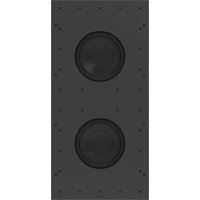
ULTIMATE IC3-AW-SA-TWEETER - Speaker Crestron - Free user manual and instructions
Find the device manual for free ULTIMATE IC3-AW-SA-TWEETER Crestron in PDF.


User questions about ULTIMATE IC3-AW-SA-TWEETER Crestron
0 question about this device. Answer the ones you know or ask your own.
Ask a new question about this device
Download the instructions for your Speaker in PDF format for free! Find your manual ULTIMATE IC3-AW-SA-TWEETER - Crestron and take your electronic device back in hand. On this page are published all the documents necessary for the use of your device. ULTIMATE IC3-AW-SA-TWEETER by Crestron.
USER MANUAL ULTIMATE IC3-AW-SA-TWEETER Crestron
Ultimate IC3-AW-SA-BOX-WOOFER-W-T-EACH and
Ultimate IC3-AW-SA-TWEETER-EACH
Quick Start
Ultimate 2-Way In-Ceiling All-Weather Speaker, Single
The Ultimate IC3-AW-SA-BOX-WOOFER-W-T-EACH and Ultimate IC3-AW-SA-TWEETER-EACHmadebyOriginAcoustics delivers the pinnacle of performance for demanding residential installations.

In the Box
1 Ultimate IC3-AW-SA-BOX-WOOFER-W-T-EACH and Ultimate IC3-AW-SA-TWEETER-EACH
Additional Items 1 Woofer Box 2 Spacers 3 Square Flange 2 Round Flange 1 Round Grille 1 Square Grille

Installation
Connect the Speaker
Follow the procedure to connect an amplifier to the speaker asse
- Terminate the speaker cable from the amplifier into the pluggs screw terminal block.
- Insert the pluggable screw terminal block into the back of the box.
Mount the Woofer Box
Follow the procedure to mount the woofer box to the ceiling joi 1. Loosen the adjustment screws on the support rails to allow the expand out to the appropriate length.

natural_image
Diagram showing two mechanical setups with a tool inserted into a housing, one before and one after (no text or symbols)Ultimate IC3-AW-SA-BOX-WOOFER-W-T-EACH and
Ultimate IC3-AW-SA-TWEETER-EACH
Quick Start
Ultimate 2-Way In-Ceiling All-Weather Speaker, Single
- Create a temporary platform to rest the woofer box so its bafflist the support rail on each side of the woofer box to in surface is flush to the ceiling joist edges. The install tool (so ceiling joist, then screw, it into place at each end to the ceiling separately) or spare two-by-four can be used for this. Tighten the support rail adjustment screws on the woofer box.

natural_image
Diagram showing a tool projecting onto a wooden structure with a force applied (no text or symbols)
natural_image
Technical line drawing of a structural joint or bracket (no text or symbols)

Ultimate IC3-AW-SA-BOX-WOOFER-W-T-EACH and
Ultimate IC3-AW-SA-TWEETER-EACH
Quick Start
Ultimate 2-Way In-Ceiling All-Weather Speaker, Single
- Remove the temporary platform or install tool that was used for a step number/combination of the included spacer rings should be installed to allow the finish to match the depth of the finished ceiling material.


- Both hole plugs are already installed attheopeningofthewofer box (where the tweeter module will ultimately beplaced) put the box. If the square plug is notneeded for your install, remove the square plug. To remove the square plug, unscrew thecrewhold in place at its center.

Secure the spacer(s) and flange to the woofer box using the long screws removed in step one of this section. If using one of the included flush mount, flanges, applythejoint compound beginning 3-6 in. (76-102 mm) from the flush mount edge and then feather outward 8-10 in. (203-254 mm)toachieved smooth, flat transition.
Finish the Ceiling Surface
Follow these steps once the ceiling surface has been installed:
- Remove the plug from the opening of the woofer box. Holdont the three long screws that are removed with the roundplug, asthesewill be used in a laterstep.
Ultimate IC3-AW-SA-BOX-WOOFER-W-T-EACH and
Ultimate IC3-AW-SA-TWEETER-EACH
Quick Start
Ultimate 2-Way In-Ceiling All-Weather Speaker, Single
Install the Tweeter Module
Follow the procedure to install the tweeter module into the wootee had to the flange.
- Connect the cable from inside the woofer box opening to the back of the tweeter module.

natural_image
Diagram showing a device with a cable and a separate component, no text or symbols present- Fit the tweeter module into the woofer box opening, through the flange and spacers.

- Rotate the tweeter module tabs and lock them into the flange receptacles. Use the included set screw on one of the tabs to two the tabs to the flange.

text_image
TIGHTEN HEX SCREW (WITH HEX KEY)- Install the appropriate grille into the flange.

natural_image
Diagram showing two mechanical components with an upward arrow, no text or symbols presentUltimate IC3-AW-SA-BOX-WOOFER-W-T-EACH and
Ultimate IC3-AW-SA-TWEETER-EACH
Ultimate 2-Way In-Ceiling All-Weather Speaker, Single
Quick Start
Additional Information
The original language version of this document is U.S. English. All other languages are a translation of the original document.
Regulatory Model: M202145001
Crestron product development software is licensed to Crestron dealers and Crestron Service Providers (CSPs) under a limited nonexclusive, nontransferable Software Development Tools License Agreement. Crestron product operating system software is licensed to Crestron dealers, CSPs, and end-users' under a separate End-User License Agreement. Both of these Agreements can be found on the Crestron website at www.crestron.com/legal/software_license_agreement.
The specific patents that cover Crestron products are listed at www.crestron.com/legal/patents.
Certain Crestron products contain open source software. For specific information, visit www.crestron.com/opensource.
Certain Crestron products contain open source software. For specific information, please visit www.crestron.com/opensource.
Crestron, and the Crestron logo are either trademarks or registered trademarks of Crestron Electronics, Inc. in the United States and/or other countries. Other trademarks, registered trademarks, and trade names may be used in this document to refer to either the entities claiming the marks and names of their products. Crestron disclaims any proprietary interest in the marks and names of others. Crestron is not responsible for errors in typography or photography.
©2022 Crestron Electronics, Inc.
Doc. 9237A
09/16/22