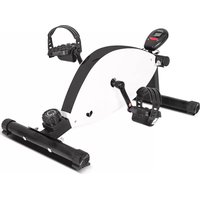
Cyclestation 2 - Home trainer LifeSpan - Free user manual and instructions
Find the device manual for free Cyclestation 2 LifeSpan in PDF.


| Product Type | Home Trainer Exercise Bike |
| Brand | LifeSpan |
| Model | Cyclestation 2 |
| Category | Home Trainer / Stationary Bike |
| Power Supply | 1.5V AG13 battery |
| Display Functions | Time, Speed, Distance, Calories, Scan |
| Additional Display | Odometer (total accumulated distance) |
| Auto On/Off | Yes, auto-off after 4 minutes of inactivity |
| Pedals | Left and right pedals included |
| Assembly Required | Yes, with step-by-step instructions |
| Heart Rate Sensors | Yes (pulse sensors, not medical devices) |
| Intended Use | Indoor, family use only |
| Not for Therapeutic Use | Yes |
| Maintenance | Check and tighten nuts/bolts regularly; lubricate moving joints; clean with dry cloth |
| Safety Precautions | Read manual, consult doctor, keep children away, use on level surface, wear suitable clothing |
| Warranty | Refer to manufacturer's website for terms; support via email |
| Support Contact | support@lifespanfitness.com.au |
| Key Functions | MODE key for selection; SCAN mode cycles through functions every 4 seconds |
| Reset | Press MODE for 3-4 seconds or change battery |
| Battery Replacement | Replace with 1.5V AG13 batteries (replace both at same time if multiple) |
Frequently Asked Questions - Cyclestation 2 LifeSpan
User questions about Cyclestation 2 LifeSpan
0 question about this device. Answer the ones you know or ask your own.
Ask a new question about this device
Download the instructions for your Home trainer in PDF format for free! Find your manual Cyclestation 2 - LifeSpan and take your electronic device back in hand. On this page are published all the documents necessary for the use of your device. Cyclestation 2 by LifeSpan.
USER MANUAL Cyclestation 2 LifeSpan
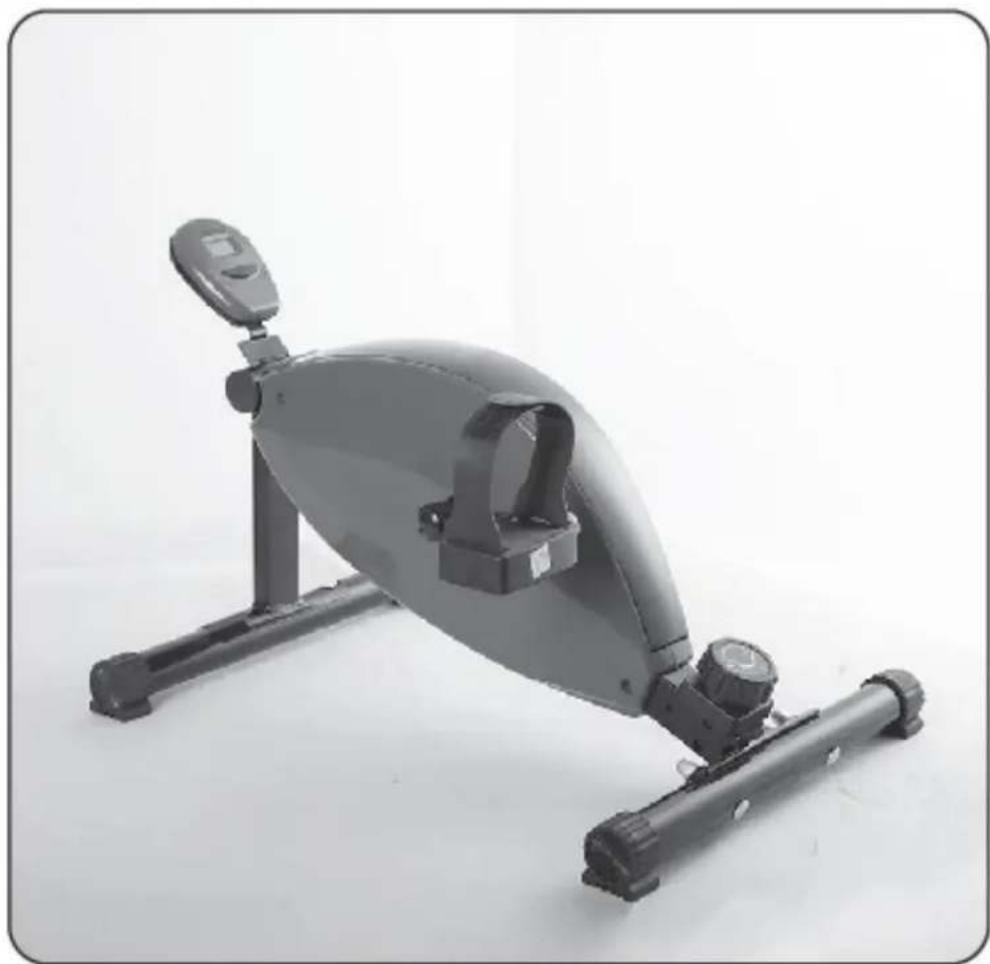
CYCLESTATION 2 OWNER'S MANUAL
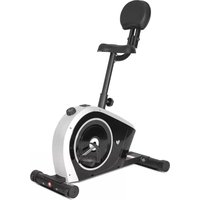
natural_image
Exterior view of a gray exercise machine with adjustable arm and base (no text or symbols visible)
Product may vary slightly from the item pictured due to model upgrades
Read all instructions carefully before using this product. Retain this owner's manual for future reference.
TABLE OF CONTENTS
- IMPORTANT SAFETY INSTRUCTIONS 3
- CARE INSTRUCTIONS 4
- ASSEMBLY INSTRUCTIONS 5
- COMPUTER OPERATION 7
- EXERCISE GUIDE 8
- WARRANTY 10
1. IMPORTANT SAFETY INSTRUCTIONS
WARNING - Read all instructions before using this machine.
It is important your machine receives regular maintenance to prolong its useful life. Failing to regularly maintain your machine may void your warranty.
Please keep this manual with you at all times
a. It is important to read this entire manual before assembling and using the equipment. Safe and effective use can only be achieved if the equipment is assembled, maintained and used properly. Please note: It is your responsibility to ensure that all users of the equipment are informed of all warnings and precautions.
b. Before starting any exercise program, you should consult your doctor to determine if you have any medical or physical conditions that could put your health and safety at risk, or prevent you from using the equipment properly. Your doctor's advice is essential if you are taking medication that affects your heart rate, blood pressure or cholesterol level.
c. Be aware of your body's signals. Incorrect or excessive exercise can damage your health. Stop exercising if you experience any of the following symptoms: pain, tightness in your chest, irregular heartbeat, and extreme shortness of breath, lightheadedness, dizziness or feelings of nausea. If you do experience any of these symptoms, you should consult your doctor before continuing with your exercise program.
d. Keep children and pets away from the equipment. This equipment is designed for adult use only.
e. Use the equipment on a solid, flat level surface with a protective cover for your floor or carpet. To ensure safety, the equipment should have at least 2 meters of free space around it.
f. Before using the equipment, check that the nuts and bolts are securely tightened. If you hear any unusual noises coming from the equipment during use and assembly, stop immediately. Do not use the equipment until the problem has been rectified.
g. Wear suitable clothing while using the equipment. Avoid wearing loose clothing that may get caught in the equipment or that may restrict or prevent movement.
h. This equipment is designed for indoor and family use only
i. Care must be taken when lifting or moving the equipment so as not to injure your back.
j. Always keep this instruction manual and assembly tools at hand for reference.
k. The equipment is not suitable for therapeutic use.
I. The pulse or heart rate sensors are not medical devices. Various factors, including the user's movement, may affect the accuracy of heart rate readings. The pulse sensors are intended only as exercise aids in determining heart rate trends in general.
2. CARE INSTRUCTIONS
IMPORTANT
a. All nuts and bolts are to be checked and tightened on a regular basis. This includes pedals and other moving parts. Failure to do so may cause damage to your threads and void your warranty.
b. Lubricate moving joints after periods of usage
c. Be careful not to damage plastic or metal parts of the machine with heavy or sharp objects
d. The machine can be kept clean by wiping it down using dry cloth
3. ASSEMBLY INSTRUCTIONS
Parts

Step 1.
- Assemble main body to the support frame front and back.
- Secure the monitor to the frame as pictured. Plug in the sensor wire to the display.
Note: bolt and nuts may be partially attached to the equipment.

natural_image
Exterior view of a black stationary exercise bike with adjustable arms and legs (no text or symbols visible)Step 2.
Right Pedal

Left Pedal

MODE: this key lets you to select and lock on to a particular function you want. The monitor will be reset by changing battery or pressing the MODE key for 3-4 seconds.
Operation Procedures:
- AUTO ON/OFF: The system turns on when any key is pressed or when it receives a signal input from speed sensor. The system turns off automatically when the sensor has no signal input or not key are pressed for approximately 4 minutes.
- RESET: The unit can be reset by either changing battery or pressing the mode key for 3 seconds.
- MODE: To choose SCAN or LOCK if you do not want the scan mode, press the MODE key when the pointer on the function you want which begins blinking.
- CALORIE: Press the MODE key until pointer lock on the CALORIE. The calorie burned will be displayed when starting exercise.
- SCAN: Display changes according to the next diagram every 4 seconds. Automatically display of the following functions in the order shown: STRIDES/MIN (REP)----TIME----COUNT----CALORIE.
Functions:
- TIME: Press the MODE key until the pointer advance to TIME. The total working time will be shown.
- SPEED: Press the MODE key until the pointer advance to SPEED. The total working time will be shown.
- DISTANCE: Press the MODE key until the pointer advance to DISTANCE. The DISTANCE of each workout will be displayed.
- ODOMETER (if present): Press the MODE key until the pointer advance to ODOMETER. The total accumulated distance will be shown.
- CALORIES: Press the MODE key until the pointer advance to CALORIE. The calories burned will be displayed.
- SCAN: Automatic display of the following functions in the order shown: TIME—SPEED—DISTANCE—CALORIES (repeat).
Battery:
- If there is possibility to see an improper display on the monitor, please replace the batteries to have a good result. You must be to replace the batteries at the same time.
- The monitor use 1.5V" AG13" batteries.
5. EXERCISE GUIDE
PLEASE NOTE: Before beginning any exercise program, consult your physician. This is important especially if you are over the age of 45 or individuals with pre-existing health problems.
The pulse sensors are not medical devices. Various factors, including the user's movement, may affect the accuracy of heart rate readings. The pulse sensors are intended only as an exercise aid in determining heart rate trends in general.
Exercising is great way to control your weight, improving your fitness and reduce the effect of aging and stress. The key to success is to make exercise a regular and enjoyable part of your everyday life.
The condition of your heart and lungs and how efficient they are in delivering oxygen via your blood to your muscles is an important factor to your fitness. Your muscles use this oxygen to provide enough energy for daily activity. This is called aerobic activity. When you are fit, your heart will not have to work so hard. It will pump a lot fewer times per minute, reducing the wear and tear of your heart.
So as you can see, the fitter you are, the healthier and greater you will feel.
Warm-up
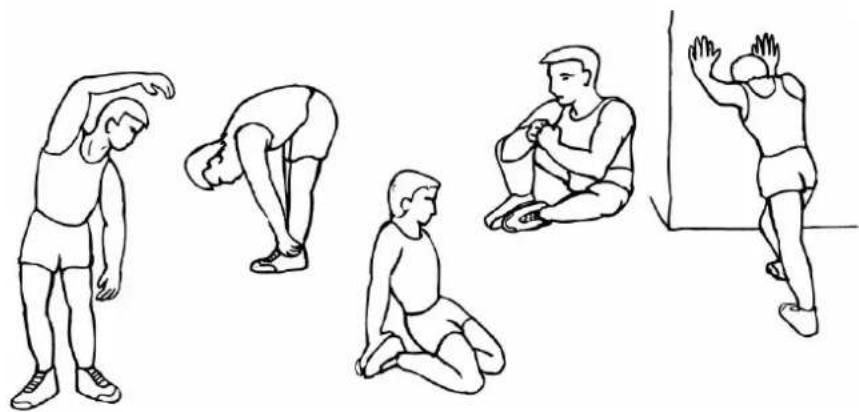
Start each workout with 5 to 10 minutes of stretching and some light exercises. A proper warm-up increases your body temperature, heart rate and circulation in preparation for exercise. Ease into your exercise.
natural_image
Illustration of five different stretching or gymnastics poses in various positions (no text or symbols)Training Zone Exercise
After warming up, increase the intensity to your desired exercise program. Be sure to maintain your intensity for maximum performance. Breathe regularly and deeply as you exercise.
Cool Down
Finish each workout with a light jog or walk for at least 1 minute. Then complete 5 to 10 minutes of stretching to cool down. This will increase the flexibility of your muscles and will help prevent post-exercise problems.
Workout Guidelines
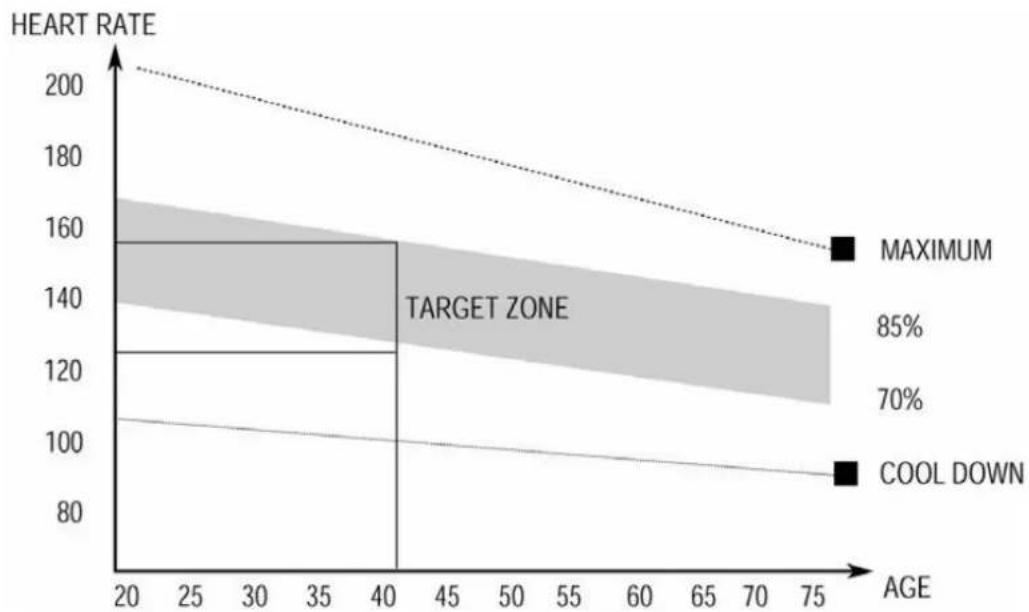
TARGET ZONE
line
| AGE | HEART RATE | | --- | --- | | 20 | 200 | | 40 | 160 | | 75 | 155 |This is how your pulse should behave during general fitness exercise. Remember to warm up and cool down for a few minutes.
6. WARRANTY
AUSTRALIAN CONSUMER LAW
Many of our products come with a guarantee or warranty from the manufacturer. In addition, they come with guarantees that cannot be excluded under the Australian Consumer Law. You are entitled to a replacement or refund for a major failure and compensation for any other reasonably foreseeable loss or damage.
You are entitled to have the goods repaired or replaced if the goods fail to be of acceptable quality and the failure does not amount to a major failure. Full details of your consumer rights may be found at www.consumerlaw.gov.au
Please visit our website to view our full warranty terms and conditions:
http://www.lifespanfitness.com.au/warranty-repairs
Warranty and Support:
Please email us at support@lifespanfitness.com.au for all warranty or support issues.
For all warranty or support related enquiries, please lodge a support ticket first by sending us an email.
- CYCLESTATION 2 OWNER'S MANUAL
- TABLE OF CONTENTS
- IMPORTANT SAFETY INSTRUCTIONS
- WARNING - Read all instructions before using this machine.
- CARE INSTRUCTIONS
- IMPORTANT
- ASSEMBLY INSTRUCTIONS
- Parts
- Step 1.
- Operation Procedures:
- Functions:
- Battery:
- EXERCISE GUIDE
- Warm-up
- Training Zone Exercise
- Cool Down
- Workout Guidelines
- WARRANTY
- AUSTRALIAN CONSUMER LAW
- Warranty and Support:
Brand : LifeSpan
Model : Cyclestation 2
Category : Home trainer