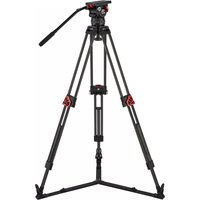
Elite 15 - Tripod Camgear - Free user manual and instructions
Find the device manual for free Elite 15 Camgear in PDF.


| Product Type | Fluid Head for Tripod |
| Model | Camgear Elite 15 |
| Compatible Cameras | Professional video cameras, payload capacity varies by counterbalance setting |
| Bowl Size | 75mm or 100mm (typical, confirm with product) |
| Weight | Approximately 3.5 kg |
| Maximum Payload | Up to 15 kg (balanced) |
| Counterbalance | Small-step and large-step adjustable (multiple steps) |
| Drag Control | Multiple step tilt and pan drag, fully disengageable |
| Illuminated Bubble Level | Touch-activated, auto-off after 60 seconds, powered by two button cells |
| Sliding Plate | Adjustable for center of gravity, quick release with safety button |
| Pan Bar | Included, configurable for left or right hand, telescopic option |
| Brakes | Pan and tilt brakes with lock |
| Tilt Safety Lock | Present on Elite 25, not on Elite 15 (but similar function?) |
| Batteries | Two standard button cells for level bubble |
| Maintenance | Clean with soft cloth, periodically operate drags full range |
| Safety Features | Finger entrapment warning, hold camera securely, balance before operation |
| Spare Parts Available | Screw key, wedge plate, pan bar, sliding plate |
| Warranty | Standard manufacturer warranty |
| Transport Settings | Brakes off, counterbalance max, drags max |
Frequently Asked Questions - Elite 15 Camgear
User questions about Elite 15 Camgear
0 question about this device. Answer the ones you know or ask your own.
Ask a new question about this device
Download the instructions for your Tripod in PDF format for free! Find your manual Elite 15 - Camgear and take your electronic device back in hand. On this page are published all the documents necessary for the use of your device. Elite 15 by Camgear.
USER MANUAL Elite 15 Camgear
Elite-Series Fluid Heads
User Guide
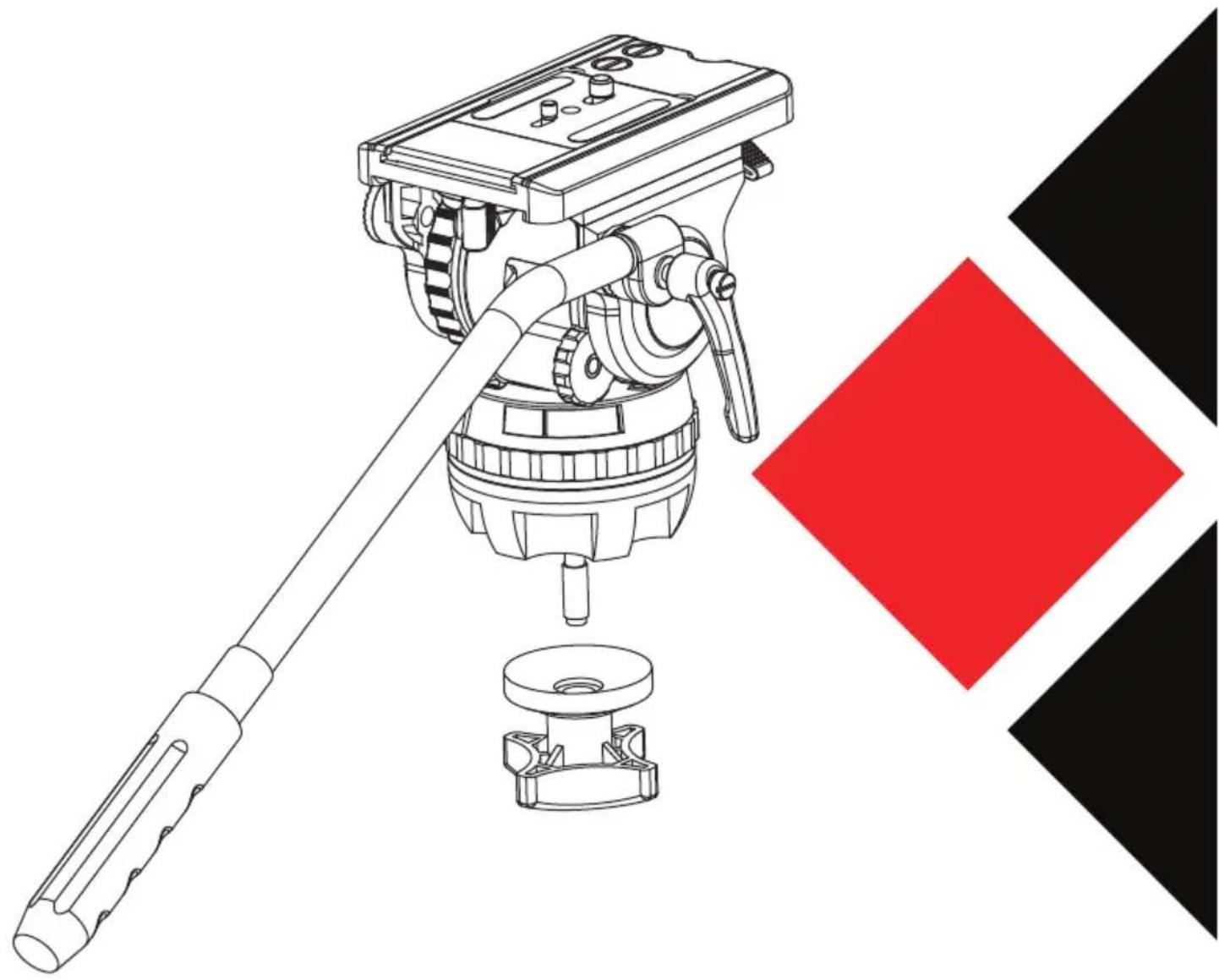
natural_image
Technical line drawing of a camera setup with a lever and base mount, alongside a red diamond symbol (no text or labels)Copyright © 2018
All rights reserved throughout the world.
No part of this document may be stored in a retrieval system, transmitted, copied or reproduced in any way including, but not limited to, photocopy, photograph, magnetic or other record without the prior agreement and permission in writing of Camgear Inc.
Disclaimer
The information contained in this publication is believed to be correct at the time of printing.
Camgear Inc reserves the right to make changes to the information or specifications without obligation to notify any person of such revision or changes.
Changes will be incorporated in new versions of the publication.
Camgear reserves the right to make changes to product design and functionality without notification.

is registered trademark of Camgear Inc.
Published by
Camgear Inc.
Content
Safety 4
Left View of Elite 8/10 5
Right View of Elite 8/10 6
Left View of Elite 12/15/18/20 7
Right View of Elite 12/15/18/20 8
Left View of Elite 25 9
Right View of Elite 25 10
Installation 11
Illuminated Level Bubble 11
Mounting and Levelling the Head 11
Mounting and Dismounting the Camera 12
Taking out and Placing back the Screw Key 13
Mounting and Adjusting the Pan Bar 14
Adjusting Angle of Clamp Lever & Tilt Knob 14
Configuring the Normal Pan Bar 15
Configuring the Telescopic Pan Bar 15
Balancing the Payload 16
Adjusting the Centre of Gravity (C of G) 16
Adjusting the Counterbalance 19
Adjusting the Drags 21
Transportation 22
Maintenance 22
Safety
Important information on the safe installation and operation of these products. Read this information before operating the products.
For your personal safety, read these instructions. Do not operate the product if you do not understand how to use it safely.
Save these instructions for future reference.
Warning Symbols Used in these Instructions

Where there is a risk of personal injury, injury to others, or damage to tripod system or associated equipment, comments appear, highlighted by the word 'WARNING!'. And supported by the warning triangle symbol.

Where there is a risk of damage to the product, associated equipment, process or surroundings, comments appear supported by the word 'CAUTION!'. And supported by the warning triangle symbol.
Health and Safety

WARNING! Risk of personal injury or injury to others. All personnel must be fully trained and adhere to correct manual handling techniques and Health & Safety regulations. It is the responsibility of the local organisation to enforce safe working practices at all times.
Mounting and Installation

WARNING! Do not install a head to a tripod that cannot support the combined mass weight of the head and its full payload.

WARNING! Risk of finger entrapment. Do not place fingers between the platform and the body of the fluid head.

CAUTION! Always lock the pan and tilt brakes when the camera is mounted but not in use or when levelling the fluid head on the tripod.

CAUTION! Hold the camera securely when mounting or dismounting the camera from the fluid head and when making adjustments to the tripod height or footprint.

CAUTION! Always hold the pan bar when making adjustments to the counterbalance or camera position. Do not use the pan bar to lift or move the tripod and fluid head.

CAUTION! Do not attach heavy items to the pan bar and always remove the camera before transporting.

| 1 | Tilt brake |
| 2 | Quick release lock lever |
| 3 | Quick release safety button |
| 4 | Counterbalance control |
| 5 | Illuminated level bubble |
| 6 | Battery compartment for level bubble |
| 7 | Tilt drag control |
| 8 | Rosette for left pan bar |
Right View of Elite 8/10
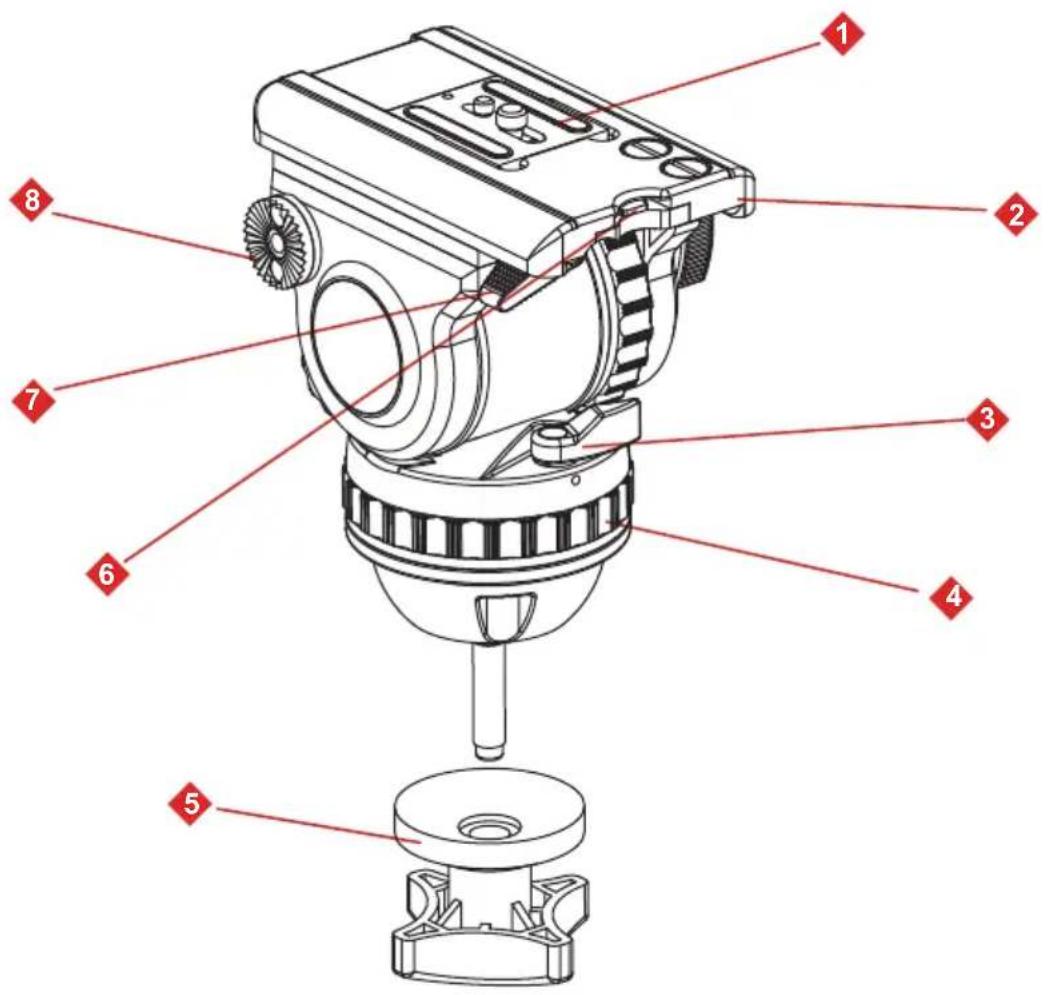
| 1 | Wedge plate |
| 2 | Sliding plate |
| 3 | Pan brake |
| 4 | Pan drag control |
| 5 | Bowl clamp |
| 6 | Screw key |
| 7 | Sliding plate lock lever |
| 8 | Rosette for right pan bar |
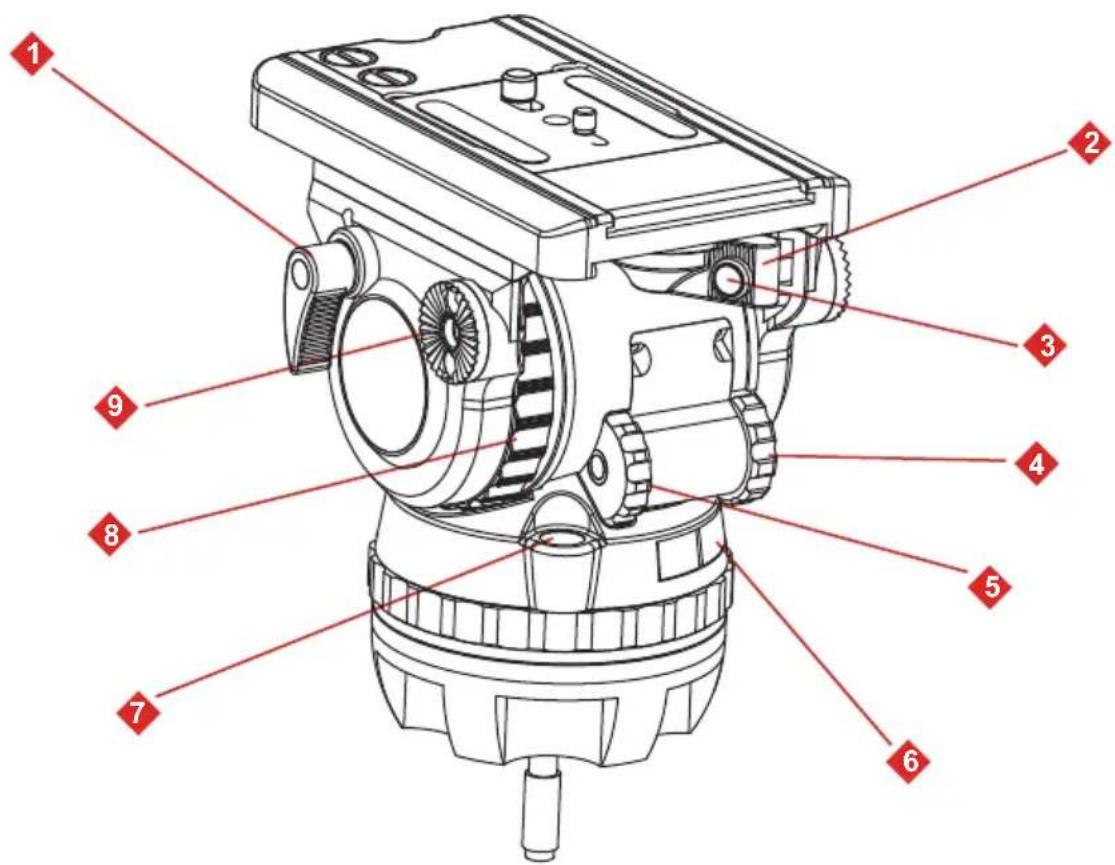
| 1 | Tilt brake |
| 2 | Quick release lock lever |
| 3 | Quick release safety button |
| 4 | Small-step counterbalance control |
| 5 | Large-step counterbalance control |
| 6 | Battery compartment for level bubble |
| 7 | Illuminated level bubble |
| 8 | Tilt drag control |
| 9 | Rosette for left pan bar |
Right View of Elite 12/15/18/20
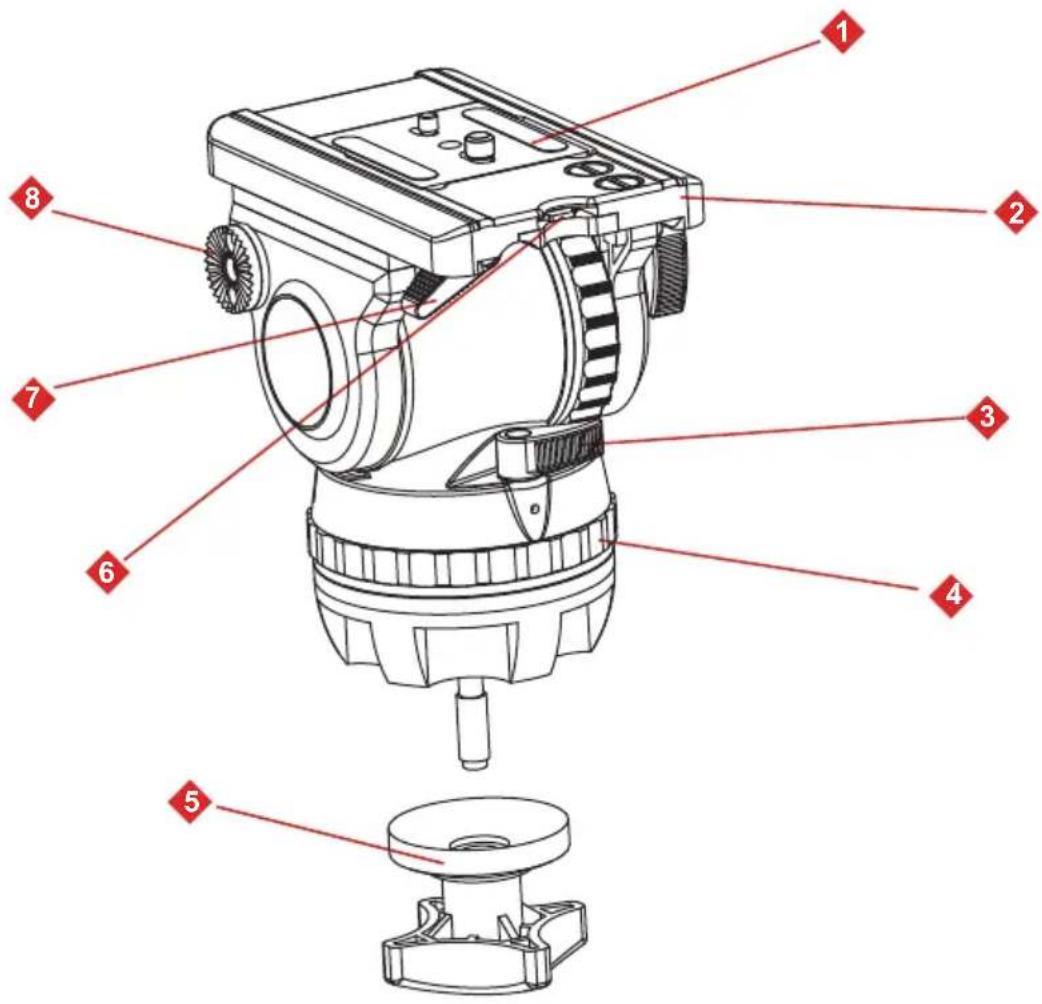
| 1 | Wedge plate |
| 2 | Sliding plate |
| 3 | Pan brake |
| 4 | Pan drag control |
| 5 | Bowl clamp |
| 6 | Screw key |
| 7 | Sliding plate lock lever |
| 8 | Rosette for right pan bar |
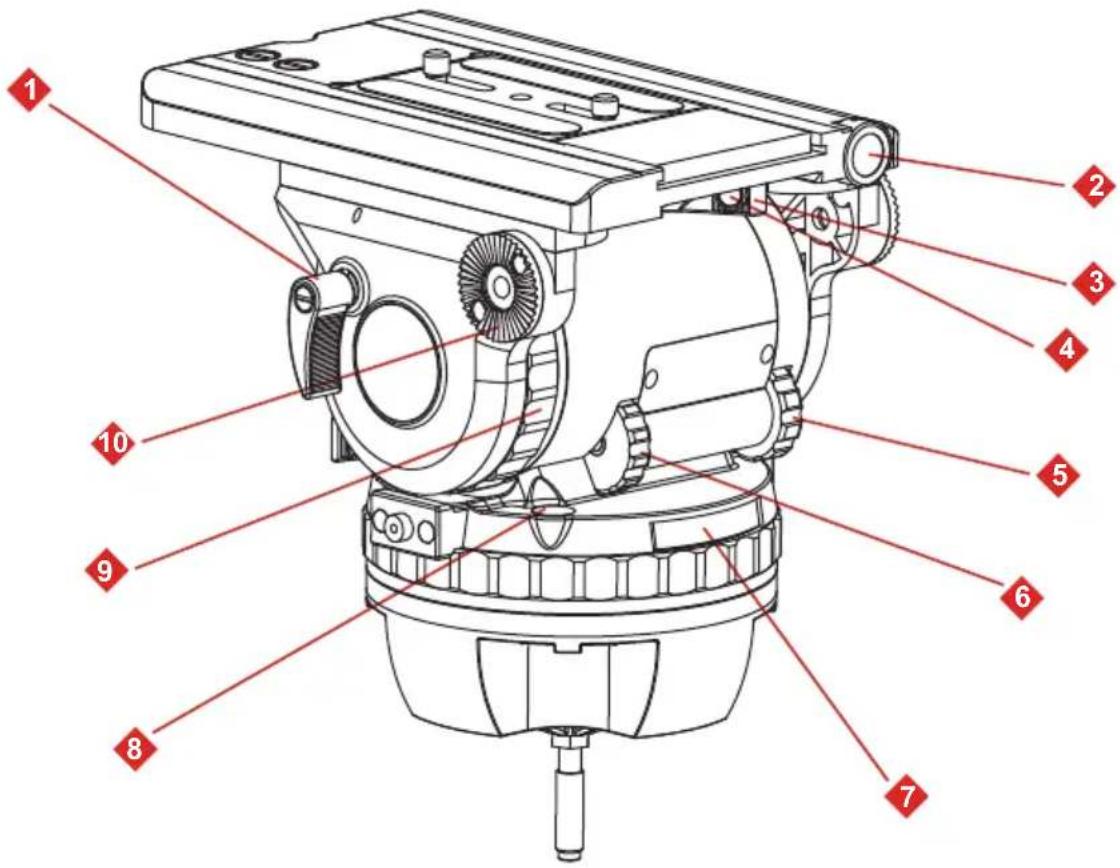
| 1 | Tilt brake |
| 2 | Spindle of sliding plate |
| 3 | Quick release lock lever |
| 4 | Quick release safety button |
| 5 | Small-step counterbalance control |
| 6 | Large-step counterbalance control |
| 7 | Battery compartment for level bubble |
| 8 | Illuminated level bubble |
| 9 | Tilt drag control |
| 10 | Rosette for left pan bar |
Right View of Elite 25

| 1 | Wedge plate |
| 2 | Sliding plate |
| 3 | Screw key |
| 4 | Pan brake |
| 5 | Pan drag control |
| 6 | Bowl clamp |
| 7 | Sliding plate lock lever |
| 8 | Tilt safety lock |
| 9 | Release button for quick adjustment of sliding plate |
| 10 | Rosette for right pan bar |
Installation (1/11)
Illuminated Level Bubble
All Elite fluid heads are fitted with an illuminating touch level bubble which allows easy levelling in poor lighting conditions. The illumination is activated by firmly tapping the bubble and will automatically switch off after approximately 60 seconds.
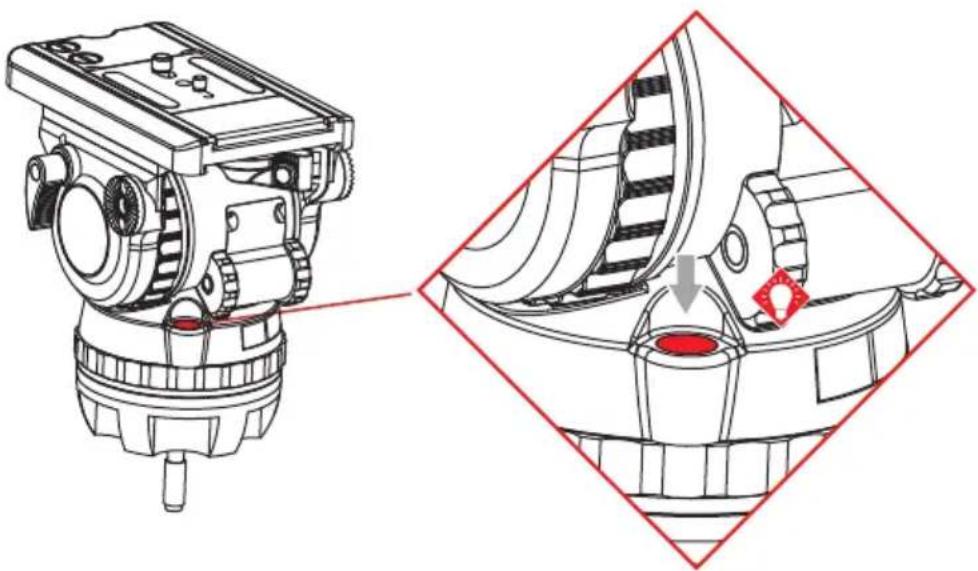
natural_image
Technical line drawing of a mechanical device with two views: top shows internal components, bottom shows close-up of a component (no text or symbols)Mounting and Levelling the Head
-
Apply the pan and tilt brakes and hold the head firmly with one hand.
-
Remove the bowl clamp and place the fluid head on the tripod refitting the bowl clamp loosely. Tighten the bowl clamp and check the level bubble remains central when the head is rotated through a full 360^ .
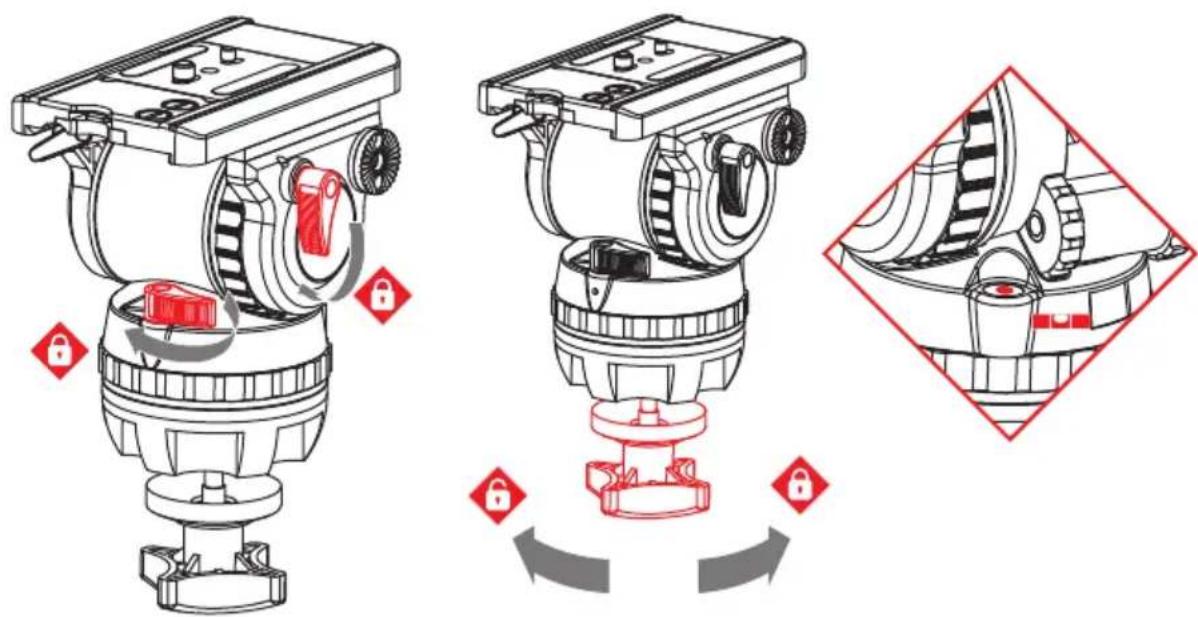
Installation (2/11)
Mounting and Dismounting the Camera
- Apply the pan and tilt brakes.
NOTE: When using Elite 25 head, lock the head with the tilt safety lock when mounting or dismounting the camera. The blocking and clicking into position of the tilt safety lock is achieved by pulling out the red knob and turning it 90^ . Make sure that the tilt safety lock has engaged (the head can't be tilted any more).
- Hold the camera plate or camera with one hand. Grasp the quick release lever with your thumb and index finger and press down the safety button.
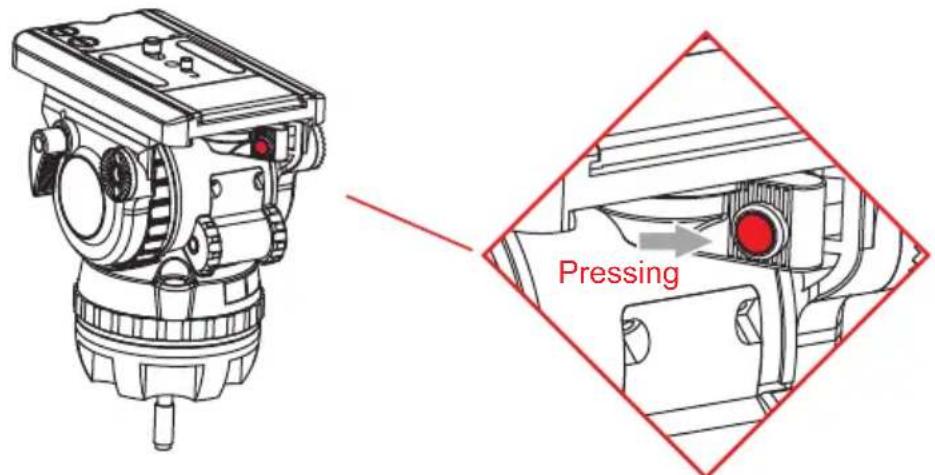
- With the safety button held down, move the lever as far as possible to the left.
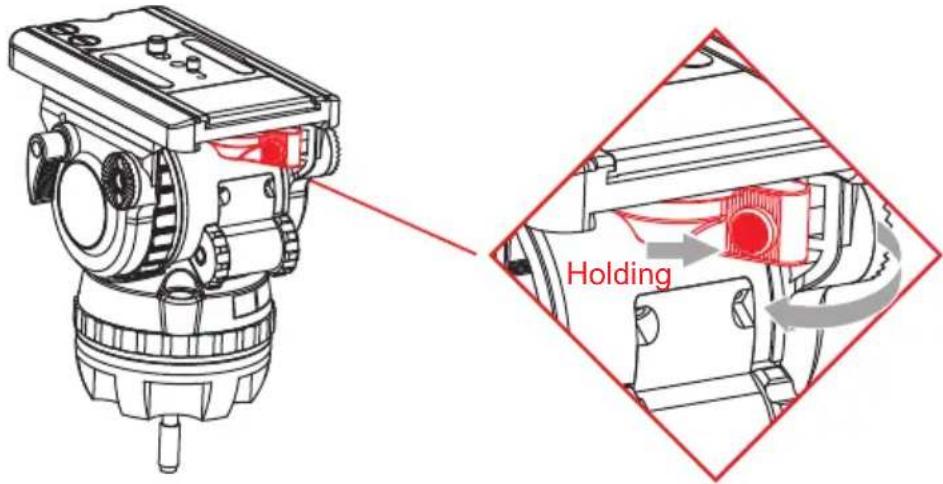
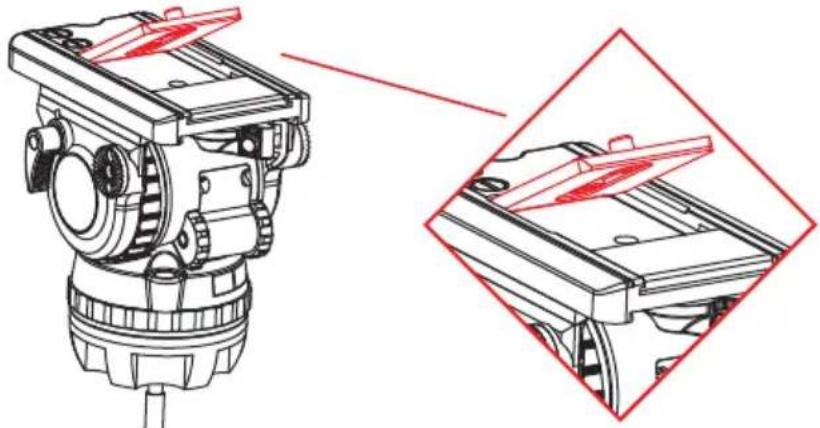
- The camera wedge plate or camera will be released from the sliding plate.
natural_image
Technical line drawing of a mechanical device with two views: top shows internal components, bottom shows exterior view (no text or symbols)Installation (3/11)
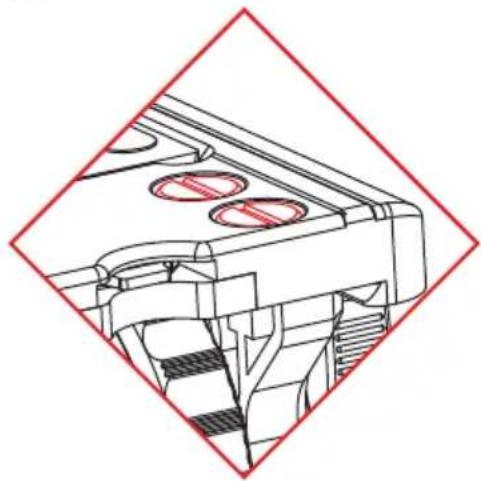
- Attach the camera wedge plate to the camera around its centre of gravity. Additional screws are stored in the sliding plate.
natural_image
Technical line drawing of a mechanical assembly with no visible text or symbols- Mount the camera wedge plate and camera onto the sliding plate. It will lock automatically and the lever will click audibly back into its initial position.
Taking out and placing back the screw key
A small key-shaped tool for mounting the screws is inserted in the front of sliding plate. Just press down the screw key and it will automatically pop out.
To place back the screw key, just insert and press the key back to its socket and it will be automatically locked into position.
Installation (4/11)
Mounting and Adjusting the Pan Bar
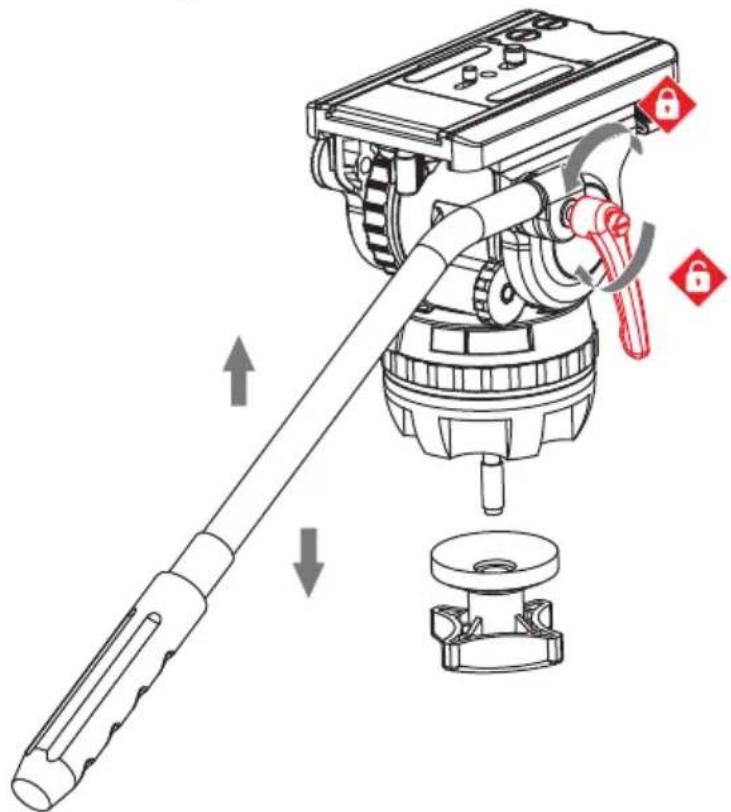
Fit and adjust the pan bar to the desired position, tighten the clamp lever ensuring the teeth mesh fully.
To adjust the position of the pan bar, loosen the clamp lever sufficiently to allow the rosettes to rotate without attaching the teeth of rosette.
Adjusting Angle of Clamp Lever & Tilt Knob
The angle of Elite pan bar clamp lever or tilt brake knob can be adjusted, simply pull out the clamp lever or tilt brake knob and turn it to the angle where you feel comfortable.

Installation (5/11)
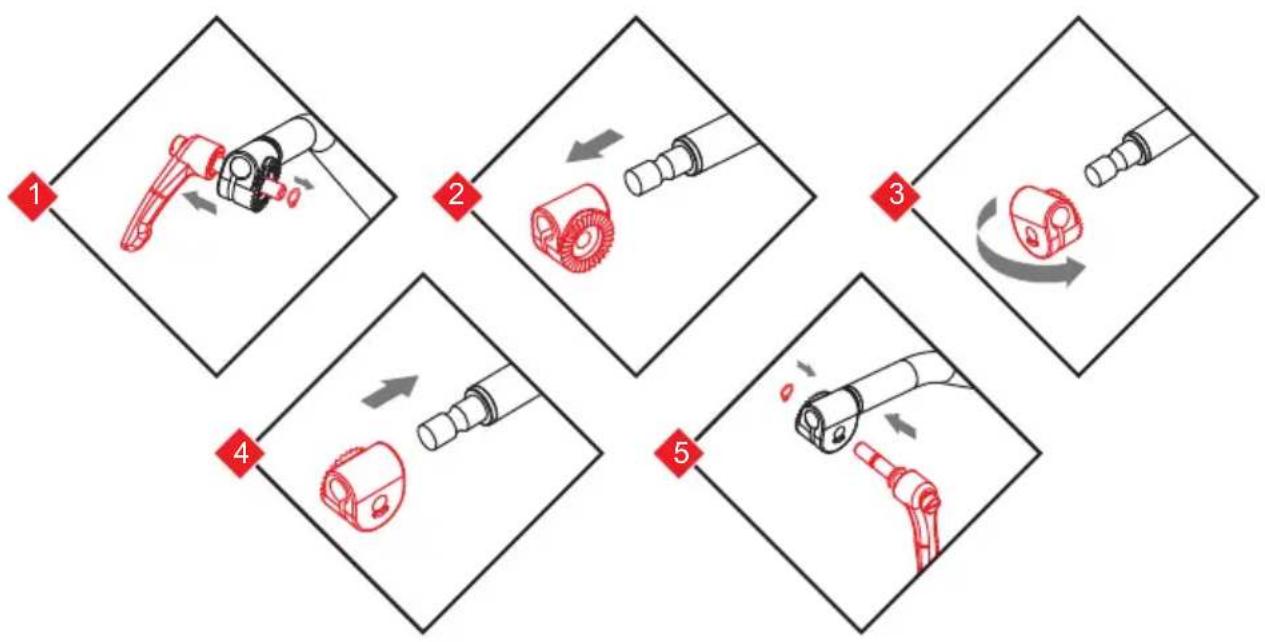
Configuring the Normal Pan Bar
As standard, the pan bar is configured to mount on the right hand side of the fluid head. The pan bar can be configured for left hand mounting as follows:
flowchart
graph TD
    A["Step 1: Hand Pulling"] --> B["Step 2: Inserted Roll"]
    B --> C["Step 3: Cut Outer Ring"]
    C --> D["Step 4: Inserted Roll"]
    D --> E["Step 5: Wrap Outer Ring"]
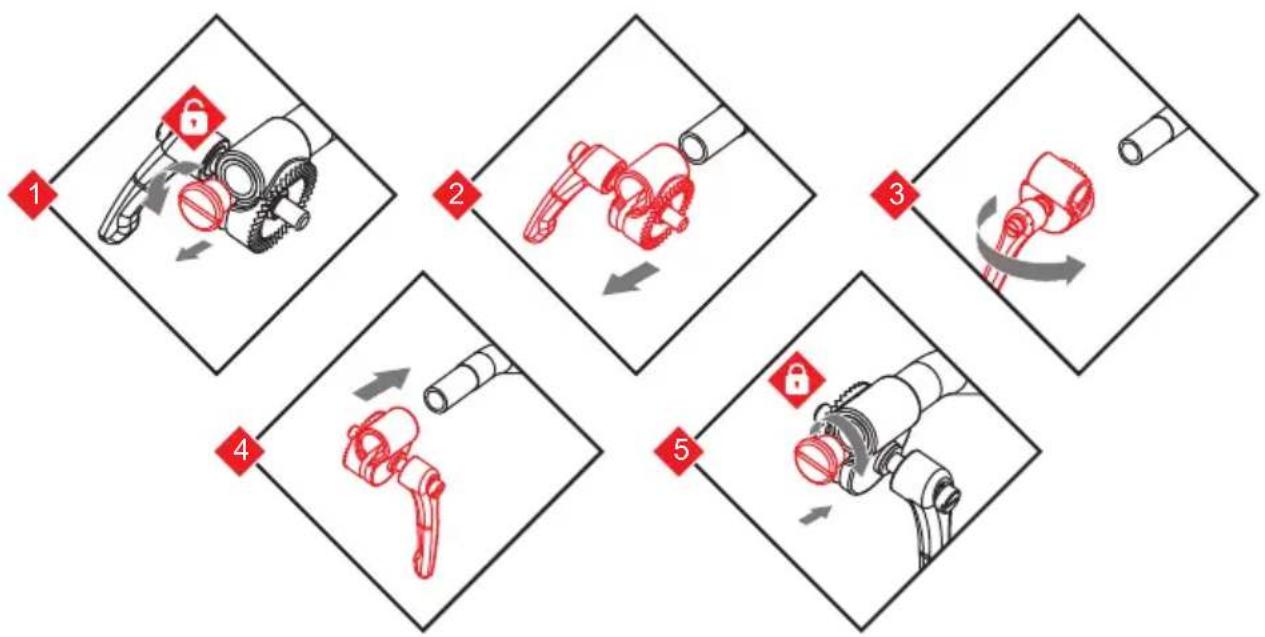
Configuring the Telescopic Pan Bar
As standard, the telescopic pan bar is configured to mount on the right hand side of the fluid head. The pan bar can be configured for left hand mounting as follows:
flowchart
graph TD
    A["Step 1: Tool Position"] --> B["Step 2: Rotation of Gear"]
    B --> C["Step 3: Assembly"]
    C --> D["Step 4: Assembly"]
    D --> E["Step 5: Assembly"]
    E --> F["Step 6: Assembly"]
Installation (6/11)
Balancing the Payload
Before operating the fluid head, the payload (camera, lens and any other fitted accessories) must be correctly balanced to ensure safe and reliable operation.

WARNING! When balancing the payload, it is important to be aware of the potential danger that an unbalanced payload will fall away suddenly. Maintain a firm hold on the payload until the balance is set correctly.

WARNING! Risk of finger entrapment. Do not place fingers between the platform and the body of the fluid head.

CAUTION! Always hold the pan bar when making adjustments to the counterbalance or camera position.

CAUTION! The camera, pan bars and all fitted accessories must be mounted in their operational position before balancing the head. Any equipment fitted or adjusted later can break the balance status of the fluid head.
Adjusting the Centre of Gravity (C of G)
Before adjusting the counterbalance, the centre of gravity (C of G) of the payload must be centred precisely over the axis of the fluid head.

CAUTION! Ensure that the fluid head is level before adjusting the centre of gravity.
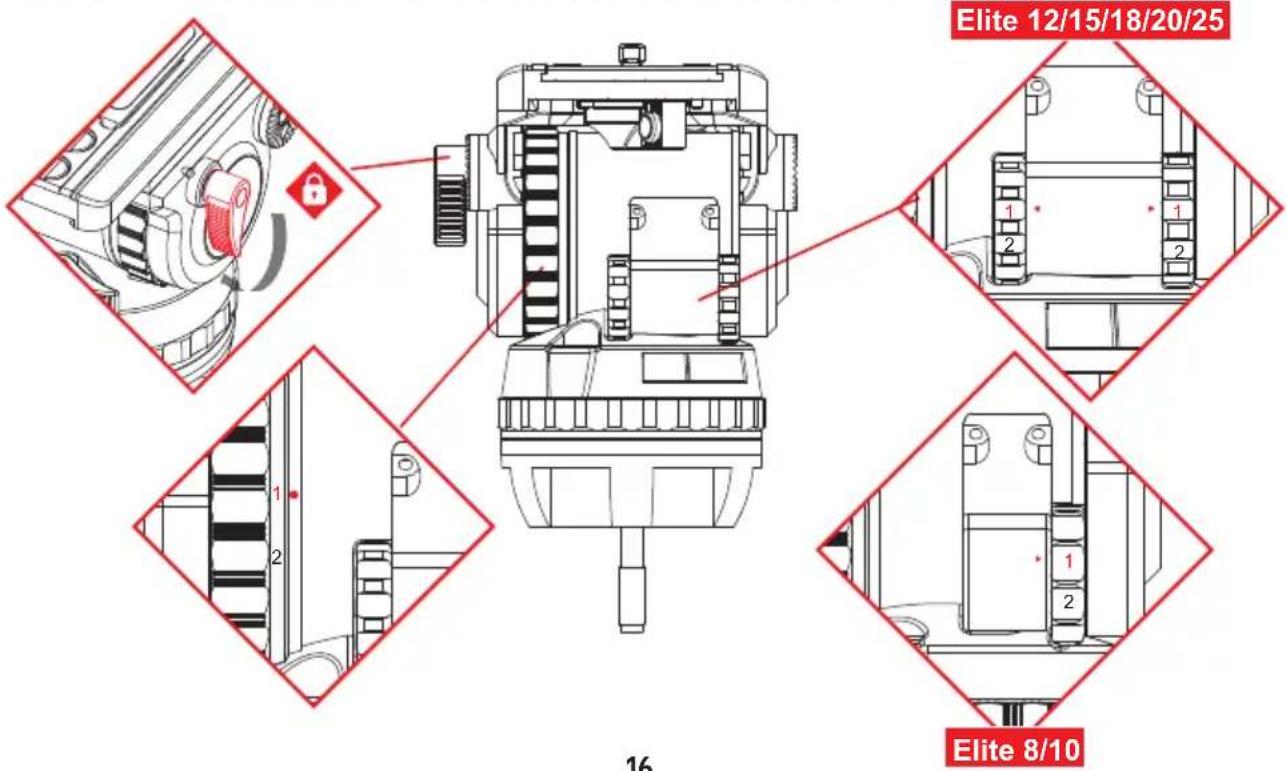
- Apply the tiltl brake and adjust the tilt drag to "1". Set all counterbalance control to lowest step, and keep holding the camera. Note: moving the counterbalance from one setting to another requires the head to pass the horizontal position to take effect.
Installation (7/11)
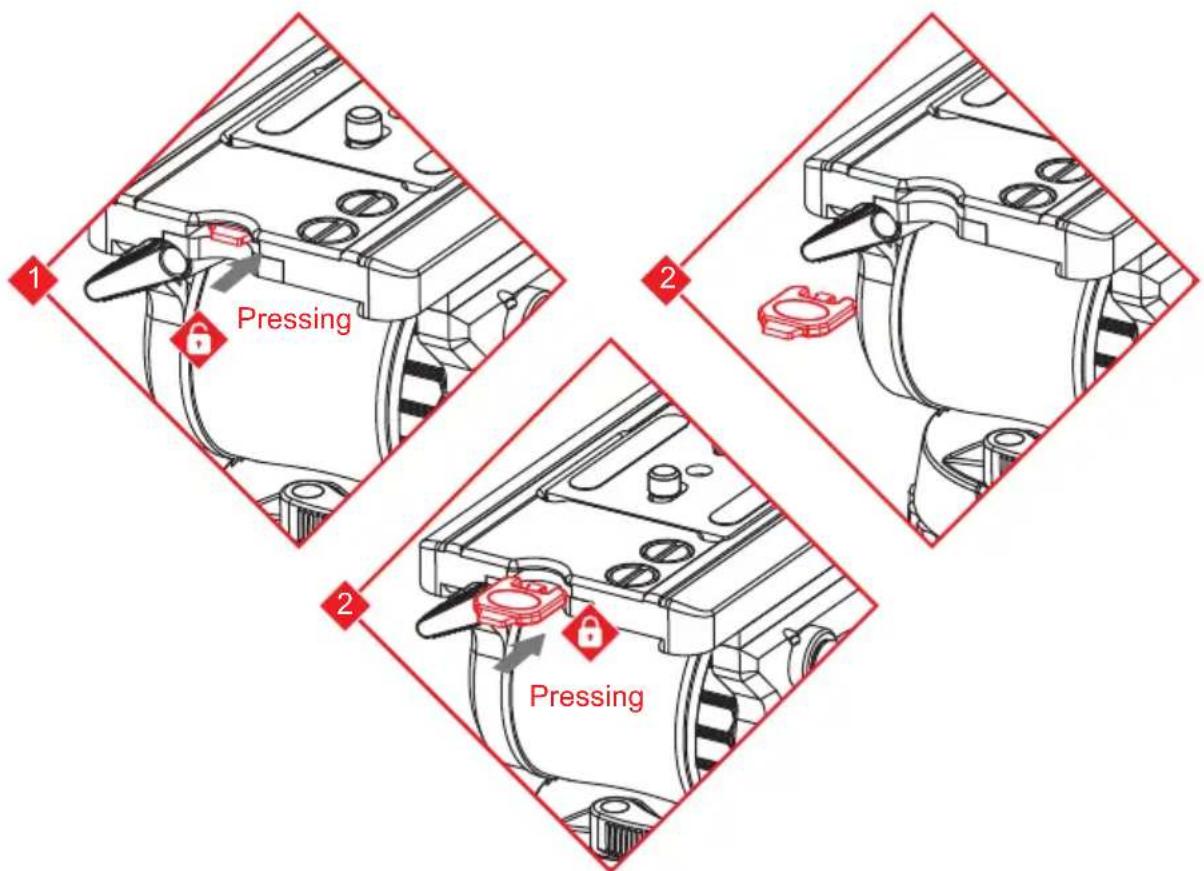
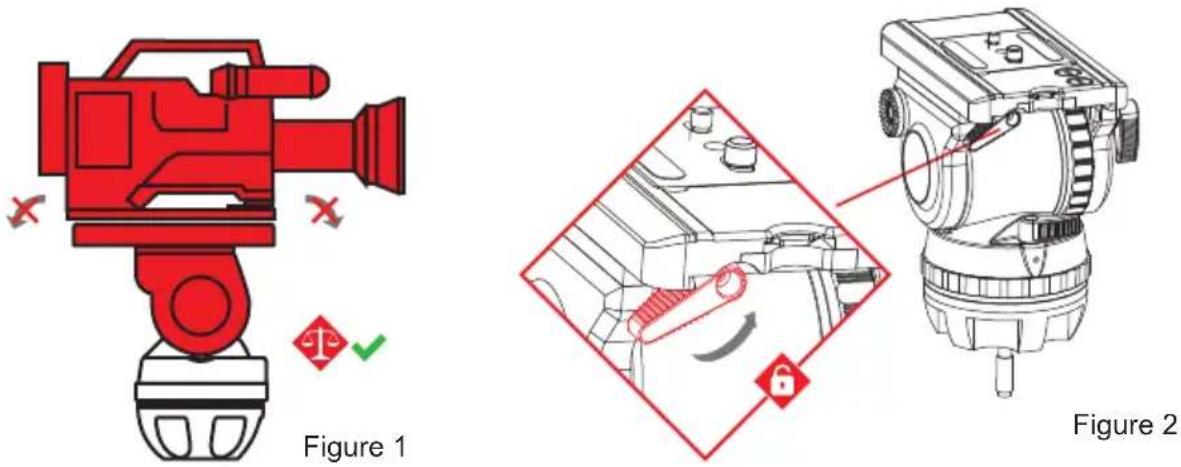
- Hold the pan bar firmly, disengage the tilt brake. Observe how the payload moves and where it stops. If the platform stops in a horizontal position (camera pointing directly forward) or falls away evenly in either direction, the balance is correct. (Figure 1)
NOTE: When balancing camera on Elite 25 head, apply the pan brake and release the tilt brake and the tilt safety lock by pulling out the red knob and turning it 90^ .
- If the payload falls away in either direction (front or back heavy):
(A) Unlock the sliding balance plate by pushing back the red lever underneath the balance plate as far as possible. (Figure 2)
(B) If the payload tilts backwards, slide it towards the front of the fluid head. Re-lock the sliding balance plate.

Installation (8/11)
(C) If the payload tilts forwards, slide it towards the rear of the fluid head. Re-lock the sliding balance plate.
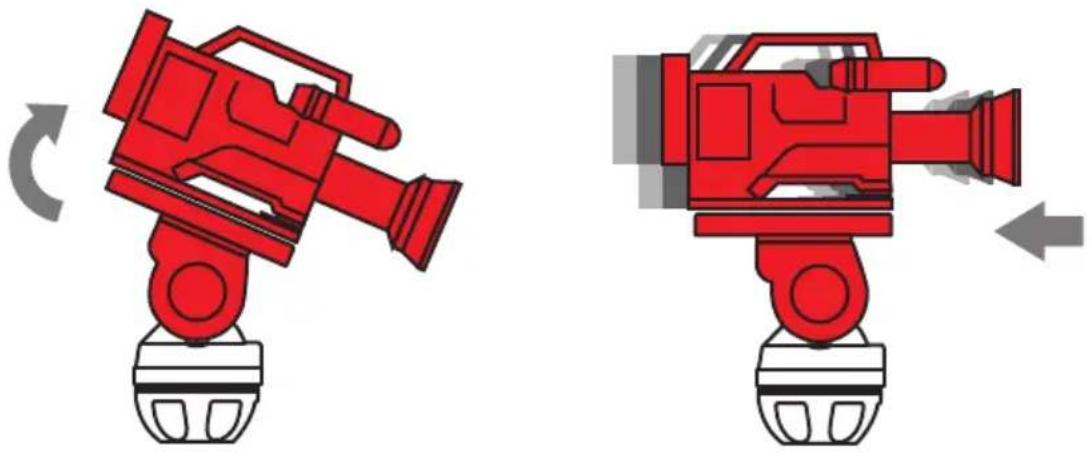
(D) Re-check the movement of the payload. If further adjustment is required, repeat steps (A) to (C).
NOTE: When using Elite 25, there are two ways to move the sliding plate, one is by pressing and holding the release button and rapidly move the sliding plate forward or backward (Figure 2). Another is by turning the spindle to move the sliding plate forward or backward slowly, the purpose is to finely adjust balance of the camera (Figure 1). Secure sliding balance plate with clamping lever (spindle drive is self-locking, clamping serves to eliminate play).

Installation (9/11)
Adjusting the Counterbalance
The fluid head is equipped with payload range shifter (boost button) and multiple step counterbalance adjuster to accurately balance the payload.
Note: Moving the counterbalance from one setting to another requires the head to pass the horizontal position to take effect.
- Set the counterbalance adjustment knob to the mid-range setting.
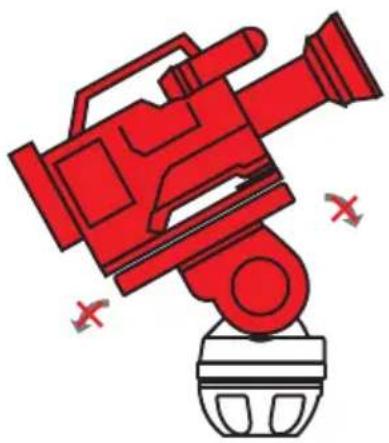
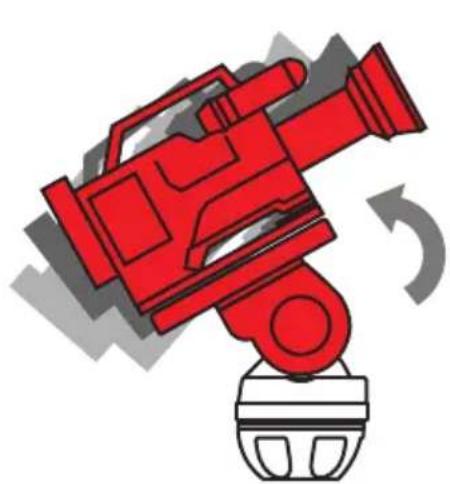
- Tilt the payload approximately 30^ in both directions and release it. If the payload stays in the same position when released, the payload is correctly balanced.
natural_image
Red stylized video camera icon with no text or symbols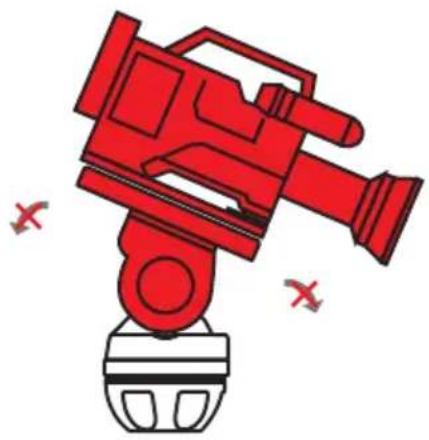
natural_image
Red video camera icon with no text or symbols, featuring a stylized camera and a base (no readable text or symbols)- If the payload continues to move backwards when released, the balance is set too low. Raise the balance adjuster setting by one increment and retest.
natural_image
Red video camera with a rotating base and curved arrow indicating rotation (no text or symbols)
Installation (10/11)
- If the payload continues to move upwards when released, the balance is set too high. Lower the balance adjuster setting by one increment and retest.
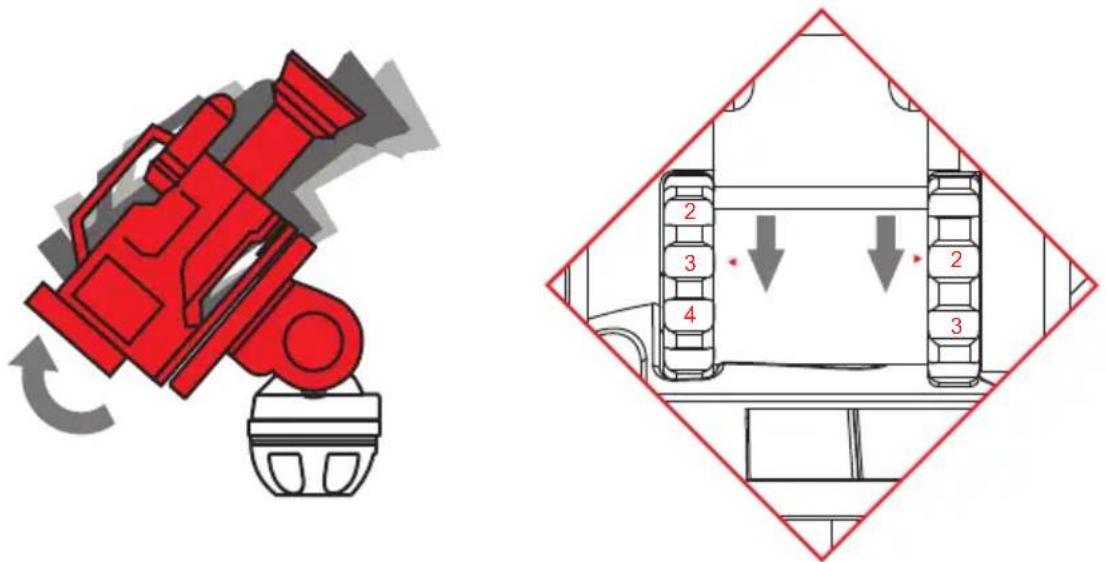
- Tilt the payload through positive and negative angles of travel, checking that the payload remains at any angle of tilt unsupported.

Note: If the payload angle falls away, repeat the balancing procedure (step 3 or 4) until balance is achieved.
Installation (11/11)
Adjusting the Drags
The fluid head is equipped with multiple tilt and pan step drag controls. The drags help to eliminate jerks and vibrations when moving the fluid head during filming. The drags can also be fully disengaged.

CAUTION! Always set the drag to the index positions. Setting the drag between index positions can cause serious damage to the fluid head.
- Turn the pan and tilt drag to the required index position by aligning the index figure with the dot mark. Turn the brakes off and engage the drag by slowly panning or tilting the camera.
- Turn the drag controls to the 1 position to switch off the drag completely.
Transportation Head Settings
To ensure smooth and reliable operation over the long life of the fluid head, the following settings should be applied during transportation or periods of storage:
| Pan & Tilt Brake | OFF |
| Counterbalance | Maximum Step |
| Pan & Tilt Drags | Maximum Step |
Transporting with the Attached Pan Bar
To transport the fluid head with the pan bar attached, stow in the vertical position with the tripod legs to prevent damage.
Cleaning
Clean the fluid head regularly using a soft cloth. For heavier dirt use a soft brush and a mild detergent.
Changing the Battery
Elite fluid head is equipped with the illuminated bubble level which is powered by two standard type button cell located in the battery holder, which can be taken out by hand.

CAUTION! Make sure the correct polarity of the battery when replacing.
Routine Maintenance
Periodically operate the horizontal and vertical drags through their full range of indexing to ensure the engaging pins in fluid head stay lubricated.
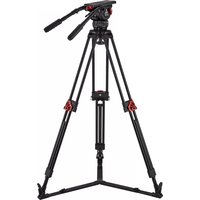
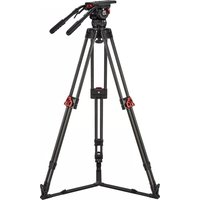
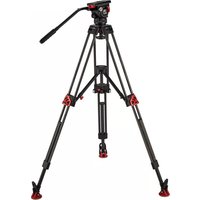
- Elite-Series Fluid Heads
- User Guide
- Copyright © 2018
- Disclaimer
- Content
- Safety 4
- Left View of Elite 8/10 5
- Right View of Elite 8/10 6
- Left View of Elite 12/15/18/20 7
- Right View of Elite 12/15/18/20 8
- Left View of Elite 25 9
- Right View of Elite 25 10
- Installation 11
- Transportation 22
- Maintenance 22
- Safety
- Warning Symbols Used in these Instructions
- Health and Safety
- Mounting and Installation
- Right View of Elite 8/10
- Right View of Elite 12/15/18/20
- Right View of Elite 25
- Installation (1/11)
- Illuminated Level Bubble
- Mounting and Levelling the Head
- Installation (2/11)
- Mounting and Dismounting the Camera
- Installation (3/11)
- Taking out and placing back the screw key
- Installation (4/11)
- Mounting and Adjusting the Pan Bar
- Adjusting Angle of Clamp Lever & Tilt Knob
- Installation (5/11)
- Configuring the Normal Pan Bar
- Configuring the Telescopic Pan Bar
- Installation (6/11)
- Balancing the Payload
- Adjusting the Centre of Gravity (C of G)
- Installation (7/11)
- Installation (8/11)
- Installation (9/11)
- Adjusting the Counterbalance
- Installation (10/11)
- Installation (11/11)
- Adjusting the Drags
- Transportation Head Settings
- Transporting with the Attached Pan Bar
- Cleaning
- Changing the Battery
- Routine Maintenance
Brand : Camgear
Model : Elite 15
Category : Tripod