
99-7404 - Car Installation Kit Metra - Free user manual and instructions
Find the device manual for free 99-7404 Metra in PDF.


| Product Type | Car Audio Installation Kit |
| Brand | Metra |
| Model | 99-7404 |
| Compatible Vehicles | Nissan Maxima 2004-2006 |
| Head Unit Provision | ISO DIN with Pocket |
| Kit Components | Radio Housing Panel, (4) Panel Retaining Clips |
| Material | ABS Plastic |
| Color | Black |
| Mounting Type | ISO DIN |
| Installation Hardware Included | Uses Factory Screws (not included) |
| Wiring Harness Included | No, aftermarket harness required (sold separately) |
| Pocket Included | Yes |
| Panel Retaining Clips Included | Yes, (4) clips |
| Instructions Included | Yes, installation guide |
| Installation Difficulty | Moderate |
| Recommended Tools | Phillips screwdriver, panel removal tool, wire strippers |
| Safety Precautions | Disconnect negative battery terminal; tape unused wires |
| Warranty | 1 Year Limited |
| Country of Origin | China |
| Additional Notes | Compatible with single DIN and double DIN aftermarket radios with proper adapter |
Frequently Asked Questions - 99-7404 Metra
User questions about 99-7404 Metra
0 question about this device. Answer the ones you know or ask your own.
Ask a new question about this device
Download the instructions for your Car Installation Kit in PDF format for free! Find your manual 99-7404 - Metra and take your electronic device back in hand. On this page are published all the documents necessary for the use of your device. 99-7404 by Metra.
USER MANUAL 99-7404 Metra
INSTALLATION INSTRUCTIONS FOR PART 99-7404
APPLICATIONS
NISSAN
Maxima 2004-2006
99-7404
KIT FEATURES
ISO DIN Head unit provision with pocket
KIT COMPONENTS

natural_image
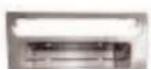
Interior view of a car air conditioner unit with control panel and door (no visible text or labels)A) Radio Housing Panel • B) (4) Panel retaining Clips


99-7404
NISSAN MAXIMA
Dash Disassembly 1-2
ISO DIN Head Unit Provision 3
Final Assembly 4
Notes....5

99-7404
2004-2006 NISSAN MAXIMA
1 Disconnect the negative battery terminal to prevent an accidental short circuit.
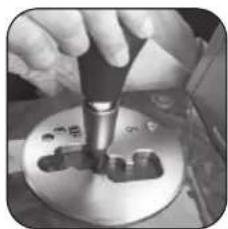
2 Twist and slide down the cover at the base of the shift knob. (Figure A)
3 Remove the retaining clip at base of shift knob and pull up to remove. (Figure B)
A
natural_image
Close-up of a hand using a tool to press or inspect a metal component (no visible text or symbols)B

natural_image
Close-up of hands holding a small electronic device with a label (no visible text or symbols)C


99-7404
6 Remove (2) Phillips screws at the bottom of the display panel and unclip and remove the panel. (Figure F)
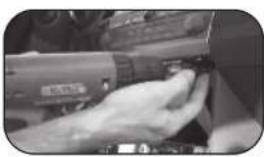
7 Remove (4) Phillips screws to remove the audio/climate control/display as one unit. (Figure G)
8 Remove (4) Phillips screws from each side of radio/tuner to remove from audio/climate control/display bracket assembly.
9 Remove the (4) Phillips screws securing the factory climate control button assembly to the radio panel and
F
natural_image
Close-up of a hand using a power tool to adjust or install a component (no visible text or symbols)G

natural_image
Interior view of a mechanical device with visible internal components and directional arrows (no text or symbols)H

99-7404
ISO DIN HEAD UNIT PROVISIONS:
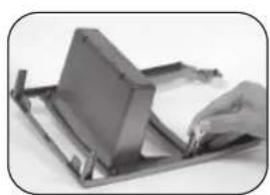
1 Position the aftermarket radio into audio/climate control/display bracket assembly and secure using the bottom (2) Phillips screw positions and the factory hardware. (Figure A)
2 Install the (4) supplied retaining clips onto the 99-7404 in the same locations as the factory radio panel.
(Figure B)
3 Using the factory hardware
A

natural_image
Close-up of a mechanical component with a wheel and gear assembly (no visible text or symbols)B
natural_image
Close-up of a hand using a flatbed metal stand to press or install a rectangular object (no visible text or symbols)C


99-7404
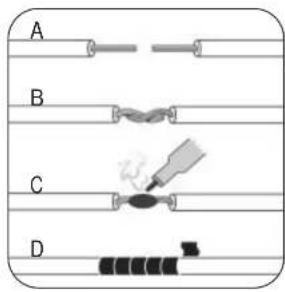
1 Locate the factory wiring harness in the dash. Metra recommends using the proper mating adapter and making the connections as shown. (Isolate and individually tape off the ends of any unused wires to prevent
INST997404


Brand : Metra
Model : 99-7404
Category : Car Installation Kit