
PT4900S-PEDESTAL - Mount Ikan - Free user manual and instructions
Find the device manual for free PT4900S-PEDESTAL Ikan in PDF.


| Product Type | Professional Pedestal Stand |
| Brand | Ikan |
| Model | PT4900S-PEDESTAL |
| Compatible Screen Size | Up to 49 inches |
| Weight Capacity | 55 lbs (25 kg) |
| VESA Compatibility | 100x100, 200x200, 300x300, 400x400 mm |
| Height Adjustment Range | 15.7 inches (400 mm) |
| Tilt Angle | -15° to +15° |
| Swivel Angle | ±90° |
| Rotation | 360° |
| Material | Heavy-duty steel with aluminum base |
| Base Dimensions | 21.7 x 17.3 inches (55 x 44 cm) |
| Pole Height | 28.7 inches (73 cm) |
| Cable Management | Yes, internal cable routing |
| Gas Spring Assist | Yes, for effortless height adjustment |
| Locking Mechanism | Height, tilt, and swivel locks |
| Installation Type | Freestanding on floor |
| Weight (Stand Only) | 38 lbs (17.2 kg) |
| Color | Black |
| Included Accessories | Mounting hardware, hex tools, cable ties |
| Warranty | 3 years limited |
Frequently Asked Questions - PT4900S-PEDESTAL Ikan
User questions about PT4900S-PEDESTAL Ikan
0 question about this device. Answer the ones you know or ask your own.
Ask a new question about this device
Download the instructions for your Mount in PDF format for free! Find your manual PT4900S-PEDESTAL - Ikan and take your electronic device back in hand. On this page are published all the documents necessary for the use of your device. PT4900S-PEDESTAL by Ikan.
USER MANUAL PT4900S-PEDESTAL Ikan
natural_image
Photography equipment setup including a black tripod-mounted monitor, a black box with a metal frame, and a side-mounted device (no visible text or symbols)OVERVIEW
Ikan's Turnkey Broadcast Solutions include everything you need for your professional camera setup. This solution includes a 19" teleprompter, pedestal, and dolly. All of our systems have been tested internally for payload compatibility.
The remaining payload capacity, after mounting the full 19" teleprompter, can accommodate camera setups up to 38.8 lbs. The pedestal, without the teleprompter system, can accommodate cameras up to 61.7 lbs. This solution also includes a hard case for the pedestal and a carrying bag for the dolly.

natural_image
Black and white photo studio lighting device with a mounted camera (no visible text or symbols)PT4900-SDI
19" Professional High Bright Beam Splitter Teleprompter with 3G-SDI
What's Included
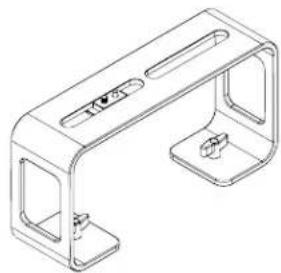
natural_image
Technical line drawing of a mechanical bracket or enclosure with cutouts and mounting feet (no text or symbols)Large Riser
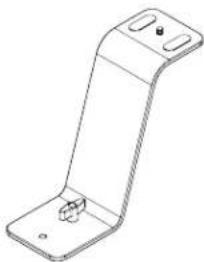
natural_image
Technical line drawing of a metal bracket with mounting holes and a small inset detail (no text or symbols)DSLR/Mirrorless Riser
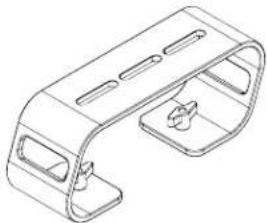
natural_image
Technical line drawing of a mechanical bracket or housing component (no text or symbols)Medium Riser
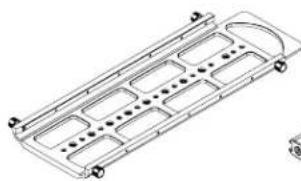
natural_image
Technical line drawing of a metal tray or rack structure with mounting holes and a curved handle (no text or symbols)Bottom Plate

natural_image
Technical line drawing of a rectangular electronic component with mounting holes (no text or symbols)Base
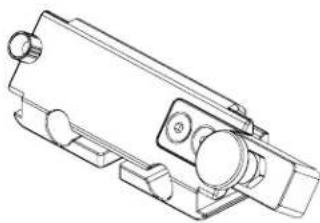
natural_image
Technical line drawing of a mechanical clamp or bracket component (no text or symbols)Glass Frame Holder Bracket
w/ Rod Clamps
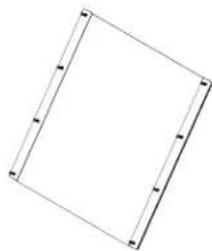
natural_image
Simple geometric diagram of a square frame with corner markers (no text or symbols)Glass

natural_image
Simple line drawing of a rectangular frame with rounded corners and corner dots (no text or symbols)Hood Attachment Frame

natural_image
Simple line drawing of a rectangular electronic device with a notch at the bottom (no text or symbols)Glass Holder Hood
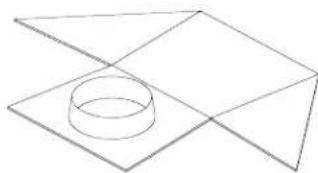
natural_image
Pure geometric diagram showing overlapping planes and a central cylinder (no text or symbols)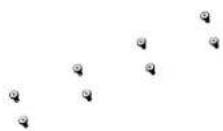
natural_image
Technical line drawing of three mechanical components with mounting holes (no text or symbols)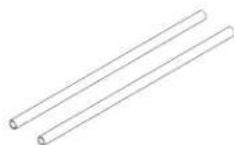
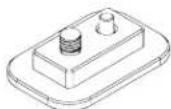
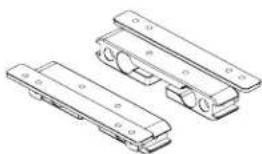
Glass Frame Screws 15mm Rod Clamps 15mm Rods Large Riser
Bracket
Teleprompter Assembly Setup
Step 1
Place the Hood Attachment Frame over the Glass Holder. Then place the glass against the Glass Holder. Make sure the screws pass through the holes on the both the Hood Attachment Frame and the Glass Holder.
natural_image
Technical diagram of a mechanical component with red arrows indicating force or direction (no text or symbols)Step 3
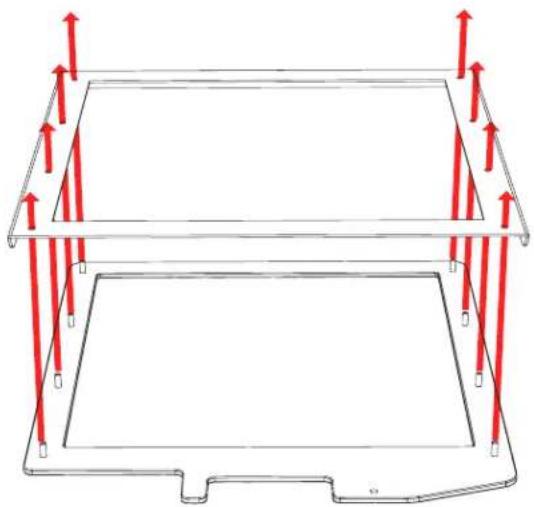
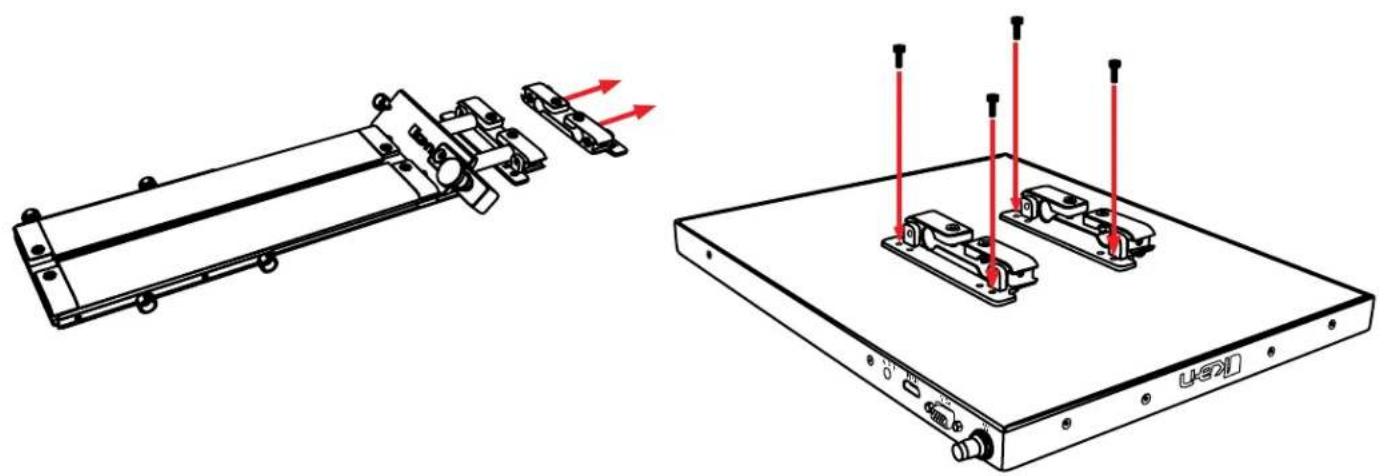
Remove the monitor mounts from the teleprompter base using the included larger 4mm hex key to loosen from the 15mm rods.
Step 2
Secure the Glass Holder by fastening the knurled nuts to the screws as pictured below.
natural_image
Pure diagram of a rectangular frame with vertical red arrows pointing to top-mounted sensors (no text or symbols)Step 4
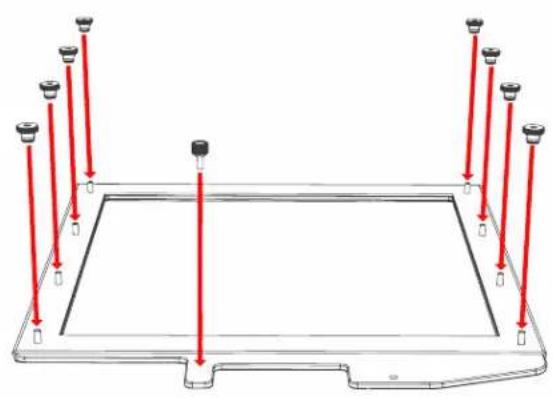
Put the washers on before tightening the screws. The washers and 4 additional screws are inside a bag on the bottom foam.
natural_image
Technical illustration of a mechanical assembly with red arrows indicating motion, showing internal components and mounting base (no text or symbols)Step 5
After the monitor mounts are attached, adjust the 15mm rods to accommodate the monitor. Leave about 1 inch of room for the teleprompter bracket. Make sure the 15mm rods go through both set of monitor mounts. Please ensure that all screws are properly tightened after inserting the monitor. *SAFETY NOTE* Make sure to leave at least 2 inches of the rods inside the teleprompter base.

Step 6
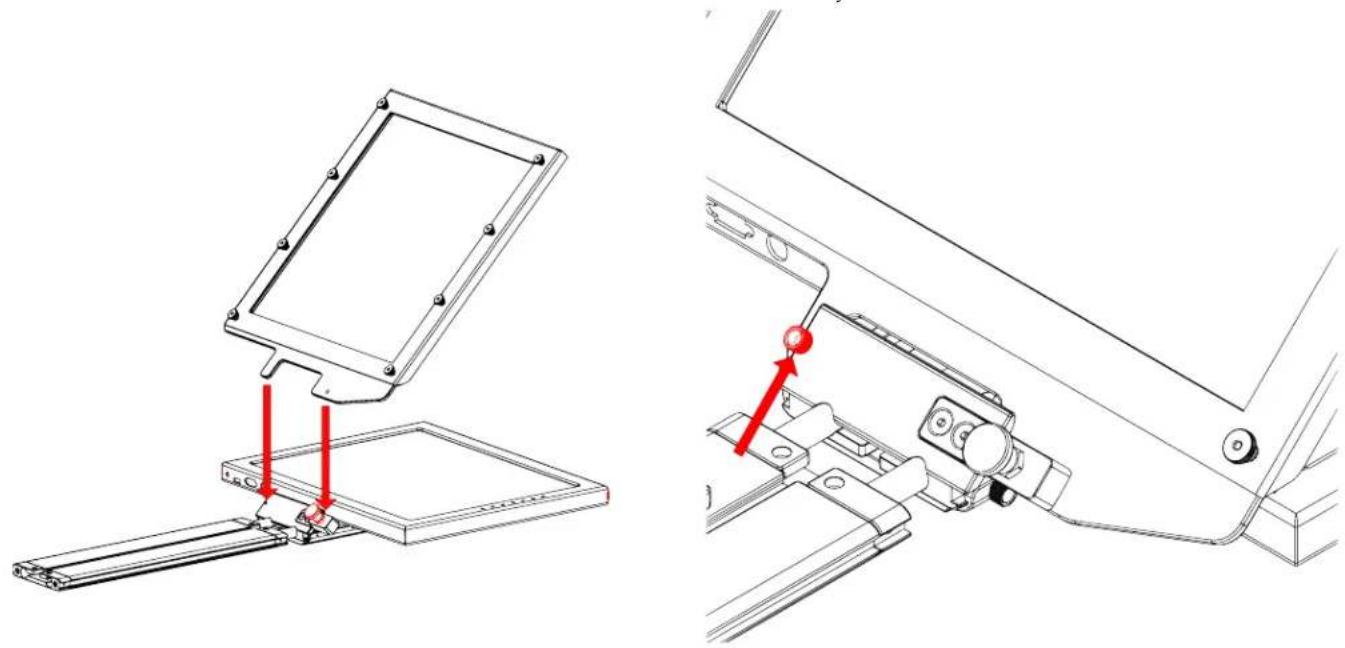
While sliding the teleprompter bracket into the slot of the Glass Frame Holder Bracket, pull on the red knob to allow the bracket to fully slide in.
natural_image
Technical line drawing showing a mechanical assembly with red arrows indicating parts of a component (no text or symbols present)Step 7
Once the bracket is in place, tighten the side screw to lock in place. Double check and make sure all the screws are tightened with the included hex keys.
Step 8
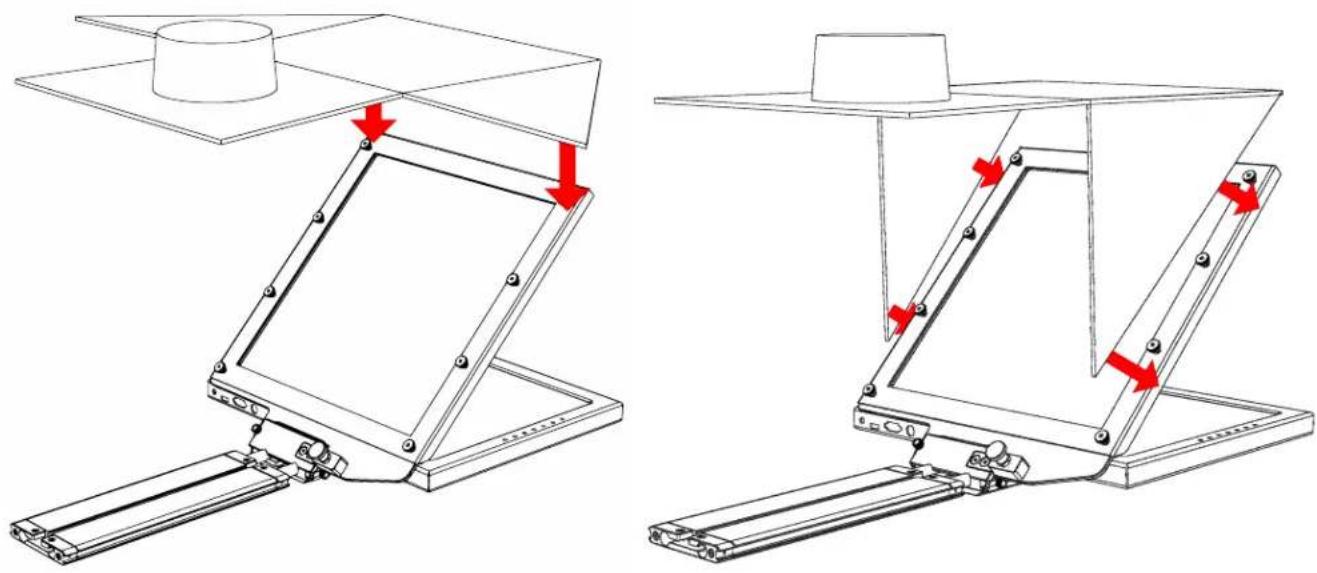
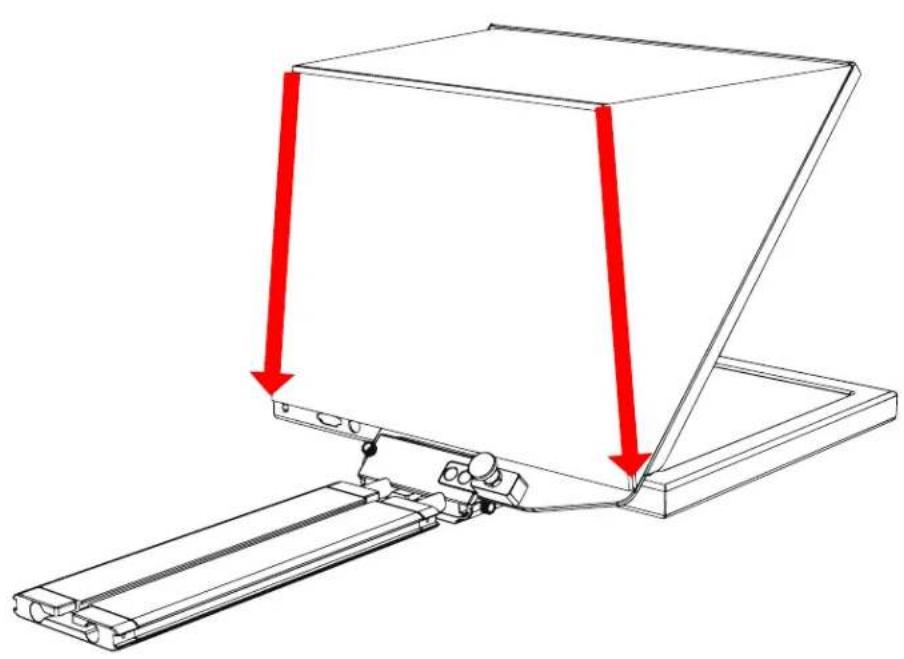
Fold the flaps of the Hood alongside the edges of the Hood Attachment Frame. The flaps of the Hood are magnetic so they will automatically attach.
natural_image
Technical line drawing of a mechanical assembly with red arrows indicating motion or force directions (no text or symbols present)Step 9
To prevent light from leaking through the hood, seal both zippers down.
natural_image
Technical line drawing of a mechanical assembly with red arrows indicating force or movement (no text or symbols)Step 10
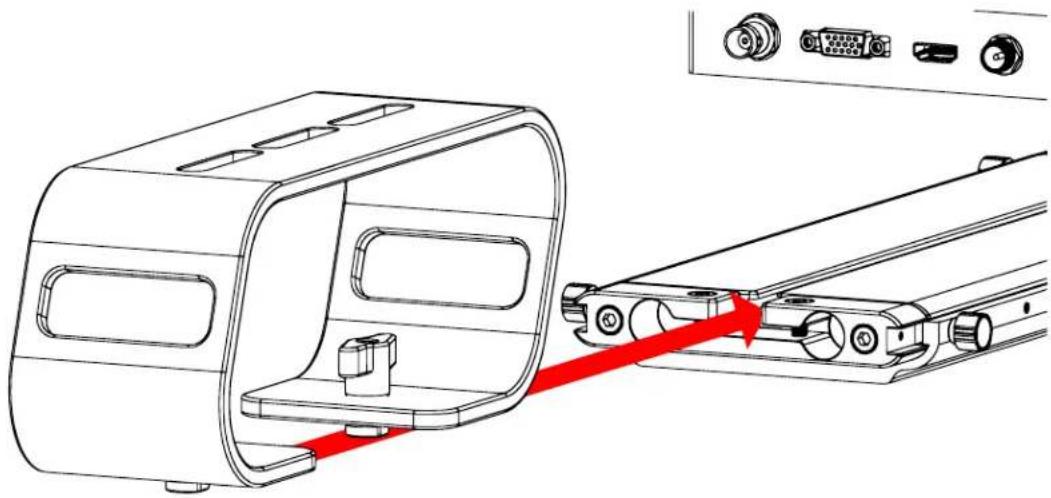
Slide in the Riser plate of your choice by aligning the screws on the riser plate to the slot on the Base. Once the screws are aligned, Slide the riser plate into the Base.
natural_image
Technical line drawing of a mechanical assembly with a red arrow indicating a component or connection (no text or symbols present)Step 10
Slide in the Riser plate of your choice by aligning the screws on the riser plate to the slot on the Base. Once the screws are aligned, Slide the riser plate into the Base.

natural_image
Technical line drawing of a vehicle chassis frame with no visible text or symbolsStep 12
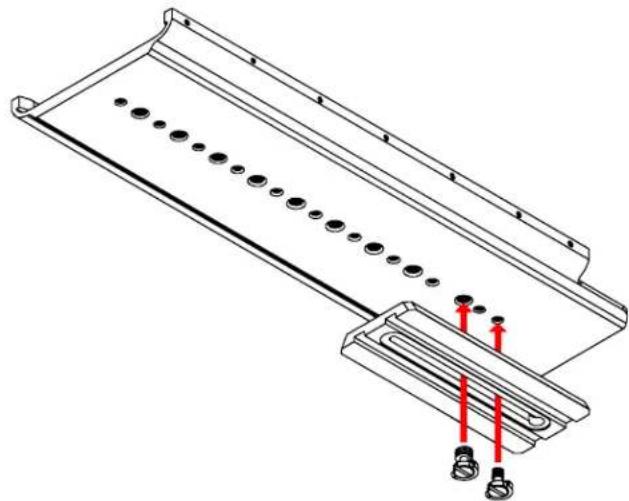
Mount your own tripod plate to the bottom plate by aligning the 1/4-20 and/or 3/8-16 screws and fastening them to the Bottom Plate. It is recommended that you connect your tripod plate to front of the Bottom Plate so that you can balance your teleprompter easier. Once your tripod plate is connected to the Bottom Plate, mount the tripod plate to your tripod head.
natural_image
Technical line drawing of a mechanical component with mounting holes and red arrows indicating assembly or force (no text or symbols)
natural_image
Technical line drawing of a mechanical component with multiple holes and mounting brackets (no text or symbols)Step 13
Slide the entire teleprompter system into the Bottom Plate. Once the teleprompter system is inserted, you can balance it by sliding it along the Bottom Plate until the center of gravity is determined.
Step 14
Once the center of gravity has been determined, tighten the thumb screws to keep the base from sliding.

natural_image
Technical illustration of a mechanical assembly with a red arrow pointing to a component inside a frame (no text or symbols present)
natural_image
Technical line drawing of a vehicle chassis frame with red directional arrows indicating movement or force (no text or symbols present)Step 15
To secure your teleprompter system, insert the included headless screws into the threads behind and in front of the Base.

natural_image
Technical line drawing of a mechanical assembly with gears and a central screw (no text or symbols)Step 16
The headless screws should be inserted to the threads as pictured below.

natural_image
Technical line drawing of a mechanical assembly with no visible text or symbolsMonitor Ports

3G-SDI – Serial Digital Interface Connection
VGA – Video Graphics Array DE15 Connection
HDMI – High-Definition Multimedia Interface Input Connection
Power Port - 12-24v Input
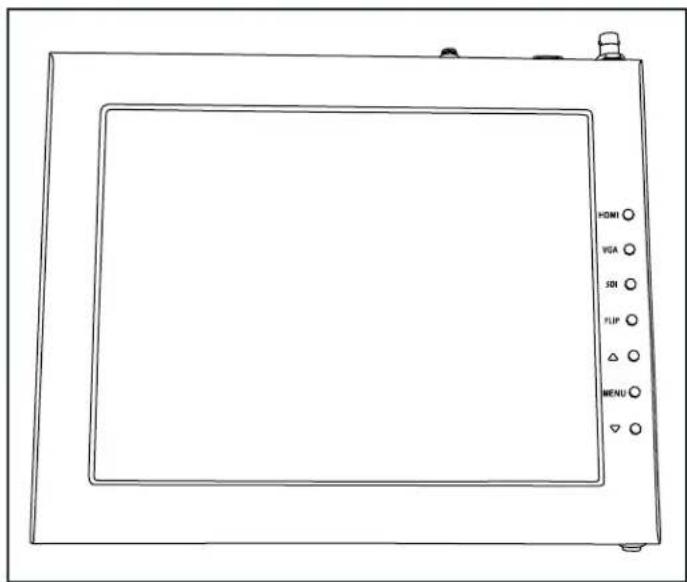
HDMI – Switch HDMI input
VGA - Switch to VGA input
SDI - Switch to 3G-SDI input
Flip - Toggle image flip
(Can be set to horizontal, vertical, or both via menu)
Up Arrow – Toggle up to adjust setting
Menu – Access to monitor settings
Down Arrow – Toggle down to adjust setting
Monitor Menu Settings
Video Config
Contrast (White Level)
Brightness (Black Level)
Tint (Chroma Hue)
Chroma (Chroma Saturation)
Sharpness (Detail)
RGB Setup – Manually configure RGB
Return
System Config
Menu Duration – Set duration of how long menu stays on screen
Video Ratio – Set screen aspect ratio 16:9 or 4:3 (4:3 is native resolution, 16:9 will create black bars)
Flip-H – Assign toggle button to flip image horizontally
Flip-V – Assign toggle button to flip image vertically
Reset - Factory reset
Return
PC Setup (Only available for VGA)
H-Position - Adjust horizontal position
V-Position - Adjust vertical position
Auto - Monitor automatically adjust position
Return
Exit
How to set-up FLIP button feature:
-
Press MENU button
-
Navigate to SYSTEM CONFIG.
-
Navigate to FLIP-V or FLIP-H
-
Change FLIP-V and/or FLIP-H to "ON"
-
Exit MENU
-
The FLIP button should now be activated and can be pressed to mirror the image Horizontally or Vertically
-
When FLIP-H is ON, the image will flip Horizontally
-
When FLIP-V is ON, the image will flip Vertically
-
If both are ON, the FLIP button will toggle both
Horizontal and Vertical flip
Watch our VIDEO TUTORIAL on how to assemble Ikan Professional Telepromopters:
https://youtube.com/playlist?list=PLcjaK5n9Y8ctrbYS3t2g4nyx2uADOXjuF

Specifications
PT4900-SDI
| Aspect Ratio 4:3 | |
| Backlight LED | |
| Brightness 1000 nits | |
| Build Material Aluminum Chassis | |
| Diagonal 19" | |
| Input Signal 3G-SDI, HDMI, and VGA inputs | |
| Input Voltage DC 12v / 4A | |
| Power Consumption 10W | |
| Reading Range 25' | |
| Resolution 1280 x 1024 | |
| Viewing Angle 160° (H) / 170° (V) | |
| Weight 33.75 lbs | |
| Shipping Weight 36 lbs | |
| Shipping Dimensions | 25 x 20 x 16 in |
Optional Accessories
PT4900-GM Replacement Glass for PT4900
PT19-SDI-TM 19" 3G-SDI Talent Monitor Add On Kit for PT4900
PT-PEDAL Teleprompter Foot Control Pedal
PT-CASE-V2 Rolling Hard Case for PT4900 Teleprompter
Foam Case
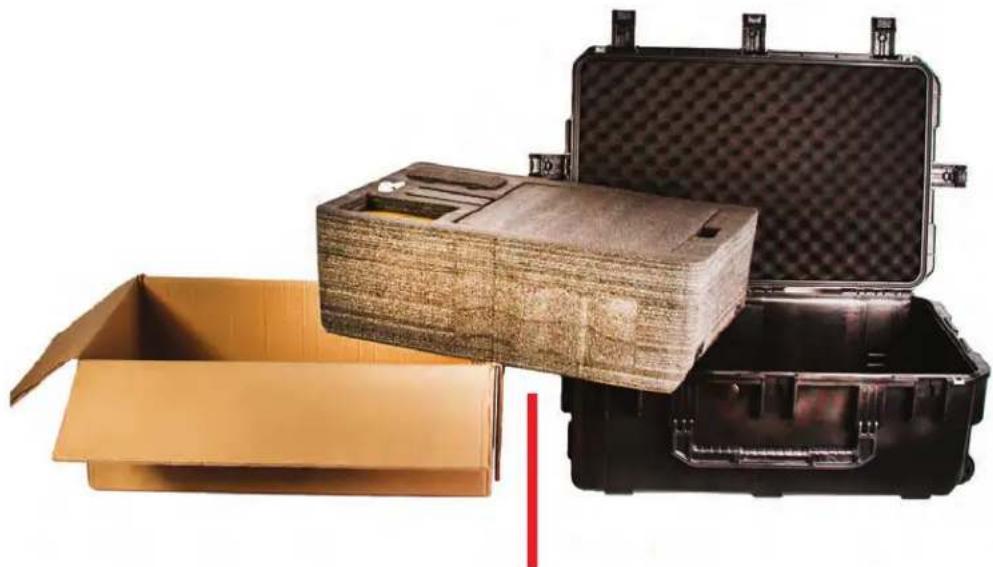
To make your teleprompter more portable, we packed it in a reusable, high-quality foam. The shape and size of the foam was designed to fit into Ikan's PT-CASE-V2.
natural_image
Stacked cardboard and black plastic case units with open lids, no visible text or symbols** DO NOT THROW AWAY FOAM CASE **
Learn More
More dynamic information at official website: www.ikancorp.com
Support
Contact email: support@ikancorp.com
CONDITIONS OF WARRANTY SERVICE
- Free service for one year from the day of purchase if the problem is caused by manufacturing errors.
- The components and maintenance service fee will be charged if the warranty period is expired.
Free Service will not be Provided in the Following Situations:(*Even if the product is still within the warranty period.)
- Damage caused by abuse or misuse, dismantling, or changes to the product not made by the company.
- Damage caused by natural disaster, abnormal voltage, and environmental factors, etc.
©2022 Ikan International. All rights reserved.
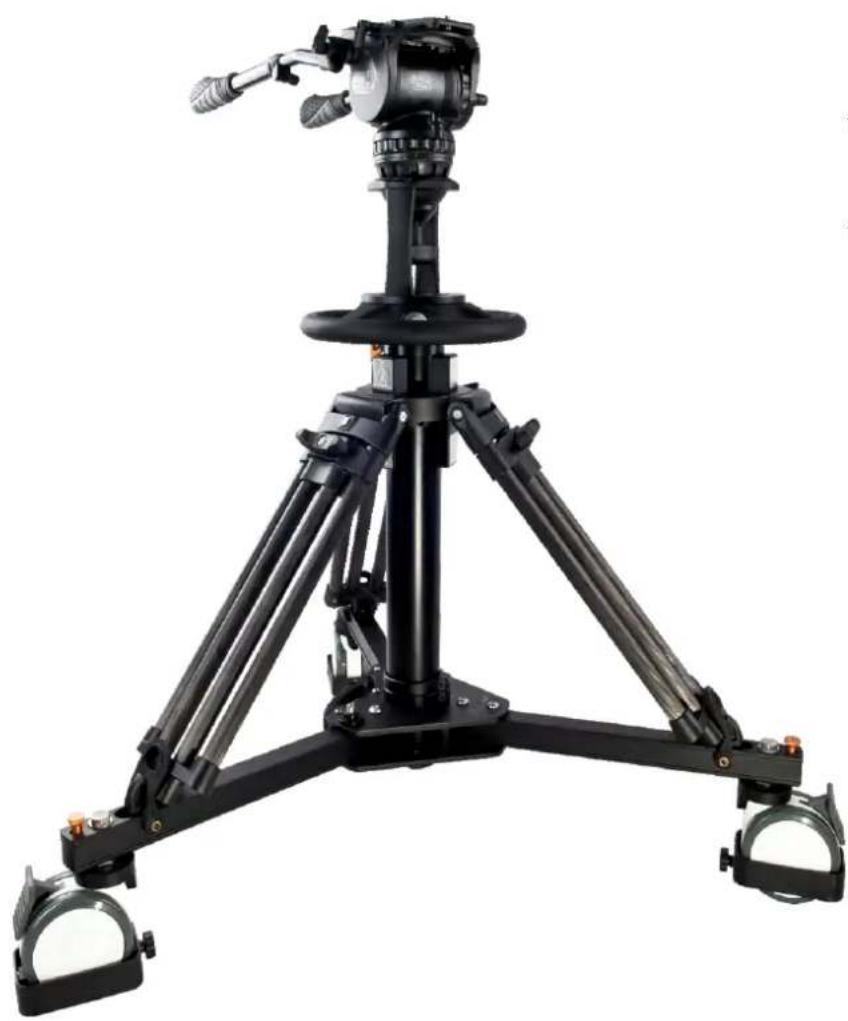
EP880SK Pedestal
natural_image
Black tripod-mounted camera with mounted sensor and dual supports (no visible text or symbols)
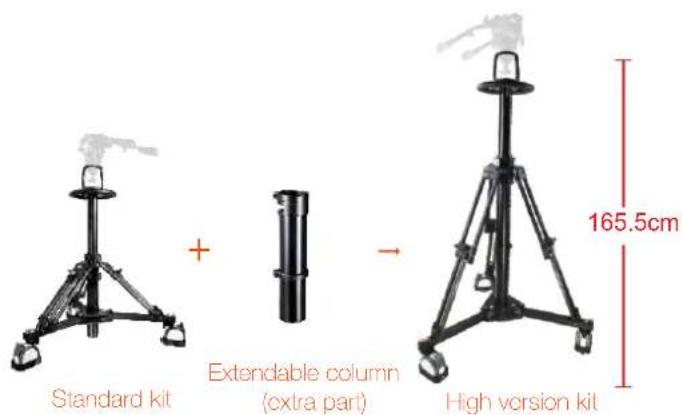
182.0cm 71.7in

natural_image
tripod-mounted scientific instrument with a mounted probe, no visible text or symbolsStandard kit
+
Extendable column (extra part)
natural_image
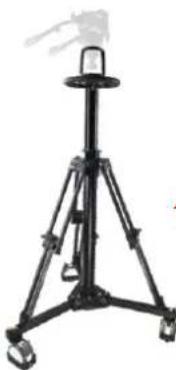
Black tripod-mounted tripod with a stand and support structure (no visible text or symbols)High version kit
165.5cm

natural_image
Close-up of a black tripod-mounted camera with adjustable arms and legs (no visible text or symbols)Pneumatic column pedestal system
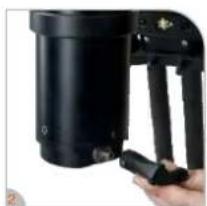
natural_image
Close-up of a black cylindrical device with a handle, possibly a camera or projector, being held by a hand (no visible text or symbols)Air-pressure in the pneumatic column can be adjusted

natural_image
Close-up of a mechanical device with no visible text or symbolsFluid head with 100mm ball
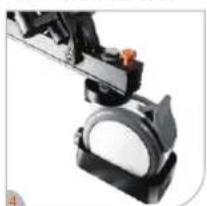
natural_image
Close-up of a mechanical assembly with a black frame and circular component (no visible text or symbols)Double-wheel 125mm casters with adjustable cable guards
GH25 100mm Fluid Head
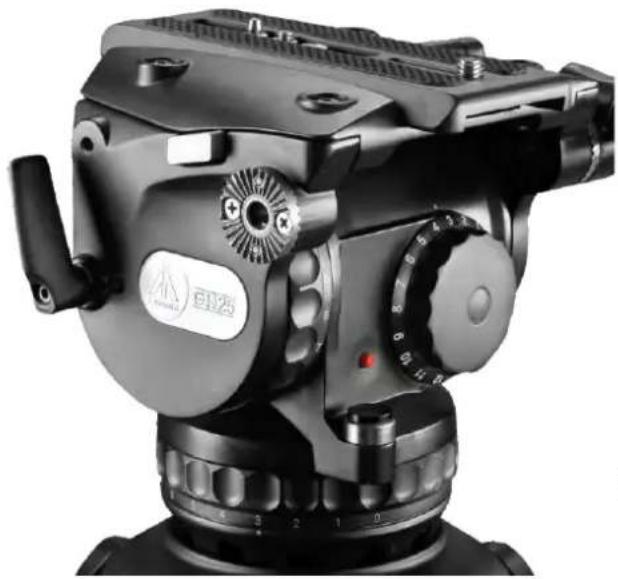
natural_image
Close-up of a black industrial camera with dual-axis-mounted head and control knobs (no visible text or symbols)
100mm

3.0 28.0kg
6.6-61.7lbs

1-15

line
| Total Load Kg | Height of center gravity from plate (mm) | | ------------- | ---------------------------------------- | | 2 | 200 | | 4 | 175 | | 18 | 150 | | 21 | 125 | | 25 | 100 | | 28 | 75 | | 30 | 50 |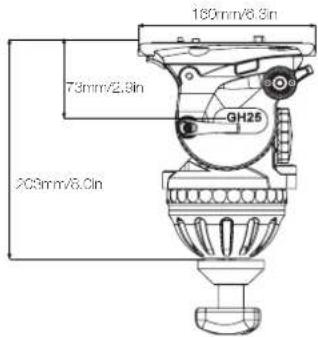
FEATURES

natural_image
Close-up of a black industrial camera with visible mechanical components and no text or symbols7 plus 0 grades of pan & tilt drag

natural_image
Close-up of a mechanical dial with a red indicator light (no visible text or symbols)16 steps of counterbalance

natural_image
Close-up of a mechanical component with a red dot on top (no visible text or symbols)Illuminated leveling bubble

natural_image
Close-up of a mechanical component with a tool inserted, no visible text or symbolsAdditiona standard 1/4" & 3/8" screw holes
SPECIFICATIONS
| Model | GH25 | |
| Payload Range | 3.0-28.0kg / 6.6-61.7lbs | |
| Counterbalance Range | 1-15 | |
| Grades Of Pan Drag | 0-7 | |
| Grades Of Tilt Drag | 0-7 | |
| Tilt Range | -65irc / +90irc | |
| Temperature Range | -40ircC ~ +80ircC | |
| Bowl Size | 100mm | |
| Net Weight | 4.2kg / 9.2lbs |
EP880S Pedestal

natural_image
Black tripod-mounted camera with adjustable arms and a handle, shown against a white background (no text or symbols visible)
165.0cm 65.0in

30.0kg 66.1lbs

86.0cm 33.9in

23.9kg 52.7bs

38.0cm 15.0in

100mm
Component:
| Pedestal | CP880S |
| Dolly | EI7007 |

natural_image
Close-up of a black tripod with adjustable arms and legs (no visible text or symbols)Pneumatic column pedestal system
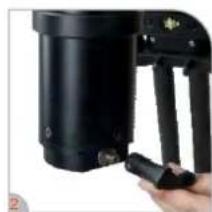
natural_image
Close-up of a black camera lens with a hand adjusting its base (no visible text or symbols)Air-pressure in the pneumatic column can be adjusted
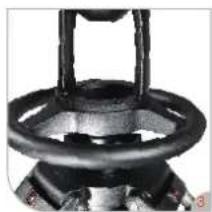
natural_image
Close-up of a black mechanical component with a circular ring and handle (no visible text or symbols)Ergonomic hand wheel
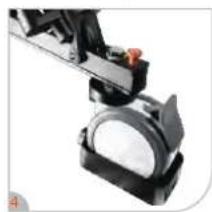
natural_image
Close-up of a mechanical assembly with a black bracket and circular component (no visible text or symbols)Double-wheel 125mm casters with adjustable cable guards
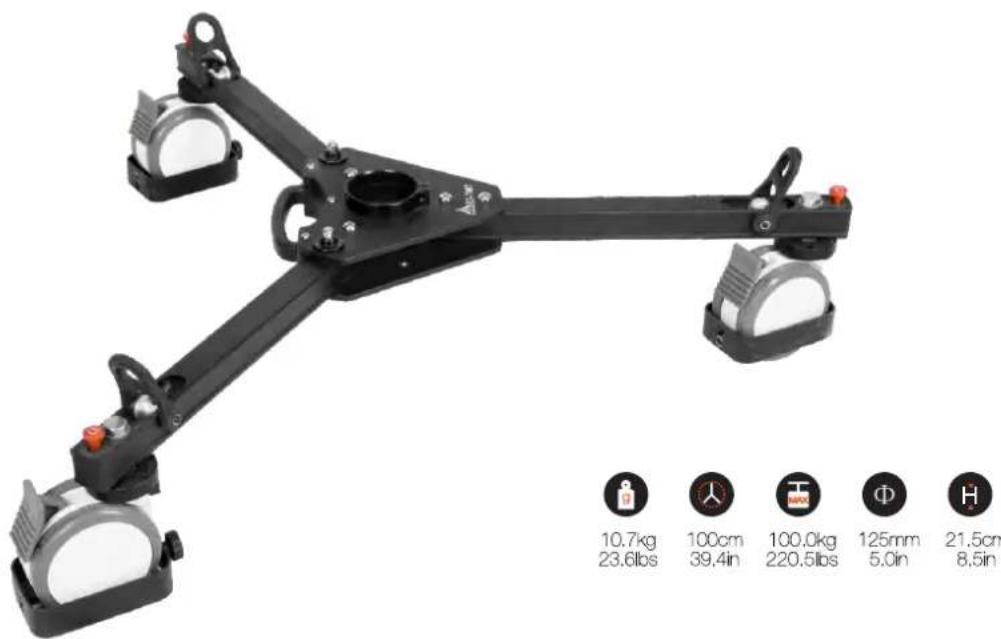
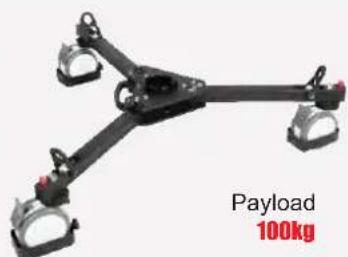
El-7007 Super dolly
Designed for pedestal system and other heavy duty system. The 125mm/5inch wheels with cable guard can be individually braked, also the movement direction can be fixed.
Folds for transporting.
FEATURES

natural_image
Close-up of a black mechanical clamp or bracket component with mounting holes and a red indicator light (no visible text or symbols)Pull the knob to extend the dolly, easy to go out.
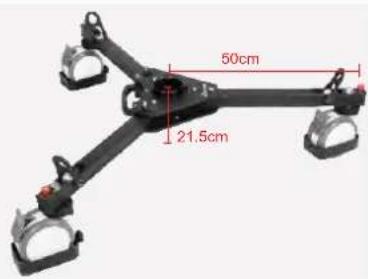
Height : 21.5cm / 8.5in Radius: 50cm / 19.7in

natural_image
Close-up of a mechanical clamp or measuring device with a 125mm scale indicator (no readable text or symbols)Casters diameter: 125mm / 4.9in.
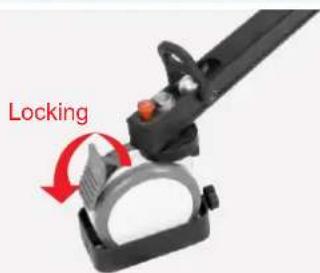
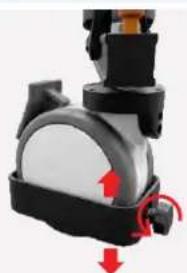
The rubber wheels are non-marring during normal use, protecting the floor surface. Each wheel incorporates its own foot-activated brake.
natural_image
Close-up of a mechanical device with red directional arrows indicating motion or force (no text or symbols visible)Cable guards and brakes. Supports up to 100kg of tripod, camera and accessories.
natural_image
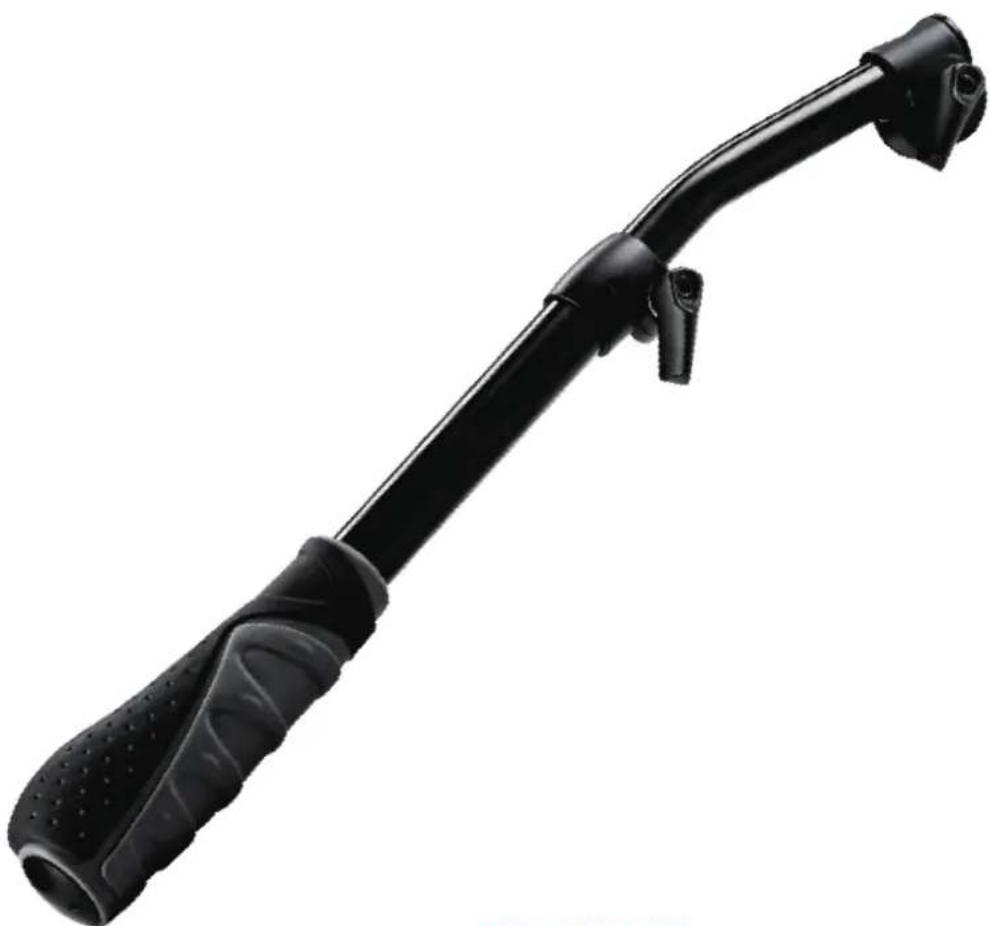
A black quadcopter drone with four wheels and a red label indicating payload weight of 100kg (no other text or symbols visible)GB3 Pan bar
Telescopic pan bar for GH08L, GH10L, GH15, GH25 heads
natural_image
Black and white photo of a black bicycle pushpin with textured grip (no text or symbols visible)SPECIFICATIONS
Length range 405-605mm / 15.9-23.8in
Net weight 385g / 0.8lbs

- OVERVIEW
- PT4900-SDI
- Teleprompter Assembly Setup
- Step 1
- Step 3
- Step 2
- Step 4
- Step 5
- Step 6
- Step 7
- Step 8
- Step 9
- Step 10
- Step 12
- Step 13
- Step 14
- Step 15
- Step 16
- Monitor Ports
- Monitor Menu Settings
- How to set-up FLIP button feature:
- Optional Accessories
- Foam Case
- Learn More
- Support
- CONDITIONS OF WARRANTY SERVICE
- EP880SK Pedestal
- GH25 100mm Fluid Head
- FEATURES
- EP880S Pedestal
- El-7007 Super dolly
- GB3 Pan bar
- SPECIFICATIONS
Brand : Ikan
Model : PT4900S-PEDESTAL
Category : Mount