
DOCK2X4KTB - Computer accessory ProXtend - Free user manual and instructions
Find the device manual for free DOCK2X4KTB ProXtend in PDF.


| Product Type | Thunderbolt Dual 4K Dock |
| Brand | ProXtend |
| Model | DOCK2X4KTB |
| Dimensions (approx.) | 20 x 10 x 3 cm |
| Weight (approx.) | 300 g |
| Power Input | AC 100-240V, 50/60Hz; DC 20V/6.75A via included adapter |
| Power Delivery (PD) | Up to 60W charging for laptop |
| Upstream Port | USB-C Thunderbolt 3 (supports PD 60W) |
| Video Output | Dual DisplayPort 1.4: single 8K@30Hz or dual 4K@60Hz |
| Downstream USB-C Ports | 2 x USB-C 3.2 Gen 2 (rear) |
| Downstream USB-A Ports | 2 x USB-A 3.2 Gen 1 (rear); 1 x USB-A 3.2 Gen 2 BC 1.2 (front) |
| Ethernet | RJ45 Gigabit Ethernet (10/100/1000 BASE-T) |
| Audio | Combo Audio Jack (headset in/out) |
| Compatible Operating Systems | Windows 10, macOS 10 |
| Regulatory Compliance | CE, FCC Part 15 Class B |
| Environmental Compliance | WEEE compliant |
| Care & Cleaning | Wipe with a dry, soft cloth. Do not use liquids or aerosols. |
| Safety Instructions | Keep away from humidity; do not drop; if damaged, consult service technician. |
| Spare Parts & Repairability | No user-serviceable parts. Contact ProXtend support for repairs. |
| Warranty | Refer to manufacturer’s warranty policy. |
Frequently Asked Questions - DOCK2X4KTB ProXtend
User questions about DOCK2X4KTB ProXtend
0 question about this device. Answer the ones you know or ask your own.
Ask a new question about this device
Download the instructions for your Computer accessory in PDF format for free! Find your manual DOCK2X4KTB - ProXtend and take your electronic device back in hand. On this page are published all the documents necessary for the use of your device. DOCK2X4KTB by ProXtend.
USER MANUAL DOCK2X4KTB ProXtend
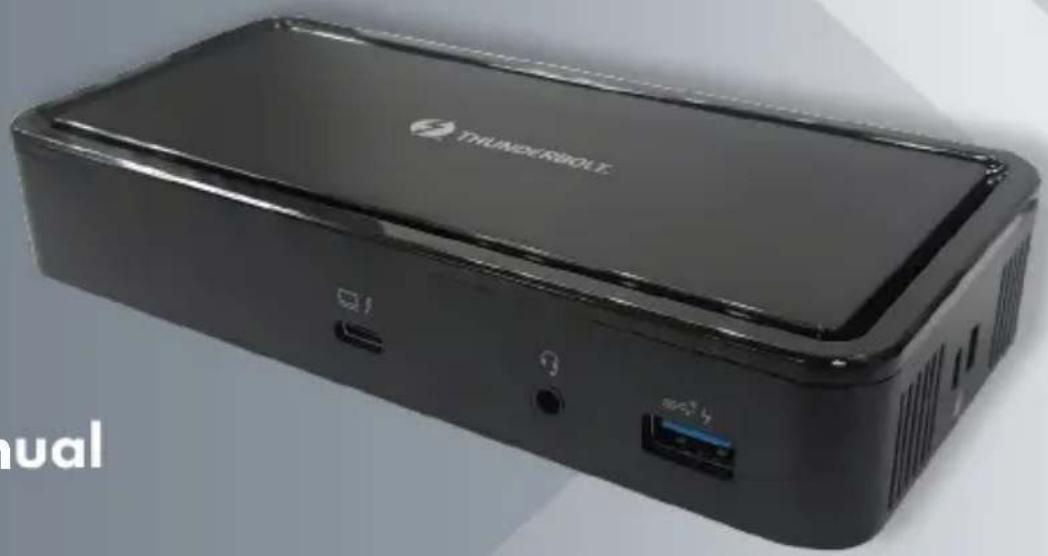
Thunderbolt Dual 4K Dock
natural_image
Exterior view of a black THUNDERBOLT device with ports and ventilation slots (no readable text or symbols beyond branding)User Manual
ProXtend
Safety Instructions
Always read the safety instructions carefully
- Keep this User Manual for future reference
- Keep this equipment away from humidity
• In any of the following situations, get the equipment checked by a service technician: - The equipment has been exposed to moisture.
- The equipment has been dropped and damaged.
- The equipment has obvious sign of breakage.
- The equipment has not been working well or cannot get it to work according to the User Manual.
Copyright
This document contains proprietary information protected by copyright. All rights are reserved. No part of this manual may be reproduced by any mechanical, electronic or other means, in any form, without prior written permission of the manufacturer.
Trademarks
All trademarks and registered trademarks are the property of their respective owners or companies.
Introduction
Before attempting to connect, operate or adjust this product, please read the User Manual.
The Thunderbolt Dual 4K Dock is a plug-and-play dock, designed for your Thunderbolt 3 or USB-C (USB 3.2 Gen 2 with VESA Alternate mode) laptop with extra connectivity demands. With this docking station, you can extend the connection of a computer to 2 DisplayPort up to 8Kp30 x 1 or 4Kp60 x 2, and more USB-A, USB-C peripherals, Ethernet network and the headset. Adopting PD Charging technology, it can easily charge your laptop up to 60W through a single USB-C Thunderbolt interface, and compatible with Mac and Windows laptops which are equipped with USB Type-C port.
The docking station is equipped with dual video outputs, you can mirror your primary screen or extend*1 the screen just like a dual-monitor workstation to allow visibility of more applications at the same time. With enhanced expansion capability and video output function, this docking station is the most versatile accessory that also complements your home or office space.
* 1: MacBook with USB-C will NOT support extend mode.
Features
- Video output
DP1.4 x2 (Support resolution up to
8K@30Hz on DP1 or dual 4k@60Hz)
| LAPTOP TYPE DP 1 | DP 2 | |
| DP 1.4THUNDERBOLT 3 | 8KP30 | |
| 8KP30 | ||
| 4KP60 4KP60 | ||
| DP 1.2THUNDERBOLT 3 | 4KP60 | |
| 4KP60 | ||
| 4KP60 4KP60 | ||
| DP 1.4USB-C | 4KP60 | |
| 4KP60 | ||
| 4KP30 4KP30 | ||
| DP 1.2USB-C | 4KP30 | |
| 4KP30 | ||
| 2KP60 2KP60 |
- Upstream Port
USB-C Thunderbolt 3 x1 (Support PD
Charging up to 60W)
- Downstream Port
USB-C 3.2 Gen 2 x2 (rear)
USB-A 3.2 Gen 1 x2 (rear)
USB-A 3.2 Gen 2 BC 1.2 x1 (front)
RJ45 Gigabit Ethernet
Combo Audio
Package Contents
- Thunderbolt 3 Mainstream Dock x 1
- Thunderbolt Cable x 1
• Power Adapter(20V/6.75A)x 1
Supported Operating Systems:
Product Overview
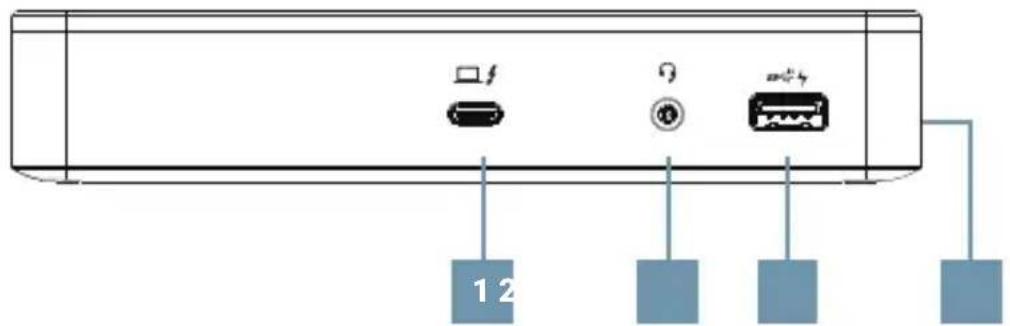
FRONT
Windows®10
Mac OS®10
- Thunderbolt 3 port Connect to your laptop
- Combo Audio Jack Connect to a headset
- USB-A 3.2 Gen 2 Connect to USB-A device and support BC1.2
- K-Lock Secure your device safety
ENGLISH
Product Overview
REAR
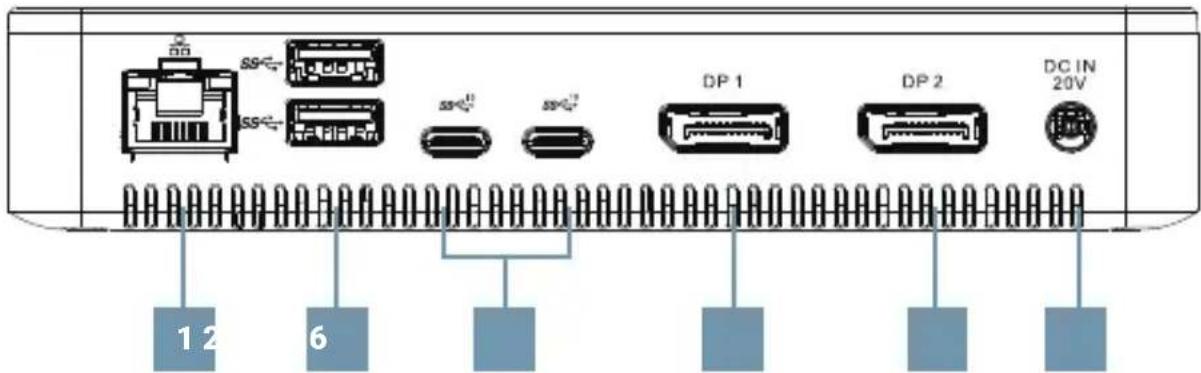
- RJ45 port Connect to Ethernet
- USB-A 3.2 Gen 1 Connect to USB devices
- USB-C 3.2 Gen 2 Connect to USB-C devices
- DisplayPort (DP1) Connect up to the 8K monitor
- DisplayPort (DP2) Connect up to the 4K monitor
- Power Jack Connect to the power adapter
Connection
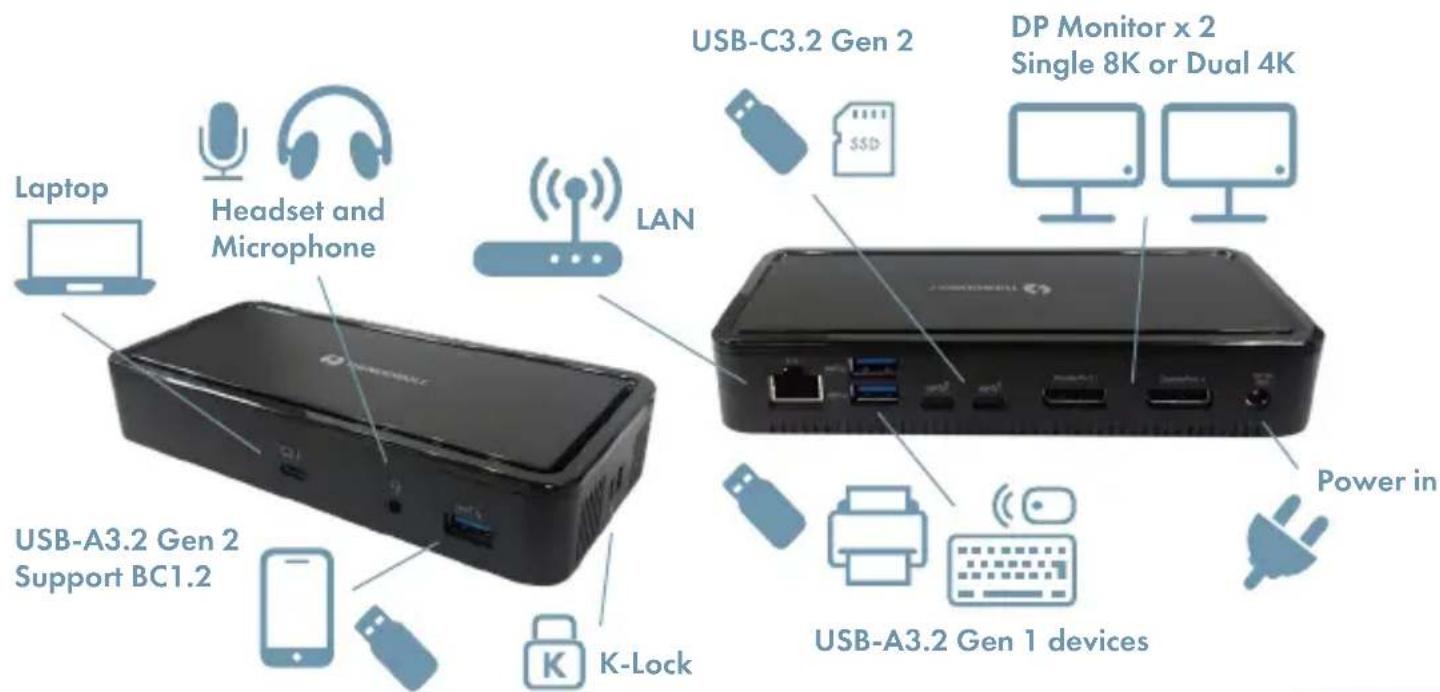
To connect the USB peripherals, Ethernet, speaker and microphone, follow the illustrations below to connect the corresponding connectors.
ENGLISH
Specifications
| User Interface Upstream USB-C Thunderbolt 3 x1 | |
| Downstream DP 1.4 female | connector x2 |
| USB-C 3.2 Gen 2x2 | |
| USB-A 3.2 Gen 2x1, support BC1.2 | |
| USB-A 3.2 Gen 1x2 | |
| RJ45 connector x1 | |
| Combo Audio Jack (IN/OUT) x1 | |
| Video Resolution Single 8K@30Hz or Dual 4k@60Hz | |
| Ethernet Type 10/100/1000 BASE-T | |
| Power Power adapter Input: AC 100-240V | |
| Output: DC 20V/6.75A | |
| Max. PD Charging 60W | |
| Working Environment | Operation Temperature 0~35 degrees |
| Storage Temperature -40~80 degrees | |
| Compliance CE, FCC | |
FCC Conditions
Regulatory Compliance
This equipment has been tested and found to comply with Part 15 Class B of the FCC Rules. Operation is subject to the following two conditions: (1) This device may not cause harmful interference. (2) This device must accept any interference received and include interference that may cause undesired operation.
FCC Caution: Any changes or modifications not expressly approved by the party responsible for compliance could void the user's authority to operate this equipment.
CE
This equipment is in compliance with the requirements of the following regulations: EN 55032/EN 55024: CLASS B
WEEE Information
For EU (European Union) member users: According to the WEEE (Waste electrical and electronic equipment) Directive, do not dispose of this product as household waste or commercial waste. Waste electrical and electronic equipment should be appropriately collected and recycled as required by practices established for your country.


Brand : ProXtend
Model : DOCK2X4KTB
Category : Computer accessory