
PSU5LU1 - Vacuum Cleaner Profilo - Free user manual and instructions
Find the device manual for free PSU5LU1 Profilo in PDF.


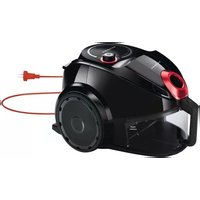
| Product Type | Bagged Canister Vacuum Cleaner |
| Brand | Profilo |
| Model | PSU5LU1 |
| Weight | Approx. 5.5 kg |
| Power Supply | 220-240 V, 50/60 Hz |
| Power Consumption | 1600 W (approx.) |
| Suction Power | Adjustable via power control |
| Dust Bag Capacity | 4.5 liters |
| Filtration System | Motor protection filter + Exhaust filter (washable) |
| Noise Level | 75 dB (approx.) |
| Cord Length | 6 m |
| Operating Radius | 9 m (with hose and tube) |
| Included Accessories | Handle, Hose, Telescopic tube, Adjustable floor tool, Turbo nozzle (depending on model), Dust bags |
| Features | Power control on handle, Parking aid, Automatic cord rewind |
| Safety Features | Overheat protection, automatic shutoff (likely) |
| Maintenance | Change dust bag, clean motor protection filter, clean exhaust filter |
| Repairs | Only by trained staff, use genuine spare parts |
| Warranty | Varies by country; contact dealer for details |
| Intended Use | Domestic, dry vacuuming only; not for liquids or flammable materials |
Frequently Asked Questions - PSU5LU1 Profilo
User questions about PSU5LU1 Profilo
0 question about this device. Answer the ones you know or ask your own.
Ask a new question about this device
Download the instructions for your Vacuum Cleaner in PDF format for free! Find your manual PSU5LU1 - Profilo and take your electronic device back in hand. On this page are published all the documents necessary for the use of your device. PSU5LU1 by Profilo.
USER MANUAL PSU5LU1 Profilo
natural_image
Line drawing of a vacuum cleaner with handle and wheels (no text or symbols)Bagged vacuum cleaner
https://digitalguide.bsh-group.com?mat-no=8001245098
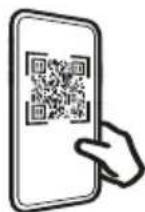
[en] Scan the QR code or visit the website to open the Further Notices for Use. You can find additional information about your appliance or accessory here.
natural_image
Line drawing of a vacuum cleaner device with circular ports and handle (no text or symbols)
natural_image
Simple line drawing of a curved, elongated object resembling a tool or device (no text or symbols)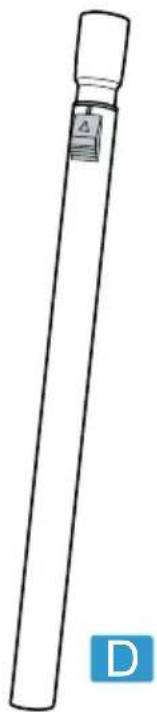
natural_image
Simple line drawing of a cylindrical object with a label and 'D' in the corner (no text or symbols on the object itself)A

natural_image
Diagram of a coiled tube with labeled parts B and C (no text or symbols on the diagram itself)
natural_image
Technical line drawing of a mechanical fan or vent (no text or symbols)E
natural_image
Illustration of two rectangular microplate holders with hexagonal patterns, no text or symbols presentF

natural_image
Technical line drawing of a mechanical component with no visible text or symbolsG

natural_image
Line drawing of a mechanical component with a curved handle and base (no text or symbols)H

natural_image
Line drawing of a vacuum cleaner device with handle and control knob (no text or symbols)1


3
4
5

6
natural_image
Illustration of a hand using a tool to adjust or install a car component, with an arrow indicating motion (no text or symbols present)7

natural_image
Illustration of a hand inserting a blue ring into a car seat (no text or symbols)8

9

10
natural_image
Illustration of a mechanical component being adjusted with a black arrow indicating motion (no text or symbols present)11
natural_image
Illustration of a robotic arm with a blue tool inserted, showing a mechanical joint (no text or symbols present)The image is too blurry to recognize any text content.

13
natural_image
Illustration of a cable being twisted with black arrows indicating rotation (no text or symbols)The image is too blurry to recognize any text content.

15
natural_image
Illustration of a blue and black character wearing glasses, with no visible text or symbolsThe image is too blurry to recognize any text content.
natural_image
Diagram of a blue mechanical component with a black arrow indicating a specific part, no text or symbols present17
natural_image
Diagram of a car interior showing a blue plastic device with two black arrows pointing to it, no text or symbols present.18
19
natural_image
Diagram of a fan blade with water spray and a blue tool, showing internal structure without any text or symbols.20

21
The image is too blurry to recognize any text content.
natural_image
Illustration of a blue funnel dispensing liquid into a hexagonal grid device (no text or symbols)23
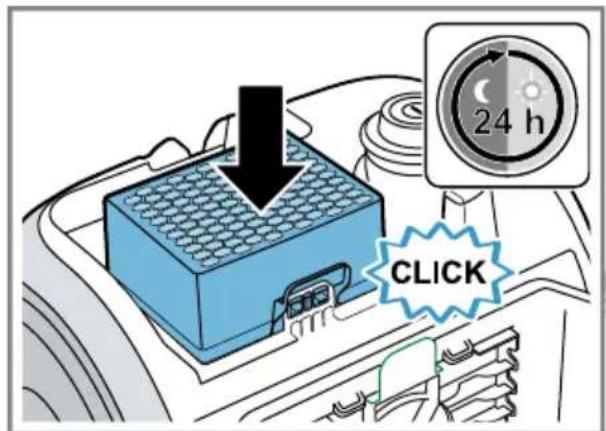
24
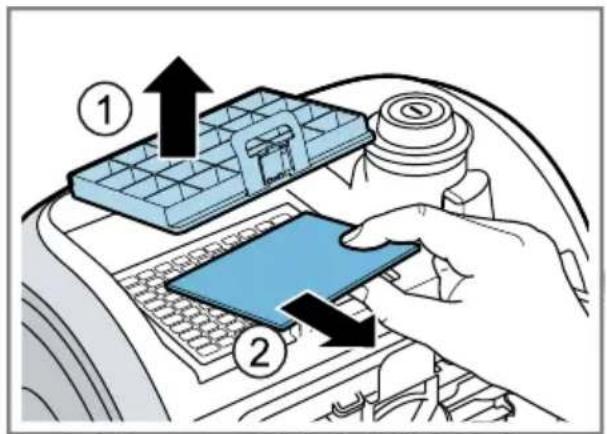
25

natural_image
Illustration of a blue showerhead spraying water onto a white square surface (no text or symbols)26
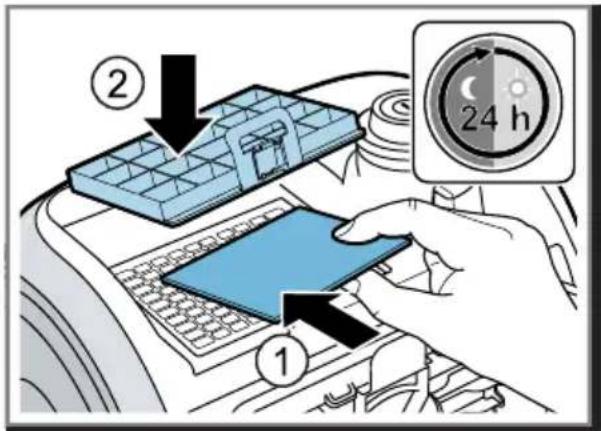
27

Safety
- Read this instruction manual carefully.
- Keep the instruction manual and the product information safe for future reference or for the next owner.
■ Do not connect the appliance if it has been damaged in transit. Only use this appliance:
■ With genuine parts and accessories. Damage caused by using third-party products is not covered under the warranty.
■ For cleaning surfaces.
■ In private households and in enclosed spaces in a domestic environment at room temperature.
■ Up to an altitude of max. 2000 m above sea level.
Do not use the appliance:
■ For vacuum-cleaning persons or animals.
■ For vacuuming up harmful, sharp-edged, hot or burning substances.
■ For vacuuming up damp substances or liquids.
■ For vacuuming up highly flammable or explosive materials and gases.
■ For vacuuming up ash or soot from stoves and central heating systems.
■ For vacuuming up toner dust from printers and photocopiers.
■ For vacuuming up building rubble.
Disconnect the appliance from the power supply when:
■ cleaning the appliance.
This appliance may be used by children aged 8 or over and by people who have reduced physical, sensory or mental abilities or inadequate experience and/or knowledge, provided that they are supervised or have been instructed on how to use the appliance safely and have understood the resulting dangers.
Children must not play with the appliance.
Cleaning and user maintenance must not be performed by children unless they are being supervised.
▶ Repairs to the appliance should only be carried out by trained specialist staff.
▶ Only use genuine spare parts when repairing the appliance.
en Safety
If the power cord of this appliance is damaged, it must be replaced by the manufacturer, the manufacturer's Customer Service or a similarly qualified person in order to prevent any risk.
▶ Never operate a damaged appliance.
▶ Never operate an appliance with a cracked or fractured surface.
▶ Never pull on the power cord to unplug the appliance. Always unplug the appliance at the mains.
▶ Never pull or carry the appliance by the power cord.
▶ If the appliance or the power cord is damaged, immediately unplug the power cord or switch off the fuse in the fuse box.
▶ Call customer services.
▶ Only use the appliance in enclosed spaces.
▶ Never expose the appliance to intense heat or humidity.
- Do not use steam- or high-pressure cleaners to clean the appliance.
▶ Never let the power cord come into contact with hot appliance parts or heat sources.
▶ Never let the power cord come into contact with sharp points or edges.
▶ Never kink, crush or modify the power cord.
- Connect and operate the appliance only in accordance with the specifications on the rating plate.
- Do not apply flammable substances or substances containing alcohol to the dust bag or filter.
- When cleaning the appliance, do not use flammable substances or substances that contain alcohol.
▶ Pull out the power cord completely.
- Keep clothing, hair, fingers and other body parts away from the openings on the appliance and the moving parts.
▶ Never point the pipe or the nozzles towards eyes, hair, ears or mouths.
- When vacuuming stairs, ensure that there are no persons underneath the appliance.
- When taking a break from vacuuming, switch off the appliance and pull out the mains plug.
▶ Retract the power cord.
- When the cord is being rewound automatically, ensure that the mains plug is not thrown in the direction of persons, body parts, animals or objects.
- Keep packaging material away from children.
▶ Do not let children play with packaging material.
Preventing material damage
▶ Never place the appliance on the hose.
▶ Regularly check the running surfaces of the nozzles for wear.
▶ Replace worn nozzles.
▶ Never operate the appliance without a dust bag.
▶ Never operate the appliance without the motor protection filter.
▶ Never operate the appliance without the exhaust filter.
Included with the appliance
After unpacking all parts, check for any damage in transit and completeness of the delivery.
→ Fig. 1
| A | Bagged vacuum cleaner |
| B | Handle |
| C | Hose |
| D | Telescopic tube |
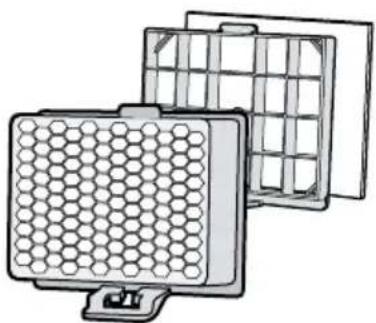
| E | Motor protection filter |
| F | Exhaust filter^1 |
| G | Dust bags |
| H | Adjustable floor tool^1 |
| I | Turbo nozzle^1 |
^1 Depending on the appliance specifications
Overview
You can find an overview of the parts of your appliance here.
→ Fig. 2
| 1 | Adjustable floor tool ^1 |
| 2 | Telescopic tube with sliding switch ^1 |
| 3 | Handle ^1 |
| 4 | Hose |
| 5 | Power control ^1 and on/off switch |
| 6 | Parking aid |
| 7 | Power cord |
| 8 | Lid |
| 9 | Handle |
| 10 | Storage aid |
^1 Depending on the appliance specifications
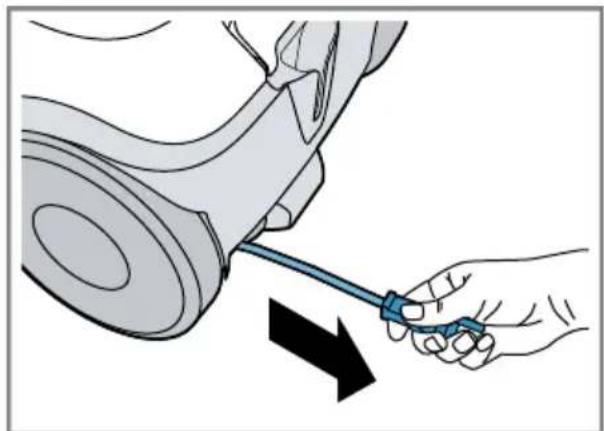
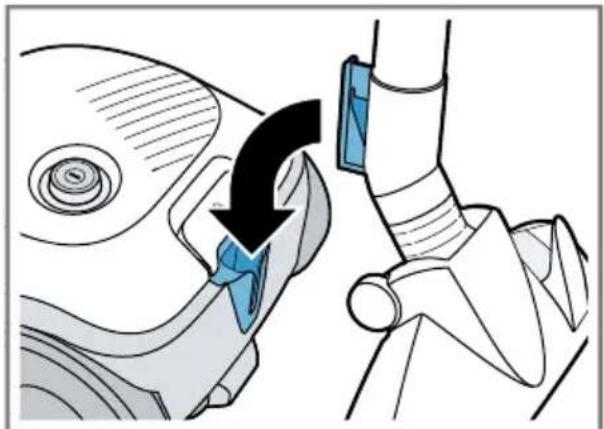
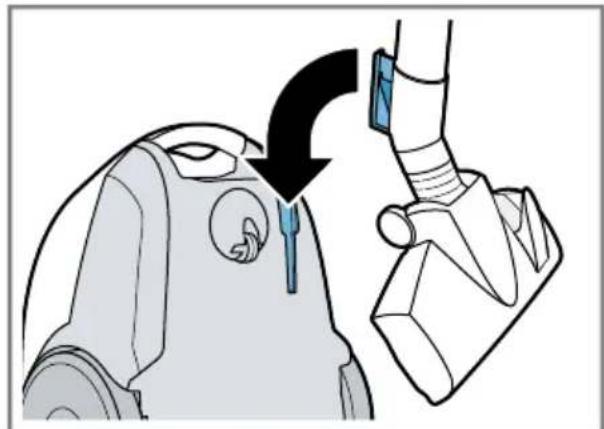
Operating the appliance
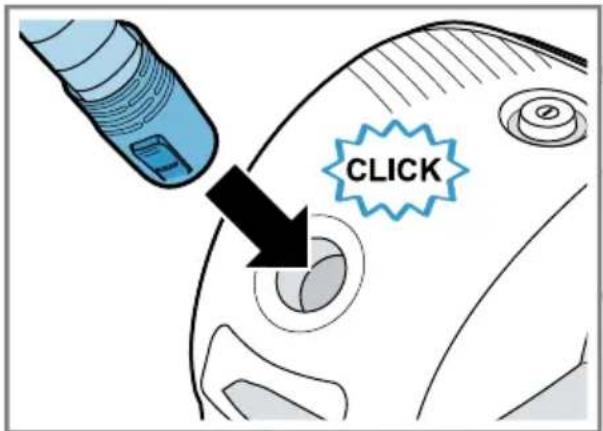
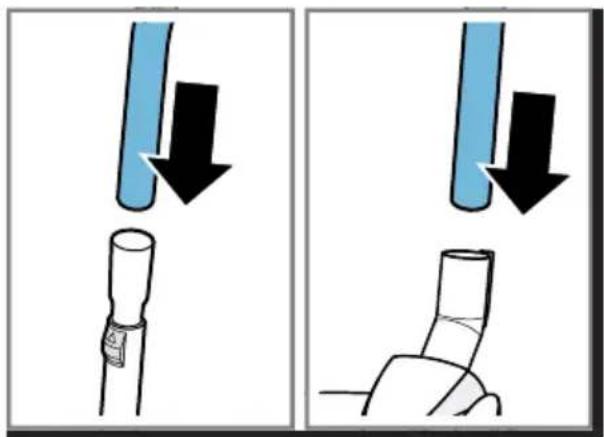
Follow the illustrated instructions.
Installing the appliance
→ Fig. 3 - 5
Operating the appliance
→ Fig. 6 - 13
Removing the appliance
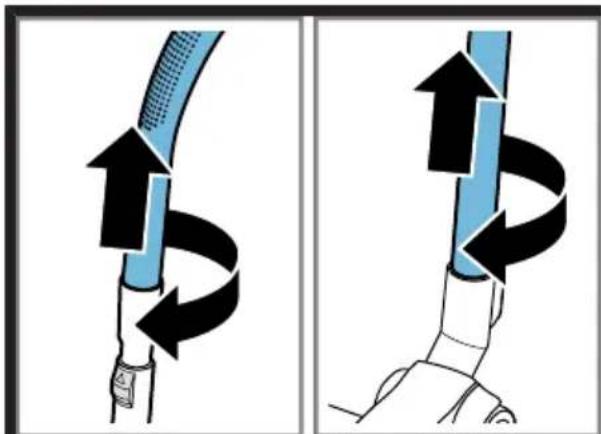
→ Fig. 14 - 15
Cleaning and servicing
Follow the illustrated instructions.
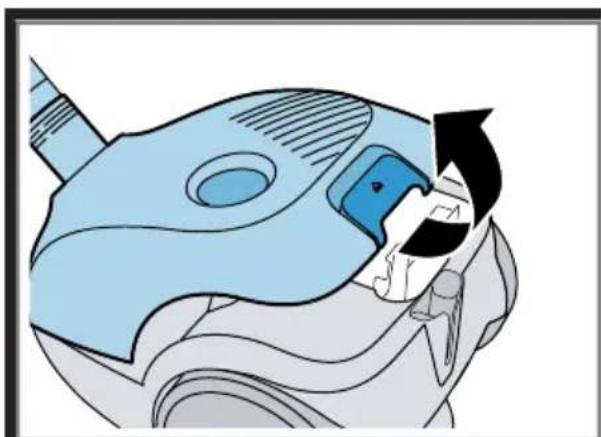
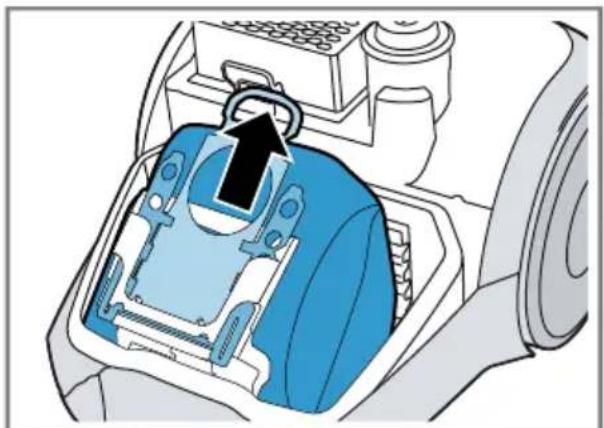
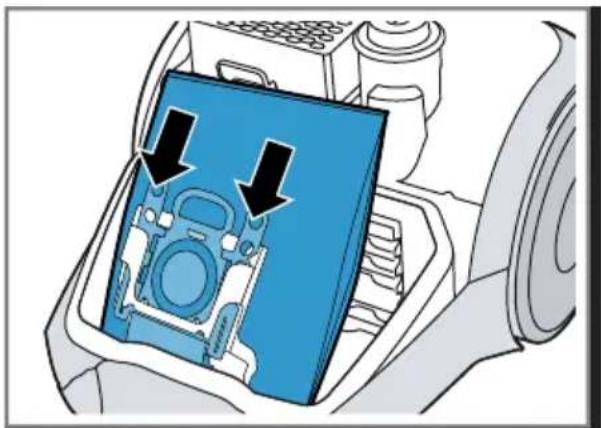
Changing the dust bag
→ Fig. 16 - 18
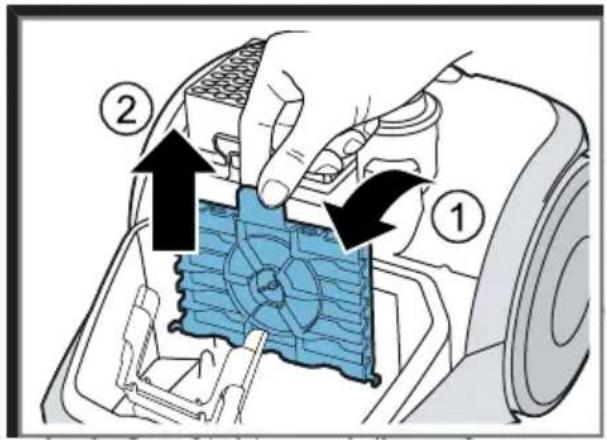
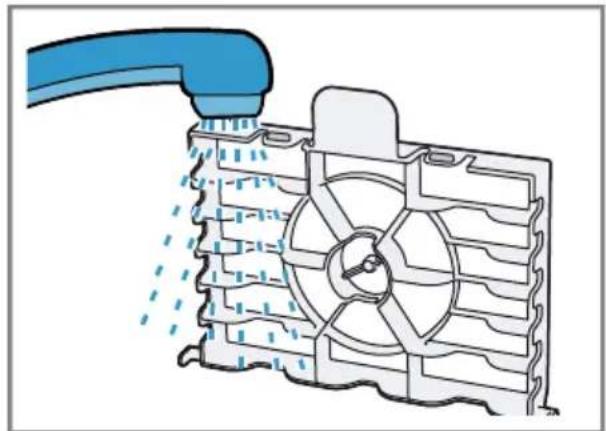
Cleaning the motor protection filter
→ Fig. 19 - 21
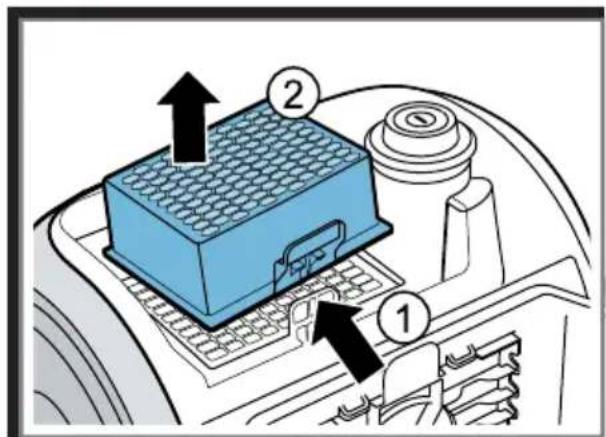
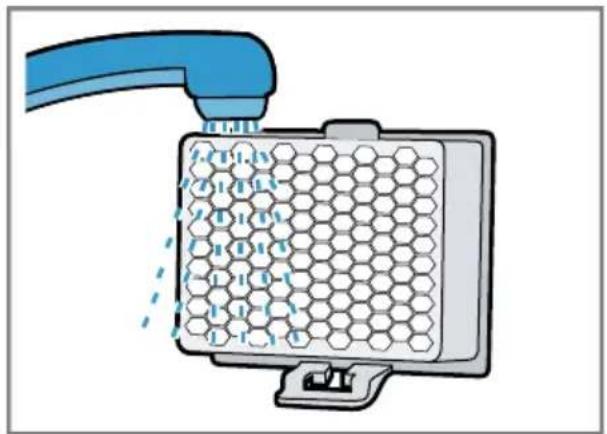
Cleaning the exhaust filter ^1
→ Fig. 22 - 27
en Troubleshooting
Troubleshooting
▶ Repairs to the appliance should only be carried out by trained specialist staff.
▶ Only use genuine spare parts when repairing the appliance.
If the power cord of this appliance is damaged, it must be replaced by the manufacturer, the manufacturer's Customer Service or a similarly qualified person in order to prevent any risk.
Suction is reduced.
Nozzle, telescopic tube or hose are blocked.
- Dismantle the appliance.
- Remove the blockage.
Exhaust filter is dirty.
▶ Clean the exhaust filter.
The dust bag is full.
▶ Change the dust bag.
The household fuse trips when the appliance is switched on.
Several appliances are operated simultaneously at an electrical mains supply.
- Switch on the household fuse.
- Set the lowest performance level.
- Switch the appliance on.
Disposing of old appliance
- Unplug the appliance from the mains.
- Cut through the power cord.
- Dispose of the appliance in an environmentally friendly manner. Information about current disposal methods are available from your specialist dealer or local authority.
This appliance is labelled in accordance with European Directive 2012/19/EU concerning used electrical and electronic appliances (waste electrical and electronic equipment - WEEE). The guideline determines the framework for the return and recycling of used appliances as applicable throughout the EU.
Warranty conditions
You can make warranty claims for your appliance under the following conditions. The guarantee conditions for this appliance are as defined by our representative in the country in which it is sold. Details regarding these conditions can be obtained from the dealer from whom the appliance was purchased. The bill of sale or receipt must be produced when making any claim under the terms of this guarantee.

Güvenlik
Bandrol ve Seri No. :
- Safety
- en Safety
- Preventing material damage
- Included with the appliance
- Overview
- Operating the appliance
- Installing the appliance
- Removing the appliance
- Cleaning and servicing
- Changing the dust bag
- Cleaning the motor protection filter
- Cleaning the exhaust filter 1
- en Troubleshooting
- Troubleshooting
- Suction is reduced.
- The household fuse trips when the appliance is switched on.
- Disposing of old appliance
- Warranty conditions
- Güvenlik
Brand : Profilo
Model : PSU5LU1
Category : Vacuum Cleaner