95-7318 - Car accessory Metra - Free user manual and instructions
Find the device manual for free 95-7318 Metra in PDF.


User questions about 95-7318 Metra
0 question about this device. Answer the ones you know or ask your own.
Ask a new question about this device
Download the instructions for your Car accessory in PDF format for free! Find your manual 95-7318 - Metra and take your electronic device back in hand. On this page are published all the documents necessary for the use of your device. 95-7318 by Metra.
USER MANUAL 95-7318 Metra
INSTALLATION INSTRUCTIONS FOR PART 95-7318
APPLICATIONS
2005-2006 Kia Spectra 5
95-7318
KIT FEATURES
• DDIN Head Unit Provision
• ISO Stacked Head Unit Provision
KIT COMPONENTS
A) DDIN Brackets B) DDIN Trim Plate
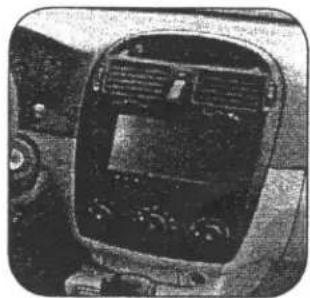
natural_image
Interior view of a car dashboard with air vent and steering wheel (no visible text or symbols)
A


WIRING AND ANTENNA CONNECTIONS (Sold Separately)
• 70-7301 - 1999-up Kia / Hyundai harness
TOOLS REQUIRED:
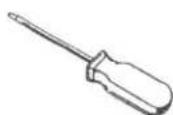
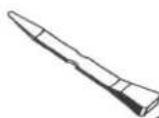
Phillips Screwdriver • Small Flat Blade Screwdriver • Panel Removal Tool

Refer also to the instructions included with the aftermarket radio.

KNOWLEDGE IS POWER
Enhance your installation and fabrication skills by enrolling in the most recognized and respected mobile electronics school in our industry.
Log onto www.installerinstitute.com or call
800-354-6782 for more information and take steps
toward a better tomorrow.

text_image
M C DMetra recommends MECP certified technicians
2005-2006 KIA SPECTRA 5
1 Disconnect the negative battery terminal to prevent an accidental short circuit.
2 Unclip and remove entire panel surrounding radio and including A/C controls. (Figure A)
3 Remove (4) Phillips screws to extract radio from dash. (Figure B)

natural_image
Interior view of a car dashboard with hand operating controls (no text or symbols visible)
text_image
B2005-2006 KIA SPECTRA 5
DOUBLE DIN / STACKED ISO DIN HEAD UNIT PROVISION
1 Locate the factory wiring harness in the dash. Metra recommends using the proper mating adapter from Metra or AXXESS. Re-connect the negative battery terminal and test the unit for proper operation.
2 Attach the Double DIN brackets to the inside edge of the Double DIN trim plate. (Figure A)
3 Slide the Double DIN head unit or stacked ISO head units into the bracket/radio housing assembly and secure the Double DIN head unit or stacked ISO head units to the assembly using the screws supplied with the radio. (Figure B)
4 Reassemble dash in reverse order of disassembly.
A

natural_image
Technical line drawing of a metal-framed panel assembly with directional arrows indicating movement (no text or symbols)B

natural_image
Technical line drawing of a mechanical device with mounting brackets and internal components (no text or symbols)NOTES
95-7318 INSTRUCTIONS
© COPYRIGHT 2004-07 METRA ELECTRONICS CORPORATION
INST95-7318