
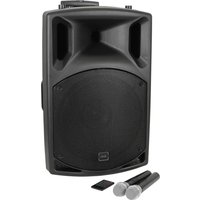
U-MIC-863.2-L - Loudspeaker Qtx - Free user manual and instructions
Find the device manual for free U-MIC-863.2-L Qtx in PDF.


| Product Type | Wireless Lavalier Microphone System |
| Brand | Qtx |
| Model | U-MIC-863.2-L |
| Carrier Frequency | 863.2 MHz |
| RF Power | 10 mW |
| Power Supply (Receiver) | USB 5V 1A |
| Power Supply (Transmitter) | 2 x AA batteries (not included) |
| Frequency Response | 50 Hz - 15 kHz |
| Capsule Type | Back electret condenser |
| Output Connection | 3.5mm mono jack |
| Wireless Range | Up to 50m |
| Transmitter Dimensions | 105 x 65 x 30 mm |
| Transmitter Weight | 67 g (without batteries) |
| Receiver Dimensions | 80 x 23 x 13 mm |
| Receiver Weight | 17 g |
| Included Accessories | Lavalier microphone, beltpack transmitter, USB receiver, 3.5mm to 6.3mm jack lead |
| Compliance | CE, Directive 2014/53/EU |
| Maintenance | Clean with dry cloth; store in a dry place |
| Safety | Low voltage; keep away from moisture |
| Spare Parts | Batteries (AA) are user-replaceable |
Frequently Asked Questions - U-MIC-863.2-L Qtx
User questions about U-MIC-863.2-L Qtx
0 question about this device. Answer the ones you know or ask your own.
Ask a new question about this device
Download the instructions for your Loudspeaker in PDF format for free! Find your manual U-MIC-863.2-L - Qtx and take your electronic device back in hand. On this page are published all the documents necessary for the use of your device. U-MIC-863.2-L by Qtx.
USER MANUAL U-MIC-863.2-L Qtx
Item ref: 171.814UK 171.815UK
USB Powered UHF Lavalier Microphone
User Manual

natural_image
Three electronic devices: a microphone, a black rectangular device with a switch, and a USB device with a coiled cable (no visible text or symbols)Version 1.1

Caution: Please read this manual carefully before operating
Damage caused by misuse is not covered by the warranty
Introduction
Thank you for choosing the U-MIC for your wireless microphone requirements. This system is designed to provide a reliable, cable-free solution with minimal setup and ease of use. Please read and keep this user manual to get the best results from your product and avoid damage through misuse.
Layout

- Volume control
- 3.5mm lavalier mic input
- LED power indicator
- Power switch
- Battery compartment (rear)
- USB type A plug
- 3.5mm audio output
- USB type A socket
Setting up
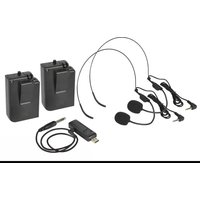
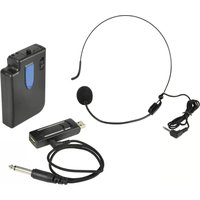
The U-MIC is supplied as a lavalier microphone, beltpack transmitter and USB receiver with a 3.5mm to 6.3mm jack lead.
The USB type A plug (6) on the receiver should be connected to a USB port for power (5V, 1000mA). This can be from a USB power adaptor or power bank for portable use if required. The connection can also be made to the receiver using an optional USB extension lead if preferred.
Note: the audio is not transmitted to the USB port. The USB is for power only.
If the USB port is a U-Disk player or computer port, the digital media (USB stick) or other peripheral device can still be connected through the receiver by connecting to the USB type A socket (8) on the rear of the receiver.
Operation
The U-MIC receiver is designed to connect to a microphone input channel on a mixer or amplifier. Turn down the volume level on the microphone input of the mixer or amplifier before connecting to avoid loud noises when connecting.
Connect the 3.5mm plug end of the supplied lead to the U-MIC receiver (7) and the 6.3mm plug into an appropriate microphone input channel.
The beltpack transmitter has an on/off switch (4), which should be in the up position (off). The top volume control (1) should be turned fully down. Connect the lavalier microphone to the 3.5mm microphone input (2).
Slide open the cover of the battery compartment (5) and insert 2 x AA alkaline batteries, ensuring that the polarity is the correct way around.
Move the switch down to the "on" position and the power indicator (3) should light. Note that the switch has a centre position which is also "on".
Gradually turn up the volume control on top of the transmitter and the level on the mixer or amplifier and speak into the lavalier microphone until the sound can be heard through the connected speakers or recording equipment. Increase the volume to the required level.
If the microphone is not being used, turn down the volume level on the top of the beltpack transmitter and the mixer/amplifier and switch the power off.
For long term storage, unplug the jack and USB receiver and remove the batteries from the beltpack transmitter.
Specifications
| Order ref. | 171.814UK | 171.815UK |
| Model | U-MIC-863.2-L | U-MIC-864.8-L |
| Carrier frequency | 863.2MHz | 864.8MHz |
| RF power | 10mW | |
| Power supply | USB 5V 1A (receiver), 2 AA batteries (transmitter) | |
| Frequency response | 50Hz - 15kHz | |
| Capsule | Back electret condenser | |
| Output connection | 3.5mm mono jack | |
| Wireless range | Up to 50m | |
| Dimensions: transmitter | 105 x 65 x 30mm | |
| Weight: transmitter | 67g (no battery) | |
| Dimensions: receiver | 80 x 23 x 13mm | |
| Weight: receiver | 17g | |

Disposal: The "Crossed Wheelie Bin" symbol on the product means that the product is classed as Electrical or Electronic equipment and should not be disposed with other household or commercial waste at the end of its useful life. The goods must be disposed of according to your local council guidelines.
Hereby, AVSL Group Ltd. declares that the radio equipment type 171.814UK and 171.815UK are in compliance with Directive 2014/53/EU
The full text of the EU declaration of conformity for 171.814UK is available at the following internet address: http://www.avsl.com/assets/exportdoc/1/7/171814UK%20CE.pdf
The full text of the EU declaration of conformity for 171.815UK is available at the following internet address: http://www.avsl.com/assets/exportdoc/1/7/171815UK%20CE.pdf
Errors and omissions excepted. Copyright© 2021. AVSL Group Ltd.
Unit 2-4 Bridgewater Park, Taylor Rd. Manchester. M41 7JQ
AVSL (EUROPE) Ltd, Unit 3D North Point House, North Point Business Park, New Mallow Road, Cork, Ireland.


Brand : Qtx
Model : U-MIC-863.2-L
Category : Loudspeaker