TR-600G - Smartwatch GLOBALSAT - Free user manual and instructions
Find the device manual for free TR-600G GLOBALSAT in PDF.


User questions about TR-600G GLOBALSAT
0 question about this device. Answer the ones you know or ask your own.
Ask a new question about this device
Download the instructions for your Smartwatch in PDF format for free! Find your manual TR-600G - GLOBALSAT and take your electronic device back in hand. On this page are published all the documents necessary for the use of your device. TR-600G by GLOBALSAT.
USER MANUAL TR-600G GLOBALSAT
GLONASS AVL Tracking System TR-600G

natural_image
Exterior view of a silver and black electronic device with indicator lights and ports (no readable text or symbols)GlobalSat WorldCom Corporation
16F., No. 186, Jian 1 ^st Rd, Zhonghe Dist.,
New Taipei City 23553, Taiwan
Tel: 886.2.8226.3799/ Fax: 886.2.8226.3899
USGlobalSat Incorporated
14740 Yorba Court Chino, CA 91710
Tel: 888.323.8720 / Fax: 909.597.8532
sales@usglobalsat.com
www.usglobalsat.com
CONTENT
1. Introduction ....3
1.1 Introduction....3
1.2 Features .... 3
1.3 Hardware Architecture ....4
1.4 Hardware specification....5
1.5 Appearance....6
1.6 LED indicator....7
1.7 Cable description....8
1.8 Accessories .... 10
2 Operation....11
2.1 Install the SIM card....11
2.2 Install the GPS and GSM antenna....12
2.3 Installing the Emergency button....13
1. Introduction
1.1 Introduction
TR-600G is a multi-functional and economical communication platform for mobile positioning applications. It integrates high sensitivity GPS/GLONASS/GALILEO module and Quad-band 850/900/1800/1900 GSM communication module with powerful microcontroller into a compact board. TR-600G enclosed into a solid housing for simple installation. It provides Real Time GPS/GLONASS/GALILEO positions anytime and anywhere in the open sky and offer the precise position and vehicle status to control computer to display the necessary information onto the maps. Benefits such as enhanced fleet management, improved vehicle safety, useful emergency response, and goods/items transformation are all accomplished through the implementation of TR-600G system.
1.2 Features
• Quad-band GSM/GPRS/EDGE 850/900/1800/1900 MHz system
• Built-in high sensitivity GPS/GLONASS system with active antenna.
• Supports AT command via SMS/ TCP/UDP
- Remote control via SMS/GPRS command
• Real-time GPS position feedback and vehicle status monitoring
• Built-in in digital outputs (3), digital inputs (3), an ACC input, 1 analog input, and 1 serial port
• Power supply for Li-ion battery and lead-acid battery
• Supports multi geo-fence function
• OTA (Over the air) firmware upgrade
• Data buffer storage 3,000 points
• Interval report depends on customization
• Power low/lost detection alarm
- Motion sensor
• 3 LED indicators for GSM, GPS, power status
1.3 Hardware Architecture
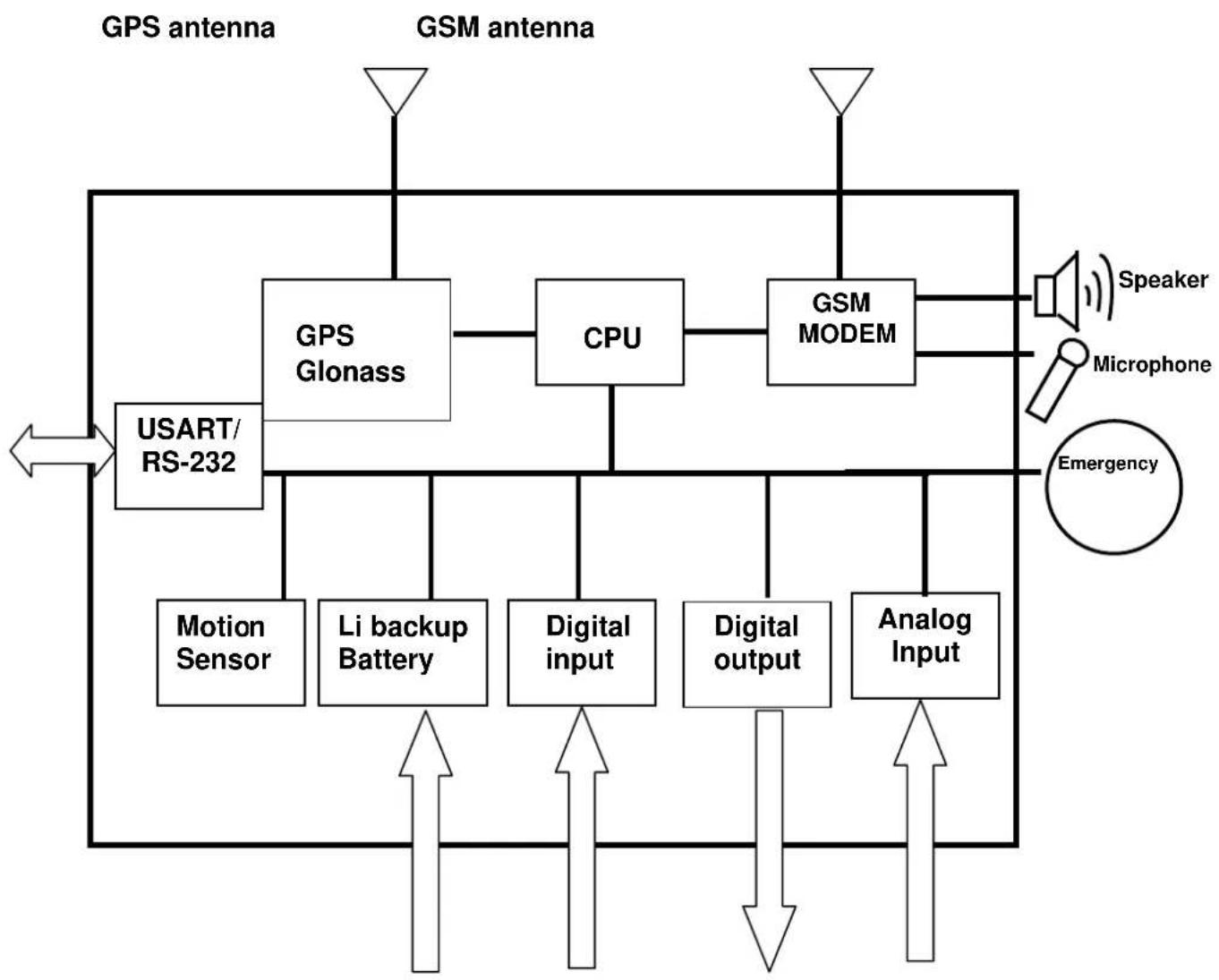
flowchart
graph TD
    A["GPS antenna"] --> B["GPS Glonass"]
    C["GSM antenna"] --> D["CPU"]
    B --> D
    D --> E["GSM MODEM"]
    E --> F["Speaker"]
    E --> G["Microphone"]
    E --> H["Emergency"]
    I["USART/RS-232"] --> J["Motion Sensor"]
    I --> K["Li backup Battery"]
    I --> L["Digital input"]
    I --> M["Digital output"]
    I --> N["Analog Input"]
    J --> O["↑"]
    K --> P["↑"]
    L --> Q["↑"]
    M --> R["↓"]
    N --> S["↑"]
    T["→"] --> U["←"]
    V["←"] --> W["←"]
    X["←"] --> Y["←"]
    Z["←"] --> AA["←"]
    AB["←"] --> AC["←"]
    AD["←"] --> AE["←"]
    AF["←"] --> AG["←"]
    AH["←"] --> AI["←"]
    AJ["←"] --> AK["←"]
    AL["←"] --> AM["←"]
    AN["←"] --> AO["←"]
    AP["←"] --> AQ["←"]
    AR["←"] --> AS["←"]
    AT["←"] --> AU["←"]
    AV["←"] --> AW["←"]
    AX["←"] --> AY["←"]
1.4 Hardware specification
| Item Description | |||
| Dimension 98 mm X 71 mm X 22 mm | |||
| CPU High performance line ARM-base 32-bit MCU | |||
| GPS receiver High sensitive GPS/Glonass receiver | |||
| Temperature Operation | -30°C ~ + 80°C | ||
| Storage | -40°C ~ + 85°C | ||
| GPS Antenna SMA Type connector. Active antenna (3.3~3.8V) | |||
| GSM Antenna SMA Type connector. | |||
| Communication Quad-B and GSM/GPRS/EDGE 850/900/1800/1900 MHz | |||
| Protocol Voice/SMS/GPRS (TCP/UDP) | |||
| Built-in Memory 32 Mb | |||
| GPS logging capacity 300 points (Cell ID 1,400 points) | |||
| Emergency Input | Negative trigger | 1 | |
| Ignition (ACC) Input | Positive trigger | 1 | |
| Digital Input Port | Negative trigger | 2 | |
| Positive trigger | 1 | ||
| Digital Output Port | Negative trigger | 3 (300 mA) | |
| Analog Input Port | Analog Input | 1(0~28V) | |
| Serial Port | 115200 bps | ||
| Backup battery | Internal 820 mAh Lion batterySupport external Lead-acid battery (12V/24V) | ||
| Sensor | Motion sensor | ||
1.5 Appearance
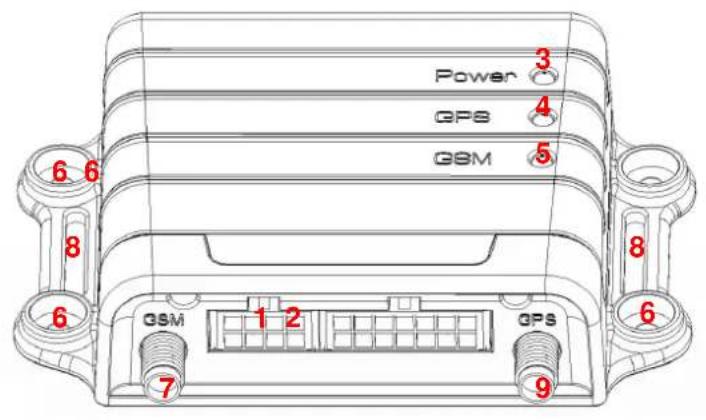
text_image
Power GPS GSM 6 6 8 6 GSM 1 2 7 GPS 9 3 4 5 8 6
text_image
W8 GPs Power SIM 10 RESET| 1 Peripheral interface port |
| 2 I/O port |
| 3 Power Status LED |
| 4 GPS LED |
| 5 GSM LED |
| 6 For fixing device with screws |
| 7 GSM antenna connector |
| 8 For fixing device with belt |
| 9 GPS antenna connector |
| 10 $IM card holder |
1.6 LED indicator
Power Status LED (Red)
| LED Permanently On | |
| State Main power on, device on |
GPS LED (Yellow)
| LED Permanently off Fast blinking | g (Once every 1 second) | Slow blinking (Once every 3 seconds) |
| State GPS off GPS not fix GPS fix |
GSM LED (Green)
| LED Permanently off Fast blinking (Once every 1 second) | Slow blinking (Once every 3 seconds) | ||
| State GSM off 1. TR-600G is searching GSM network2. SIM card is registering to GSM network | TR-600G is registered full service | ||
1.7 Cable description
14 Pin I/O Cable

text_image
Input 2 (Orange) ACC (Yellow) Output 2 (Green) Analog Input_1 (Green/ White) Output 3 (White) Output 1 (Gray) SOS (Brown) Backup Battery(Pink) Ground (Black) Main Power (Red) Ground (Black) Input 1 (Blue)Input 3 (Purple)
| Wire Color Description | |
| Green/ White | Analog Input_1 |
| White | Digital Output 3 (Negative Trigger) |
| Gray | Digital Output 1 (Negative Trigger) |
| Purple | Digital Input 3 (Positive Trigger) |
| Blue | Digital Input 1 (Negative Trigger) |
| Black | Ground |
| Red | Main Power |
| X | |
| Green | Digital Output 2 (Negative Trigger) |
| Yellow | ACC (Positive Trigger) |
| Orange | Digital Input 2 (Negative Trigger) |
| Brown | Emergency (Negative Trigger) |
| Pink | 12V/24V Backup Battery |
| Black | Ground |
8 Pin Cable

text_image
Ground (Black (3 Pieces)) Mic 1 P (White) Audio (Pink) Speaker 1_P (Blue) Speaker 1_N (Orange) Transmission 1 (Green) Receiver 1 (White) Serial-1_5V (Red)| Wire Color Description | |
| Pink Audio_5V | |
| Blue Speaker 1(Positive) | |
| Red Serial-1_5V | |
| White Receiver 1 | |
| White Microphone 1 P | |
| Black (3 Pieces) Ground | |
| Orange Speaker 1(Negative) | |
| Green Transmission 1 |
1.8 Accessories
 Main Unit Main Unit | 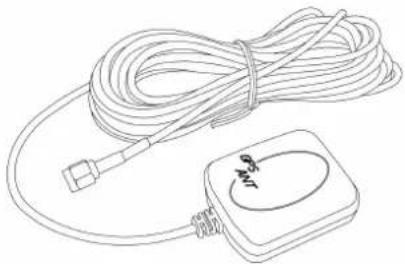 GPS Antenna GPS Antenna |
 GSM Antenna GSM Antenna | 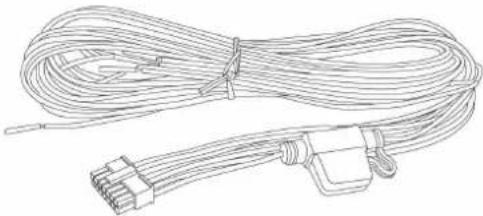 14 Pin I/O Cable 14 Pin I/O Cable |
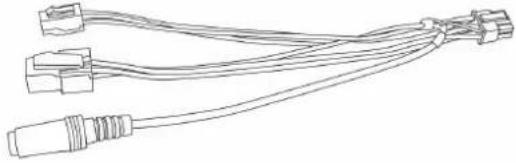 8 Pin Cable 8 Pin Cable | 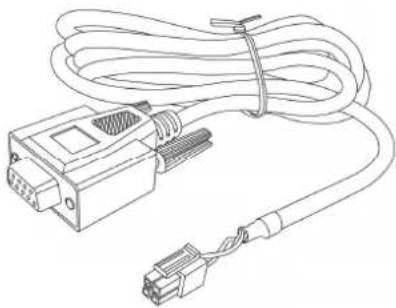 RS-232 Cable (Option) RS-232 Cable (Option) |
2 Operation
For first time users, please follow the steps below to complete the pre-installation.
2.1 Install the SIM card

natural_image
Hand inserting a small card into a device with cables and a small electronic device attached (no visible text or symbols)With the cooper contacts face-up, align the notch on the SIM card with the notch on the SIM slot and insert the SIM card. If SIM is inserted correctly, you will not be able to see the copper contacts after inserting the card. To eject SIM card, simply, use your finger nail and apply slight pressure.
Note: Make sure to disable the SIM PIN entry function on the SIM card before inserting your SIM card
Note: Before installing or taking out the SIM card, please power off the TR-600G.
2.2 Install the GPS and GSM antenna
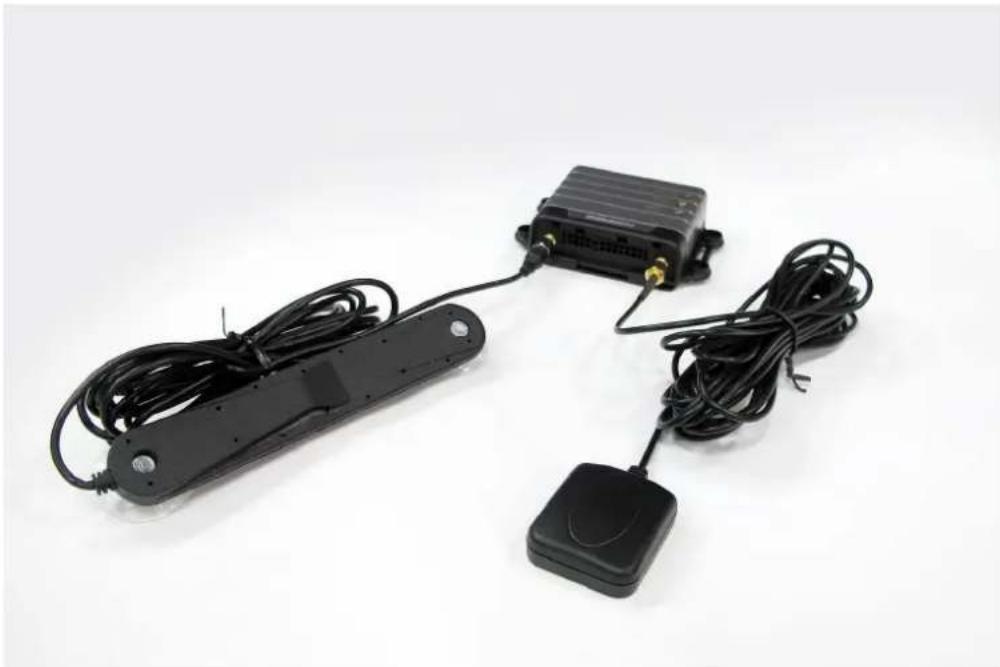
natural_image
Black electronic device with attached sensor and antenna, shown against white background (no text or symbols visible)Install the GSM antenna to the GSM antenna port on the left side of the back of the device and install the GPS antenna to the GPS antenna port on the right side of the back of the device making sure both antennas tightly screwed in place. Please refer to the photo above.
2.3 Installing the Emergency button
There is a line of the 14 pin IO cable for connecting push button for emergency help.
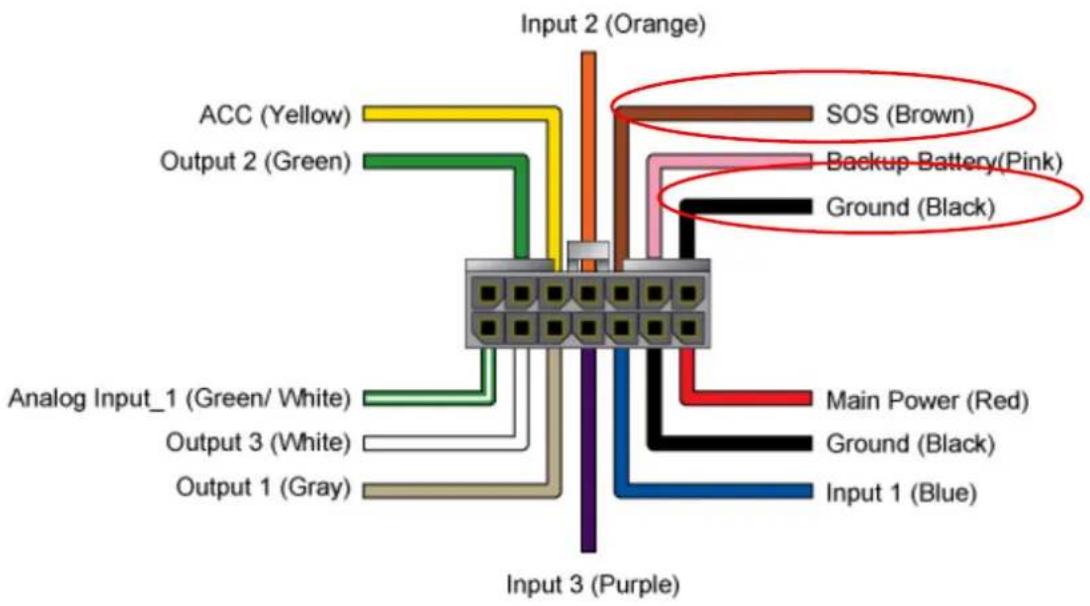
text_image
Input 2 (Orange) ACC (Yellow) Output 2 (Green) Analog Input_1 (Green/ White) Output 3 (White) Output 1 (Gray) Input 3 (Purple) SOS (Brown) Backup Battery(Pink) Ground (Black) Main Power (Red) Ground (Black) Input 1 (Blue)One end of the button must be connected to the emergency line and the other end must be connected to the ground line.
