8101 - Mp3 player Califone - Free user manual and instructions
Find the device manual for free 8101 Califone in PDF.


User questions about 8101 Califone
0 question about this device. Answer the ones you know or ask your own.
Ask a new question about this device
Download the instructions for your Mp3 player in PDF format for free! Find your manual 8101 - Califone and take your electronic device back in hand. On this page are published all the documents necessary for the use of your device. 8101 by Califone.
USER MANUAL 8101 Califone
8100 Series
Owner's Manual
8100 MP3 Player/Recorder
8101 MP3 Player/Recorder with 8100-HP stereo headphone
8102 MP3 Player/Recorder with two 8100-HP stereo headphones
8104 Portable Learning Center MP3 Player/Recorder with four 8100-HP stereo headphones, jackbox and carry case

8100 MP3 Player/Recorder
Owner's Manual
Thank you for choosing the Califone® (8100) MP3 Player/Recorder. The 8100 was designed to provide educators and students with a compact and portable solution for playing audio files (MP3, WMV & WAV formats), listening to recorded books, lessons and music. It can also record podcasts and track vocal responses, which is useful for applications such as language learning. Built to promote safe listening practices and limit noise-induced hearing loss, the 8100 features Sentinel Technology™ which maximizes the output volume level to a safe 85dB (recommended by the American Speech-Language-Hearing Association) when used with the included 8100-HP headphone.
I encourage you to visit our website and register your 8100 for its warranty coverage, signup for our eNewsletter, and while there please learn more about the complete line of Califone audio visual products including: Portable and installed wireless PA systems, multi-media players & recorders, headphones and headsets, language learning, computer peripheral equipment and visual presentation products.
Sincerely,

Roscoe Anthony
President, Califone® International, Inc
Introduction
The 8100 offers an easy-to-use menu interface which is packed with features and simple to navigate. Its 512MB of internal flash memory can store up to 36 hours of music, audio books or vocal recordings. With its built-in MMC/SD-card slot it can accommodate up to 2GB of added memory, for up to 500 additional songs or 72 hours of additional material. Up to 18 hours of audio can be recorded and stored on the internal flash memory using the built-in mic.
Using the included USB cable, simply connect the 8100 with your Windows or Macintosh computer. Once connected, just drag and drop the specified tracks into the 8100 and you're ready to play, listen and learn.
Although the 8100 is simple to operate, please read through this guide to familiarize yourself with its features and design, and get the most out of your new MP3 Player/Recorder.
Note: The number of audio files / playback time depends on file format and bit rate. Common bit rates for audio files range from 32 – 192kbps. Lower bit rates (32-64kbps) are typically used for spoken word and audio books. Here are typical bit rates and the amount of material that can be stored on the internal flash memory using these bit rates:
32kbps ... 36 hours of material
128kbps ... 9 hours of material
192kbps ... 6 hours of material
Note: The 8101, 8102 & 8104 models come equipped exclusively with fully adjustable Califone® 8100-HP headphones. These stereo units feature protective on-ear ambient noise-reducing earcups to help block out external sounds, which reduces the need to increase the volume and also helps to keep students on task. The headphones are made with rugged ABS plastic for durability. If model 8100 has been purchased, visit califone.com to learn more about the full line of high fidelity stereo headphones which are recommended for use with the Califone MP3 Player/Recorder.
Warranty Coverage
The warranty for the Califone MP3 Player/Recorder specifically covers use in schools, churches and early childhood daycare centers, unlike consumer electronic products. It is built to the same standards as the rest of our products which teachers and other presenters rely on day in and day out. Califone warrants this product to be free from defective material and workmanship for one year from the purchase date. Our "Project Intercept" Customer Satisfaction program will replace defective parts and repair malfunctioning products under this warranty when the defect occurs under normal installation and use, provided the unit is returned to our factory via prepaid transportation only after the factory issues an RA (Return Authorization) number which must be clearly written on the outside of the box.
Returning your unit for service or repairs
Should your unit require service, first contact your dealer or our Customer Service Department at (800) 722-0500 or by email warranty@califone.com to obtain a Return Authorization (RA) number. All shipments to Califone must include an RA number on the carton and must shipped prepaid. C.O.D. shipments will be refused and returned at your cost.
Unpacking your MP3 Player/Recorder
Check unit carefully for damage that may have occurred during transit. Each 8100 is carefully inspected at Califone prior to shipping and packed in a special carton for safe transport.
All Damage Claims Must be made with the Freight Carrier
Notify the freight carrier immediately if you observe any damage the shipping carton or product. Repack the unit in the carton and await inspection by the carrier's claim agent. Notify your dealer of the pending freight claim.
Contents
8100 Contents
Player only, does not come with a headphone
• 8100 MP3 Player/Recorder
• USB Cable
- User manual
8101 Contents
• 8100 MP3 Player/Recorder
• One 8100-HP stereo headphone
• USB Cable
- User manual
8102 Contents
- 8100 MP3 Player/Recorder
• Two 8100-HP stereo headphones
• USB Cable - User manual
8104 Contents
• 8100 MP3 Player/Recorder
• Four 8100-HP stereo headphones
- 3.5mm patch cable
• 1114AV-PS stereo jackbox
- USB Cable
- User manual
- Carrying case
8100 Features
- Integrated microphone to record voice files (WAV) and for recording podcasts
- Dual 3.5mm headphone jacks for two listeners or more with an attached jackbox
- Sentinel Technology™ restricts volume playback level to maximum 85dB to protect hearing levels when used with the included 8100-HP headphone
- Capable of playing Windows Media PlaysForSure® audio file types including MP3, WMA and WAV format files
• Auto-repeat looping function - Easy to operate user interface
- Backlit display
• Integrated SD/MMC memory card slot
• Built-in rechargeable lithium-polymer battery (16 hour run time on a single charge)
• Built-in four-position EQ
• Automatic charging when connected to a computer with its USB cable (or DC power supply)
• Califone 8100-HP headphones (8101, 8102 and 8104 packages only)
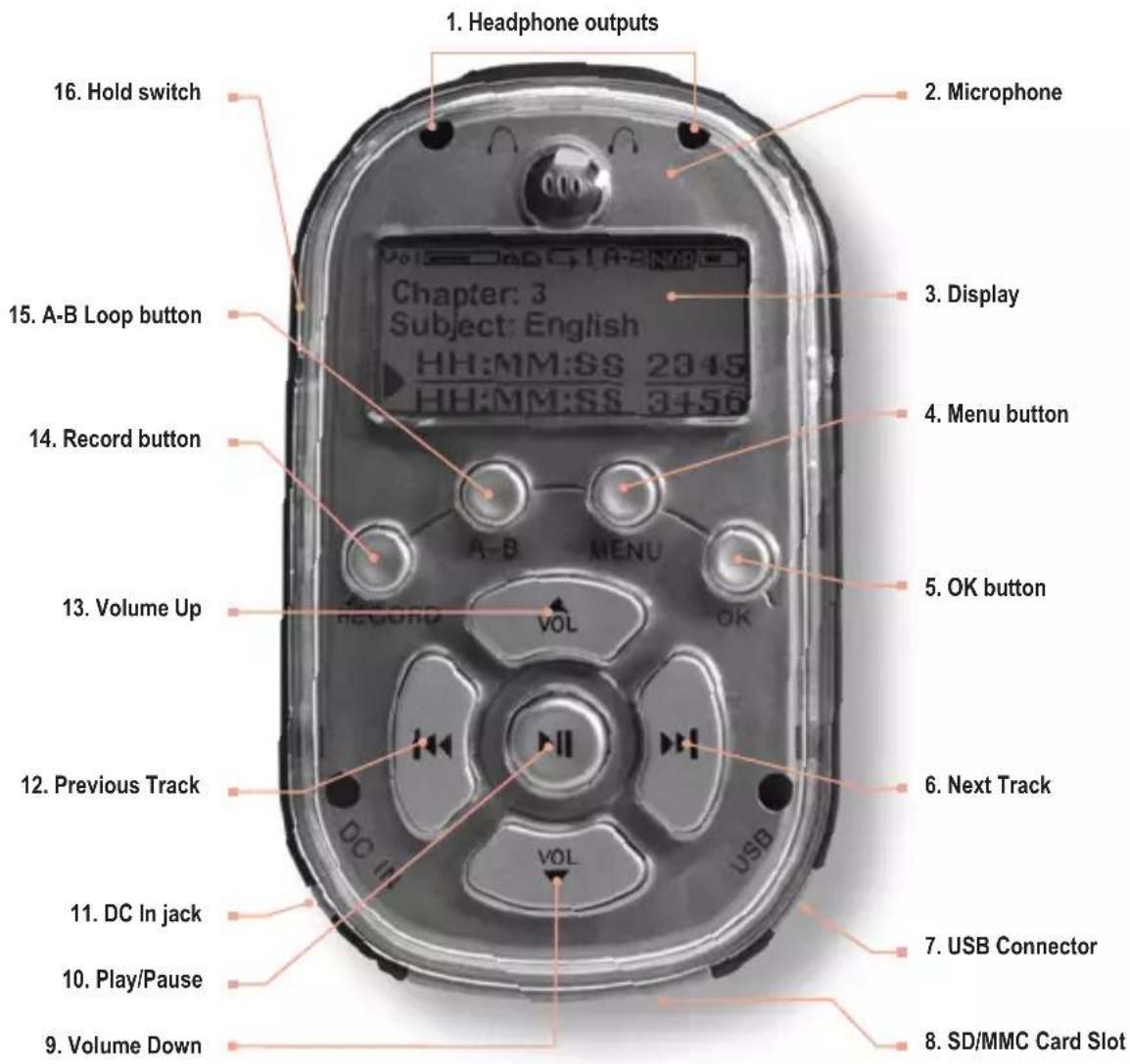
16. Hold switch
Sliding this switch to the ON (down) position will disable all button functionality. If a button is pressed while the Hold switch is engaged a HOLD message (depicted by a Lock icon), will appear momentarily in the display, and no action will be taken. If the Hold switch is engaged while attempting to power on the unit, the Califone logo will display, followed by the HOLD message, and the unit will power off.
15. A-B Loop button
The A-B Loop button is used to play a selected section of a track repeatedly. Pressing the A-B Loop button once will mark the start point of the section. An "A-" will appear in the display. Pressing the A-B Loop button a second time will mark the end of the selection. "A-B" will appear in the display, and the selected section will begin looping. To cancel loop playback, press the OK button (5).
NOTE: If you have selected a start point for a loop but have not selected an end point before the end of the current track, the loop function will reset and the "A-" will no longer be displayed.
14. Record button
Pressing the record button immediately places the 8100 into record mode, using the built-in microphone (2). Pressing the Record button again during recording pauses the recording until the Record button is pressed again. To complete a recording, press the OK button (5).
13. Volume Up
Pressing this button raises the playback volume level up to a maximum safe listening level of 85dB with the included 8100-HP headphone. (The 8100 arrives from Califone with the Sentinel Technology™ feature "enabled", but can be disabled for specific situations from the "Settings" Menu /Max Volume Limit.) The Volume Up button is active during playback even if the playback screen is not displayed.
12. Previous Track
Pressing this button during playback selects the previous track in the current track list, and begins playing that track from the beginning. If the currently selected track is the first, the last track is selected.
11. DC In jack
Connect an external power supply to this jack (not supplied).
10. Play/Pause
Pressing the Play/Pause button begins playback of the currently selected track. Pressing the Play/Pause button during playback pauses playback until the Play/Pause button is pressed again.
Controls and Connectors
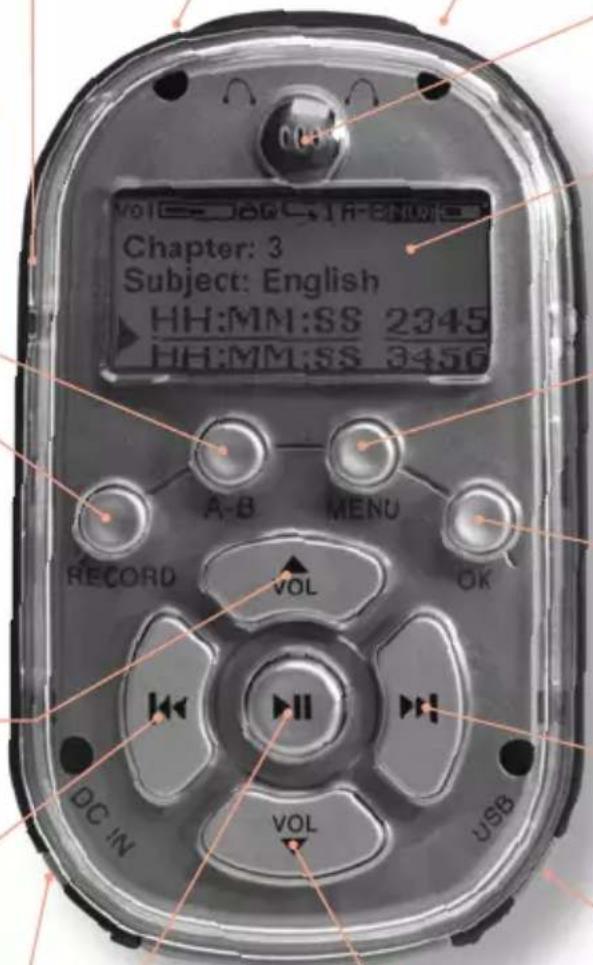
IMPORTANT:
The 8100 will only accept a 5VDC power supply providing up to 700mA of current. Connecting a power supply of larger than 5VDC or 700mA will damage your unit and void your warranty.
1. Headphone outputs
Connect one or two 3.5mm headphone connectors to one or both of these outputs. Volume level to both outputs is controlled by the Volume Up (13) and Volume Down (9) buttons.
2. Microphone
Use this built-in microphone to record student podcasts, vocal responses or other audio sources. This feature can be useful for tracking language learning and student assessments.
3. Display
The LCD screen displays the menu functions and operational messages. During playback, the screen displays the current track status, including track number, total tracks, track time, current position and playback status, as well as volume level, battery charge status and the current playback source (internal memory or external memory card).
4. Menu button
Pressing the Menu button displays the Main Menu. For specific information on Menu functions please refer to the Menu Screen section of this user guide.
5. OK button
In playback mode, pressing the OK button will stop playback. In Menu mode, the OK button is used to confirm a Menu selection.
6. Next Track
Pressing this button during playback selects the next track in the current track list, and begins playing that track from the beginning. If the currently selected track is the last, the first track is selected.
7. USB Connector
Connect the included USB cable to the mini-USB port on the unit, connecting the other end to your host computer. In addition to transferring tracks to and from your computer, the 8100's internal battery will charge via the USB connection (fully recharged in 5 hours).
8. SD/MMC Card Slot
This slot will accommodate an SD or MMC memory card of up to 2GB. Cards larger than 2GB are not supported.
9. Volume Down
Pressing this button lowers the playback volume level. This button is active during playback even if the playback screen is not displayed.
8100 Main Screen
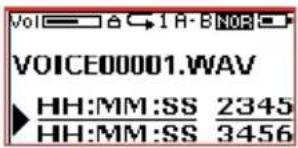
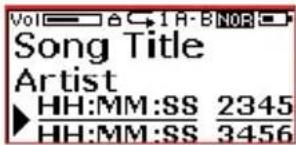
At the top of the Main Screen you will note several icons which indicate current settings on the 8100.
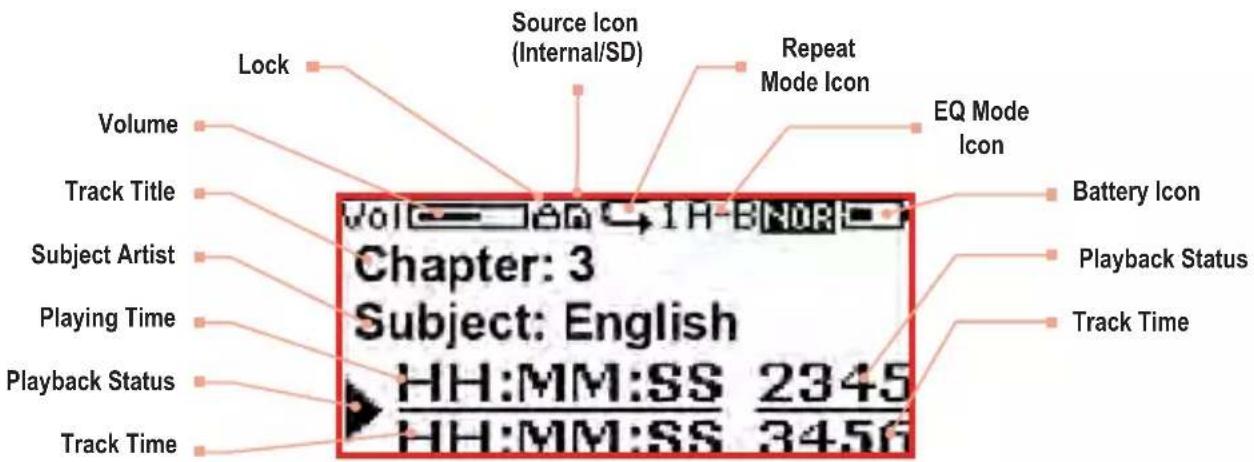
Volume Icon Shows the current volume level
Memory Indicator Shows whether the current track is being played from internal memory or SD card.
Repeat Indicator The arrow indicates that playback is set to Repeat All mode. A "1" next to the arrow indicates Repeat Track mode.
Shuffle Indicator An "S" indicates shuffle mode.
EQ If an EQ setting is selected, it is indicated here with the word "Rock," "Class" or "Pop."
Battery Shows the battery's current charge status.
visit us online at califone.com
8100 Main Screen continued
Play Music
![[Play Music] Play ALL Artist Album](/content/2026/06/1205573/images/d4b0783f7cc3aa13b42ffed2b9bb93a0ebdc89c6da5fab58c432933ff1cba6d9.jpg)
This menu accesses lesson or music tracks on the unit. The sub-menus allow selection of tracks using standard AMG meta-data tags.
Play All
Plays the entire selection of tracks loaded into the unit
Album – Lists tracks by lesson or album title
Genre – Lists tracks by genre Year – Lists tracks by year
Exit – Exit to main menu
![[Play Music] Play ALL Artist Album](/content/2026/06/1205573/images/3cd0f4aeb1b1021213c6283060afa9dfd673f64e2bf012278c3c549472f38120.jpg)

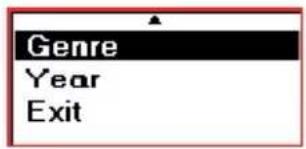
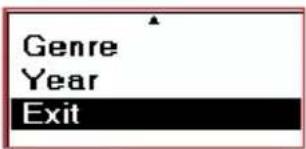
Artist – Lists tracks by author or artist
Songs – Lists tracks by chapter or song title
Play Voice
List To All Voice Files
Accesses a list of voice files recorded with the internal microphone.
Settings
Equalizer
![[Settings] Equalizer Play Mode Record Memory Max. Vol. Limit](/content/2026/06/1205573/images/61305c38aac095859bcaf44c6994c93df782fe52ea321044edc884d874ed9cc6.jpg)
This submenu selects from four pre-programmed equalization settings. Choose the equalization setting that works best for your application, music and personal preferences.
Normal – No EQ, not necessary for voice applications
Classic – Suitable for full range classical and acoustic music
![[Equalizer] Normal Rock Classic Pop](/content/2026/06/1205573/images/cfe74ffc8f13f193c9a10a65ebc8d52ddf45a7a11061a4f1e128b2315313246d.jpg)
![[Equalizer] Normal Rock Classic Pop](/content/2026/06/1205573/images/129f5b7319544198f1d359669d2f212a898fe29ad53164694e9c3b238cca45fd.jpg)
![[Equalizer] Normal Rock Classic Pop](/content/2026/06/1205573/images/f98b131d863f43a54dc3360c911865469e54f9f321cc623ab3e1092d1d601165.jpg)
![[Equalizer] Normal Rock Classic Pop](/content/2026/06/1205573/images/a842bb3f70e8531d356518f1d5ea1f321aa20b9edd96096c46b1d2cdfe278048.jpg)
Rock – Suitable for rock and heavier music
Pop – Suitable for pop and dance music
Settings continued
Play Mode
![[Settings] Equalizer Play Mode Record Memory Max. Vol. Limit](/content/2026/06/1205573/images/a3e43efa7d71cb25c370c6fac2f238f50e220ce158e23139facc4c9b1c9ece04.jpg)
Selects from different playback modes:
Normal – Plays back each track in succession
Repeat All – Plays the full play list in succession, then repeats from the beginning
![[Play Mode] Normal Repeat Track Repeat All Shuffle](/content/2026/06/1205573/images/b89a2f53adb9cfc09fba61dfc610c7cf24ca5798a4472a9c737681c77f0c559a.jpg)
![[Play Mode] Normal Repeat Track Repeat All Shuffle](/content/2026/06/1205573/images/1aab4289e1990a4e0e3329e159848f527b3ba1e2301c4377fb5bc96cc64baa54.jpg)
![[Play Mode] Normal Repeat Track Repeat All Shuffle](/content/2026/06/1205573/images/bacb71e379fa8895ee48610763e0ff6c4692f9242c156a73b75727d7b08aed92.jpg)
![[Play Mode] Normal Repeat Track Repeat All Shuffle](/content/2026/06/1205573/images/c768826ac6bed44ff98ba6e83dcce8b1d2386fad4ec8788ba25d480b460cacae.jpg)
Repeat Track – Continually repeats the current track
Shuffle – Plays back tracks from the play list in random orde
Record Memory
![[Settings] Equalizer Play Mode Record Memory Max. Vol. Limit](/content/2026/06/1205573/images/fe3712aec59199ac709a308ea3fd059178cfb6a9ae43f739a029ef02740271c7.jpg)
Selects the destination for tracks recorded with the built-in microphone:
Internal – Records to the built-in memory of the 8100 card slot of the 8100 (8)
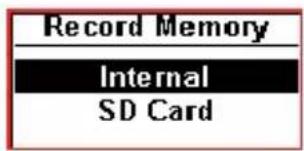
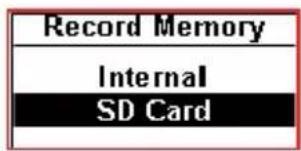
SD Card – Records to an SD/MMC card in the memory
Maximum Volume Control
![[Settings] Equalizer Play Mode Record Memory Max. Vol. Limit](/content/2026/06/1205573/images/1825316b668ea797815653fe4bba94ab66102a3d0f6cfbc8c17cca337a102e11.jpg)
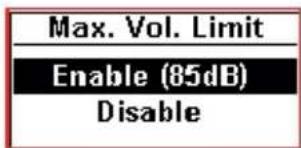
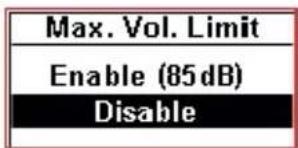
Each 8100 arrives from Califone with the Sentinel Technology™ feature enabled, maximizing the playback volume level to 85dB when used with the included 8100-HP headphone. This function is optimally supported when using the 8100-HP headphone and may not limit the out level to 85dB with other headphones.
Enable - Maximizes the playback volume level to 85dB
Disable – Disables maximum playback volume level to 85dB.
visit us online at califone.com
Settings continued
Resume Playback
![[Settings] Resume Playback Playtime Setting Power Saving LCD Contrast](/content/2026/06/1205573/images/a6661af5b1c5b4991ae6e0ca508d1a6d6392749bdd0dcf6b35c5a21375f53e84.jpg)
Selects playback options on powering on.
Enable – When powered on, playback will resume from the previous track and position
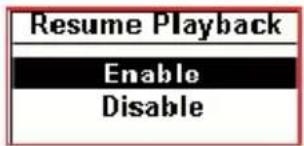
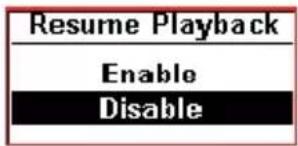
Disable - When powered on, playback will start at the beginning of the first track on the current play list
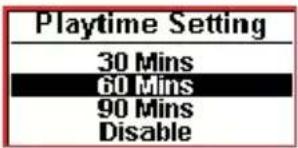
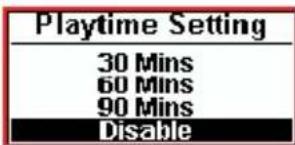
Playtime Setting
![[Settings] Resume Playback Playtime Setting Power Saving LCD Contrast](/content/2026/06/1205573/images/ef09cac21018a92fc491a513c18fc7eb5731f651a68039cdb9c3c013806896d1.jpg)
Selects the amount of time after which the unit will automatically power off when in use.
30Mins - Unit powers off after 30 minutes
60Mins - Unit powers off after 60 minutes
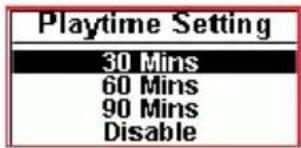
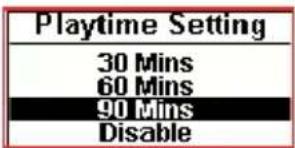
90Mins - Unit powers off after 90 minutes
Disabled – Unit will not power off automatically
Power Saving
![[Settings] Resume Playback Playtime Setting Power Saving LCD Contrast](/content/2026/06/1205573/images/1ba07813845fcc8758bd149ff7f29bca9f3084da49a4d891b799b30e836f9122.jpg)
Selects the amount of time after which the unit will automatically power off when idle.
1Mins – Unit powers off after 1 minute
3Mins - Unit powers off after 3 minutes
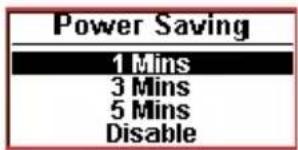
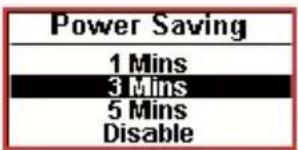
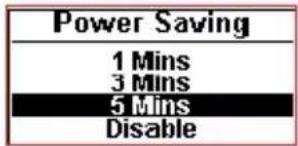
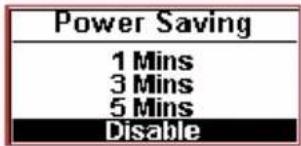
5Mins – Unit powers off after 5 minutes
Disable – Unit will power off after 30 minutes
Settings continued
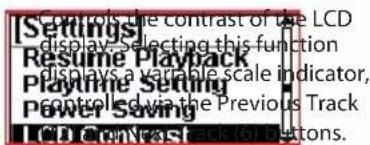
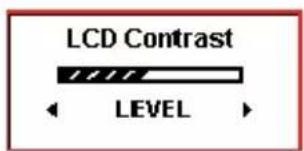
LCD Contrast
Back Light
![[Settings] Back Light Delete File Exit](/content/2026/06/1205573/images/6a64d5392f3416283cf636182135f00c64cfcd492e7d28bf7fa7e36e9526e50c.jpg)
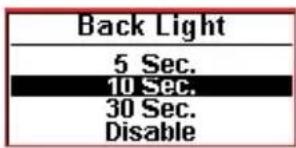
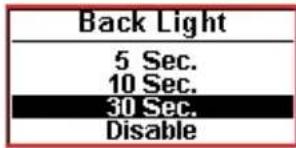
Selects the amount of time before the backlight on the display turns itself off to conserve power.
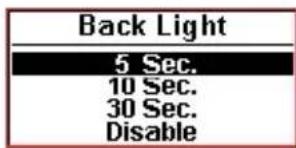
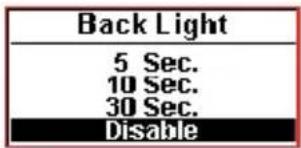
5Sec - Backlight turns off after 5 seconds
30Sec - Backlight turns off after 30 seconds
10Sec - Backlight turns off after 10 seconds
Disable – Backlight is disabled (does not turn on)
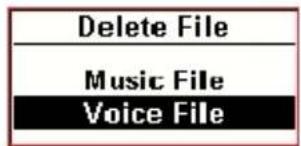
Delete File
![[Settings] Back Light Delete File Exit](/content/2026/06/1205573/images/ba519e2a4c156d894e22e7594fd3152fb098dc85271061c8fddf35e56fa72ce6.jpg)
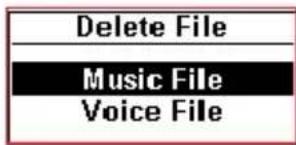
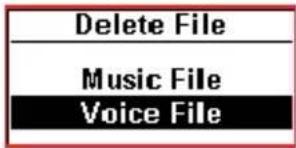
Music File – Opens the Music Files play list to select files for deletion Voice File – Opens the Voice Files play list to select files for deletion
Exit
![[Settings] Back Light Delete File Exit](/content/2026/06/1205573/images/8629dc8499b578a7fcd5b3220a12e08544183607ab6216f7be50e4d8533c7af5.jpg)
![[Main Menu] Play Music Play Voice Settings](/content/2026/06/1205573/images/057c0aac1e7c9f7a7f0c70d8e3a5be188a9856f7da2e89a389f029a1e01dd109.jpg)
visit us online at califone.com
Using the 8100
Playing back lessons or music
To play back music on your 8100, first power the unit on by pressing and holding the Play/Pause button (10). After initializing and scanning for available tracks, the Main screen will appear.
To play all tracks:
- Press the Play/Pause button (10) once, or
- Press the Menu button (4)
- Scroll to Select All
- Press OK (5)
To view tracks by meta tags:
- Press the Menu button (4)
- Scroll to the desired meta tag (Artist, Album, Songs, Genre, Year)
- Press OK (5)
To play a single track repeatedly:
- Press the Menu button (4)
- Scroll to Settings and press OK (5)
- Scroll to Repeat Track and press OK (5)
To play all tracks repeatedly:
- Press the Menu button (4)
- Scroll to Settings and press OK (5)
- Scroll to Repeat All and press OK (5)
To play all tracks in random order:
- Press the Menu button (5)
- Scroll to Settings and press OK (5)
- Scroll to Repeat All and press OK (5)
Playing back voice tracks
- Press the Menu button (4)
- Scroll to Play Voice and press OK (5)
- Select a voice file and press OK (5)
Recording Podcasts & voice tracks
- Press the Record Button (14)
• To pause during recording, press the Record button (14). Pressing the Record button again resumes recording
• To stop recording, press OK (5)
Using the 8100 continued
Importing lessons or music from a computer
Connect the 8100 to your computer's USB port using the included USB cable. The 8100 will appear as an external drive on your computer, allowing you to drag and drop files between the 8100 and your computer.
Deleting files
![[Settings] Back Light Delete File Exit](/content/2026/06/1205573/images/d2de94c7ad79c88064ab2be7919b800ee1a3f3caa1302e57fb124582e09818c7.jpg)
- Press the Menu button (4)
- Scroll to Settings and press OK (5)
- Scroll to Delete File and press OK (5)
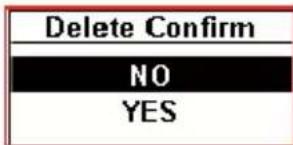
- Scroll to Music File or Voice File and press OK (5)
- Select a file to delete and press OK (5)
![[Voice] VOICE0001.WAV VOICE0002.WAV VOICE0003.WAV](/content/2026/06/1205573/images/e476787dd111229aa9572a6d04b2c12a7214360ed8d3558e6b1de8d157a6aacd.jpg)
![[Songs] Song1.MP3 Song2.MP3 ABCDEF.WMA](/content/2026/06/1205573/images/d4f8fe70fc3c79aa36790b026d222694d046adcf8a039a28a7efb4429df915f1.jpg)
To power the 8100 off
Hold down the Play/Pause button until the unit powers off.
Troubleshooting
Although your 8100 is manufactured to the highest standards, occasionally things might not work as expected. If you experience any difficulties, please have a look at these suggestions first:
Unit doesn't power on
Hold the Play/Pause button for 1-2 seconds. If the unit still does not power on, the battery may be discharged. Connect the USB cable to your computer or connect a recommended power supply.
The unit is frozen.
Gently insert the end of a straightened paper clip or other small object into the small hole in the rear of the unit and press gently until it resets. Songs stored in the unit will not be lost.
Charging Multiple MP3 Players
It's suggested to use a computer with enough USB ports for each device. If this is not possible, plug the 8100 units into one or more powered USB hubs connected to a computer. A powered USB hub (one with a power supply) is suggested to ensure enough power capacity is available for charging several 8100 devices simultaneously. Plug in each of the 8100 devices using a USB cord and they should automatically charge. Each one will show up as a separate flash drive device on the computer.
visit us online at califone.com
Downloading Audio Files into Multiple 8100 Units
Rather than manual copying audio files to each 8100 device, to put content on several mp3 players at once, a batch file can be used to copy the appropriate audio files to each of device. Here is an example batch file to perform this function (modify as necessary):
rem - File: CopyTo8100.bat
rem - This file assumes the first device maps as drive E:\
rem - This line deletes all the files in the base directory on the 8100 (1st unit) del /Q E:*
rem - This line copies all the new content files to the 8100 (1st unit) copy C:\audio* E:\
rem - This line deletes all the files in the base directory on the 8100 (2nd unit) del /Q F:*
rem - This line copies all the new content files to the 8100 (2nd unit) copy C:\audio* F:\
rem - This line deletes all the files in the base directory on the 8100 (3rd unit) del /Q G:*
rem - This line copies all the new content files to the 8100 (3rd unit) copy C:\audio* G:\
etc...
Technical Specifications
Memory
Internal Memory 512 Mbytes
Internal Memory-Type Flash memory
Max External Memory 2GB
External Memory-Type MMC / SD-Card
Battery
Integrated Rechargeable Battery Li-Polymer rechargeable
Battery Life Continuous Playing Time Up to 16 hrs
(MP3, 128 kbps, CBR, EQ = normal, volume = medium, LED Backlit = off)
LCD Display
Display Type FSTN / POSITIVE
Display Size Active Area approx. 0.75" x 1.25"; 128 x 64 pixels; 1.52" diagonal
Backlit Yes (white LED color)
Features
playable Format MP3, WMA, WAV
DRM Yes (WMA-DRM9 version)
Maximum Playback Volume Limit
Up to 85dB with the included 8100-HP headphone
Voice Recording
Input Built-in microphone
Recording Format ADPCM (WAV)
visit us online at califone.com
Technical Specifications
Charging
Charging Options Charging via USB port or DC input jack
USB Charging Time \~3.5 hours = 80% charge
\~5 hours = full charge
DC (Main Supply) Charging Time \~ 2 hours = 80% charge
\~ 4 hours = full charge
Firmware Upgradeable Yes (by USB interface)
Supported Systems Win 98SE (with driver)
Win ME / 2000 / XP
Mac OS X
Interfaces
USB USB 2.0 (full speed) USB 1.1 compliant
USB plug type 30" cord with mini-USB plug
Audio DIA. 3.5mm headphone jack x 2
DC DIA. 2.35mm DC jack x 1
Memory SD/MMC card
Dimensions (LxWxH) 4" x 2.25" x 1"
Weight of 8100 unit 3 ounces
Max. Audio Output 130mVp-p - 1 KHz, 0dB sine-wave signal file, 32Ω load)
Frequency Response 20\~20 KHz
Signal-to-Noise Ratio ≥ 90dB(1KHz, 0dB sine)
Channel Separation ≥ 60dB(1KHz, 0dB sine)
T.H.D < 0.1% (maximum output)
Operational Current \~ 27mA (playing 1 KHz, 0dB sine-wave signal file, backlight on)
Standby Current \~ 13mA (play stop + backlight off)
Static Current (Sleep) < 5 uA
Operational Voltage 3.3 \~ 4.2V DC
Battery Capacity 3.7V Li-Ion polymer (500mAh)
Notes
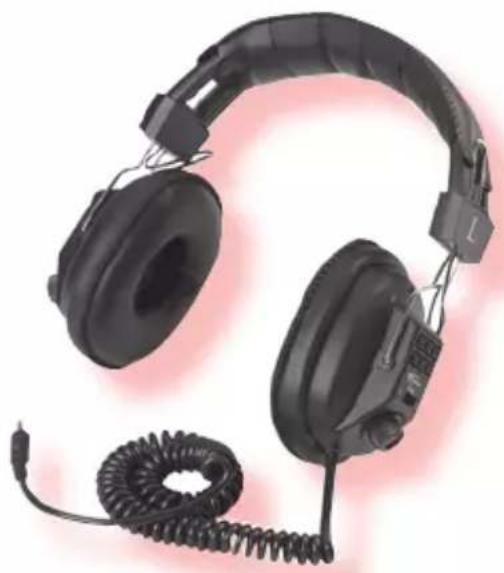
Headphones
The 8100-HP Headphone is the replacement headphone for the MP3 Player.
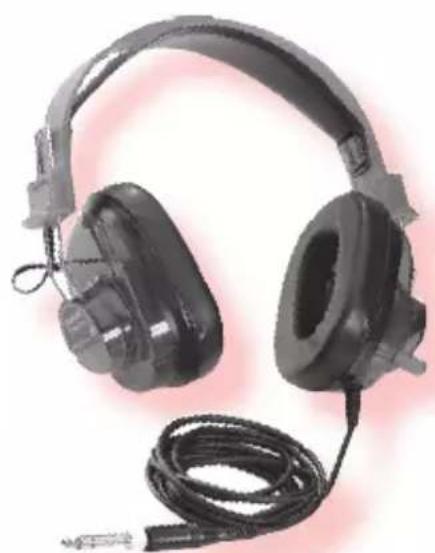
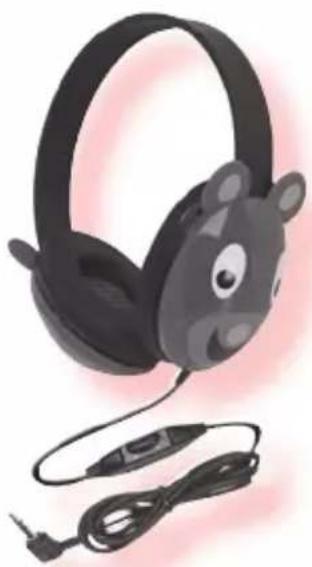
Califone also recommends the following over-ear ambient noise reducing headphones for classroom, computer lab, library, and listening center applications.
natural_image
Black headboard headphones with coiled cable, no visible text or symbols3068AV
natural_image
Black hardcover headphones with a cord and earplush, shown against a plain background (no text or symbols visible)2924AVPS
For younger students.
natural_image
Illustration of a black cartoon bear headphones with earplands and cable (no text or symbols)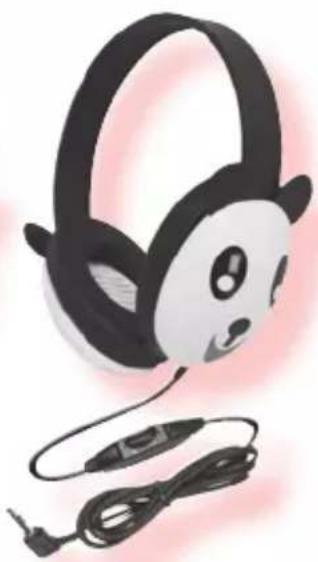
natural_image
Illustration of a panda-themed headphones with earphones and cable connectors (no text or symbols)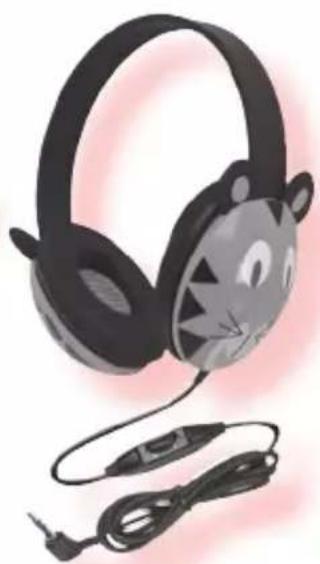
natural_image
Illustration of a cartoon cat-themed headphones with earphones and cable (no text or symbols)2810-BE 2810-PA 2810-TI
visit us online at califone.com
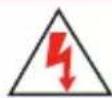
CAUTION
RISK OF ELECTRIC SHOCK - DO NOT OPEN

CAUTION: TO REDUCE THE RISK OF ELECTRIC SHOCK, DO NOT REMOVE COVER OR BACK. NO USER SERVICEABLE PARTS INSIDE. REFER SERVICING TO QUALIFIED PERSONNEL.
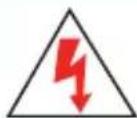
The lightening flash with arrowhead within a triangle is intended to tell the user that parts inside the product are a risk of electric shock to persons.

The exclamation point within a triangle is intended to tell the user that important operating and servicing instructions are in the papers with the appliance.

This product is not designed to function normally in strong electromagnetic fields. Consequently, the audio quality may
degrade while the product is exposed to strong electromagnetic fields. Normal audio quality operation will be recovered when the strong electromagnetic field is no longer present.
WARNING:
TO REDUCE THE RISK OF FIRE OR ELECTRIC SHOCK, SO NOT EXPOSE THIS APPLIANCE TO RAIN OR MOISTURE.

IMPORTANT SAFETY INSTRUCTIONS
ATTENTION: ALL SAFETY AND OPERATING INSTRUCTIONS SHOULD BE READ BEFORE OPERATING APPLIANCE. ALL OPERATING AND USE INSTRUCTIONS SHOULD BE FOLLOWED WHEN OPERATING THE APPLIANCE. HEED AND ADHERE TO ALL WARNINGS ON THE APPLIANCE AND IN THE OPERATING INSTRUCTIONS. RETAIN ALL SAFETY AND OPERATING INSTRUCTIONS FOR FUTURE REFERENCE.
WATER & MOISTURE - DO NOT USE THE APPLIANCE NEAR WATER; IE. BATHTUB, WASHBOWL, KITCHEN SINK, LAUN-DRY TUB, WET BASEMENT OR SWIMMING POOL.
VENTILATION - DO NOT SITUATE THE APPLIANCE SO THAT ITS LOCATION OR POSITION INTERFERES WITH ITS PROPER VENTILATION. FOR EXAMPLE, THE APPLIANCE SHOULD NOT BE SITUATED ON A BED, SOFA, RUG OR SIMILAR SURFACE THAT MAY BLOCK THE VENTILATION OPENINGS. THE APPLIANCE SHOULD NOT BE PLACED IN A BUILT-IN INSTALLATION, SUCH AS A BOOKCASE OR CABINET, THAT MAY IMPEDE THE FLOW OF AIR THROUGH THE VENTILATION OPENINGS.
HEAT - SITUATE THE APPLIANCE AWAY FROM HEAT SOURCES SUCH AS RADIATORS, HEAT REGISTERS, STOVES OR OTHER APPLIANCES (INCLUDING AMPLIFIERS) THAT PRODUCE HEAT.
POWER SOURCES - CONNECT THE APPLIANCE ONLY TO A POWER SUPPLY TYPE DESCRIBED IN THE OPERATING INSTR-UCTIONS OR MARKED ON THE APPLIANCE.
GROUNDING OR POLARIZATION - PRECAUTIONS SHOULD BE TAKEN SO THAT THE GROUNDING OR POLARIZATION MEANS OF THE APPLIANCE ARE NOT DEFEATED.
POWER CORD PROTECTION - POWER SUPPLY CORDS SHOULD BE ROUTED SO THAT THEY ARE NOT LIKELY TO BE WALKED ON OR PINCHED BY ITEMS PLACED UPON OR AGAINST THEM, PAYING PARTICULAR ATTENTION TO CORDS AT PLUGS, CONVENIENCE RECEPTACLES, AND THE POINT WHERE THEY EXIT FROM THE APPLIANCE.
CLEANING - THE APPLIANCE SHOULD BE CLEANED ONLY AS RECOMMENDED BY THE MANUFACTURER.
NON USE PERIODS - UNPLUG THE APPLIANCE POWER CORD FROM THE OUTLET WHEN LEFT UNUSED FOR A LONG PERIOD OF TIME.
OBJECT & LIQUID ENTRY - CARE SHOULD BE TAKEN SO THAT OBJECTS DO NOT FALL AND LIQUIDS ARE NOT SPILLED INTO THE ENCLOSURE THROUGH OPENINGS.
DAMAGE REQUIRING SERVICE - THE APPLIANCE SHOULD BE SERVICED BY QUALIFIED SERVICE PERSONNEL WHEN: (A) THE POWER SUPPLY CORD OR THE PLUG HAS BEEN DAMAGED (B) OBJECTS HAVE FALLEN OR LIQUID HAS BEEN SPILLED INTO THE APPLIANCE (C) THE APPLIANCE HAS BEEN EXPOSED TO RAIN (D) THE APPLIANCE DOES NOT APPEAR TO BE OPERATING NORMALLY OR EXHIBITS A MARKED CHANGE IN PERFORMANCE (E) THE APPLIANCE HAS BEEN DROPPED OR THE ENCLOSURE DAMAGED.
SERVICING - THE USER SHOULD NOT ATTEMPT TO SERVICE THE APPLIANCE BEYOND THAT DESCRIBED IN THE OPERATING INSTRUCTIONS. ALL OTHER SERVICING REFER TO A QUALIFIED SERVICE PERSONNEL.
visit us online at califone.com
Note about Safe Listening Practices

Califone is proud to collaborate with the American Speech-Language- Hearing Association (ASHA) to promote the safe use of personal audio products in the classroom. These two guidelines will help students use audio technology responsibly:
- Lower the volume
- Limit listening time
Califone also recommends upgrading to ambient noise-reducing headphones
For more information, visit www.listentoyourbuds.org

Califone® International Inc.
1145 Arroyo Avenue, # A • San Fernando, CA 91340 USA
Toll Free 800.722.0500 | Toll Free Fax 877.402.2248
International Customers call 818.407.2400 or Fax 818.407.2405
califone.com