
M2NV - Hard Drive Xcellon - Free user manual and instructions
Find the device manual for free M2NV Xcellon in PDF.


| Product Type | USB Type-C Enclosure for M.2 NVMe and SATA SSDs |
| Brand | Xcellon |
| Model | M2NV |
| External Interface | USB 3.2 Gen 2 Type-C (10 Gbps) |
| Internal Interface | M.2 (NVMe and SATA) |
| Supported M.2 Keying | M key and B&M key |
| Supported M.2 Form Factors | 2230, 2242, 2260, 2280 |
| Max Supported Drive Capacity | 2 TB |
| Data Transfer Rate | Up to 10 Gbps |
| Supported Protocols | USAP, TRIM |
| Operating System Support | Windows 7+, macOS 10.12+, iPadOS 13.1+, Linux 4.15+, Chrome OS 84.0.4147.110+, Android 10+ |
| Material | Anodized aluminum and plastic |
| Cable Length | 1.6 ft (0.5 m) |
| Dimensions (W × D × H) | 4.4 × 1.5 × 0.5 in (11.2 × 3.9 × 1.3 cm) |
| Weight | Approx. 1.2 oz (34 g) |
| Power Source | Bus-powered via USB |
| Installation | Tool-free, plug-and-play |
| Warranty | 1-year limited |
| Package Contents | SSD enclosure, USB-C cable, silicone plug, user manual |
| Color | Gray (anodized finish) |
| Precautions | Avoid water, humidity, strong magnetic fields; do not disassemble |
Frequently Asked Questions - M2NV Xcellon
User questions about M2NV Xcellon
0 question about this device. Answer the ones you know or ask your own.
Ask a new question about this device
Download the instructions for your Hard Drive in PDF format for free! Find your manual M2NV - Xcellon and take your electronic device back in hand. On this page are published all the documents necessary for the use of your device. M2NV by Xcellon.
USER MANUAL M2NV Xcellon
USB Type-C™ Enclosure for M.2 NVMe and SATA SSDs
User Manual

XCELLON*
natural_image
Exterior view of a gray rectangular electronic device with a small USB port (no visible text or symbols)Thank you for choosing Xcellon.
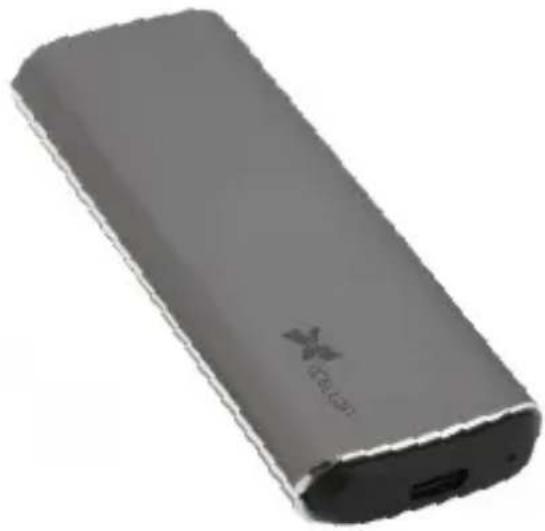
The M2NV SSD Enclosure connects an M.2 NVMe or SATA SSD to a host device. Its light and compact form factor make it an invaluable addition to your computer setup when you're performing data-heavy tasks on the go, like editing 4K video and photos. The superior storage capacity and read/write speeds of SSDs make it possible to use the enclosure to record directly from a USB Type-C™ equipped camera. The enclosure is equipped with a USB Type-C connector and takes advantage of the incredible 10 Gbps data transfer rate of USB 3.2 Gen 2. Its tool-free design allows quick and easy SSD installation and swapping, and plug-and-play functionality requires no additional drivers or installation.
• Supports M.2 NVMe and SATA SSDs
- USB 3.2 Gen 2 delivers read/write speeds up to 10 Gbps
• Supports USAP and TRIM
• Tool-free card installation and swapping
• Backward compatible with USB 3.1, 3.0, and 2.0
- Plug and play functionality
- Sleek anodized aluminum finish
- Compact and portable
Precautions
» Speeds may vary based on system configuration and drive speed.
» This product, SSDs, and computers are precision devices. Handle with care.
»Do not attempt to disassemble or repair this product.
»Keep this product away from strong magnetic devices.
»Clean this product with only a soft, dry cloth.
» Keep this unit away from water, and avoid use in a humid environment.
»All images are for illustrative purposes only.
Overview
External
1 USB Type-C port
2 IndicatorLED
3 Enclosurecover
Internal
4 Siliconeplug
5 Form-factor plug holes
6 M.2 socket

Contents Include
- SSD enclosure
- USB Type-C cable
- Silicone plug
- User manual
Compatibility

M Key B & M Key

natural_image
Pure electrical circuit lines without any symbols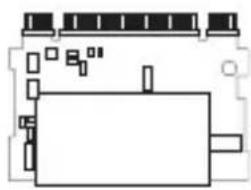
natural_image
Pure electrical circuit lines without any symbols
Windows

Chrome OS

Linux

Mac OS

Android ipad OS

Installing the SSD Card
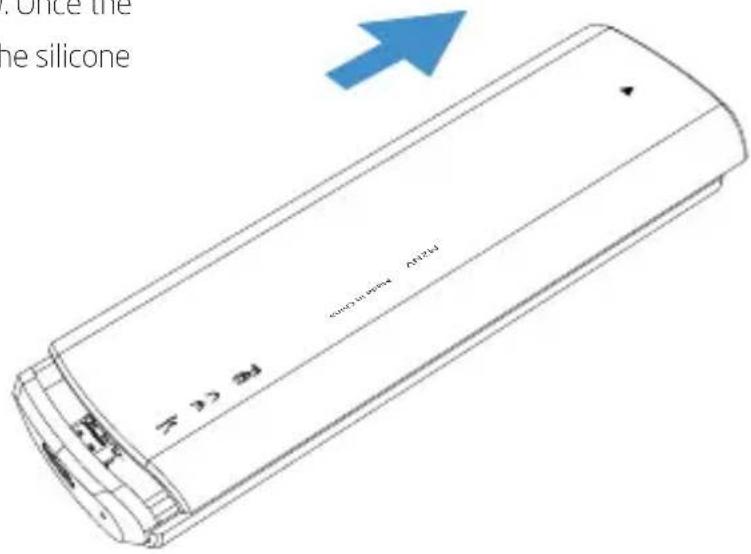
- Open the enclosure by gently pressing down on the enclosure cover and sliding it in the direction indicated by the arrow. Once the compartment is open, remove the silicone plug, and set it aside.
Installing the SSD Card (cont.)
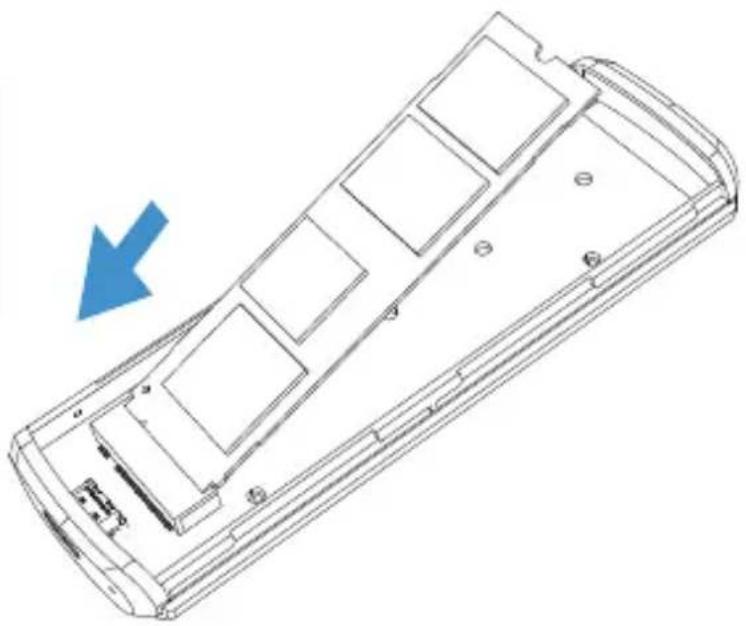
- Hold the SSD card at approximately 45° , and gently insert it into the M.2 socket.

Important! Hold the card at an angle as illustrated when inserting it into the socket. Inserting the SSD flat can damage the connector's and socket's pins.
natural_image
Technical line drawing of a mobile phone casing with internal compartments and mounting holes (no text or symbols)- Press the SSD card down so it lies flat in the enclosure. Secure it in place by inserting the plug into the appropriate hole.
- Replace the enclosure cover.
- Connect the enclosure to a computer or device with the USB cable.

natural_image
Technical line drawing of a remote control panel with a blue arrow indicating a drop or dislocation (no text or symbols present)Specifications
| External Interface | |
| Internal Interface | ret |
| Compatibility | nd SATAKeying: M key and B&M key drivesForm factors: 2230, 2242, 2260, 2280 |
| Max Supported Drive Capacity | TB |
| Operating System Support | ows 7 or latermacOS 10.12 or lateriPadOS 13.1 or laterLinux 4.15 or laterChrome OS 84.0.4147.110 or laterAndroid 10 or later |
| Cable Connectors | 6 ft. / 0.5 m) |
| Material | plastic |
| Dimensions (W × D × H) | 5" × 0.5" (11.2 × 3.9 × 1.3 cm) |
| Weight |
One-Year Limited Warranty
This Xcellon product is warranted to the original purchaser to be free from defects in materials and workmanship under normal consumer use for a period of one (1) year from the original purchase date or thirty (30) days after replacement, whichever occurs later. The warranty provider's responsibility with respect to this limited warranty shall be limited solely to repair or replacement, at the provider's discretion, of any product that fails during normal use of this product in its intended manner and in its intended environment. Inoperability of the product or part(s) shall be determined by the warranty provider. If the product has been discontinued, the warranty provider reserves the right to replace it with a model of equivalent quality and function.
This warranty does not cover damage or defect caused by misuse, neglect, accident, alteration, abuse, improper installation or maintenance. EXCEPT AS PROVIDED HEREIN, THE WARRANTY PROVIDER MAKES NEITHER ANY EXPRESS WARRANTIES NOR ANY IMPLIED WARRANTIES, INCLUDING BUT NOT LIMITED TO ANY IMPLIED WARRANTY OF MERCHANTABILITY OR FITNESS FOR A PARTICULAR PURPOSE. This warranty provides you with specific legal rights, and you may also have additional rights that vary from state to state.
To obtain warranty coverage, contact the Xcellon Customer Service Department to obtain a return merchandise authorization ("RMA") number, and return the defective product to Xcellon along with the RMA number and proof of purchase. Shipment of the defective product is at the purchaser's own risk and expense.
For more information or to arrange service, visit www.xcellongear.com or call Customer Service at 212-594-2353.
Product warranty provided by the Gradus Group.
www.gradusgroup.com
Xcellon is a registered trademark of the Gradus Group. © 2021 Gradus Group LLC. All Rights Reserved.

XCELLON*
A Gradus Group Brand


Brand : Xcellon
Model : M2NV
Category : Hard Drive