Cube TVC16PAC - Chargeur pour appareil mobile Bretford - Free user manual and instructions
Find the device manual for free Cube TVC16PAC Bretford in PDF.


User questions about Cube TVC16PAC Bretford
0 question about this device. Answer the ones you know or ask your own.
Ask a new question about this device
Download the instructions for your Chargeur pour appareil mobile in PDF format for free! Find your manual Cube TVC16PAC - Bretford and take your electronic device back in hand. On this page are published all the documents necessary for the use of your device. Cube TVC16PAC by Bretford.
USER MANUAL Cube TVC16PAC Bretford
| TVC16PAC-CK | CUBE Charging Cart AC for up to 16 devices w/Back Panel ... 1.4"W Slots | Charcoal finish |
| TVC32PAC-CK | CUBE Charging Cart AC for up to 32 devices w/Back Panel ... 1.4"W Slots | Charcoal finish |
| TVC16PAC-RED | CUBE Charging Cart AC for up to 16 devices w/Back Panel ... 1.4"W Slots | Red finish |
| TVC32PAC-RED | CUBE Charging Cart AC for up to 32 devices w/Back Panel ... 1.4"W Slots | Red finish |
| TVC16PAC-SKY | CUBE Charging Cart AC for up to 16 devices w/Back Panel ... 1.4"W Slots | Sky Blue finish |
| TVC32PAC-SKY | CUBE Charging Cart AC for up to 32 devices w/Back Panel ... 1.4"W Slots | Sky Blue finish |
Technical Specifications
CAPACITY slot width = 1.4"
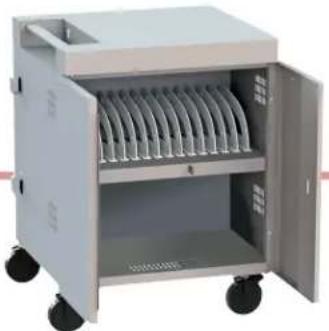
TVC16PAC-XXX 1 shelf 16 devices
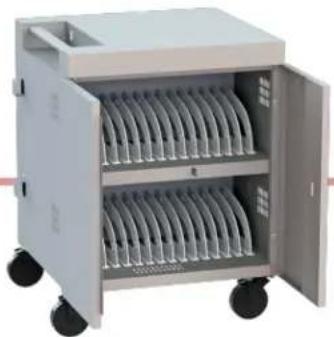
TVC32PAC-XXX 2 shelves 32 devices
COMPATIBILITY Designed for various sized laptops & chromebooks, yet versatile enough to support most tablets. Uses the device manufacturer supplied AC power cord and adapter.
OUTSIDE DIMENSIONS 30" W x 26.5"D x 37.5"H
SLOT DIMENSIONS 1.4"W x 17"D x 12"H (fixed)
| WEIGHT | TVC16PAC-XXX | 134 pounds empty259 pounds with 16 ea 5 lb devices+ an allowable 45 lbs in the bottom shelf area |
| TVC32PAC-XXX | 143 pounds empty303 pounds with 32 ea 5 lb devices |
POWER MANAGER Digital
POWER REQUIREMENTS 120Vac, 50/60Hz, 12A
SHIPPING Ships fully assembled, ready to load devices
WARRANTY For product specific warranty information, please visit: bretford.com/warranty
natural_image
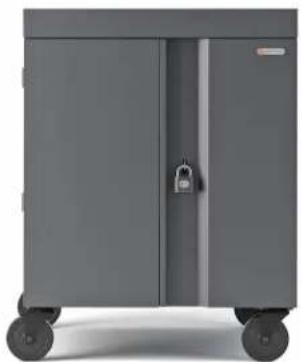
Exterior view of a gray industrial storage cabinet with two doors and wheels (no text or symbols visible)
MADE IN USA with globally sourced products


General Use
SETTING THE COMBINATION LOCK
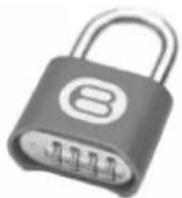
Your new CUBE Cart comes equipped with a resettable Combination Padlock. You can program the lock with your own combination. The lock starts with 0-0-0-0. Follow the directions with the look for changing the combination. Remember to depress the shackle before disengaging it from the lock.
natural_image
Exterior view of a portable electronic device with multiple cylindrical trays and open door (no visible text or symbols)TVC32PAC-XXX
natural_image
Exterior view of a gray industrial machine with multiple cylindrical trays and wheels (no visible text or symbols)TVC16PAC-XXX
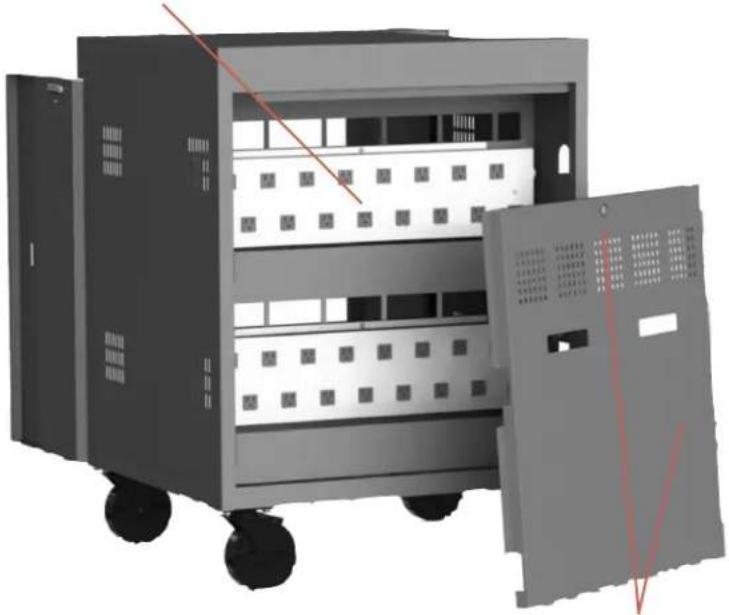
POWER OUTLET MODULES
16 AC outlets per shelf, matches the quantity of slots in the front of the cart
natural_image
3D rendering of a multi-tiered industrial control cabinet with wheels and ventilation slots, no visible text or symbolsREAR ACCESS PANEL
Locks in position with the keys from the hardware pack
natural_image
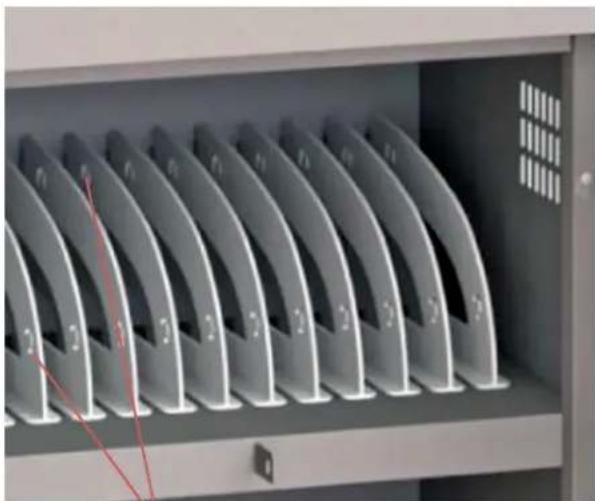
Interior view of a server rack with multiple curved metal fans (no visible text or labels)PLASTIC DIVIDERS
features slots for routing the computer plug cable to the plug-in spot on the computer - high or low, left or right. NOTE: Plastic dividers are not removable or resettable.
Device Storage & Cable Management
- At the back of the cart, use the key from the hardware pack to unlock the rear access panel.
- The two keys included in the hardware pack are for the person(s) responsible for managing the computer adapters and cable sets, through the rear access panel.
- Lift the rear access panel off of the chassis. This exposes the power outlet modules for the shelves.
- Starting in the rear of the cart with the rear access panel panel removed, insert a power adapter in the storage bin for the associated device storage shelf (top or bottom).
- Measure the amount of cable necessary to reach from the power adapter located in the bin to the front of the cart (over the AC outlet box, from the back to the front of the cart, through the cable management slots that are integrated into the plastic dividers.)
- Leave sufficient slack for the power connector to plug into the device.
- Plug the device AC adapter plug into one of the outlets nearest to where the power adapter is located in the bin.
- Repeat the above process for the total number of devices' power adapters & cable sets.
- In the front of the cart, insert a device into each of the slots, and plug in the power connector to each device.
- Replace the Rear Access Panel and lock the panel using the key from the Hardware Pack.
- Place the cart near a wall outlet and plug the cart in.
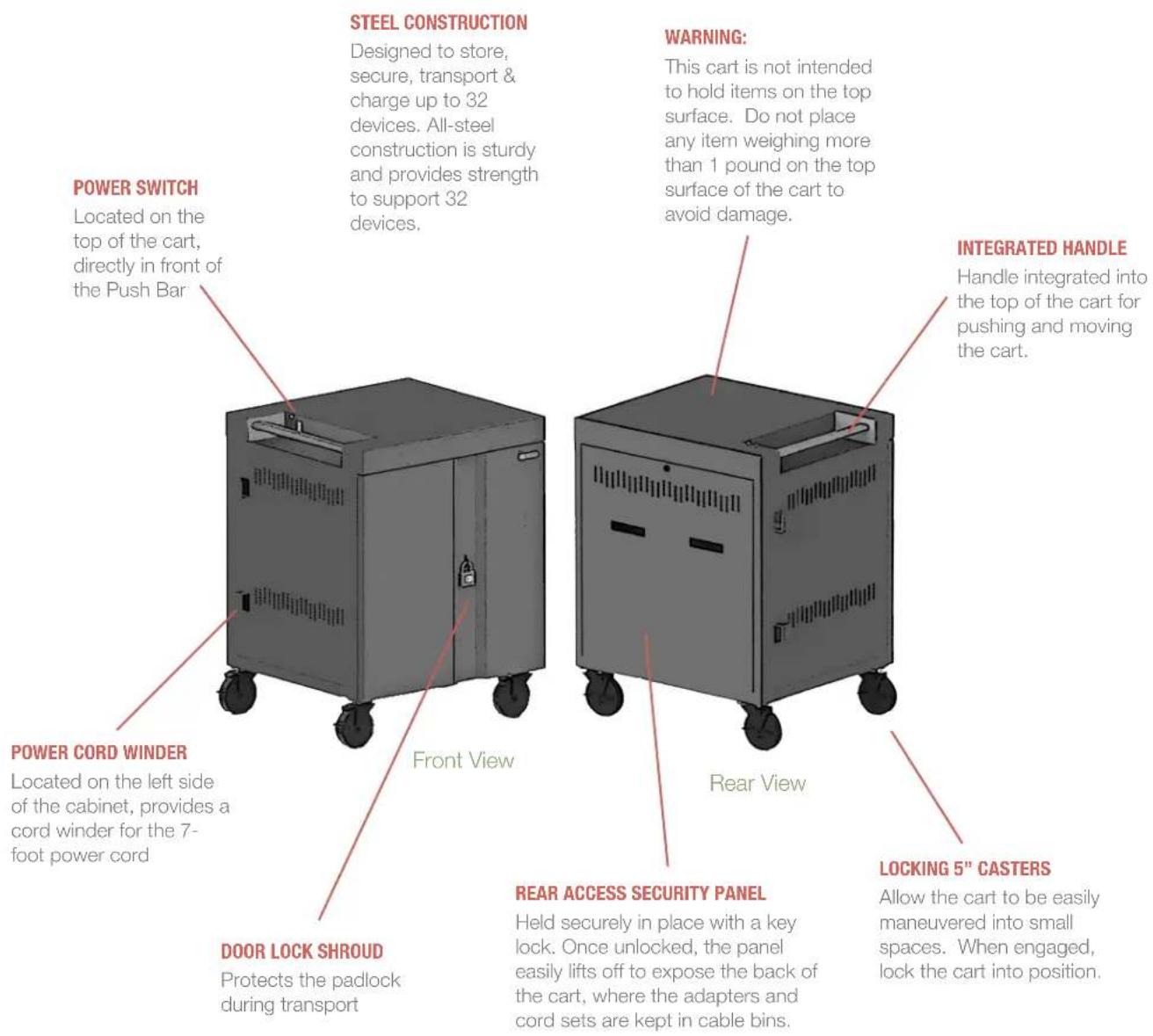
- Turn on the power switch - located in front of the push handle
- In the TVC32PAC-XXX CUBE Cart for 32 devices, once the cart is turned on, the power manager begins rotating power to the power strips every 5 minutes. This allows efficient charging of the devices in the cart from one single 15 amp circuit.

WARNING

CAN TIP OVER RESULTING IN RISK OF INJURY. DO NOT ALLOW CHILDREN UNDER 16 TO MOVE CART. MOVE CART SLOWLY

ONLY ADULTS SHOULD MOVE THIS UNIT
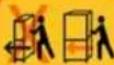
APPLY MOVING FORCE ON NARROW DIMENSION
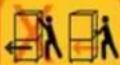
NEVER APPLY FORCE AT TOP - ALWAYS PUSH NEAR MIDDLE

PUSH DON'T PULL.
201509
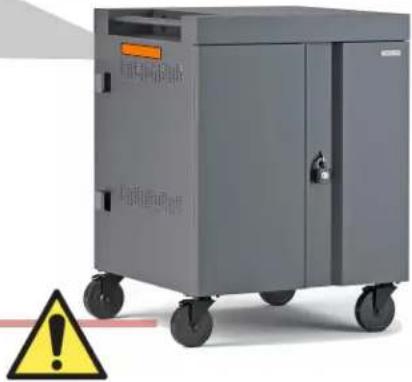
"WARNING": This Safe User Label is attached to the side of the cart, warning that the cart may tip over if transported incorrectly, which could cause injury.
- Do not allow children under 16 to move cart. Only adults should move this cart.
- Move the cart slowly
- Apply moving force on the narrow dimension.
• Always push using the handles. Push the cart, do not pull it. - Engage the directional lock casters when moving the cart for added stability & safety.
natural_image
Exterior view of a gray industrial control unit with wheels and warning symbol (no text or labels)"WARNING": Relocating audio and/or video devices to a cart not specifically designed to support audio and/or video devices may result in death or serious injury due to the cart collapsing or over turning onto a child.
"WARNING": Death or serious injury may occur when children climb on a cart. A remote control or toys placed on the cart may encourage a child to climb on the cart and as a result, the cart may tip over on to the child.
Safe Use Instructions
• This cart may be intended for institutional use.
• The socket outlet shall be installed near the cart and shall be easily accessible.
• Make sure all devices do not exceed the maximum load rating of 12 amps.
- Power strips inside cart are intended only for charging compatible devices. Any other use may cause overload.
- Do not move cart by pulling the power cord. Before moving cart from one room to the next, wrap power cord around the cord winder located on the side of the cart.
- Do not plug the cart in if the switch, receptacle(s), or power cord has been damaged. Contact Bretford or a qualified electrician before attempting to make any type of electrical repair or parts replacement.
• Engage locking casters when cart is not in transit.
Do not block ventilation holes on cart. Proper air flow is required for safe operation.
Cart is not designed to be operated by a child or student. Adult operation and supervision is recommended at all times.
Liquids should not be stored in, set on or placed inside the cart.
Only clean the surfaces of cart with soft dry cloth. Do not use liquid or spray or abrasive cleansers. Use only disinfecting wipes containing no bleach.
Product is for indoor use only.
User can plug in up to 32 devices at one time.
Turn power switch off before plugging in devices
Turn power switch off before unplugging the cart.
Do not pull the cart. Always push cart using the handles. Use extra caution on ramps and thresholds.
- Do not plug the power cord into another extension cord or re-locatable power tap.
- Be sure to turn power switch off and unplug cart before moving to a different location.
- Ensure casters are locked before opening the cart doors.
- Be sure to lock up cart in a secure environment after every use.
- Do not share the lock combination code with any unauthorized persons.