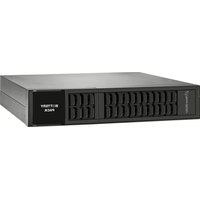
BPH A192R-16 - Battery PowerPlus - Free user manual and instructions
Find the device manual for free BPH A192R-16 PowerPlus in PDF.


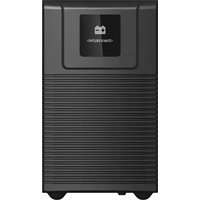
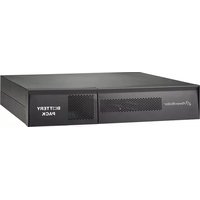
| Brand | PowerPlus |
| Model | BPH A192R-16 |
| Product Type | Battery Pack |
| Number of Batteries | 16 |
| Battery Capacity | 9 Ah each (144 Ah total) |
| Battery Type | Sealed Lead-Acid (SLA) |
| Operating Temperature | 0°C to 40°C |
| Storage Temperature | -25°C to 45°C |
| Humidity Range | 30% to 90% non-condensing |
| Recharge Frequency (unused) | Every 2–3 months (depending on storage temperature) |
| Charging Duration | 1–2 hours |
| Battery Service Life | 3–5 years at 25°C |
| Installation Clearance | 20 cm from wall |
| Safety Features | Short circuit protection, thermal management, avoid direct sunlight |
| Maintenance | Recharge every 2–3 months if unused; replace all batteries with same type |
| Environmental Restrictions | Not for dusty, corrosive, or salty environments |
| Warranty Note | Void if batteries fail due to overheating, water damage, or foreign objects |
Frequently Asked Questions - BPH A192R-16 PowerPlus
User questions about BPH A192R-16 PowerPlus
0 question about this device. Answer the ones you know or ask your own.
Ask a new question about this device
Download the instructions for your Battery in PDF format for free! Find your manual BPH A192R-16 - PowerPlus and take your electronic device back in hand. On this page are published all the documents necessary for the use of your device. BPH A192R-16 by PowerPlus.
USER MANUAL BPH A192R-16 PowerPlus
User Manual Battery Pack
1. Important Safety Warnings
Please comply with all warnings and operating instructions in this instruction strictly. Read carefully the following instructions before installing the unit. Do not operate this unit before reading through all safety information and operating instructions carefully.
- Do not try to assemble or repair the unit yourself, contact your local supplier, seek for help of qualified technician
- To eliminate any overheating of the battery box, keep all ventilation openings free from obstruction and do not place any foreign objects on top of the battery bank. Keep the battery box 20 cm away from the wall.
- Make sure the battery box is installed within the proper environment as specified. (0-40°C and 30-90% non-condensing humidity)
- Do not install the battery box under direct sunlight. Your warranty will be void if the batteries fail due to overheating.
- This battery box is not designed for use in dusty, corrosive and salty environment.
- The warranty for this battery bank will be void if water or other liquid is spilled or poured directly onto the battery box. Similarly we do not warrant any damage to the battery box if foreign objects are deliberately or accidentally inserted into the battery box enclosure.
- The battery will discharge naturally if the system is unused for a period of time.
- It should be recharged every 2-3 months if unused. If this is not done, then the warranty will be null and void. During normal operation, the batteries will be automatically remained in charged condition.
- Servicing of batteries should be performed or supervised by trained personnel with knowledge of batteries and the required precautions.
- When replacing batteries, it is necessary to replace ALL batteries with the same quantity, type & capacity.
- CAUTION – Do not dispose of battery or batteries in a fire. The battery may explode.
- CAUTION – Do not open or mutilate the batteries. The electrolyte from the batteries is toxic and harmful to the skin and eyes.
- CAUTION – Risk of Electric Shock – Hazardous voltage may exist between battery terminals and ground. Test before touching with bare hands.
- CAUTION – A battery can present a risk of electrical shock and high short circuit current. The following precaution should be observed when working on batteries:
- Remove watches, rings, or other metal objects.
- Use tools with insulated handles.
- Wear rubber gloves and boots.
- Do not lay tools or metal parts on top of batteries.
- Disconnect charging source prior to connecting or disconnecting battery terminals.
- Do not plug or unplug the battery connector if UPS works in DC (discharging) mode.
Installation and Setup
NOTE: Before installation, please inspect the unit. Be sure that nothing inside the package is damaged. Please keep the original package in a safe place for future use
Storage & Maintenance
The unit contains no user-serviceable parts. If the battery service life (3\~5 years at 25°C ambient temperature) has been exceeded, the batteries must be replaced. In this case, please contact your dealer.
Be sure to deliver the spent battery to a recycling facility or ship it to your dealer in the replacement battery packing material.
Storage
Before storing, charge the unit 4 hours. Store the unit covered and upright in a cool, dry location. During storage, recharge the battery in accordance with the following table:
| Storage Temperature Recharge Frequency Charging Duration | |
| -25°C - 40°C Every 3 months 1-2 hours | |
| 40°C - 45°C Every 2 months 1-2 hours | |
SOP – How to assemble Battery Pack with 16 batteries (BP A192R-16x9Ah)
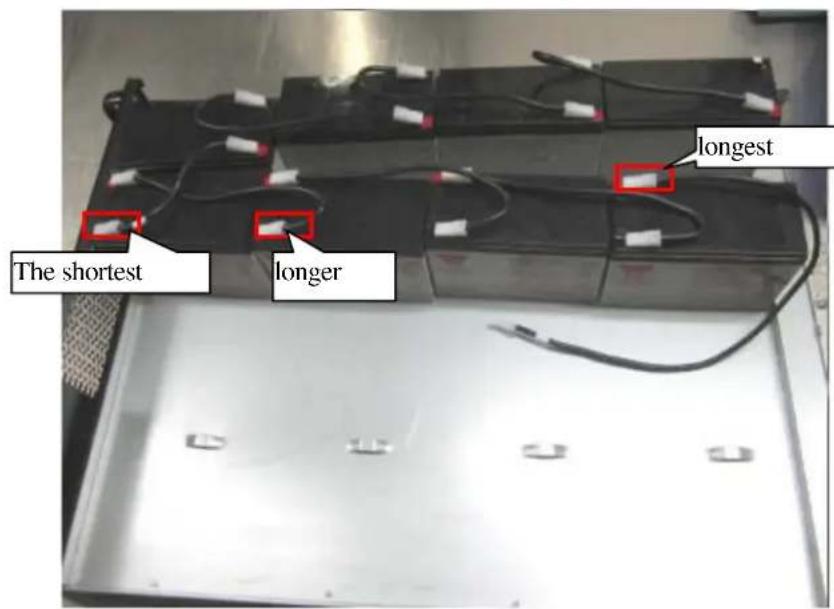
- As picture: take 8 batteries and put them on the base (the direction as picture), take the jump wires (150MM*1)、(500MM*1)、(200MM*6), then insert the jump wires on the batteries terminal (as picture), the terminal should be inserted well. Notice: the battery terminal should keep away from the case to avoid short circuit.

- As picture: install the batteries on the base (the battery direction as picture)。 Notice: the battery terminal should keep away of the case to avoid short circuit.
| notice: when install the batteries: the battery terminal should keep away from the case to avoid short circuitPlease make sure the position of the battery wires is right | fixture: pliers。 |

- As picture: take 8 batteries and put them on the base, (the direction as picture), take the jump wires (150MM*1)、(200MM*6), insert the jump wires on the battery terminal (as picture), the terminal should be inserted well.
- Connect the longest wire of another group batteries to the black battery terminal of the most right and upward side of this group.
Notice: the battery terminal should keep away from the case to avoid short circuit.

natural_image
Stacked battery packs on a metal rack, no visible text or symbols on the packs themselves- As picture: put the batteries on the base (the direction as picture). Notice: the battery terminal should keep away from the case to avoid short circuit.
notice: when we install the batteries: the battery terminal should keep away from the case to avoid short circuit.
Please make sure the position of the battery wires is right
fixture: pliers。

natural_image
Stacked battery modules with visible circuitry and wiring, no readable text or symbols on main componentsPast foam*4PCS
1、As picture: take the battery pressing plate, install the pressing plate on the base and fix it with nuts.
M3 nut :38-220001-XXG*8, torque: 8KGF-CM.

natural_image
Exterior view of a large rectangular electronic device with mounting brackets and red circular markers on the side (no visible text or symbols)- As picture: insert the red and black wires of switch on the battery terminal: the red wire should be inserted on the red terminal, the black wire should be inserted on the black terminal.


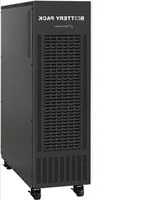
Brand : PowerPlus
Model : BPH A192R-16
Category : Battery