
Java - Home PRINCESS - Free user manual and instructions
Find the device manual for free Java PRINCESS in PDF.


| Product Type | Coffee Maker |
| Brand | Princess |
| Model | Java |
| Category | Home |
| Dimensions (H x W x D) | 30 cm x 20 cm x 25 cm |
| Weight | 2.0 kg |
| Power Supply | 220-240 V, 50/60 Hz |
| Power Consumption | 1000 W |
| Water Tank Capacity | 1.2 L |
| Brewing Capacity | Up to 10 cups |
| Functions | Brew coffee, keep warm, auto shut-off |
| Filter Type | Permanent mesh filter |
| Material | Plastic housing, glass carafe |
| Color | Black / Silver |
| Cord Length | 0.8 m |
| Safety Features | Auto shut-off, non-slip feet |
| Cleaning | Descaling recommended every 3 months |
| Spare Parts | Water tank, carafe, filter basket |
| Repairability | User-replaceable parts available |
| Warranty | 2 years |
| Certifications | CE, RoHS |
Frequently Asked Questions - Java PRINCESS
User questions about Java PRINCESS
0 question about this device. Answer the ones you know or ask your own.
Ask a new question about this device
Download the instructions for your Home in PDF format for free! Find your manual Java - PRINCESS and take your electronic device back in hand. On this page are published all the documents necessary for the use of your device. Java by PRINCESS.
USER MANUAL Java PRINCESS
Here you can find our instruction manuals.
Below is an overview of our most common instructions for use.
If you don't see the manual you're looking for, don't worry! Let us know via our contact page and one of our colleagues will contact you as soon as possible.
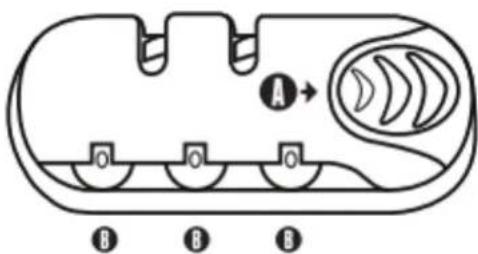
PULL LOCK INSTRUCTIONS
- The lock is set to 0-0-0
- Press the A button in the direction of the arrow
- While holding in the button, choose your 3-digit code by turning the wheels (B)
- Release the button to set your code
- Make sure that you do not release the button while setting the code
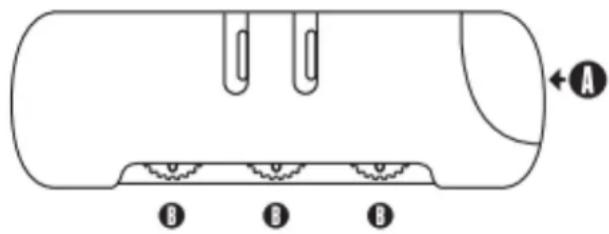
PUSH LOCK INSTRUCTIONS
- The lock is set to 0-0-0
- Press the A button in the direction of the arrow
- While holding in the button, choose your 3-digit code by turning the wheels (B)
- Release the button to set your code
- Make sure that you do not release the button while setting the code
SUITCASE WITH A BUILT-IN SCALE
Note: Please read these instructions carefully. Observe the instructions for safe use.
Use the product with care and for the purpose for which it is intended.
Failure to do so may cause the wrong weight to display or potentially cause damage. Store these instructions for future use.
1) SAFETY INSTRUCTIONS
- Never expose the suitcase to rain or humidity. This may cause damage to the scale.
- Only use A-brand CR2032 batteries.
2) SPECIFICATIONS
• Maximum load for suitcases in size S/M/L 10/15/20 kg
- Tolerance ± 2.5kg
- Unit on display kg, lbs
3) INSTRUCTIONS FOR USE
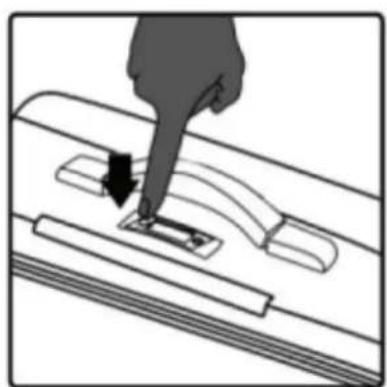
- Place the luggage on a flat surface, with the LCD scale screen facing upwards.
- Press the button marked 'ON/OFF'.
- Once the number zero (0) is displayed on the LCD screen, lift the suitcase by the side handle. Hold the suitcase still for a few seconds.
- The total weight of the luggage will be displayed on the LCD screen.
- Switch off the scale by pressing the 'ON/OFF' button again.
- By pressing the button marked 'KG/LBS', the LCD display will toggle between kilograms and pounds.
4) MAINTENANCE
Check and replace the battery if the scale does not respond to the 'ON/OFF' button, or the display reads 'LO'.
The battery is located on the rear side of the scale, i.e. on the inside of the suitcase. Here you will find a cover.
Slide it open to replace the battery. Pay attention to the positive/negative pole markings.
natural_image
Diagram of a hand pressing down on a mechanical component with arrows indicating motion (no text or symbols)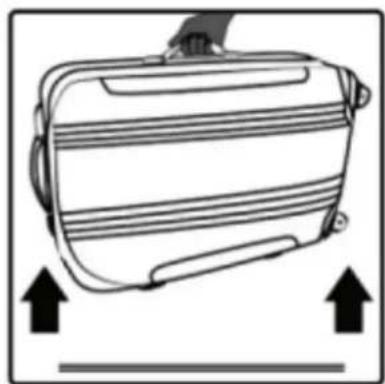
natural_image
Diagram of a suitcase with upward arrows indicating movement or force (no text or symbols)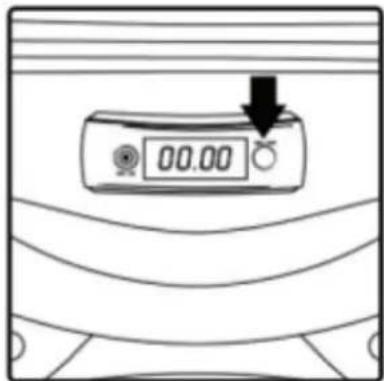
POWER BOXPOWER BOX
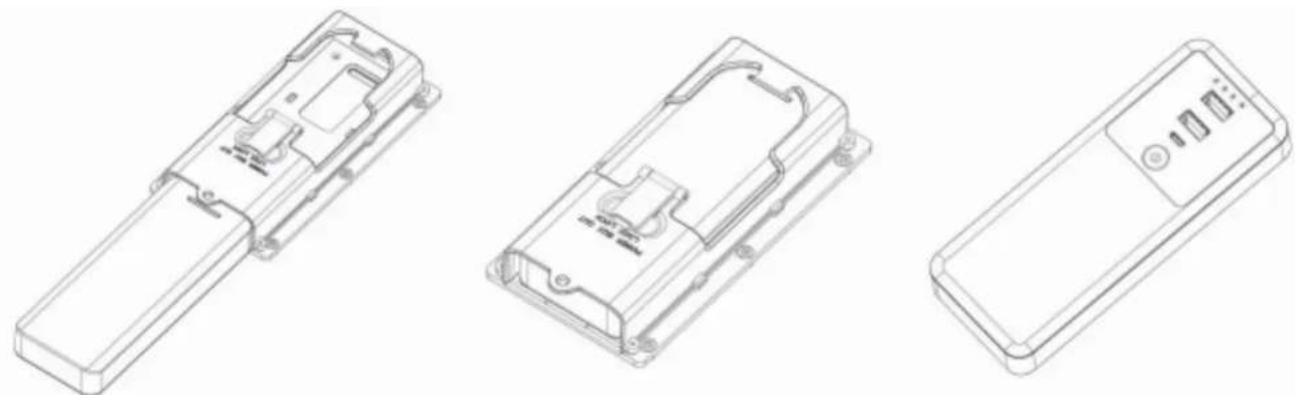
The charger is removable and can also be used as a separate unit.
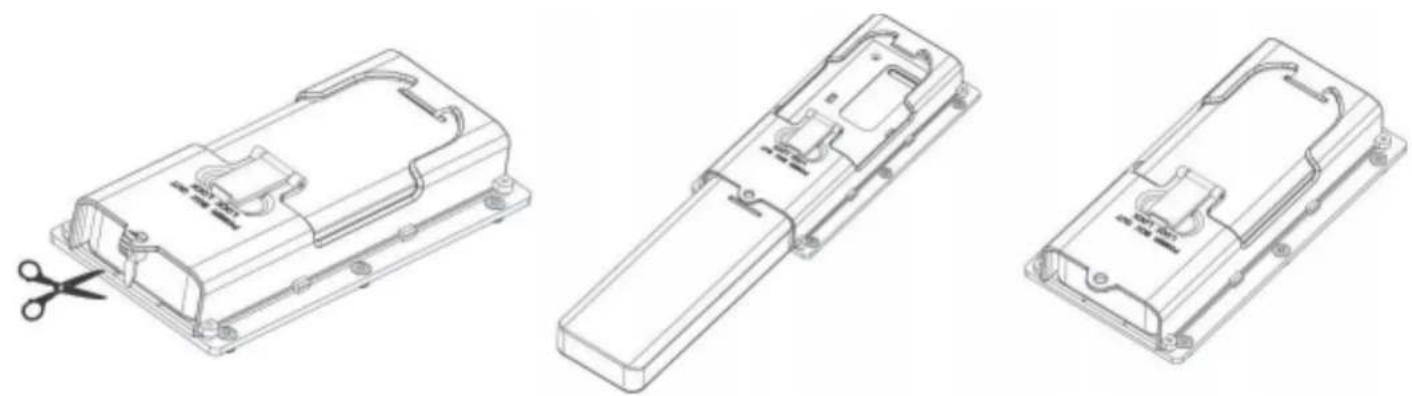
REMOVING THE CHARGER
Open the zipper inside the suitcase. When using it for the first time, cut off the zip tie.
Pull up the lid and slide out the charger-unit. Close and lock the sliding cover.
natural_image
Three technical line drawings of a mechanical housing component with cutouts and mounting holes, shown from different angles (no text or symbols present)PLACING THE CHARGER
natural_image
Three technical line drawings of a remote control casing (no text or symbols)LOCKING THE CHARGER
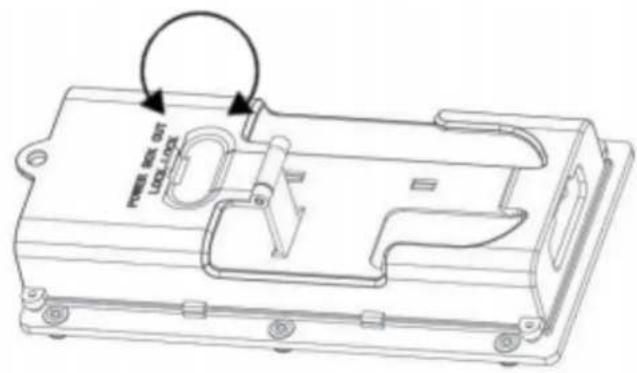
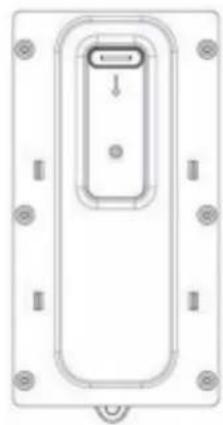
Once you have removed the charger, lock the sliding cover. This will prevent somebody from placing something in your suitcase without you noticing.
natural_image
Top-down schematic of a device casing with mounting holes and a central internal component (no text or symbols)TRAVEL LIKE A ROYAL
Brand : PRINCESS
Model : Java
Category : Home